Rebuilding
LawHelpMN.org
Electric Citizen & MN Legal Services Coalition
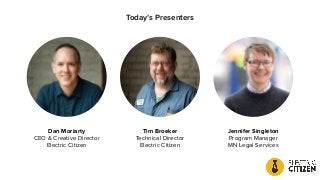
Dan Moriarty
CEO & Creative Director
Electric Citizen
Tim Broeker
Technical Director
Electric Citizen
Jennifer Singleton
Program Manager
MN Legal Services
Today’s Presenters
What We’ll Cover
LawHelpMN.org
● Legal resource tools
● Legal “triage” online application
● Legal service providers tools
● Multilingual environment
● Projects phases
● User testing
● Relationship between client and vendor
● How we manage the big rocks
About Agency
Electric Citizen
The agency behind the redesign
(aka “vendor”)
● Minneapolis agency since 2012
● Focus on civic sector (government,
higher ed, nonprofits, arts, science)
● Open-source advocates,
Drupal experts
● ElectricCitizen.com
About Client
Minnesota Legal Services Coalition
Project of the Minnesota Legal
Services Coalition (MLSC), an
association of seven Minnesota
regional legal services programs
● Mission: to improve access to
justice for all Minnesotans by
providing information, connections
and tools for the public and
advocates
Need for
the Project
Justice for All Strategic Planning
Project Goal: To work toward a system where everyone has:
Access to
Effective assistance
For their essential civil legal needs
Through a comprehensive approach
That provides a continuum of meaningful and
appropriate services
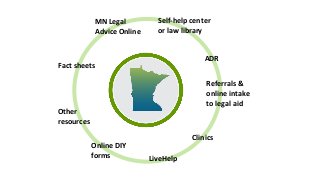
Fact sheets
Other
resources
Online DIY
forms LiveHelp
Clinics
MN Legal
Advice Online
Self-help center
or law library
ADR
Referrals &
online intake
to legal aid
A quick note about rocks
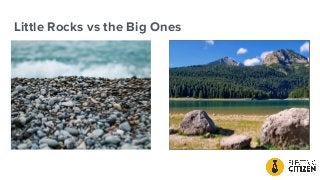
Little Rocks vs the Big Ones
Big Rocks
What are our biggest deliverables
1. Resource Library
2. Triage
3. Provider Tools
4. Multilingual
5. Plus
a. Refresh design
b. Security and privacy
c. Intake
d. SMS integration
e. User Feedback
Rock #1:
Resource Library
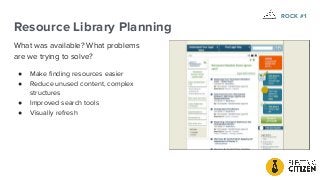
Resource Library Planning
What was available? What problems
are we trying to solve?
● Make finding resources easier
● Reduce unused content, complex
structures
● Improved search tools
● Visually refresh
ROCK #1
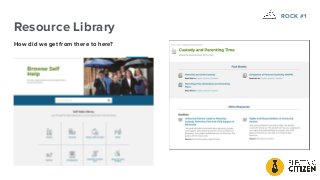
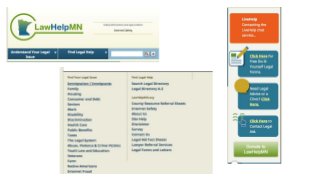
Resource Library
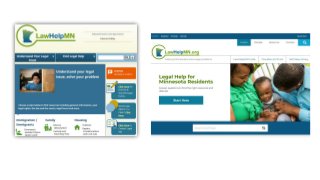
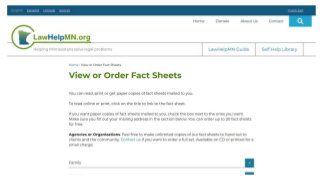
How did we get from there to here?
ROCK #1
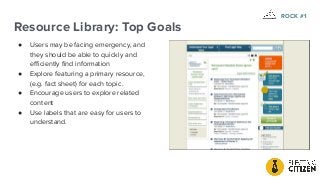
Resource Library: Top Goals
● Users may be facing emergency, and
they should be able to quickly and
efficiently find information
● Explore featuring a primary resource,
(e.g. fact sheet) for each topic.
● Encourage users to explore related
content
● Use labels that are easy for users to
understand.
ROCK #1
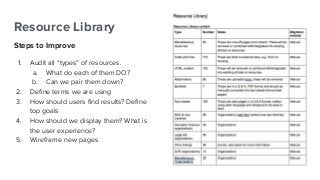
Resource Library
Steps to Improve
1. Audit all “types” of resources.
a. What do each of them DO?
b. Can we pair them down?
2. Define terms we are using
3. How should users find results? Define
top goals
4. How should we display them? What is
the user experience?
5. Wireframe new pages
ROCK #1
Resource Library
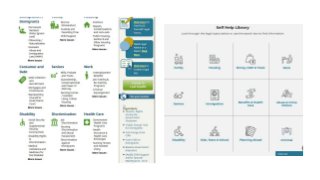
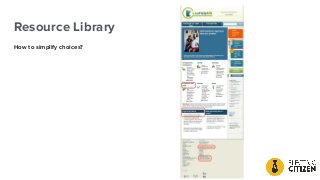
How to simplify choices?
Resource Wireframes
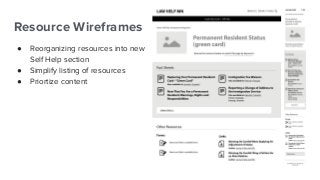
● Reorganizing resources into new
Self Help section
● Simplify listing of resources
● Priortize content
Resource Mockups
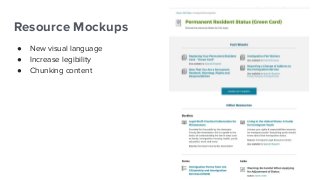
● New visual language
● Increase legibility
● Chunking content
ROCK #1
Rock #2:
Triage
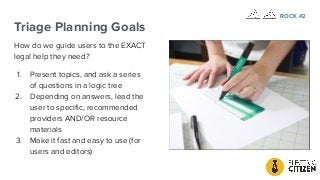
Triage Planning Goals
How do we guide users to the EXACT
legal help they need?
1. Present topics, and ask a series
of questions in a logic tree
2. Depending on answers, lead the
user to specific, recommended
providers AND/OR resource
materials
3. Make it fast and easy to use (for
users and editors)
ROCK #2
Challenges
● More than 300 legal topic IDs
● Across 12 legal categories
● With 1,000+ legal prompts
● Jump Points
● Optional Jump Points
● Domestic abuse warnings
● Resources plus Services
● Intake process (pilot version)
● User experience
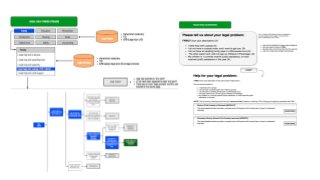
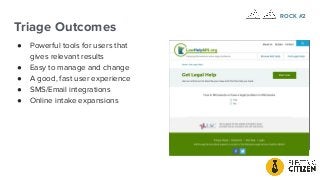
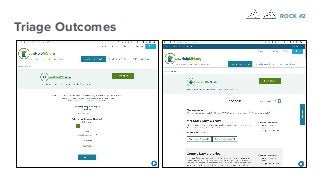
Triage Outcomes
● Powerful tools for users that
gives relevant results
● Easy to manage and change
● A good, fast user experience
● SMS/Email integrations
● Online intake expansions
ROCK #2
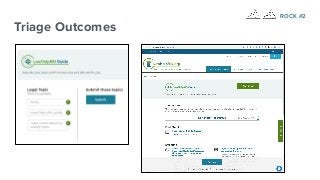
Triage Outcomes
ROCK #2
Triage Outcomes
ROCK #2
Rock #3:
Provider Tools
Provider Tools Planning Goals
How we can more effectively connect
and serve our providers? How can
they help us to:
● Create advanced, effective search
tools for providers
● Allow providers to update their
own data
● Include clinics, FPG data, location,
hours, contact data
● How can get provider buy-in?
ROCK #3
Challenges
● Complex data (Organizations,
Locations, Services)
● How to build an effective, easy
interface
● How to get user buy in
● Lack of initial planning (we
thought it would be easy!)
● This turned out to be one of the
more important and difficult
elements of the project
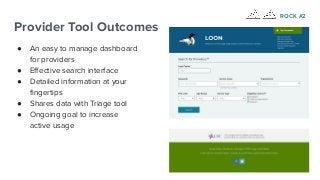
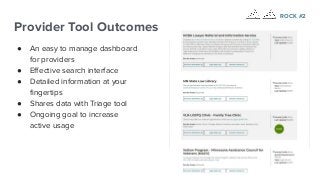
Provider Tool Outcomes
● An easy to manage dashboard
for providers
● Effective search interface
● Detailed information at your
fingertips
● Shares data with Triage tool
● Ongoing goal to increase
active usage
ROCK #2
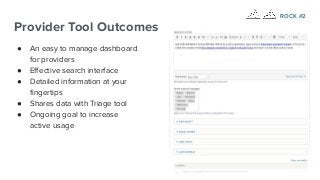
Provider Tool Outcomes
● An easy to manage dashboard
for providers
● Effective search interface
● Detailed information at your
fingertips
● Shares data with Triage tool
● Ongoing goal to increase
active usage
ROCK #2
Provider Tool Outcomes
● An easy to manage dashboard
for providers
● Effective search interface
● Detailed information at your
fingertips
● Shares data with Triage tool
● Ongoing goal to increase
active usage
ROCK #2
Rock #4:
Multilingual
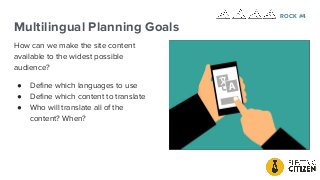
Multilingual Planning Goals
How can we make the site content
available to the widest possible
audience?
● Define which languages to use
● Define which content to translate
● Who will translate all of the
content? When?
ROCK #4
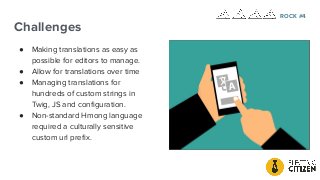
Challenges
● Making translations as easy as
possible for editors to manage.
● Allow for translations over time
● Managing translations for
hundreds of custom strings in
Twig, JS and configuration.
● Non-standard Hmong language
required a culturally sensitive
custom url prefix.
ROCK #4
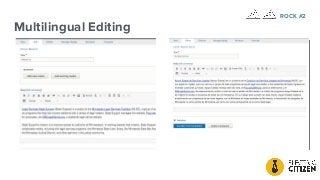
Multilingual Editing
ROCK #2
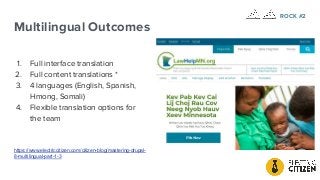
Multilingual Outcomes
1. Full interface translation
2. Full content translations *
3. 4 languages (English, Spanish,
Hmong, Somali)
4. Flexible translation options for
the team
https://www.electriccitizen.com/citizen-blog/mastering-drupal-
8-multilingual-part-1-3
ROCK #2
Other Rocks &
Project Phases
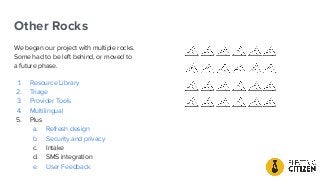
Other Rocks
We began our project with multiple rocks.
Some had to be left behind, or moved to
a future phase.
1. Resource Library
2. Triage
3. Provider Tools
4. Multilingual
5. Plus
a. Refresh design
b. Security and privacy
c. Intake
d. SMS integration
e. User Feedback
Project Phase: Strategy and
Analysis
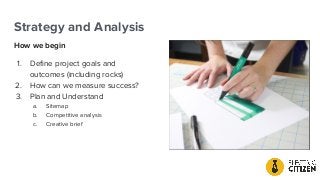
Strategy and Analysis
How we begin
1. Define project goals and
outcomes (including rocks)
2. How can we measure success?
3. Plan and Understand
a. Sitemap
b. Competitive analysis
c. Creative brief
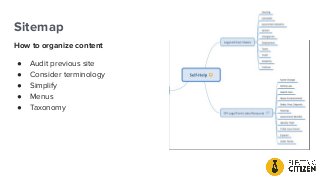
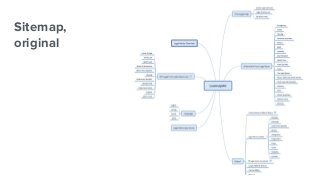
Sitemap
How to organize content
● Audit previous site
● Consider terminology
● Simplify
● Menus
● Taxonomy
Sitemap,
original
Sitemap,
revised
Sitemap,
revised
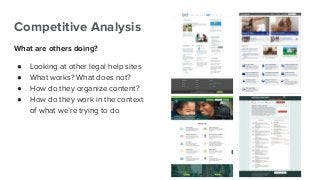
Competitive Analysis
What are others doing?
● Looking at other legal help sites
● What works? What does not?
● How do they organize content?
● How do they work in the context
of what we’re trying to do
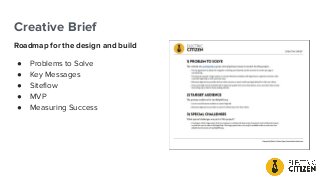
Creative Brief
Roadmap for the design and build
● Problems to Solve
● Key Messages
● Siteflow
● MVP
● Measuring Success
MVP
At a minimum, the site must offer a triage system and a
provider portal. The site must have multilingual options to
allow the client to provide content in additional languages
besides English, and a resource library for self-help content.
ROCKS!
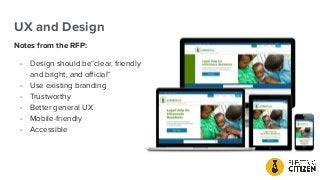
UX and Design
UX and Design
Notes from the RFP:
- Design should be“clear, friendly
and bright, and official”
- Use existing branding
- Trustworthy
- Better general UX
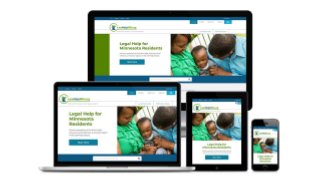
- Mobile-friendly
- Accessible
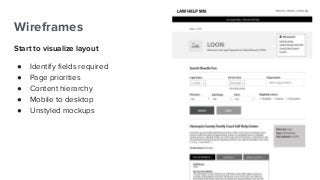
Wireframes
Start to visualize layout
● Identify fields required
● Page priorities
● Content hierarchy
● Mobile to desktop
● Unstyled mockups
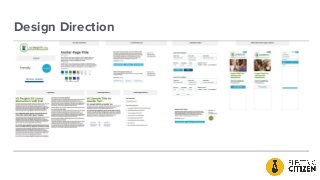
Design Direction
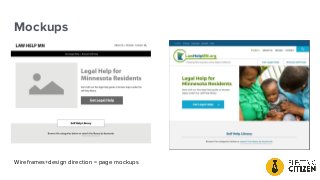
Mockups
Wireframes+design direction = page mockups
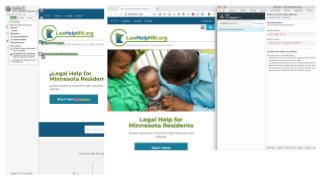
Meeting Accessibility Guidelines
How We Test
- Audit Site
- Automated Tools (WAVE, aXE)
- Manual Testing
User Testing
How to Conduct User Testing
Define Tests
● LOON
● Triage
● Website (overall)
● Mobile experience
Find Users
● Advertise to clients
● Volunteer providers
● Offer incentives
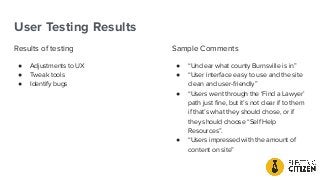
User Testing Results
Results of testing
● Adjustments to UX
● Tweak tools
● Identify bugs
Sample Comments
● “Unclear what county Burnsville is in”
● “User interface easy to use and the site
clean and user-friendly”
● “Users went through the ‘Find a Lawyer’
path just fine, but it’s not clear if to them
if that’s what they should chose, or if
they should choose “Self Help
Resources”.
● “Users impressed with the amount of
content on site”
Project Results
The new LawHelpMN.org
launched on 01/31/19
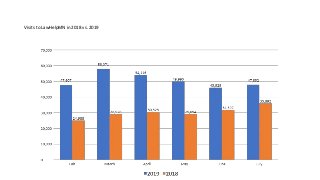
Visits to LawHelpMN in 2018 vs. 2019
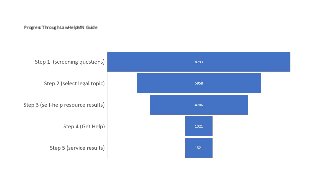
Progress Through LawHelpMN Guide
Top Pages Visited
1. Rights & Responsibilities
of Unmarried Parents
2. Homepage
3. LawHelpMN Guide
4. LawHelpMN Guide -
initial questions
5. Termination of
Parental Rights
Post Launch Work
Phase 2
● More advanced analytics
● SMS/email options
● Additional intake options
● Ongoing support and maintenance (10
hours per month)
Questions?

Rebuilding LawHelpMN.org

  • 1.
  • 2.
    Dan Moriarty CEO &Creative Director Electric Citizen Tim Broeker Technical Director Electric Citizen Jennifer Singleton Program Manager MN Legal Services Today’s Presenters
  • 3.
    What We’ll Cover LawHelpMN.org ●Legal resource tools ● Legal “triage” online application ● Legal service providers tools ● Multilingual environment ● Projects phases ● User testing ● Relationship between client and vendor ● How we manage the big rocks
  • 4.
    About Agency Electric Citizen Theagency behind the redesign (aka “vendor”) ● Minneapolis agency since 2012 ● Focus on civic sector (government, higher ed, nonprofits, arts, science) ● Open-source advocates, Drupal experts ● ElectricCitizen.com
  • 5.
    About Client Minnesota LegalServices Coalition Project of the Minnesota Legal Services Coalition (MLSC), an association of seven Minnesota regional legal services programs ● Mission: to improve access to justice for all Minnesotans by providing information, connections and tools for the public and advocates
  • 7.
  • 9.
    Justice for AllStrategic Planning Project Goal: To work toward a system where everyone has: Access to Effective assistance For their essential civil legal needs Through a comprehensive approach That provides a continuum of meaningful and appropriate services
  • 13.
    Fact sheets Other resources Online DIY formsLiveHelp Clinics MN Legal Advice Online Self-help center or law library ADR Referrals & online intake to legal aid
  • 17.
    A quick noteabout rocks
  • 18.
    Little Rocks vsthe Big Ones
  • 19.
    Big Rocks What areour biggest deliverables 1. Resource Library 2. Triage 3. Provider Tools 4. Multilingual 5. Plus a. Refresh design b. Security and privacy c. Intake d. SMS integration e. User Feedback
  • 20.
  • 21.
    Resource Library Planning Whatwas available? What problems are we trying to solve? ● Make finding resources easier ● Reduce unused content, complex structures ● Improved search tools ● Visually refresh ROCK #1
  • 22.
    Resource Library How didwe get from there to here? ROCK #1
  • 23.
    Resource Library: TopGoals ● Users may be facing emergency, and they should be able to quickly and efficiently find information ● Explore featuring a primary resource, (e.g. fact sheet) for each topic. ● Encourage users to explore related content ● Use labels that are easy for users to understand. ROCK #1
  • 24.
    Resource Library Steps toImprove 1. Audit all “types” of resources. a. What do each of them DO? b. Can we pair them down? 2. Define terms we are using 3. How should users find results? Define top goals 4. How should we display them? What is the user experience? 5. Wireframe new pages ROCK #1
  • 25.
    Resource Library How tosimplify choices?
  • 26.
    Resource Wireframes ● Reorganizingresources into new Self Help section ● Simplify listing of resources ● Priortize content
  • 27.
    Resource Mockups ● Newvisual language ● Increase legibility ● Chunking content ROCK #1
  • 29.
  • 30.
    Triage Planning Goals Howdo we guide users to the EXACT legal help they need? 1. Present topics, and ask a series of questions in a logic tree 2. Depending on answers, lead the user to specific, recommended providers AND/OR resource materials 3. Make it fast and easy to use (for users and editors) ROCK #2
  • 31.
    Challenges ● More than300 legal topic IDs ● Across 12 legal categories ● With 1,000+ legal prompts ● Jump Points ● Optional Jump Points ● Domestic abuse warnings ● Resources plus Services ● Intake process (pilot version) ● User experience
  • 34.
    Triage Outcomes ● Powerfultools for users that gives relevant results ● Easy to manage and change ● A good, fast user experience ● SMS/Email integrations ● Online intake expansions ROCK #2
  • 35.
  • 36.
  • 37.
  • 38.
    Provider Tools PlanningGoals How we can more effectively connect and serve our providers? How can they help us to: ● Create advanced, effective search tools for providers ● Allow providers to update their own data ● Include clinics, FPG data, location, hours, contact data ● How can get provider buy-in? ROCK #3
  • 39.
    Challenges ● Complex data(Organizations, Locations, Services) ● How to build an effective, easy interface ● How to get user buy in ● Lack of initial planning (we thought it would be easy!) ● This turned out to be one of the more important and difficult elements of the project
  • 40.
    Provider Tool Outcomes ●An easy to manage dashboard for providers ● Effective search interface ● Detailed information at your fingertips ● Shares data with Triage tool ● Ongoing goal to increase active usage ROCK #2
  • 41.
    Provider Tool Outcomes ●An easy to manage dashboard for providers ● Effective search interface ● Detailed information at your fingertips ● Shares data with Triage tool ● Ongoing goal to increase active usage ROCK #2
  • 42.
    Provider Tool Outcomes ●An easy to manage dashboard for providers ● Effective search interface ● Detailed information at your fingertips ● Shares data with Triage tool ● Ongoing goal to increase active usage ROCK #2
  • 43.
  • 44.
    Multilingual Planning Goals Howcan we make the site content available to the widest possible audience? ● Define which languages to use ● Define which content to translate ● Who will translate all of the content? When? ROCK #4
  • 45.
    Challenges ● Making translationsas easy as possible for editors to manage. ● Allow for translations over time ● Managing translations for hundreds of custom strings in Twig, JS and configuration. ● Non-standard Hmong language required a culturally sensitive custom url prefix. ROCK #4
  • 46.
  • 47.
    Multilingual Outcomes 1. Fullinterface translation 2. Full content translations * 3. 4 languages (English, Spanish, Hmong, Somali) 4. Flexible translation options for the team https://www.electriccitizen.com/citizen-blog/mastering-drupal- 8-multilingual-part-1-3 ROCK #2
  • 48.
  • 49.
    Other Rocks We beganour project with multiple rocks. Some had to be left behind, or moved to a future phase. 1. Resource Library 2. Triage 3. Provider Tools 4. Multilingual 5. Plus a. Refresh design b. Security and privacy c. Intake d. SMS integration e. User Feedback
  • 50.
  • 51.
    Strategy and Analysis Howwe begin 1. Define project goals and outcomes (including rocks) 2. How can we measure success? 3. Plan and Understand a. Sitemap b. Competitive analysis c. Creative brief
  • 52.
    Sitemap How to organizecontent ● Audit previous site ● Consider terminology ● Simplify ● Menus ● Taxonomy
  • 53.
  • 55.
  • 56.
  • 57.
    Competitive Analysis What areothers doing? ● Looking at other legal help sites ● What works? What does not? ● How do they organize content? ● How do they work in the context of what we’re trying to do
  • 58.
    Creative Brief Roadmap forthe design and build ● Problems to Solve ● Key Messages ● Siteflow ● MVP ● Measuring Success
  • 59.
    MVP At a minimum,the site must offer a triage system and a provider portal. The site must have multilingual options to allow the client to provide content in additional languages besides English, and a resource library for self-help content. ROCKS!
  • 60.
  • 61.
    UX and Design Notesfrom the RFP: - Design should be“clear, friendly and bright, and official” - Use existing branding - Trustworthy - Better general UX - Mobile-friendly - Accessible
  • 62.
    Wireframes Start to visualizelayout ● Identify fields required ● Page priorities ● Content hierarchy ● Mobile to desktop ● Unstyled mockups
  • 63.
  • 64.
  • 65.
    Meeting Accessibility Guidelines HowWe Test - Audit Site - Automated Tools (WAVE, aXE) - Manual Testing
  • 67.
  • 68.
    How to ConductUser Testing Define Tests ● LOON ● Triage ● Website (overall) ● Mobile experience Find Users ● Advertise to clients ● Volunteer providers ● Offer incentives
  • 69.
    User Testing Results Resultsof testing ● Adjustments to UX ● Tweak tools ● Identify bugs Sample Comments ● “Unclear what county Burnsville is in” ● “User interface easy to use and the site clean and user-friendly” ● “Users went through the ‘Find a Lawyer’ path just fine, but it’s not clear if to them if that’s what they should chose, or if they should choose “Self Help Resources”. ● “Users impressed with the amount of content on site”
  • 70.
  • 71.
  • 72.
    Visits to LawHelpMNin 2018 vs. 2019
  • 73.
  • 74.
    Top Pages Visited 1.Rights & Responsibilities of Unmarried Parents 2. Homepage 3. LawHelpMN Guide 4. LawHelpMN Guide - initial questions 5. Termination of Parental Rights
  • 75.
    Post Launch Work Phase2 ● More advanced analytics ● SMS/email options ● Additional intake options ● Ongoing support and maintenance (10 hours per month)
  • 76.