Controlling Windows and Canvases
Programmatically
Objectives
• Display a form document in multiple windows
• Write code to interact with windows
• Manipulate windows programmatically
• Window and Canvas Built-ins
• Manipulate canvas views programmatically
• Display large data blocks in a window
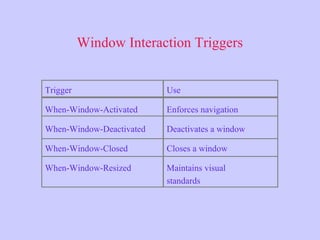
Window Interaction Triggers
Trigger
When-Window-Activated
When-Window-Deactivated
When-Window-Closed
When-Window-Resized
Use
Enforces navigation
Deactivates a window
Closes a window
Maintains visual
standards
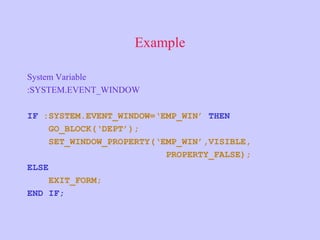
Example
System Variable
:SYSTEM.EVENT_WINDOW
IF :SYSTEM.EVENT_WINDOW=‘EMP_WIN’ THEN
GO_BLOCK(‘DEPT’);
SET_WINDOW_PROPERTY(‘EMP_WIN’,VISIBLE,
PROPERTY_FALSE);
ELSE
EXIT_FORM;
END IF;
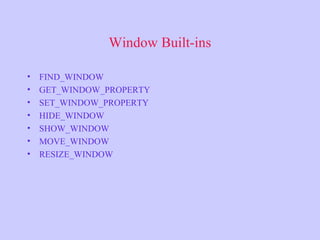
Window Built-ins
• FIND_WINDOW
• GET_WINDOW_PROPERTY
• SET_WINDOW_PROPERTY
• HIDE_WINDOW
• SHOW_WINDOW
• MOVE_WINDOW
• RESIZE_WINDOW
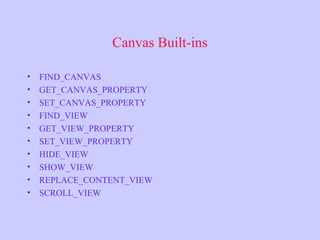
Canvas Built-ins
• FIND_CANVAS
• GET_CANVAS_PROPERTY
• SET_CANVAS_PROPERTY
• FIND_VIEW
• GET_VIEW_PROPERTY
• SET_VIEW_PROPERTY
• HIDE_VIEW
• SHOW_VIEW
• REPLACE_CONTENT_VIEW
• SCROLL_VIEW
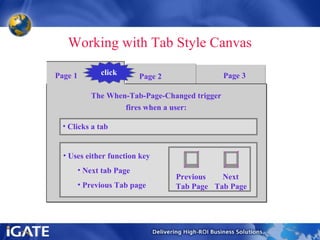
Working with Tab Style Canvas
Page 1 Page 3Page 2click
• Uses either function key
• Next tab Page
• Previous Tab page
The When-Tab-Page-Changed trigger
fires when a user:
• Clicks a tab
Previous
Tab Page
Next
Tab Page
Working with Tab Style Canvas
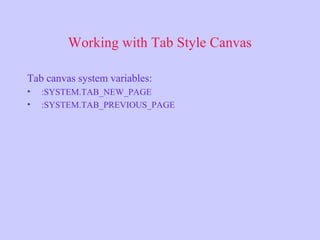
Tab canvas system variables:
• :SYSTEM.TAB_NEW_PAGE
• :SYSTEM.TAB_PREVIOUS_PAGE
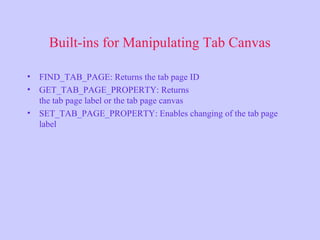
Built-ins for Manipulating Tab Canvas
• FIND_TAB_PAGE: Returns the tab page ID
• GET_TAB_PAGE_PROPERTY: Returns
the tab page label or the tab page canvas
• SET_TAB_PAGE_PROPERTY: Enables changing of the tab page
label
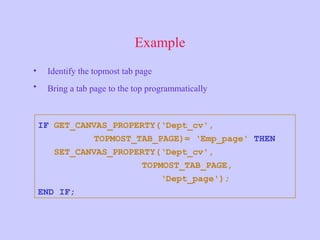
Example
• Identify the topmost tab page
• Bring a tab page to the top programmatically
IF GET_CANVAS_PROPERTY(‘Dept_cv',
TOPMOST_TAB_PAGE)= ‘Emp_page' THEN
SET_CANVAS_PROPERTY(‘Dept_cv',
TOPMOST_TAB_PAGE,
‘Dept_page');
END IF;
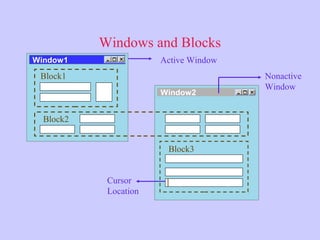
Windows and Blocks
Window2
Block3
Active Window
Nonactive
Window
Cursor
Location
Window1
Block2
Block1
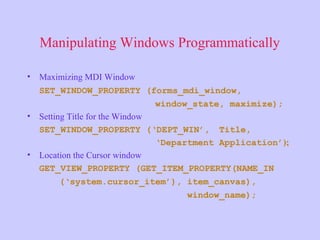
Manipulating Windows Programmatically
• Maximizing MDI Window
SET_WINDOW_PROPERTY (forms_mdi_window,
window_state, maximize);
• Setting Title for the Window
SET_WINDOW_PROPERTY (‘DEPT_WIN’, Title,
‘Department Application’);
• Location the Cursor window
GET_VIEW_PROPERTY (GET_ITEM_PROPERTY(NAME_IN
(‘system.cursor_item’), item_canvas),
window_name);
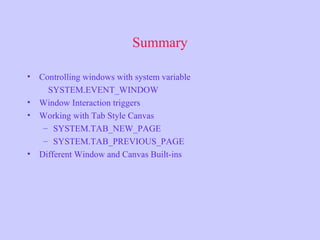
Summary
• Controlling windows with system variable
SYSTEM.EVENT_WINDOW
• Window Interaction triggers
• Working with Tab Style Canvas
– SYSTEM.TAB_NEW_PAGE
– SYSTEM.TAB_PREVIOUS_PAGE
• Different Window and Canvas Built-ins

Oracle Forms :Window and Canvases

Editor's Notes

  • #6 Technical Note In Microsoft Windows, you can reference the multiple document interface (MDI) Application window with the FORMS_MDI-WINDOW constant. FORMS_MDI_WINDOW is used with certain built-in functions and procedures That relate to windows. In web-deployed forms, you can obtain similar functionality by setting the Forms Applet WIDTH and HEIGHT parameters in the base HTML page.
  • #7 Technical Note REPLACE_CONTENT_VIEW does not hide the stacked canvas already displayed In the window. In contrast SHOW_VIEW and SET_VIEW_PROPERTY will display The given canvas in front of any stacked canvas, if the canvas Visible property is set to True.
  • #12 Technical Note In general, put blocks in separate windows. If blocks are closely related (through a foreign-key relationship) put them in the same window. During commit processing, Forms processes all base table blocks in Sequential order. Therefore, transaction management is block-based rather than Window-based. However, the user expects to interact with a form in a Window-based Manner.
  • #13 Technical Note You can also maximize the client server MDI window application with the WINDOW_STATE command line parameter: ifrun60.exe module=emp.fmx userid=scott/tiger@trn9 window_state=maximize You can switch from the MDI to the SDI window application by using the USESDI command Line parameter: ifrun60.exe module=emp.fmx userid=scott/tiger@trn9 usesdi=yes With SDI window applications, you must size form module window to allow for the menu Menu toolbar and console bar display.