Oracle Forms-Key Triggers
http://ebiztechnics.blogspot.com
Objectives
• Defining Key Trigger and their Uses
• Characteristics of Key Triggers
• Types of Key Triggers
• Associate Function Keys with Interface Controls
http://ebiztechnics.blogspot.com
Key Trigger
• What is a key trigger?
• Example:
Using a Key-Exit trigger display an Alert, If user selects Yes. Exit the
form.
SET_ALERT_PROPERTY(‘exit_alert’,
ALERT_MESSAGE_TEXT,
‘Do you really want to leave the form?’);
IF SHOW_ALERT(‘exit_alert’) = ALERT_BUTTON1 THEN
EXIT_FORM;
END IF;
http://ebiztechnics.blogspot.com
Characteristics of Key Triggers
• You cannot redefine all function keys with
key triggers.
• Key triggers are defined at all three levels.
• A key trigger can contain SELECT statements and all built-ins.
• Key triggers can fire in Enter Query mode.
http://ebiztechnics.blogspot.com
Built-ins in Key Triggers
Function Key
[Accept]
[Clear Form]
[Create Record]
[Delete Record]
[Exit Form]
Key Trigger
Key-Commit
Key-Clrfrm
Key-Crerec
Key-Delrec
Key-Exit
Built-in
COMMIT_FORM
CLEAR_FORM
CREATE_RECORD
DELETE_RECORD
EXIT_FORM;
http://ebiztechnics.blogspot.com
Types of Key Triggers
• Function key triggers
• Key-Fn triggers and Oracle Terminal
• Key-Others triggers
• Oracle Terminal Used for mapping keys.
• Key mappings are done in following Resource files:
– Client/Server FMRUSW.RES
– Web mode FMRWEB.RES
http://ebiztechnics.blogspot.com
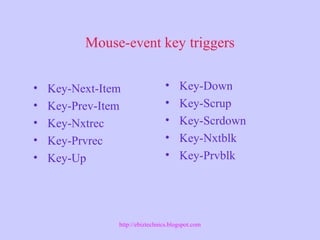
Mouse-event key triggers
• Key-Next-Item
• Key-Prev-Item
• Key-Nxtrec
• Key-Prvrec
• Key-Up
• Key-Down
• Key-Scrup
• Key-Scrdown
• Key-Nxtblk
• Key-Prvblk
http://ebiztechnics.blogspot.com
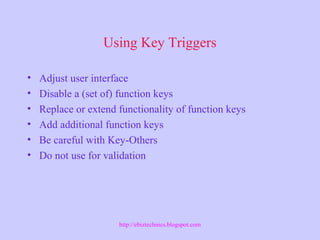
Using Key Triggers
• Adjust user interface
• Disable a (set of) function keys
• Replace or extend functionality of function keys
• Add additional function keys
• Be careful with Key-Others
• Do not use for validation
http://ebiztechnics.blogspot.com
Specific Uses of Key Triggers
• Call an LOV form
• Check for detail records before deleting a
master record
• Prevent duplication of the primary key
• Adjust toolbar buttons for Enter Query mode
http://ebiztechnics.blogspot.com
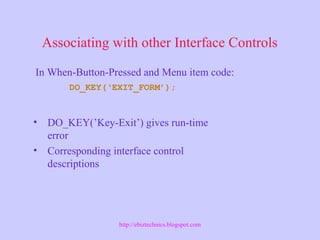
Associating with other Interface Controls
• DO_KEY(’Key-Exit’) gives run-time
error
• Corresponding interface control
descriptions
In When-Button-Pressed and Menu item code:
DO_KEY(‘EXIT_FORM’);
http://ebiztechnics.blogspot.com
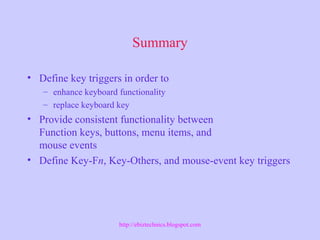
Summary
• Define key triggers in order to
– enhance keyboard functionality
– replace keyboard key
• Provide consistent functionality between
Function keys, buttons, menu items, and
mouse events
• Define Key-Fn, Key-Others, and mouse-event key triggers
http://ebiztechnics.blogspot.com

Oracle Forms- key triggers

  • 1.
  • 2.
    Objectives • Defining KeyTrigger and their Uses • Characteristics of Key Triggers • Types of Key Triggers • Associate Function Keys with Interface Controls http://ebiztechnics.blogspot.com
  • 3.
    Key Trigger • Whatis a key trigger? • Example: Using a Key-Exit trigger display an Alert, If user selects Yes. Exit the form. SET_ALERT_PROPERTY(‘exit_alert’, ALERT_MESSAGE_TEXT, ‘Do you really want to leave the form?’); IF SHOW_ALERT(‘exit_alert’) = ALERT_BUTTON1 THEN EXIT_FORM; END IF; http://ebiztechnics.blogspot.com
  • 4.
    Characteristics of KeyTriggers • You cannot redefine all function keys with key triggers. • Key triggers are defined at all three levels. • A key trigger can contain SELECT statements and all built-ins. • Key triggers can fire in Enter Query mode. http://ebiztechnics.blogspot.com
  • 5.
    Built-ins in KeyTriggers Function Key [Accept] [Clear Form] [Create Record] [Delete Record] [Exit Form] Key Trigger Key-Commit Key-Clrfrm Key-Crerec Key-Delrec Key-Exit Built-in COMMIT_FORM CLEAR_FORM CREATE_RECORD DELETE_RECORD EXIT_FORM; http://ebiztechnics.blogspot.com
  • 6.
    Types of KeyTriggers • Function key triggers • Key-Fn triggers and Oracle Terminal • Key-Others triggers • Oracle Terminal Used for mapping keys. • Key mappings are done in following Resource files: – Client/Server FMRUSW.RES – Web mode FMRWEB.RES http://ebiztechnics.blogspot.com
  • 7.
    Mouse-event key triggers •Key-Next-Item • Key-Prev-Item • Key-Nxtrec • Key-Prvrec • Key-Up • Key-Down • Key-Scrup • Key-Scrdown • Key-Nxtblk • Key-Prvblk http://ebiztechnics.blogspot.com
  • 8.
    Using Key Triggers •Adjust user interface • Disable a (set of) function keys • Replace or extend functionality of function keys • Add additional function keys • Be careful with Key-Others • Do not use for validation http://ebiztechnics.blogspot.com
  • 9.
    Specific Uses ofKey Triggers • Call an LOV form • Check for detail records before deleting a master record • Prevent duplication of the primary key • Adjust toolbar buttons for Enter Query mode http://ebiztechnics.blogspot.com
  • 10.
    Associating with otherInterface Controls • DO_KEY(’Key-Exit’) gives run-time error • Corresponding interface control descriptions In When-Button-Pressed and Menu item code: DO_KEY(‘EXIT_FORM’); http://ebiztechnics.blogspot.com
  • 11.
    Summary • Define keytriggers in order to – enhance keyboard functionality – replace keyboard key • Provide consistent functionality between Function keys, buttons, menu items, and mouse events • Define Key-Fn, Key-Others, and mouse-event key triggers http://ebiztechnics.blogspot.com

Editor's Notes

  • #4 What is a key trigger? A key trigger, like any other trigger, is a subprogram that is executed when a Certain event occurs. In the case of a key trigger, the event is pressing the Function key for which the trigger is defined. The trigger is usually named after The event that causes it to fire. When the key trigger is defined for a function Key, the usual functionality of the key is replaced by the PL/SQL text of the Trigger. In respect, key triggers resemble “on triggers”. Note: If you also want to execute the default functionality of the function Key, you must ensure that the key trigger includes the built-in function Associated with the key.
  • #8 Technical Note Since mouse-event key triggers are not executed when the mouse is used to Initiate window interaction, you should not place code that needs to be executed Every time the window interaction occurs in a mouse-event key trigger.