Front-end Dev & Designer
at Lunar Logic
Anna Migas
Google Developer Expert
@szynszyliszys
Anna Migas
@szynszyliszys
Fast but not furious:
Debugging user interaction
performance issues
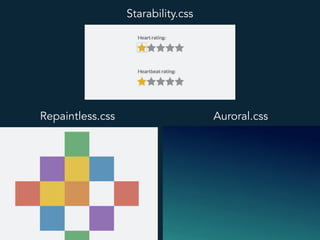
Starability.css
Repaintless.css Auroral.css
Perceived performance
First Meaningful Paint
Time to interactive
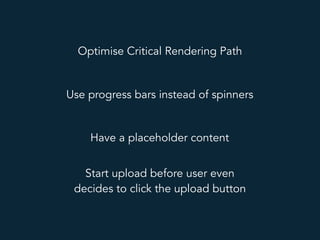
Optimise Critical Rendering Path
Use progress bars instead of spinners
Have a placeholder content
Start upload before user even
decides to click the upload button
Perceived Performance
LOADPerceived Performance
!
"
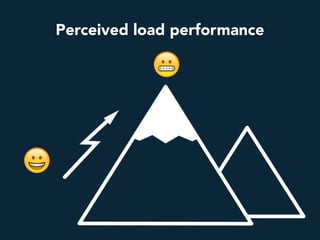
Perceived load performance
!
Perceived performance
!
Perceived performance
First Meaningful Paint
Time to interactive
Smooth at all times
Agenda
1. Why sometimes interactions feel slow
2. Browser rendering and frames
3. Types of triggered changes in the UI
4. How to test for interaction performance
5. Potentially dangerous user interface patterns
J A N K
zdjęcie krzeseł
https://jakearchibald.github.io/jank-invaders/
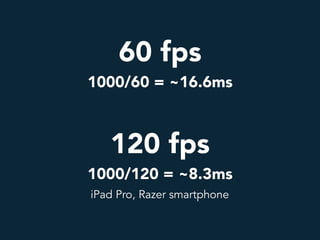
60 fps 

1000/60 = ~16.6ms
60 fps 

1000/60 = ~16.6ms
120 fps 

1000/120 = ~8.3ms
iPad Pro, Razer smartphone
If we interact with a page, a browser
needs to start serving frames
(ideally 60 or 120 per second)
What a frame consists of?
What a browser does during these
steps?
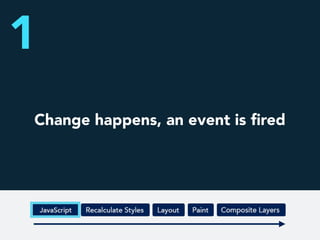
Change happens, an event is fired
1
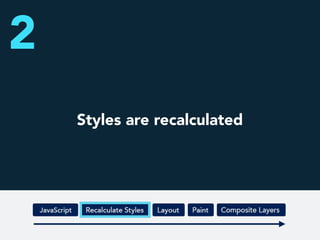
Styles are recalculated
2
Layout is calculated
3
Layout
Everything is rasterised
and painted to the layers
4
Paint
Paint
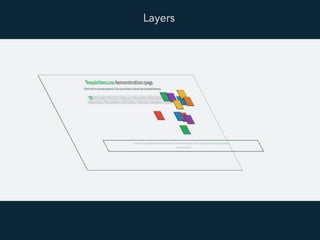
Layers
What creates new layers?
1. 3D or perspective transforms
2. Animated 2D transforms or opacity
3. Being on top/a child of a compositing layer
4. Accelerated CSS filters
5. In special cases <video>, <canvas>, plugins
6. will-change CSS property
.btn	{		
		background-color:	white;	
		border:	1px	solid	blue;	
		will-change:	transform;	
}	
.btn:hover	{	
	transform:	scale(1.1);	
}
Every layer consumes memory.
Use them wisely.
Compositing
5
Compositing
Compositing
Types of triggered changes
Layout change (Reflow)
(width, margin-top, left)
Paint change (Repaint)
(background-color, box-shadow, background-image)
Compositing change
(transform, opacity)
How to test if we have a problem?
Reflows can be quite obvious…
…but for Repaints we might need
better tools
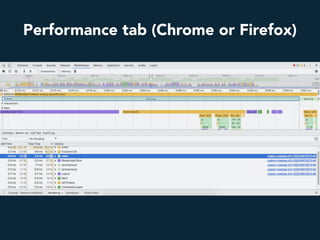
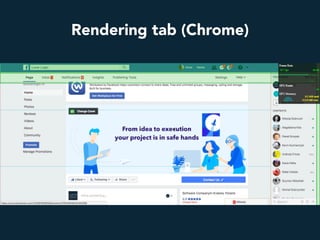
Performance tab (Chrome or Firefox)
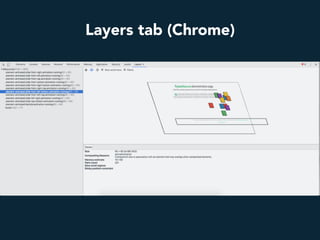
Layers tab (Chrome)
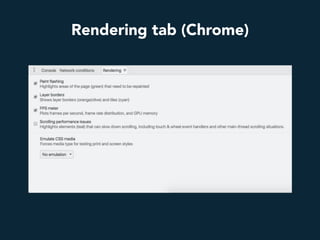
Rendering tab (Chrome)
Paint flashing (Firefox)
Performance monitor tab (Chrome)
What are the potentially dangerous
UI patterns?
Animations
1
Animations
1. Don’t overuse animations
2. Animate only transform and opacity if possible
3. For 120fps avoid requestAnimationFrame()
4. Don’t animate elements below other nodes (like
fixed headers)
5. Don’t animate too many elements
Parallax effect
2
http://davegamache.com/parallax/
Parallax effect
1. Causes Paint Storms
2. Almost always bad
3. Don’t use scroll events
4. Don’t use background-position
5. Use 3D transforms and perspective if you need
to: https://developers.google.com/web/updates/
2016/12/performant-parallaxing
Fixed elements
3
https://jsipsum.lunarlogic.io/
Fixed elements
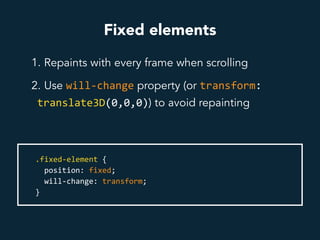
1. Repaints with every frame when scrolling
2. Use will-change property (or transform:	
translate3D(0,0,0)) to avoid repainting
.fixed-element	{	
		position:	fixed;	
		will-change:	transform;			
}
Scrolling events
4
Scrolling events
1. Don’t attach wheel or touch listeners to the whole
document, use smaller areas instead
2. Take advantage of passive event listeners (use
with polyfill):
window.addEventListener("scroll",	func,	{passive:	true});
Hover effects
5
Hover effects
1. If they are bound to happen often—you might
consider using will-change property
2. Can be deadly if there are too many and can be
easily triggered
3. Avoid effects triggering Layout or Paint:
https://csstriggers.com/
Appending elements
6
Appending elements
1. Make sure not many elements will be affected
2. Try to separate the area (will-change, contain:	
layout)
3. Try not to change the size of area (for example
use overflow property)
Takeaways
1. Jank happens when the browser doesn’t finish
rendering a frame on time
2. Try to offload and optimise the main thread
3. Avoid content Reflows and Repaints
4. Don’t overuse layers
5. Test your website with Performance, Layers and
Rendering tabs
6. Use responsibly potentially dangerous UI patterns
Resources
1. http://jankfree.org
2. https://dev.opera.com/articles/css-will-change-property
3. https://www.udacity.com/course/browser-rendering-optimization--
ud860
4. https://www.html5rocks.com/en/tutorials/speed/layers
5. https://www.html5rocks.com/en/tutorials/speed/high-performance-
animations
6. https://blog.logrocket.com/eliminate-content-repaints-with-the-new-
layers-panel-in-chrome-e2c306d4d752
7. https://dassur.ma/things/120fps/
Thanks!
Anna Migas
@szynszyliszys

HalfStack fast but not furious