




Frond-end Workflow with
YEOMAN
Hassan Hafez
4th year CSED student
/HassanHafezzz /in/HassanHafezz @HassanHafezz
Designer/ Front-end developer
CAT Reloaded member since 2014
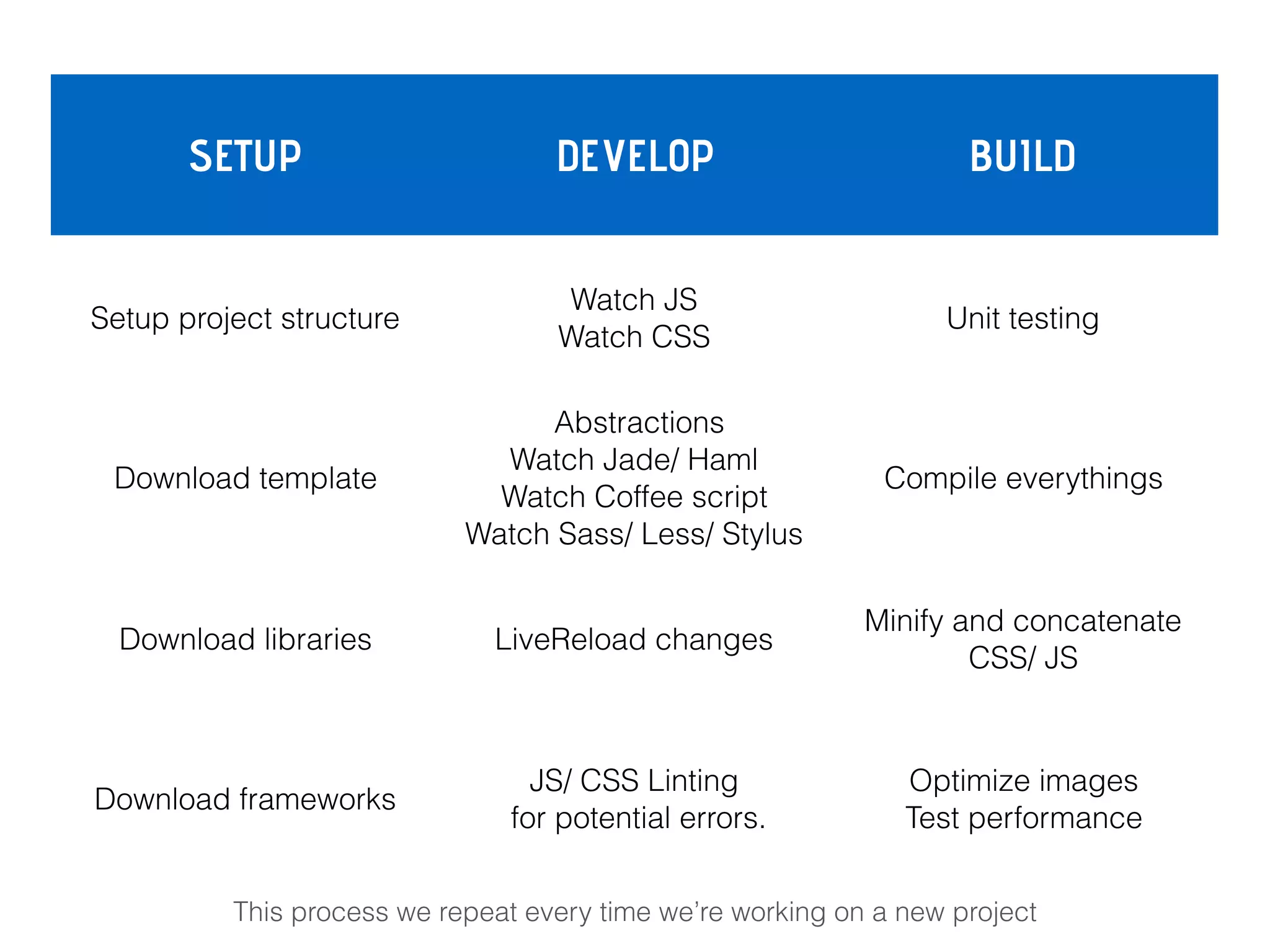
The average front-end workflow .
SETUP DEVELOP BUILD
Setup project structure
Watch JS
Watch CSS
Unit testing
Download template
Abstractions
Watch Jade/ Haml

Watch Coffee script

Watch Sass/ Less/ Stylus
Compile everythings
Download libraries LiveReload changes
Minify and concatenate

CSS/ JS
Download frameworks
JS/ CSS Linting

for potential errors.
Optimize images

Test performance
This process we repeat every time we’re working on a new project
SETUP DEVELOP BUILD
Setup project structure
Watch JS
Watch CSS
Unit testing
Download template
Abstractions
Watch Jade/ Haml

Watch Coffee script

Watch Sass/ Less/ Stylus
Compile everythings
Download libraries LiveReload changes
Minify and concatenate

CSS/ JS
Download frameworks
JS/ CSS Linting

for potential errors.
Optimize images

Test performance
This process we repeat every time we’re working on a new project
So it can be hard to start a project .
As you can get stuck or even waste time in Repetitive tasks like:
• Create your project structure.
• Searching for best practice.
• Setting up building scripts.
• Managing dependencies… etc.
Say hello to
YEOMAN !
introduction
Yeoman is an open source client-side development stack, consisting
of tools and frameworks intended to help developers quickly kickstart
and build high quality web applications.


Yeoman runs as a command-line interface written in Node.js.
Yeoman was released at Google I/O 2012.
YEOMAN
Yeoman combines several functions into one place, such as :
• Generating a starter template
• Managing dependencies
• Running unit tests
• Providing a local development server
• Optimizing production code for deployment and much more .
YEOMAN
Yeoman workflow .
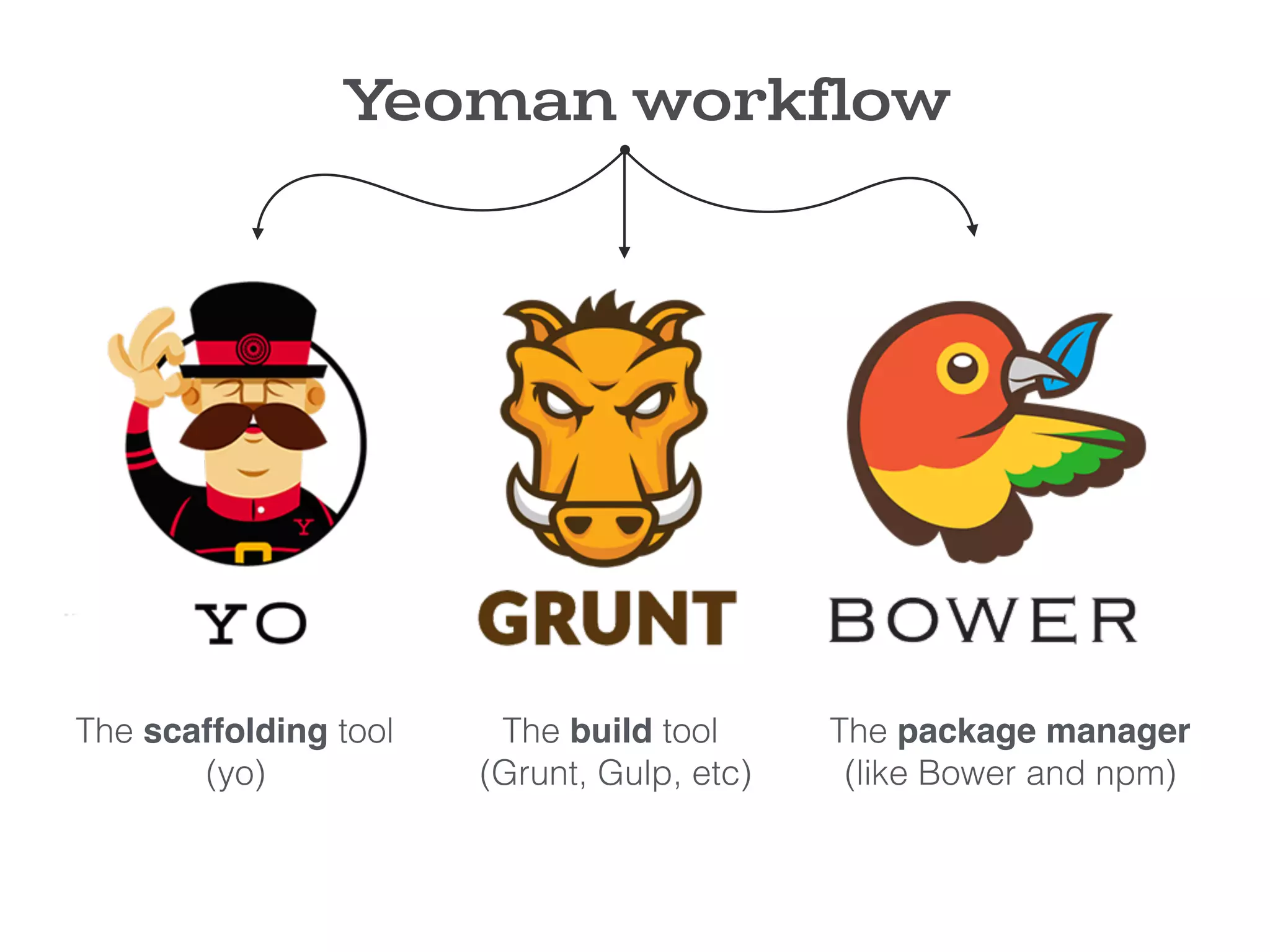
The Yeoman workflow consist of three types of tools for improving
your productivity and satisfaction when building a web app .


All three of these tools are developed and maintained separately, but
work well together as part of our prescribed workflow for keeping you
effective.
Yeoman workflow
Yeoman workflow
The scaffolding tool

(yo)
The build tool 

(Grunt, Gulp, etc)
The package manager

(like Bower and npm)
1- YO : Scaffolds out a new application (setup the structure /skeleton
for the app).
2- The Build System is used to build, preview and test your project.
Grunt and Gulp are two popular options.
3- The Package Manager is used for dependency management, so
that you no longer have to manually download and manage your
scripts. Bower and npm are two popular options.
Yeoman workflow
Grunt is a javascript task runner which help you run repetitive tasks like :
Linting ,Compiling, Minification, Testing, Documentation and more ..


Grunt Has a huge ecosystem with more than 5000 plugins (tasks) now
available.
when working with grunt there are 2 files you need to worry about :
package.json & gruntfile.js
gruntjs.com
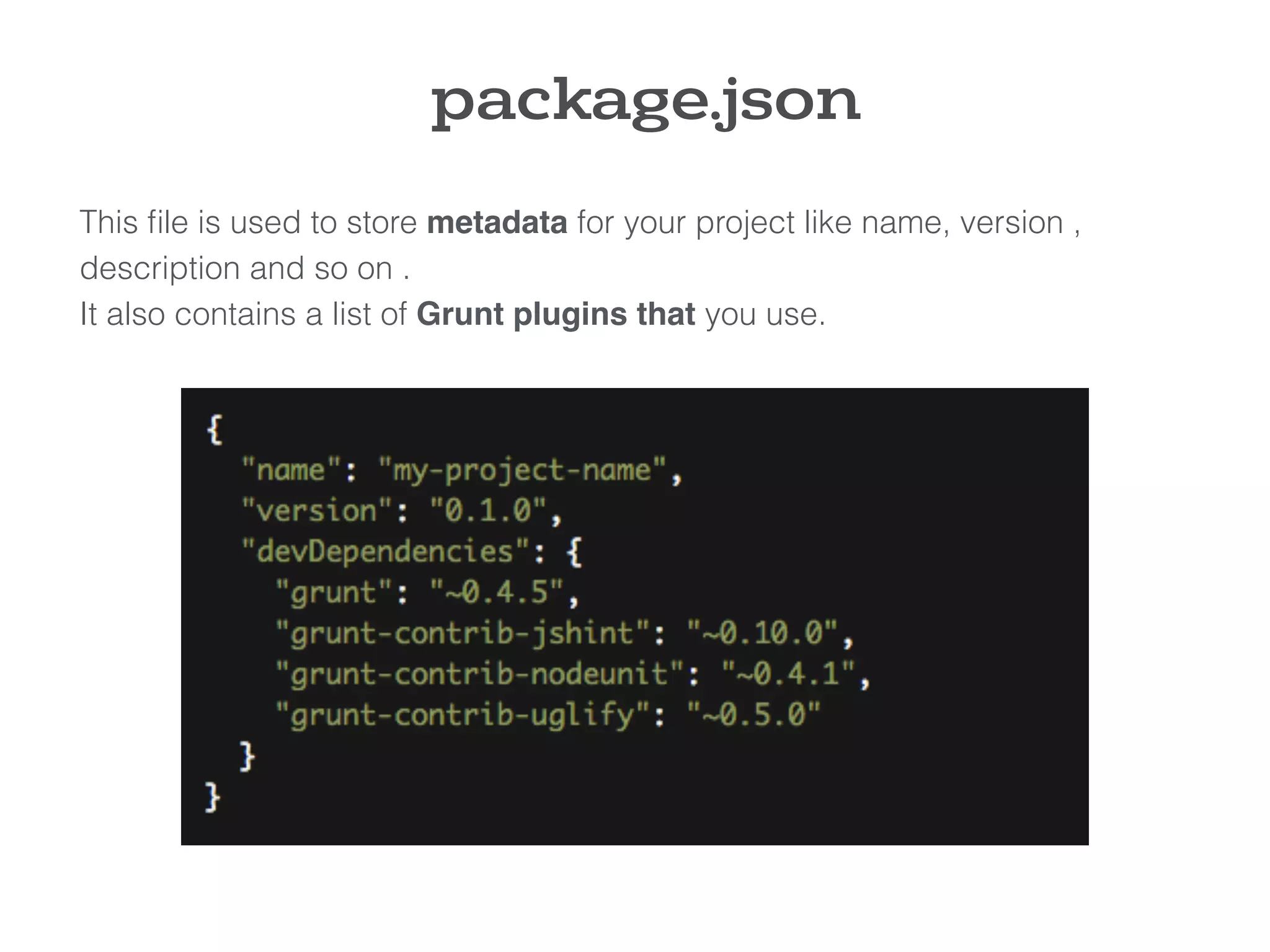
This file is used to store metadata for your project like name, version ,
description and so on .
It also contains a list of Grunt plugins that you use.
package.json
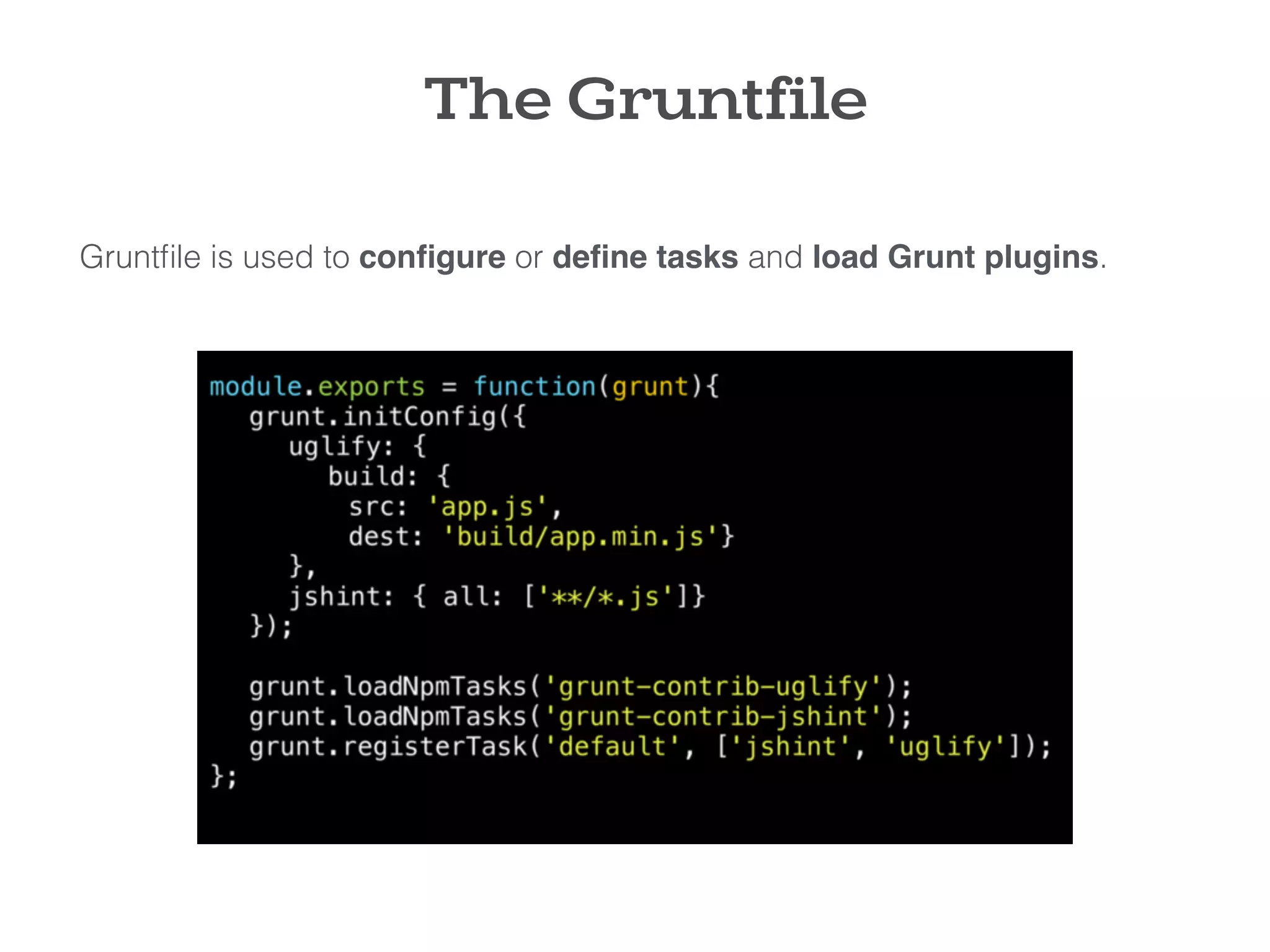
Gruntfile is used to configure or define tasks and load Grunt plugins.
The Gruntfile
Bower is a package manager for the web .
Nowadays websites are made of lots of things like frameworks, libraries,
assets, utilities, and so on.
Instead of you going to the site of each package .. download the latest
stable version .. copy it to your project.. wire it in with scripts tags, Bower do
all these things for you.


when working with bower you need to worry about one file : bower.json
Bower
bower.io
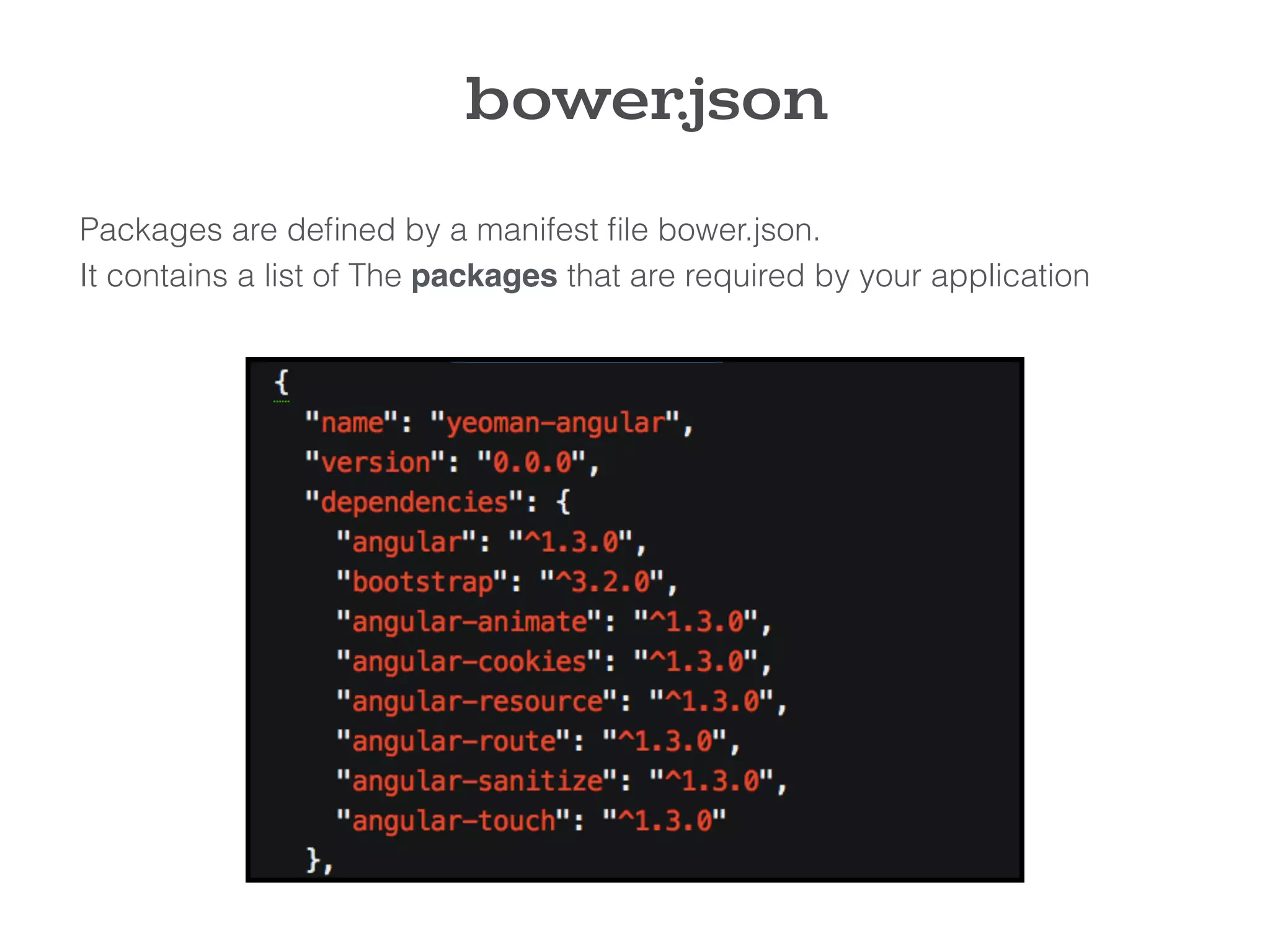
Packages are defined by a manifest file bower.json.
It contains a list of The packages that are required by your application
bower.json
If you aren't familiar with Grunt or Bower and you feel that there is too much
to do, yeoman is your gateway for this magical world.
YO will :
Scaffold out the project
Prescribe helpful grunt tasks depending on the type of app you’re building.
Automatically install dependencies you need.
YO
Let’s install
YEOMAN !
installation
To Install Yeoman, you will need to have

Node.js + npm in your system .
Node & npm ?
We all know that Javascript runs in the browser, and it only can access web
pages, but this changed in 2009 with the introduce of node.js.
The makers of node.js took javascript and give it an environment that allows
javascript to run into our machine, They took google chrome V8 engine
(chrome’s javascript engine) and they make it run into your machine.


node.js : is a platform or an environment that let us run Javascript in our
system/machine rather than the browser.
nodejs.org
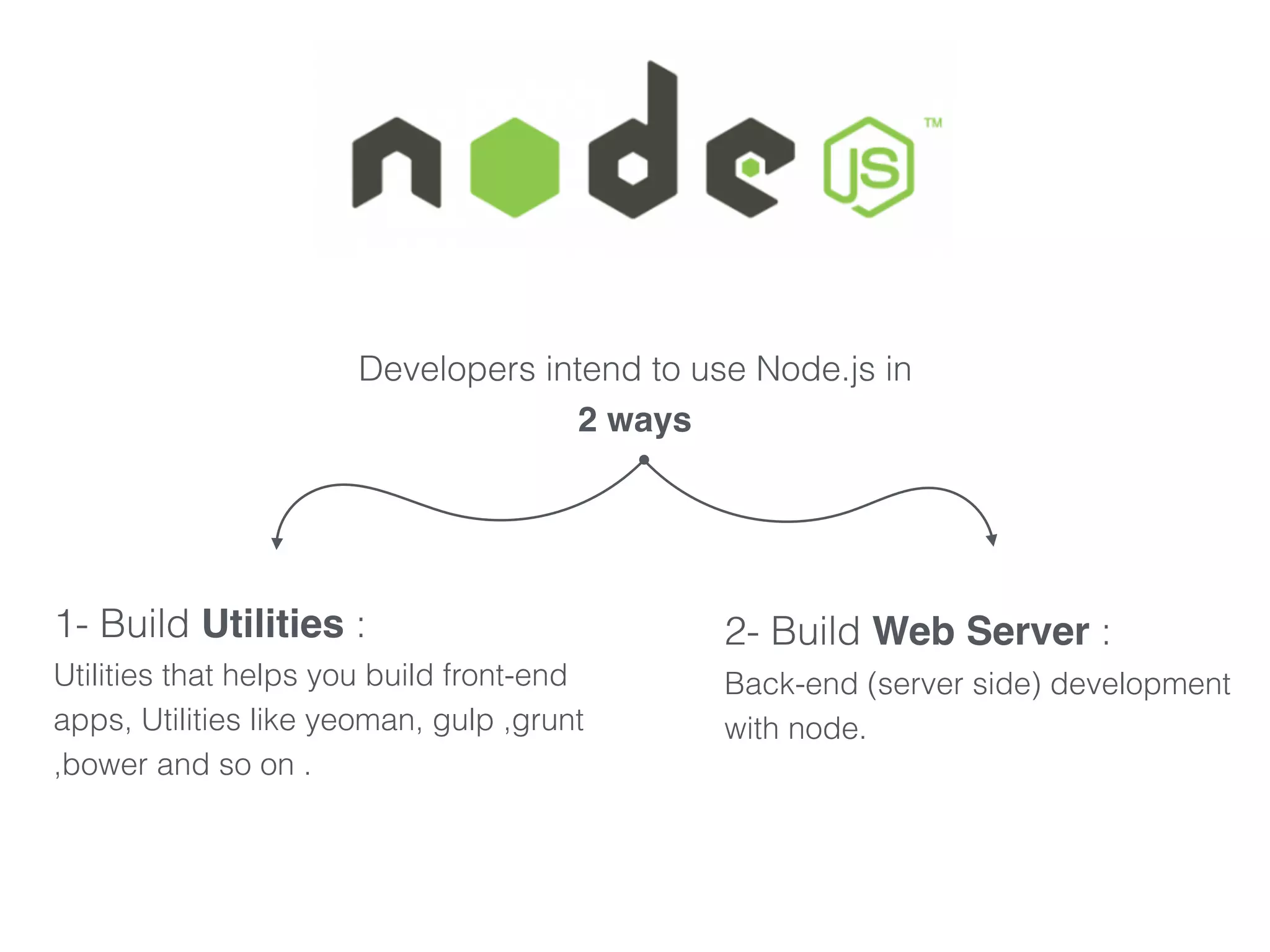
Developers intend to use Node.js in

2 ways
1- Build Utilities :
Utilities that helps you build front-end
apps, Utilities like yeoman, gulp ,grunt
,bower and so on .
2- Build Web Server :
Back-end (server side) development
with node.
npm (node package manager): is bundled and installed automatically
with the environment , npm runs through the command line It also
allows users to install Node.js applications, packages or utilities that
are available on the npm registry.
npmjs.com
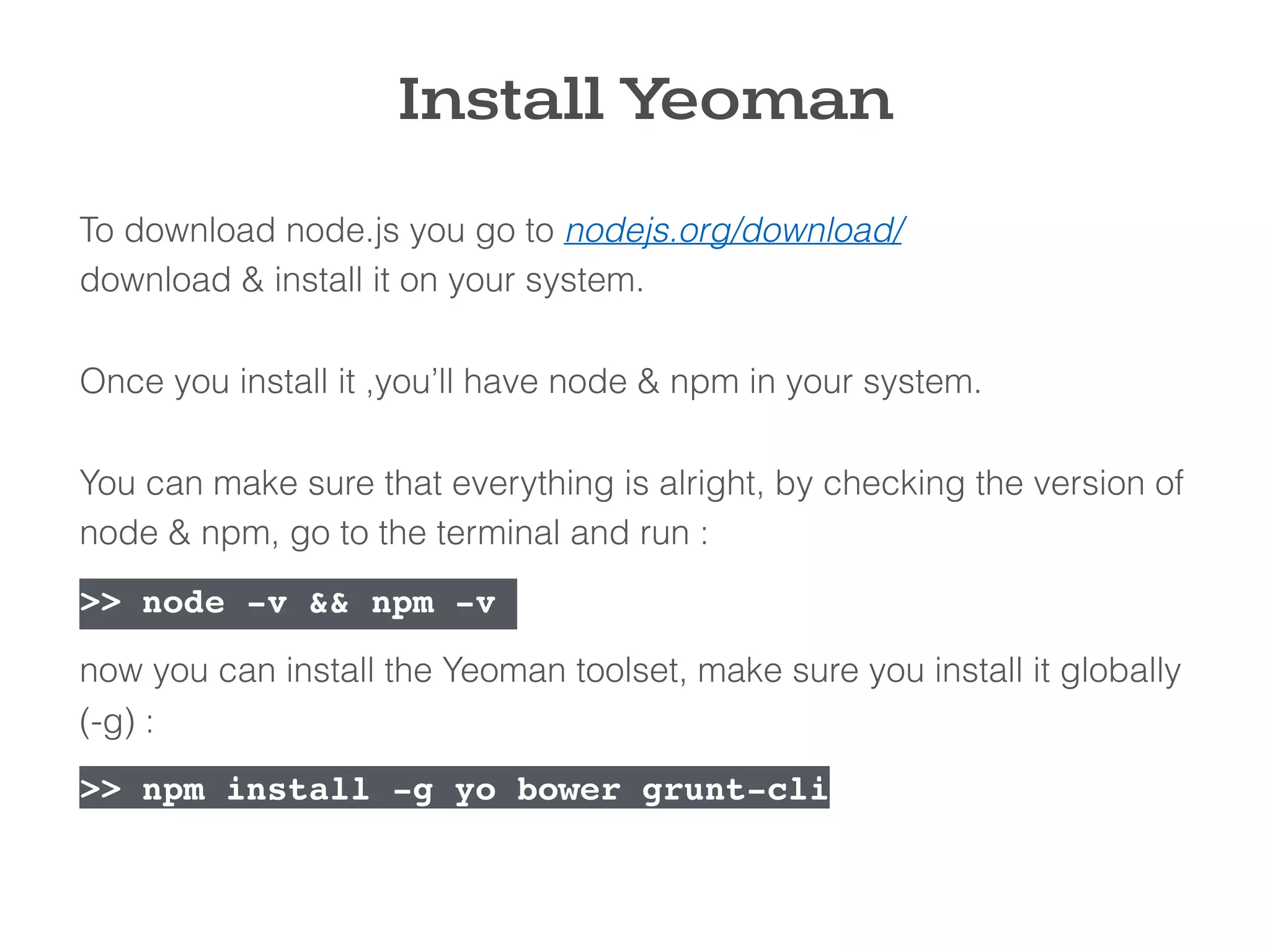
To download node.js you go to nodejs.org/download/ 

download & install it on your system.


Once you install it ,you’ll have node & npm in your system.


You can make sure that everything is alright, by checking the version of
node & npm, go to the terminal and run :
>> node -v && npm -v 

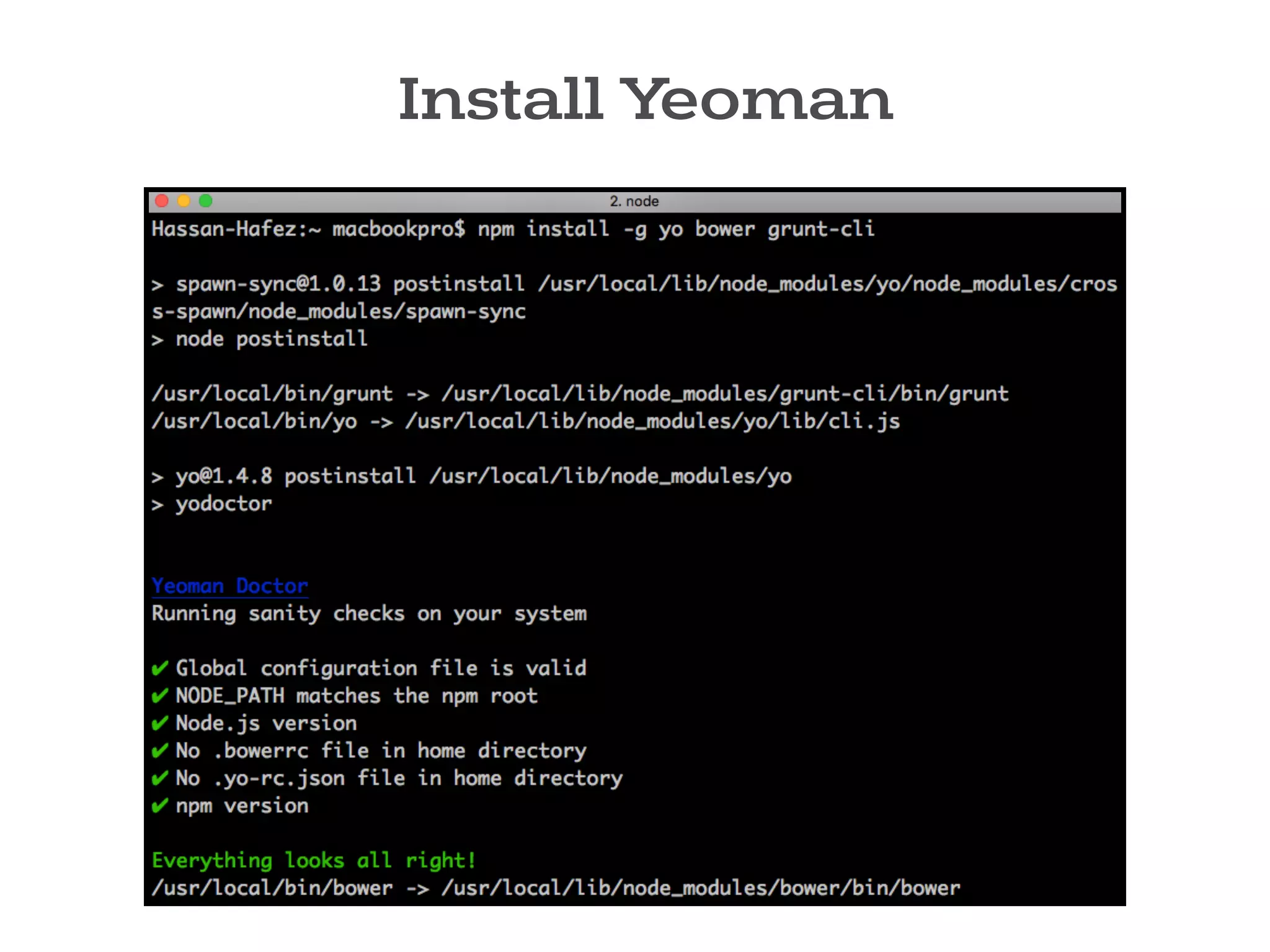
now you can install the Yeoman toolset, make sure you install it globally
(-g) :

>> npm install -g yo bower grunt-cli
Install Yeoman
Install Yeoman
Yeoman Generators
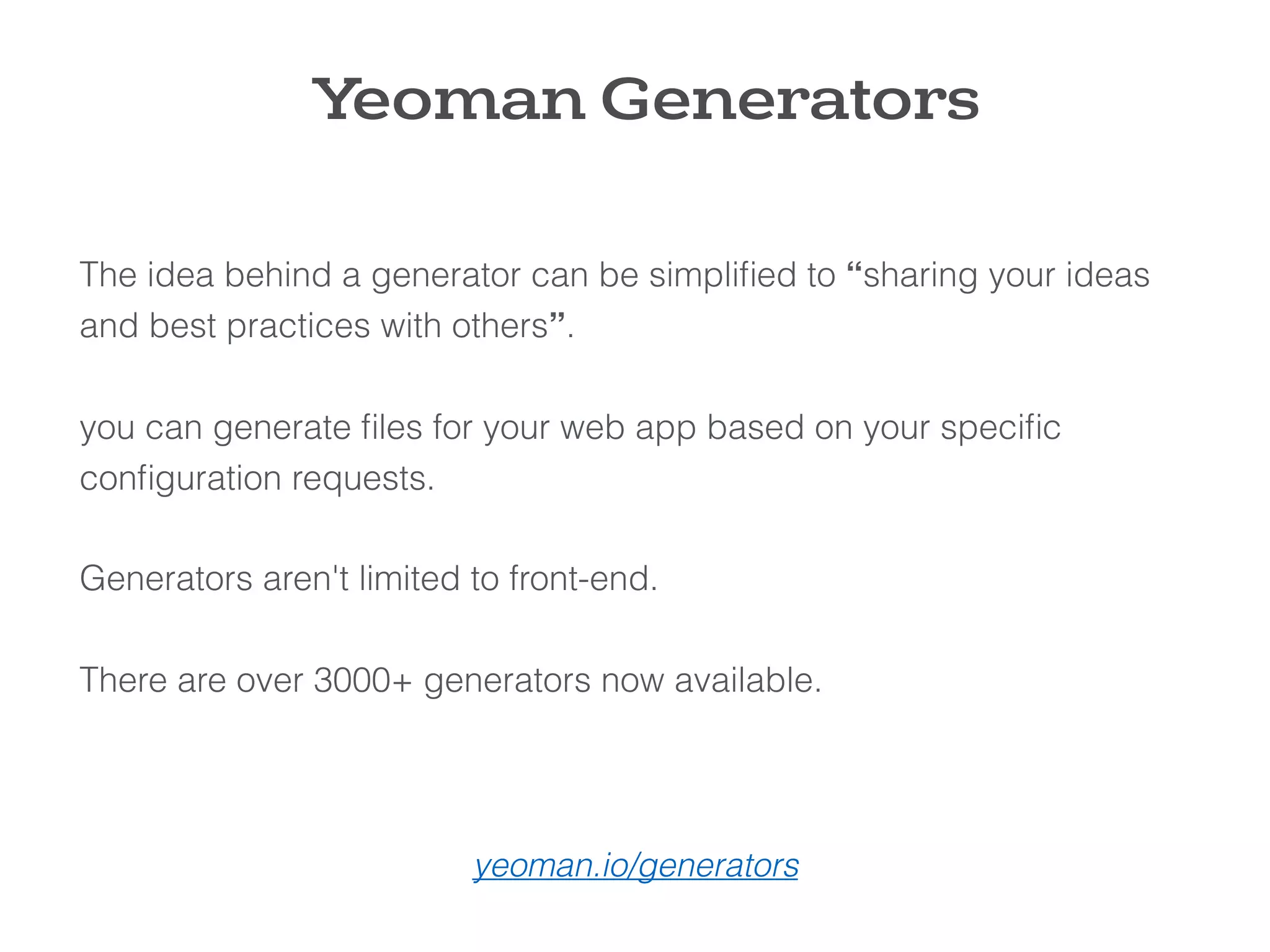
The idea behind a generator can be simplified to “sharing your ideas
and best practices with others”.


you can generate files for your web app based on your specific
configuration requests.


Generators aren't limited to front-end.


There are over 3000+ generators now available.
yeoman.io/generators
Install Generators
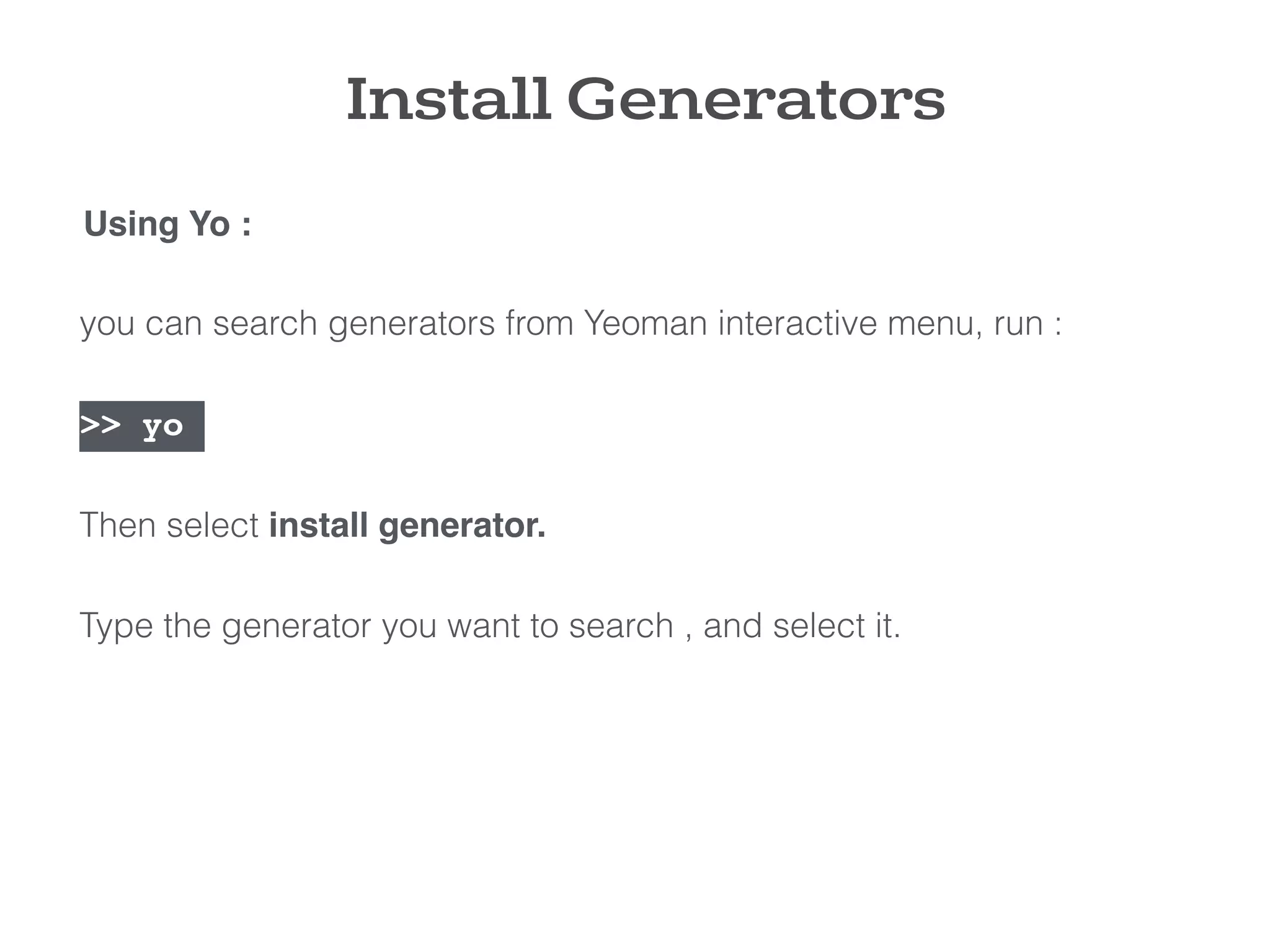
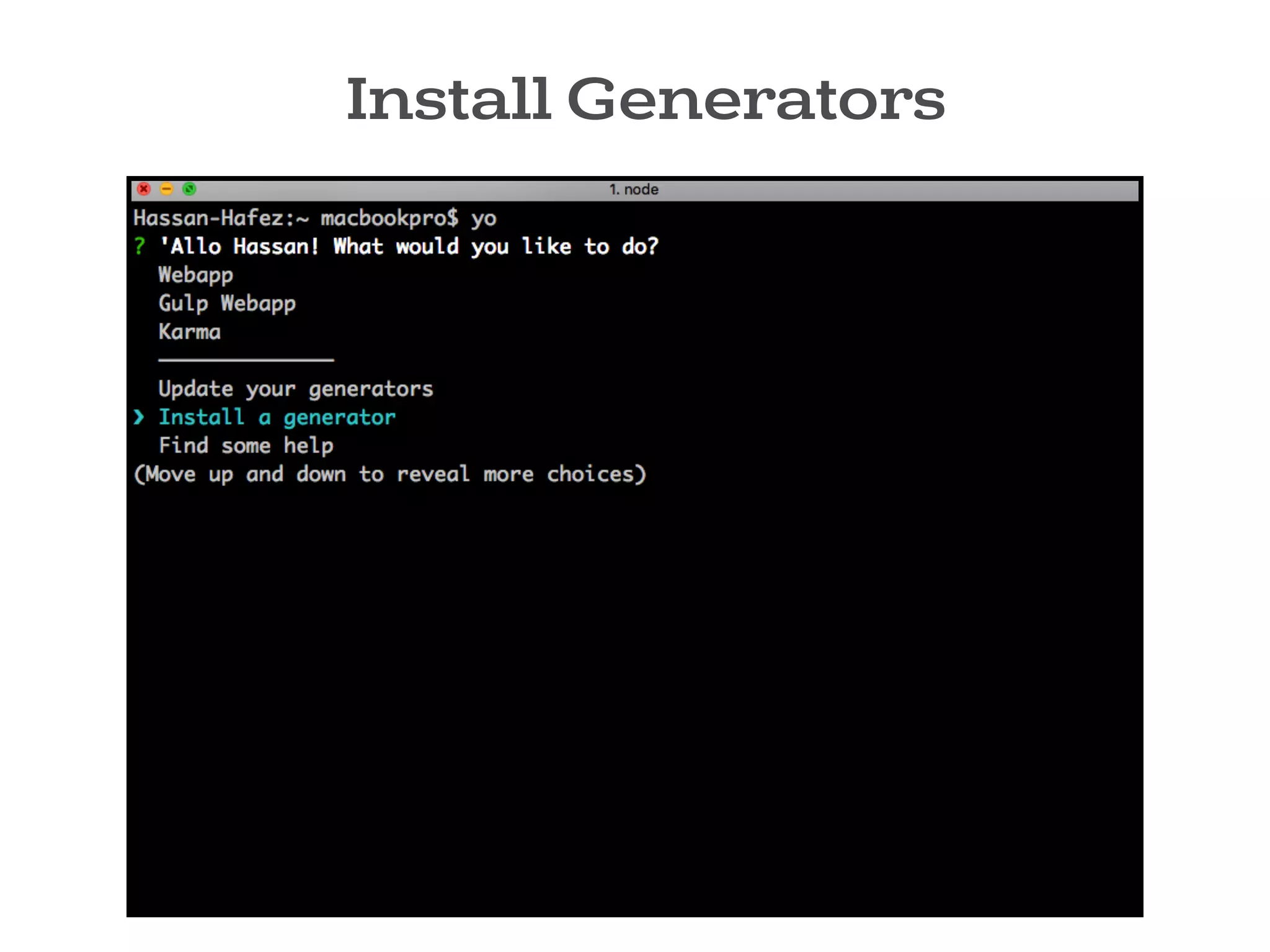
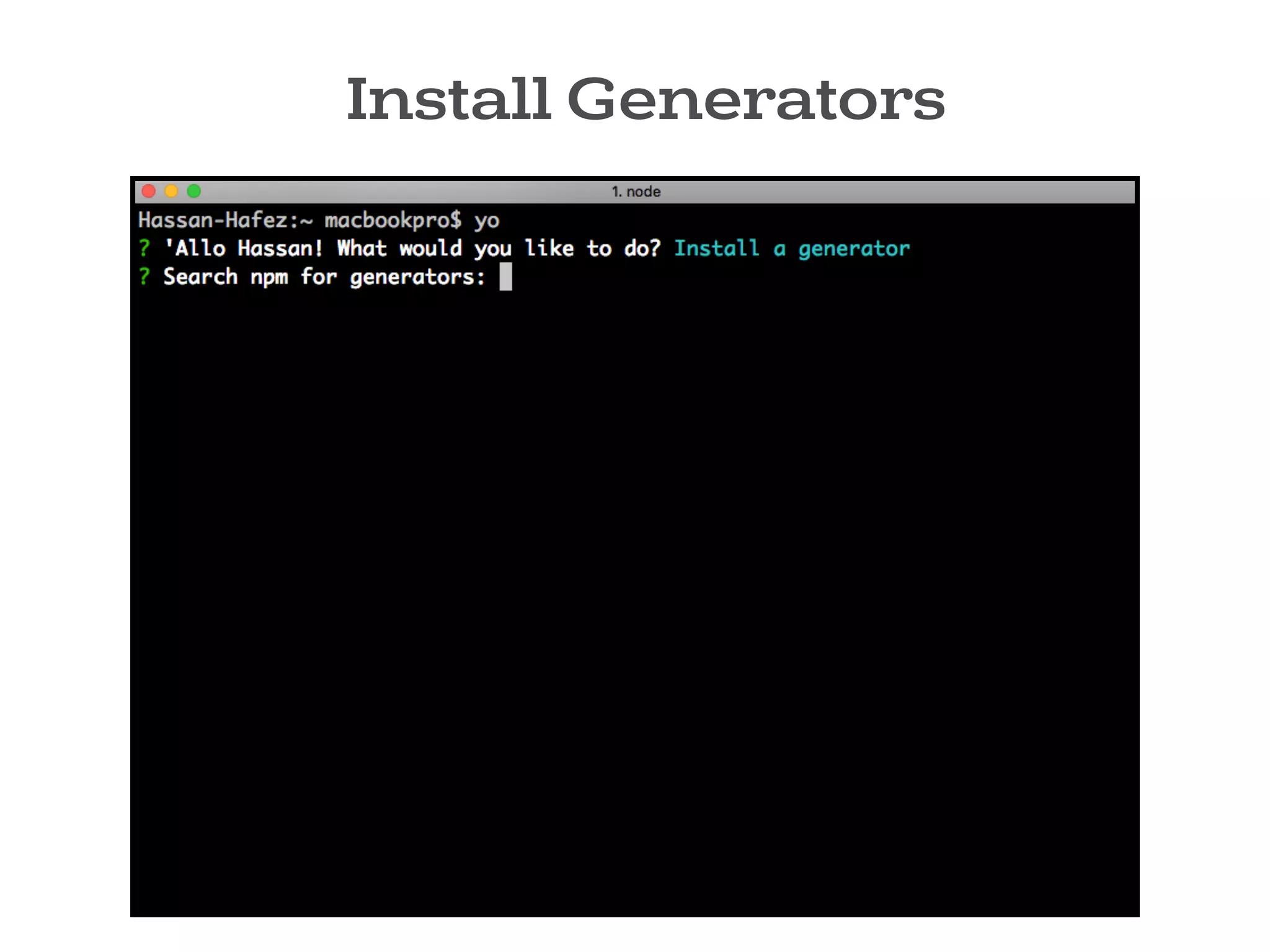
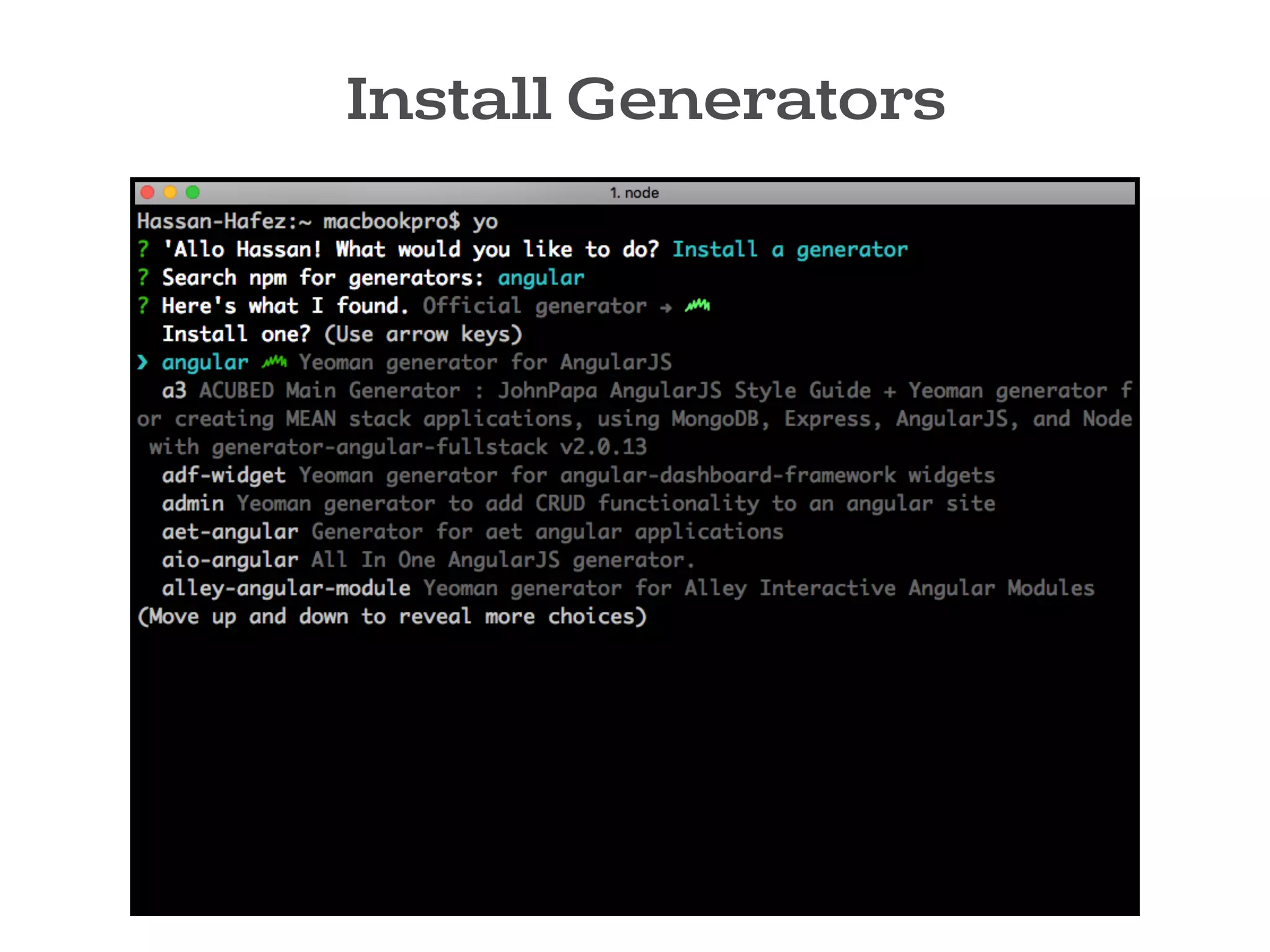
you can search generators from Yeoman interactive menu, run :
>> yo
Then select install generator.
Type the generator you want to search , and select it.
Using Yo :
Install Generators
Install Generators
Install Generators
Install Generators
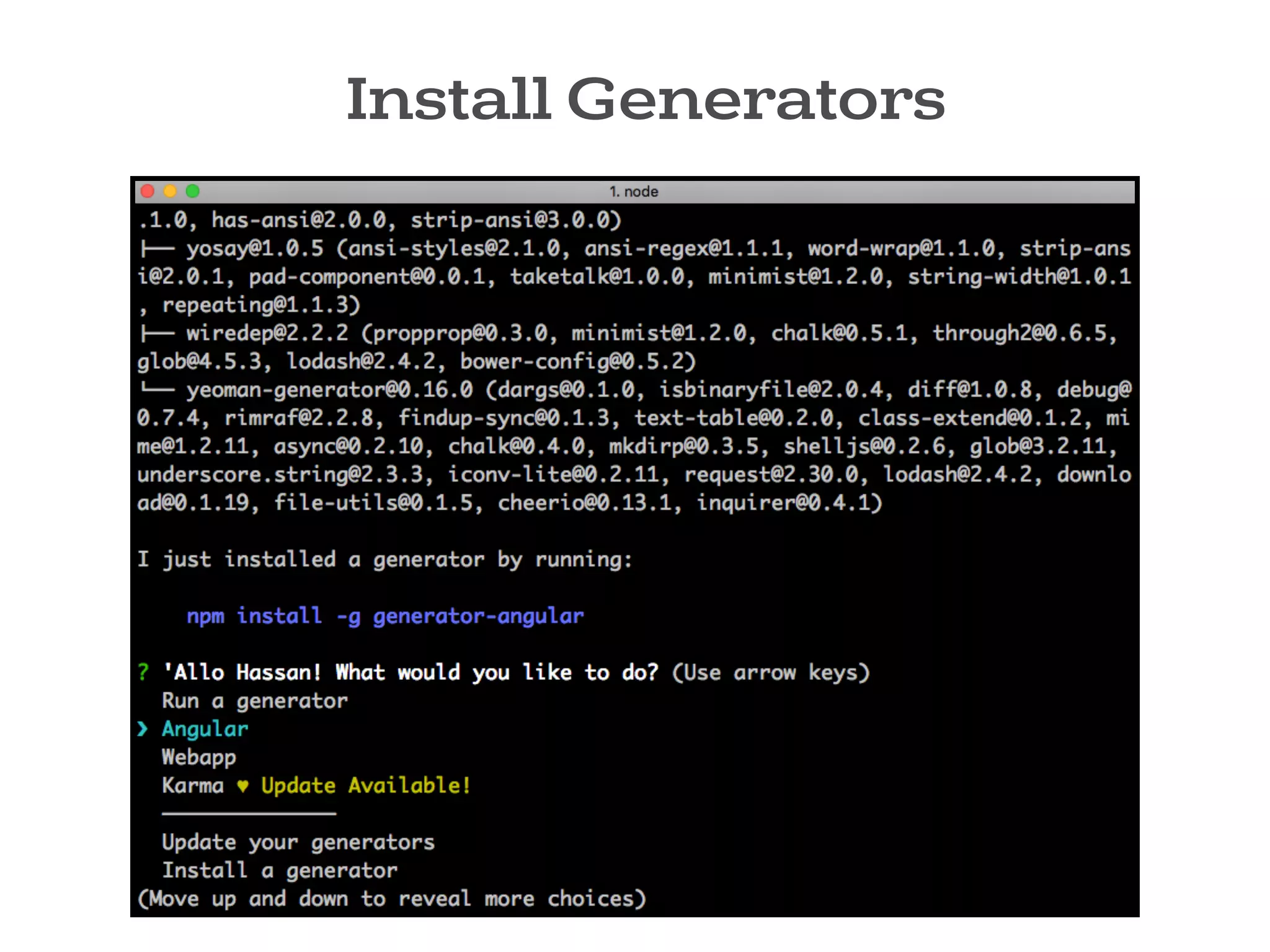
You can also install the generator directly using npm command.
>> npm install -g generator-angular
After the generator is installed, you can run it anytime.
2- Using npm :
Install Generators
Let’s Scaffold a AngularJS app

with YEOMAN !
demo
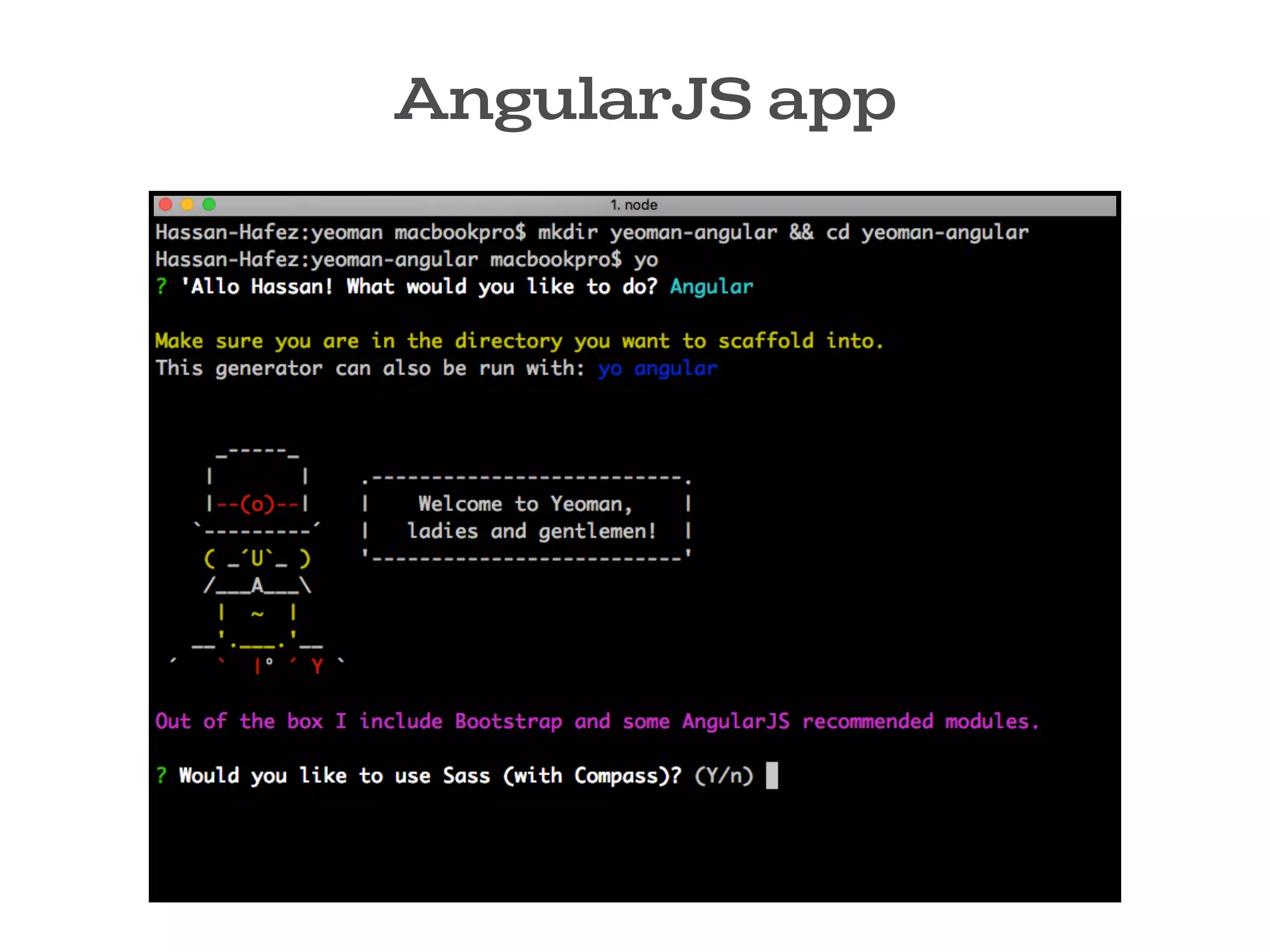
AngularJS app
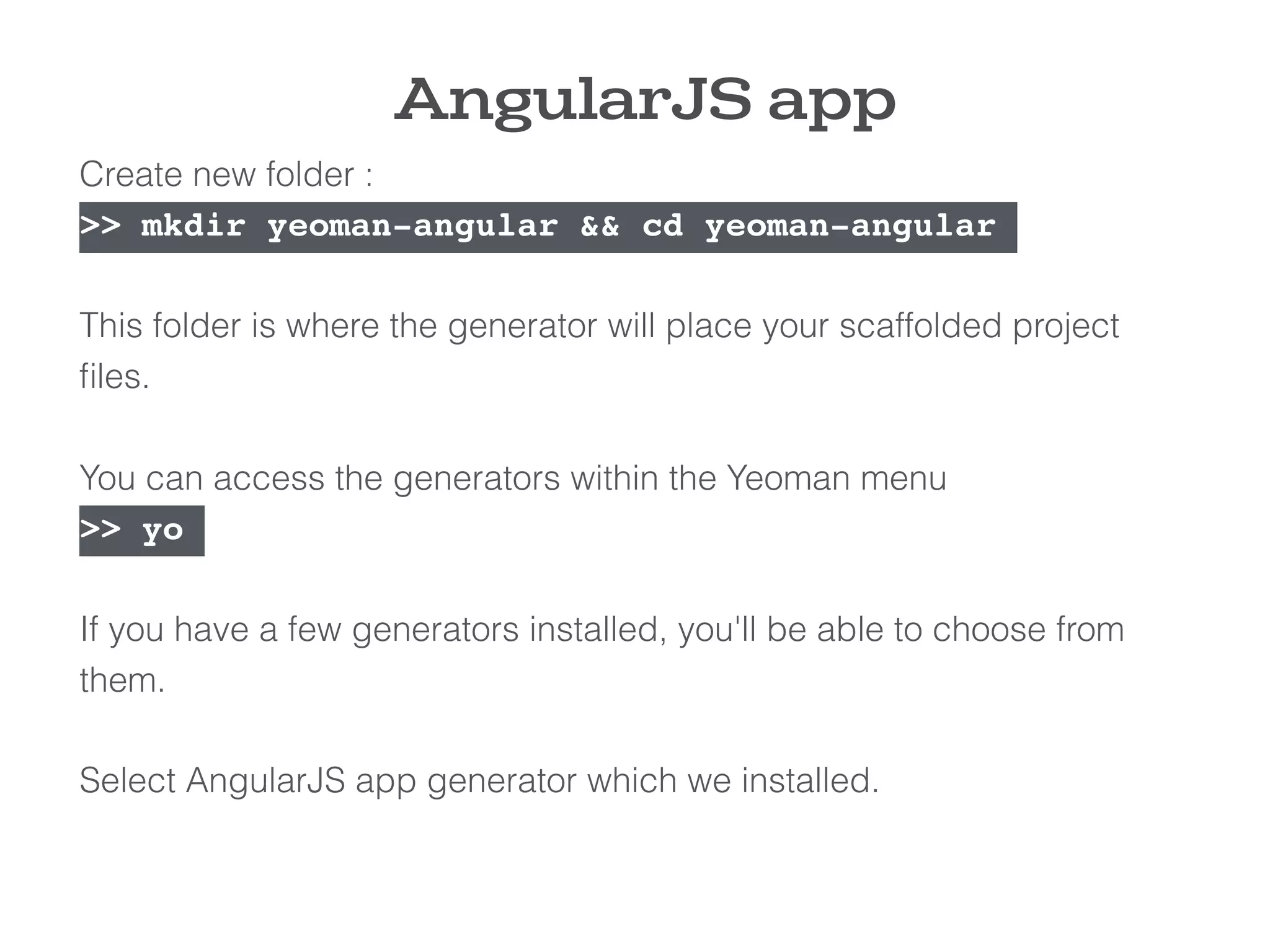
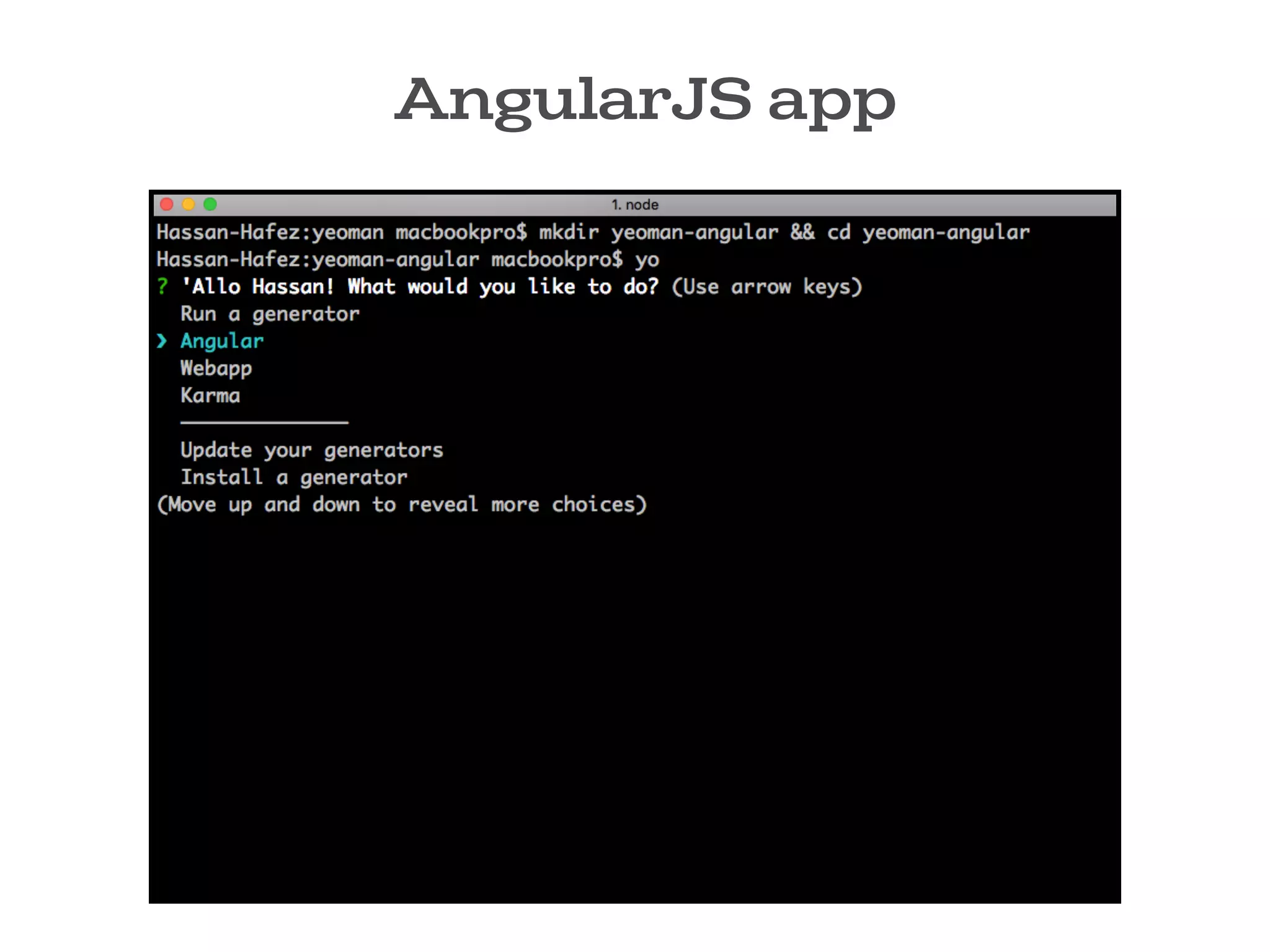
Create new folder :
>> mkdir yeoman-angular && cd yeoman-angular
This folder is where the generator will place your scaffolded project
files.
You can access the generators within the Yeoman menu
>> yo
If you have a few generators installed, you'll be able to choose from
them.
Select AngularJS app generator which we installed.
AngularJS app
AngularJS app
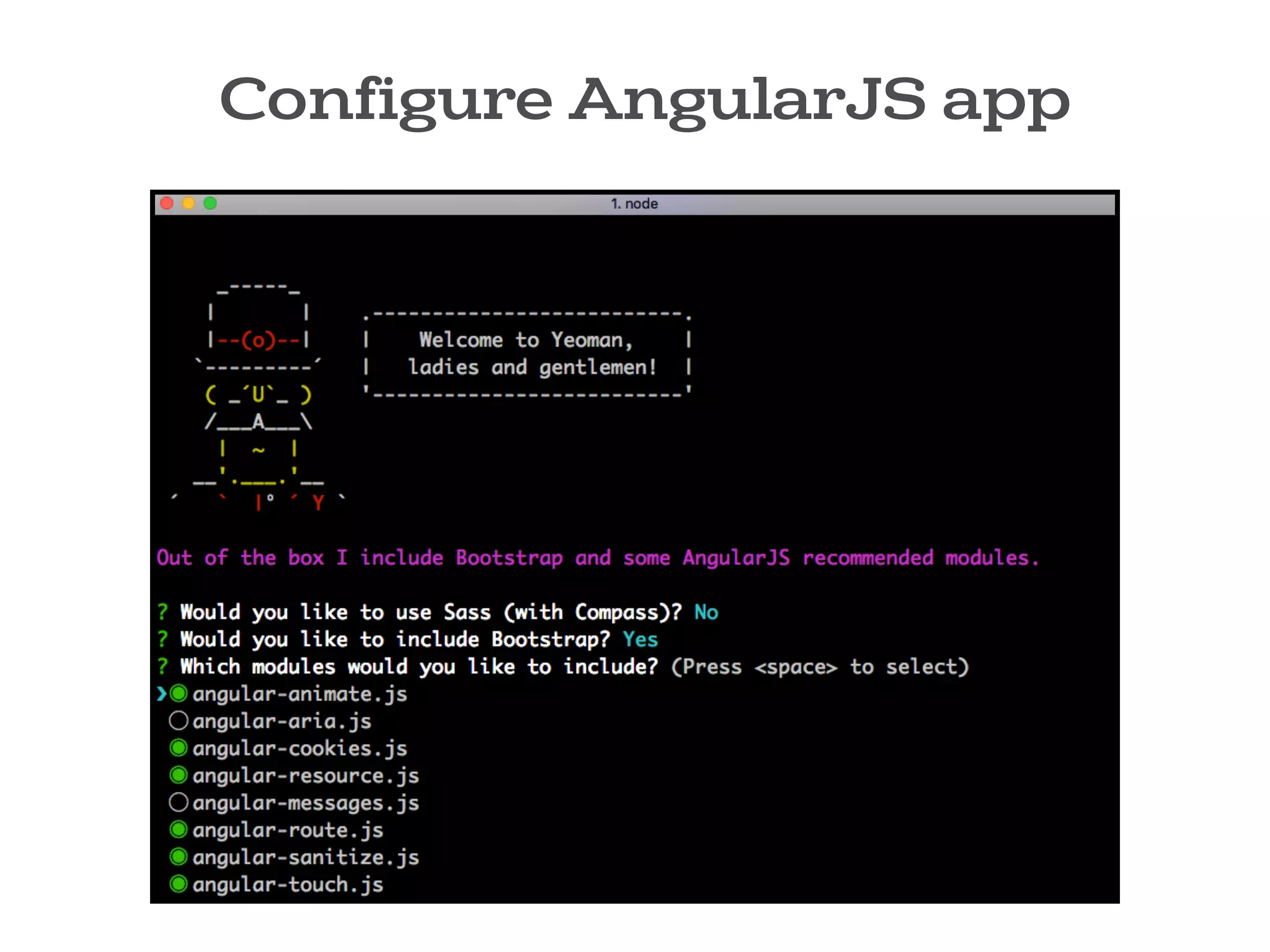
Configure AngularJS app
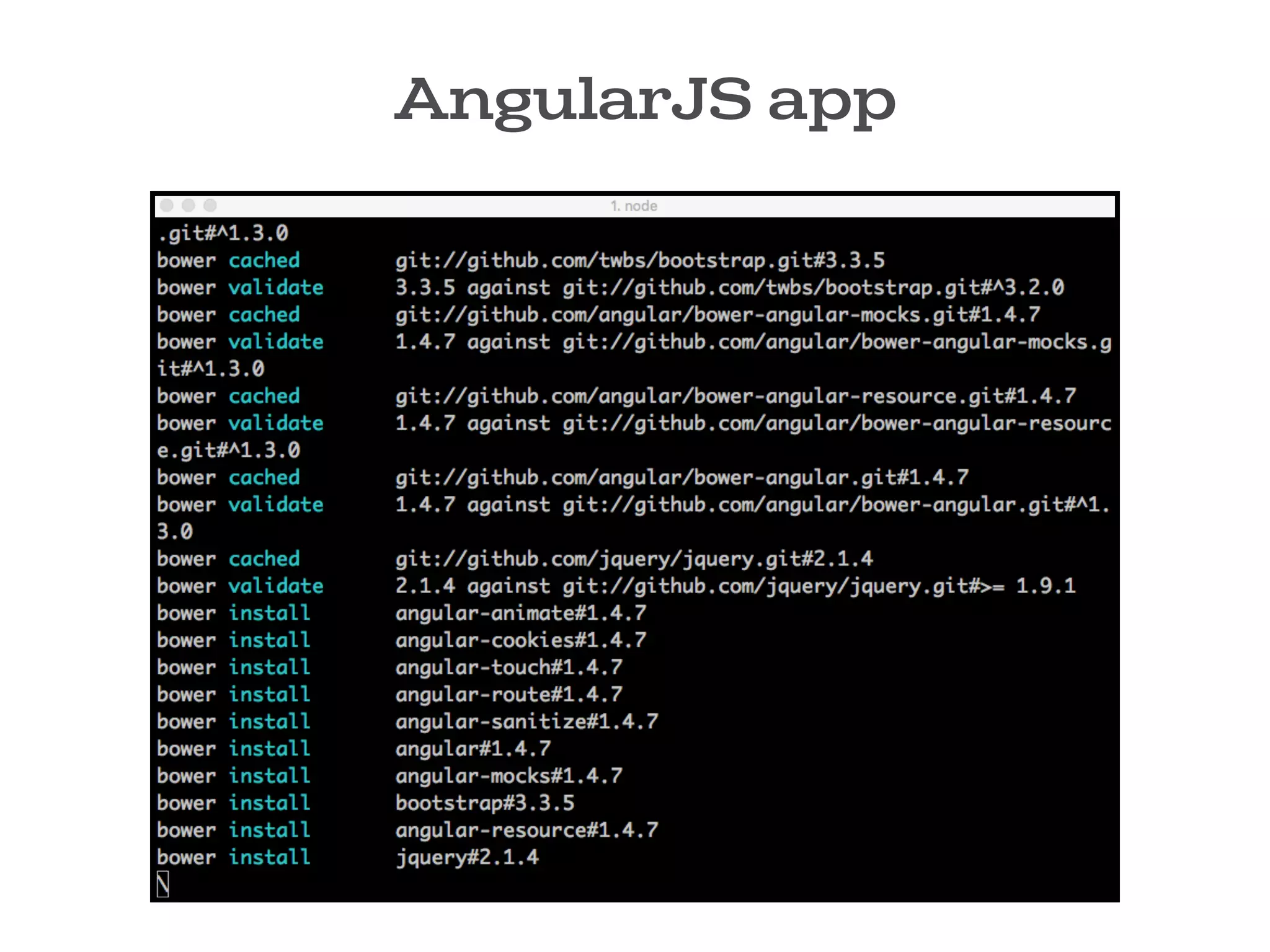
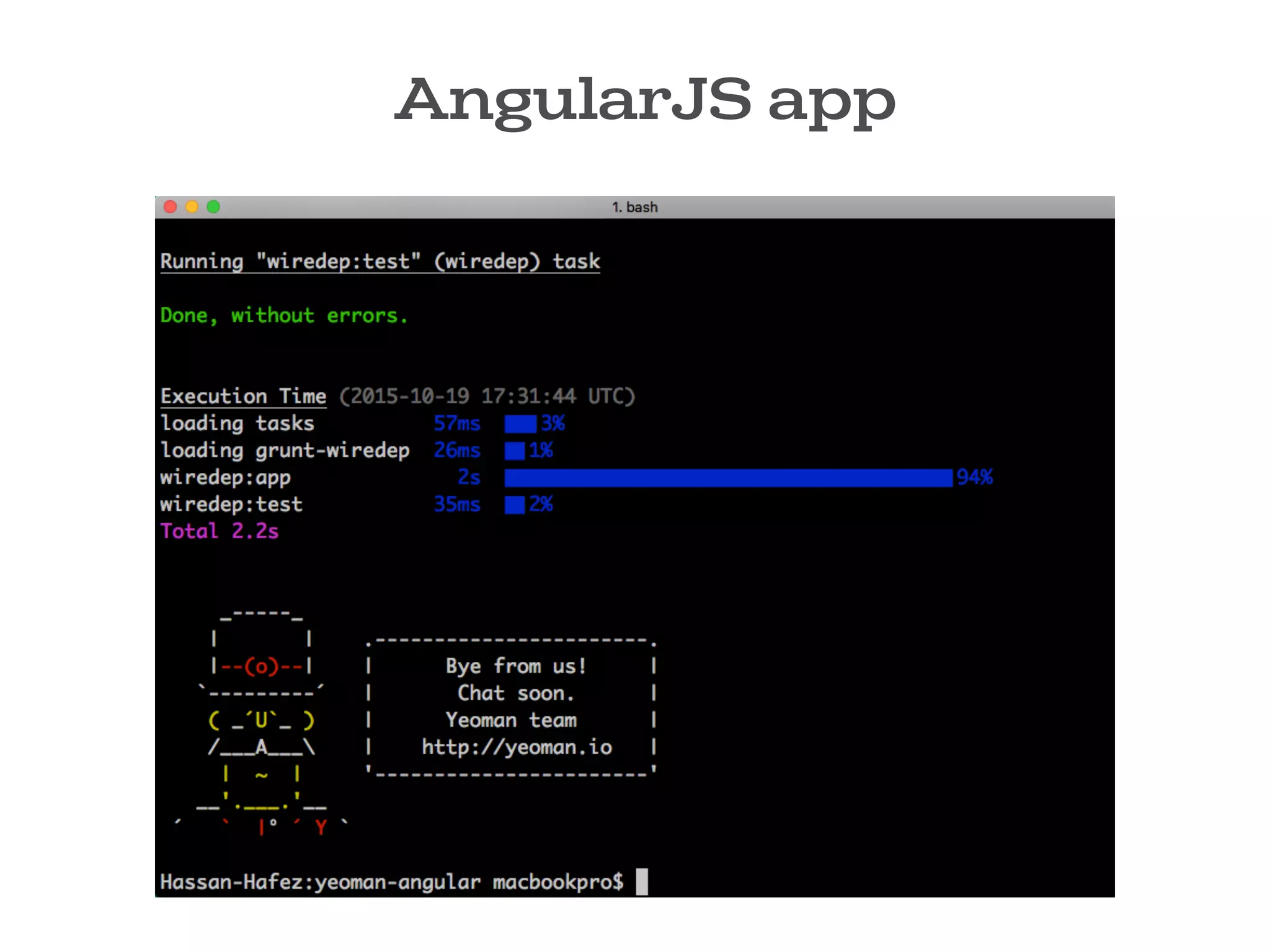
AngularJS app
AngularJS app
AngularJS app
You can also run generators directly without using the interactive
menu, like so:
>> yo angular
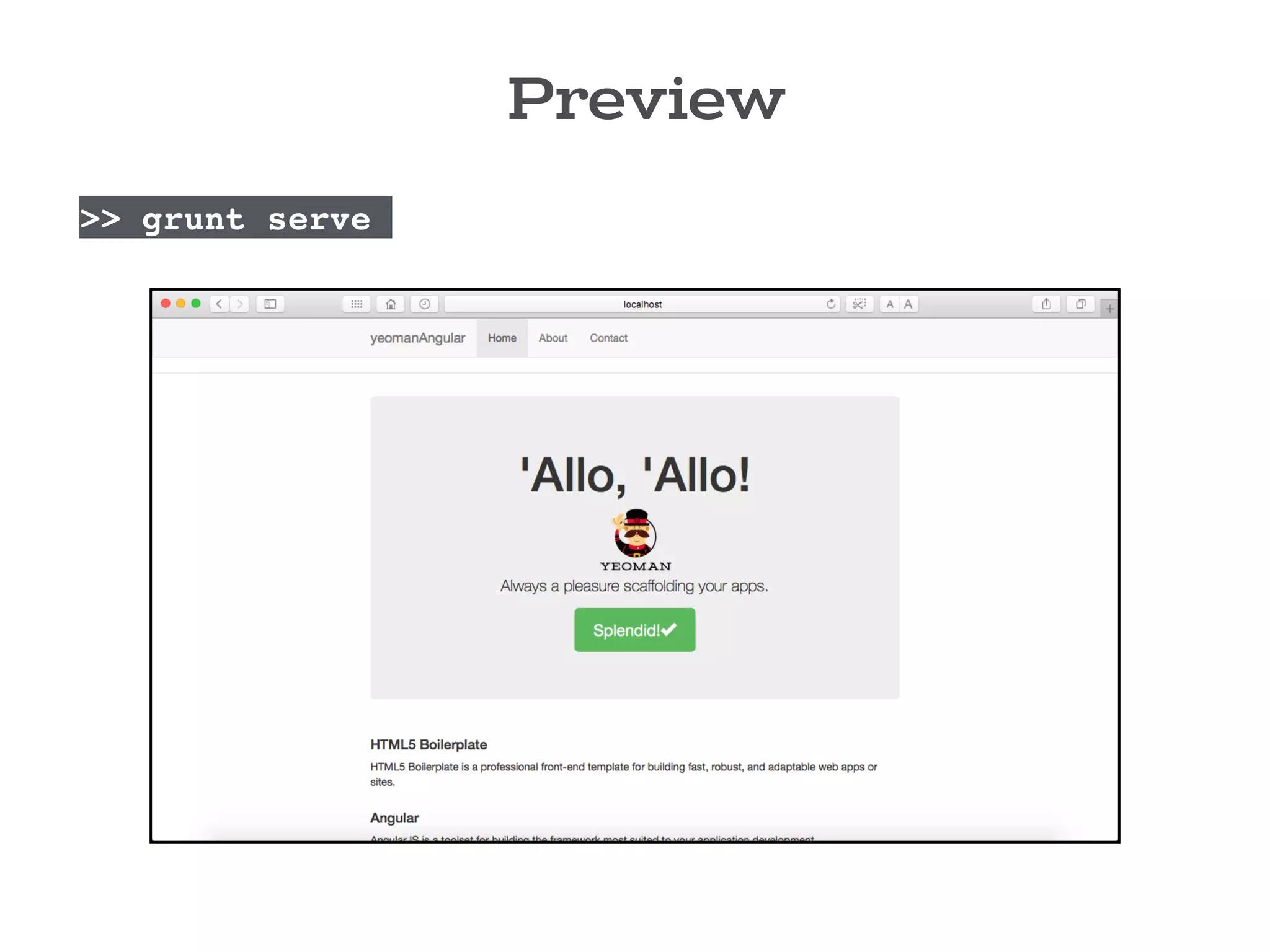
Preview
>> grunt serve
References
Automating Your Front-end Workflow
with Yeoman 1.0 (Addy Osmani)
http://yeoman.io/codelab/index.html
http://yeoman.io/learning/index.html
The
END !
thank you all

Front end workflow with yeoman

  • 1.
  • 2.
    Hassan Hafez 4th yearCSED student /HassanHafezzz /in/HassanHafezz @HassanHafezz Designer/ Front-end developer CAT Reloaded member since 2014
  • 3.
  • 4.
    SETUP DEVELOP BUILD Setupproject structure Watch JS Watch CSS Unit testing Download template Abstractions Watch Jade/ Haml
 Watch Coffee script
 Watch Sass/ Less/ Stylus Compile everythings Download libraries LiveReload changes Minify and concatenate
 CSS/ JS Download frameworks JS/ CSS Linting
 for potential errors. Optimize images
 Test performance This process we repeat every time we’re working on a new project
  • 5.
    SETUP DEVELOP BUILD Setupproject structure Watch JS Watch CSS Unit testing Download template Abstractions Watch Jade/ Haml
 Watch Coffee script
 Watch Sass/ Less/ Stylus Compile everythings Download libraries LiveReload changes Minify and concatenate
 CSS/ JS Download frameworks JS/ CSS Linting
 for potential errors. Optimize images
 Test performance This process we repeat every time we’re working on a new project
  • 6.
    So it canbe hard to start a project .
  • 7.
    As you canget stuck or even waste time in Repetitive tasks like: • Create your project structure. • Searching for best practice. • Setting up building scripts. • Managing dependencies… etc.
  • 9.
    Say hello to YEOMAN! introduction
  • 10.
    Yeoman is anopen source client-side development stack, consisting of tools and frameworks intended to help developers quickly kickstart and build high quality web applications.
 
 Yeoman runs as a command-line interface written in Node.js. Yeoman was released at Google I/O 2012. YEOMAN
  • 11.
    Yeoman combines severalfunctions into one place, such as : • Generating a starter template • Managing dependencies • Running unit tests • Providing a local development server • Optimizing production code for deployment and much more . YEOMAN
  • 12.
  • 13.
    The Yeoman workflowconsist of three types of tools for improving your productivity and satisfaction when building a web app .
 
 All three of these tools are developed and maintained separately, but work well together as part of our prescribed workflow for keeping you effective. Yeoman workflow
  • 14.
    Yeoman workflow The scaffoldingtool
 (yo) The build tool 
 (Grunt, Gulp, etc) The package manager
 (like Bower and npm)
  • 15.
    1- YO :Scaffolds out a new application (setup the structure /skeleton for the app). 2- The Build System is used to build, preview and test your project. Grunt and Gulp are two popular options. 3- The Package Manager is used for dependency management, so that you no longer have to manually download and manage your scripts. Bower and npm are two popular options. Yeoman workflow
  • 16.
    Grunt is ajavascript task runner which help you run repetitive tasks like : Linting ,Compiling, Minification, Testing, Documentation and more ..
 
 Grunt Has a huge ecosystem with more than 5000 plugins (tasks) now available. when working with grunt there are 2 files you need to worry about : package.json & gruntfile.js gruntjs.com
  • 17.
    This file isused to store metadata for your project like name, version , description and so on . It also contains a list of Grunt plugins that you use. package.json
  • 18.
    Gruntfile is usedto configure or define tasks and load Grunt plugins. The Gruntfile
  • 19.
    Bower is apackage manager for the web . Nowadays websites are made of lots of things like frameworks, libraries, assets, utilities, and so on. Instead of you going to the site of each package .. download the latest stable version .. copy it to your project.. wire it in with scripts tags, Bower do all these things for you. 
 when working with bower you need to worry about one file : bower.json Bower bower.io
  • 20.
    Packages are definedby a manifest file bower.json. It contains a list of The packages that are required by your application bower.json
  • 21.
    If you aren'tfamiliar with Grunt or Bower and you feel that there is too much to do, yeoman is your gateway for this magical world. YO will : Scaffold out the project Prescribe helpful grunt tasks depending on the type of app you’re building. Automatically install dependencies you need. YO
  • 23.
  • 24.
    To Install Yeoman,you will need to have
 Node.js + npm in your system .
  • 25.
  • 26.
    We all knowthat Javascript runs in the browser, and it only can access web pages, but this changed in 2009 with the introduce of node.js. The makers of node.js took javascript and give it an environment that allows javascript to run into our machine, They took google chrome V8 engine (chrome’s javascript engine) and they make it run into your machine.
 
 node.js : is a platform or an environment that let us run Javascript in our system/machine rather than the browser. nodejs.org
  • 27.
    Developers intend touse Node.js in
 2 ways 1- Build Utilities : Utilities that helps you build front-end apps, Utilities like yeoman, gulp ,grunt ,bower and so on . 2- Build Web Server : Back-end (server side) development with node.
  • 28.
    npm (node packagemanager): is bundled and installed automatically with the environment , npm runs through the command line It also allows users to install Node.js applications, packages or utilities that are available on the npm registry. npmjs.com
  • 29.
    To download node.jsyou go to nodejs.org/download/ 
 download & install it on your system. 
 Once you install it ,you’ll have node & npm in your system.
 
 You can make sure that everything is alright, by checking the version of node & npm, go to the terminal and run : >> node -v && npm -v 
 now you can install the Yeoman toolset, make sure you install it globally (-g) :
 >> npm install -g yo bower grunt-cli Install Yeoman
  • 30.
  • 31.
    Yeoman Generators The ideabehind a generator can be simplified to “sharing your ideas and best practices with others”. 
 you can generate files for your web app based on your specific configuration requests. 
 Generators aren't limited to front-end. 
 There are over 3000+ generators now available. yeoman.io/generators
  • 32.
    Install Generators you cansearch generators from Yeoman interactive menu, run : >> yo Then select install generator. Type the generator you want to search , and select it. Using Yo :
  • 33.
  • 34.
  • 35.
  • 36.
  • 37.
    You can alsoinstall the generator directly using npm command. >> npm install -g generator-angular After the generator is installed, you can run it anytime. 2- Using npm : Install Generators
  • 38.
    Let’s Scaffold aAngularJS app
 with YEOMAN ! demo
  • 39.
    AngularJS app Create newfolder : >> mkdir yeoman-angular && cd yeoman-angular This folder is where the generator will place your scaffolded project files. You can access the generators within the Yeoman menu >> yo If you have a few generators installed, you'll be able to choose from them. Select AngularJS app generator which we installed.
  • 40.
  • 41.
  • 42.
  • 43.
  • 44.
  • 45.
    AngularJS app You canalso run generators directly without using the interactive menu, like so: >> yo angular
  • 46.
  • 47.
    References Automating Your Front-endWorkflow with Yeoman 1.0 (Addy Osmani) http://yeoman.io/codelab/index.html http://yeoman.io/learning/index.html
  • 48.