By: Amir Hossein Sorouri
Cluster & Grid Computing
Instructor: Dr. Mohsen Sharifi
Date: 2019-May
Hands on Kubernetes Container
Orchestration In Cluster and Grid
Computing
1. Cluster Review
2. Grid Review
3. Historical Review on Deployment
4. Historical Review on Softwares Architectures
Packed up for the Journey…
 Contents/Prerequisites/1
5. Container Concepts and Fundamentals
6. Hands On Docker
7. Hands On Kubernetes
 Contents/1
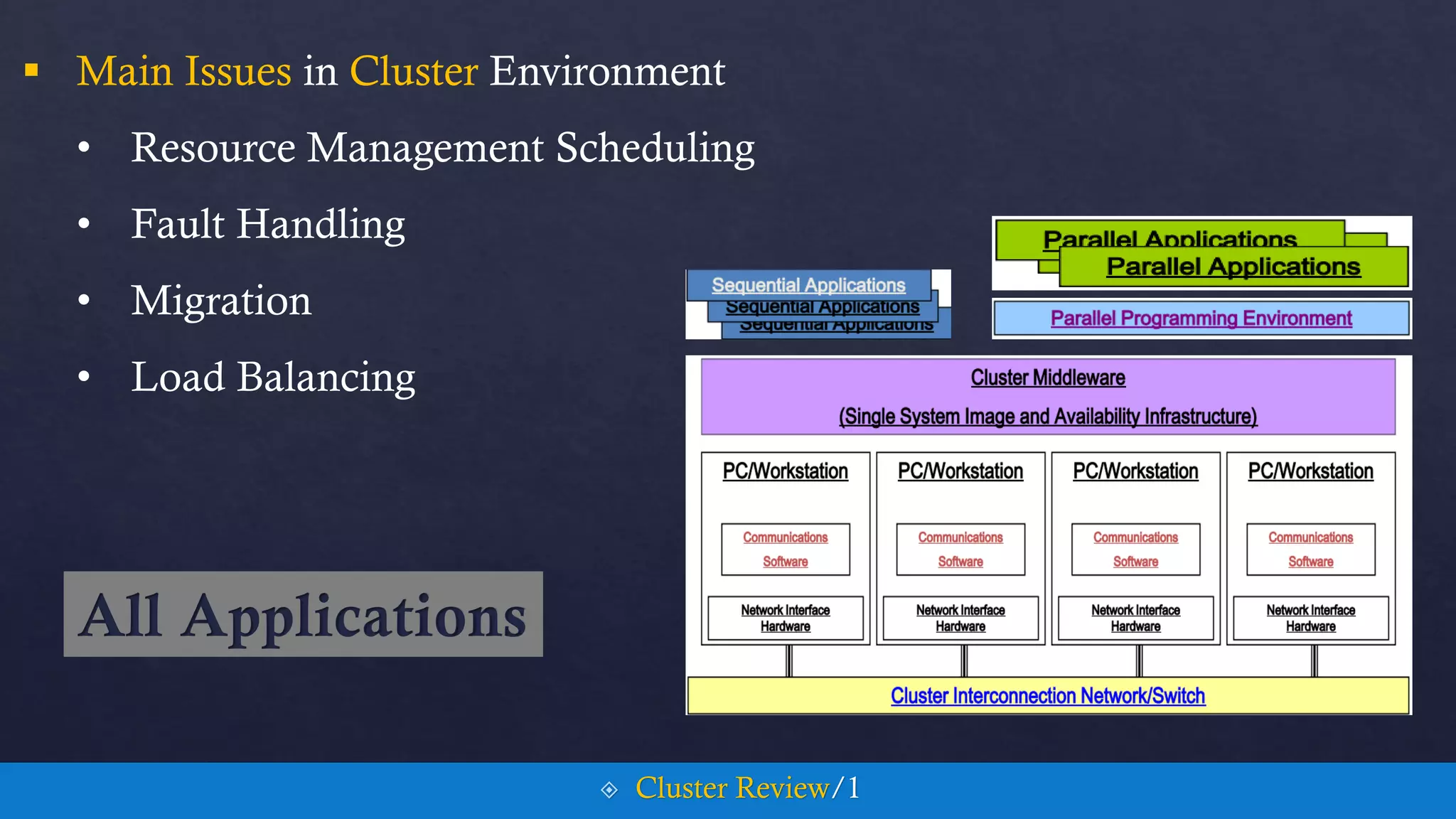
 Main Issues in Cluster Environment
• Resource Management Scheduling
• Fault Handling
• Migration
• Load Balancing
 Cluster Review/1
All Applications
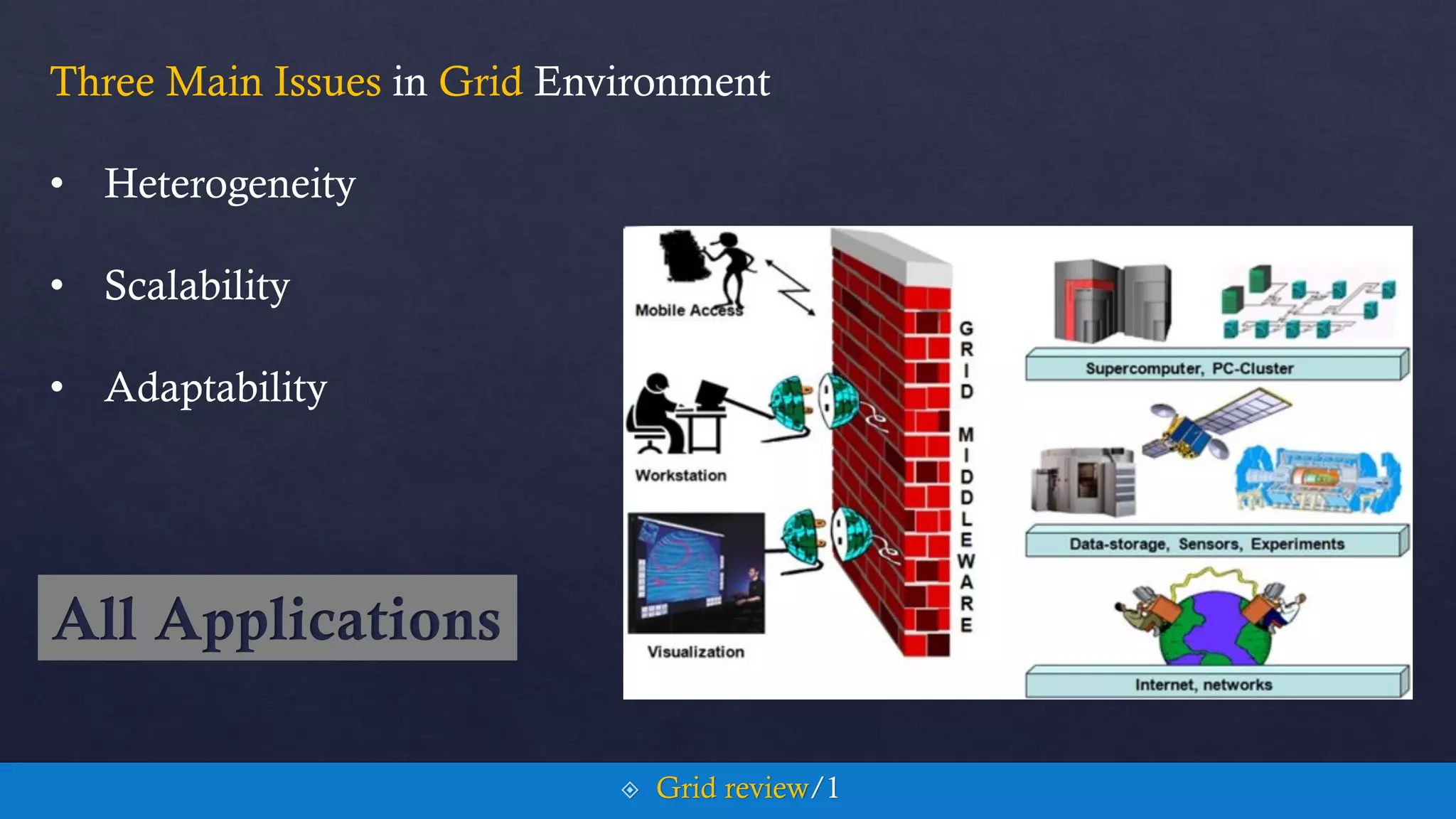
Three Main Issues in Grid Environment
• Heterogeneity
• Scalability
• Adaptability
 Grid review/1
All Applications
visPerf
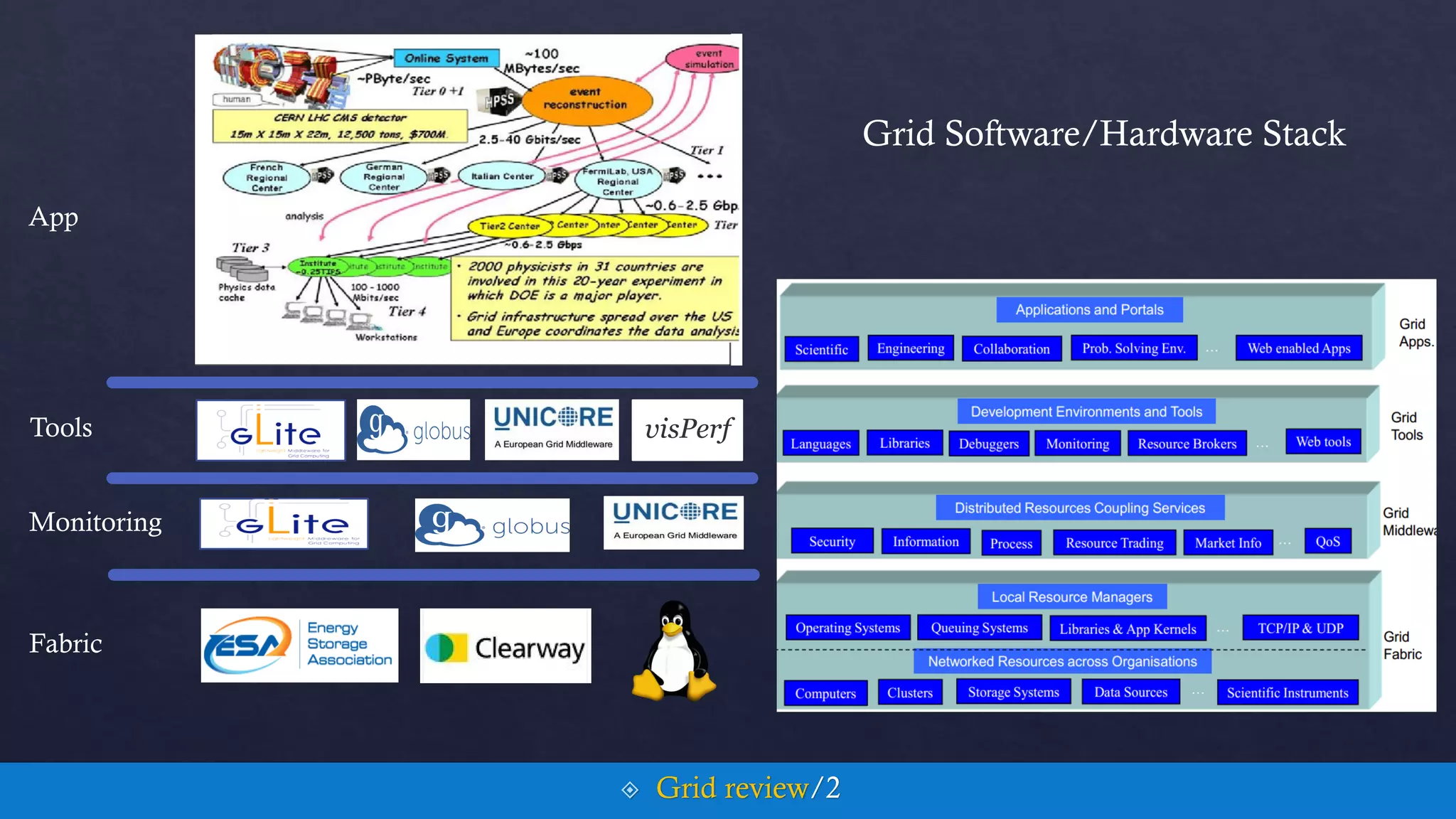
App
Tools
Monitoring
Fabric
 Grid review/2
Grid Software/Hardware Stack
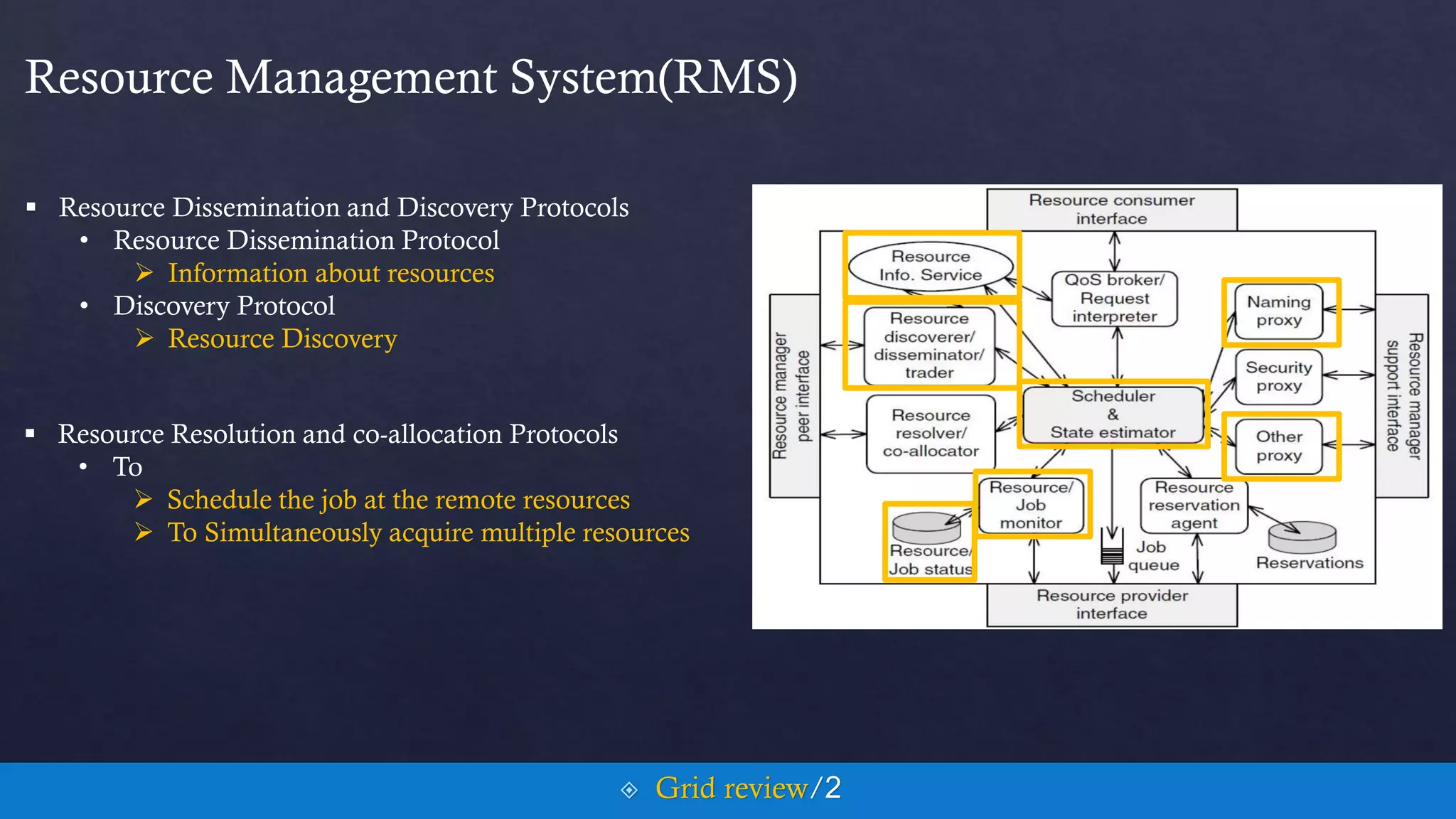
Resource Management System(RMS)
 Resource Dissemination and Discovery Protocols
• Resource Dissemination Protocol
 Information about resources
• Discovery Protocol
 Resource Discovery
 Resource Resolution and co-allocation Protocols
• To
 Schedule the job at the remote resources
 To Simultaneously acquire multiple resources
 Grid review/2
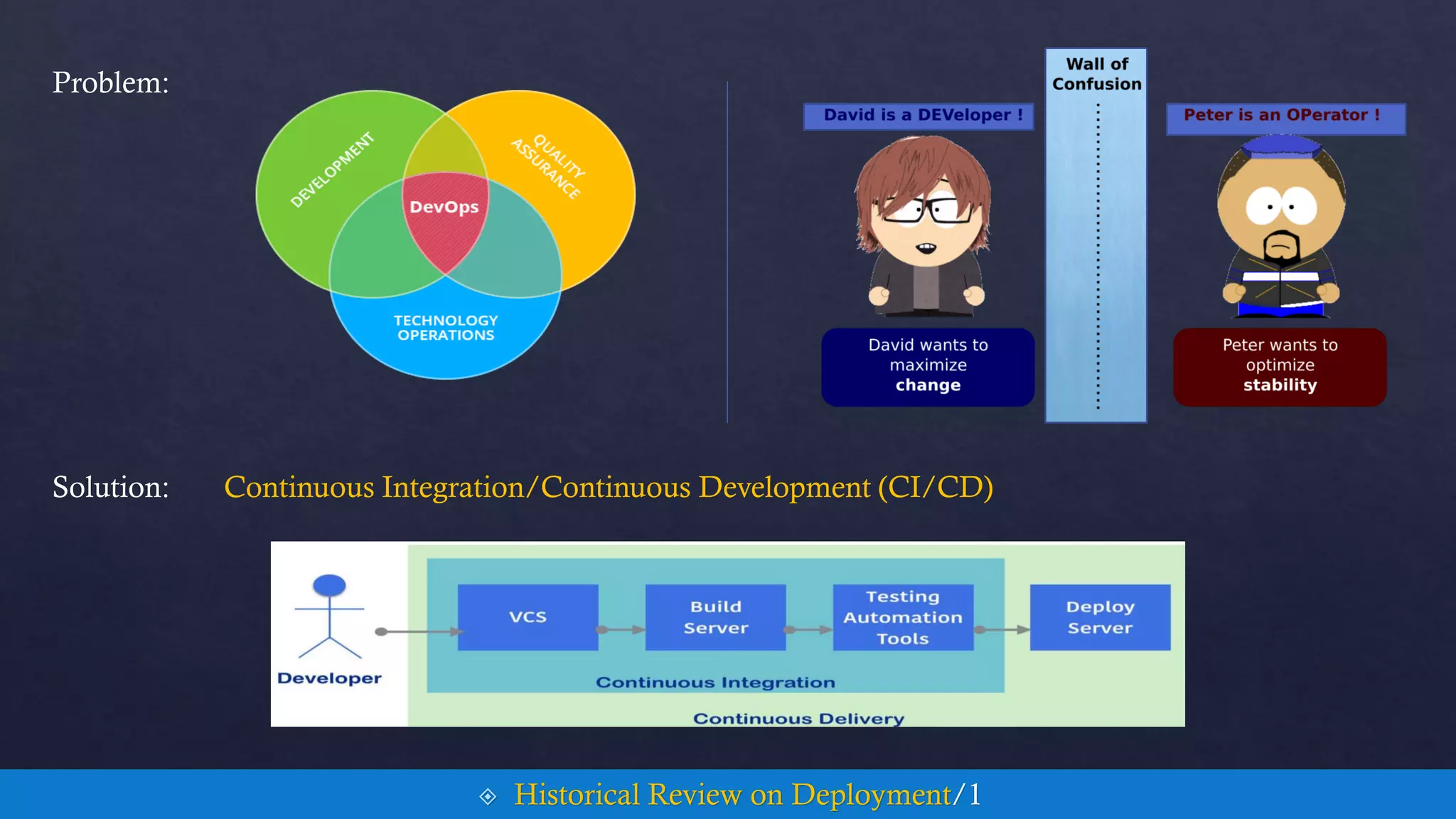
Problem:
Solution: Continuous Integration/Continuous Development (CI/CD)
 Historical Review on Deployment/1
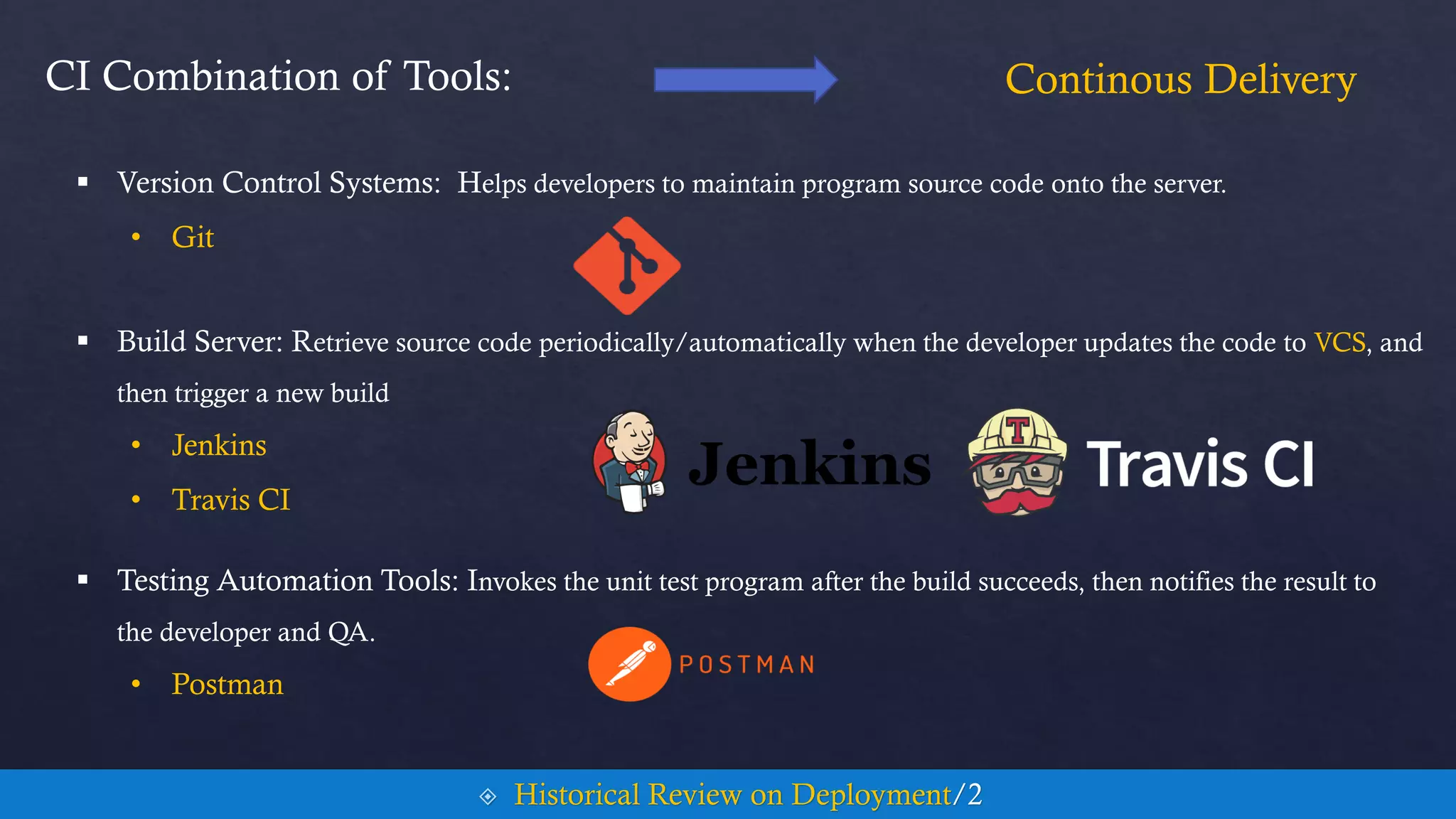
CI Combination of Tools:
 Testing Automation Tools: Invokes the unit test program after the build succeeds, then notifies the result to
the developer and QA.
• Postman
Continous Delivery
 Historical Review on Deployment/2
 Version Control Systems: Helps developers to maintain program source code onto the server.
• Git
 Build Server: Retrieve source code periodically/automatically when the developer updates the code to VCS, and
then trigger a new build
• Jenkins
• Travis CI
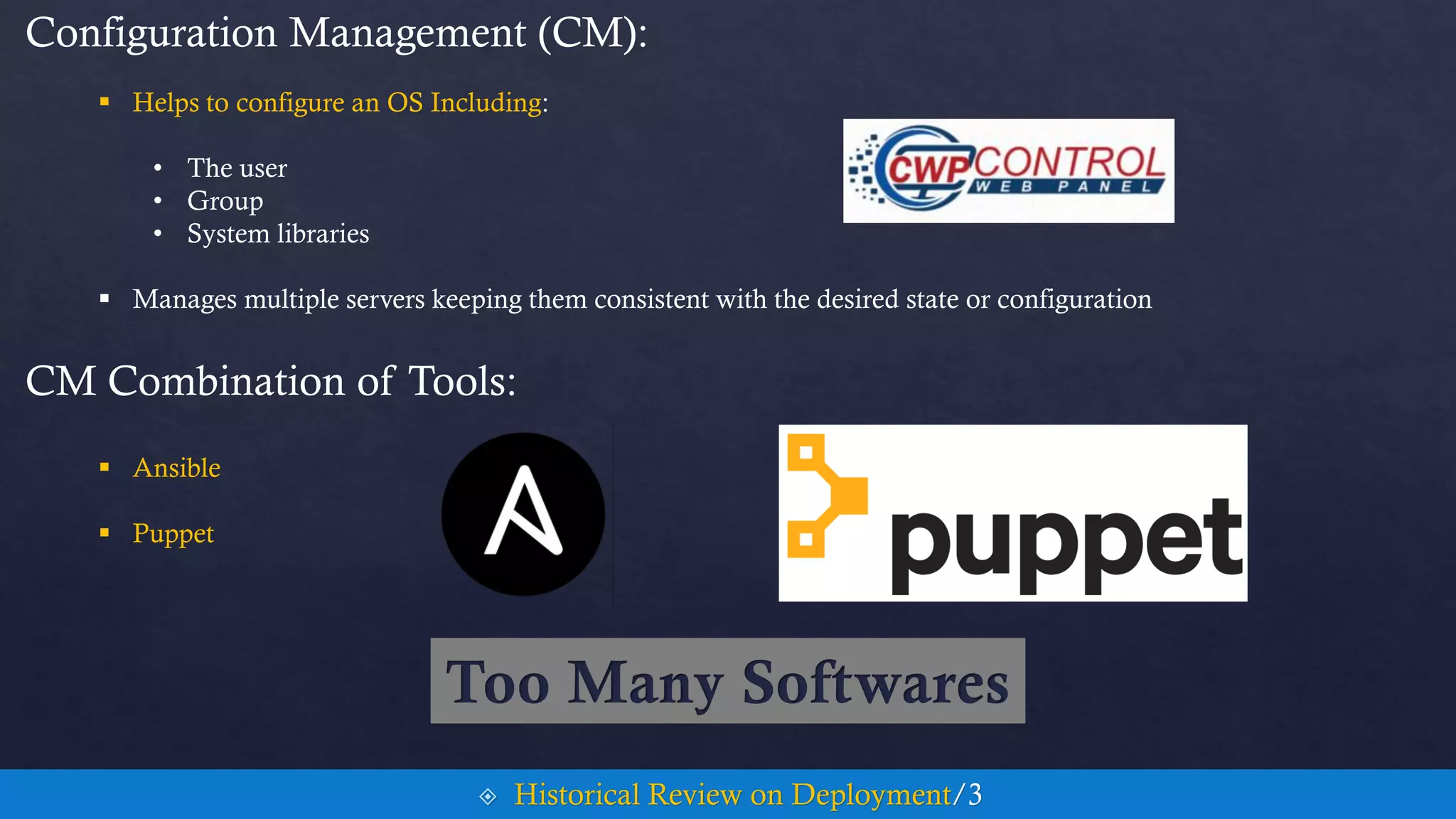
Configuration Management (CM):
 Helps to configure an OS Including:
• The user
• Group
• System libraries
 Manages multiple servers keeping them consistent with the desired state or configuration
CM Combination of Tools:
 Ansible
 Puppet
 Historical Review on Deployment/3
Too Many Softwares
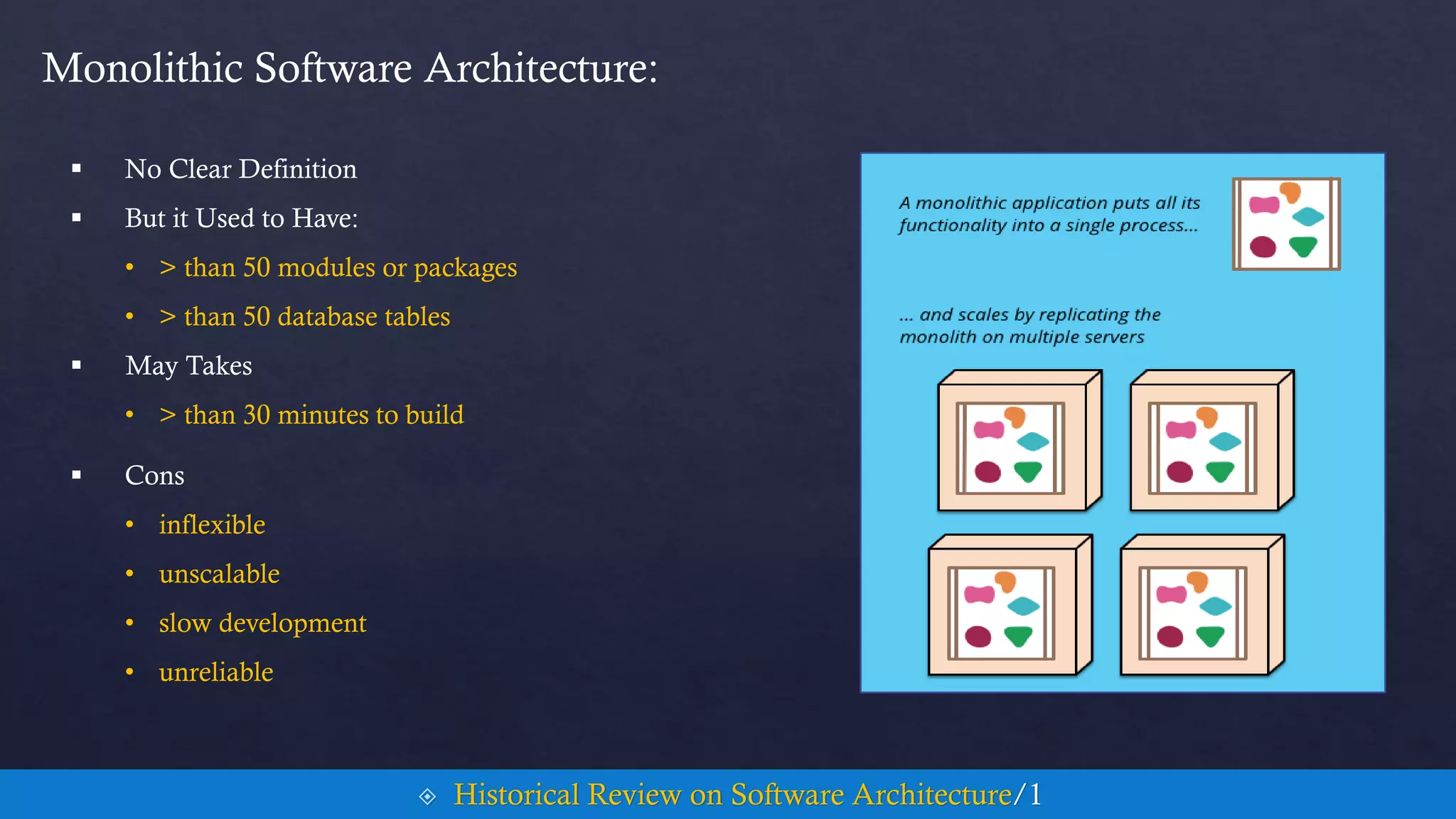
 No Clear Definition
 But it Used to Have:
• > than 50 modules or packages
• > than 50 database tables
 May Takes
• > than 30 minutes to build
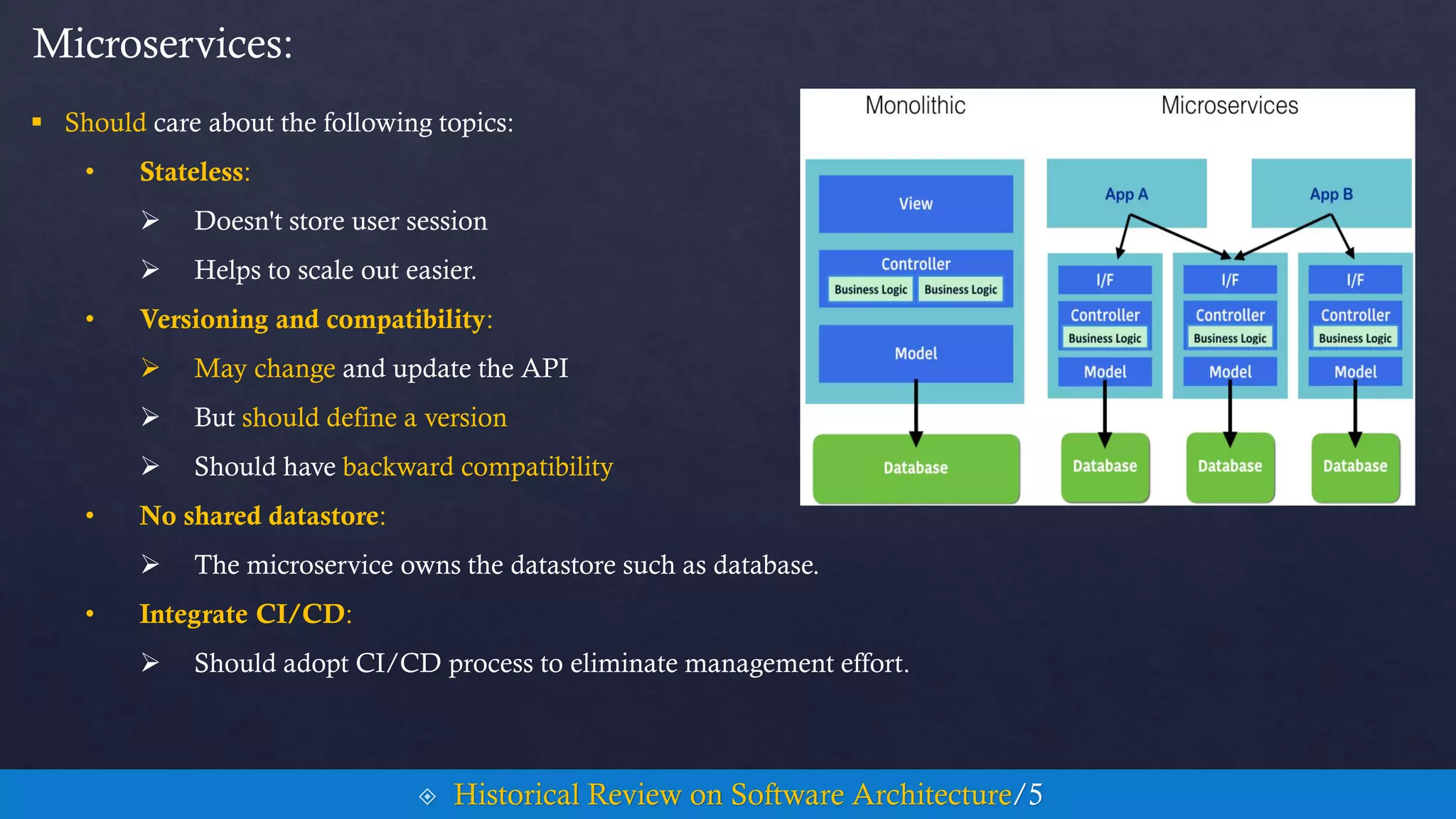
Monolithic Software Architecture:
 Cons
• inflexible
• unscalable
• slow development
• unreliable
 Historical Review on Software Architecture/1
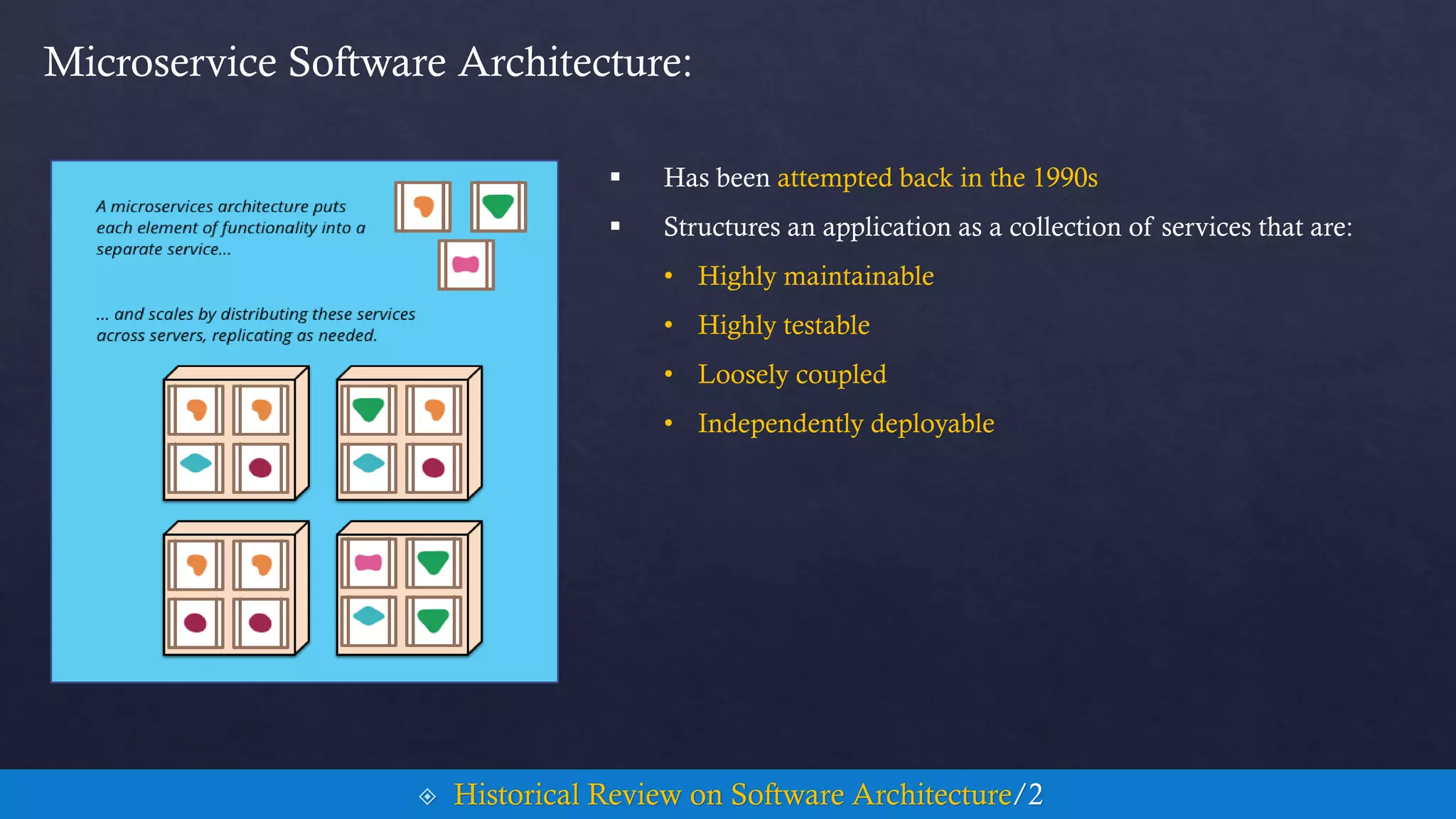
 Has been attempted back in the 1990s
 Structures an application as a collection of services that are:
• Highly maintainable
• Highly testable
• Loosely coupled
• Independently deployable
Microservice Software Architecture:
 Historical Review on Software Architecture/2
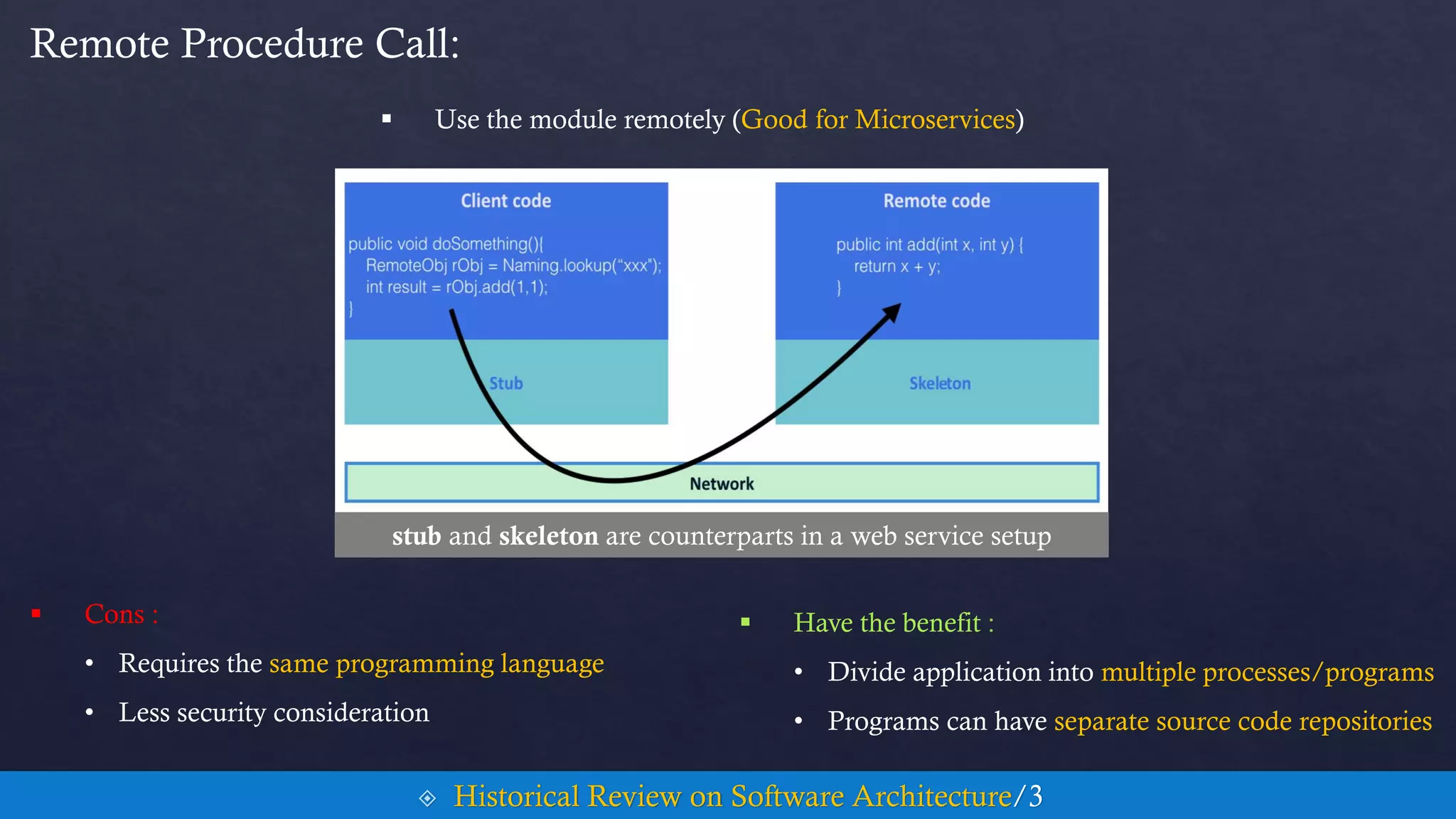
 Use the module remotely (Good for Microservices)
Remote Procedure Call:
 Historical Review on Software Architecture/3
 Cons :
• Requires the same programming language
• Less security consideration
 Have the benefit :
• Divide application into multiple processes/programs
• Programs can have separate source code repositories
stub and skeleton are counterparts in a web service setup
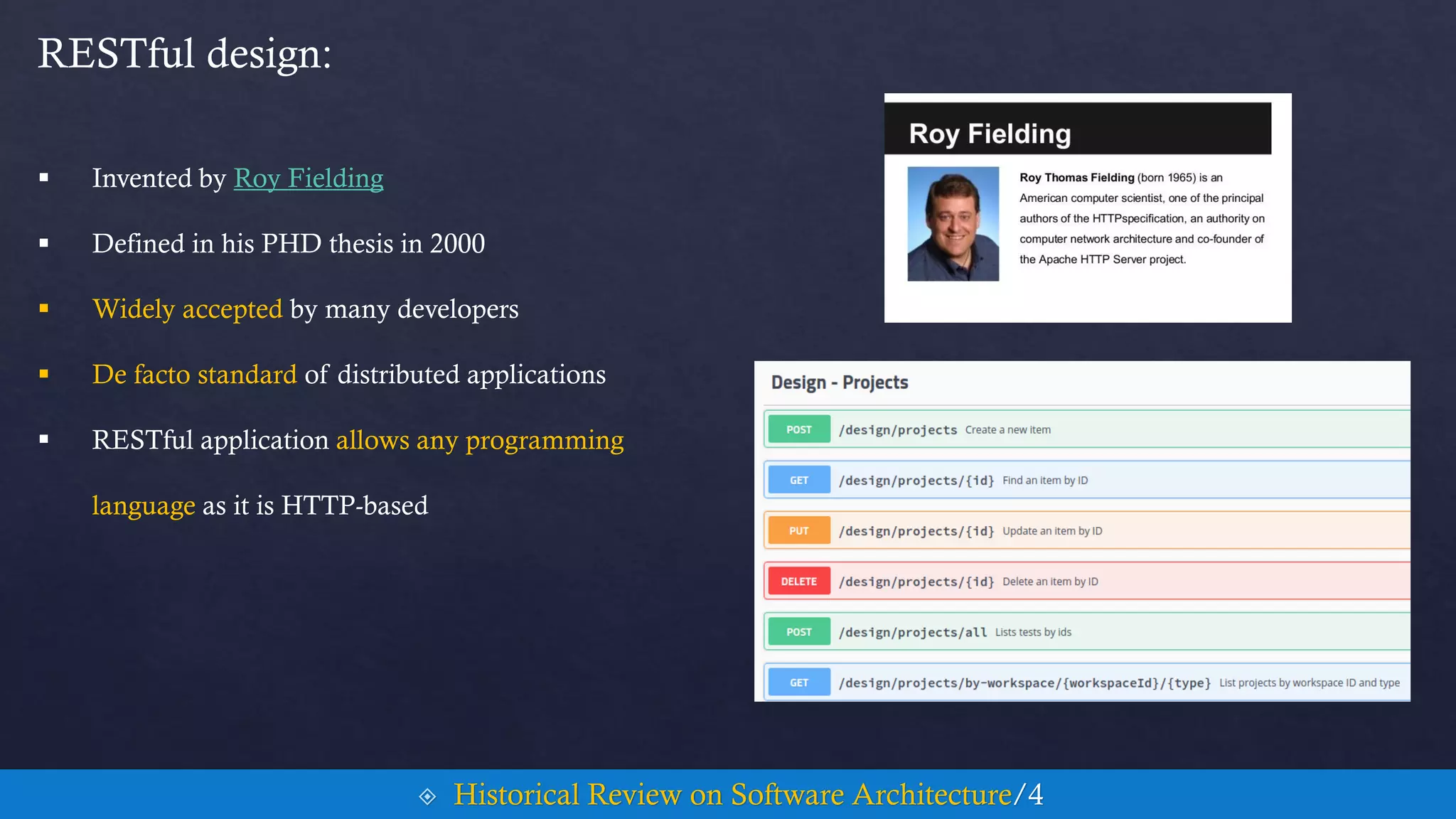
 Invented by Roy Fielding
 Defined in his PHD thesis in 2000
RESTful design:
 Historical Review on Software Architecture/4
 Widely accepted by many developers
 De facto standard of distributed applications
 RESTful application allows any programming
language as it is HTTP-based
 Should care about the following topics:
• Stateless:
 Doesn't store user session
 Helps to scale out easier.
• Versioning and compatibility:
 May change and update the API
 But should define a version
 Should have backward compatibility
• No shared datastore:
 The microservice owns the datastore such as database.
• Integrate CI/CD:
 Should adopt CI/CD process to eliminate management effort.
Microservices:
 Historical Review on Software Architecture/5
Contents Cont.
5. Container Concepts and Fundamentals
6. Docker Hands On
7. Kubernetes Hands On
Development of Virtualization
 They say necessity is the mother of invention, and the history of computers is no exception
 Back in the ’60s, computers were a rare commodity
• To rent one cost well over a thousand dollars a month
 which is why in the 1960s and through the 1970s, we saw the development of virtualization
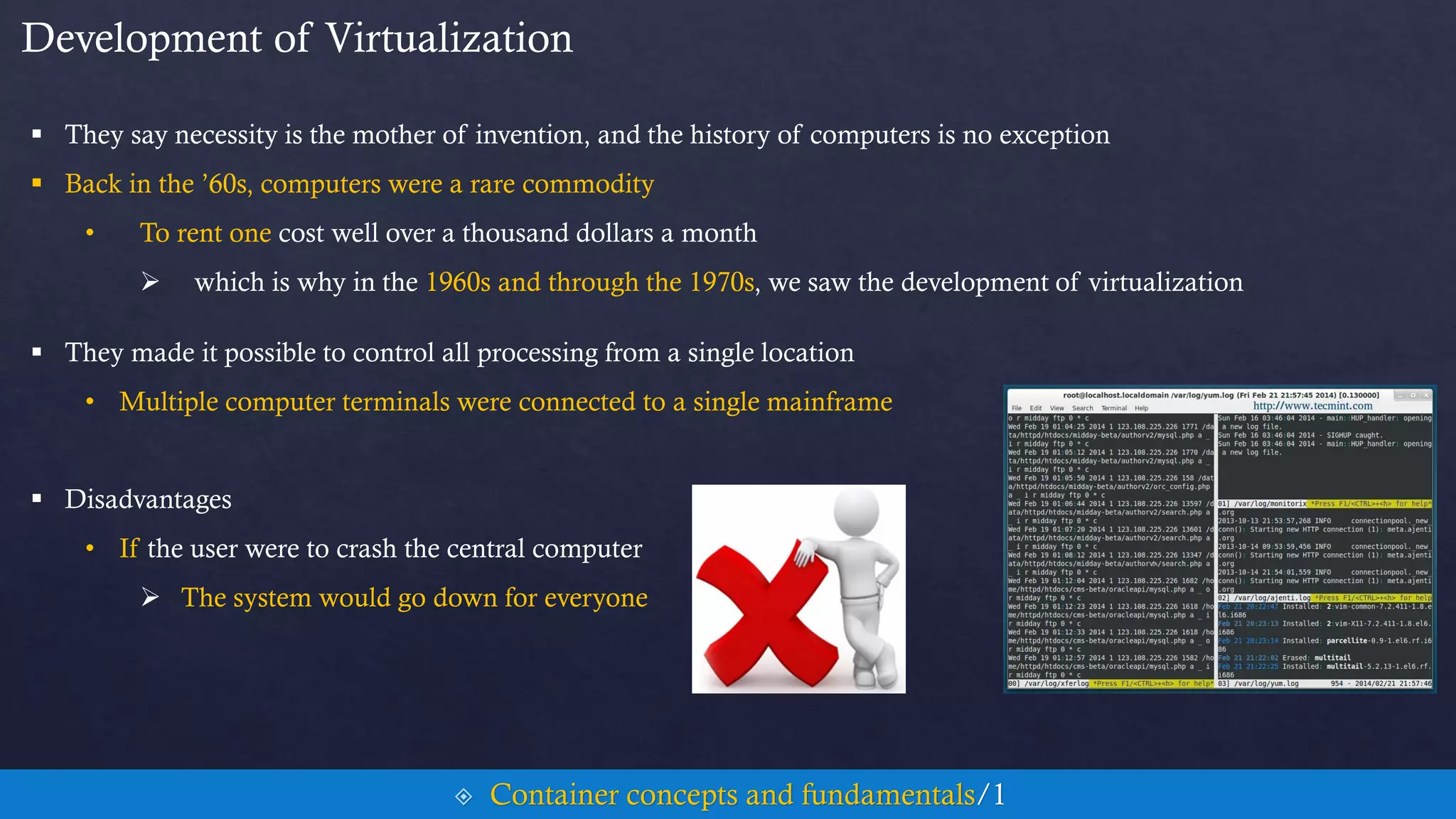
 They made it possible to control all processing from a single location
• Multiple computer terminals were connected to a single mainframe
 Disadvantages
• If the user were to crash the central computer
 The system would go down for everyone
 Container concepts and fundamentals/1
Development of Virtualization
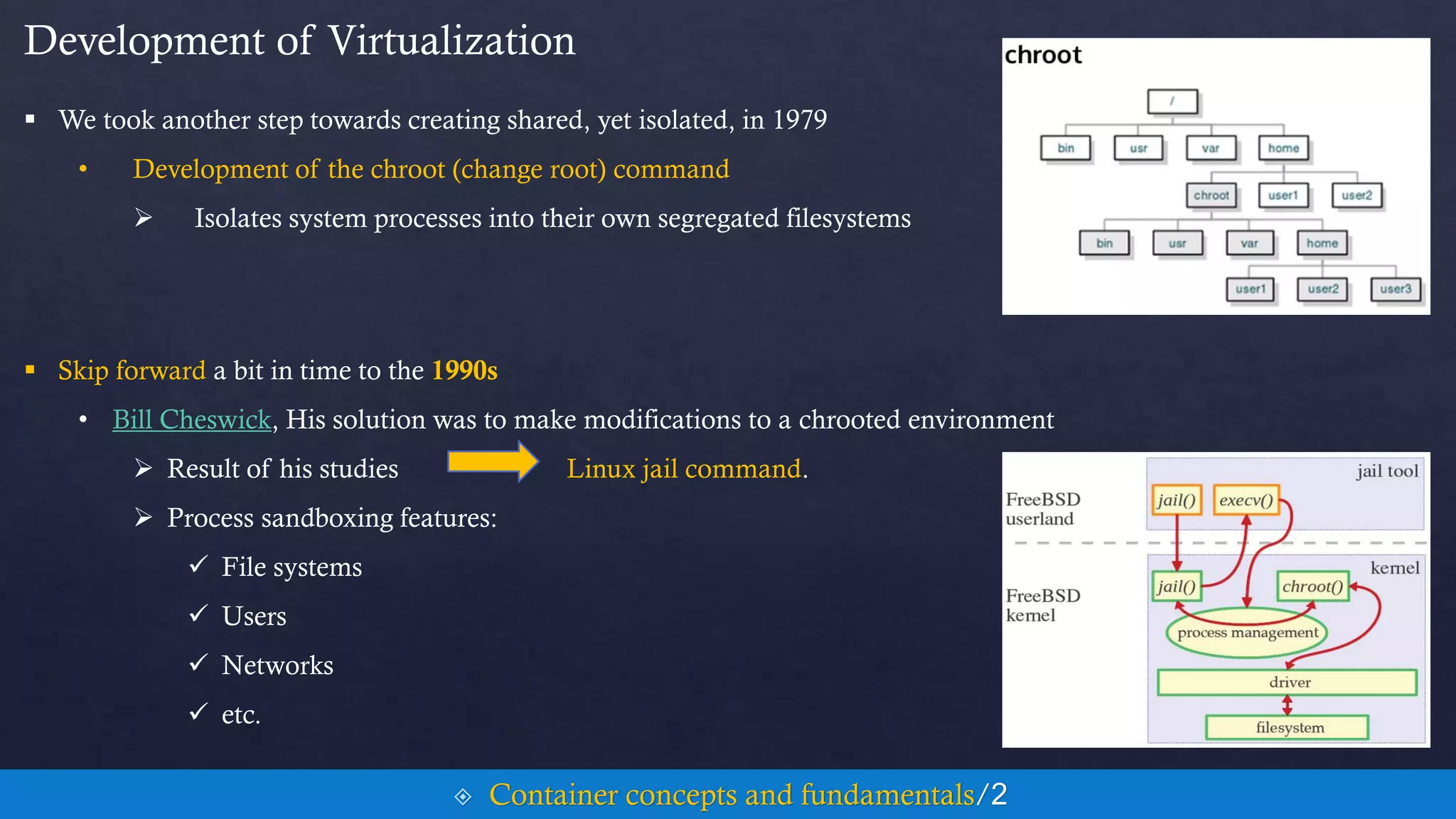
 We took another step towards creating shared, yet isolated, in 1979
• Development of the chroot (change root) command
 Isolates system processes into their own segregated filesystems
 Skip forward a bit in time to the 1990s
• Bill Cheswick, His solution was to make modifications to a chrooted environment
 Result of his studies Linux jail command.
 Process sandboxing features:
 File systems
 Users
 Networks
 etc.
 Container concepts and fundamentals/2
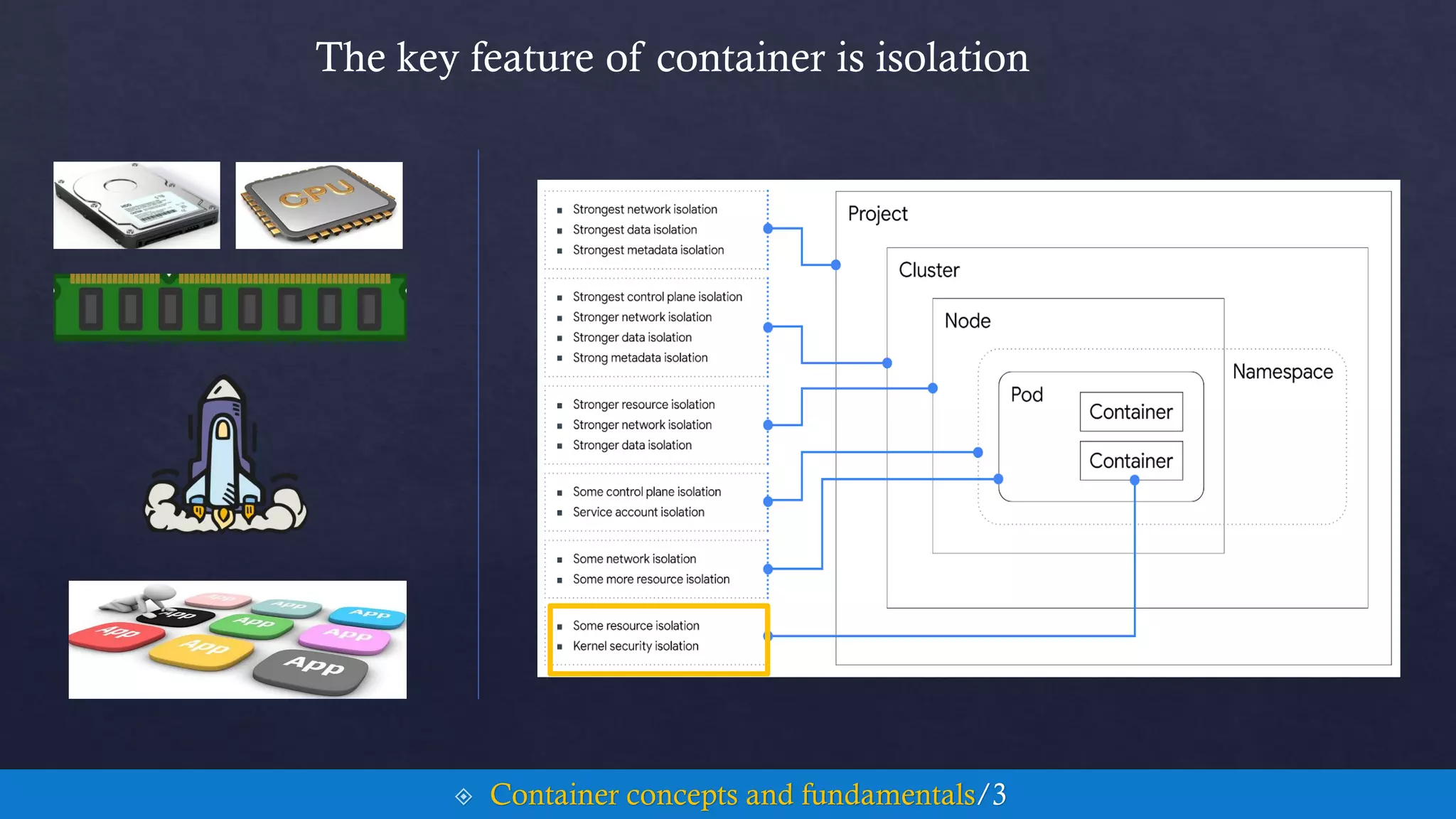
The key feature of container is isolation
 Container concepts and fundamentals/3
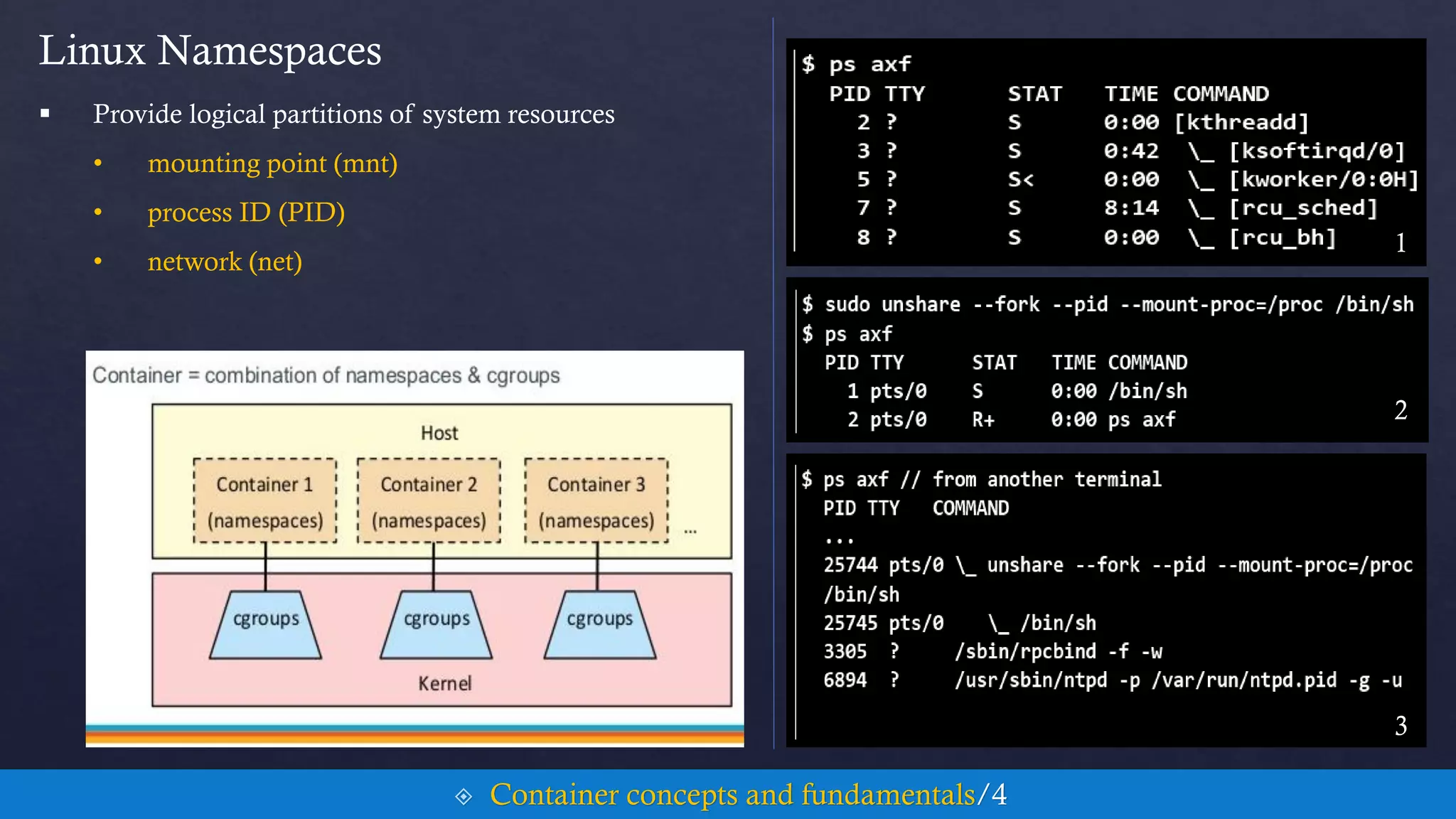
Linux Namespaces
 Provide logical partitions of system resources
• mounting point (mnt)
• process ID (PID)
• network (net)
 Container concepts and fundamentals/4
1
2
3
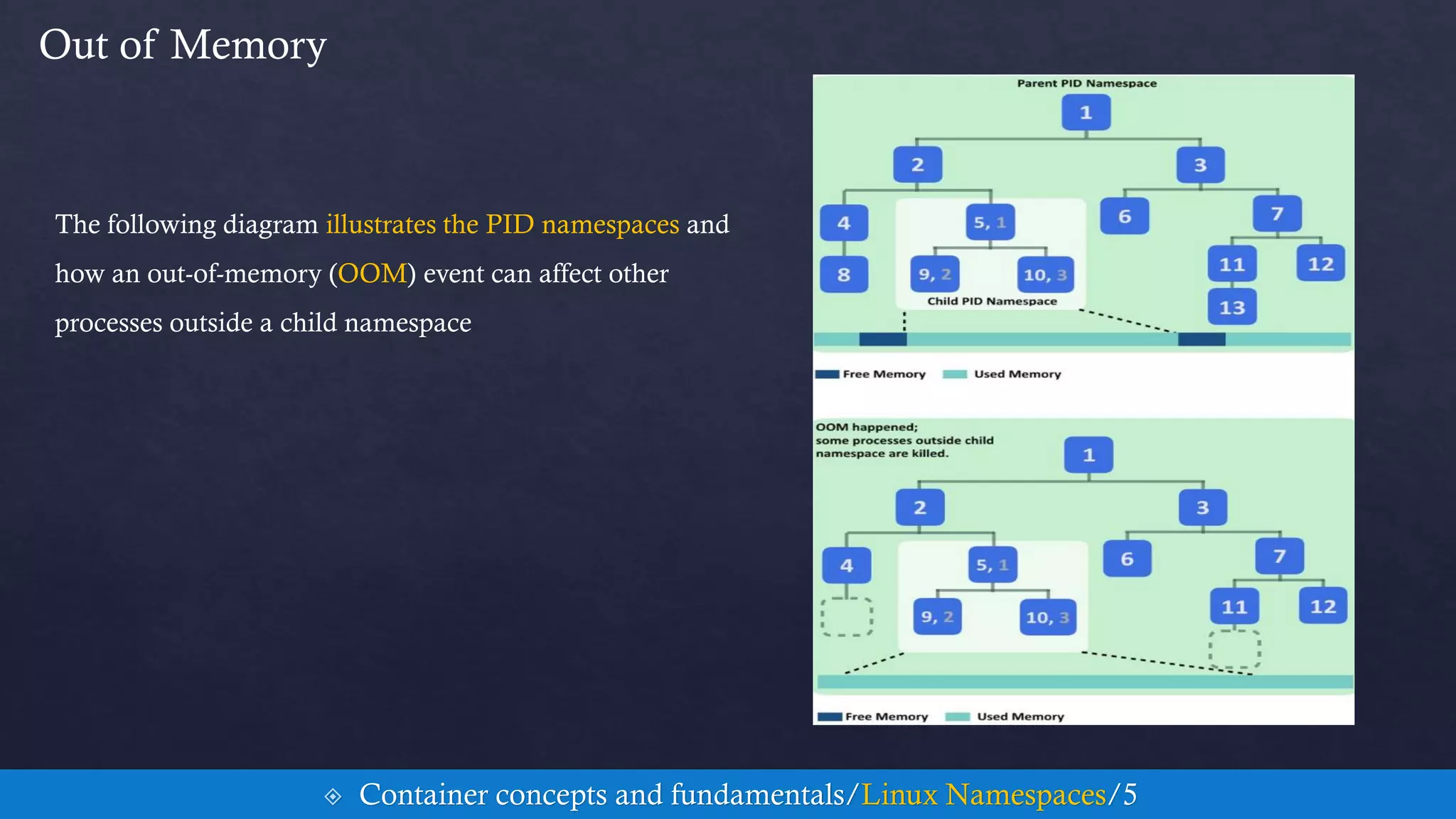
Out of Memory
 Container concepts and fundamentals/Linux Namespaces/5
The following diagram illustrates the PID namespaces and
how an out-of-memory (OOM) event can affect other
processes outside a child namespace
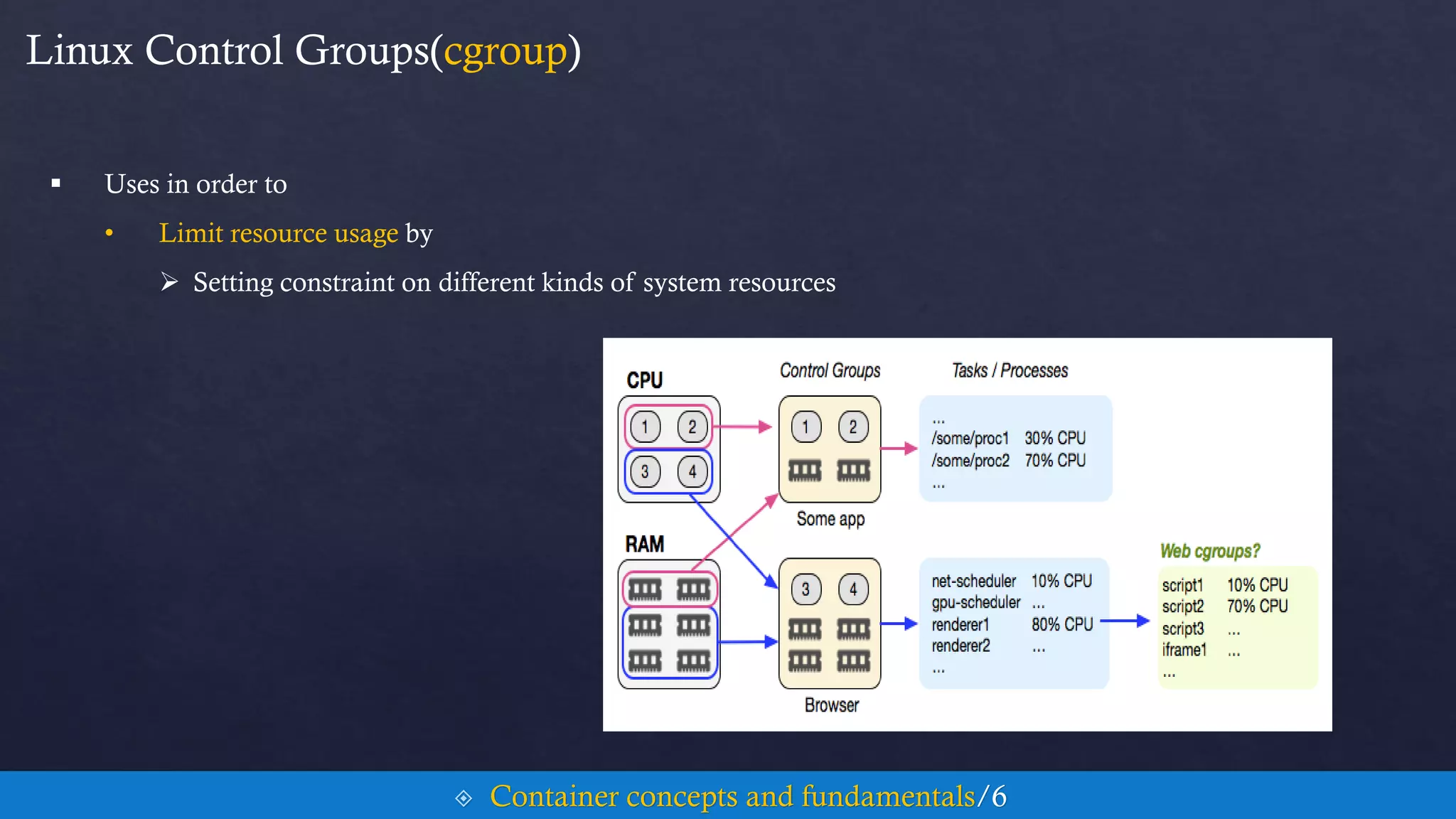
Linux Control Groups(cgroup)
 Uses in order to
• Limit resource usage by
 Setting constraint on different kinds of system resources
 Container concepts and fundamentals/6
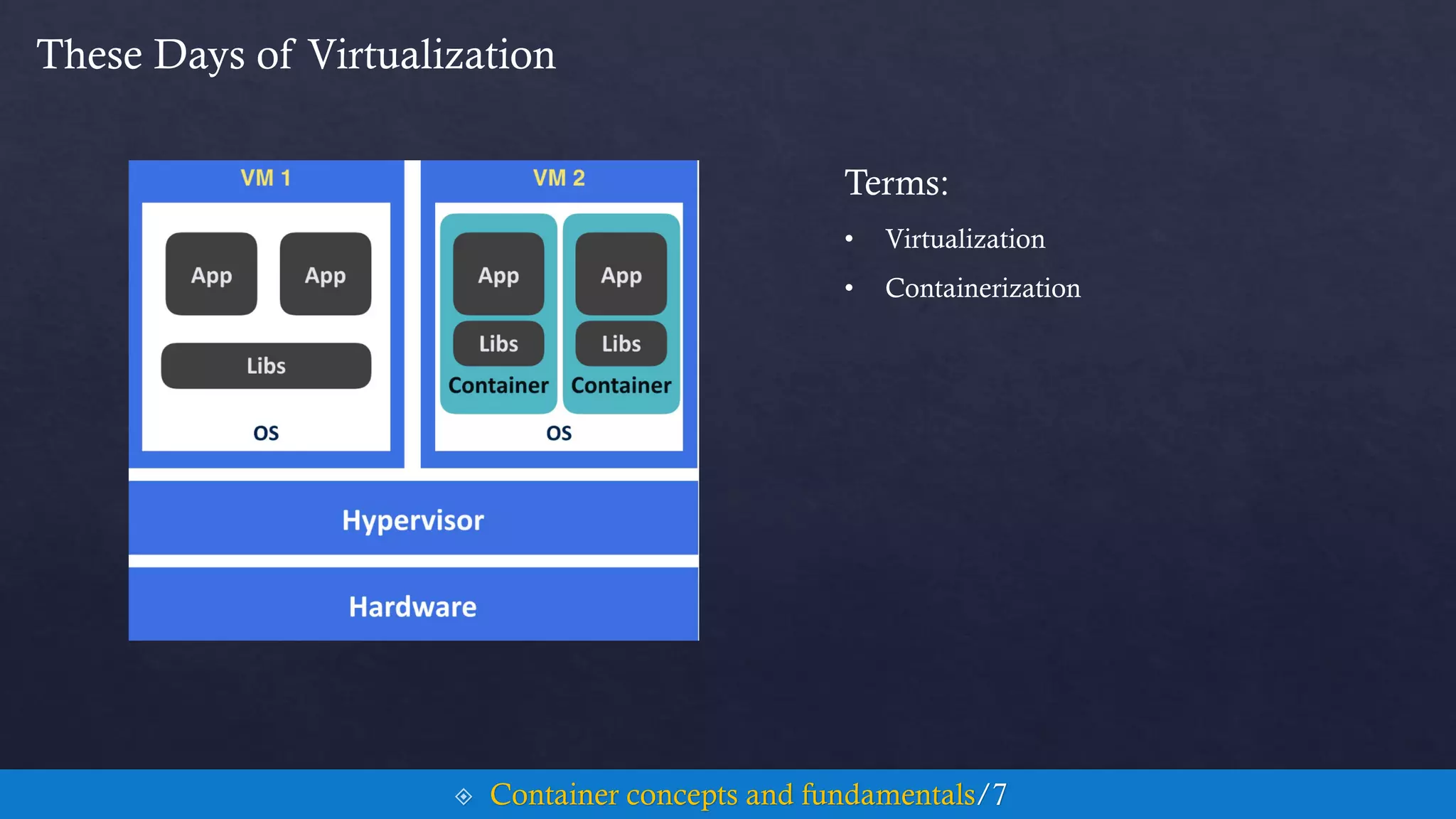
These Days of Virtualization
Terms:
• Virtualization
• Containerization
 Container concepts and fundamentals/7
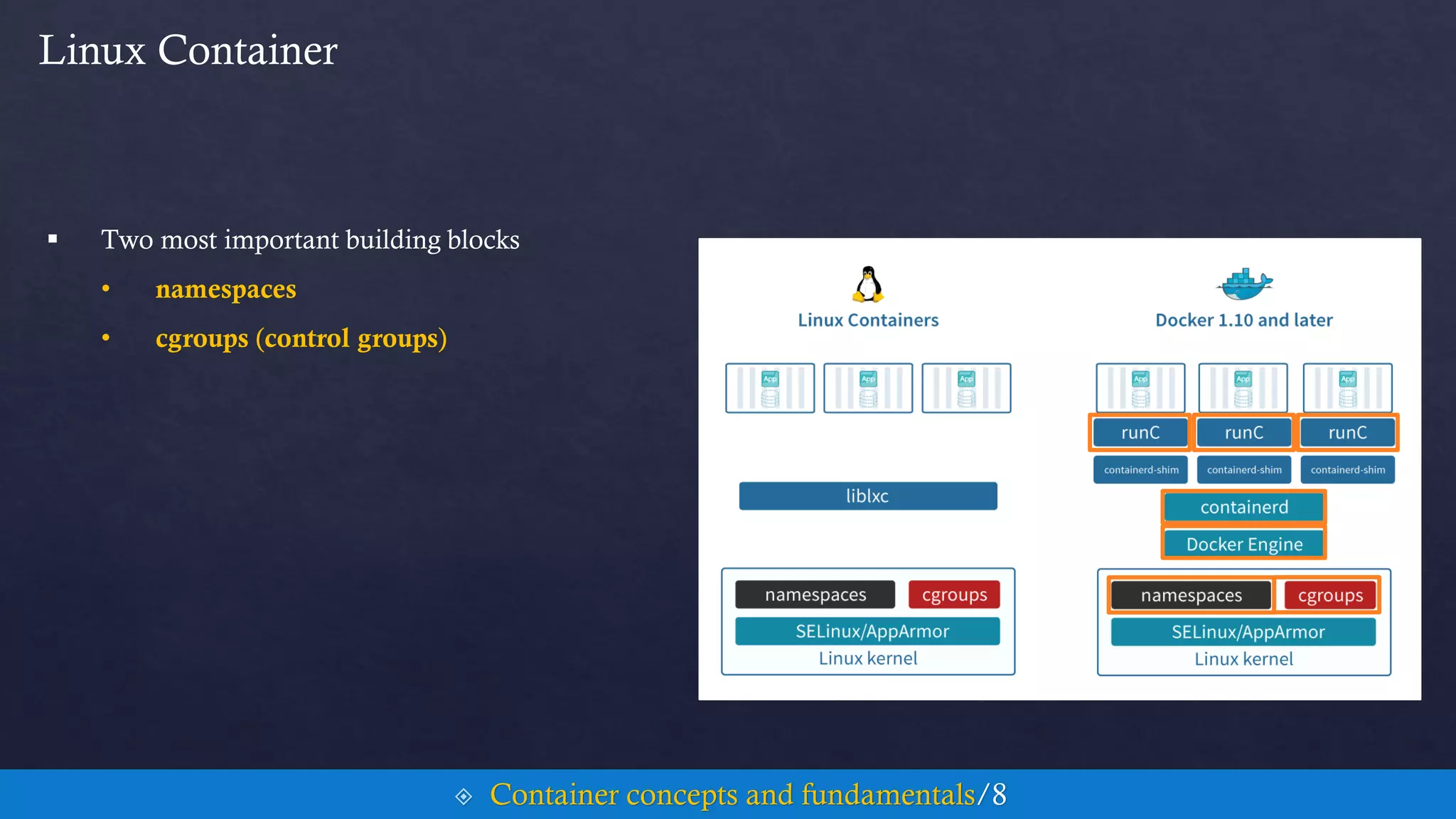
Linux Container
 Two most important building blocks
• namespaces
• cgroups (control groups)
 Container concepts and fundamentals/8
Contents Cont.
5. Container Concepts and Fundamentals
6. Docker Hands On
7. Kubernetes Hands On
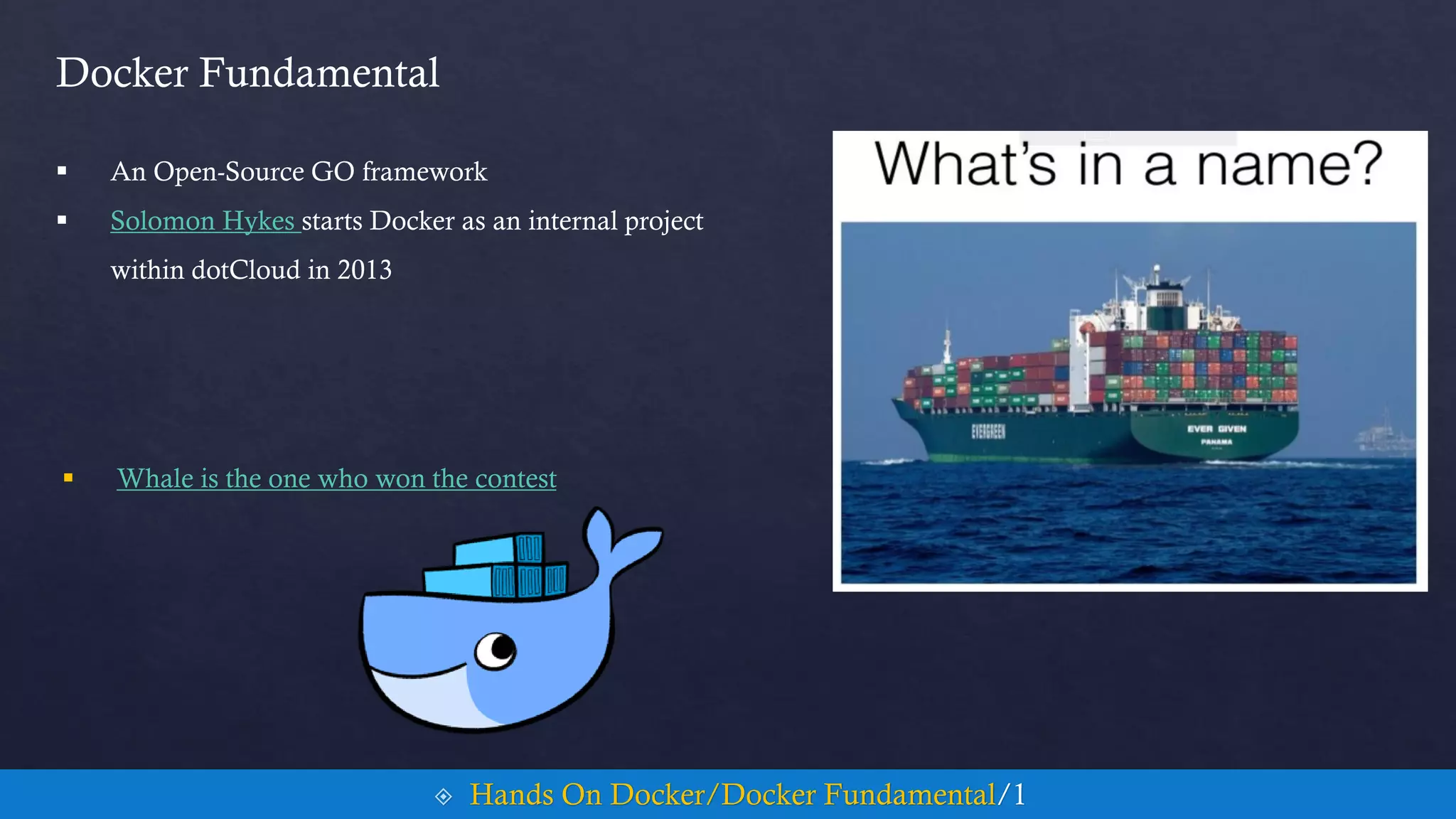
Docker Fundamental
 An Open-Source GO framework
 Solomon Hykes starts Docker as an internal project
within dotCloud in 2013
 Hands On Docker/Docker Fundamental/1
 Whale is the one who won the contest
Why GO
 Simplicity is Complex
 Medium By Example
 Hands On Docker/Docker Fundamental/2
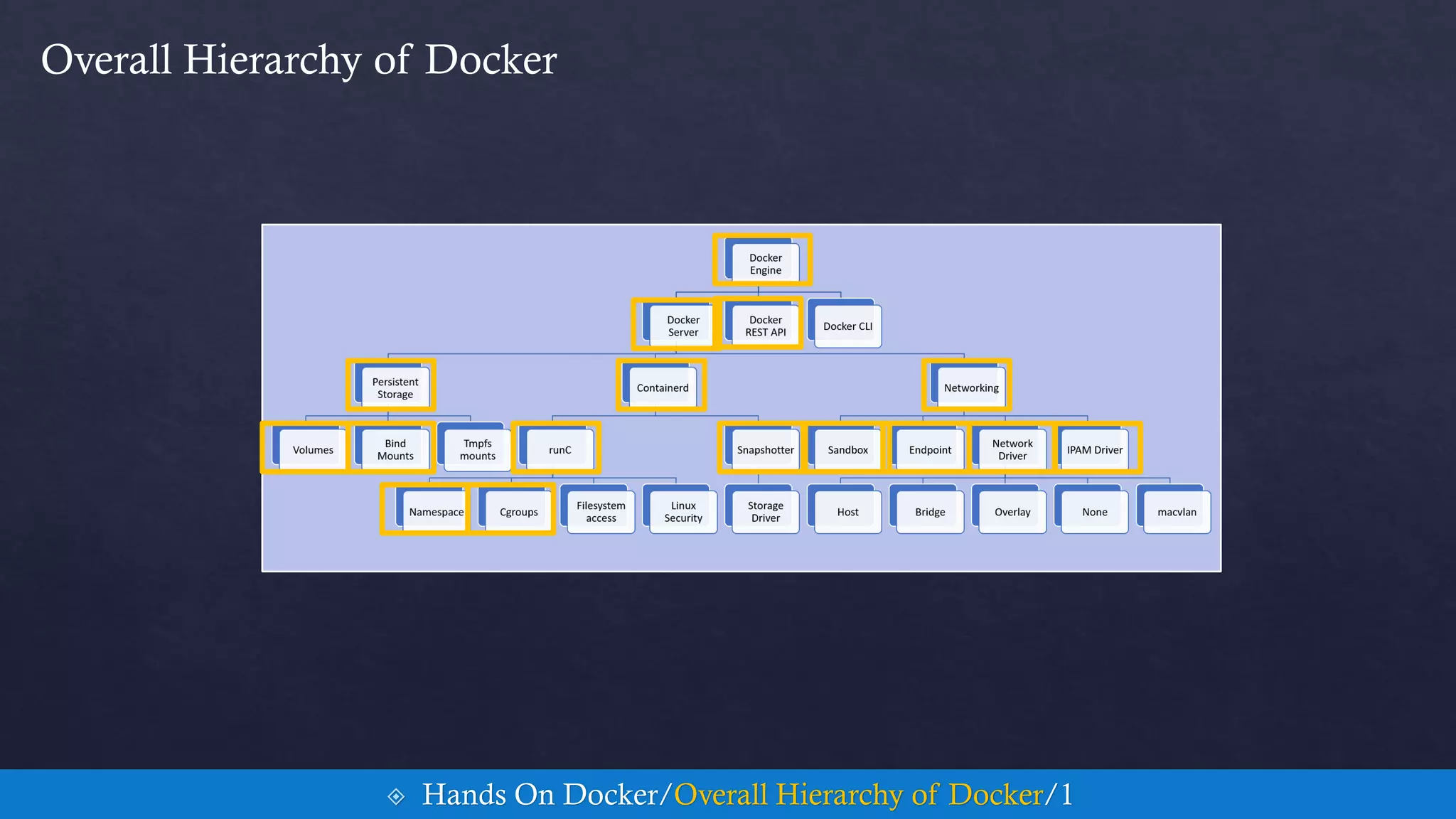
Overall Hierarchy of Docker
 Hands On Docker/Overall Hierarchy of Docker/1
Docker Engine
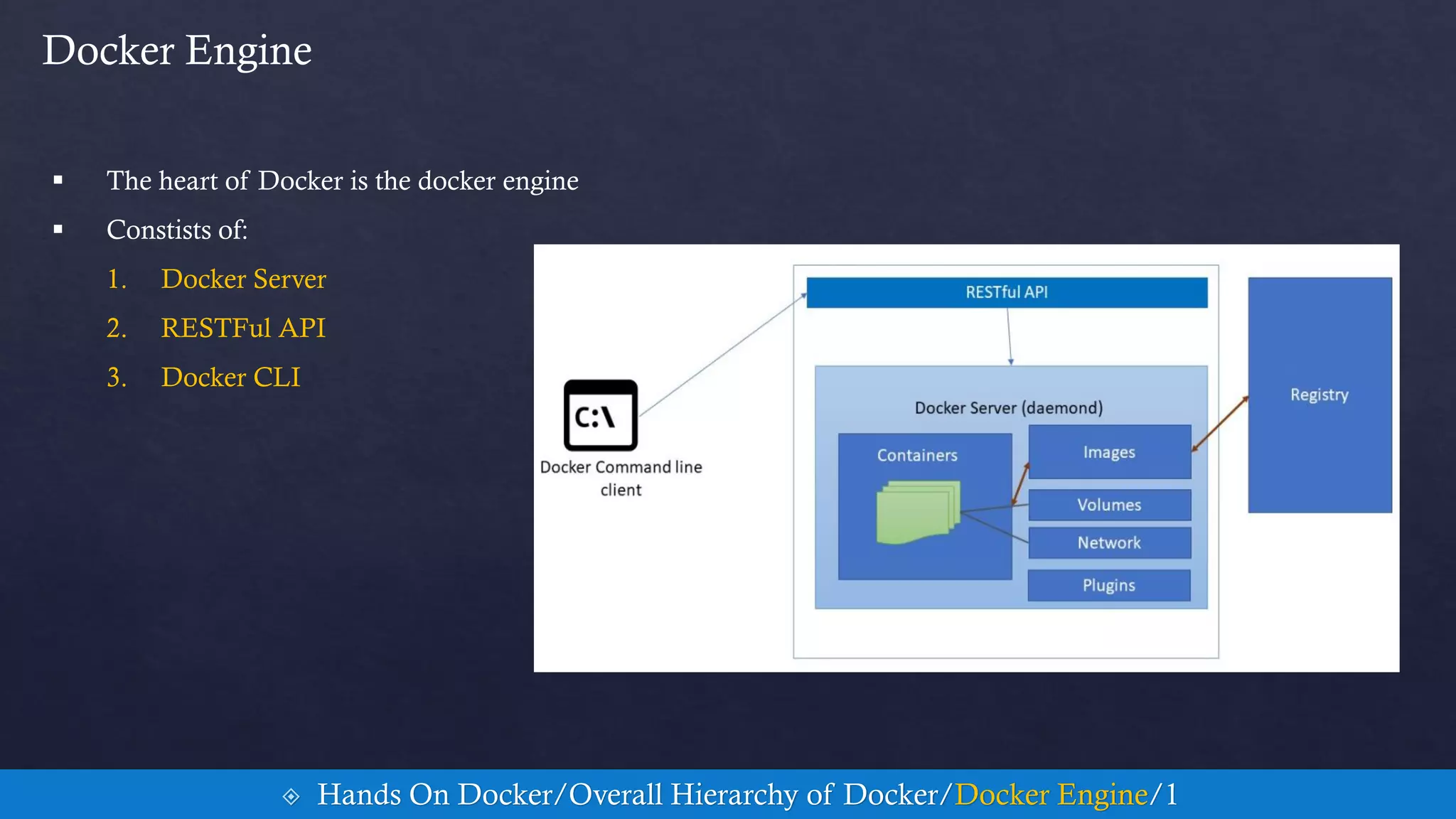
 The heart of Docker is the docker engine
 Constists of:
1. Docker Server
2. RESTFul API
3. Docker CLI
 Hands On Docker/Overall Hierarchy of Docker/Docker Engine/1
Persistent Storage
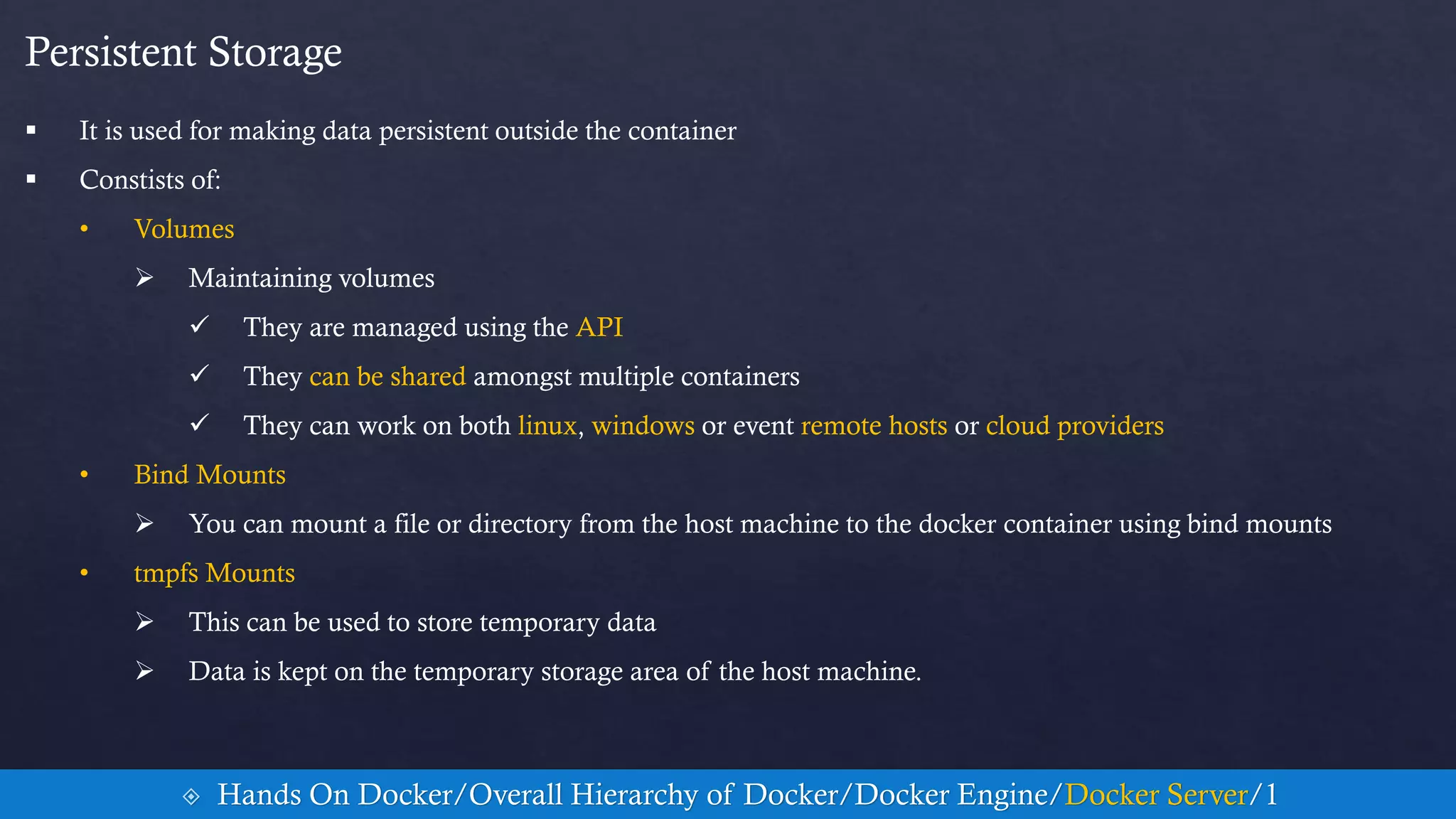
 It is used for making data persistent outside the container
 Constists of:
• Volumes
 Maintaining volumes
 They are managed using the API
 They can be shared amongst multiple containers
 They can work on both linux, windows or event remote hosts or cloud providers
• Bind Mounts
 You can mount a file or directory from the host machine to the docker container using bind mounts
• tmpfs Mounts
 This can be used to store temporary data
 Data is kept on the temporary storage area of the host machine.
 Hands On Docker/Overall Hierarchy of Docker/Docker Engine/Docker Server/1
Networking
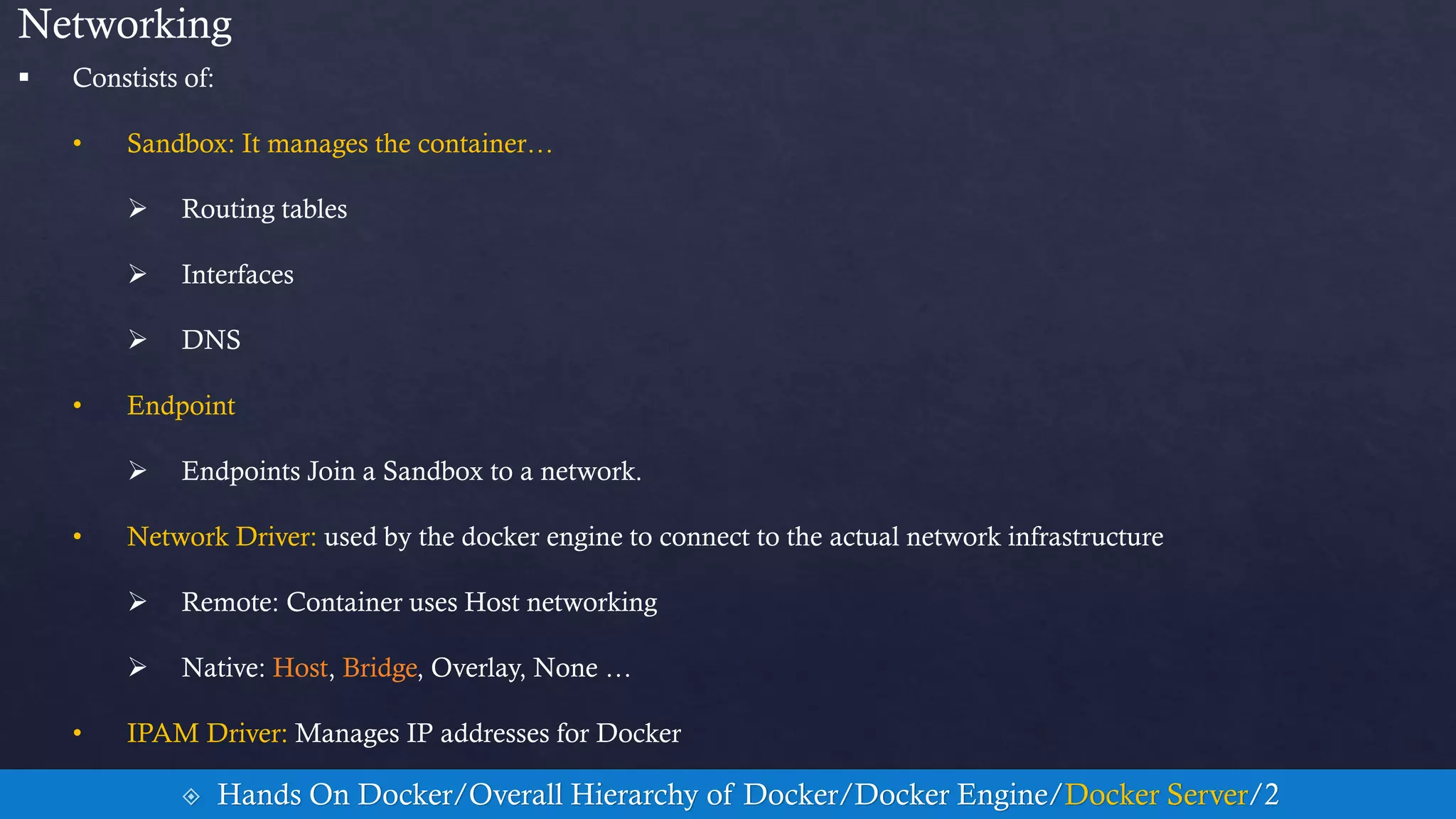
 Constists of:
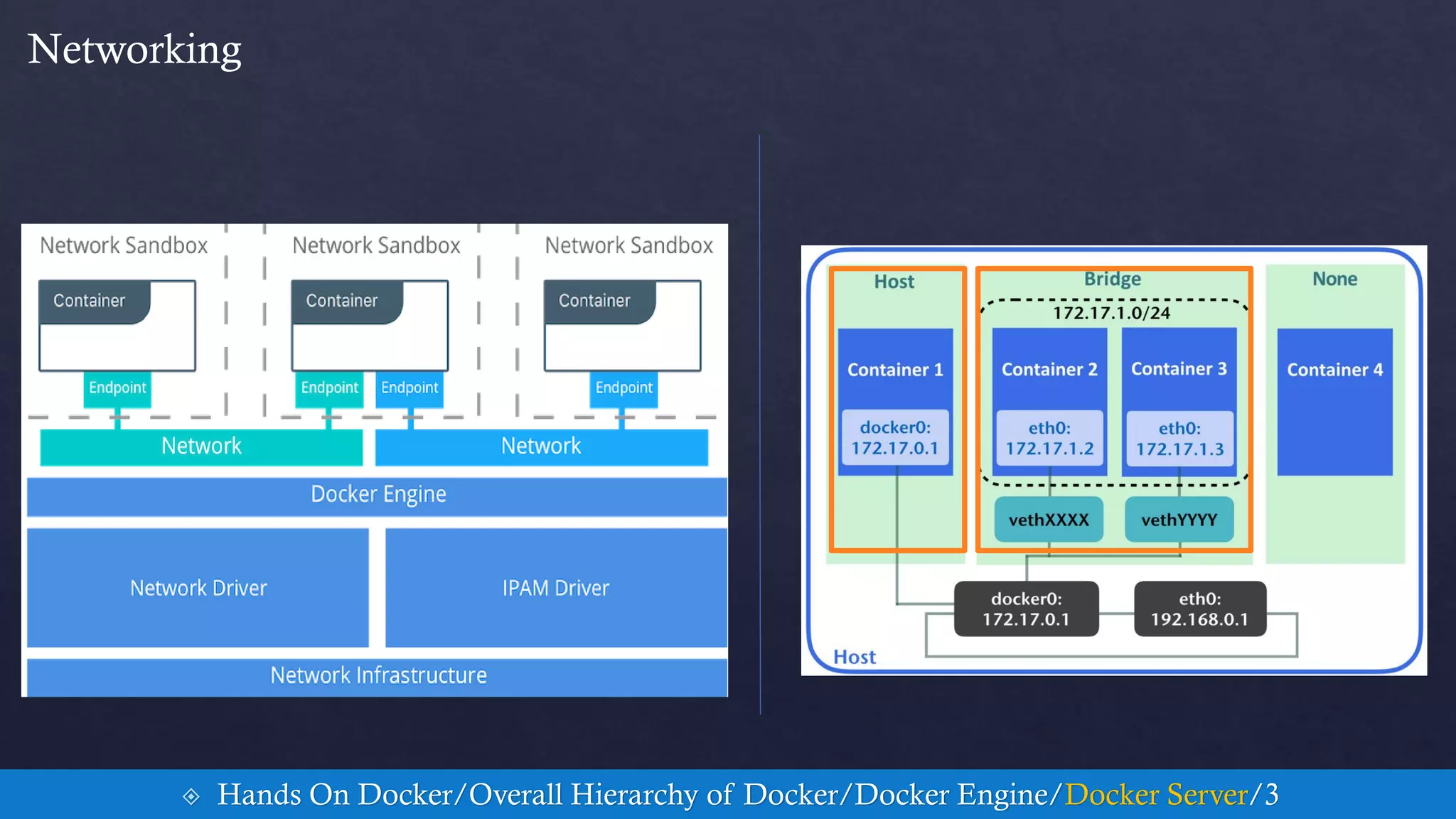
• Sandbox: It manages the container…
 Routing tables
 Interfaces
 DNS
• Endpoint
 Endpoints Join a Sandbox to a network.
• Network Driver: used by the docker engine to connect to the actual network infrastructure
 Remote: Container uses Host networking
 Native: Host, Bridge, Overlay, None …
• IPAM Driver: Manages IP addresses for Docker
 Hands On Docker/Overall Hierarchy of Docker/Docker Engine/Docker Server/2
Networking
 Hands On Docker/Overall Hierarchy of Docker/Docker Engine/Docker Server/3
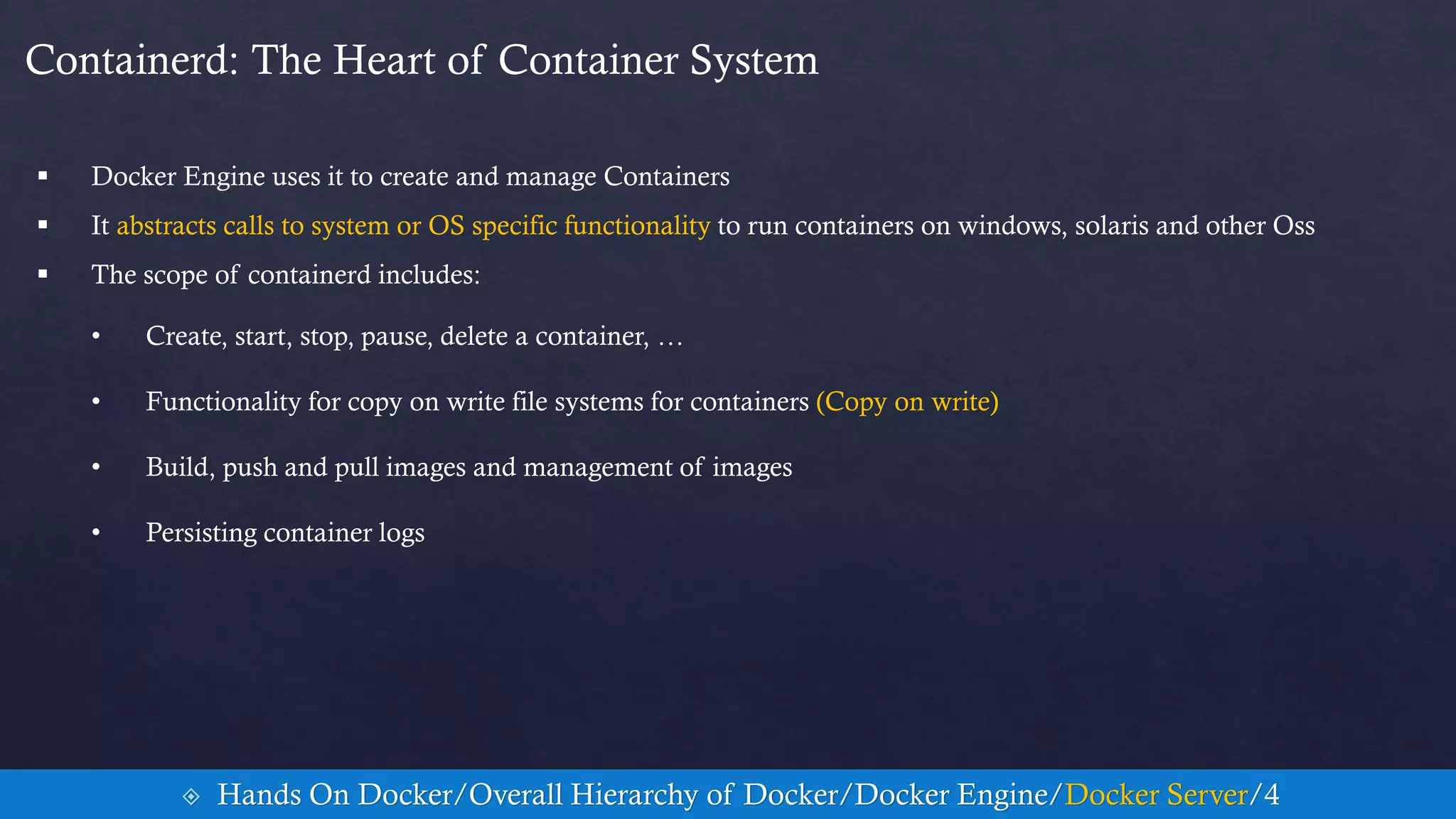
Containerd: The Heart of Container System
 Docker Engine uses it to create and manage Containers
 It abstracts calls to system or OS specific functionality to run containers on windows, solaris and other Oss
 The scope of containerd includes:
• Create, start, stop, pause, delete a container, …
• Functionality for copy on write file systems for containers (Copy on write)
• Build, push and pull images and management of images
• Persisting container logs
 Hands On Docker/Overall Hierarchy of Docker/Docker Engine/Docker Server/4
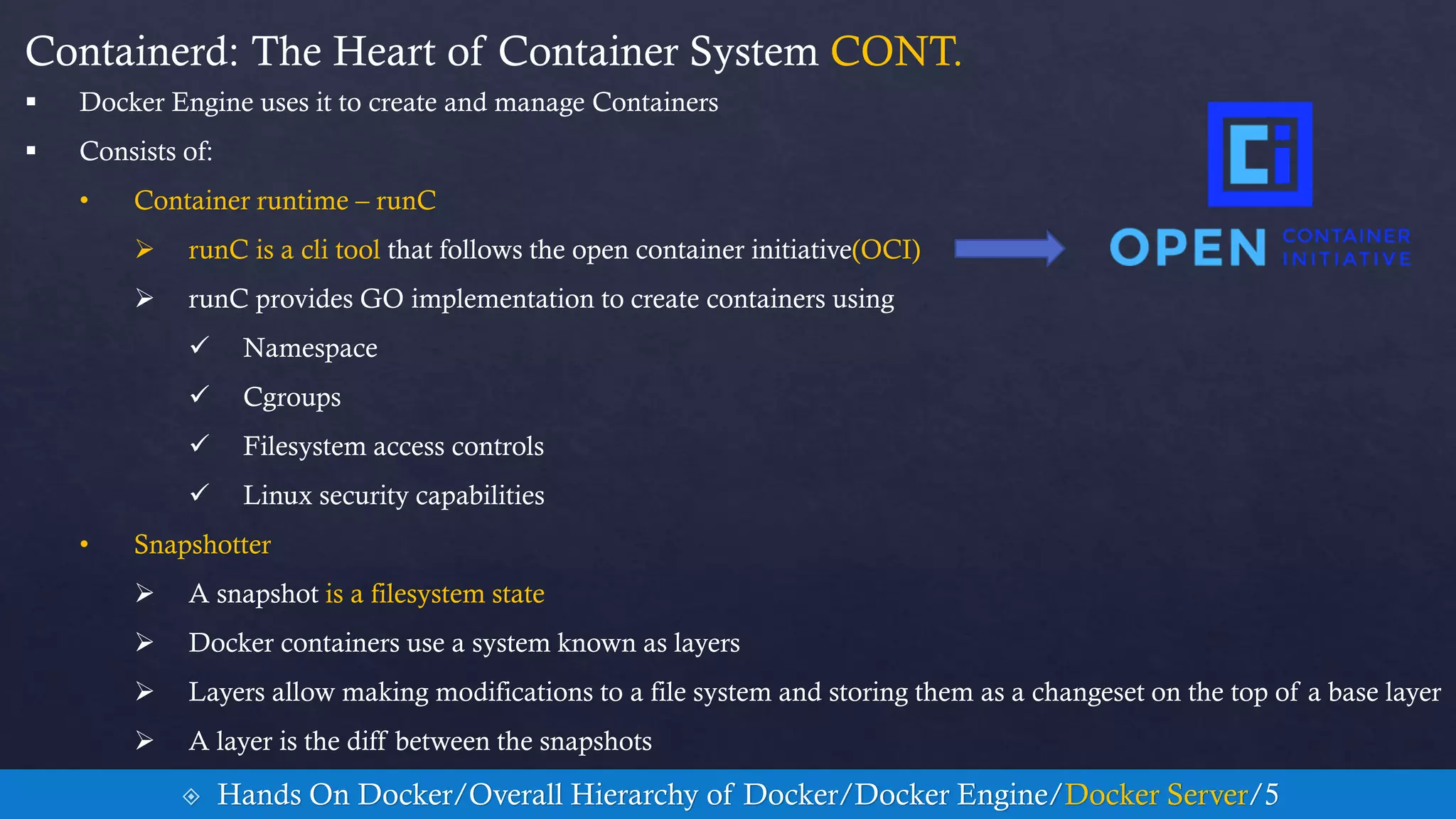
Containerd: The Heart of Container System CONT.
 Docker Engine uses it to create and manage Containers
 Consists of:
• Container runtime – runC
 runC is a cli tool that follows the open container initiative(OCI)
 runC provides GO implementation to create containers using
 Namespace
 Cgroups
 Filesystem access controls
 Linux security capabilities
• Snapshotter
 A snapshot is a filesystem state
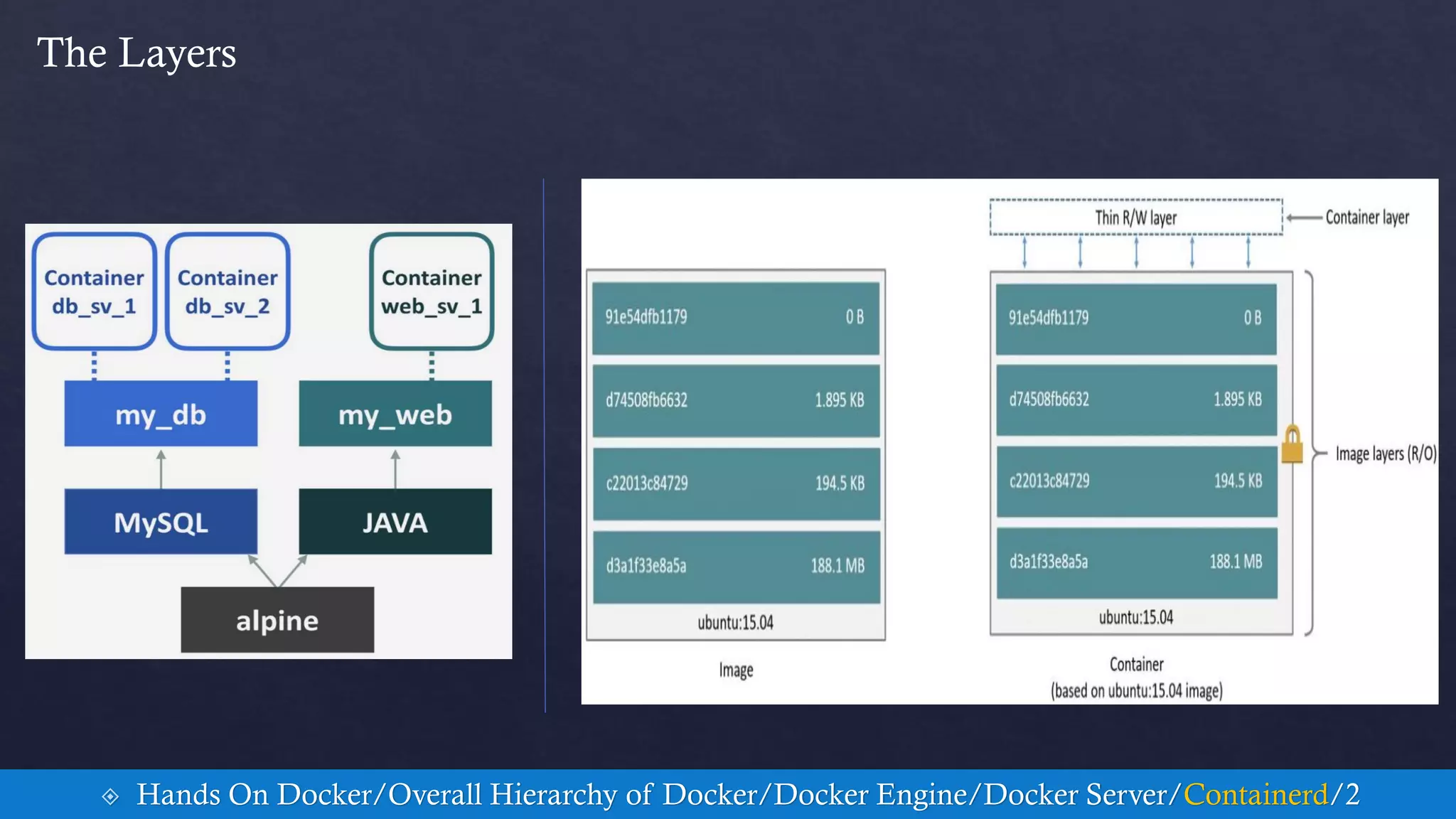
 Docker containers use a system known as layers
 Layers allow making modifications to a file system and storing them as a changeset on the top of a base layer
 A layer is the diff between the snapshots
 Hands On Docker/Overall Hierarchy of Docker/Docker Engine/Docker Server/5
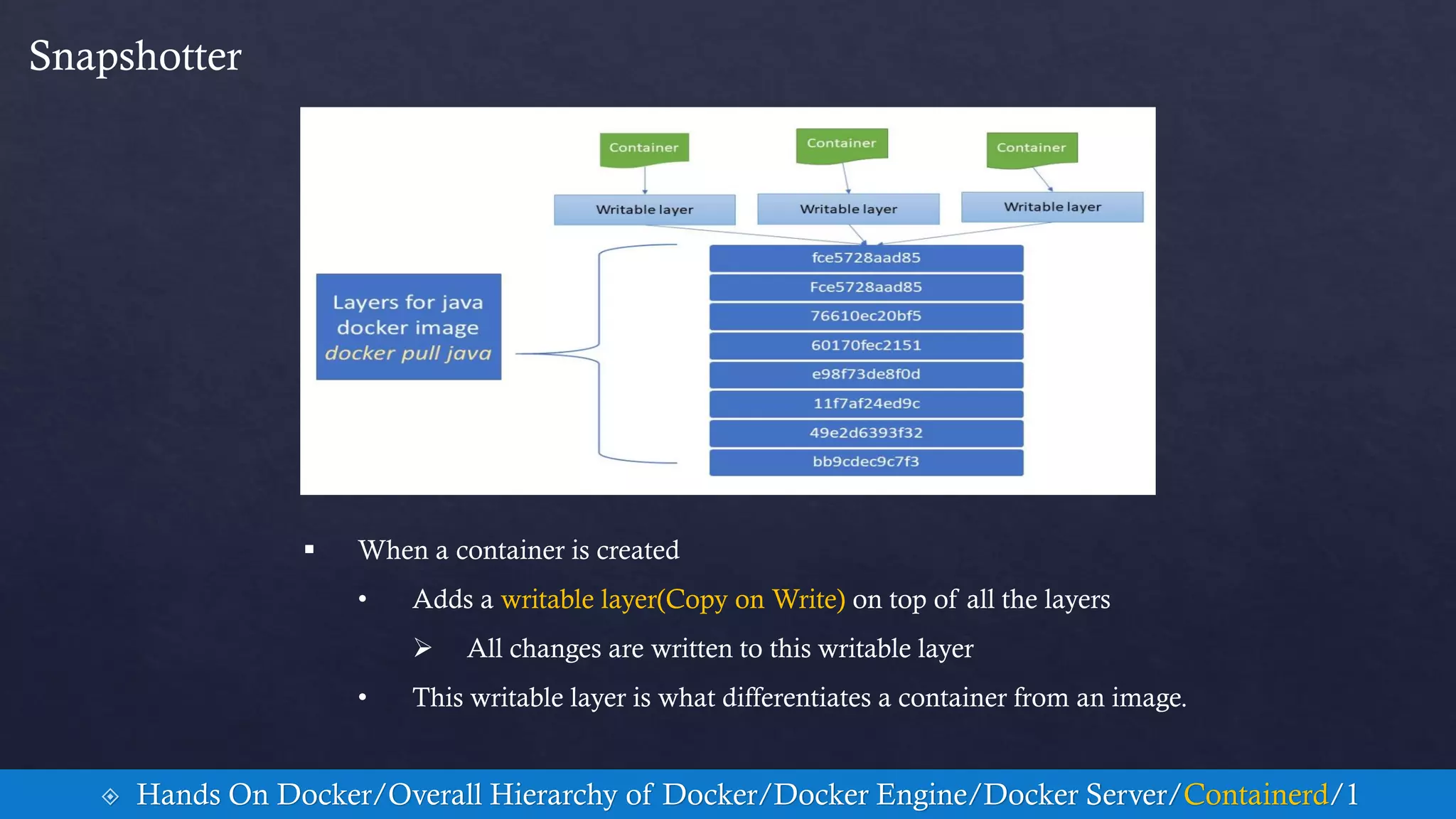
Snapshotter
 When a container is created
• Adds a writable layer(Copy on Write) on top of all the layers
 All changes are written to this writable layer
• This writable layer is what differentiates a container from an image.
 Hands On Docker/Overall Hierarchy of Docker/Docker Engine/Docker Server/Containerd/1
The Layers
 Hands On Docker/Overall Hierarchy of Docker/Docker Engine/Docker Server/Containerd/2
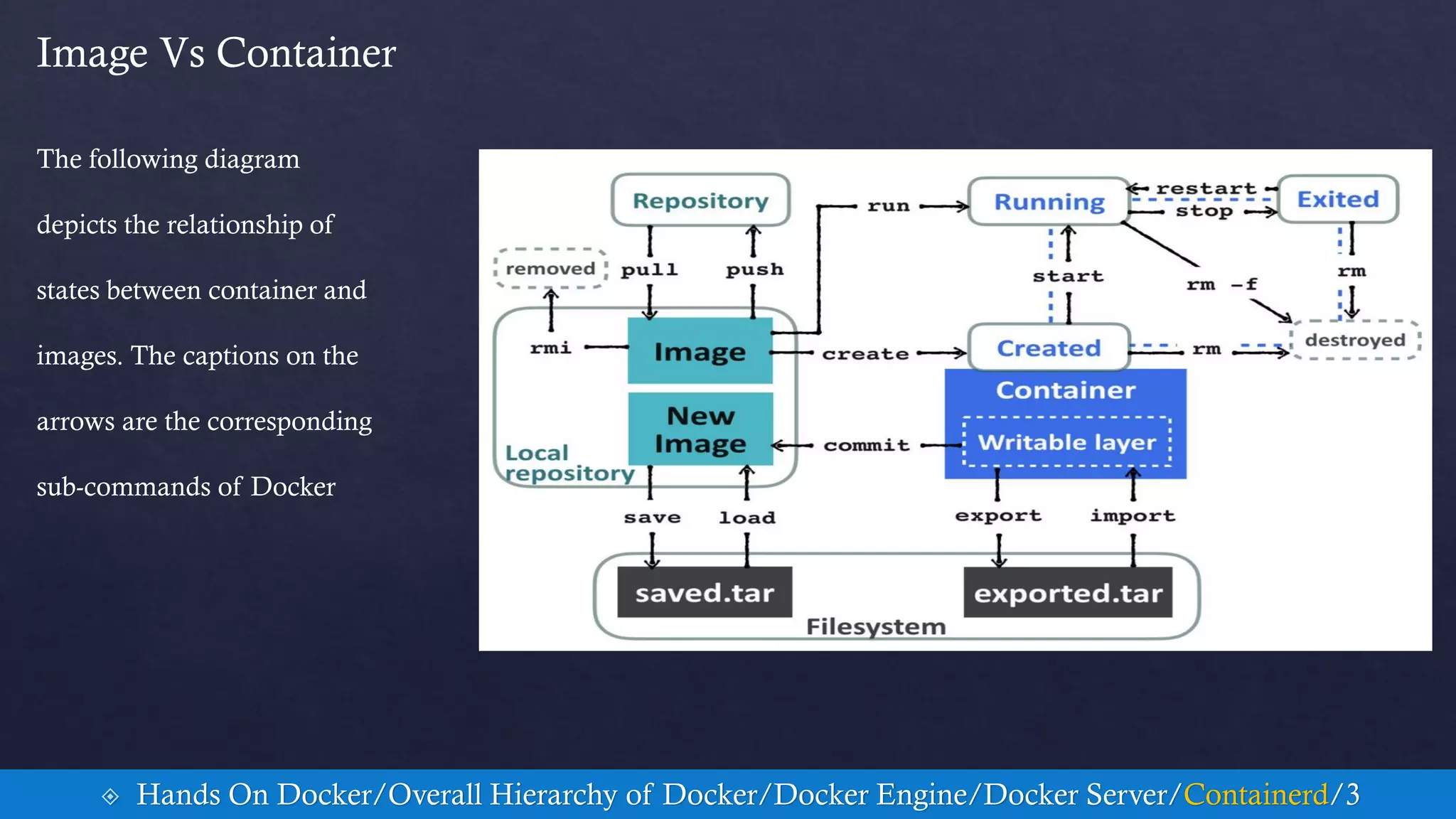
Image Vs Container
 Hands On Docker/Overall Hierarchy of Docker/Docker Engine/Docker Server/Containerd/3
The following diagram
depicts the relationship of
states between container and
images. The captions on the
arrows are the corresponding
sub-commands of Docker
The Snapshotter Commands
 Hands On Docker/Overall Hierarchy of Docker/Docker Engine/Docker Server/Containerd/4
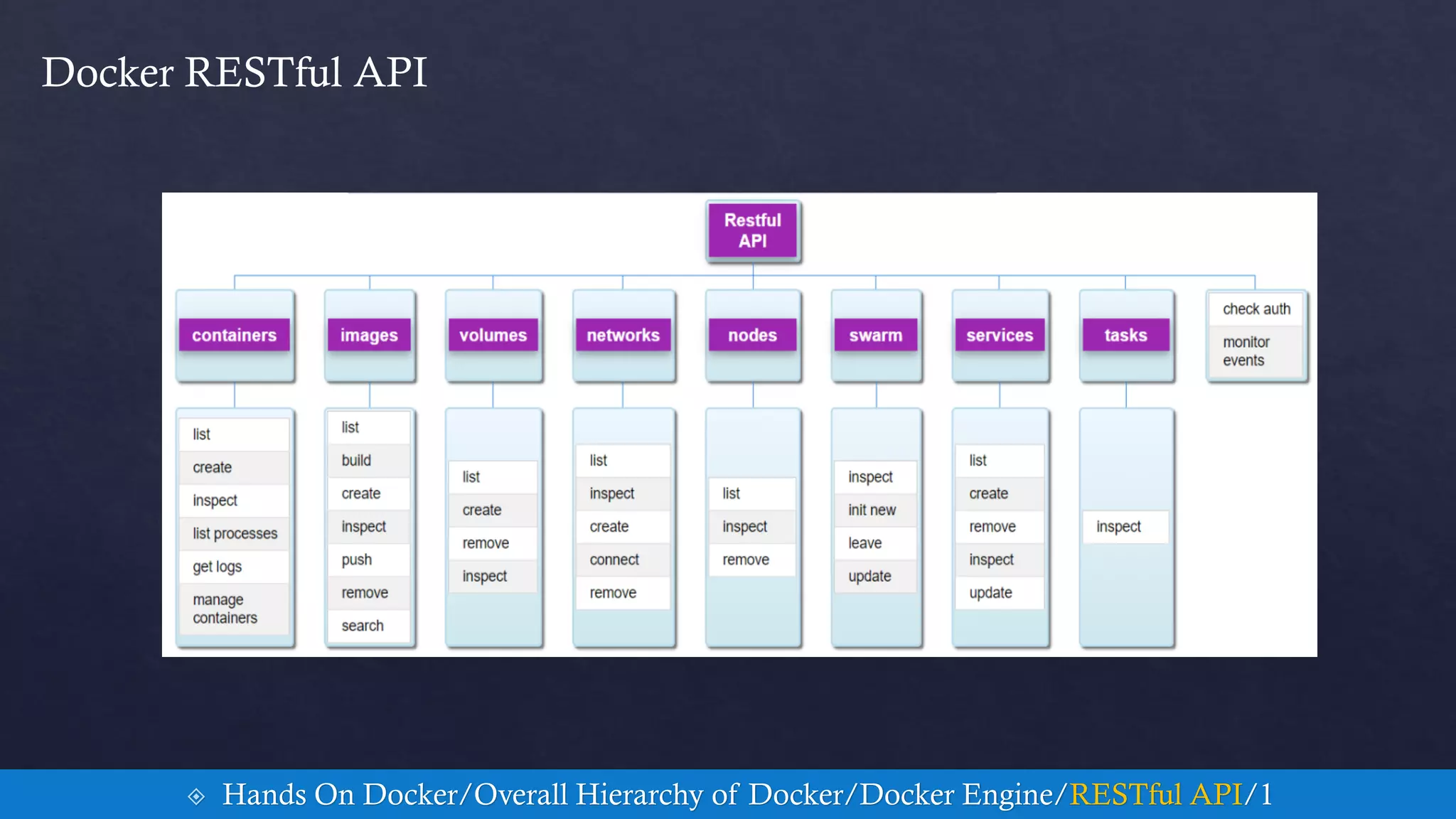
 Hands On Docker/Overall Hierarchy of Docker/Docker Engine/RESTful API/1
Docker RESTful API
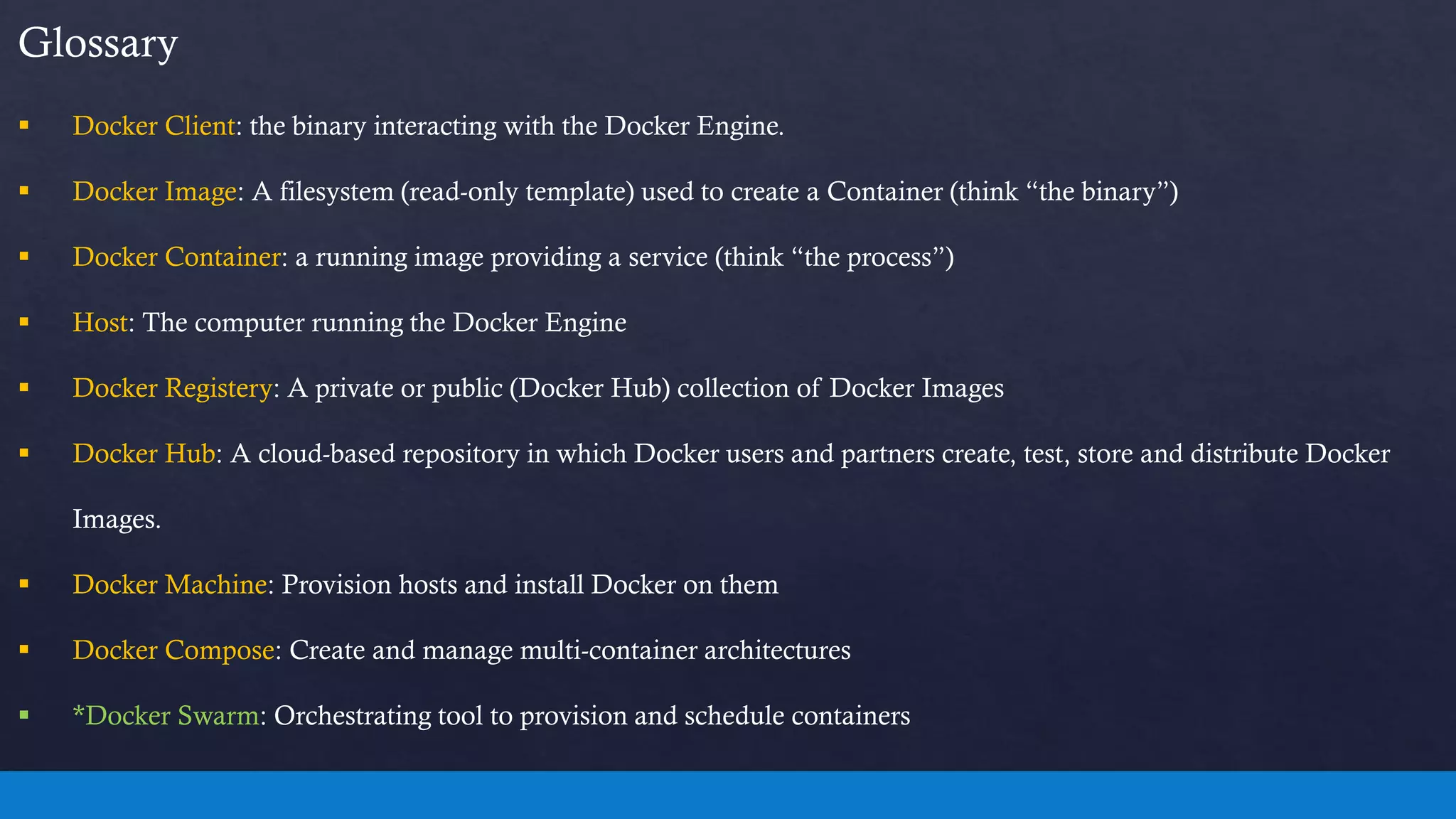
Glossary
 Docker Client: the binary interacting with the Docker Engine.
 Docker Image: A filesystem (read-only template) used to create a Container (think “the binary”)
 Docker Container: a running image providing a service (think “the process”)
 Host: The computer running the Docker Engine
 Docker Registery: A private or public (Docker Hub) collection of Docker Images
 Docker Hub: A cloud-based repository in which Docker users and partners create, test, store and distribute Docker
Images.
 Docker Machine: Provision hosts and install Docker on them
 Docker Compose: Create and manage multi-container architectures
 *Docker Swarm: Orchestrating tool to provision and schedule containers
Contents Cont.
5. Container Concepts and Fundamentals
6. Docker Hands On
7. Kubernetes Hands On
Kubernetes Fundamental
 An Open-Source GO framework
 Kubernetes (“koo-burr-NET-eez”) is
• Conventional pronunciation of a Greek word
 “κυβερνήτης” == Helmsman/Pilot
 Hands On Kubernetes/Fundamental/1
Getting Started with Kubernetes
• Questions:
1. Is there a way to build services across multiple machines without dealing with cumbersome network
and storage settings ?
2. Is there any other easy way to manage and roll out our microservices by different service cycle ?
 Hands On Kubernetes/Fundamental/2
Understanding Kubernetes
 Kubernetes is a platform for managing application containers across multiple hosts.
 Same as the nature of containers: It's designed to run anywhere
• Clusters
• Grids
• Cloud (public, private, hybrid)
 Hands On Kubernetes/Understanding Kubernetes/1
Understanding Kubernetes
 Kubernetes considers most of the operational needs for application containers
• Auto-scaling
• Container deployment
• Persistent storage
• Container health monitoring
• Compute resource management
• High availability
 Hands On Kubernetes/Understanding Kubernetes/2
Understanding Kubernetes
 Kubernetes is a perfect match for microservices
 With Kubernetes, we can create a Deployment to:
• rollout
• roll back
Selected containers…
 Kubernetes provides an optional horizontal pod auto-scaling feature
• by resource
• custom metrics
 operates on the ratio between desired metric value and current metric value
 Hands On Kubernetes/Understanding Kubernetes/3
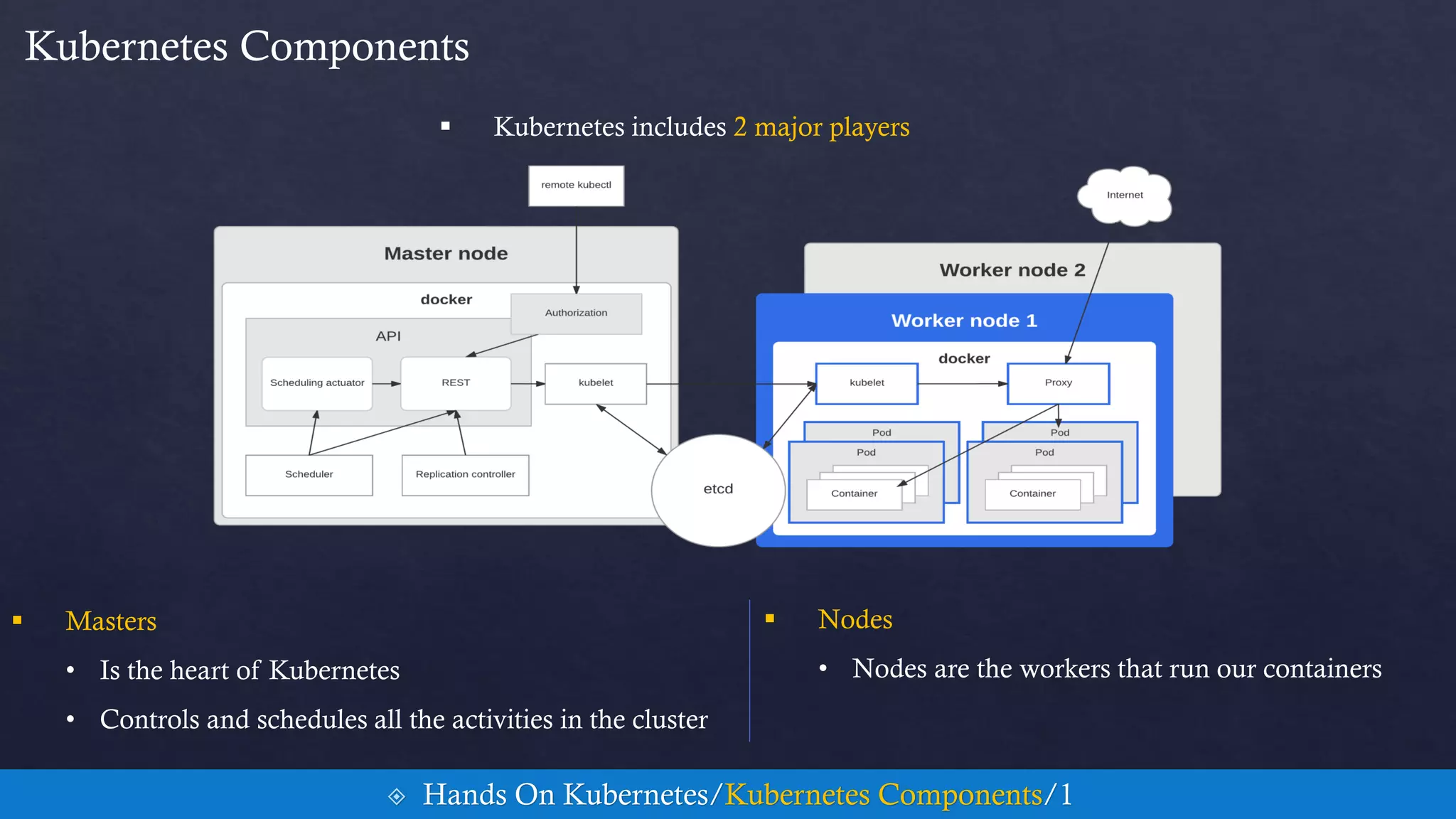
Kubernetes Components
 Masters
• Is the heart of Kubernetes
• Controls and schedules all the activities in the cluster
 Hands On Kubernetes/Kubernetes Components/1
 Nodes
• Nodes are the workers that run our containers
 Kubernetes includes 2 major players
Master Components
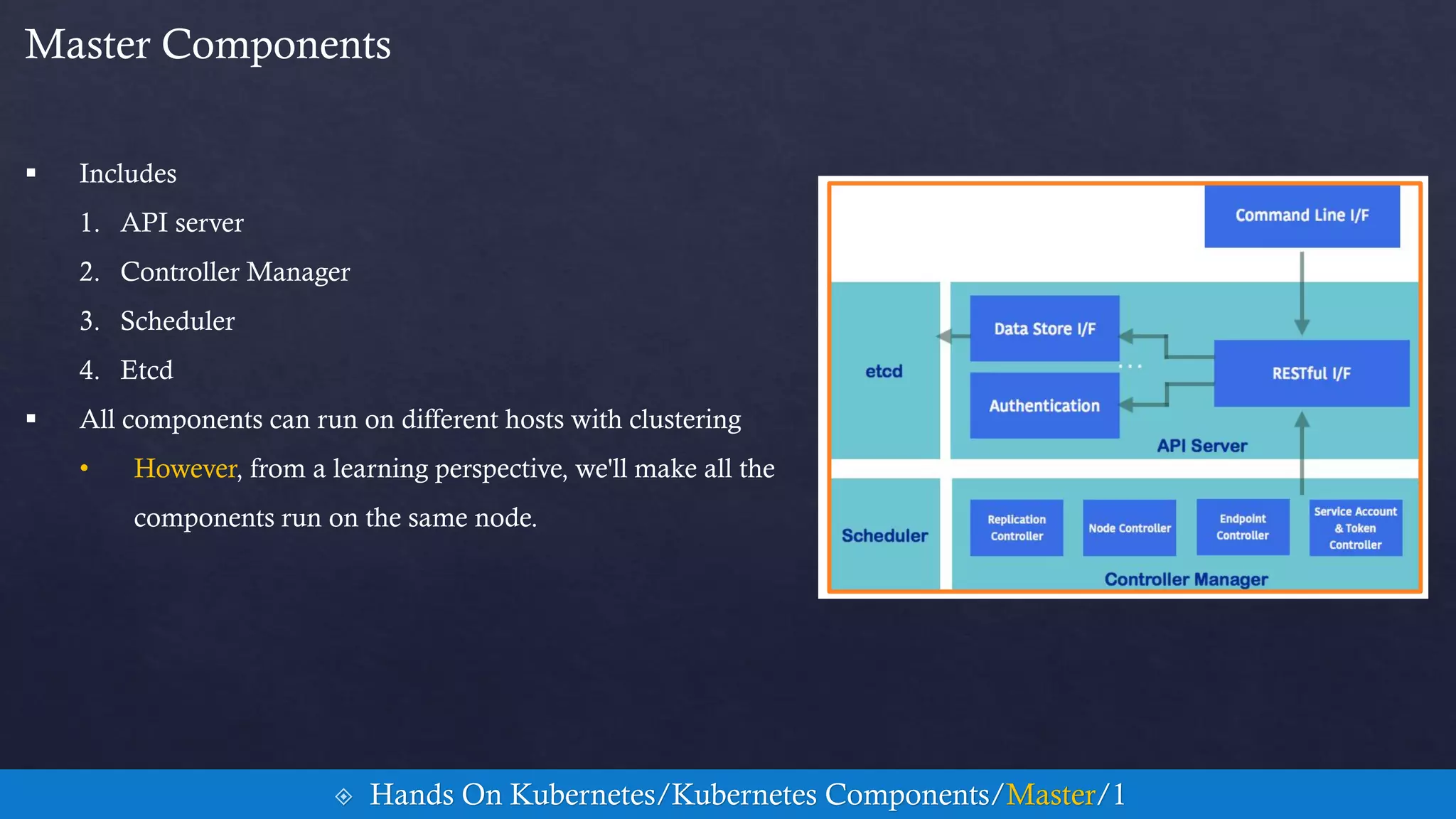
 Includes
1. API server
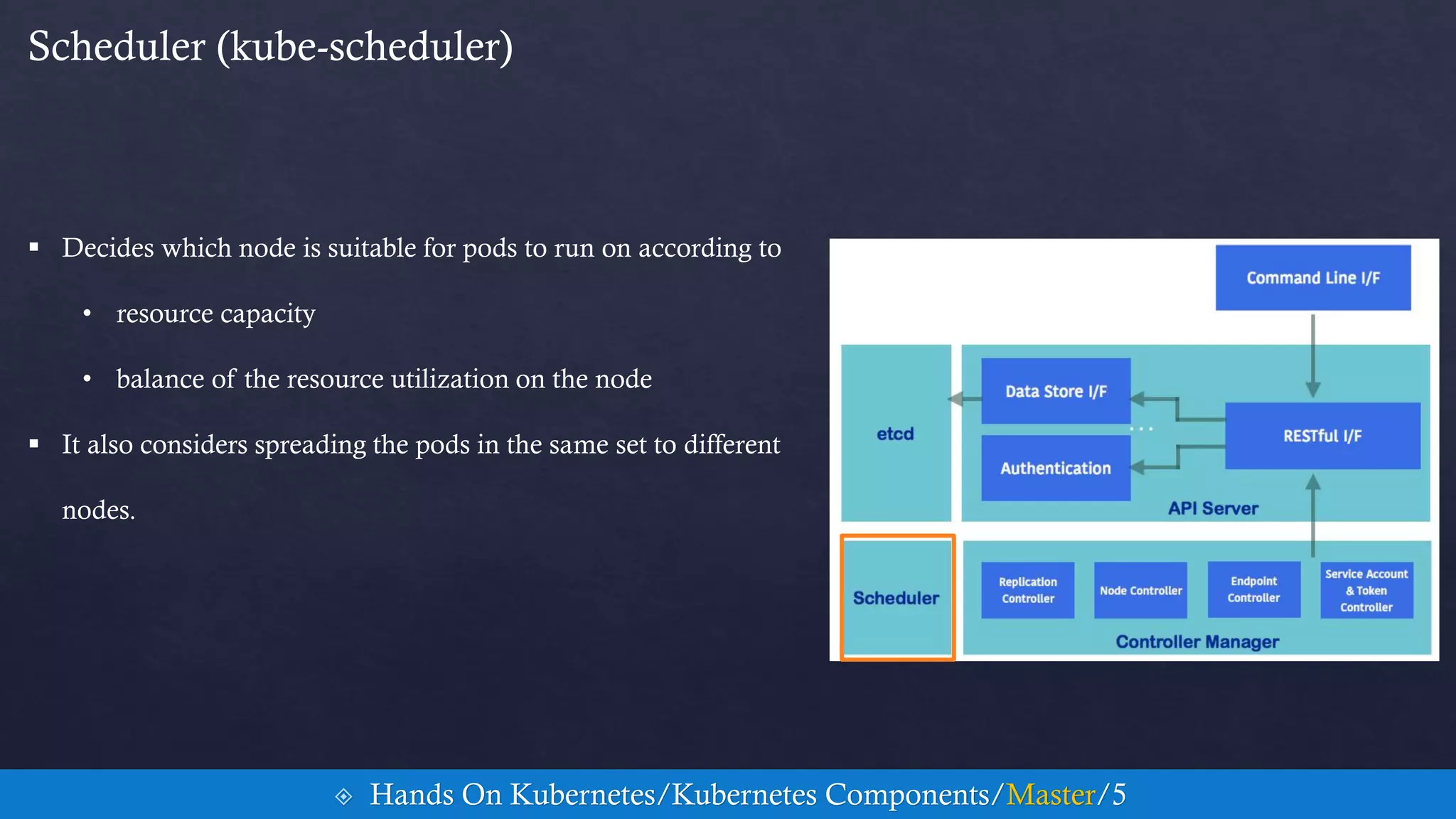
2. Controller Manager
3. Scheduler
4. Etcd
 All components can run on different hosts with clustering
• However, from a learning perspective, we'll make all the
components run on the same node.
 Hands On Kubernetes/Kubernetes Components/Master/1
API server (kube-apiserver)
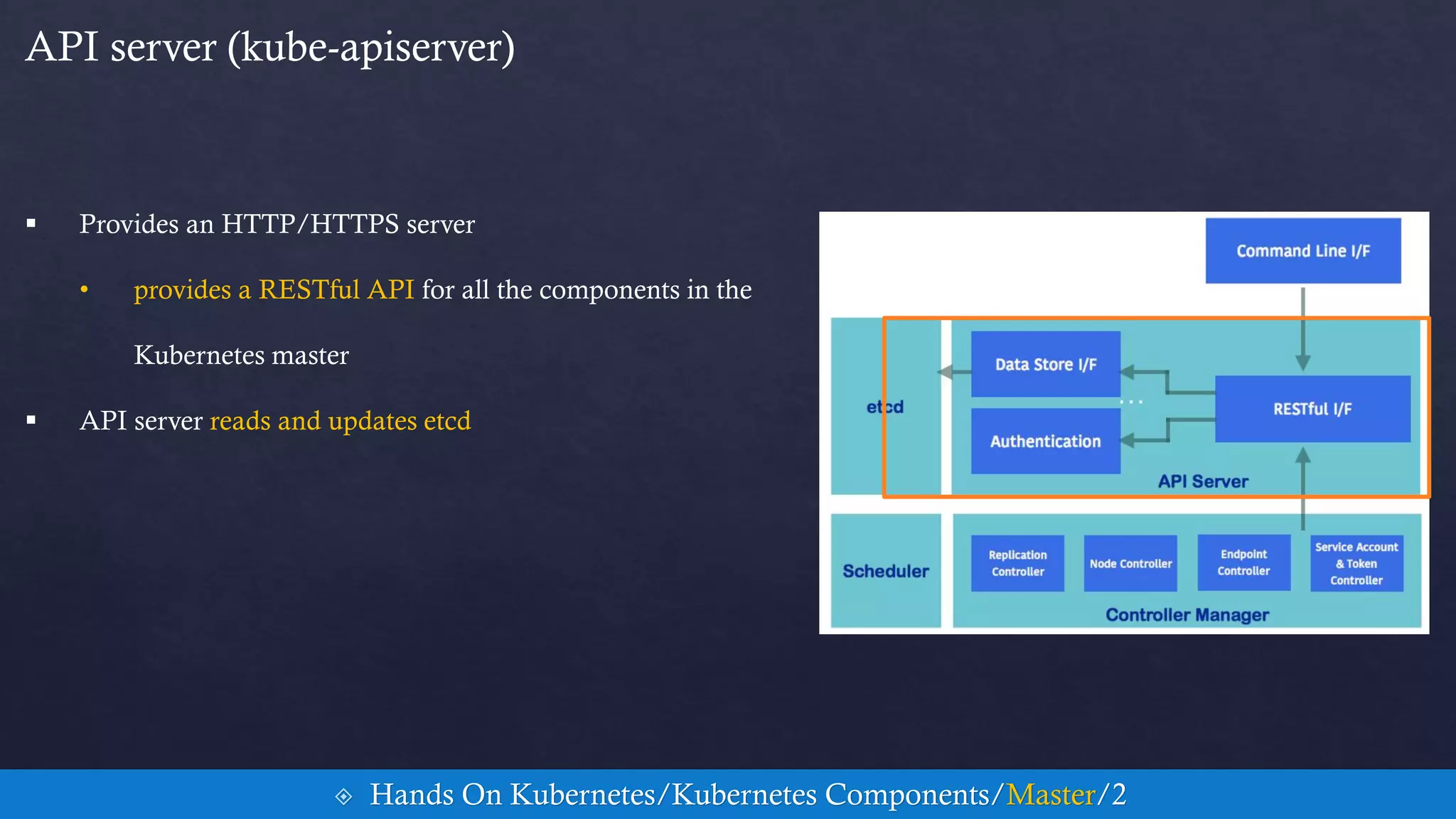
 Provides an HTTP/HTTPS server
• provides a RESTful API for all the components in the
Kubernetes master
 API server reads and updates etcd
 Hands On Kubernetes/Kubernetes Components/Master/2
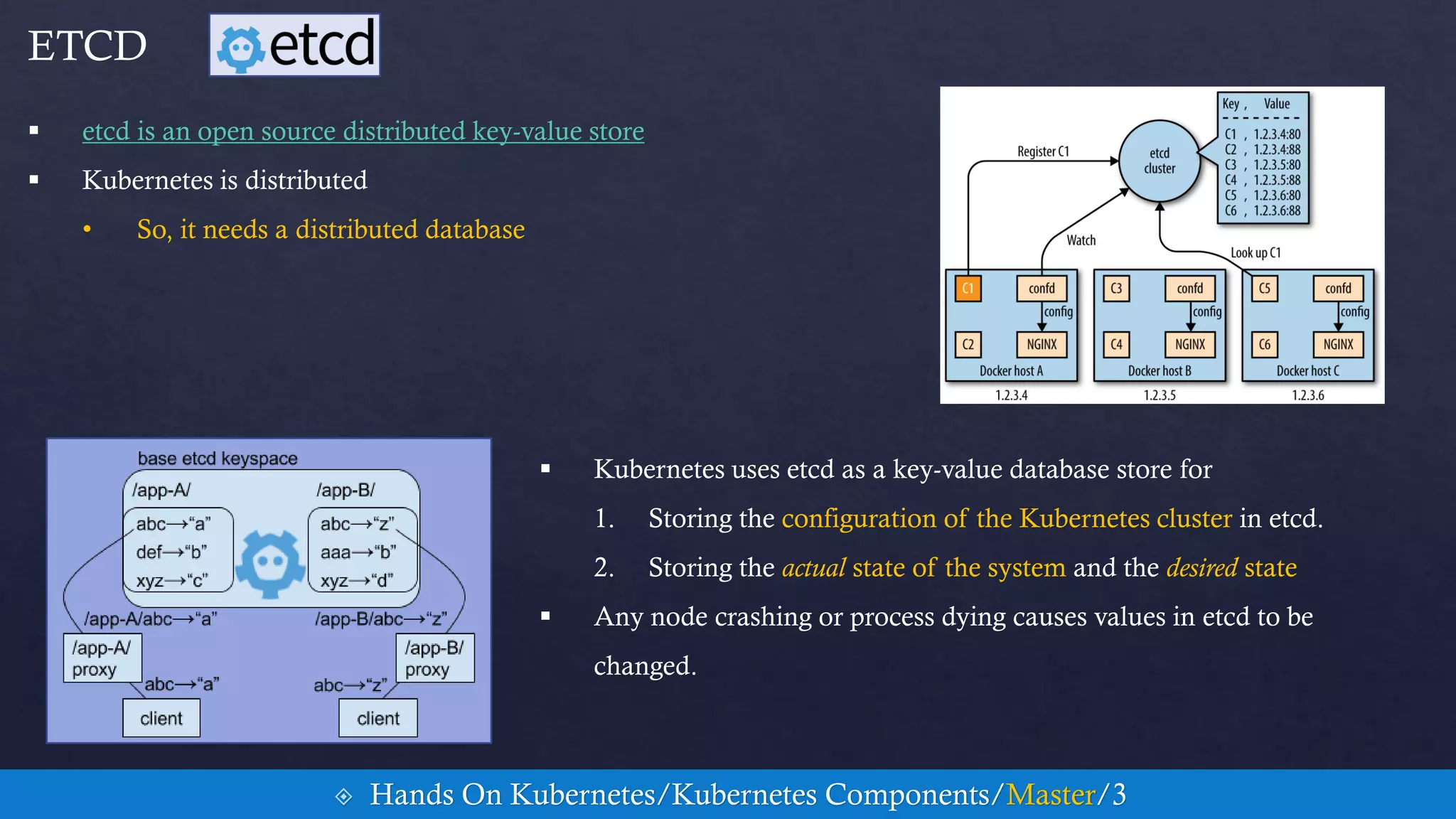
 etcd is an open source distributed key-value store
 Kubernetes is distributed
• So, it needs a distributed database
 Hands On Kubernetes/Kubernetes Components/Master/3
ETCD
 Kubernetes uses etcd as a key-value database store for
1. Storing the configuration of the Kubernetes cluster in etcd.
2. Storing the actual state of the system and the desired state
 Any node crashing or process dying causes values in etcd to be
changed.
Controller Manager (kube-controller-manager)
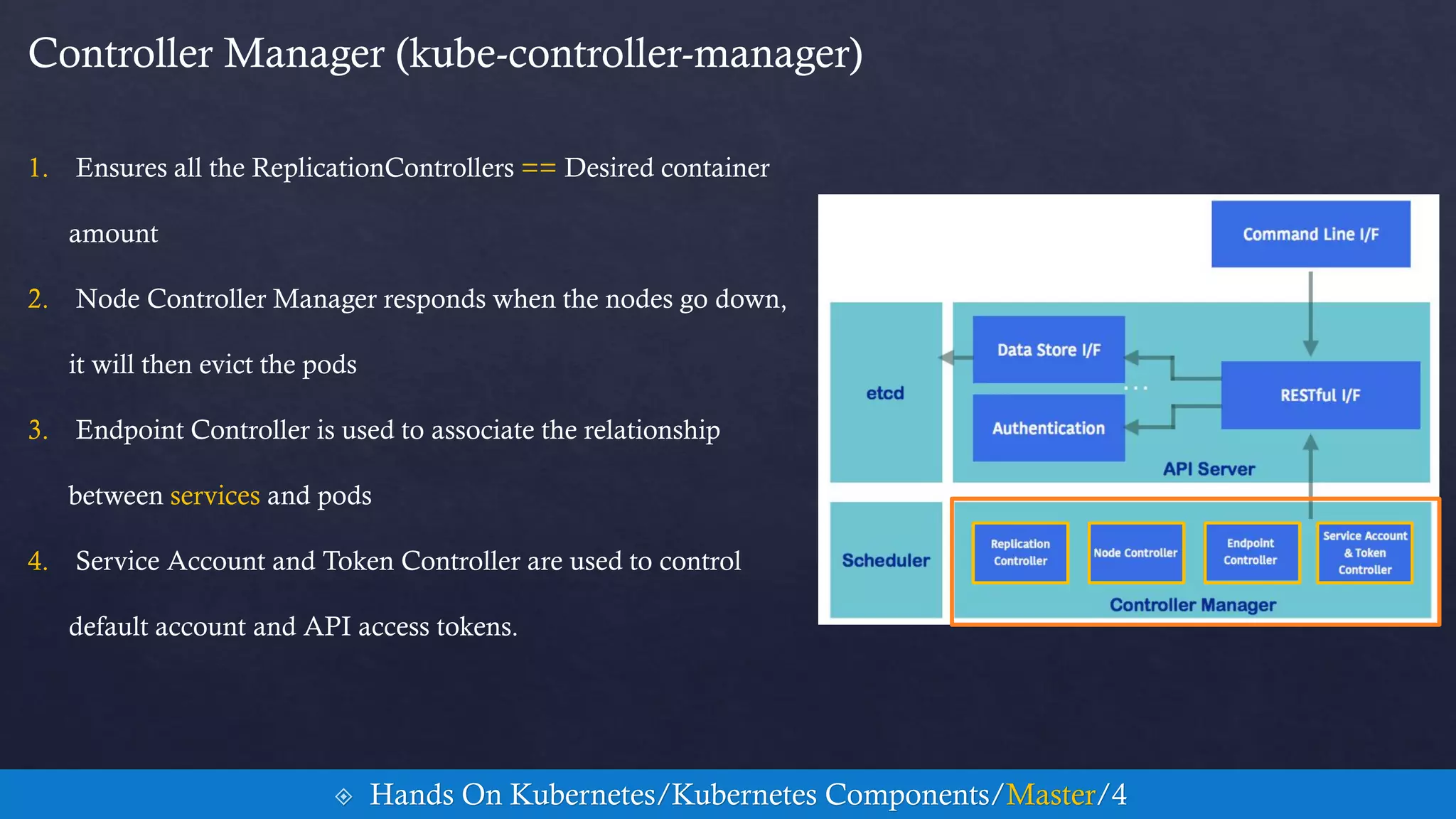
1. Ensures all the ReplicationControllers == Desired container
amount
2. Node Controller Manager responds when the nodes go down,
it will then evict the pods
3. Endpoint Controller is used to associate the relationship
between services and pods
4. Service Account and Token Controller are used to control
default account and API access tokens.
 Hands On Kubernetes/Kubernetes Components/Master/4
Scheduler (kube-scheduler)
 Decides which node is suitable for pods to run on according to
• resource capacity
• balance of the resource utilization on the node
 It also considers spreading the pods in the same set to different
nodes.
 Hands On Kubernetes/Kubernetes Components/Master/5
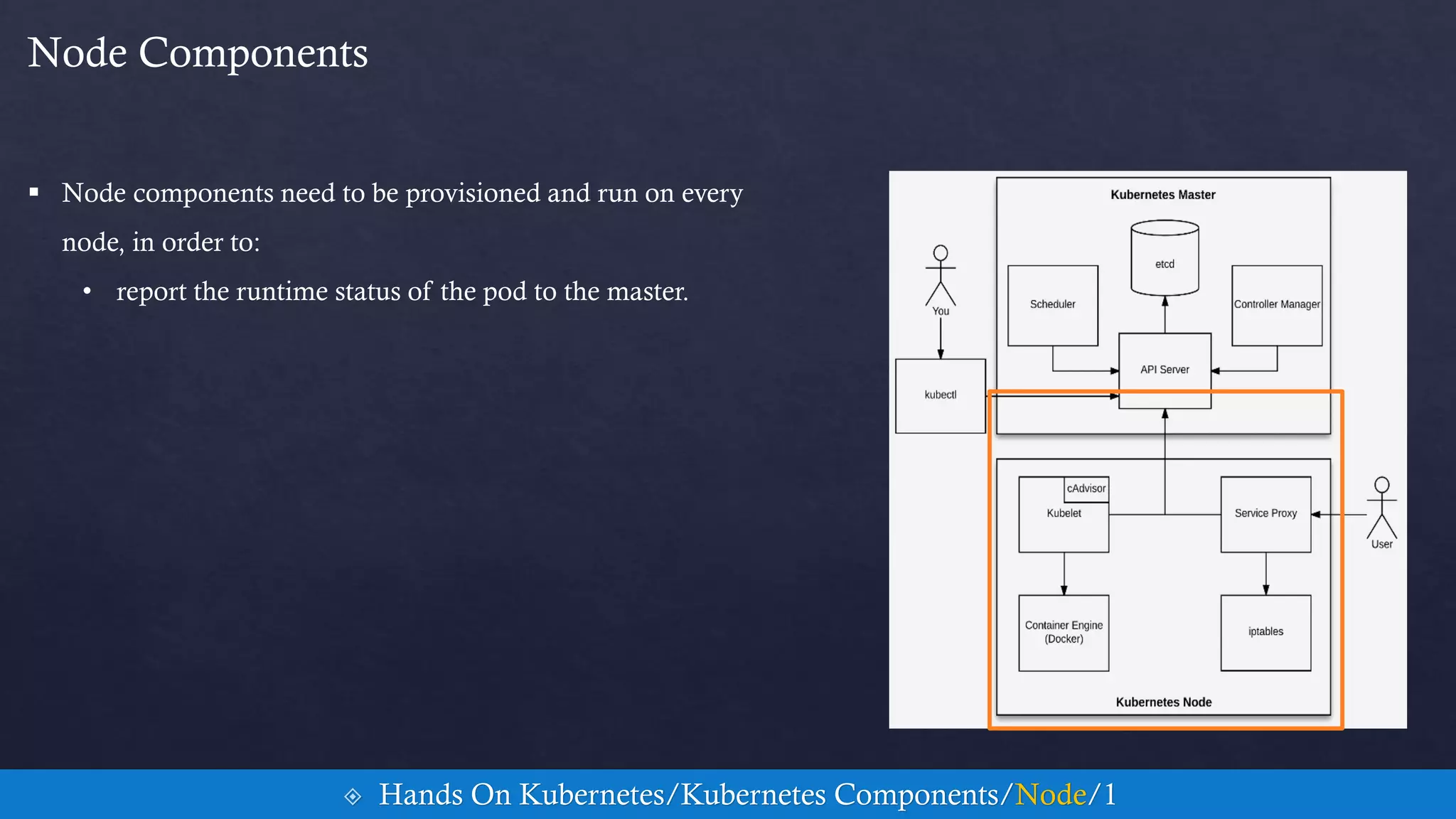
 Node components need to be provisioned and run on every
node, in order to:
• report the runtime status of the pod to the master.
Node Components
 Hands On Kubernetes/Kubernetes Components/Node/1
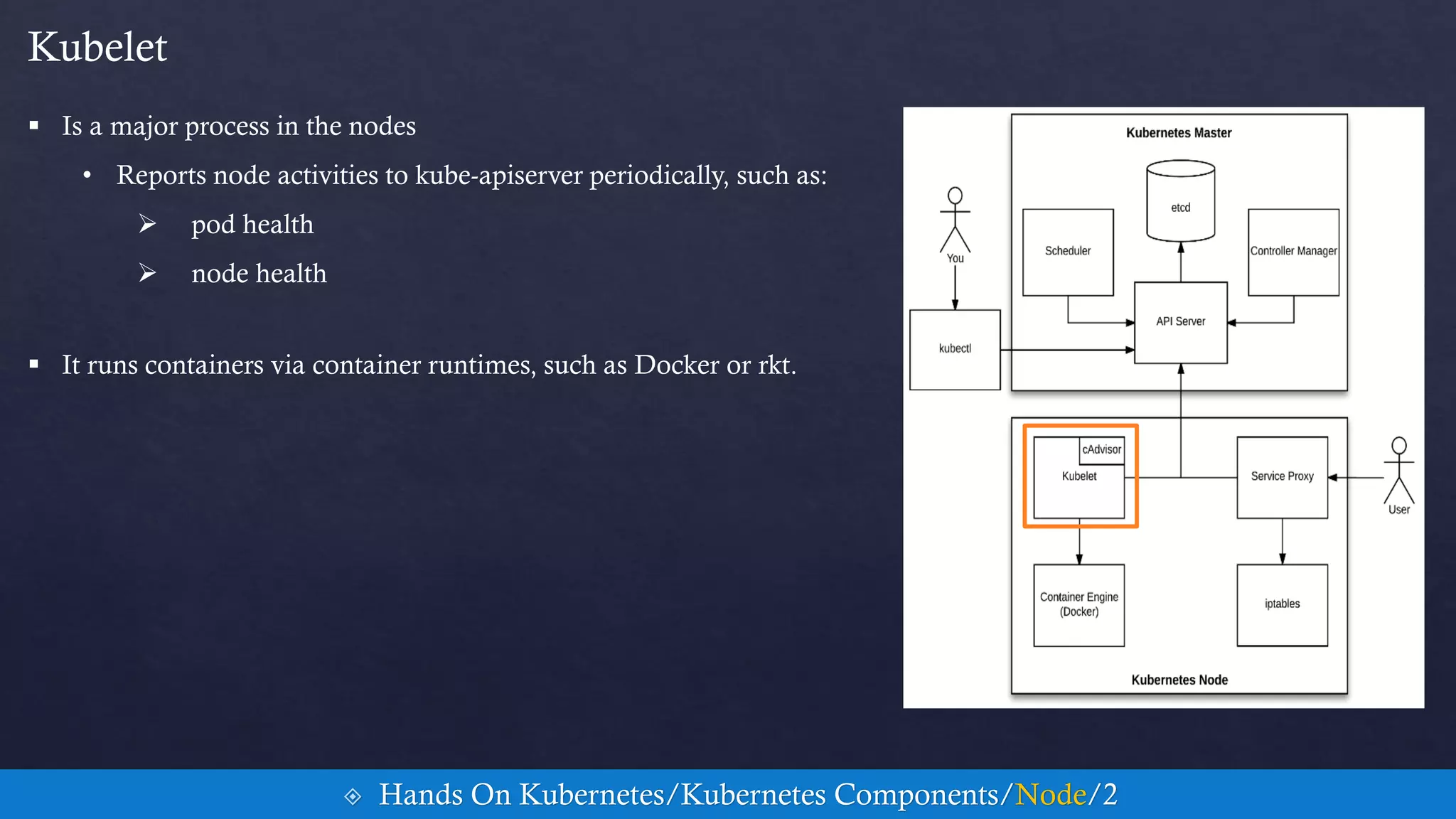
 Is a major process in the nodes
• Reports node activities to kube-apiserver periodically, such as:
 pod health
 node health
Kubelet
 Hands On Kubernetes/Kubernetes Components/Node/2
 It runs containers via container runtimes, such as Docker or rkt.
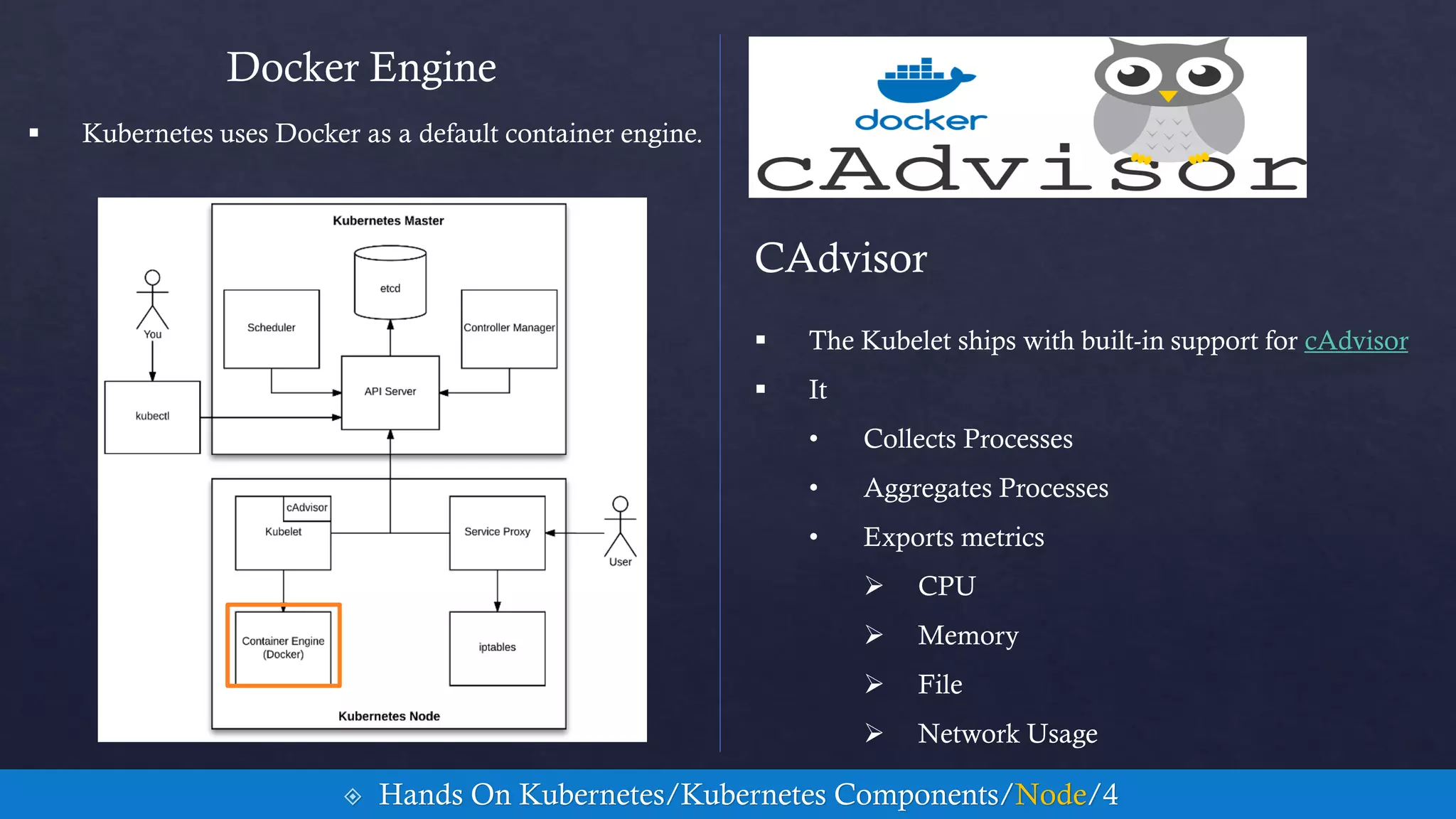
 Kubernetes uses Docker as a default container engine.
Docker Engine
CAdvisor
 The Kubelet ships with built-in support for cAdvisor
 It
• Collects Processes
• Aggregates Processes
• Exports metrics
 CPU
 Memory
 File
 Network Usage
 Hands On Kubernetes/Kubernetes Components/Node/4
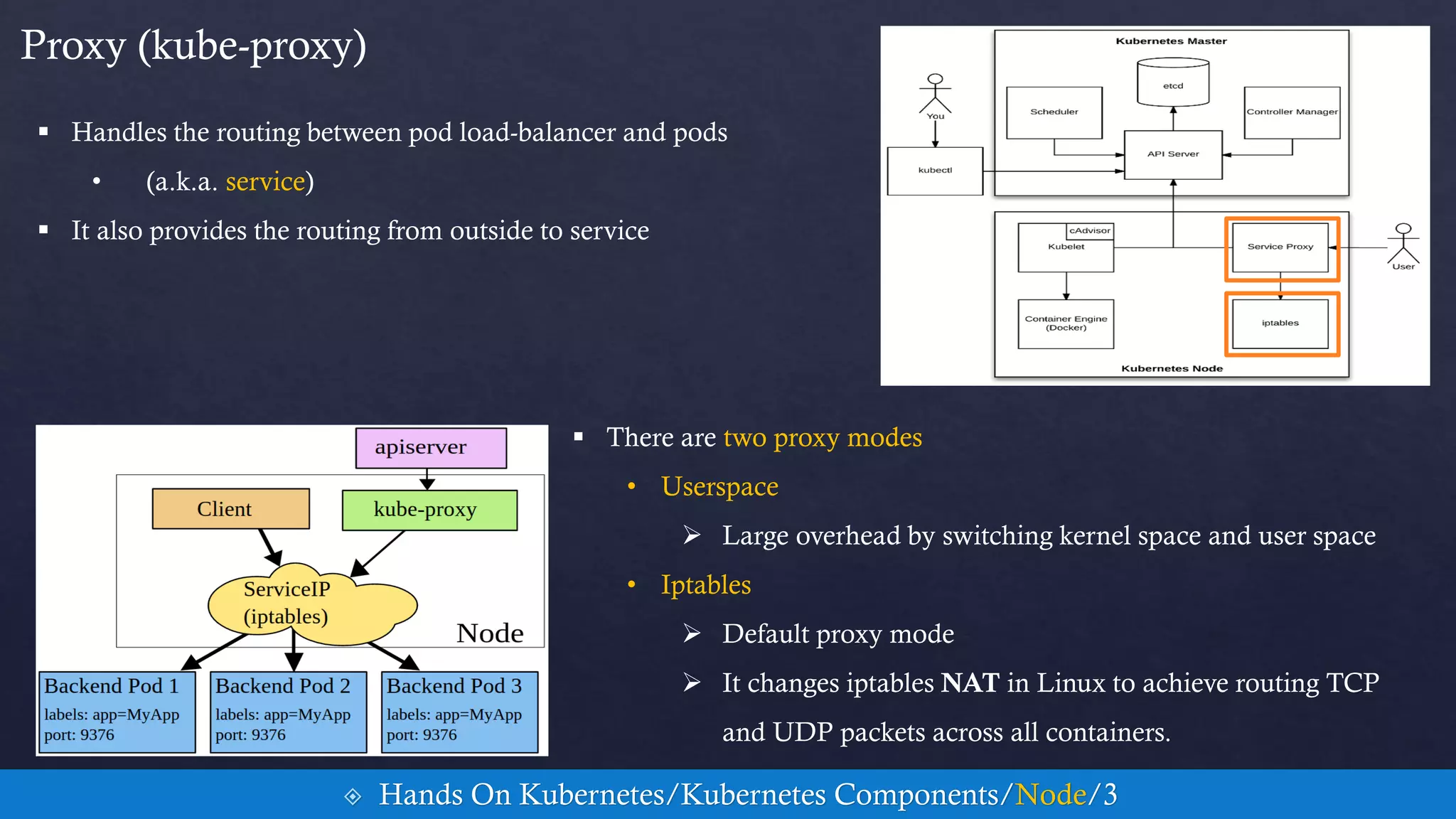
 Handles the routing between pod load-balancer and pods
• (a.k.a. service)
 It also provides the routing from outside to service
Proxy (kube-proxy)
 Hands On Kubernetes/Kubernetes Components/Node/3
 There are two proxy modes
• Userspace
 Large overhead by switching kernel space and user space
• Iptables
 Default proxy mode
 It changes iptables NAT in Linux to achieve routing TCP
and UDP packets across all containers.
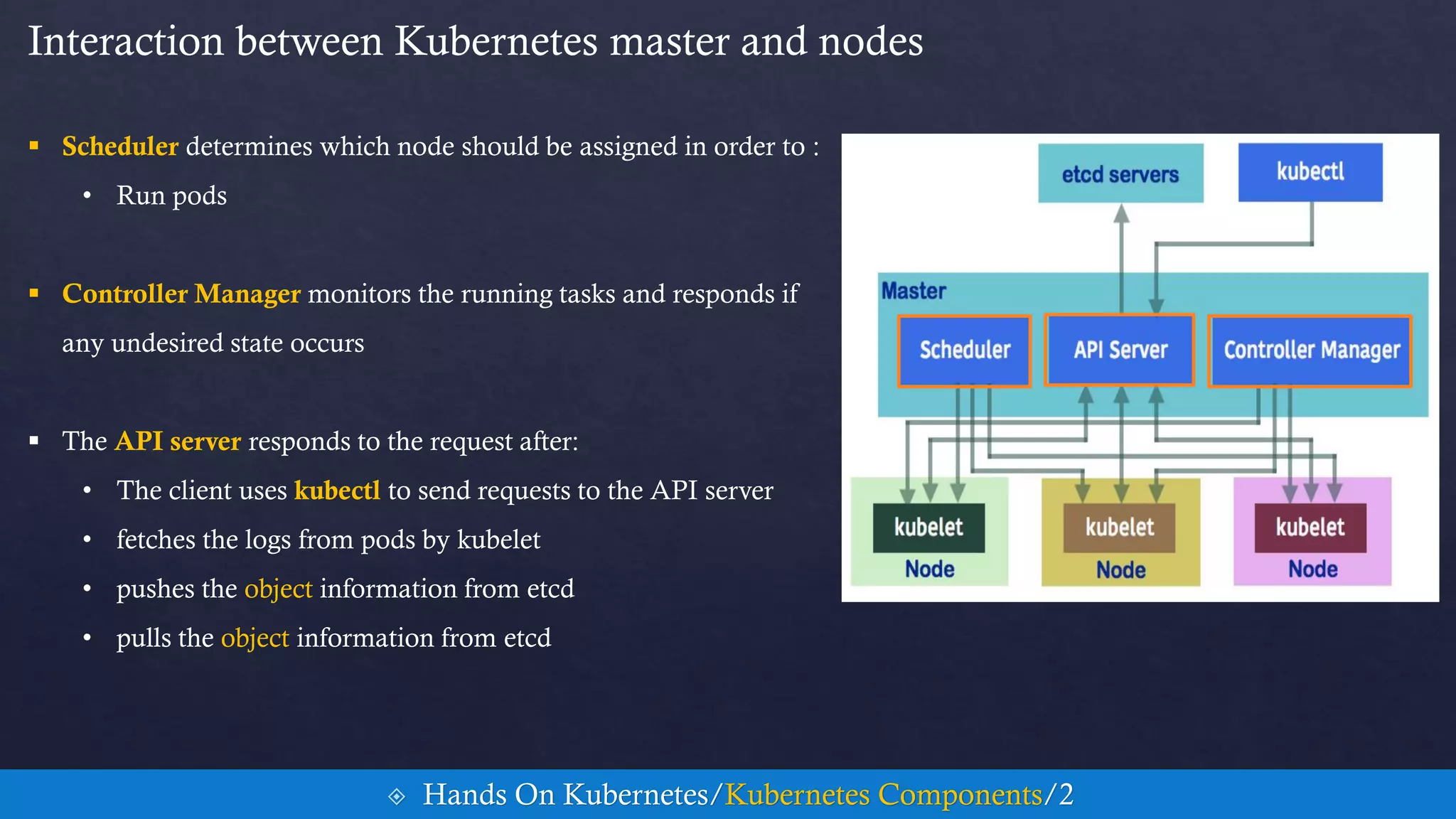
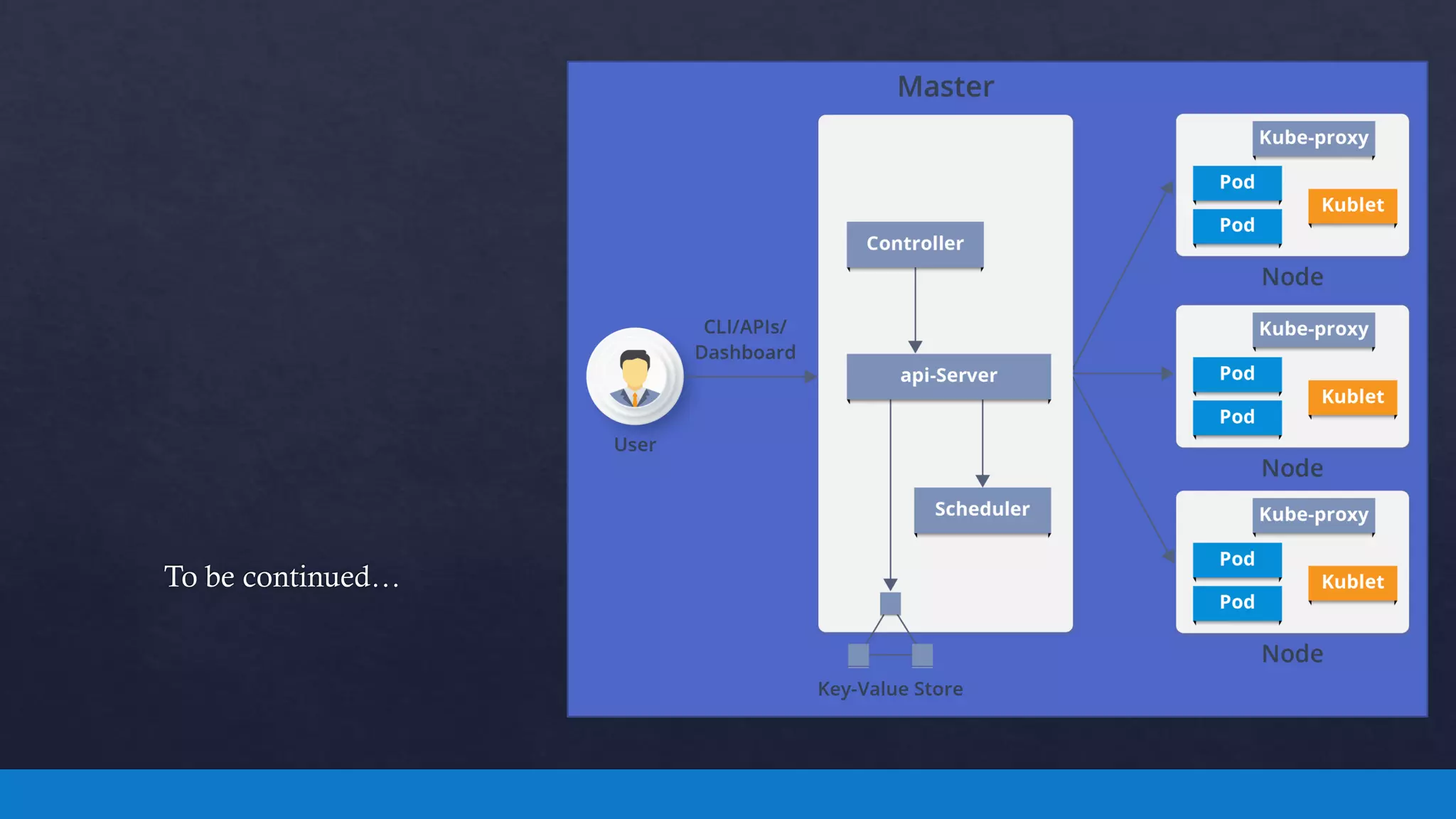
 Scheduler determines which node should be assigned in order to :
• Run pods
 Controller Manager monitors the running tasks and responds if
any undesired state occurs
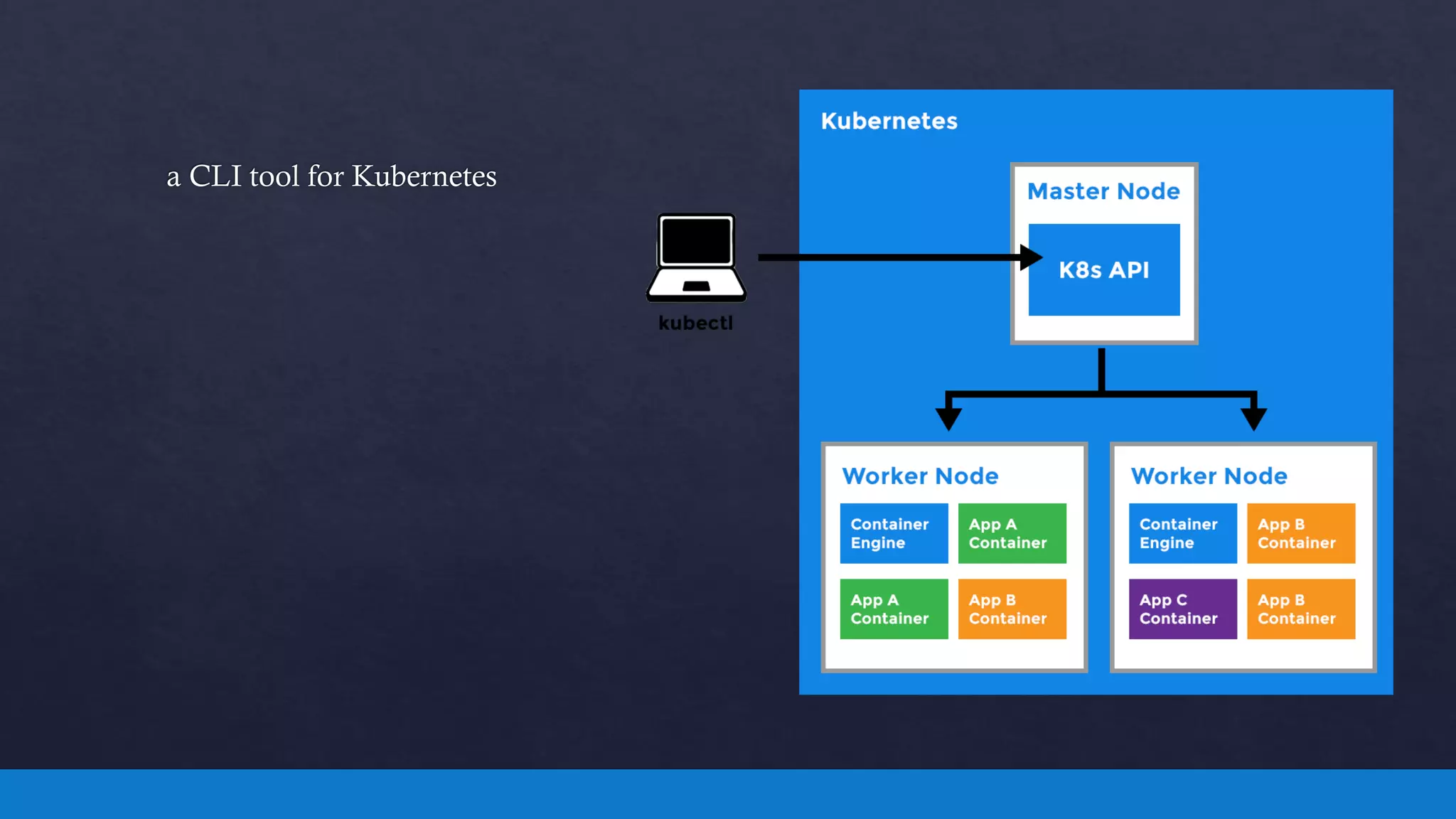
 The API server responds to the request after:
• The client uses kubectl to send requests to the API server
• fetches the logs from pods by kubelet
• pushes the object information from etcd
• pulls the object information from etcd
Interaction between Kubernetes master and nodes
 Hands On Kubernetes/Kubernetes Components/2
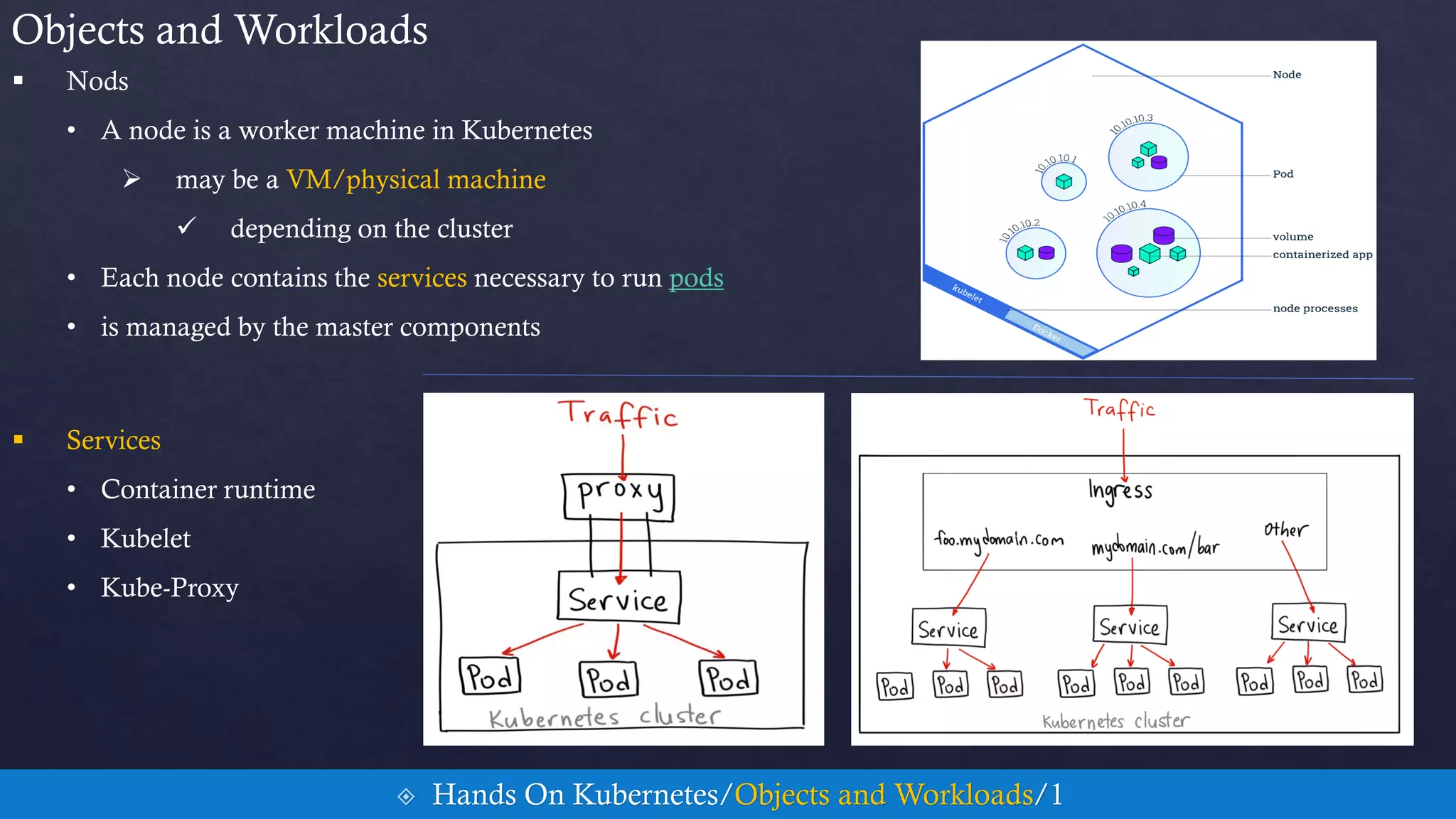
 Nods
• A node is a worker machine in Kubernetes
 may be a VM/physical machine
 depending on the cluster
• Each node contains the services necessary to run pods
• is managed by the master components
Objects and Workloads
 Hands On Kubernetes/Objects and Workloads/1
 Services
• Container runtime
• Kubelet
• Kube-Proxy
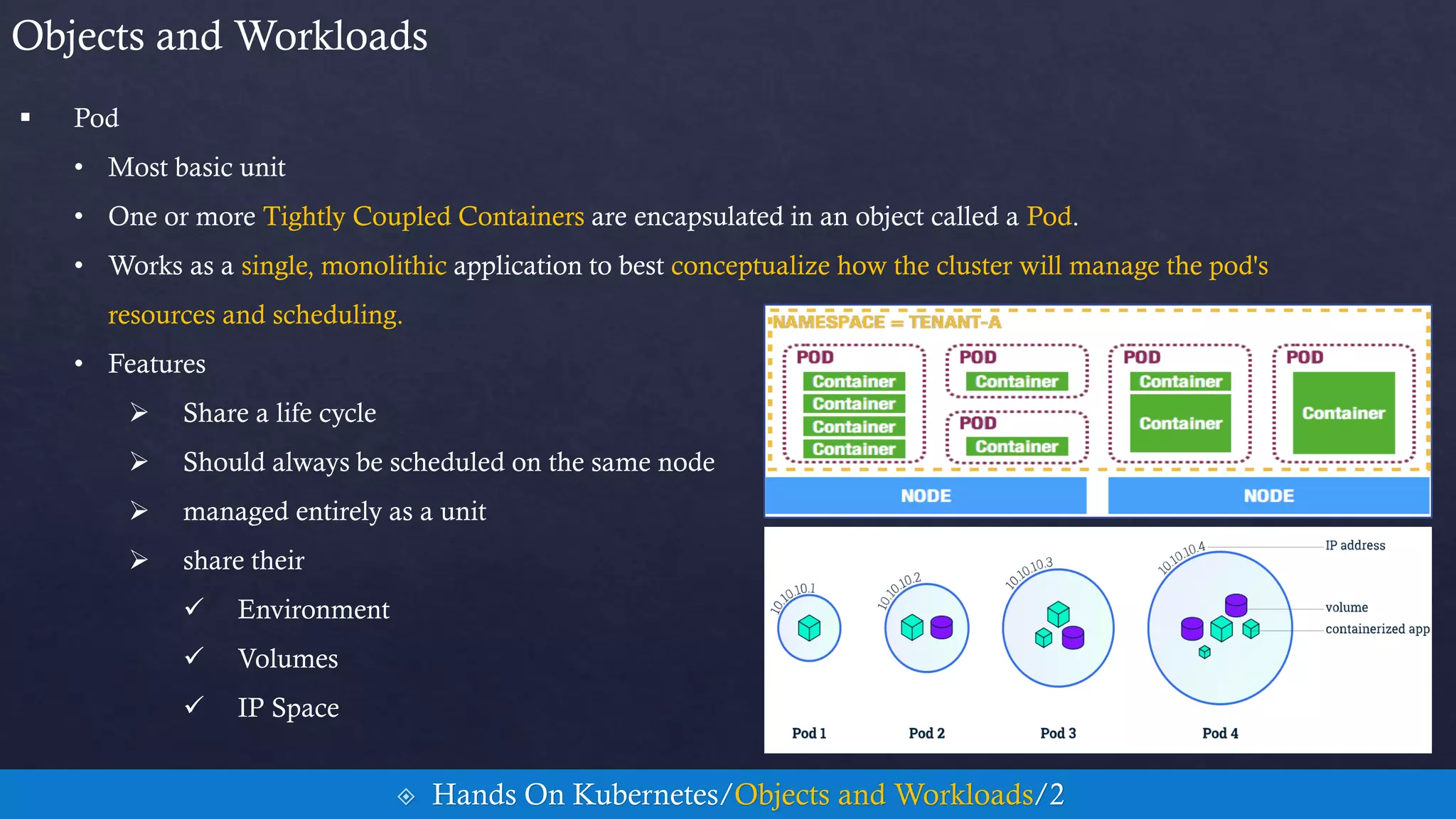
 Pod
• Most basic unit
• One or more Tightly Coupled Containers are encapsulated in an object called a Pod.
• Works as a single, monolithic application to best conceptualize how the cluster will manage the pod's
resources and scheduling.
• Features
 Share a life cycle
 Should always be scheduled on the same node
 managed entirely as a unit
 share their
 Environment
 Volumes
 IP Space
Objects and Workloads
 Hands On Kubernetes/Objects and Workloads/2
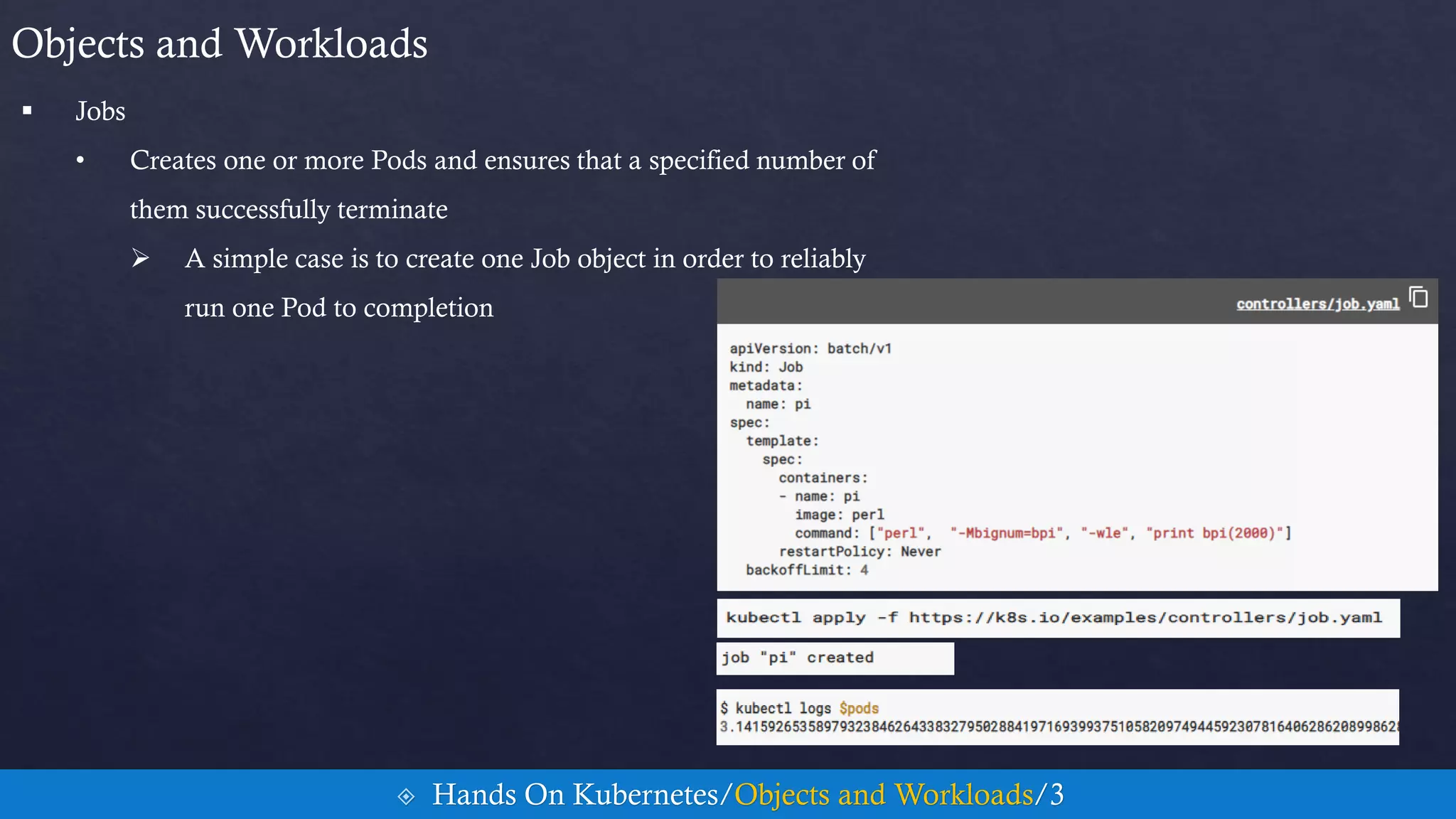
 Jobs
• Creates one or more Pods and ensures that a specified number of
them successfully terminate
 A simple case is to create one Job object in order to reliably
run one Pod to completion
Objects and Workloads
 Hands On Kubernetes/Objects and Workloads/3
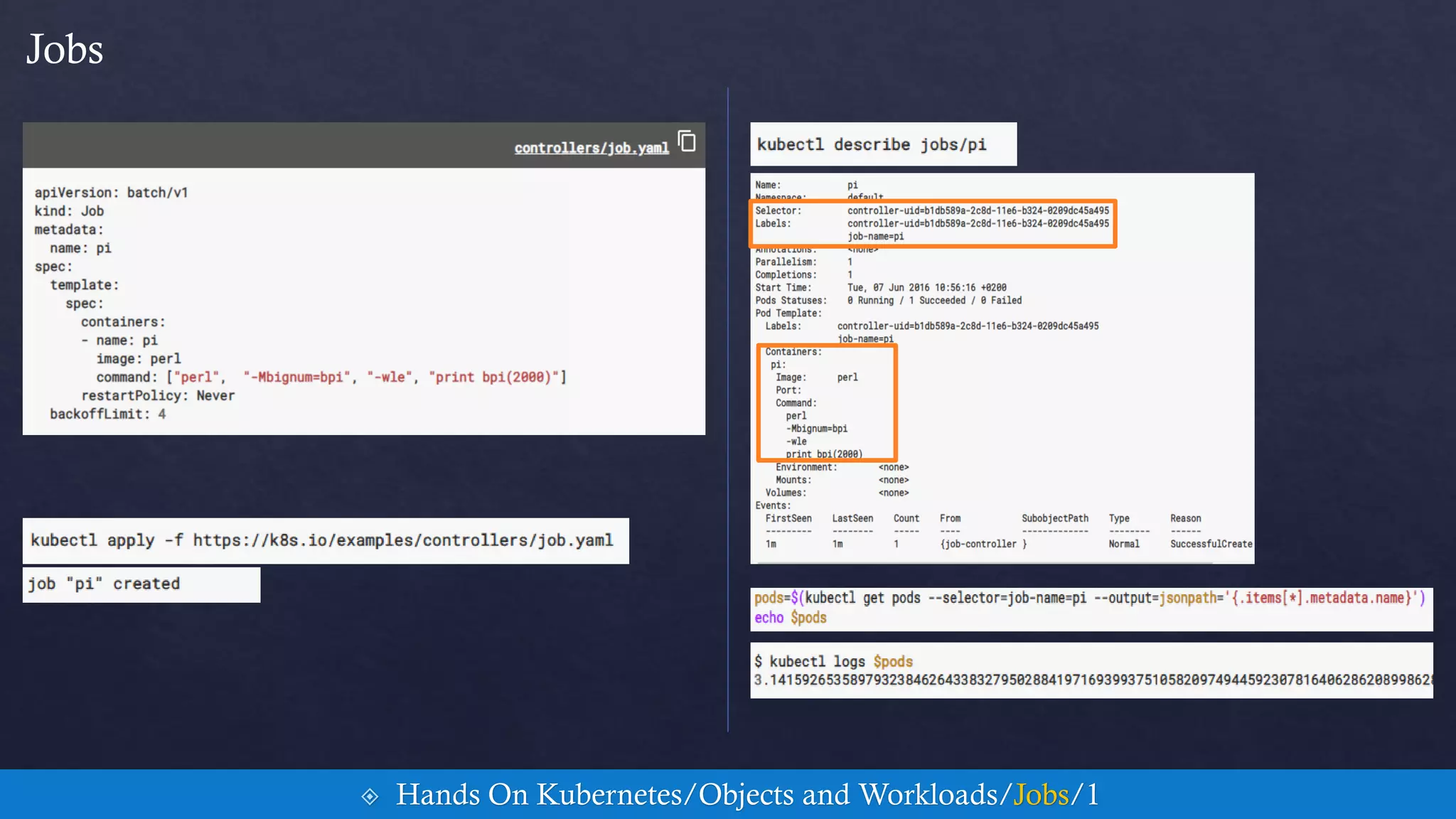
Jobs
 Hands On Kubernetes/Objects and Workloads/Jobs/1
 Jobs
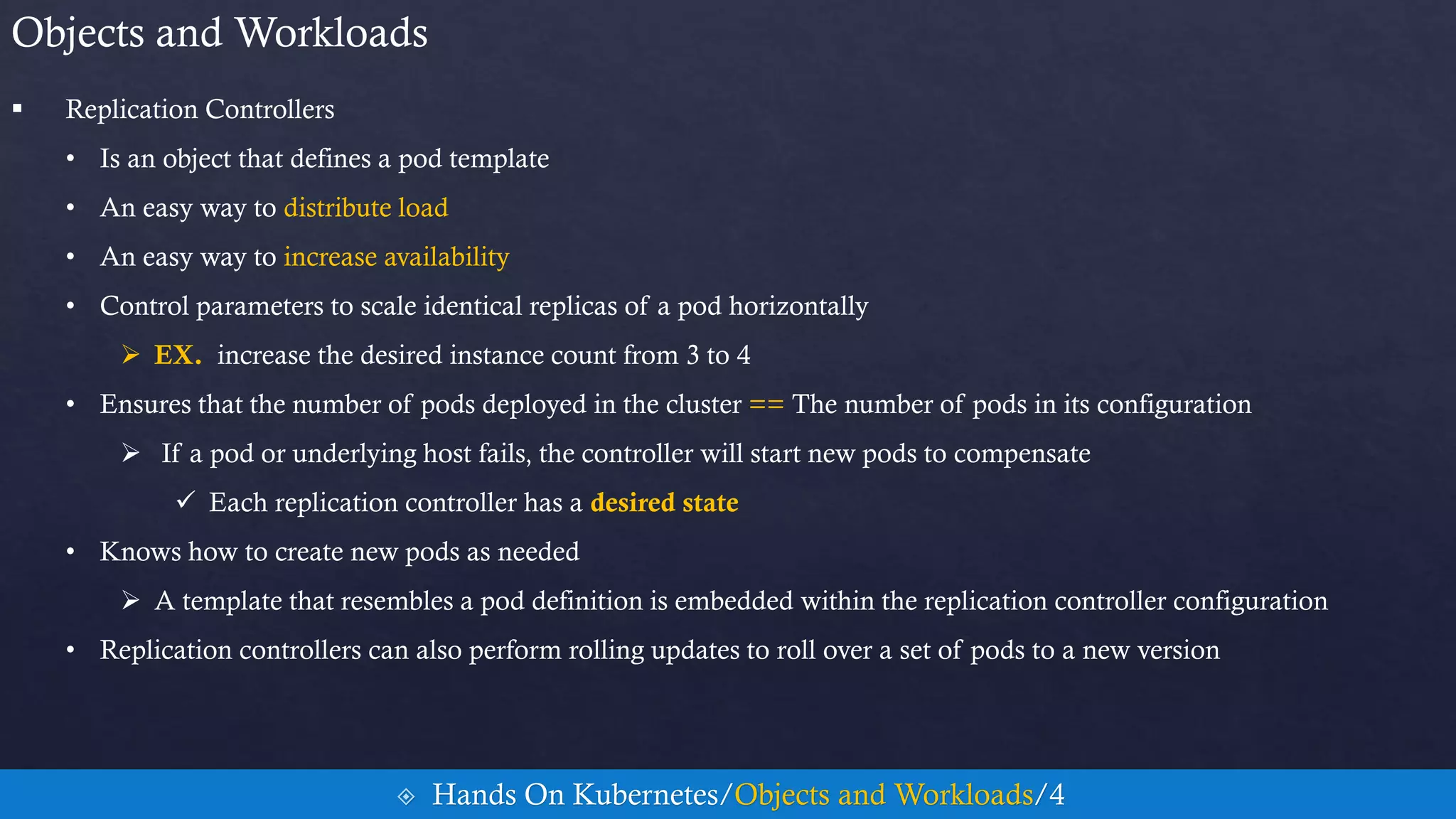
 Replication Controllers
• Is an object that defines a pod template
• An easy way to distribute load
• An easy way to increase availability
• Control parameters to scale identical replicas of a pod horizontally
 EX. increase the desired instance count from 3 to 4
• Ensures that the number of pods deployed in the cluster == The number of pods in its configuration
 If a pod or underlying host fails, the controller will start new pods to compensate
 Each replication controller has a desired state
• Knows how to create new pods as needed
 A template that resembles a pod definition is embedded within the replication controller configuration
• Replication controllers can also perform rolling updates to roll over a set of pods to a new version
Objects and Workloads
 Hands On Kubernetes/Objects and Workloads/4
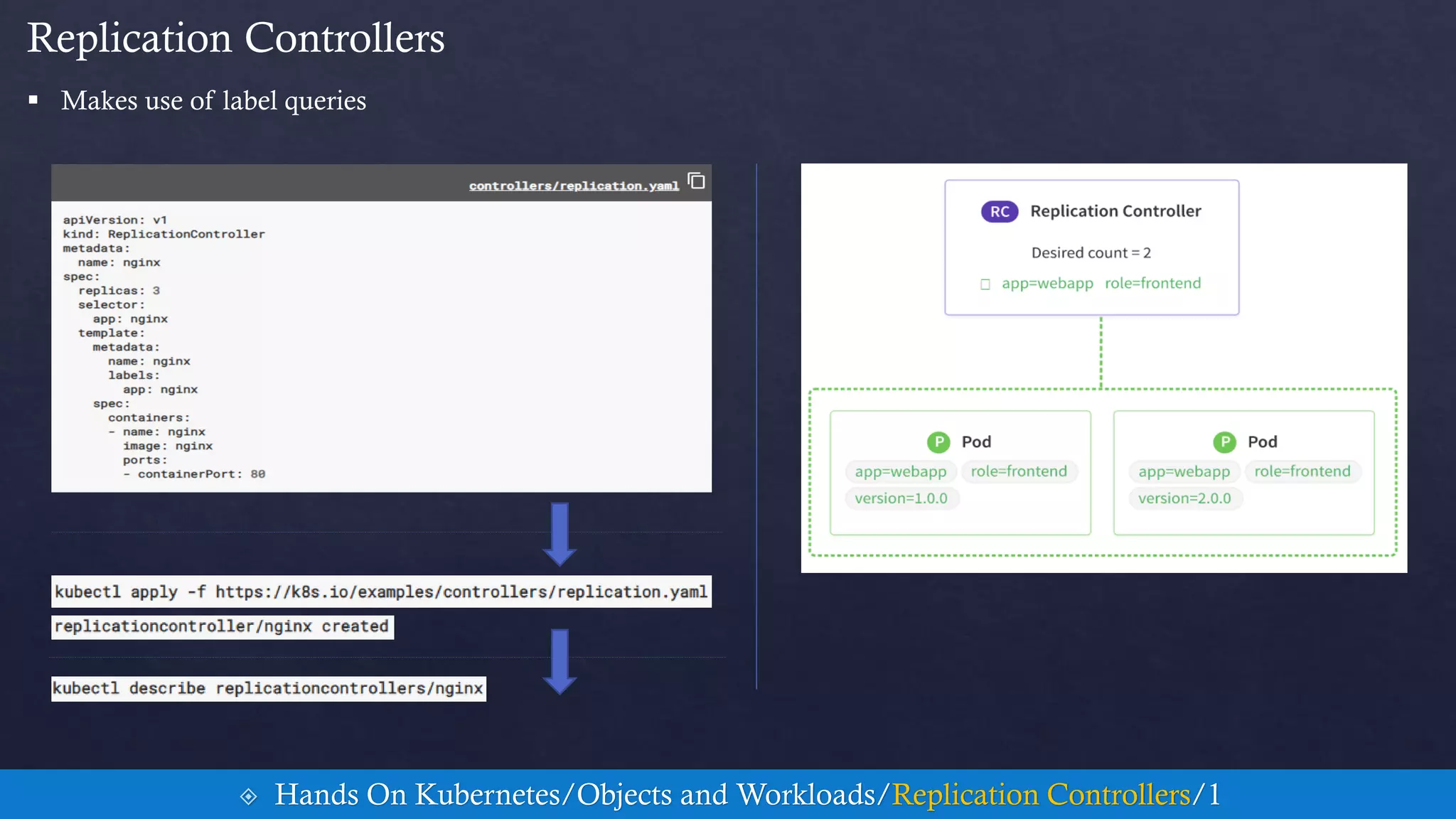
 Makes use of label queries
Replication Controllers
 Hands On Kubernetes/Objects and Workloads/Replication Controllers/1
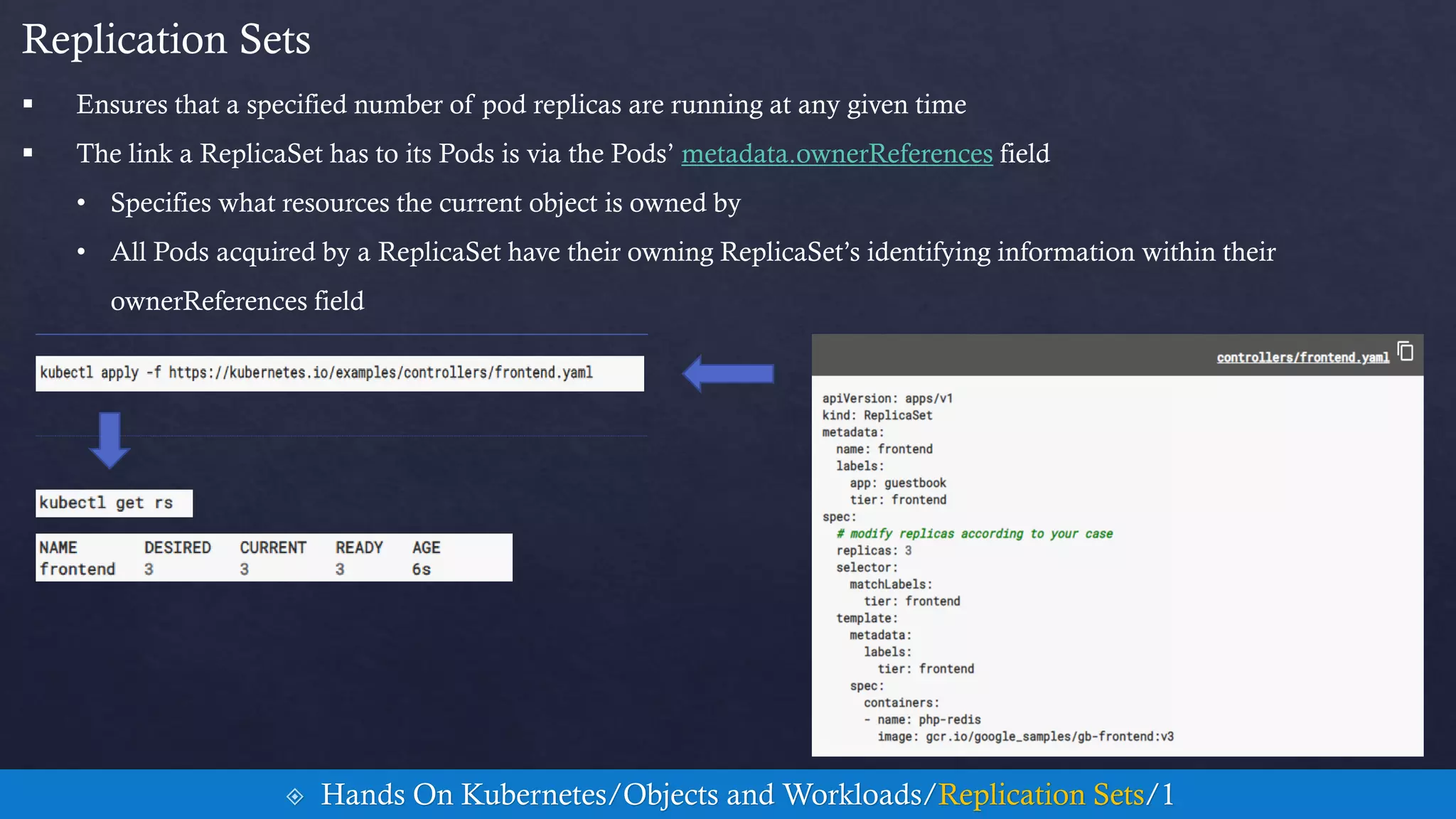
 Ensures that a specified number of pod replicas are running at any given time
 The link a ReplicaSet has to its Pods is via the Pods’ metadata.ownerReferences field
• Specifies what resources the current object is owned by
• All Pods acquired by a ReplicaSet have their owning ReplicaSet’s identifying information within their
ownerReferences field
Replication Sets
 Hands On Kubernetes/Objects and Workloads/Replication Sets/1
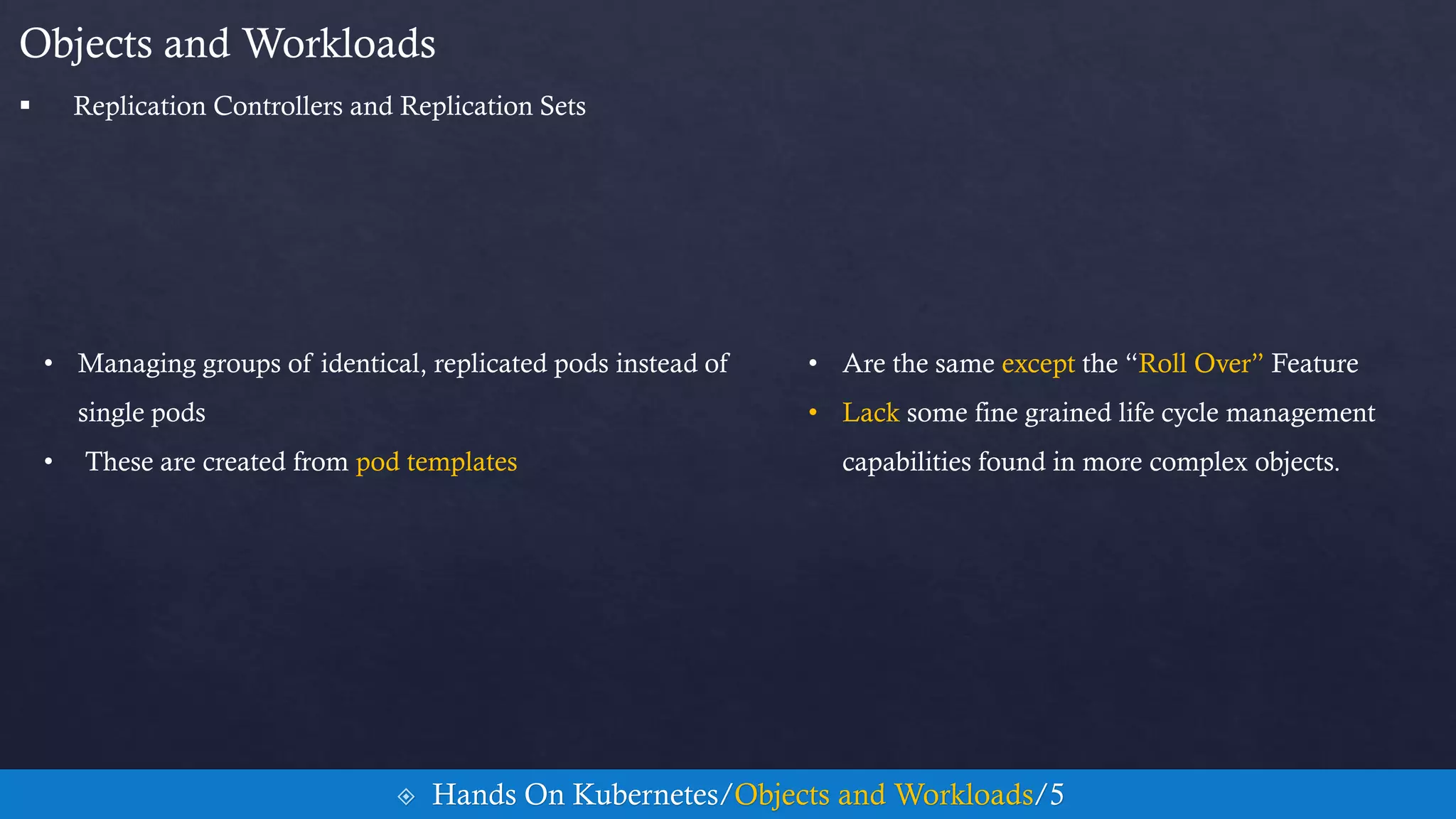
 ReplicationSets
• Managing groups of identical, replicated pods instead of
single pods
• These are created from pod templates
Objects and Workloads
• Are the same except the “Roll Over” Feature
• Lack some fine grained life cycle management
capabilities found in more complex objects.
 Hands On Kubernetes/Objects and Workloads/5
 Replication Controllers and Replication Sets
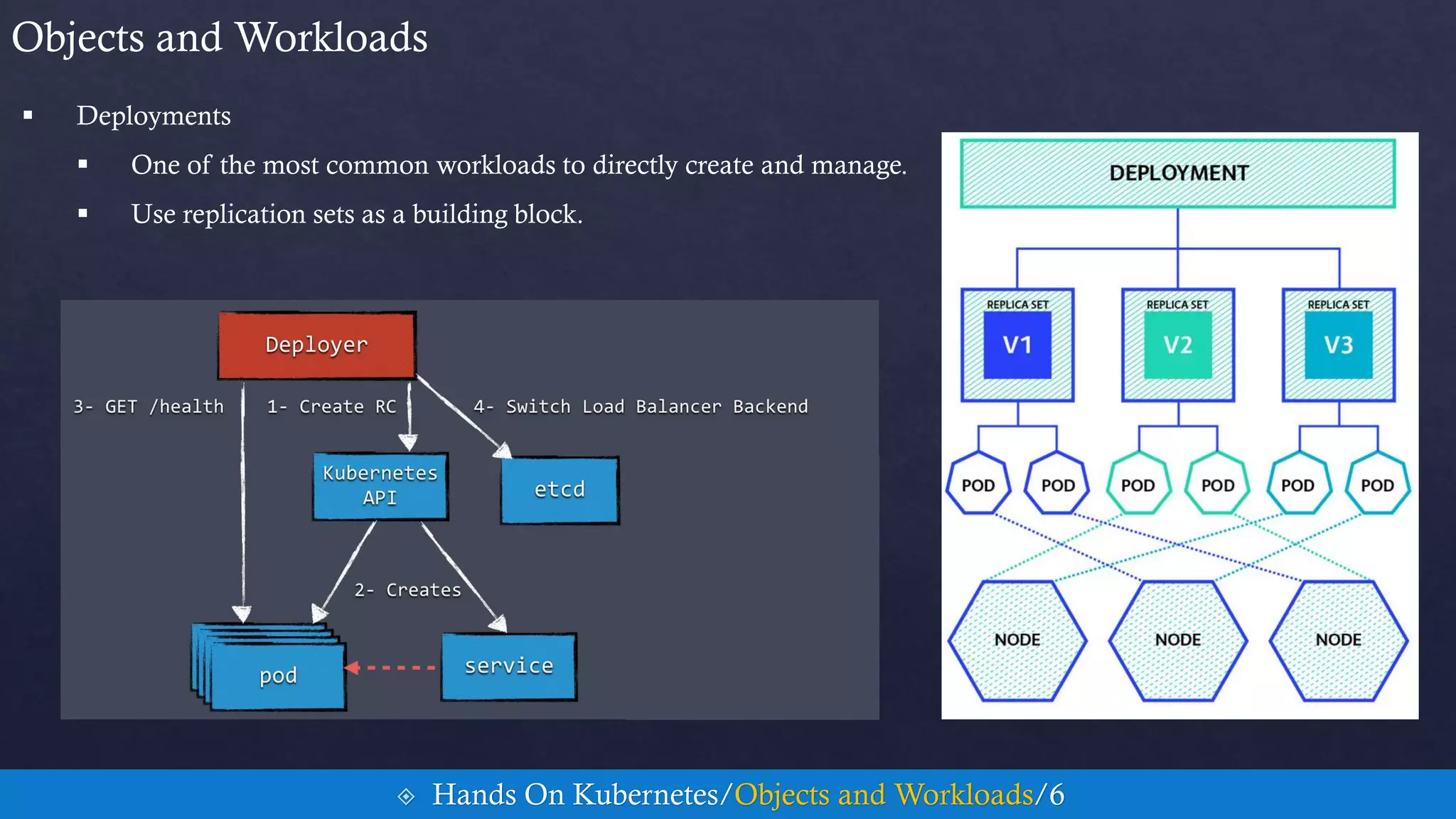
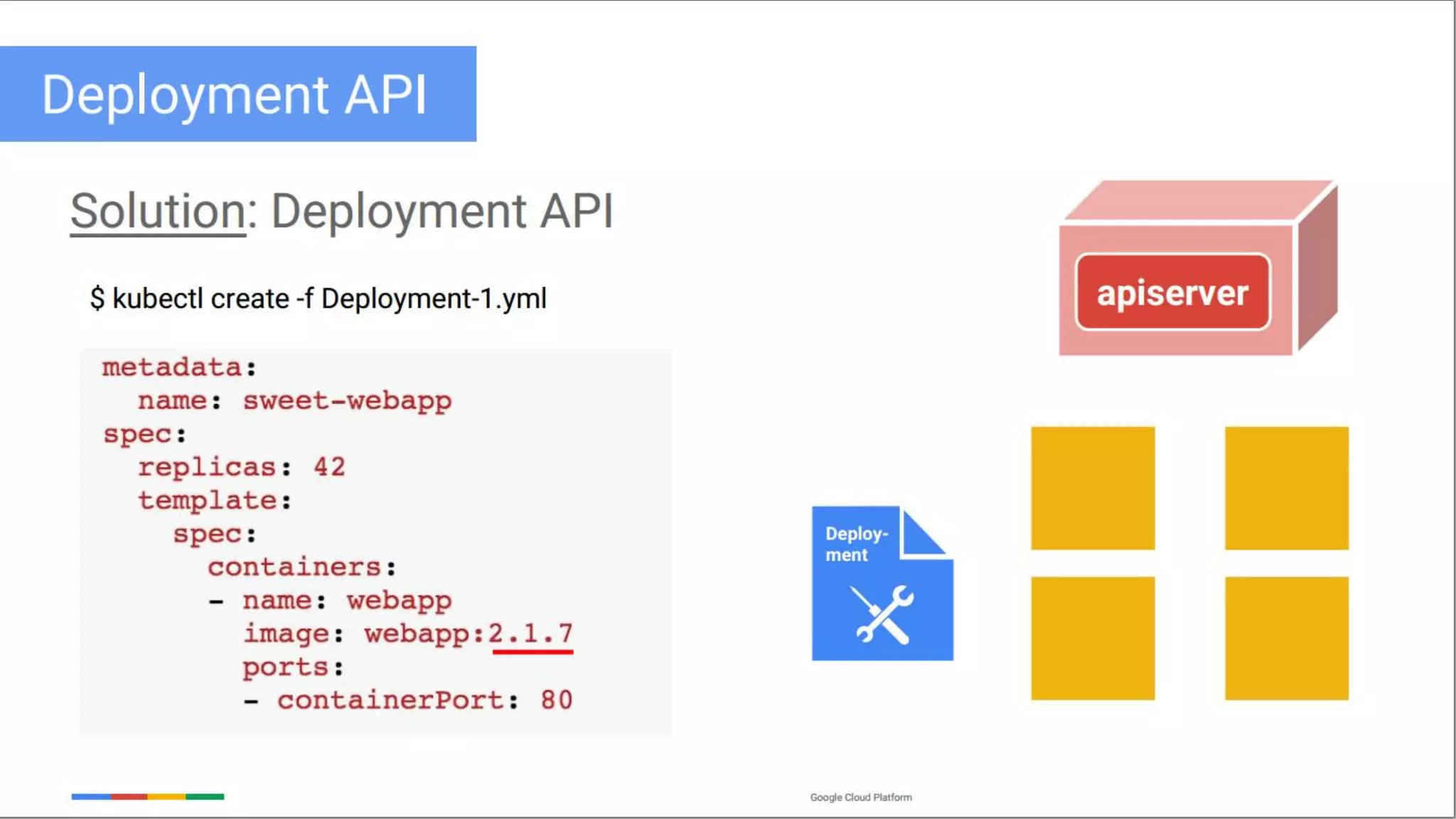
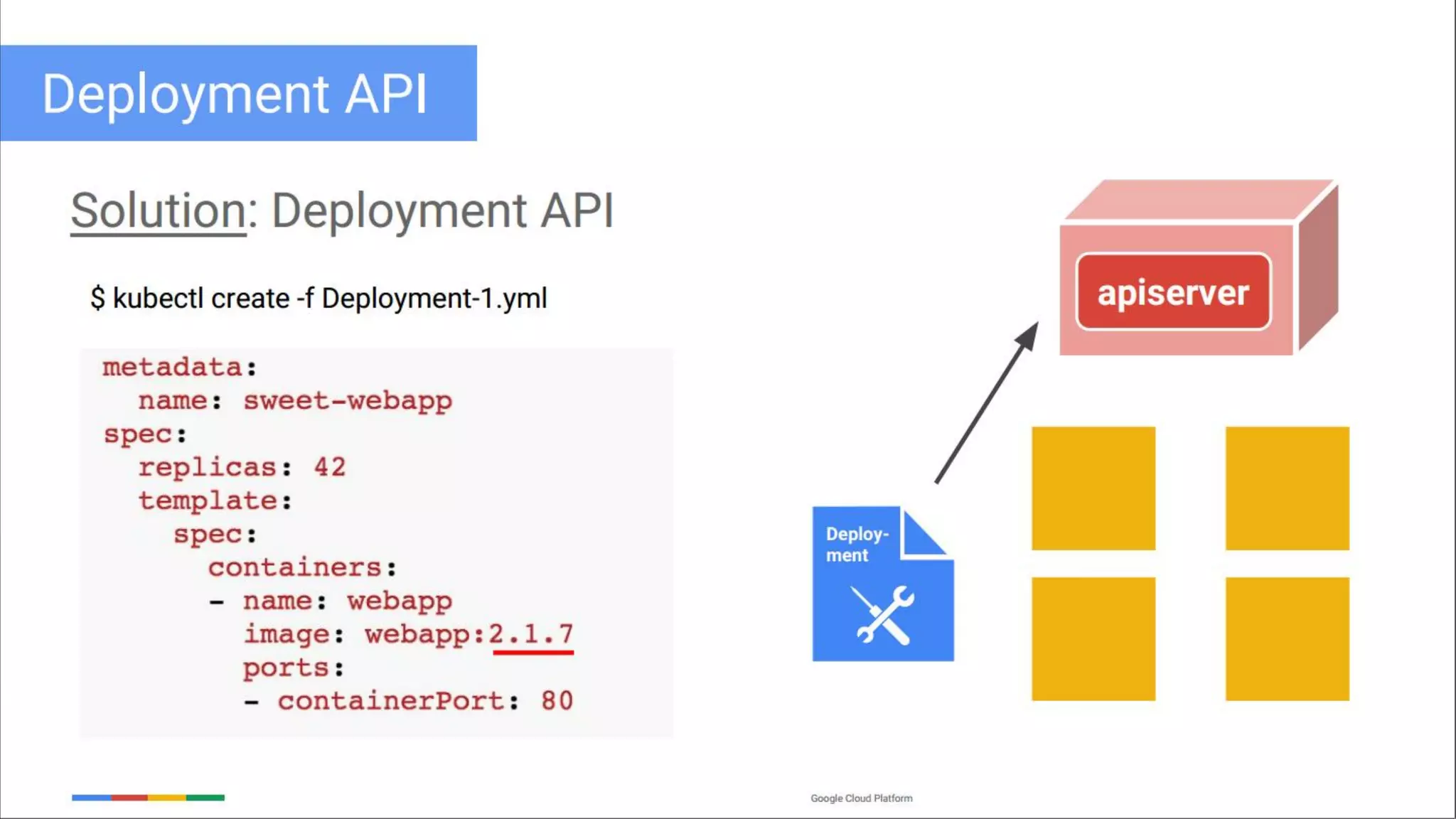
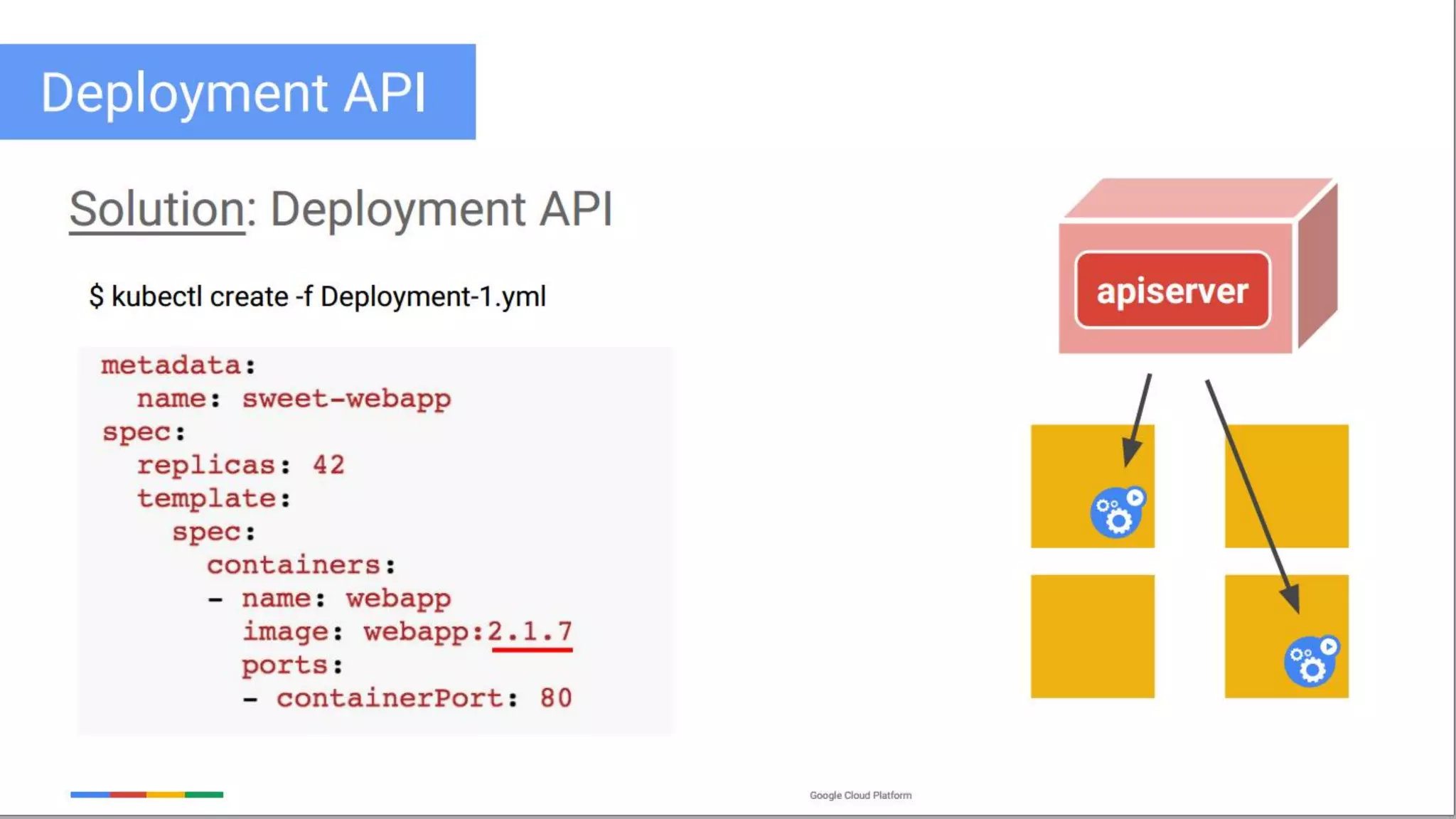
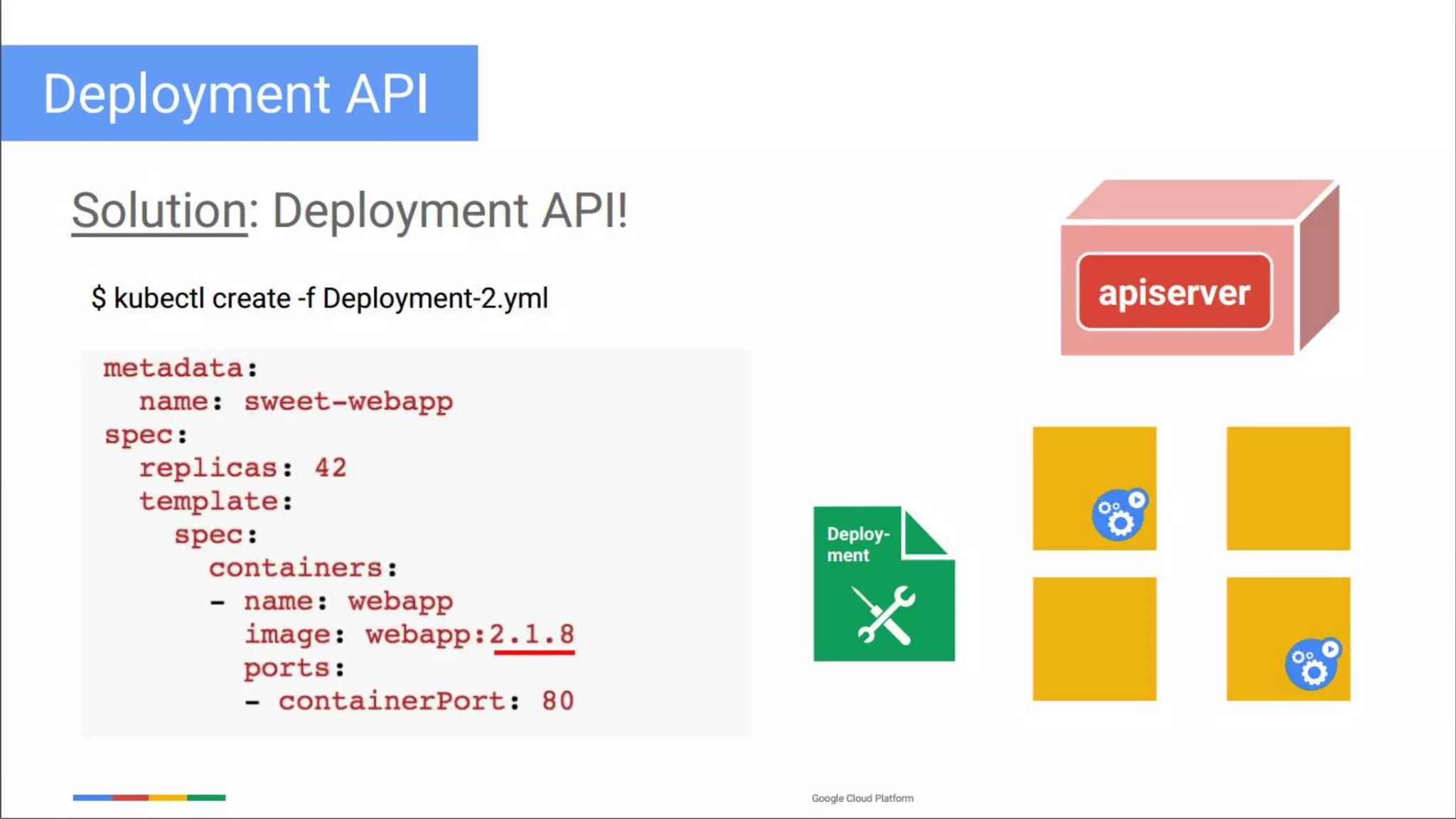
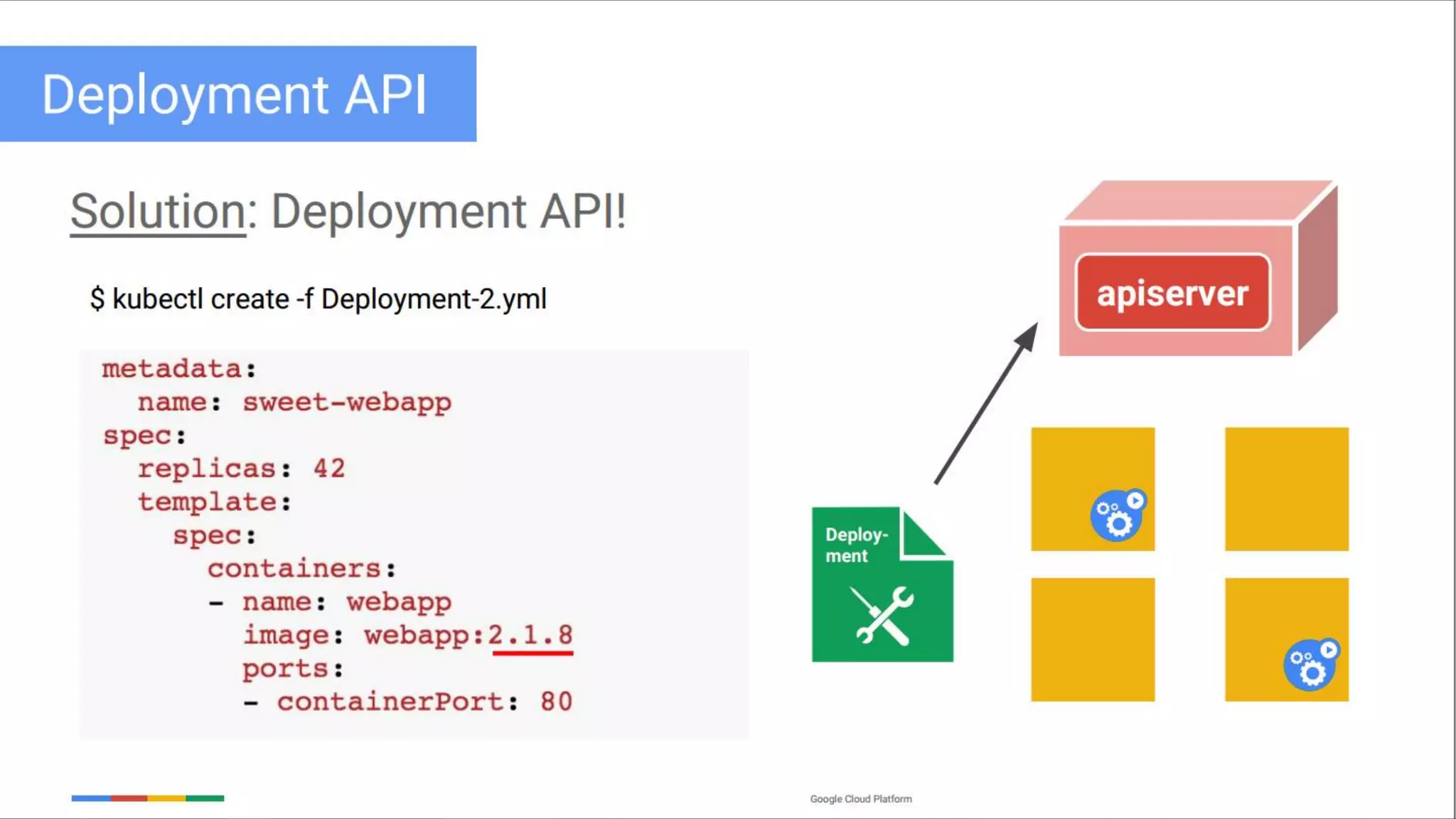
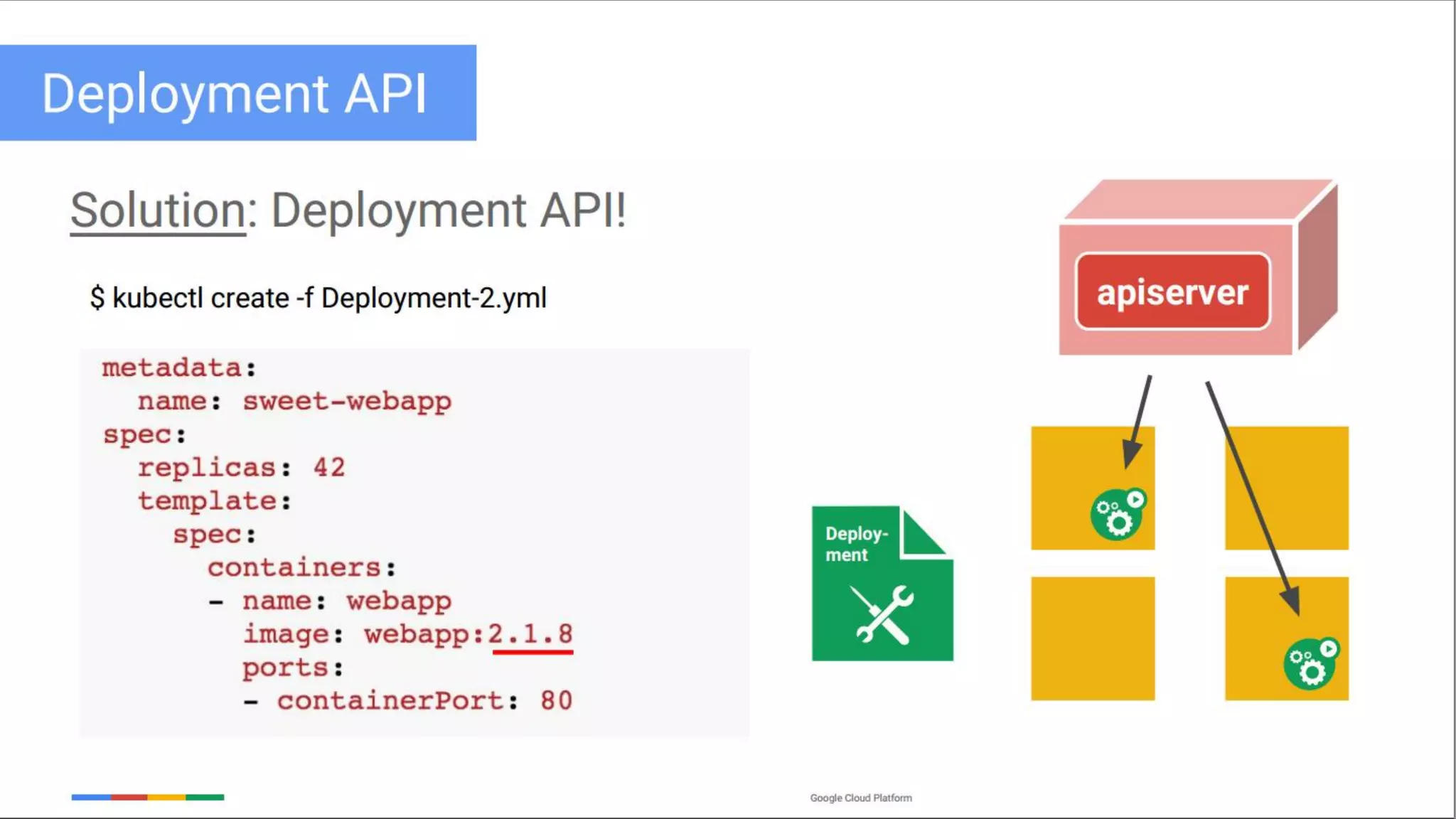
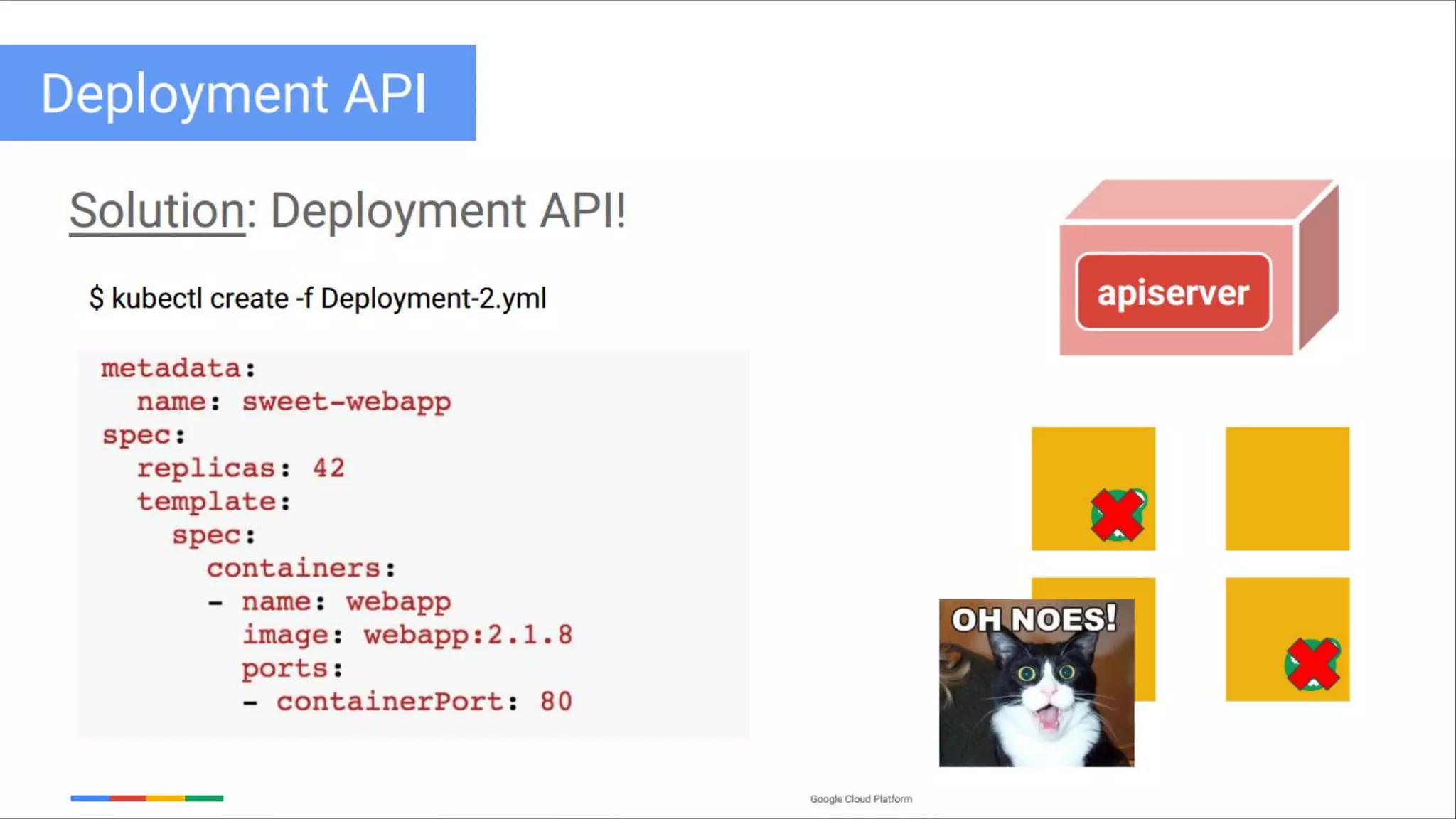
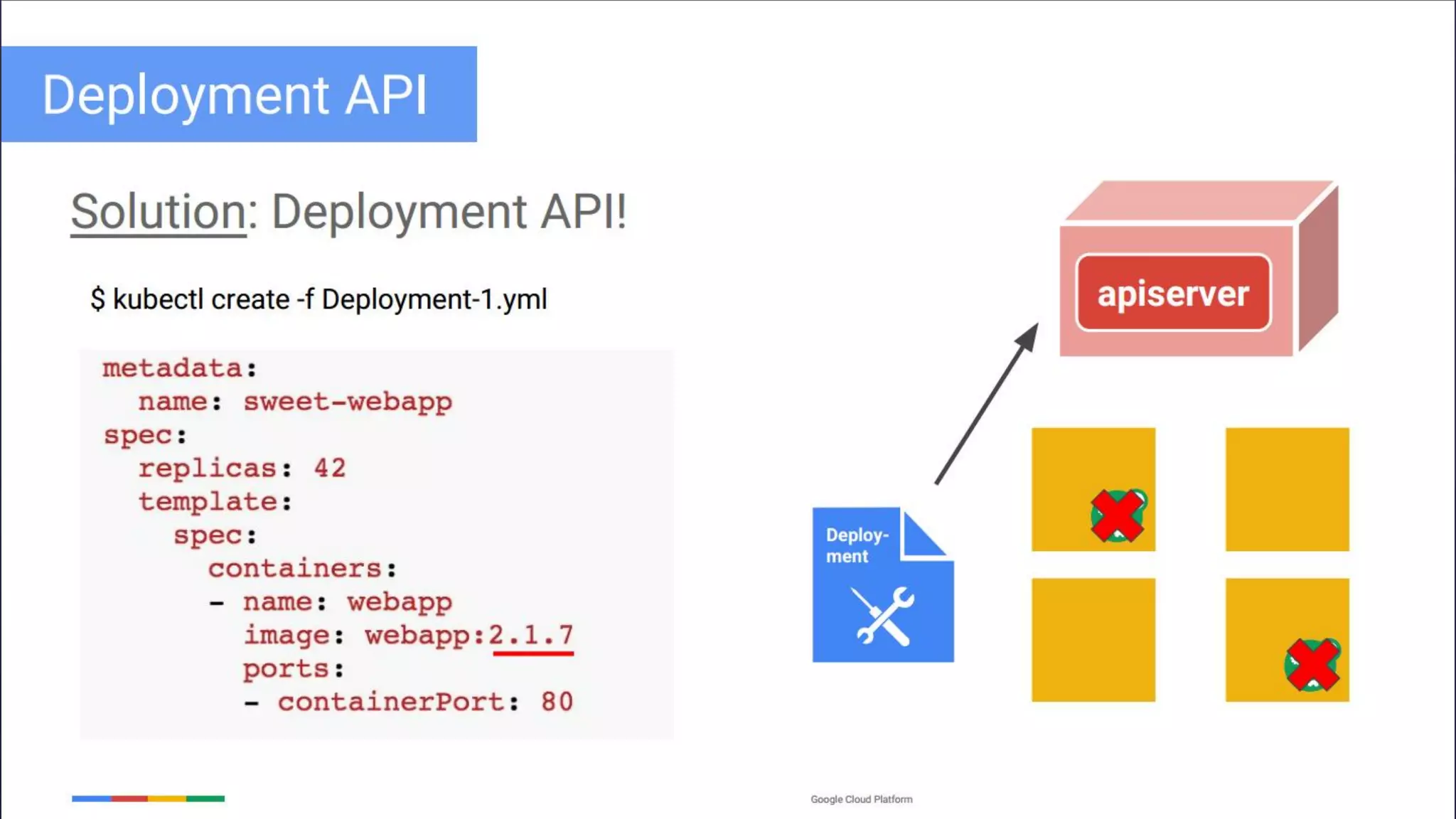
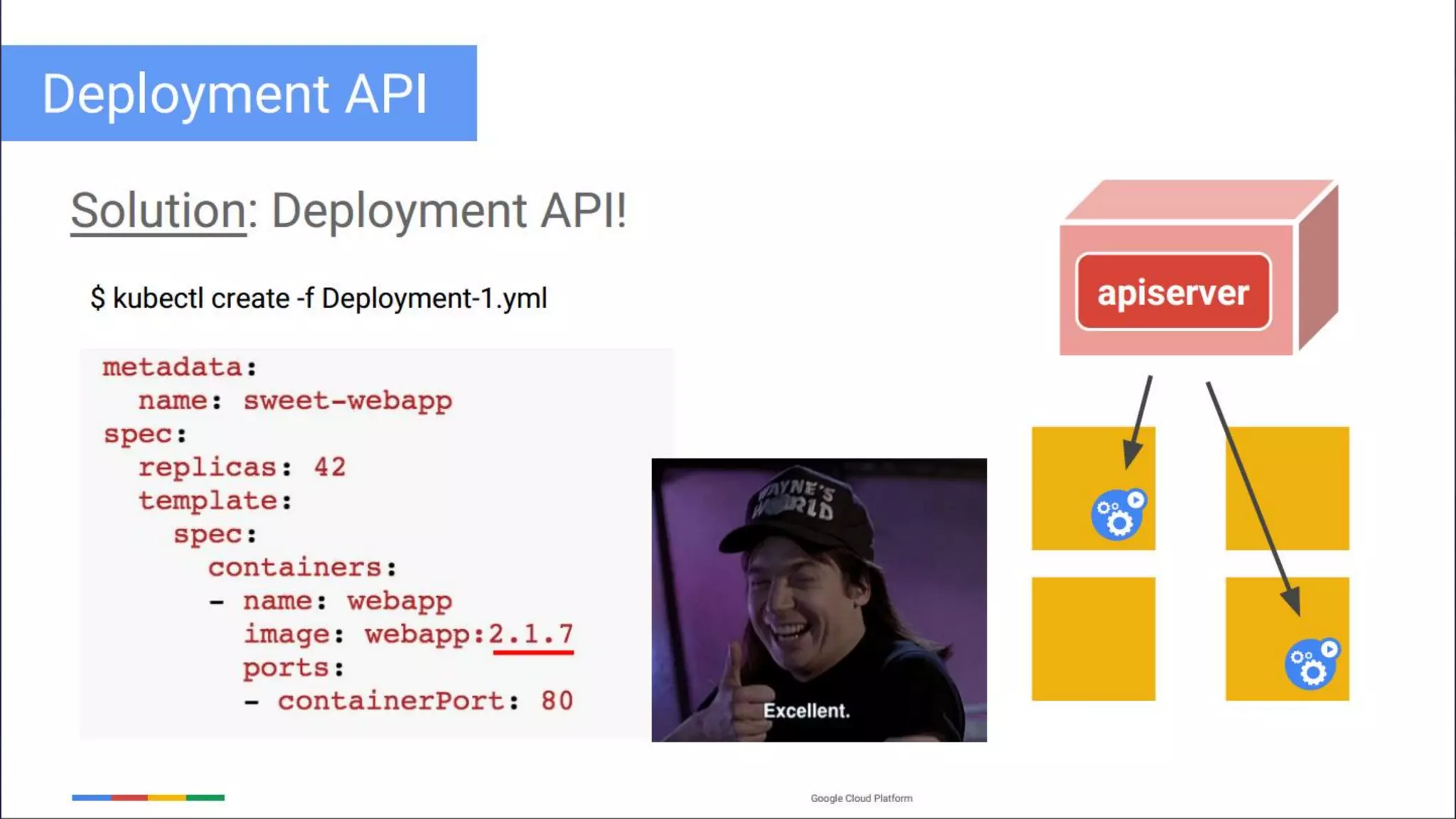
 Deployments
 One of the most common workloads to directly create and manage.
 Use replication sets as a building block.
Objects and Workloads
 Hands On Kubernetes/Objects and Workloads/6
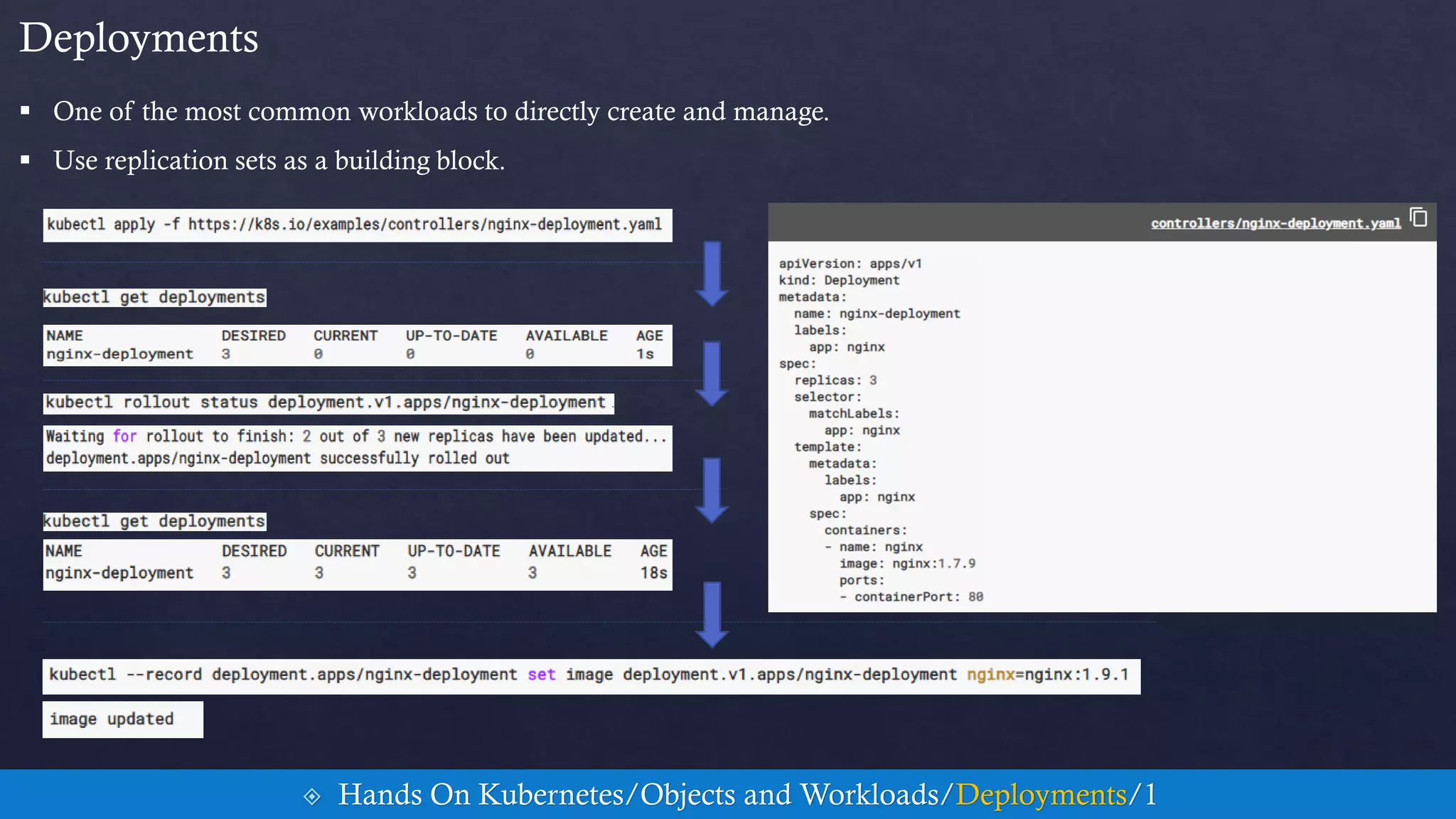
 One of the most common workloads to directly create and manage.
 Use replication sets as a building block.
Deployments
 Hands On Kubernetes/Objects and Workloads/Deployments/1
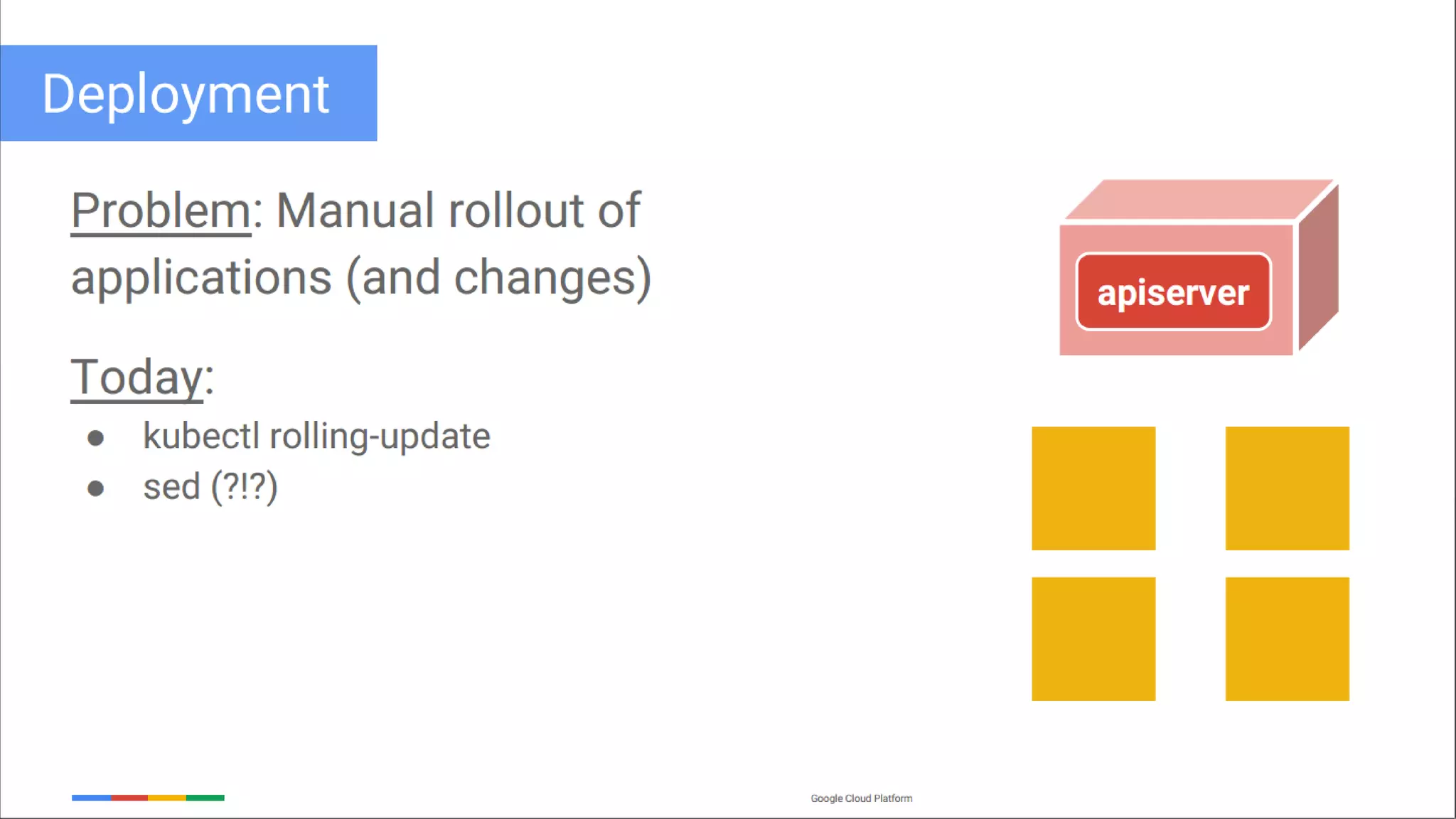
 Deployment/HelloWorld
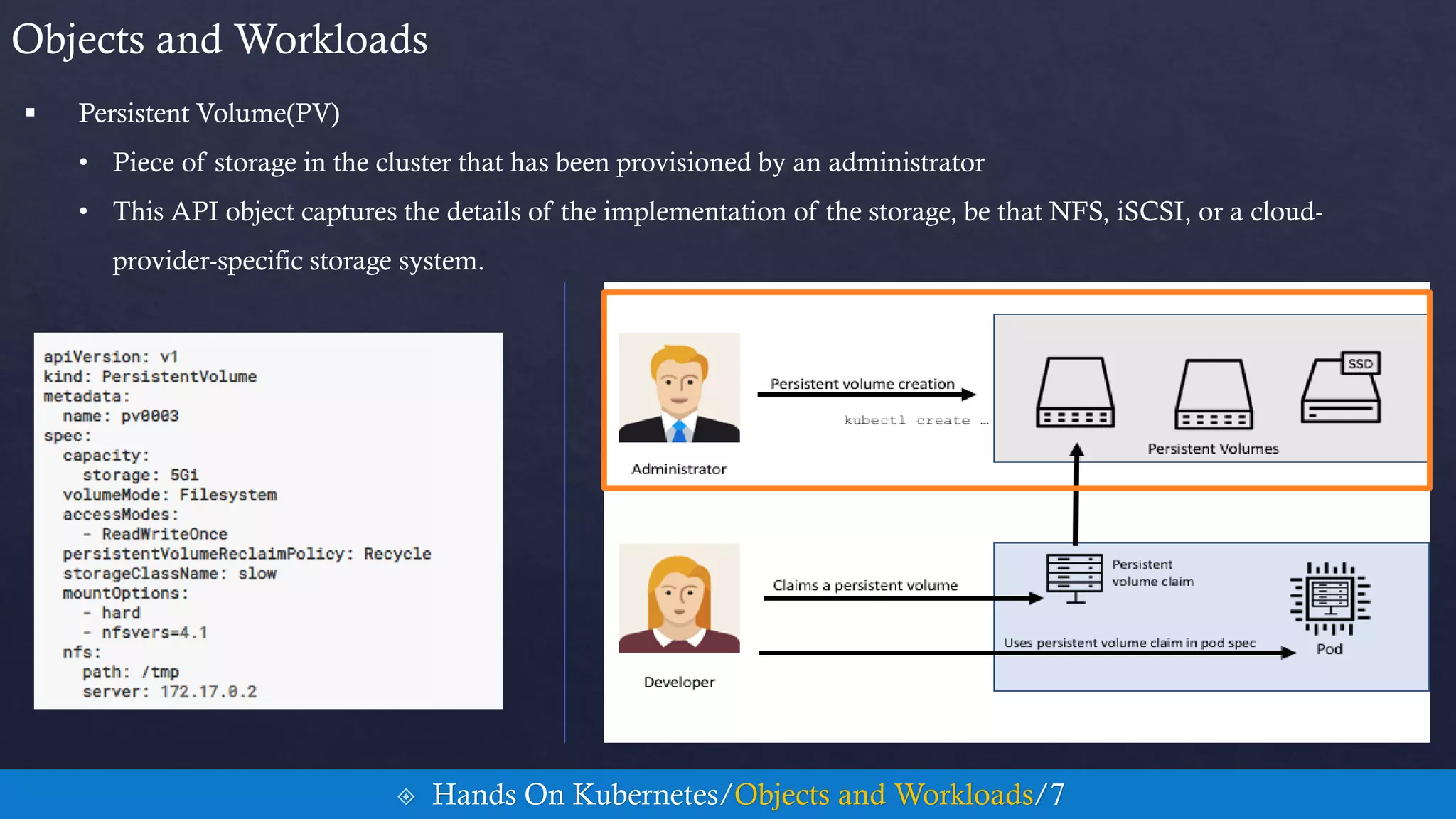
 Persistent Volume(PV)
• Piece of storage in the cluster that has been provisioned by an administrator
• This API object captures the details of the implementation of the storage, be that NFS, iSCSI, or a cloud-
provider-specific storage system.
Objects and Workloads
 Hands On Kubernetes/Objects and Workloads/7
Objects and Workloads
 Hands On Kubernetes/Objects and Workloads/8
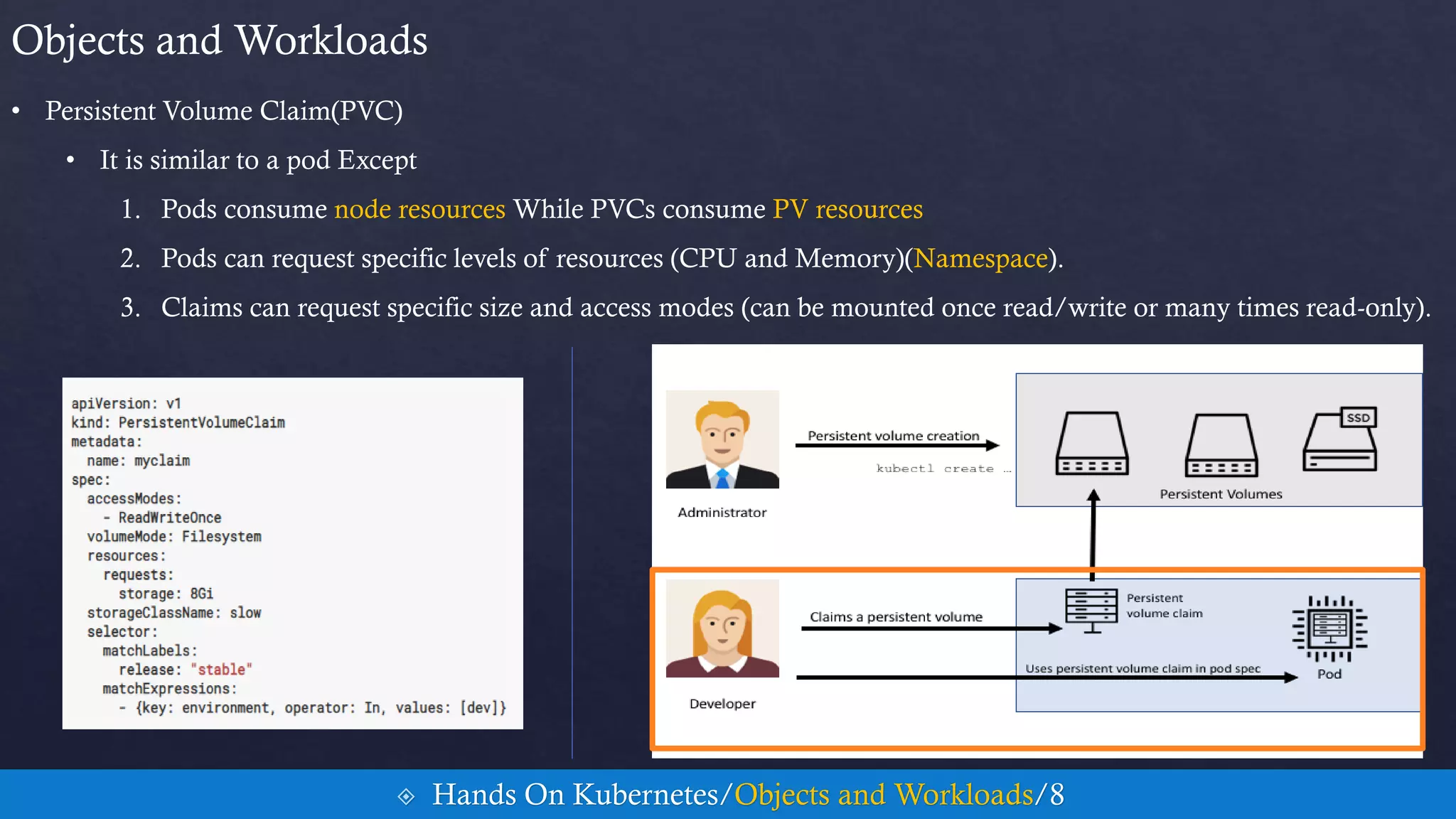
• Persistent Volume Claim(PVC)
• It is similar to a pod Except
1. Pods consume node resources While PVCs consume PV resources
2. Pods can request specific levels of resources (CPU and Memory)(Namespace).
3. Claims can request specific size and access modes (can be mounted once read/write or many times read-only).
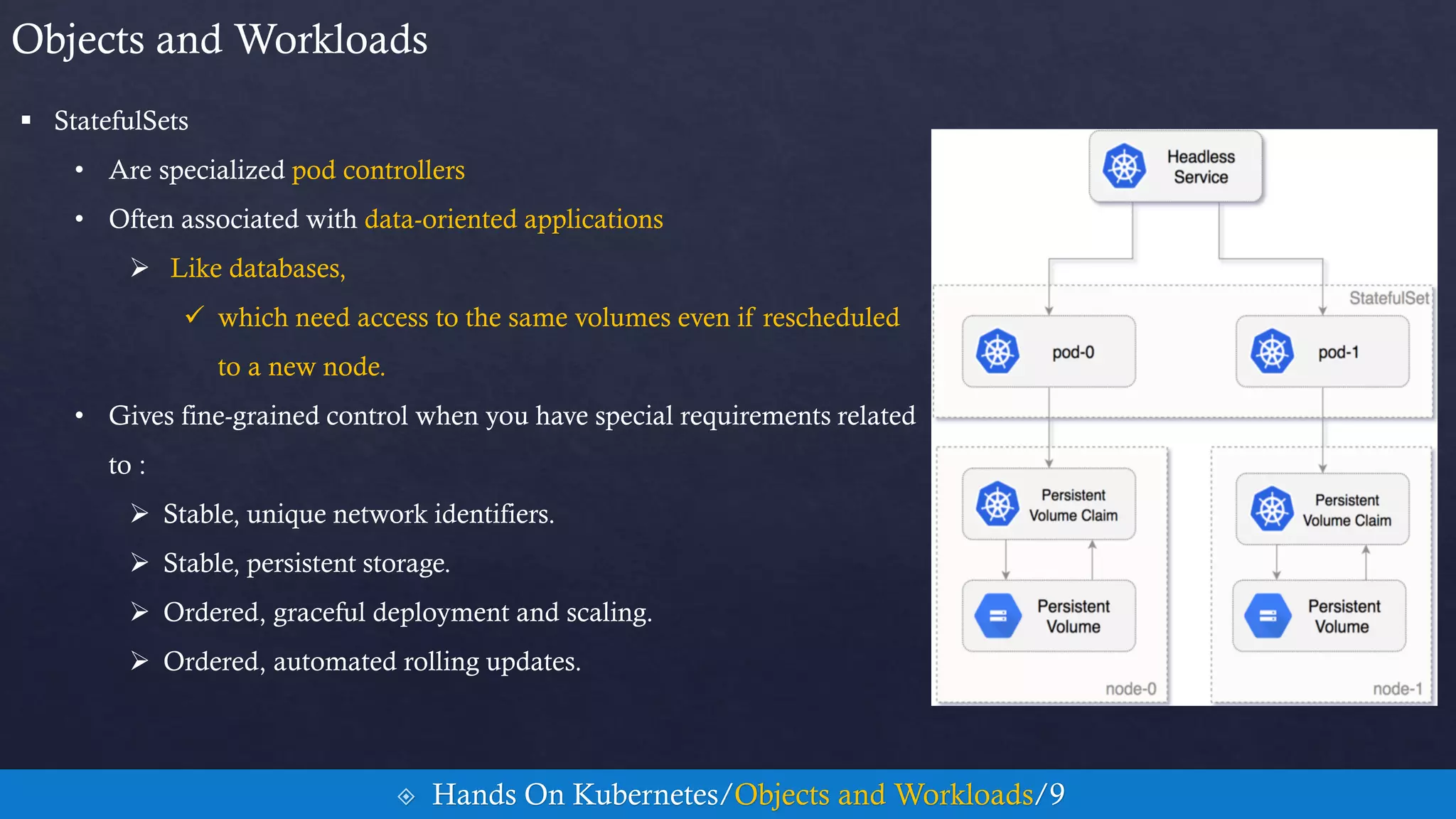
 StatefulSets
• Are specialized pod controllers
• Often associated with data-oriented applications
 Like databases,
 which need access to the same volumes even if rescheduled
to a new node.
• Gives fine-grained control when you have special requirements related
to :
 Stable, unique network identifiers.
 Stable, persistent storage.
 Ordered, graceful deployment and scaling.
 Ordered, automated rolling updates.
Objects and Workloads
 Hands On Kubernetes/Objects and Workloads/9
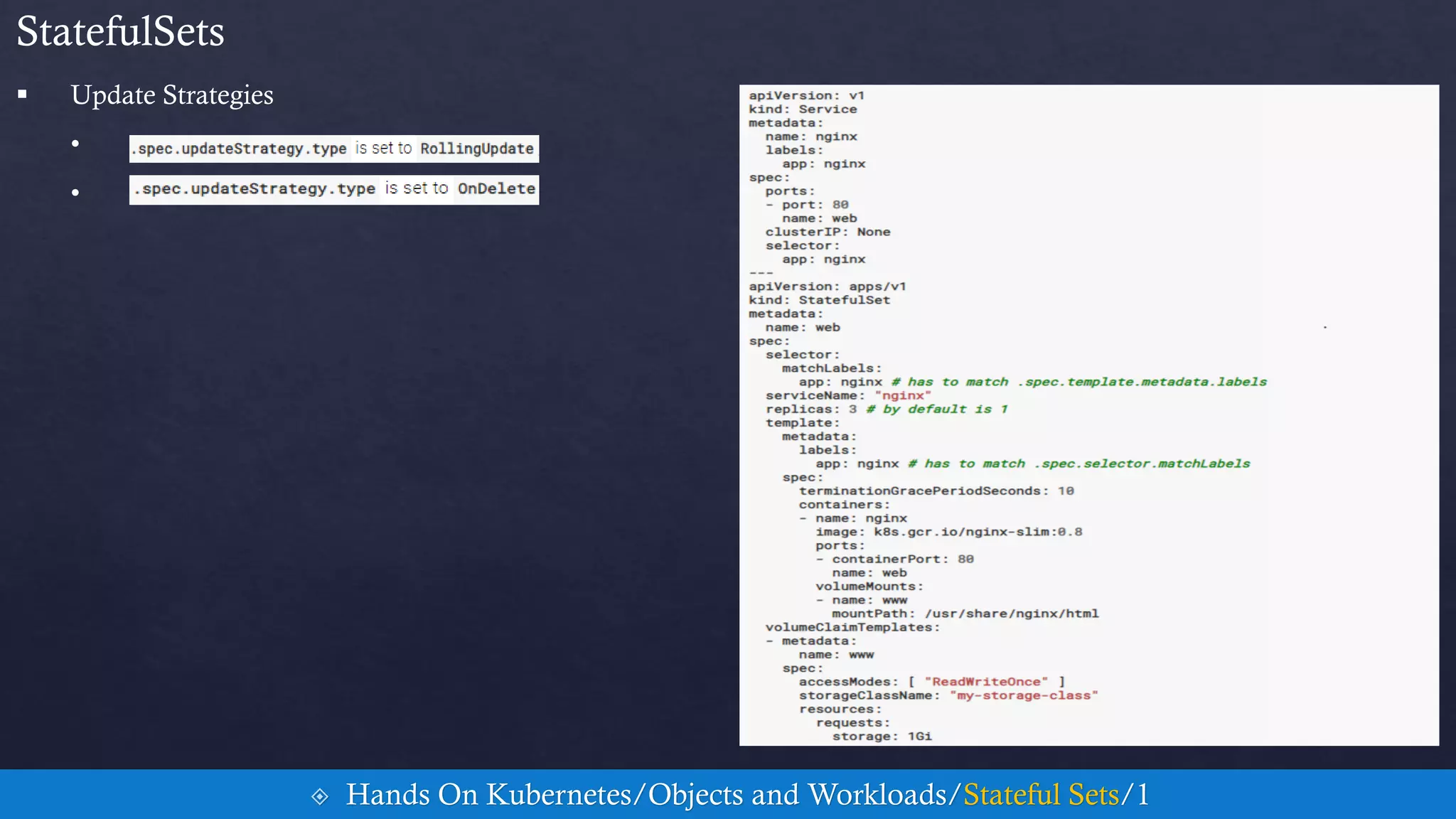
 Update Strategies
•
•
StatefulSets
 Hands On Kubernetes/Objects and Workloads/Stateful Sets/1
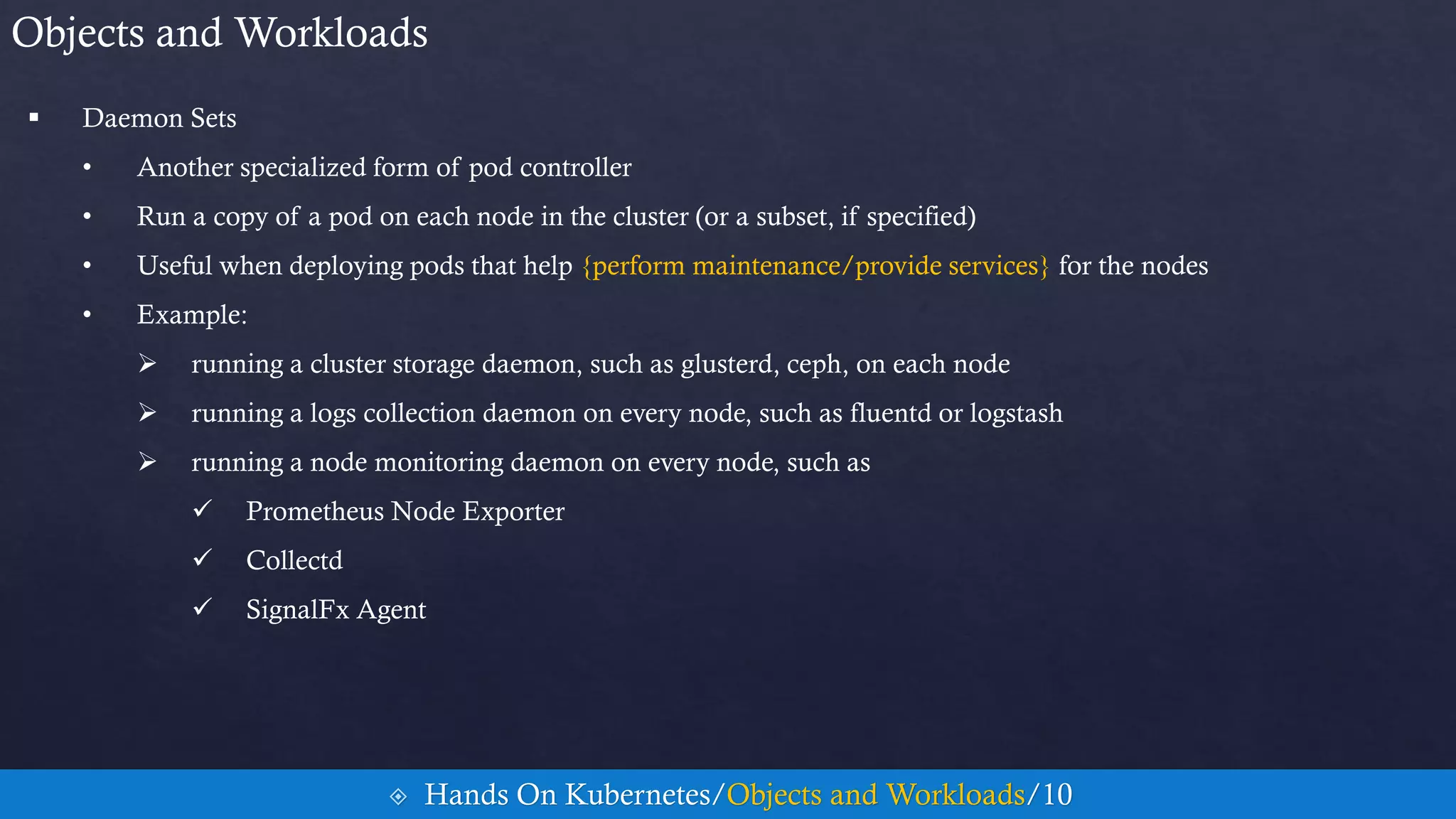
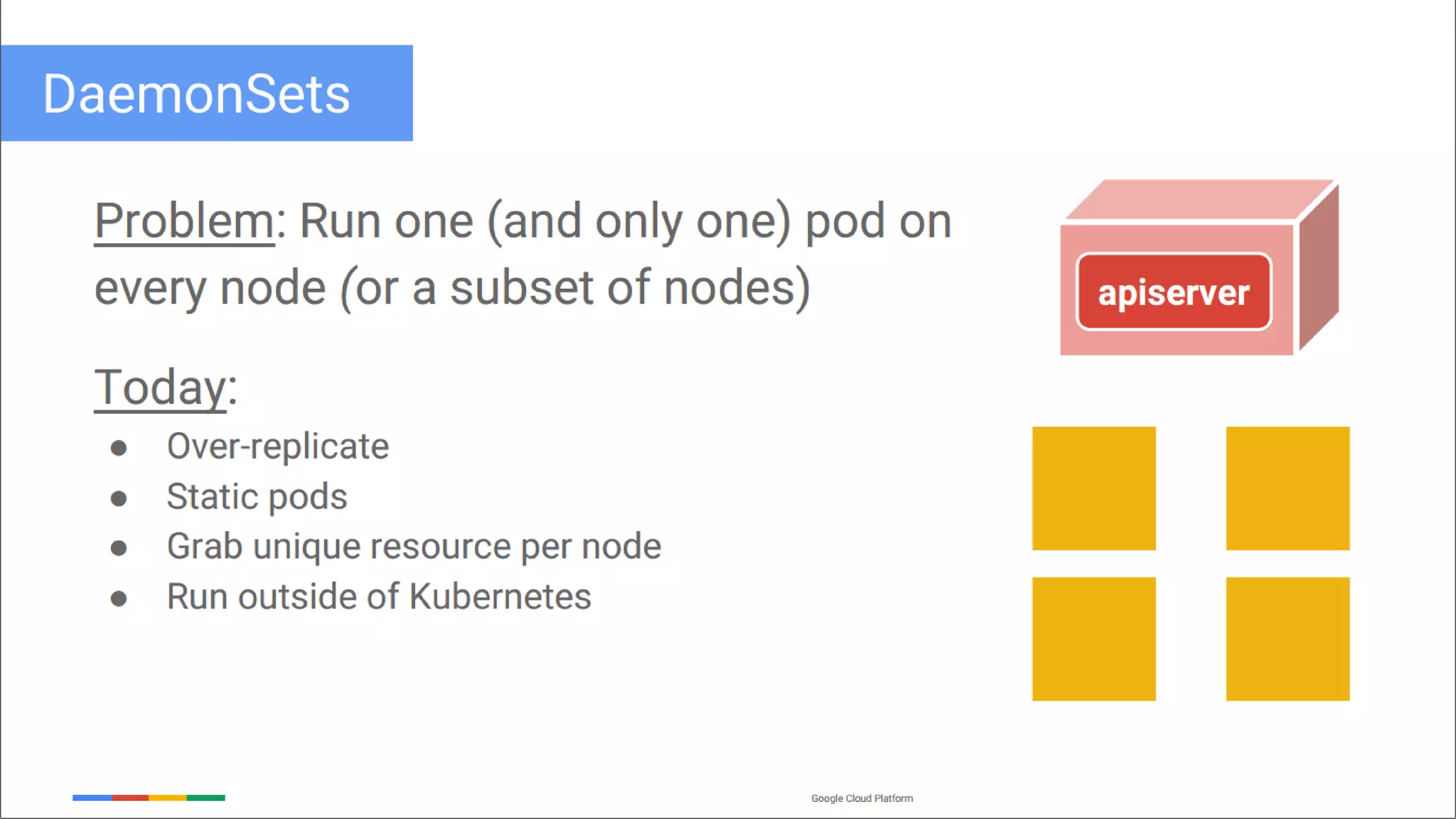
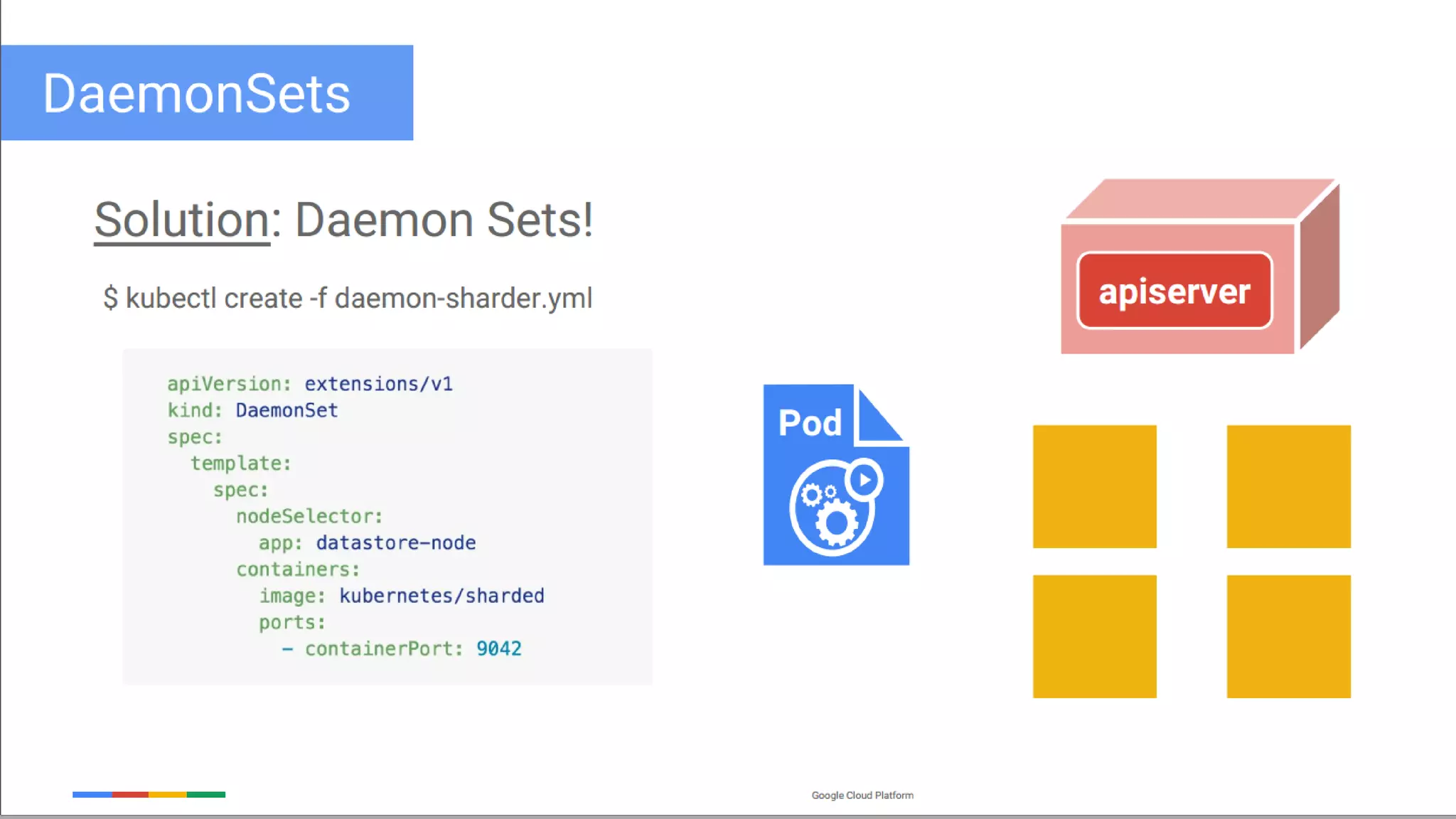
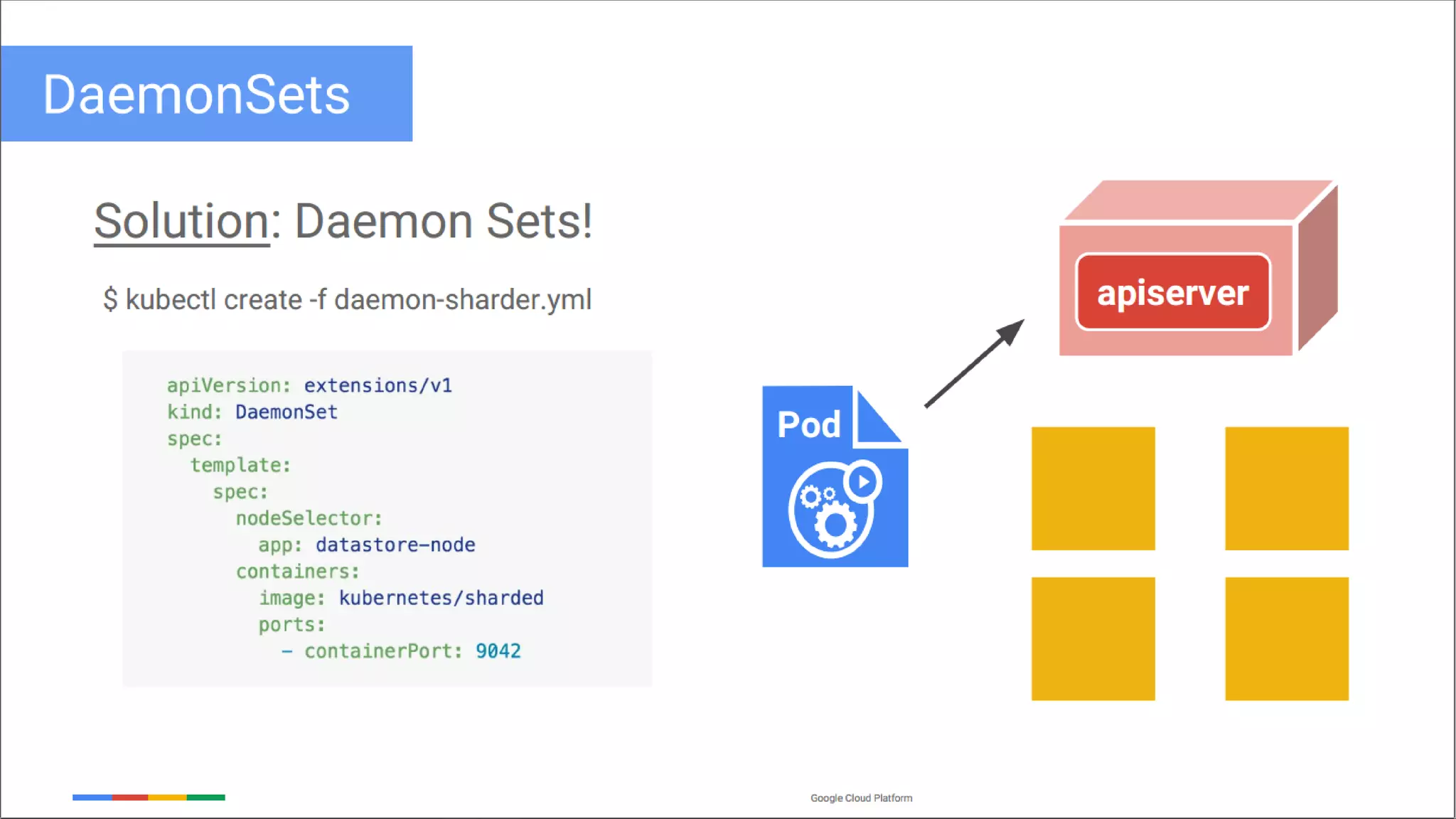
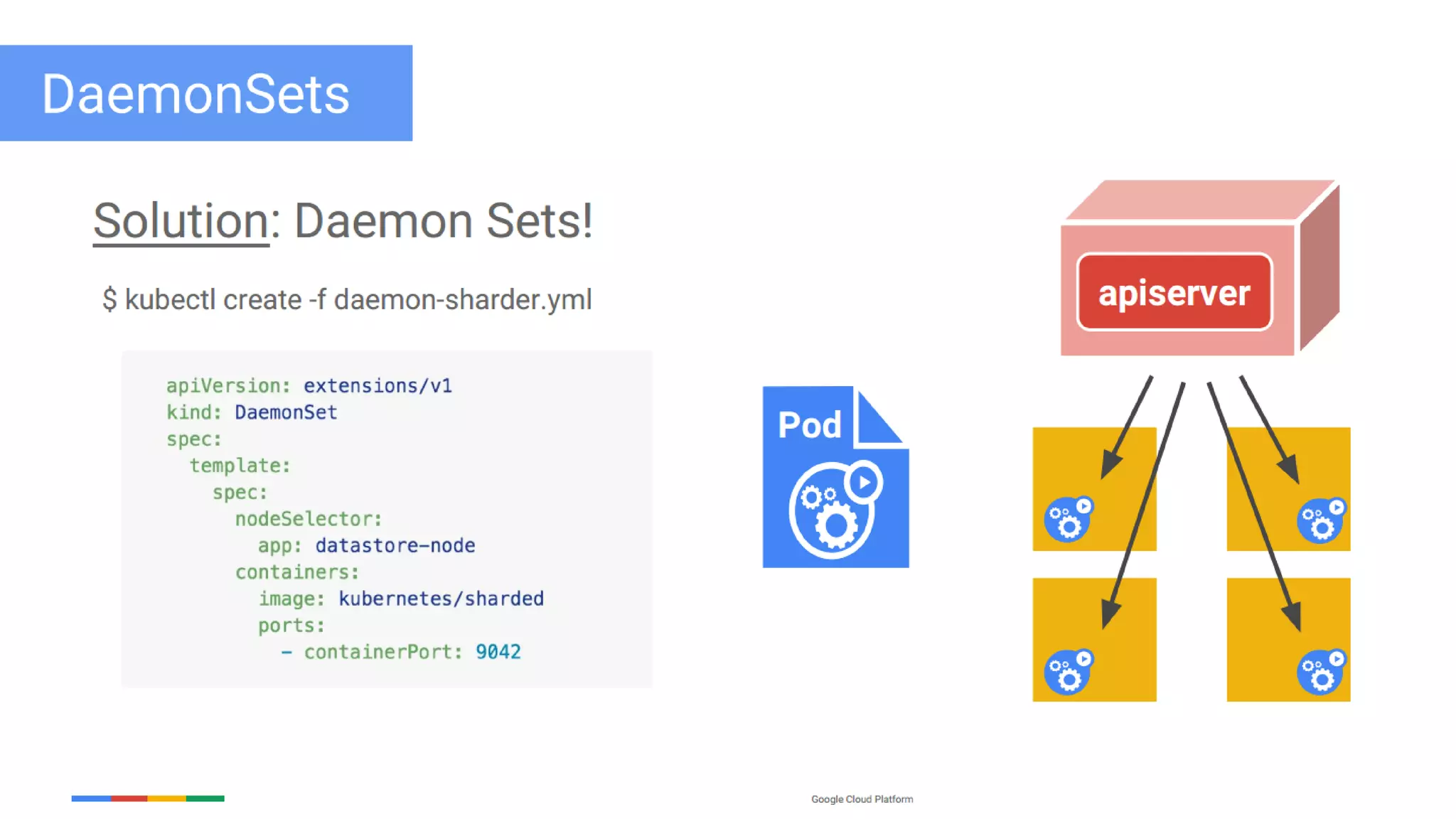
 Daemon Sets
• Another specialized form of pod controller
• Run a copy of a pod on each node in the cluster (or a subset, if specified)
• Useful when deploying pods that help {perform maintenance/provide services} for the nodes
• Example:
 running a cluster storage daemon, such as glusterd, ceph, on each node
 running a logs collection daemon on every node, such as fluentd or logstash
 running a node monitoring daemon on every node, such as
 Prometheus Node Exporter
 Collectd
 SignalFx Agent
Objects and Workloads
 Hands On Kubernetes/Objects and Workloads/10
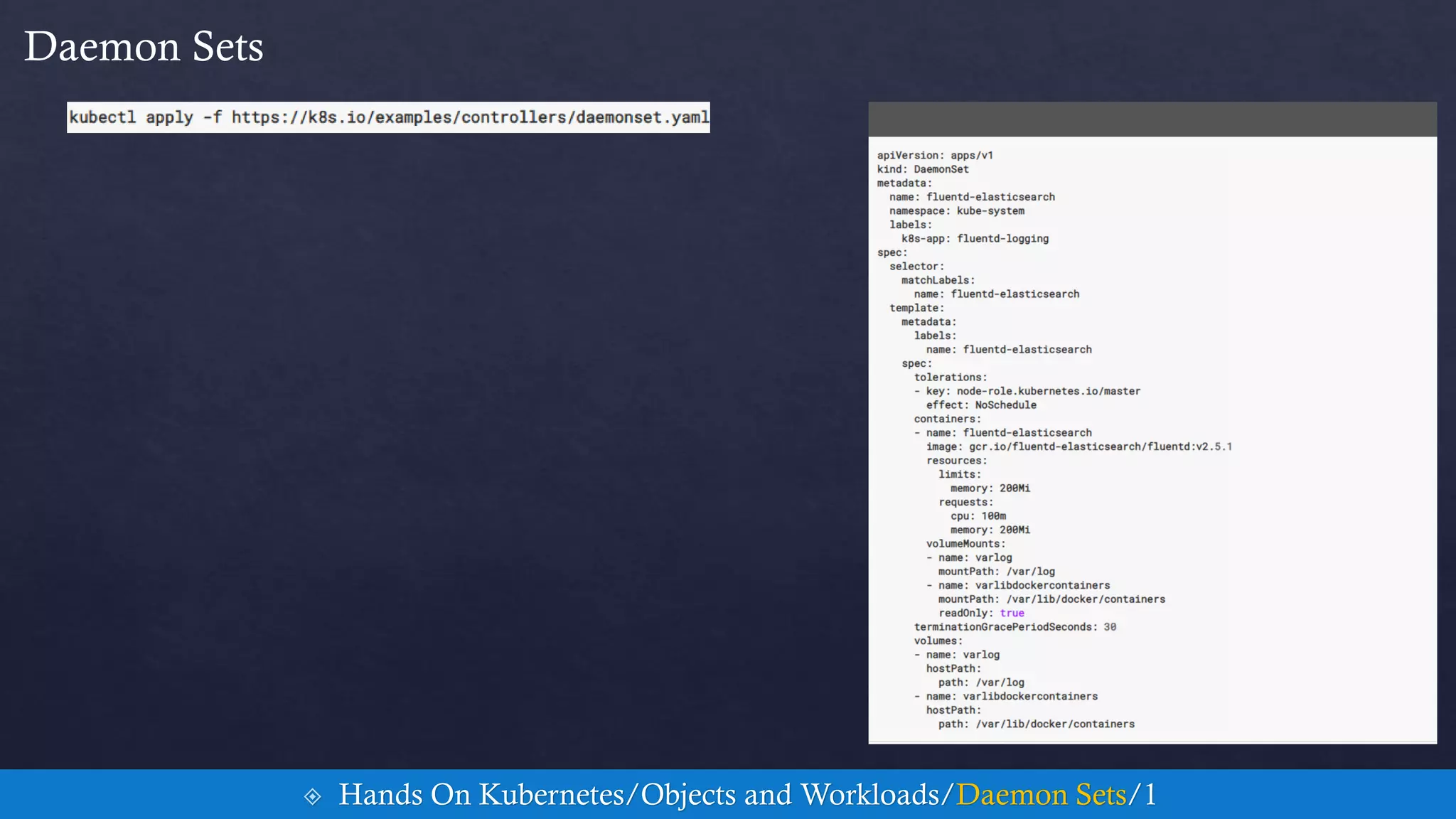
Daemon Sets
 Hands On Kubernetes/Objects and Workloads/Daemon Sets/1
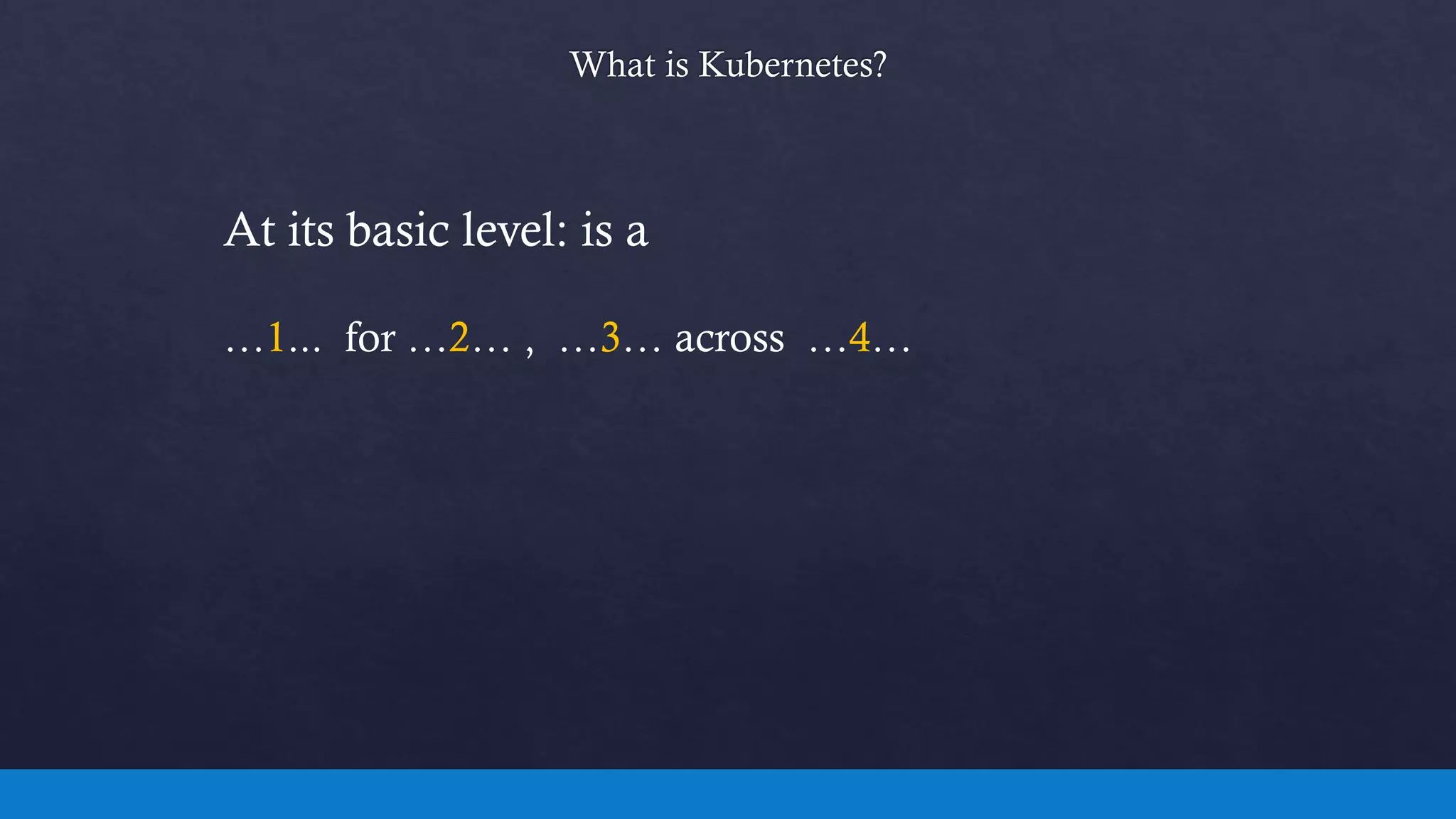
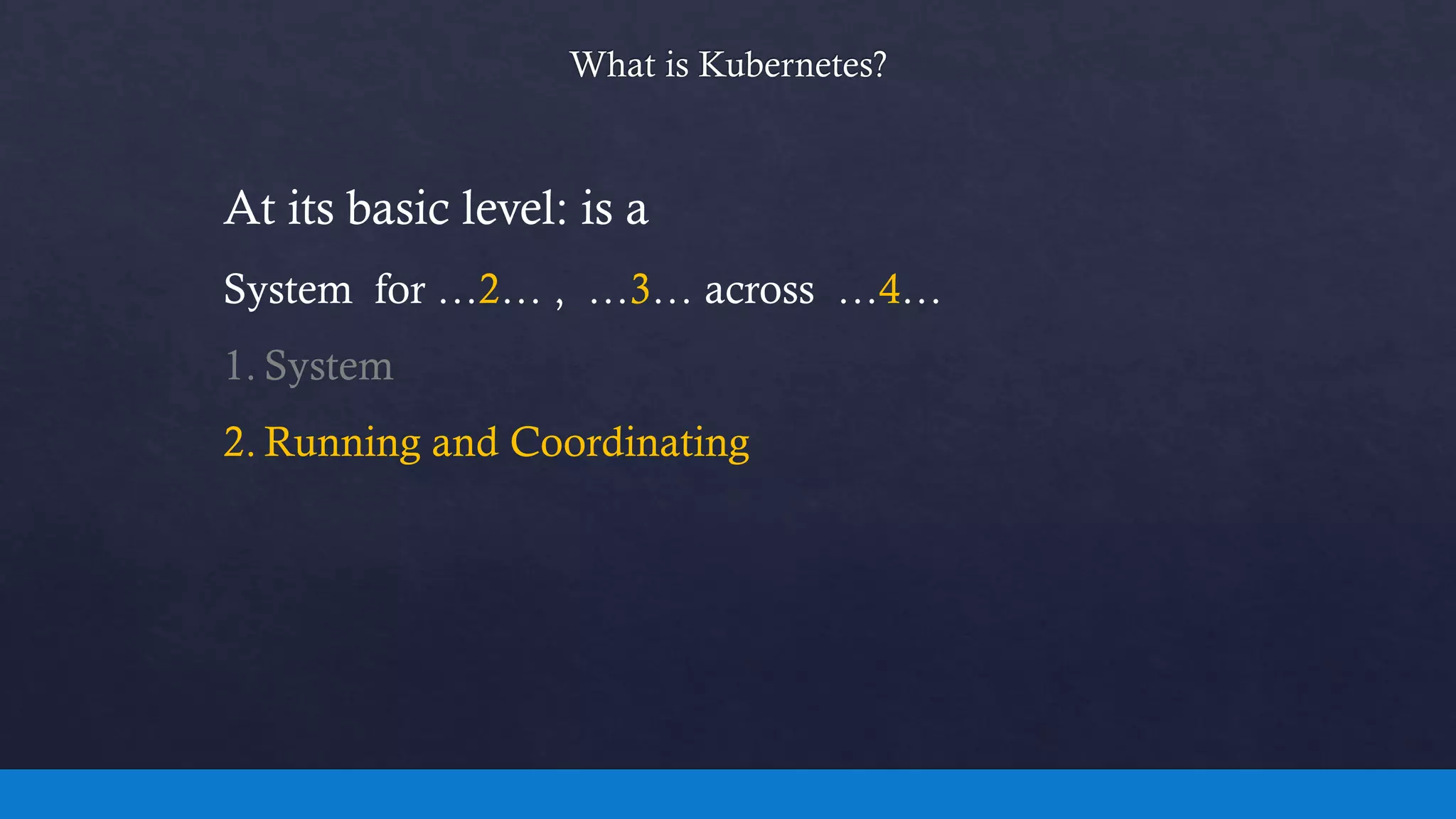
At its basic level: is a
…1... for …2… , …3… across …4…
At its basic level: is a
…1... for …2… , …3… across …4…
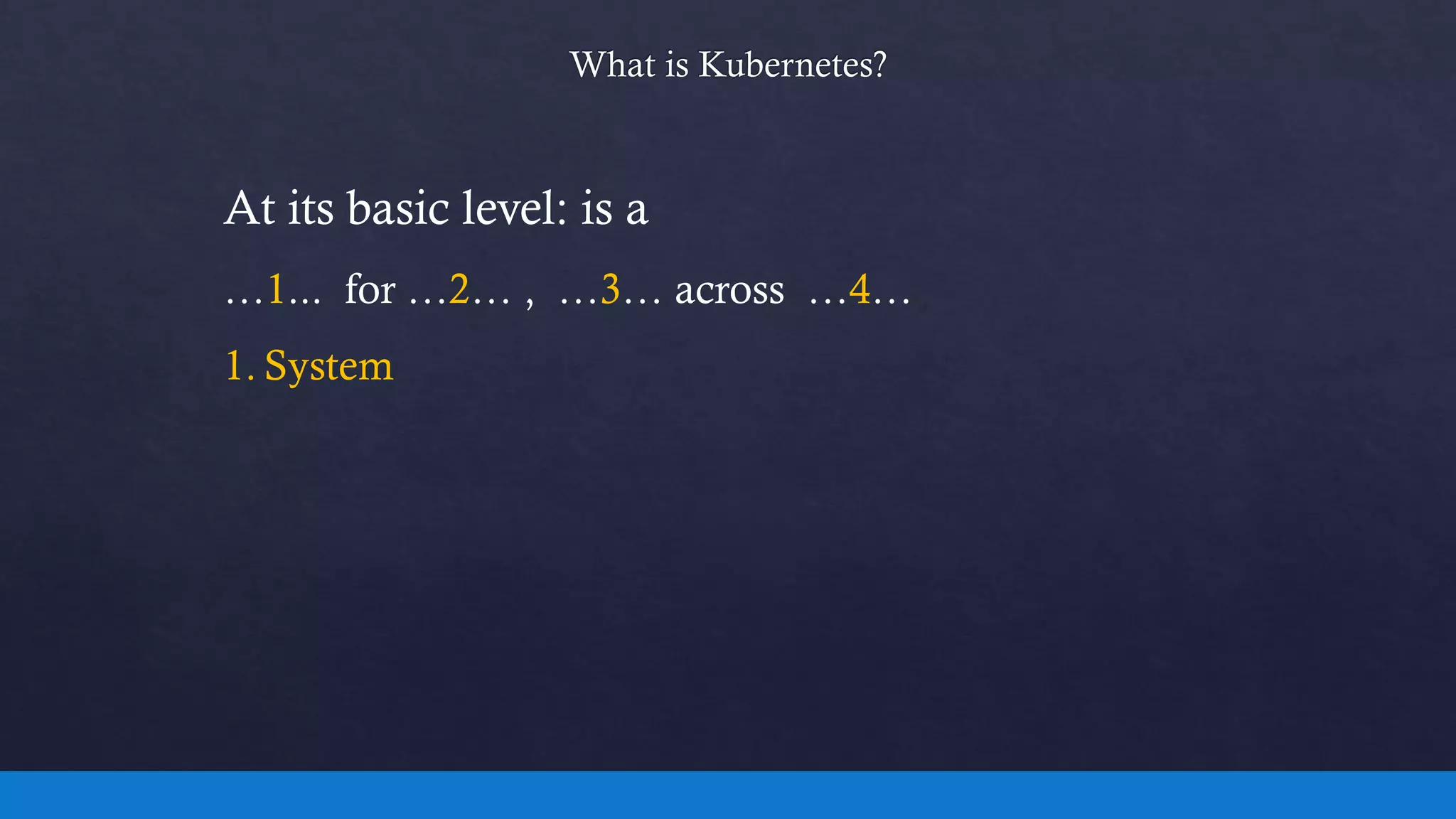
1. System
At its basic level: is a
System for …2… , …3… across …4…
1. System
2. Running and Coordinating
At its basic level: is a
System for Running and Coordinating , …3… across …4…
1. System
2. Running and Coordinating
3. Containerized Applications
At its basic level: is a
System for Running and Coordinating , Containerized
Applications across …4…
1. System
2. Running and Coordinating
3. Containerized Applications
4. Clusters of Machines
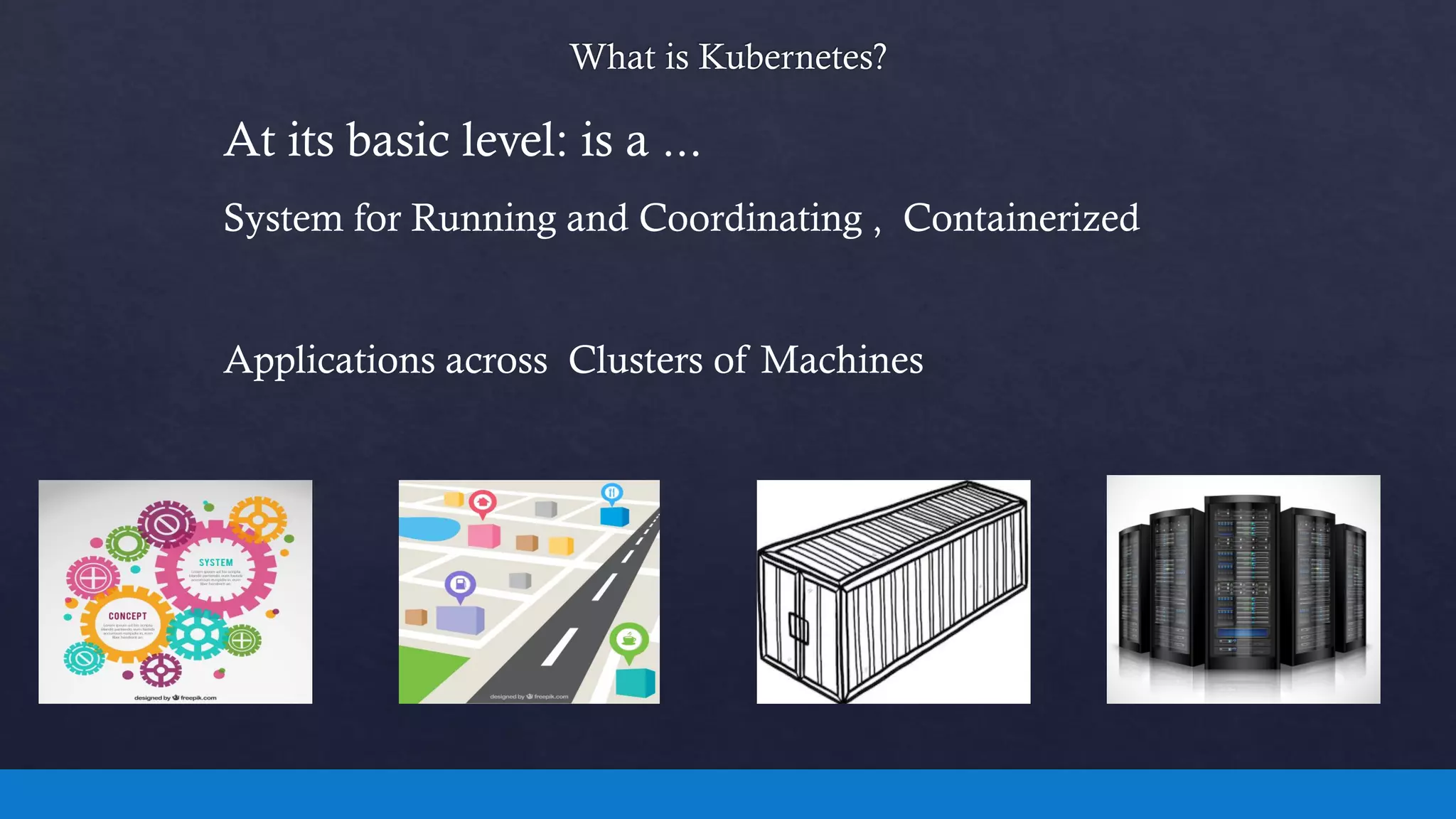
At its basic level: is a ...
System for Running and Coordinating , Containerized
Applications across Clusters of Machines
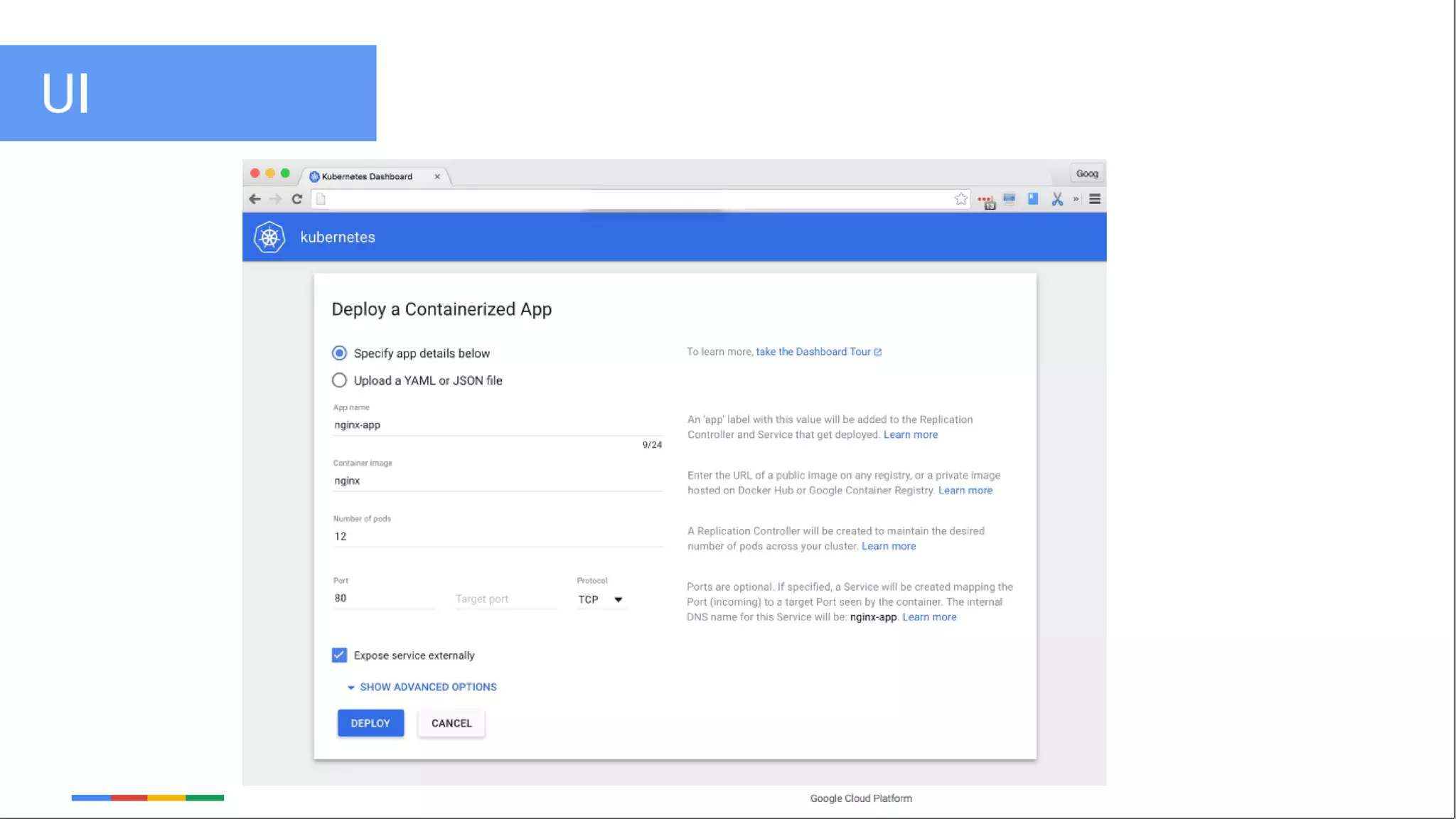
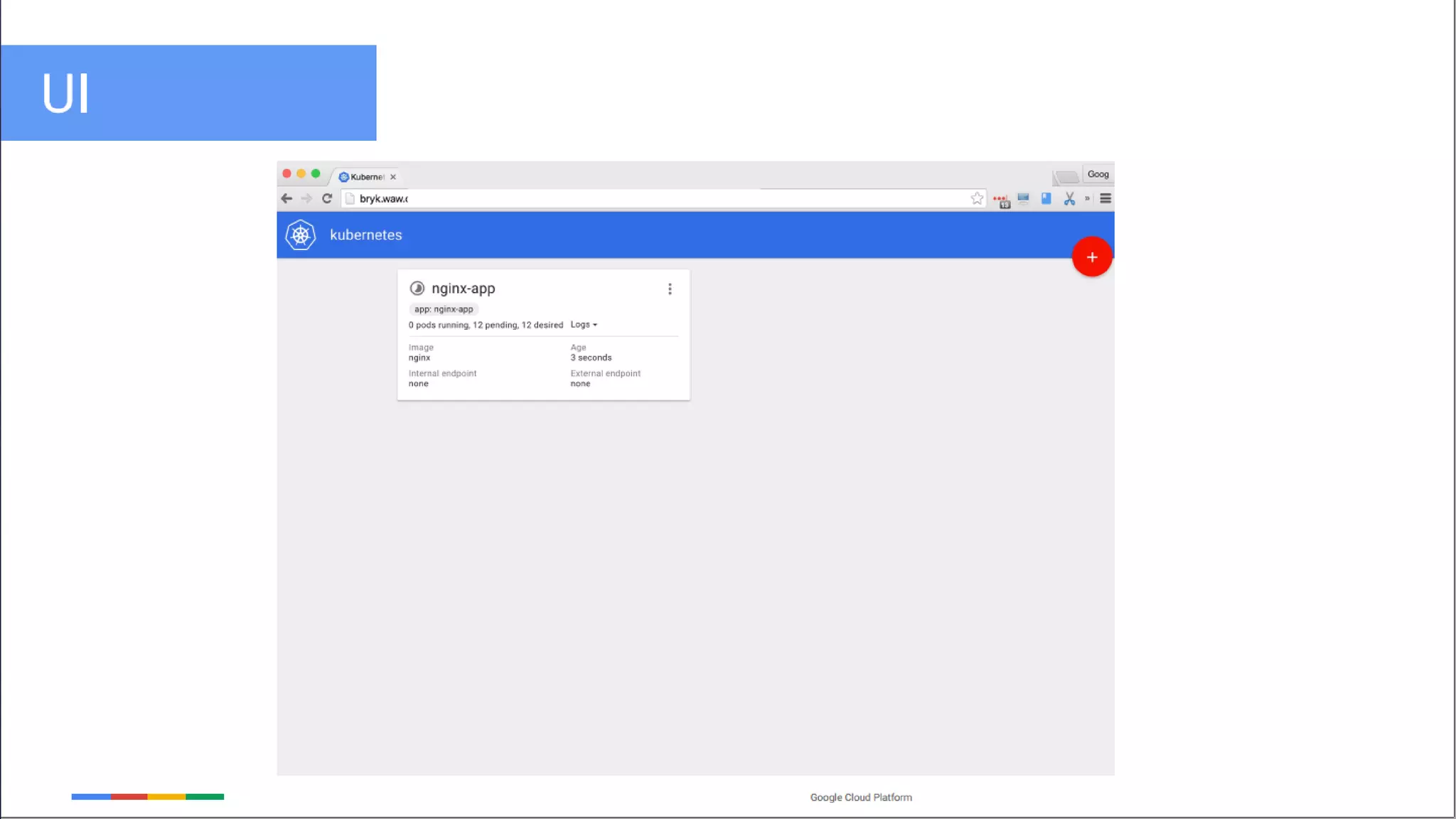
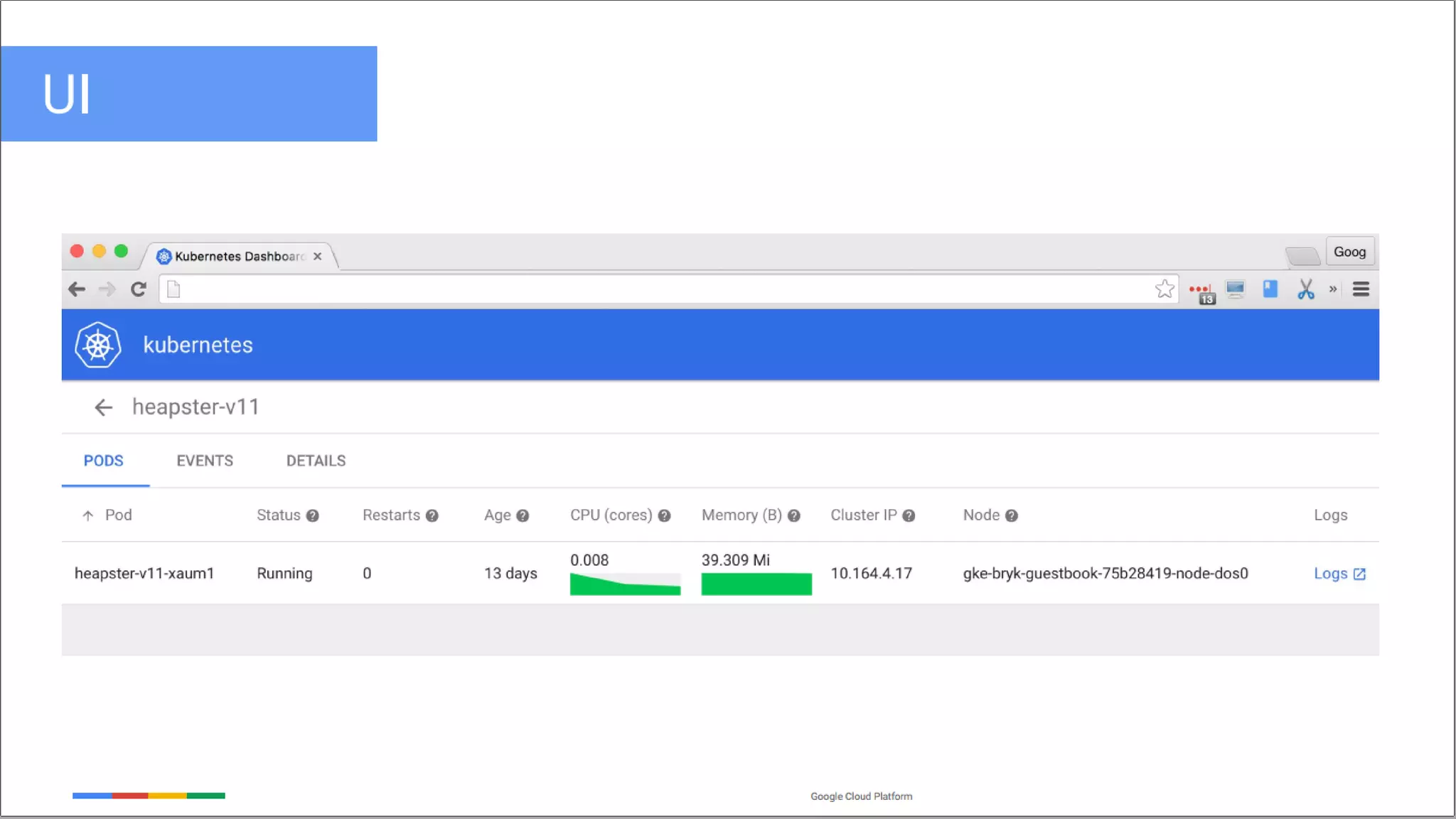
 Minikube/Dashboard
• https://slideplayer.com/slide/7483962/
• https://www.slideshare.net/chhattanshah/cluster-and-grid-computing
• https://martinfowler.com/articles/microservices.html
• http://energystorage.org/membership/members
• https://www.slideshare.net/Docker/introduction-to-docker-2017
• https://www.cloudbees.com/blog/clustering-jenkins-kubernetes-google-container-
engine
• https://en.wikipedia.org/wiki/Representational_state_transfer#History
• http://www.studytrails.com/devops/docker-architecture-engine-containerd-runc/
• https://dev.to/jibinliu/how-to-persist-data-in-docker-container-2m72
• https://docs.docker.com/storage/volumes/
• https://www.slideshare.net/GiacomoVacca/docker-from-scratch
• https://www.ianlewis.org/en/how-kubeadm-initializes-your-kubernetes-master
• https://thenewstack.io/implementing-advanced-scheduling-techniques-with-kubernetes/
• https://medium.com/jorgeacetozi/kubernetes-node-components-service-proxy-kubelet-
and-cadvisor-dcc6928ef58c
• https://blog.risingstack.com/what-is-kubernetes-how-to-get-started/
• https://linuxacademy.com/blog/containers/history-of-container-technology/
• https://blog.risingstack.com/what-is-kubernetes-how-to-get-started/
• https://coreos.com/kubernetes/docs/latest/replication-controller.html
• https://kubernetes.io/docs/concepts/workloads/controllers/deployment/
• https://www.slideshare.net/kubecon/kubecon-eu-2016-keynote-kubernetes-state-of-the-
union
• DevOps With Kubernetes Book

Hands on kubernetes_container_orchestration

  • 1.
    By: Amir HosseinSorouri Cluster & Grid Computing Instructor: Dr. Mohsen Sharifi Date: 2019-May Hands on Kubernetes Container Orchestration In Cluster and Grid Computing
  • 2.
    1. Cluster Review 2.Grid Review 3. Historical Review on Deployment 4. Historical Review on Softwares Architectures Packed up for the Journey…  Contents/Prerequisites/1
  • 3.
    5. Container Conceptsand Fundamentals 6. Hands On Docker 7. Hands On Kubernetes  Contents/1
  • 4.
     Main Issuesin Cluster Environment • Resource Management Scheduling • Fault Handling • Migration • Load Balancing  Cluster Review/1 All Applications
  • 5.
    Three Main Issuesin Grid Environment • Heterogeneity • Scalability • Adaptability  Grid review/1 All Applications
  • 6.
  • 7.
    Resource Management System(RMS) Resource Dissemination and Discovery Protocols • Resource Dissemination Protocol  Information about resources • Discovery Protocol  Resource Discovery  Resource Resolution and co-allocation Protocols • To  Schedule the job at the remote resources  To Simultaneously acquire multiple resources  Grid review/2
  • 8.
    Problem: Solution: Continuous Integration/ContinuousDevelopment (CI/CD)  Historical Review on Deployment/1
  • 9.
    CI Combination ofTools:  Testing Automation Tools: Invokes the unit test program after the build succeeds, then notifies the result to the developer and QA. • Postman Continous Delivery  Historical Review on Deployment/2  Version Control Systems: Helps developers to maintain program source code onto the server. • Git  Build Server: Retrieve source code periodically/automatically when the developer updates the code to VCS, and then trigger a new build • Jenkins • Travis CI
  • 10.
    Configuration Management (CM): Helps to configure an OS Including: • The user • Group • System libraries  Manages multiple servers keeping them consistent with the desired state or configuration CM Combination of Tools:  Ansible  Puppet  Historical Review on Deployment/3 Too Many Softwares
  • 11.
     No ClearDefinition  But it Used to Have: • > than 50 modules or packages • > than 50 database tables  May Takes • > than 30 minutes to build Monolithic Software Architecture:  Cons • inflexible • unscalable • slow development • unreliable  Historical Review on Software Architecture/1
  • 12.
     Has beenattempted back in the 1990s  Structures an application as a collection of services that are: • Highly maintainable • Highly testable • Loosely coupled • Independently deployable Microservice Software Architecture:  Historical Review on Software Architecture/2
  • 13.
     Use themodule remotely (Good for Microservices) Remote Procedure Call:  Historical Review on Software Architecture/3  Cons : • Requires the same programming language • Less security consideration  Have the benefit : • Divide application into multiple processes/programs • Programs can have separate source code repositories stub and skeleton are counterparts in a web service setup
  • 14.
     Invented byRoy Fielding  Defined in his PHD thesis in 2000 RESTful design:  Historical Review on Software Architecture/4  Widely accepted by many developers  De facto standard of distributed applications  RESTful application allows any programming language as it is HTTP-based
  • 15.
     Should careabout the following topics: • Stateless:  Doesn't store user session  Helps to scale out easier. • Versioning and compatibility:  May change and update the API  But should define a version  Should have backward compatibility • No shared datastore:  The microservice owns the datastore such as database. • Integrate CI/CD:  Should adopt CI/CD process to eliminate management effort. Microservices:  Historical Review on Software Architecture/5
  • 16.
    Contents Cont. 5. ContainerConcepts and Fundamentals 6. Docker Hands On 7. Kubernetes Hands On
  • 17.
    Development of Virtualization They say necessity is the mother of invention, and the history of computers is no exception  Back in the ’60s, computers were a rare commodity • To rent one cost well over a thousand dollars a month  which is why in the 1960s and through the 1970s, we saw the development of virtualization  They made it possible to control all processing from a single location • Multiple computer terminals were connected to a single mainframe  Disadvantages • If the user were to crash the central computer  The system would go down for everyone  Container concepts and fundamentals/1
  • 18.
    Development of Virtualization We took another step towards creating shared, yet isolated, in 1979 • Development of the chroot (change root) command  Isolates system processes into their own segregated filesystems  Skip forward a bit in time to the 1990s • Bill Cheswick, His solution was to make modifications to a chrooted environment  Result of his studies Linux jail command.  Process sandboxing features:  File systems  Users  Networks  etc.  Container concepts and fundamentals/2
  • 19.
    The key featureof container is isolation  Container concepts and fundamentals/3
  • 20.
    Linux Namespaces  Providelogical partitions of system resources • mounting point (mnt) • process ID (PID) • network (net)  Container concepts and fundamentals/4 1 2 3
  • 21.
    Out of Memory Container concepts and fundamentals/Linux Namespaces/5 The following diagram illustrates the PID namespaces and how an out-of-memory (OOM) event can affect other processes outside a child namespace
  • 22.
    Linux Control Groups(cgroup) Uses in order to • Limit resource usage by  Setting constraint on different kinds of system resources  Container concepts and fundamentals/6
  • 23.
    These Days ofVirtualization Terms: • Virtualization • Containerization  Container concepts and fundamentals/7
  • 24.
    Linux Container  Twomost important building blocks • namespaces • cgroups (control groups)  Container concepts and fundamentals/8
  • 25.
    Contents Cont. 5. ContainerConcepts and Fundamentals 6. Docker Hands On 7. Kubernetes Hands On
  • 26.
    Docker Fundamental  AnOpen-Source GO framework  Solomon Hykes starts Docker as an internal project within dotCloud in 2013  Hands On Docker/Docker Fundamental/1  Whale is the one who won the contest
  • 27.
    Why GO  Simplicityis Complex  Medium By Example  Hands On Docker/Docker Fundamental/2
  • 28.
    Overall Hierarchy ofDocker  Hands On Docker/Overall Hierarchy of Docker/1
  • 29.
    Docker Engine  Theheart of Docker is the docker engine  Constists of: 1. Docker Server 2. RESTFul API 3. Docker CLI  Hands On Docker/Overall Hierarchy of Docker/Docker Engine/1
  • 30.
    Persistent Storage  Itis used for making data persistent outside the container  Constists of: • Volumes  Maintaining volumes  They are managed using the API  They can be shared amongst multiple containers  They can work on both linux, windows or event remote hosts or cloud providers • Bind Mounts  You can mount a file or directory from the host machine to the docker container using bind mounts • tmpfs Mounts  This can be used to store temporary data  Data is kept on the temporary storage area of the host machine.  Hands On Docker/Overall Hierarchy of Docker/Docker Engine/Docker Server/1
  • 31.
    Networking  Constists of: •Sandbox: It manages the container…  Routing tables  Interfaces  DNS • Endpoint  Endpoints Join a Sandbox to a network. • Network Driver: used by the docker engine to connect to the actual network infrastructure  Remote: Container uses Host networking  Native: Host, Bridge, Overlay, None … • IPAM Driver: Manages IP addresses for Docker  Hands On Docker/Overall Hierarchy of Docker/Docker Engine/Docker Server/2
  • 32.
    Networking  Hands OnDocker/Overall Hierarchy of Docker/Docker Engine/Docker Server/3
  • 33.
    Containerd: The Heartof Container System  Docker Engine uses it to create and manage Containers  It abstracts calls to system or OS specific functionality to run containers on windows, solaris and other Oss  The scope of containerd includes: • Create, start, stop, pause, delete a container, … • Functionality for copy on write file systems for containers (Copy on write) • Build, push and pull images and management of images • Persisting container logs  Hands On Docker/Overall Hierarchy of Docker/Docker Engine/Docker Server/4
  • 34.
    Containerd: The Heartof Container System CONT.  Docker Engine uses it to create and manage Containers  Consists of: • Container runtime – runC  runC is a cli tool that follows the open container initiative(OCI)  runC provides GO implementation to create containers using  Namespace  Cgroups  Filesystem access controls  Linux security capabilities • Snapshotter  A snapshot is a filesystem state  Docker containers use a system known as layers  Layers allow making modifications to a file system and storing them as a changeset on the top of a base layer  A layer is the diff between the snapshots  Hands On Docker/Overall Hierarchy of Docker/Docker Engine/Docker Server/5
  • 35.
    Snapshotter  When acontainer is created • Adds a writable layer(Copy on Write) on top of all the layers  All changes are written to this writable layer • This writable layer is what differentiates a container from an image.  Hands On Docker/Overall Hierarchy of Docker/Docker Engine/Docker Server/Containerd/1
  • 36.
    The Layers  HandsOn Docker/Overall Hierarchy of Docker/Docker Engine/Docker Server/Containerd/2
  • 37.
    Image Vs Container Hands On Docker/Overall Hierarchy of Docker/Docker Engine/Docker Server/Containerd/3 The following diagram depicts the relationship of states between container and images. The captions on the arrows are the corresponding sub-commands of Docker
  • 38.
    The Snapshotter Commands Hands On Docker/Overall Hierarchy of Docker/Docker Engine/Docker Server/Containerd/4
  • 39.
     Hands OnDocker/Overall Hierarchy of Docker/Docker Engine/RESTful API/1 Docker RESTful API
  • 40.
    Glossary  Docker Client:the binary interacting with the Docker Engine.  Docker Image: A filesystem (read-only template) used to create a Container (think “the binary”)  Docker Container: a running image providing a service (think “the process”)  Host: The computer running the Docker Engine  Docker Registery: A private or public (Docker Hub) collection of Docker Images  Docker Hub: A cloud-based repository in which Docker users and partners create, test, store and distribute Docker Images.  Docker Machine: Provision hosts and install Docker on them  Docker Compose: Create and manage multi-container architectures  *Docker Swarm: Orchestrating tool to provision and schedule containers
  • 41.
    Contents Cont. 5. ContainerConcepts and Fundamentals 6. Docker Hands On 7. Kubernetes Hands On
  • 42.
    Kubernetes Fundamental  AnOpen-Source GO framework  Kubernetes (“koo-burr-NET-eez”) is • Conventional pronunciation of a Greek word  “κυβερνήτης” == Helmsman/Pilot  Hands On Kubernetes/Fundamental/1
  • 43.
    Getting Started withKubernetes • Questions: 1. Is there a way to build services across multiple machines without dealing with cumbersome network and storage settings ? 2. Is there any other easy way to manage and roll out our microservices by different service cycle ?  Hands On Kubernetes/Fundamental/2
  • 44.
    Understanding Kubernetes  Kubernetesis a platform for managing application containers across multiple hosts.  Same as the nature of containers: It's designed to run anywhere • Clusters • Grids • Cloud (public, private, hybrid)  Hands On Kubernetes/Understanding Kubernetes/1
  • 45.
    Understanding Kubernetes  Kubernetesconsiders most of the operational needs for application containers • Auto-scaling • Container deployment • Persistent storage • Container health monitoring • Compute resource management • High availability  Hands On Kubernetes/Understanding Kubernetes/2
  • 46.
    Understanding Kubernetes  Kubernetesis a perfect match for microservices  With Kubernetes, we can create a Deployment to: • rollout • roll back Selected containers…  Kubernetes provides an optional horizontal pod auto-scaling feature • by resource • custom metrics  operates on the ratio between desired metric value and current metric value  Hands On Kubernetes/Understanding Kubernetes/3
  • 47.
    Kubernetes Components  Masters •Is the heart of Kubernetes • Controls and schedules all the activities in the cluster  Hands On Kubernetes/Kubernetes Components/1  Nodes • Nodes are the workers that run our containers  Kubernetes includes 2 major players
  • 48.
    Master Components  Includes 1.API server 2. Controller Manager 3. Scheduler 4. Etcd  All components can run on different hosts with clustering • However, from a learning perspective, we'll make all the components run on the same node.  Hands On Kubernetes/Kubernetes Components/Master/1
  • 49.
    API server (kube-apiserver) Provides an HTTP/HTTPS server • provides a RESTful API for all the components in the Kubernetes master  API server reads and updates etcd  Hands On Kubernetes/Kubernetes Components/Master/2
  • 50.
     etcd isan open source distributed key-value store  Kubernetes is distributed • So, it needs a distributed database  Hands On Kubernetes/Kubernetes Components/Master/3 ETCD  Kubernetes uses etcd as a key-value database store for 1. Storing the configuration of the Kubernetes cluster in etcd. 2. Storing the actual state of the system and the desired state  Any node crashing or process dying causes values in etcd to be changed.
  • 51.
    Controller Manager (kube-controller-manager) 1.Ensures all the ReplicationControllers == Desired container amount 2. Node Controller Manager responds when the nodes go down, it will then evict the pods 3. Endpoint Controller is used to associate the relationship between services and pods 4. Service Account and Token Controller are used to control default account and API access tokens.  Hands On Kubernetes/Kubernetes Components/Master/4
  • 52.
    Scheduler (kube-scheduler)  Decideswhich node is suitable for pods to run on according to • resource capacity • balance of the resource utilization on the node  It also considers spreading the pods in the same set to different nodes.  Hands On Kubernetes/Kubernetes Components/Master/5
  • 53.
     Node componentsneed to be provisioned and run on every node, in order to: • report the runtime status of the pod to the master. Node Components  Hands On Kubernetes/Kubernetes Components/Node/1
  • 54.
     Is amajor process in the nodes • Reports node activities to kube-apiserver periodically, such as:  pod health  node health Kubelet  Hands On Kubernetes/Kubernetes Components/Node/2  It runs containers via container runtimes, such as Docker or rkt.
  • 55.
     Kubernetes usesDocker as a default container engine. Docker Engine CAdvisor  The Kubelet ships with built-in support for cAdvisor  It • Collects Processes • Aggregates Processes • Exports metrics  CPU  Memory  File  Network Usage  Hands On Kubernetes/Kubernetes Components/Node/4
  • 56.
     Handles therouting between pod load-balancer and pods • (a.k.a. service)  It also provides the routing from outside to service Proxy (kube-proxy)  Hands On Kubernetes/Kubernetes Components/Node/3  There are two proxy modes • Userspace  Large overhead by switching kernel space and user space • Iptables  Default proxy mode  It changes iptables NAT in Linux to achieve routing TCP and UDP packets across all containers.
  • 57.
     Scheduler determineswhich node should be assigned in order to : • Run pods  Controller Manager monitors the running tasks and responds if any undesired state occurs  The API server responds to the request after: • The client uses kubectl to send requests to the API server • fetches the logs from pods by kubelet • pushes the object information from etcd • pulls the object information from etcd Interaction between Kubernetes master and nodes  Hands On Kubernetes/Kubernetes Components/2
  • 59.
     Nods • Anode is a worker machine in Kubernetes  may be a VM/physical machine  depending on the cluster • Each node contains the services necessary to run pods • is managed by the master components Objects and Workloads  Hands On Kubernetes/Objects and Workloads/1  Services • Container runtime • Kubelet • Kube-Proxy
  • 60.
     Pod • Mostbasic unit • One or more Tightly Coupled Containers are encapsulated in an object called a Pod. • Works as a single, monolithic application to best conceptualize how the cluster will manage the pod's resources and scheduling. • Features  Share a life cycle  Should always be scheduled on the same node  managed entirely as a unit  share their  Environment  Volumes  IP Space Objects and Workloads  Hands On Kubernetes/Objects and Workloads/2
  • 61.
     Jobs • Createsone or more Pods and ensures that a specified number of them successfully terminate  A simple case is to create one Job object in order to reliably run one Pod to completion Objects and Workloads  Hands On Kubernetes/Objects and Workloads/3
  • 62.
    Jobs  Hands OnKubernetes/Objects and Workloads/Jobs/1
  • 63.
  • 64.
     Replication Controllers •Is an object that defines a pod template • An easy way to distribute load • An easy way to increase availability • Control parameters to scale identical replicas of a pod horizontally  EX. increase the desired instance count from 3 to 4 • Ensures that the number of pods deployed in the cluster == The number of pods in its configuration  If a pod or underlying host fails, the controller will start new pods to compensate  Each replication controller has a desired state • Knows how to create new pods as needed  A template that resembles a pod definition is embedded within the replication controller configuration • Replication controllers can also perform rolling updates to roll over a set of pods to a new version Objects and Workloads  Hands On Kubernetes/Objects and Workloads/4
  • 65.
     Makes useof label queries Replication Controllers  Hands On Kubernetes/Objects and Workloads/Replication Controllers/1
  • 66.
     Ensures thata specified number of pod replicas are running at any given time  The link a ReplicaSet has to its Pods is via the Pods’ metadata.ownerReferences field • Specifies what resources the current object is owned by • All Pods acquired by a ReplicaSet have their owning ReplicaSet’s identifying information within their ownerReferences field Replication Sets  Hands On Kubernetes/Objects and Workloads/Replication Sets/1
  • 67.
  • 68.
    • Managing groupsof identical, replicated pods instead of single pods • These are created from pod templates Objects and Workloads • Are the same except the “Roll Over” Feature • Lack some fine grained life cycle management capabilities found in more complex objects.  Hands On Kubernetes/Objects and Workloads/5  Replication Controllers and Replication Sets
  • 69.
     Deployments  Oneof the most common workloads to directly create and manage.  Use replication sets as a building block. Objects and Workloads  Hands On Kubernetes/Objects and Workloads/6
  • 70.
     One ofthe most common workloads to directly create and manage.  Use replication sets as a building block. Deployments  Hands On Kubernetes/Objects and Workloads/Deployments/1
  • 81.
  • 82.
     Persistent Volume(PV) •Piece of storage in the cluster that has been provisioned by an administrator • This API object captures the details of the implementation of the storage, be that NFS, iSCSI, or a cloud- provider-specific storage system. Objects and Workloads  Hands On Kubernetes/Objects and Workloads/7
  • 83.
    Objects and Workloads Hands On Kubernetes/Objects and Workloads/8 • Persistent Volume Claim(PVC) • It is similar to a pod Except 1. Pods consume node resources While PVCs consume PV resources 2. Pods can request specific levels of resources (CPU and Memory)(Namespace). 3. Claims can request specific size and access modes (can be mounted once read/write or many times read-only).
  • 84.
     StatefulSets • Arespecialized pod controllers • Often associated with data-oriented applications  Like databases,  which need access to the same volumes even if rescheduled to a new node. • Gives fine-grained control when you have special requirements related to :  Stable, unique network identifiers.  Stable, persistent storage.  Ordered, graceful deployment and scaling.  Ordered, automated rolling updates. Objects and Workloads  Hands On Kubernetes/Objects and Workloads/9
  • 85.
     Update Strategies • • StatefulSets Hands On Kubernetes/Objects and Workloads/Stateful Sets/1
  • 86.
     Daemon Sets •Another specialized form of pod controller • Run a copy of a pod on each node in the cluster (or a subset, if specified) • Useful when deploying pods that help {perform maintenance/provide services} for the nodes • Example:  running a cluster storage daemon, such as glusterd, ceph, on each node  running a logs collection daemon on every node, such as fluentd or logstash  running a node monitoring daemon on every node, such as  Prometheus Node Exporter  Collectd  SignalFx Agent Objects and Workloads  Hands On Kubernetes/Objects and Workloads/10
  • 87.
    Daemon Sets  HandsOn Kubernetes/Objects and Workloads/Daemon Sets/1
  • 94.
    At its basiclevel: is a …1... for …2… , …3… across …4…
  • 95.
    At its basiclevel: is a …1... for …2… , …3… across …4… 1. System
  • 96.
    At its basiclevel: is a System for …2… , …3… across …4… 1. System 2. Running and Coordinating
  • 97.
    At its basiclevel: is a System for Running and Coordinating , …3… across …4… 1. System 2. Running and Coordinating 3. Containerized Applications
  • 98.
    At its basiclevel: is a System for Running and Coordinating , Containerized Applications across …4… 1. System 2. Running and Coordinating 3. Containerized Applications 4. Clusters of Machines
  • 99.
    At its basiclevel: is a ... System for Running and Coordinating , Containerized Applications across Clusters of Machines
  • 103.
  • 105.
    • https://slideplayer.com/slide/7483962/ • https://www.slideshare.net/chhattanshah/cluster-and-grid-computing •https://martinfowler.com/articles/microservices.html • http://energystorage.org/membership/members • https://www.slideshare.net/Docker/introduction-to-docker-2017 • https://www.cloudbees.com/blog/clustering-jenkins-kubernetes-google-container- engine
  • 106.
    • https://en.wikipedia.org/wiki/Representational_state_transfer#History • http://www.studytrails.com/devops/docker-architecture-engine-containerd-runc/ •https://dev.to/jibinliu/how-to-persist-data-in-docker-container-2m72 • https://docs.docker.com/storage/volumes/ • https://www.slideshare.net/GiacomoVacca/docker-from-scratch • https://www.ianlewis.org/en/how-kubeadm-initializes-your-kubernetes-master • https://thenewstack.io/implementing-advanced-scheduling-techniques-with-kubernetes/ • https://medium.com/jorgeacetozi/kubernetes-node-components-service-proxy-kubelet- and-cadvisor-dcc6928ef58c
  • 107.
    • https://blog.risingstack.com/what-is-kubernetes-how-to-get-started/ • https://linuxacademy.com/blog/containers/history-of-container-technology/ •https://blog.risingstack.com/what-is-kubernetes-how-to-get-started/ • https://coreos.com/kubernetes/docs/latest/replication-controller.html • https://kubernetes.io/docs/concepts/workloads/controllers/deployment/ • https://www.slideshare.net/kubecon/kubecon-eu-2016-keynote-kubernetes-state-of-the- union • DevOps With Kubernetes Book