Download to read offline











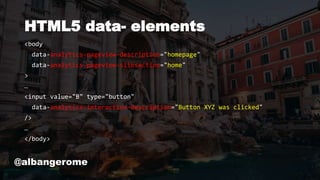
![data-analytics-* footprint (XPath)
(function(){
var matches = document.evaluate(
"//@*[starts-with(name(),'data-analytics-')]",
document,
null,
XPathResult.ORDERED_NODE_SNAPSHOT_TYPE,
null
);
var i = matches.snapshotLength;
while(i--) console.log(matches.snapshotItem(i));
})();
@albangerome](https://image.slidesharecdn.com/taggingdifferently-slideshare-190515074032/85/Tagging-differently-19-320.jpg)
![DOM Mutations
new MutationObserver(function(mutations){
if(a = mutations.filter(function(mutation){
return !!mutation.target.dataset.analyticsPageviewDescription;
})){
console.log(a[0]); //returns the DOM element with the page name
};
}).observe(
document.body, {
subtree : !0,
attributes : !0
}
);
@albangerome](https://image.slidesharecdn.com/taggingdifferently-slideshare-190515074032/85/Tagging-differently-20-320.jpg)










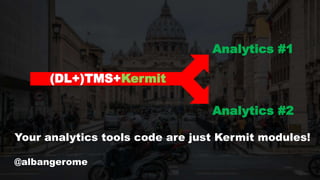




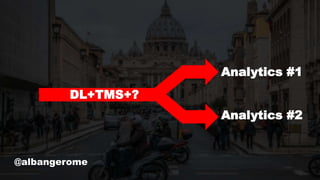
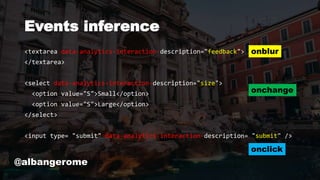
The document discusses advancements in tag management and analytics implementation, highlighting the use of HTML5 data attributes and the need for server-side handling of cookies and analytics hashes. It emphasizes the importance of a data layer and outlines ongoing challenges and potential improvements in the tracking systems. Additionally, references to a tool named Kermit are made for managing analytics code in an open-source manner.


![[DSC Europe 25] Bojan Djuricic - Predictive Design Process.pdf](https://cdn.slidesharecdn.com/ss_thumbnails/5awdrbedqdek3gqu2ezy-4-the-predictive-design-bojan-djuricic-260120105856-6c399e9b-thumbnail.jpg?width=640&height=640&fit=bounds)


