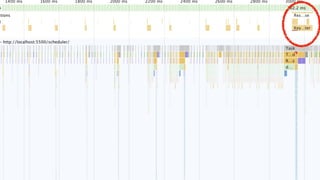
Don't block the event loop!
JavaScript Async for Effortless UX
Jaeseok Kang

(kang89kr@gmail.com)
Jaeseok Kang
JSConf Korea 2019JS
Jaeseok Kang
JSConf Korea 2019JSConf Korea 2019
Jaeseok Kang
I'm going to talk about..!
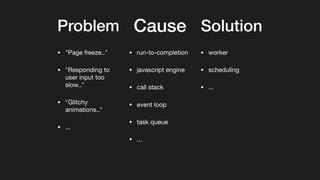
Cause SolutionProblem
Cause Solution
• "Page freeze.."

• "Responding to
user input too
slow.."

• "Glitchy
animations.."

• ...
Problem
• run-to-completion

• javascript engine

• call stack

• event loop

• task queue

• ...
• worker

• scheduling

• ...
This is an exploration
for a better solution,
not a clear solution.
⚠
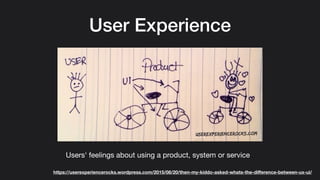
User Experience
Users' feelings about using a product, system or service
https://userexperiencerocks.wordpress.com/2015/08/20/then-my-kiddo-asked-whats-the-difference-between-ux-ui/
• "Page freeze.."

• "Responding to user input too slow.."

• "Glitchy animations.."
Why do they happen?
Something may be slowing things
down and blocking others. #
Run-to-completion $
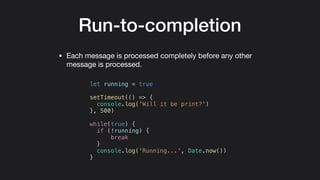
Run-to-completion
• Each message is processed completely before any other
message is processed.
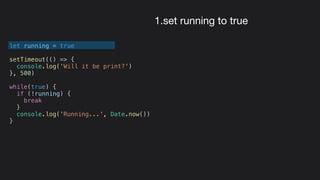
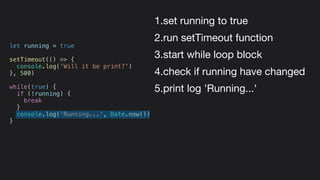
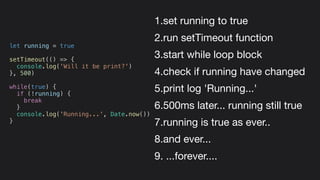
let running = true
setTimeout(() => {
console.log('Will it be print?')
}, 500)
while(true) {
if (!running) {
break
}
console.log('Running...', Date.now())
}
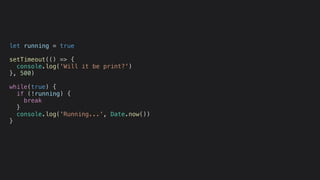
let running = true
setTimeout(() => {
console.log('Will it be print?')
}, 500)
while(true) {
if (!running) {
break
}
console.log('Running...', Date.now())
}
1.set running to true
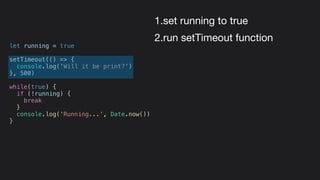
let running = true
setTimeout(() => {
console.log('Will it be print?')
}, 500)
while(true) {
if (!running) {
break
}
console.log('Running...', Date.now())
}
1.set running to true
2.run setTimeout function
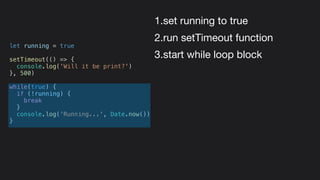
let running = true
setTimeout(() => {
console.log('Will it be print?')
}, 500)
while(true) {
if (!running) {
break
}
console.log('Running...', Date.now())
}
1.set running to true
2.run setTimeout function
3.start while loop block
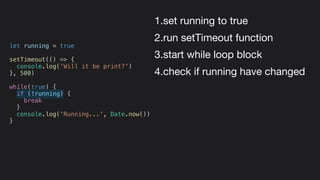
let running = true
setTimeout(() => {
console.log('Will it be print?')
}, 500)
while(true) {
if (!running) {
break
}
console.log('Running...', Date.now())
}
1.set running to true
2.run setTimeout function
3.start while loop block
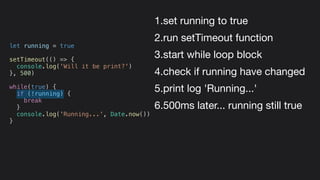
4.check if running have changed
let running = true
setTimeout(() => {
console.log('Will it be print?')
}, 500)
while(true) {
if (!running) {
break
}
console.log('Running...', Date.now())
}
1.set running to true
2.run setTimeout function
3.start while loop block
4.check if running have changed
5.print log 'Running...'
let running = true
setTimeout(() => {
console.log('Will it be print?')
}, 500)
while(true) {
if (!running) {
break
}
console.log('Running...', Date.now())
}
1.set running to true
2.run setTimeout function
3.start while loop block
4.check if running have changed
5.print log 'Running...'
6.500ms later... running still true
let running = true
setTimeout(() => {
console.log('Will it be print?')
}, 500)
while(true) {
if (!running) {
break
}
console.log('Running...', Date.now())
}
1.set running to true
2.run setTimeout function
3.start while loop block
4.check if running have changed
5.print log 'Running...'
6.500ms later... running still true
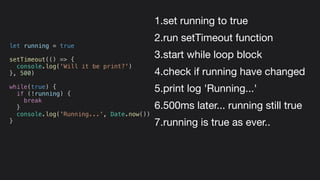
7.running is true as ever..
let running = true
setTimeout(() => {
console.log('Will it be print?')
}, 500)
while(true) {
if (!running) {
break
}
console.log('Running...', Date.now())
}
1.set running to true
2.run setTimeout function
3.start while loop block
4.check if running have changed
5.print log 'Running...'
6.500ms later... running still true
7.running is true as ever..
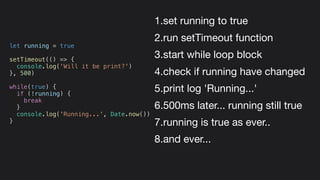
8.and ever...
let running = true
setTimeout(() => {
console.log('Will it be print?')
}, 500)
while(true) {
if (!running) {
break
}
console.log('Running...', Date.now())
}
1.set running to true
2.run setTimeout function
3.start while loop block
4.check if running have changed
5.print log 'Running...'
6.500ms later... running still true
7.running is true as ever..
8.and ever...
9. ...forever....
let running = true
setTimeout(() => {
console.log('Will it be print?')
}, 500)
while(true) {
if (!running) {
break
}
console.log('Running...', Date.now())
}
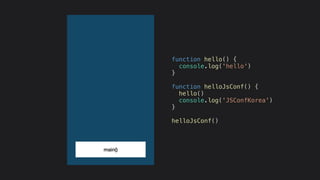
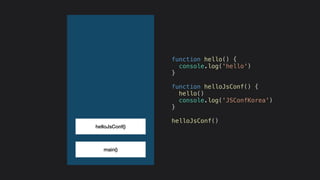
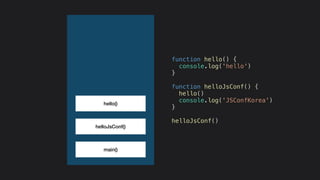
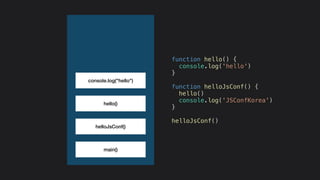
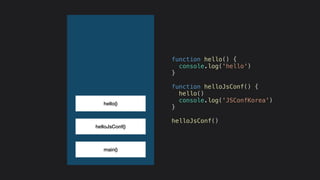
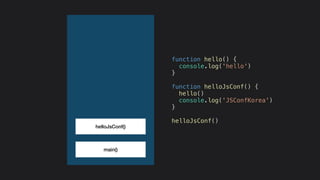
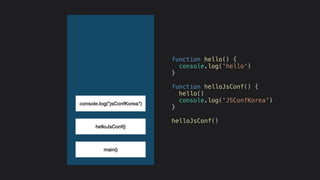
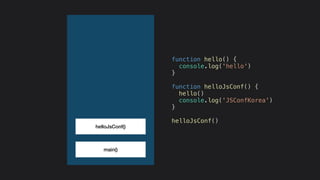
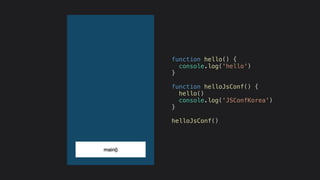
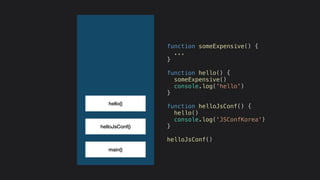
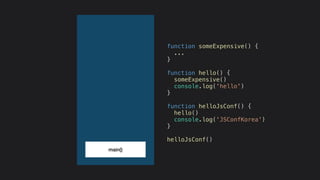
Call stack %
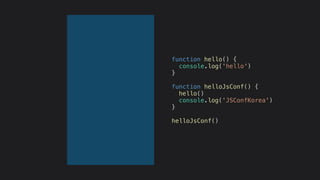
function hello() {
console.log('hello')
}
function helloJsConf() {
hello()
console.log('JSConfKorea')
}
helloJsConf()
function hello() {
console.log('hello')
}
function helloJsConf() {
hello()
console.log('JSConfKorea')
}
helloJsConf()
main()
function hello() {
console.log('hello')
}
function helloJsConf() {
hello()
console.log('JSConfKorea')
}
helloJsConf()
helloJsConf()
main()
function hello() {
console.log('hello')
}
function helloJsConf() {
hello()
console.log('JSConfKorea')
}
helloJsConf()
helloJsConf()
hello()
main()
function hello() {
console.log('hello')
}
function helloJsConf() {
hello()
console.log('JSConfKorea')
}
helloJsConf()
helloJsConf()
hello()
main()
console.log("hello")
function hello() {
console.log('hello')
}
function helloJsConf() {
hello()
console.log('JSConfKorea')
}
helloJsConf()
helloJsConf()
hello()
main()
function hello() {
console.log('hello')
}
function helloJsConf() {
hello()
console.log('JSConfKorea')
}
helloJsConf()
helloJsConf()
main()
function hello() {
console.log('hello')
}
function helloJsConf() {
hello()
console.log('JSConfKorea')
}
helloJsConf()
helloJsConf()
main()
console.log("jsConfKorea")
function hello() {
console.log('hello')
}
function helloJsConf() {
hello()
console.log('JSConfKorea')
}
helloJsConf()
helloJsConf()
main()
function hello() {
console.log('hello')
}
function helloJsConf() {
hello()
console.log('JSConfKorea')
}
helloJsConf()
main()
function hello() {
console.log('hello')
}
function helloJsConf() {
hello()
console.log('JSConfKorea')
}
helloJsConf()
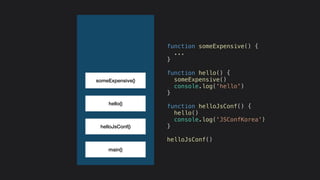
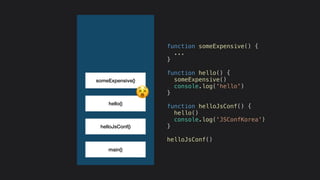
Let’s say we have some
expensive task &
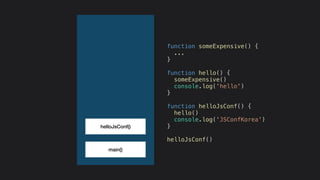
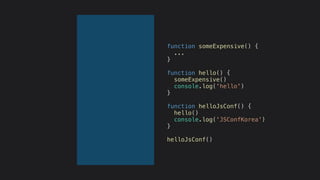
function someExpensive() {
...
}
function hello() {
someExpensive()
console.log('hello')
}
function helloJsConf() {
hello()
console.log('JSConfKorea')
}
helloJsConf()
main()
function someExpensive() {
...
}
function hello() {
someExpensive()
console.log('hello')
}
function helloJsConf() {
hello()
console.log('JSConfKorea')
}
helloJsConf()
helloJsConf()
main()
function someExpensive() {
...
}
function hello() {
someExpensive()
console.log('hello')
}
function helloJsConf() {
hello()
console.log('JSConfKorea')
}
helloJsConf()
helloJsConf()
hello()
main()
function someExpensive() {
...
}
function hello() {
someExpensive()
console.log('hello')
}
function helloJsConf() {
hello()
console.log('JSConfKorea')
}
helloJsConf()
helloJsConf()
hello()
main()
function someExpensive() {
...
}
function hello() {
someExpensive()
console.log('hello')
}
function helloJsConf() {
hello()
console.log('JSConfKorea')
}
helloJsConf()
someExpensive()
helloJsConf()
hello()
main()
function someExpensive() {
...
}
function hello() {
someExpensive()
console.log('hello')
}
function helloJsConf() {
hello()
console.log('JSConfKorea')
}
helloJsConf()
someExpensive()
'
How to handle concurrency
in browser? ⚙
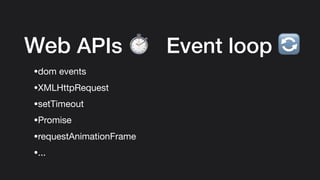
Web APIs ⏱
•dom events

•XMLHttpRequest

•setTimeout

•Promise

•requestAnimationFrame

•...
Event loop *
Event loop *
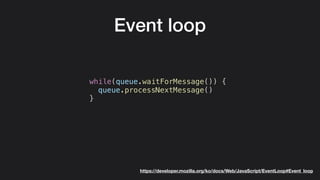
Event loop
while(queue.waitForMessage()) {
queue.processNextMessage()
}
https://developer.mozilla.org/ko/docs/Web/JavaScript/EventLoop#Event_loop
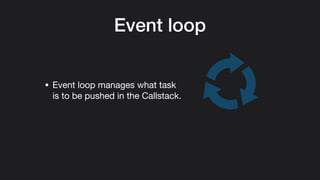
Event loop
• Event loop manages what task
is to be pushed in the Callstack.
Event loop
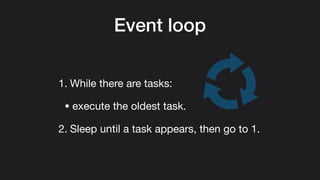
1. While there are tasks:

• execute the oldest task.

2. Sleep until a task appears, then go to 1.
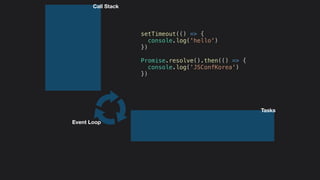
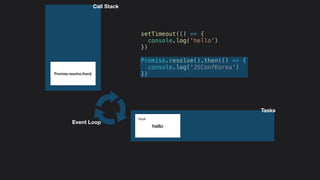
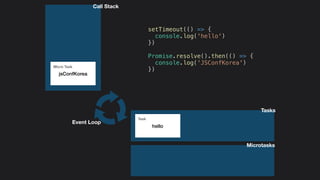
setTimeout(() => {
console.log('hello')
})
Promise.resolve().then(() => {
console.log('JSConfKorea')
})
Call Stack
Tasks
Event Loop
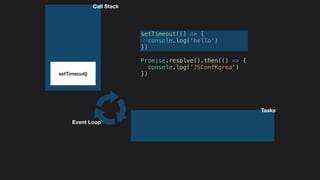
setTimeout(() => {
console.log('hello')
})
Promise.resolve().then(() => {
console.log('JSConfKorea')
})setTimeout()
Call Stack
Tasks
Event Loop
setTimeout(() => {
console.log('hello')
})
Promise.resolve().then(() => {
console.log('JSConfKorea')
})
Call Stack
Tasks
Event Loop
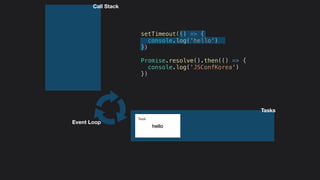
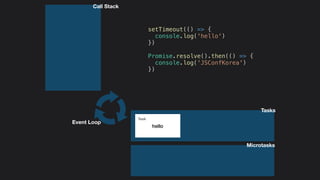
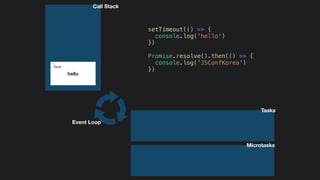
hello
Task
setTimeout(() => {
console.log('hello')
})
Promise.resolve().then(() => {
console.log('JSConfKorea')
})Promise.resolve.then()
Call Stack
Tasks
Event Loop
hello
Task
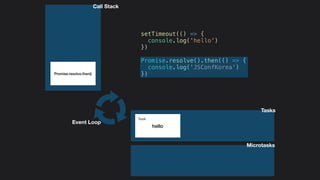
Microtasks
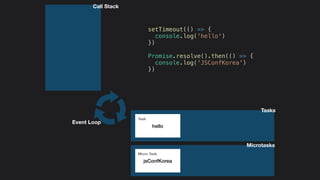
setTimeout(() => {
console.log('hello')
})
Promise.resolve().then(() => {
console.log('JSConfKorea')
})Promise.resolve.then()
Call Stack
Tasks
Event Loop
hello
Task
Microtasks
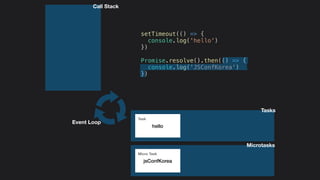
setTimeout(() => {
console.log('hello')
})
Promise.resolve().then(() => {
console.log('JSConfKorea')
})
Call Stack
Tasks
Event Loop
hello
Task
jsConfKorea
Micro Task
Microtasks
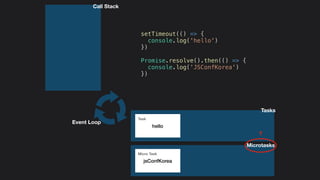
setTimeout(() => {
console.log('hello')
})
Promise.resolve().then(() => {
console.log('JSConfKorea')
})
Call Stack
Tasks
Event Loop
hello
Task
jsConfKorea
Micro Task
?
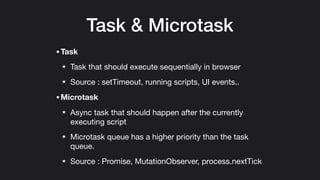
Task & Microtask
•Task
Task that should execute sequentially in browser

Source : setTimeout, running scripts, UI events..

•Microtask
Async task that should happen after the currently
executing script

Microtask queue has a higher priority than the task
queue.
Source : Promise, MutationObserver, process.nextTick
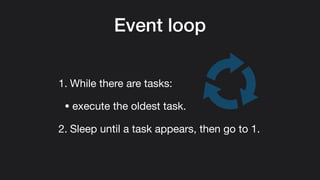
Event loop
1. While there are tasks:
• execute the oldest task.

2. Sleep until a task appears, then go to 1.
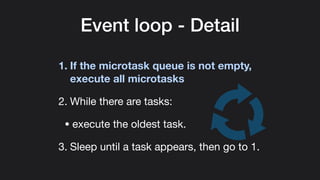
Event loop - Detail
1. If the microtask queue is not empty,
execute all microtasks
2. While there are tasks:

• execute the oldest task.

3. Sleep until a task appears, then go to 1.
Call Stack
Tasks
Event Loop
hello
Task
jsConfKorea
Micro Task
Microtasks
setTimeout(() => {
console.log('hello')
})
Promise.resolve().then(() => {
console.log('JSConfKorea')
})
Call Stack
Tasks
Event Loop
hello
Task
jsConfKorea
Micro Task
Microtasks
setTimeout(() => {
console.log('hello')
})
Promise.resolve().then(() => {
console.log('JSConfKorea')
})
Call Stack
Tasks
Event Loop
hello
Task
Microtasks
setTimeout(() => {
console.log('hello')
})
Promise.resolve().then(() => {
console.log('JSConfKorea')
})
Call Stack
Tasks
Event Loop
hello
Task
Microtasks
setTimeout(() => {
console.log('hello')
})
Promise.resolve().then(() => {
console.log('JSConfKorea')
})
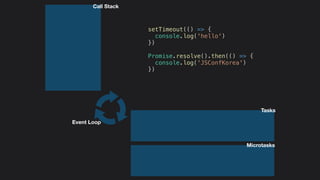
Call Stack
Tasks
Event Loop
Microtasks
setTimeout(() => {
console.log('hello')
})
Promise.resolve().then(() => {
console.log('JSConfKorea')
})
So...
Can asynchronous JavaScript
solve all the problems?
So...
Can asynchronous JavaScript
solve all the problems?
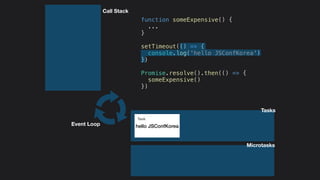
+
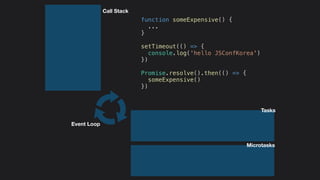
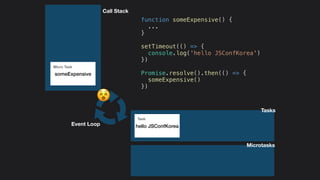
function someExpensive() {
...
}
setTimeout(() => {
console.log('hello JSConfKorea')
})
Promise.resolve().then(() => {
someExpensive()
})
Call Stack
Event Loop
Tasks
Microtasks
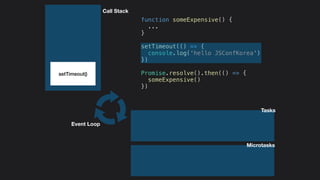
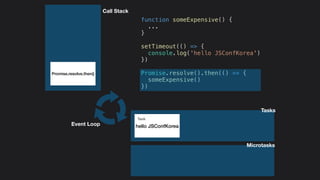
function someExpensive() {
...
}
setTimeout(() => {
console.log('hello JSConfKorea')
})
Promise.resolve().then(() => {
someExpensive()
})
setTimeout()
Call Stack
Event Loop
Tasks
Microtasks
function someExpensive() {
...
}
setTimeout(() => {
console.log('hello JSConfKorea')
})
Promise.resolve().then(() => {
someExpensive()
})
Call Stack
Event Loop hello JSConfKorea
Task
Tasks
Microtasks
function someExpensive() {
...
}
setTimeout(() => {
console.log('hello JSConfKorea')
})
Promise.resolve().then(() => {
someExpensive()
})
Promise.resolve.then()
Call Stack
Event Loop hello JSConfKorea
Task
Tasks
Microtasks
function someExpensive() {
...
}
setTimeout(() => {
console.log('hello JSConfKorea')
})
Promise.resolve().then(() => {
someExpensive()
})
Call Stack
Event Loop hello JSConfKorea
Task
someExpensive
Micro Task
Tasks
Microtasks
function someExpensive() {
...
}
setTimeout(() => {
console.log('hello JSConfKorea')
})
Promise.resolve().then(() => {
someExpensive()
})
Call Stack
Event Loop hello JSConfKorea
Task
someExpensive
Micro Task
Tasks
Microtasks
function someExpensive() {
...
}
setTimeout(() => {
console.log('hello JSConfKorea')
})
Promise.resolve().then(() => {
someExpensive()
})
Call Stack
Event Loop hello JSConfKorea
Task
someExpensive
Micro Task
'
Tasks
Microtasks
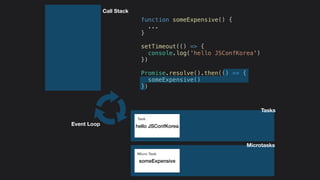
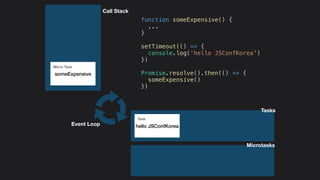
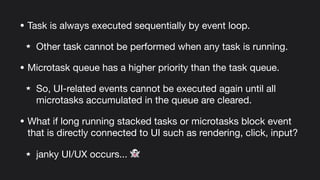
• Task is always executed sequentially by event loop.

Other task cannot be performed when any task is running.

• Microtask queue has a higher priority than the task queue.
So, UI-related events cannot be executed again until all
microtasks accumulated in the queue are cleared.
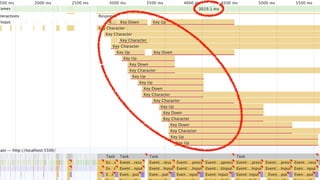
• What if long running stacked tasks or microtasks block event
that is directly connected to UI such as rendering, click, input?

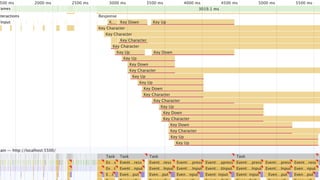
janky UI/UX occurs... ,
How to handle this blocking?
'
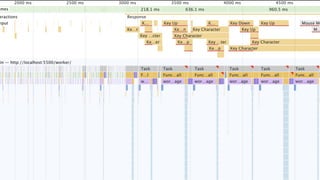
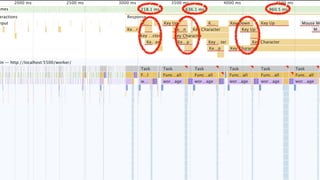
Demo
https://github.com/jaeseokk/ui-block-demo
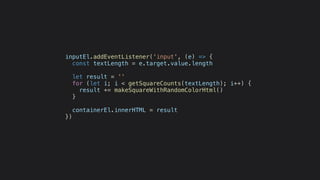
inputEl.addEventListener('input', (e) => {
const textLength = e.target.value.length
let result = ''
for (let i; i < getSquareCounts(textLength); i++) {
result += makeSquareWithRandomColorHtml()
}
containerEl.innerHTML = result
})
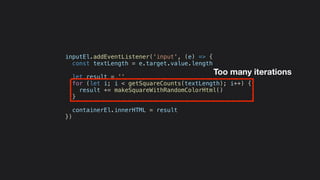
inputEl.addEventListener('input', (e) => {
const textLength = e.target.value.length
let result = ''
for (let i; i < getSquareCounts(textLength); i++) {
result += makeSquareWithRandomColorHtml()
}
containerEl.innerHTML = result
})
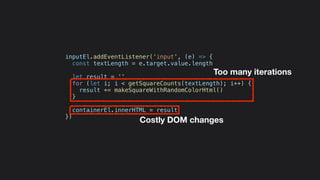
Too many iterations
inputEl.addEventListener('input', (e) => {
const textLength = e.target.value.length
let result = ''
for (let i; i < getSquareCounts(textLength); i++) {
result += makeSquareWithRandomColorHtml()
}
containerEl.innerHTML = result
})
Too many iterations
Costly DOM changes
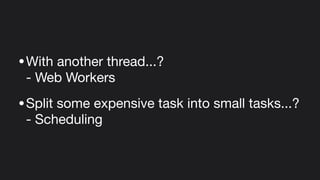
•With another thread...? 

- Web Workers

•Split some expensive task into small tasks...? 

- Scheduling
Web Workers
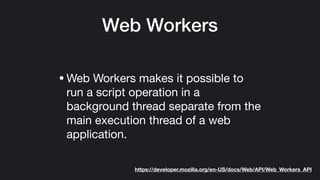
•Web Workers makes it possible to
run a script operation in a
background thread separate from the
main execution thread of a web
application.
https://developer.mozilla.org/en-US/docs/Web/API/Web_Workers_API
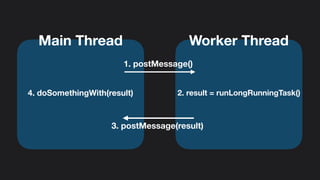
Main Thread Worker Thread
2. result = runLongRunningTask()
1. postMessage()
3. postMessage(result)
4. doSomethingWith(result)
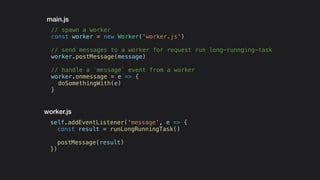
self.addEventListener('message', e => {
const result = runLongRunningTask()
postMessage(result)
})
// spawn a worker
const worker = new Worker('worker.js')
// send messages to a worker for request run long-runnging-task
worker.postMessage(message)
// handle a `message` event from a worker
worker.onmessage = e => {
doSomethingWith(e)
}
worker.js
main.js
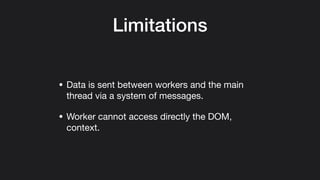
Limitations
• Data is sent between workers and the main
thread via a system of messages.

• Worker cannot access directly the DOM,
context.
Scheduling
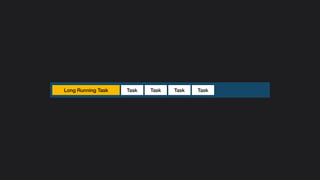
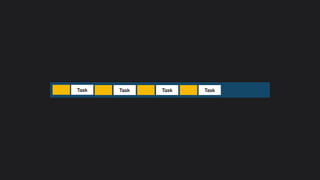
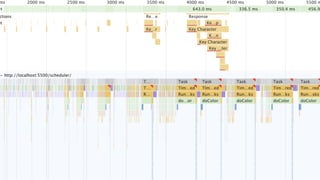
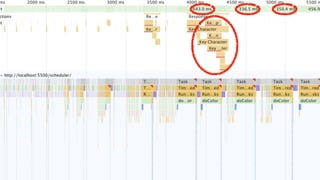
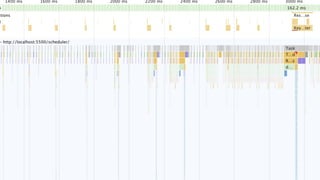
• Slice your heavy task in light sub-tasks and run
them asynchronously.
TaskLong Running Task TaskTask Task
Task TaskTask Task
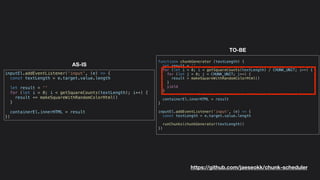
function* chunkGenerator (textLength) {
let result = ''
for (let i = 0; i < getSquareCounts(textLength) / CHUNK_UNIT; i++) {
for (let j = 0; j < CHUNK_UNIT; j++) {
result = makeSquareWithRandomColorHtml()
}
yield
}
containerEl.innerHTML = result
}
inputEl.addEventListener('input', (e) => {
const textLength = e.target.value.length
runChunks(chunkGenerator(textLength))
})
inputEl.addEventListener('input', (e) => {
const textLength = e.target.value.length
let result = ''
for (let i = 0; i < getSquareCounts(textLength); i++) {
result += makeSquareWithRandomColorHtml()
}
containerEl.innerHTML = result
})
AS-IS
TO-BE
https://github.com/jaeseokk/chunk-scheduler
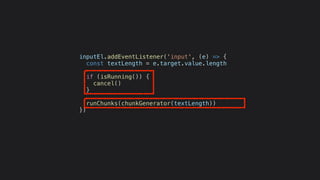
inputEl.addEventListener('input', (e) => {
const textLength = e.target.value.length
if (isRunning()) {
cancel()
}
runChunks(chunkGenerator(textLength))
})
Recap
• If long-running-tasks or microtasks block rendering, click, and
text input, a janky UI that harms user experience can be
delivered can occur.
• This is due to the structure of the JavaScript engine, event-
loop, etc. and needs to understand and handle properly.
• To handle this, Delegate long-running-tasks to other threads
using Web Worker,
• Or, split the long-running-task properly so that other important
UI events do not block.
Thank you -

JavaScript Async for Effortless UX