The JavaScript Event Loop
Concurrency in the Language of the Web
Me
● Developer at Carbon Five
● Software developer since 2000
● Serious JavaScript since 2006
What’s this presentation about?
● JavaScript’s asynchronous approach to I/O
● Elements of JavaScript runtimes that make
this possible
● Runtime-specific approaches to handling
concurrency
Target Audience
● Anyone interested in JavaScript
● Actually, all web developers
● Anyone interested in different approaches to
tackling concurrency
Assumptions
● You’ve written a fair amount of JavaScript
● You’re familiar with some computer-sciency
concepts like:
○ call stack
○ thread
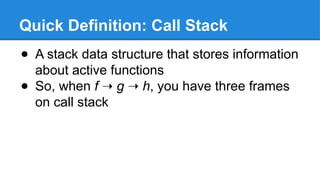
Quick Definition: Call Stack
● A stack data structure that stores information
about active functions
● So, when f ➝ g ➝ h, you have three frames
on call stack
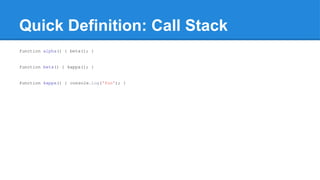
Quick Definition: Call Stack
function alpha() { beta(); }
function beta() { kappa(); }
function kappa() { console.log('foo'); }
Quick Definition: Thread
● One execution path through your code
JS Guiding Principle: No Waiting
● Your JavaScript code follows a single thread
of execution
● Don’t make the thread wait
● Register a callback function and let the
thread continue on
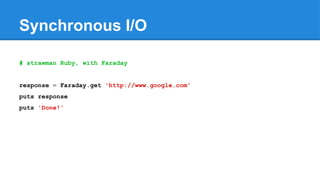
Synchronous I/O
# strawman Ruby, with Faraday
response = Faraday.get 'http://www.google.com'
puts response
puts 'Done!'
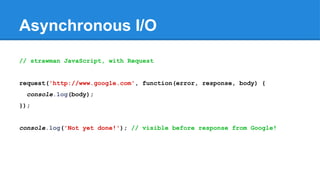
Asynchronous I/O
// strawman JavaScript, with Request
request('http://www.google.com', function(error, response, body) {
console.log(body);
});
console.log('Not yet done!'); // visible before response from Google!
Elements of a JavaScript Runtime
● Message queue
● Event loop
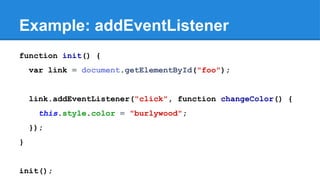
Example: addEventListener
function init() {
var link = document.getElementById("foo");
link.addEventListener("click", function changeColor() {
this.style.color = "burlywood";
});
}
init();
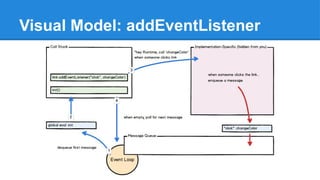
Visual Model: addEventListener
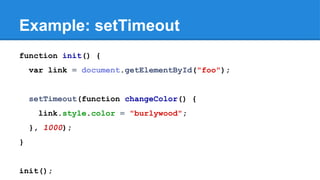
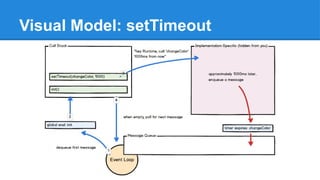
Example: setTimeout
function init() {
var link = document.getElementById("foo");
setTimeout(function changeColor() {
link.style.color = "burlywood";
}, 1000);
}
init();
Visual Model: setTimeout
Why?
● Handle concurrent operations without
multiple threads of execution
● Works great if you’re I/O bound (or waiting
on user events), and maybe not-so-good if
you’re CPU-bound
Synchronous Operations
● Some operations are synchronous
● Event Loop is single-threaded so...
● Expensive, synchronous operations will
cause runtime to become unresponsive
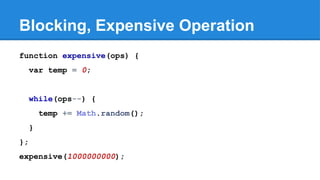
Blocking, Expensive Operation
function expensive(ops) {
var temp = 0;
while(ops--) {
temp += Math.random();
}
};
expensive(1000000000);
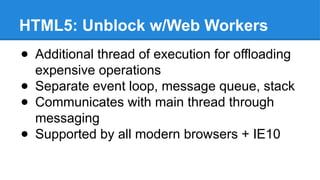
HTML5: Unblock w/Web Workers
● Additional thread of execution for offloading
expensive operations
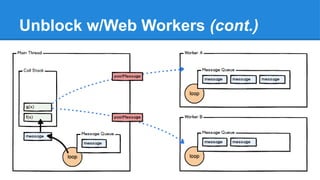
● Separate event loop, message queue, stack
● Communicates with main thread through
messaging
● Supported by all modern browsers + IE10
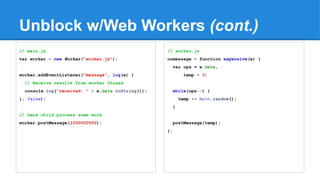
Unblock w/Web Workers (cont.)
// main.js
var worker = new Worker("worker.js");
worker.addEventListener("message", log(e) {
// Receive results from worker thread
console.log("received: " + e.data.toString());
}, false);
// Send child process some work
worker.postMessage(1000000000);
// worker.js
onmessage = function expensive(e) {
var ops = e.data,
temp = 0;
while(ops--) {
temp += Math.random();
}
postMessage(temp);
};
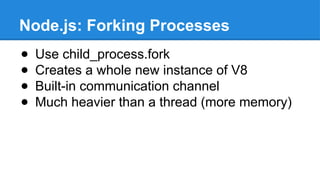
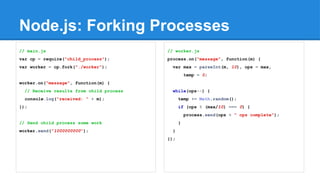
Node.js: Forking Processes
● Use child_process.fork
● Creates a whole new instance of V8
● Built-in communication channel
● Much heavier than a thread (more memory)
Node.js: Forking Processes
// main.js
var cp = require("child_process");
var worker = cp.fork("./worker");
worker.on("message", function(m) {
// Receive results from child process
console.log("received: " + m);
});
// Send child process some work
worker.send("1000000000");
// worker.js
process.on("message", function(m) {
var max = parseInt(m, 10), ops = max,
temp = 0;
while(ops--) {
temp += Math.random();
if (ops % (max/10) === 0) {
process.send(ops + " ops complete");
}
}
});
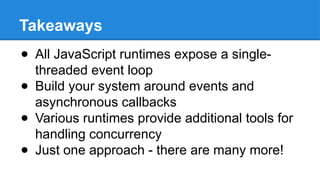
Takeaways
● All JavaScript runtimes expose a single-
threaded event loop
● Build your system around events and
asynchronous callbacks
● Various runtimes provide additional tools for
handling concurrency
● Just one approach - there are many more!

The JavaScript Event Loop - Concurrency in the Language of the Web

  • 1.
    The JavaScript EventLoop Concurrency in the Language of the Web
  • 2.
    Me ● Developer atCarbon Five ● Software developer since 2000 ● Serious JavaScript since 2006
  • 3.
    What’s this presentationabout? ● JavaScript’s asynchronous approach to I/O ● Elements of JavaScript runtimes that make this possible ● Runtime-specific approaches to handling concurrency
  • 4.
    Target Audience ● Anyoneinterested in JavaScript ● Actually, all web developers ● Anyone interested in different approaches to tackling concurrency
  • 5.
    Assumptions ● You’ve writtena fair amount of JavaScript ● You’re familiar with some computer-sciency concepts like: ○ call stack ○ thread
  • 6.
    Quick Definition: CallStack ● A stack data structure that stores information about active functions ● So, when f ➝ g ➝ h, you have three frames on call stack
  • 7.
    Quick Definition: CallStack function alpha() { beta(); } function beta() { kappa(); } function kappa() { console.log('foo'); }
  • 8.
    Quick Definition: Thread ●One execution path through your code
  • 9.
    JS Guiding Principle:No Waiting ● Your JavaScript code follows a single thread of execution ● Don’t make the thread wait ● Register a callback function and let the thread continue on
  • 10.
    Synchronous I/O # strawmanRuby, with Faraday response = Faraday.get 'http://www.google.com' puts response puts 'Done!'
  • 11.
    Asynchronous I/O // strawmanJavaScript, with Request request('http://www.google.com', function(error, response, body) { console.log(body); }); console.log('Not yet done!'); // visible before response from Google!
  • 12.
    Elements of aJavaScript Runtime ● Message queue ● Event loop
  • 13.
    Example: addEventListener function init(){ var link = document.getElementById("foo"); link.addEventListener("click", function changeColor() { this.style.color = "burlywood"; }); } init();
  • 14.
  • 15.
    Example: setTimeout function init(){ var link = document.getElementById("foo"); setTimeout(function changeColor() { link.style.color = "burlywood"; }, 1000); } init();
  • 16.
  • 17.
    Why? ● Handle concurrentoperations without multiple threads of execution ● Works great if you’re I/O bound (or waiting on user events), and maybe not-so-good if you’re CPU-bound
  • 18.
    Synchronous Operations ● Someoperations are synchronous ● Event Loop is single-threaded so... ● Expensive, synchronous operations will cause runtime to become unresponsive
  • 19.
    Blocking, Expensive Operation functionexpensive(ops) { var temp = 0; while(ops--) { temp += Math.random(); } }; expensive(1000000000);
  • 20.
    HTML5: Unblock w/WebWorkers ● Additional thread of execution for offloading expensive operations ● Separate event loop, message queue, stack ● Communicates with main thread through messaging ● Supported by all modern browsers + IE10
  • 21.
  • 22.
    Unblock w/Web Workers(cont.) // main.js var worker = new Worker("worker.js"); worker.addEventListener("message", log(e) { // Receive results from worker thread console.log("received: " + e.data.toString()); }, false); // Send child process some work worker.postMessage(1000000000); // worker.js onmessage = function expensive(e) { var ops = e.data, temp = 0; while(ops--) { temp += Math.random(); } postMessage(temp); };
  • 23.
    Node.js: Forking Processes ●Use child_process.fork ● Creates a whole new instance of V8 ● Built-in communication channel ● Much heavier than a thread (more memory)
  • 24.
    Node.js: Forking Processes //main.js var cp = require("child_process"); var worker = cp.fork("./worker"); worker.on("message", function(m) { // Receive results from child process console.log("received: " + m); }); // Send child process some work worker.send("1000000000"); // worker.js process.on("message", function(m) { var max = parseInt(m, 10), ops = max, temp = 0; while(ops--) { temp += Math.random(); if (ops % (max/10) === 0) { process.send(ops + " ops complete"); } } });
  • 25.
    Takeaways ● All JavaScriptruntimes expose a single- threaded event loop ● Build your system around events and asynchronous callbacks ● Various runtimes provide additional tools for handling concurrency ● Just one approach - there are many more!

Editor's Notes

  • #9 The JavaScript runtime is single-threaded. Meaning: your code is only doing one thing at a time. You need to write your code