Tor – Glossary (1/3)
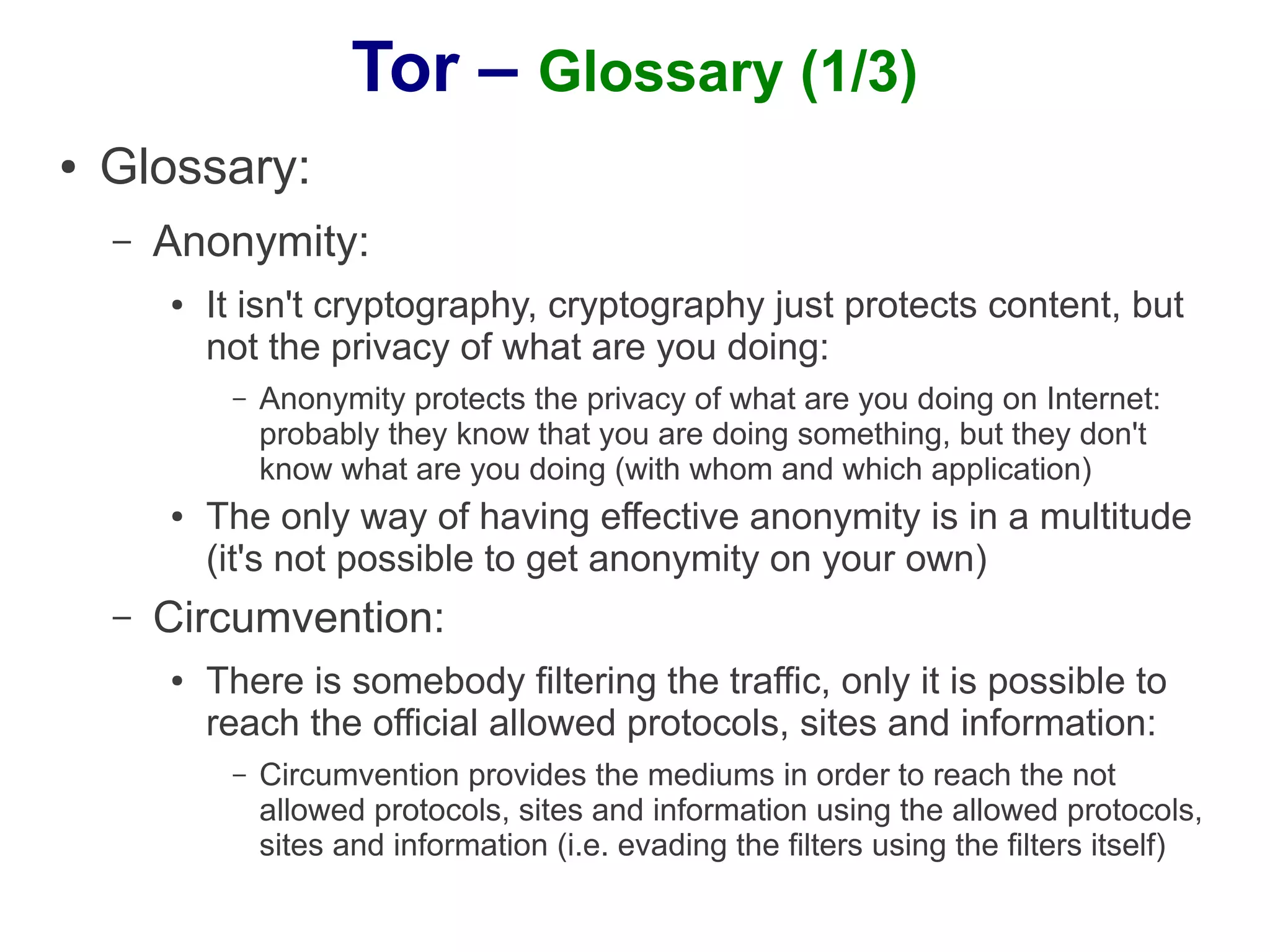
●   Glossary:
    –   Anonymity:
        ●   It isn't cryptography, cryptography just protects content, but
            not the privacy of what are you doing:
             –   Anonymity protects the privacy of what are you doing on Internet:
                 probably they know that you are doing something, but they don't
                 know what are you doing (with whom and which application)
        ●   The only way of having effective anonymity is in a multitude
            (it's not possible to get anonymity on your own)
    –   Circumvention:
        ●   There is somebody filtering the traffic, only it is possible to
            reach the official allowed protocols, sites and information:
             –   Circumvention provides the mediums in order to reach the not
                 allowed protocols, sites and information using the allowed protocols,
                 sites and information (i.e. evading the filters using the filters itself)
Tor – Glossary (2/3)
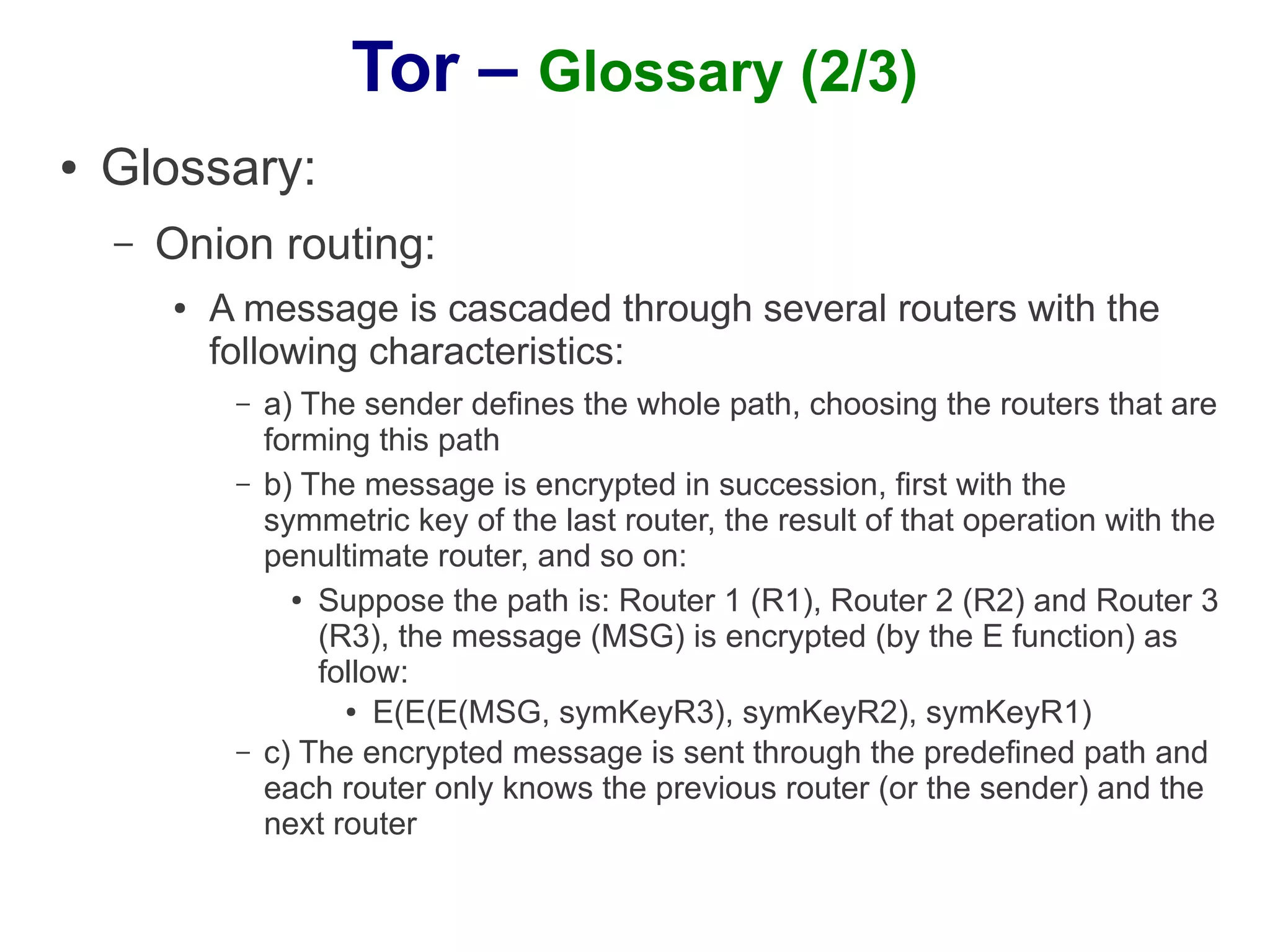
●   Glossary:
    –   Onion routing:
        ●   A message is cascaded through several routers with the
            following characteristics:
             –   a) The sender defines the whole path, choosing the routers that are
                 forming this path
             –   b) The message is encrypted in succession, first with the
                 symmetric key of the last router, the result of that operation with the
                 penultimate router, and so on:
                   ● Suppose the path is: Router 1 (R1), Router 2 (R2) and Router 3

                     (R3), the message (MSG) is encrypted (by the E function) as
                     follow:
                       ● E(E(E(MSG, symKeyR3), symKeyR2), symKeyR1)

             –   c) The encrypted message is sent through the predefined path and
                 each router only knows the previous router (or the sender) and the
                 next router
Tor – Glossary (3/3)
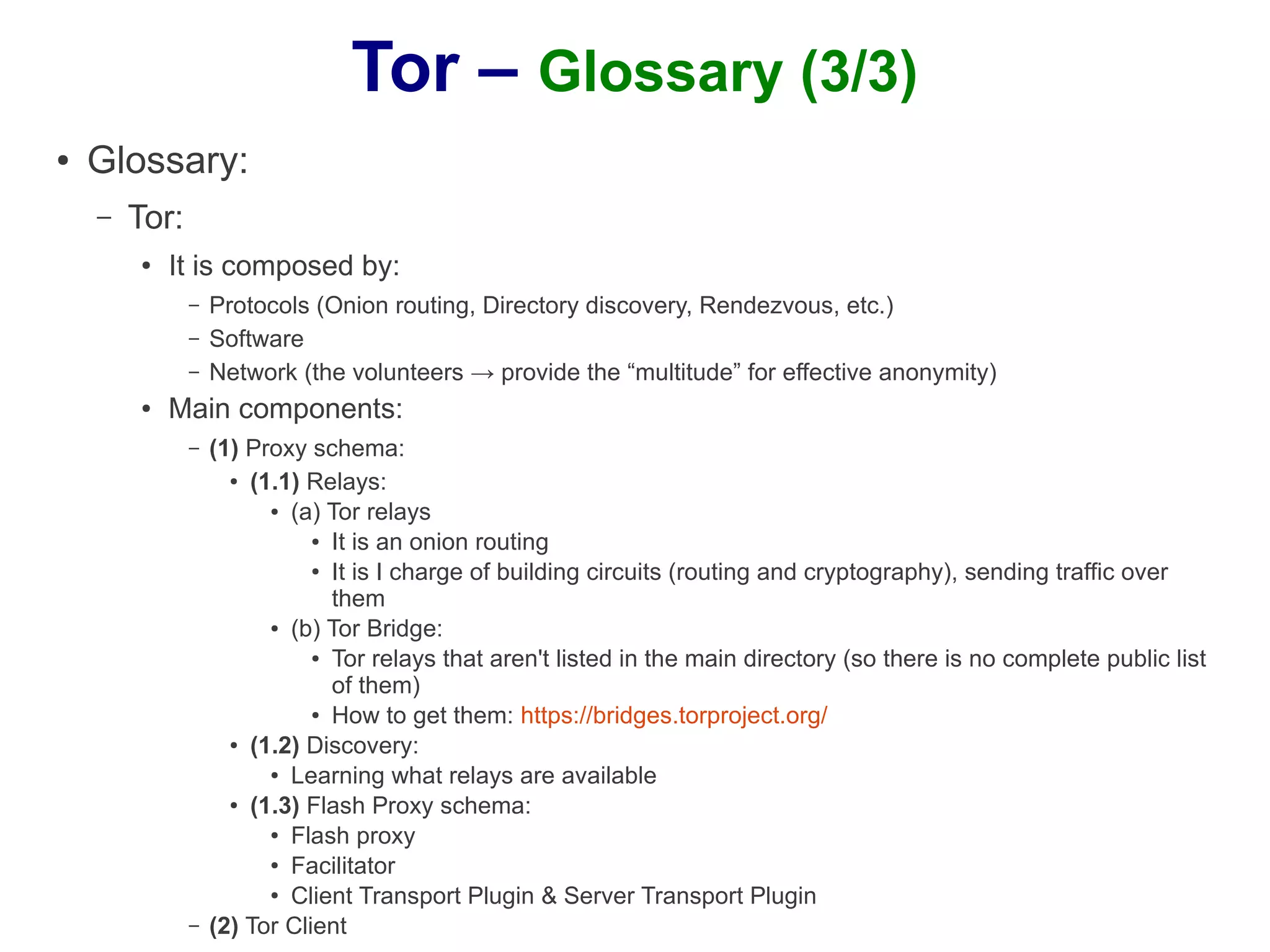
●   Glossary:
    –   Tor:
        ●   It is composed by:
               –   Protocols (Onion routing, Directory discovery, Rendezvous, etc.)
               –   Software
               –   Network (the volunteers → provide the “multitude” for effective anonymity)
        ●   Main components:
               –   (1) Proxy schema:
                     ● (1.1) Relays:

                         ● (a) Tor relays

                              ● It is an onion routing

                              ● It is I charge of building circuits (routing and cryptography), sending traffic over


                                them
                         ● (b) Tor Bridge:

                              ● Tor relays that aren't listed in the main directory (so there is no complete public list


                                of them)
                              ● How to get them: https://bridges.torproject.org/

                     ● (1.2) Discovery:

                         ● Learning what relays are available

                     ● (1.3) Flash Proxy schema:

                         ● Flash proxy

                         ●
                           Facilitator
                         ● Client Transport Plugin & Server Transport Plugin


               –   (2) Tor Client
Tor - Flash Proxies – Motivation (1/2)
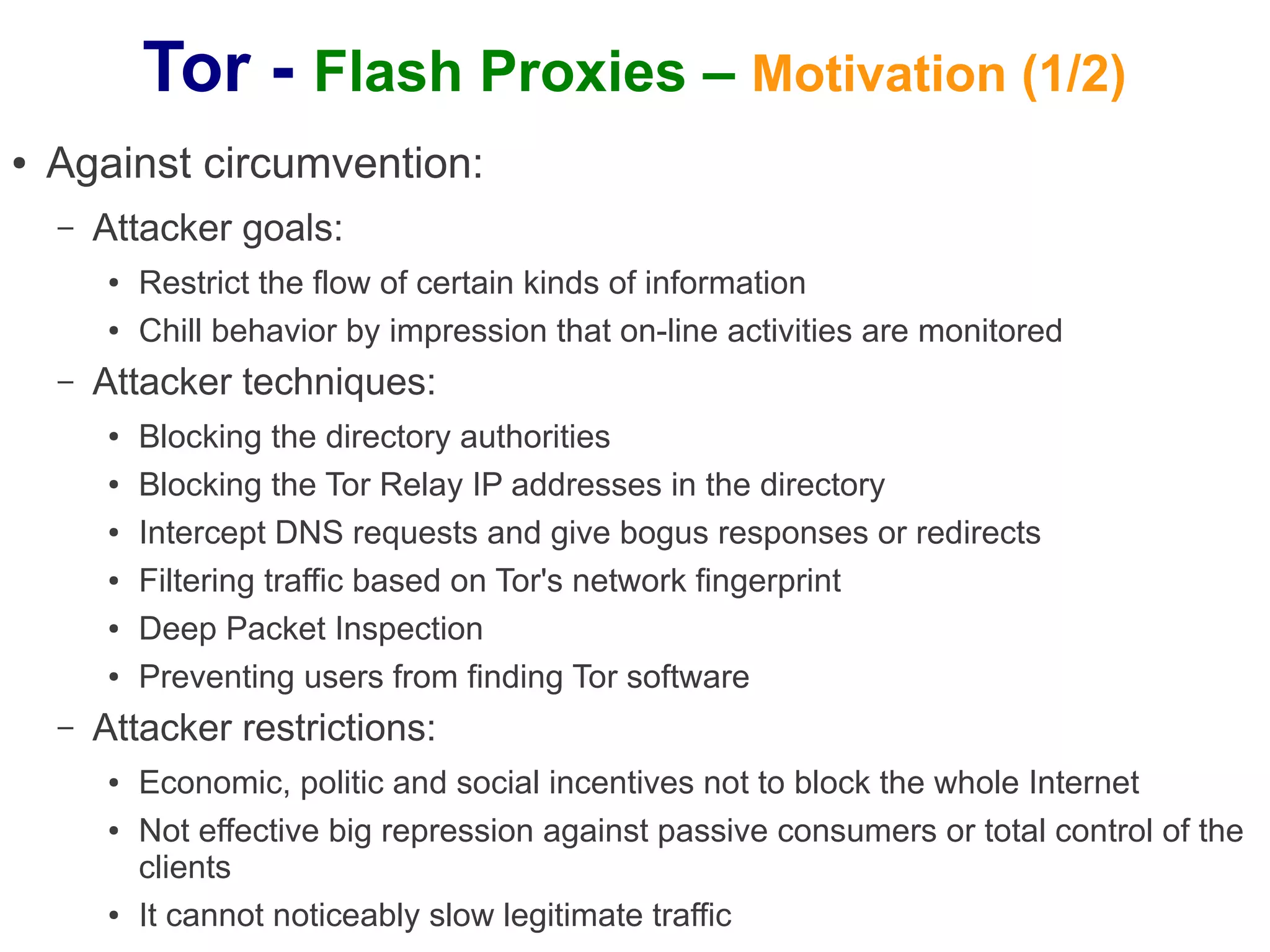
●   Against circumvention:
    –   Attacker goals:
        ●   Restrict the flow of certain kinds of information
        ●   Chill behavior by impression that on-line activities are monitored
    –   Attacker techniques:
        ●   Blocking the directory authorities
        ●   Blocking the Tor Relay IP addresses in the directory
        ●   Intercept DNS requests and give bogus responses or redirects
        ●   Filtering traffic based on Tor's network fingerprint
        ●   Deep Packet Inspection
        ●   Preventing users from finding Tor software
    –   Attacker restrictions:
        ●   Economic, politic and social incentives not to block the whole Internet
        ●   Not effective big repression against passive consumers or total control of the
            clients
        ●   It cannot noticeably slow legitimate traffic
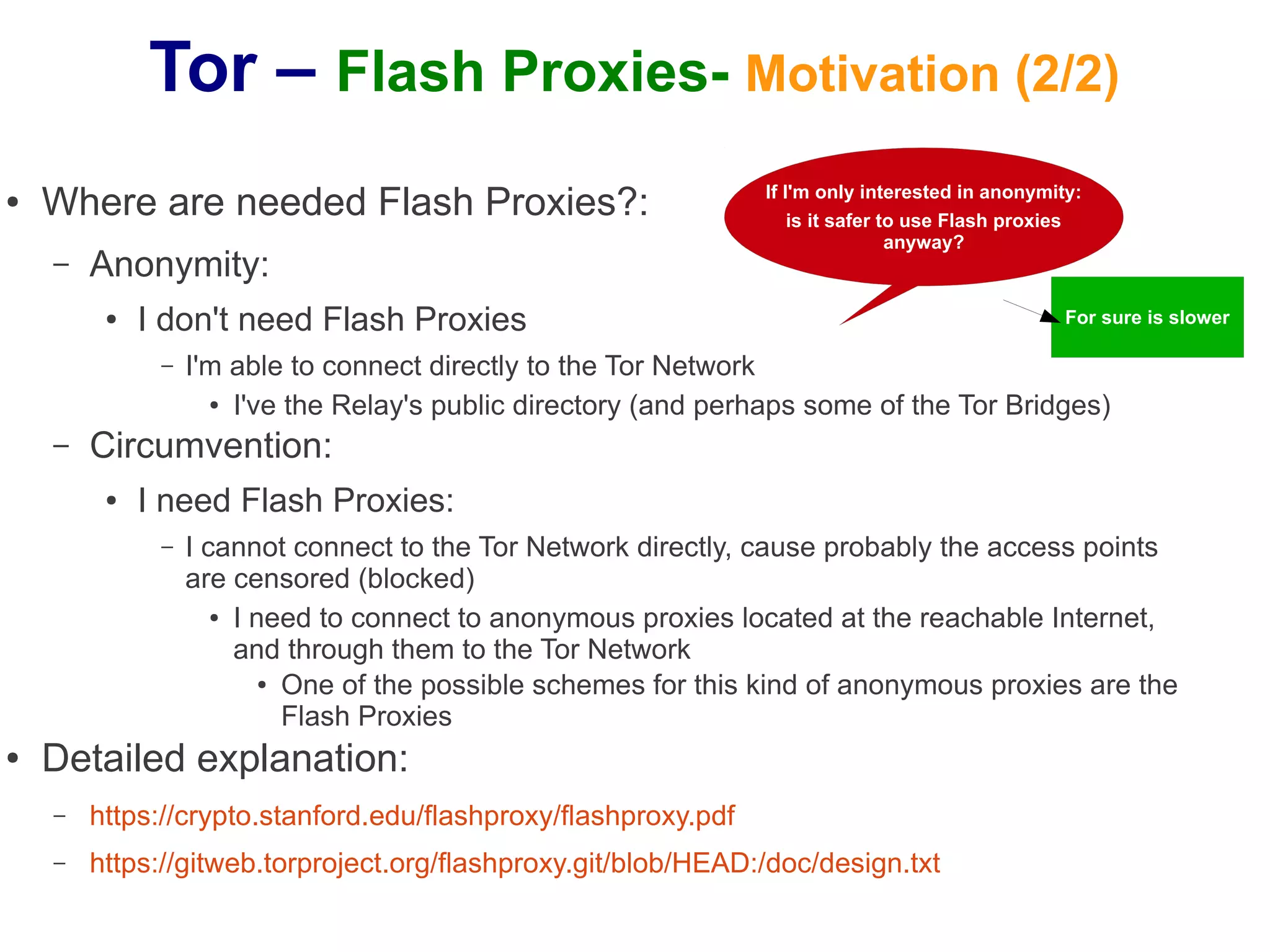
Tor – Flash Proxies- Motivation (2/2)
●   Where are needed Flash Proxies?:                             If I'm only interested in anonymity:
                                                                     is it safer to use Flash proxies
                                                                                  anyway?
    –   Anonymity:
         ●   I don't need Flash Proxies                                                            For sure is slower

              –   I'm able to connect directly to the Tor Network
                    ● I've the Relay's public directory (and perhaps some of the Tor Bridges)


    –   Circumvention:
         ●   I need Flash Proxies:
              –   I cannot connect to the Tor Network directly, cause probably the access points
                  are censored (blocked)
                     ● I need to connect to anonymous proxies located at the reachable Internet,


                       and through them to the Tor Network
                          ● One of the possible schemes for this kind of anonymous proxies are the

                            Flash Proxies
●   Detailed explanation:
    –   https://crypto.stanford.edu/flashproxy/flashproxy.pdf
    –   https://gitweb.torproject.org/flashproxy.git/blob/HEAD:/doc/design.txt
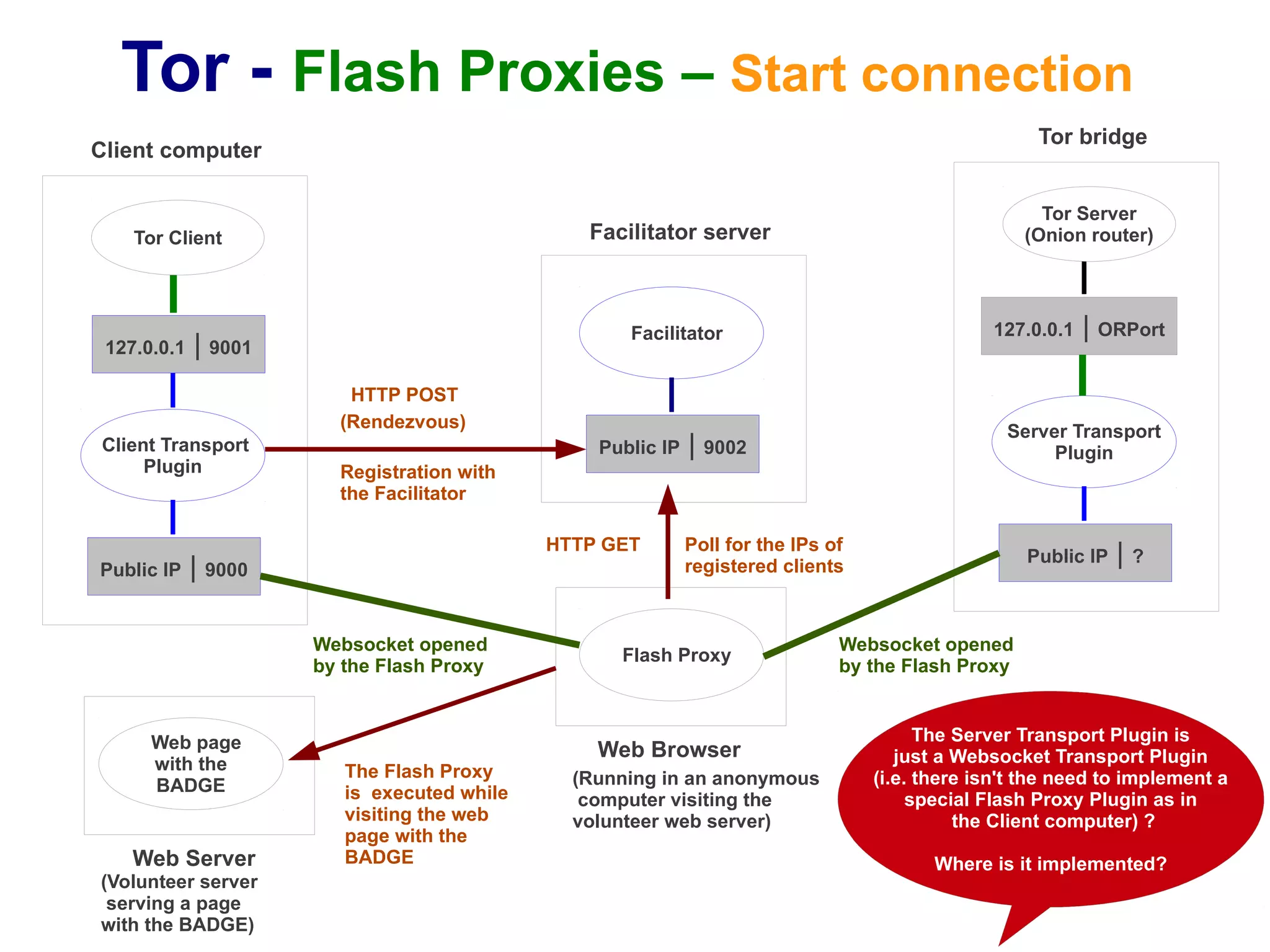
Tor - Flash Proxies – Start connection
                                                                                                      Tor bridge
Client computer

                                                                                                      Tor Server
    Tor Client                                  Facilitator server                                  (Onion router)


                                                    Facilitator                                 127.0.0.1   | ORPort
 127.0.0.1   | 9001
                         HTTP POST
                        (Rendezvous)                                                              Server Transport
Client Transport                                 Public IP   | 9002                                    Plugin
     Plugin             Registration with
                        the Facilitator

                                             HTTP GET        Poll for the IPs of
Public IP    | 9000                                          registered clients
                                                                                                    Public IP   |?


                      Websocket opened                                         Websocket opened
                                                   Flash Proxy
                      by the Flash Proxy                                       by the Flash Proxy


      Web page                                                                           The Server Transport Plugin is
                                                 Web Browser                          just a Websocket Transport Plugin
      with the           The Flash Proxy
      BADGE                                    (Running in an anonymous            (i.e. there isn't the need to implement a
                         is executed while      computer visiting the                   special Flash Proxy Plugin as in
                         visiting the web      volunteer web server)                         the Client computer) ?
                         page with the
    Web Server           BADGE                                                            Where is it implemented?
(Volunteer server
 serving a page
with the BADGE)
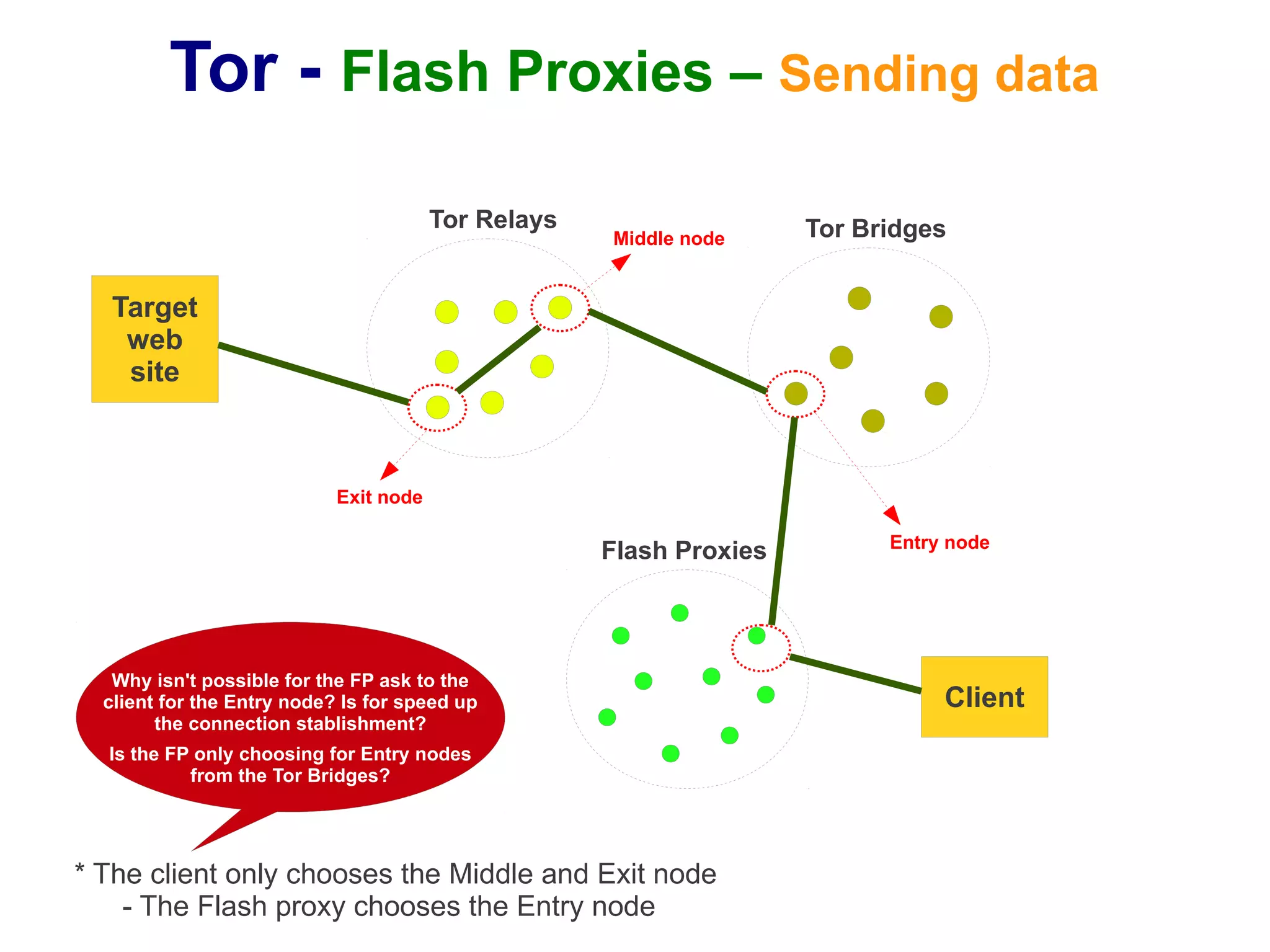
Tor - Flash Proxies – Sending data
                                        Tor Relays                   Tor Bridges
                                                     Middle node


   Target
    web
    site


                            Exit node

                                                                           Entry node
                                                     Flash Proxies


   Why isn't possible for the FP ask to the
  client for the Entry node? Is for speed up                                    Client
        the connection stablishment?
  Is the FP only choosing for Entry nodes
           from the Tor Bridges?


* The client only chooses the Middle and Exit node
    - The Flash proxy chooses the Entry node
Tor – Flash Proxies- Technical: Pluggable transport (1/3)
●   Goal:
    –   Implement new transport mechanisms to connect the client
        with the Tor Network decoupled from the core Tor Protocol:
        ●   The idea is improve circumvention techniques (at the transport
            level) that help people avoid censorship connecting to the Tor
            Network
        ●   More at:
             –   https://gitweb.torproject.org/torspec.git/blob/HEAD:/proposals/180-pluggable-transport.txt
             –   https://www.torproject.org/docs/pluggable-transports.html.en

●   Implementation:
    –   To implement a new Transport Protocol is needed to
        develop:
        ●   A "Client Proxy" to run at the initiator side (Tor clients)
        ●   A "Server Proxy" to run at the server side (Tor bridges)
Tor – Flash Proxies- Technical: Pluggable transport (2/3)
●   Implementation:
    –   "Client Proxy":
        ●   At the “torrc” file:
             –   The “Bridge” option is modified in order to accept the <method> value:
                   ●   Bridge method address:port [[keyid=]id-fingerprint] [k=v] [k=v] [k=v]
             –   It is added the “ClientTransportPlugin” option:
                   ●   There are two kinds of “Client proxies”:
                         ●   The external ones: are running independent and the Tor Client must connect to them:
                               ●   ClientTransportPlugin <method> socks4 <address:port> [auth=X]
                               ●   ClientTransportPlugin <method> socks5 <address:port> [username=X] [password=Y]
                         ●   The managed ones: the Tor Client must execute them:
                               ● ClientTransportPlugin <methods> exec <path> [options]
        ●   Example:
             –   Configuration at the “torrc” file:
                   ● Bridge trebuchet 200.178.1.34:3333 keyid=09F911 usr=xx pwd=yy
                   ● ClientTransportPlugin trebuchet socks5 127.0.0.1:9999
             –   Meaning:
                   ●   The Tor Client knows that in order to connect to the Tor Network should use the “trebuchet” transport
                       (indicated by the “Brigde” option). In order to use this transport it must send its traffic to the local process
                       waiting at the port 9999 using SOCKS 5 (indicated by the “ClientTransportPlugin” option). This local
                       process must send the traffic to 200.178.1.34:3333, providing the strings "usr=xx;pwd=yy" as the user
                       and the password
Tor – Flash Proxies- Technical: Pluggable transport (3/3)
●   Implementation:
    –   "Server Proxy":
        ●   At the “torrc” file:
             –   It is added the “ServerTransportPlugin” option:
                   ●   There are two kinds of “Server proxies”:
                         ●   The external ones: are running independent and the Tor Server must connect to
                             them:
                               ●   ServerTransportPlugin <method> proxy <address:port> <param=val> ...
                         ●   The managed ones: the Tor Server must execute them:
                               ●   ServerTransportPlugin <methods> exec </path/to/binary> [options]
        ●   Example:
             –   Configuration at the “torrc” file:
                   ●   ServerTransportPlugin trebuchet proxy 127.0.0.1:999 usr=aa
             –   Meaning:
                                           How is working it related with the “Client proxy” configuration and
                                             with the Tor Server (i.e. in which address and port the “Server
                                                Proxy” is listening the outside connection and how is it
                                                       sending the information to the Tor Server)?
                                         How knows the “Client Proxy” where to connect to the “Server Proxy”?
Tor – Flash Proxies- Technical: Use (1/8)
●   Installation:
    –   (1) Tor:
        ●   (1.1) Installing "libevent":
             –   Download the source tarball (from http://libevent.org/)
             –   Copy it to /usr/local
             –   Run: cd /usr/local
             –   Run: sudo tar xzf libevent-2.0.20-stable.tar.gz
             –   Run: cd ./libevent
             –   Run: sudo ./configure
             –   Run: sudo make
             –   Installing the “dev”:
                   ● sudo apt-get install libevent-dev


        ●   (1.2) Installing "openssl" and "zlib":
             –   sudo apt-get install libssl-dev
             –   sudo apt-get install zlib1g-dev
Tor – Flash Proxies- Technical: Use (2/8)
●   Installation:
        ●   (1.3) Installing "Tor" (alpha version):
             –   Download the source tarball (from https://www.torproject.org/download/download.html.en   ->
                 "Source Tarball")
             –   Copy it to /usr/local
             –   Run: cd /usr/local
             –   Run: sudo tar xzf tor-0.2.3.24-rc.tar.gz
             –   Run: cd ./tor
             –   Run: sudo ./configure
             –   Run: sudo make install
    –   (2) Flashproxy
        ●   Run: Cd /usr/local
        ●   Run: git clone https://git.torproject.org/flashproxy.git
Tor – Flash Proxies- Technical: Use (3/8)
●   Configuration:
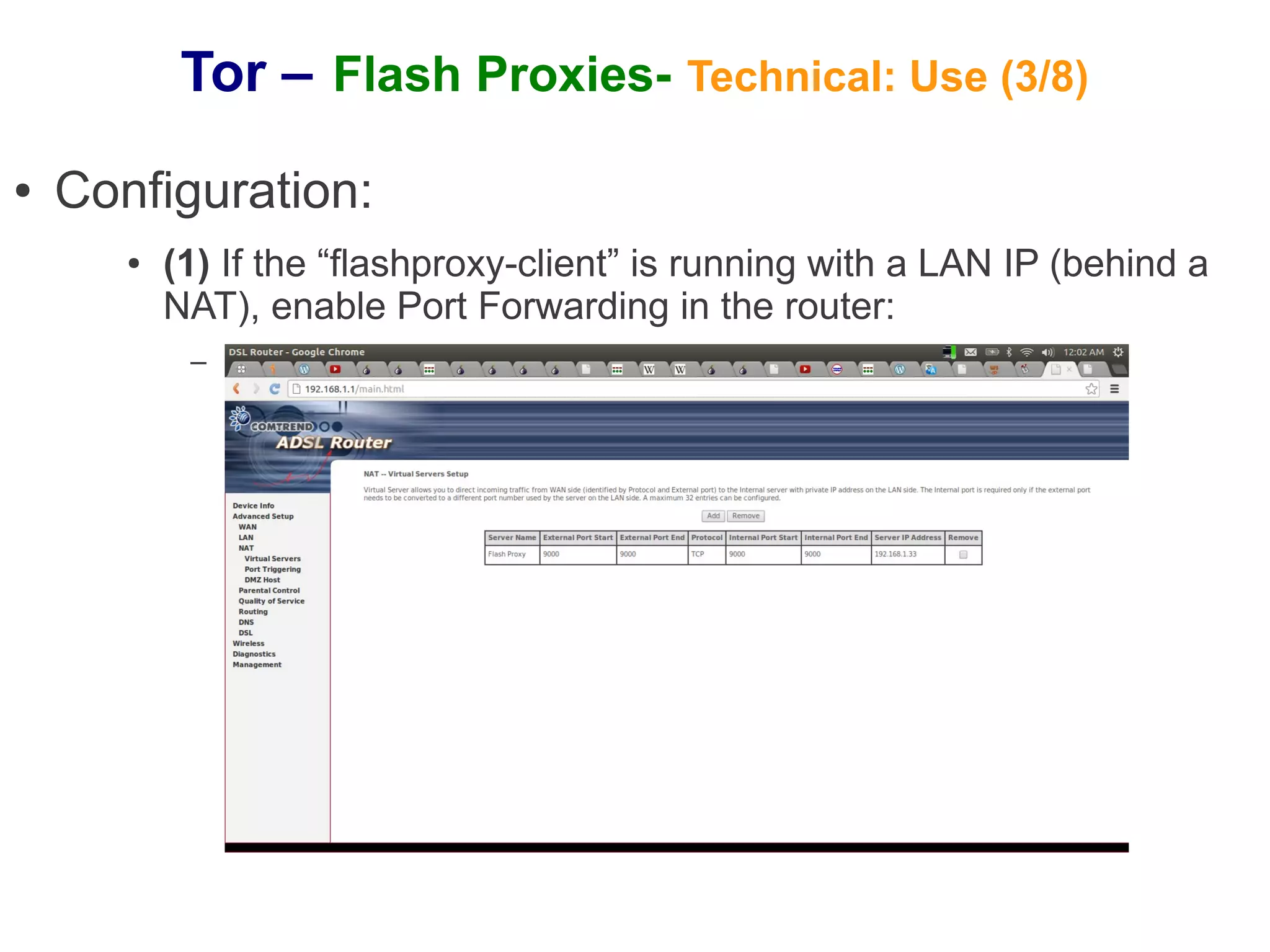
       ●   (1) If the “flashproxy-client” is running with a LAN IP (behind a
           NAT), enable Port Forwarding in the router:
            –
Tor – Flash Proxies- Technical: Use (4/8)
●   Configuration:
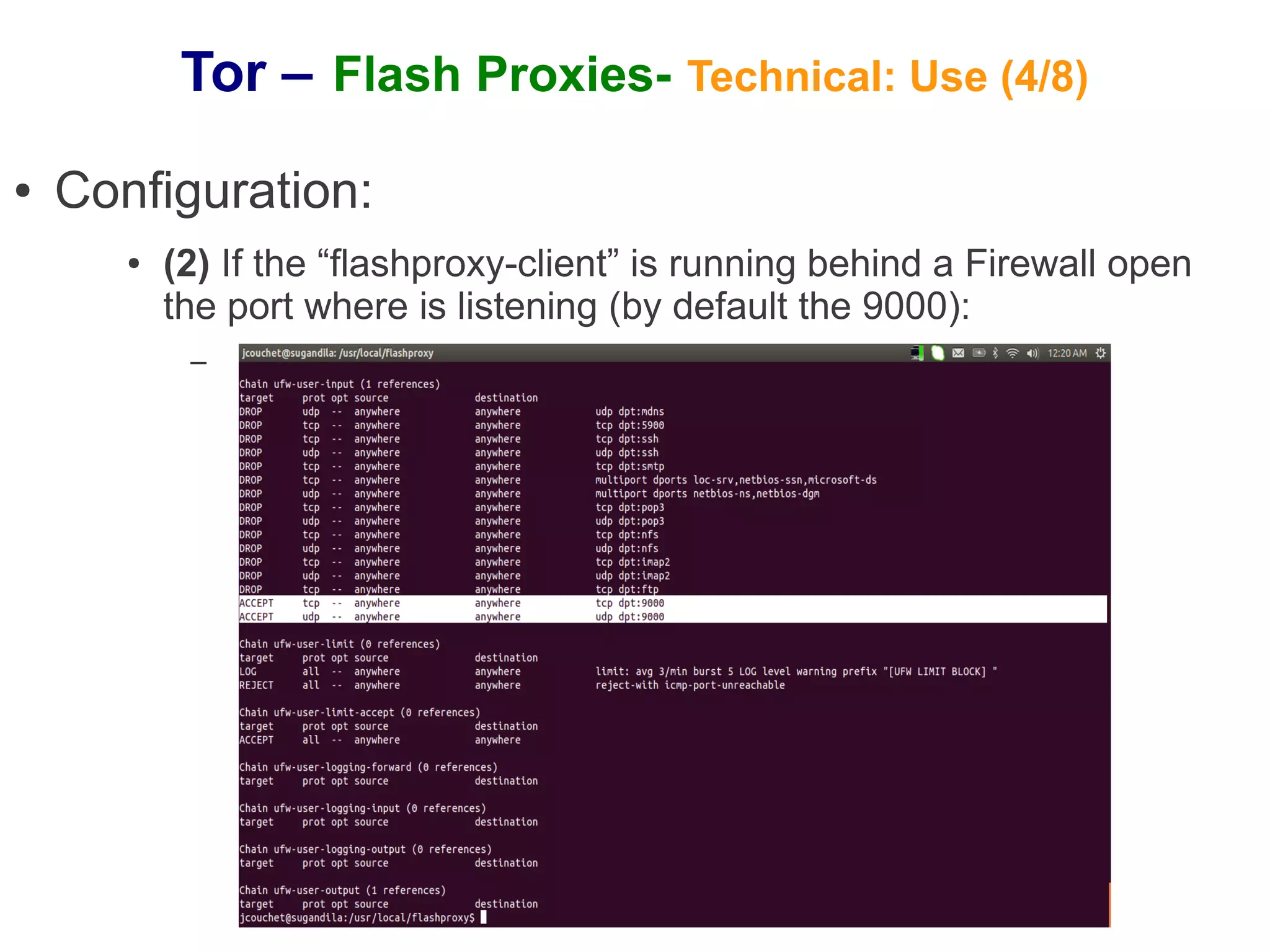
       ●   (2) If the “flashproxy-client” is running behind a Firewall open
           the port where is listening (by default the 9000):
            –
Tor – Flash Proxies- Technical: Use (5/8)
●   Configuration:
       ●   (3) Add the following lines to the “torrc” file of your Tor Client:
            –   Lines:
                 ●   ClientTransportPlugin websocket socks4 127.0.0.1:9001
                 ●   UseBridges 1
                 ●   Bridge websocket 0.0.1.0:1
            –   Meaning:
                 ● That is saying to the Tor Client to use the websocket transport in

                   order to connect to the Tor Network (though the “Bridge” option) and
                   for that the Tor Client must forward its traffic through SOCKS 4 to the
                   process listening at the port 9001:
                     ● It means also that the “flashproxy-client” must be started at the

                        port 9001 (the default one)
Tor – Flash Proxies- Technical: Use (6/8)
●   Running:
       ●   Fast test:
            –   Execute:
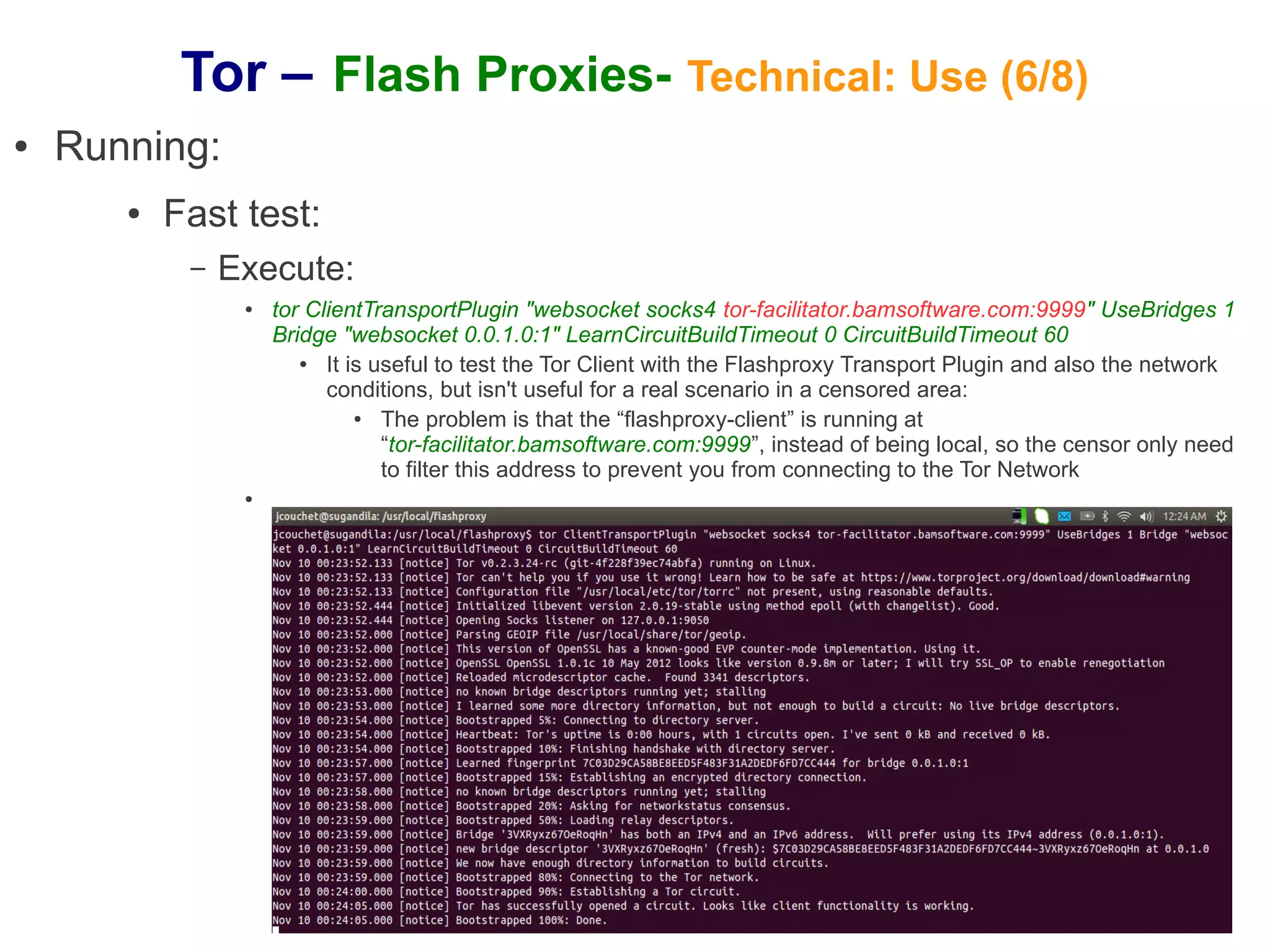
                 ●   tor ClientTransportPlugin "websocket socks4 tor-facilitator.bamsoftware.com:9999" UseBridges 1
                     Bridge "websocket 0.0.1.0:1" LearnCircuitBuildTimeout 0 CircuitBuildTimeout 60
                        ●  It is useful to test the Tor Client with the Flashproxy Transport Plugin and also the network
                           conditions, but isn't useful for a real scenario in a censored area:
                               ●  The problem is that the “flashproxy-client” is running at
                                  “tor-facilitator.bamsoftware.com:9999”, instead of being local, so the censor only need
                                  to filter this address to prevent you from connecting to the Tor Network
                 ●
Tor – Flash Proxies- Technical: Use (7/8)
●   Running:
       ●   Normal running – Flash Proxy Client:
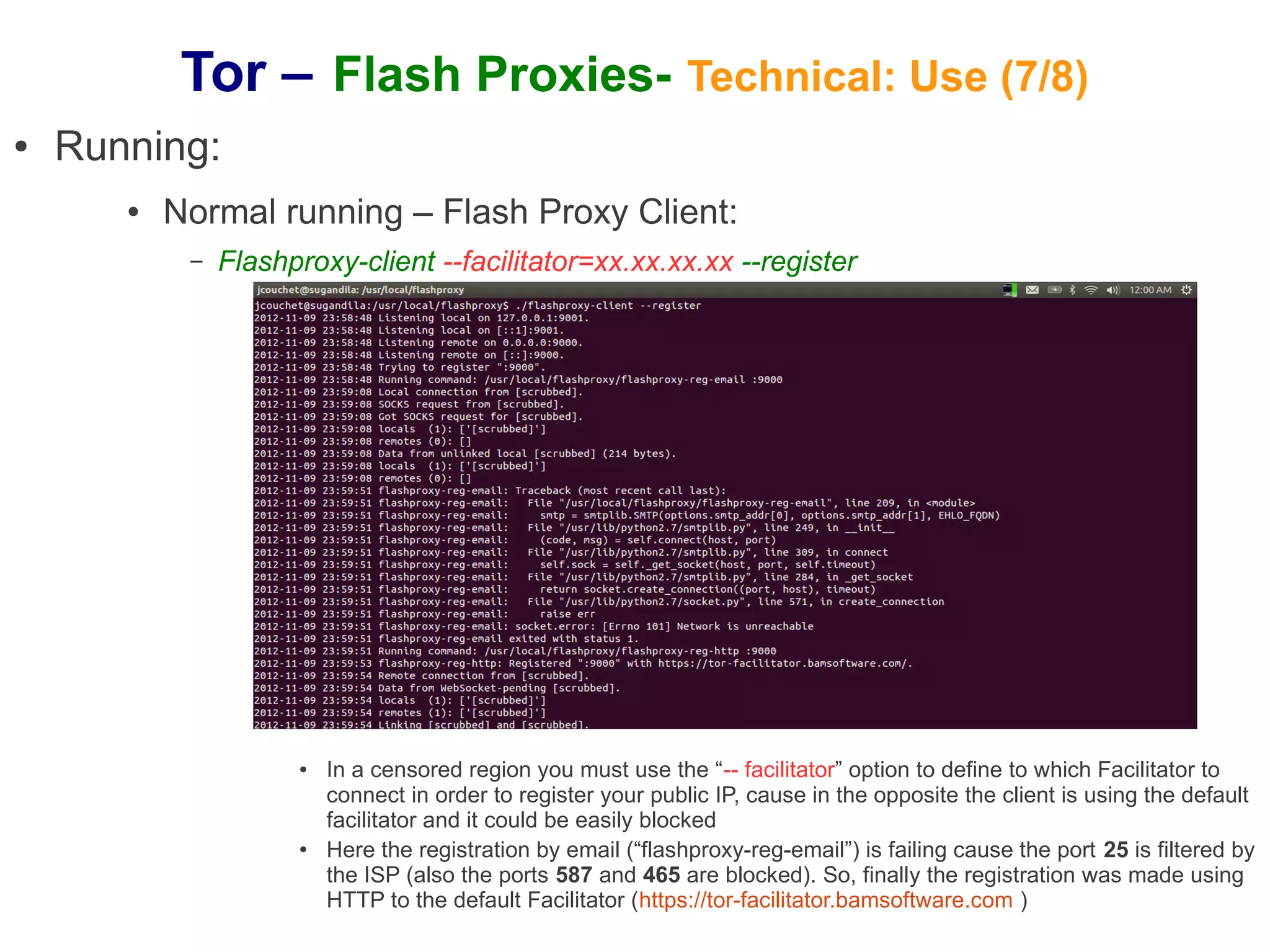
            –   Flashproxy-client --facilitator=xx.xx.xx.xx --register


                      ●   In a censored region you must use the “-- facilitator” option to define to which Facilitator to
                          connect in order to register your public IP, cause in the opposite the client is using the default
                          facilitator and it could be easily blocked
                      ●   Here the registration by email (“flashproxy-reg-email”) is failing cause the port 25 is filtered by
                          the ISP (also the ports 587 and 465 are blocked). So, finally the registration was made using
                          HTTP to the default Facilitator (https://tor-facilitator.bamsoftware.com )
Tor – Flash Proxies- Technical: Use (8/8)
●   Running:
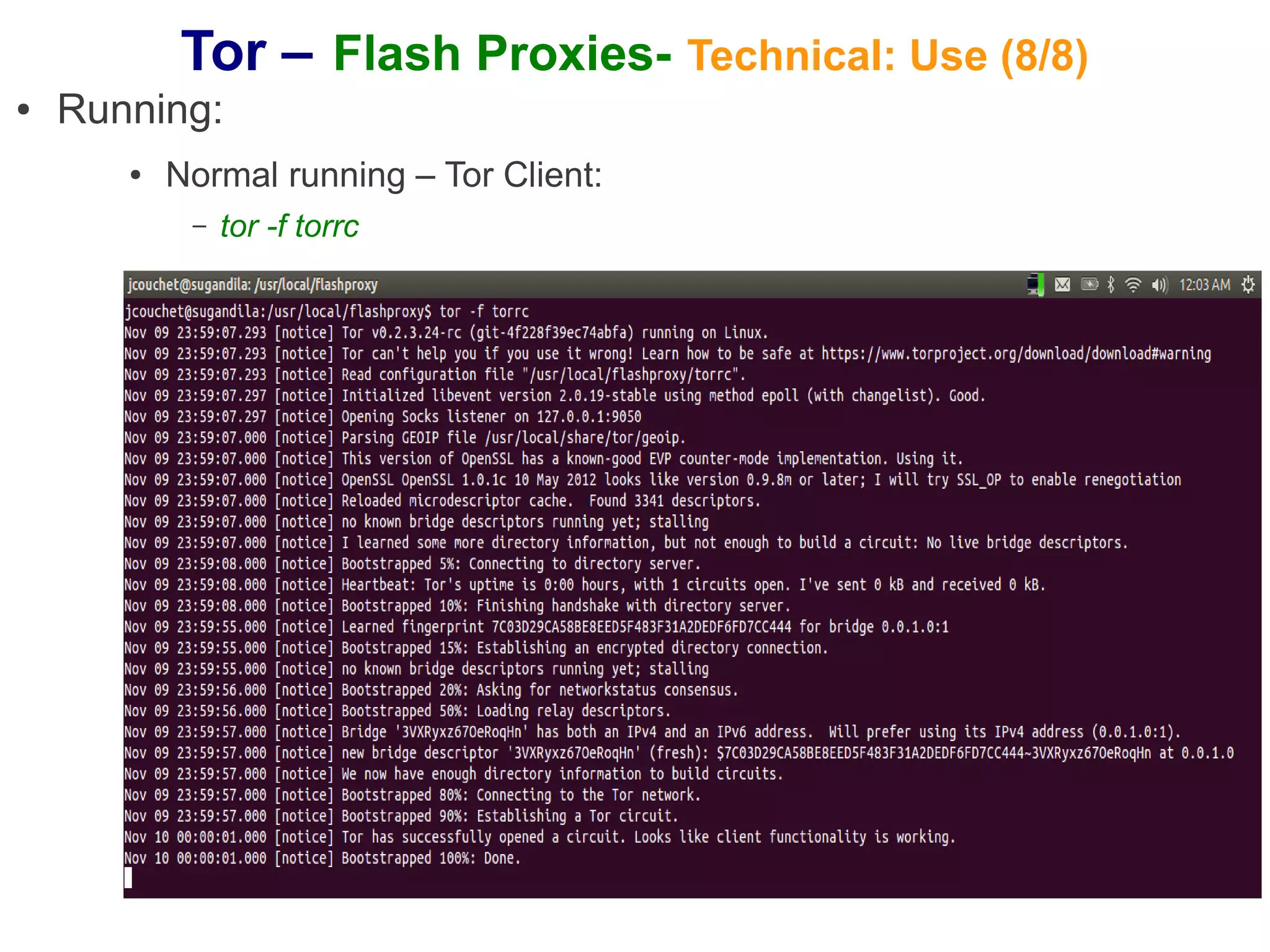
       ●   Normal running – Tor Client:
            –   tor -f torrc

Tor Project overview

  • 1.
    Tor – Glossary(1/3) ● Glossary: – Anonymity: ● It isn't cryptography, cryptography just protects content, but not the privacy of what are you doing: – Anonymity protects the privacy of what are you doing on Internet: probably they know that you are doing something, but they don't know what are you doing (with whom and which application) ● The only way of having effective anonymity is in a multitude (it's not possible to get anonymity on your own) – Circumvention: ● There is somebody filtering the traffic, only it is possible to reach the official allowed protocols, sites and information: – Circumvention provides the mediums in order to reach the not allowed protocols, sites and information using the allowed protocols, sites and information (i.e. evading the filters using the filters itself)
  • 2.
    Tor – Glossary(2/3) ● Glossary: – Onion routing: ● A message is cascaded through several routers with the following characteristics: – a) The sender defines the whole path, choosing the routers that are forming this path – b) The message is encrypted in succession, first with the symmetric key of the last router, the result of that operation with the penultimate router, and so on: ● Suppose the path is: Router 1 (R1), Router 2 (R2) and Router 3 (R3), the message (MSG) is encrypted (by the E function) as follow: ● E(E(E(MSG, symKeyR3), symKeyR2), symKeyR1) – c) The encrypted message is sent through the predefined path and each router only knows the previous router (or the sender) and the next router
  • 3.
    Tor – Glossary(3/3) ● Glossary: – Tor: ● It is composed by: – Protocols (Onion routing, Directory discovery, Rendezvous, etc.) – Software – Network (the volunteers → provide the “multitude” for effective anonymity) ● Main components: – (1) Proxy schema: ● (1.1) Relays: ● (a) Tor relays ● It is an onion routing ● It is I charge of building circuits (routing and cryptography), sending traffic over them ● (b) Tor Bridge: ● Tor relays that aren't listed in the main directory (so there is no complete public list of them) ● How to get them: https://bridges.torproject.org/ ● (1.2) Discovery: ● Learning what relays are available ● (1.3) Flash Proxy schema: ● Flash proxy ● Facilitator ● Client Transport Plugin & Server Transport Plugin – (2) Tor Client
  • 4.
    Tor - FlashProxies – Motivation (1/2) ● Against circumvention: – Attacker goals: ● Restrict the flow of certain kinds of information ● Chill behavior by impression that on-line activities are monitored – Attacker techniques: ● Blocking the directory authorities ● Blocking the Tor Relay IP addresses in the directory ● Intercept DNS requests and give bogus responses or redirects ● Filtering traffic based on Tor's network fingerprint ● Deep Packet Inspection ● Preventing users from finding Tor software – Attacker restrictions: ● Economic, politic and social incentives not to block the whole Internet ● Not effective big repression against passive consumers or total control of the clients ● It cannot noticeably slow legitimate traffic
  • 5.
    Tor – FlashProxies- Motivation (2/2) ● Where are needed Flash Proxies?: If I'm only interested in anonymity: is it safer to use Flash proxies anyway? – Anonymity: ● I don't need Flash Proxies For sure is slower – I'm able to connect directly to the Tor Network ● I've the Relay's public directory (and perhaps some of the Tor Bridges) – Circumvention: ● I need Flash Proxies: – I cannot connect to the Tor Network directly, cause probably the access points are censored (blocked) ● I need to connect to anonymous proxies located at the reachable Internet, and through them to the Tor Network ● One of the possible schemes for this kind of anonymous proxies are the Flash Proxies ● Detailed explanation: – https://crypto.stanford.edu/flashproxy/flashproxy.pdf – https://gitweb.torproject.org/flashproxy.git/blob/HEAD:/doc/design.txt
  • 6.
    Tor - FlashProxies – Start connection Tor bridge Client computer Tor Server Tor Client Facilitator server (Onion router) Facilitator 127.0.0.1 | ORPort 127.0.0.1 | 9001 HTTP POST (Rendezvous) Server Transport Client Transport Public IP | 9002 Plugin Plugin Registration with the Facilitator HTTP GET Poll for the IPs of Public IP | 9000 registered clients Public IP |? Websocket opened Websocket opened Flash Proxy by the Flash Proxy by the Flash Proxy Web page The Server Transport Plugin is Web Browser just a Websocket Transport Plugin with the The Flash Proxy BADGE (Running in an anonymous (i.e. there isn't the need to implement a is executed while computer visiting the special Flash Proxy Plugin as in visiting the web volunteer web server) the Client computer) ? page with the Web Server BADGE Where is it implemented? (Volunteer server serving a page with the BADGE)
  • 7.
    Tor - FlashProxies – Sending data Tor Relays Tor Bridges Middle node Target web site Exit node Entry node Flash Proxies Why isn't possible for the FP ask to the client for the Entry node? Is for speed up Client the connection stablishment? Is the FP only choosing for Entry nodes from the Tor Bridges? * The client only chooses the Middle and Exit node - The Flash proxy chooses the Entry node
  • 8.
    Tor – FlashProxies- Technical: Pluggable transport (1/3) ● Goal: – Implement new transport mechanisms to connect the client with the Tor Network decoupled from the core Tor Protocol: ● The idea is improve circumvention techniques (at the transport level) that help people avoid censorship connecting to the Tor Network ● More at: – https://gitweb.torproject.org/torspec.git/blob/HEAD:/proposals/180-pluggable-transport.txt – https://www.torproject.org/docs/pluggable-transports.html.en ● Implementation: – To implement a new Transport Protocol is needed to develop: ● A "Client Proxy" to run at the initiator side (Tor clients) ● A "Server Proxy" to run at the server side (Tor bridges)
  • 9.
    Tor – FlashProxies- Technical: Pluggable transport (2/3) ● Implementation: – "Client Proxy": ● At the “torrc” file: – The “Bridge” option is modified in order to accept the <method> value: ● Bridge method address:port [[keyid=]id-fingerprint] [k=v] [k=v] [k=v] – It is added the “ClientTransportPlugin” option: ● There are two kinds of “Client proxies”: ● The external ones: are running independent and the Tor Client must connect to them: ● ClientTransportPlugin <method> socks4 <address:port> [auth=X] ● ClientTransportPlugin <method> socks5 <address:port> [username=X] [password=Y] ● The managed ones: the Tor Client must execute them: ● ClientTransportPlugin <methods> exec <path> [options] ● Example: – Configuration at the “torrc” file: ● Bridge trebuchet 200.178.1.34:3333 keyid=09F911 usr=xx pwd=yy ● ClientTransportPlugin trebuchet socks5 127.0.0.1:9999 – Meaning: ● The Tor Client knows that in order to connect to the Tor Network should use the “trebuchet” transport (indicated by the “Brigde” option). In order to use this transport it must send its traffic to the local process waiting at the port 9999 using SOCKS 5 (indicated by the “ClientTransportPlugin” option). This local process must send the traffic to 200.178.1.34:3333, providing the strings "usr=xx;pwd=yy" as the user and the password
  • 10.
    Tor – FlashProxies- Technical: Pluggable transport (3/3) ● Implementation: – "Server Proxy": ● At the “torrc” file: – It is added the “ServerTransportPlugin” option: ● There are two kinds of “Server proxies”: ● The external ones: are running independent and the Tor Server must connect to them: ● ServerTransportPlugin <method> proxy <address:port> <param=val> ... ● The managed ones: the Tor Server must execute them: ● ServerTransportPlugin <methods> exec </path/to/binary> [options] ● Example: – Configuration at the “torrc” file: ● ServerTransportPlugin trebuchet proxy 127.0.0.1:999 usr=aa – Meaning: How is working it related with the “Client proxy” configuration and with the Tor Server (i.e. in which address and port the “Server Proxy” is listening the outside connection and how is it sending the information to the Tor Server)? How knows the “Client Proxy” where to connect to the “Server Proxy”?
  • 11.
    Tor – FlashProxies- Technical: Use (1/8) ● Installation: – (1) Tor: ● (1.1) Installing "libevent": – Download the source tarball (from http://libevent.org/) – Copy it to /usr/local – Run: cd /usr/local – Run: sudo tar xzf libevent-2.0.20-stable.tar.gz – Run: cd ./libevent – Run: sudo ./configure – Run: sudo make – Installing the “dev”: ● sudo apt-get install libevent-dev ● (1.2) Installing "openssl" and "zlib": – sudo apt-get install libssl-dev – sudo apt-get install zlib1g-dev
  • 12.
    Tor – FlashProxies- Technical: Use (2/8) ● Installation: ● (1.3) Installing "Tor" (alpha version): – Download the source tarball (from https://www.torproject.org/download/download.html.en -> "Source Tarball") – Copy it to /usr/local – Run: cd /usr/local – Run: sudo tar xzf tor-0.2.3.24-rc.tar.gz – Run: cd ./tor – Run: sudo ./configure – Run: sudo make install – (2) Flashproxy ● Run: Cd /usr/local ● Run: git clone https://git.torproject.org/flashproxy.git
  • 13.
    Tor – FlashProxies- Technical: Use (3/8) ● Configuration: ● (1) If the “flashproxy-client” is running with a LAN IP (behind a NAT), enable Port Forwarding in the router: –
  • 14.
    Tor – FlashProxies- Technical: Use (4/8) ● Configuration: ● (2) If the “flashproxy-client” is running behind a Firewall open the port where is listening (by default the 9000): –
  • 15.
    Tor – FlashProxies- Technical: Use (5/8) ● Configuration: ● (3) Add the following lines to the “torrc” file of your Tor Client: – Lines: ● ClientTransportPlugin websocket socks4 127.0.0.1:9001 ● UseBridges 1 ● Bridge websocket 0.0.1.0:1 – Meaning: ● That is saying to the Tor Client to use the websocket transport in order to connect to the Tor Network (though the “Bridge” option) and for that the Tor Client must forward its traffic through SOCKS 4 to the process listening at the port 9001: ● It means also that the “flashproxy-client” must be started at the port 9001 (the default one)
  • 16.
    Tor – FlashProxies- Technical: Use (6/8) ● Running: ● Fast test: – Execute: ● tor ClientTransportPlugin "websocket socks4 tor-facilitator.bamsoftware.com:9999" UseBridges 1 Bridge "websocket 0.0.1.0:1" LearnCircuitBuildTimeout 0 CircuitBuildTimeout 60 ● It is useful to test the Tor Client with the Flashproxy Transport Plugin and also the network conditions, but isn't useful for a real scenario in a censored area: ● The problem is that the “flashproxy-client” is running at “tor-facilitator.bamsoftware.com:9999”, instead of being local, so the censor only need to filter this address to prevent you from connecting to the Tor Network ●
  • 17.
    Tor – FlashProxies- Technical: Use (7/8) ● Running: ● Normal running – Flash Proxy Client: – Flashproxy-client --facilitator=xx.xx.xx.xx --register ● In a censored region you must use the “-- facilitator” option to define to which Facilitator to connect in order to register your public IP, cause in the opposite the client is using the default facilitator and it could be easily blocked ● Here the registration by email (“flashproxy-reg-email”) is failing cause the port 25 is filtered by the ISP (also the ports 587 and 465 are blocked). So, finally the registration was made using HTTP to the default Facilitator (https://tor-facilitator.bamsoftware.com )
  • 18.
    Tor – FlashProxies- Technical: Use (8/8) ● Running: ● Normal running – Tor Client: – tor -f torrc