Applying JBoss Drools in Assistive Technology
Who is Tihomir? R&D Engineer on Drools
Contributor and committer on Seam
Agenda Assistive Technology (AT)
Applying Drools in AT
Event Processing
Drools Fusion examples
Vision for the future
Q&A
Assistive Technology Disability affects 15-20% of every country's population (with 10% being classified with severe motor impairments). Growing trends (aging population, severe stroke).
Categories of disabilities: -  Sensoric deficiencies  – reduced ability to acquire inputs from the physical world (e.g. blindness, deafness, etc.), -  Expression deficiencies  – reduced ability to produce output to the physical world (e.g. voice, motion, etc.). Assistive technology (AT) – product, device or equipment (e.g. assistive, adaptive or rehabilitative devices) that helps individuals with disabilities to increase, maintain or improve functional capabilities (AT Act, 1998).
AT products help peoples with disabilities to achieve greater independence, enhance their quality of life and compete in the real world ( inclusive society ).
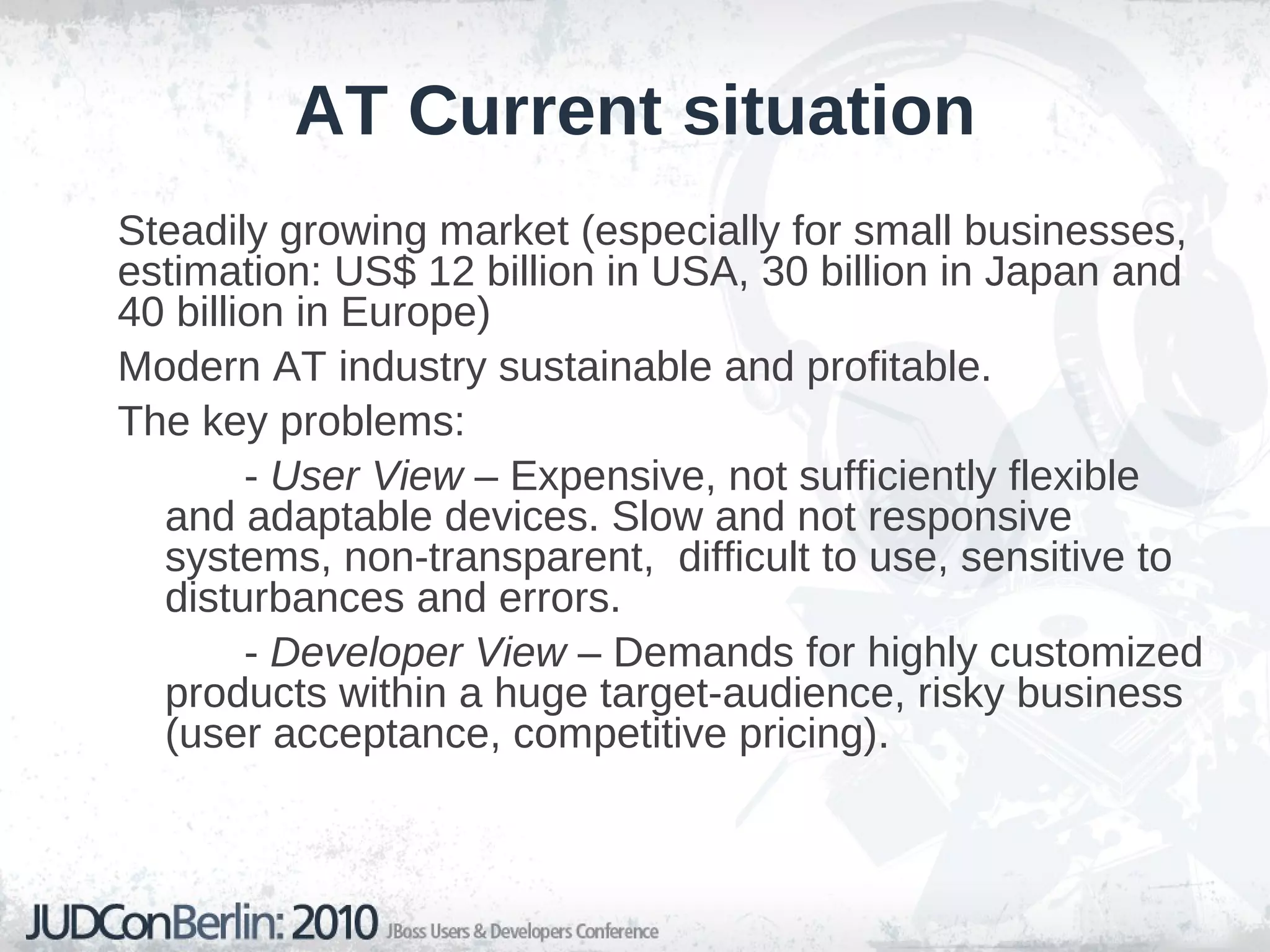
AT Current situation Steadily growing market (especially for small businesses, estimation: US$ 12 billion in USA, 30 billion in Japan and 40 billion in Europe)
Modern AT industry sustainable and profitable.
The key problems:  -  User View  – Expensive, not sufficiently flexible and adaptable devices. Slow and not responsive systems, non-transparent,  difficult to use, sensitive to  disturbances and errors. -  Developer View  – Demands for highly customized products within a huge target-audience, risky business (user acceptance, competitive pricing).
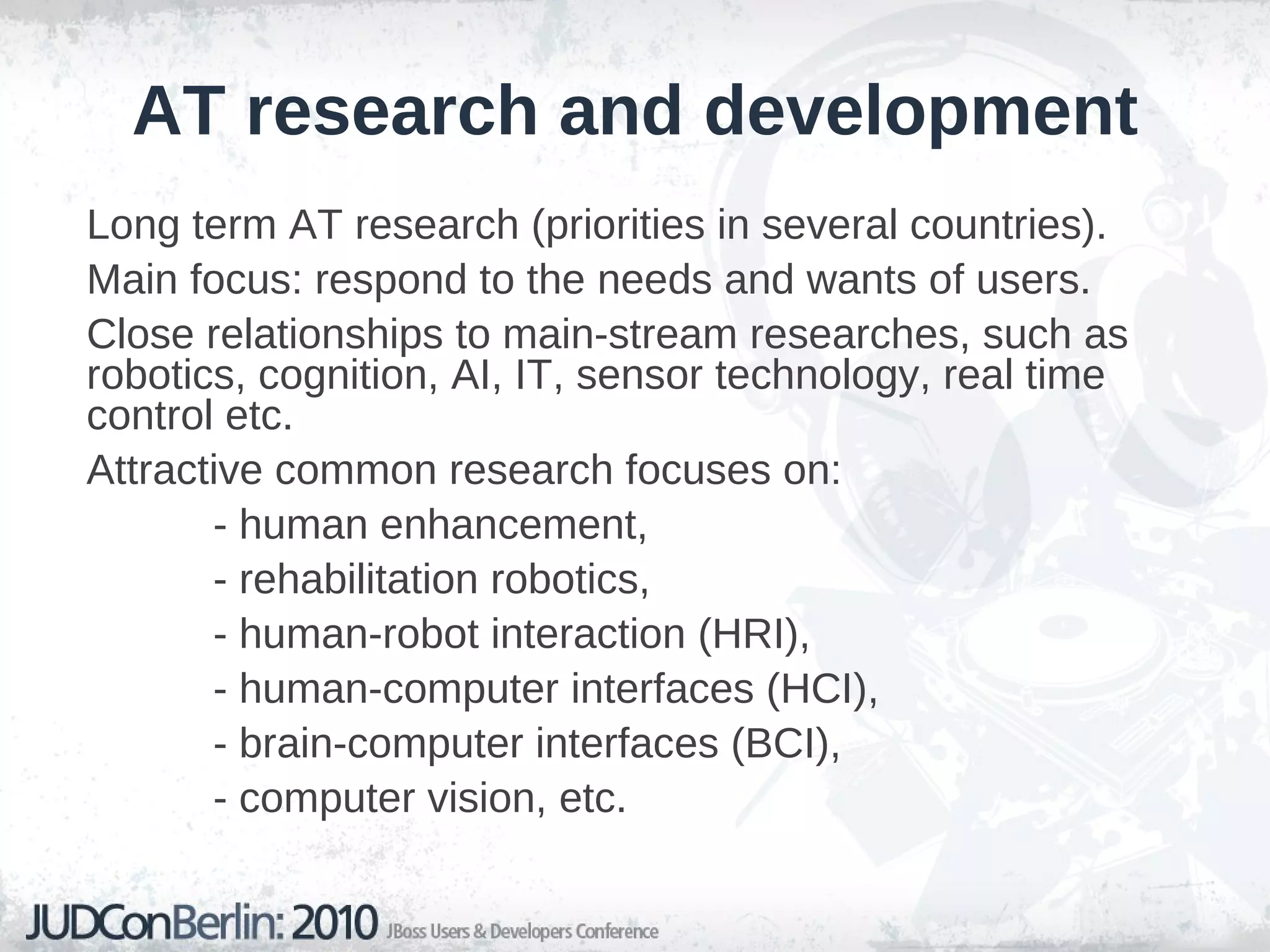
AT research and development Long term AT research (priorities in several countries).
Main focus: respond to the needs and wants of users.
Close relationships to main-stream researches, such as  robotics, cognition, AI, IT, sensor technology, real time control etc.
Attractive common research focuses on:  - human enhancement, - rehabilitation robotics, - human-robot interaction (HRI), - human-computer interfaces (HCI), - brain-computer interfaces (BCI),  - computer vision, etc.
AT essential distinctive problem Extreme individual differences that characterize abilities and needs of motor-impaired people.
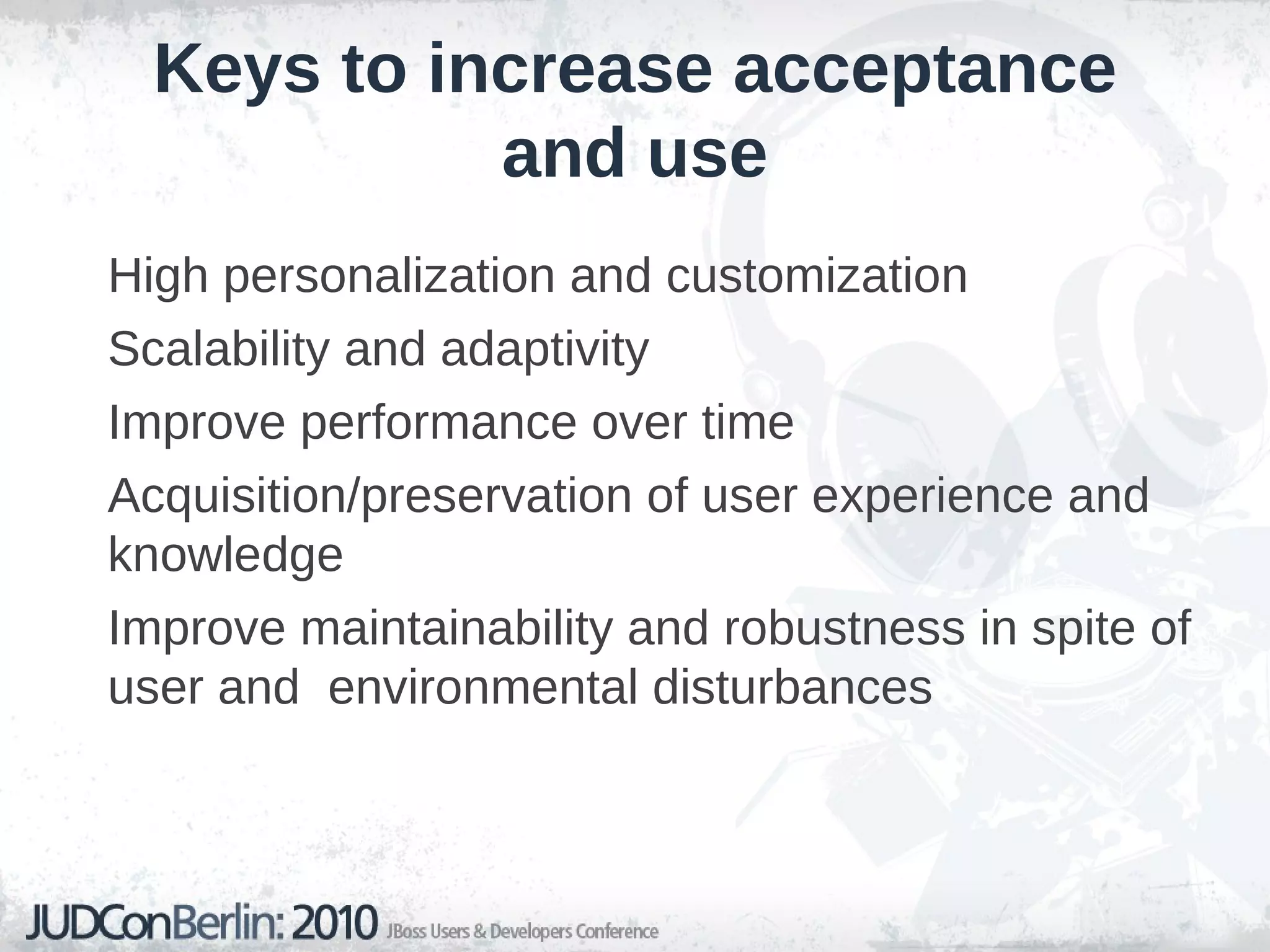
Keys to increase acceptance and use High personalization and customization
Scalability and adaptivity
Improve performance over time
Acquisition/preservation of user experience and knowledge
Improve maintainability and robustness in spite of user and  environmental disturbances
AT example: computer access Computer input devices for motor-impaired people
Mouse cursor control for handicapped individuals (MCC) – main operations:  pointing  and  clicking .
Ca. 250 commercial MCC products available at the market worldwide.
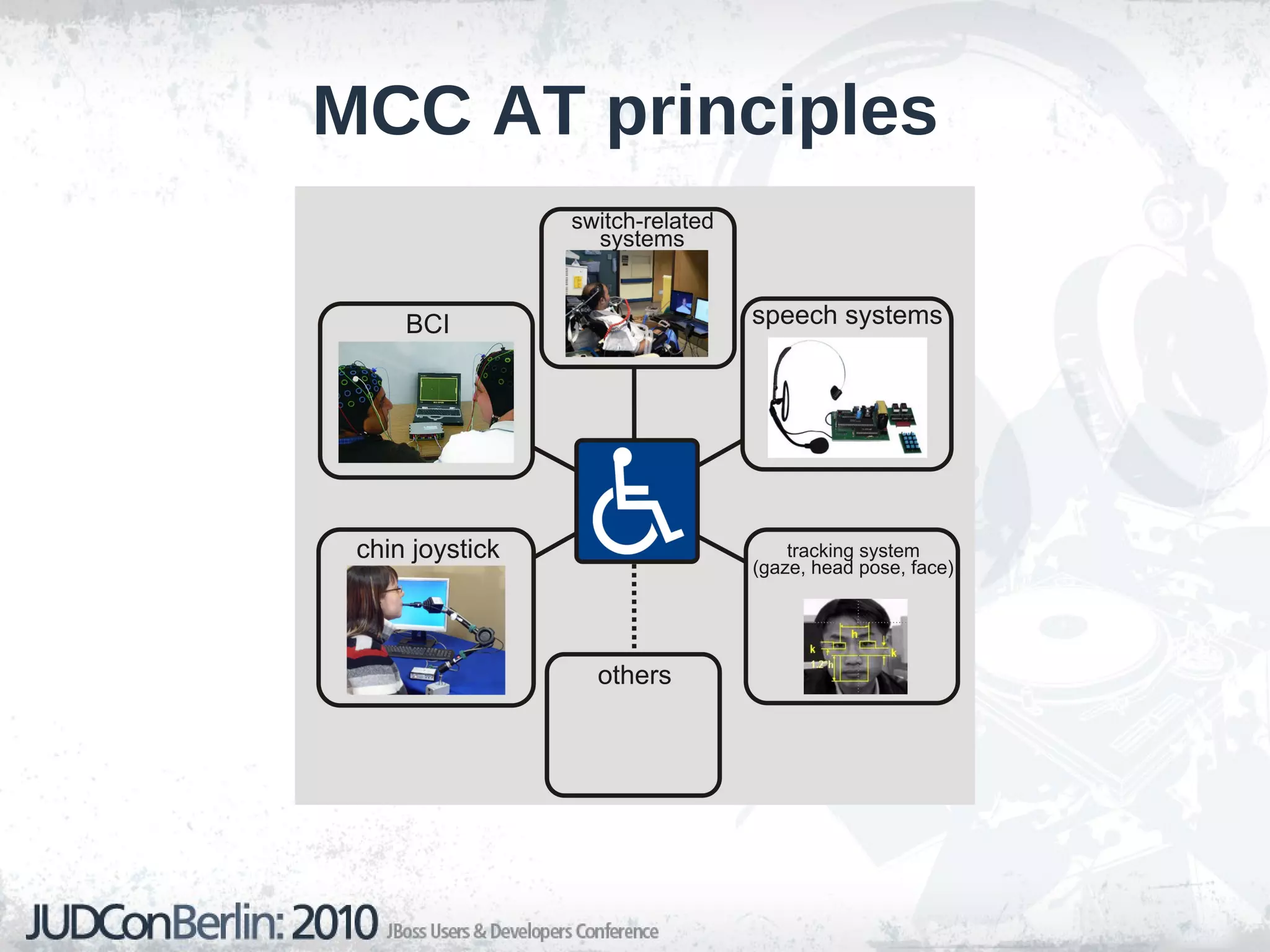
Multitude of MCC concepts: switch-related systems (sip/puff switches), head pointing systems, eye tracking systems, BCI etc.
None of them provide a standardized general system for subjects with severe disabilities.
MCC AT principles
Roadmap to success More complex systems that combine several input channels.
Use of innovative technologies, such as AI approaches, methods and tools (e.g. automated reasoning, first-order logic, fuzzy logic, neural-networks etc.).
Development of standardized HW and SW modules that can be configured for a  specific user.
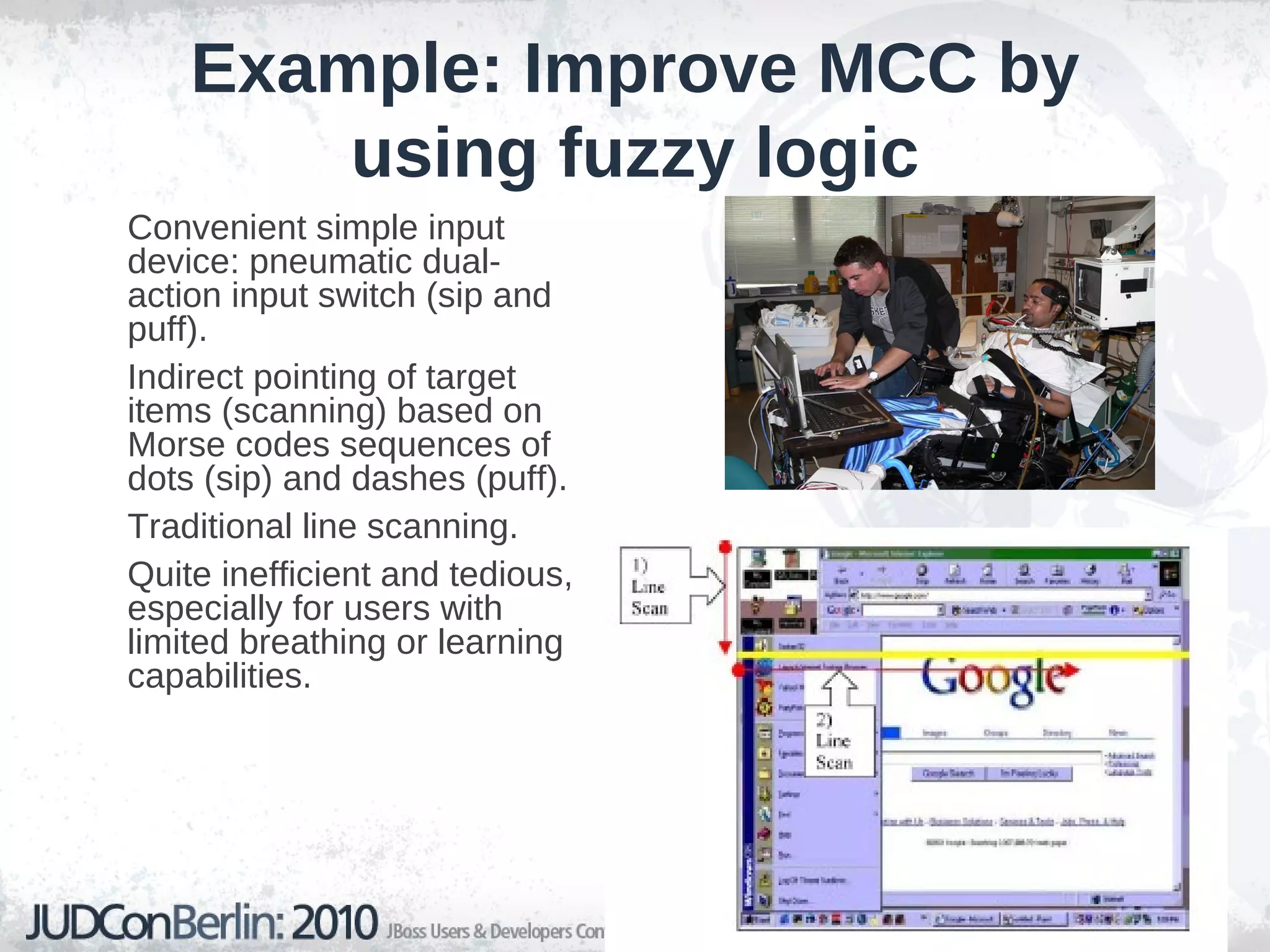
Example: Improve MCC by using fuzzy logic Convenient simple input device: pneumatic dual-action input switch (sip and puff).
Indirect pointing of target items (scanning) based on Morse codes sequences of  dots (sip) and dashes (puff).
Traditional line scanning.
Quite inefficient and tedious, especially for users with limited breathing or learning capabilities.
Applying Drools in Assistive Technology

  • 1.
  • 2.
    Applying JBoss Droolsin Assistive Technology
  • 3.
    Who is Tihomir?R&D Engineer on Drools
  • 4.
  • 5.
  • 6.
  • 7.
  • 8.
  • 9.
  • 10.
  • 11.
    Assistive Technology Disabilityaffects 15-20% of every country's population (with 10% being classified with severe motor impairments). Growing trends (aging population, severe stroke).
  • 12.
    Categories of disabilities:- Sensoric deficiencies – reduced ability to acquire inputs from the physical world (e.g. blindness, deafness, etc.), - Expression deficiencies – reduced ability to produce output to the physical world (e.g. voice, motion, etc.). Assistive technology (AT) – product, device or equipment (e.g. assistive, adaptive or rehabilitative devices) that helps individuals with disabilities to increase, maintain or improve functional capabilities (AT Act, 1998).
  • 13.
    AT products helppeoples with disabilities to achieve greater independence, enhance their quality of life and compete in the real world ( inclusive society ).
  • 14.
    AT Current situationSteadily growing market (especially for small businesses, estimation: US$ 12 billion in USA, 30 billion in Japan and 40 billion in Europe)
  • 15.
    Modern AT industrysustainable and profitable.
  • 16.
    The key problems: - User View – Expensive, not sufficiently flexible and adaptable devices. Slow and not responsive systems, non-transparent, difficult to use, sensitive to disturbances and errors. - Developer View – Demands for highly customized products within a huge target-audience, risky business (user acceptance, competitive pricing).
  • 17.
    AT research anddevelopment Long term AT research (priorities in several countries).
  • 18.
    Main focus: respondto the needs and wants of users.
  • 19.
    Close relationships tomain-stream researches, such as robotics, cognition, AI, IT, sensor technology, real time control etc.
  • 20.
    Attractive common researchfocuses on: - human enhancement, - rehabilitation robotics, - human-robot interaction (HRI), - human-computer interfaces (HCI), - brain-computer interfaces (BCI), - computer vision, etc.
  • 21.
    AT essential distinctiveproblem Extreme individual differences that characterize abilities and needs of motor-impaired people.
  • 22.
    Keys to increaseacceptance and use High personalization and customization
  • 23.
  • 24.
  • 25.
    Acquisition/preservation of userexperience and knowledge
  • 26.
    Improve maintainability androbustness in spite of user and environmental disturbances
  • 27.
    AT example: computeraccess Computer input devices for motor-impaired people
  • 28.
    Mouse cursor controlfor handicapped individuals (MCC) – main operations: pointing and clicking .
  • 29.
    Ca. 250 commercialMCC products available at the market worldwide.
  • 30.
    Multitude of MCCconcepts: switch-related systems (sip/puff switches), head pointing systems, eye tracking systems, BCI etc.
  • 31.
    None of themprovide a standardized general system for subjects with severe disabilities.
  • 32.
  • 33.
    Roadmap to successMore complex systems that combine several input channels.
  • 34.
    Use of innovativetechnologies, such as AI approaches, methods and tools (e.g. automated reasoning, first-order logic, fuzzy logic, neural-networks etc.).
  • 35.
    Development of standardizedHW and SW modules that can be configured for a specific user.
  • 36.
    Example: Improve MCCby using fuzzy logic Convenient simple input device: pneumatic dual-action input switch (sip and puff).
  • 37.
    Indirect pointing oftarget items (scanning) based on Morse codes sequences of dots (sip) and dashes (puff).
  • 38.
  • 39.
    Quite inefficient andtedious, especially for users with limited breathing or learning capabilities.
  • 40.
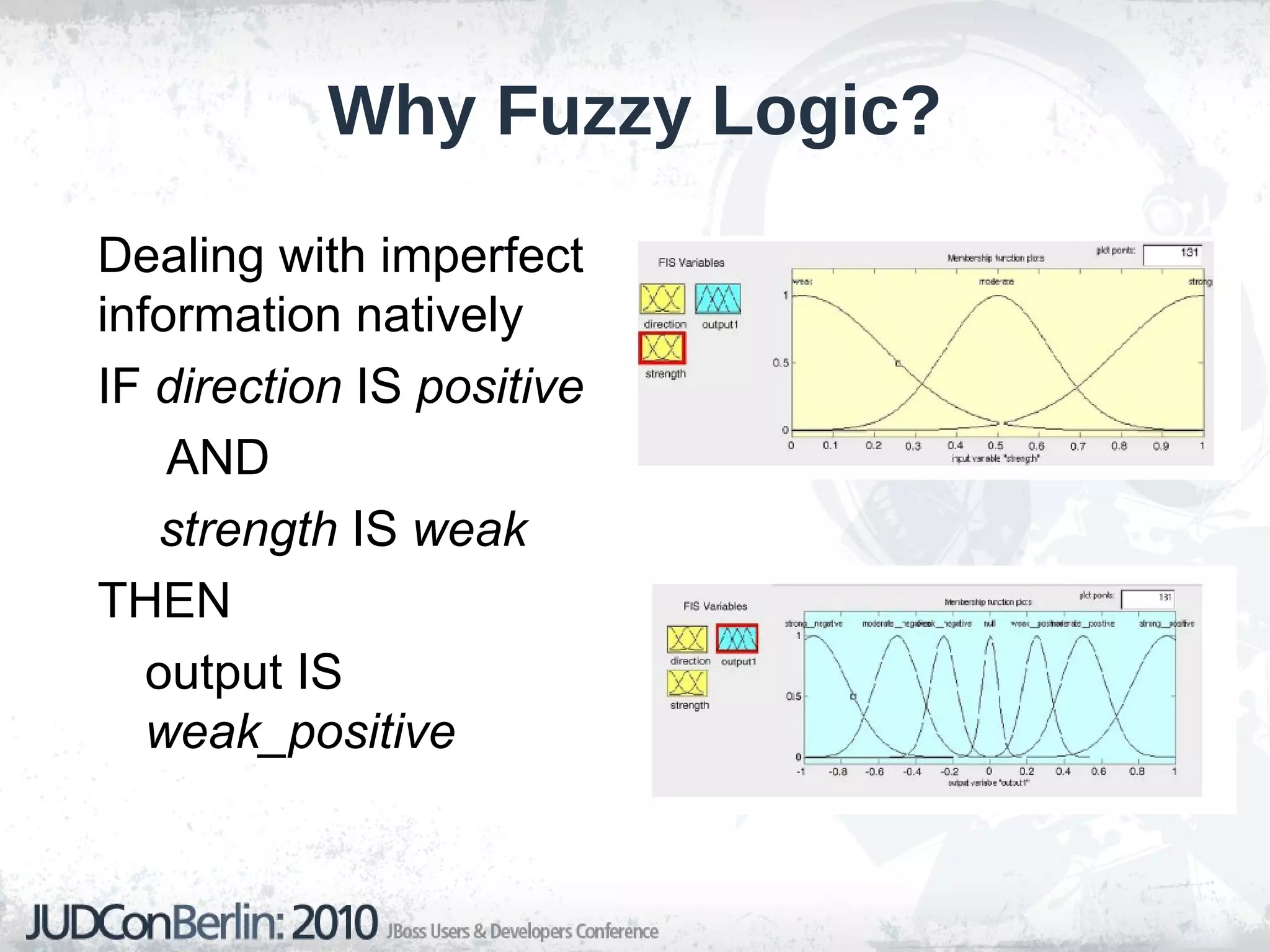
    Why Fuzzy Logic?Dealing with imperfect information natively IF direction IS positive AND strength IS weak THEN output IS weak_positive
  • 41.
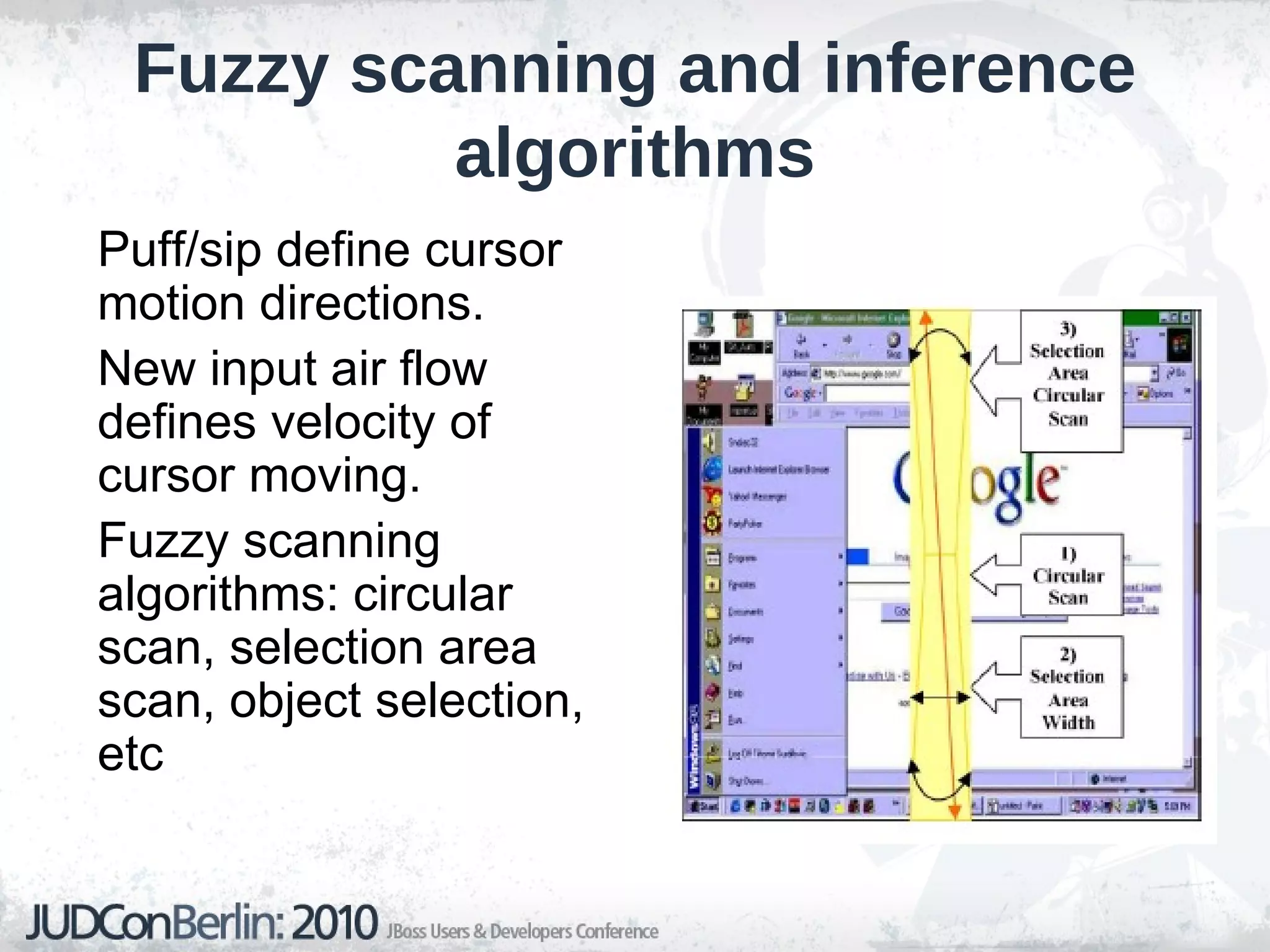
    Fuzzy scanning andinference algorithms Puff/sip define cursor motion directions.
  • 42.
    New input airflow defines velocity of cursor moving.
  • 43.
    Fuzzy scanning algorithms:circular scan, selection area scan, object selection, etc
  • 44.
    Fuzzy control outcomesand limitations Improved mouse control. Clear step-forward in comparison to the state of art.
  • 45.
    Feasible and promisingsolution for development of sophisticated and adaptive MMC (HCI) systems.
  • 46.
    Constraints: relatively goodbreathing control is needed. Sensitivity to disturbances.
  • 47.
    Multi-channel inputs andaction outputs (MIMO) can further improve performance and robustness, however fuzzy logic and control applications become extremely complex.
  • 48.
    Processing large numberof input events becomes problematic.
  • 49.
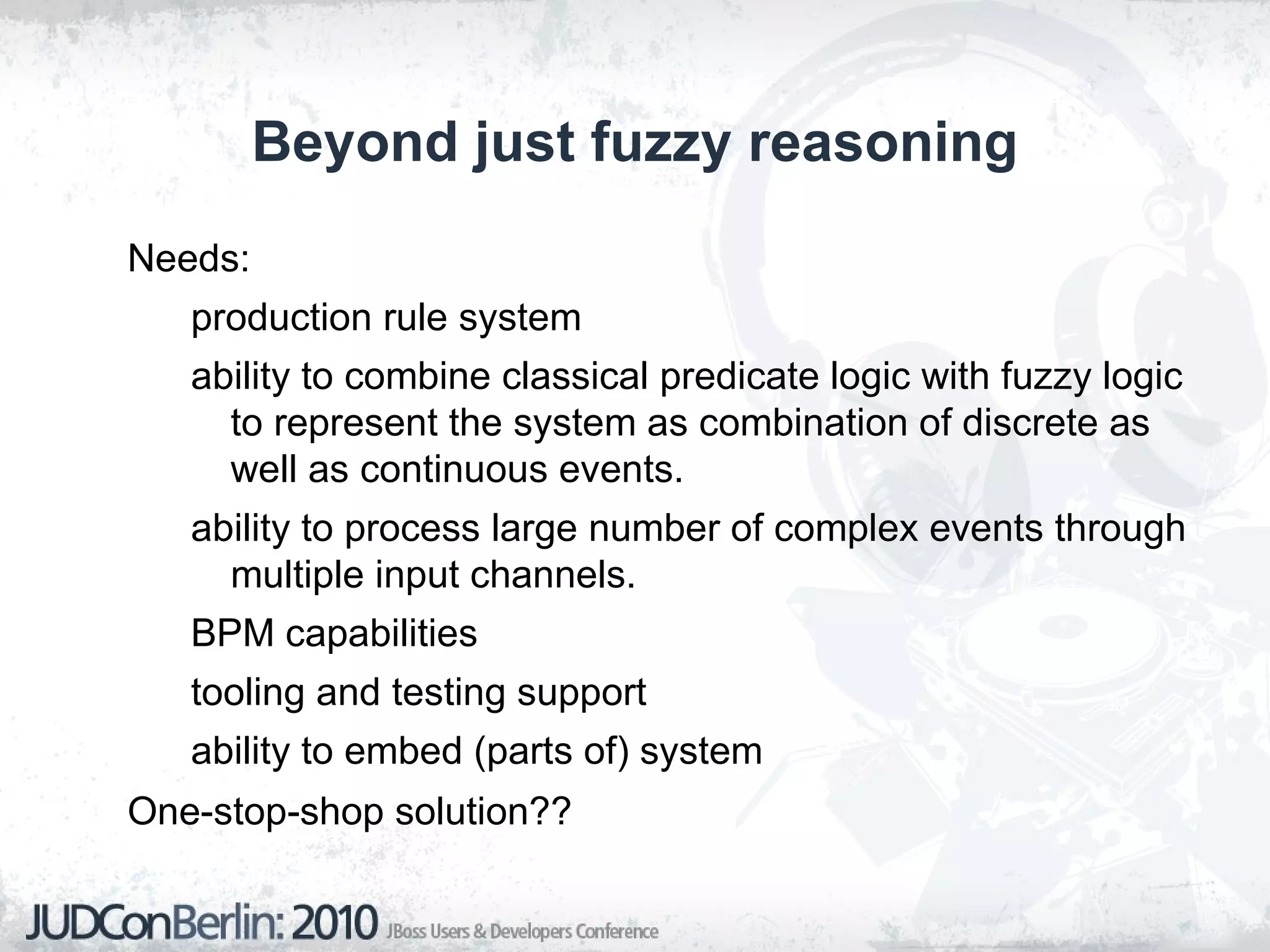
    Beyond just fuzzyreasoning Needs: production rule system
  • 50.
    ability to combineclassical predicate logic with fuzzy logic to represent the system as combination of discrete as well as continuous events.
  • 51.
    ability to processlarge number of complex events through multiple input channels.
  • 52.
  • 53.
  • 54.
    ability to embed(parts of) system One-stop-shop solution??
  • 55.
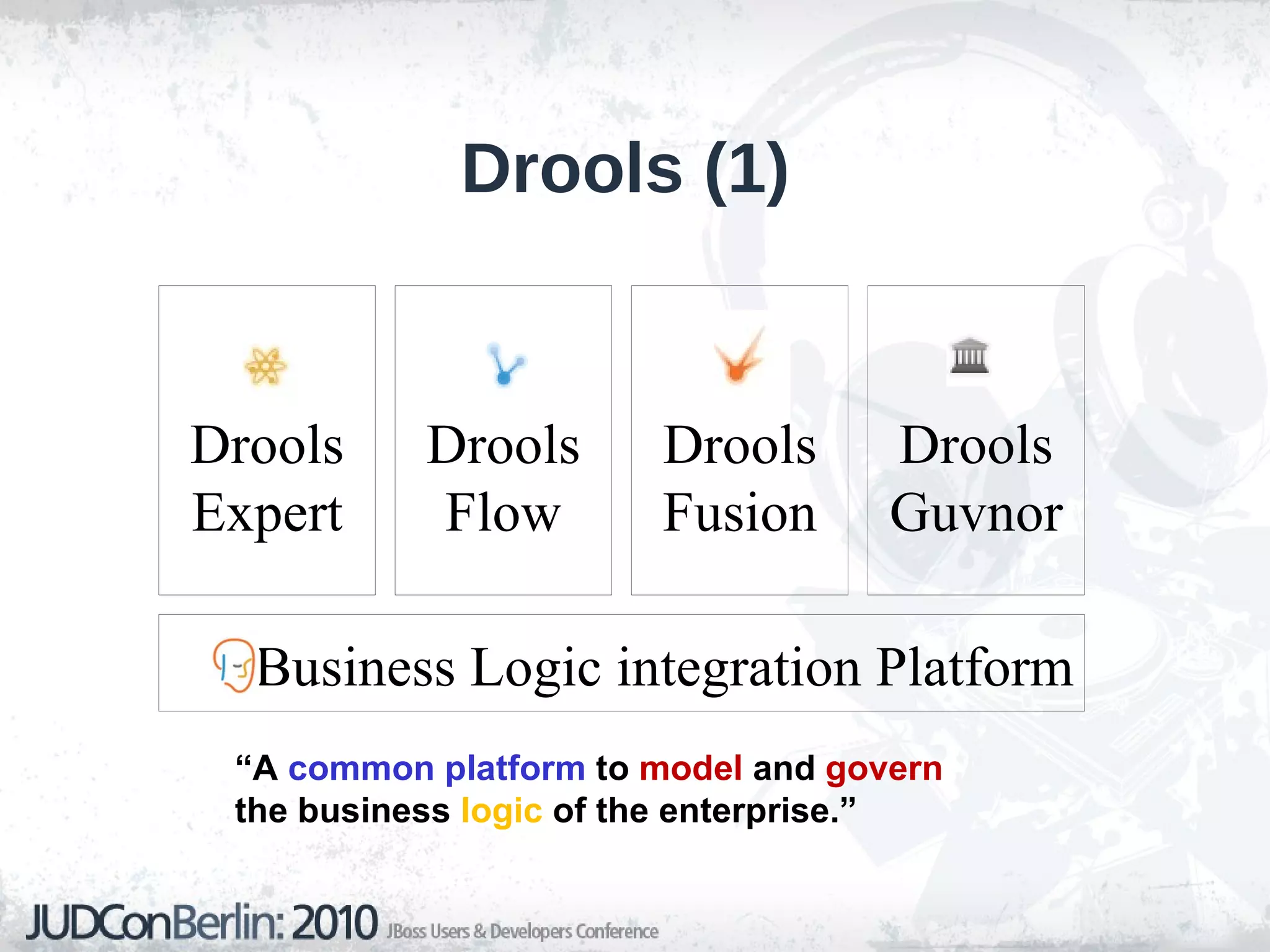
    Drools (1) “ A common platform to model and govern the business logic of the enterprise.”
  • 56.
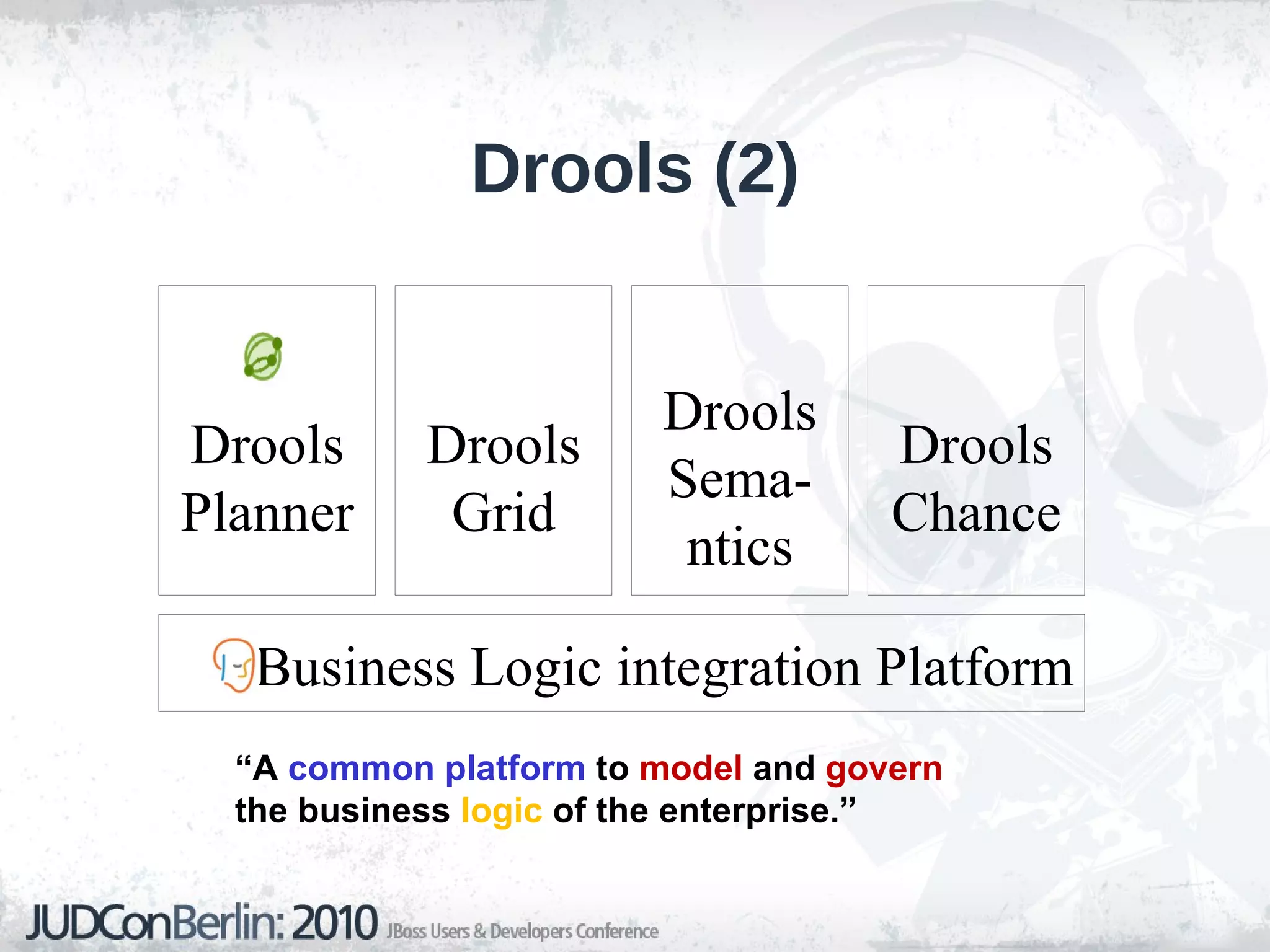
    Drools (2) “A common platform to model and govern the business logic of the enterprise.”
  • 57.
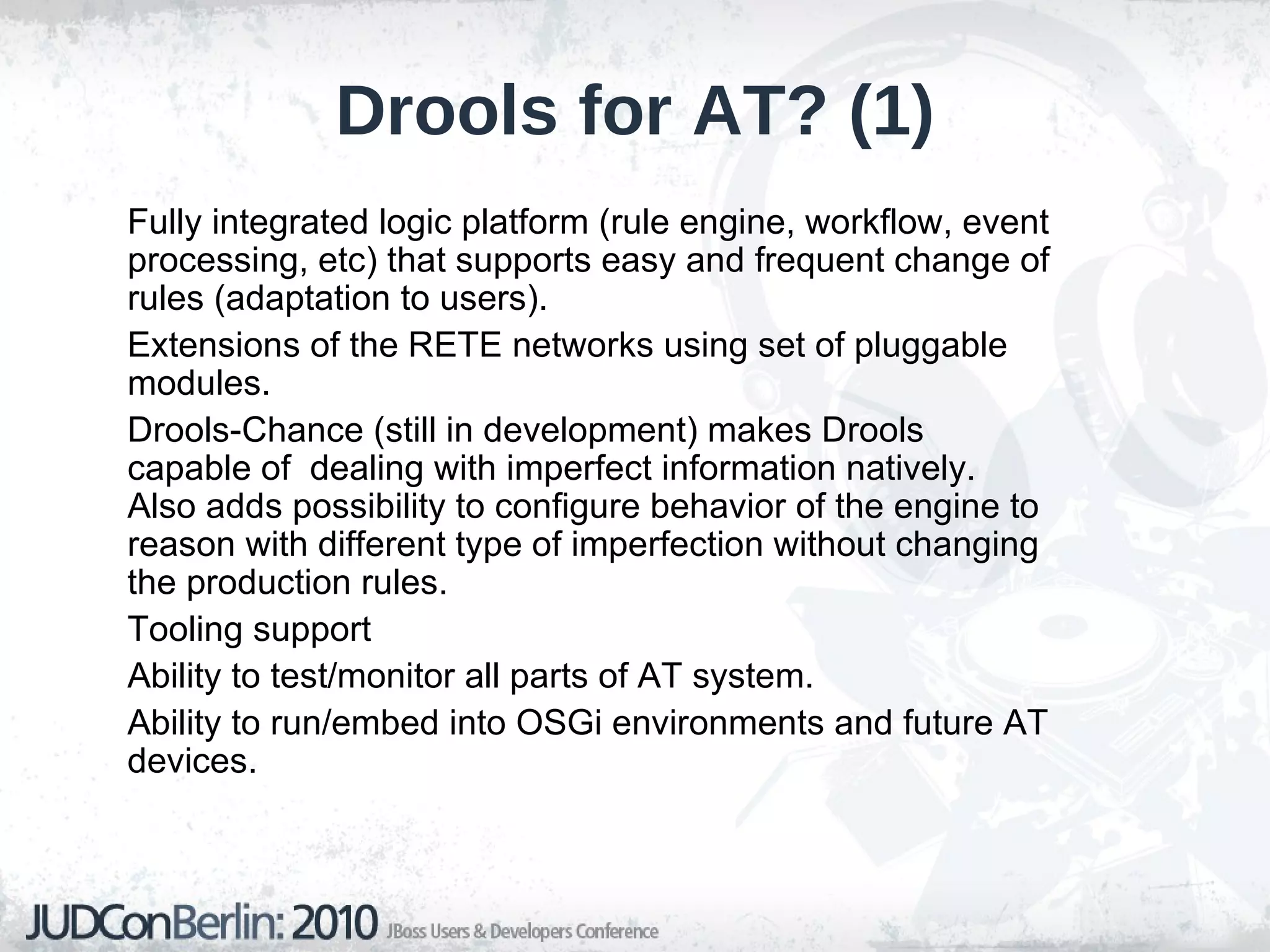
    Drools for AT?(1) Fully integrated logic platform (rule engine, workflow, event processing, etc) that supports easy and frequent change of rules (adaptation to users).
  • 58.
    Extensions of theRETE networks using set of pluggable modules.
  • 59.
    Drools-Chance (still indevelopment) makes Drools capable of dealing with imperfect information natively. Also adds possibility to configure behavior of the engine to reason with different type of imperfection without changing the production rules.
  • 60.
  • 61.
    Ability to test/monitorall parts of AT system.
  • 62.
    Ability to run/embedinto OSGi environments and future AT devices.
  • 63.
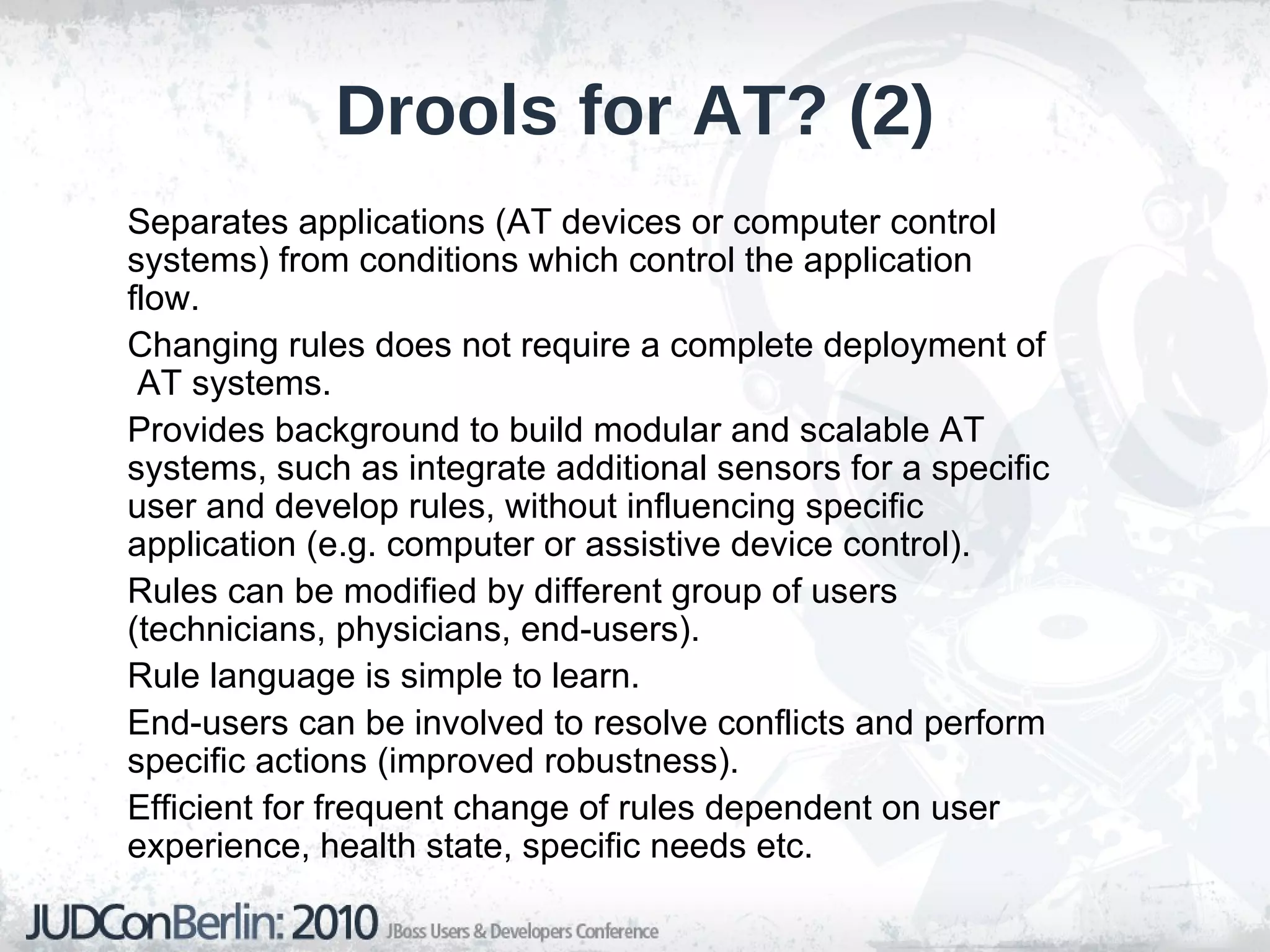
    Drools for AT?(2) Separates applications (AT devices or computer control systems) from conditions which control the application flow.
  • 64.
    Changing rules doesnot require a complete deployment of AT systems.
  • 65.
    Provides background tobuild modular and scalable AT systems, such as integrate additional sensors for a specific user and develop rules, without influencing specific application (e.g. computer or assistive device control).
  • 66.
    Rules can bemodified by different group of users (technicians, physicians, end-users).
  • 67.
    Rule language issimple to learn.
  • 68.
    End-users can beinvolved to resolve conflicts and perform specific actions (improved robustness).
  • 69.
    Efficient for frequentchange of rules dependent on user experience, health state, specific needs etc.
  • 70.
    First steps towardimprovement for MCC - Event Processing Any form of computing performing operations on events
  • 71.
    Event: Realworld: occurrence of something that has happened at a particular point in time
  • 72.
    Comp. Systems: entity/object that represents this occurrence
  • 73.
    1 RW Event-> ∞ CS Events
  • 74.
    Raw vs. Derived Events Complex Event: abstraction of a number of related events For example a hurricane is an abstraction of a large number of natural eve nts
  • 75.
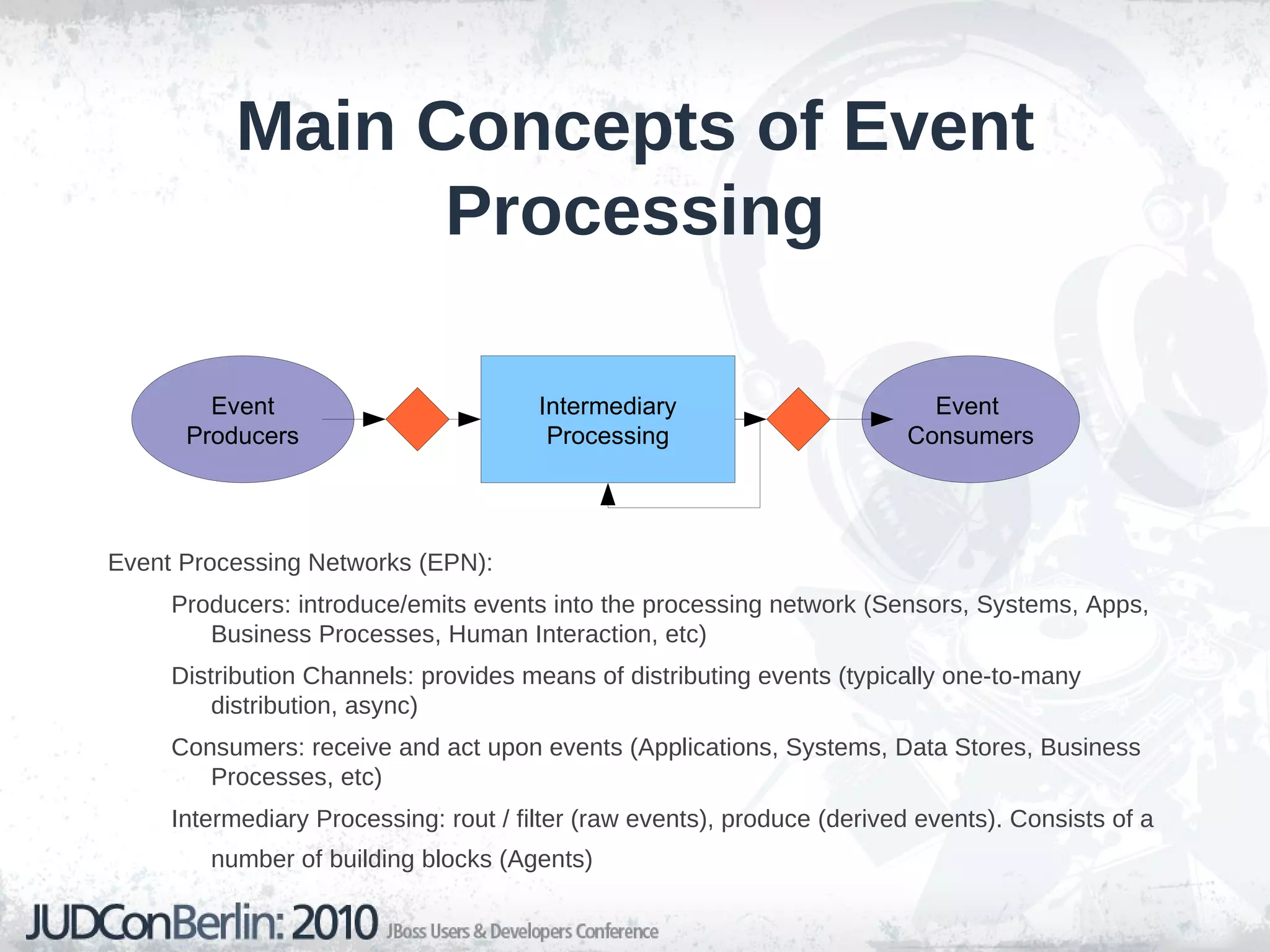
    Main Concepts ofEvent Processing Event Processing Networks (EPN): Producers: introduce/emits events into the processing network (Sensors, Systems, Apps, Business Processes, Human Interaction, etc)
  • 76.
    Distribution Channels: providesmeans of distributing events (typically one-to-many distribution, async)
  • 77.
    Consumers: receive andact upon events (Applications, Systems, Data Stores, Business Processes, etc)
  • 78.
    Intermediary Processing: rout/ filter (raw events), produce (derived events). Consists of a number of building blocks (Agents) Intermediary Processing Event Producers Event Consumers
  • 79.
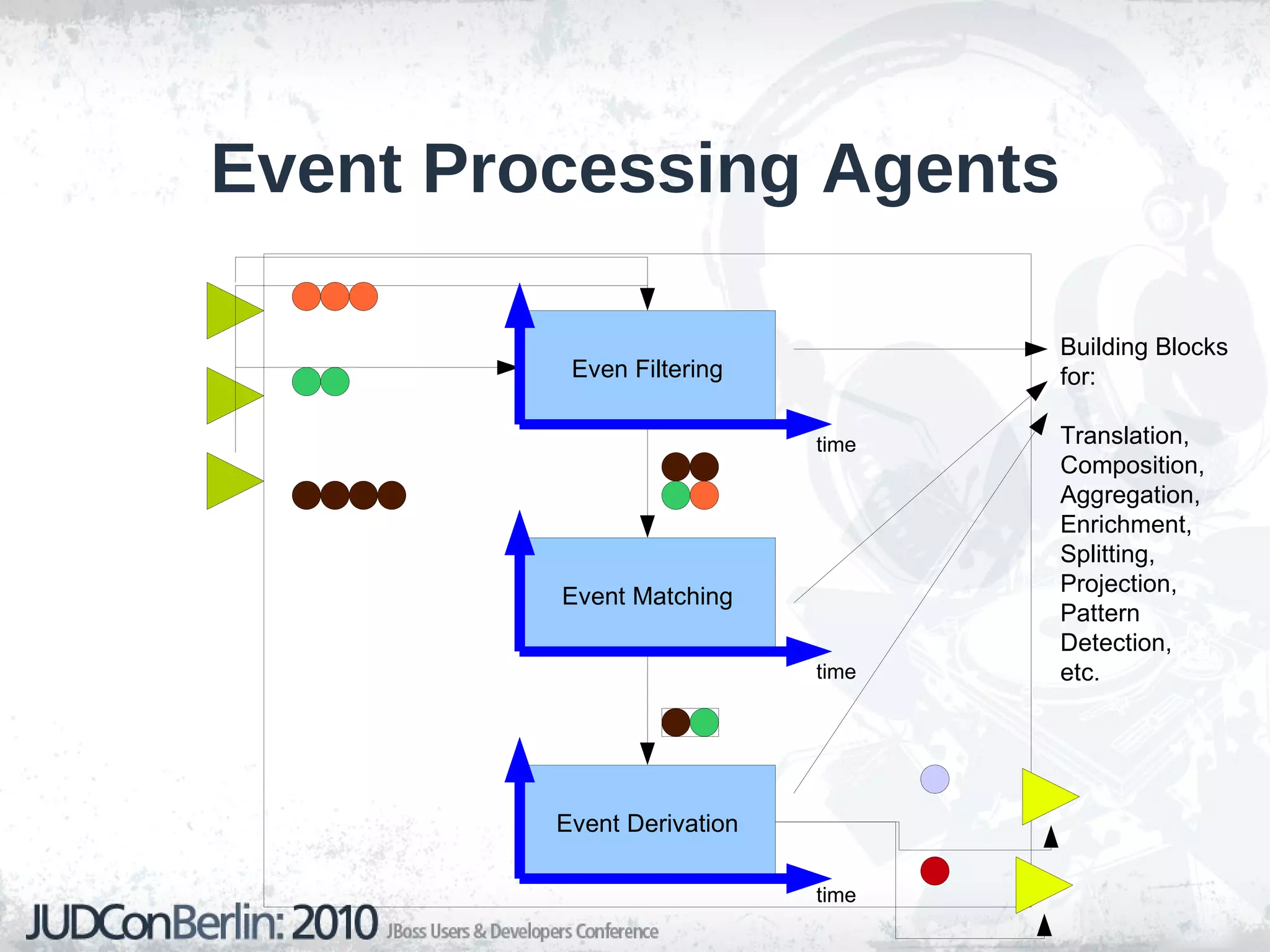
    Event Processing AgentsBuilding Blocks for: Translation, Composition, Aggregation, Enrichment, Splitting, Projection, Pattern Detection, etc. Even Filtering Event Matching Event Derivation time time time
  • 80.
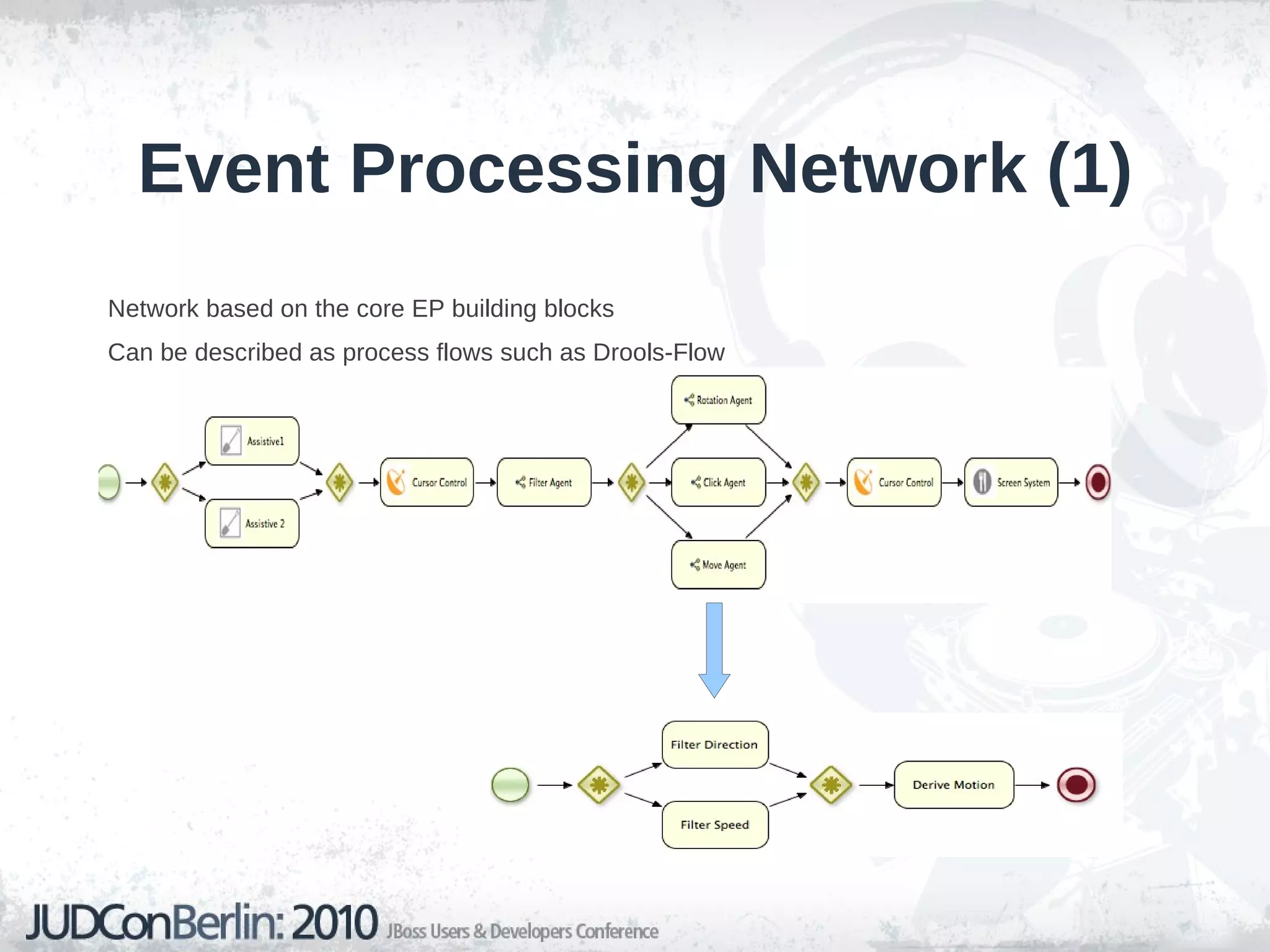
    Event Processing Network(1) Network based on the core EP building blocks
  • 81.
    Can be describedas process flows such as Drools-Flow
  • 82.
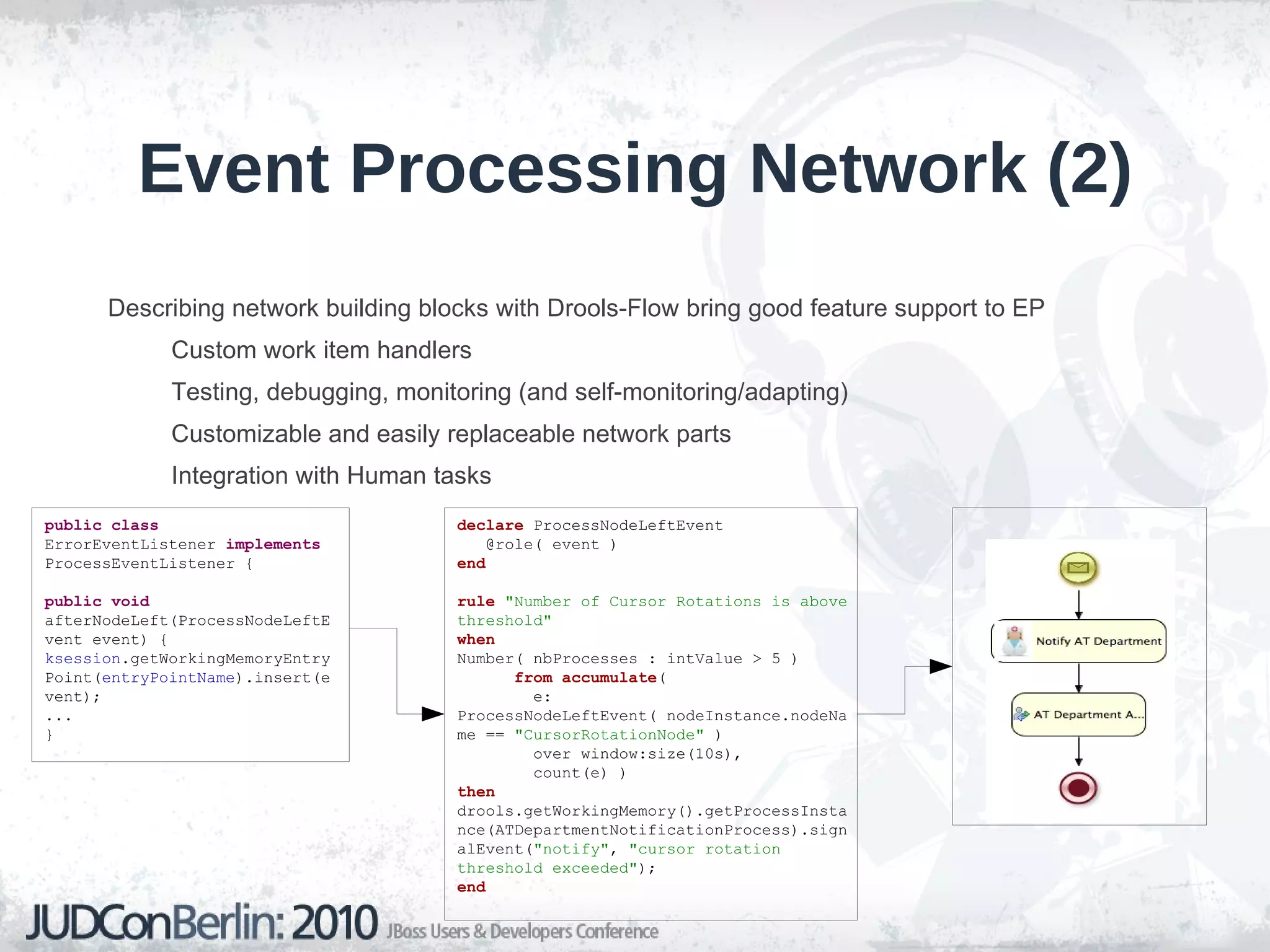
    Event Processing Network(2) Describing network building blocks with Drools-Flow bring good feature support to EP Custom work item handlers
  • 83.
    Testing, debugging, monitoring(and self-monitoring/adapting)
  • 84.
    Customizable and easilyreplaceable network parts
  • 85.
    Integration with Humantasks public class ErrorEventListener implements ProcessEventListener { public void afterNodeLeft(ProcessNodeLeftEvent event) { ksession .getWorkingMemoryEntryPoint( entryPointName ).insert(event); ... } declare ProcessNodeLeftEvent @role( event ) end rule "Number of Cursor Rotations is above threshold" when Number( nbProcesses : intValue > 5 ) from accumulate ( e: ProcessNodeLeftEvent( nodeInstance.nodeName == "CursorRotationNode" ) over window:size(10s), count(e) ) then drools.getWorkingMemory().getProcessInstance(ATDepartmentNotificationProcess).signalEvent( "notify" , "cursor rotation threshold exceeded" ); end
  • 86.
    Event Processing -Context Specifies conditions on a group of events so they can be processed in related ways.
  • 87.
    Events may/may notbe relevant in certain contexts Example: Left-click command can only be issued over clickable objects on screen Types of contexts: Temporal: consists of time intervals and events within intervals
  • 88.
    Spacial: takes accountgeospatial event info
  • 89.
    State-oriented: depends onstate of some external entity
  • 90.
    Segmentation-oriented: partitions eventsby their attribute values (for example age >= 35)
  • 91.
  • 92.
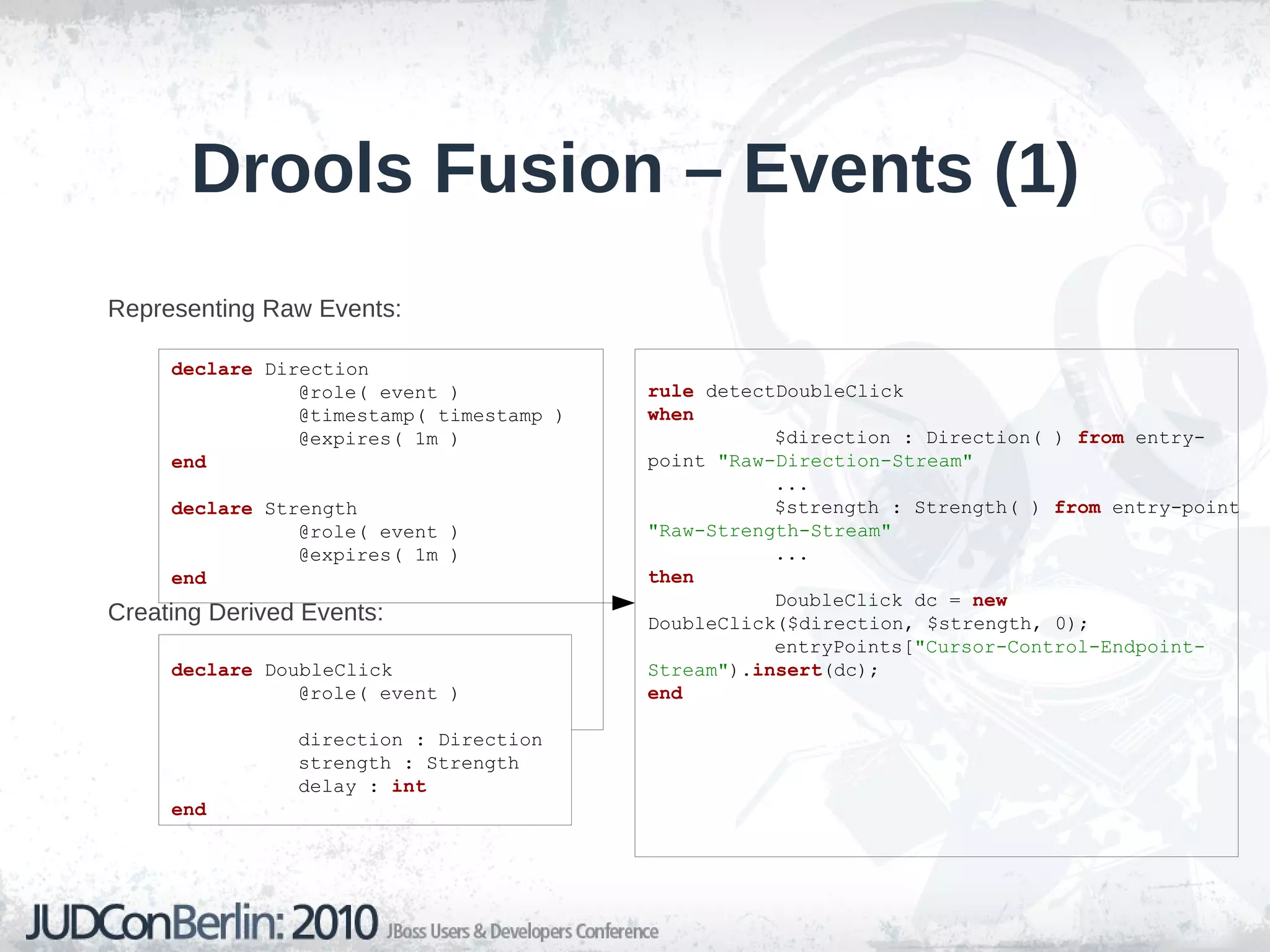
    Drools Fusion –Events (1) Representing Raw Events:
  • 93.
    Creating Derived Events:declare Direction @role( event ) @timestamp( timestamp ) @expires( 1m ) end declare Strength @role( event ) @expires( 1m ) end declare DoubleClick @role( event ) direction : Direction strength : Strength delay : int end rule detectDoubleClick when $direction : Direction( ) from entry-point "Raw-Direction-Stream" ... $strength : Strength( ) from entry-point "Raw-Strength-Stream" ... then DoubleClick dc = new DoubleClick($direction, $strength, 0); entryPoints[ "Cursor-Control-Endpoint-Stream" ). insert (dc); end
  • 94.
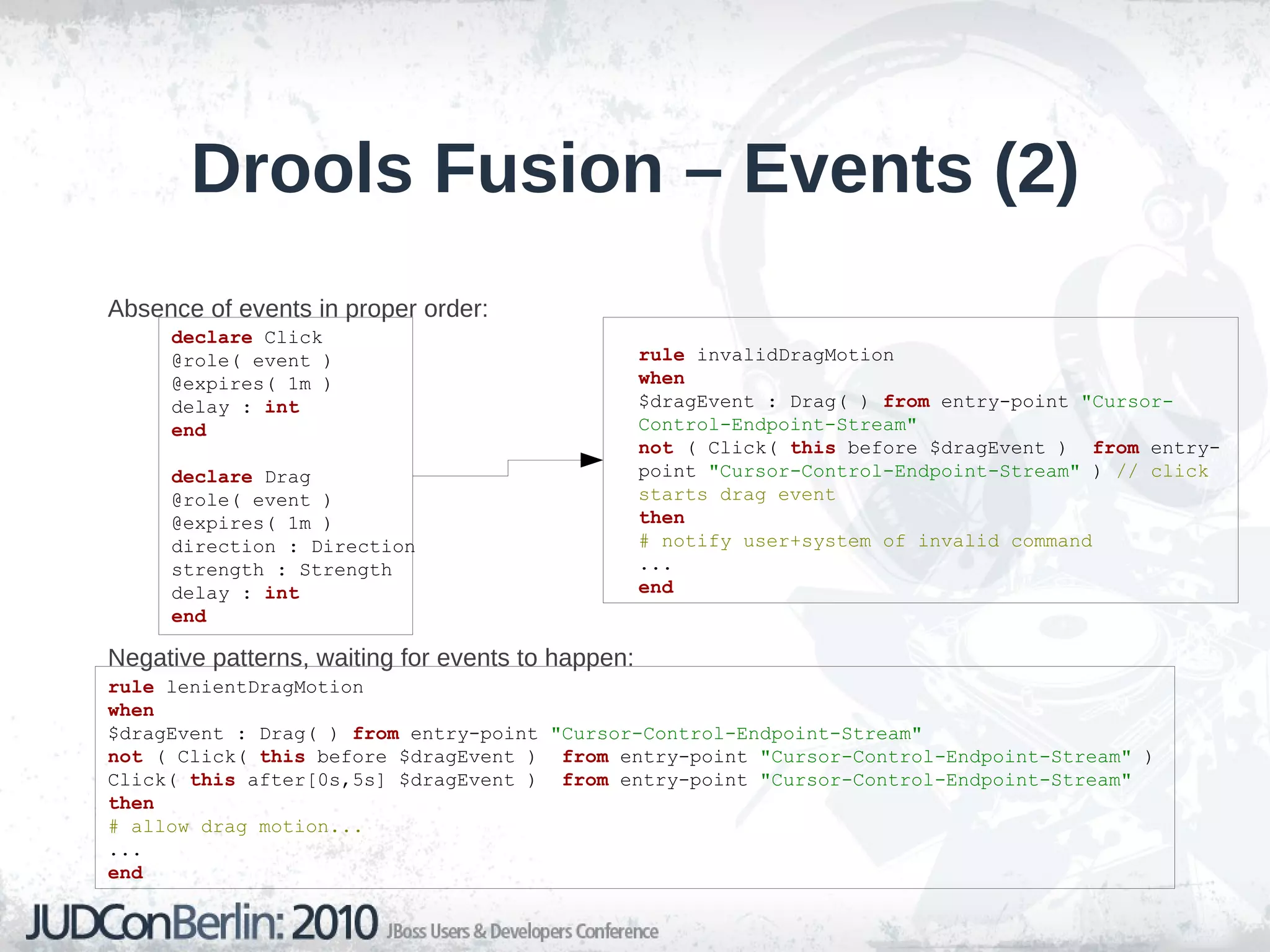
    Drools Fusion –Events (2) Absence of events in proper order:
  • 95.
    Negative patterns, waitingfor events to happen: declare Click @role( event ) @expires( 1m ) delay : int end declare Drag @role( event ) @expires( 1m ) direction : Direction strength : Strength delay : int end rule invalidDragMotion when $dragEvent : Drag( ) from entry-point "Cursor-Control-Endpoint-Stream" not ( Click( this before $dragEvent ) from entry-point "Cursor-Control-Endpoint-Stream" ) // click starts drag event then # notify user+system of invalid command ... end rule lenientDragMotion when $dragEvent : Drag( ) from entry-point "Cursor-Control-Endpoint-Stream" not ( Click( this before $dragEvent ) from entry-point "Cursor-Control-Endpoint-Stream" ) Click( this after[0s,5s] $dragEvent ) from entry-point "Cursor-Control-Endpoint-Stream" then # allow drag motion... ... end
  • 96.
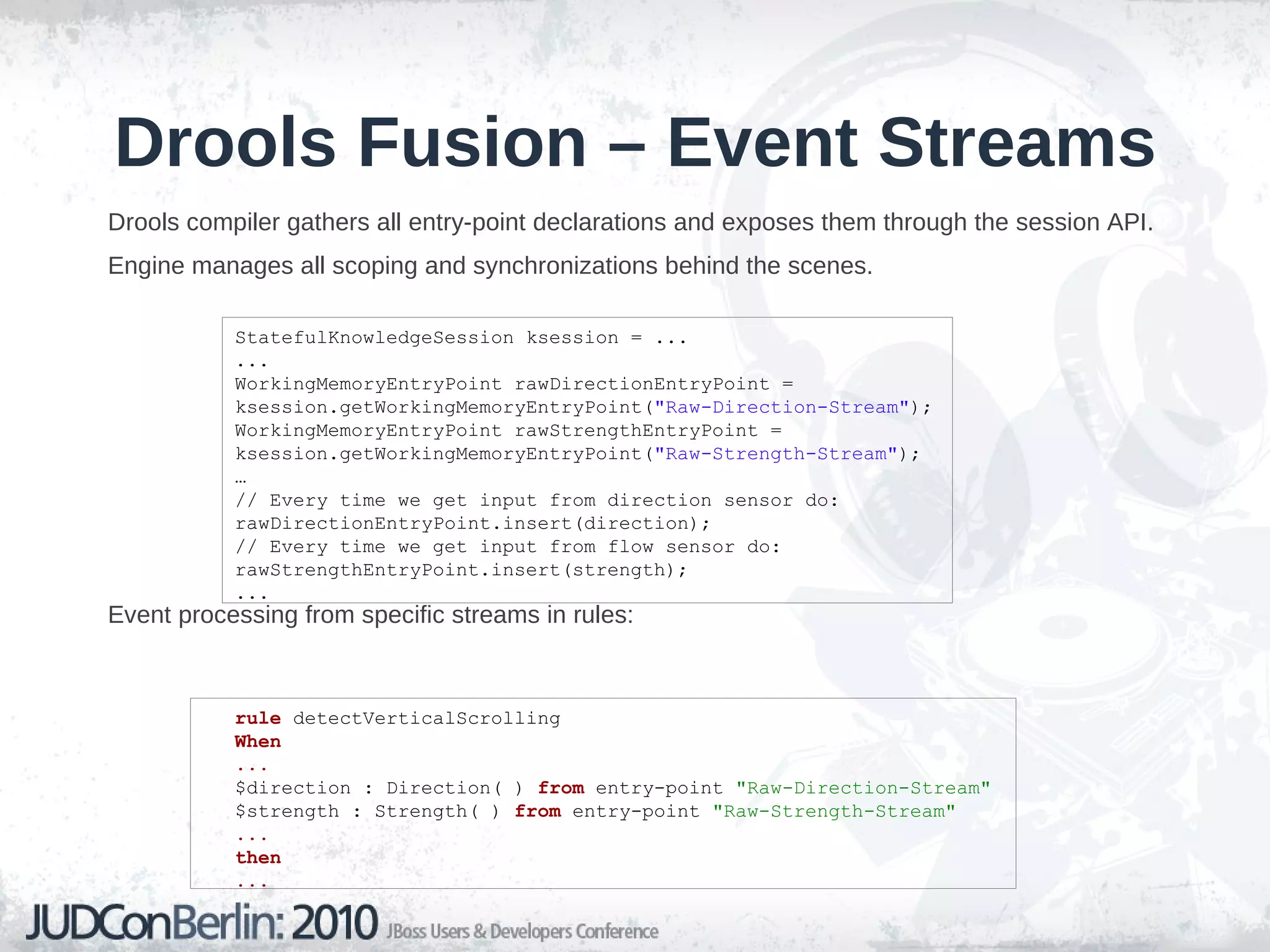
    Drools Fusion –Event Streams Drools compiler gathers all entry-point declarations and exposes them through the session API.
  • 97.
    Engine manages allscoping and synchronizations behind the scenes.
  • 98.
    Event processing fromspecific streams in rules: StatefulKnowledgeSession ksession = ... ... WorkingMemoryEntryPoint rawDirectionEntryPoint = ksession.getWorkingMemoryEntryPoint( "Raw-Direction-Stream" ); WorkingMemoryEntryPoint rawStrengthEntryPoint = ksession.getWorkingMemoryEntryPoint( "Raw-Strength-Stream" ); … // Every time we get input from direction sensor do: rawDirectionEntryPoint.insert(direction); // Every time we get input from flow sensor do: rawStrengthEntryPoint.insert(strength); ... rule detectVerticalScrolling When ... $direction : Direction( ) from entry-point "Raw-Direction-Stream" $strength : Strength( ) from entry-point "Raw-Strength-Stream" ... then ...
  • 99.
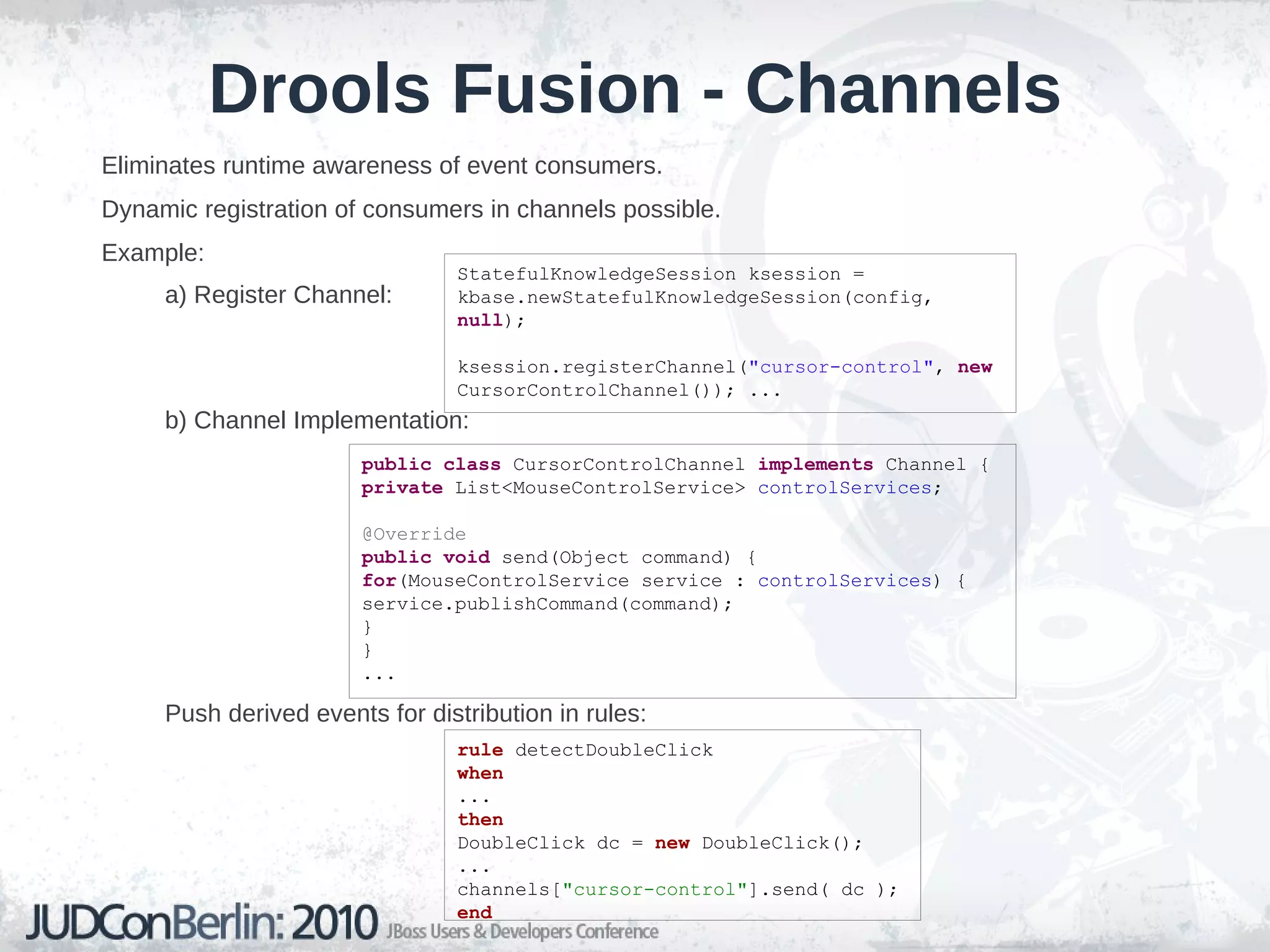
    Drools Fusion -Channels Eliminates runtime awareness of event consumers.
  • 100.
    Dynamic registration ofconsumers in channels possible.
  • 101.
  • 102.
  • 103.
    Push derived eventsfor distribution in rules: StatefulKnowledgeSession ksession = kbase.newStatefulKnowledgeSession(config, null ); ksession.registerChannel( &quot;cursor-control&quot; , new CursorControlChannel()); ... public class CursorControlChannel implements Channel { private List<MouseControlService> controlServices ; @Override public void send(Object command) { for (MouseControlService service : controlServices ) { service.publishCommand(command); } } ... rule detectDoubleClick when ... then DoubleClick dc = new DoubleClick(); ... channels[ &quot;cursor-control&quot; ].send( dc ); end
  • 104.
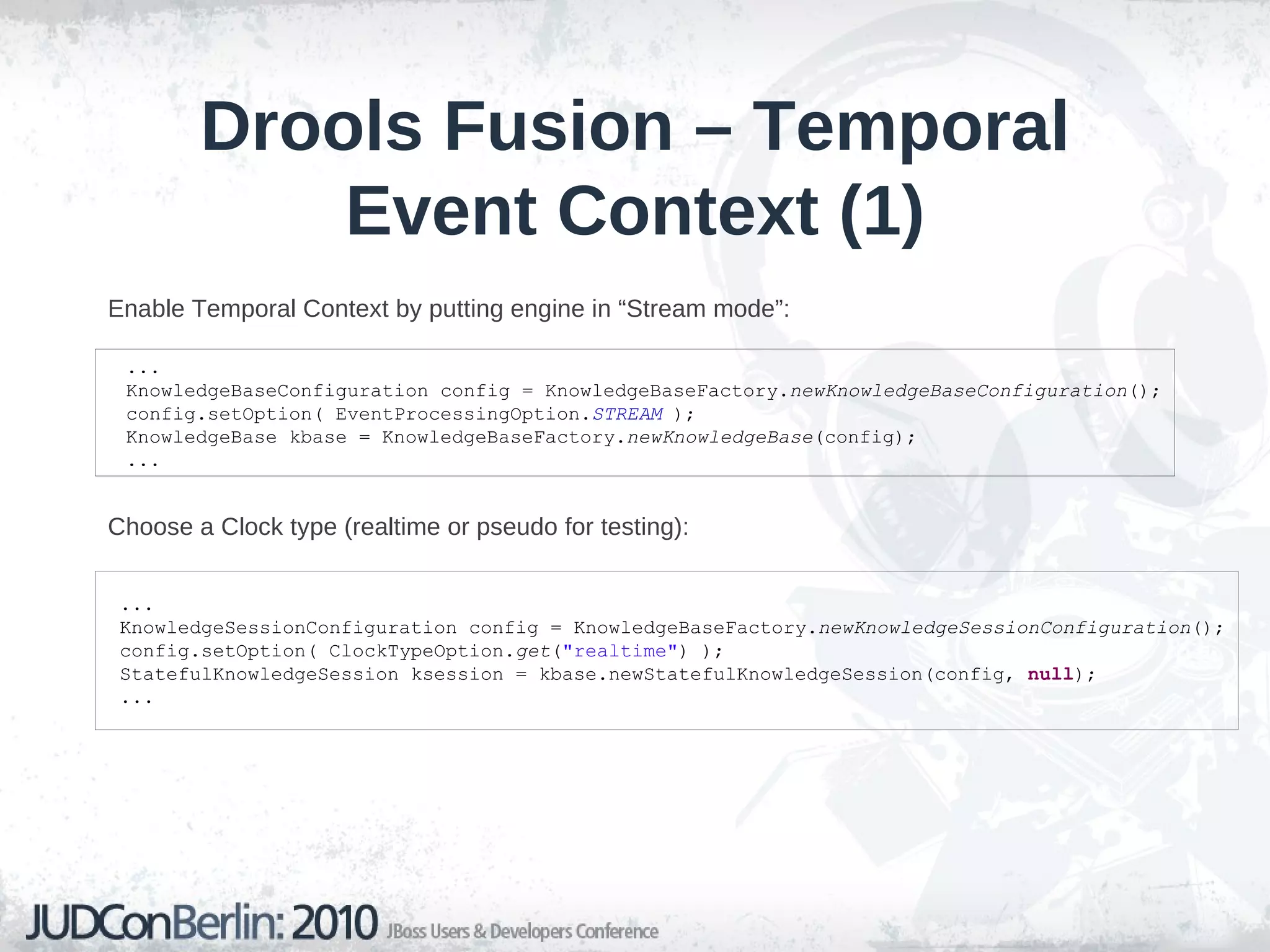
    Drools Fusion –Temporal Event Context (1) Enable Temporal Context by putting engine in “Stream mode”:
  • 105.
    Choose a Clocktype (realtime or pseudo for testing): ... KnowledgeBaseConfiguration config = KnowledgeBaseFactory. newKnowledgeBaseConfiguration (); config.setOption( EventProcessingOption. STREAM ); KnowledgeBase kbase = KnowledgeBaseFactory. newKnowledgeBase (config); ... ... KnowledgeSessionConfiguration config = KnowledgeBaseFactory. newKnowledgeSessionConfiguration (); config.setOption( ClockTypeOption. get ( &quot;realtime&quot; ) ); StatefulKnowledgeSession ksession = kbase.newStatefulKnowledgeSession(config, null ); ...
  • 106.
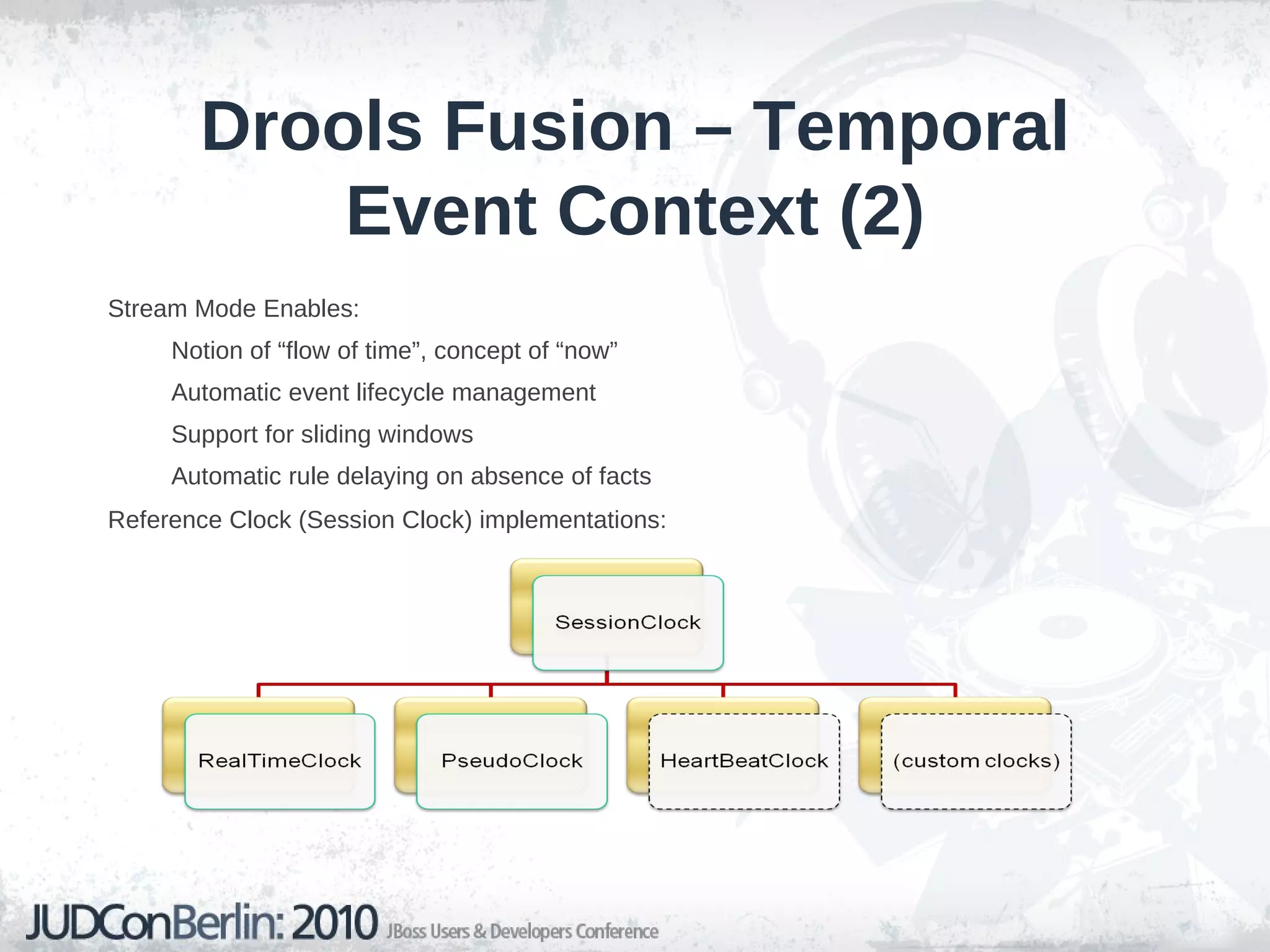
    Drools Fusion –Temporal Event Context (2) Stream Mode Enables: Notion of “flow of time”, concept of “now”
  • 107.
  • 108.
  • 109.
    Automatic rule delayingon absence of facts Reference Clock (Session Clock) implementations:
  • 110.
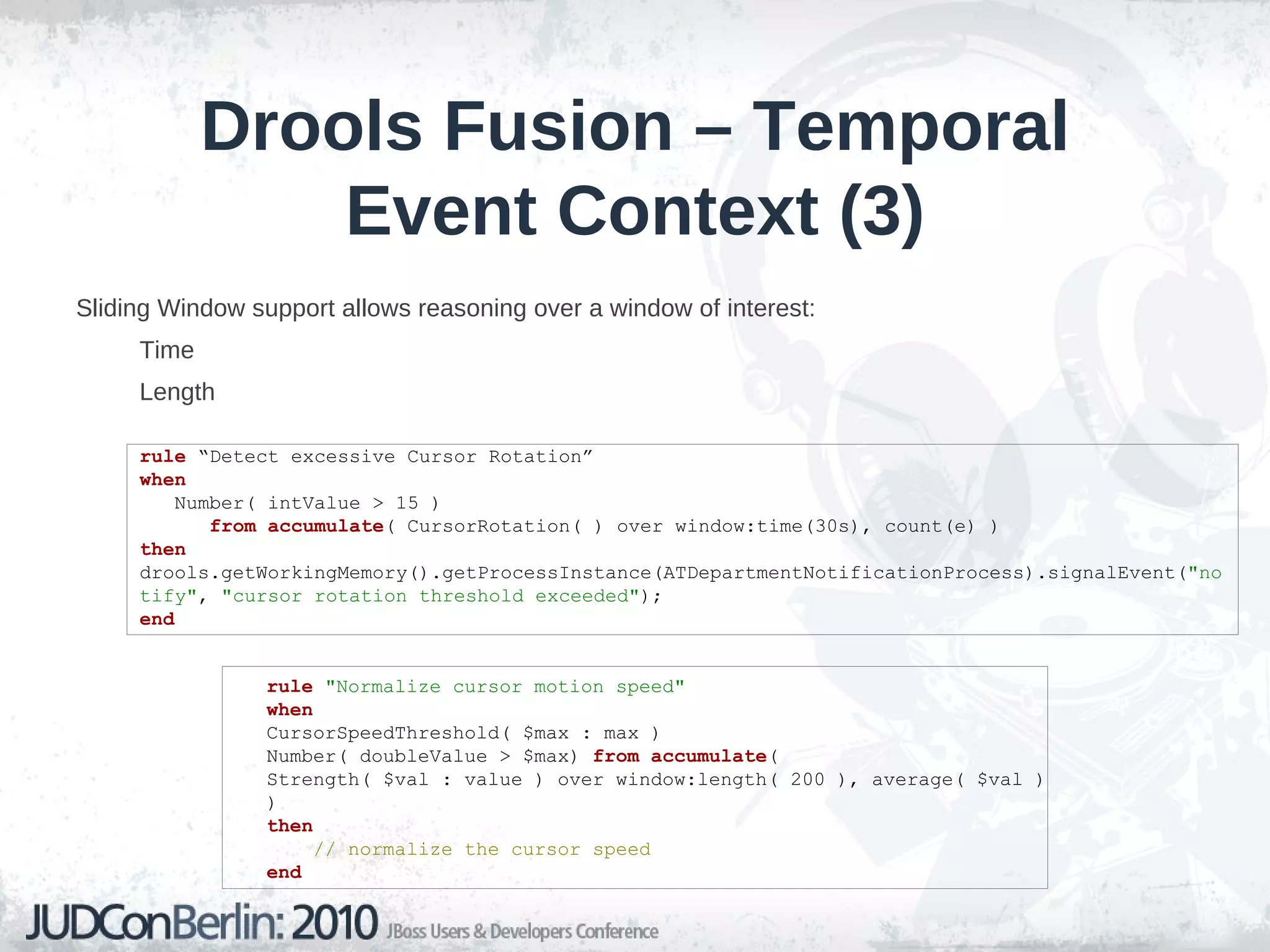
    Drools Fusion –Temporal Event Context (3) Sliding Window support allows reasoning over a window of interest: Time
  • 111.
    Length rule &quot;Normalize cursor motion speed&quot; when CursorSpeedThreshold( $max : max ) Number( doubleValue > $max) from accumulate ( Strength( $val : value ) over window:length( 200 ), average( $val ) ) then // normalize the cursor speed end rule “Detect excessive Cursor Rotation” when Number( intValue > 15 ) from accumulate ( CursorRotation( ) over window:time(30s), count(e) ) then drools.getWorkingMemory().getProcessInstance(ATDepartmentNotificationProcess).signalEvent( &quot;notify&quot; , &quot;cursor rotation threshold exceeded&quot; ); end
  • 112.
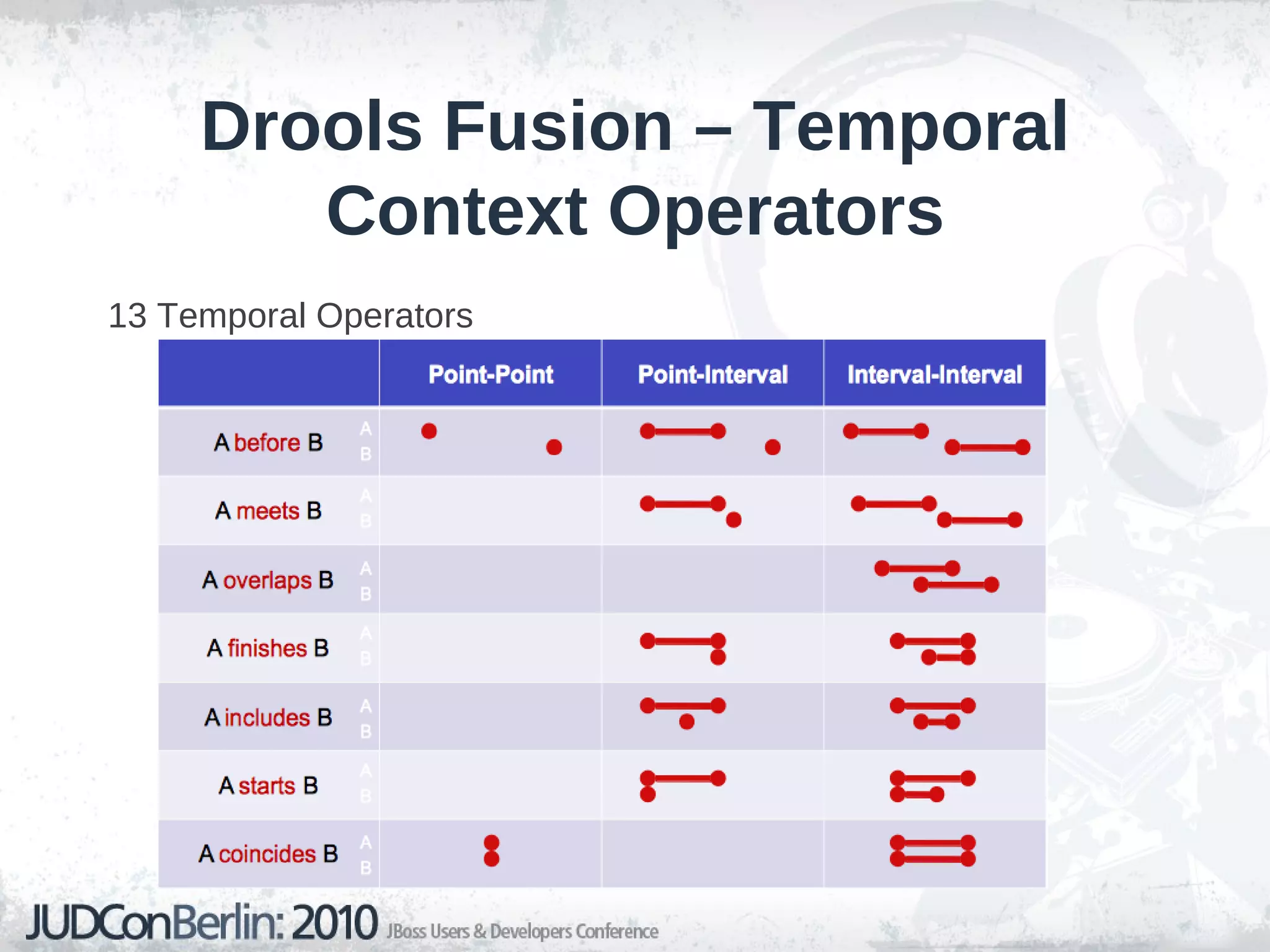
    Drools Fusion –Temporal Context Operators 13 Temporal Operators
  • 113.
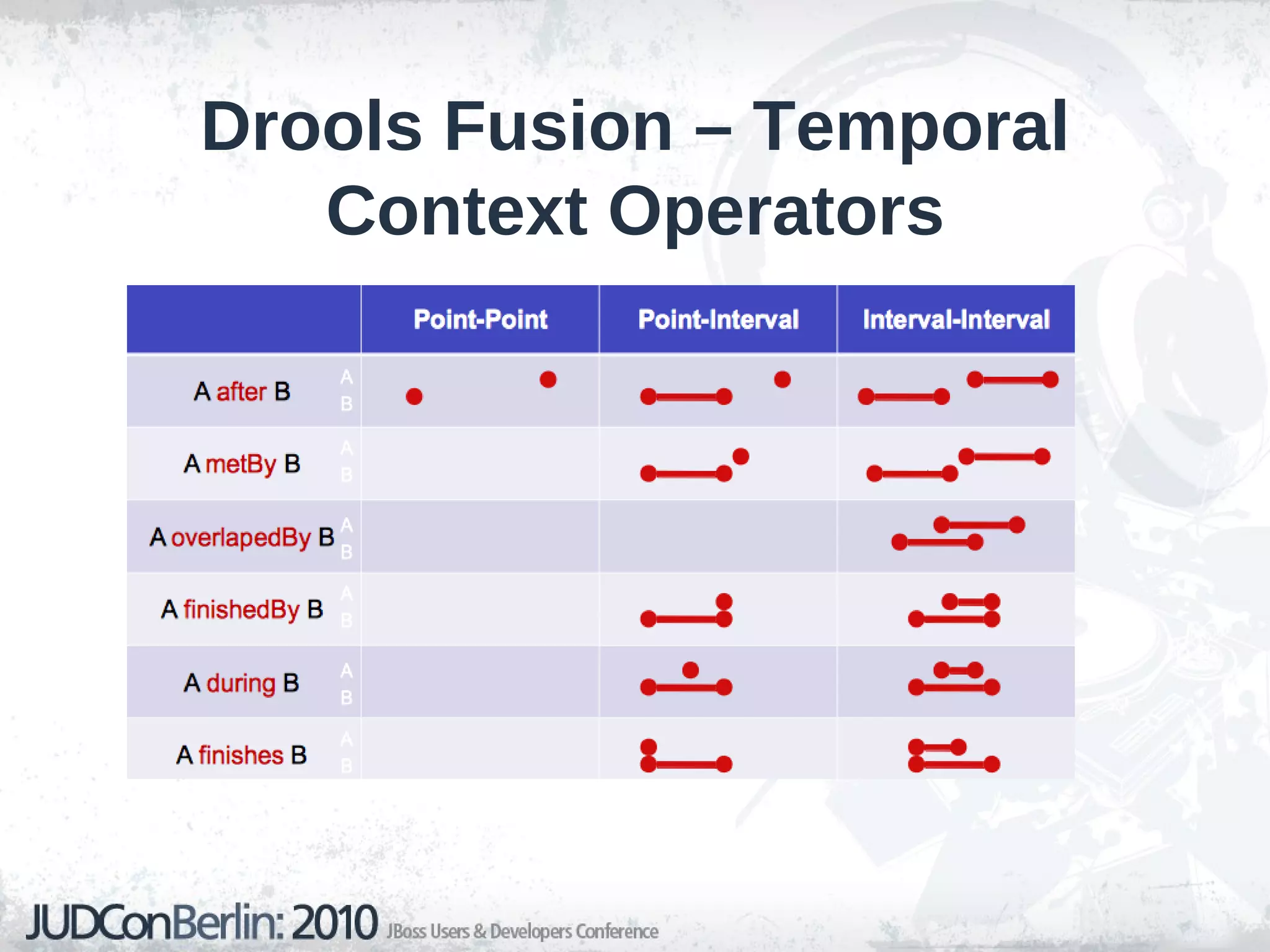
    Drools Fusion –Temporal Context Operators
  • 114.
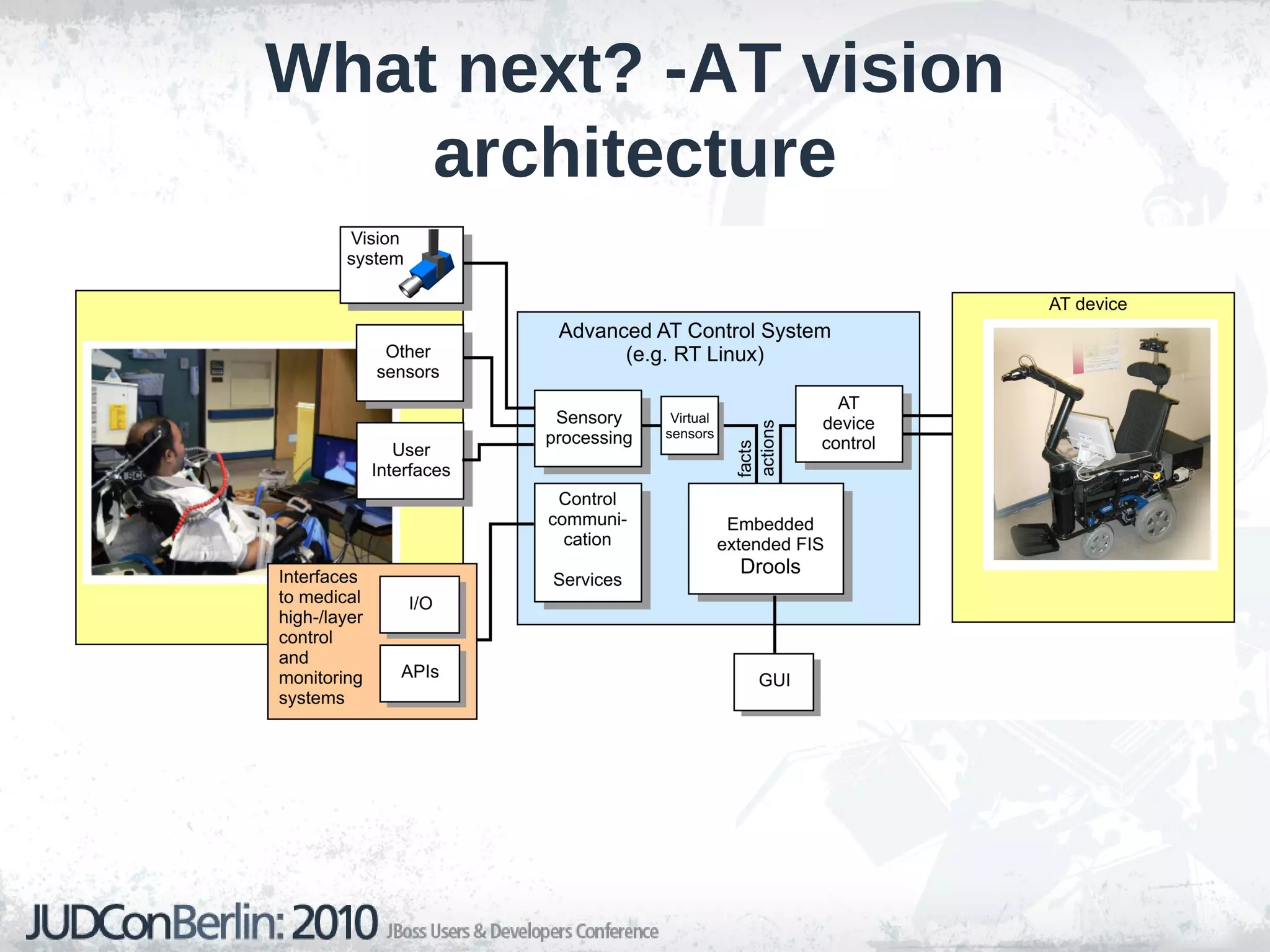
    What next? -ATvision architecture
  • 115.
  • 116.
  • 117.
  • 118.
  • 119.
    Mailing Lists: http://www.jboss.org/drools/lists.html

Editor's Notes

  • #19 Expert – Rule Engine side, Logic side Flow – advanced process engine, tight integration of processes and rules Fusion – Even Processing , CEP integration into Drools Guvnor - about server-side management, web stuff
  • #20 Expert – Rule Engine side, Logic side Flow – advanced process engine, tight integration of processes and rules Fusion – Even Processing , CEP integration into Drools Guvnor - about server-side management, web stuff