Human-Machine Interaction Research @ Sirris
Tom Tourwé & Elena Tsiporkova


                                het collectief centrum van de Belgische technologische industrie
Non-profit & industry-owned
                                   collective centre of the technology industry


                    Software & ICT
Agile development          Variability      Semantic technologies
    Web 2.0         Decision support Innovation process support
Intelligent information retrieval Knowledge extraction
        Data integration     Business intelligence
                    Human machine interaction
HMI research @ Sirris
Pro-active decision support


                                  Multimodal


                                               Context-sensitive

  Interusable, multi-platform &
          multi-device
2 large industry-
driven European
  R&D projects
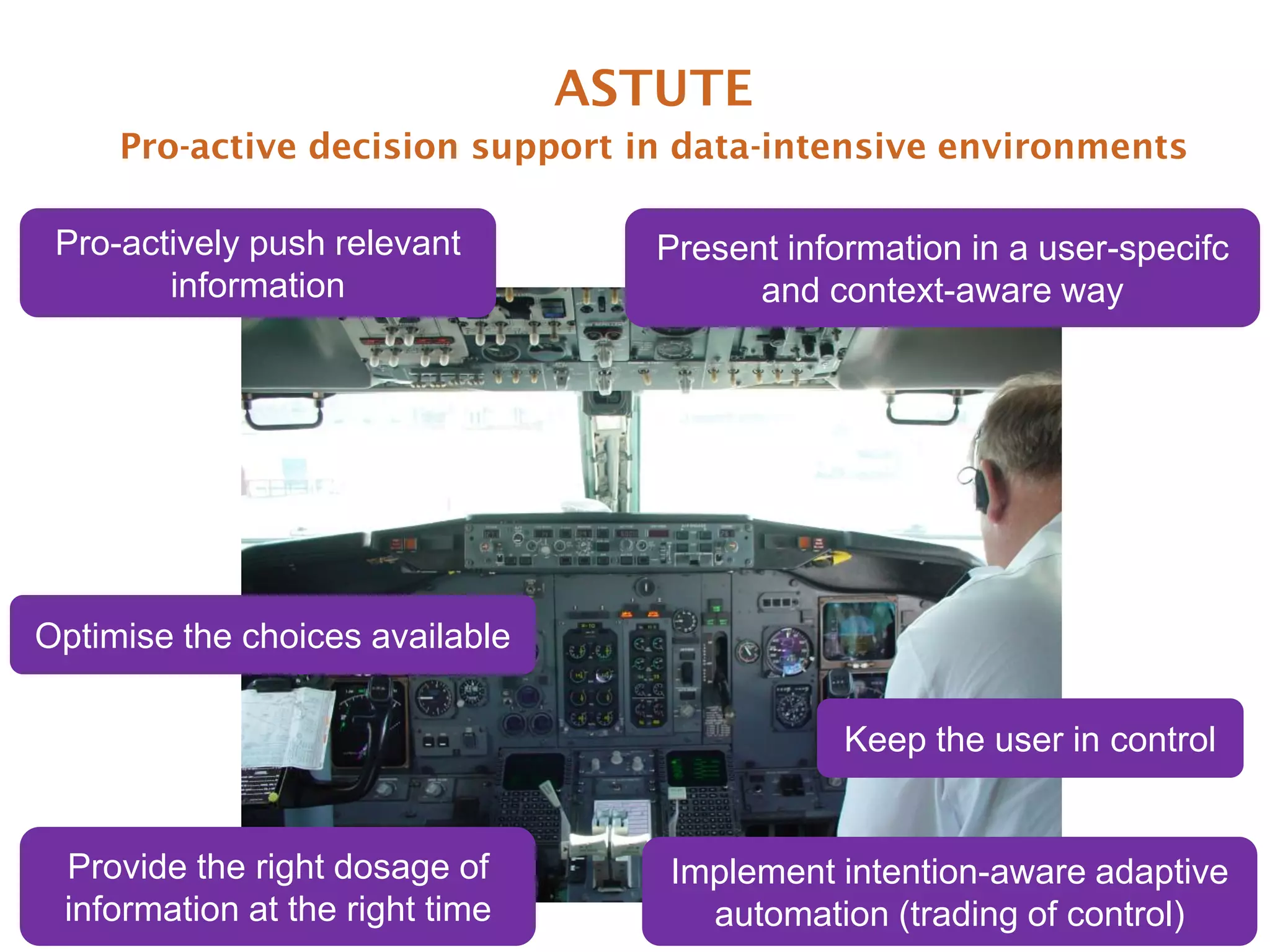
ASTUTE
     Pro-active decision support in data-intensive environments

 Pro-actively push relevant         Present information in a user-specifc
        information                       and context-aware way


Optimise the choices available

                                                Keep the user in control


 Provide the right dosage of        Implement intention-aware adaptive
 information at the right time        automation (trading of control)
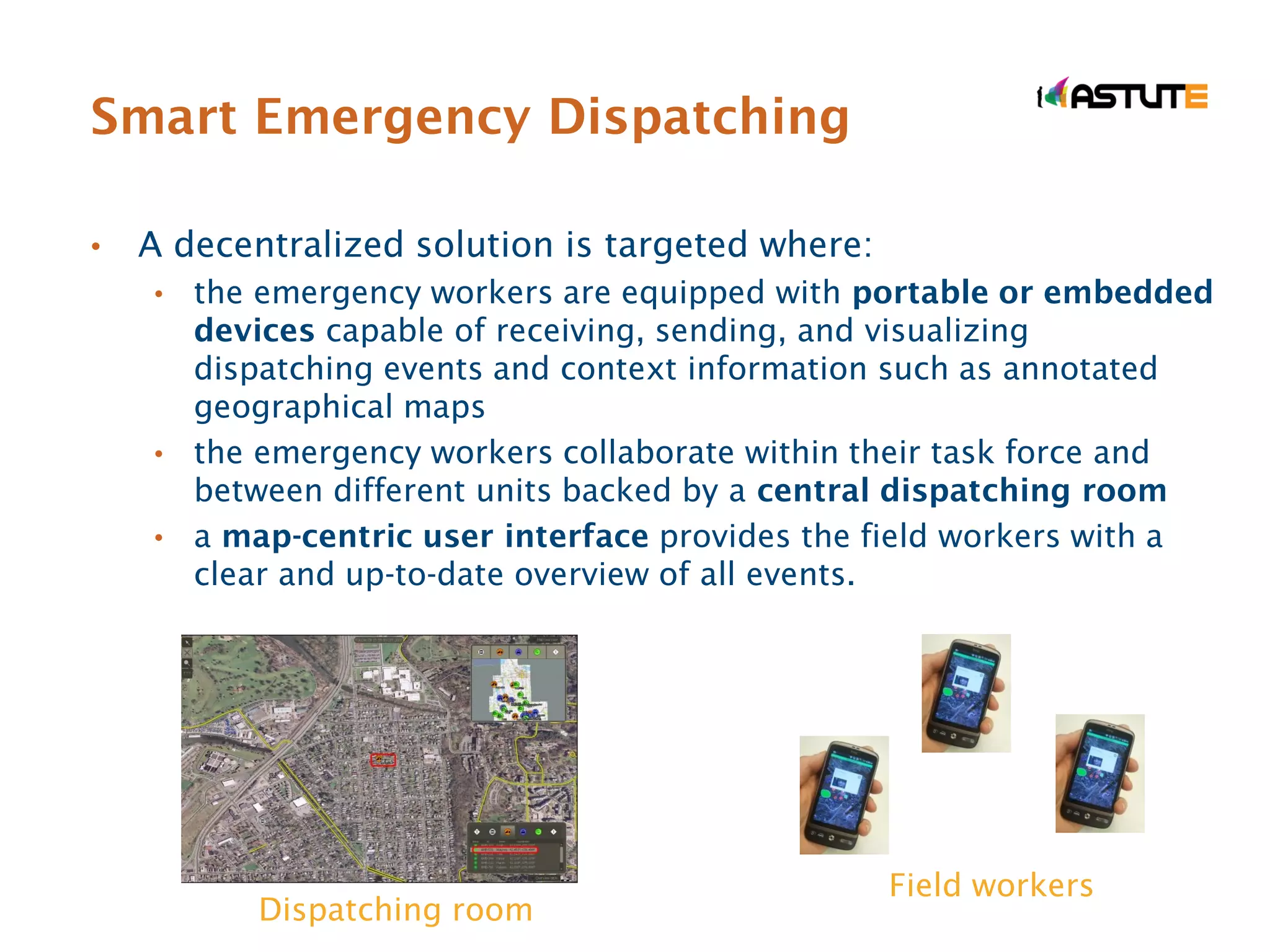
Smart Emergency Dispatching

•   A decentralized solution is targeted where:
    • the emergency workers are equipped with portable or embedded
      devices capable of receiving, sending, and visualizing
      dispatching events and context information such as annotated
      geographical maps
    • the emergency workers collaborate within their task force and
      between different units backed by a central dispatching room
    • a map-centric user interface provides the field workers with a
      clear and up-to-date overview of all events.


                                                  Field workers
           Dispatching room
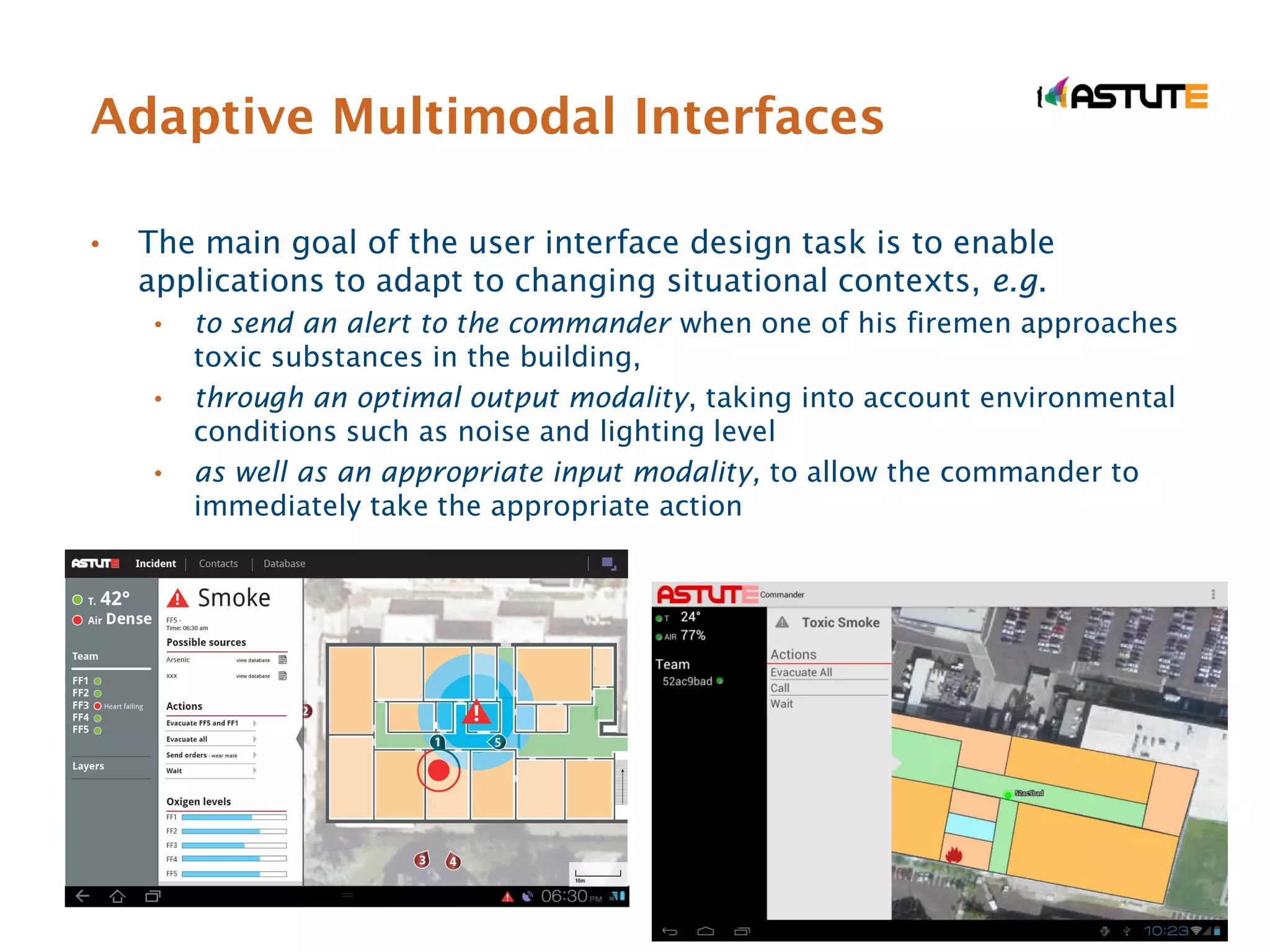
Adaptive Multimodal Interfaces

•   The main goal of the user interface design task is to enable
    applications to adapt to changing situational contexts, e.g.
     •   to send an alert to the commander when one of his firemen approaches
         toxic substances in the building,
     •   through an optimal output modality, taking into account environmental
         conditions such as noise and lighting level
     •   as well as an appropriate input modality, to allow the commander to
         immediately take the appropriate action
Multimodal Interface Design

•    The multimodal user interface design is supposed to provide
     solutions to design problems such as:
       • When to use certain modality?
       • How to combine multiple modalities?
       • How to adapt the modality according to its context of use?


•    Formal principles and guidelines(1):
       •   design for the broadest range of users and contexts of use
       •   address privacy and security
       •   maximise human cognitive and physical abilities
       •   integrate modalities in a manner compatible with user preference,
           context, and system functionality
       •   …
(1) L.M. Reeves, J. Lai, J.A. Larson, S. Oviatt, TS Balaji, S. Buisine, P. Collings, P. Cohen, B. Kraal, J.C. Martin, et
al. Guidelines for multimodal user interface design. Communications of the ACM, 47(1):57–59, 2004.
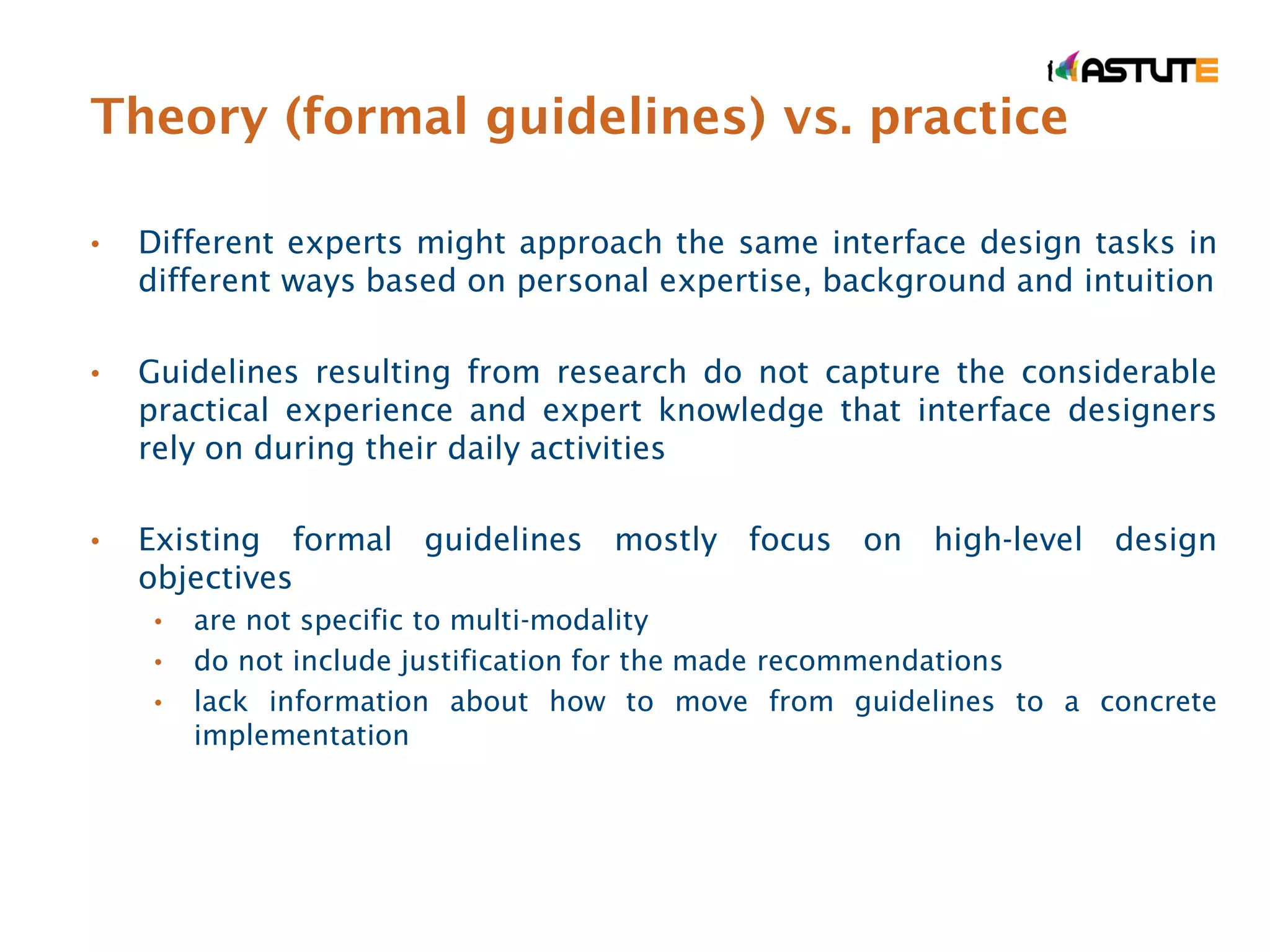
Theory (formal guidelines) vs. practice

•   Different experts might approach the same interface design tasks in
    different ways based on personal expertise, background and intuition

•   Guidelines resulting from research do not capture the considerable
    practical experience and expert knowledge that interface designers
    rely on during their daily activities

•   Existing formal guidelines mostly focus on high-level design
    objectives
     •   are not specific to multi-modality
     •   do not include justification for the made recommendations
     •   lack information about how to move from guidelines to a concrete
         implementation
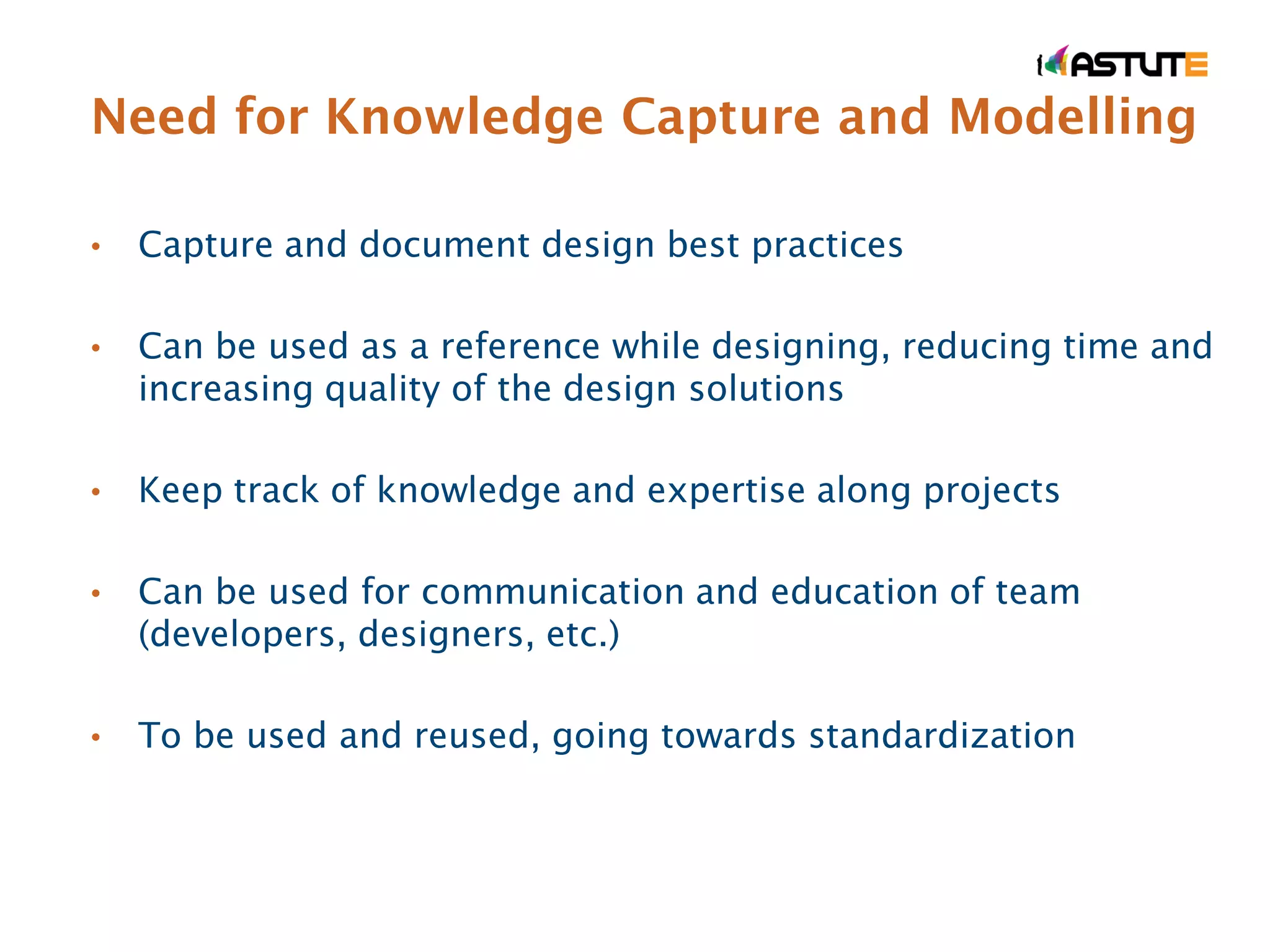
Need for Knowledge Capture and Modelling

•   Capture and document design best practices

•   Can be used as a reference while designing, reducing time and
    increasing quality of the design solutions

•   Keep track of knowledge and expertise along projects

•   Can be used for communication and education of team
    (developers, designers, etc.)

•   To be used and reused, going towards standardization
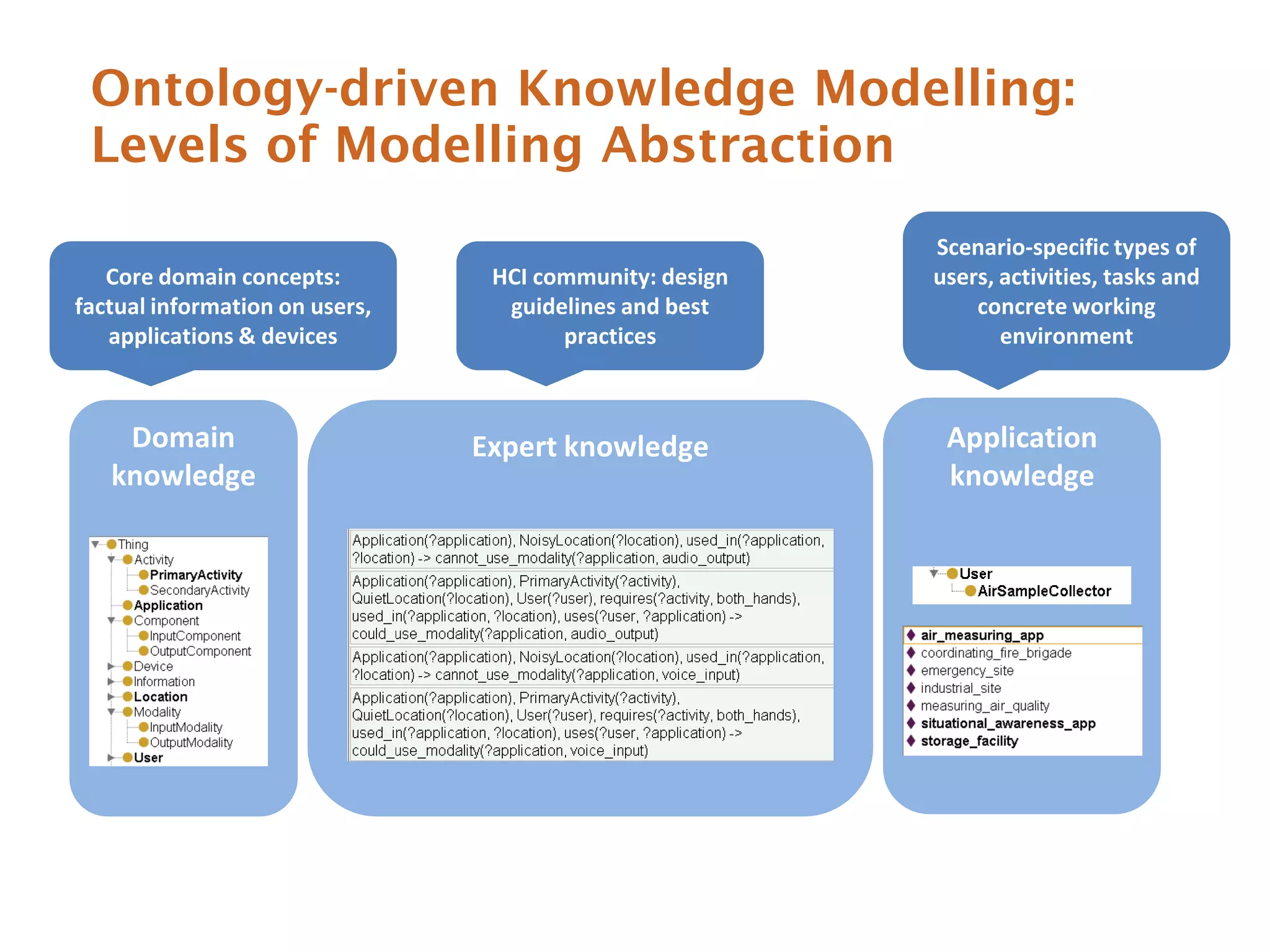
Ontology-driven Knowledge Modelling:
 Levels of Modelling Abstraction
                                                         Scenario-specific types of
   Core domain concepts:         HCI community: design   users, activities, tasks and
factual information on users,     guidelines and best        concrete working
   applications & devices              practices                environment


    Domain                      Expert knowledge          Application
   knowledge                                              knowledge
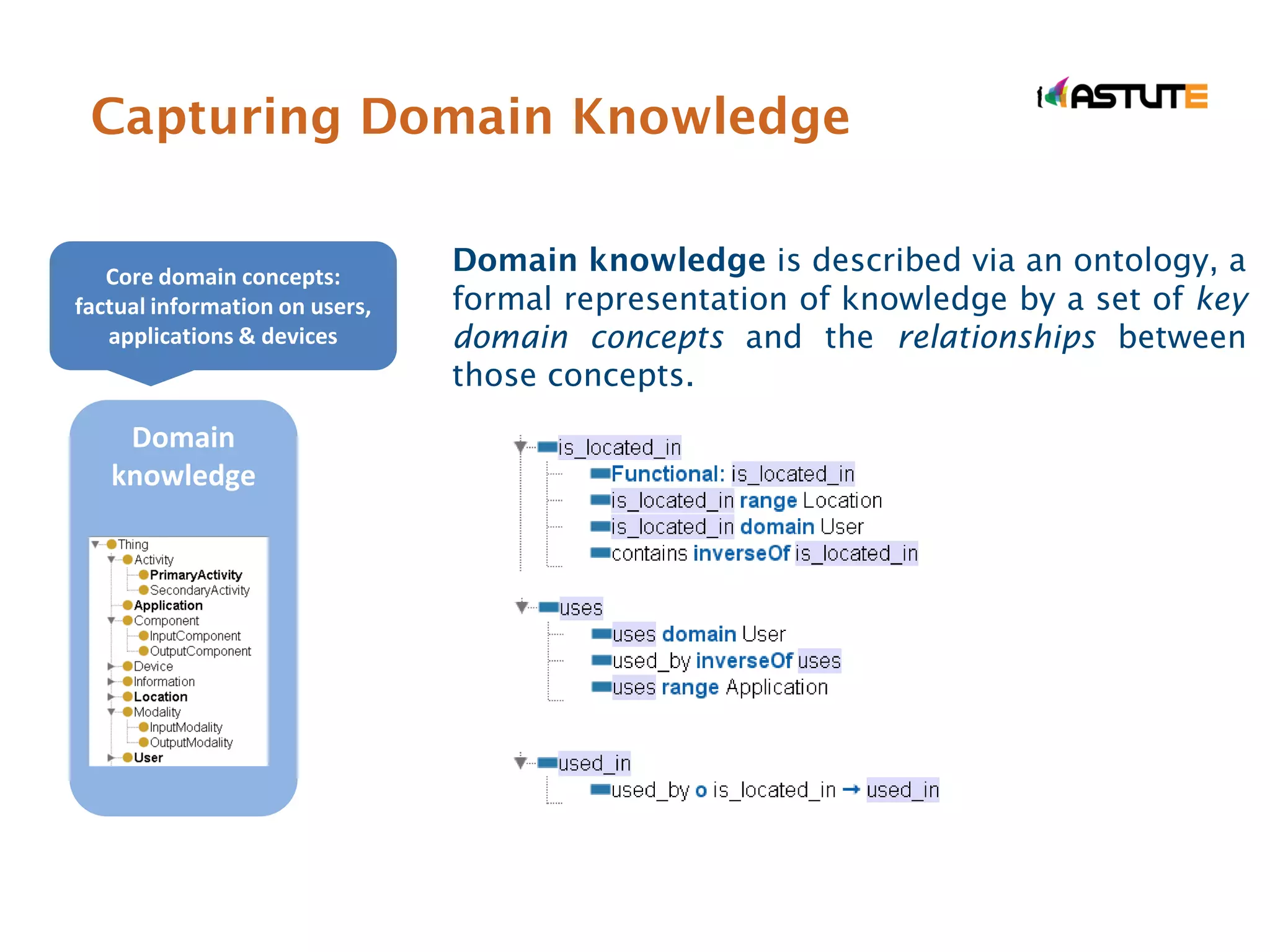
Capturing Domain Knowledge


   Core domain concepts:
                                Domain knowledge is described via an ontology, a
factual information on users,   formal representation of knowledge by a set of key
   applications & devices       domain concepts and the relationships between
                                those concepts.
    Domain
   knowledge
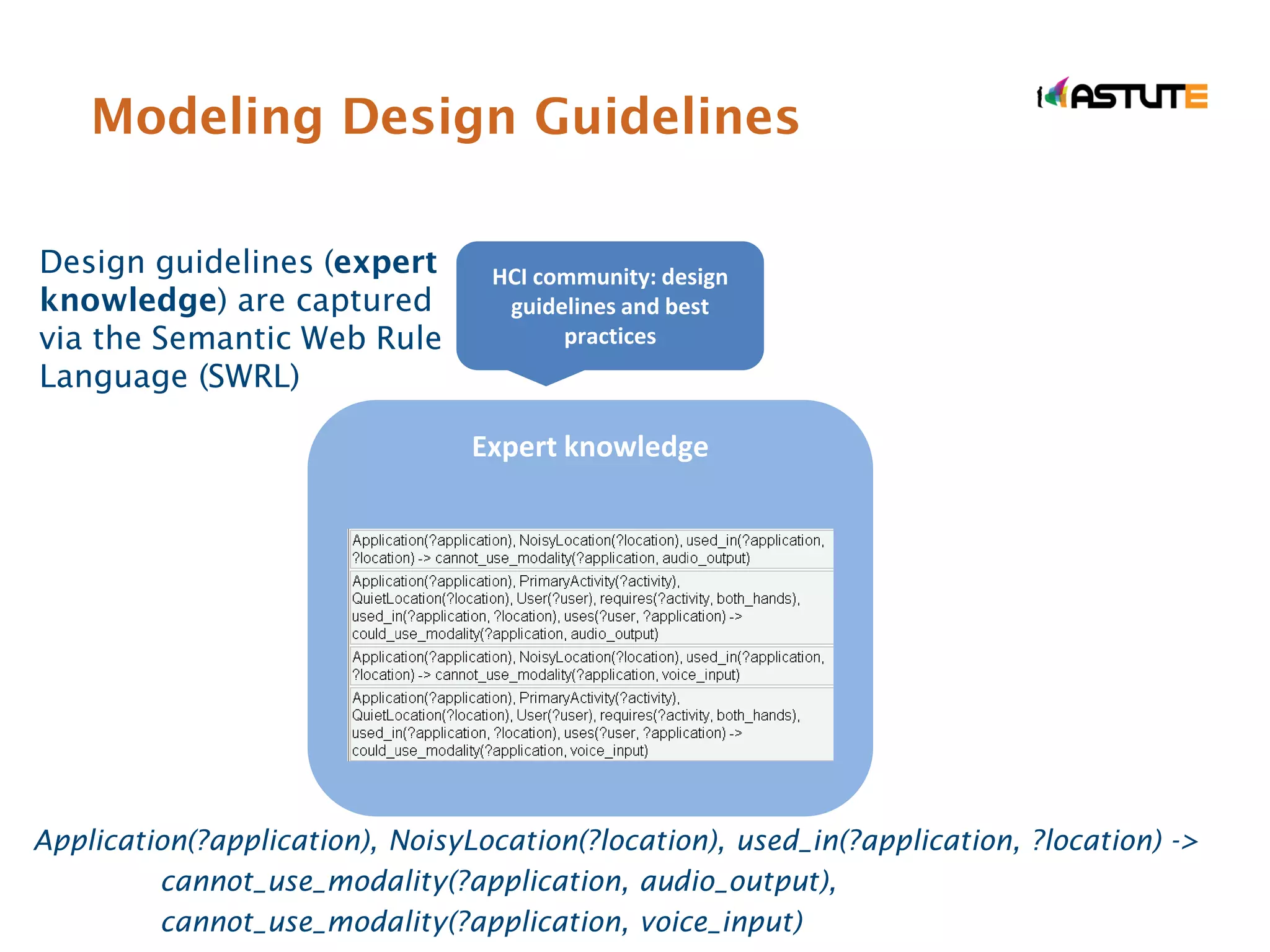
Modeling Design Guidelines

Design guidelines (expert         HCI community: design
knowledge) are captured            guidelines and best
via the Semantic Web Rule               practices
Language (SWRL)

                                 Expert knowledge


Application(?application), NoisyLocation(?location), used_in(?application, ?location) ->
         cannot_use_modality(?application, audio_output),
         cannot_use_modality(?application, voice_input)
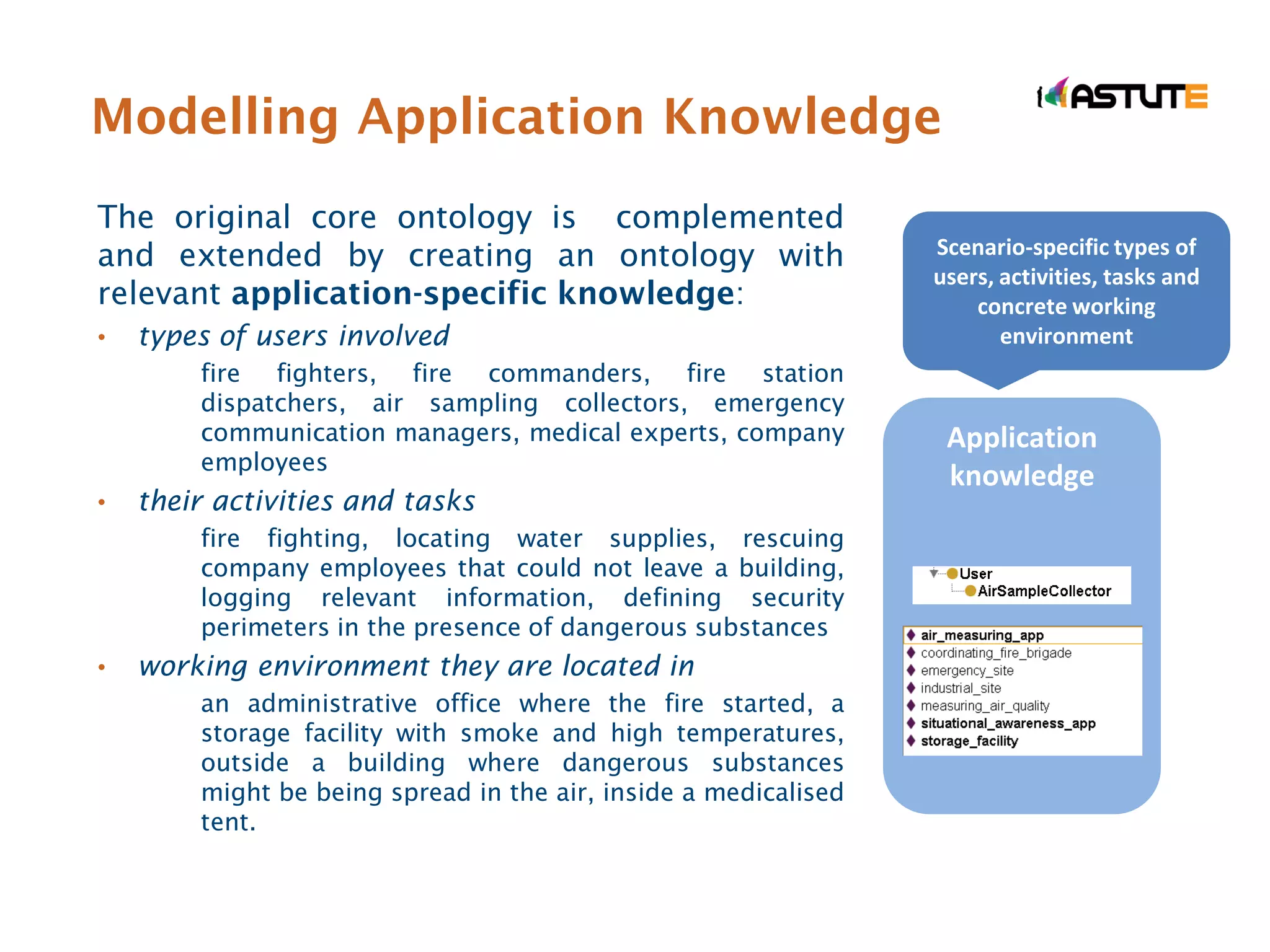
Modelling Application Knowledge
The original core ontology is complemented
and extended by creating an ontology with                        Scenario-specific types of
                                                                 users, activities, tasks and
relevant application-specific knowledge:                             concrete working
•   types of users involved                                             environment
        fire fighters, fire commanders, fire station
        dispatchers, air sampling collectors, emergency
        communication managers, medical experts, company          Application
        employees
                                                                  knowledge
•   their activities and tasks
        fire fighting, locating water supplies, rescuing
        company employees that could not leave a building,
        logging relevant information, defining security
        perimeters in the presence of dangerous substances
•   working environment they are located in
        an administrative office where the fire started, a
        storage facility with smoke and high temperatures,
        outside a building where dangerous substances
        might be being spread in the air, inside a medicalised
        tent.
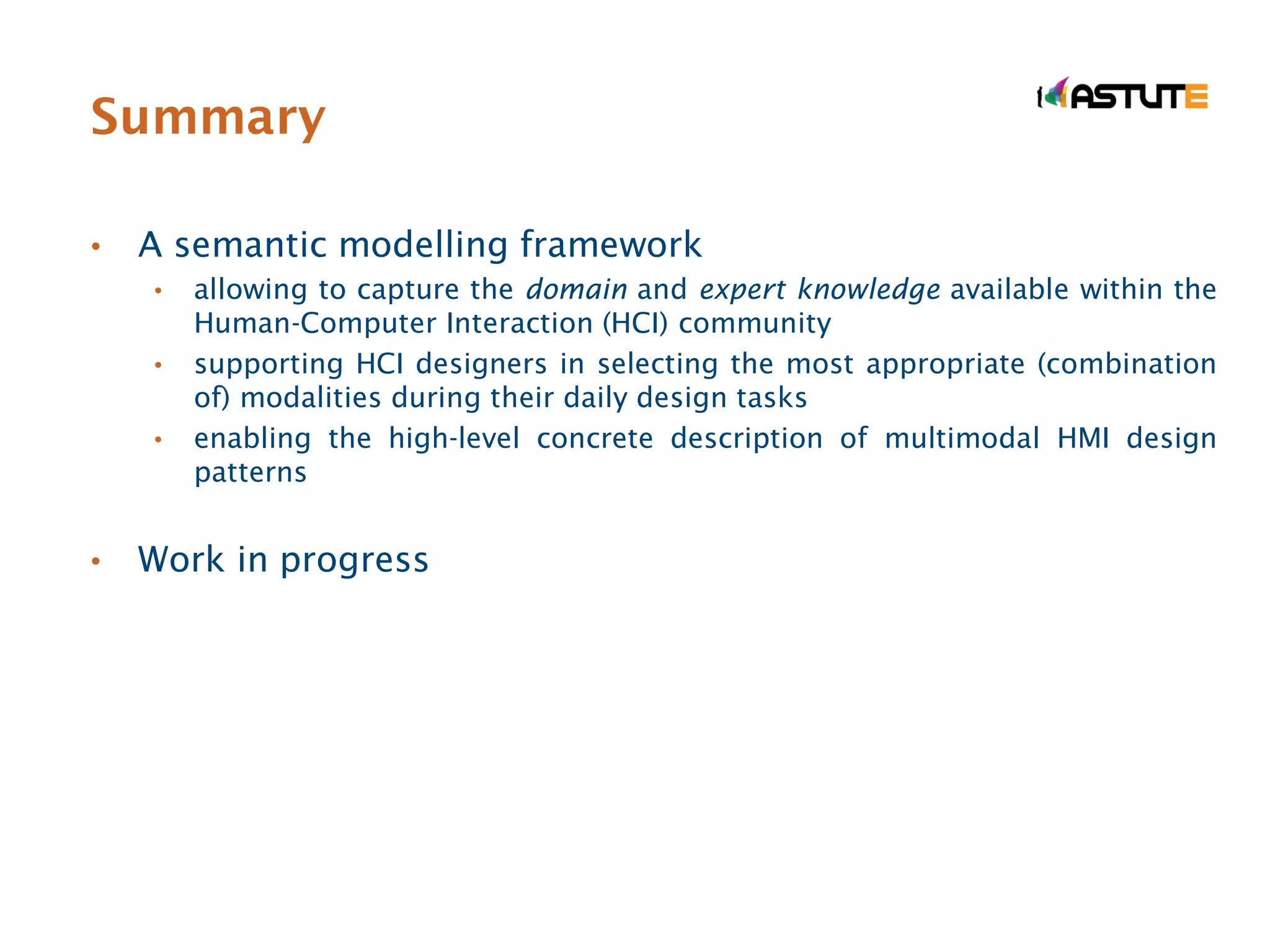
Summary

•   A semantic modelling framework
    •   allowing to capture the domain and expert knowledge available within the
        Human-Computer Interaction (HCI) community
    •   supporting HCI designers in selecting the most appropriate (combination
        of) modalities during their daily design tasks
    •   enabling the high-level concrete description of multimodal HMI design
        patterns


•   Work in progress
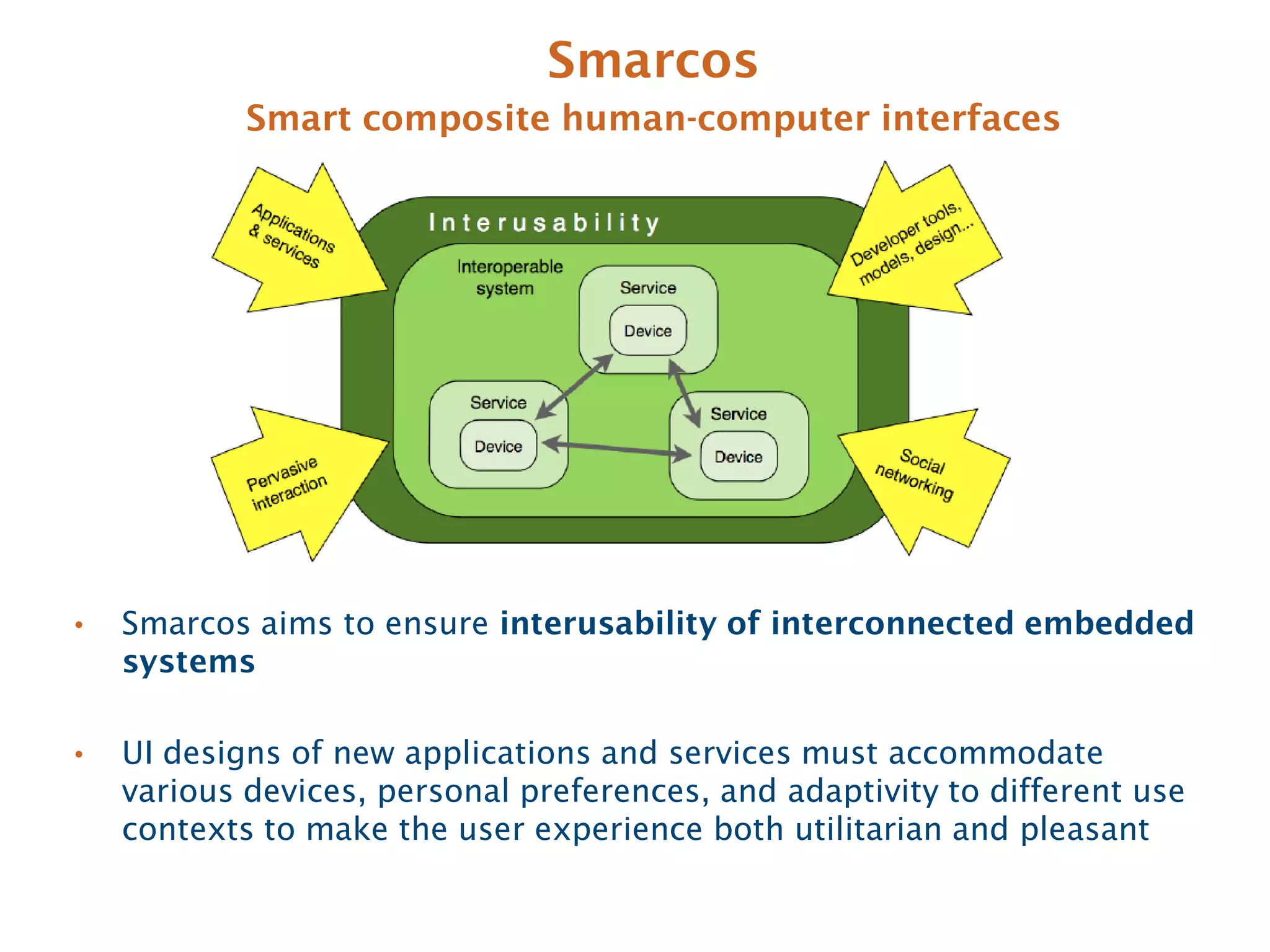
Smarcos
            Smart composite human-computer interfaces


•   Smarcos aims to ensure interusability of interconnected embedded
    systems

•   UI designs of new applications and services must accommodate
    various devices, personal preferences, and adaptivity to different use
    contexts to make the user experience both utilitarian and pleasant
Our contribution
Context-aware feedback delivery
•   A technological framework for enabling multi-platform &
    multi-device systems to adapt feedback delivery to
    situational contexts
    • send the right information
    • at the right moment in time
    • through a device that offers the optimal output modality for that
      information
    • as well as an appropriate input modality to allow the user to react
Requirements & challenges

•   Measure the availability of the user for feedback          (right moment)
    •   taking into account time of the day, current and future activities, social &
        professional environment, …
    •   in order to determine whether to deliver feedback right away, or time-shift
        it to a later moment in time


•   Determine the available devices        (right device)
    •   taking into account surrounding active devices, device characteristics,
        available input/output modalities, …
    •   in order to select the most appropriate device for delivering feedback
        taking into account its capabilities


•   Adapt the message delivery        (right information)
    •   taking into account the availability of the user, chosen modality, message
        form and output device capabilities, …
    •   in order to tailor the content and functionality toward the selected device
        capabilities
A declarative rule-based solution

•   Determining timing, device and message format requires
    modelling a complex piece of logic, i.e.
    •   under which combination of the many different context
        parameters is a particular solutions prefered?
         • a user’s current & future activities, and his location
         • his physical & social environment (noise, light, temperature,
           presences of colleagues, …)
         • the devices surrounding him, their characteristics and capabilities
         • the message’s urgency level


•   Requires a reactive system that continuously monitors &
    evaluates the context
    •   extend & complement the traditional imperative paradigm (if-
        then-else) with a declarative rule-based paradigm
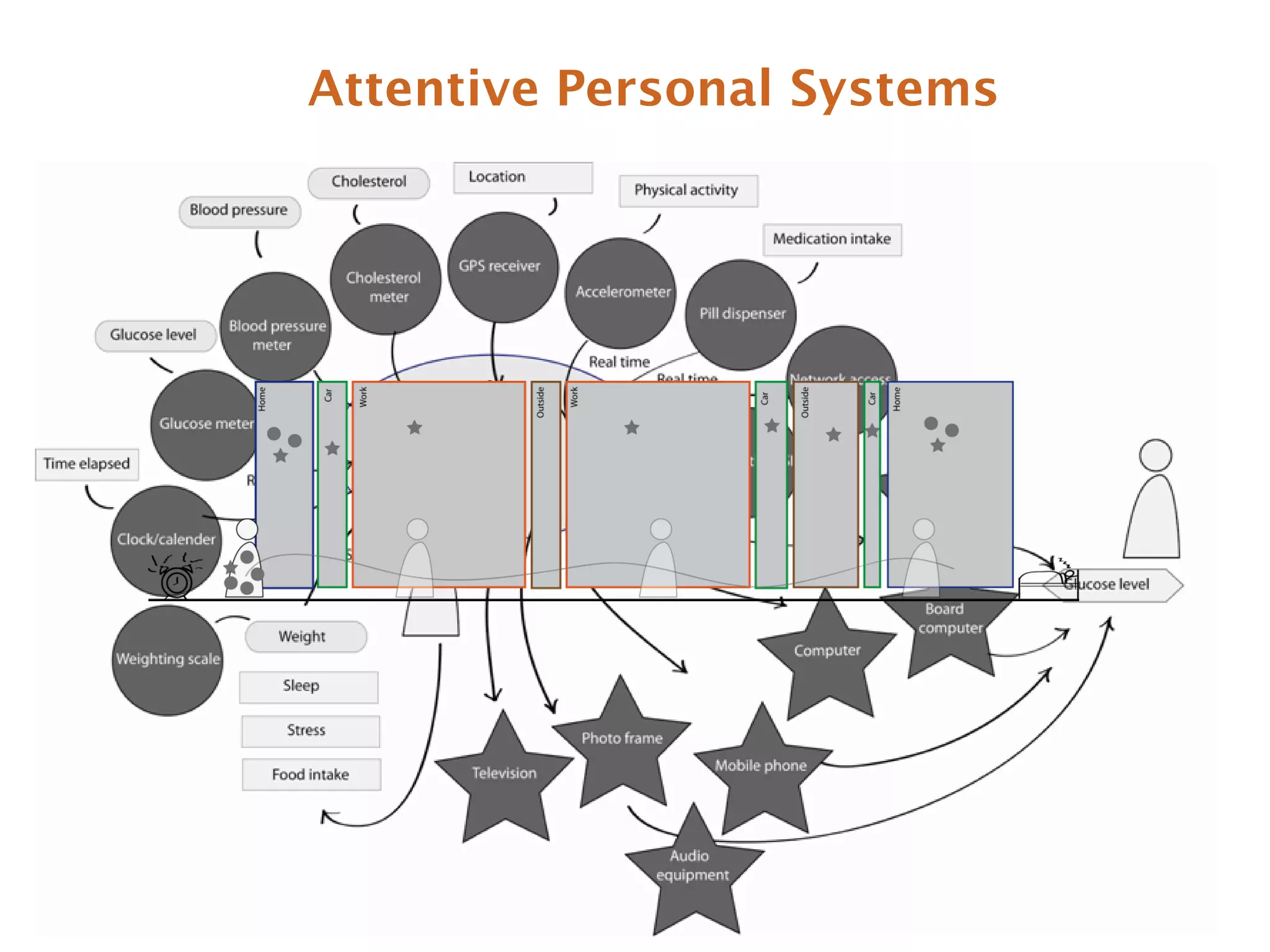
Attentive Personal Systems
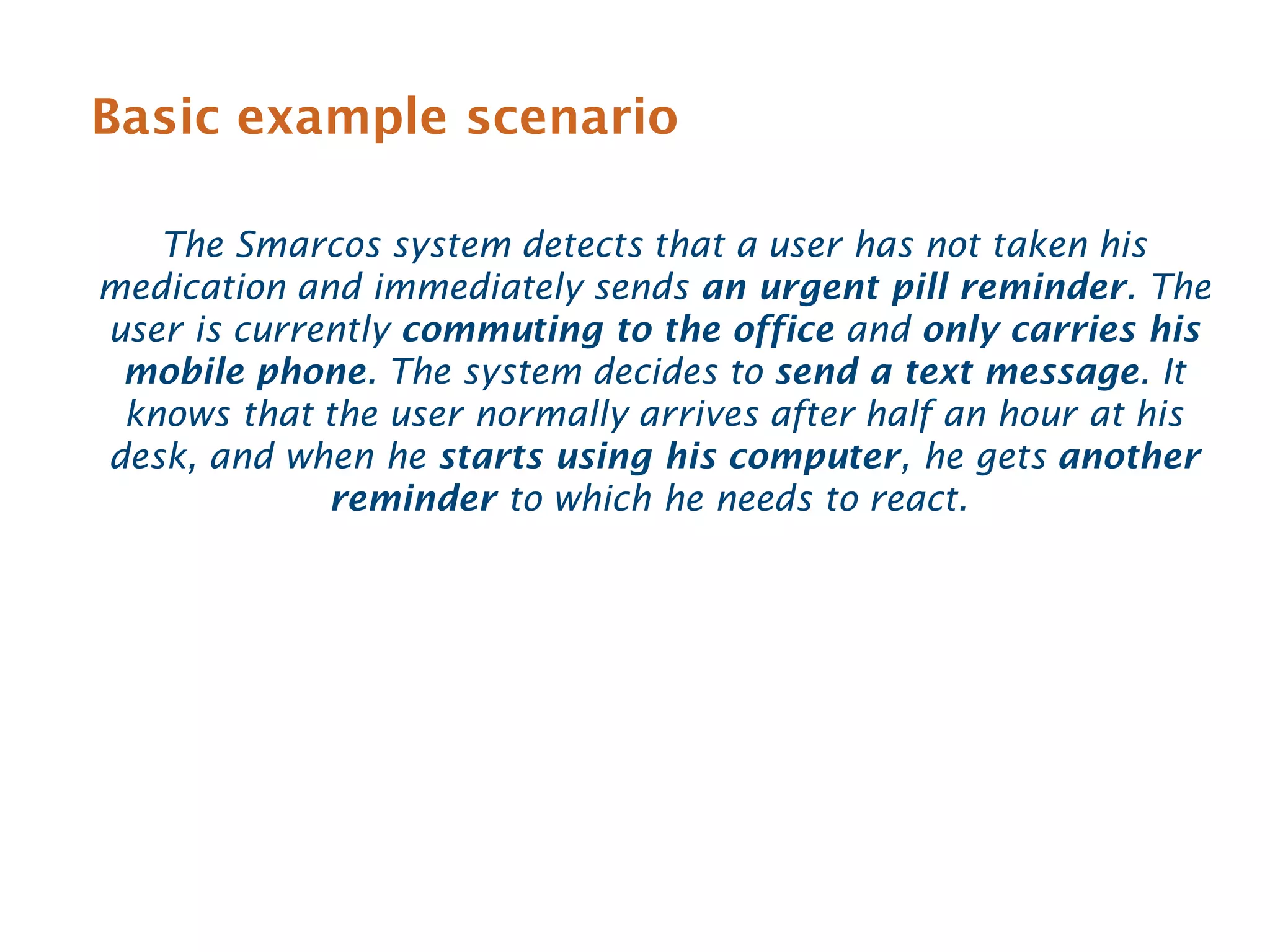
Basic example scenario

   The Smarcos system detects that a user has not taken his
medication and immediately sends an urgent pill reminder. The
user is currently commuting to the office and only carries his
 mobile phone. The system decides to send a text message. It
 knows that the user normally arrives after half an hour at his
desk, and when he starts using his computer, he gets another
             reminder to which he needs to react.
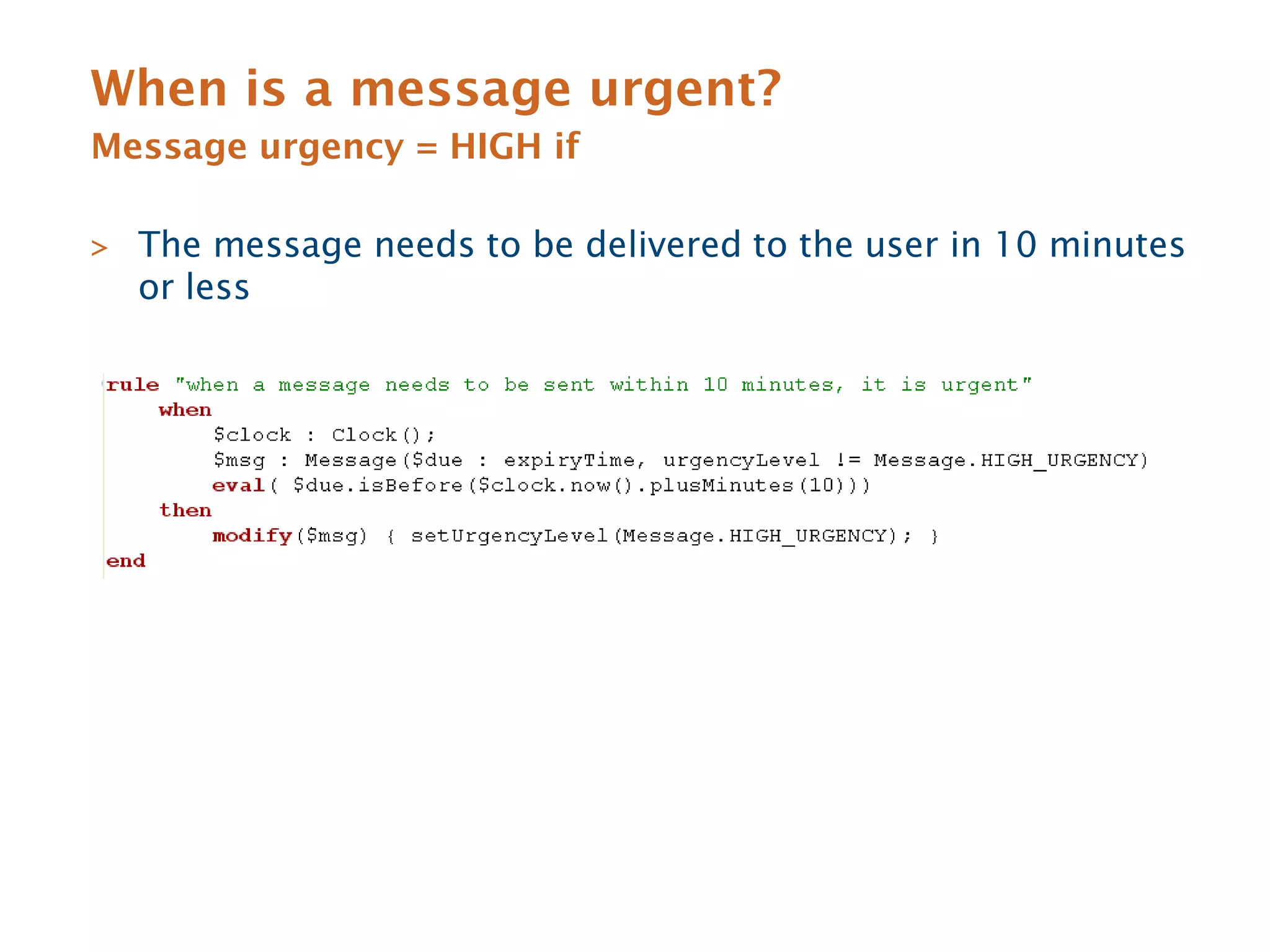
When is a message urgent?
Message urgency = HIGH if

> The message needs to be delivered to the user in 10 minutes
  or less
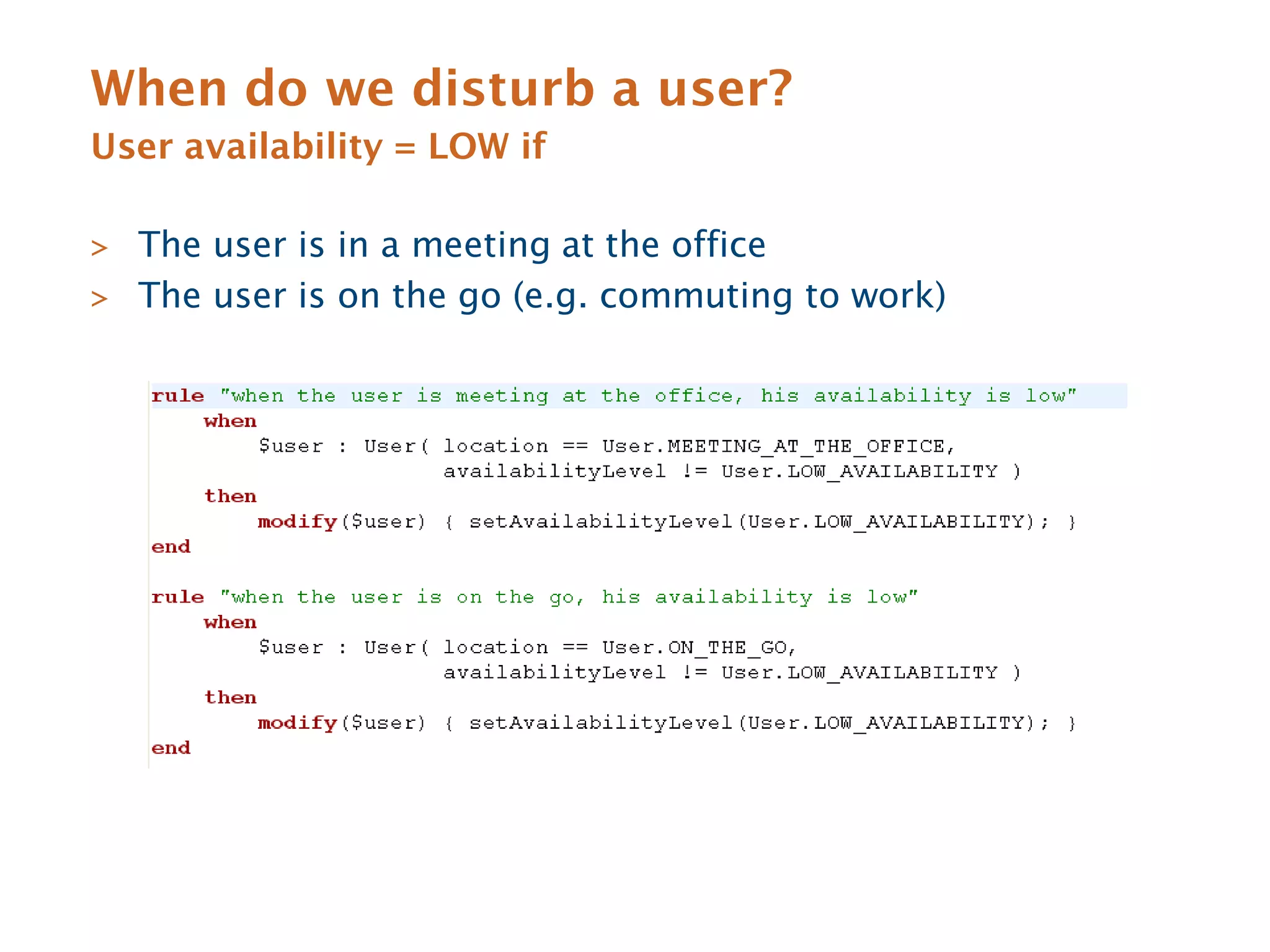
When do we disturb a user?
User availability = LOW if

> The user is in a meeting at the office
> The user is on the go (e.g. commuting to work)
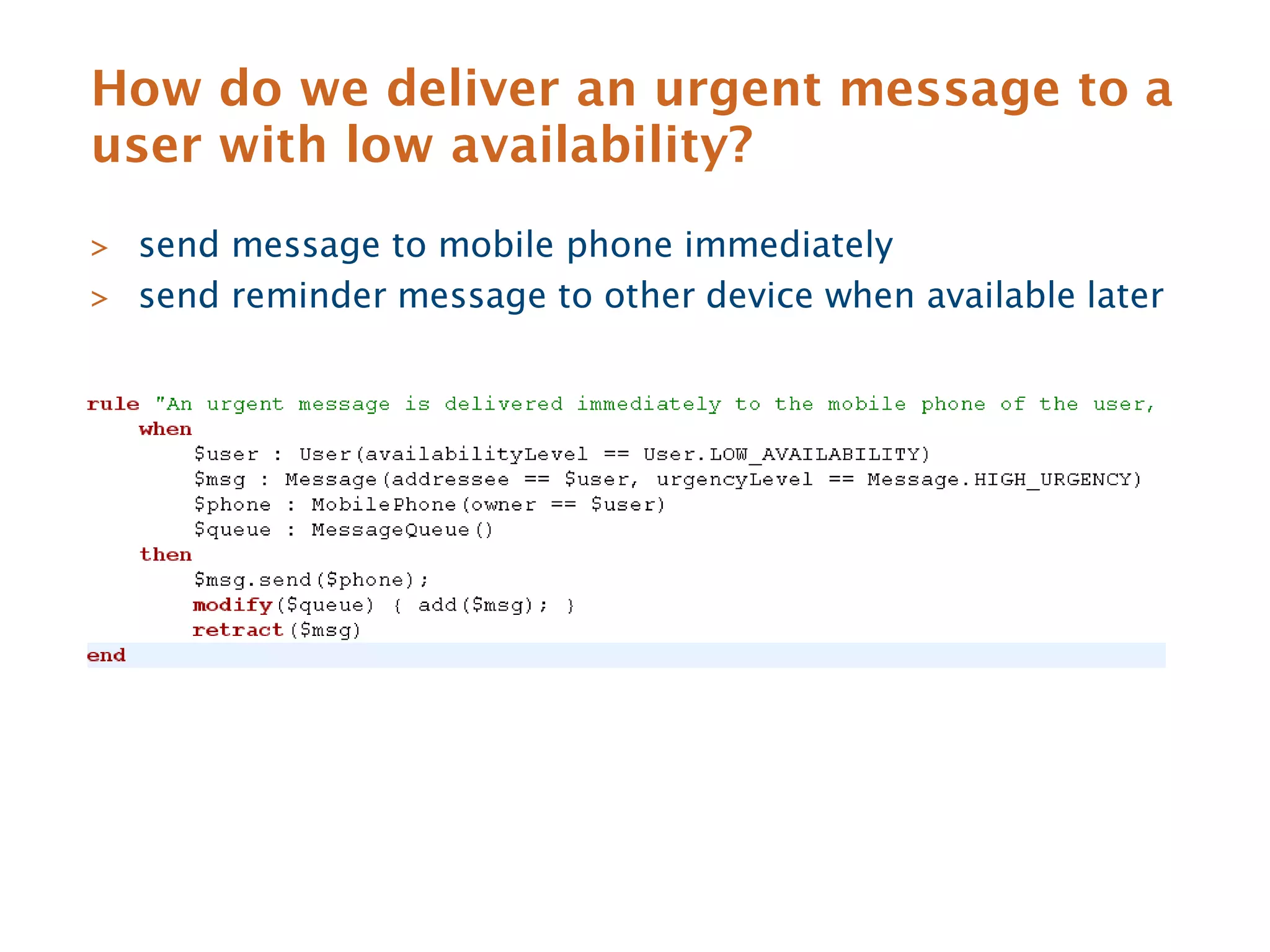
How do we deliver an urgent message to a
user with low availability?
> send message to mobile phone immediately
> send reminder message to other device when available later
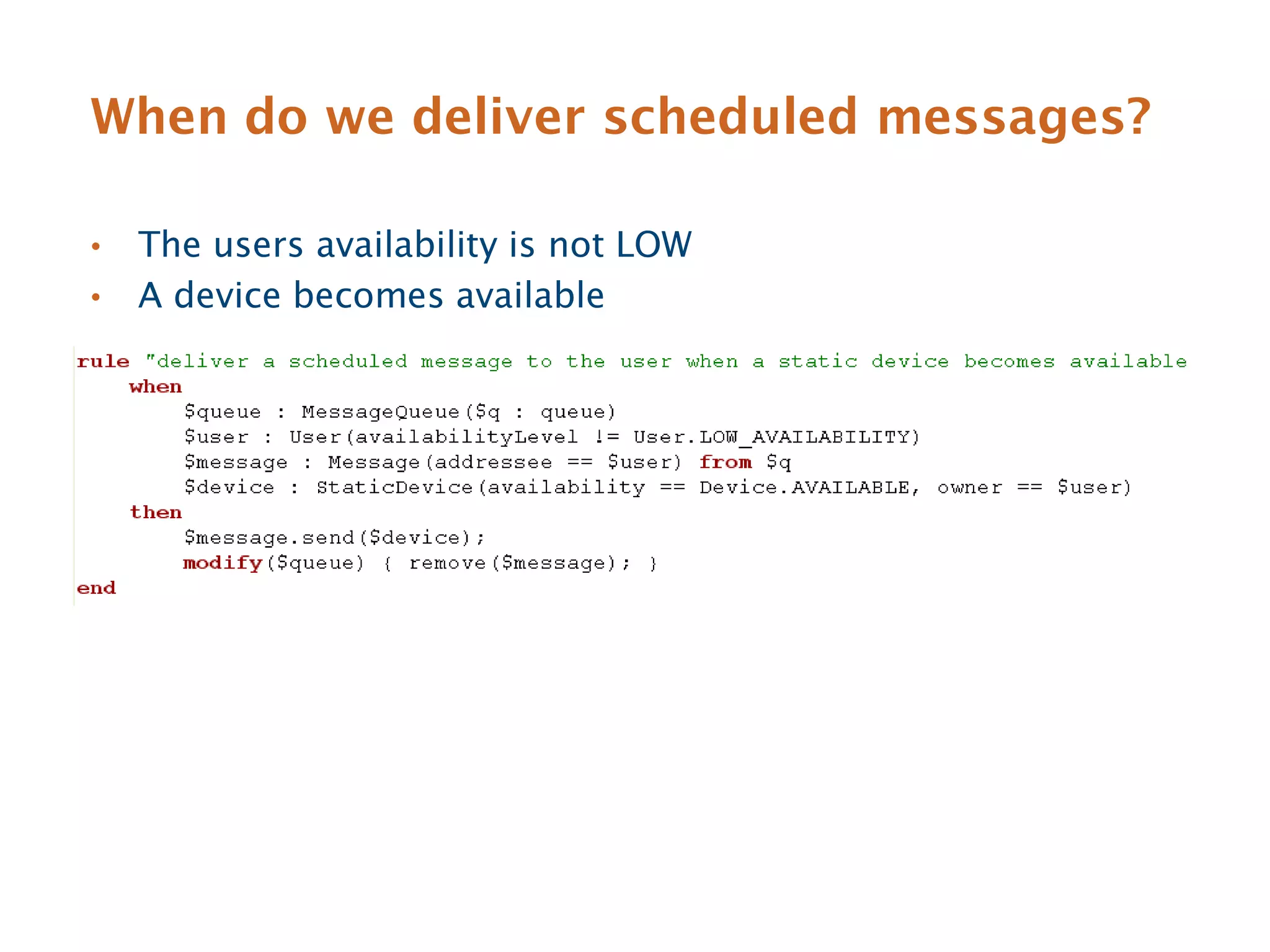
When do we deliver scheduled messages?

•   The users availability is not LOW
•   A device becomes available
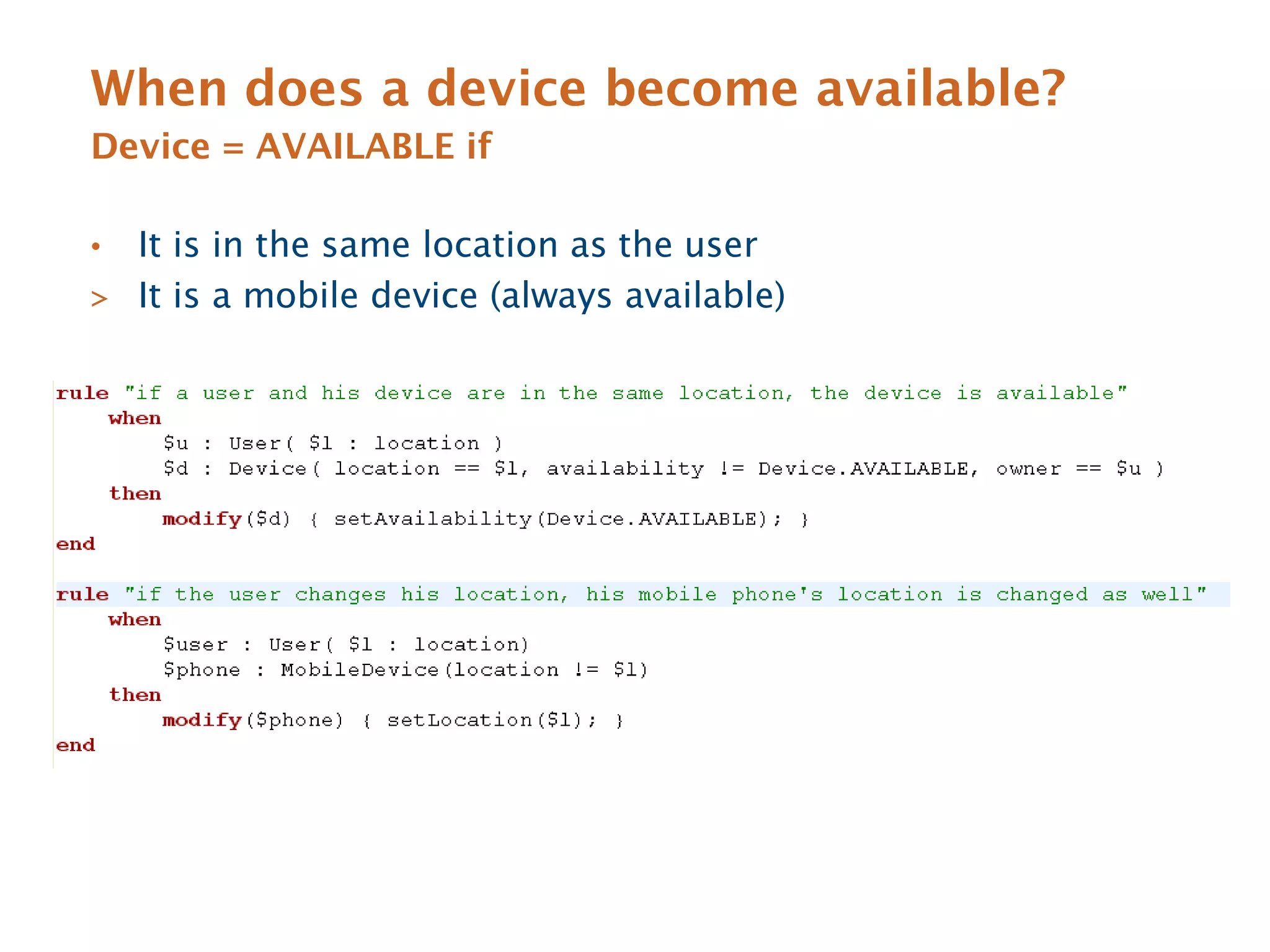
When does a device become available?
Device = AVAILABLE if

• It is in the same location as the user
> It is a mobile device (always available)
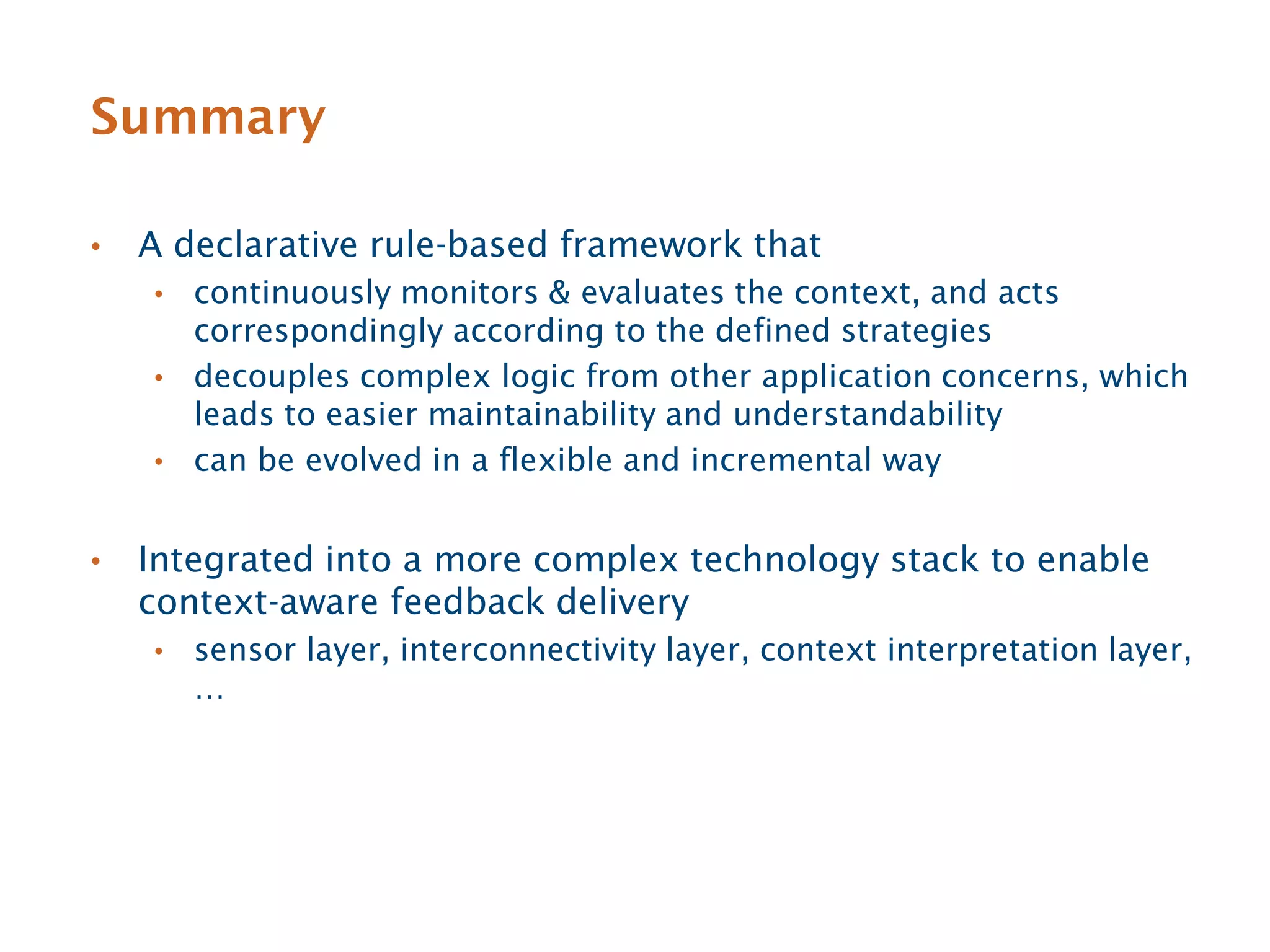
Summary

•   A declarative rule-based framework that
    • continuously monitors & evaluates the context, and acts
      correspondingly according to the defined strategies
    • decouples complex logic from other application concerns, which
      leads to easier maintainability and understandability
    • can be evolved in a flexible and incremental way


•   Integrated into a more complex technology stack to enable
    context-aware feedback delivery
    •   sensor layer, interconnectivity layer, context interpretation layer,
        …
More information

•   Web links
    • http://www.astute-project.eu
    • http://www.smarcos-project.eu


•   Contact details
    • tom.tourwe@sirris.be
    • elena.tsiporkova@sirris.be

Sirris presentation

  • 1.
    Human-Machine Interaction Research@ Sirris Tom Tourwé & Elena Tsiporkova het collectief centrum van de Belgische technologische industrie
  • 2.
    Non-profit & industry-owned collective centre of the technology industry Software & ICT Agile development Variability Semantic technologies Web 2.0 Decision support Innovation process support Intelligent information retrieval Knowledge extraction Data integration Business intelligence Human machine interaction
  • 3.
    HMI research @Sirris Pro-active decision support Multimodal Context-sensitive Interusable, multi-platform & multi-device
  • 4.
    2 large industry- drivenEuropean R&D projects
  • 5.
    ASTUTE Pro-active decision support in data-intensive environments Pro-actively push relevant Present information in a user-specifc information and context-aware way Optimise the choices available Keep the user in control Provide the right dosage of Implement intention-aware adaptive information at the right time automation (trading of control)
  • 6.
    Smart Emergency Dispatching • A decentralized solution is targeted where: • the emergency workers are equipped with portable or embedded devices capable of receiving, sending, and visualizing dispatching events and context information such as annotated geographical maps • the emergency workers collaborate within their task force and between different units backed by a central dispatching room • a map-centric user interface provides the field workers with a clear and up-to-date overview of all events. Field workers Dispatching room
  • 7.
    Adaptive Multimodal Interfaces • The main goal of the user interface design task is to enable applications to adapt to changing situational contexts, e.g. • to send an alert to the commander when one of his firemen approaches toxic substances in the building, • through an optimal output modality, taking into account environmental conditions such as noise and lighting level • as well as an appropriate input modality, to allow the commander to immediately take the appropriate action
  • 8.
    Multimodal Interface Design • The multimodal user interface design is supposed to provide solutions to design problems such as: • When to use certain modality? • How to combine multiple modalities? • How to adapt the modality according to its context of use? • Formal principles and guidelines(1): • design for the broadest range of users and contexts of use • address privacy and security • maximise human cognitive and physical abilities • integrate modalities in a manner compatible with user preference, context, and system functionality • … (1) L.M. Reeves, J. Lai, J.A. Larson, S. Oviatt, TS Balaji, S. Buisine, P. Collings, P. Cohen, B. Kraal, J.C. Martin, et al. Guidelines for multimodal user interface design. Communications of the ACM, 47(1):57–59, 2004.
  • 9.
    Theory (formal guidelines)vs. practice • Different experts might approach the same interface design tasks in different ways based on personal expertise, background and intuition • Guidelines resulting from research do not capture the considerable practical experience and expert knowledge that interface designers rely on during their daily activities • Existing formal guidelines mostly focus on high-level design objectives • are not specific to multi-modality • do not include justification for the made recommendations • lack information about how to move from guidelines to a concrete implementation
  • 10.
    Need for KnowledgeCapture and Modelling • Capture and document design best practices • Can be used as a reference while designing, reducing time and increasing quality of the design solutions • Keep track of knowledge and expertise along projects • Can be used for communication and education of team (developers, designers, etc.) • To be used and reused, going towards standardization
  • 11.
    Ontology-driven Knowledge Modelling: Levels of Modelling Abstraction Scenario-specific types of Core domain concepts: HCI community: design users, activities, tasks and factual information on users, guidelines and best concrete working applications & devices practices environment Domain Expert knowledge Application knowledge knowledge
  • 12.
    Capturing Domain Knowledge Core domain concepts: Domain knowledge is described via an ontology, a factual information on users, formal representation of knowledge by a set of key applications & devices domain concepts and the relationships between those concepts. Domain knowledge
  • 13.
    Modeling Design Guidelines Designguidelines (expert HCI community: design knowledge) are captured guidelines and best via the Semantic Web Rule practices Language (SWRL) Expert knowledge Application(?application), NoisyLocation(?location), used_in(?application, ?location) -> cannot_use_modality(?application, audio_output), cannot_use_modality(?application, voice_input)
  • 14.
    Modelling Application Knowledge Theoriginal core ontology is complemented and extended by creating an ontology with Scenario-specific types of users, activities, tasks and relevant application-specific knowledge: concrete working • types of users involved environment fire fighters, fire commanders, fire station dispatchers, air sampling collectors, emergency communication managers, medical experts, company Application employees knowledge • their activities and tasks fire fighting, locating water supplies, rescuing company employees that could not leave a building, logging relevant information, defining security perimeters in the presence of dangerous substances • working environment they are located in an administrative office where the fire started, a storage facility with smoke and high temperatures, outside a building where dangerous substances might be being spread in the air, inside a medicalised tent.
  • 15.
    Summary • A semantic modelling framework • allowing to capture the domain and expert knowledge available within the Human-Computer Interaction (HCI) community • supporting HCI designers in selecting the most appropriate (combination of) modalities during their daily design tasks • enabling the high-level concrete description of multimodal HMI design patterns • Work in progress
  • 16.
    Smarcos Smart composite human-computer interfaces • Smarcos aims to ensure interusability of interconnected embedded systems • UI designs of new applications and services must accommodate various devices, personal preferences, and adaptivity to different use contexts to make the user experience both utilitarian and pleasant
  • 17.
    Our contribution Context-aware feedbackdelivery • A technological framework for enabling multi-platform & multi-device systems to adapt feedback delivery to situational contexts • send the right information • at the right moment in time • through a device that offers the optimal output modality for that information • as well as an appropriate input modality to allow the user to react
  • 18.
    Requirements & challenges • Measure the availability of the user for feedback (right moment) • taking into account time of the day, current and future activities, social & professional environment, … • in order to determine whether to deliver feedback right away, or time-shift it to a later moment in time • Determine the available devices (right device) • taking into account surrounding active devices, device characteristics, available input/output modalities, … • in order to select the most appropriate device for delivering feedback taking into account its capabilities • Adapt the message delivery (right information) • taking into account the availability of the user, chosen modality, message form and output device capabilities, … • in order to tailor the content and functionality toward the selected device capabilities
  • 19.
    A declarative rule-basedsolution • Determining timing, device and message format requires modelling a complex piece of logic, i.e. • under which combination of the many different context parameters is a particular solutions prefered? • a user’s current & future activities, and his location • his physical & social environment (noise, light, temperature, presences of colleagues, …) • the devices surrounding him, their characteristics and capabilities • the message’s urgency level • Requires a reactive system that continuously monitors & evaluates the context • extend & complement the traditional imperative paradigm (if- then-else) with a declarative rule-based paradigm
  • 20.
  • 21.
    Basic example scenario The Smarcos system detects that a user has not taken his medication and immediately sends an urgent pill reminder. The user is currently commuting to the office and only carries his mobile phone. The system decides to send a text message. It knows that the user normally arrives after half an hour at his desk, and when he starts using his computer, he gets another reminder to which he needs to react.
  • 22.
    When is amessage urgent? Message urgency = HIGH if > The message needs to be delivered to the user in 10 minutes or less
  • 23.
    When do wedisturb a user? User availability = LOW if > The user is in a meeting at the office > The user is on the go (e.g. commuting to work)
  • 24.
    How do wedeliver an urgent message to a user with low availability? > send message to mobile phone immediately > send reminder message to other device when available later
  • 25.
    When do wedeliver scheduled messages? • The users availability is not LOW • A device becomes available
  • 26.
    When does adevice become available? Device = AVAILABLE if • It is in the same location as the user > It is a mobile device (always available)
  • 27.
    Summary • A declarative rule-based framework that • continuously monitors & evaluates the context, and acts correspondingly according to the defined strategies • decouples complex logic from other application concerns, which leads to easier maintainability and understandability • can be evolved in a flexible and incremental way • Integrated into a more complex technology stack to enable context-aware feedback delivery • sensor layer, interconnectivity layer, context interpretation layer, …
  • 28.
    More information • Web links • http://www.astute-project.eu • http://www.smarcos-project.eu • Contact details • tom.tourwe@sirris.be • elena.tsiporkova@sirris.be