Photo Teach Tool 4

Loading...

Flash Player 9 (or above) is needed to view presentations.
We have detected that you do not have it on your computer. To install it, go here.

0 comments

Post a comment

    Post a comment
    Embed Video
    Edit your comment Cancel

    Favorites, Groups & Events

    Photo Teach Tool 4 - Presentation Transcript

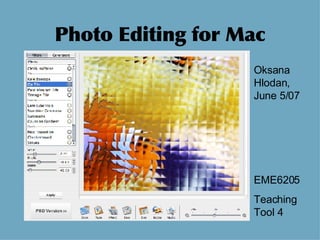
    1. Photo Editing for Mac Oksana Hlodan, June 5/07 EME6205 Teaching Tool 4
    2. Mac OS X computers come with IPhoto software that has basic photo editing features. Your digital camera may come with software that also includes photo editing functions. This PPT features two additional photo editing programs that are available online.
    3. Image Tricks
      • Free, downloadable software
      • Easy to use, with good help menu
      • Distortion filters (twirl, pinch and more)
      • Stylish filters (mosaic, crystalize, halftones, etc.)
      • Color adjustment filters (contrast, hue, etc.)
      • Tile, kaleidoscope and crop images
      • Effects filters (crystallize, bloom, gloom, etc.)
      • Import all kinds of images
      • Export to TIFF and JPEG formats
      • http://www. belightsoft . com/products/imagetricks/overview . php
    4. Tool: Crop
      • A basic editing tool. Eliminate elements that distract from your subject or fix composition, positioning, etc.
    5. Tool: Color Adjustment
      • Turn a white gardenia to blue for drama. Digital photography is an art form. It’s o.k. to manipulate nature to add your personal touch.
    6. Tool: Mask
      • A mask lets you apply artistic edges, viewing shapes, shadoes, and other elements without changing the specifications of your original photo.
    7. Tool: Distortion
      • Turn everyday images into abstract wonders by distortion. Add vibrant colors for that extra touch.
    8. PhotoLine 32
      • Free 30-day trial for software
      • Similar to PhotoShop set-up
      • Complicated but more editing features
      • Pixel- and vector-based editing
      • Work in layers, as you would to create camera-ready pages for publishing
      • Help menu not user friendly for beginners.
      • http://www.pl32.com/
    9. Tool: Tiling
      • The software has many special tools, such as tiling (repeating an image), which was combined here with a perspective tool for the diagonal composition.
    10. Tool: Layers
      • Because you work in layers, you can add a layer of text, as was done here, or layer other images on top of each other. Each layer can be edited separately. Note: a color frame was added to the layered photo.
    11. Tool: Shape Tool
      • The shape tool called vault was used to create this convex perspective.
    12. Notes
      • CAUTION: Make a duplicate of your photos for editing. When using photo editing software, you will change your photos permanently. Keep the original, raw picture for future use.
      • Photo credits: All digital photos and edited photos by Oksana Hlodan, 2007.

    + scilitscilit, 3 years ago

    custom

    1308 views, 0 favs, 0 embeds more stats

    Digital photo editing tools for Mac illustrated for more

    More info about this document

    © All Rights Reserved

    Go to text version

    • Total Views 1308
      • 1308 on SlideShare
      • 0 from embeds
    • Comments 0
    • Favorites 0
    • Downloads 53
    Most viewed embeds

    more

    All embeds

    less

    Flagged as inappropriate Flag as inappropriate
    Flag as inappropriate

    Select your reason for flagging this presentation as inappropriate. If needed, use the feedback form to let us know more details.

    Cancel
    File a copyright complaint
    Having problems? Go to our helpdesk?

    Categories