PRODUCTION PLANNING MODULE
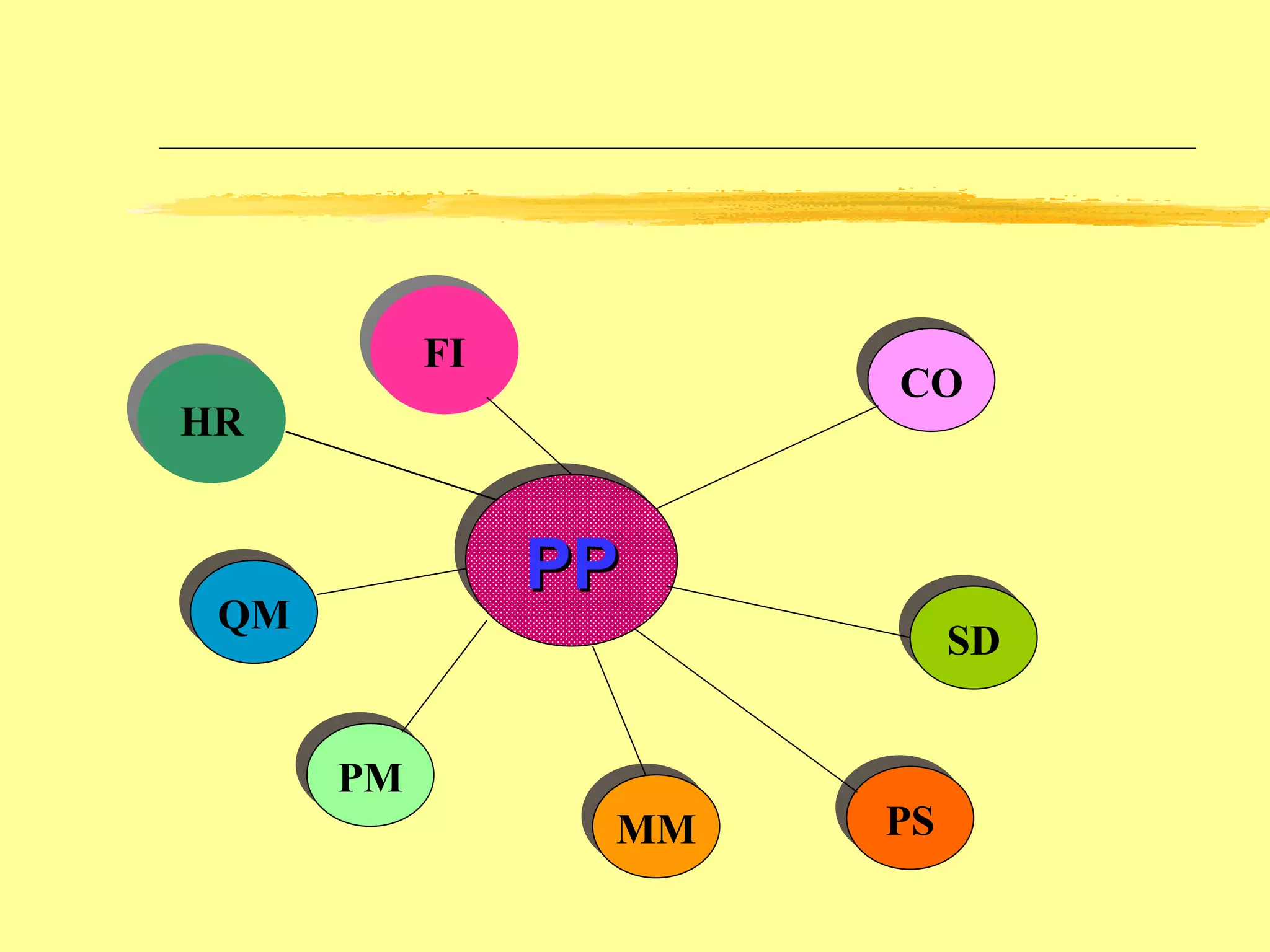
PP FI CO SD MM PM QM PS HR
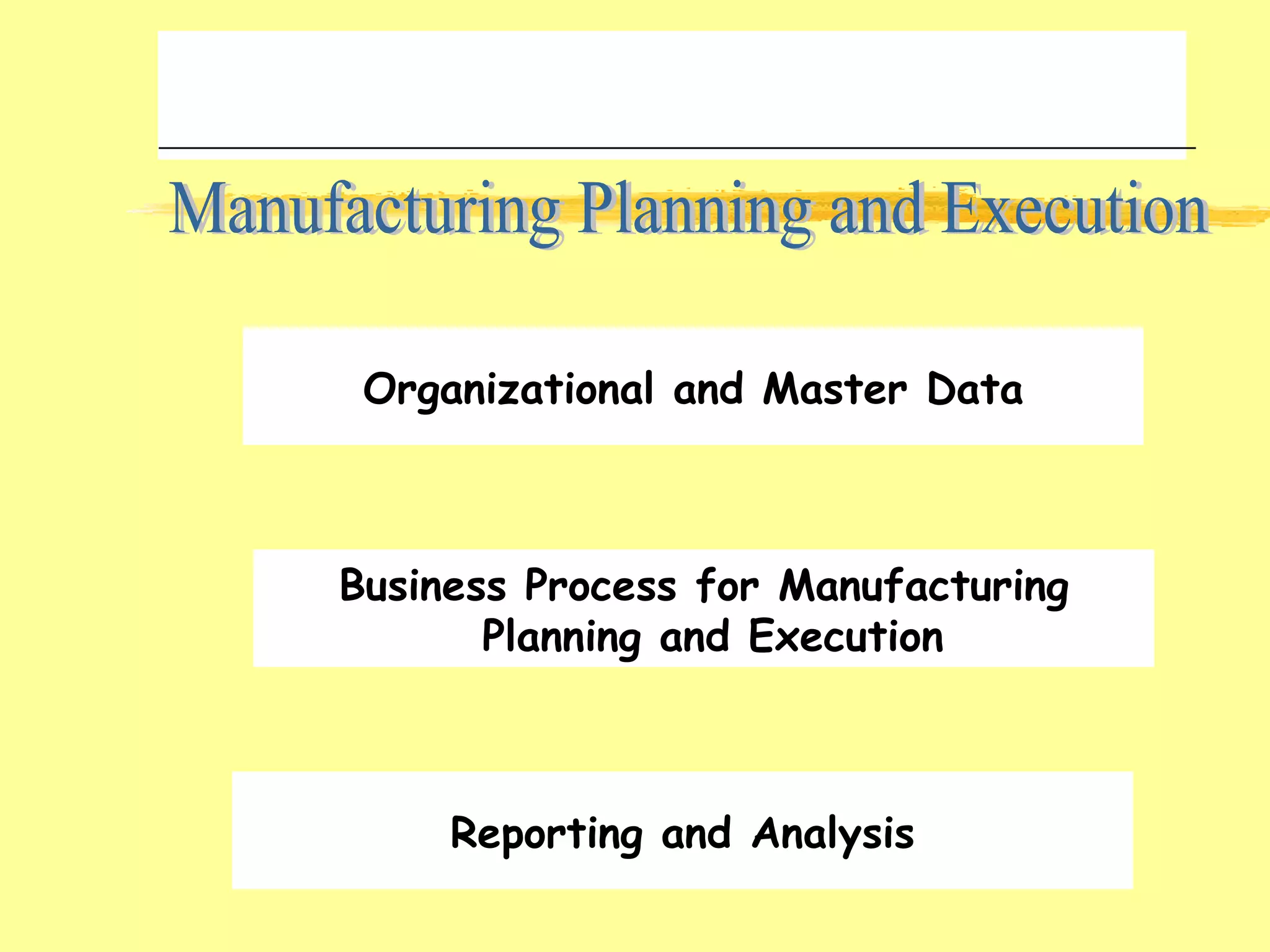
Manufacturing Planning and Execution Organizational and Master Data Business Process for Manufacturing Planning and Execution Reporting and Analysis
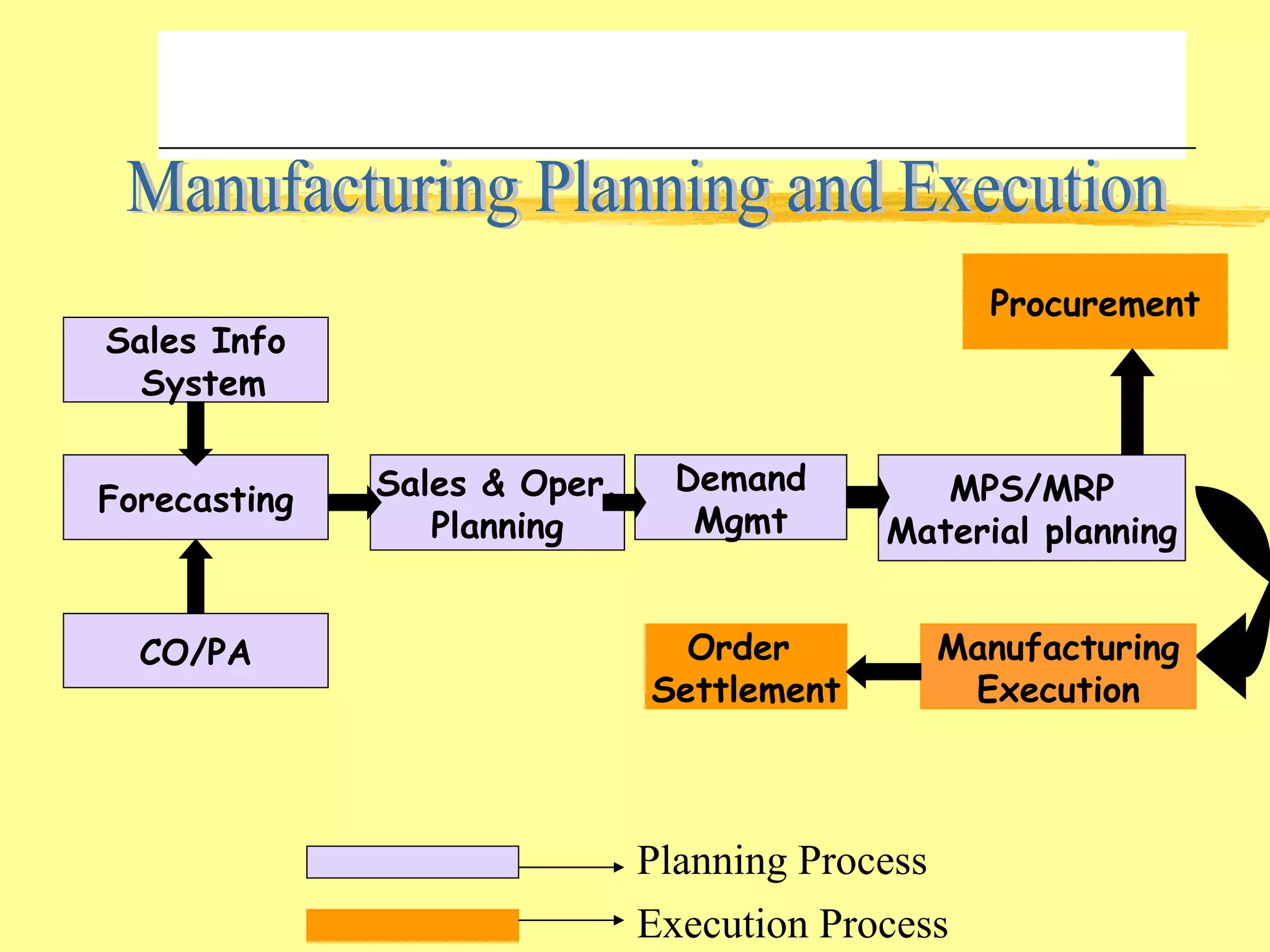
Manufacturing Planning and Execution Sales Info System CO/PA Forecasting Procurement Sales & Oper. Planning Demand Mgmt MPS/MRP Material planning Manufacturing Execution Order  Settlement Planning Process Execution Process
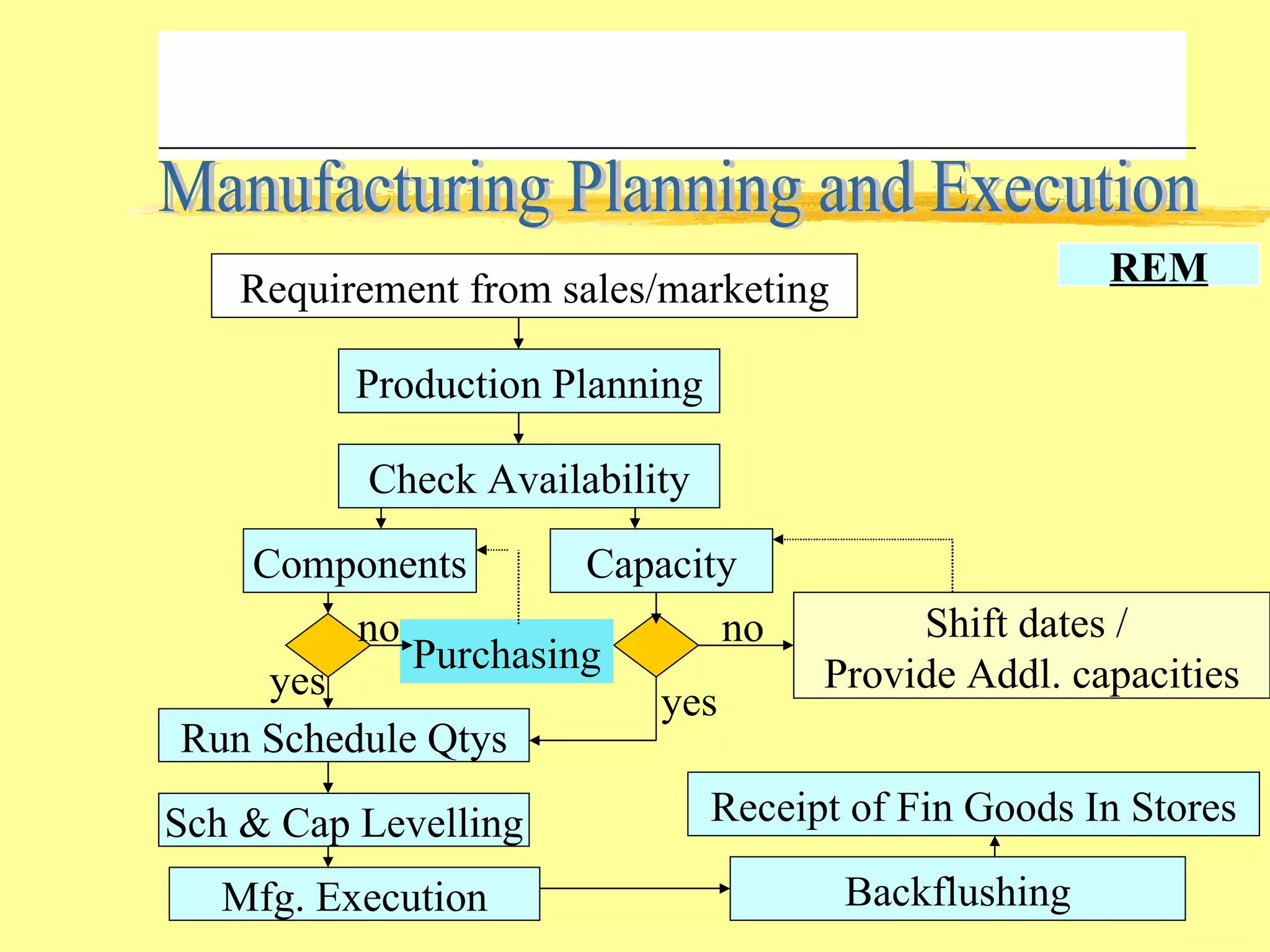
Manufacturing Planning and Execution Requirement from sales/marketing Production Planning Check Availability Components Capacity Run Schedule Qtys Sch & Cap Levelling Mfg. Execution Backflushing Receipt of Fin Goods In Stores Shift dates /  Provide Addl. capacities Purchasing yes no no yes REM
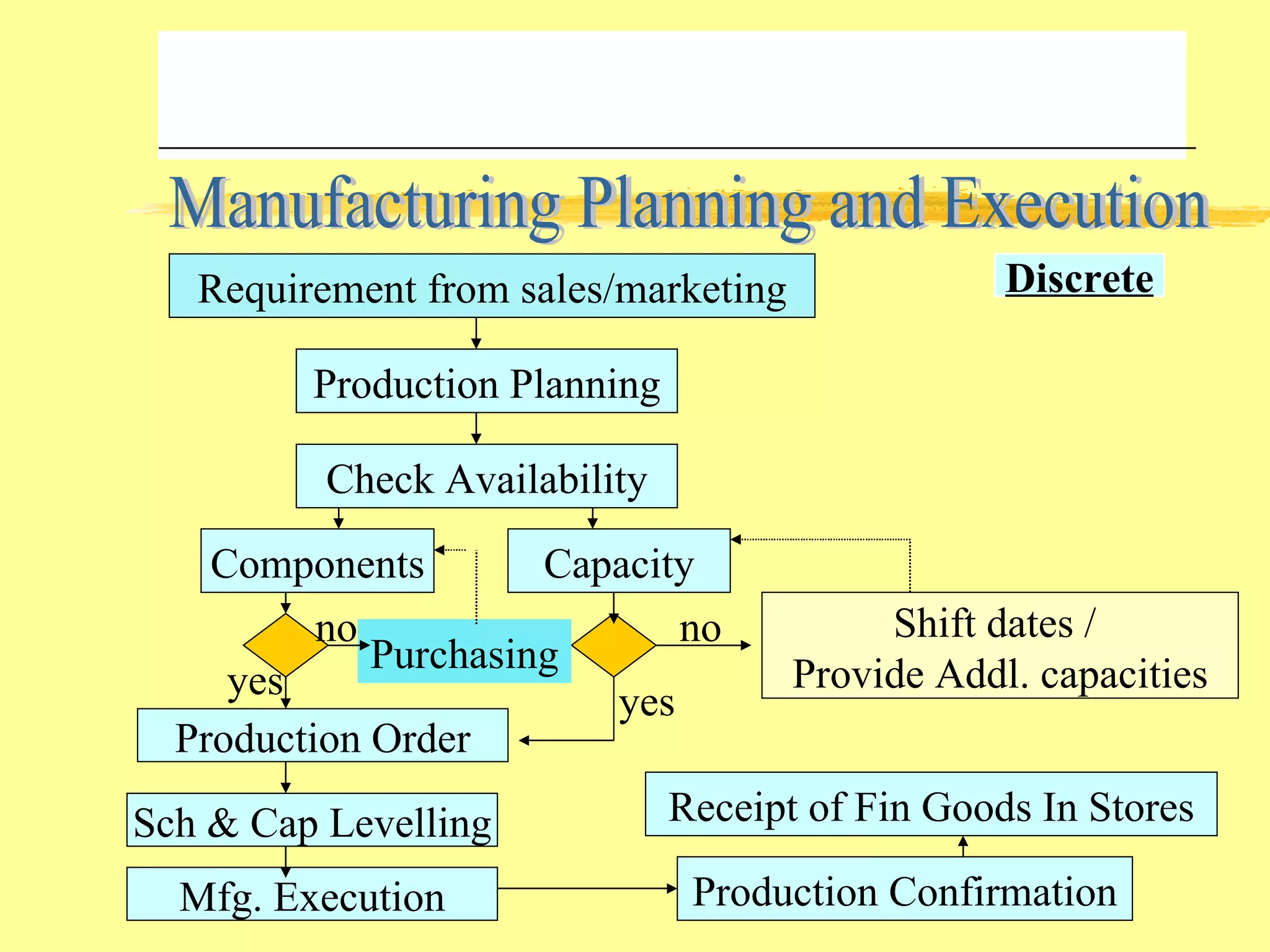
Manufacturing Planning and Execution Requirement from sales/marketing Production Planning Check Availability Components Capacity Production Order Sch & Cap Levelling Mfg. Execution Production Confirmation Receipt of Fin Goods In Stores Shift dates /  Provide Addl. capacities Purchasing yes no no yes Discrete
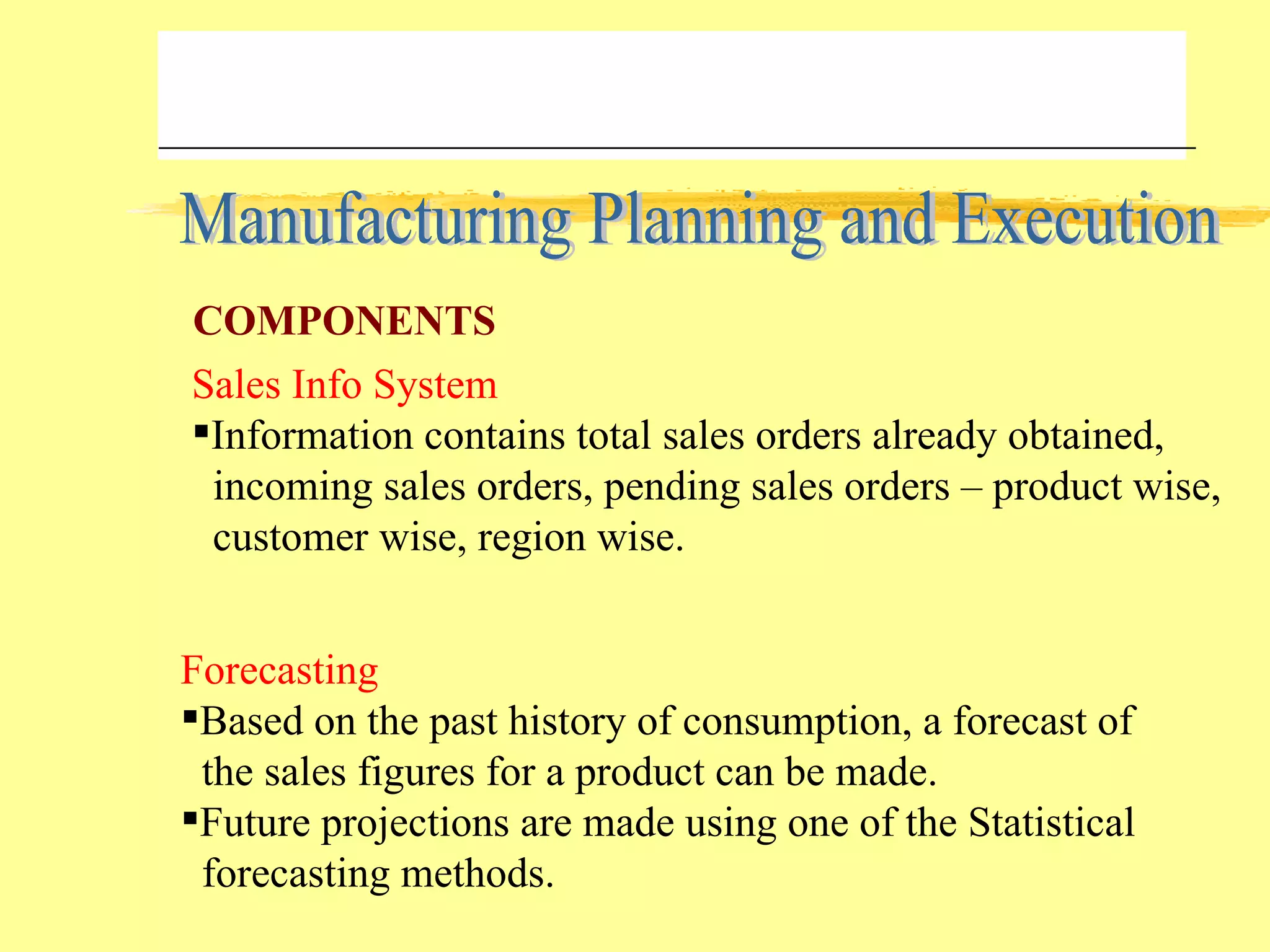
Manufacturing Planning and Execution Sales Info System Information contains total sales orders already obtained,  incoming sales orders, pending sales orders – product wise, customer wise, region wise. Forecasting Based on the past history of consumption, a forecast of the sales figures for a product can be made. Future projections are made using one of the Statistical forecasting methods. COMPONENTS
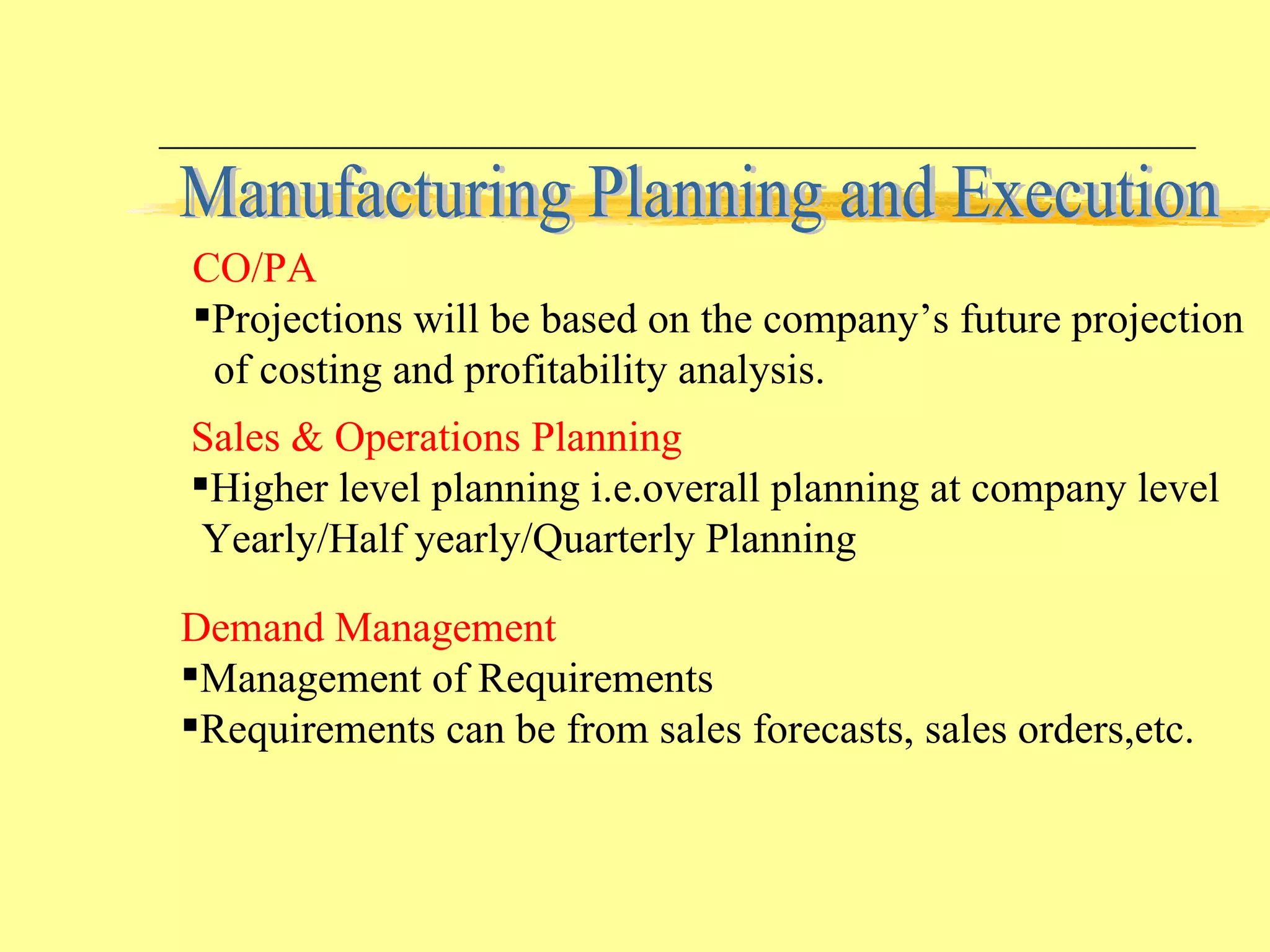
Manufacturing Planning and Execution Sales & Operations Planning Higher level planning i.e.overall planning at company level Yearly/Half yearly/Quarterly Planning Demand Management Management of Requirements Requirements can be from sales forecasts, sales orders,etc. CO/PA Projections will be based on the company’s future projection of costing and profitability analysis.
Manufacturing Planning and Execution MRP This is the total planning of all the components taking into consideration the existing requirements and stocks. Creation of purchase requisitions, production orders,etc. Final step in the planning process. MPS Planning of items that greatly influence the company’s profits or consume critical resources/dominate production processes. After the production plan of these critical items are firmed up, the planning of other components are taken up.
Repetitive Manufacturing - Run Schedule quantities are viewed Quantities are confirmed by Backflushing Goods are received into stock MANUFACTURING EXECUTION Discrete Manufacturing - Production orders are released Materials are issued Completion confirmations are performed Goods are received into stock Manufacturing Planning and Execution
ORDER SETTLEMENT Costs accrued to an order are debited to one or several  allocation receivers belonging to financial or managerial accounting. Manufacturing Planning and Execution
Manufacturing Planning and Execution STANDARD PRODUCTION PLANNING REPORTS Stock/Requirements List Lists the latest stock/requirement position of a material in the plant i.e. planned orders, production orders,etc. Production Plan This report lists the monthly production plans – material and plant wise . Orders This report lists the orders pending/completed for a material material wise or work center wise..
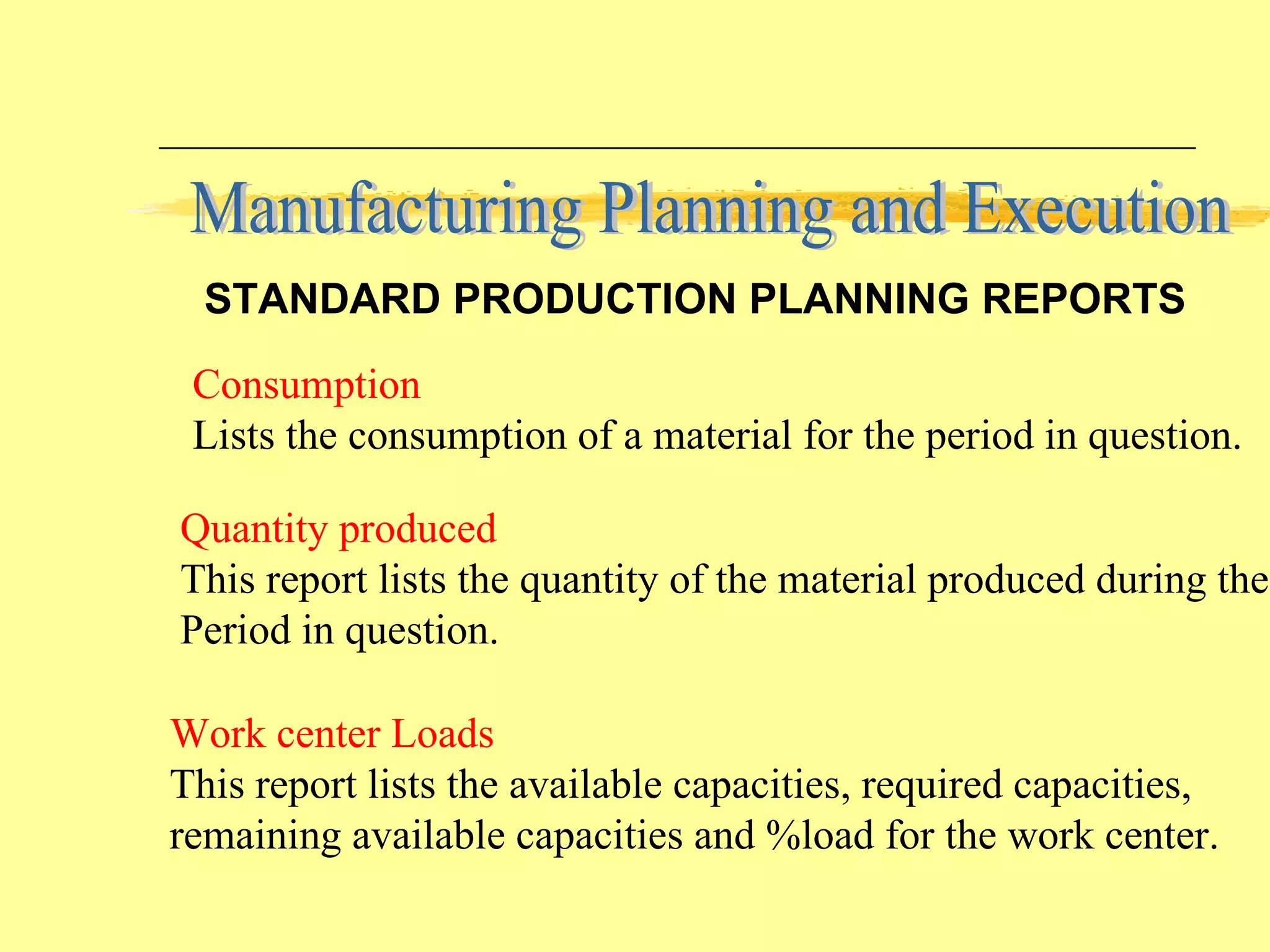
Manufacturing Planning and Execution STANDARD PRODUCTION PLANNING REPORTS Quantity produced This report lists the quantity of the material produced during the  Period in question. Work center Loads This report lists the available capacities, required capacities, remaining available capacities and %load for the work center. Consumption Lists the consumption of a material for the period in question.
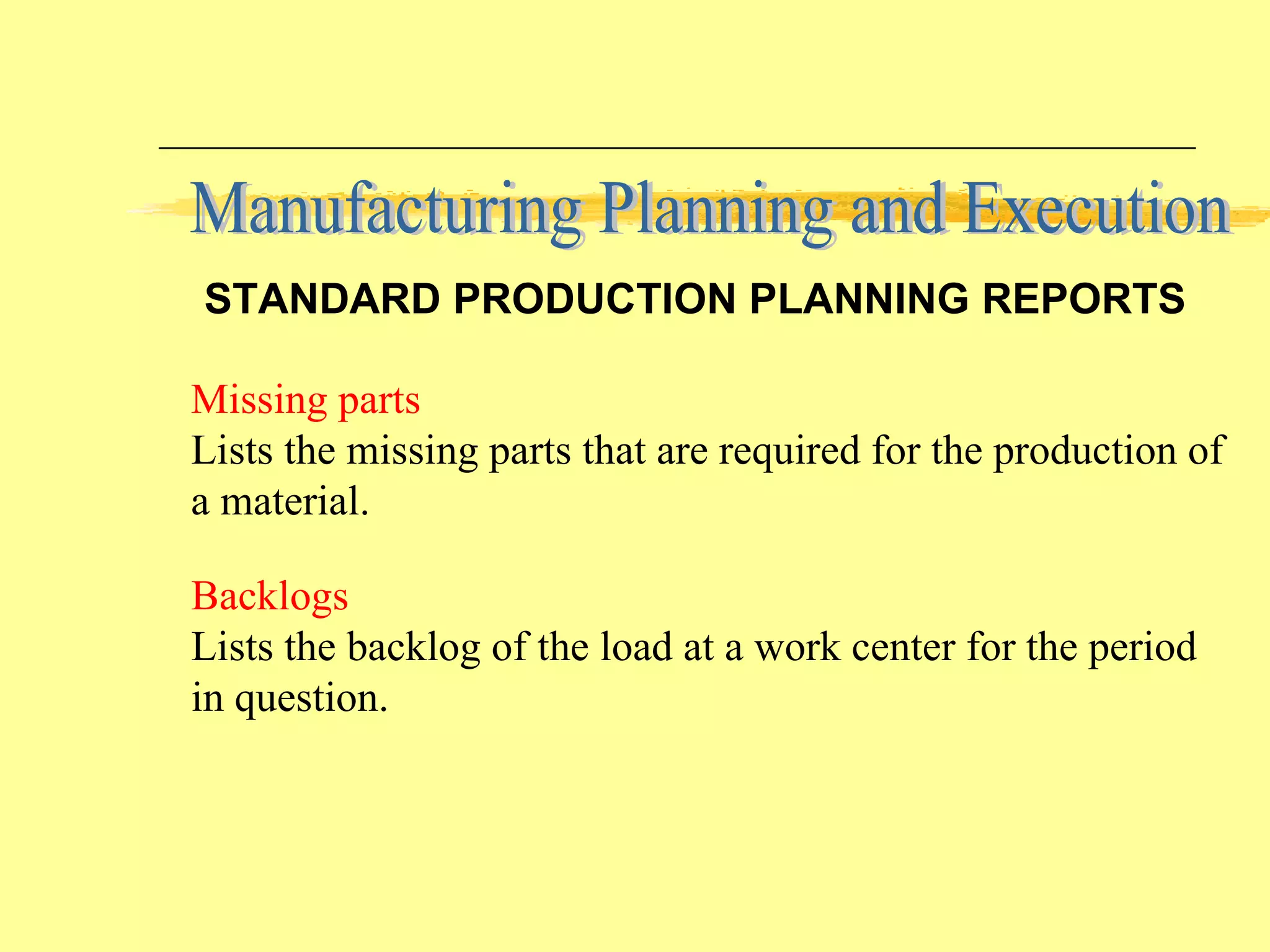
Backlogs Lists the backlog of the load at a work center for the period in question. Missing parts Lists the missing parts that are required for the production of a material. Manufacturing Planning and Execution STANDARD PRODUCTION PLANNING REPORTS
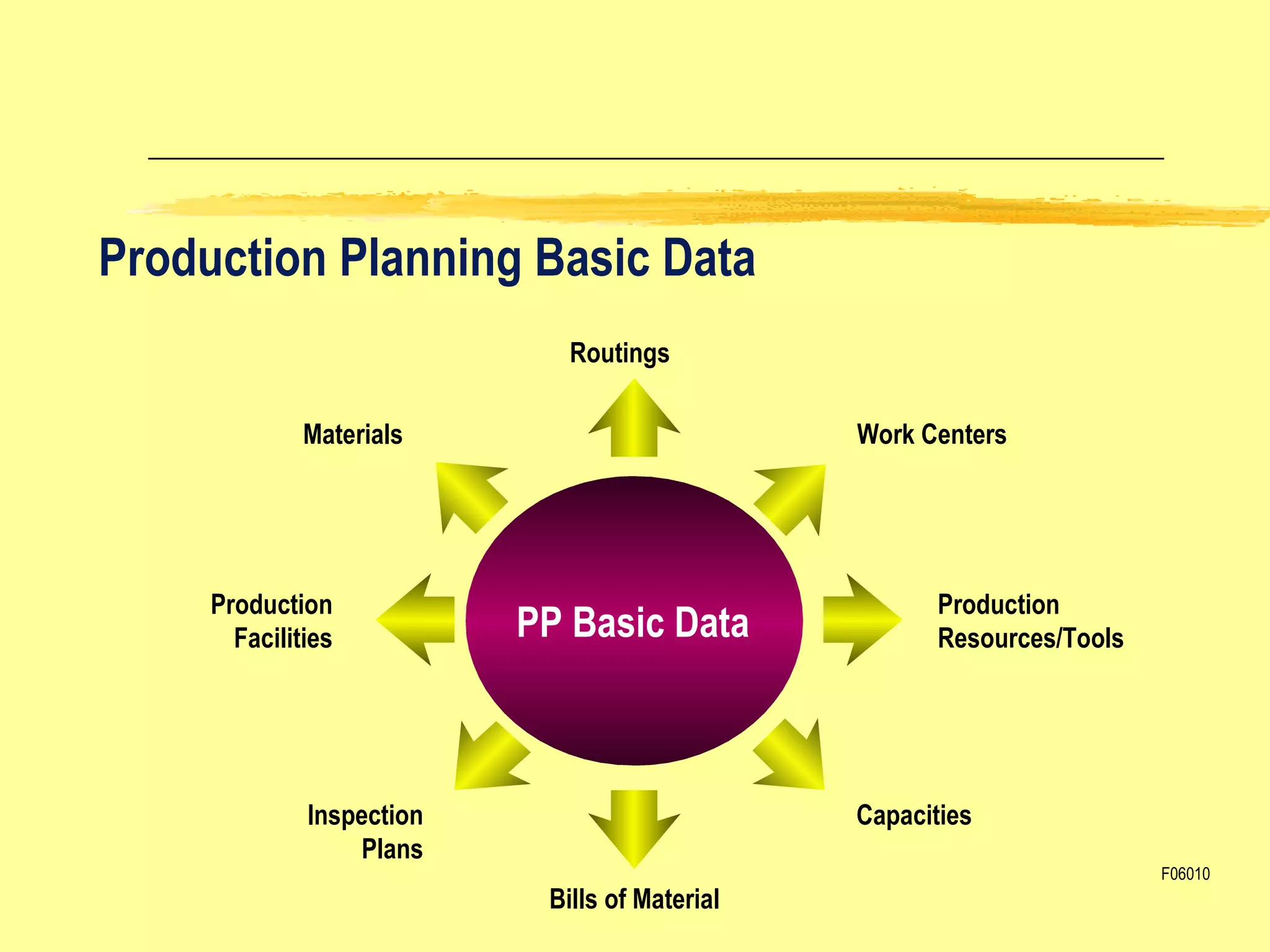
Production Planning Basic Data Routings Work Centers Materials Capacities Inspection Plans Production Facilities Bills of Material PP Basic Data Production  Resources/Tools F06010
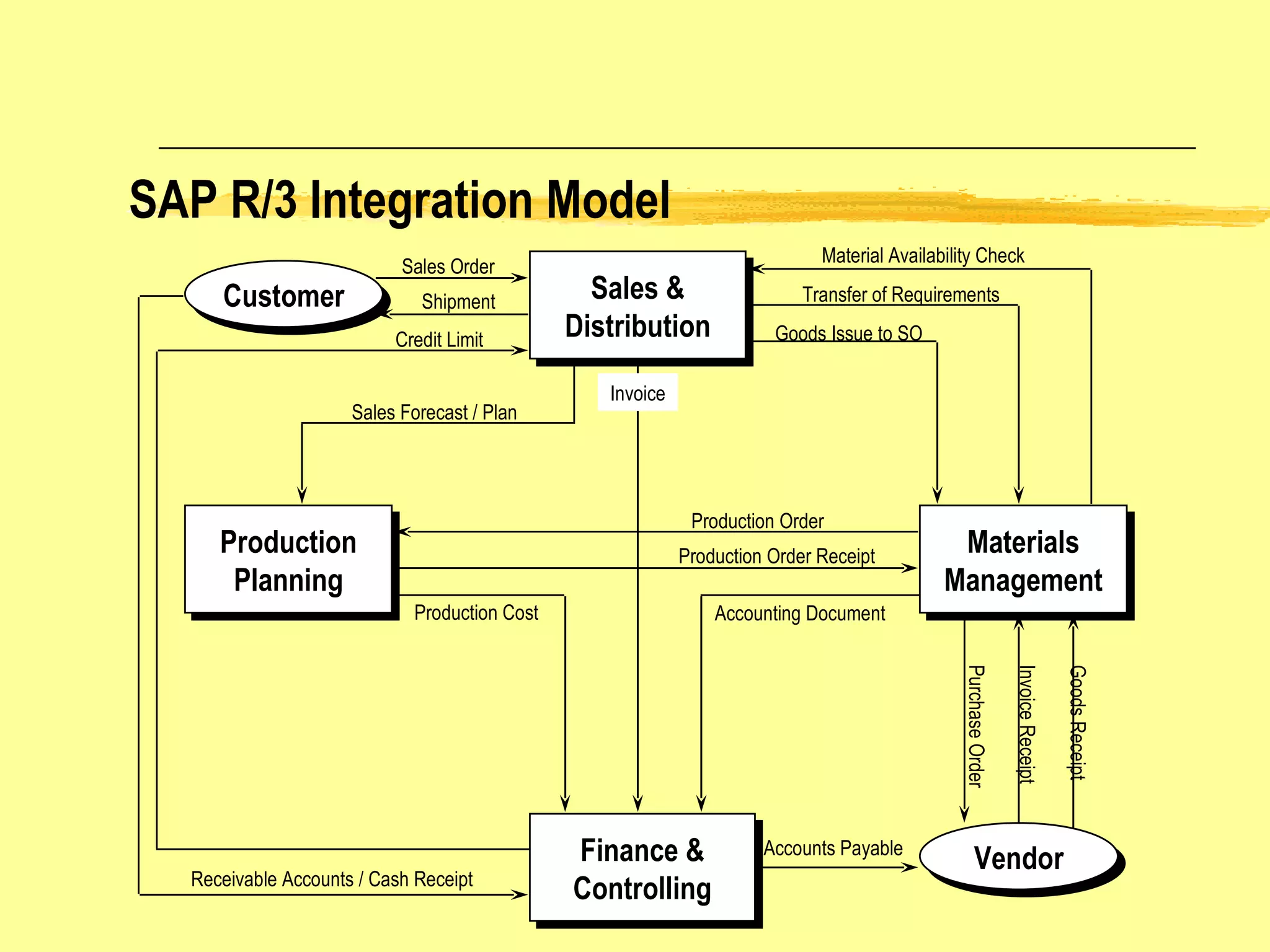
SAP R/3 Integration Model Sales & Distribution Production Planning Materials Management Finance & Controlling Customer Sales Order Shipment Receivable Accounts / Cash Receipt Credit Limit Material Availability Check Transfer of Requirements Goods Issue to SO Goods Receipt Invoice Receipt Purchase Order Accounts Payable Invoice Accounting Document Production Cost Production Order Production Order Receipt Sales Forecast / Plan Vendor
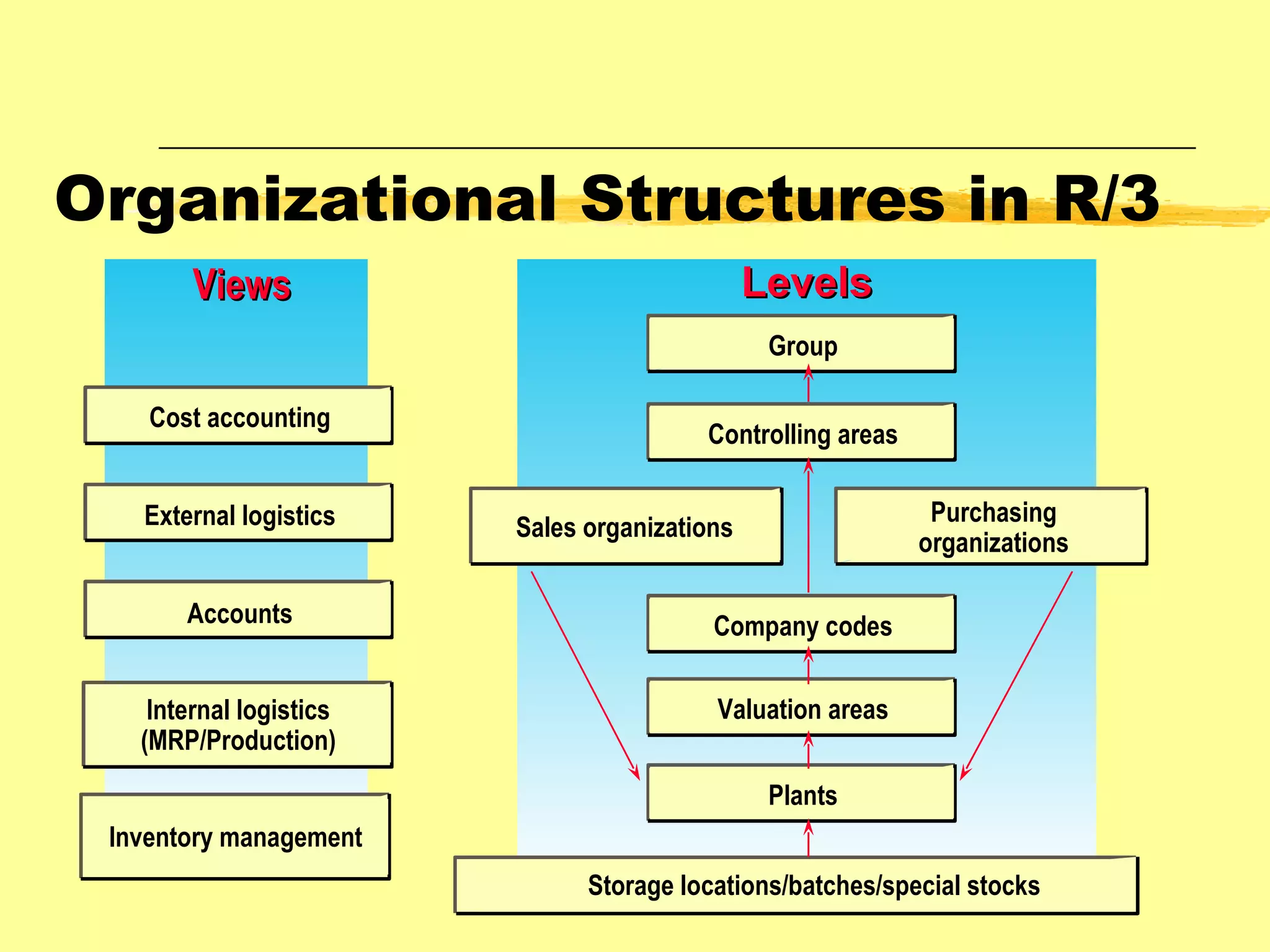
Organizational Structures in R/3 Cost accounting Accounts Internal logistics (MRP/Production) Inventory management Group Controlling areas Sales organizations Company codes Valuation areas Plants Storage locations/batches/special stocks External logistics Purchasing organizations Levels Views
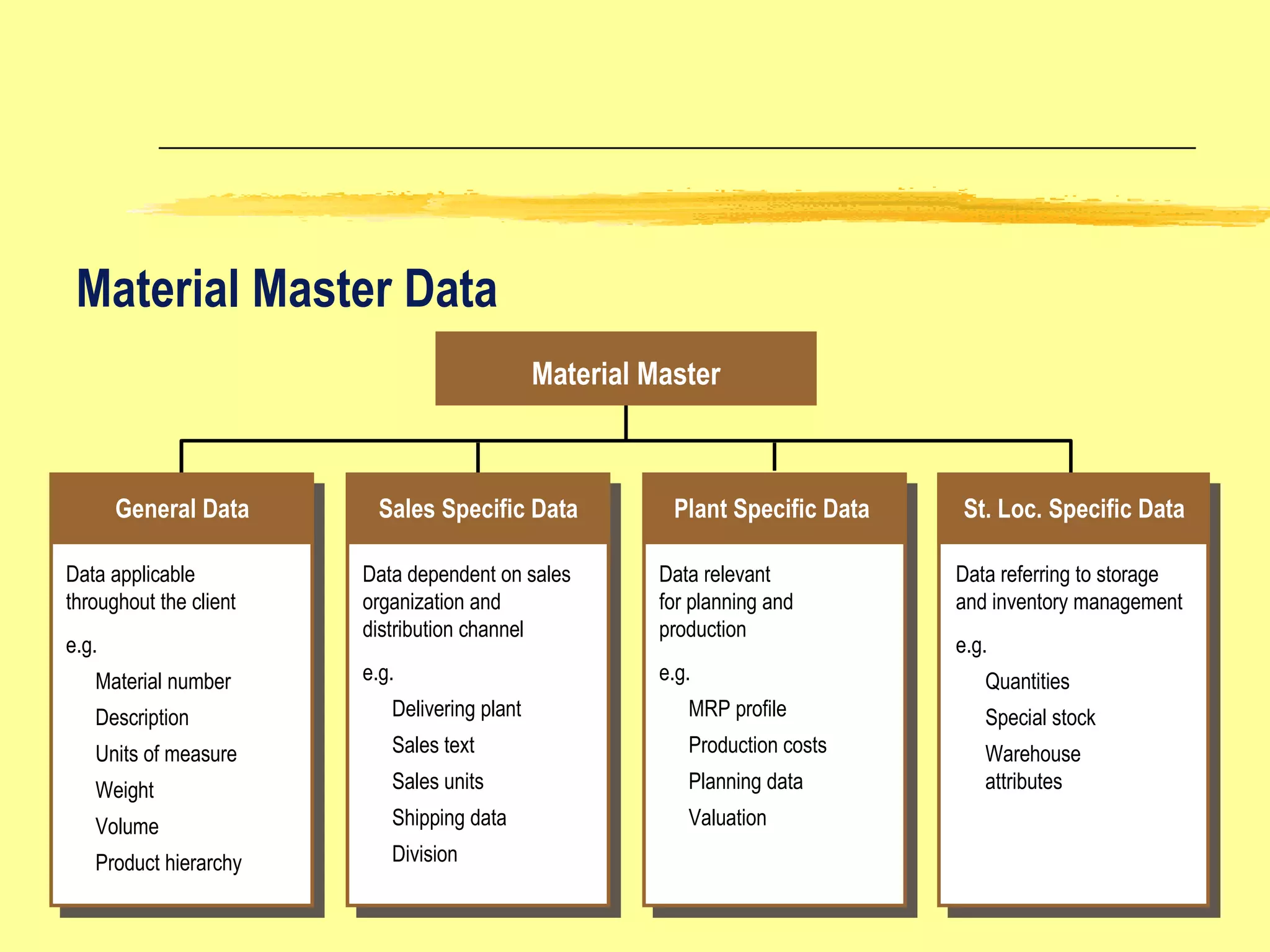
Material Master Data General Data St. Loc. Specific Data  Plant Specific Data Sales Specific Data Material Master Data applicable  throughout the client e.g. Material number Description Units of measure Weight Volume Product hierarchy Data dependent on sales organization and distribution channel e.g. Delivering plant Sales text Sales units  Shipping data Division Data relevant for planning and production e.g. MRP profile Production costs Planning data Valuation Data referring to storage and inventory management e.g. Quantities Special stock Warehouse  attributes
Material Types in the Standard SAP Material Type DIEN ERSA FERT HALB HAWA HIBE LEER NLAG ROH VERP WETT PROD Service Spare Part Finished Product Semi-finished Product Trading Good Operating Supply Empty Containers Non stock Item Raw Material Packaging Competitor Product Production Resources/ Tools Description
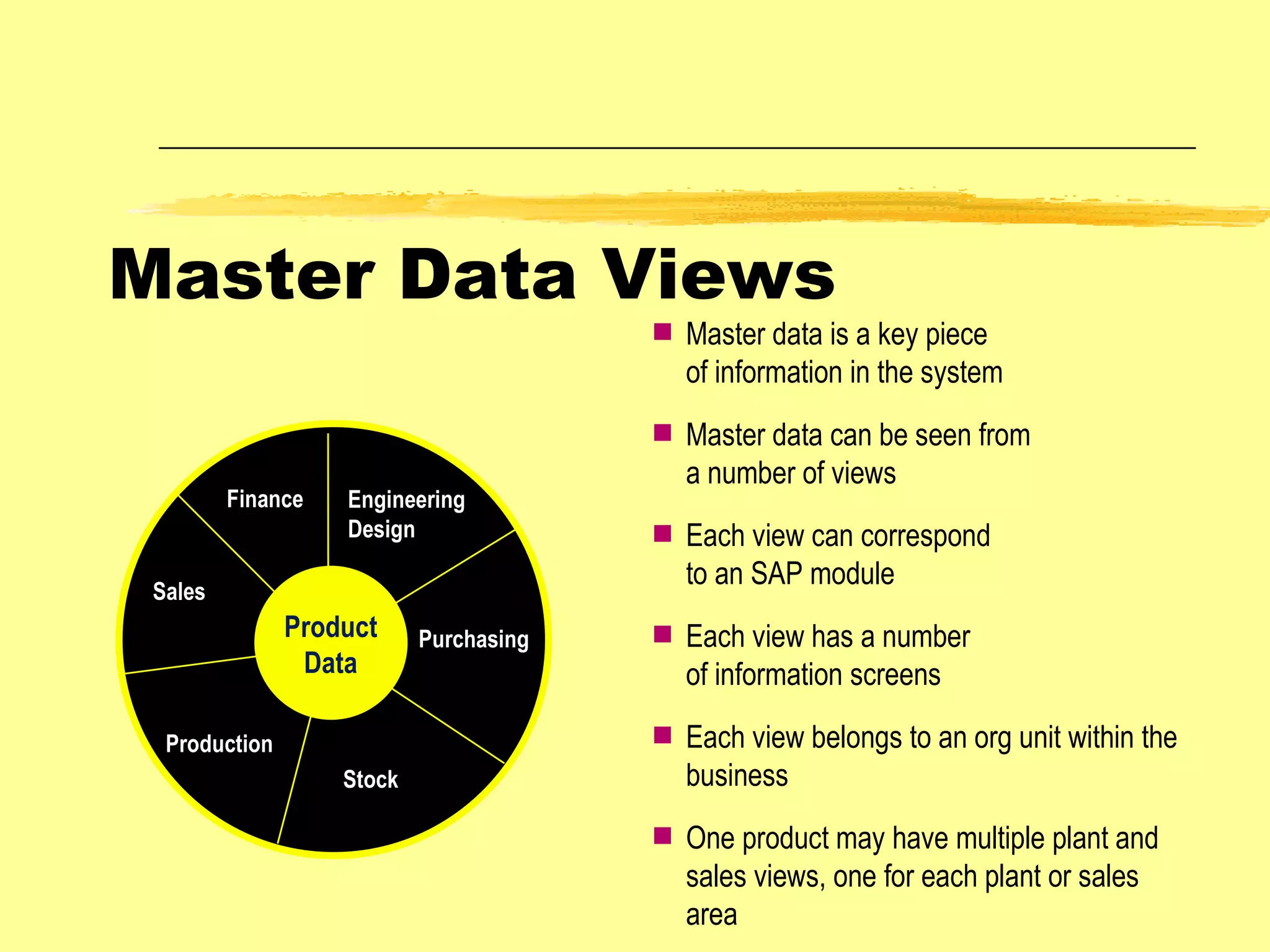
Product Data Engineering Design Sales  Production Stock Finance Purchasing Master data is a key piece of information in the system Master data can be seen from a number of views Each view can correspond to an SAP module Each view has a number of information screens Each view belongs to an org unit within the business One product may have multiple plant and sales views, one for each plant or sales area Master Data Views
Engineering Design Sales  Production Stock Finance Purchasing Examples of How Data is Used   Texts copied to purchase orders Maintains stock levels by plant, storage location, and batch Data used to calculate MRP lead times Controls customer  ordering rules for material Controls which General Ledger Account is updated Material description used in reporting Product Data
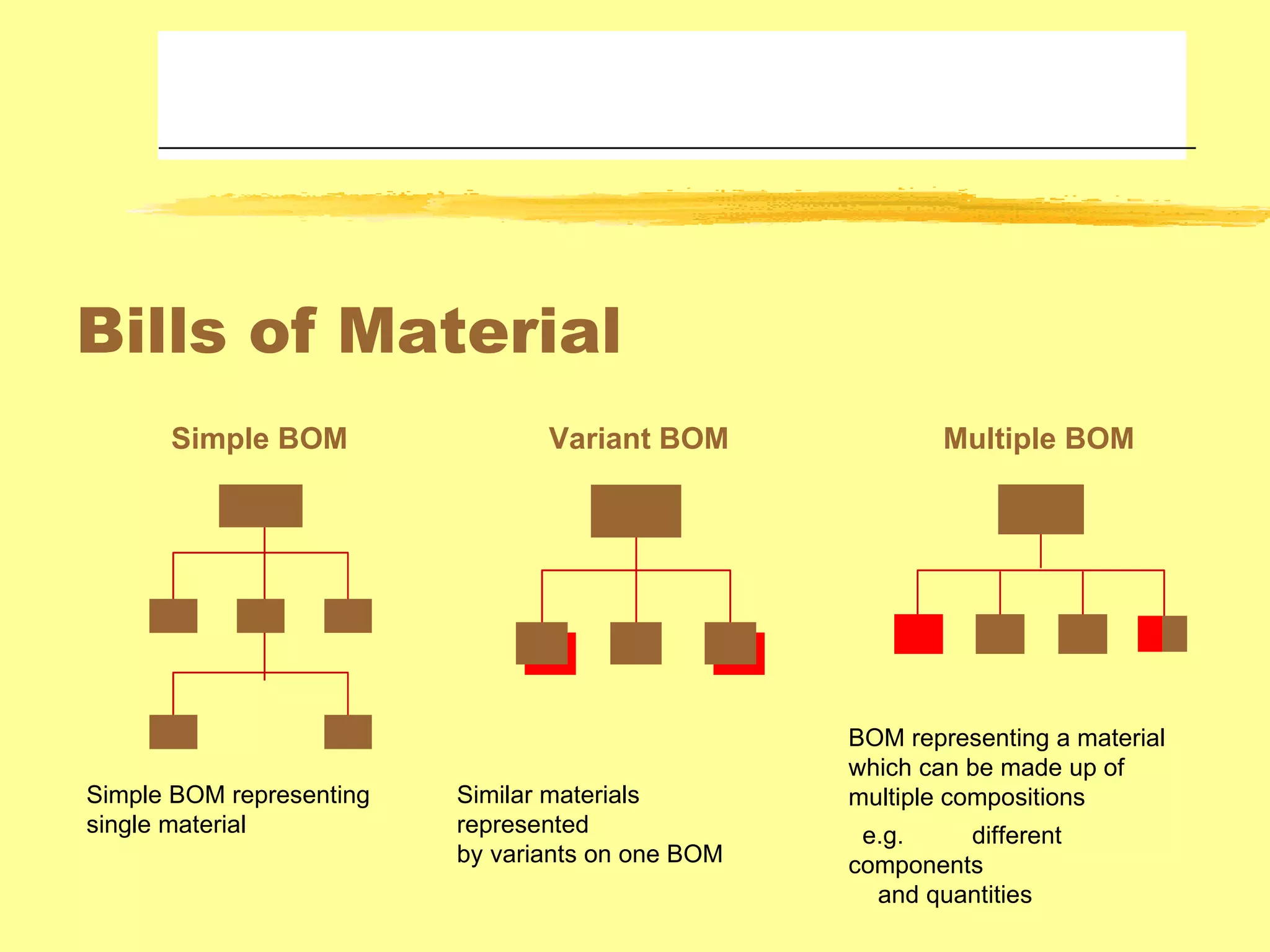
Bills of Material Simple BOM Variant BOM Multiple BOM Simple BOM representing single material Similar materials represented by variants on one BOM  BOM representing a material which can be made up of multiple compositions e.g. different components and quantities
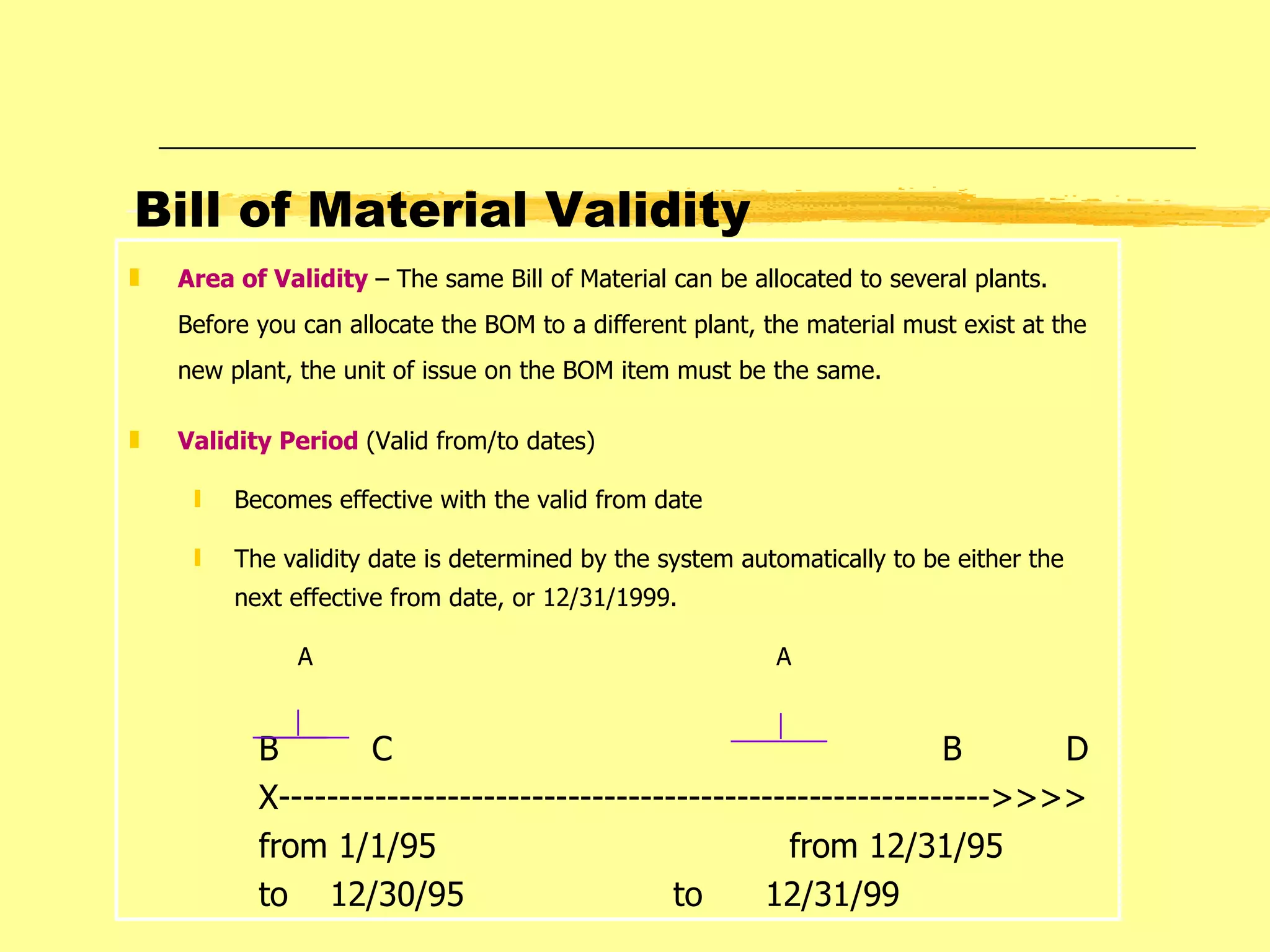
Bill of Material Validity Area of Validity  – The same Bill of Material can be allocated to several plants. Before you can allocate the BOM to a different plant, the material must exist at the new plant, the unit of issue on the BOM item must be the same. Validity Period  (Valid from/to dates) Becomes effective with the valid from date The validity date is determined by the system automatically to be either the next effective from date, or 12/31/1999. A   A B  C  B  D X----------------------------------------------------------->>>> from 1/1/95  from 12/31/95 to  12/30/95   to  12/31/99
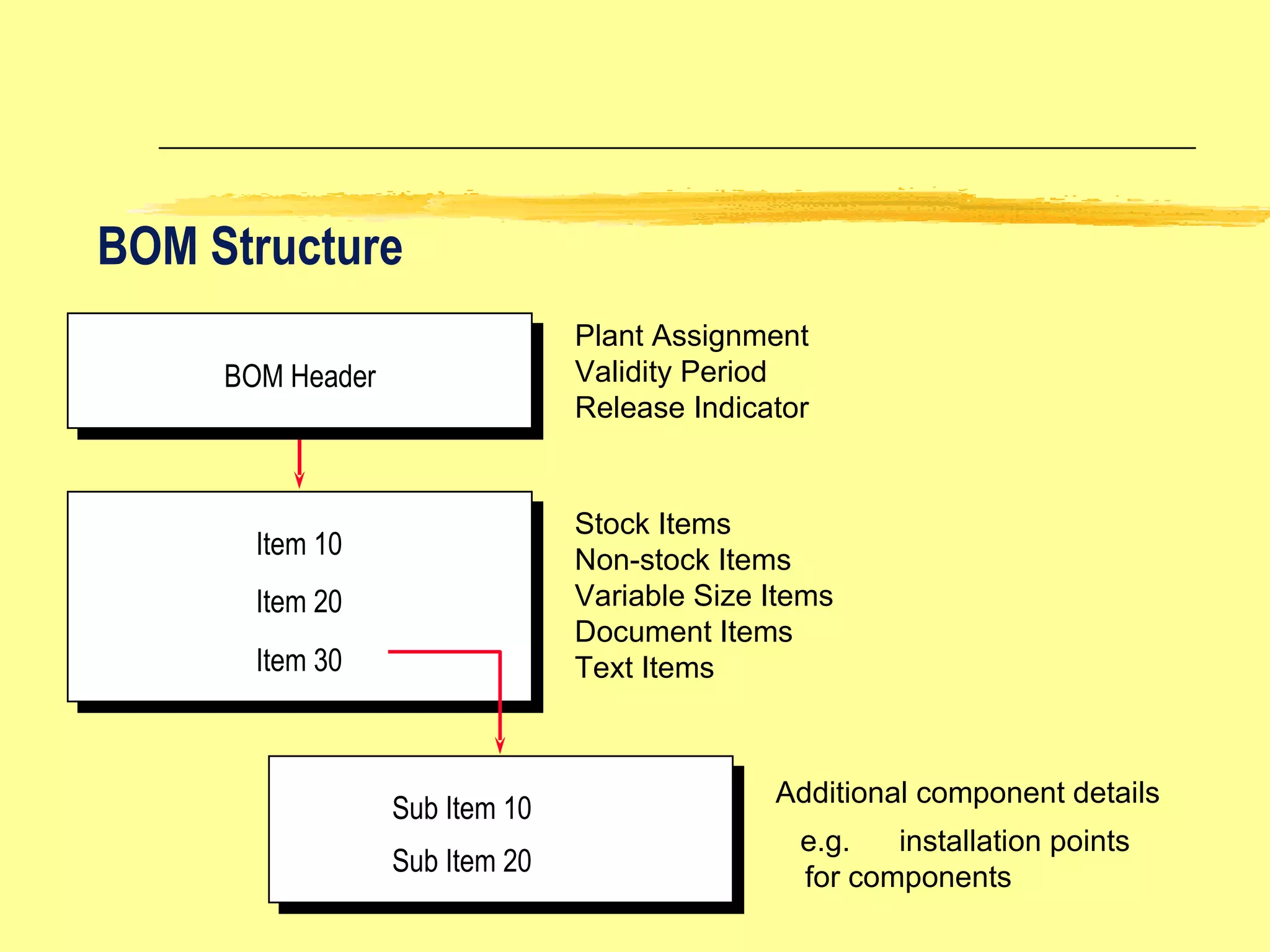
BOM Structure BOM Header Plant Assignment Validity Period Release Indicator Stock Items Non-stock Items Variable Size Items Document Items Text Items Additional component details e.g. installation points for components Item 10 Item 20 Item 30 Sub Item 10 Sub Item 20
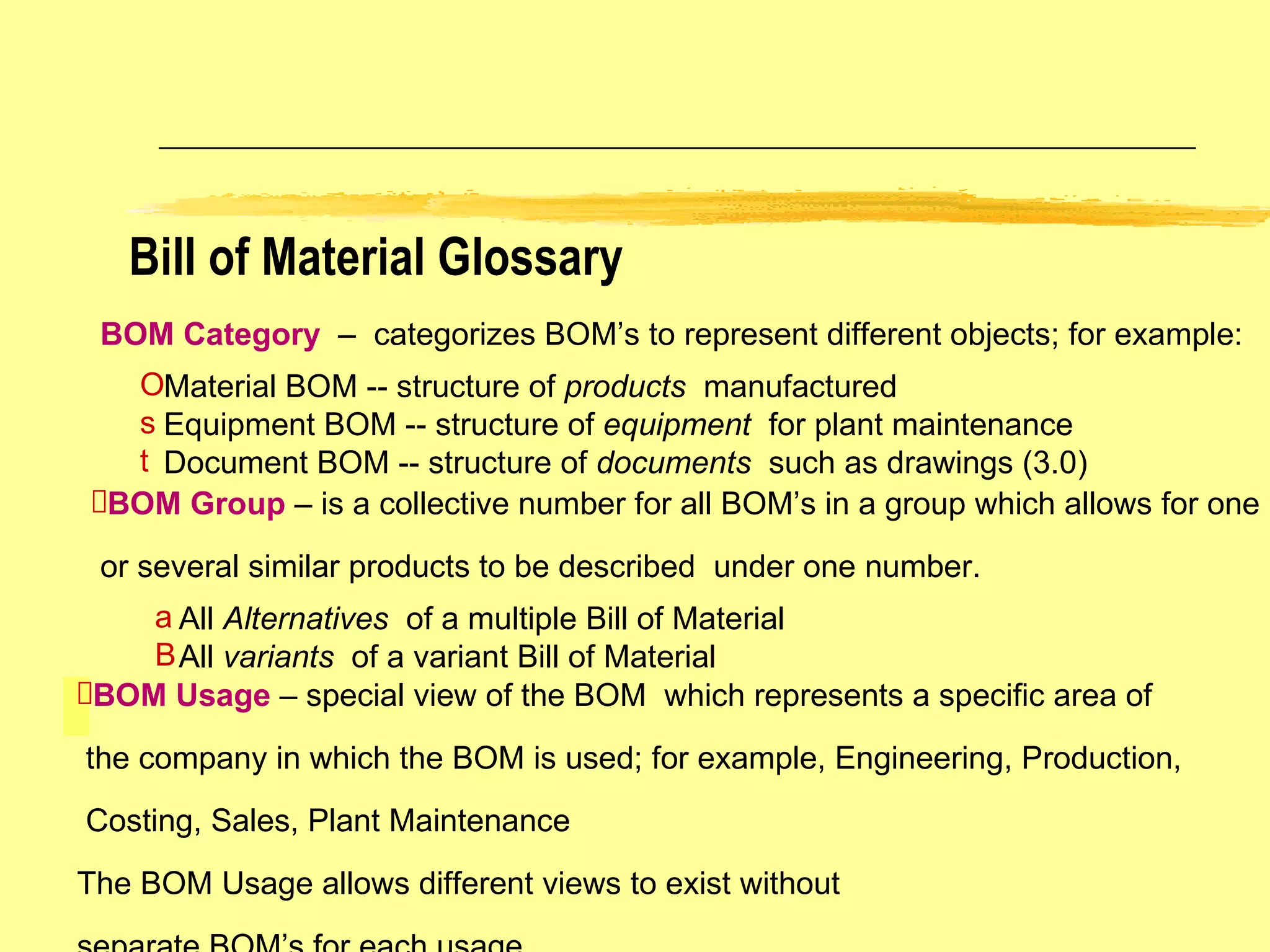
Bill of Material Glossary BOM Category  –  categorizes BOM’s to represent different objects; for example: Material BOM -- structure of  products  manufactured Equipment BOM -- structure of  equipment   for plant maintenance Document BOM -- structure of  documents  such as drawings (3.0) BOM Group  – is a collective number for all BOM’s in a group which allows for one or several similar products to be described  under one number. All  Alternatives   of a multiple Bill of Material All  variants   of a variant Bill of Material BOM Usage  – special view of the BOM  which represents a specific area of the company in which the BOM is used; for example, Engineering, Production, Costing, Sales, Plant Maintenance The BOM Usage allows different views to exist without  separate BOM’s for each usage.
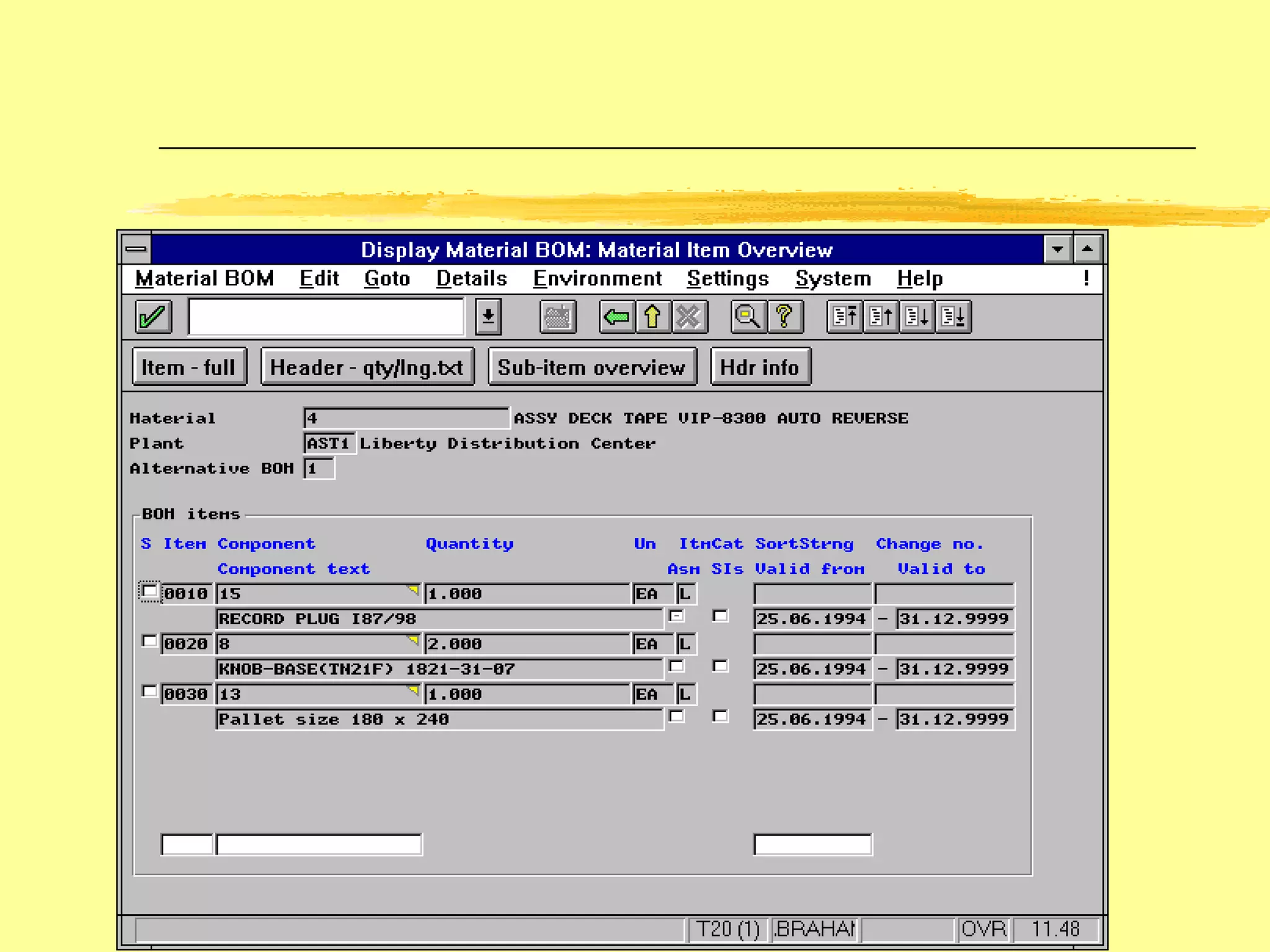
Technical Type  – the system distinguishes BOM’s according to whether they represent product variants or production alternatives. If you create a variant for the BOM,the system marks it as a  Variant Bill  .  If there is more than one alternative for a material, the system marks the BOM as a  Multiple Bill . Bill of Material Glossary (cont.) BOM  Validity   – Bills of Material are valid over an area and effectivity period. Area of Validity -- identifies which plants the BOM has been allocated to Validity Period -- identifies the from and to effectivity dates.  The default to date is 12/31/9999
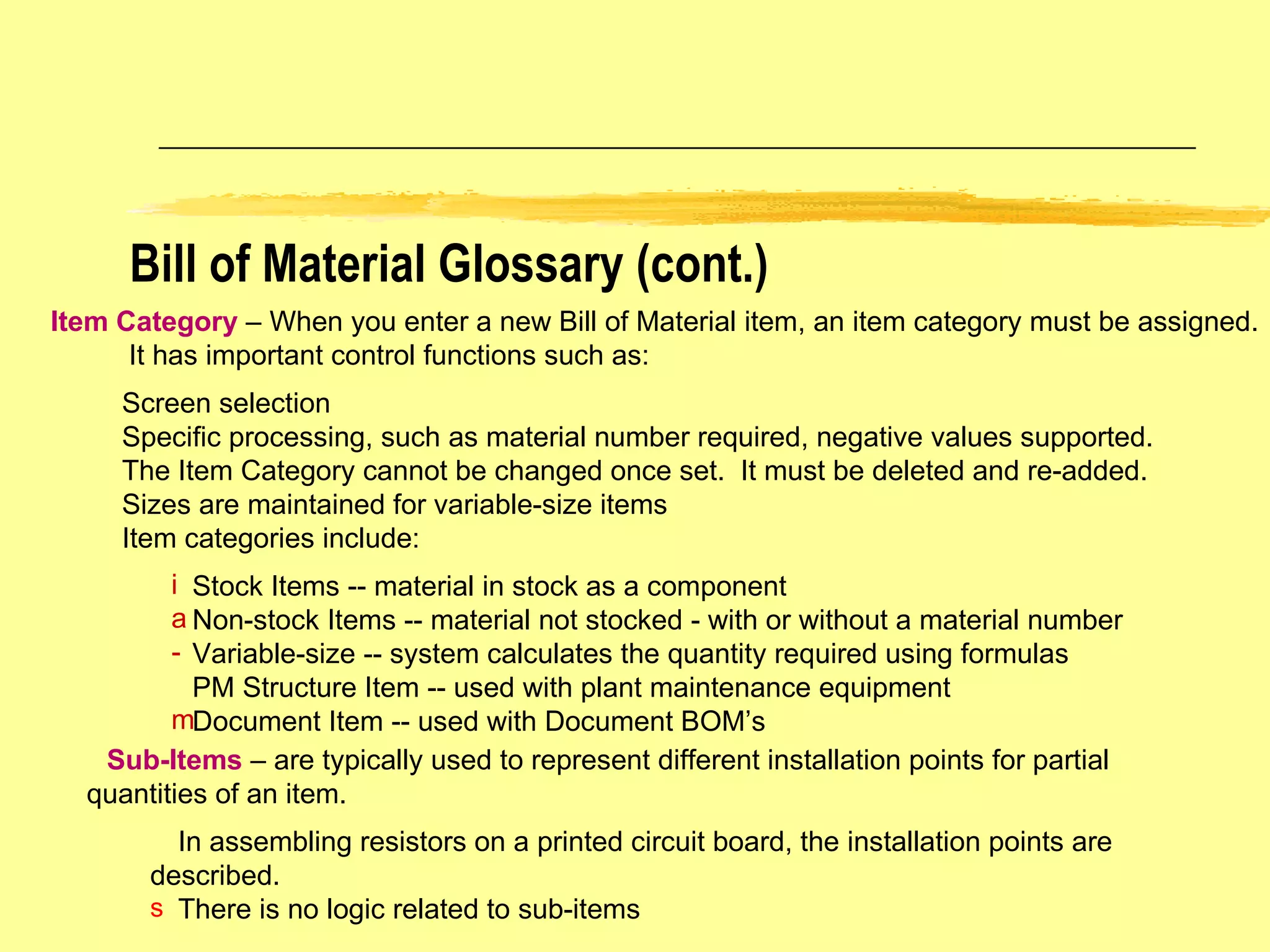
Item Category   – When you enter a new Bill of Material item, an item category must be assigned. It has important control functions such as: Screen selection  Specific processing, such as material number required, negative values supported. The Item Category cannot be changed once set.  It must be deleted and re-added. Sizes are maintained for variable-size items Item categories include: Stock Items -- material in stock as a component Non-stock Items -- material not stocked - with or without a material number Variable-size -- system calculates the quantity required using formulas PM Structure Item -- used with plant maintenance equipment Document Item -- used with Document BOM’s Sub-Items   – are typically used to represent different installation points for partial  quantities of an item. In assembling resistors on a printed circuit board, the installation points are described. There is no logic related to sub-items Bill of Material Glossary (cont.)
 
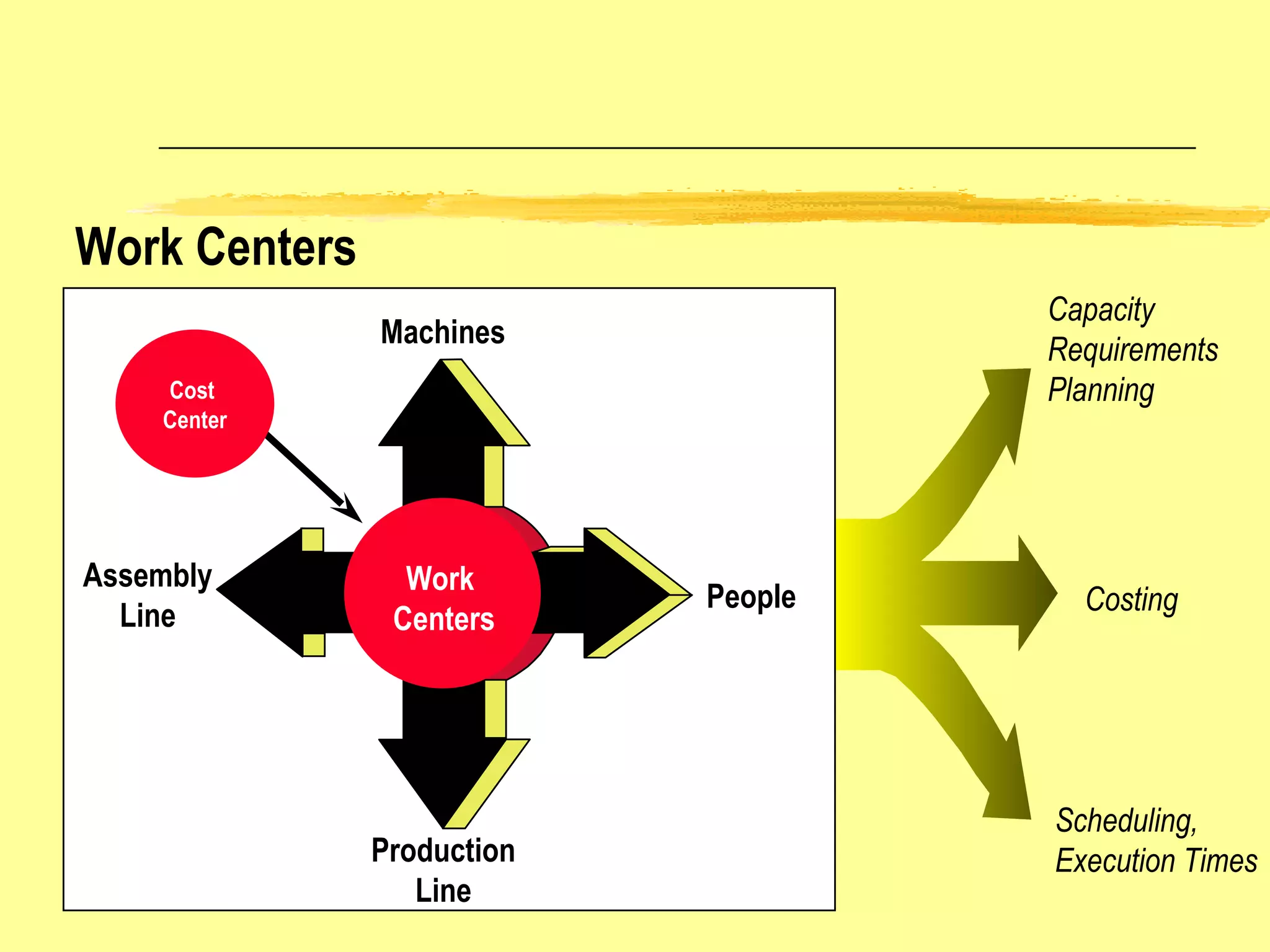
Assembly Line Machines People Production Line Capacity  Requirements  Planning Scheduling,  Execution Times Costing Work Centers Work  Centers Cost  Center
Work Centers and Routings Routing Operation 10 Operation 20 Operation 30 Work Center W1 Cost Center 100 Assembly Cost Centre 200 Work Center W2 Finishing Cost Center 200 Work Center W1 Cost Center 100 Assembly
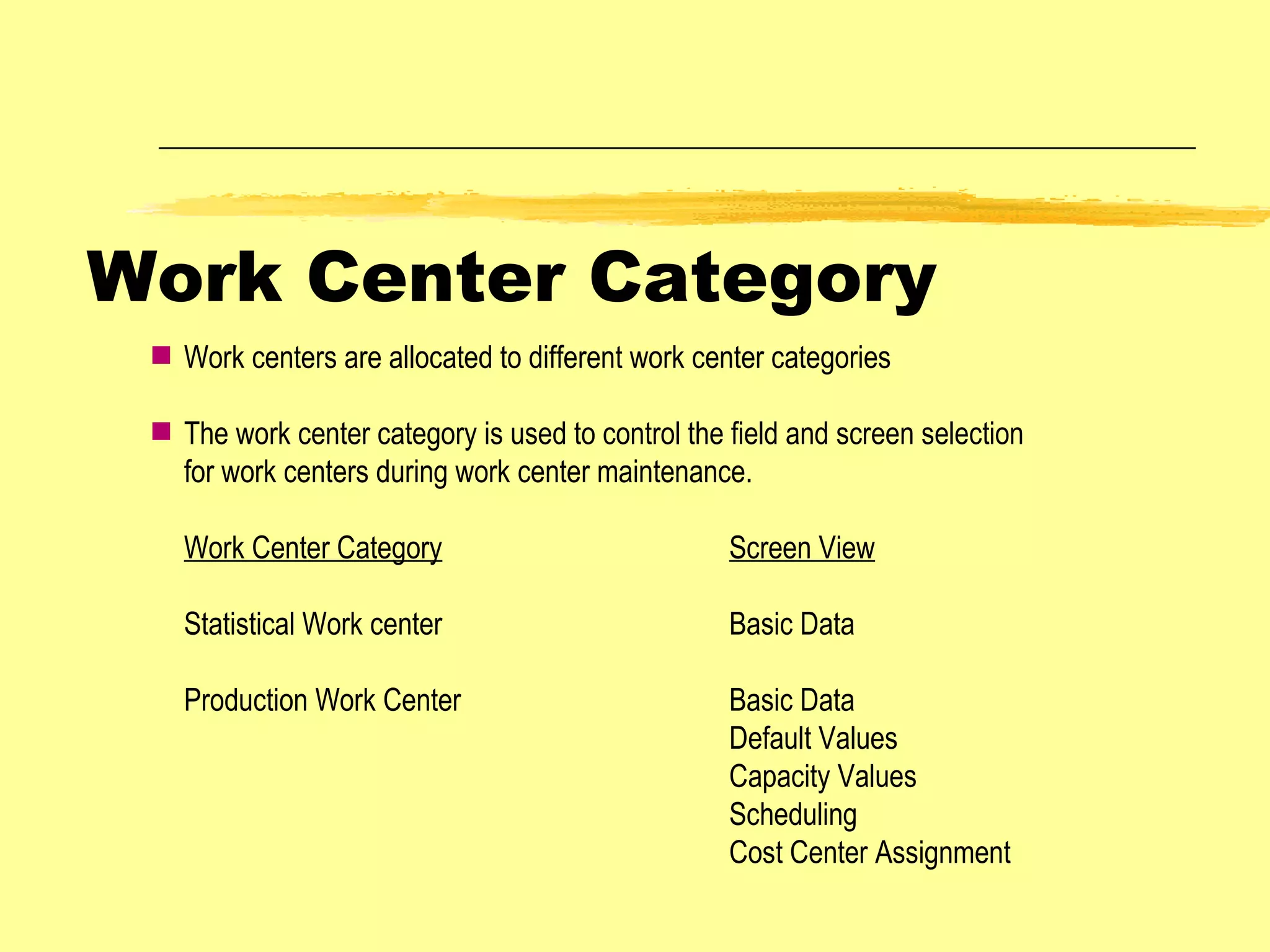
Work Center Category Work centers are allocated to different work center categories  The work center category is used to control the field and screen selection for work centers during work center maintenance. Work Center Category Screen View Statistical Work center Basic Data Production Work Center Basic Data Default Values Capacity Values Scheduling Cost Center Assignment
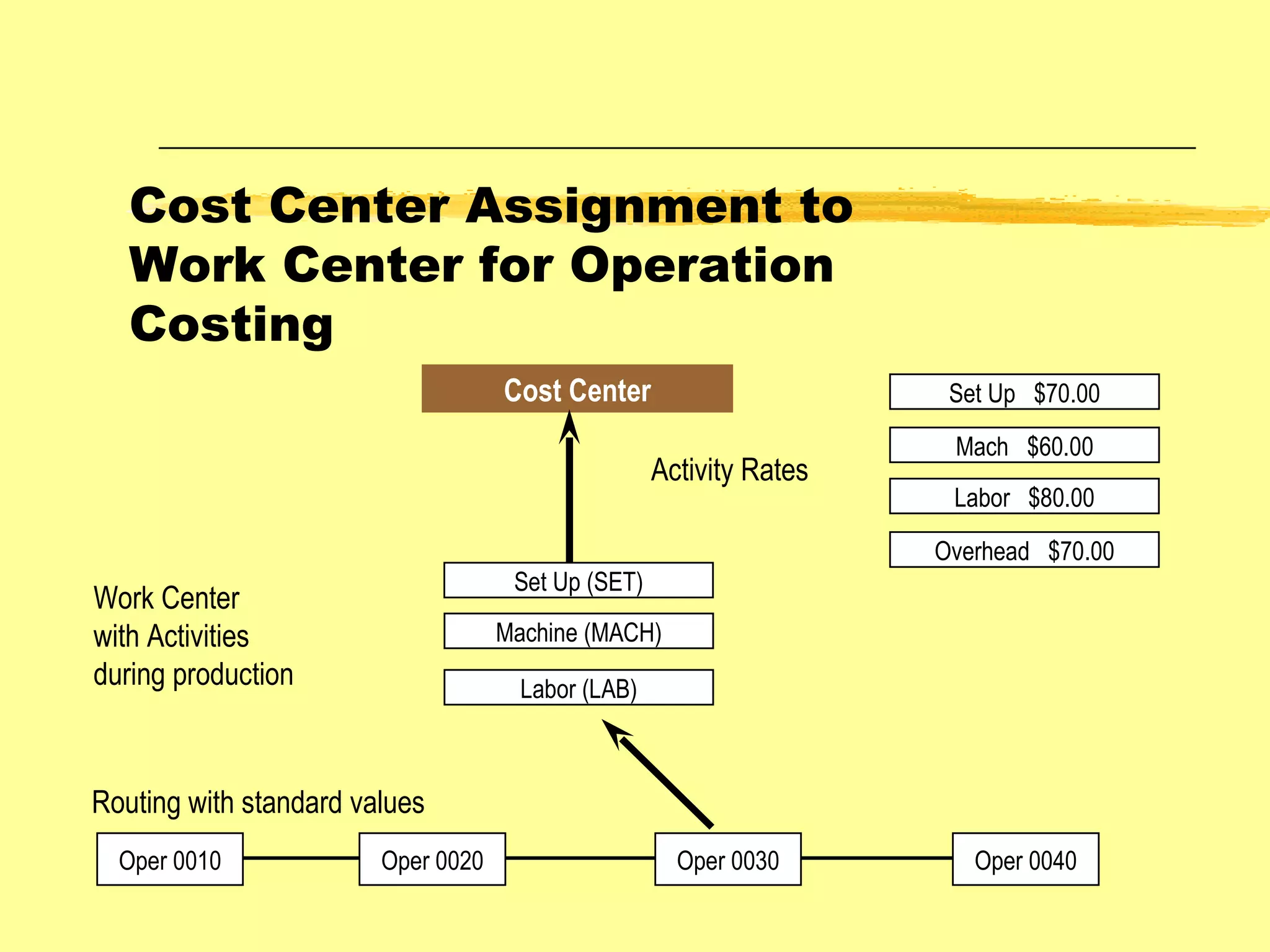
Cost Center Assignment to Work Center for Operation Costing Cost Center Oper 0010 Oper 0020 Oper 0030 Oper 0040 Routing with standard values Set Up (SET) Machine (MACH) Labor (LAB) Work Center with Activities during production Activity Rates Set Up  $70.00 Mach  $60.00 Labor  $80.00 Overhead  $70.00
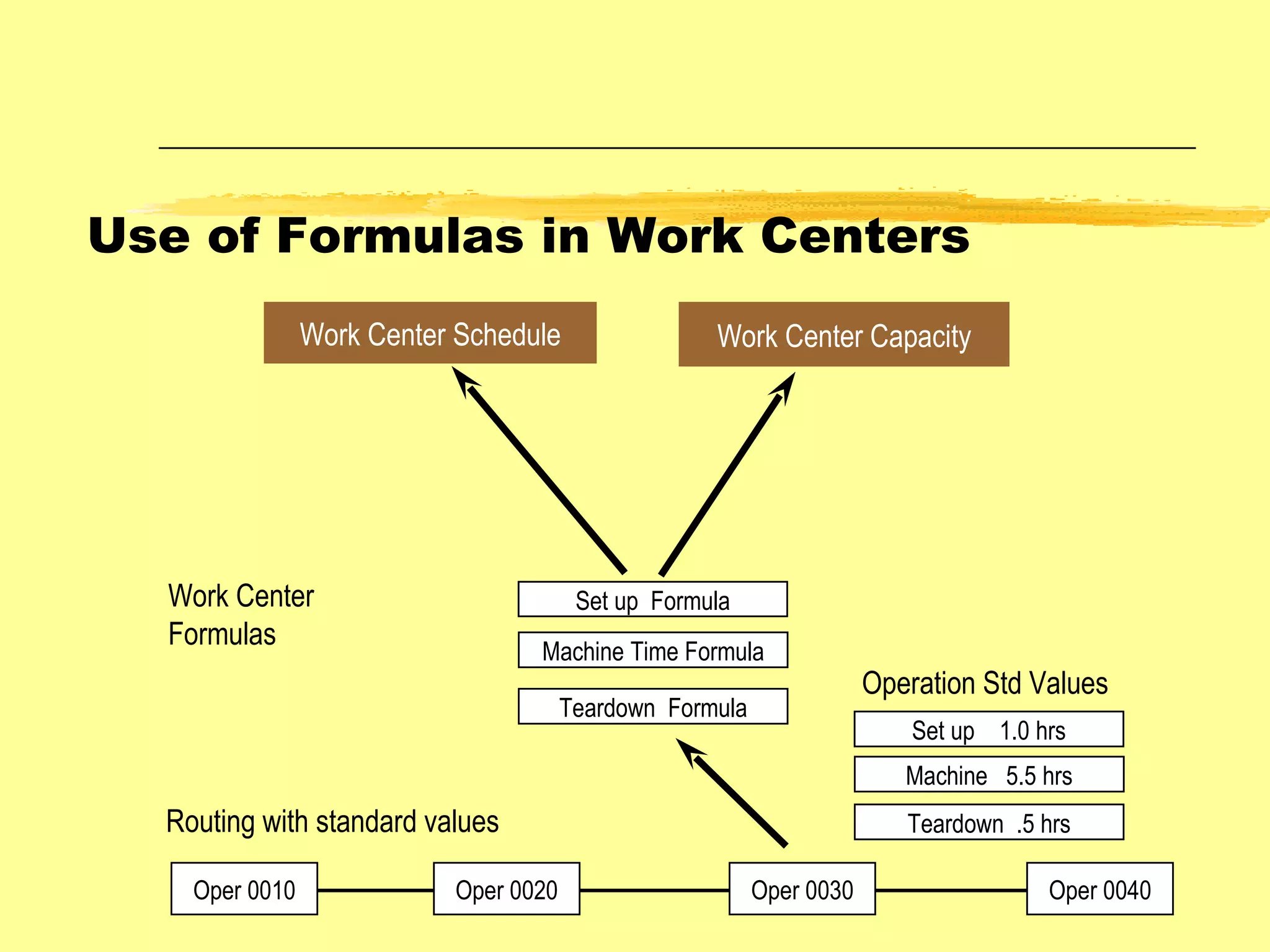
Work Center Capacity Oper 0010 Oper 0020 Oper 0030 Oper 0040 Routing with standard values Set up  Formula Machine Time Formula Teardown  Formula Work Center Formulas Set up  1.0 hrs Machine  5.5 hrs Teardown  .5 hrs Operation Std Values Work Center Schedule Use of Formulas in Work Centers
8 hrs 1 hr 7 hrs 1 hr 6 hrs Working Hours Break Time Working Hours less Breaks Planned Downtime Productive Working Hours Available Capacity at a Work Center
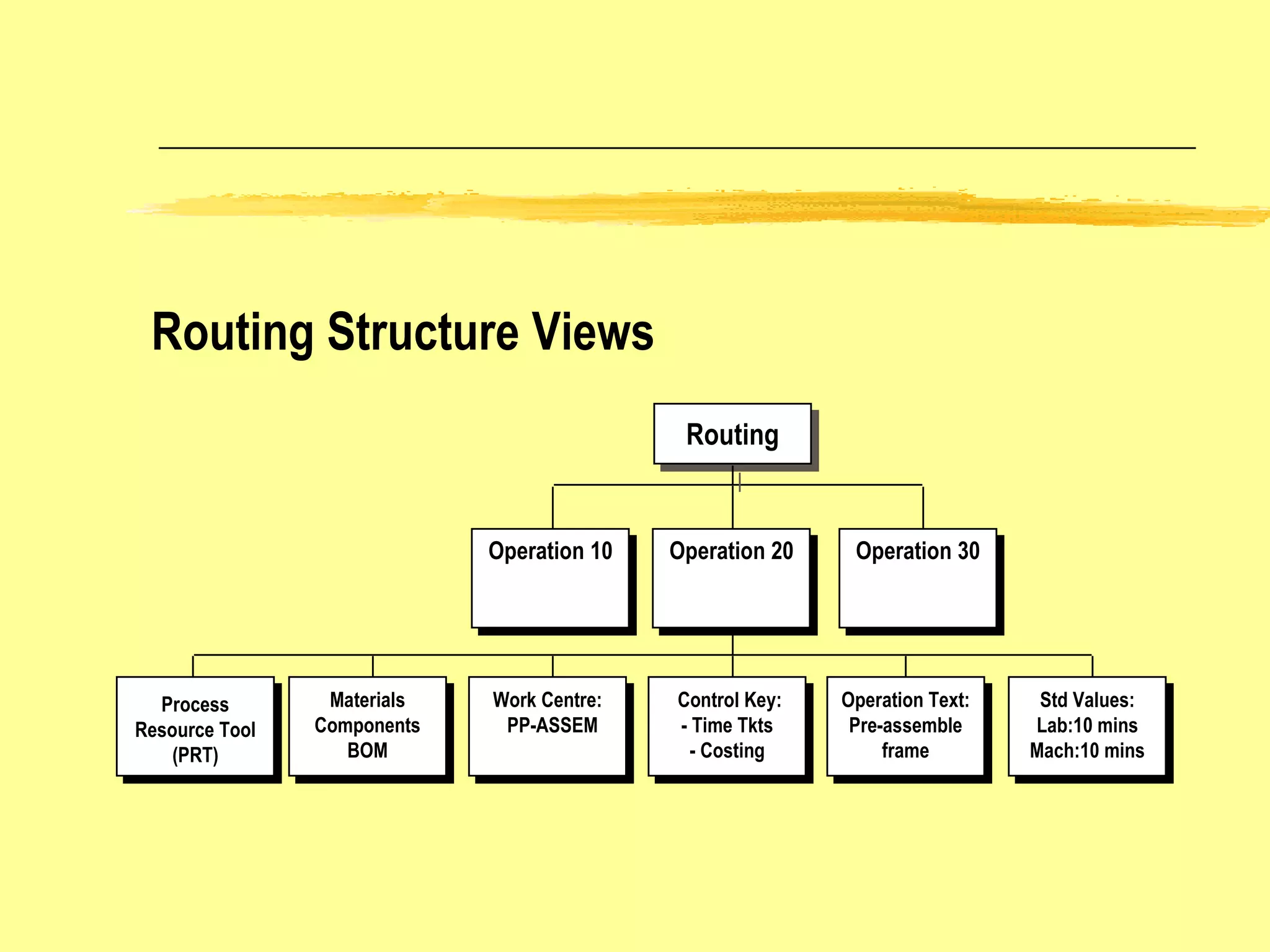
Routing Structure Views Routing Operation 30 Operation 20 Operation 10 Work Centre: PP-ASSEM Control Key: - Time Tkts - Costing Operation Text: Pre-assemble frame Std Values: Lab:10 mins Mach:10 mins Materials Components BOM Process Resource Tool (PRT)
BOM Groups Production Master Data Materials and PRTs Bills of  Material Routings Work Centers Routing Groups Cost Centers Components Allocated to Operations Item Category Material Type W/C Category
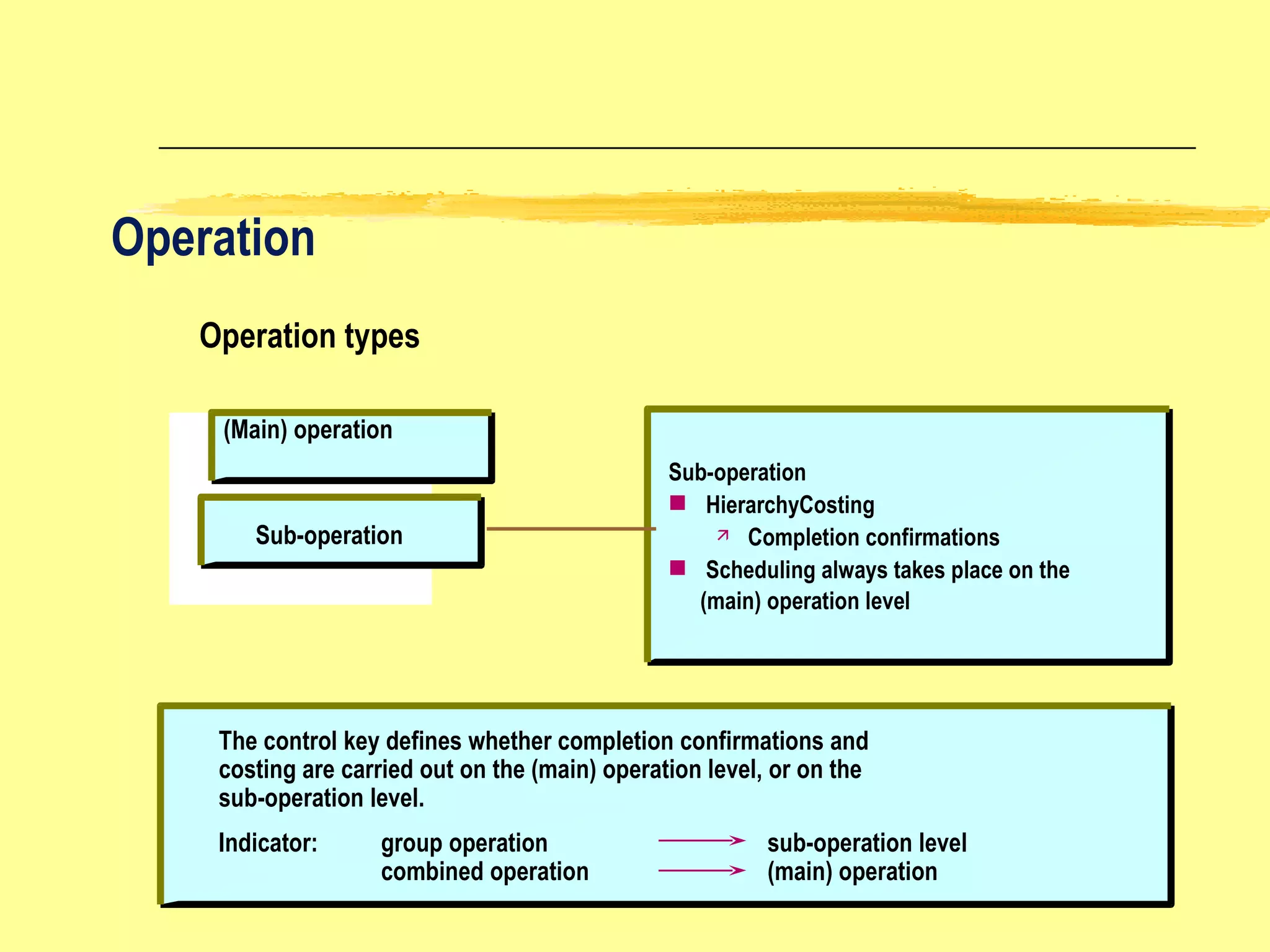
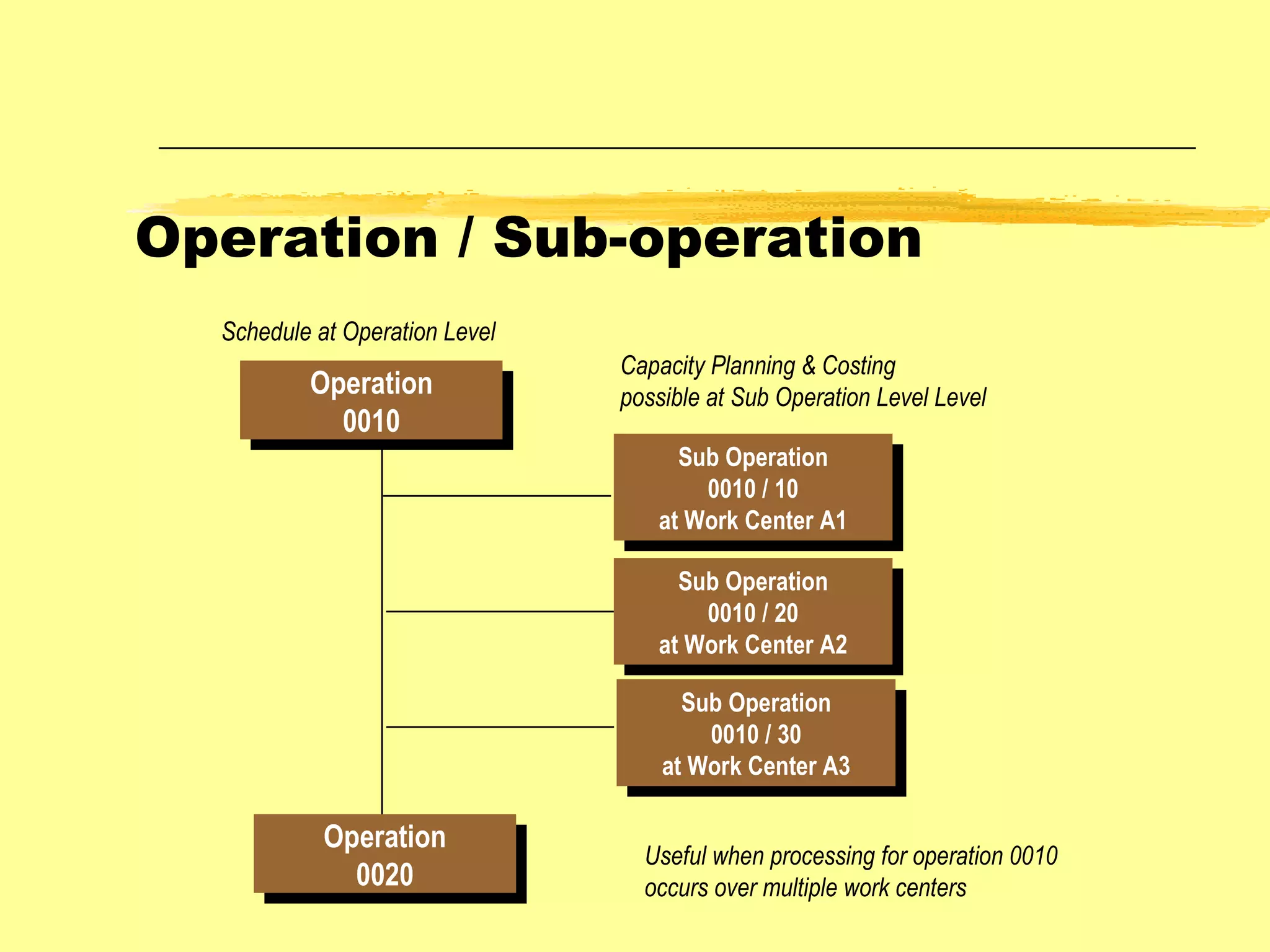
Operation Operation types (Main) operation Sub-operation Sub-operation HierarchyCosting Completion confirmations Scheduling always takes place on the  (main) operation level The control key defines whether completion confirmations and  costing are carried out on the (main) operation level, or on the  sub-operation level. Indicator: group operation sub-operation level combined operation (main) operation
Operation / Sub-operation Operation 0010 Operation 0020 Sub Operation 0010 / 10 at Work Center A1 Sub Operation 0010 / 20 at Work Center A2 Sub Operation 0010 / 30 at Work Center A3 Schedule at Operation Level Useful when processing for operation 0010 occurs over multiple work centers Capacity Planning & Costing possible at Sub Operation Level Level
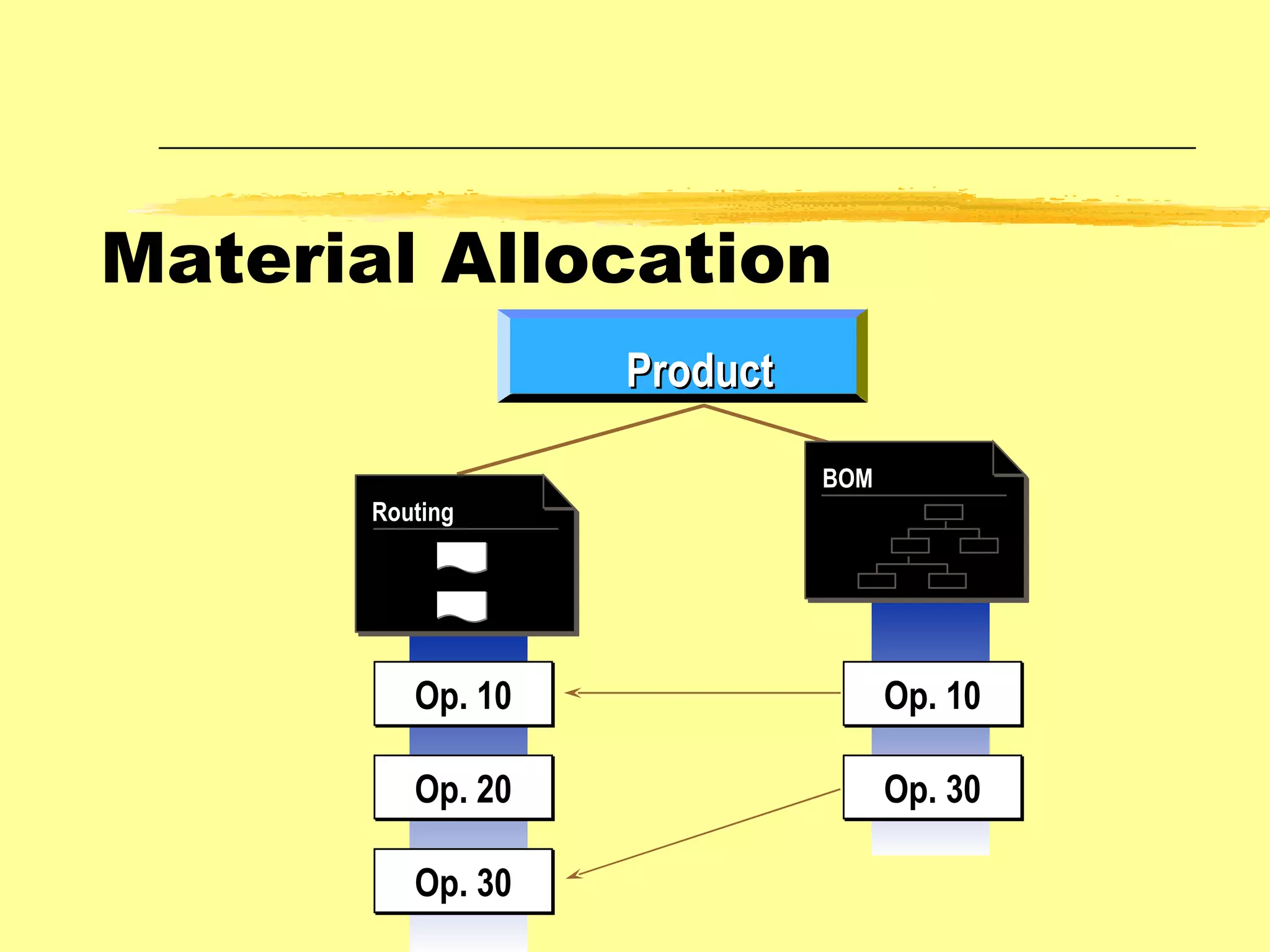
Material Allocation Op. 10 Op. 20 Op. 30 Op. 10 Op. 30 Routing Product BOM
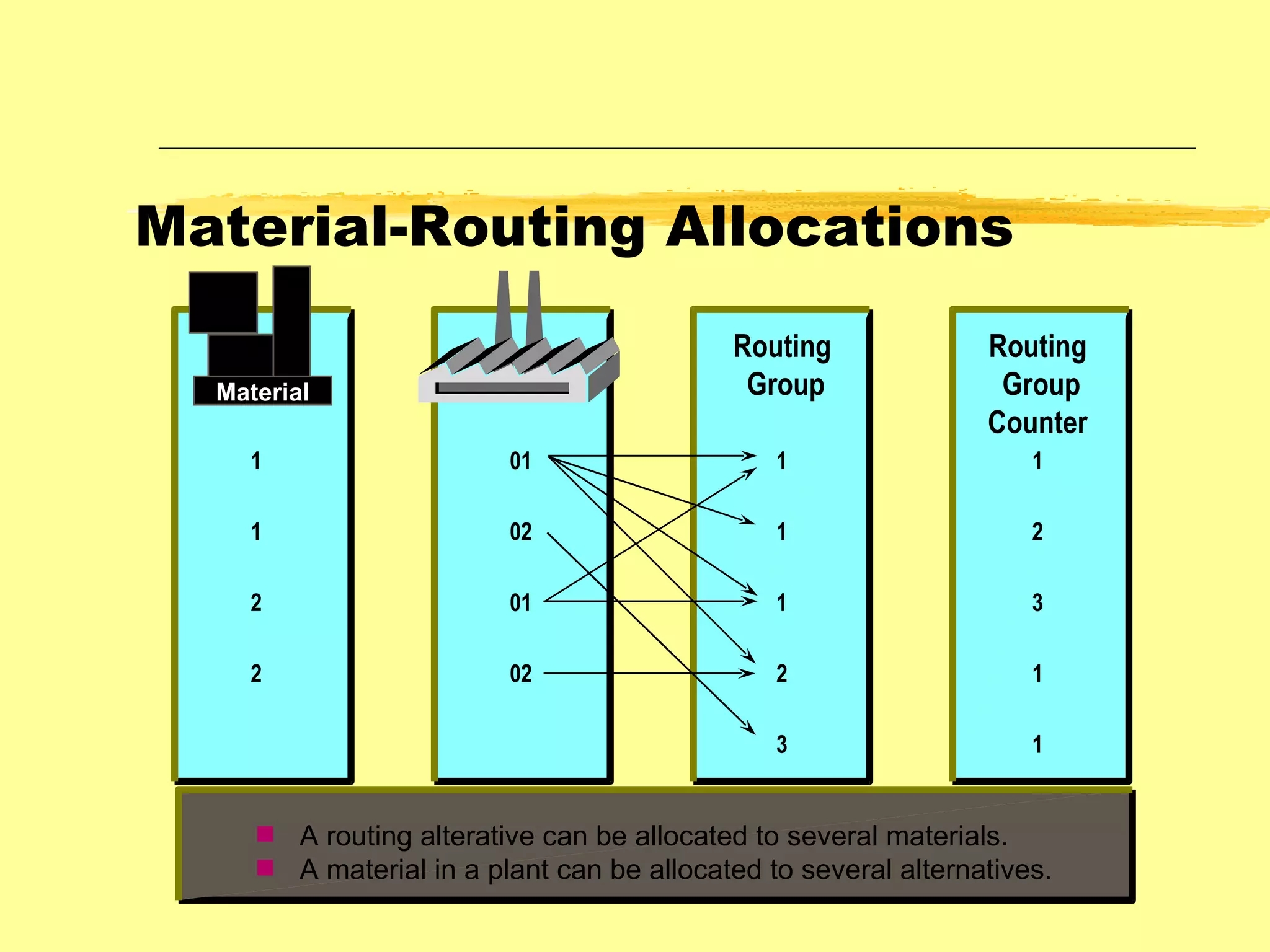
1 1 2 2 01 02 01 02 1 1 1 2 3 1 2 3 1 1 Routing Group Routing Group Counter Material-Routing Allocations A routing alterative can be allocated to several materials. A material in a plant can be allocated to several alternatives. Material
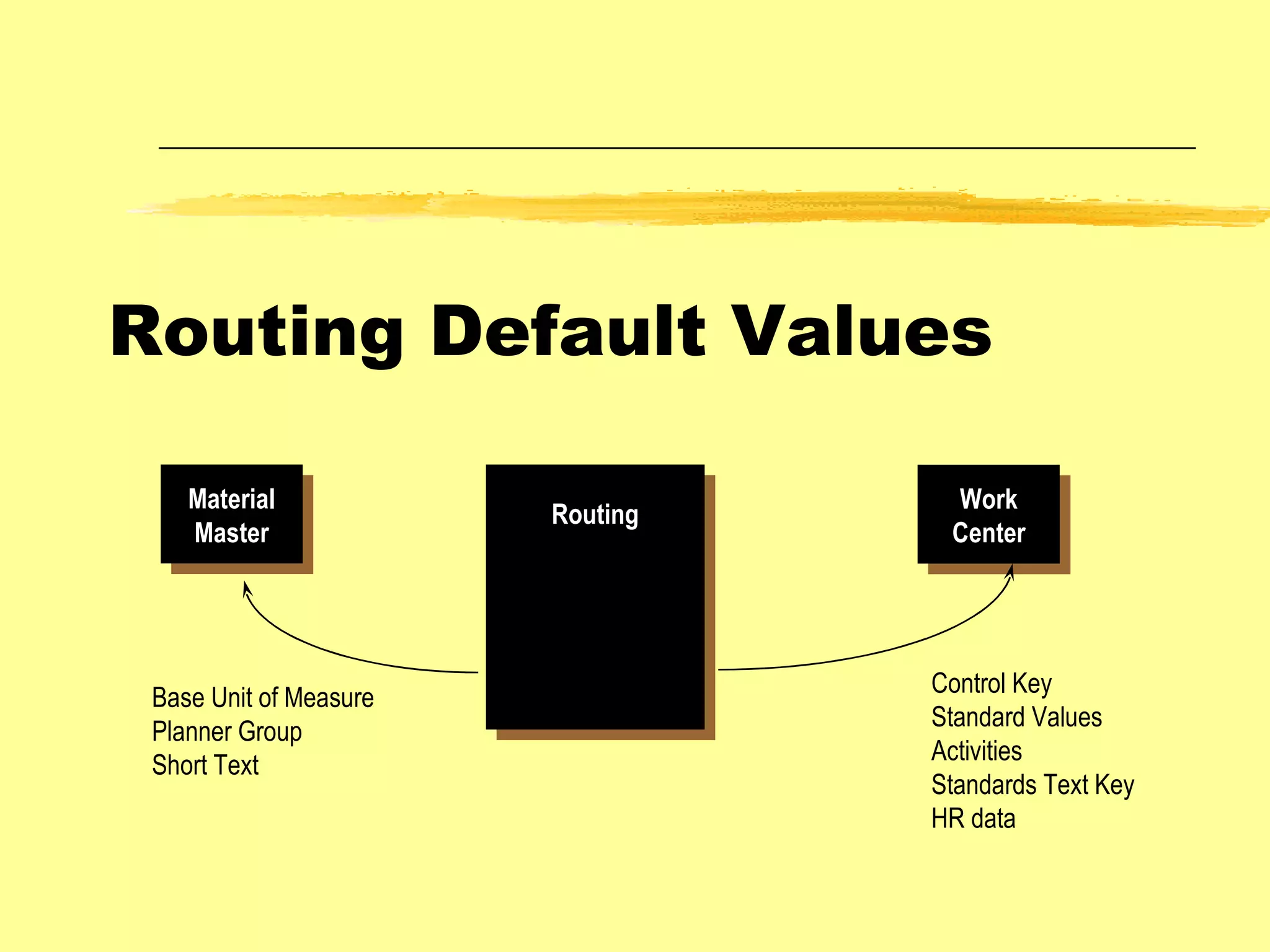
Routing Default Values Routing Material Master Work Center Base Unit of Measure Planner Group Short Text Control Key Standard Values Activities Standards Text Key HR data
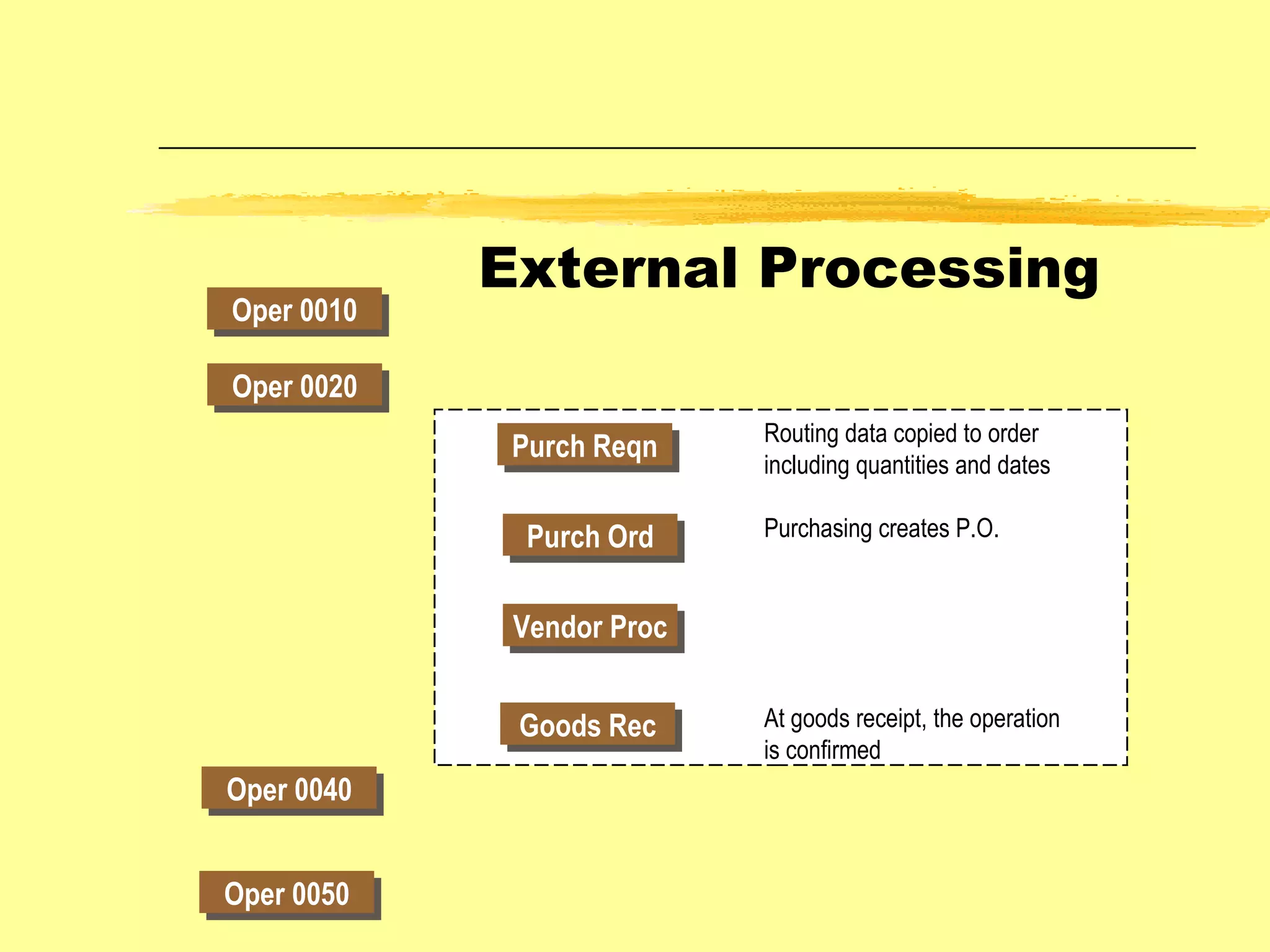
External Processing Oper 0010 Oper 0020 Oper 0040 Oper 0050 Purch Reqn Purch Ord Vendor Proc Goods Rec Routing data copied to order including quantities and dates Purchasing creates P.O. At goods receipt, the operation is confirmed
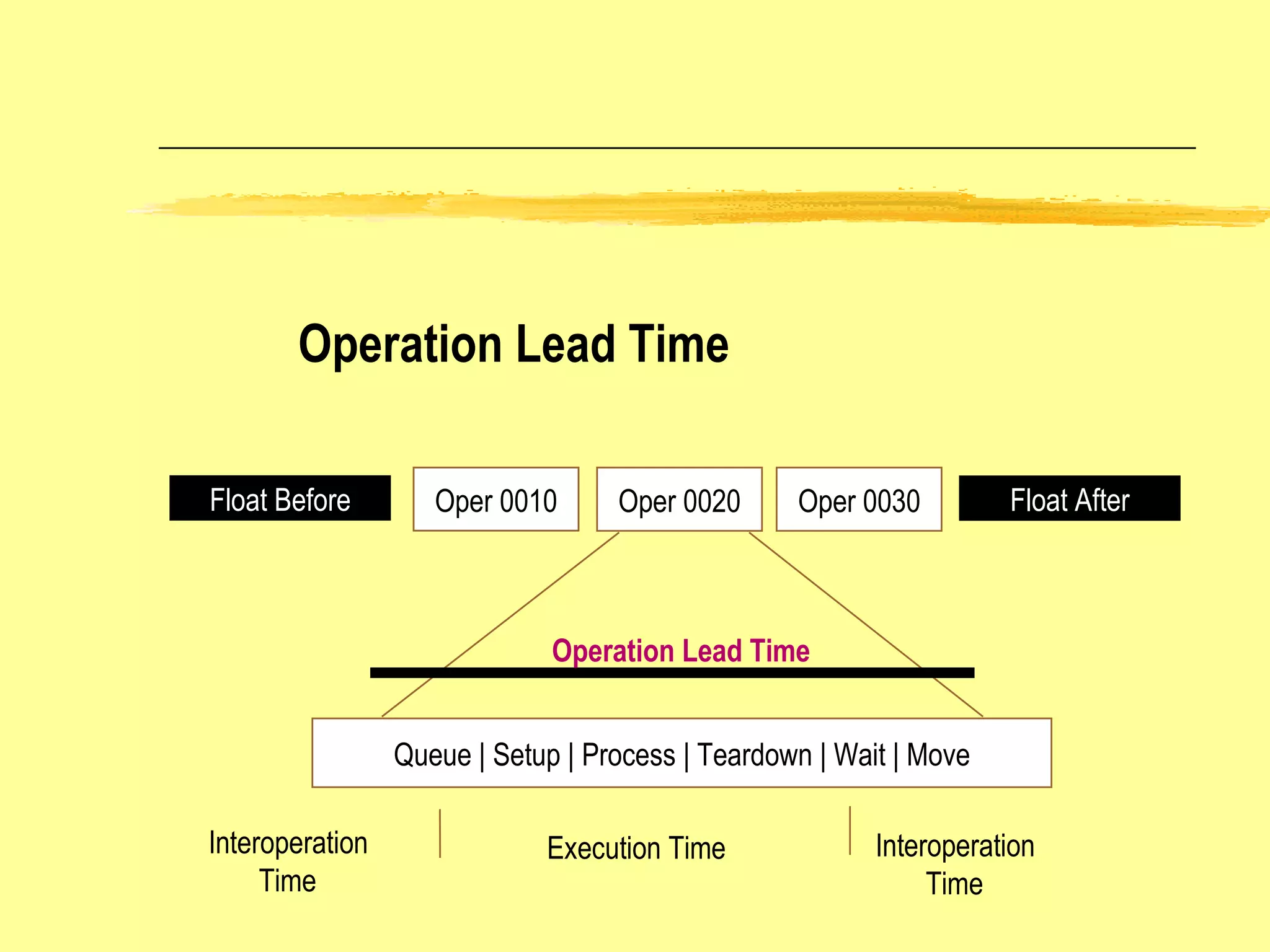
Operation Lead Time Float Before Float After Oper 0010 Oper 0020 Oper 0030 Queue | Setup | Process | Teardown | Wait | Move Execution Time Interoperation Time Interoperation Time Operation Lead Time
Routing  Operation Sequences Overlapped Routing defines process where one  operation is to overlap with the  following operation Standard Routing represents a standard  sequence defining production  procedure Parallel Routing includes processes which  can be performed simultaneously  to achieve time efficiencies Split Routing includes processes which  can/must be split across a number of work centers
The Planning Concept in SAP SOP MPS Planned Independent Requirements Customer Independent Requirements Requirements (Orders) from SD Module Offset Keep Balanced Order Proposals MRP Planned Orders Production Orders Purchase Requisitions Demand ie Requirements Order proposals, planned orders etc are created and adjusted by running the MRP or MPS programs. Sales Plan Production Plan
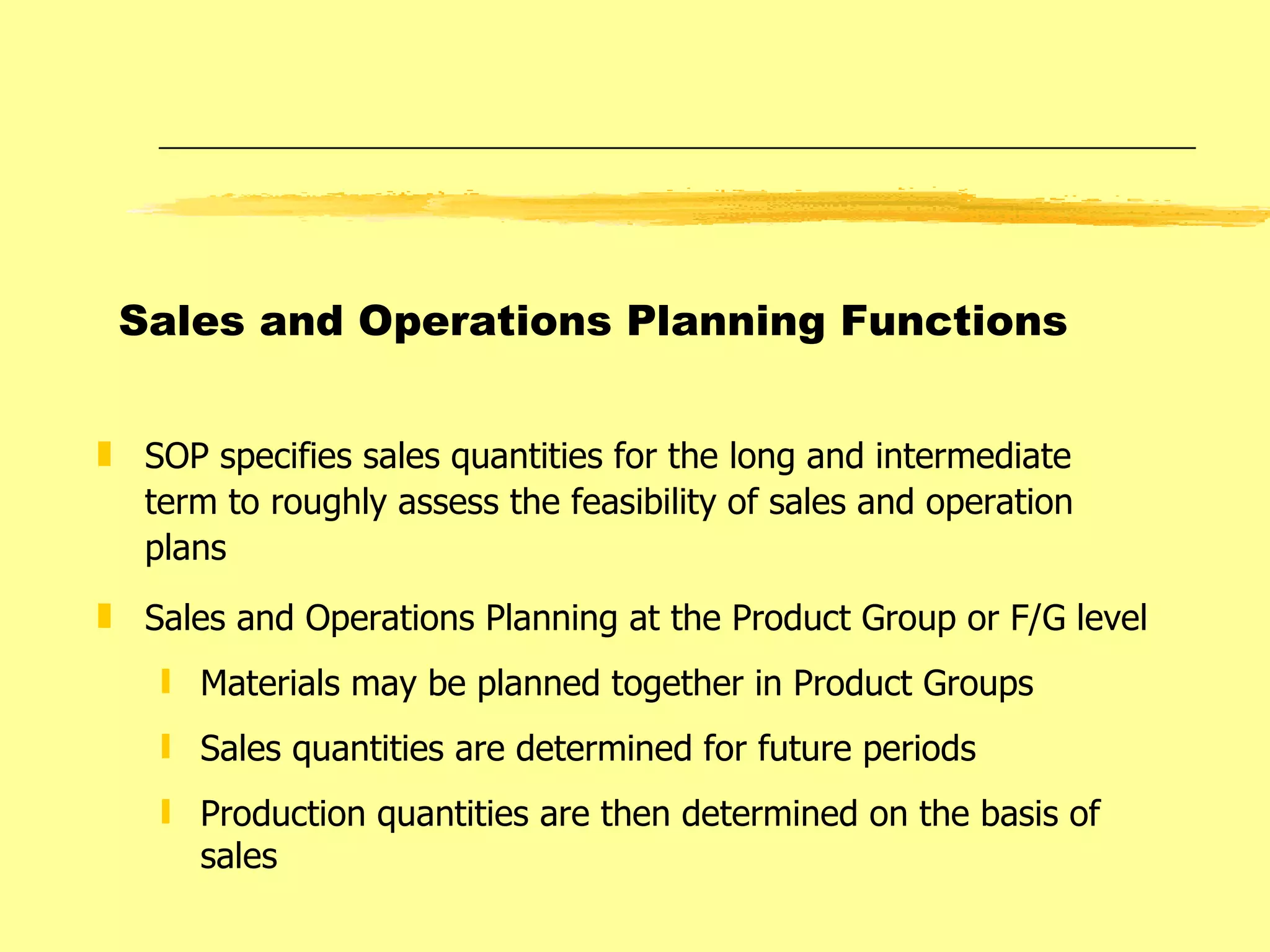
SOP specifies sales quantities for the long and intermediate term to roughly assess the feasibility of sales and operation plans Sales and Operations Planning at the Product Group or F/G level Materials may be planned together in Product Groups Sales quantities are determined for future periods Production quantities are then determined on the basis of sales  Sales and Operations Planning Functions
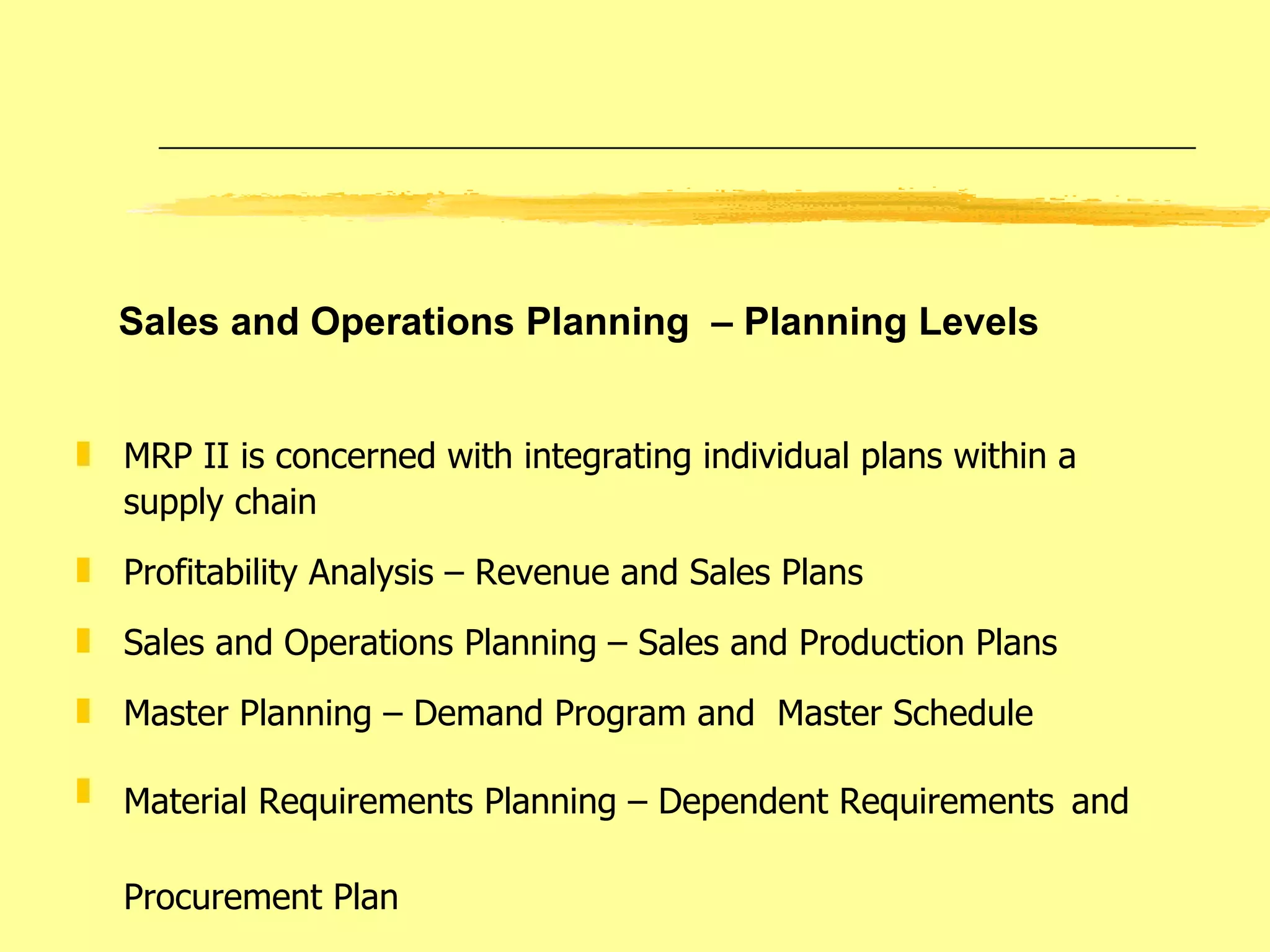
MRP II is concerned with integrating individual plans within a supply chain Profitability Analysis – Revenue and Sales Plans Sales and Operations Planning – Sales and Production Plans Master Planning – Demand Program and  Master Schedule Material Requirements Planning – Dependent Requirements   and  Procurement Plan Sales and Operations Planning  – Planning Levels
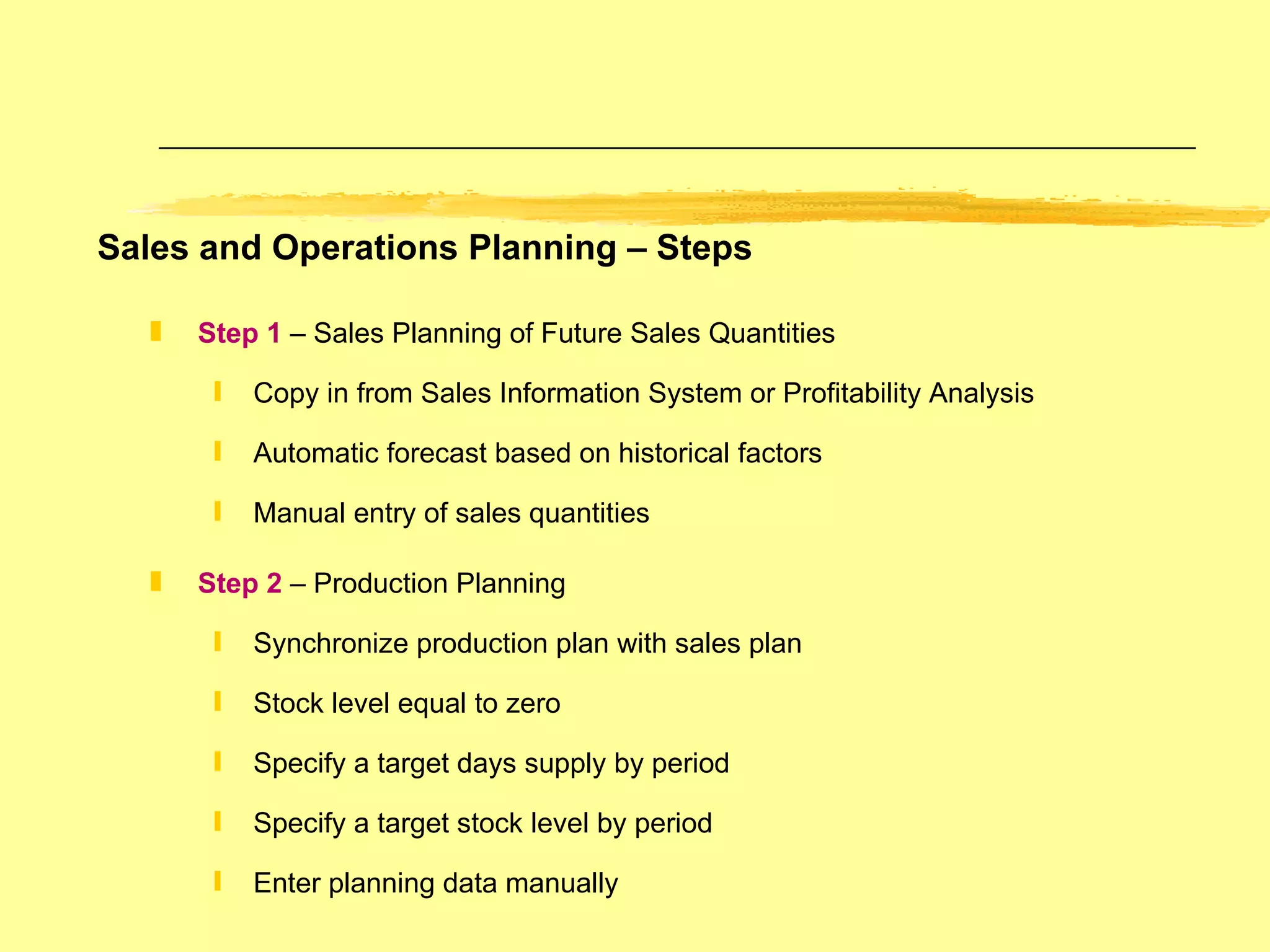
Step 1  – Sales Planning of Future Sales Quantities Copy in from Sales Information System or Profitability Analysis Automatic forecast based on historical factors Manual entry of sales quantities Step 2  – Production Planning Synchronize production plan with sales plan Stock level equal to zero Specify a target days supply by period Specify a target stock level by period Enter planning data manually Sales and Operations Planning – Steps
Step 3  – Disaggregation of Planning Values Determine the sales and production quantities of product group members  Modify the disaggregated sales planning data and create a production plan for each member Step 4  – Transfer of Planning Values to MRP Pass the planned sales and production quantities as independent requirements to demand management If product group data is transferred,  the system automatically disaggregates the planning data to the finished product level Sales and Operations Planning – Steps
Sales and Operations Planning – Product Groups A Product Group brings together materials according  to some criteria such as similar type or manufacturing process. Link material master data with product groups Materials and product groups can be members of more than one group for different planning scenarios Assignment of members from different plants to the same product group for cross-plant planning A product group may have a different unit of measure  from its members e.g. aggregate in cartons vs pieces Proportional factors for disaggregation - how  the product group quantitiy is distributed to its members Supports production versions for a material or group Supports multi-level product group hierarchy  Graphical support of one or more levels
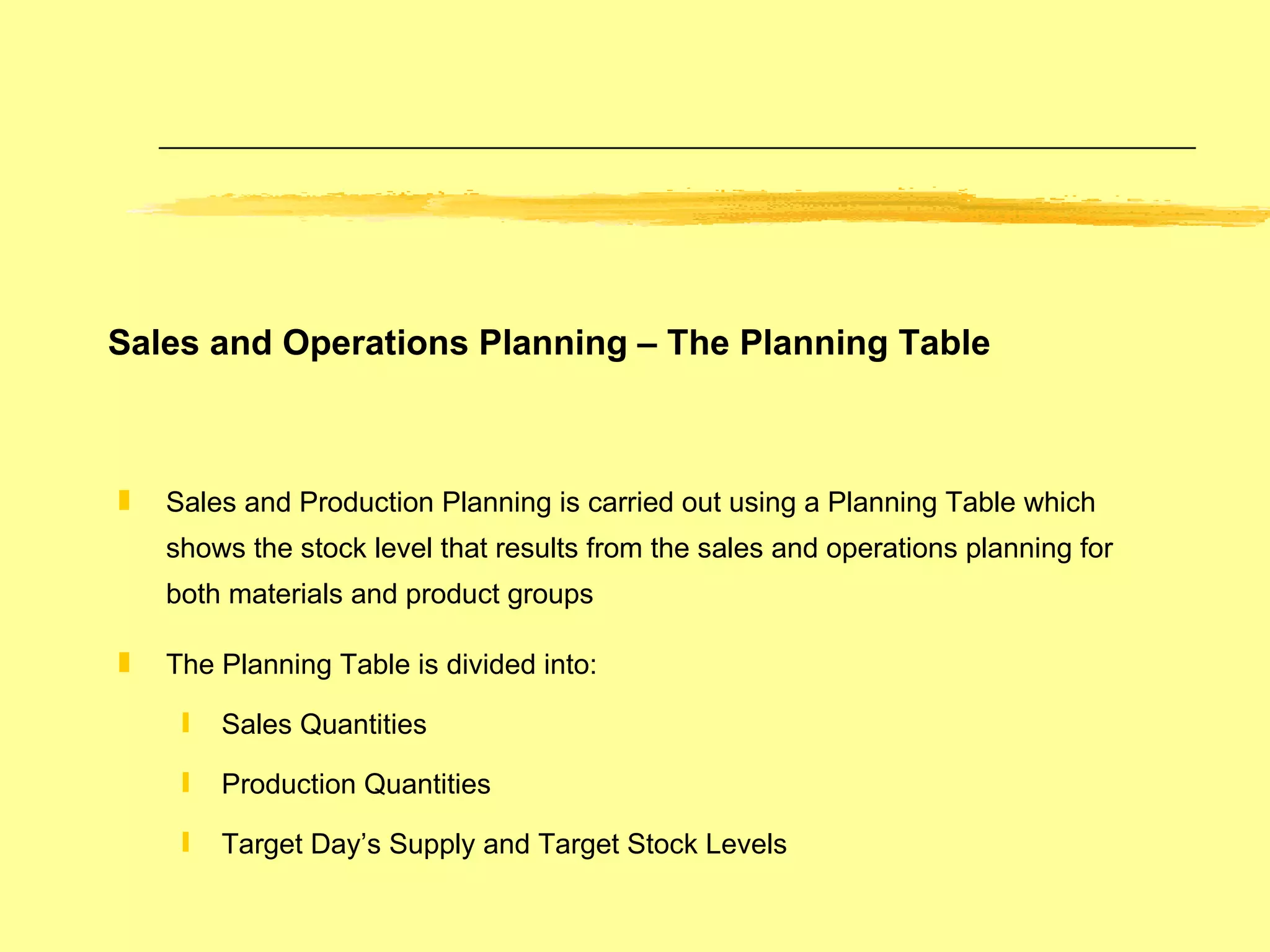
Sales and Production Planning is carried out using a Planning Table which shows the stock level that results from the sales and operations planning for both materials and product groups The Planning Table is divided into: Sales Quantities Production Quantities  Target Day’s Supply and Target Stock Levels Sales and Operations Planning – The Planning Table
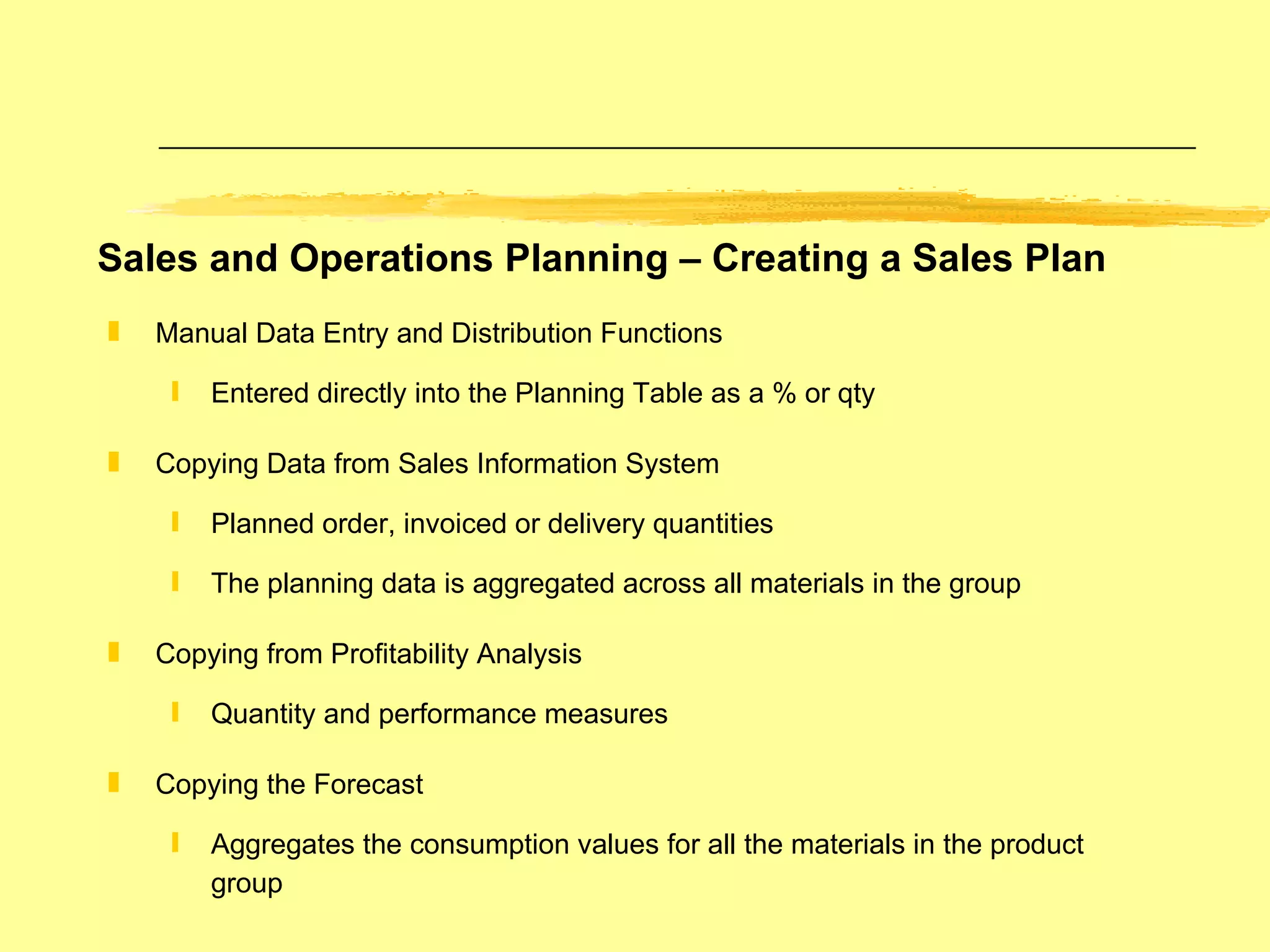
Sales and Operations Planning – Creating a Sales Plan Manual Data Entry and Distribution Functions Entered directly into the Planning Table as a % or qty Copying Data from Sales Information System Planned order, invoiced or delivery quantities The planning data is aggregated across all materials in the group Copying from Profitability Analysis Quantity and performance measures Copying the Forecast Aggregates the consumption values for all the materials in the product group
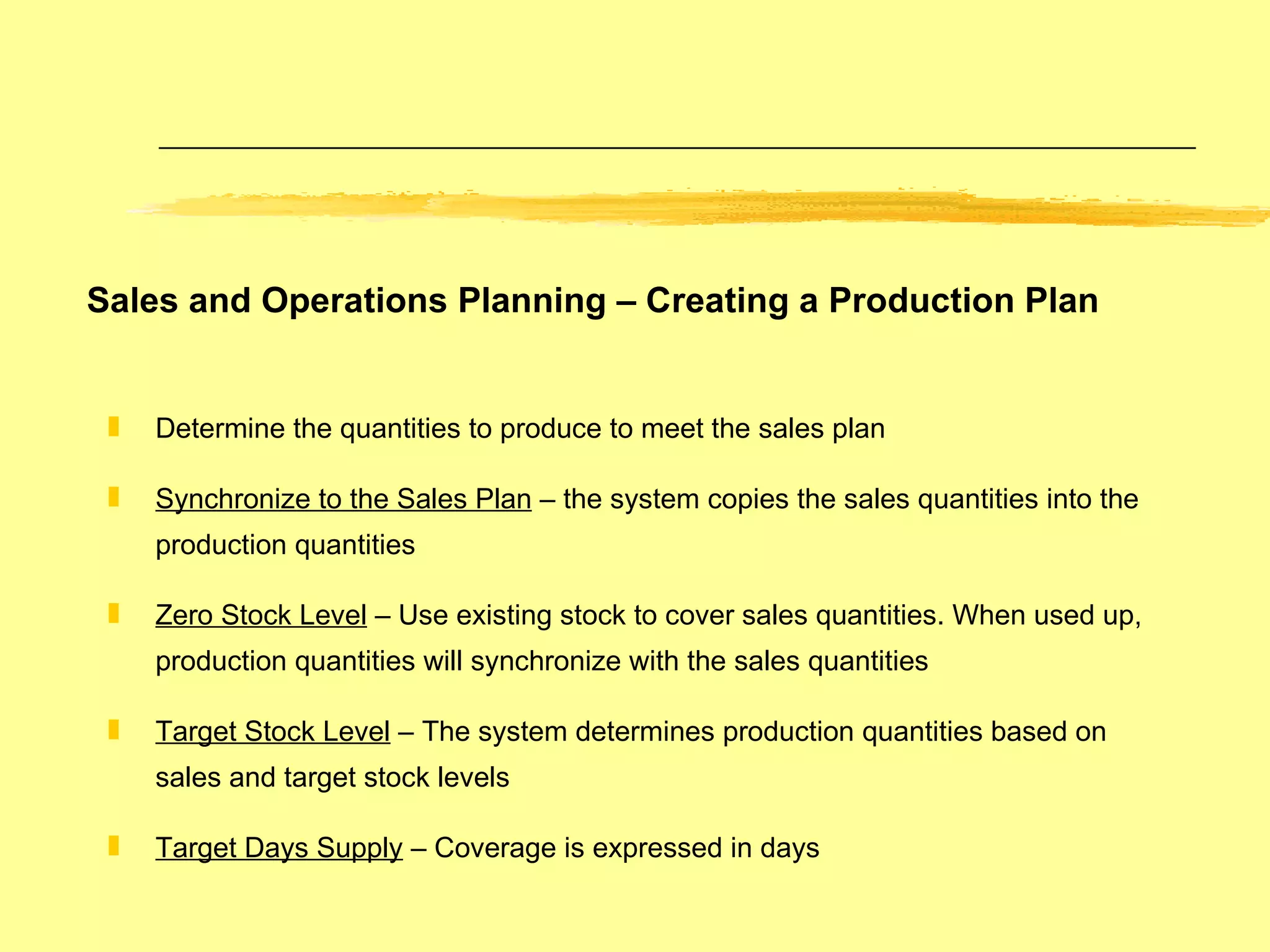
Sales and Operations Planning – Creating a Production Plan Determine the quantities to produce to meet the sales plan Synchronize to the Sales Plan  – the system copies the sales quantities into the production quantities Zero Stock Level  – Use existing stock to cover sales quantities. When used up, production quantities will synchronize with the sales quantities Target Stock Level  – The system determines production quantities based on sales and target stock levels Target Days Supply  – Coverage is expressed in days
Sales and Operations Planning – Disaggregation Functionality is based on proportionality factors of product group members The result of disaggregation is the sales plan of its members Strategy parameters are used to create the production plan from the sales plan on to a product group member Disaggregation can be carried out for the product group or for selected members only
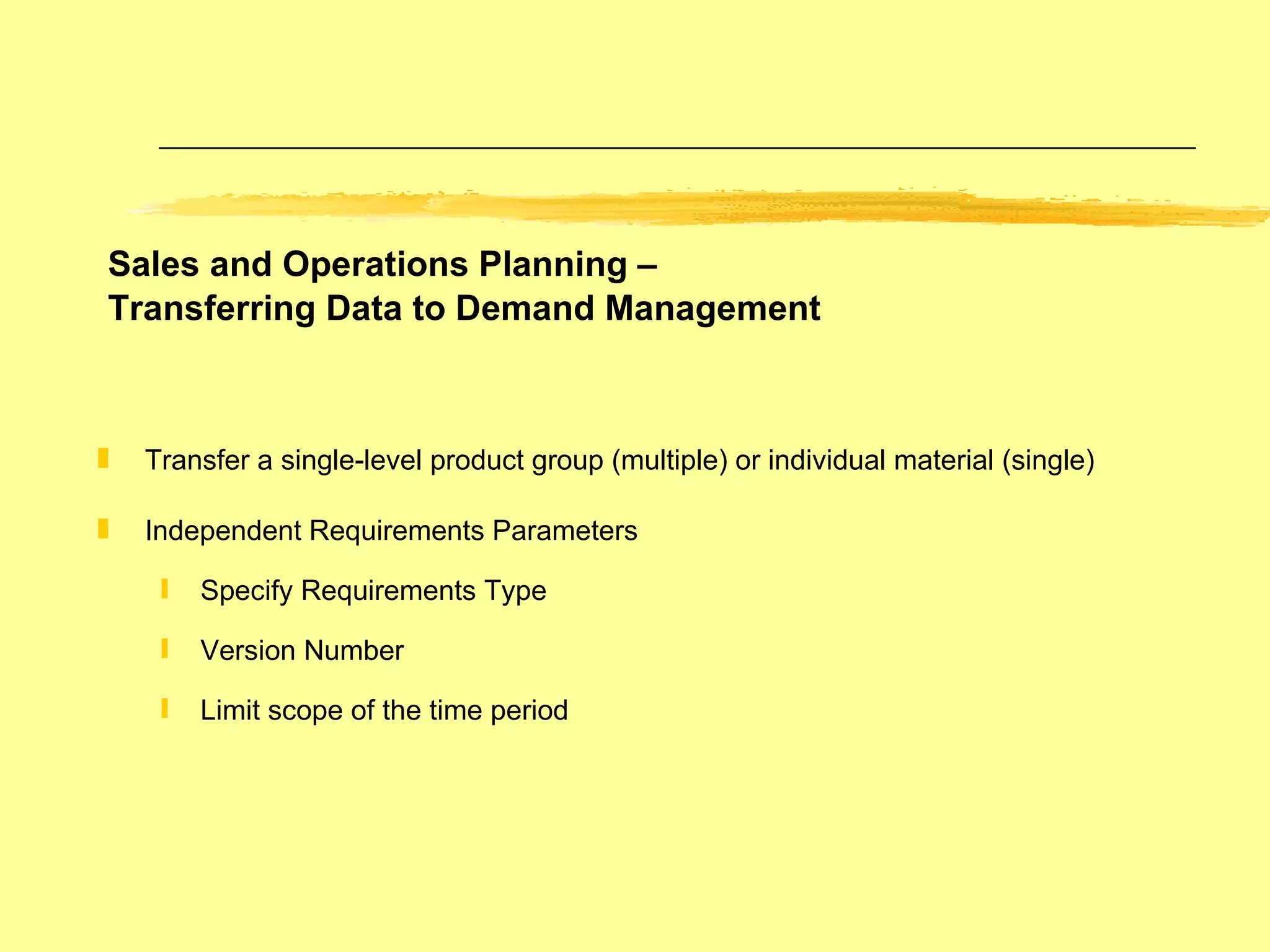
Sales and Operations Planning –  Transferring Data to Demand Management Transfer a single-level product group (multiple) or individual material (single) Independent Requirements Parameters  Specify Requirements Type Version Number Limit scope of the time period
Master Planning Demand Management Planning and Consumption Strategies Specification of Requirement Quantities  and Delivery Dates Master Production Scheduling Planning for Master Schedule Items Planning Time Fence Interactive MPS
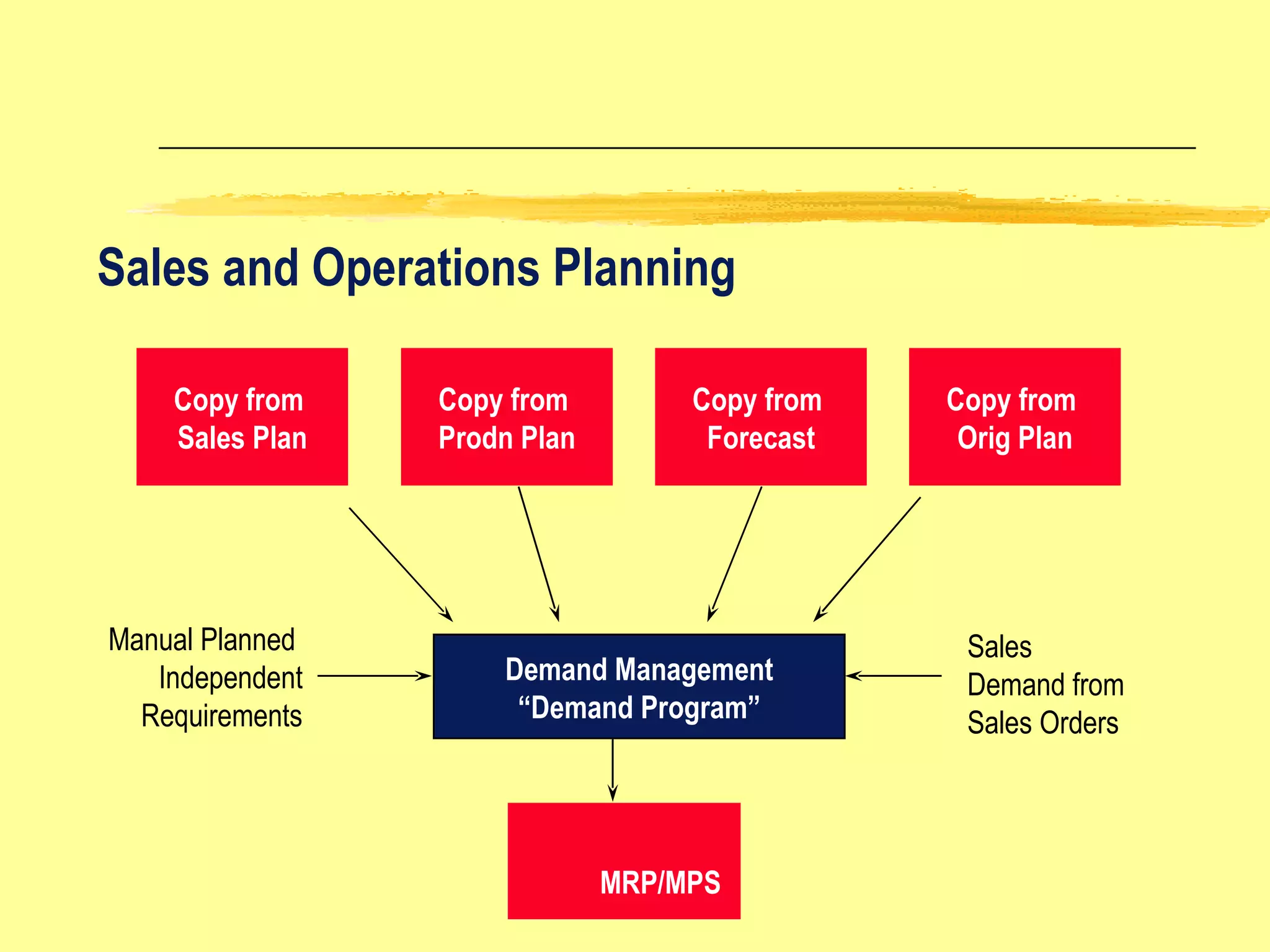
Copy from  Sales Plan Copy from  Prodn Plan Copy from  Forecast Copy from  Orig Plan Demand Management “ Demand Program” Manual Planned  Independent Requirements Sales  Demand from Sales Orders MRP/MPS Sales and Operations Planning
Make product for stock in expectation of customer sales Plan using planned independent requirements for “anonymous” make-to-stock  production. Use Net or Gross Requirements Planning Net Requirements -- includes warehouse stock, planned issues and receipts Gross Requirements -- excludes warehouse stock.  Just includes planned and open orders Example is a shelf stock item such as a bike accessory light Planning Requirement Type is LSF - make to stock which is used in the   planned independent requirements transaction Sales Order Requirement is KSL - which is sale from stock Planning Strategy – Make-to Stock
Sale from stock Planning Production Push Warehouse Stock  Finished Product Strategy:  Make-To-Stock Production Example: Common shelf items such as a bike accessory (light)
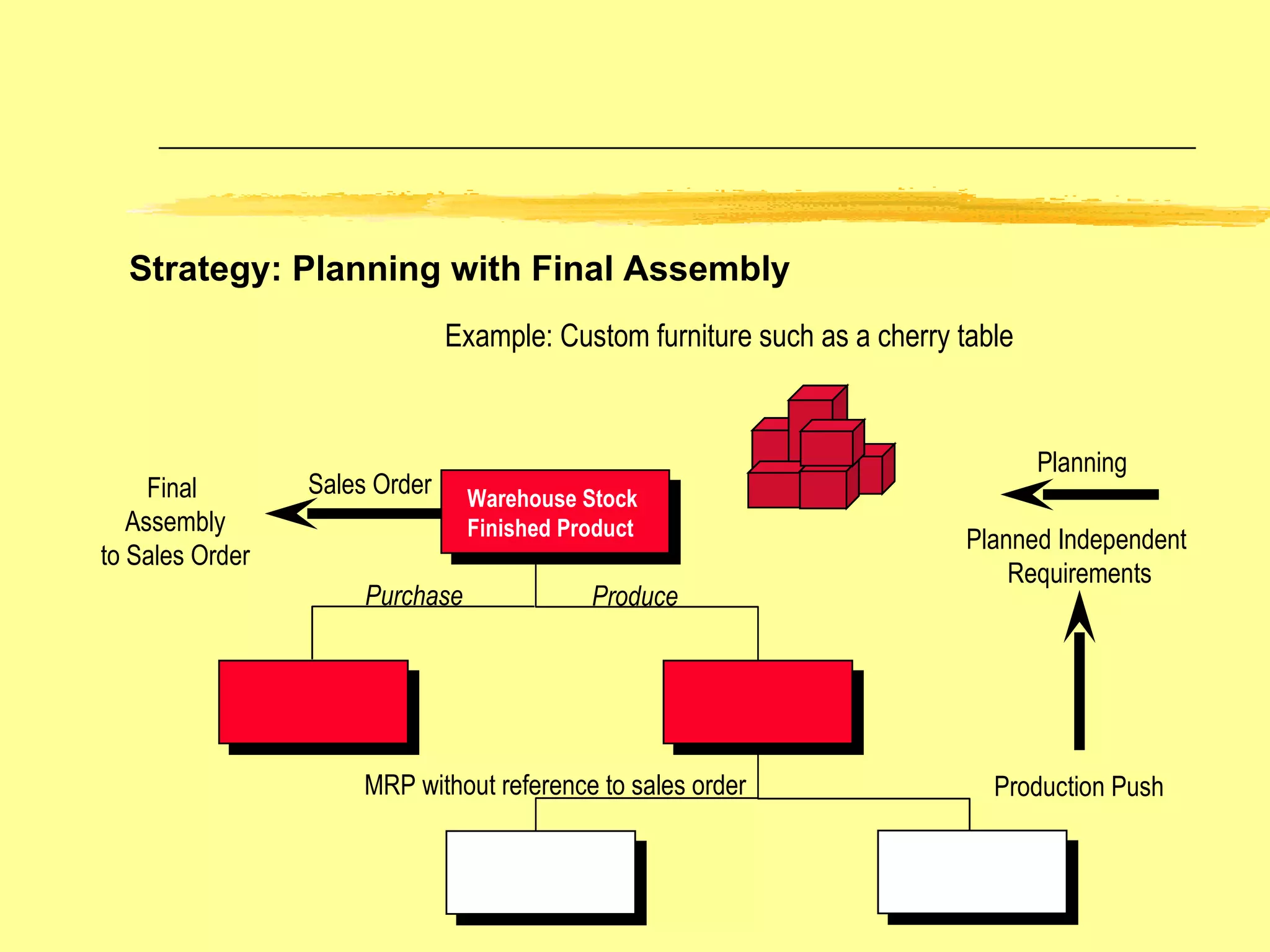
Make product in expectation of customer sales Plan using planned independent requirements at finished goods level to drive demand to long lead time components Typically there is a longer lead time to produce than the customer is  willing to wait for Sales orders consume the planned independent requirement quantities Planned quantities that are not consumed by sales orders result in excess stock Example is a long lead time custom product Planning Requirement Type is VSF –  planning with final assembly Sales Order Requirement is KSV –  which is sales order with consumption Planning Strategy – Planning with Final Assembly
Sales Order Planning Production Push Warehouse Stock  Finished Product Example: Custom furniture such as a cherry table Final  Assembly to Sales Order Purchase Produce MRP without reference to sales order Planned Independent  Requirements Strategy: Planning with Final Assembly
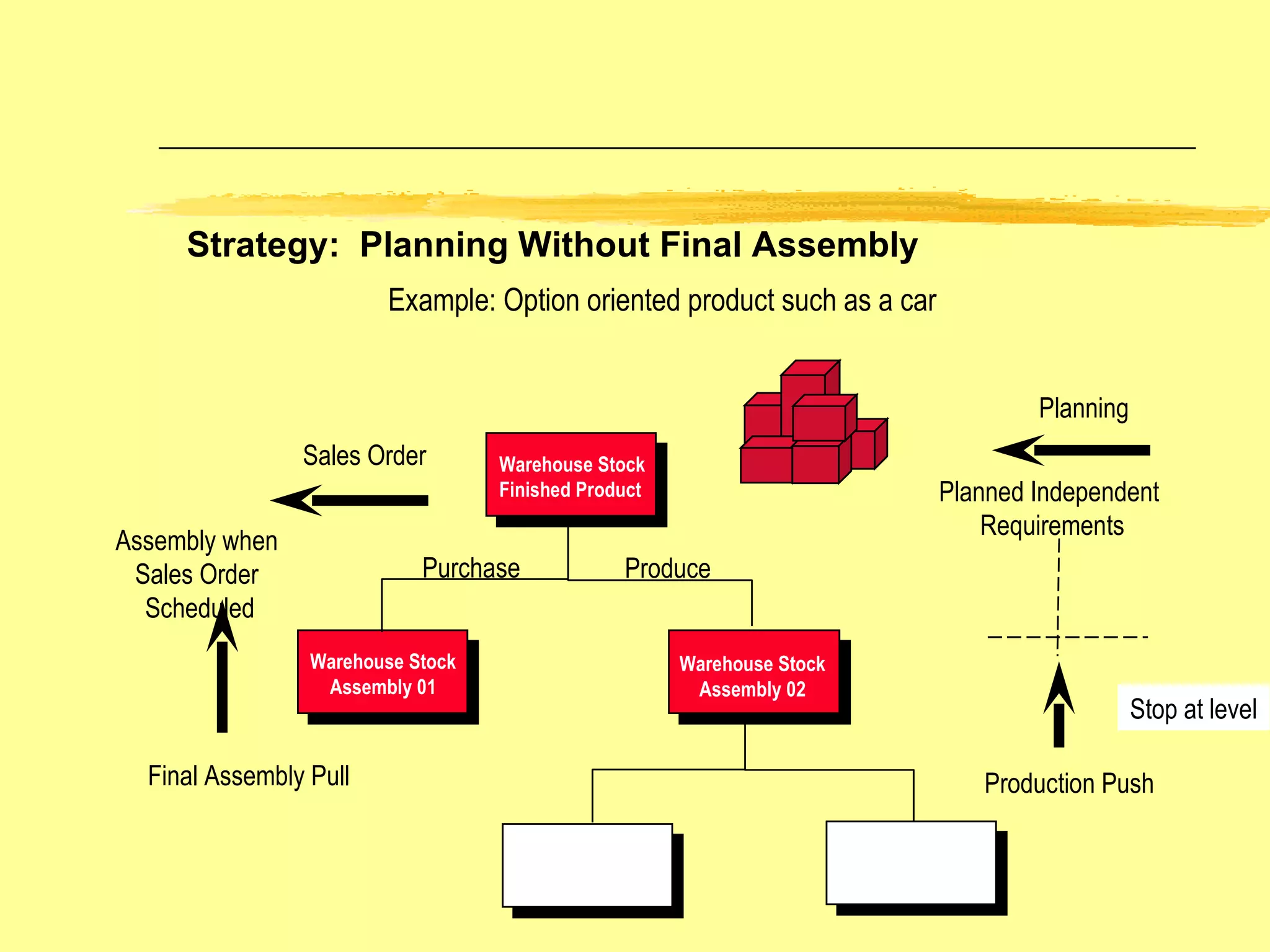
Planning Strategy – Planning Without Final Assembly Final assembly is initiated by the customer sales order Stop production at sub-assembly level Final assembly pull Example is automobile assembled with unique combination of features (sub-assemblies) Planning Requirement Type is VSE -- planning without final assembly Sales Order Requirement is KEV -- independent customer order with consumption
Sales Order Planning Warehouse Stock  Finished Product Warehouse Stock Assembly 01 Warehouse Stock Assembly 02 Example: Option oriented product such as a car Stop at level Planned Independent  Requirements Assembly when  Sales Order  Scheduled Purchase Produce Strategy:  Planning Without Final Assembly Production Push Final Assembly Pull
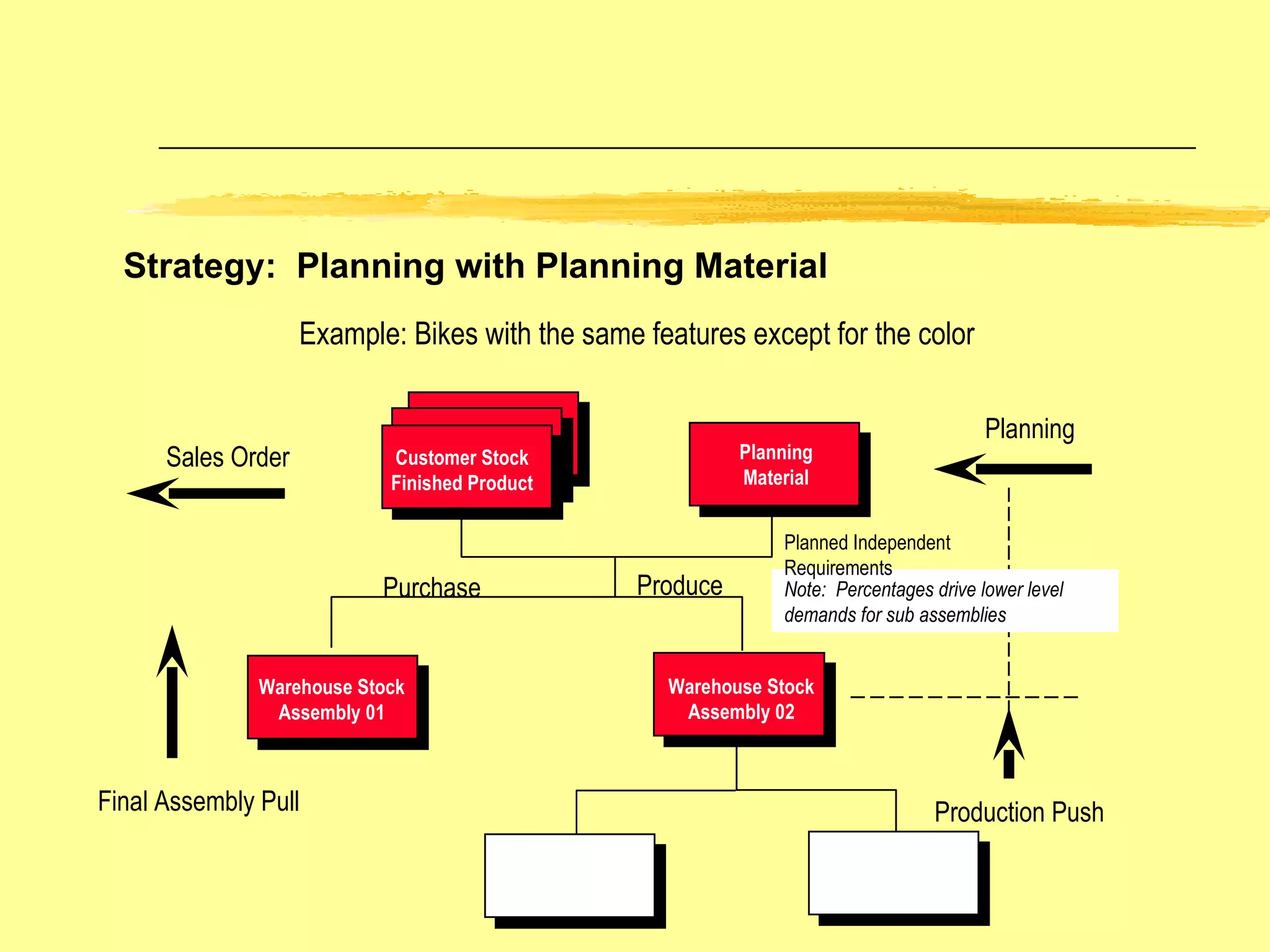
Planning Strategy – Planning with Planning Material Planned independent requirements of Planning Material initiate procurement of the planning bill components  Sales orders for the final assembly create planned orders of the finished product and reduce planning quantities for the planning material Possible to plan a family of products from forecast placed on the planning bill.  The planning bill details, through percentages, the quantity required for common parts Example is a bike with common sub-assemblies used in many finished items  Planning Requirement Type is VSEF -- planning with planning material Sales Order Requirement is KEVV -- independent customer order with planning material
Sales Order Planning Customer Stock Finished Product Planning Material Warehouse Stock Assembly 01 Warehouse Stock Assembly 02 Example: Bikes with the same features except for the color Purchase Produce Note:  Percentages drive lower level demands for sub assemblies Strategy:  Planning with Planning Material Planned Independent Requirements Production Push Final Assembly Pull
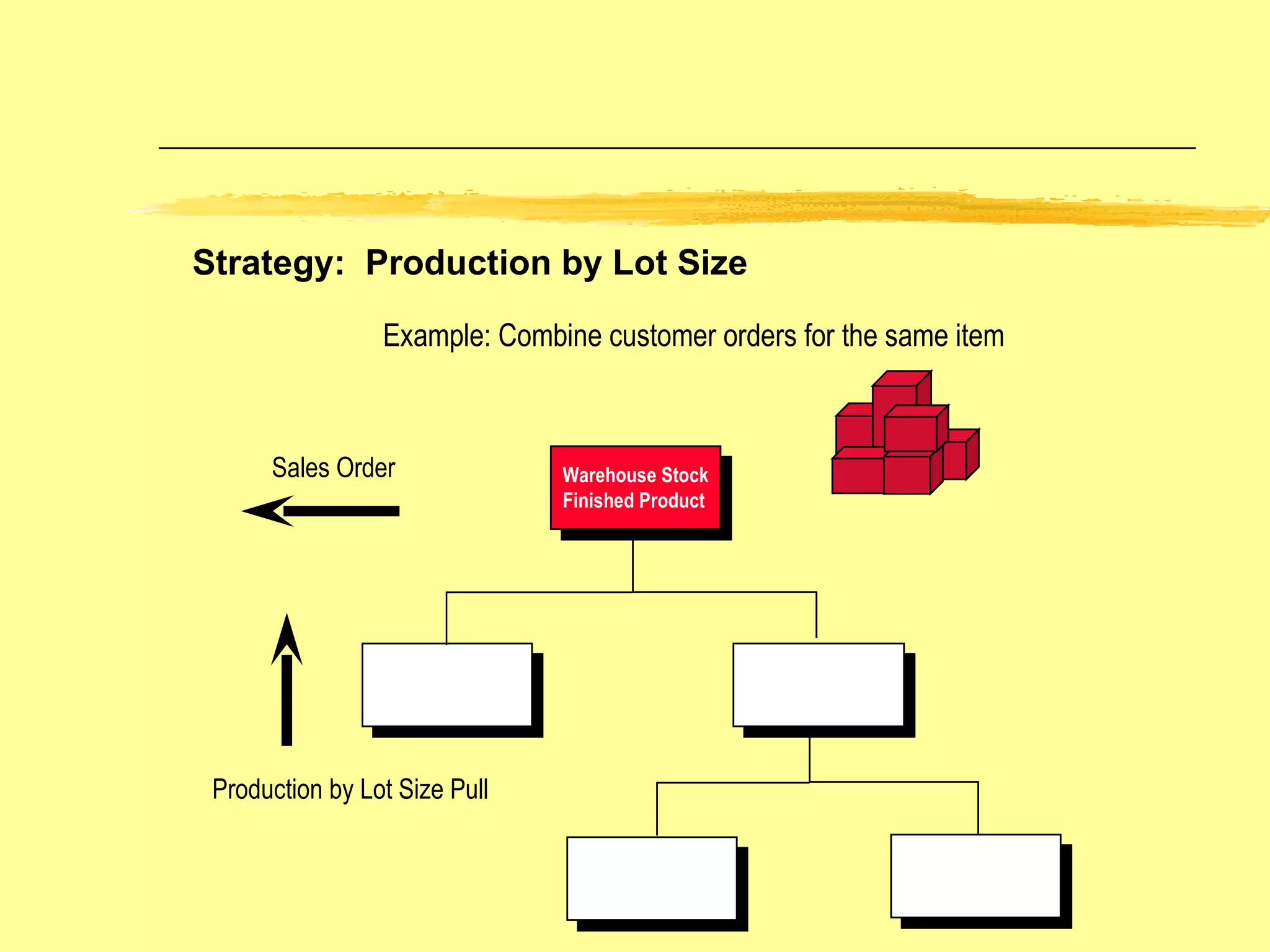
Sales Order Warehouse   Stock  Finished Product Example: Combine customer orders for the same item Strategy:  Production by Lot Size Production by Lot Size Pull
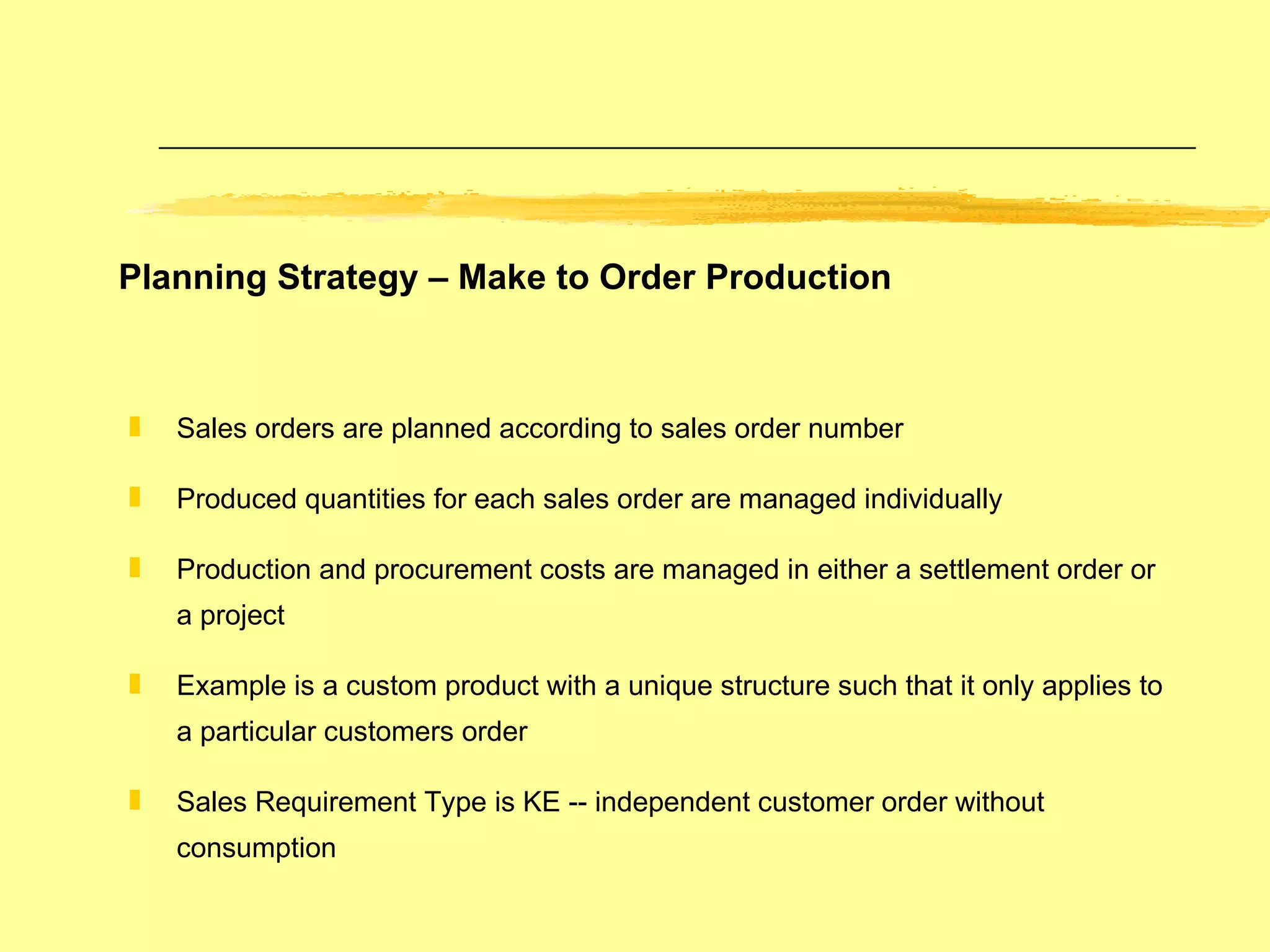
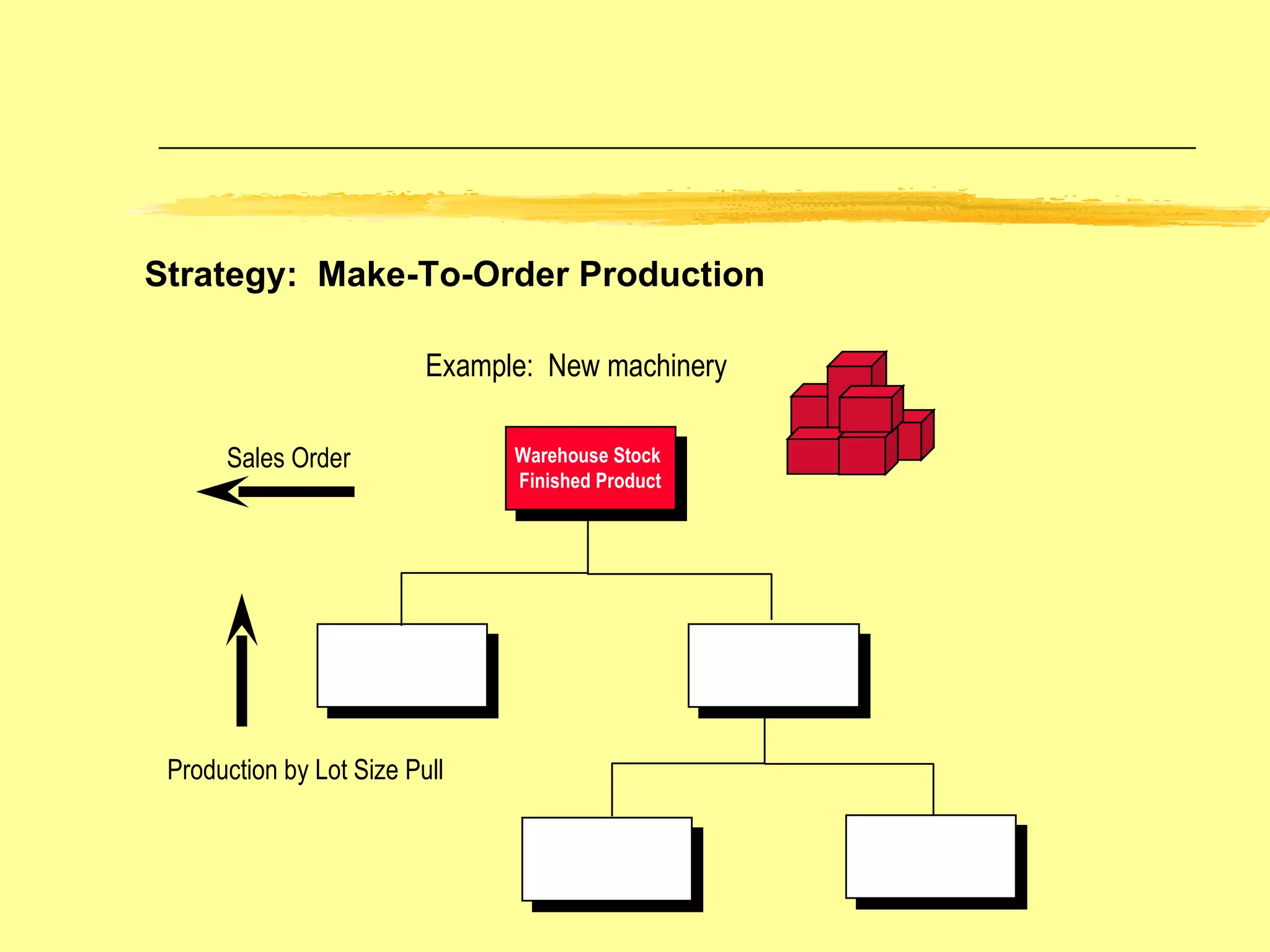
Planning Strategy – Make to Order Production Sales orders are planned according to sales order number Produced quantities for each sales order are managed individually Production and procurement costs are managed in either a settlement order or a project Example is a custom product with a unique structure such that it only applies to a particular customers order Sales Requirement Type is KE -- independent customer order without consumption
Sales Order Warehouse Stock  Finished Product Example:  New machinery Strategy:  Make-To-Order Production Production by Lot Size Pull
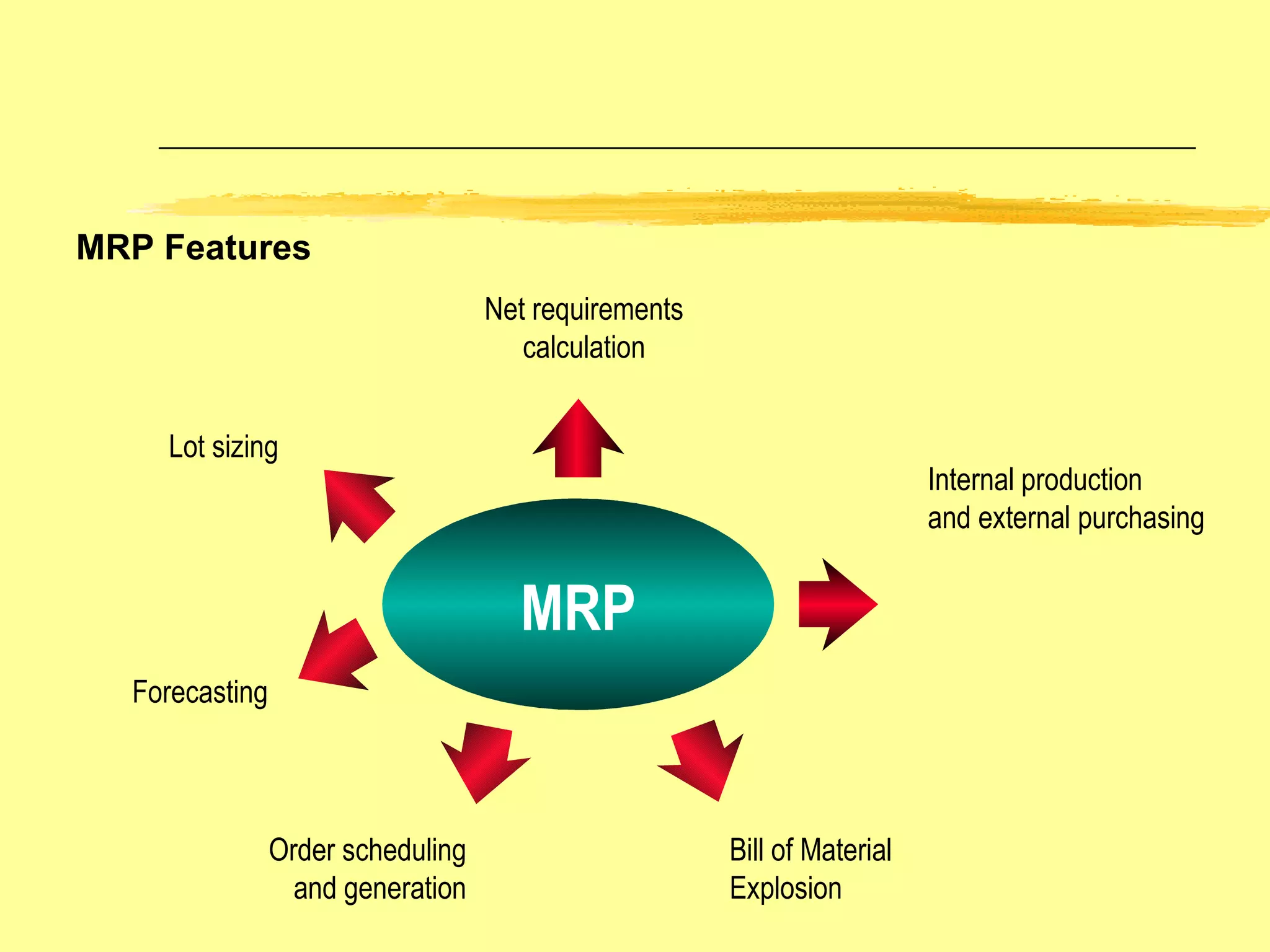
MRP Features MRP Lot sizing Order scheduling and generation Internal production and external purchasing Net requirements calculation Bill of Material Explosion Forecasting
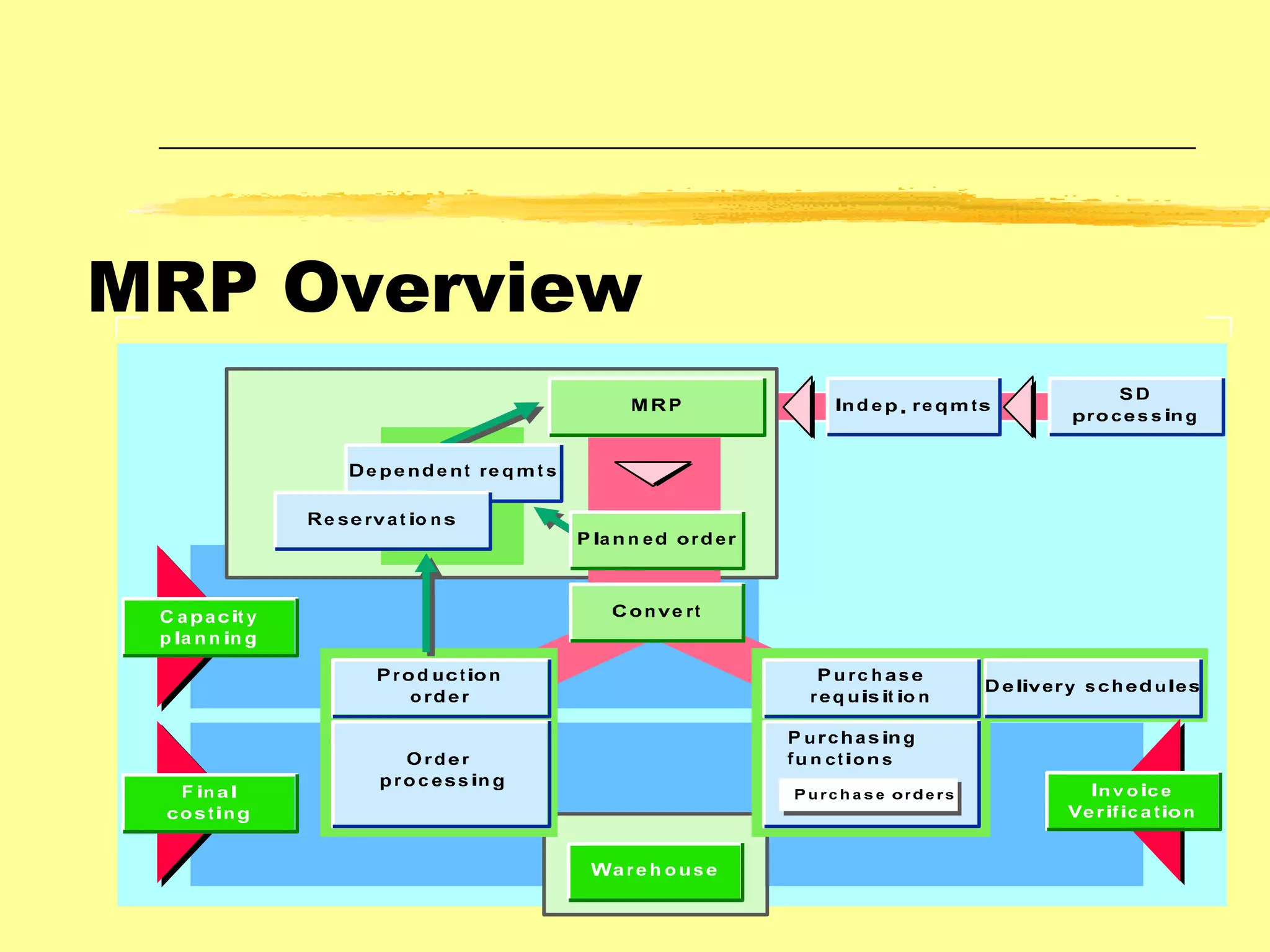
MRP Overview
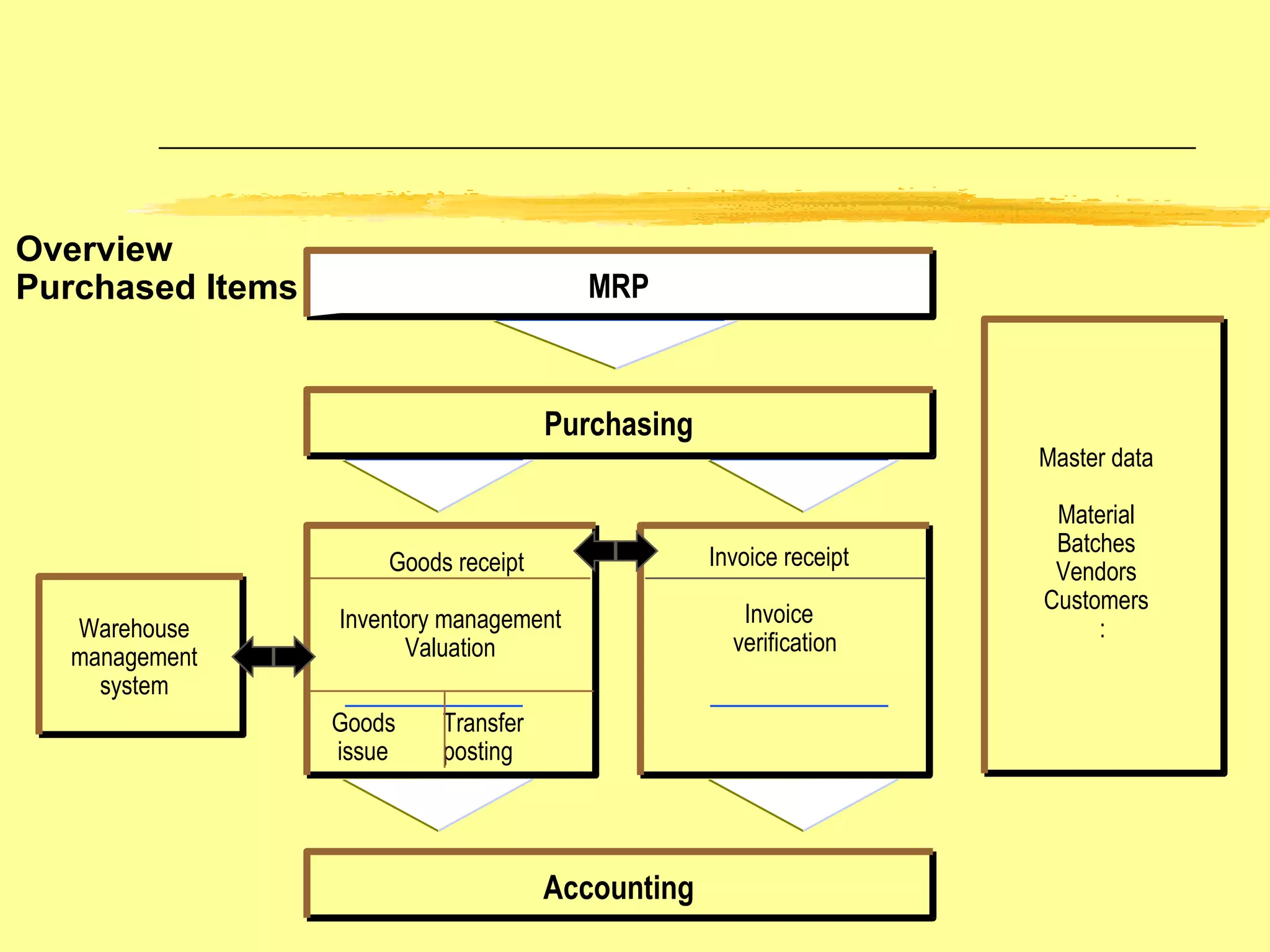
Overview  Purchased Items MRP Purchasing Accounting Warehouse management system Goods receipt Inventory management Valuation Goods Transfer issue posting Invoice receipt Invoice   verification Master data Material Batches Vendors Customers :
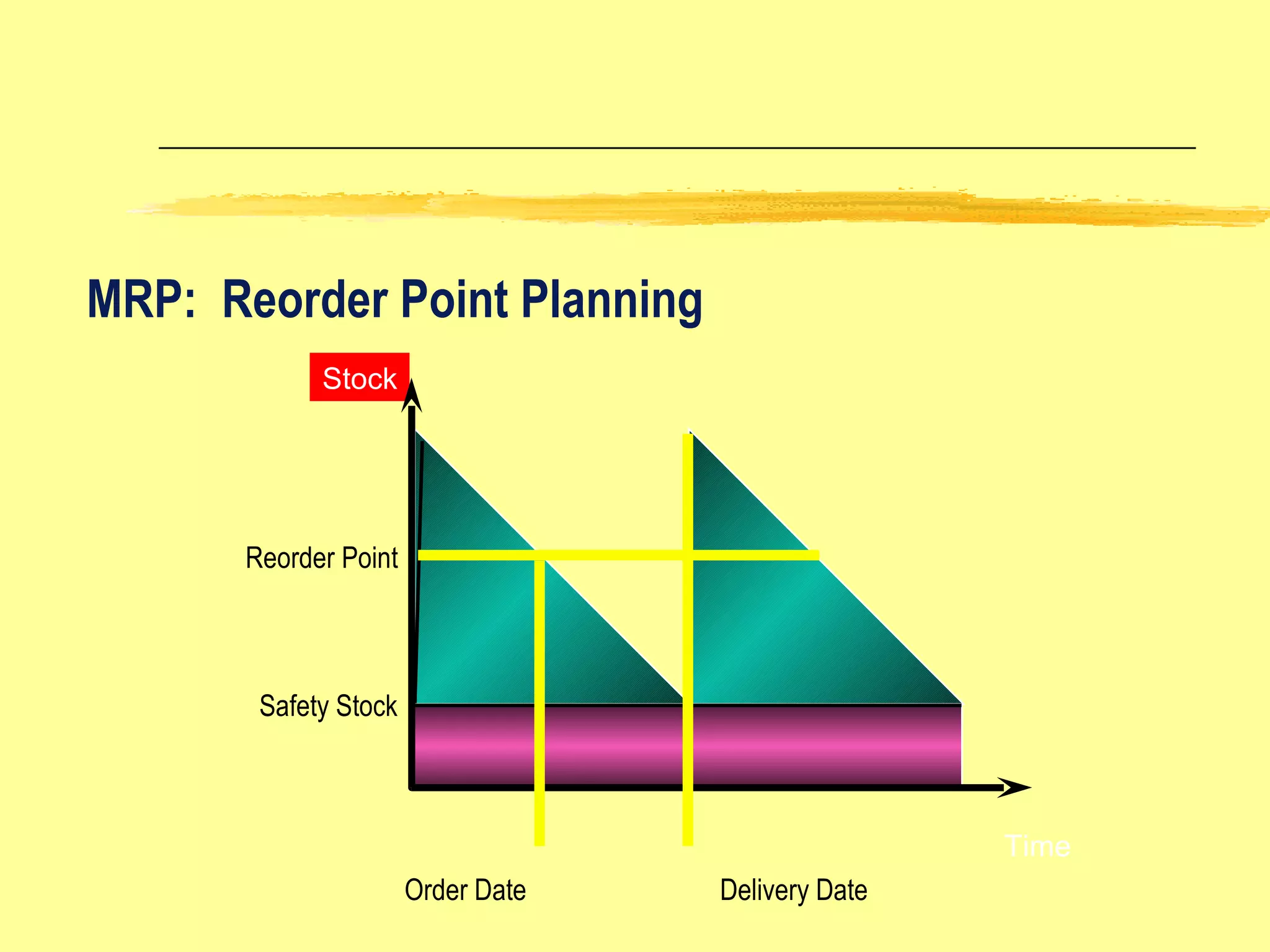
MRP:  Reorder Point Planning Reorder Point Safety Stock Order Date Delivery Date Time Stock
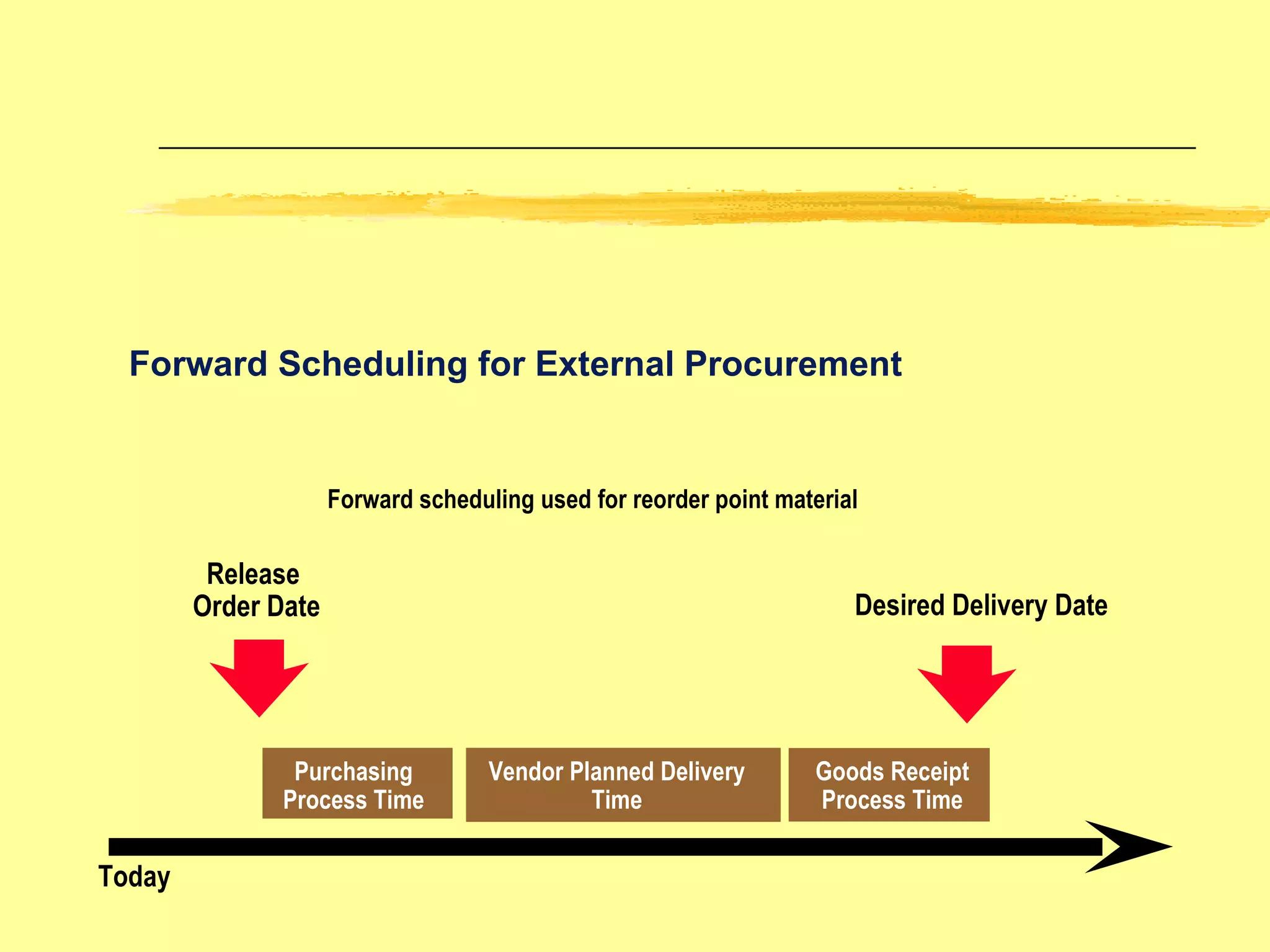
Purchasing Process Time Vendor Planned Delivery Time Desired Delivery Date Release  Order Date Forward Scheduling for External Procurement Today Goods Receipt Process Time Forward scheduling used for reorder point material
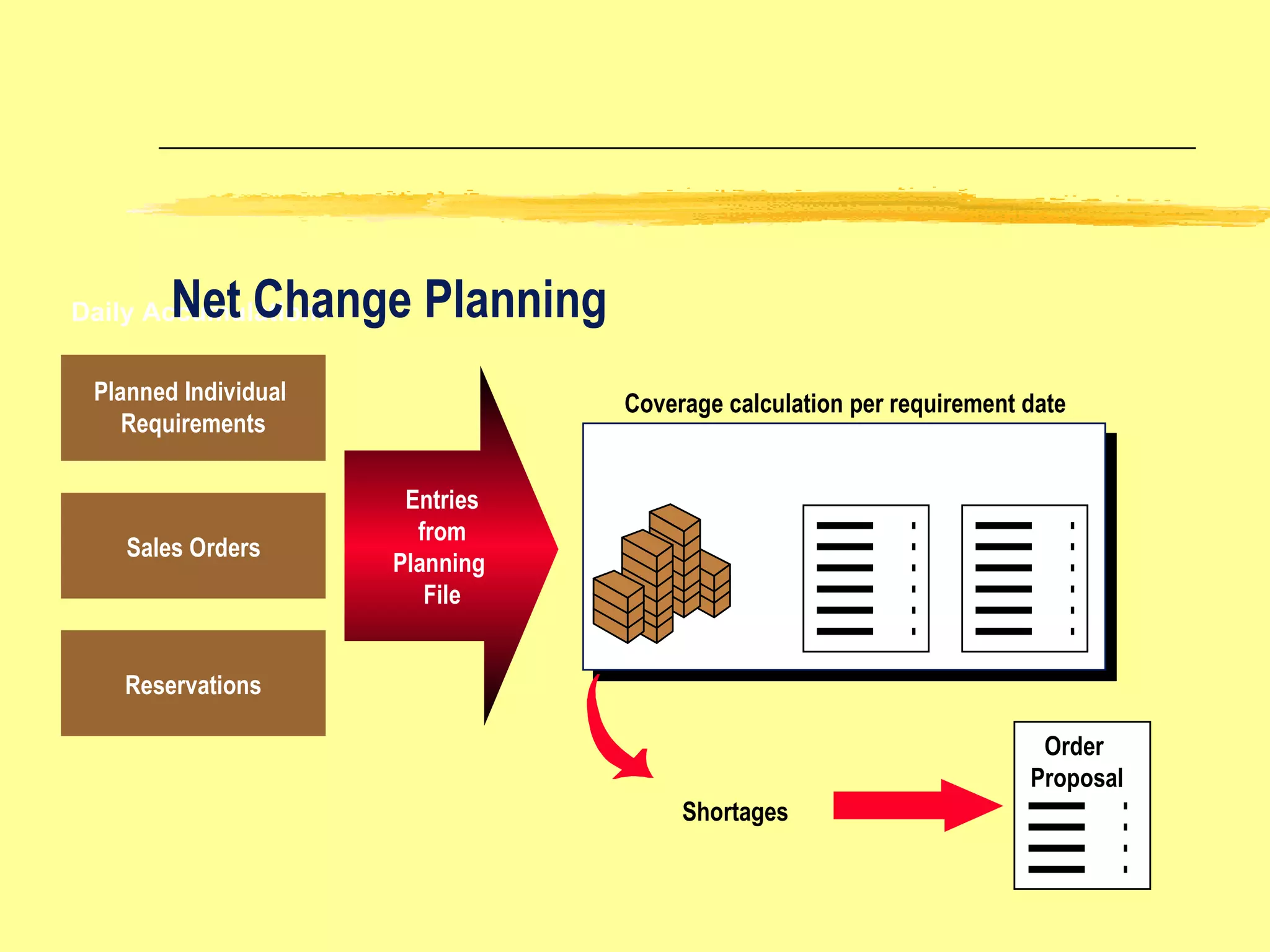
Daily Accumulation: Entries from Planning  File Warehouse  Stock + Open Order Proposals Shortages Net Change Planning Coverage calculation per requirement date Sales Orders Planned Individual  Requirements Reservations Order  Proposal
MRP Prerequisites Activated for MRP  PLANT LEVEL MATERIAL LEVEL Valid MRP Type Valid Material Status Material MRP Views Maintained MRP Controller Planned Lead Time MRP Group Lot Size Data
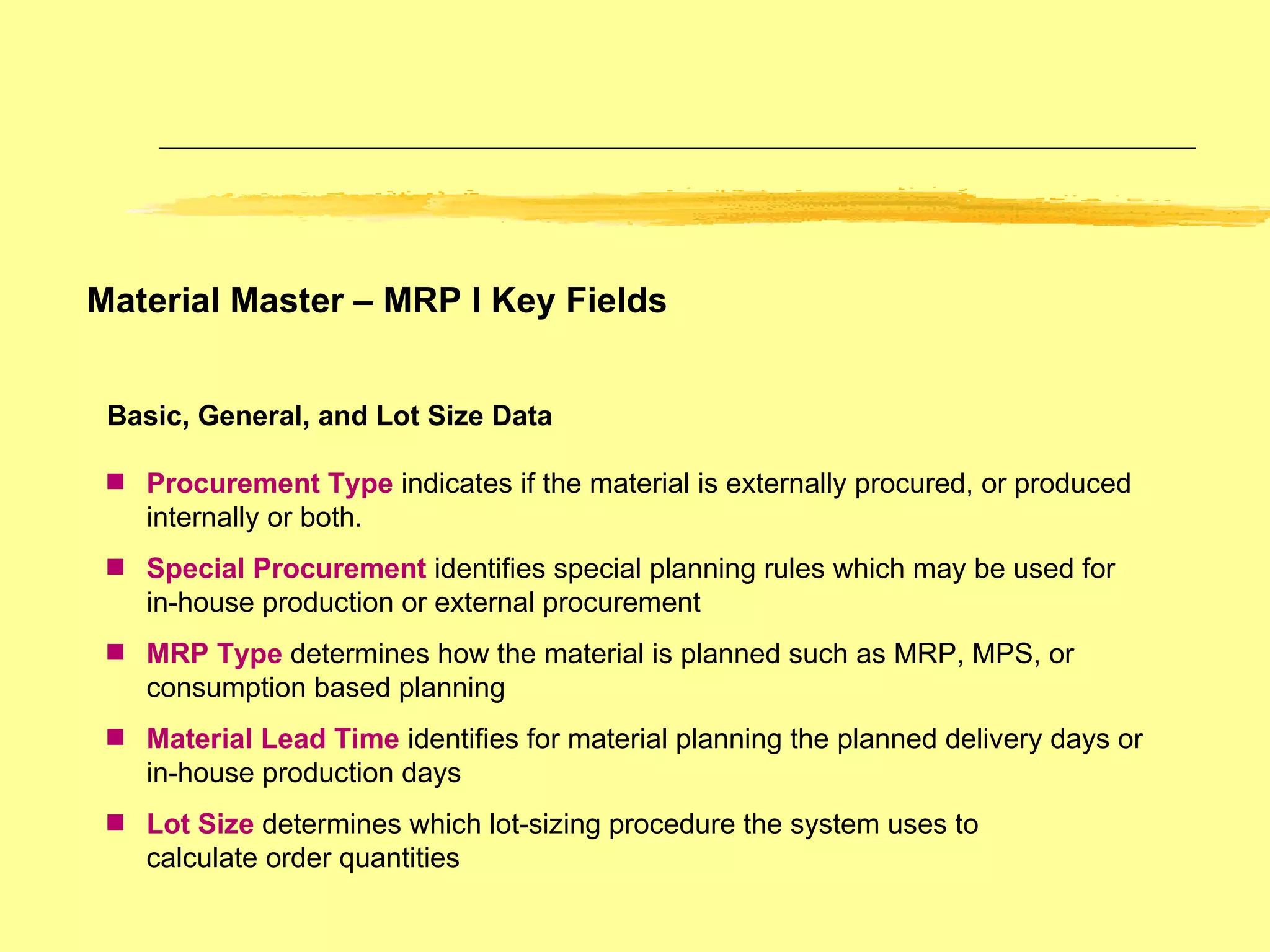
Material Master – MRP I Key Fields Basic, General, and Lot Size Data Procurement Type  indicates if the material is externally procured, or produced internally or both. Special Procurement   identifies special planning rules which may be used for in-house production or external procurement MRP Type  determines how the material is planned such as MRP, MPS, or consumption based planning Material Lead Time   identifies for material planning the planned delivery days or in-house production days Lot Size  determines which lot-sizing procedure the system uses to  calculate order quantities
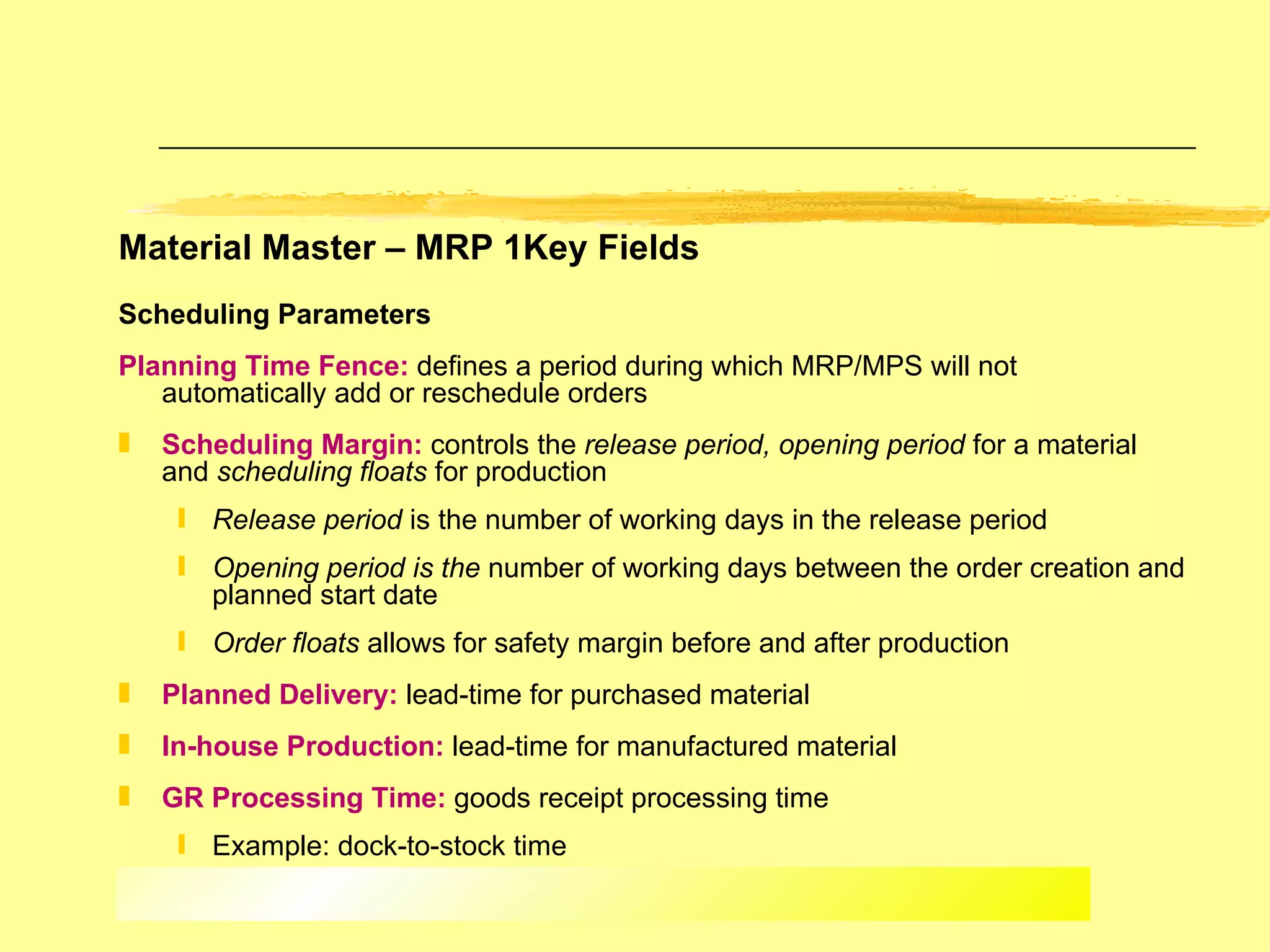
Material Master – MRP 1Key Fields Scheduling Parameters   Planning Time Fence:  defines a period during which MRP/MPS will not automatically add or reschedule orders Scheduling Margin:  controls the  release period, opening period  for a material and  scheduling floats  for production Release period  is the   number of working days in the release period Opening period is the  number of working days between the order creation and planned start date Order floats  allows for safety margin before and after production Planned Delivery:  lead-time for purchased material In-house Production:  lead-time for manufactured material GR Processing Time:  goods receipt processing time Example: dock-to-stock time
Material Master – MRP 2 Key Fields Availability Check  indicates whether the system generates individual or summarized requirements for sales orders for this material and for planning, which MRP items the system includes in the availability check. Mat./PPC Status  is used to limit the usability of materials for certain activities such as, purchasing, bills of material
Material Master MRP 3 Key Fields Independent Requirements Consumption Mode:  controls consumption of planned independent requirements by customer requirements Selections: backward, forward, or both Consumption Periods Backward/Forward:  specifies the number of periods of forward or backward consumption Used in conjunction with consumption mode Storage Location MRP MRP Indicator:  determines whether or not requirements, for a specific storage location, are planned separately from the overall plan Reorder Level:  used for storage location MRP Replenishment Quantity:  used for storage location MRP
MRP Types VB VM VV PD M0 Manual Reorder Point Planning : MRP  produces order proposals when stock falls below a “reorder point”. The reorder point and safety stock levels are entered manually Automatic Reorder Point Planning : The reorder point and safety stock level are calculated based on the forecast results Forecast Planning The latest forecast is copied as requirements which are used to create order proposals Deterministic Planning MRP  produces order proposal(s) to match the exact quantity of the requirements based on independent and dependent demands Master Production Scheduling Similar to PD but used for master schedule items
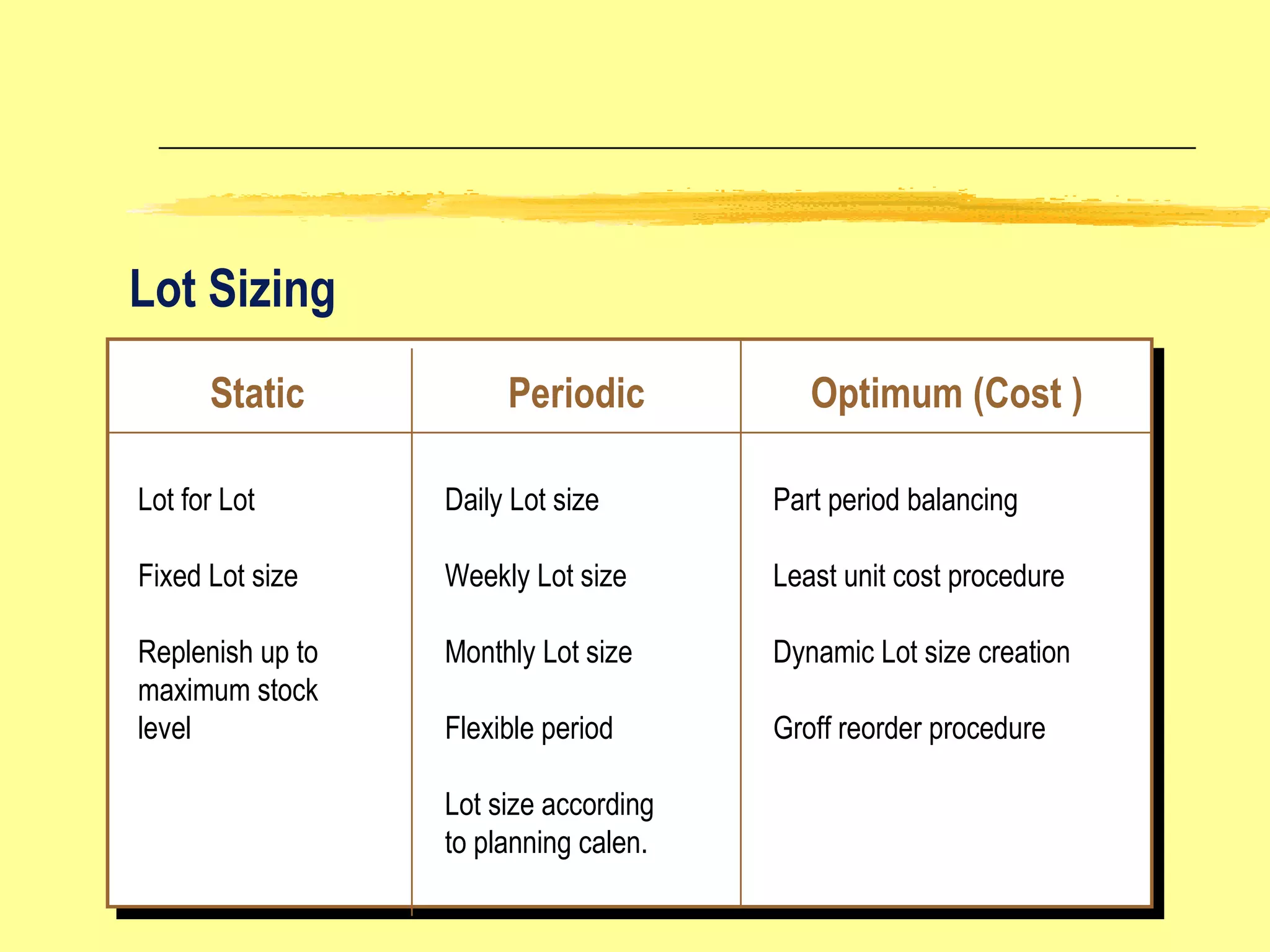
Lot Sizing Static Periodic Optimum (Cost ) Lot for Lot Fixed Lot size Replenish up to maximum stock level Daily Lot size Weekly Lot size Monthly Lot size Flexible period Lot size according to planning calen. Part period balancing Least unit cost procedure Dynamic Lot size creation Groff reorder procedure
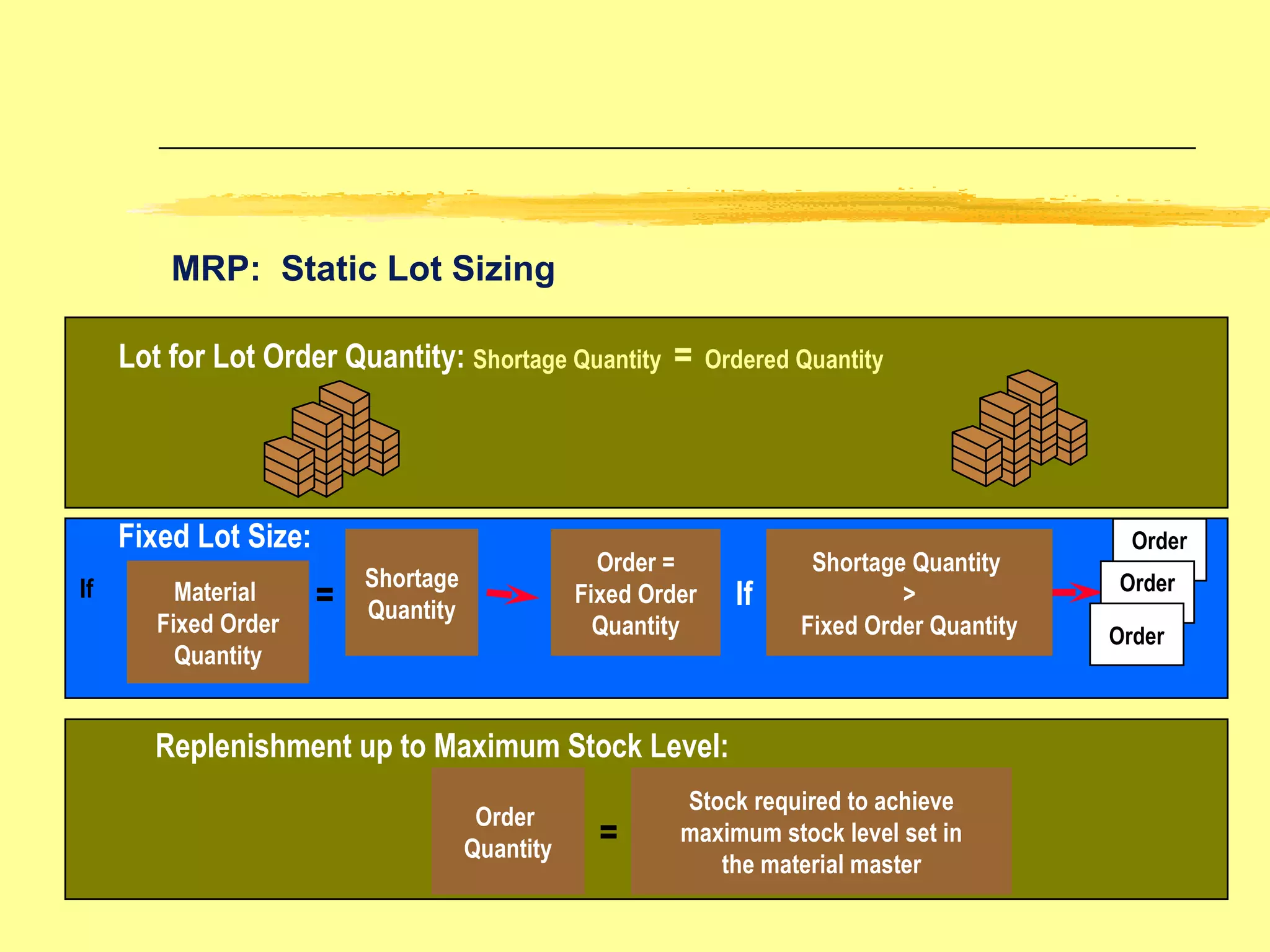
MRP:  Static Lot Sizing Lot for Lot Order Quantity: Shortage Quantity  =   Ordered Quantity Replenishment up to Maximum Stock Level: Stock required to achieve maximum stock level set in the material master Order  Quantity = Material  Fixed Order Quantity = Shortage Quantity Order = Fixed Order Quantity If Fixed Lot Size: Shortage Quantity  > Fixed Order Quantity If Order Order Order
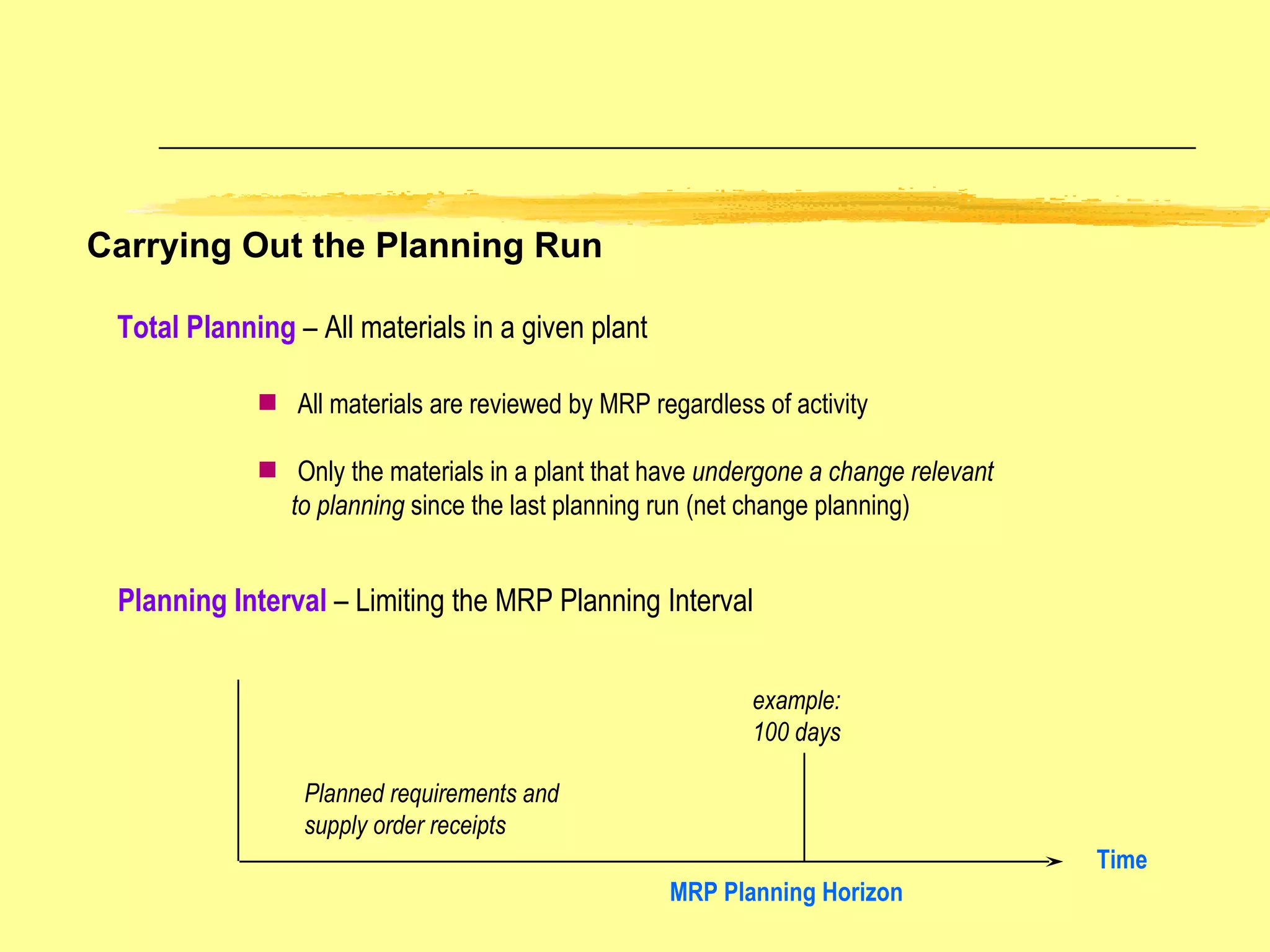
Carrying Out the Planning Run Total Planning  – All materials in a given plant All materials are reviewed by MRP regardless of activity Only the materials in a plant that have  undergone a change relevant  to planning  since the last planning run (net change planning)  Planning Interval  – Limiting the MRP Planning Interval Time Planned requirements and supply order receipts example: 100 days MRP Planning Horizon
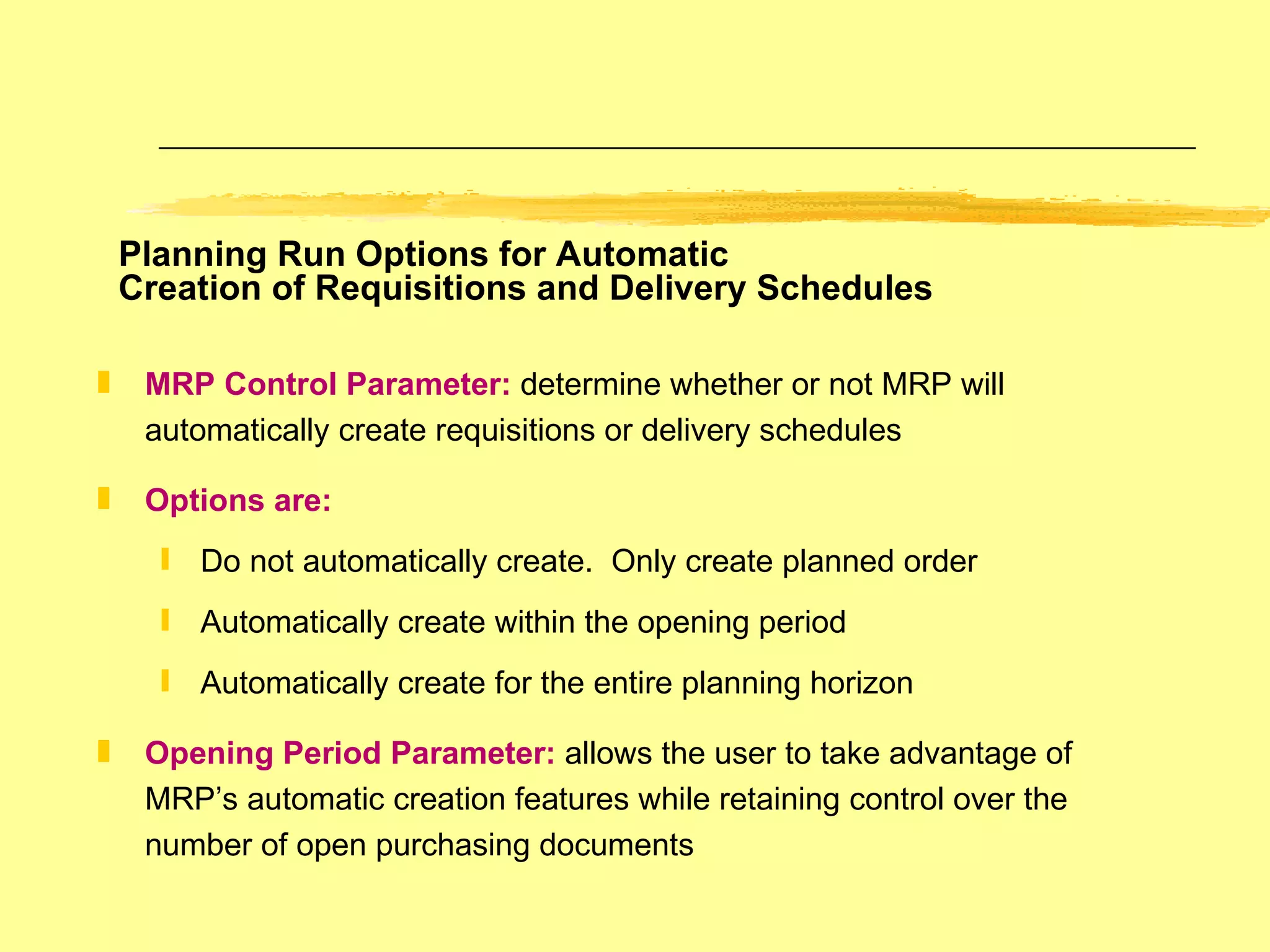
Planning Run Options for Automatic  Creation of Requisitions and Delivery Schedules MRP Control Parameter:   determine whether or not MRP will automatically create requisitions or delivery schedules Options are: Do not automatically create.  Only create planned order Automatically create within the opening period Automatically create for the entire planning horizon Opening Period Parameter:   allows the user to take advantage of MRP’s automatic creation features while retaining control over the number of open purchasing documents
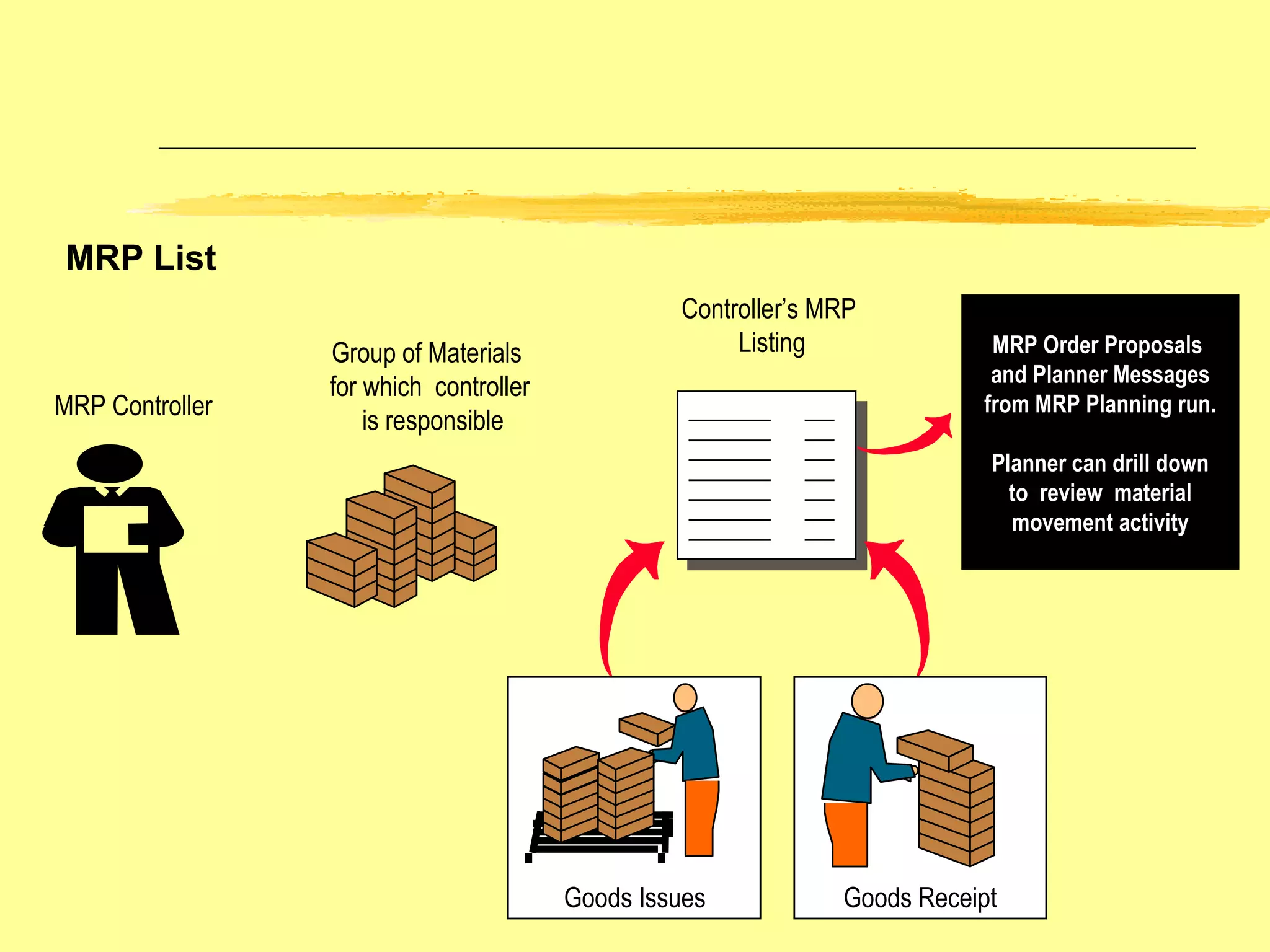
MRP List MRP Controller Group of Materials  for which  controller  is responsible Controller’s MRP  Listing MRP Order Proposals  and Planner Messages from MRP Planning run. Planner can drill down to  review  material  movement activity Goods Receipt Goods Issues
Stock Requirements List Date   MRP Element Supply/Demand Ref EM Quantity Available 01/01 STOCK 100 01/08 ORDER Sales Order   25   75 01/15 PL ORD 1000 120   05   100   175 02/01 -----------------------------------------------------> Planning Time Fence Stock Requirements List brings together all the supply orders, independent  and dependent demands and stock balances for the material.  MRP makes order proposals to balance the supply/demand position for the material
MRP Planning Result MRP List vs Stock Requirements List The MRP List displays the result of the last planning run The Stock Requirements List displays the most up-to-date stock and requirements situation MRP Planning Process Last planning run results Stock Requirements List uses current data Current Stock, Rqmts, Balances, planned Receipts, Issues
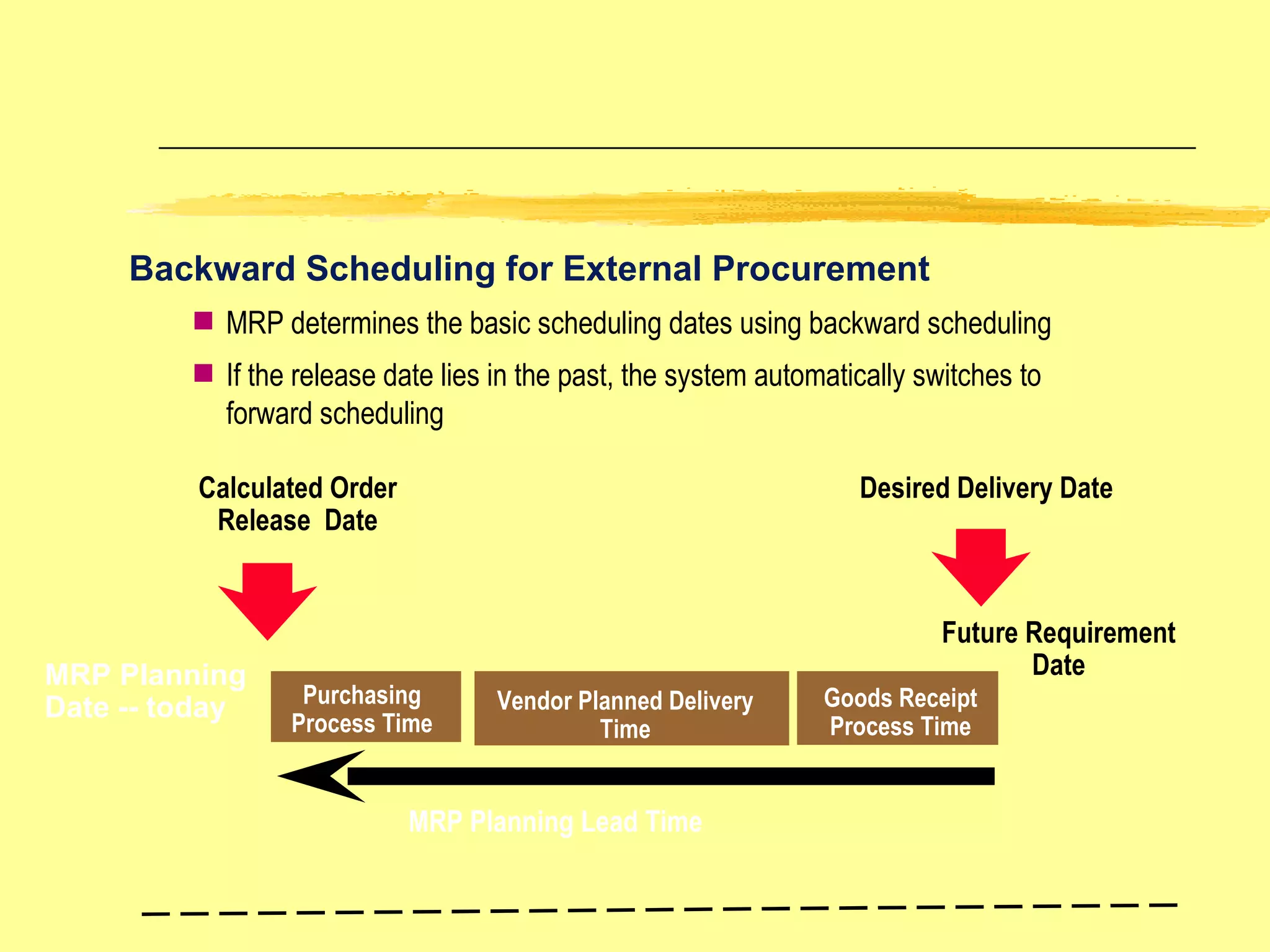
Purchasing Process Time Vendor Planned Delivery Time Desired Delivery Date Calculated Order Release  Date Backward Scheduling for External Procurement Future Requirement Date Goods Receipt Process Time MRP determines the basic scheduling dates using backward scheduling If the release date lies in the past, the system automatically switches to forward scheduling MRP Planning Date -- today MRP Planning Lead Time
Order Release Process Time In-house Production Time Order  Finish  Date Order Start  Date Backward Scheduling for In-house Production Future Requirement Date Goods Receipt Process Time MRP determines the basic scheduling dates using backward scheduling If the release date lies in the past, the system automatically  swithches to forward scheduling MRP Planning Date -- today MRP Planning Lead Time Order  Release Date
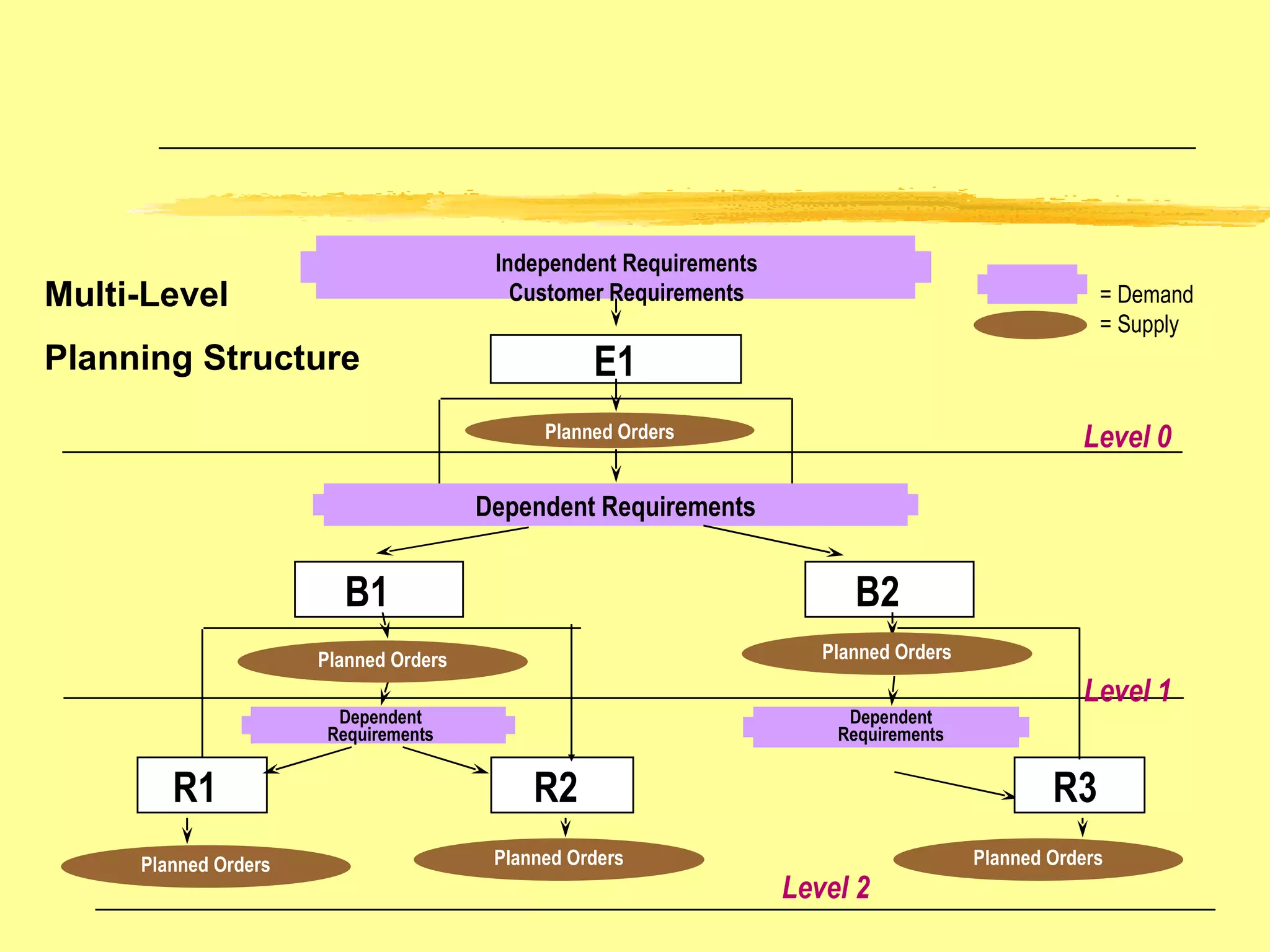
E1 Independent Requirements Customer Requirements Planned Orders Dependent Requirements B2 B1 R1 R2 R3 Planned Orders Dependent Requirements Dependent Requirements Level 0 Level 2 Level 1 Planned Orders Planned Orders Planned Orders Planned Orders Planning Structure Multi-Level = Demand = Supply
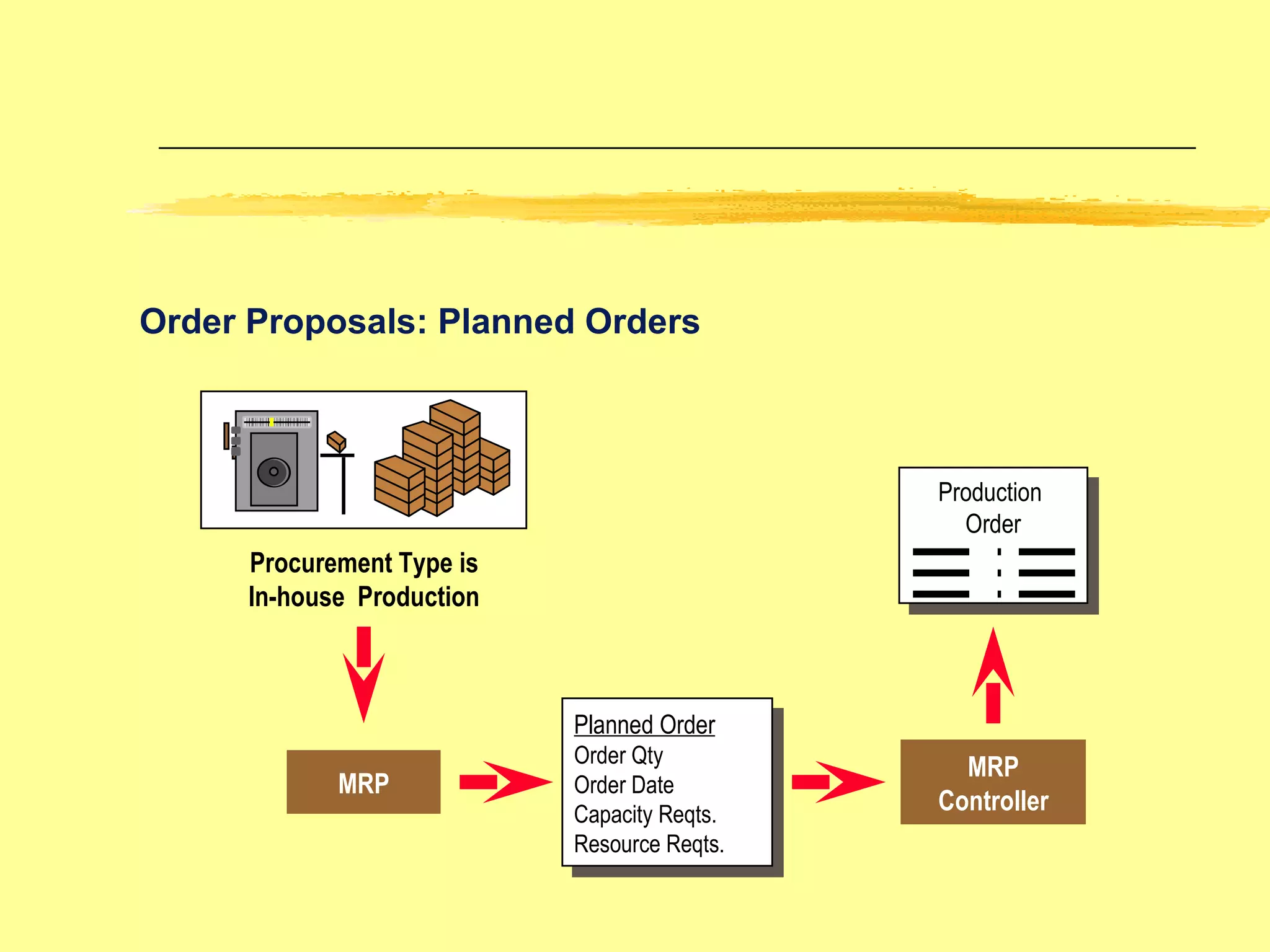
Order Proposals: Planned Orders  Procurement Type is In-house  Production MRP MRP Controller Planned Order Order Qty Order Date Capacity Reqts. Resource Reqts. Production  Order
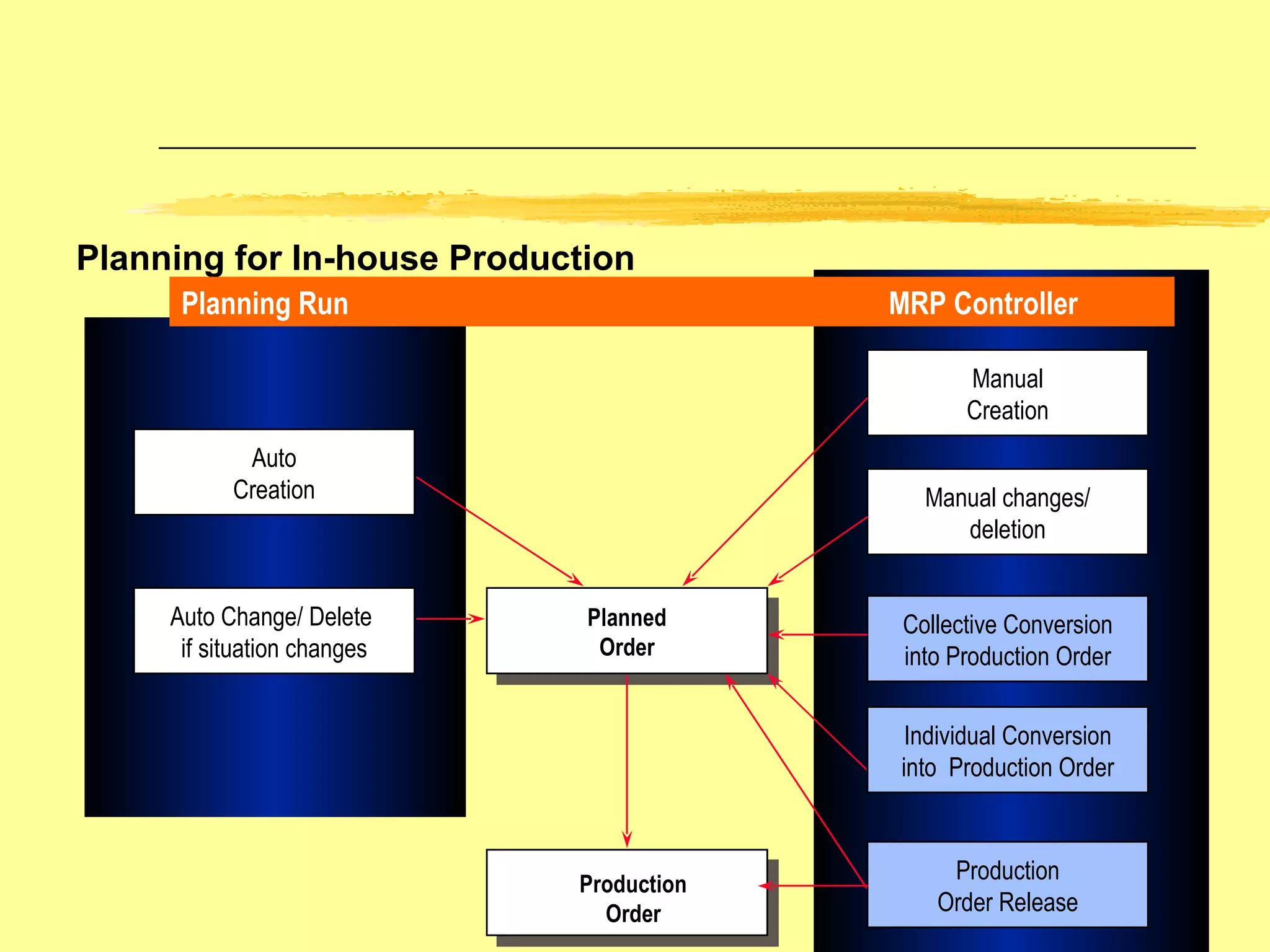
Planning for In-house Production Planned Order Production Order Auto Change/ Delete  if situation changes Auto Creation Collective Conversion into Production Order Manual changes/ deletion Manual Creation Planning Run MRP Controller Individual Conversion into  Production Order Production Order Release
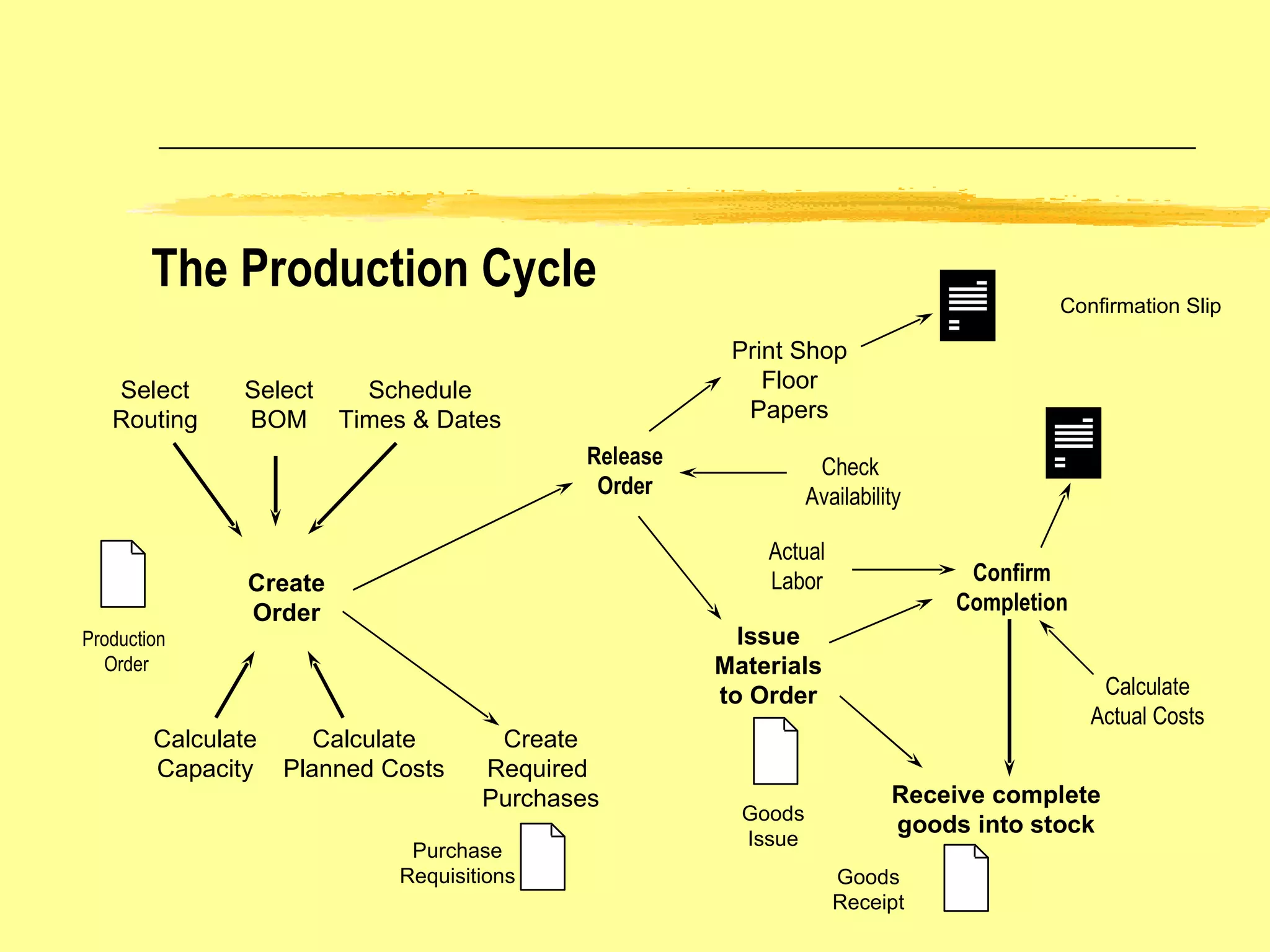
The Production Cycle Issue Materials to Order Select BOM Select Routing Schedule Times & Dates Calculate Capacity Purchase Requisitions Goods Issue Calculate Planned Costs Release Order Check  Availability Print Shop Floor Papers Create Order Create Required  Purchases Confirm Completion Receive complete goods into stock Goods Receipt Confirmation Slip Calculate Actual Costs Actual Labor Production  Order
Production Order Creation Manual Order Creation Order Proposal MRP  Conversion Determine Order Type Routing Selection Lead Time Scheduling Bill of Material Selection Enter start or finish date depending on scheduling direction Component Overrides Material Reservations Item Categories Alternate Sequence Assignments One operation is required Changes are allowed before   order release OAK BROOK TECHNOLOGIES
Production Order Release Production Order Ready for Release Material Availability Check Order or Operation Release Shop Paper  Printing Possible Material Withdrawals Possible Order release is carried out manually Uses checking rules defined in configuration On-line or in background Pick List, Confirmation Slips,...
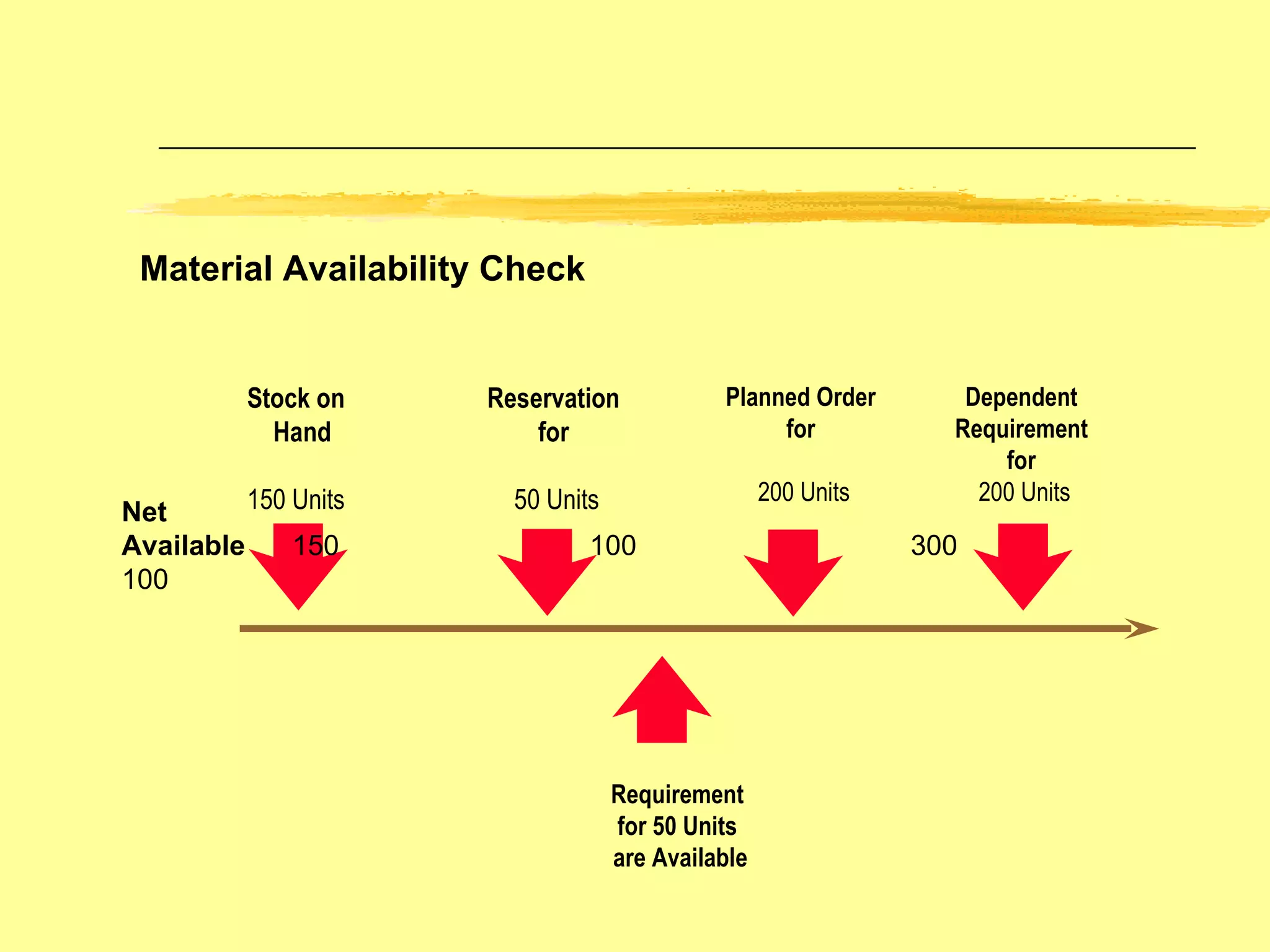
Material Availability Check Stock on Hand 150 Units Reservation for 50 Units Net Available  150  100   300  100   Planned Order for 200 Units Dependent Requirement for 200 Units Requirement  for 50 Units  are Available
Goods Movement for a Production Order Material 1 Material 2 Production Goods receipt of Material 3 Goods Issue  Consumption of Material 1 and 2 Reservation Planned Goods Issue Unplanned Goods Issue Goods issues only apply to stock items
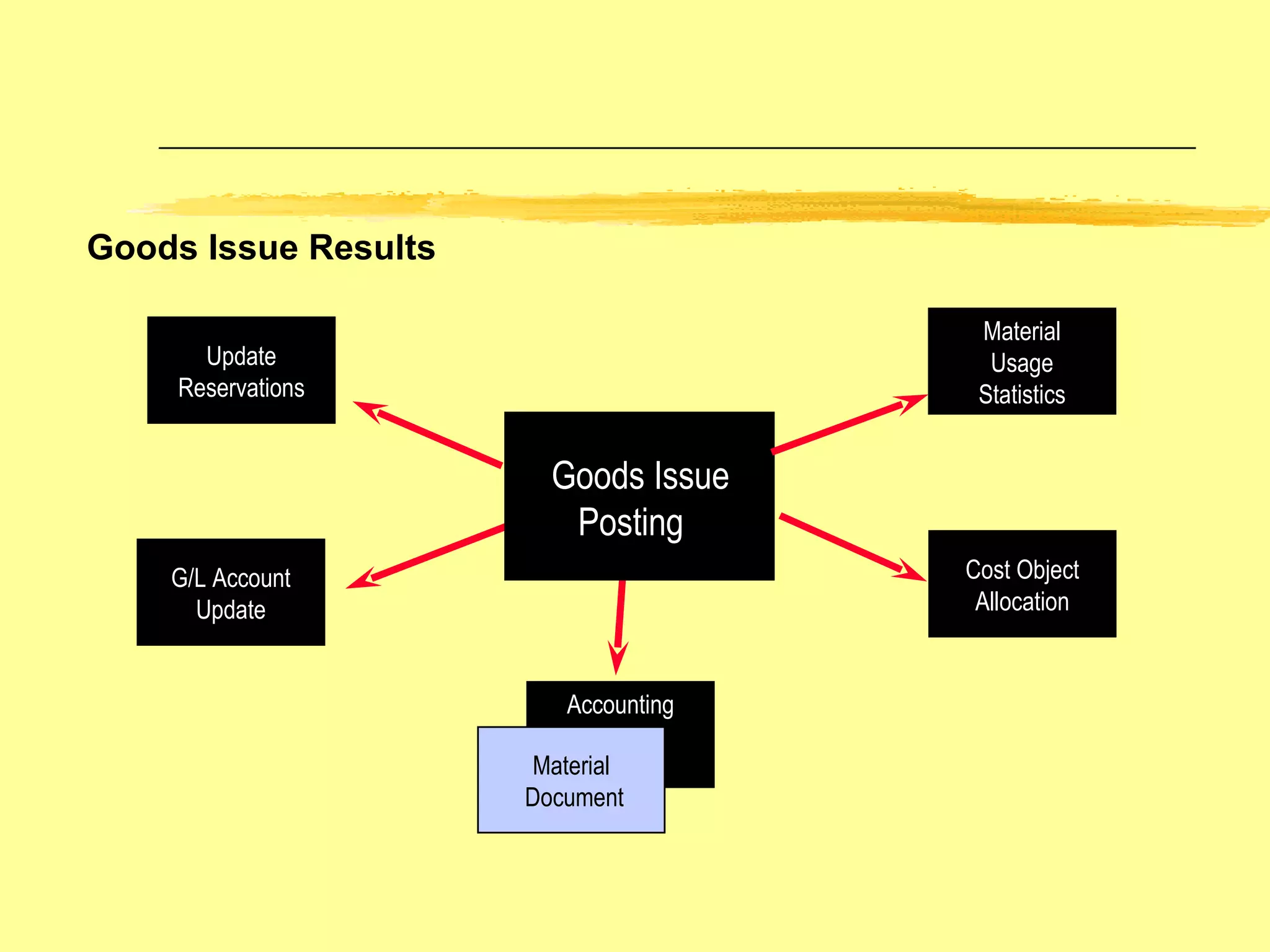
Goods Issue Results Goods Issue  Posting Update Reservations G/L Account Update Accounting Material Document Material Usage Statistics Cost Object Allocation
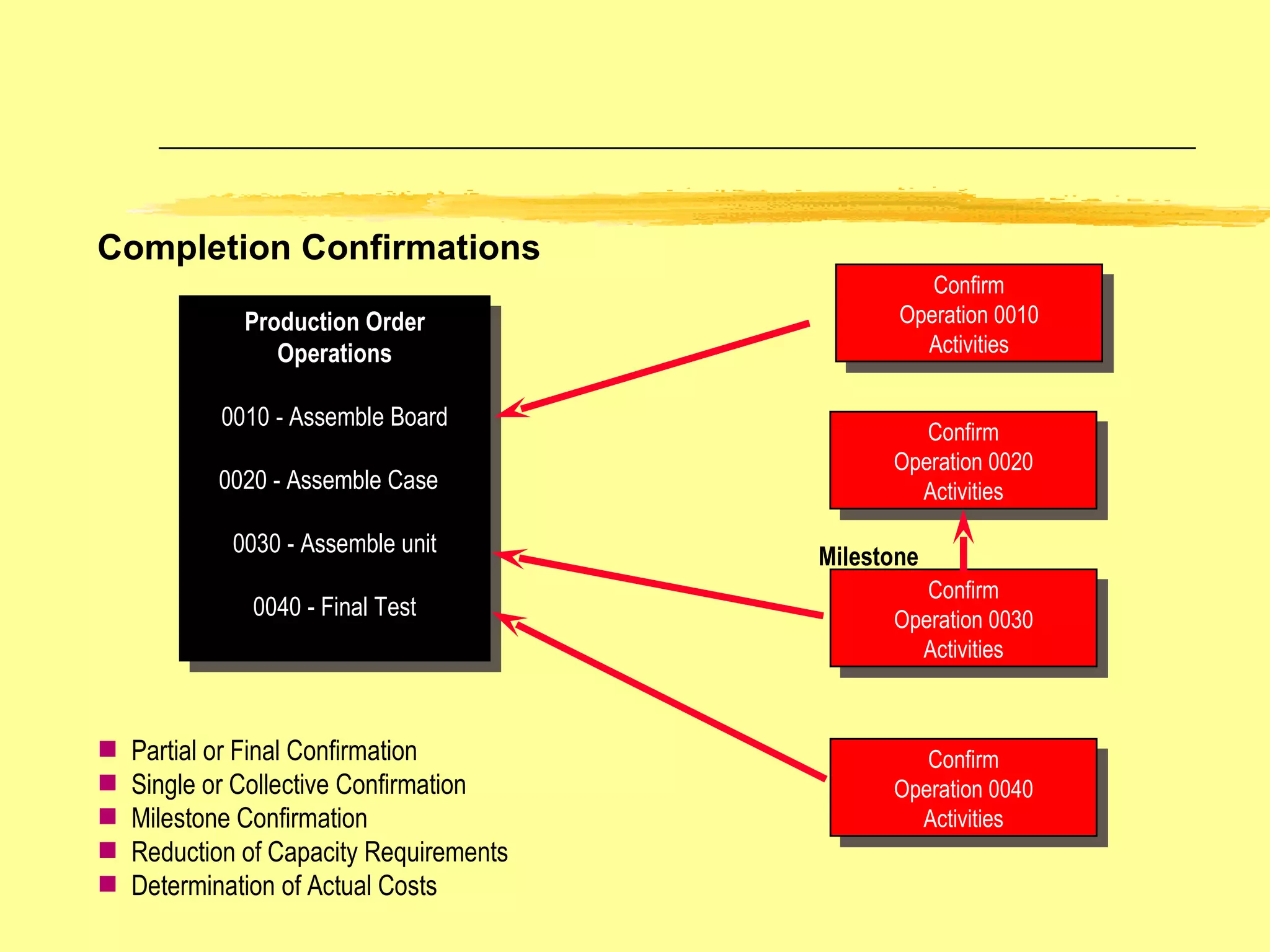
Completion Confirmations Production Order Operations 0010 - Assemble Board 0020 - Assemble Case  0030 - Assemble unit 0040 - Final Test C Confirm Operation 0010 Activities Confirm Operation 0020 Activities Confirm Operation 0030 Activities Confirm Operation 0040 Activities Partial or Final Confirmation Single or Collective Confirmation Milestone Confirmation Reduction of Capacity Requirements Determination of Actual Costs Milestone
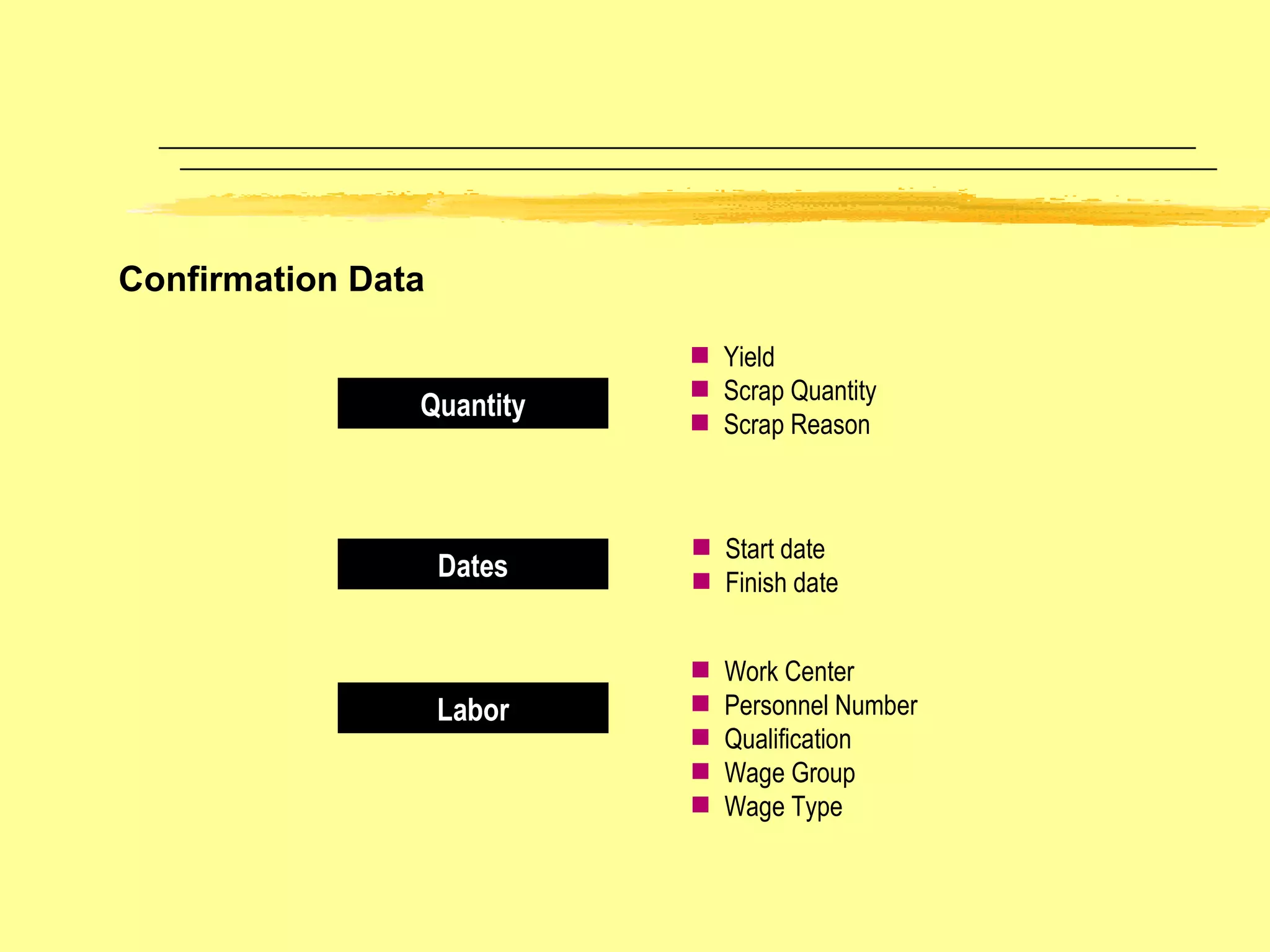
Confirmation Data Quantity Dates Labor Yield Scrap Quantity Scrap Reason Start date Finish date Work Center Personnel Number Qualification Wage Group Wage Type

SAP Production Planning

  • 1.
  • 2.
    PP FI COSD MM PM QM PS HR
  • 3.
    Manufacturing Planning andExecution Organizational and Master Data Business Process for Manufacturing Planning and Execution Reporting and Analysis
  • 4.
    Manufacturing Planning andExecution Sales Info System CO/PA Forecasting Procurement Sales & Oper. Planning Demand Mgmt MPS/MRP Material planning Manufacturing Execution Order Settlement Planning Process Execution Process
  • 5.
    Manufacturing Planning andExecution Requirement from sales/marketing Production Planning Check Availability Components Capacity Run Schedule Qtys Sch & Cap Levelling Mfg. Execution Backflushing Receipt of Fin Goods In Stores Shift dates / Provide Addl. capacities Purchasing yes no no yes REM
  • 6.
    Manufacturing Planning andExecution Requirement from sales/marketing Production Planning Check Availability Components Capacity Production Order Sch & Cap Levelling Mfg. Execution Production Confirmation Receipt of Fin Goods In Stores Shift dates / Provide Addl. capacities Purchasing yes no no yes Discrete
  • 7.
    Manufacturing Planning andExecution Sales Info System Information contains total sales orders already obtained, incoming sales orders, pending sales orders – product wise, customer wise, region wise. Forecasting Based on the past history of consumption, a forecast of the sales figures for a product can be made. Future projections are made using one of the Statistical forecasting methods. COMPONENTS
  • 8.
    Manufacturing Planning andExecution Sales & Operations Planning Higher level planning i.e.overall planning at company level Yearly/Half yearly/Quarterly Planning Demand Management Management of Requirements Requirements can be from sales forecasts, sales orders,etc. CO/PA Projections will be based on the company’s future projection of costing and profitability analysis.
  • 9.
    Manufacturing Planning andExecution MRP This is the total planning of all the components taking into consideration the existing requirements and stocks. Creation of purchase requisitions, production orders,etc. Final step in the planning process. MPS Planning of items that greatly influence the company’s profits or consume critical resources/dominate production processes. After the production plan of these critical items are firmed up, the planning of other components are taken up.
  • 10.
    Repetitive Manufacturing -Run Schedule quantities are viewed Quantities are confirmed by Backflushing Goods are received into stock MANUFACTURING EXECUTION Discrete Manufacturing - Production orders are released Materials are issued Completion confirmations are performed Goods are received into stock Manufacturing Planning and Execution
  • 11.
    ORDER SETTLEMENT Costsaccrued to an order are debited to one or several allocation receivers belonging to financial or managerial accounting. Manufacturing Planning and Execution
  • 12.
    Manufacturing Planning andExecution STANDARD PRODUCTION PLANNING REPORTS Stock/Requirements List Lists the latest stock/requirement position of a material in the plant i.e. planned orders, production orders,etc. Production Plan This report lists the monthly production plans – material and plant wise . Orders This report lists the orders pending/completed for a material material wise or work center wise..
  • 13.
    Manufacturing Planning andExecution STANDARD PRODUCTION PLANNING REPORTS Quantity produced This report lists the quantity of the material produced during the Period in question. Work center Loads This report lists the available capacities, required capacities, remaining available capacities and %load for the work center. Consumption Lists the consumption of a material for the period in question.
  • 14.
    Backlogs Lists thebacklog of the load at a work center for the period in question. Missing parts Lists the missing parts that are required for the production of a material. Manufacturing Planning and Execution STANDARD PRODUCTION PLANNING REPORTS
  • 15.
    Production Planning BasicData Routings Work Centers Materials Capacities Inspection Plans Production Facilities Bills of Material PP Basic Data Production Resources/Tools F06010
  • 16.
    SAP R/3 IntegrationModel Sales & Distribution Production Planning Materials Management Finance & Controlling Customer Sales Order Shipment Receivable Accounts / Cash Receipt Credit Limit Material Availability Check Transfer of Requirements Goods Issue to SO Goods Receipt Invoice Receipt Purchase Order Accounts Payable Invoice Accounting Document Production Cost Production Order Production Order Receipt Sales Forecast / Plan Vendor
  • 17.
    Organizational Structures inR/3 Cost accounting Accounts Internal logistics (MRP/Production) Inventory management Group Controlling areas Sales organizations Company codes Valuation areas Plants Storage locations/batches/special stocks External logistics Purchasing organizations Levels Views
  • 18.
    Material Master DataGeneral Data St. Loc. Specific Data Plant Specific Data Sales Specific Data Material Master Data applicable throughout the client e.g. Material number Description Units of measure Weight Volume Product hierarchy Data dependent on sales organization and distribution channel e.g. Delivering plant Sales text Sales units Shipping data Division Data relevant for planning and production e.g. MRP profile Production costs Planning data Valuation Data referring to storage and inventory management e.g. Quantities Special stock Warehouse attributes
  • 19.
    Material Types inthe Standard SAP Material Type DIEN ERSA FERT HALB HAWA HIBE LEER NLAG ROH VERP WETT PROD Service Spare Part Finished Product Semi-finished Product Trading Good Operating Supply Empty Containers Non stock Item Raw Material Packaging Competitor Product Production Resources/ Tools Description
  • 20.
    Product Data EngineeringDesign Sales Production Stock Finance Purchasing Master data is a key piece of information in the system Master data can be seen from a number of views Each view can correspond to an SAP module Each view has a number of information screens Each view belongs to an org unit within the business One product may have multiple plant and sales views, one for each plant or sales area Master Data Views
  • 21.
    Engineering Design Sales Production Stock Finance Purchasing Examples of How Data is Used Texts copied to purchase orders Maintains stock levels by plant, storage location, and batch Data used to calculate MRP lead times Controls customer ordering rules for material Controls which General Ledger Account is updated Material description used in reporting Product Data
  • 22.
    Bills of MaterialSimple BOM Variant BOM Multiple BOM Simple BOM representing single material Similar materials represented by variants on one BOM BOM representing a material which can be made up of multiple compositions e.g. different components and quantities
  • 23.
    Bill of MaterialValidity Area of Validity – The same Bill of Material can be allocated to several plants. Before you can allocate the BOM to a different plant, the material must exist at the new plant, the unit of issue on the BOM item must be the same. Validity Period (Valid from/to dates) Becomes effective with the valid from date The validity date is determined by the system automatically to be either the next effective from date, or 12/31/1999. A A B C B D X----------------------------------------------------------->>>> from 1/1/95 from 12/31/95 to 12/30/95 to 12/31/99
  • 24.
    BOM Structure BOMHeader Plant Assignment Validity Period Release Indicator Stock Items Non-stock Items Variable Size Items Document Items Text Items Additional component details e.g. installation points for components Item 10 Item 20 Item 30 Sub Item 10 Sub Item 20
  • 25.
    Bill of MaterialGlossary BOM Category – categorizes BOM’s to represent different objects; for example: Material BOM -- structure of products manufactured Equipment BOM -- structure of equipment for plant maintenance Document BOM -- structure of documents such as drawings (3.0) BOM Group – is a collective number for all BOM’s in a group which allows for one or several similar products to be described under one number. All Alternatives of a multiple Bill of Material All variants of a variant Bill of Material BOM Usage – special view of the BOM which represents a specific area of the company in which the BOM is used; for example, Engineering, Production, Costing, Sales, Plant Maintenance The BOM Usage allows different views to exist without separate BOM’s for each usage.
  • 26.
    Technical Type – the system distinguishes BOM’s according to whether they represent product variants or production alternatives. If you create a variant for the BOM,the system marks it as a Variant Bill . If there is more than one alternative for a material, the system marks the BOM as a Multiple Bill . Bill of Material Glossary (cont.) BOM Validity – Bills of Material are valid over an area and effectivity period. Area of Validity -- identifies which plants the BOM has been allocated to Validity Period -- identifies the from and to effectivity dates. The default to date is 12/31/9999
  • 27.
    Item Category – When you enter a new Bill of Material item, an item category must be assigned. It has important control functions such as: Screen selection Specific processing, such as material number required, negative values supported. The Item Category cannot be changed once set. It must be deleted and re-added. Sizes are maintained for variable-size items Item categories include: Stock Items -- material in stock as a component Non-stock Items -- material not stocked - with or without a material number Variable-size -- system calculates the quantity required using formulas PM Structure Item -- used with plant maintenance equipment Document Item -- used with Document BOM’s Sub-Items – are typically used to represent different installation points for partial quantities of an item. In assembling resistors on a printed circuit board, the installation points are described. There is no logic related to sub-items Bill of Material Glossary (cont.)
  • 28.
  • 29.
    Assembly Line MachinesPeople Production Line Capacity Requirements Planning Scheduling, Execution Times Costing Work Centers Work Centers Cost Center
  • 30.
    Work Centers andRoutings Routing Operation 10 Operation 20 Operation 30 Work Center W1 Cost Center 100 Assembly Cost Centre 200 Work Center W2 Finishing Cost Center 200 Work Center W1 Cost Center 100 Assembly
  • 31.
    Work Center CategoryWork centers are allocated to different work center categories The work center category is used to control the field and screen selection for work centers during work center maintenance. Work Center Category Screen View Statistical Work center Basic Data Production Work Center Basic Data Default Values Capacity Values Scheduling Cost Center Assignment
  • 32.
    Cost Center Assignmentto Work Center for Operation Costing Cost Center Oper 0010 Oper 0020 Oper 0030 Oper 0040 Routing with standard values Set Up (SET) Machine (MACH) Labor (LAB) Work Center with Activities during production Activity Rates Set Up $70.00 Mach $60.00 Labor $80.00 Overhead $70.00
  • 33.
    Work Center CapacityOper 0010 Oper 0020 Oper 0030 Oper 0040 Routing with standard values Set up Formula Machine Time Formula Teardown Formula Work Center Formulas Set up 1.0 hrs Machine 5.5 hrs Teardown .5 hrs Operation Std Values Work Center Schedule Use of Formulas in Work Centers
  • 34.
    8 hrs 1hr 7 hrs 1 hr 6 hrs Working Hours Break Time Working Hours less Breaks Planned Downtime Productive Working Hours Available Capacity at a Work Center
  • 35.
    Routing Structure ViewsRouting Operation 30 Operation 20 Operation 10 Work Centre: PP-ASSEM Control Key: - Time Tkts - Costing Operation Text: Pre-assemble frame Std Values: Lab:10 mins Mach:10 mins Materials Components BOM Process Resource Tool (PRT)
  • 36.
    BOM Groups ProductionMaster Data Materials and PRTs Bills of Material Routings Work Centers Routing Groups Cost Centers Components Allocated to Operations Item Category Material Type W/C Category
  • 37.
    Operation Operation types(Main) operation Sub-operation Sub-operation HierarchyCosting Completion confirmations Scheduling always takes place on the (main) operation level The control key defines whether completion confirmations and costing are carried out on the (main) operation level, or on the sub-operation level. Indicator: group operation sub-operation level combined operation (main) operation
  • 38.
    Operation / Sub-operationOperation 0010 Operation 0020 Sub Operation 0010 / 10 at Work Center A1 Sub Operation 0010 / 20 at Work Center A2 Sub Operation 0010 / 30 at Work Center A3 Schedule at Operation Level Useful when processing for operation 0010 occurs over multiple work centers Capacity Planning & Costing possible at Sub Operation Level Level
  • 39.
    Material Allocation Op.10 Op. 20 Op. 30 Op. 10 Op. 30 Routing Product BOM
  • 40.
    1 1 22 01 02 01 02 1 1 1 2 3 1 2 3 1 1 Routing Group Routing Group Counter Material-Routing Allocations A routing alterative can be allocated to several materials. A material in a plant can be allocated to several alternatives. Material
  • 41.
    Routing Default ValuesRouting Material Master Work Center Base Unit of Measure Planner Group Short Text Control Key Standard Values Activities Standards Text Key HR data
  • 42.
    External Processing Oper0010 Oper 0020 Oper 0040 Oper 0050 Purch Reqn Purch Ord Vendor Proc Goods Rec Routing data copied to order including quantities and dates Purchasing creates P.O. At goods receipt, the operation is confirmed
  • 43.
    Operation Lead TimeFloat Before Float After Oper 0010 Oper 0020 Oper 0030 Queue | Setup | Process | Teardown | Wait | Move Execution Time Interoperation Time Interoperation Time Operation Lead Time
  • 44.
    Routing OperationSequences Overlapped Routing defines process where one operation is to overlap with the following operation Standard Routing represents a standard sequence defining production procedure Parallel Routing includes processes which can be performed simultaneously to achieve time efficiencies Split Routing includes processes which can/must be split across a number of work centers
  • 45.
    The Planning Conceptin SAP SOP MPS Planned Independent Requirements Customer Independent Requirements Requirements (Orders) from SD Module Offset Keep Balanced Order Proposals MRP Planned Orders Production Orders Purchase Requisitions Demand ie Requirements Order proposals, planned orders etc are created and adjusted by running the MRP or MPS programs. Sales Plan Production Plan
  • 46.
    SOP specifies salesquantities for the long and intermediate term to roughly assess the feasibility of sales and operation plans Sales and Operations Planning at the Product Group or F/G level Materials may be planned together in Product Groups Sales quantities are determined for future periods Production quantities are then determined on the basis of sales Sales and Operations Planning Functions
  • 47.
    MRP II isconcerned with integrating individual plans within a supply chain Profitability Analysis – Revenue and Sales Plans Sales and Operations Planning – Sales and Production Plans Master Planning – Demand Program and Master Schedule Material Requirements Planning – Dependent Requirements and Procurement Plan Sales and Operations Planning – Planning Levels
  • 48.
    Step 1 – Sales Planning of Future Sales Quantities Copy in from Sales Information System or Profitability Analysis Automatic forecast based on historical factors Manual entry of sales quantities Step 2 – Production Planning Synchronize production plan with sales plan Stock level equal to zero Specify a target days supply by period Specify a target stock level by period Enter planning data manually Sales and Operations Planning – Steps
  • 49.
    Step 3 – Disaggregation of Planning Values Determine the sales and production quantities of product group members Modify the disaggregated sales planning data and create a production plan for each member Step 4 – Transfer of Planning Values to MRP Pass the planned sales and production quantities as independent requirements to demand management If product group data is transferred, the system automatically disaggregates the planning data to the finished product level Sales and Operations Planning – Steps
  • 50.
    Sales and OperationsPlanning – Product Groups A Product Group brings together materials according to some criteria such as similar type or manufacturing process. Link material master data with product groups Materials and product groups can be members of more than one group for different planning scenarios Assignment of members from different plants to the same product group for cross-plant planning A product group may have a different unit of measure from its members e.g. aggregate in cartons vs pieces Proportional factors for disaggregation - how the product group quantitiy is distributed to its members Supports production versions for a material or group Supports multi-level product group hierarchy Graphical support of one or more levels
  • 51.
    Sales and ProductionPlanning is carried out using a Planning Table which shows the stock level that results from the sales and operations planning for both materials and product groups The Planning Table is divided into: Sales Quantities Production Quantities Target Day’s Supply and Target Stock Levels Sales and Operations Planning – The Planning Table
  • 52.
    Sales and OperationsPlanning – Creating a Sales Plan Manual Data Entry and Distribution Functions Entered directly into the Planning Table as a % or qty Copying Data from Sales Information System Planned order, invoiced or delivery quantities The planning data is aggregated across all materials in the group Copying from Profitability Analysis Quantity and performance measures Copying the Forecast Aggregates the consumption values for all the materials in the product group
  • 53.
    Sales and OperationsPlanning – Creating a Production Plan Determine the quantities to produce to meet the sales plan Synchronize to the Sales Plan – the system copies the sales quantities into the production quantities Zero Stock Level – Use existing stock to cover sales quantities. When used up, production quantities will synchronize with the sales quantities Target Stock Level – The system determines production quantities based on sales and target stock levels Target Days Supply – Coverage is expressed in days
  • 54.
    Sales and OperationsPlanning – Disaggregation Functionality is based on proportionality factors of product group members The result of disaggregation is the sales plan of its members Strategy parameters are used to create the production plan from the sales plan on to a product group member Disaggregation can be carried out for the product group or for selected members only
  • 55.
    Sales and OperationsPlanning – Transferring Data to Demand Management Transfer a single-level product group (multiple) or individual material (single) Independent Requirements Parameters Specify Requirements Type Version Number Limit scope of the time period
  • 56.
    Master Planning DemandManagement Planning and Consumption Strategies Specification of Requirement Quantities and Delivery Dates Master Production Scheduling Planning for Master Schedule Items Planning Time Fence Interactive MPS
  • 57.
    Copy from Sales Plan Copy from Prodn Plan Copy from Forecast Copy from Orig Plan Demand Management “ Demand Program” Manual Planned Independent Requirements Sales Demand from Sales Orders MRP/MPS Sales and Operations Planning
  • 58.
    Make product forstock in expectation of customer sales Plan using planned independent requirements for “anonymous” make-to-stock production. Use Net or Gross Requirements Planning Net Requirements -- includes warehouse stock, planned issues and receipts Gross Requirements -- excludes warehouse stock. Just includes planned and open orders Example is a shelf stock item such as a bike accessory light Planning Requirement Type is LSF - make to stock which is used in the planned independent requirements transaction Sales Order Requirement is KSL - which is sale from stock Planning Strategy – Make-to Stock
  • 59.
    Sale from stockPlanning Production Push Warehouse Stock Finished Product Strategy: Make-To-Stock Production Example: Common shelf items such as a bike accessory (light)
  • 60.
    Make product inexpectation of customer sales Plan using planned independent requirements at finished goods level to drive demand to long lead time components Typically there is a longer lead time to produce than the customer is willing to wait for Sales orders consume the planned independent requirement quantities Planned quantities that are not consumed by sales orders result in excess stock Example is a long lead time custom product Planning Requirement Type is VSF – planning with final assembly Sales Order Requirement is KSV – which is sales order with consumption Planning Strategy – Planning with Final Assembly
  • 61.
    Sales Order PlanningProduction Push Warehouse Stock Finished Product Example: Custom furniture such as a cherry table Final Assembly to Sales Order Purchase Produce MRP without reference to sales order Planned Independent Requirements Strategy: Planning with Final Assembly
  • 62.
    Planning Strategy –Planning Without Final Assembly Final assembly is initiated by the customer sales order Stop production at sub-assembly level Final assembly pull Example is automobile assembled with unique combination of features (sub-assemblies) Planning Requirement Type is VSE -- planning without final assembly Sales Order Requirement is KEV -- independent customer order with consumption
  • 63.
    Sales Order PlanningWarehouse Stock Finished Product Warehouse Stock Assembly 01 Warehouse Stock Assembly 02 Example: Option oriented product such as a car Stop at level Planned Independent Requirements Assembly when Sales Order Scheduled Purchase Produce Strategy: Planning Without Final Assembly Production Push Final Assembly Pull
  • 64.
    Planning Strategy –Planning with Planning Material Planned independent requirements of Planning Material initiate procurement of the planning bill components Sales orders for the final assembly create planned orders of the finished product and reduce planning quantities for the planning material Possible to plan a family of products from forecast placed on the planning bill. The planning bill details, through percentages, the quantity required for common parts Example is a bike with common sub-assemblies used in many finished items Planning Requirement Type is VSEF -- planning with planning material Sales Order Requirement is KEVV -- independent customer order with planning material
  • 65.
    Sales Order PlanningCustomer Stock Finished Product Planning Material Warehouse Stock Assembly 01 Warehouse Stock Assembly 02 Example: Bikes with the same features except for the color Purchase Produce Note: Percentages drive lower level demands for sub assemblies Strategy: Planning with Planning Material Planned Independent Requirements Production Push Final Assembly Pull
  • 66.
    Sales Order Warehouse Stock Finished Product Example: Combine customer orders for the same item Strategy: Production by Lot Size Production by Lot Size Pull
  • 67.
    Planning Strategy –Make to Order Production Sales orders are planned according to sales order number Produced quantities for each sales order are managed individually Production and procurement costs are managed in either a settlement order or a project Example is a custom product with a unique structure such that it only applies to a particular customers order Sales Requirement Type is KE -- independent customer order without consumption
  • 68.
    Sales Order WarehouseStock Finished Product Example: New machinery Strategy: Make-To-Order Production Production by Lot Size Pull
  • 69.
    MRP Features MRPLot sizing Order scheduling and generation Internal production and external purchasing Net requirements calculation Bill of Material Explosion Forecasting
  • 70.
  • 71.
    Overview PurchasedItems MRP Purchasing Accounting Warehouse management system Goods receipt Inventory management Valuation Goods Transfer issue posting Invoice receipt Invoice verification Master data Material Batches Vendors Customers :
  • 72.
    MRP: ReorderPoint Planning Reorder Point Safety Stock Order Date Delivery Date Time Stock
  • 73.
    Purchasing Process TimeVendor Planned Delivery Time Desired Delivery Date Release Order Date Forward Scheduling for External Procurement Today Goods Receipt Process Time Forward scheduling used for reorder point material
  • 74.
    Daily Accumulation: Entriesfrom Planning File Warehouse Stock + Open Order Proposals Shortages Net Change Planning Coverage calculation per requirement date Sales Orders Planned Individual Requirements Reservations Order Proposal
  • 75.
    MRP Prerequisites Activatedfor MRP PLANT LEVEL MATERIAL LEVEL Valid MRP Type Valid Material Status Material MRP Views Maintained MRP Controller Planned Lead Time MRP Group Lot Size Data
  • 76.
    Material Master –MRP I Key Fields Basic, General, and Lot Size Data Procurement Type indicates if the material is externally procured, or produced internally or both. Special Procurement identifies special planning rules which may be used for in-house production or external procurement MRP Type determines how the material is planned such as MRP, MPS, or consumption based planning Material Lead Time identifies for material planning the planned delivery days or in-house production days Lot Size determines which lot-sizing procedure the system uses to calculate order quantities
  • 77.
    Material Master –MRP 1Key Fields Scheduling Parameters Planning Time Fence: defines a period during which MRP/MPS will not automatically add or reschedule orders Scheduling Margin: controls the release period, opening period for a material and scheduling floats for production Release period is the number of working days in the release period Opening period is the number of working days between the order creation and planned start date Order floats allows for safety margin before and after production Planned Delivery: lead-time for purchased material In-house Production: lead-time for manufactured material GR Processing Time: goods receipt processing time Example: dock-to-stock time
  • 78.
    Material Master –MRP 2 Key Fields Availability Check indicates whether the system generates individual or summarized requirements for sales orders for this material and for planning, which MRP items the system includes in the availability check. Mat./PPC Status is used to limit the usability of materials for certain activities such as, purchasing, bills of material
  • 79.
    Material Master MRP3 Key Fields Independent Requirements Consumption Mode: controls consumption of planned independent requirements by customer requirements Selections: backward, forward, or both Consumption Periods Backward/Forward: specifies the number of periods of forward or backward consumption Used in conjunction with consumption mode Storage Location MRP MRP Indicator: determines whether or not requirements, for a specific storage location, are planned separately from the overall plan Reorder Level: used for storage location MRP Replenishment Quantity: used for storage location MRP
  • 80.
    MRP Types VBVM VV PD M0 Manual Reorder Point Planning : MRP produces order proposals when stock falls below a “reorder point”. The reorder point and safety stock levels are entered manually Automatic Reorder Point Planning : The reorder point and safety stock level are calculated based on the forecast results Forecast Planning The latest forecast is copied as requirements which are used to create order proposals Deterministic Planning MRP produces order proposal(s) to match the exact quantity of the requirements based on independent and dependent demands Master Production Scheduling Similar to PD but used for master schedule items
  • 81.
    Lot Sizing StaticPeriodic Optimum (Cost ) Lot for Lot Fixed Lot size Replenish up to maximum stock level Daily Lot size Weekly Lot size Monthly Lot size Flexible period Lot size according to planning calen. Part period balancing Least unit cost procedure Dynamic Lot size creation Groff reorder procedure
  • 82.
    MRP: StaticLot Sizing Lot for Lot Order Quantity: Shortage Quantity = Ordered Quantity Replenishment up to Maximum Stock Level: Stock required to achieve maximum stock level set in the material master Order Quantity = Material Fixed Order Quantity = Shortage Quantity Order = Fixed Order Quantity If Fixed Lot Size: Shortage Quantity > Fixed Order Quantity If Order Order Order
  • 83.
    Carrying Out thePlanning Run Total Planning – All materials in a given plant All materials are reviewed by MRP regardless of activity Only the materials in a plant that have undergone a change relevant to planning since the last planning run (net change planning) Planning Interval – Limiting the MRP Planning Interval Time Planned requirements and supply order receipts example: 100 days MRP Planning Horizon
  • 84.
    Planning Run Optionsfor Automatic Creation of Requisitions and Delivery Schedules MRP Control Parameter: determine whether or not MRP will automatically create requisitions or delivery schedules Options are: Do not automatically create. Only create planned order Automatically create within the opening period Automatically create for the entire planning horizon Opening Period Parameter: allows the user to take advantage of MRP’s automatic creation features while retaining control over the number of open purchasing documents
  • 85.
    MRP List MRPController Group of Materials for which controller is responsible Controller’s MRP Listing MRP Order Proposals and Planner Messages from MRP Planning run. Planner can drill down to review material movement activity Goods Receipt Goods Issues
  • 86.
    Stock Requirements ListDate MRP Element Supply/Demand Ref EM Quantity Available 01/01 STOCK 100 01/08 ORDER Sales Order 25 75 01/15 PL ORD 1000 120 05 100 175 02/01 -----------------------------------------------------> Planning Time Fence Stock Requirements List brings together all the supply orders, independent and dependent demands and stock balances for the material. MRP makes order proposals to balance the supply/demand position for the material
  • 87.
    MRP Planning ResultMRP List vs Stock Requirements List The MRP List displays the result of the last planning run The Stock Requirements List displays the most up-to-date stock and requirements situation MRP Planning Process Last planning run results Stock Requirements List uses current data Current Stock, Rqmts, Balances, planned Receipts, Issues
  • 88.
    Purchasing Process TimeVendor Planned Delivery Time Desired Delivery Date Calculated Order Release Date Backward Scheduling for External Procurement Future Requirement Date Goods Receipt Process Time MRP determines the basic scheduling dates using backward scheduling If the release date lies in the past, the system automatically switches to forward scheduling MRP Planning Date -- today MRP Planning Lead Time
  • 89.
    Order Release ProcessTime In-house Production Time Order Finish Date Order Start Date Backward Scheduling for In-house Production Future Requirement Date Goods Receipt Process Time MRP determines the basic scheduling dates using backward scheduling If the release date lies in the past, the system automatically swithches to forward scheduling MRP Planning Date -- today MRP Planning Lead Time Order Release Date
  • 90.
    E1 Independent RequirementsCustomer Requirements Planned Orders Dependent Requirements B2 B1 R1 R2 R3 Planned Orders Dependent Requirements Dependent Requirements Level 0 Level 2 Level 1 Planned Orders Planned Orders Planned Orders Planned Orders Planning Structure Multi-Level = Demand = Supply
  • 91.
    Order Proposals: PlannedOrders Procurement Type is In-house Production MRP MRP Controller Planned Order Order Qty Order Date Capacity Reqts. Resource Reqts. Production Order
  • 92.
    Planning for In-houseProduction Planned Order Production Order Auto Change/ Delete if situation changes Auto Creation Collective Conversion into Production Order Manual changes/ deletion Manual Creation Planning Run MRP Controller Individual Conversion into Production Order Production Order Release
  • 93.
    The Production CycleIssue Materials to Order Select BOM Select Routing Schedule Times & Dates Calculate Capacity Purchase Requisitions Goods Issue Calculate Planned Costs Release Order Check Availability Print Shop Floor Papers Create Order Create Required Purchases Confirm Completion Receive complete goods into stock Goods Receipt Confirmation Slip Calculate Actual Costs Actual Labor Production Order
  • 94.
    Production Order CreationManual Order Creation Order Proposal MRP Conversion Determine Order Type Routing Selection Lead Time Scheduling Bill of Material Selection Enter start or finish date depending on scheduling direction Component Overrides Material Reservations Item Categories Alternate Sequence Assignments One operation is required Changes are allowed before order release OAK BROOK TECHNOLOGIES
  • 95.
    Production Order ReleaseProduction Order Ready for Release Material Availability Check Order or Operation Release Shop Paper Printing Possible Material Withdrawals Possible Order release is carried out manually Uses checking rules defined in configuration On-line or in background Pick List, Confirmation Slips,...
  • 96.
    Material Availability CheckStock on Hand 150 Units Reservation for 50 Units Net Available 150 100 300 100 Planned Order for 200 Units Dependent Requirement for 200 Units Requirement for 50 Units are Available
  • 97.
    Goods Movement fora Production Order Material 1 Material 2 Production Goods receipt of Material 3 Goods Issue Consumption of Material 1 and 2 Reservation Planned Goods Issue Unplanned Goods Issue Goods issues only apply to stock items
  • 98.
    Goods Issue ResultsGoods Issue Posting Update Reservations G/L Account Update Accounting Material Document Material Usage Statistics Cost Object Allocation
  • 99.
    Completion Confirmations ProductionOrder Operations 0010 - Assemble Board 0020 - Assemble Case 0030 - Assemble unit 0040 - Final Test C Confirm Operation 0010 Activities Confirm Operation 0020 Activities Confirm Operation 0030 Activities Confirm Operation 0040 Activities Partial or Final Confirmation Single or Collective Confirmation Milestone Confirmation Reduction of Capacity Requirements Determination of Actual Costs Milestone
  • 100.
    Confirmation Data QuantityDates Labor Yield Scrap Quantity Scrap Reason Start date Finish date Work Center Personnel Number Qualification Wage Group Wage Type