
r3df.com
Rick Radko
“A Peek into the World of
WordPress Plugin
Development”
WordCamp Toronto
October 5th, 2013
Slides: http://www.slideshare.net/r3df
© 2013 Rick Radko, r3df.com
A little bit about me
Rick Radko – R-Cubed Design Forge
 Software, web and app designer/developer.
 Creating web sites since 1996.
 WordPress enthusiast.
 Co-organizer of WordCamp Ottawa 2013 & 2014
 Co-organizer of: The Ottawa WordPress Group.
http://wpottawa.org
Slides are posted at:
 http://www.slideshare.net/r3df
1
© 2013 Rick Radko, r3df.com
About this presentation
In this presentation I will run through the
construction of a simple plugin.
 The example I will use is a plugin I have published on
wordpress.org.
 The intent of this session is
exposure to concepts and
ideas, not complete
understanding.
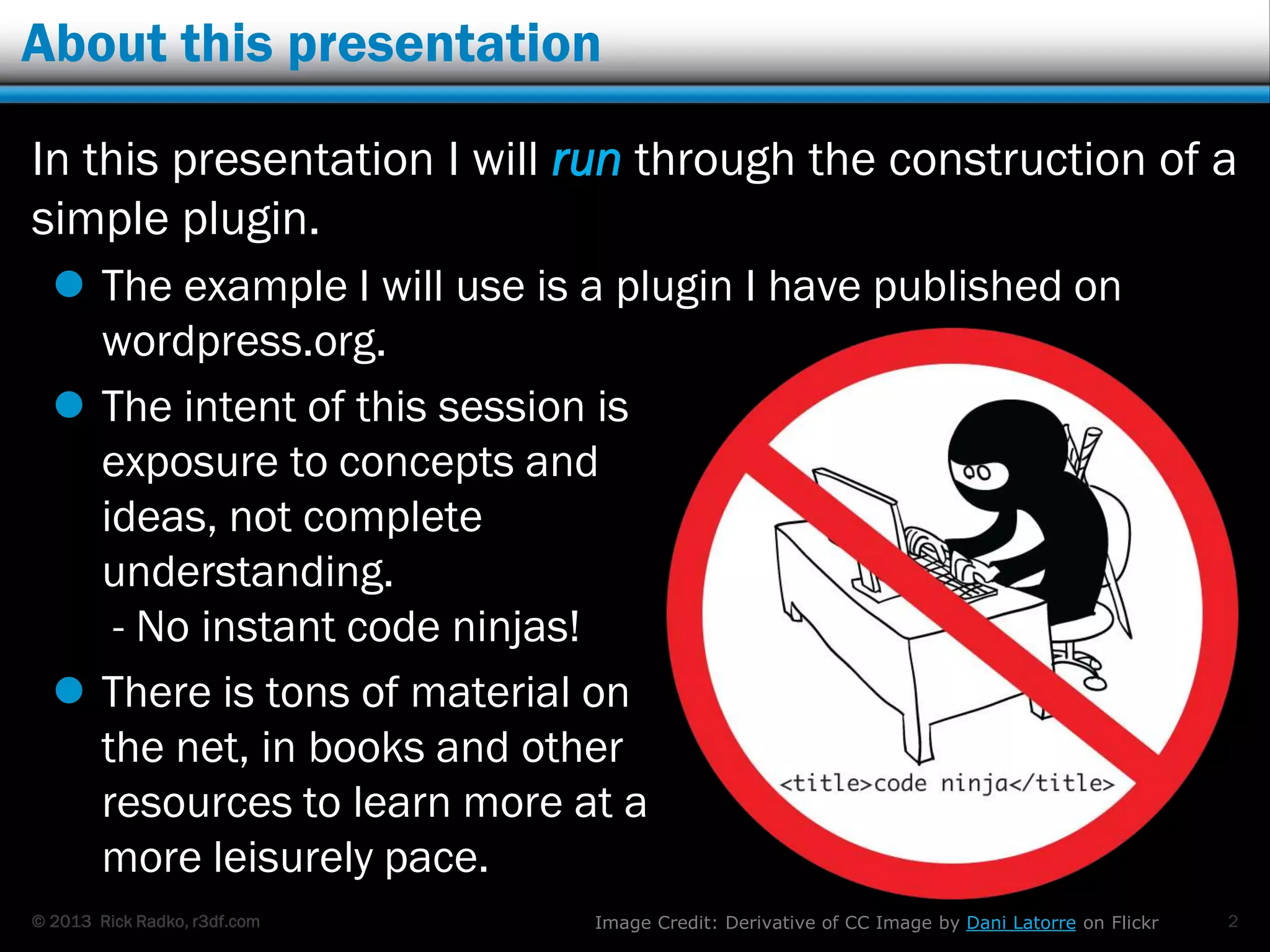
- No instant code ninjas!
 There is tons of material on
the net, in books and other
resources to learn more at a
more leisurely pace.
2Image Credit: Derivative of CC Image by Dani Latorre on Flickr
© 2013 Rick Radko, r3df.com
What is a plugin?
Plugins are blocks of code added to WordPress to
extend, or change the functionality of:
 WordPress
 Other plugins
 Themes
You can create a custom plugin to do just about
anything you want.
 1000's of plugins available to add to your site.
3
© 2013 Rick Radko, r3df.com
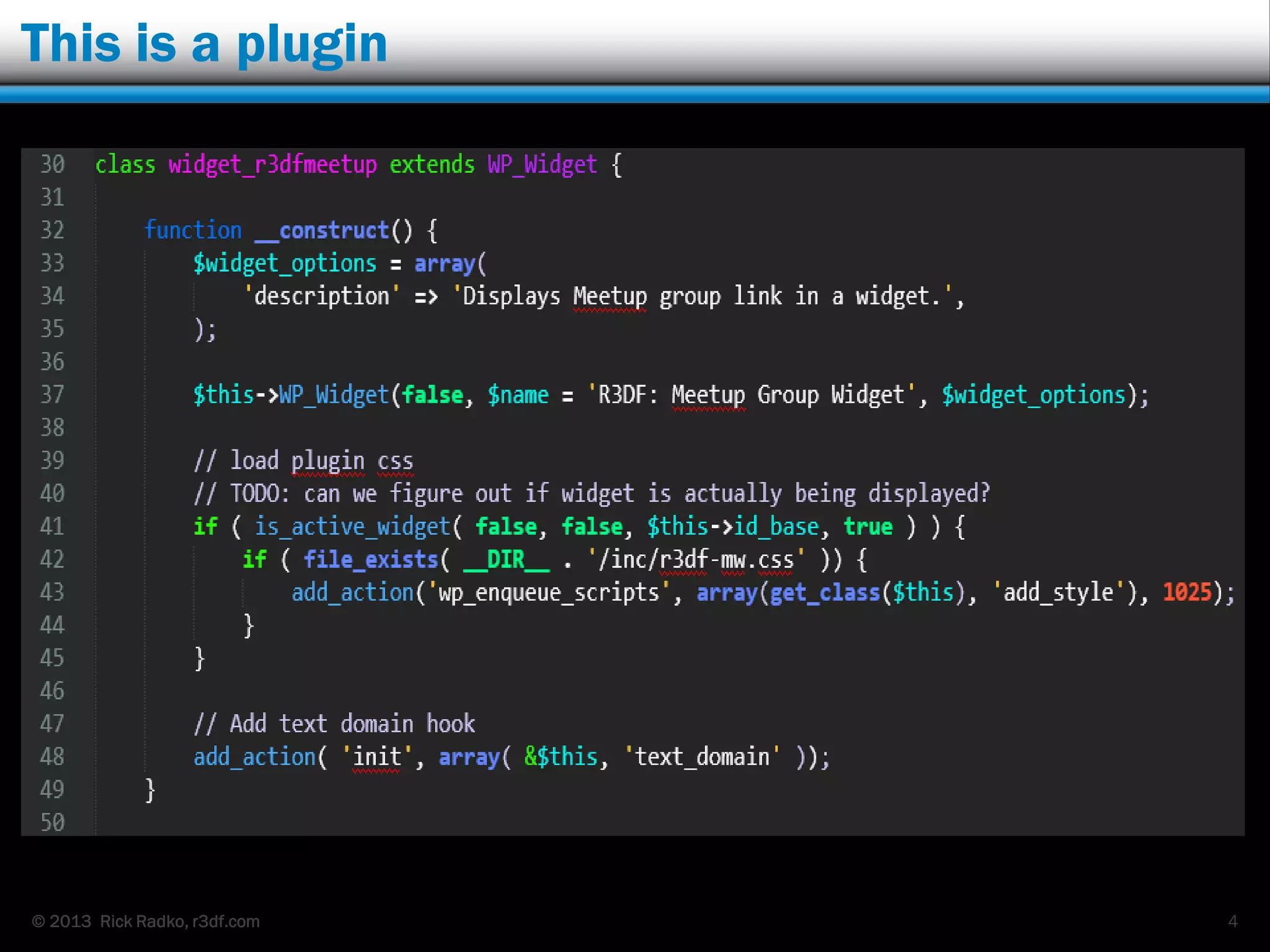
This is a plugin
4
© 2013 Rick Radko, r3df.com
More about plugins…
WordPress plugins:
 Are written in PHP. (That gobbledygook on the
previous slide was PHP.)
 Can be a couple lines of code.
 Or 60,000 lines of code.
PHP Help:
 Online PHP Manual:
www.php.net/manual/en/index.php
 W3schools: www.w3schools.com/php/default.asp
 + Google of course…
5
© 2013 Rick Radko, r3df.com
Plugins also:
WordPress plugins also:
 Make use of WordPress API‟s.
 The Codex - learn about all things WordPress
 codex.wordpress.org/Writing_a_Plugin
 Will likely have some HTML and CSS.
 www.w3schools.com + many other resources.
 May access the database (MySQL).
 www.mysql.com + many other resources.
 May use some JavaScript.
 www.w3schools.com again + many other resources.
6
© 2013 Rick Radko, r3df.com
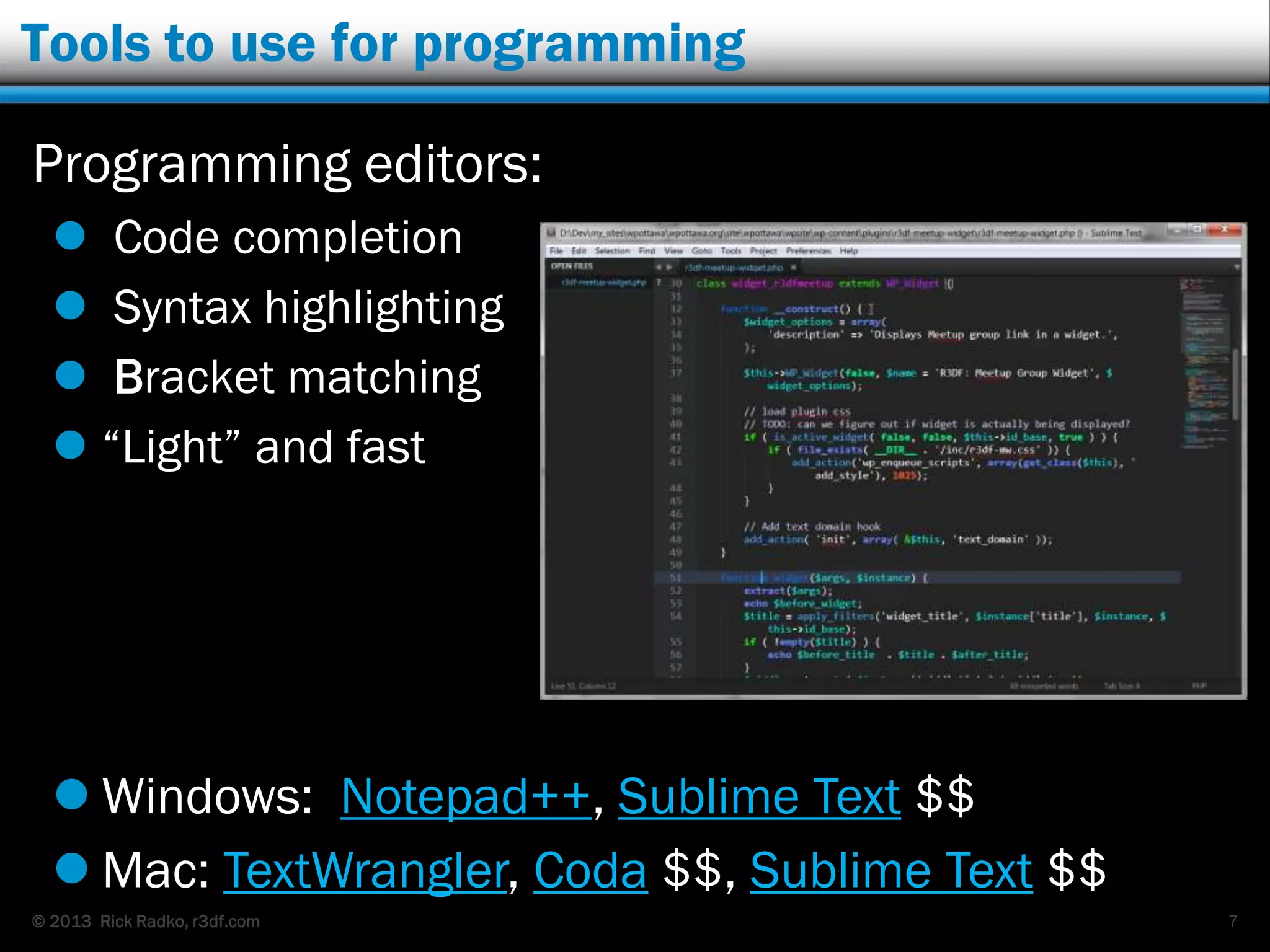
Tools to use for programming
Programming editors:
 Code completion
 Syntax highlighting
 Bracket matching
 “Light” and fast
7
 Windows: Notepad++, Sublime Text $$
 Mac: TextWrangler, Coda $$, Sublime Text $$
© 2013 Rick Radko, r3df.com
More tools
IDE – Integrated Development Environment
 NetBeans, Eclipse, Aptana, PhpStorm $,
Komodo $, + more
 Do a lot more than a programming editor
 “Heavier”
Jeremy Clarke - WordCamp Montreal: Code Faster
and Smarter PHP with IDE‟s Like NetBeans
8
© 2013 Rick Radko, r3df.com
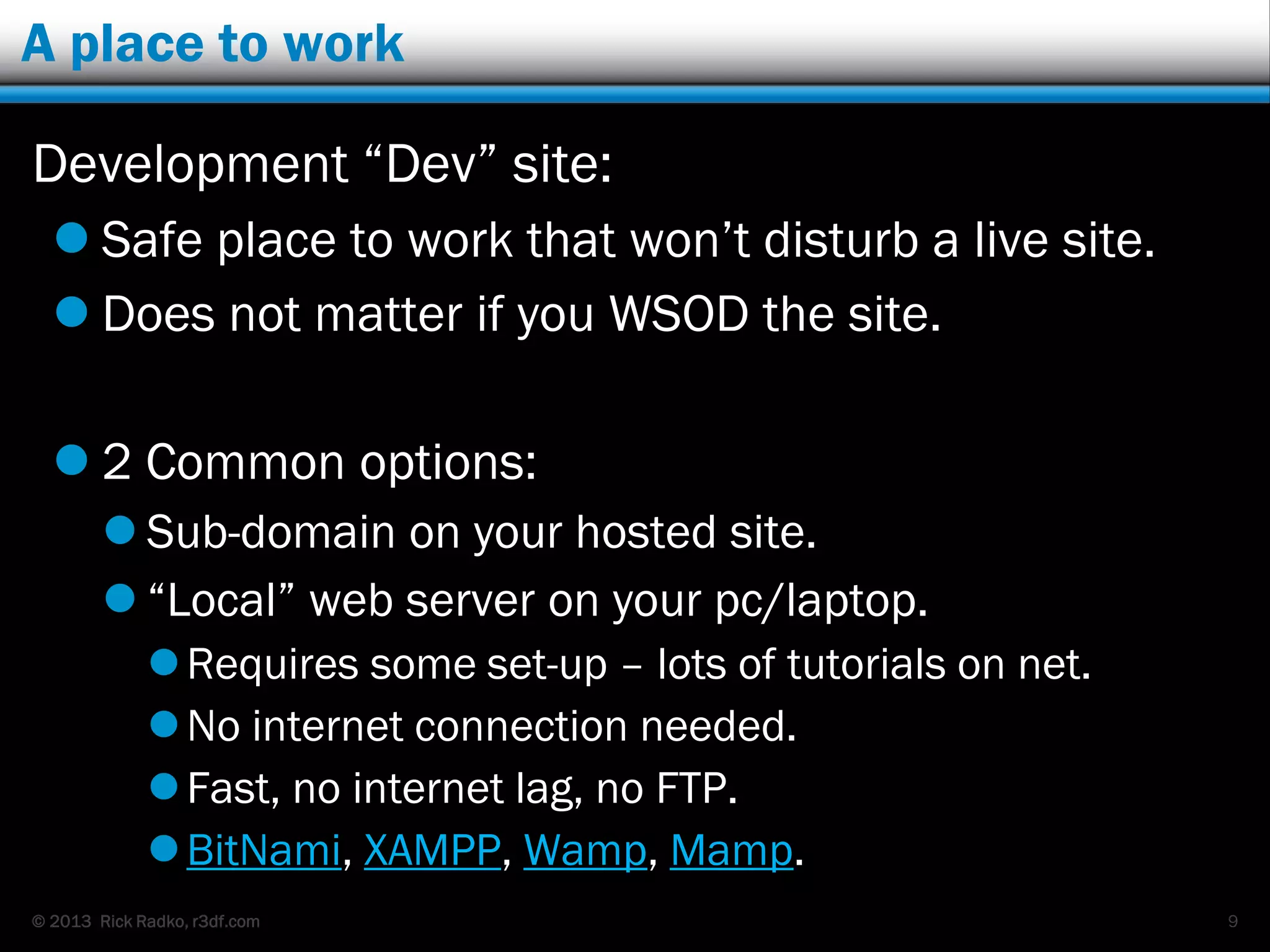
A place to work
Development “Dev” site:
 Safe place to work that won‟t disturb a live site.
 Does not matter if you WSOD the site.
 2 Common options:
 Sub-domain on your hosted site.
 “Local” web server on your pc/laptop.
Requires some set-up – lots of tutorials on net.
No internet connection needed.
Fast, no internet lag, no FTP.
BitNami, XAMPP, Wamp, Mamp.
9
© 2013 Rick Radko, r3df.com
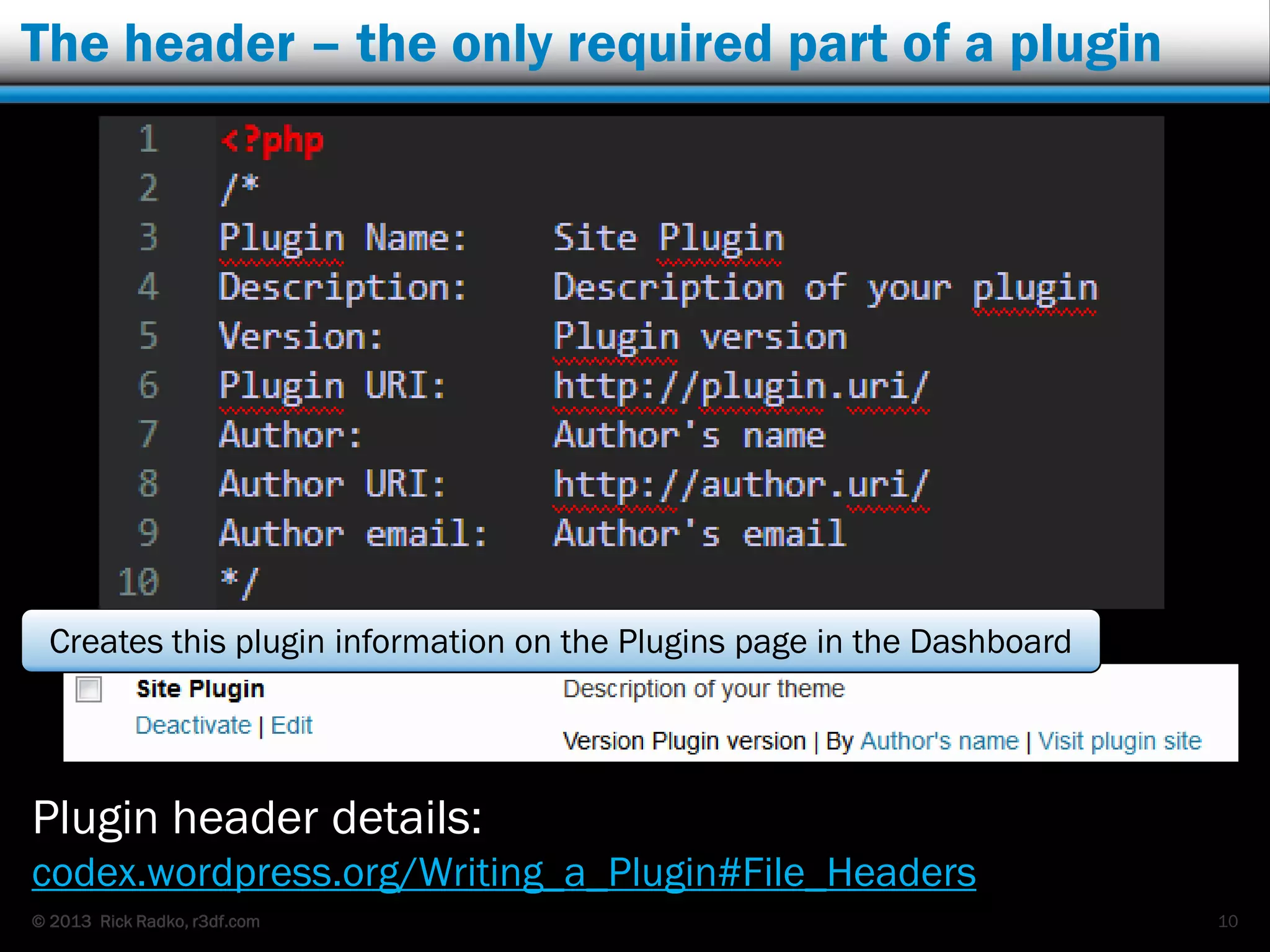
The header – the only required part of a plugin
10
Plugin header details:
codex.wordpress.org/Writing_a_Plugin#File_Headers
Creates this plugin information on the Plugins page in the Dashboard
© 2013 Rick Radko, r3df.com
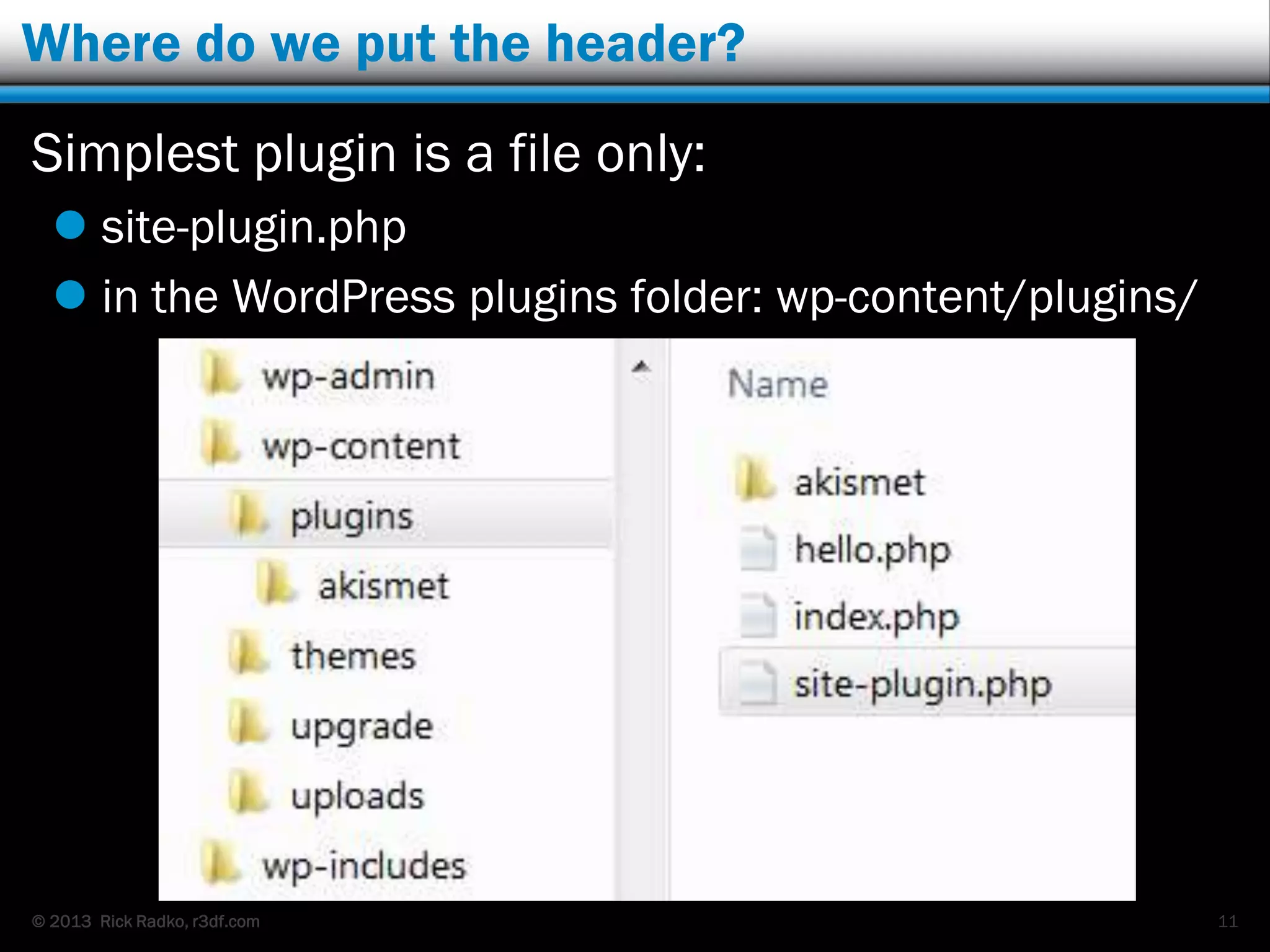
Where do we put the header?
Simplest plugin is a file only:
 site-plugin.php
 in the WordPress plugins folder: wp-content/plugins/
11
© 2013 Rick Radko, r3df.com
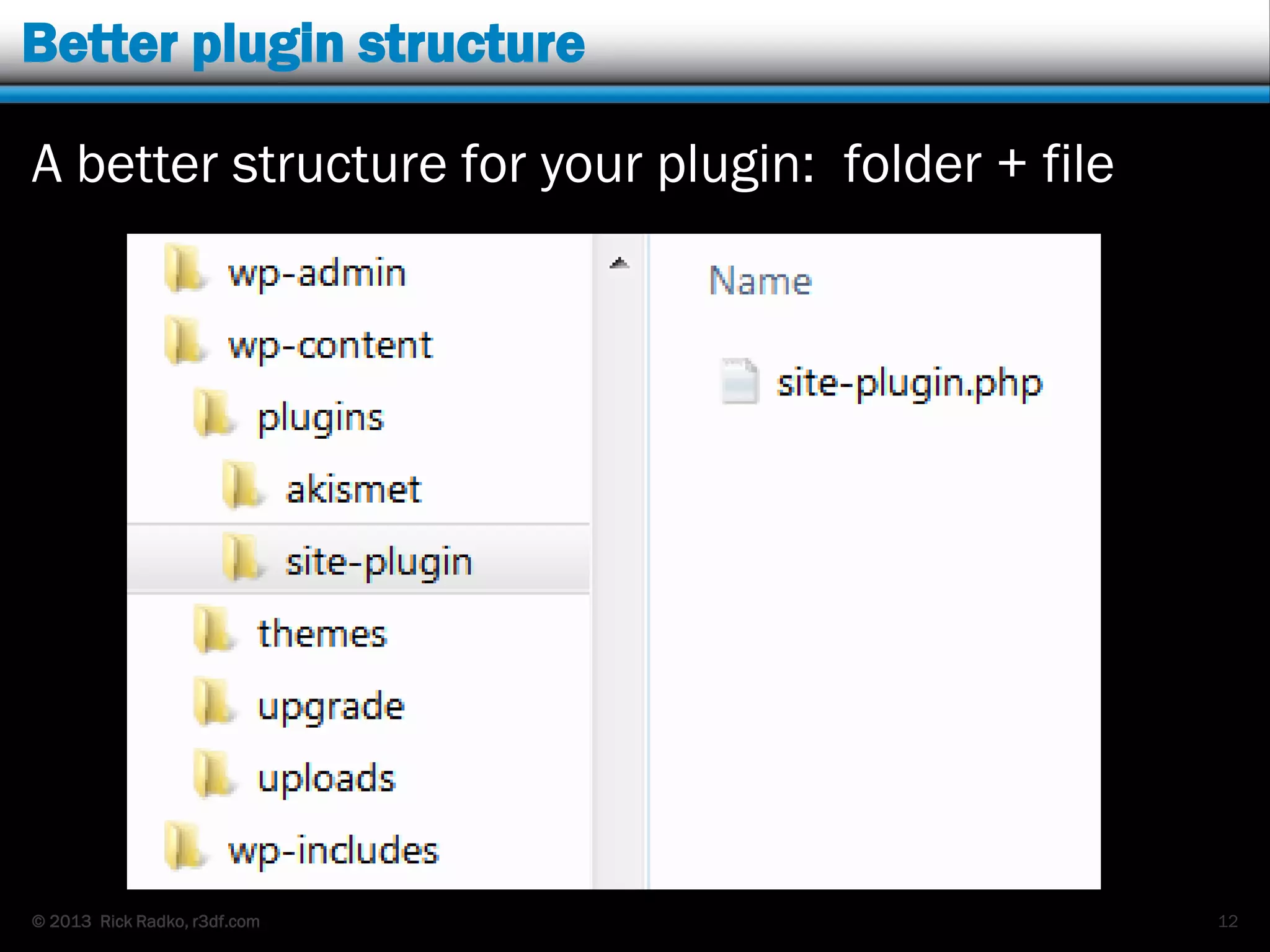
Better plugin structure
A better structure for your plugin: folder + file
12
© 2013 Rick Radko, r3df.com
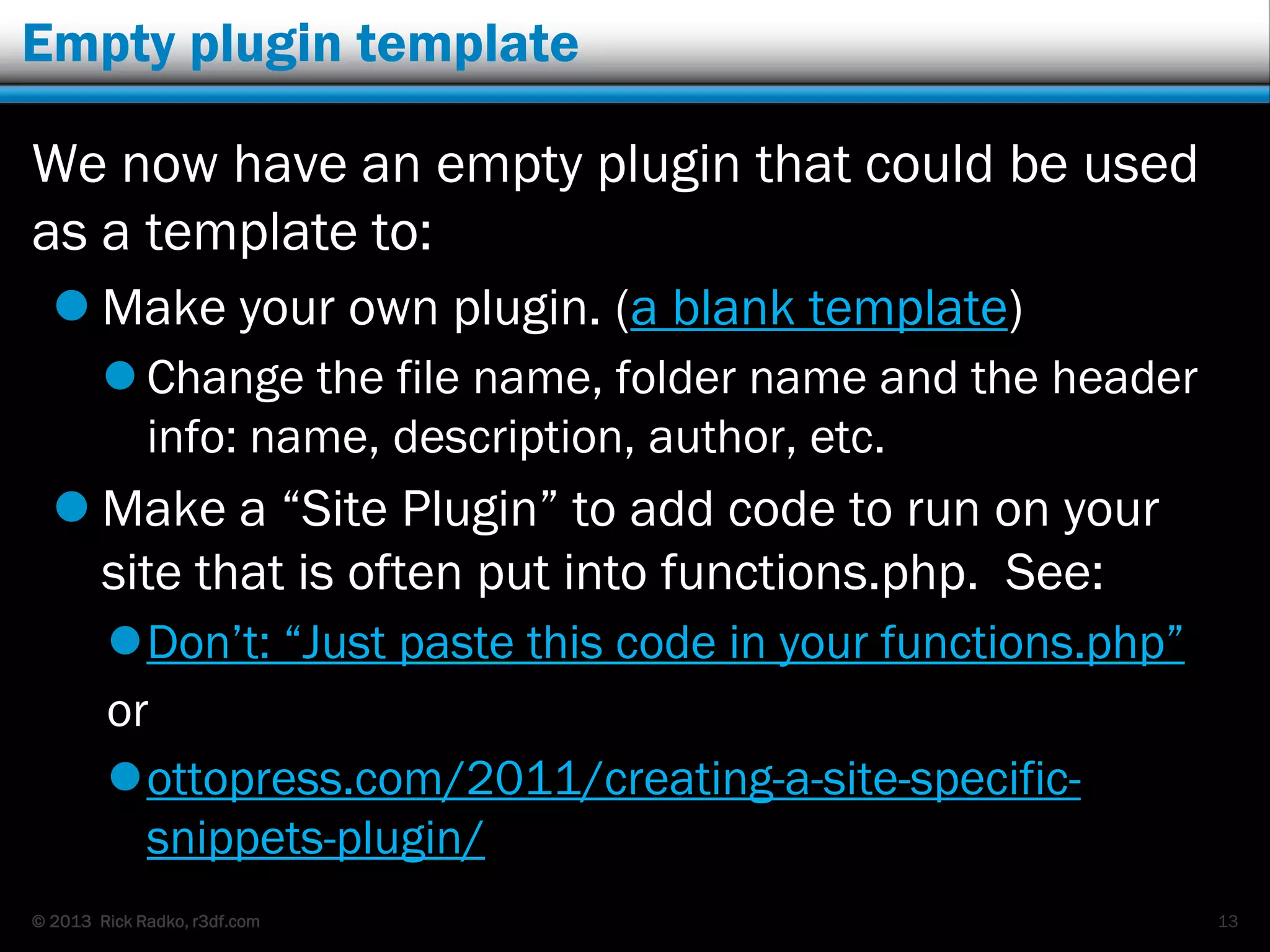
Empty plugin template
We now have an empty plugin that could be used
as a template to:
 Make your own plugin. (a blank template)
 Change the file name, folder name and the header
info: name, description, author, etc.
 Make a “Site Plugin” to add code to run on your
site that is often put into functions.php. See:
Don‟t: “Just paste this code in your functions.php”
or
ottopress.com/2011/creating-a-site-specific-
snippets-plugin/
13
© 2013 Rick Radko, r3df.com
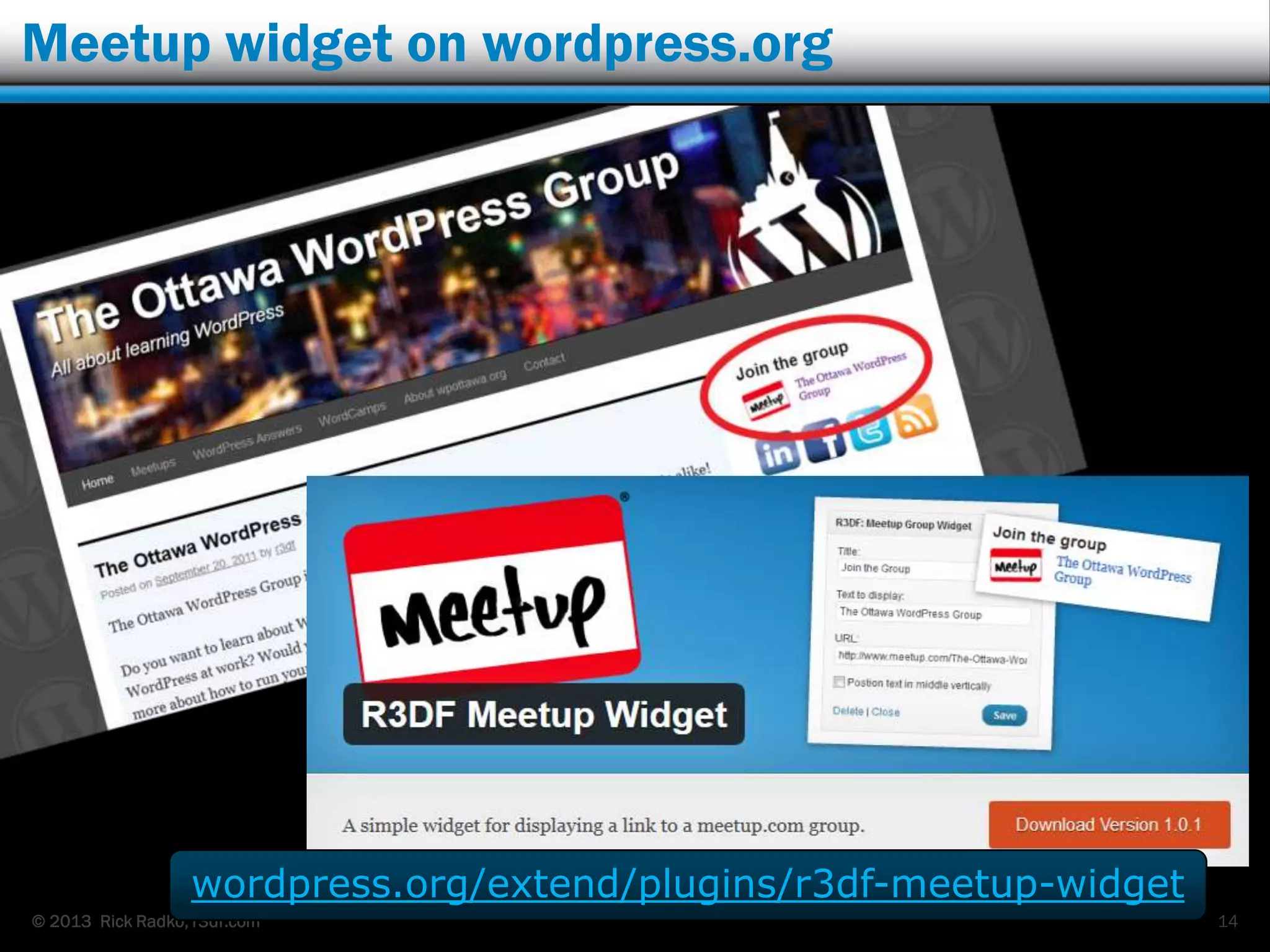
Meetup widget on wordpress.org
14
wordpress.org/extend/plugins/r3df-meetup-widget
© 2013 Rick Radko, r3df.com
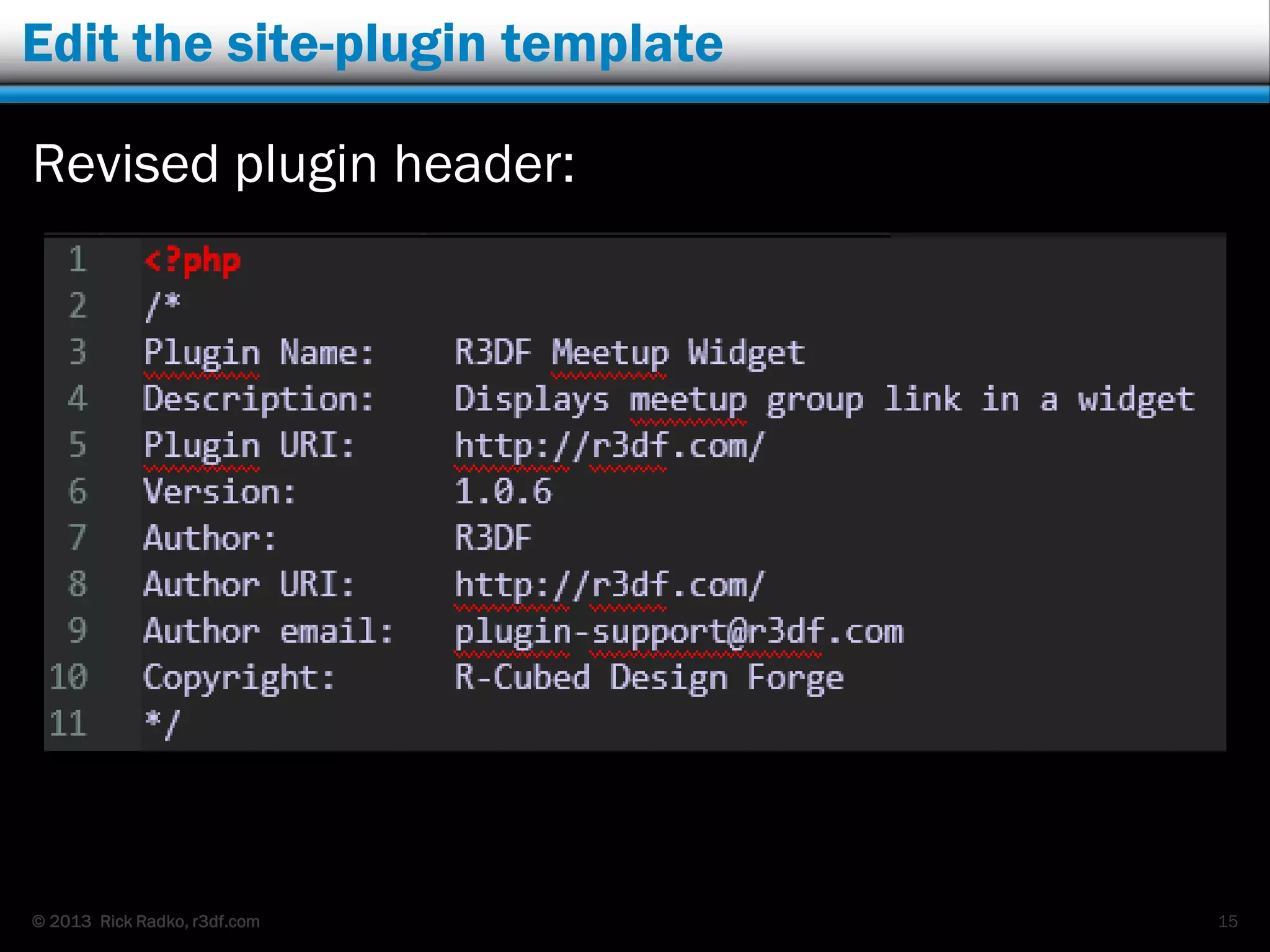
Edit the site-plugin template
Revised plugin header:
15
© 2013 Rick Radko, r3df.com
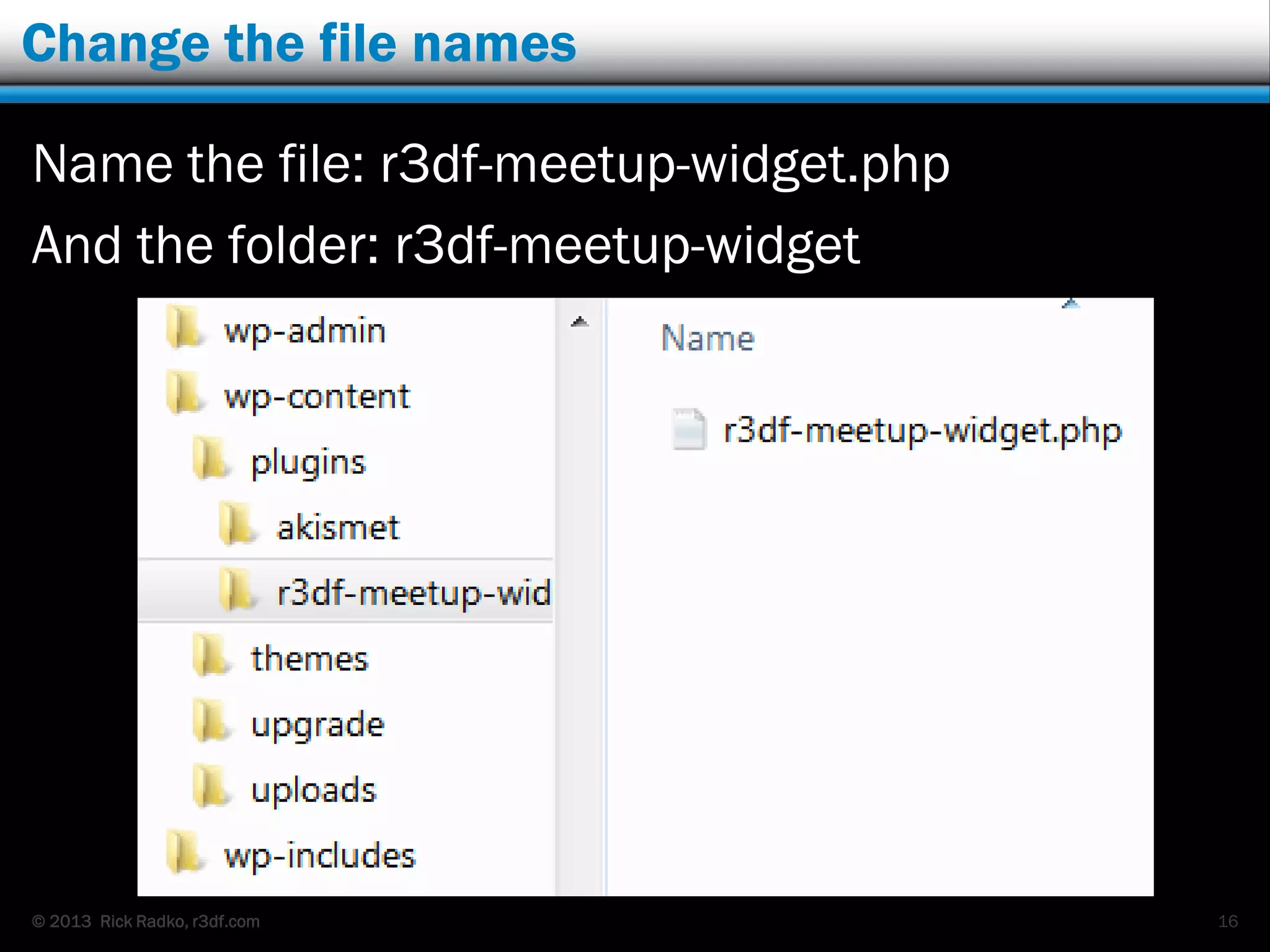
Change the file names
Name the file: r3df-meetup-widget.php
And the folder: r3df-meetup-widget
16
© 2013 Rick Radko, r3df.com
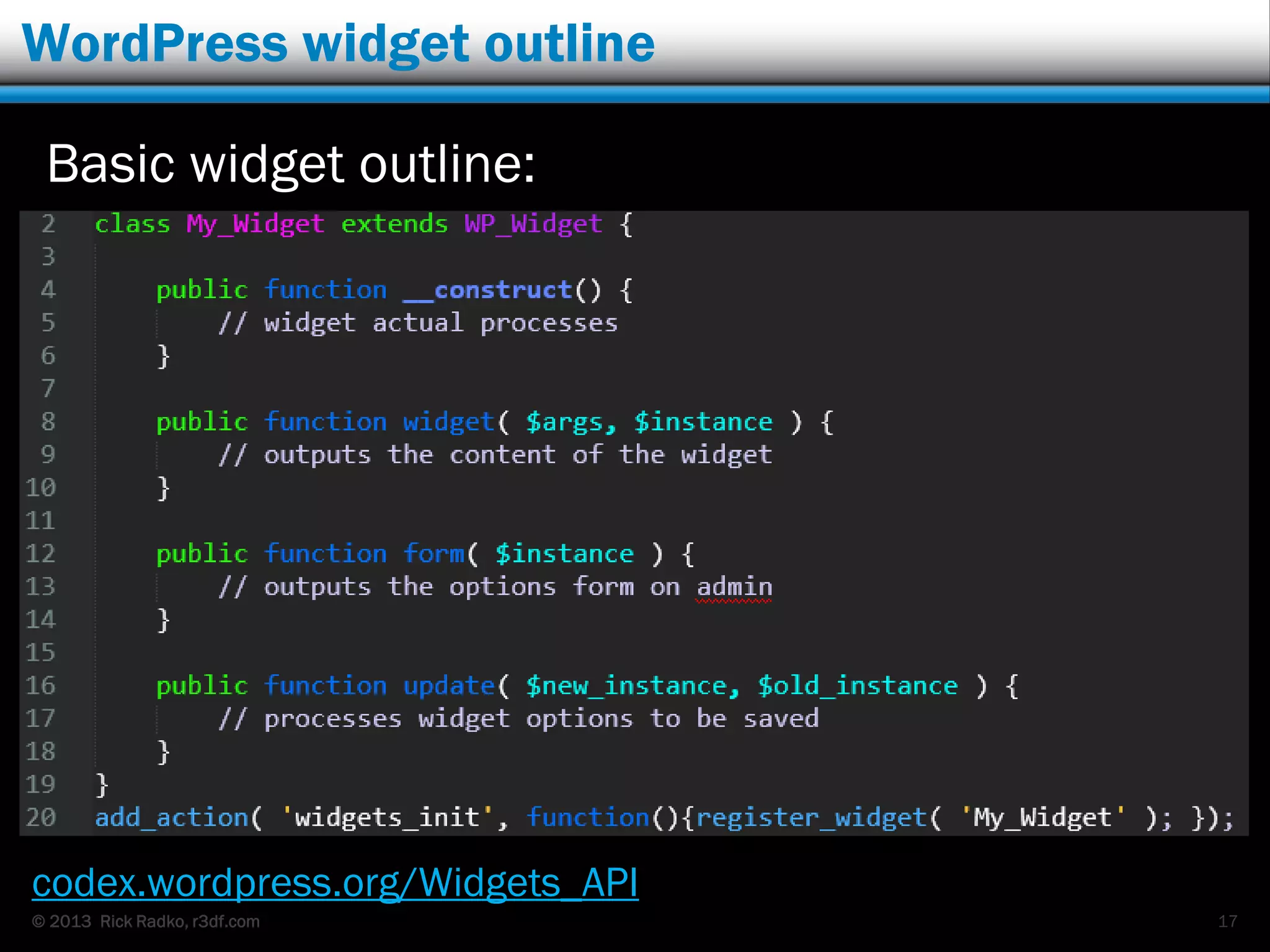
WordPress widget outline
Basic widget outline:
codex.wordpress.org/Widgets_API
17
© 2013 Rick Radko, r3df.com
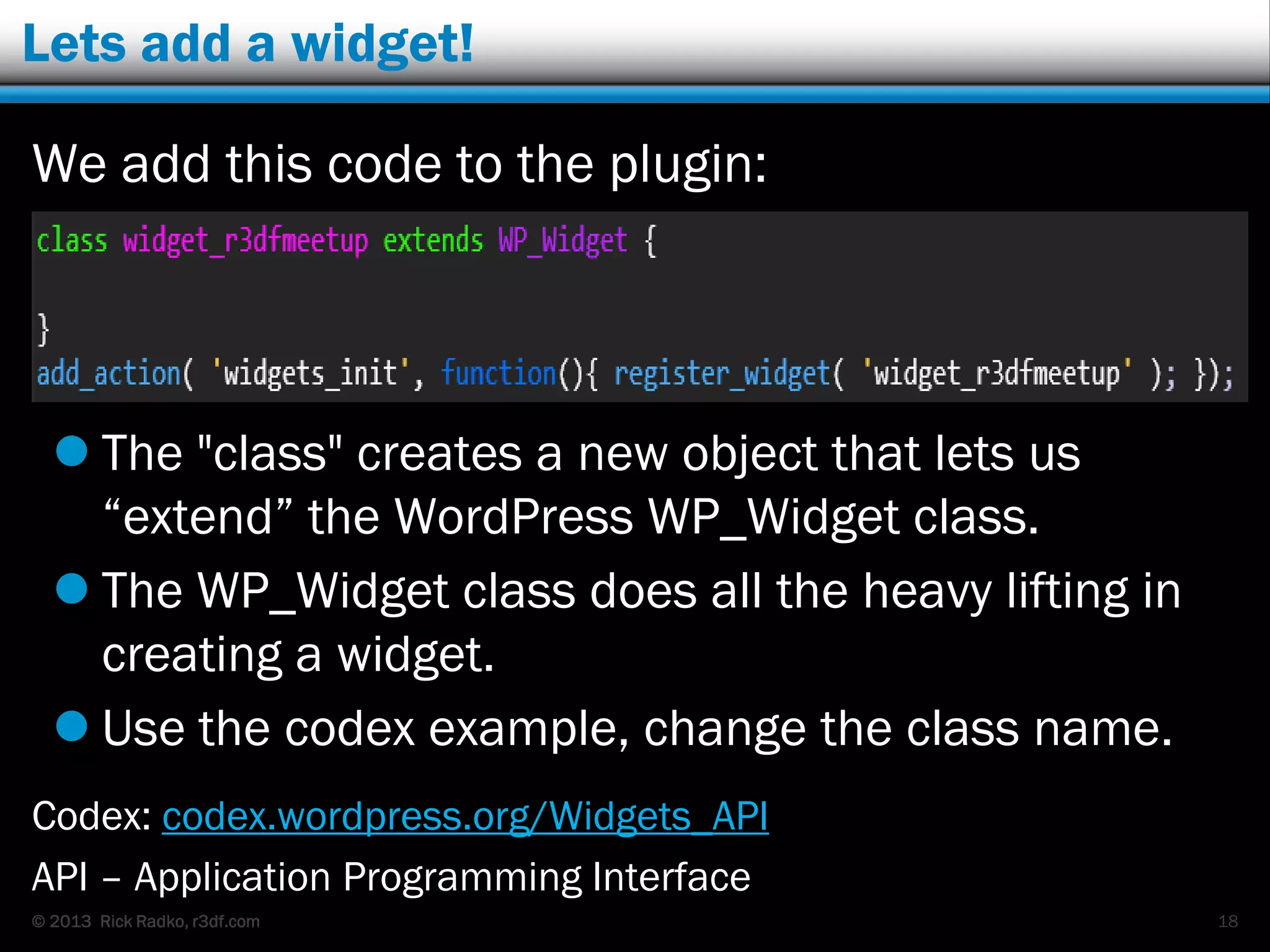
Lets add a widget!
We add this code to the plugin:
 The "class" creates a new object that lets us
“extend” the WordPress WP_Widget class.
 The WP_Widget class does all the heavy lifting in
creating a widget.
 Use the codex example, change the class name.
Codex: codex.wordpress.org/Widgets_API
API – Application Programming Interface
18
© 2013 Rick Radko, r3df.com
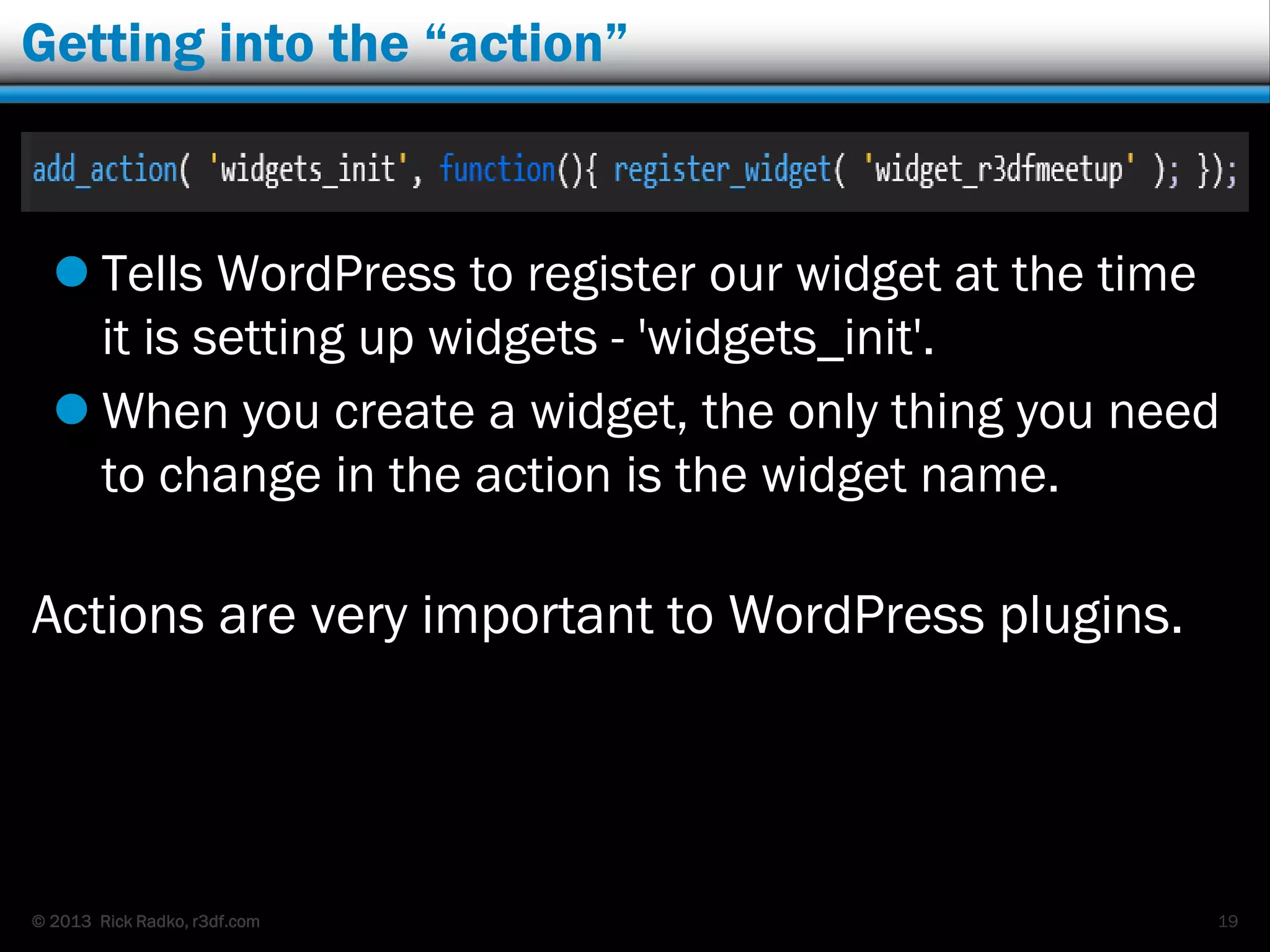
Getting into the “action”
 Tells WordPress to register our widget at the time
it is setting up widgets - 'widgets_init'.
 When you create a widget, the only thing you need
to change in the action is the widget name.
Actions are very important to WordPress plugins.
19
© 2013 Rick Radko, r3df.com
WordPress actions
Actions are one of 2 types of WordPress “Hooks”.
 Specific events (100‟s) trigger them, for example:
 Publishing a post or page
 Displaying a post, page or admin page.
 Displaying a menu.
 Displaying the page content.
 codex.wordpress.org/Plugin_API/Action_Reference
 To use an action, your plugin defines a function for
WordPress to execute at that action event.
 Generally actions “do” things.
 Filters, which we will see later “change” things
20
© 2013 Rick Radko, r3df.com
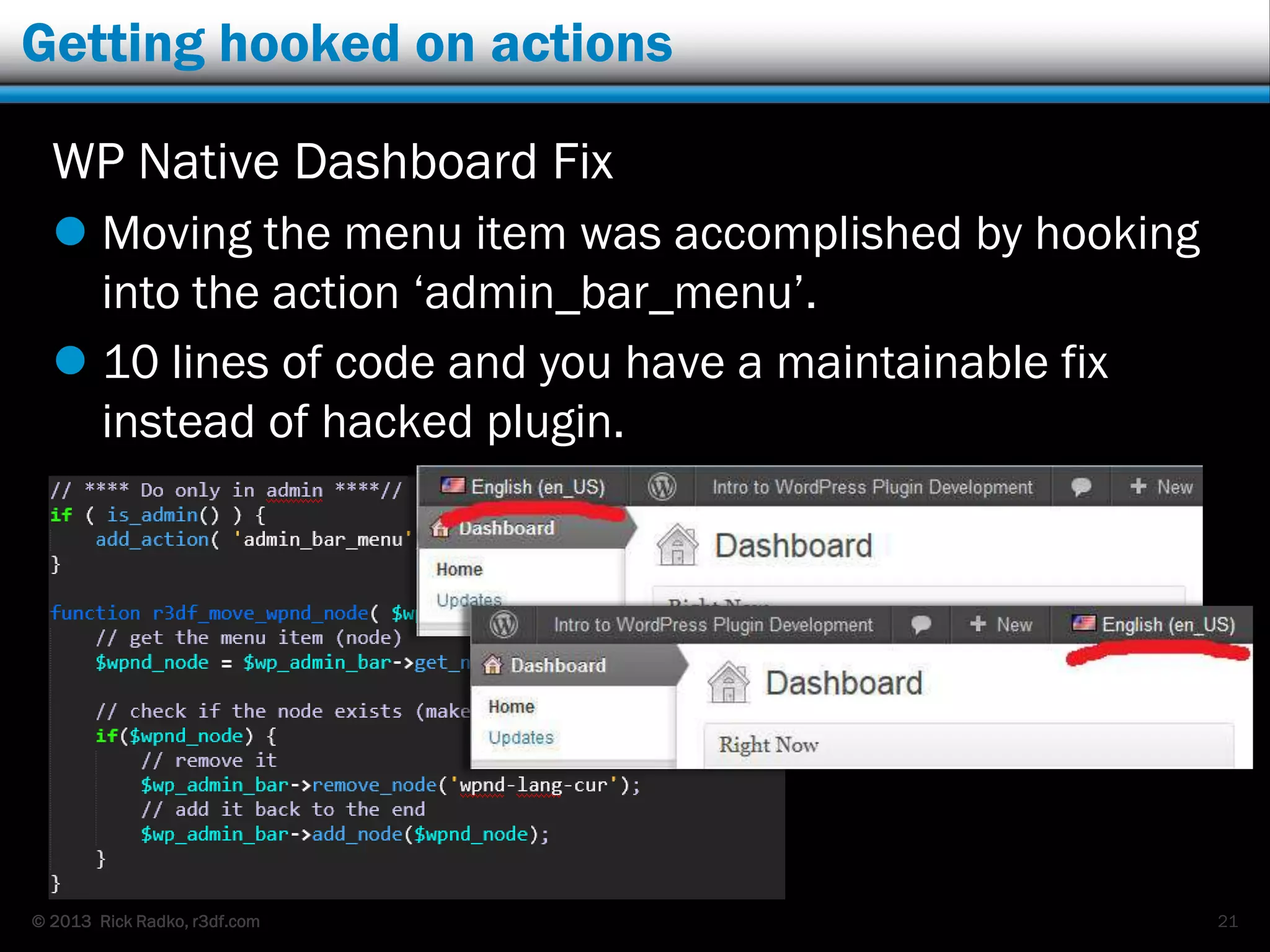
Getting hooked on actions
WP Native Dashboard Fix
 Moving the menu item was accomplished by hooking
into the action „admin_bar_menu‟.
 10 lines of code and you have a maintainable fix
instead of hacked plugin.
21
© 2013 Rick Radko, r3df.com
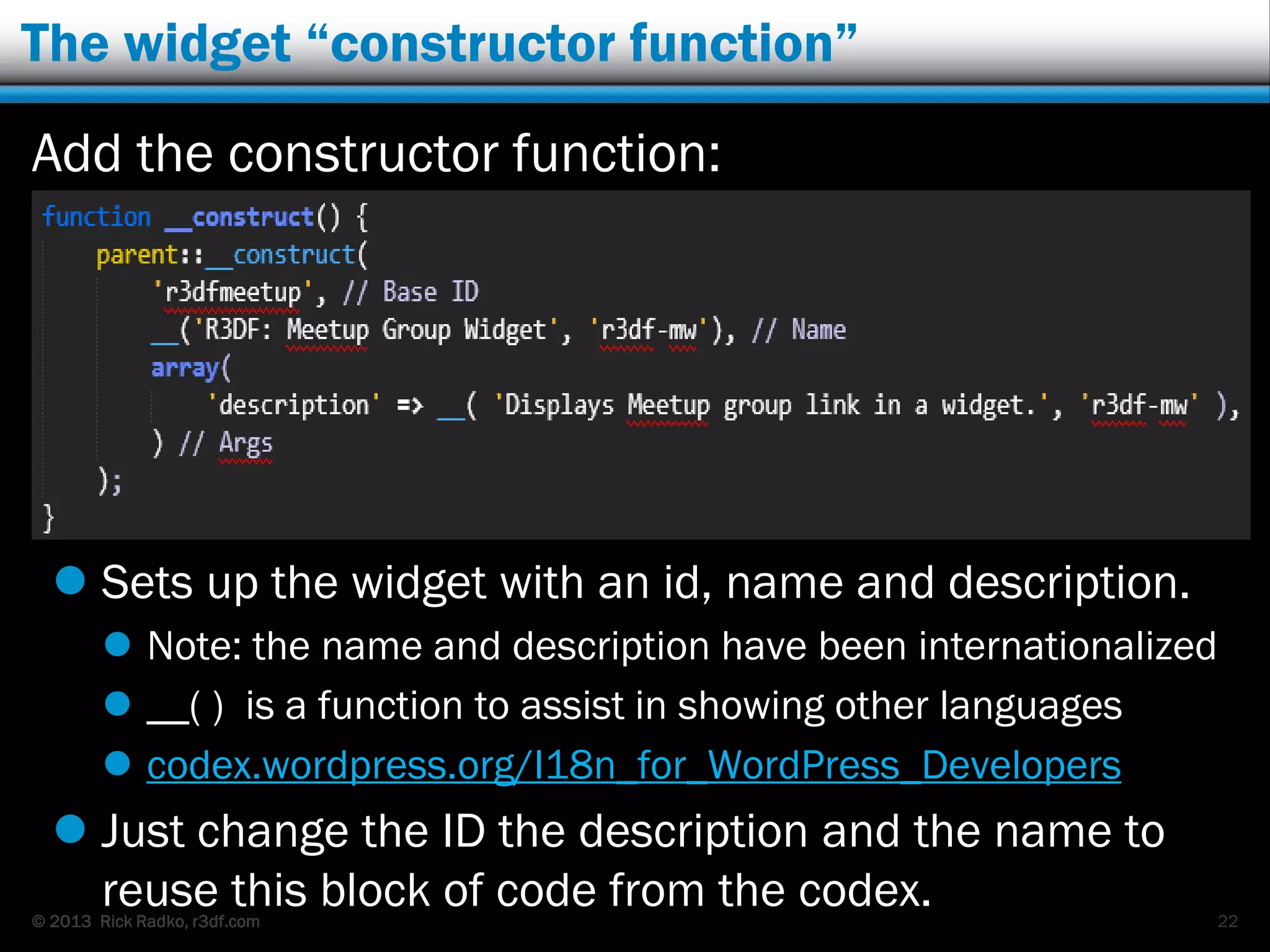
The widget “constructor function”
Add the constructor function:
 Sets up the widget with an id, name and description.
 Note: the name and description have been internationalized
 __( ) is a function to assist in showing other languages
 codex.wordpress.org/I18n_for_WordPress_Developers
 Just change the ID the description and the name to
reuse this block of code from the codex. 22
© 2013 Rick Radko, r3df.com
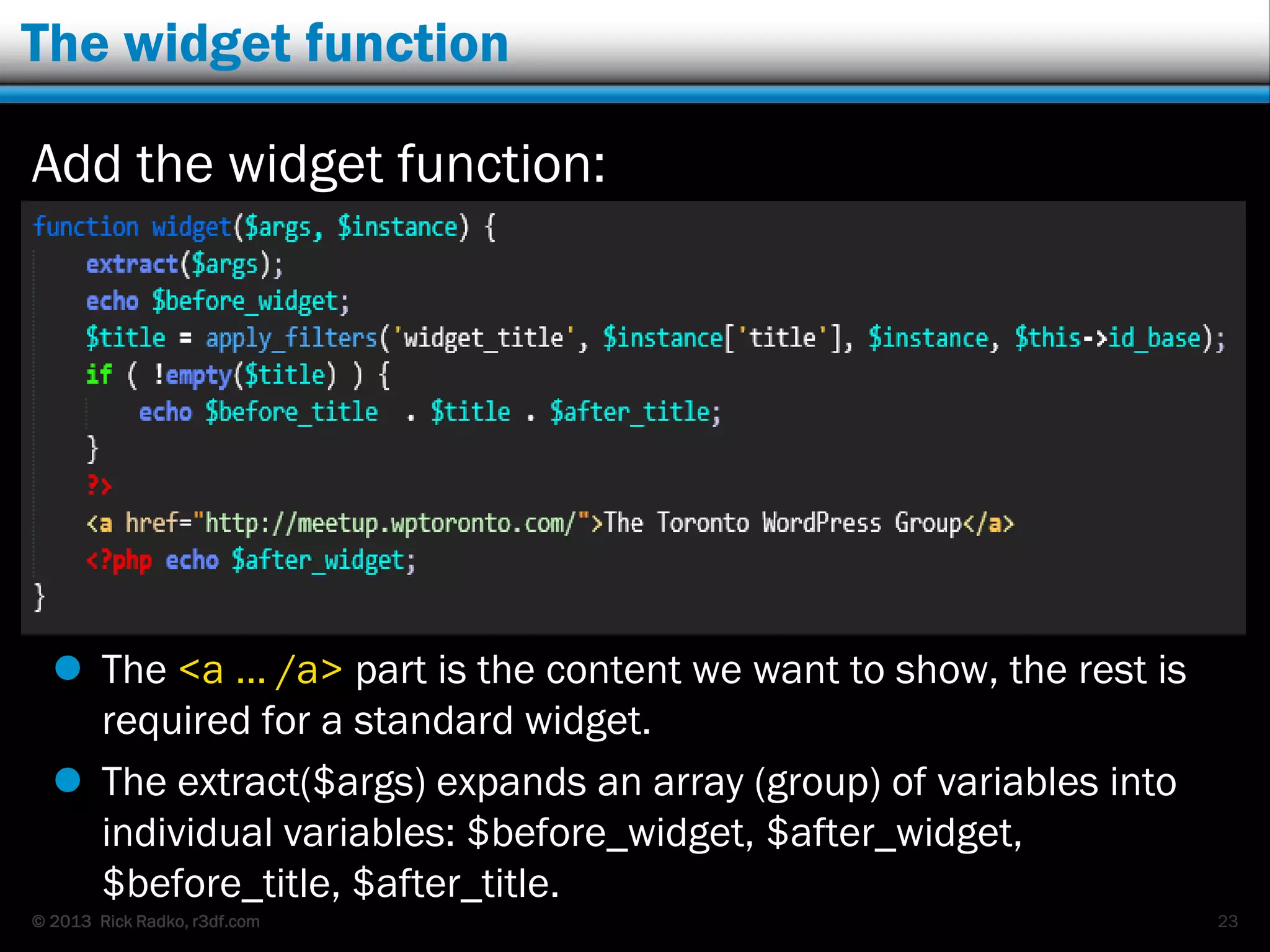
The widget function
Add the widget function:
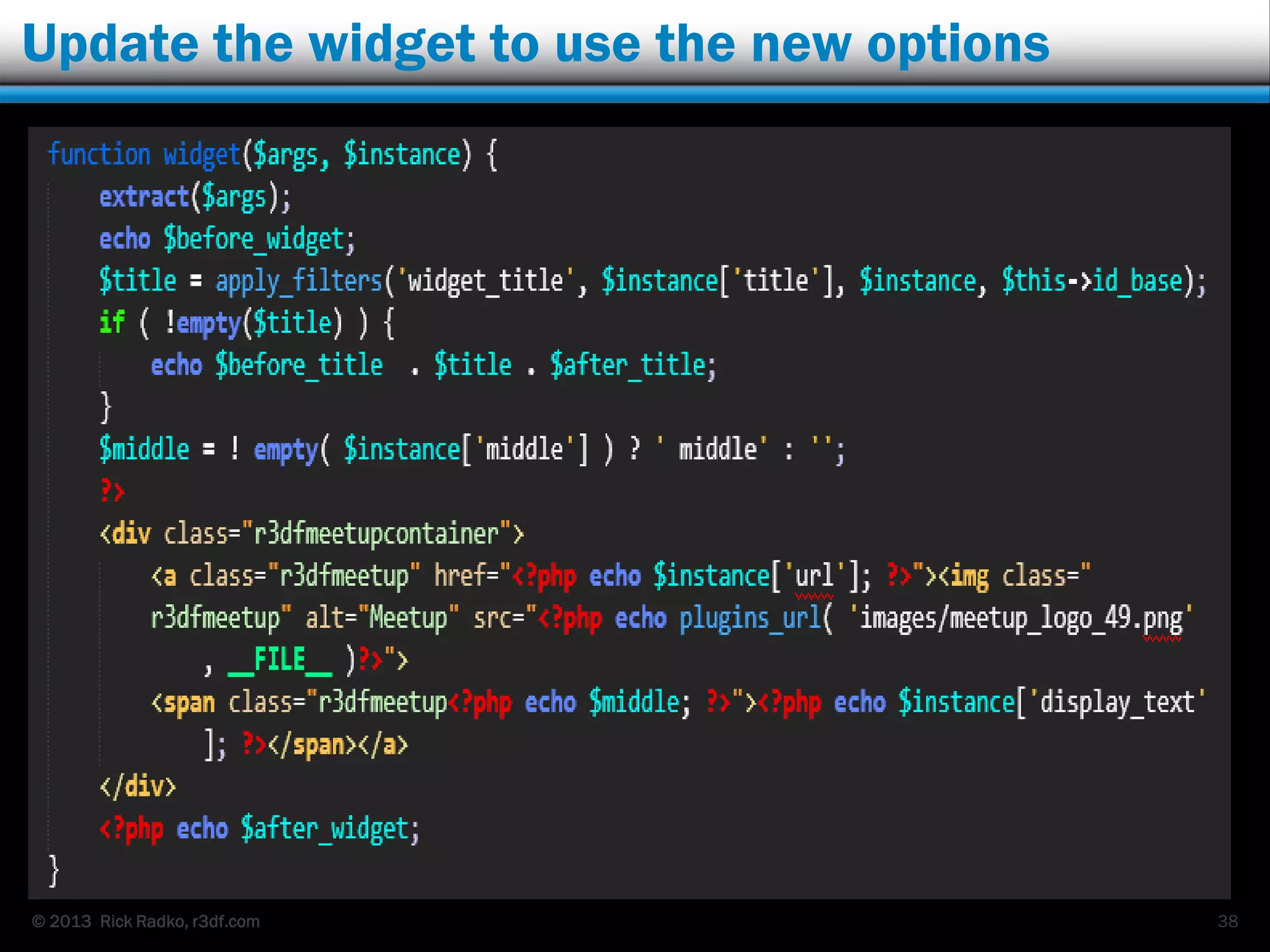
 The <a … /a> part is the content we want to show, the rest is
required for a standard widget.
 The extract($args) expands an array (group) of variables into
individual variables: $before_widget, $after_widget,
$before_title, $after_title.
23
© 2013 Rick Radko, r3df.com
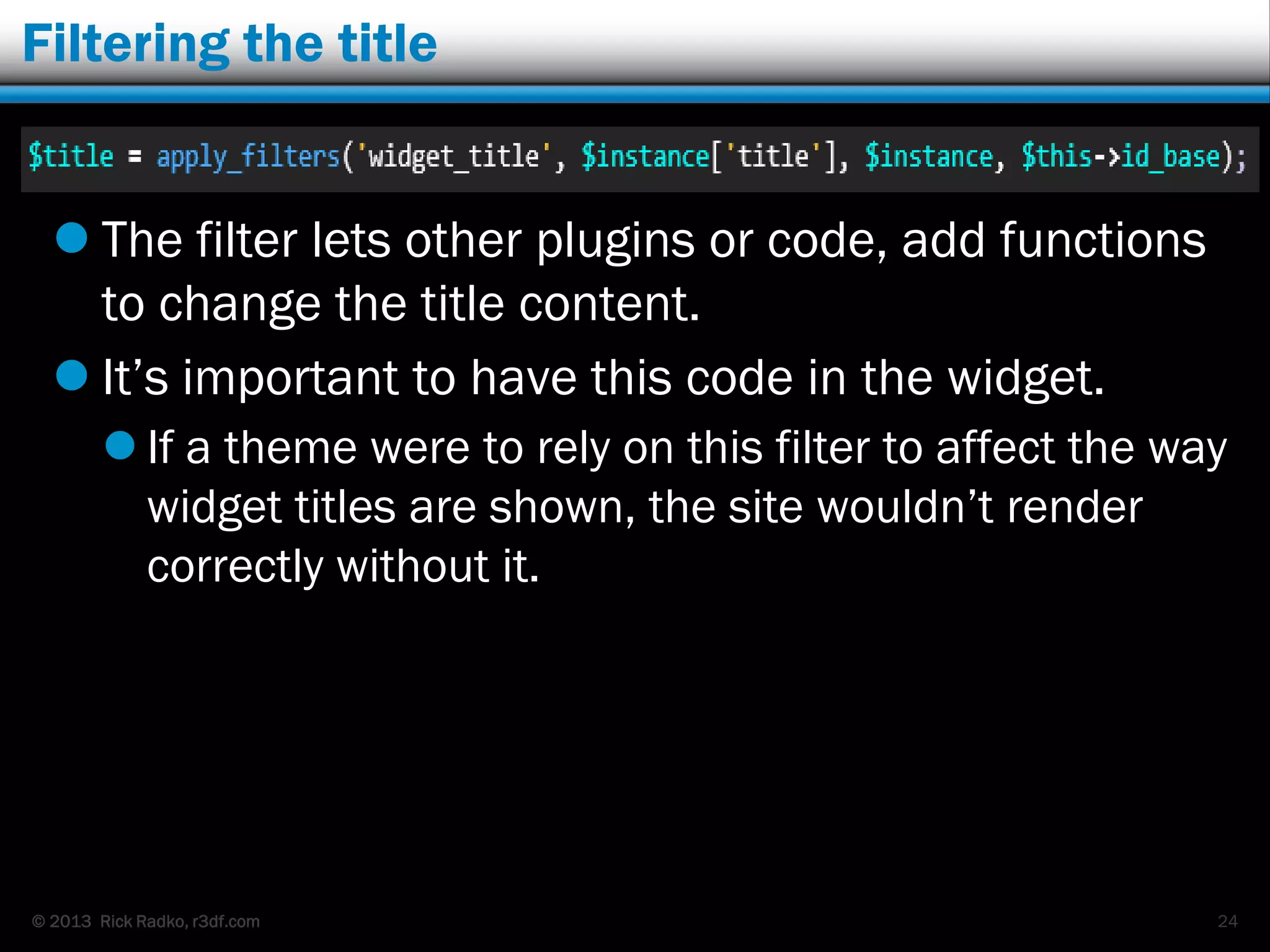
Filtering the title
 The filter lets other plugins or code, add functions
to change the title content.
 It‟s important to have this code in the widget.
 If a theme were to rely on this filter to affect the way
widget titles are shown, the site wouldn‟t render
correctly without it.
24
© 2013 Rick Radko, r3df.com
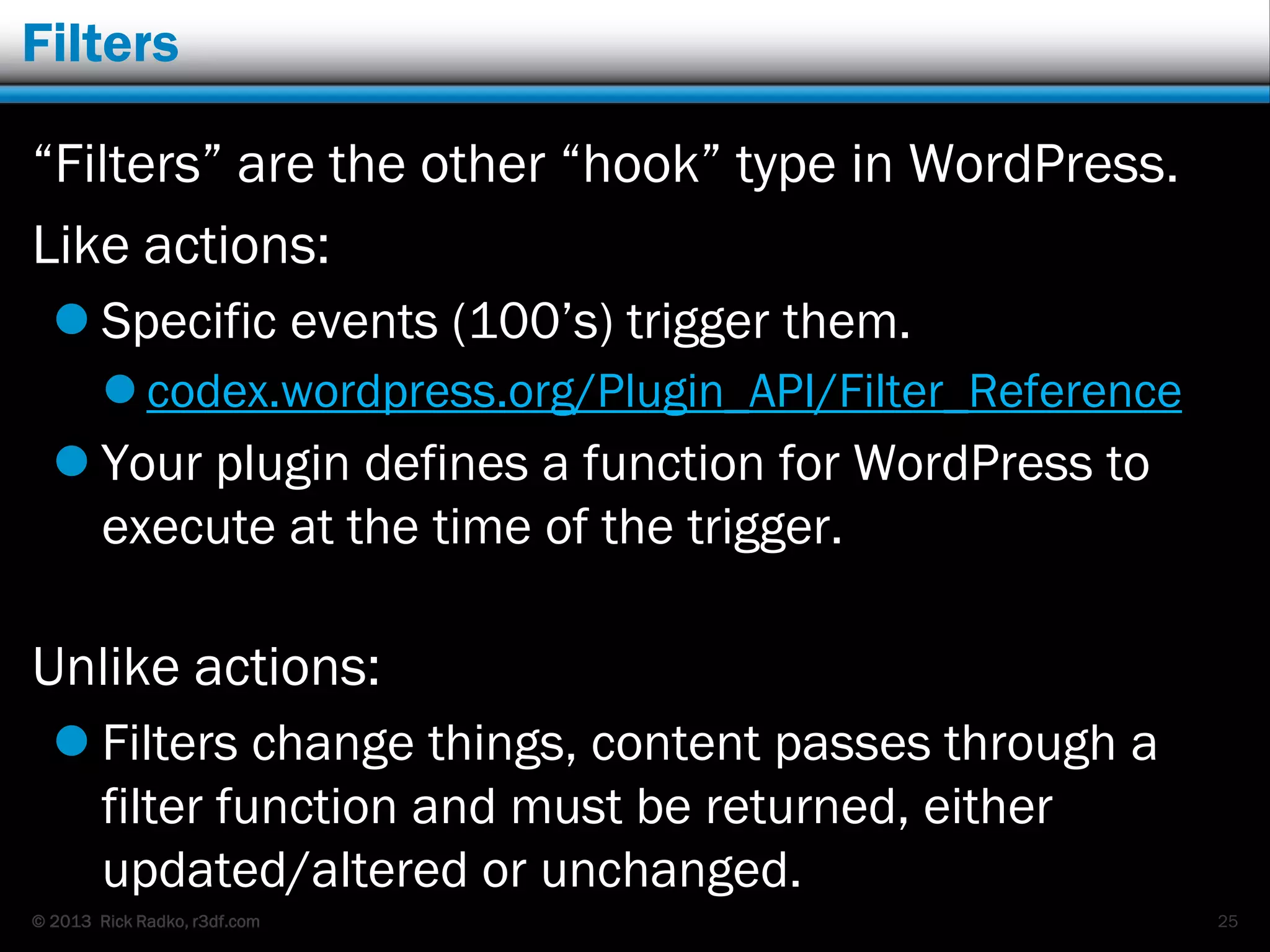
Filters
“Filters” are the other “hook” type in WordPress.
Like actions:
 Specific events (100‟s) trigger them.
 codex.wordpress.org/Plugin_API/Filter_Reference
 Your plugin defines a function for WordPress to
execute at the time of the trigger.
Unlike actions:
 Filters change things, content passes through a
filter function and must be returned, either
updated/altered or unchanged.
25
© 2013 Rick Radko, r3df.com
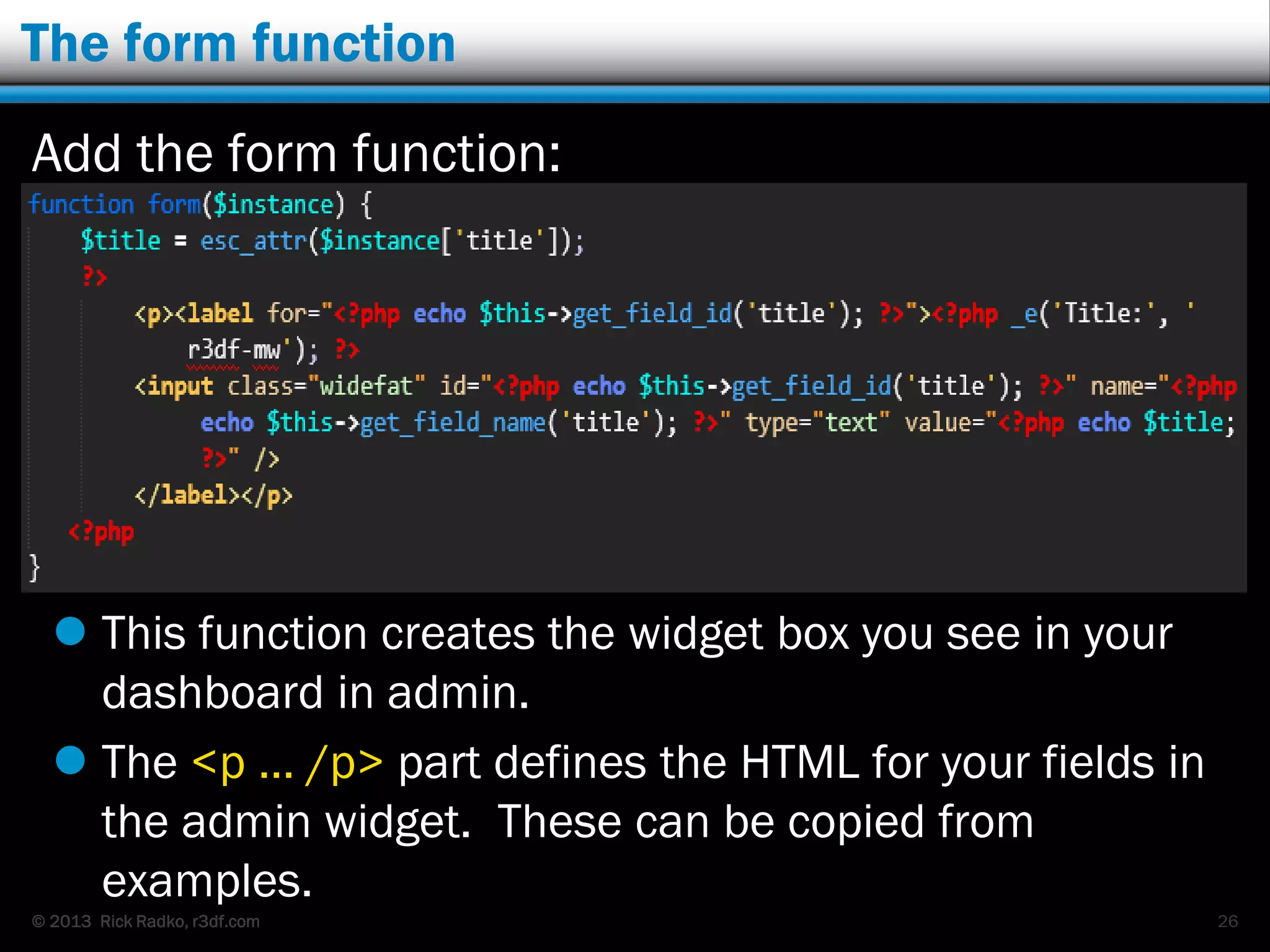
The form function
Add the form function:
 This function creates the widget box you see in your
dashboard in admin.
 The <p … /p> part defines the HTML for your fields in
the admin widget. These can be copied from
examples.
26
© 2013 Rick Radko, r3df.com
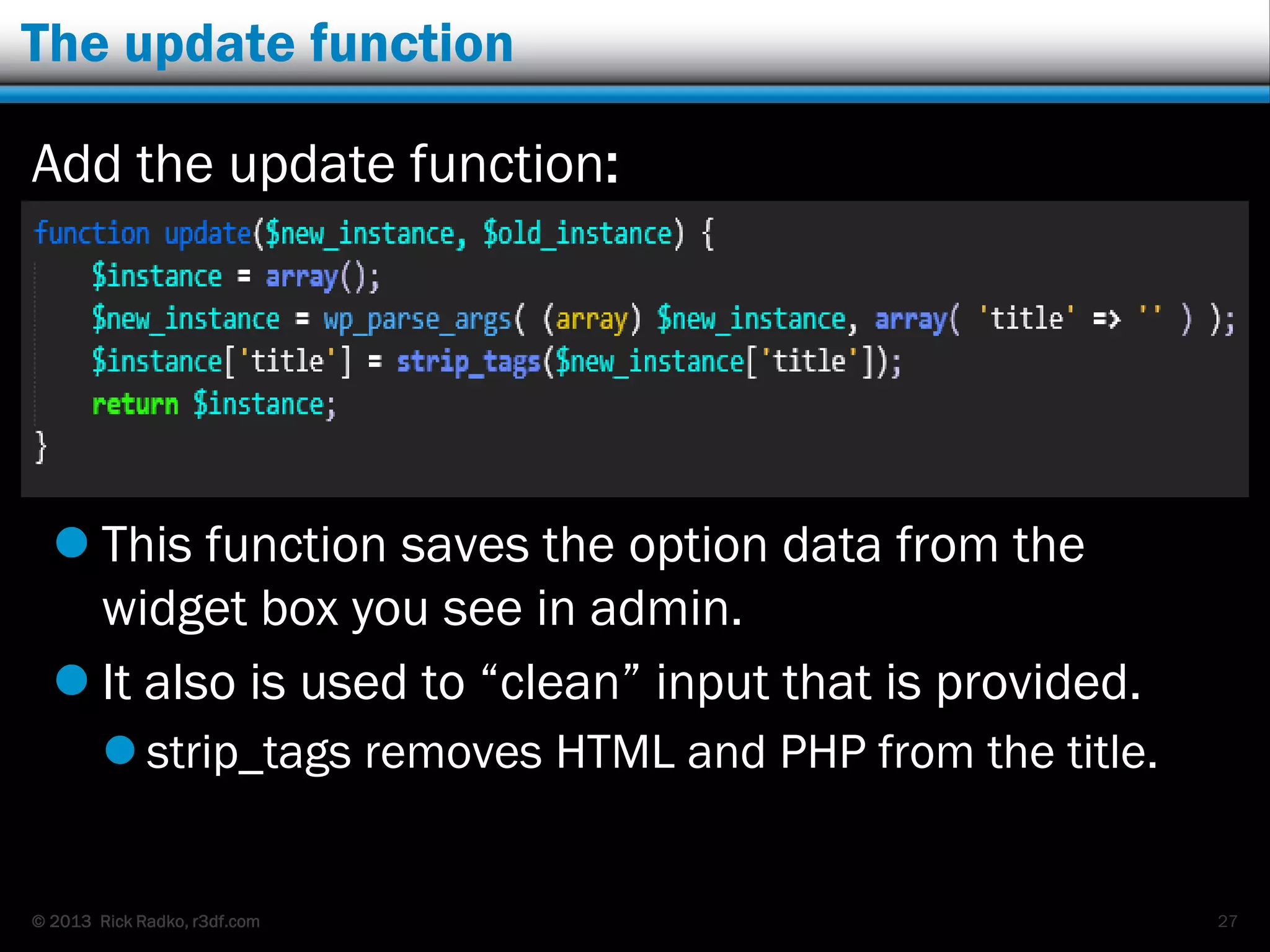
The update function
Add the update function:
 This function saves the option data from the
widget box you see in admin.
 It also is used to “clean” input that is provided.
 strip_tags removes HTML and PHP from the title.
27
© 2013 Rick Radko, r3df.com
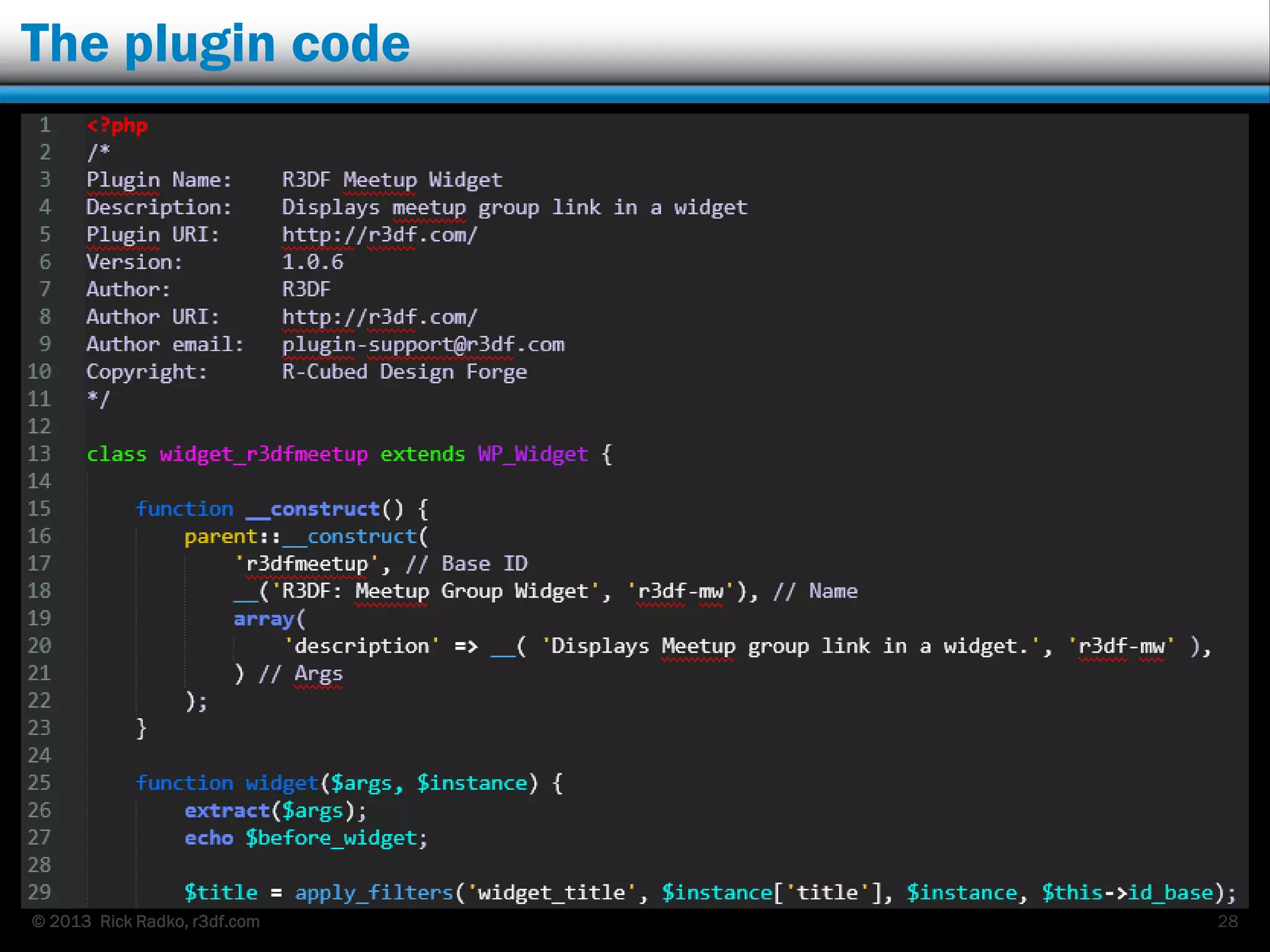
The plugin code
28
© 2013 Rick Radko, r3df.com
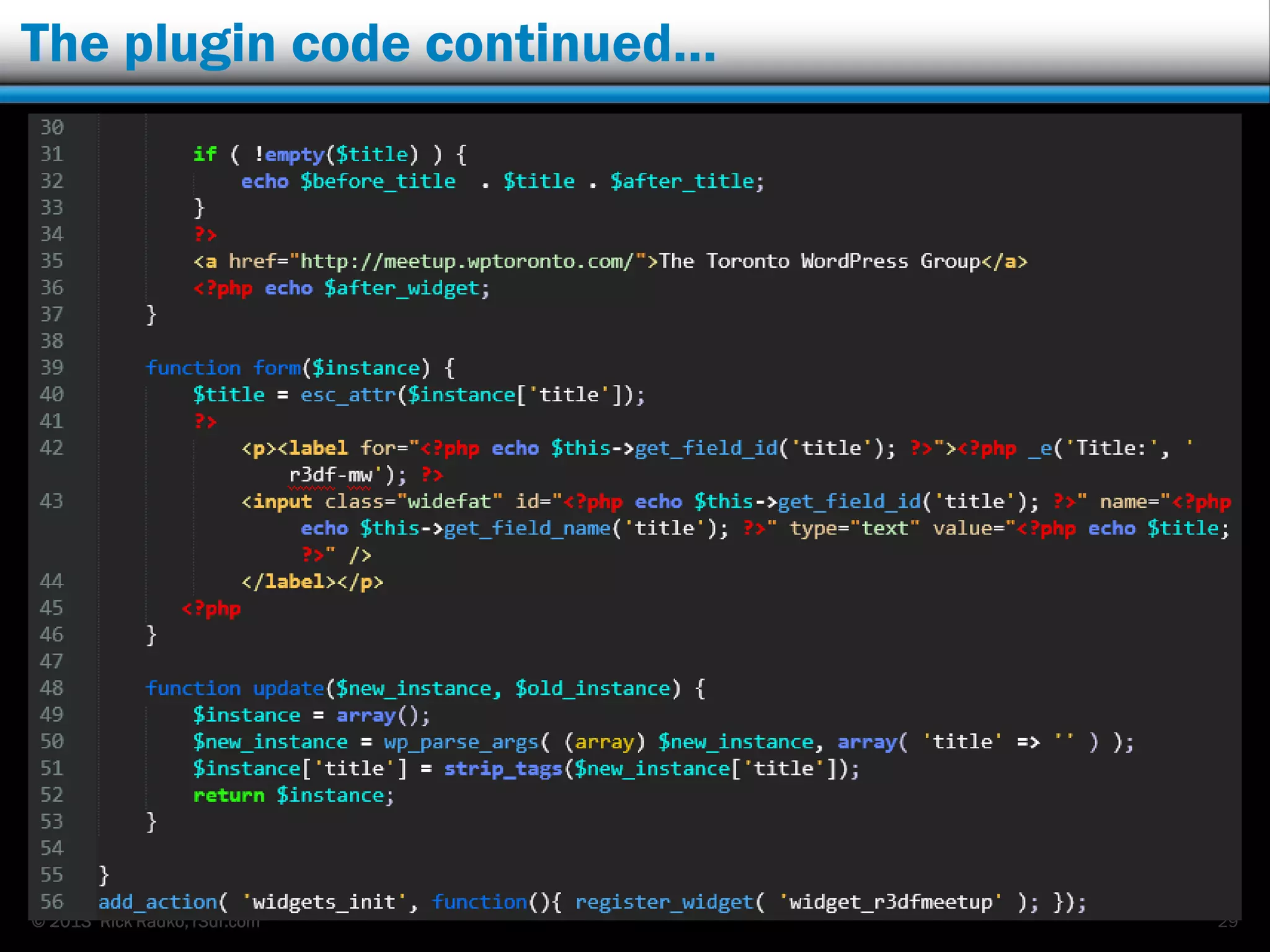
The plugin code continued…
29
© 2013 Rick Radko, r3df.com
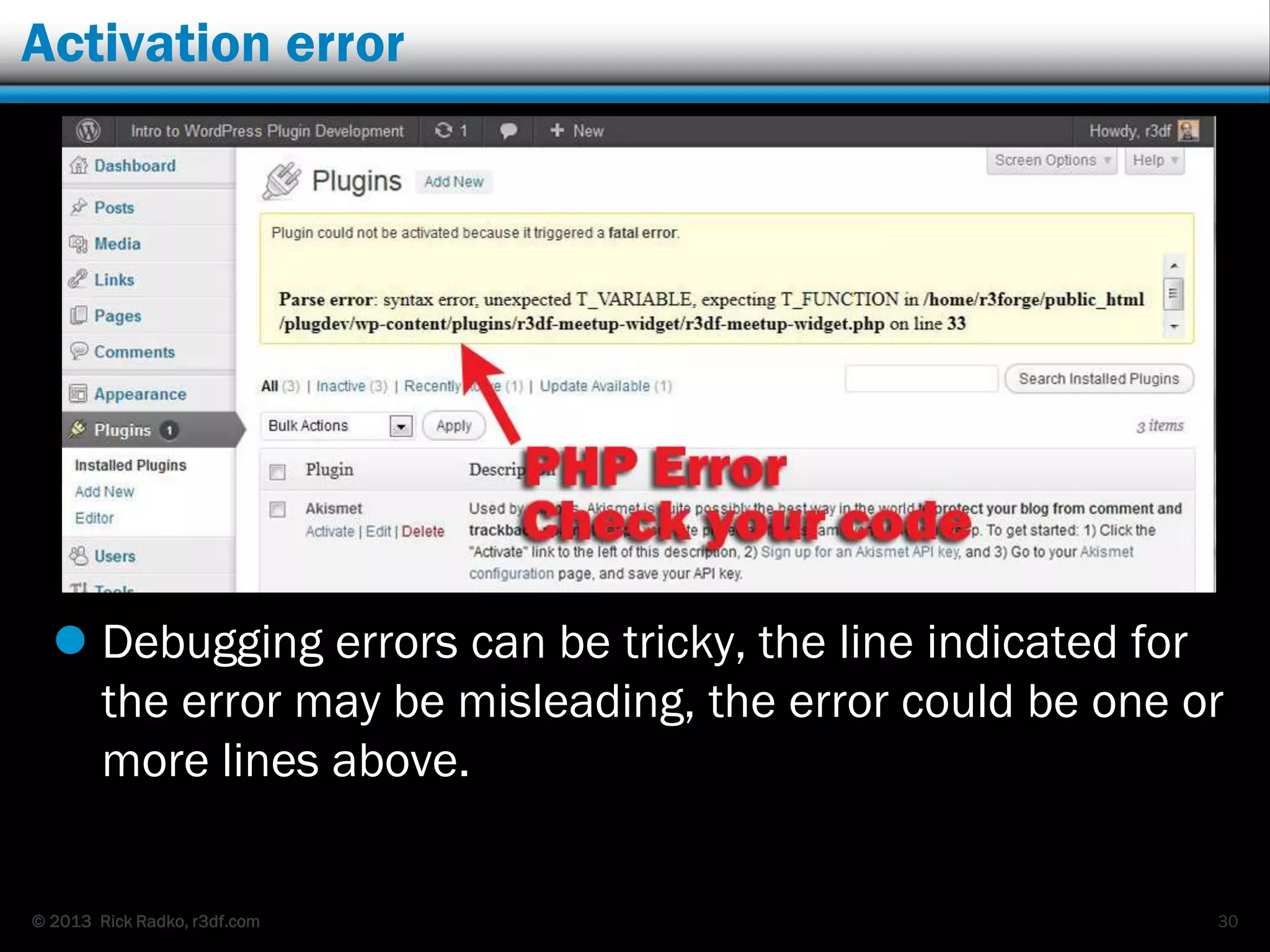
Activation error
 Debugging errors can be tricky, the line indicated for
the error may be misleading, the error could be one or
more lines above.
30
© 2013 Rick Radko, r3df.com
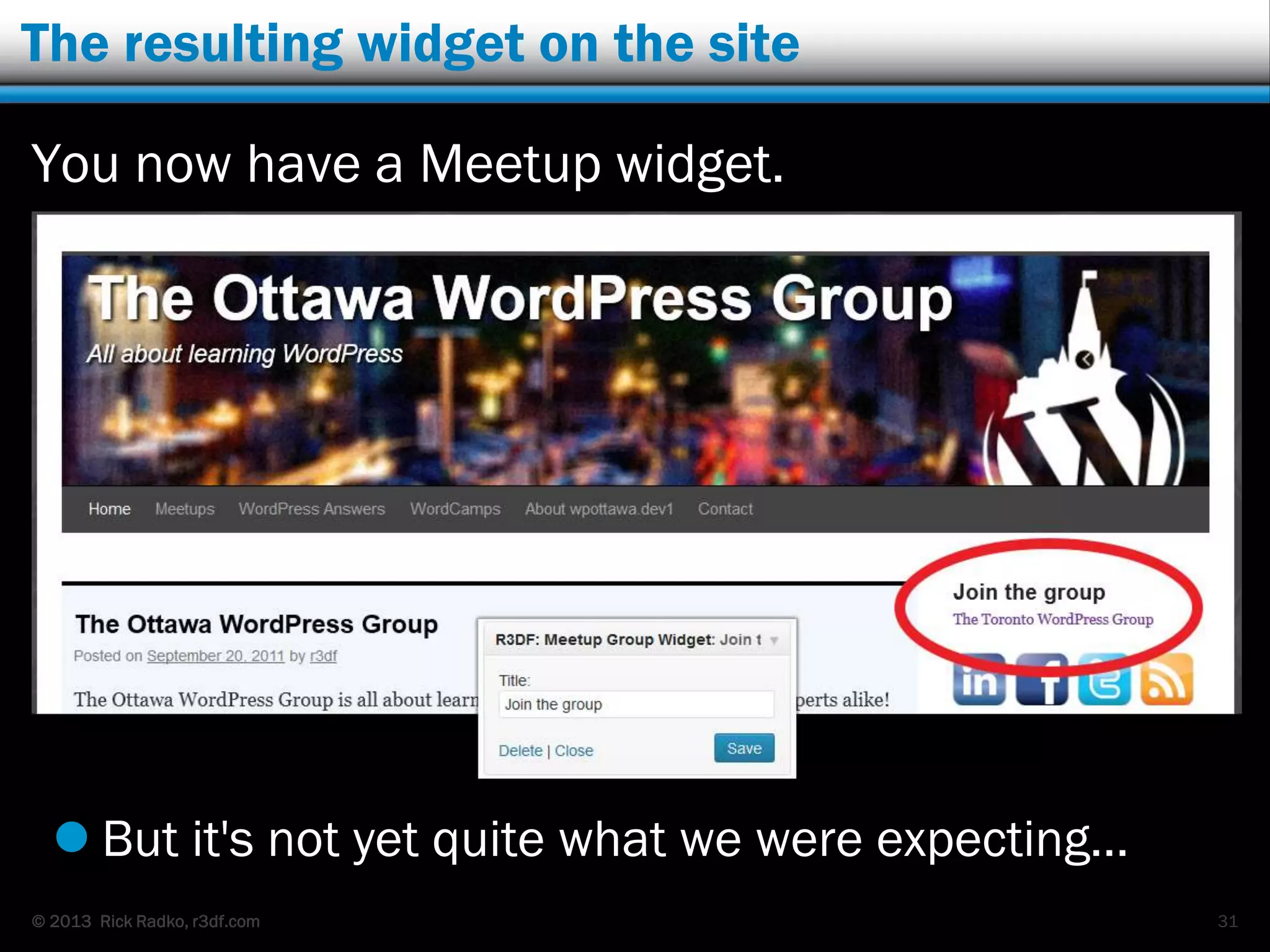
The resulting widget on the site
You now have a Meetup widget.
 But it's not yet quite what we were expecting…
31
© 2013 Rick Radko, r3df.com
We have a widget that works, but…
Our widget plugin:
 has all the required elements for a widget.
 could build used as a base to create new widgets.
But, it‟s not a great plugin:
 You need to edit the code to change the URL or
the displayed text.
 It‟s not very nice looking.
 We need to add an image for the logo and CSS.
 It would not be very good to give to other users.
This starts to make things a bit more complicated.
32
© 2013 Rick Radko, r3df.com
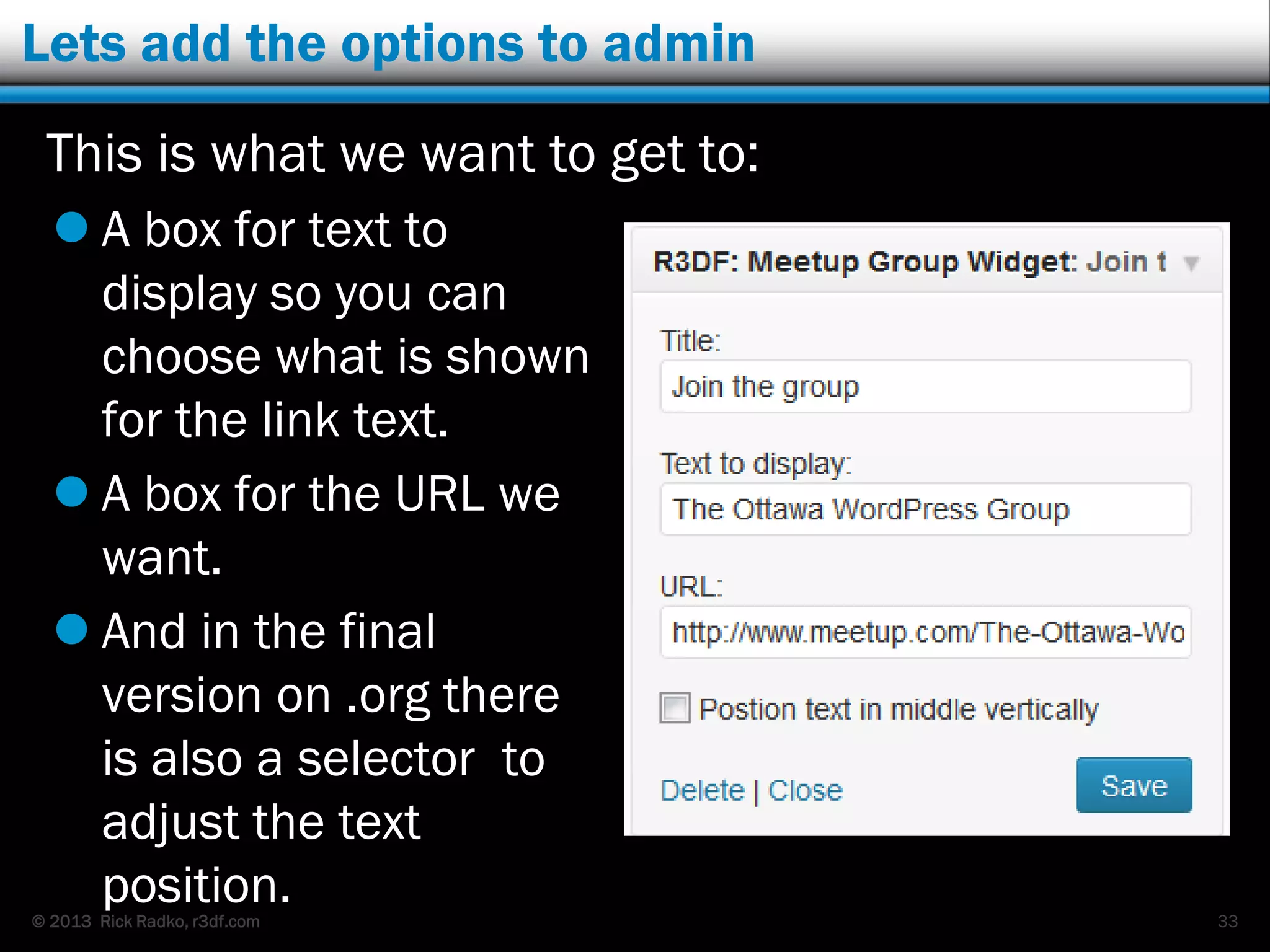
Lets add the options to admin
This is what we want to get to:
 A box for text to
display so you can
choose what is shown
for the link text.
 A box for the URL we
want.
 And in the final
version on .org there
is also a selector to
adjust the text
position. 33
© 2013 Rick Radko, r3df.com
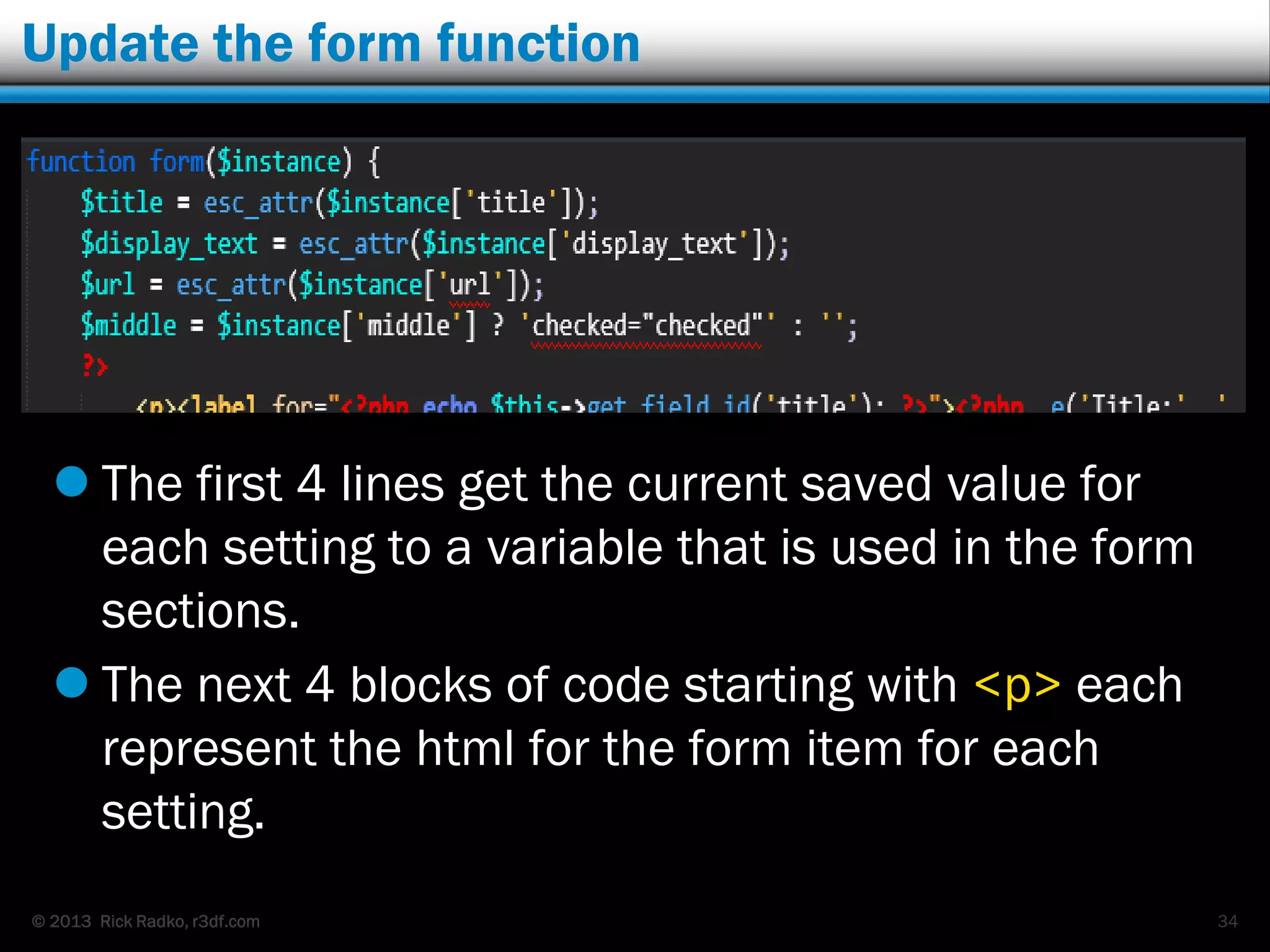
Update the form function
 The first 4 lines get the current saved value for
each setting to a variable that is used in the form
sections.
 The next 4 blocks of code starting with <p> each
represent the html for the form item for each
setting.
34
© 2013 Rick Radko, r3df.com
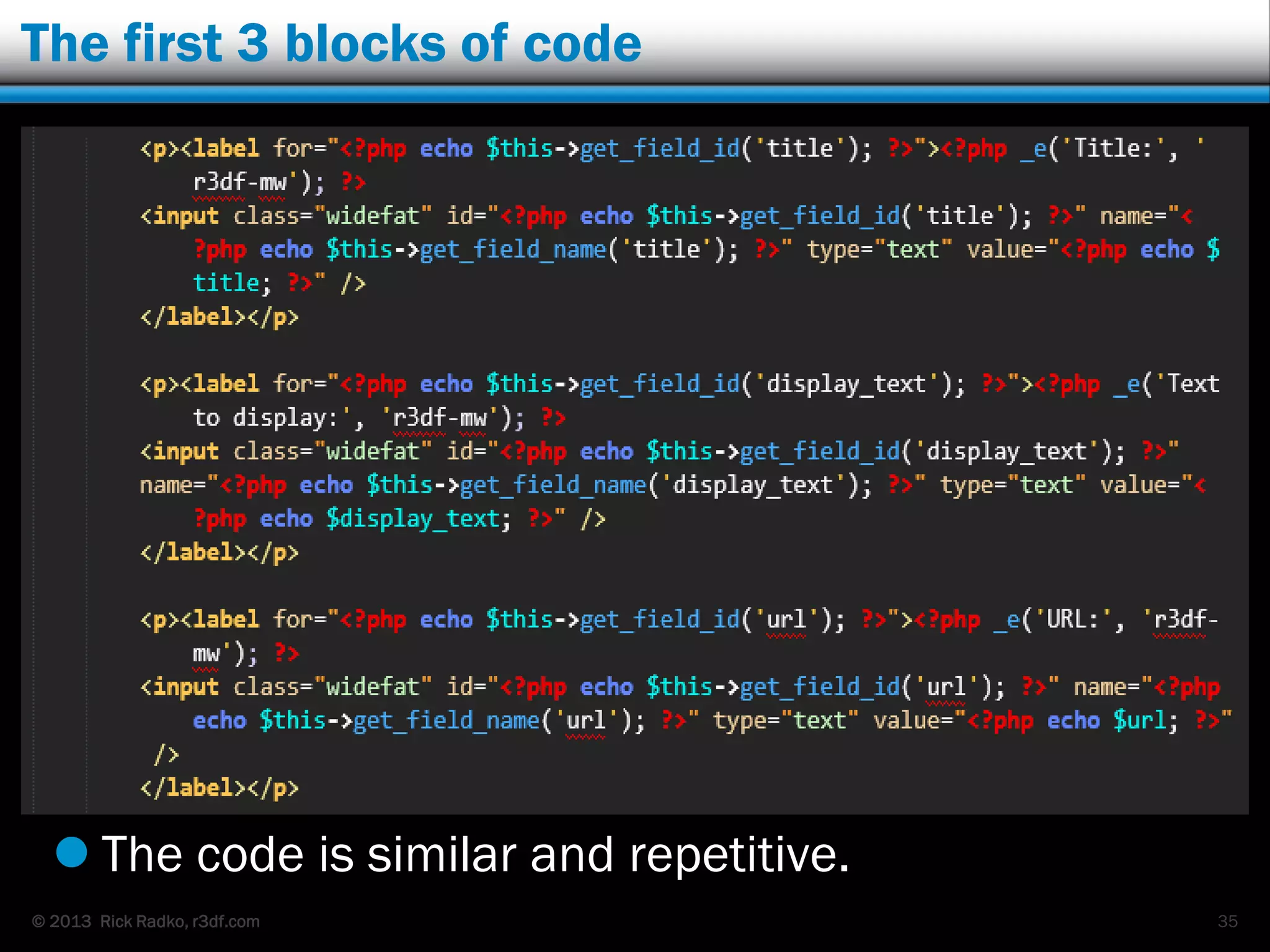
The first 3 blocks of code
 The code is similar and repetitive.
35
© 2013 Rick Radko, r3df.com
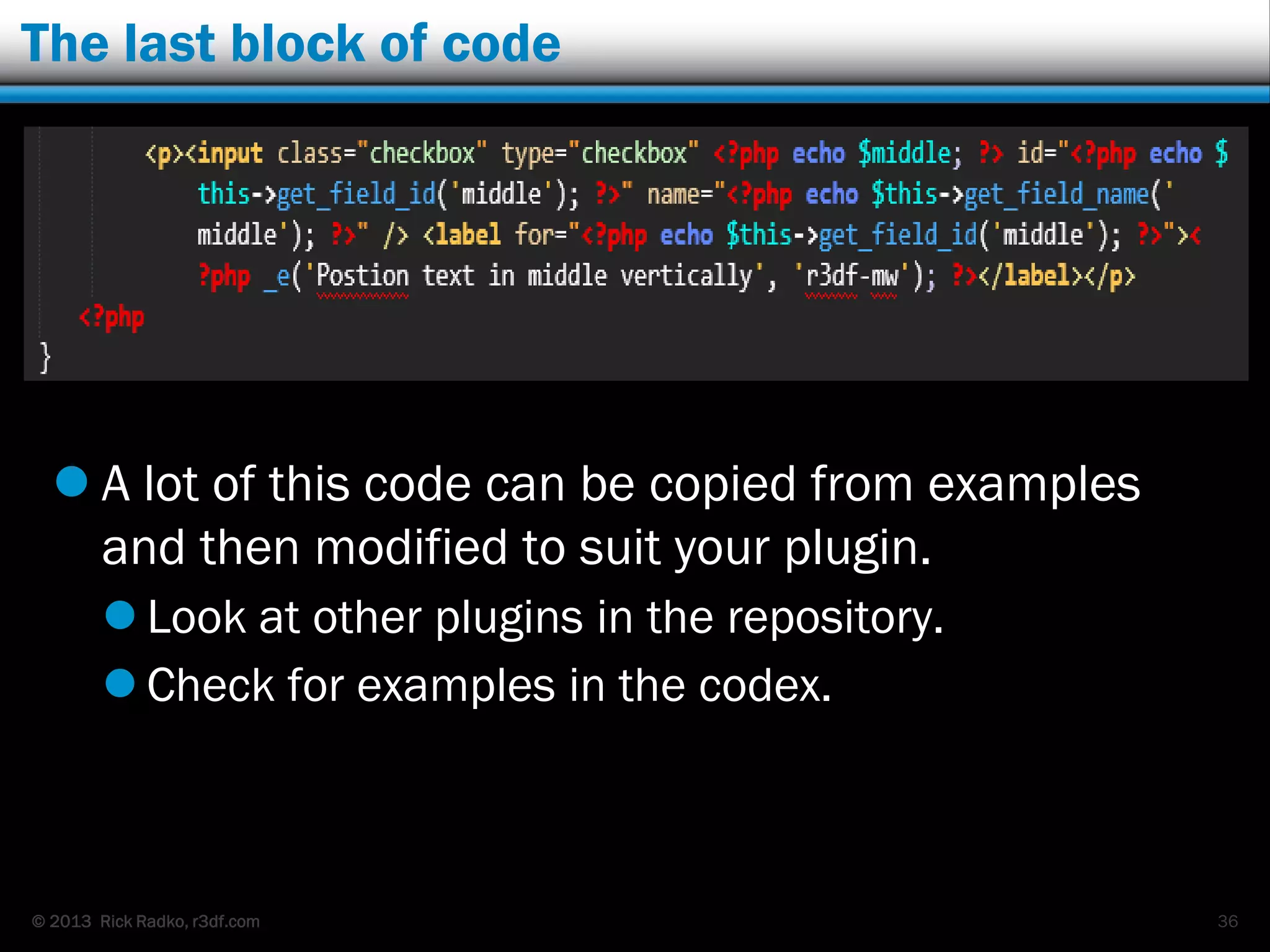
The last block of code
 A lot of this code can be copied from examples
and then modified to suit your plugin.
 Look at other plugins in the repository.
 Check for examples in the codex.
36
© 2013 Rick Radko, r3df.com
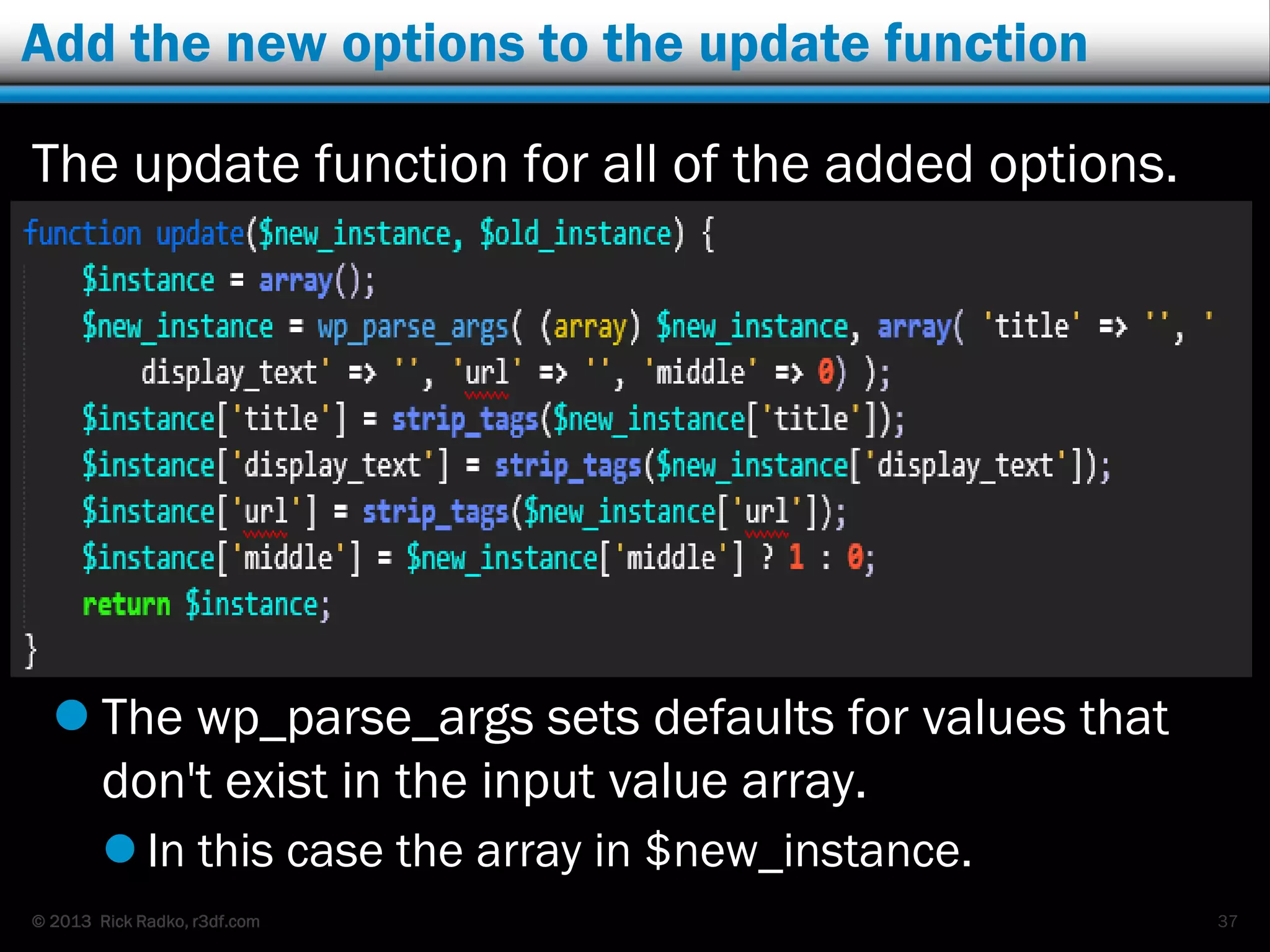
Add the new options to the update function
The update function for all of the added options.
 The wp_parse_args sets defaults for values that
don't exist in the input value array.
 In this case the array in $new_instance.
37
© 2013 Rick Radko, r3df.com
Update the widget to use the new options
38
© 2013 Rick Radko, r3df.com
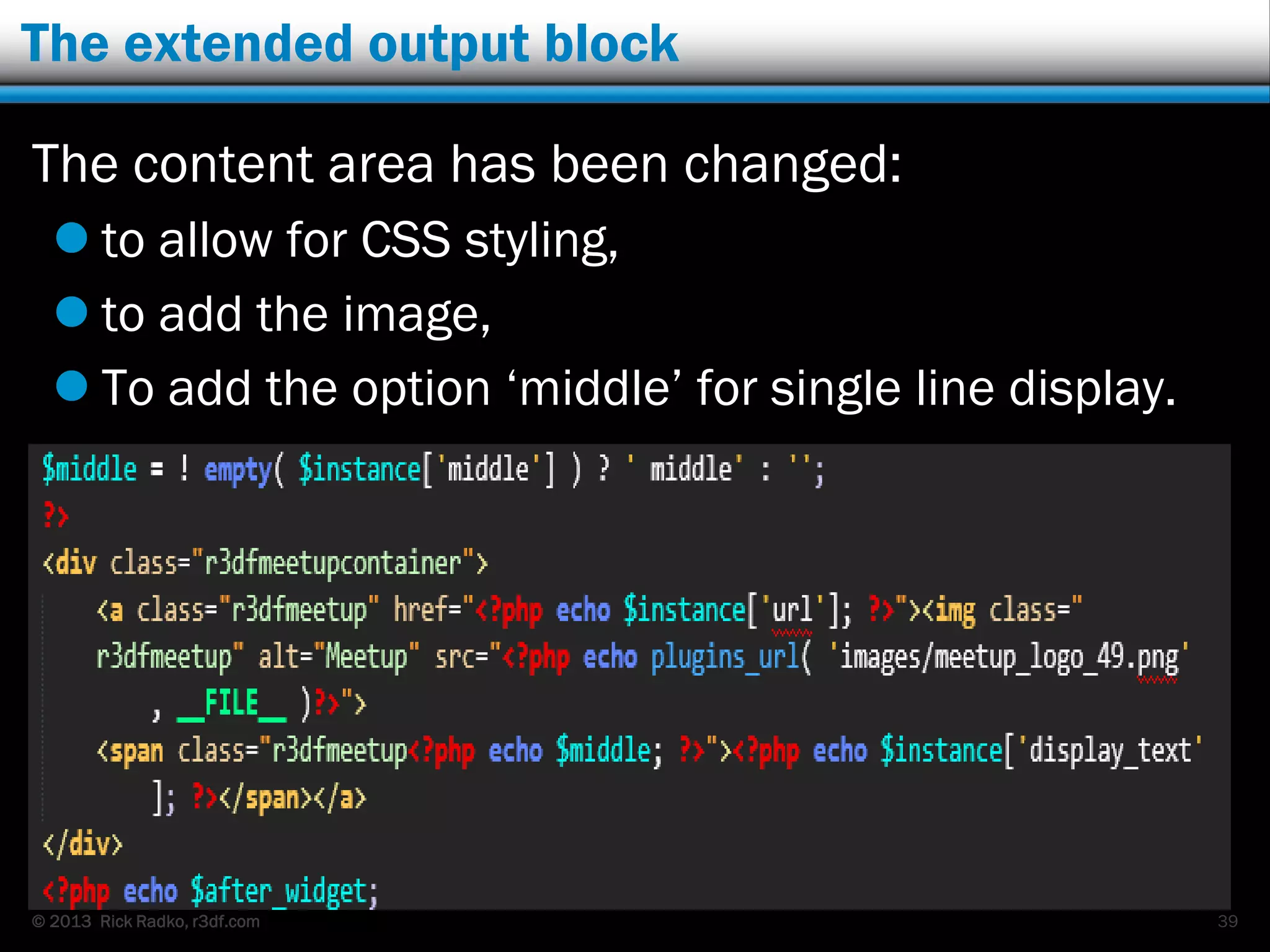
The extended output block
The content area has been changed:
 to allow for CSS styling,
 to add the image,
 To add the option „middle‟ for single line display.
39
© 2013 Rick Radko, r3df.com
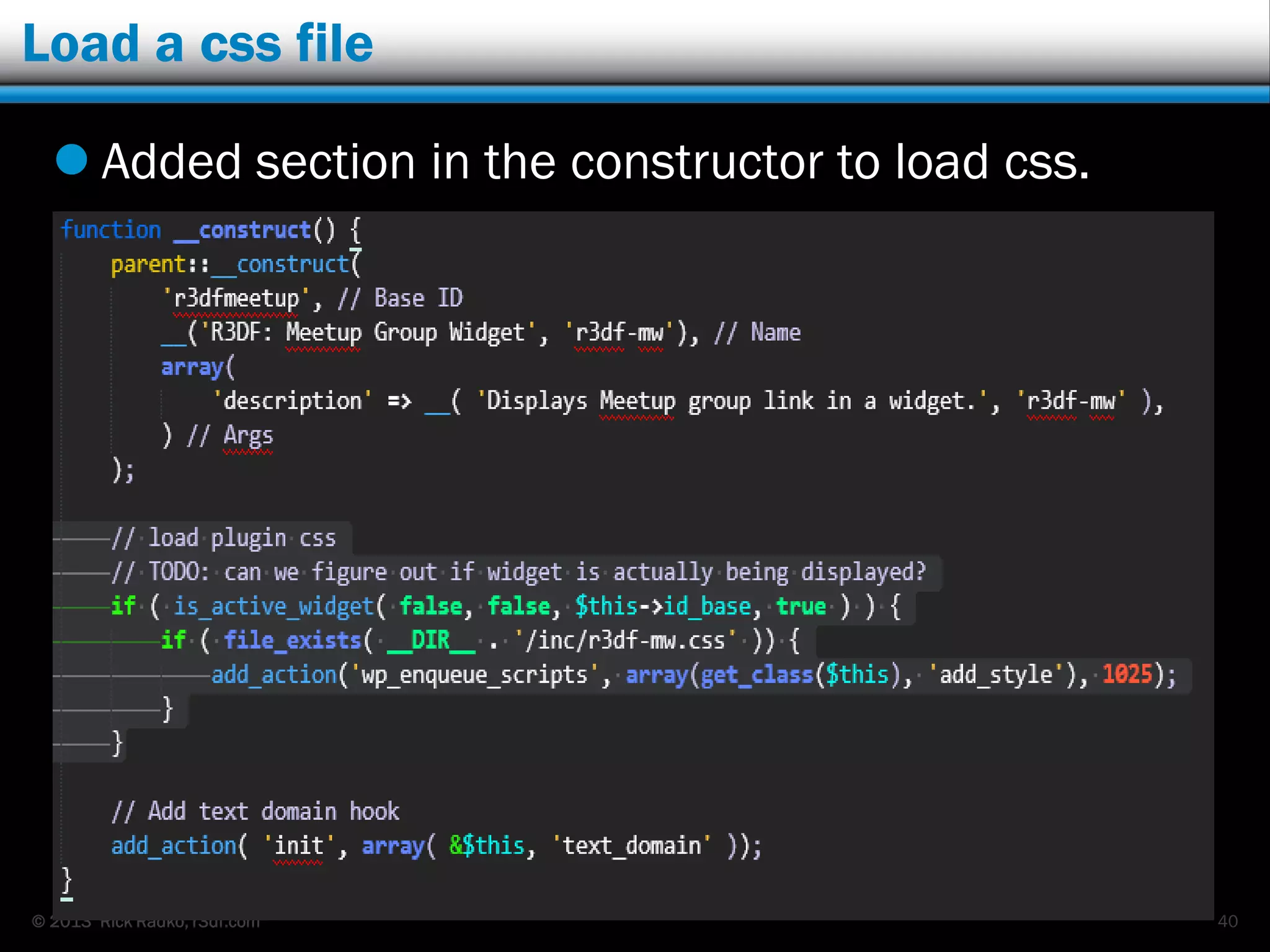
Load a css file
 Added section in the constructor to load css.
40
© 2013 Rick Radko, r3df.com
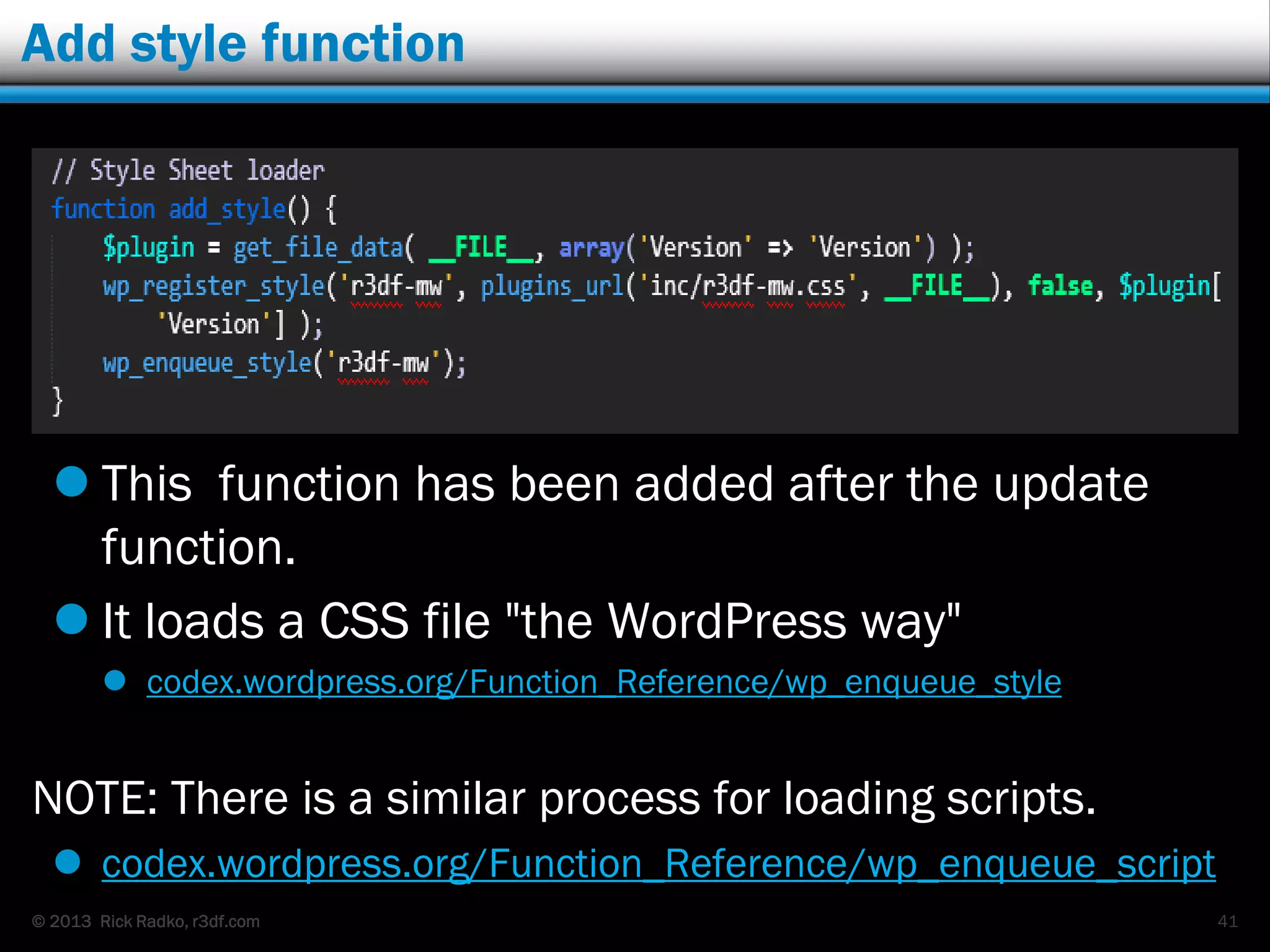
Add style function
 This function has been added after the update
function.
 It loads a CSS file "the WordPress way"
 codex.wordpress.org/Function_Reference/wp_enqueue_style
NOTE: There is a similar process for loading scripts.
 codex.wordpress.org/Function_Reference/wp_enqueue_script
41
© 2013 Rick Radko, r3df.com
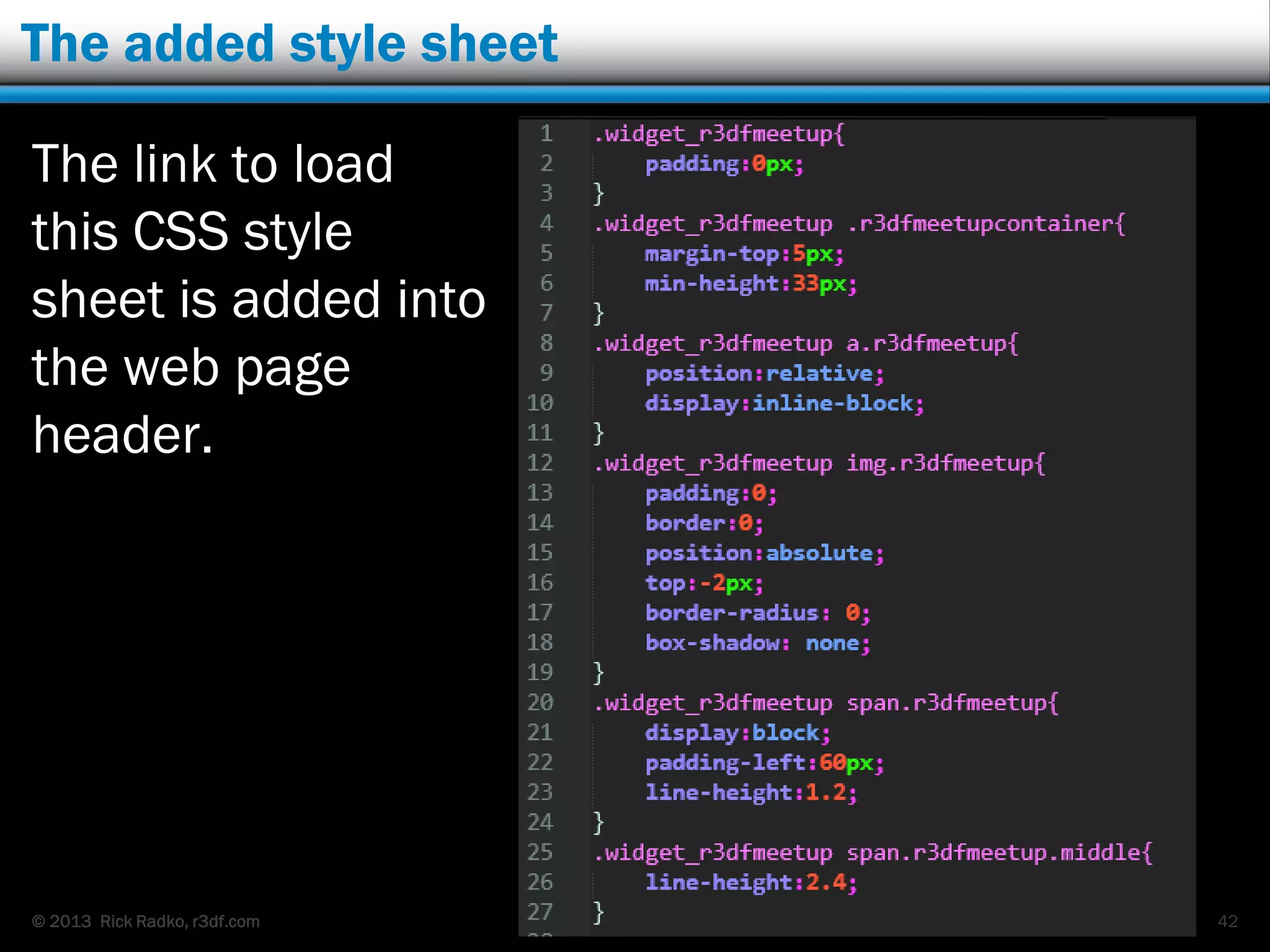
The added style sheet
The link to load
this CSS style
sheet is added into
the web page
header.
42
© 2013 Rick Radko, r3df.com
Wrapping up the plugin…
We need 2 more additions to the plugin to round it
out for public use:
 A function to take care of loading the text domain.
 Needed to enable the display of translated text for
the plugin.
 A function to clean up on uninstall.
43
© 2013 Rick Radko, r3df.com
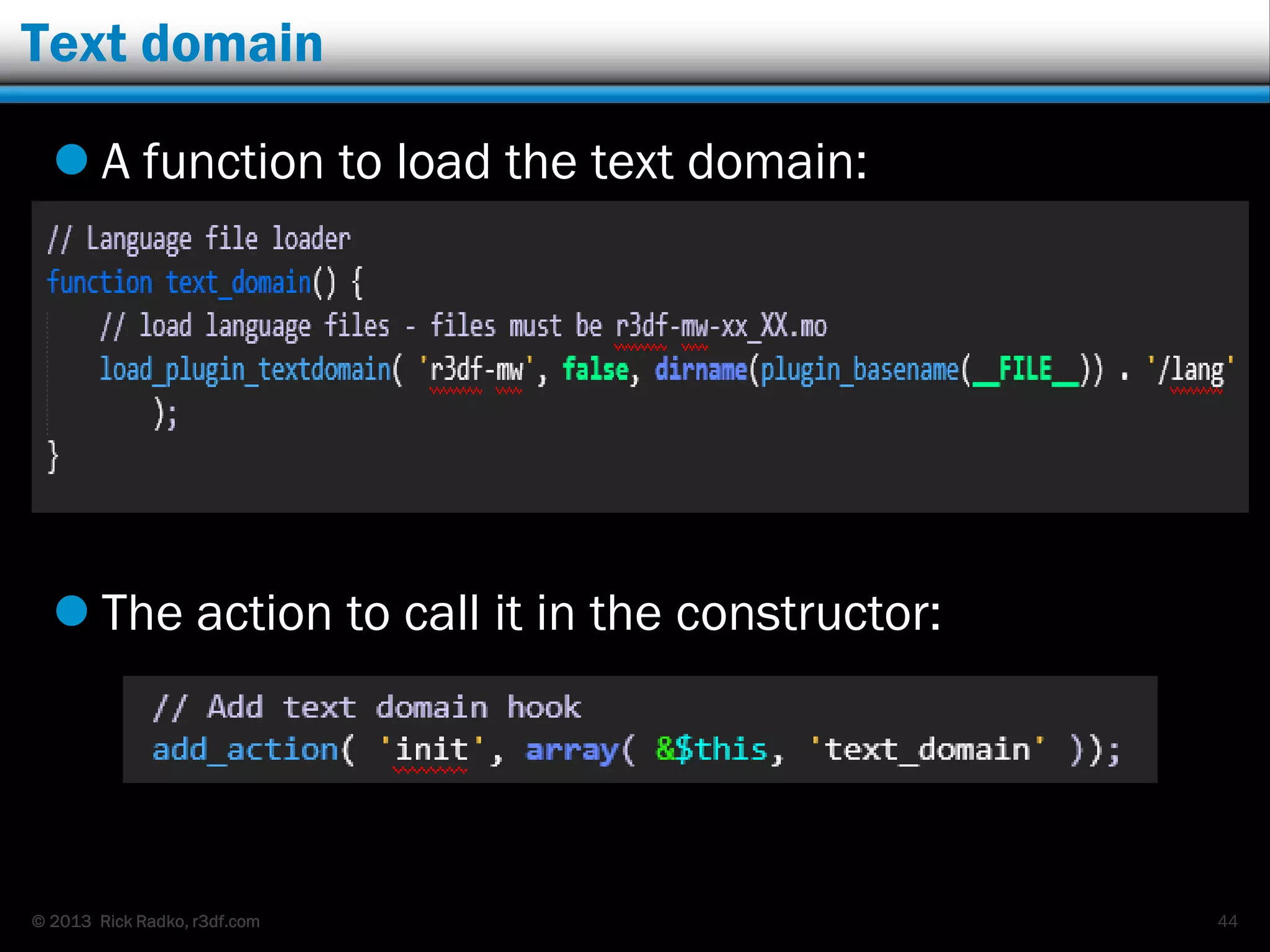
Text domain
 A function to load the text domain:
 The action to call it in the constructor:
44
© 2013 Rick Radko, r3df.com
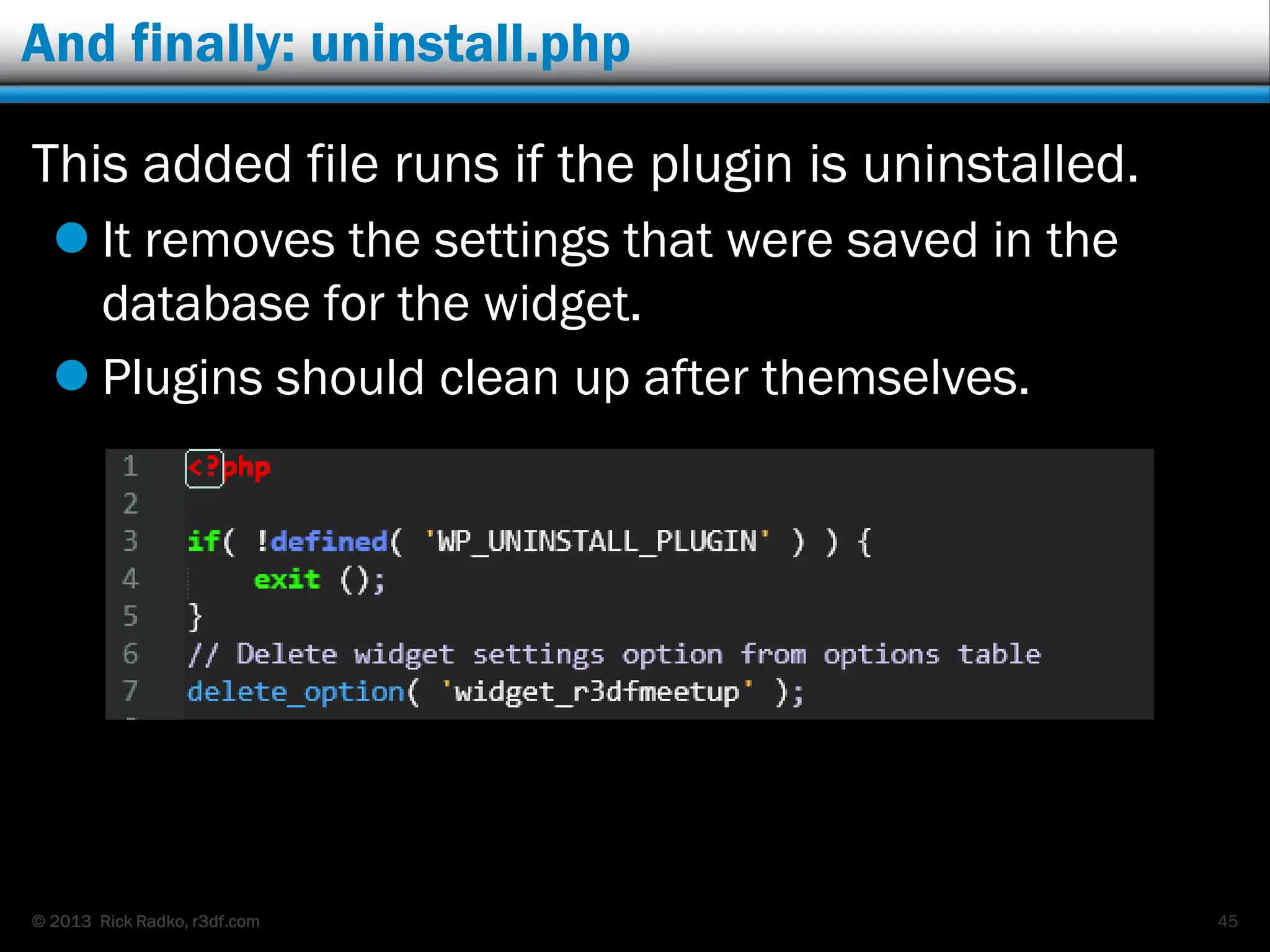
And finally: uninstall.php
This added file runs if the plugin is uninstalled.
 It removes the settings that were saved in the
database for the widget.
 Plugins should clean up after themselves.
45
© 2013 Rick Radko, r3df.com
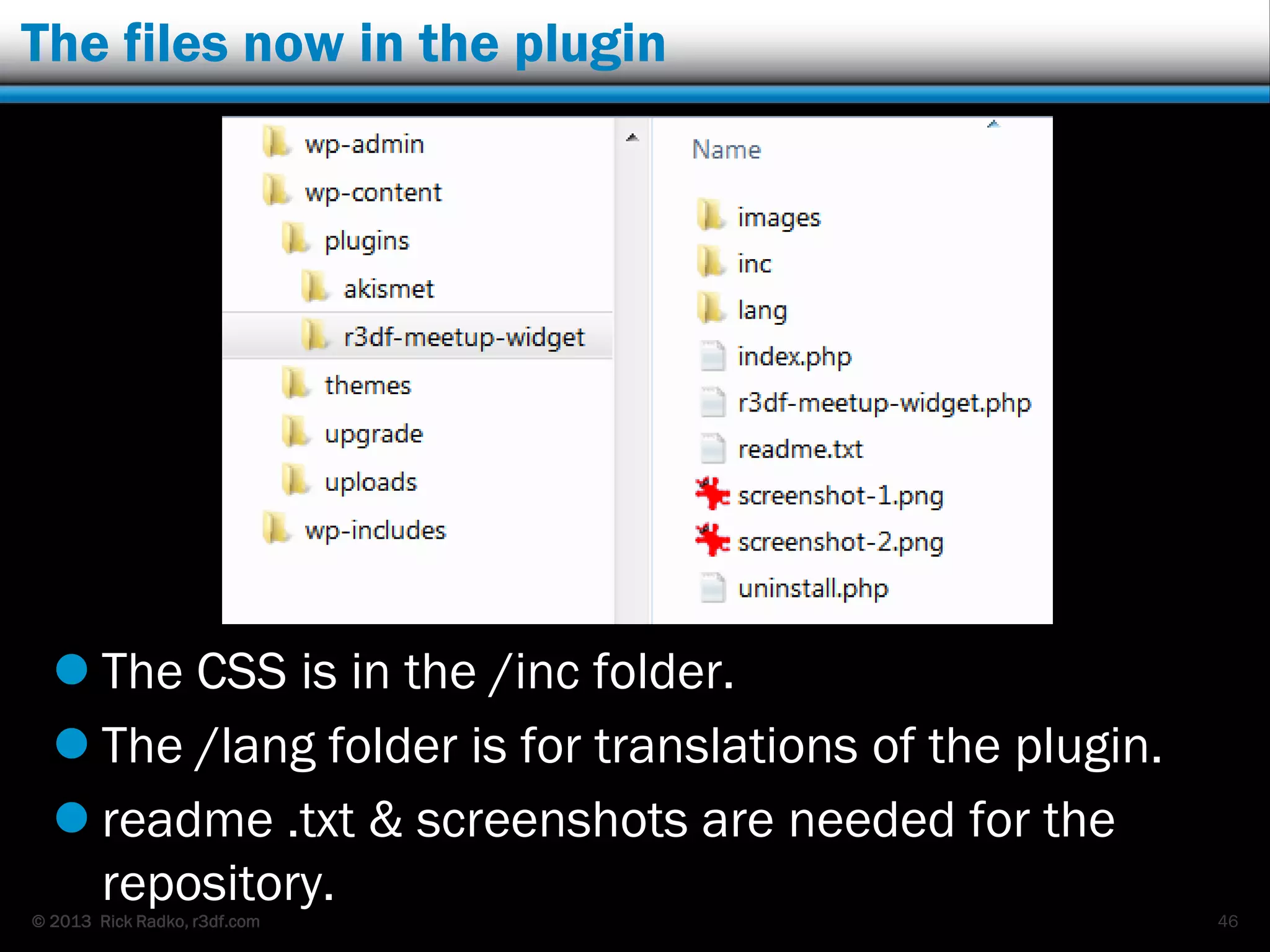
The files now in the plugin
 The CSS is in the /inc folder.
 The /lang folder is for translations of the plugin.
 readme .txt & screenshots are needed for the
repository.
46
© 2013 Rick Radko, r3df.com
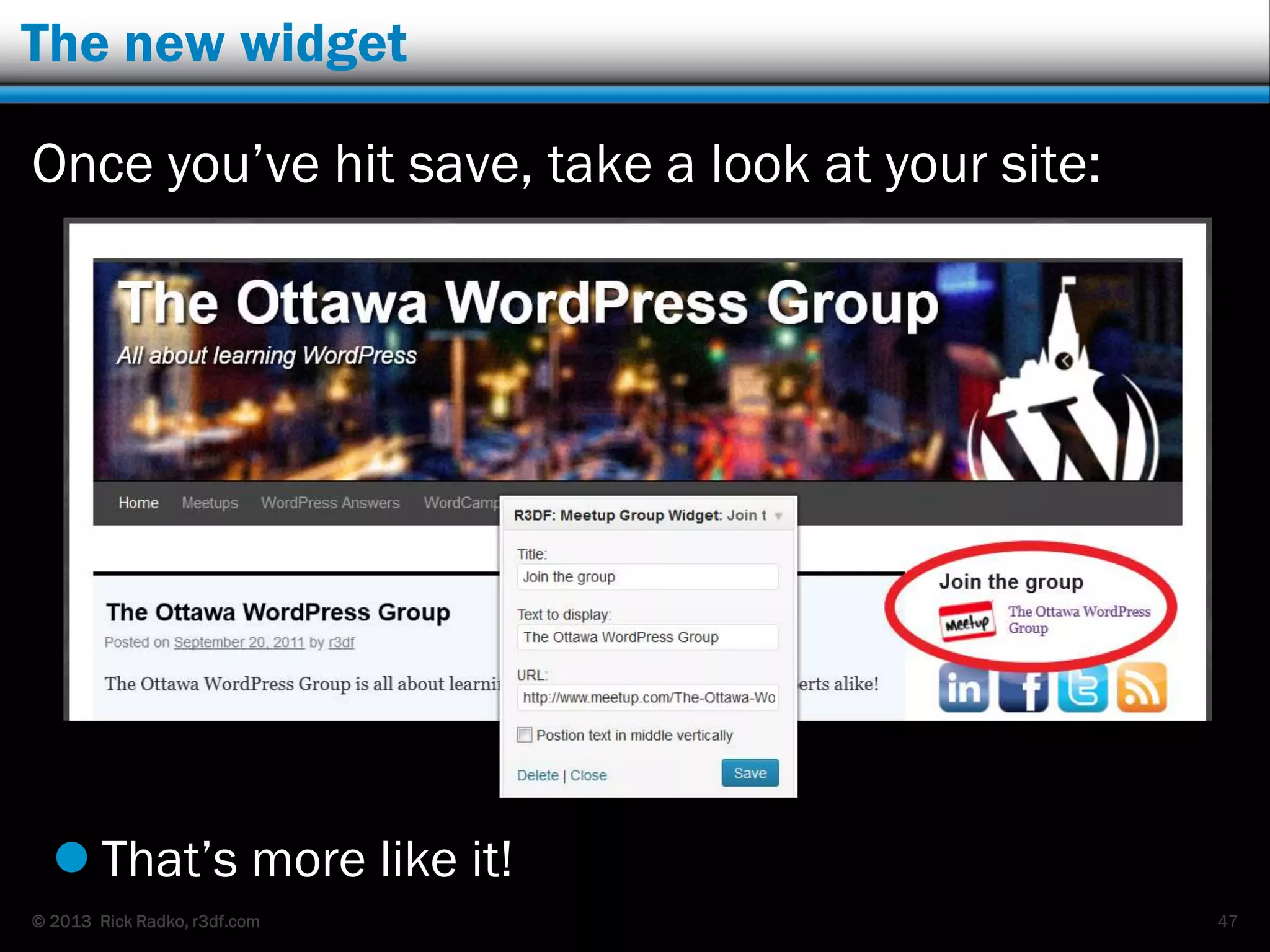
The new widget
Once you‟ve hit save, take a look at your site:
 That‟s more like it!
47
© 2013 Rick Radko, r3df.com
Other possible plugin functions
Plugins can have:
 activation/deactivation routines
 menu items
 options pages
48
© 2013 Rick Radko, r3df.com
What next?
 Read some books
 Watch some WordCamp talks – next couple of
slides.
 Read the codex:
 http://codex.wordpress.org/Writing_a_Plugin
 http://codex.wordpress.org/Plugin_Resources
 http://codex.wordpress.org/Developer_Documentation
Try some experements.
49
© 2013 Rick Radko, r3df.com
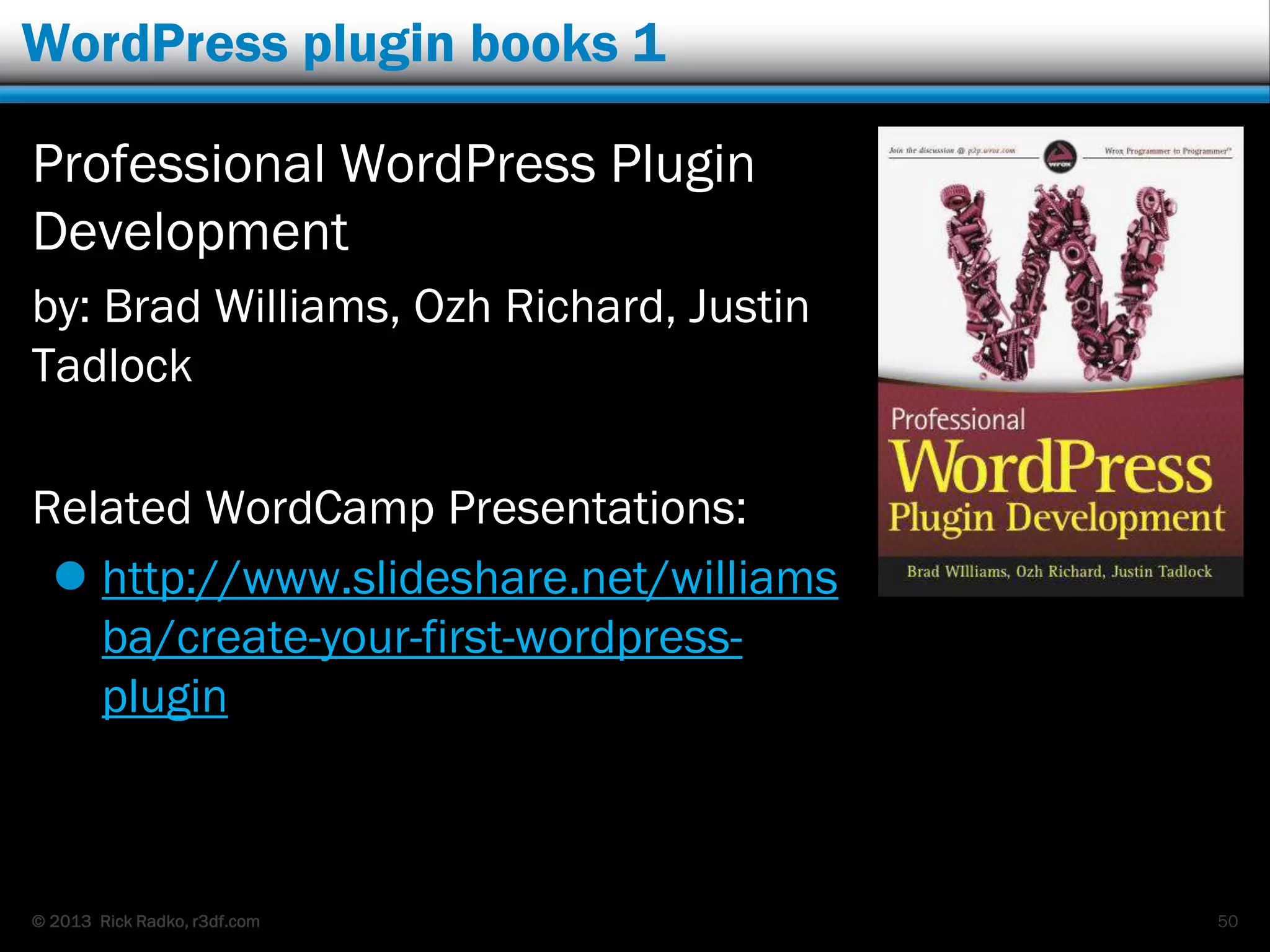
WordPress plugin books 1
Professional WordPress Plugin
Development
by: Brad Williams, Ozh Richard, Justin
Tadlock
Related WordCamp Presentations:
 http://www.slideshare.net/williams
ba/create-your-first-wordpress-
plugin
50
© 2013 Rick Radko, r3df.com
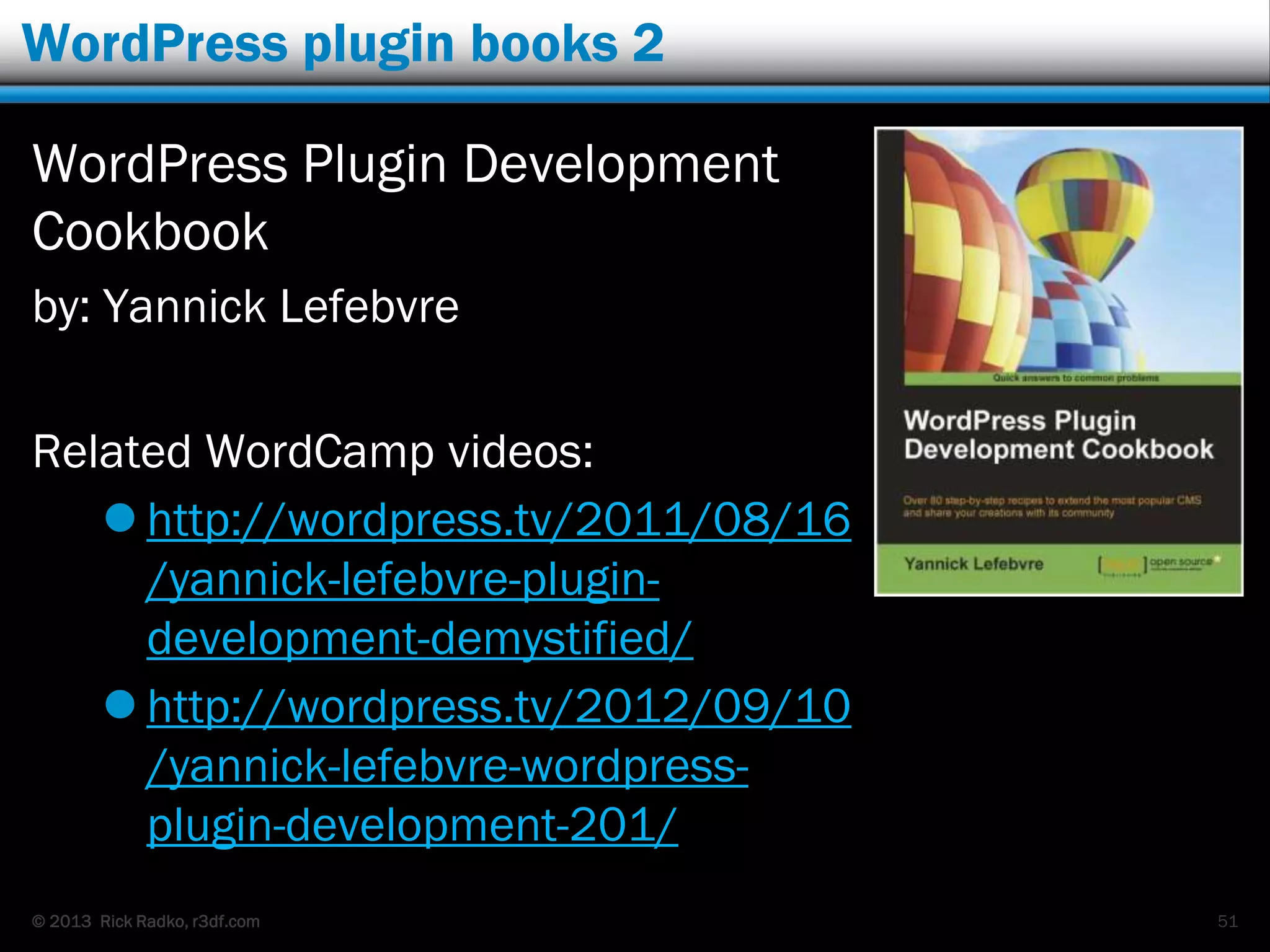
WordPress plugin books 2
WordPress Plugin Development
Cookbook
by: Yannick Lefebvre
Related WordCamp videos:
 http://wordpress.tv/2011/08/16
/yannick-lefebvre-plugin-
development-demystified/
 http://wordpress.tv/2012/09/10
/yannick-lefebvre-wordpress-
plugin-development-201/
51
© 2013 Rick Radko, r3df.com
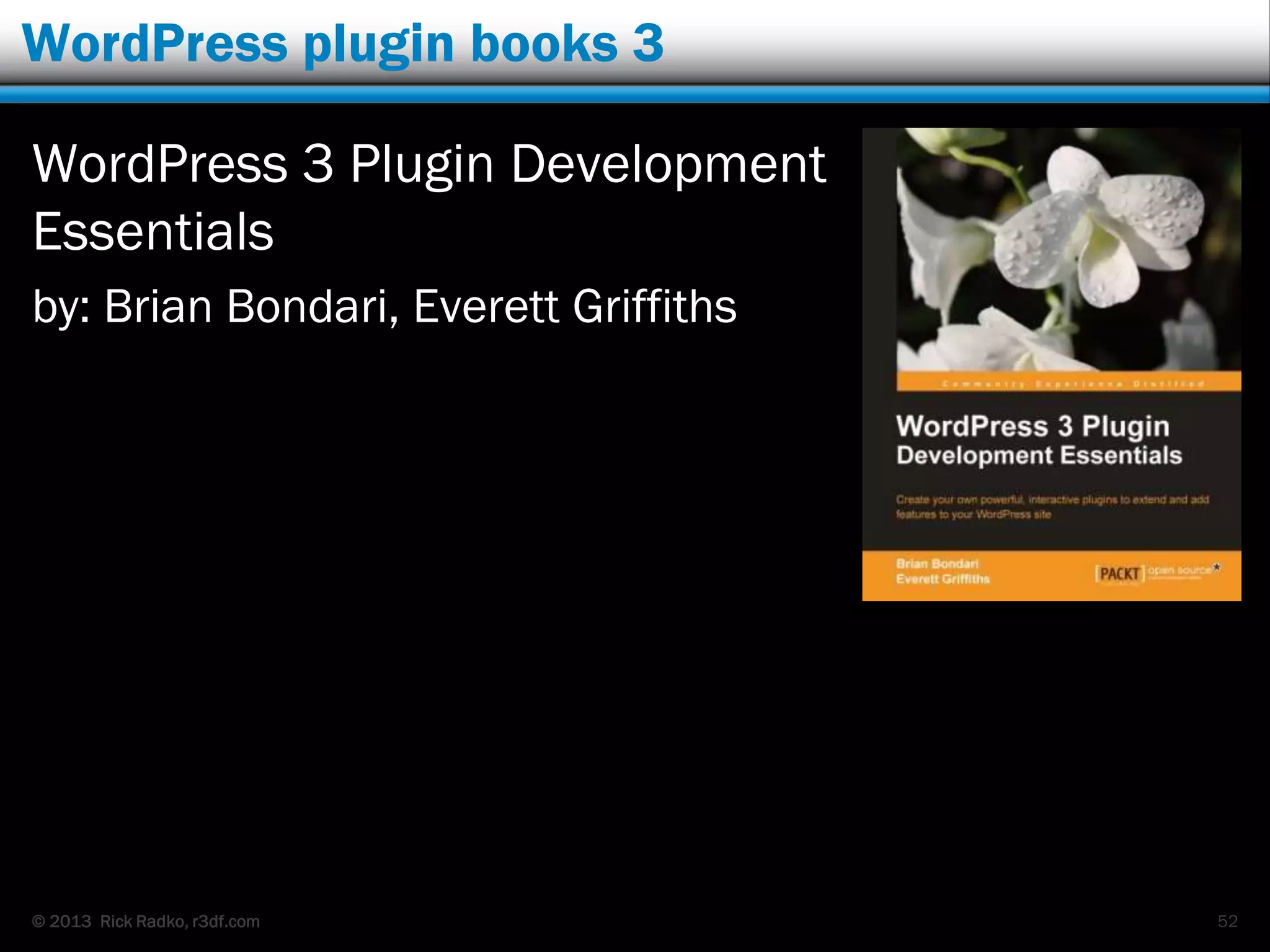
WordPress plugin books 3
WordPress 3 Plugin Development
Essentials
by: Brian Bondari, Everett Griffiths
52
© 2013 Rick Radko, r3df.com
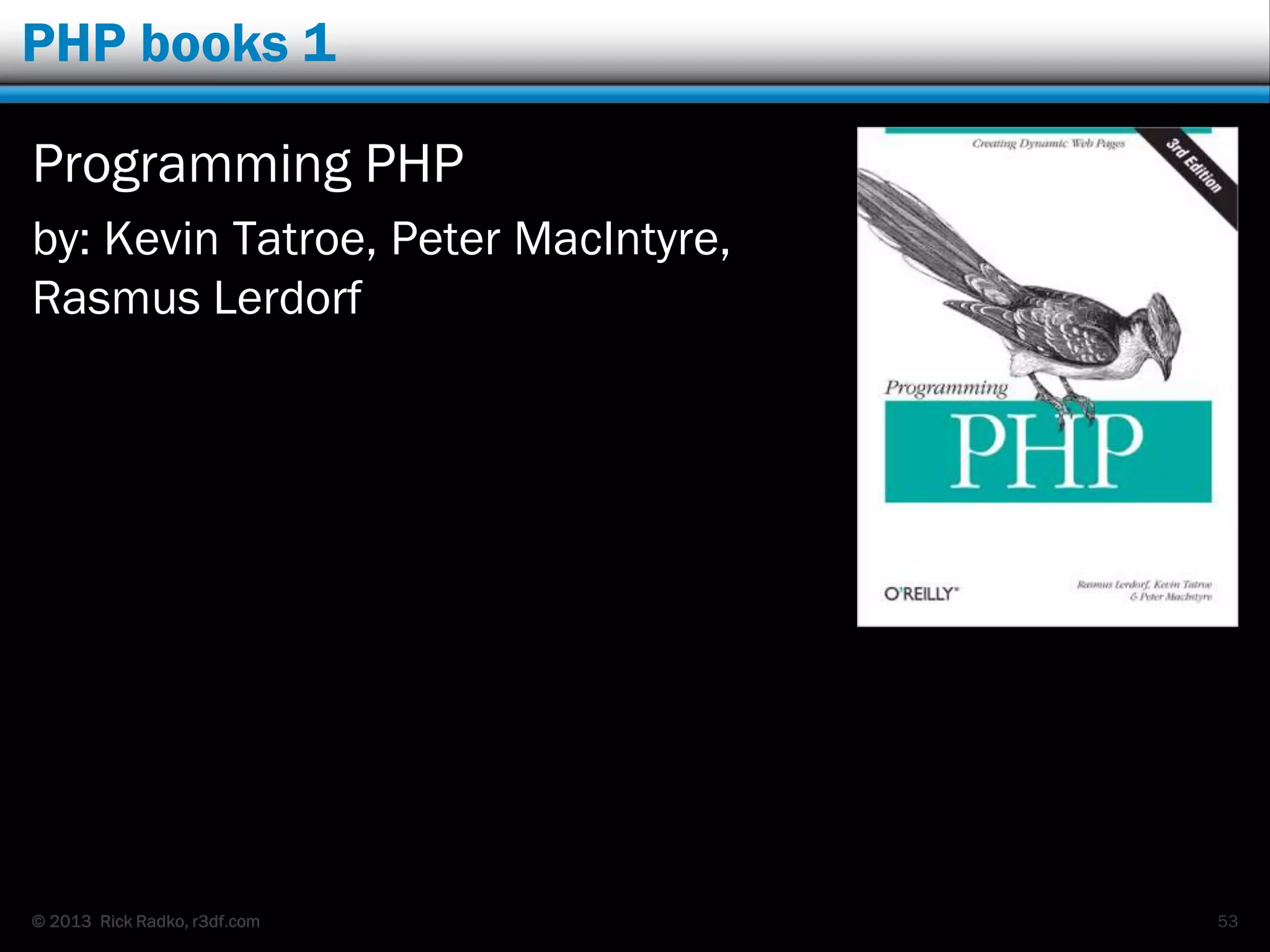
PHP books 1
Programming PHP
by: Kevin Tatroe, Peter MacIntyre,
Rasmus Lerdorf
53
© 2013 Rick Radko, r3df.com
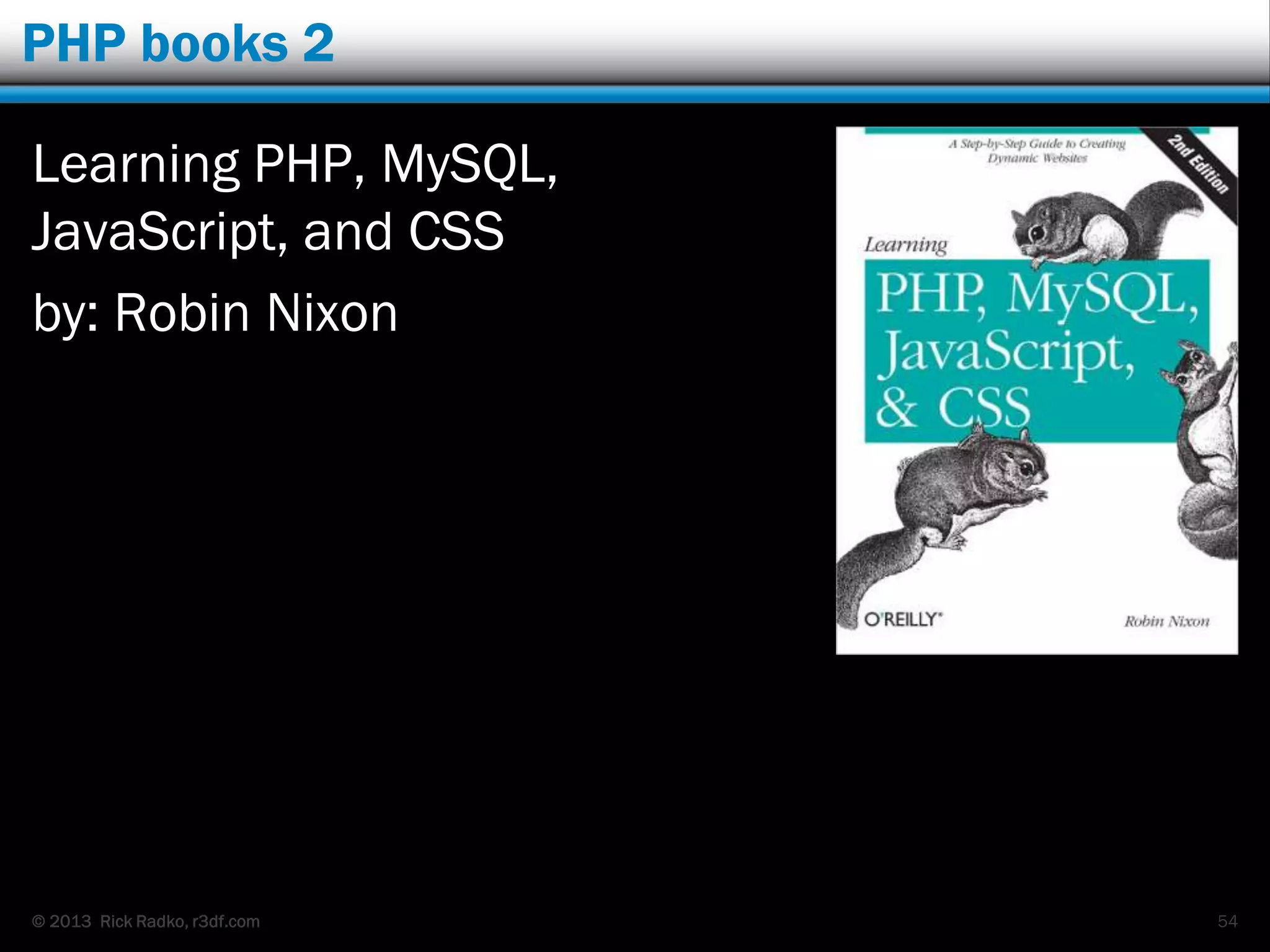
PHP books 2
Learning PHP, MySQL,
JavaScript, and CSS
by: Robin Nixon
54
© 2013 Rick Radko, r3df.com
Contact
Rick Radko
 email: wpinfo@r3df.com
 twitter: @r3designforge
Slides at:
 www.slideshare.net/r3df
55

A peek into the world of WordPress plugin development

  • 1.
    r3df.com Rick Radko “A Peekinto the World of WordPress Plugin Development” WordCamp Toronto October 5th, 2013 Slides: http://www.slideshare.net/r3df
  • 2.
    © 2013 RickRadko, r3df.com A little bit about me Rick Radko – R-Cubed Design Forge  Software, web and app designer/developer.  Creating web sites since 1996.  WordPress enthusiast.  Co-organizer of WordCamp Ottawa 2013 & 2014  Co-organizer of: The Ottawa WordPress Group. http://wpottawa.org Slides are posted at:  http://www.slideshare.net/r3df 1
  • 3.
    © 2013 RickRadko, r3df.com About this presentation In this presentation I will run through the construction of a simple plugin.  The example I will use is a plugin I have published on wordpress.org.  The intent of this session is exposure to concepts and ideas, not complete understanding. - No instant code ninjas!  There is tons of material on the net, in books and other resources to learn more at a more leisurely pace. 2Image Credit: Derivative of CC Image by Dani Latorre on Flickr
  • 4.
    © 2013 RickRadko, r3df.com What is a plugin? Plugins are blocks of code added to WordPress to extend, or change the functionality of:  WordPress  Other plugins  Themes You can create a custom plugin to do just about anything you want.  1000's of plugins available to add to your site. 3
  • 5.
    © 2013 RickRadko, r3df.com This is a plugin 4
  • 6.
    © 2013 RickRadko, r3df.com More about plugins… WordPress plugins:  Are written in PHP. (That gobbledygook on the previous slide was PHP.)  Can be a couple lines of code.  Or 60,000 lines of code. PHP Help:  Online PHP Manual: www.php.net/manual/en/index.php  W3schools: www.w3schools.com/php/default.asp  + Google of course… 5
  • 7.
    © 2013 RickRadko, r3df.com Plugins also: WordPress plugins also:  Make use of WordPress API‟s.  The Codex - learn about all things WordPress  codex.wordpress.org/Writing_a_Plugin  Will likely have some HTML and CSS.  www.w3schools.com + many other resources.  May access the database (MySQL).  www.mysql.com + many other resources.  May use some JavaScript.  www.w3schools.com again + many other resources. 6
  • 8.
    © 2013 RickRadko, r3df.com Tools to use for programming Programming editors:  Code completion  Syntax highlighting  Bracket matching  “Light” and fast 7  Windows: Notepad++, Sublime Text $$  Mac: TextWrangler, Coda $$, Sublime Text $$
  • 9.
    © 2013 RickRadko, r3df.com More tools IDE – Integrated Development Environment  NetBeans, Eclipse, Aptana, PhpStorm $, Komodo $, + more  Do a lot more than a programming editor  “Heavier” Jeremy Clarke - WordCamp Montreal: Code Faster and Smarter PHP with IDE‟s Like NetBeans 8
  • 10.
    © 2013 RickRadko, r3df.com A place to work Development “Dev” site:  Safe place to work that won‟t disturb a live site.  Does not matter if you WSOD the site.  2 Common options:  Sub-domain on your hosted site.  “Local” web server on your pc/laptop. Requires some set-up – lots of tutorials on net. No internet connection needed. Fast, no internet lag, no FTP. BitNami, XAMPP, Wamp, Mamp. 9
  • 11.
    © 2013 RickRadko, r3df.com The header – the only required part of a plugin 10 Plugin header details: codex.wordpress.org/Writing_a_Plugin#File_Headers Creates this plugin information on the Plugins page in the Dashboard
  • 12.
    © 2013 RickRadko, r3df.com Where do we put the header? Simplest plugin is a file only:  site-plugin.php  in the WordPress plugins folder: wp-content/plugins/ 11
  • 13.
    © 2013 RickRadko, r3df.com Better plugin structure A better structure for your plugin: folder + file 12
  • 14.
    © 2013 RickRadko, r3df.com Empty plugin template We now have an empty plugin that could be used as a template to:  Make your own plugin. (a blank template)  Change the file name, folder name and the header info: name, description, author, etc.  Make a “Site Plugin” to add code to run on your site that is often put into functions.php. See: Don‟t: “Just paste this code in your functions.php” or ottopress.com/2011/creating-a-site-specific- snippets-plugin/ 13
  • 15.
    © 2013 RickRadko, r3df.com Meetup widget on wordpress.org 14 wordpress.org/extend/plugins/r3df-meetup-widget
  • 16.
    © 2013 RickRadko, r3df.com Edit the site-plugin template Revised plugin header: 15
  • 17.
    © 2013 RickRadko, r3df.com Change the file names Name the file: r3df-meetup-widget.php And the folder: r3df-meetup-widget 16
  • 18.
    © 2013 RickRadko, r3df.com WordPress widget outline Basic widget outline: codex.wordpress.org/Widgets_API 17
  • 19.
    © 2013 RickRadko, r3df.com Lets add a widget! We add this code to the plugin:  The "class" creates a new object that lets us “extend” the WordPress WP_Widget class.  The WP_Widget class does all the heavy lifting in creating a widget.  Use the codex example, change the class name. Codex: codex.wordpress.org/Widgets_API API – Application Programming Interface 18
  • 20.
    © 2013 RickRadko, r3df.com Getting into the “action”  Tells WordPress to register our widget at the time it is setting up widgets - 'widgets_init'.  When you create a widget, the only thing you need to change in the action is the widget name. Actions are very important to WordPress plugins. 19
  • 21.
    © 2013 RickRadko, r3df.com WordPress actions Actions are one of 2 types of WordPress “Hooks”.  Specific events (100‟s) trigger them, for example:  Publishing a post or page  Displaying a post, page or admin page.  Displaying a menu.  Displaying the page content.  codex.wordpress.org/Plugin_API/Action_Reference  To use an action, your plugin defines a function for WordPress to execute at that action event.  Generally actions “do” things.  Filters, which we will see later “change” things 20
  • 22.
    © 2013 RickRadko, r3df.com Getting hooked on actions WP Native Dashboard Fix  Moving the menu item was accomplished by hooking into the action „admin_bar_menu‟.  10 lines of code and you have a maintainable fix instead of hacked plugin. 21
  • 23.
    © 2013 RickRadko, r3df.com The widget “constructor function” Add the constructor function:  Sets up the widget with an id, name and description.  Note: the name and description have been internationalized  __( ) is a function to assist in showing other languages  codex.wordpress.org/I18n_for_WordPress_Developers  Just change the ID the description and the name to reuse this block of code from the codex. 22
  • 24.
    © 2013 RickRadko, r3df.com The widget function Add the widget function:  The <a … /a> part is the content we want to show, the rest is required for a standard widget.  The extract($args) expands an array (group) of variables into individual variables: $before_widget, $after_widget, $before_title, $after_title. 23
  • 25.
    © 2013 RickRadko, r3df.com Filtering the title  The filter lets other plugins or code, add functions to change the title content.  It‟s important to have this code in the widget.  If a theme were to rely on this filter to affect the way widget titles are shown, the site wouldn‟t render correctly without it. 24
  • 26.
    © 2013 RickRadko, r3df.com Filters “Filters” are the other “hook” type in WordPress. Like actions:  Specific events (100‟s) trigger them.  codex.wordpress.org/Plugin_API/Filter_Reference  Your plugin defines a function for WordPress to execute at the time of the trigger. Unlike actions:  Filters change things, content passes through a filter function and must be returned, either updated/altered or unchanged. 25
  • 27.
    © 2013 RickRadko, r3df.com The form function Add the form function:  This function creates the widget box you see in your dashboard in admin.  The <p … /p> part defines the HTML for your fields in the admin widget. These can be copied from examples. 26
  • 28.
    © 2013 RickRadko, r3df.com The update function Add the update function:  This function saves the option data from the widget box you see in admin.  It also is used to “clean” input that is provided.  strip_tags removes HTML and PHP from the title. 27
  • 29.
    © 2013 RickRadko, r3df.com The plugin code 28
  • 30.
    © 2013 RickRadko, r3df.com The plugin code continued… 29
  • 31.
    © 2013 RickRadko, r3df.com Activation error  Debugging errors can be tricky, the line indicated for the error may be misleading, the error could be one or more lines above. 30
  • 32.
    © 2013 RickRadko, r3df.com The resulting widget on the site You now have a Meetup widget.  But it's not yet quite what we were expecting… 31
  • 33.
    © 2013 RickRadko, r3df.com We have a widget that works, but… Our widget plugin:  has all the required elements for a widget.  could build used as a base to create new widgets. But, it‟s not a great plugin:  You need to edit the code to change the URL or the displayed text.  It‟s not very nice looking.  We need to add an image for the logo and CSS.  It would not be very good to give to other users. This starts to make things a bit more complicated. 32
  • 34.
    © 2013 RickRadko, r3df.com Lets add the options to admin This is what we want to get to:  A box for text to display so you can choose what is shown for the link text.  A box for the URL we want.  And in the final version on .org there is also a selector to adjust the text position. 33
  • 35.
    © 2013 RickRadko, r3df.com Update the form function  The first 4 lines get the current saved value for each setting to a variable that is used in the form sections.  The next 4 blocks of code starting with <p> each represent the html for the form item for each setting. 34
  • 36.
    © 2013 RickRadko, r3df.com The first 3 blocks of code  The code is similar and repetitive. 35
  • 37.
    © 2013 RickRadko, r3df.com The last block of code  A lot of this code can be copied from examples and then modified to suit your plugin.  Look at other plugins in the repository.  Check for examples in the codex. 36
  • 38.
    © 2013 RickRadko, r3df.com Add the new options to the update function The update function for all of the added options.  The wp_parse_args sets defaults for values that don't exist in the input value array.  In this case the array in $new_instance. 37
  • 39.
    © 2013 RickRadko, r3df.com Update the widget to use the new options 38
  • 40.
    © 2013 RickRadko, r3df.com The extended output block The content area has been changed:  to allow for CSS styling,  to add the image,  To add the option „middle‟ for single line display. 39
  • 41.
    © 2013 RickRadko, r3df.com Load a css file  Added section in the constructor to load css. 40
  • 42.
    © 2013 RickRadko, r3df.com Add style function  This function has been added after the update function.  It loads a CSS file "the WordPress way"  codex.wordpress.org/Function_Reference/wp_enqueue_style NOTE: There is a similar process for loading scripts.  codex.wordpress.org/Function_Reference/wp_enqueue_script 41
  • 43.
    © 2013 RickRadko, r3df.com The added style sheet The link to load this CSS style sheet is added into the web page header. 42
  • 44.
    © 2013 RickRadko, r3df.com Wrapping up the plugin… We need 2 more additions to the plugin to round it out for public use:  A function to take care of loading the text domain.  Needed to enable the display of translated text for the plugin.  A function to clean up on uninstall. 43
  • 45.
    © 2013 RickRadko, r3df.com Text domain  A function to load the text domain:  The action to call it in the constructor: 44
  • 46.
    © 2013 RickRadko, r3df.com And finally: uninstall.php This added file runs if the plugin is uninstalled.  It removes the settings that were saved in the database for the widget.  Plugins should clean up after themselves. 45
  • 47.
    © 2013 RickRadko, r3df.com The files now in the plugin  The CSS is in the /inc folder.  The /lang folder is for translations of the plugin.  readme .txt & screenshots are needed for the repository. 46
  • 48.
    © 2013 RickRadko, r3df.com The new widget Once you‟ve hit save, take a look at your site:  That‟s more like it! 47
  • 49.
    © 2013 RickRadko, r3df.com Other possible plugin functions Plugins can have:  activation/deactivation routines  menu items  options pages 48
  • 50.
    © 2013 RickRadko, r3df.com What next?  Read some books  Watch some WordCamp talks – next couple of slides.  Read the codex:  http://codex.wordpress.org/Writing_a_Plugin  http://codex.wordpress.org/Plugin_Resources  http://codex.wordpress.org/Developer_Documentation Try some experements. 49
  • 51.
    © 2013 RickRadko, r3df.com WordPress plugin books 1 Professional WordPress Plugin Development by: Brad Williams, Ozh Richard, Justin Tadlock Related WordCamp Presentations:  http://www.slideshare.net/williams ba/create-your-first-wordpress- plugin 50
  • 52.
    © 2013 RickRadko, r3df.com WordPress plugin books 2 WordPress Plugin Development Cookbook by: Yannick Lefebvre Related WordCamp videos:  http://wordpress.tv/2011/08/16 /yannick-lefebvre-plugin- development-demystified/  http://wordpress.tv/2012/09/10 /yannick-lefebvre-wordpress- plugin-development-201/ 51
  • 53.
    © 2013 RickRadko, r3df.com WordPress plugin books 3 WordPress 3 Plugin Development Essentials by: Brian Bondari, Everett Griffiths 52
  • 54.
    © 2013 RickRadko, r3df.com PHP books 1 Programming PHP by: Kevin Tatroe, Peter MacIntyre, Rasmus Lerdorf 53
  • 55.
    © 2013 RickRadko, r3df.com PHP books 2 Learning PHP, MySQL, JavaScript, and CSS by: Robin Nixon 54
  • 56.
    © 2013 RickRadko, r3df.com Contact Rick Radko  email: wpinfo@r3df.com  twitter: @r3designforge Slides at:  www.slideshare.net/r3df 55