The Rich Client Framework

Hans van der Meer
Engineering Manager
Perforce Software
AGENDA

•    Introducing the Speaker
•    Thin Client vs Rich Client
•    The Rich Client
•    Two P4V user profiles
•    The command line
•    Demo
•    The Rich Client Framework
•    Wait! There is more
•    Q&A
INTRODUCING THE SPEAKER


•    Looking back

•    Thick Client, Fat Client, Rich Client

•    The lone gunman
INTRODUCING THE SPEAKER


•    Today

•    The lonely gunman?
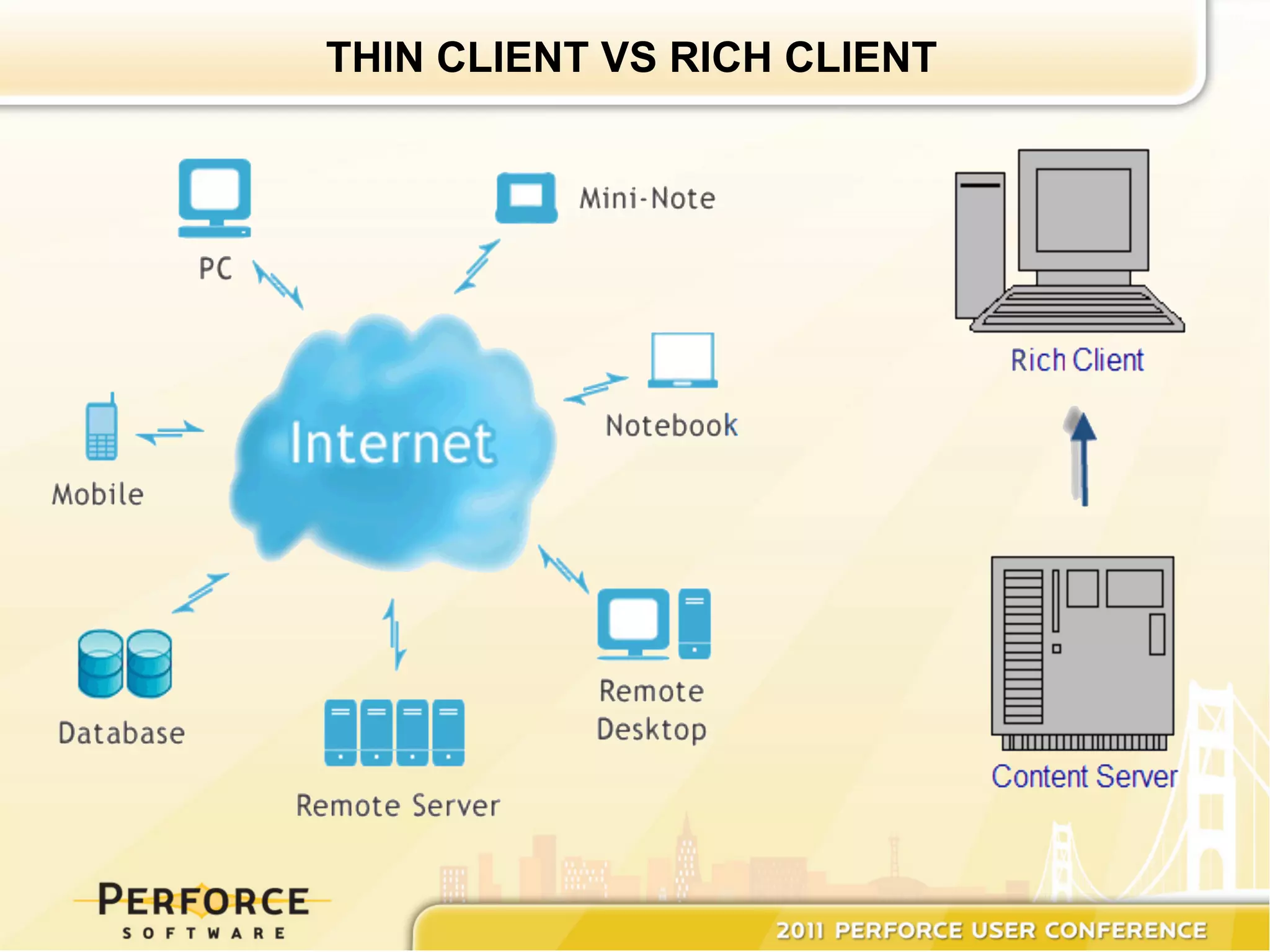
THIN CLIENT VS RICH CLIENT
THE RICH CLIENT


•  Often a complete solution in one package

•  Application logic minimizes server requests

•  Provides a rich user experience with a native
   look and feel

•  Often provides means to work offline
TWO P4V USER PROFILES


•    Our 'current' user-profile :
      –     Starts up P4V in the morning
      –     Leaves it up, and running
      –     Uses P4V for every possible Perforce task

•    The 'other' user-profile :
       –    Only uses certain P4V components
       –    Starts up P4V for these components
       –    Exits
       –    Does it again
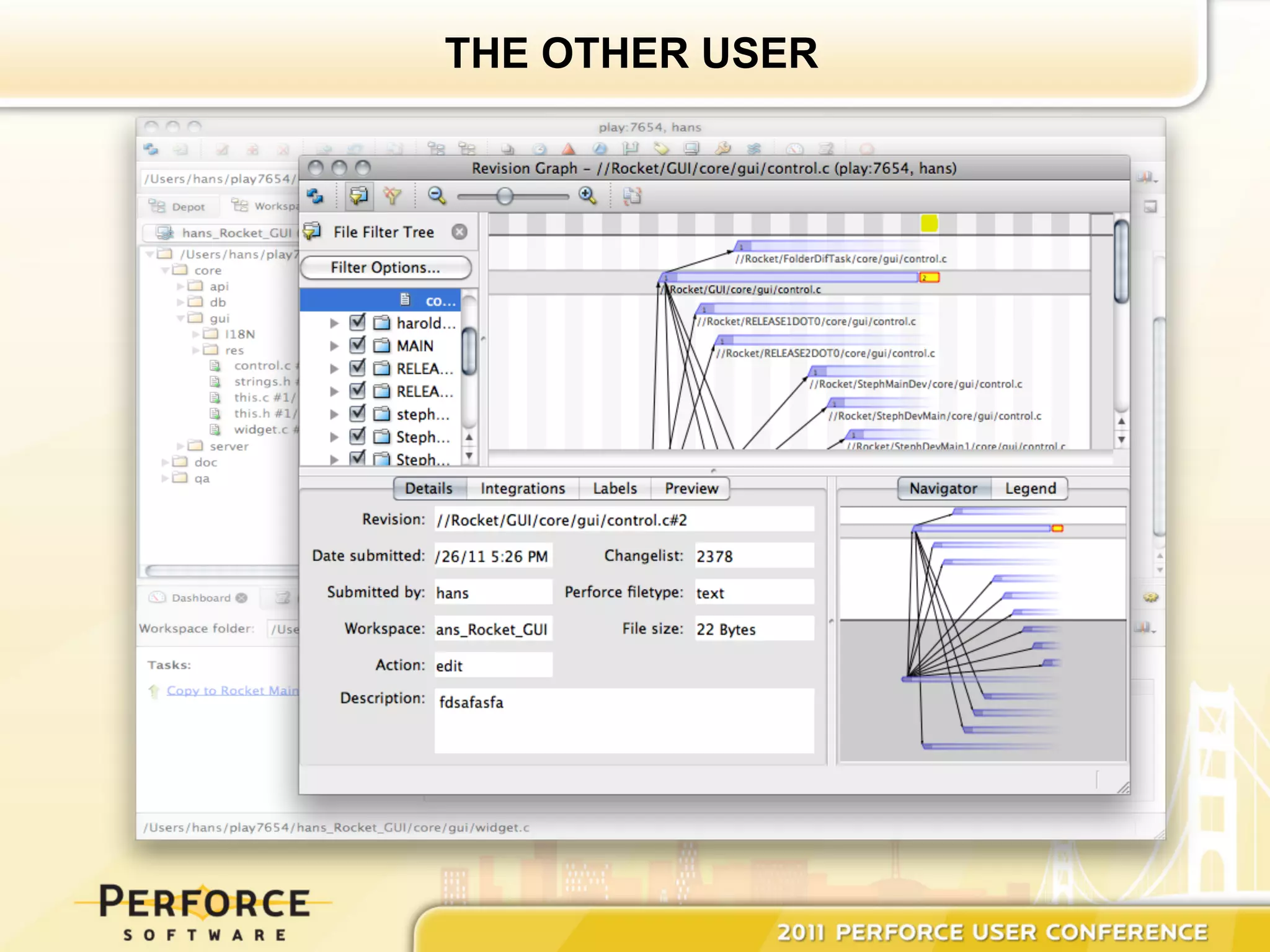
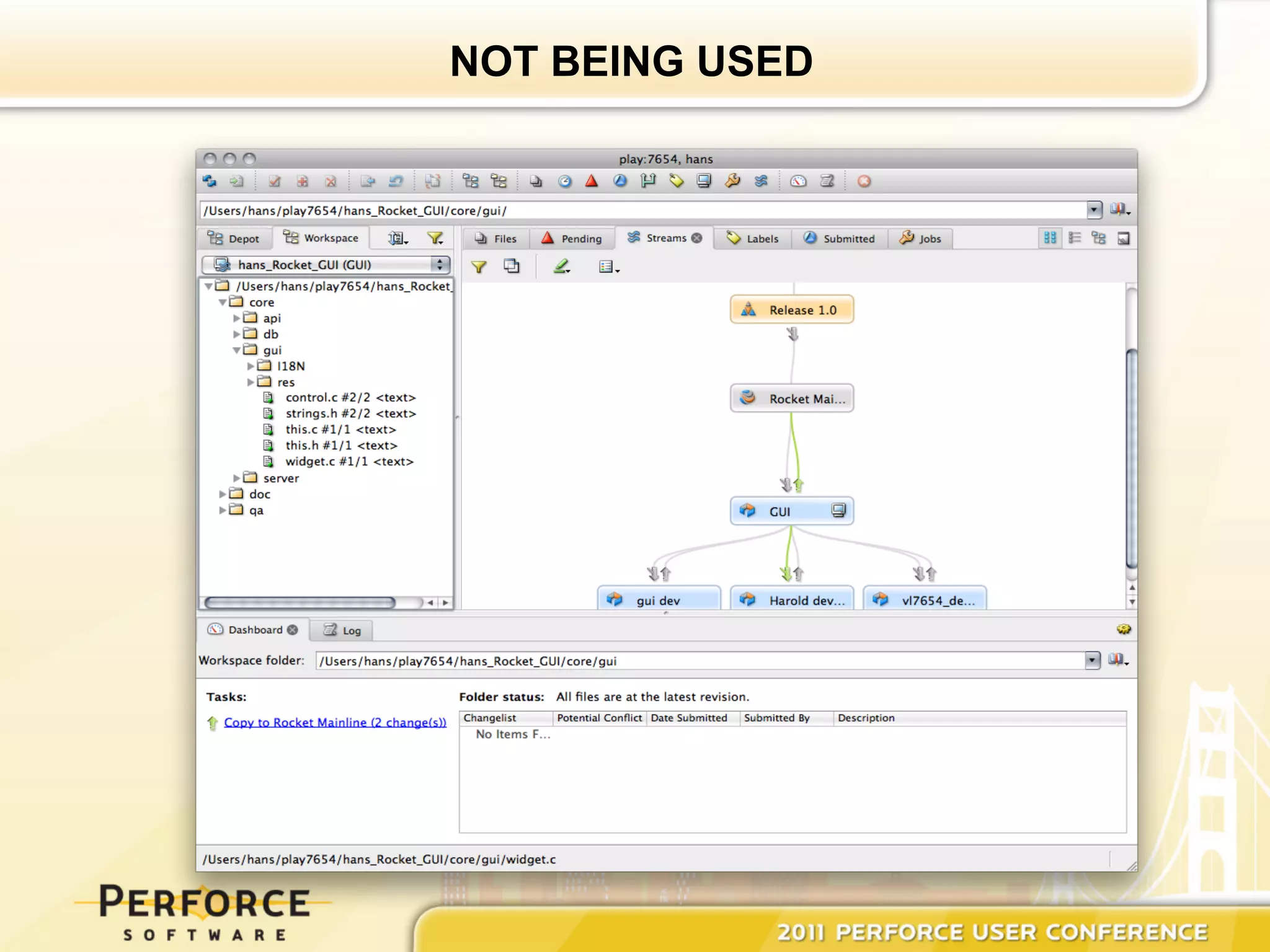
THE OTHER USER
NOT BEING USED
WOULDN’T IT BE NICE….


•  If you could launch only the component you
   are interested in

•  If it would be like executing p4 commands

•  If you would still get P4V scaleability
THE COMMAND LINE


•    P4V ships with a command-line utility
     named 'p4vc'

•    Its options, arguments, and behavior match
     p4

•    Commands use p4v terminology

•    All commands launch a GUI component
THE COMMAND LINE


•    p4vc [options] command [arguments]

•    Noteworthy commands :
      –  revgraph
      –  timelapse
      –  diffagainst
      –  resolve
      –  streamgraph
DEMONSTRATION


•    p4vc [options] command [arguments]
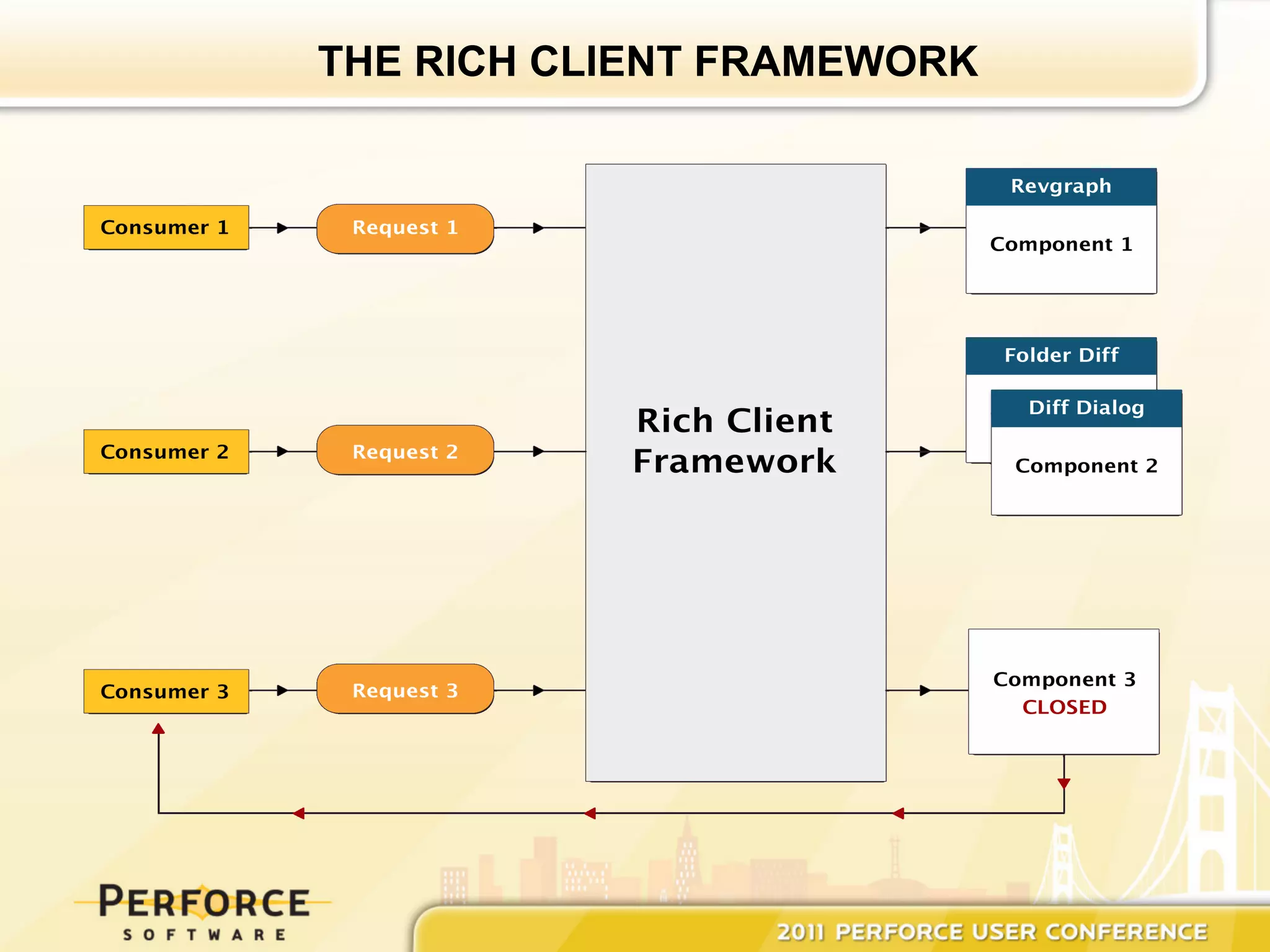
THE RICH CLIENT FRAMEWORK

Requirements :

•  Any platform that P4V ships on has to
   support the Rich Client Framework

•  No configuration required

•  One instance serves many components
THE RICH CLIENT FRAMEWORK
WAIT! THERE IS MORE


•    Applications calling P4V components use
     the Rich Client Framework
       –  P4Win
       –  P4Exp
       –  P4Eclipse

•    No longer will you get a separate P4V
     instance for every request
Q and A


?

Perforce's Rich Client Framework

  • 1.
    The Rich ClientFramework Hans van der Meer Engineering Manager Perforce Software
  • 2.
    AGENDA •  Introducing the Speaker •  Thin Client vs Rich Client •  The Rich Client •  Two P4V user profiles •  The command line •  Demo •  The Rich Client Framework •  Wait! There is more •  Q&A
  • 3.
    INTRODUCING THE SPEAKER •  Looking back •  Thick Client, Fat Client, Rich Client •  The lone gunman
  • 4.
    INTRODUCING THE SPEAKER •  Today •  The lonely gunman?
  • 5.
    THIN CLIENT VSRICH CLIENT
  • 6.
    THE RICH CLIENT • Often a complete solution in one package •  Application logic minimizes server requests •  Provides a rich user experience with a native look and feel •  Often provides means to work offline
  • 7.
    TWO P4V USERPROFILES •  Our 'current' user-profile : –  Starts up P4V in the morning –  Leaves it up, and running –  Uses P4V for every possible Perforce task •  The 'other' user-profile : –  Only uses certain P4V components –  Starts up P4V for these components –  Exits –  Does it again
  • 8.
  • 9.
  • 10.
    WOULDN’T IT BENICE…. •  If you could launch only the component you are interested in •  If it would be like executing p4 commands •  If you would still get P4V scaleability
  • 11.
    THE COMMAND LINE •  P4V ships with a command-line utility named 'p4vc' •  Its options, arguments, and behavior match p4 •  Commands use p4v terminology •  All commands launch a GUI component
  • 12.
    THE COMMAND LINE •  p4vc [options] command [arguments] •  Noteworthy commands : –  revgraph –  timelapse –  diffagainst –  resolve –  streamgraph
  • 13.
    DEMONSTRATION •  p4vc [options] command [arguments]
  • 14.
    THE RICH CLIENTFRAMEWORK Requirements : •  Any platform that P4V ships on has to support the Rich Client Framework •  No configuration required •  One instance serves many components
  • 15.
    THE RICH CLIENTFRAMEWORK
  • 16.
    WAIT! THERE ISMORE •  Applications calling P4V components use the Rich Client Framework –  P4Win –  P4Exp –  P4Eclipse •  No longer will you get a separate P4V instance for every request
  • 17.