USING THE NOKIA
IMAGING SDK
LUMIA APP LABS #15
Berthier Lemieux
Technology Wizard
Experts in imaging algorithms
Acquired by Nokia, 24 July 2012
Their technology drives:
Nokia Smart Camera
Nokia Cinemagraph
Nokia Creative studio
SCALADO
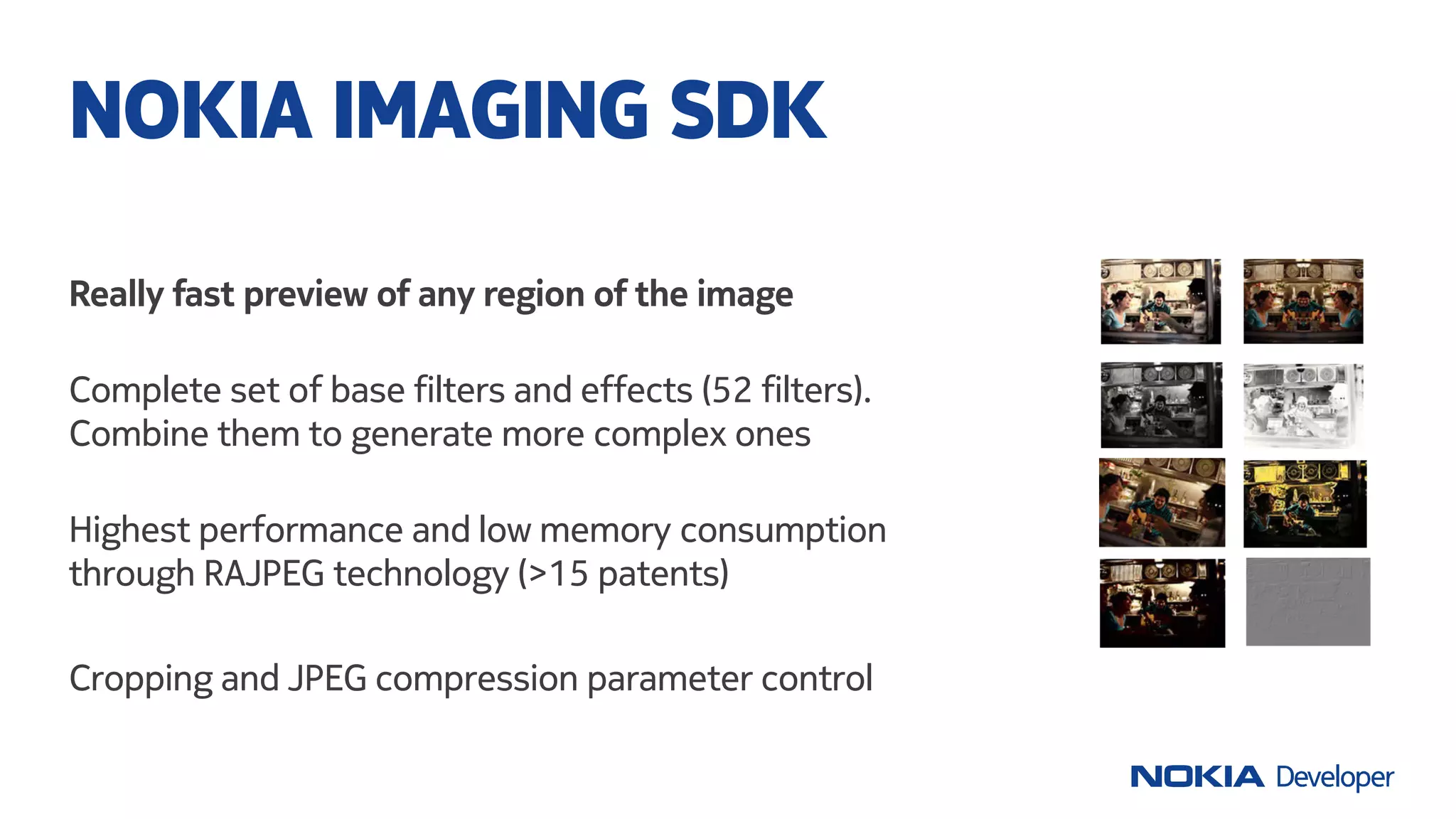
Really fast preview of any region of the image
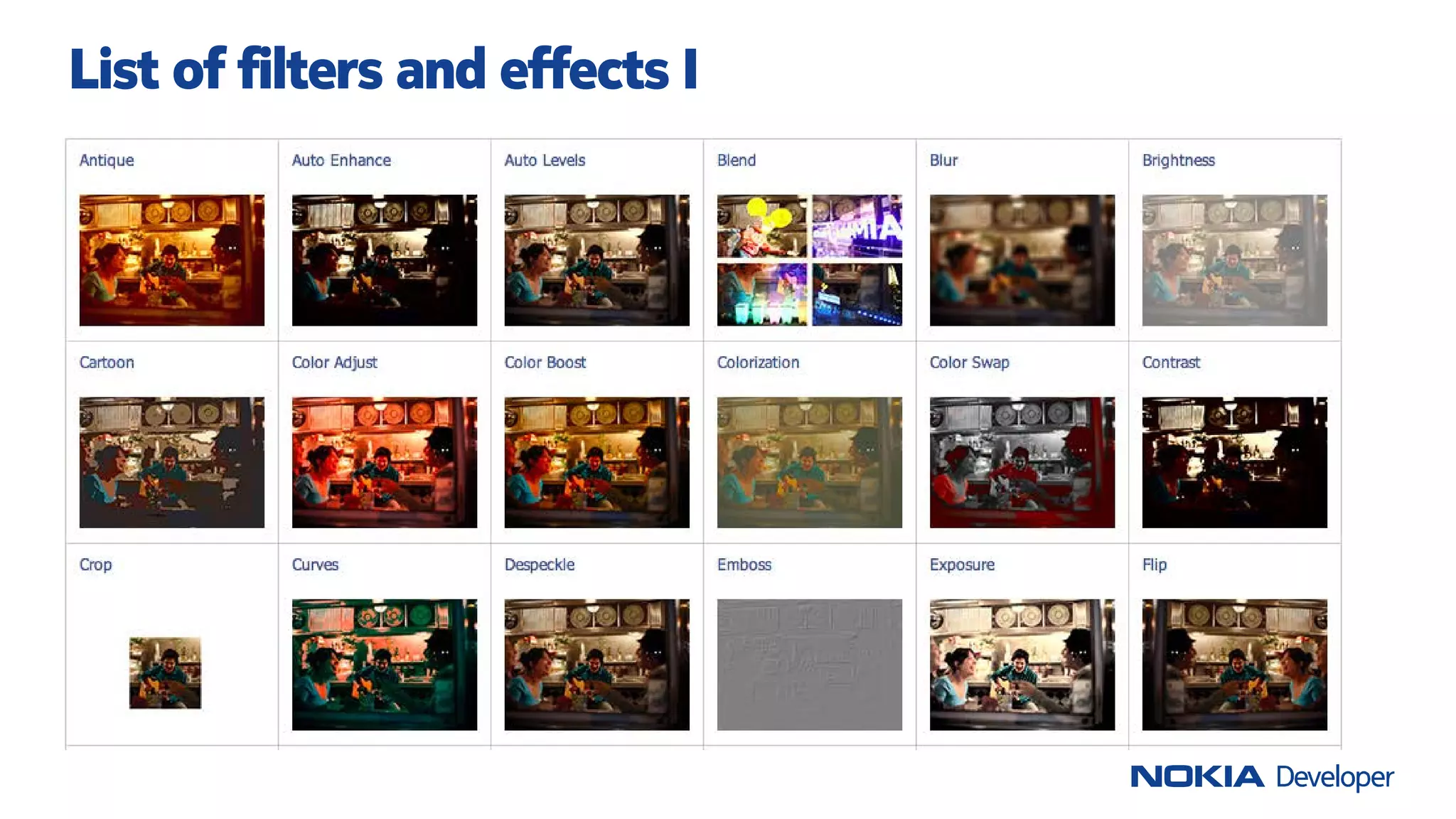
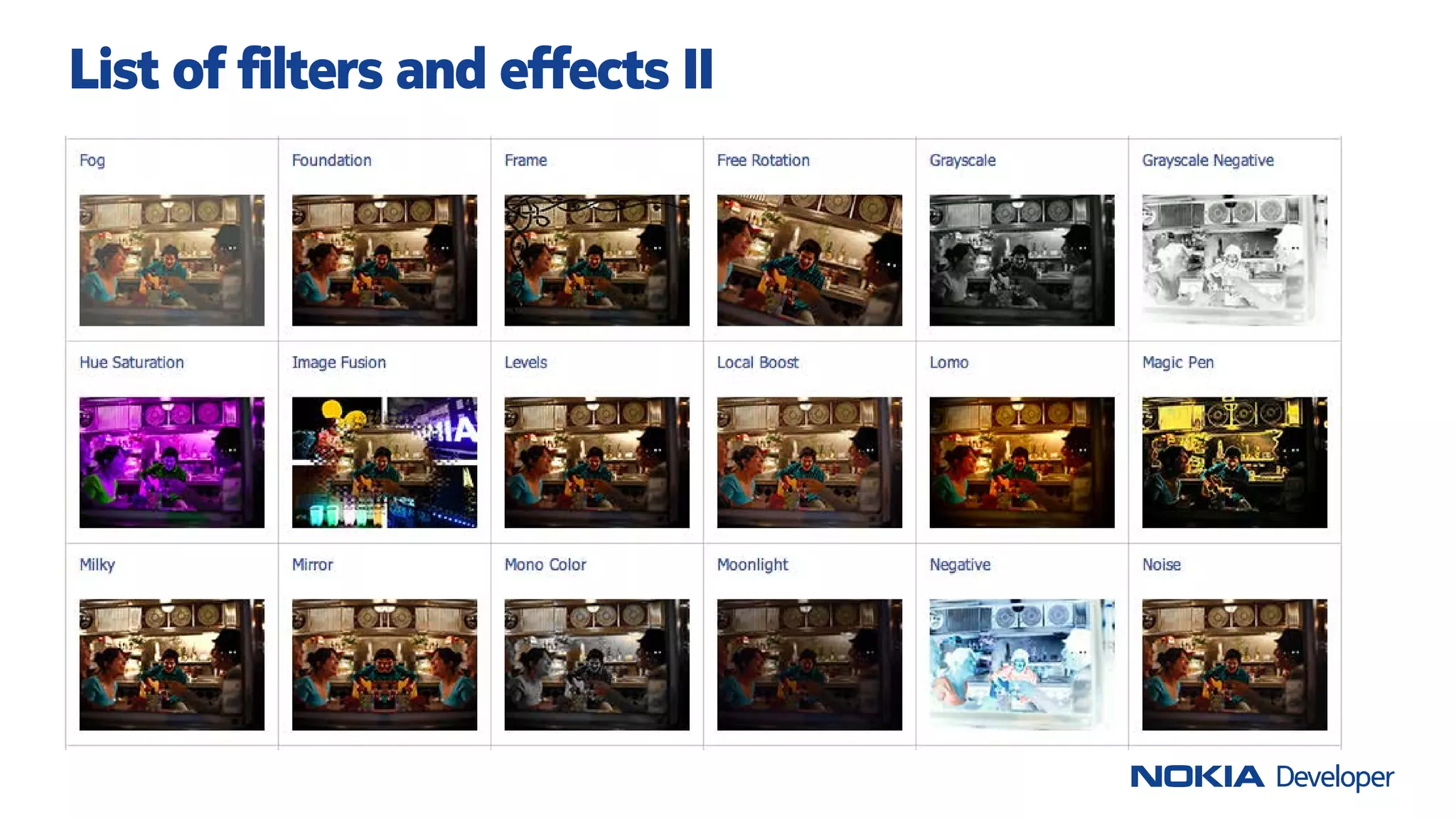
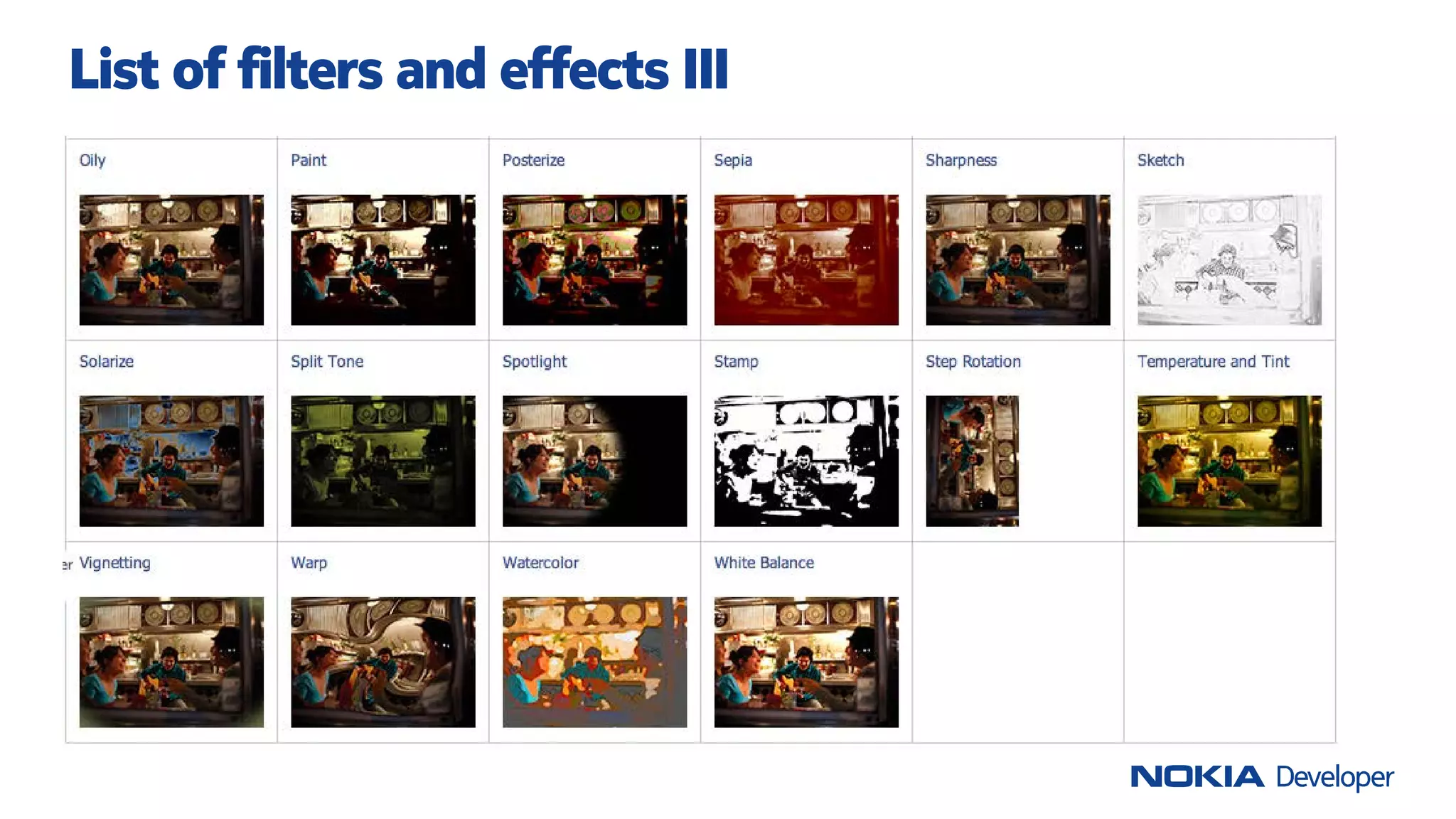
Complete set of base filters and effects (52 filters).
Combine them to generate more complex ones
Highest performance and low memory consumption
through RAJPEG technology (>15 patents)
Cropping and JPEG compression parameter control
NOKIA IMAGING SDK
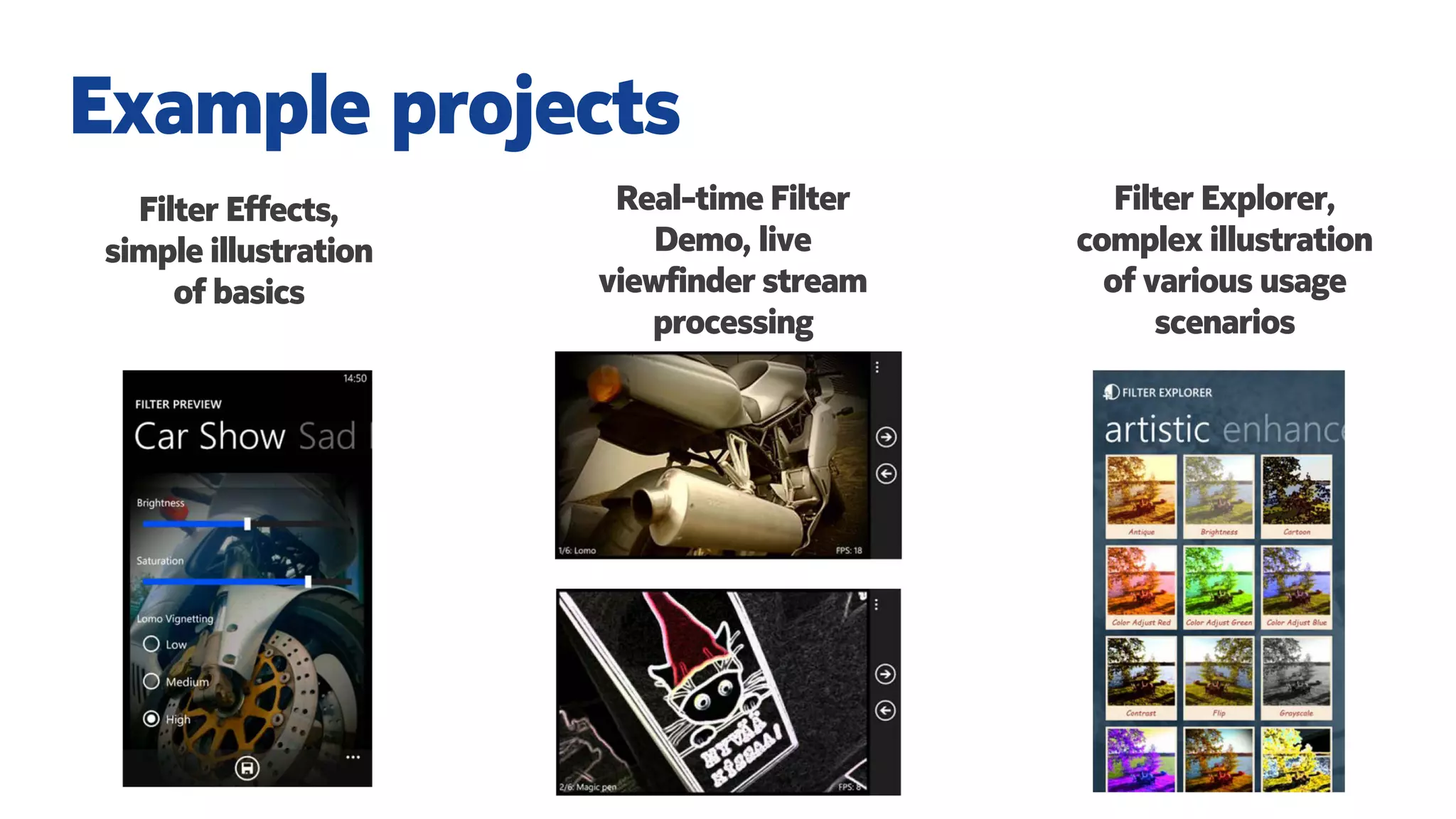
Filter Effects,
simple illustration
of basics
Example projects
Real-time Filter
Demo, live
viewfinder stream
processing
Filter Explorer,
complex illustration
of various usage
scenarios
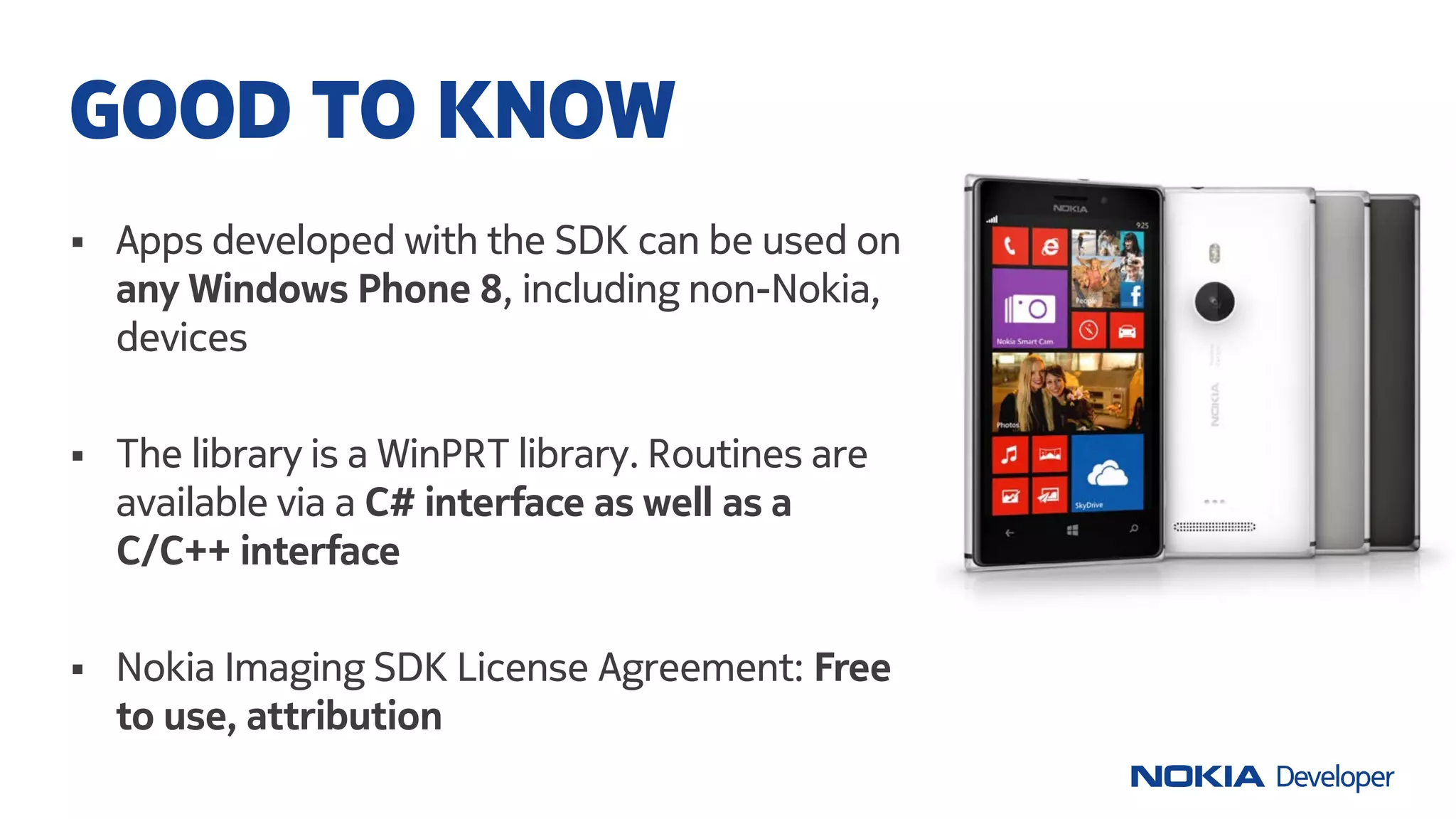
 Apps developed with the SDK can be used on
any Windows Phone 8, including non-Nokia,
devices
 The library is a WinPRT library. Routines are
available via a C# interface as well as a
C/C++ interface
 Nokia Imaging SDK License Agreement: Free
to use, attribution
GOOD TO KNOW
List of filters and effects I
List of filters and effects II
List of filters and effects III
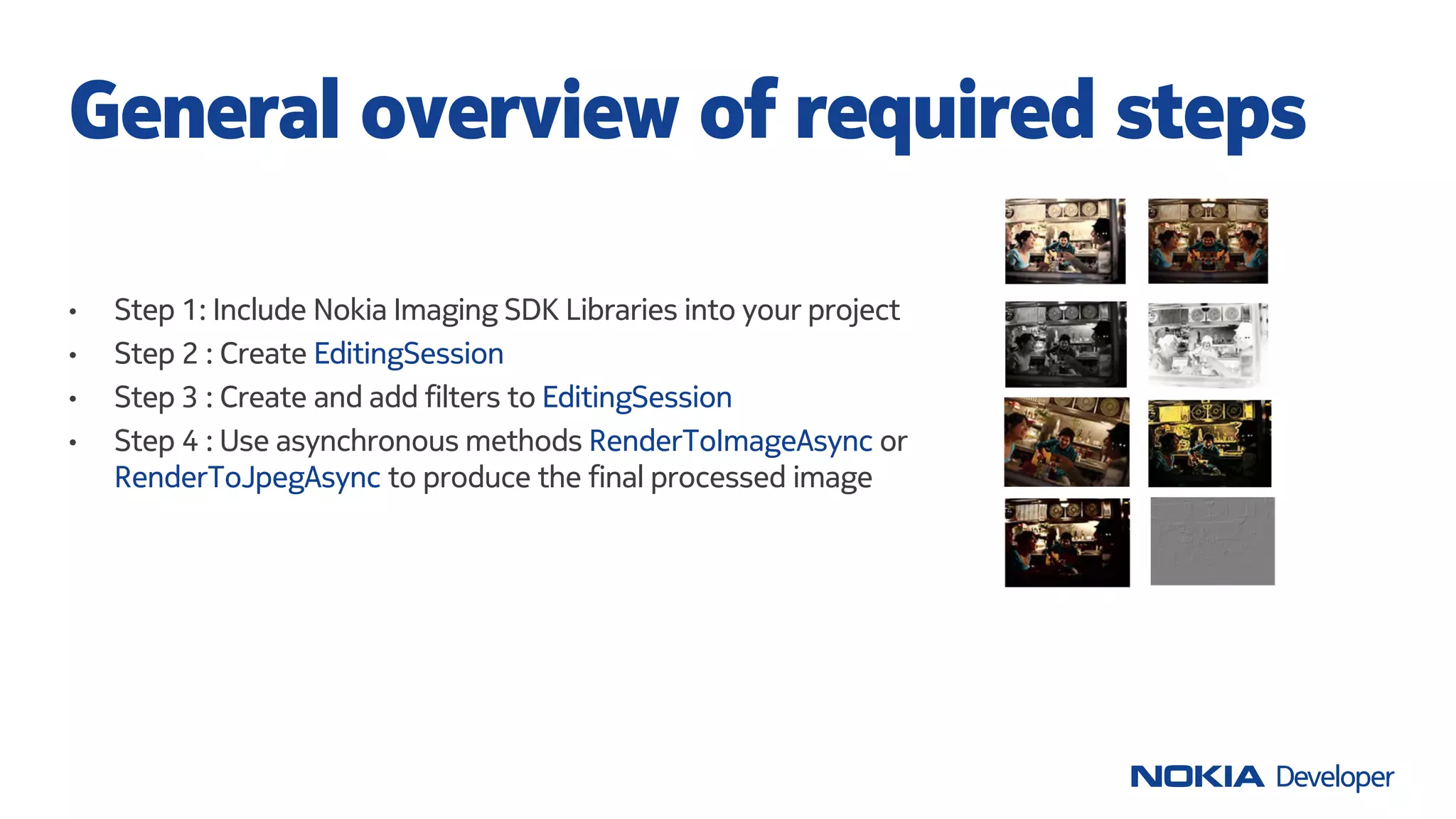
• Step 1: Include Nokia Imaging SDK Libraries into your project
• Step 2 : Create EditingSession
• Step 3 : Create and add filters to EditingSession
• Step 4 : Use asynchronous methods RenderToImageAsync or
RenderToJpegAsync to produce the final processed image
General overview of required steps
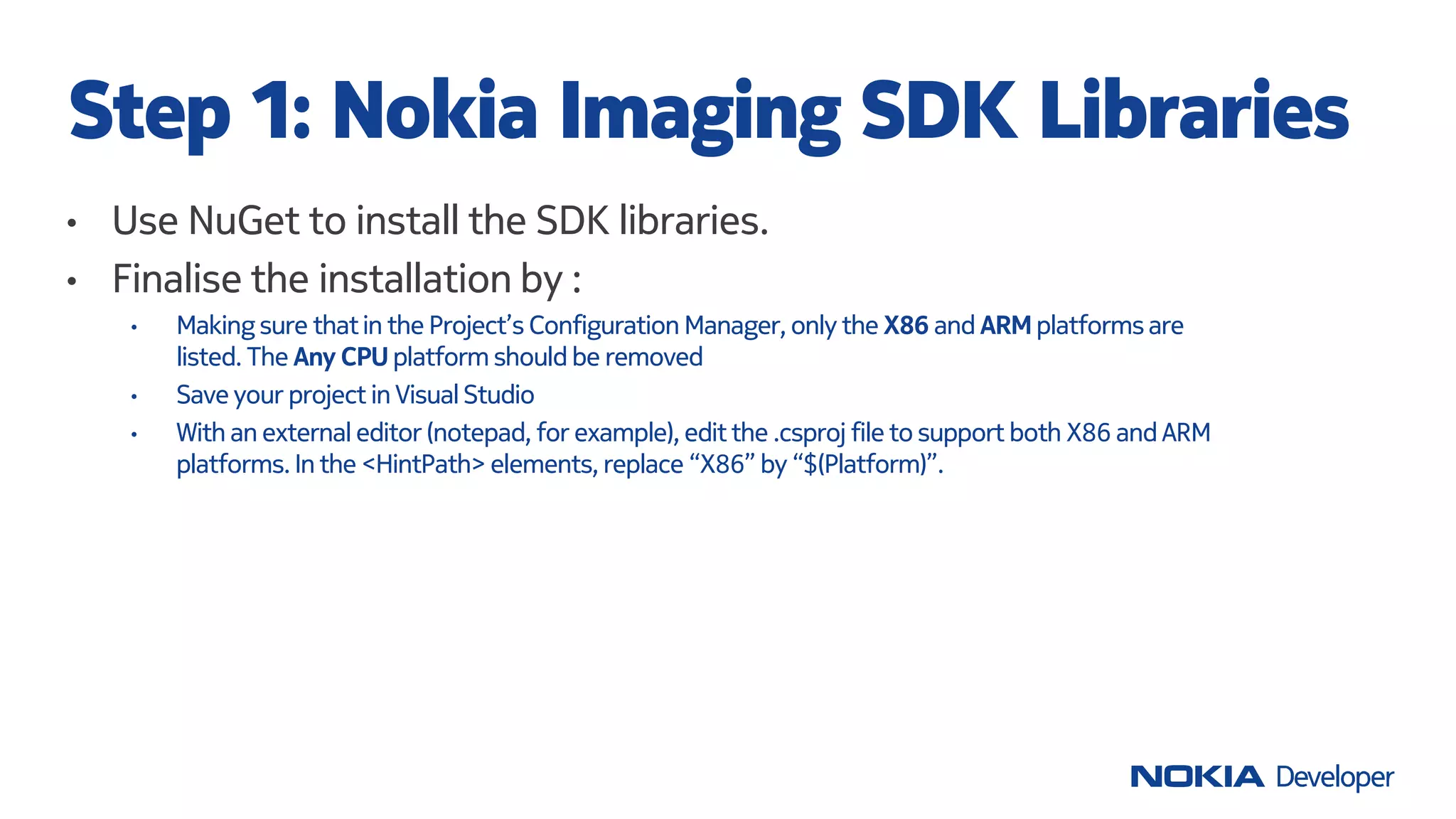
• Use NuGet to install the SDK libraries.
• Finalise the installation by :
• Making sure thatin the Project’s Configuration Manager, only the X86 and ARM platformsare
listed. The Any CPU platform should be removed
• Save your project in VisualStudio
• With an external editor (notepad, for example), edit the .csproj file to support both X86 and ARM
platforms. In the <HintPath> elements, replace “X86” by “$(Platform)”.
Step 1: Nokia Imaging SDK Libraries
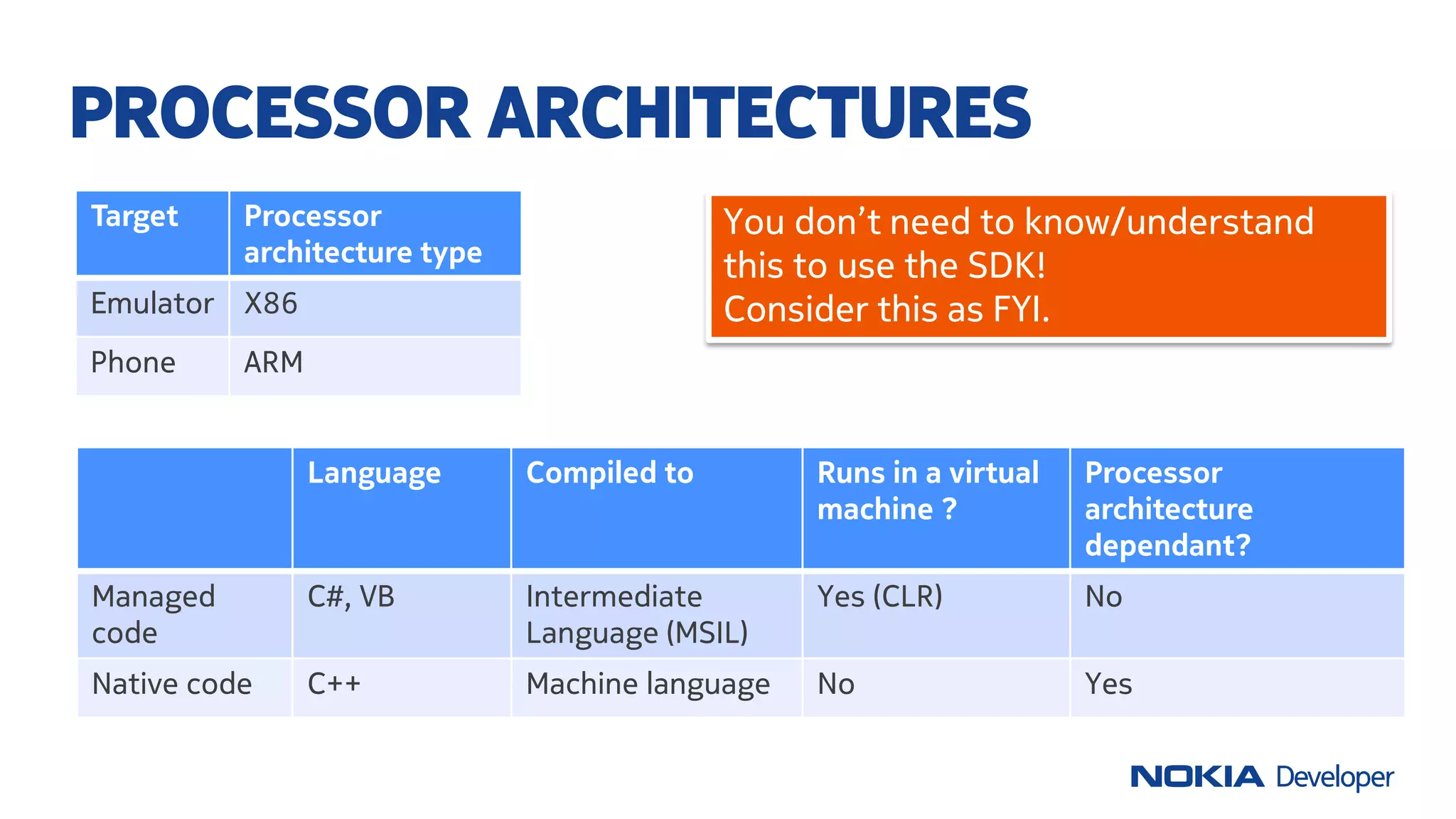
Language Compiled to Runs in a virtual
machine ?
Processor
architecture
dependant?
Managed
code
C#, VB Intermediate
Language (MSIL)
Yes (CLR) No
Native code C++ Machine language No Yes
PROCESSOR ARCHITECTURES
Target Processor
architecture type
Emulator X86
Phone ARM
You don’t need to know/understand
this to use the SDK!
Consider this as FYI.
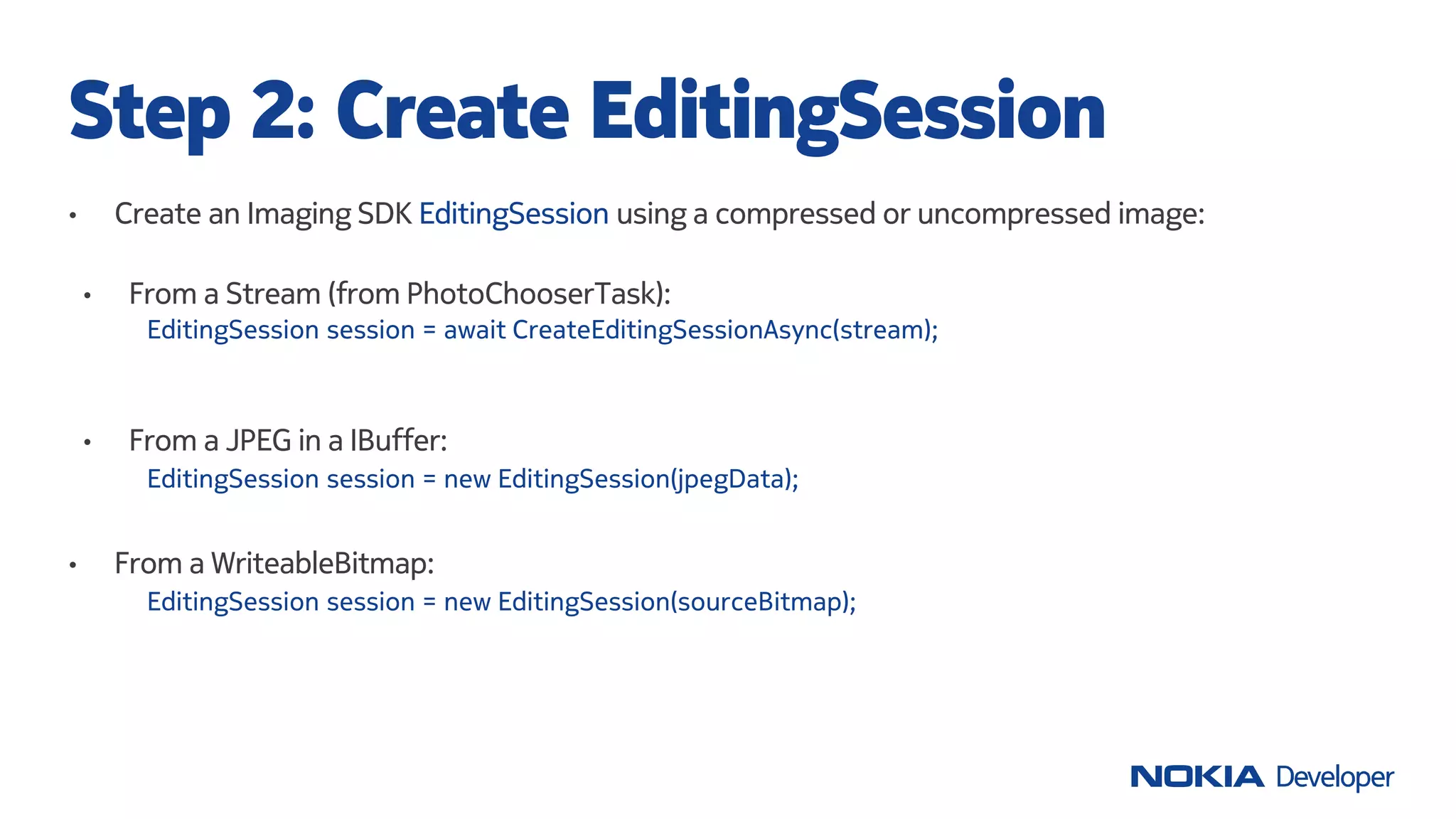
• Create an Imaging SDK EditingSession using a compressed or uncompressed image:
Step 2: Create EditingSession
EditingSession session = new EditingSession(jpegData);
• From a WriteableBitmap:
EditingSession session = new EditingSession(sourceBitmap);
• From a JPEG in a IBuffer:
EditingSession session = await CreateEditingSessionAsync(stream);
• From a Stream (from PhotoChooserTask):
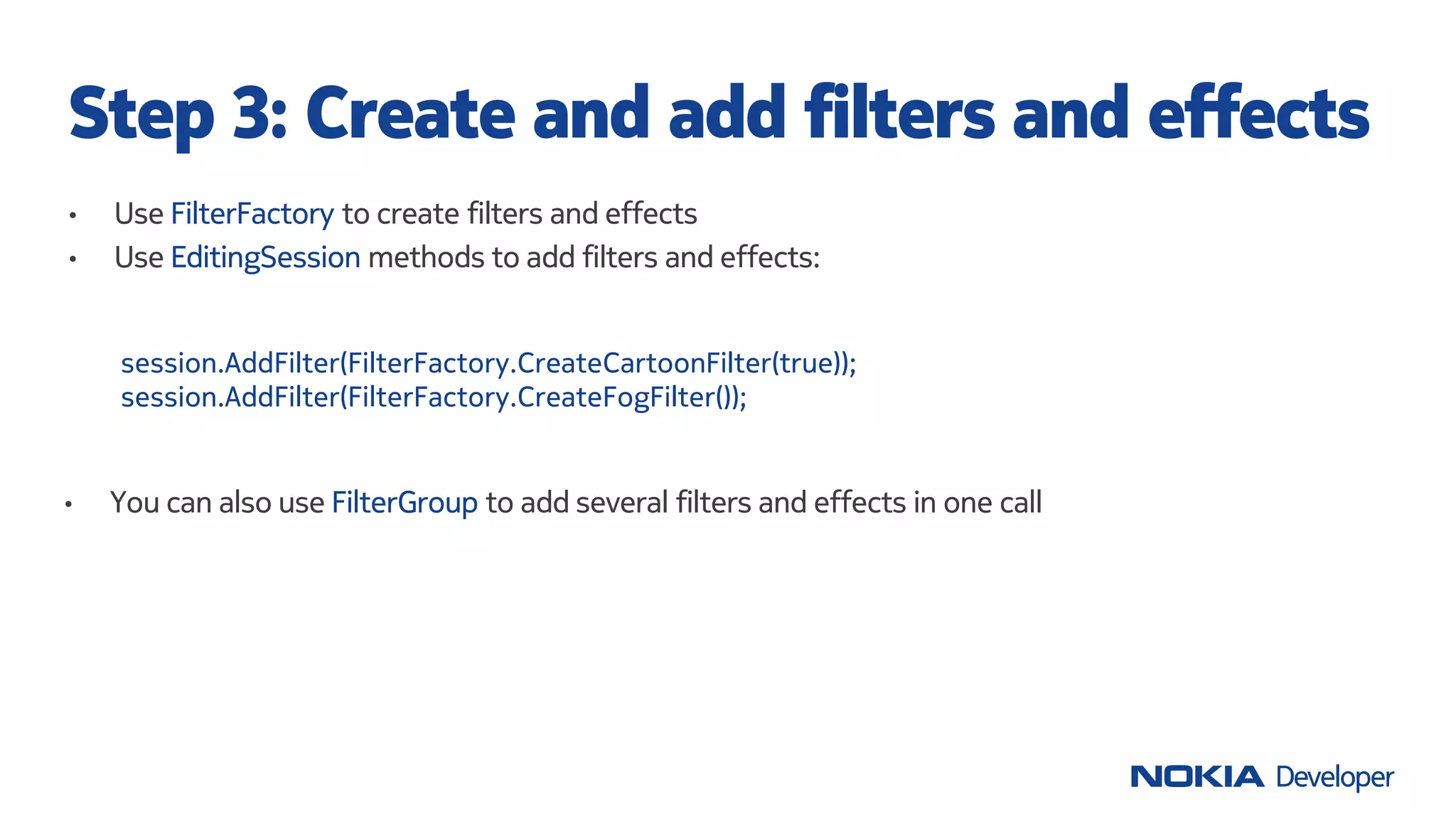
• Use FilterFactory to create filters and effects
• Use EditingSession methods to add filters and effects:
Step 3: Create and add filters and effects
session.AddFilter(FilterFactory.CreateCartoonFilter(true));
session.AddFilter(FilterFactory.CreateFogFilter());
• You can also use FilterGroup to add several filters and effects in one call
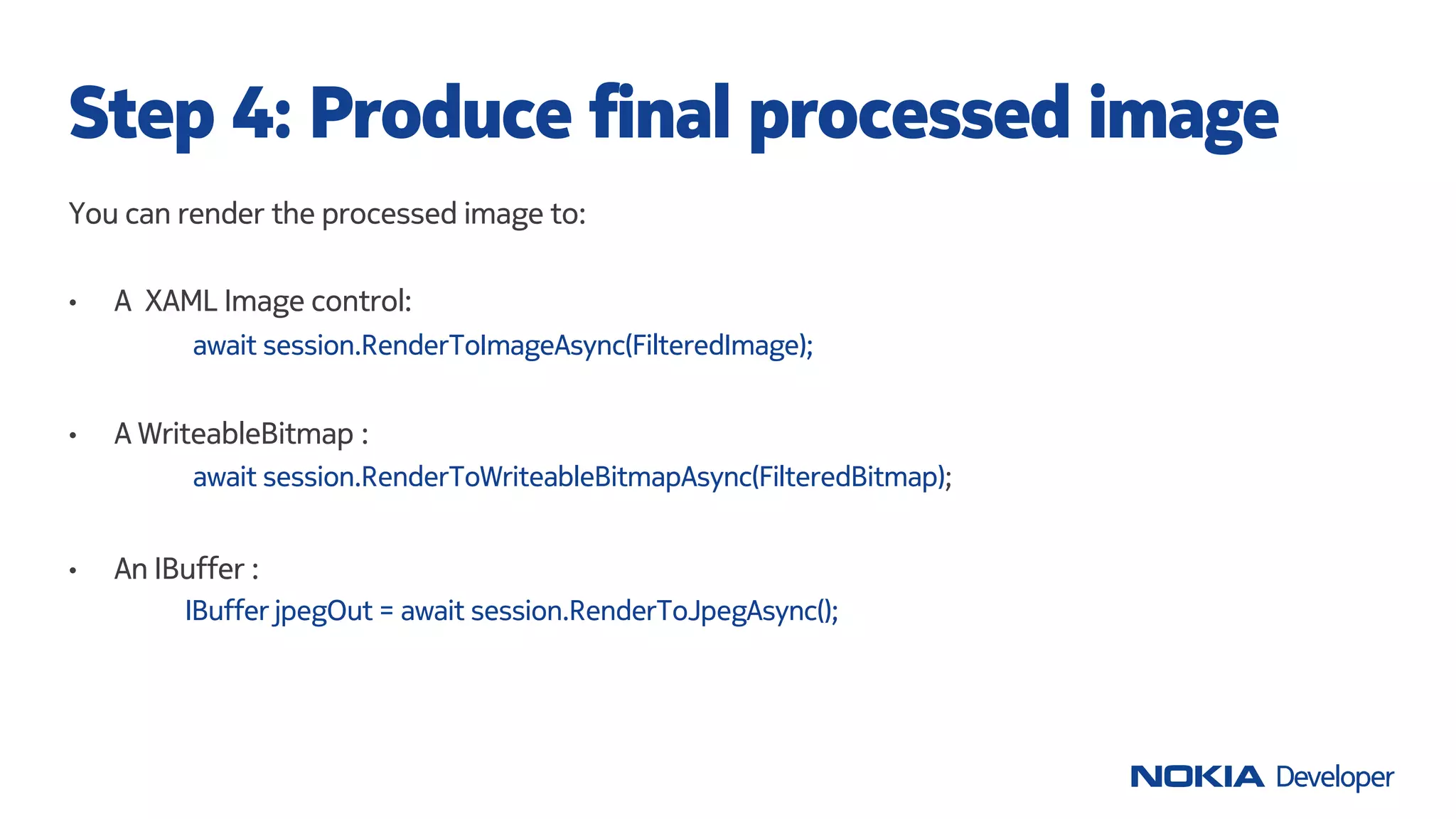
You can render the processed image to:
• A XAML Image control:
await session.RenderToImageAsync(FilteredImage);
• A WriteableBitmap :
await session.RenderToWriteableBitmapAsync(FilteredBitmap);
• An IBuffer :
IBuffer jpegOut = await session.RenderToJpegAsync();
Step 4: Produce final processed image
You found an error in the SDK, have suggestions, need help?
Nokia Imaging discussion board: http://nokia.ly/DiBoImg
You have developped an app with the SDK?
We’d love to hear about it. Tellus by sending a mailat developer-
relations.marketing@nokia.com
Documentation and code samples
• Imaging in the Lumia Developer’s Library: http://nokia.ly/WP_lib_img
• Nokia Imaging SDK: http://www.developer.nokia.com/imaging
RESOURCES
THANK YOU!
NOKIA
IMAGING WIKI
COMPETITION
2013Q3
Write a great tutorial, guide or an article with code which
shows how to use the Nokia Imaging SDK or Camera and any
other Windows Phone APIs related to imaging in useful,
imaginative and innovative ways and/or provide the best
feedback on the Nokia Imaging SDK.
developer.nokia.com/Community/Wiki/

LUMIA APP LAB #15: USING THE NOKIA IMAGING SDK

  • 1.
    USING THE NOKIA IMAGINGSDK LUMIA APP LABS #15 Berthier Lemieux Technology Wizard
  • 2.
    Experts in imagingalgorithms Acquired by Nokia, 24 July 2012 Their technology drives: Nokia Smart Camera Nokia Cinemagraph Nokia Creative studio SCALADO
  • 3.
    Really fast previewof any region of the image Complete set of base filters and effects (52 filters). Combine them to generate more complex ones Highest performance and low memory consumption through RAJPEG technology (>15 patents) Cropping and JPEG compression parameter control NOKIA IMAGING SDK
  • 4.
    Filter Effects, simple illustration ofbasics Example projects Real-time Filter Demo, live viewfinder stream processing Filter Explorer, complex illustration of various usage scenarios
  • 5.
     Apps developedwith the SDK can be used on any Windows Phone 8, including non-Nokia, devices  The library is a WinPRT library. Routines are available via a C# interface as well as a C/C++ interface  Nokia Imaging SDK License Agreement: Free to use, attribution GOOD TO KNOW
  • 6.
    List of filtersand effects I
  • 7.
    List of filtersand effects II
  • 8.
    List of filtersand effects III
  • 9.
    • Step 1:Include Nokia Imaging SDK Libraries into your project • Step 2 : Create EditingSession • Step 3 : Create and add filters to EditingSession • Step 4 : Use asynchronous methods RenderToImageAsync or RenderToJpegAsync to produce the final processed image General overview of required steps
  • 10.
    • Use NuGetto install the SDK libraries. • Finalise the installation by : • Making sure thatin the Project’s Configuration Manager, only the X86 and ARM platformsare listed. The Any CPU platform should be removed • Save your project in VisualStudio • With an external editor (notepad, for example), edit the .csproj file to support both X86 and ARM platforms. In the <HintPath> elements, replace “X86” by “$(Platform)”. Step 1: Nokia Imaging SDK Libraries
  • 11.
    Language Compiled toRuns in a virtual machine ? Processor architecture dependant? Managed code C#, VB Intermediate Language (MSIL) Yes (CLR) No Native code C++ Machine language No Yes PROCESSOR ARCHITECTURES Target Processor architecture type Emulator X86 Phone ARM You don’t need to know/understand this to use the SDK! Consider this as FYI.
  • 12.
    • Create anImaging SDK EditingSession using a compressed or uncompressed image: Step 2: Create EditingSession EditingSession session = new EditingSession(jpegData); • From a WriteableBitmap: EditingSession session = new EditingSession(sourceBitmap); • From a JPEG in a IBuffer: EditingSession session = await CreateEditingSessionAsync(stream); • From a Stream (from PhotoChooserTask):
  • 13.
    • Use FilterFactoryto create filters and effects • Use EditingSession methods to add filters and effects: Step 3: Create and add filters and effects session.AddFilter(FilterFactory.CreateCartoonFilter(true)); session.AddFilter(FilterFactory.CreateFogFilter()); • You can also use FilterGroup to add several filters and effects in one call
  • 14.
    You can renderthe processed image to: • A XAML Image control: await session.RenderToImageAsync(FilteredImage); • A WriteableBitmap : await session.RenderToWriteableBitmapAsync(FilteredBitmap); • An IBuffer : IBuffer jpegOut = await session.RenderToJpegAsync(); Step 4: Produce final processed image
  • 15.
    You found anerror in the SDK, have suggestions, need help? Nokia Imaging discussion board: http://nokia.ly/DiBoImg You have developped an app with the SDK? We’d love to hear about it. Tellus by sending a mailat developer- relations.marketing@nokia.com Documentation and code samples • Imaging in the Lumia Developer’s Library: http://nokia.ly/WP_lib_img • Nokia Imaging SDK: http://www.developer.nokia.com/imaging RESOURCES
  • 16.
  • 17.
    NOKIA IMAGING WIKI COMPETITION 2013Q3 Write agreat tutorial, guide or an article with code which shows how to use the Nokia Imaging SDK or Camera and any other Windows Phone APIs related to imaging in useful, imaginative and innovative ways and/or provide the best feedback on the Nokia Imaging SDK. developer.nokia.com/Community/Wiki/