

1

Copyright © 2014, Oracle and/or its affiliates. All rights reserved.
MySQL Enterprise Backup:
Recovery Performance
Keith Hollman
MySQL Principal Sales Consultant EMEA
Agenda
 Backup Mission Objective.
 mysqldump &

MySQL Enterprise Backup (mysqlbackup).

 Restoring.
 Conclusion.

3

Copyright © 2014, Oracle and/or its affiliates. All rights reserved.
Backup Mission Objective
Goal
 Testing for speed:
– Based on a current usage of mysqldump.
– Evaluation of MySQL Enterprise Backup.
– And some performance tuning / parallelizing.

4

Copyright © 2014, Oracle and/or its affiliates. All rights reserved.
Backup Mission Objective
Setup
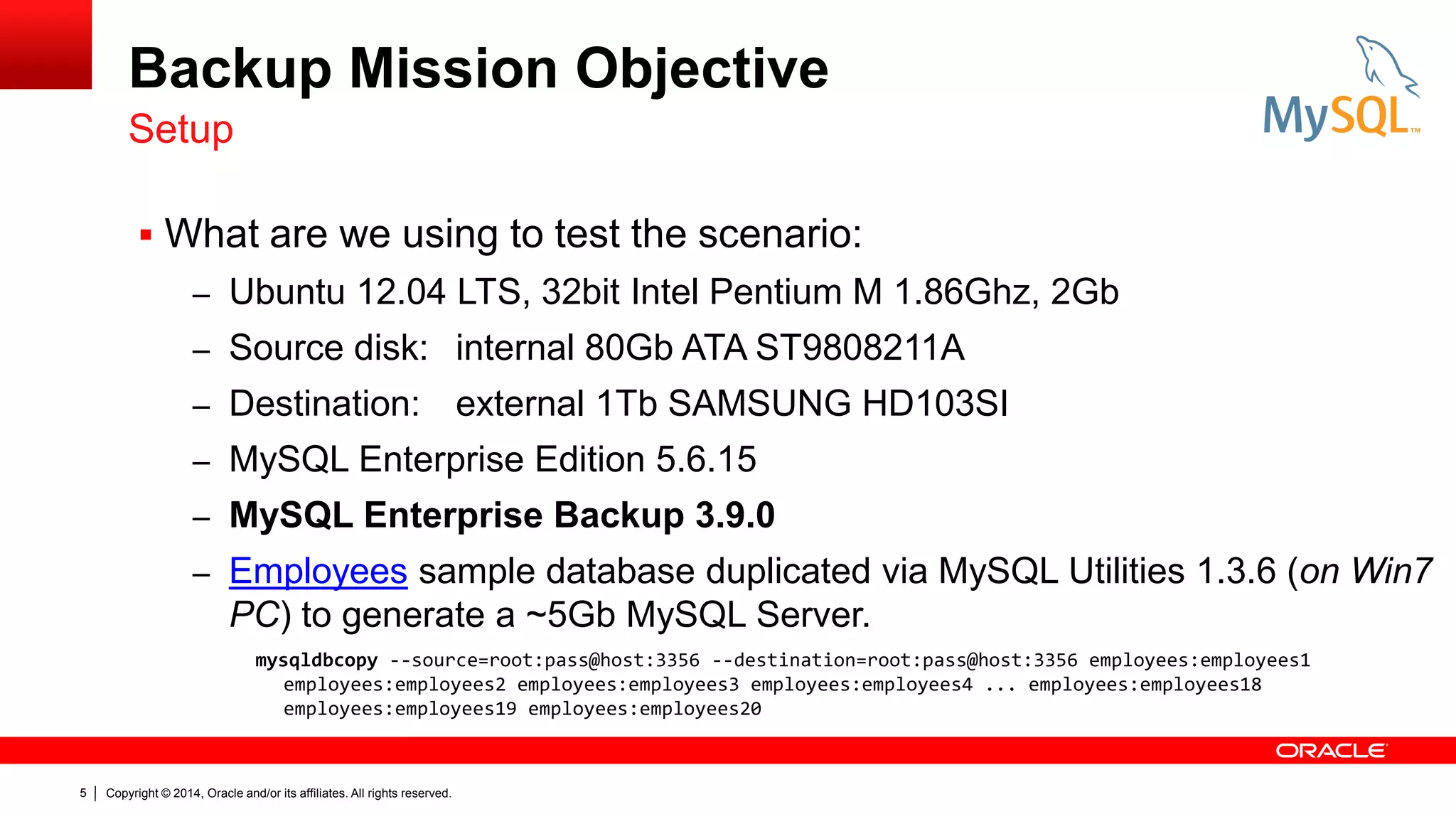
 What are we using to test the scenario:
– Ubuntu 12.04 LTS, 32bit Intel Pentium M 1.86Ghz, 2Gb
– Source disk: internal 80Gb ATA ST9808211A

– Destination:

external 1Tb SAMSUNG HD103SI

– MySQL Enterprise Edition 5.6.15
– MySQL Enterprise Backup 3.9.0

– Employees sample database duplicated via MySQL Utilities 1.3.6 (on Win7

PC) to generate a ~5Gb MySQL Server.
mysqldbcopy --source=root:pass@host:3356 --destination=root:pass@host:3356 employees:employees1
employees:employees2 employees:employees3 employees:employees4 ... employees:employees18
employees:employees19 employees:employees20

5

Copyright © 2014, Oracle and/or its affiliates. All rights reserved.
Backup Mission Objective
IO Expectations.
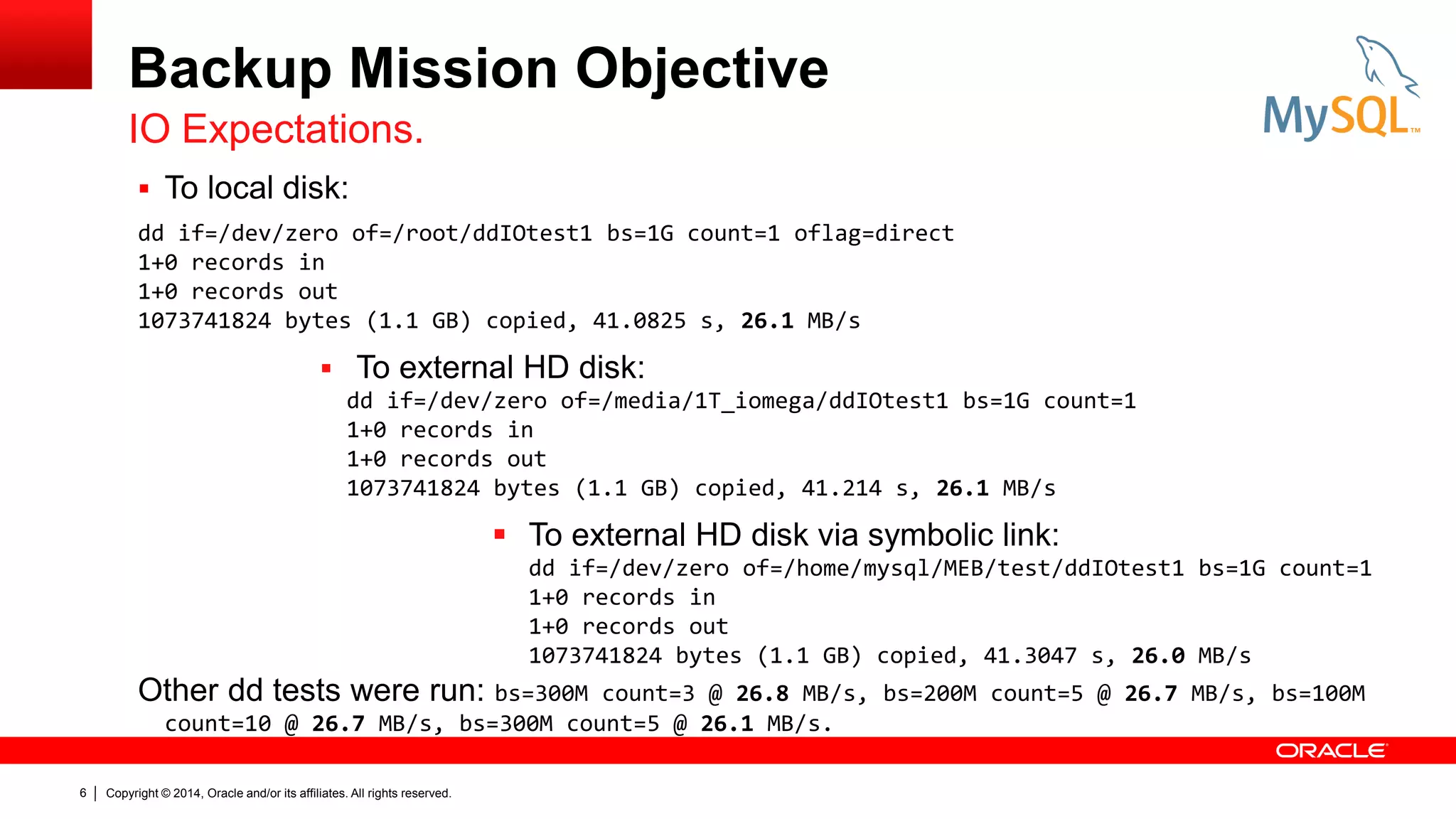
 To local disk:
dd if=/dev/zero of=/root/ddIOtest1 bs=1G count=1 oflag=direct
1+0 records in
1+0 records out
1073741824 bytes (1.1 GB) copied, 41.0825 s, 26.1 MB/s

 To external HD disk:
dd if=/dev/zero of=/media/1T_iomega/ddIOtest1 bs=1G count=1
1+0 records in
1+0 records out
1073741824 bytes (1.1 GB) copied, 41.214 s, 26.1 MB/s

 To external HD disk via symbolic link:
dd if=/dev/zero of=/home/mysql/MEB/test/ddIOtest1 bs=1G count=1
1+0 records in
1+0 records out
1073741824 bytes (1.1 GB) copied, 41.3047 s, 26.0 MB/s

Other dd tests were run: bs=300M

count=3 @ 26.8 MB/s, bs=200M count=5 @ 26.7 MB/s, bs=100M
count=10 @ 26.7 MB/s, bs=300M count=5 @ 26.1 MB/s.

6

Copyright © 2014, Oracle and/or its affiliates. All rights reserved.
mysqldump & MySQL
Enterprise Backup

8

Copyright © 2014, Oracle and/or its affiliates. All rights reserved.
mysqldump
Non-Enterprise Backup
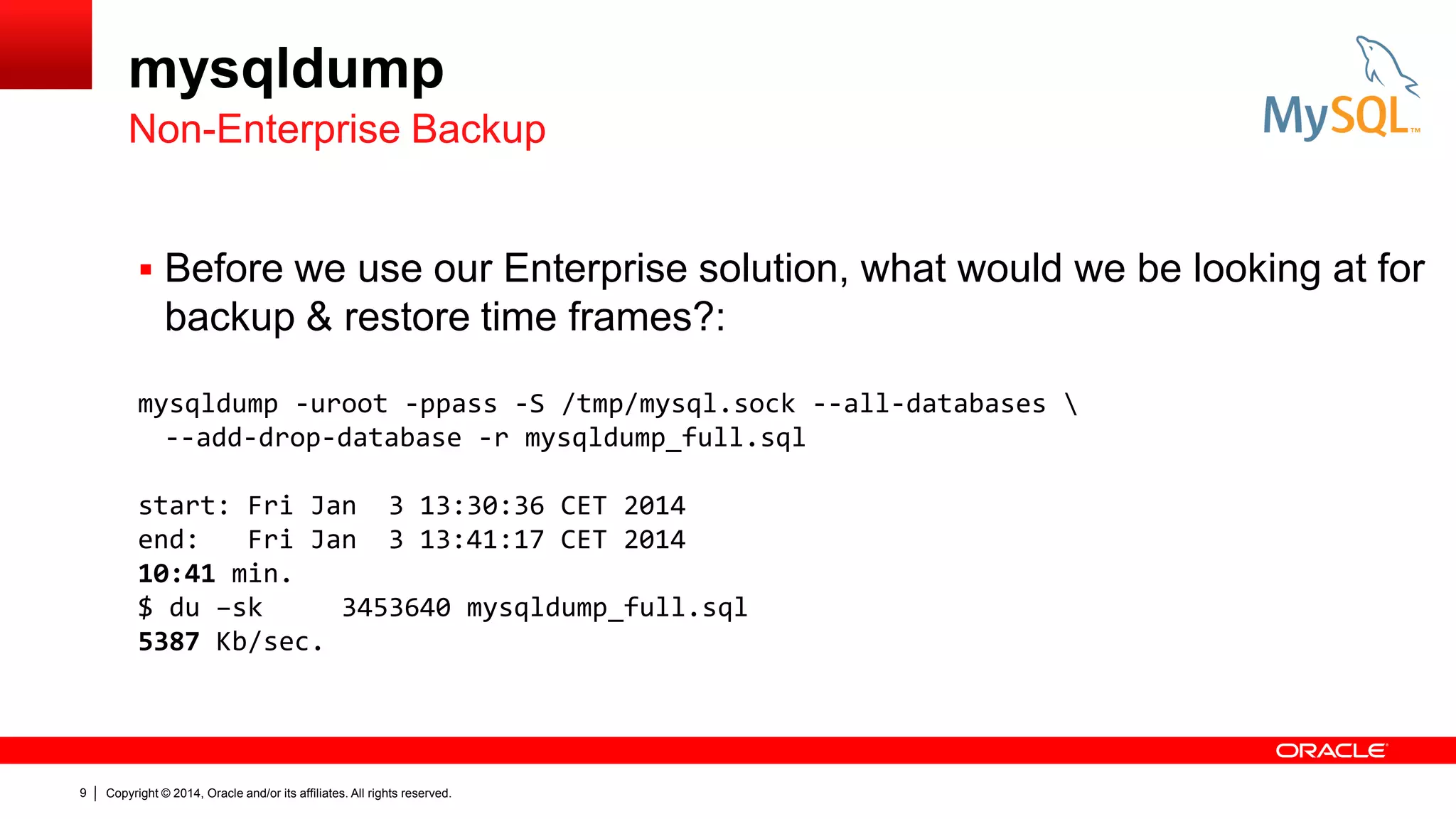
 Before we use our Enterprise solution, what would we be looking at for

backup & restore time frames?:
mysqldump -uroot -ppass -S /tmp/mysql.sock --all-databases 
--add-drop-database -r mysqldump_full.sql
start: Fri Jan 3 13:30:36 CET 2014
end:
Fri Jan 3 13:41:17 CET 2014
10:41 min.
$ du –sk
3453640 mysqldump_full.sql
5387 Kb/sec.

9

Copyright © 2014, Oracle and/or its affiliates. All rights reserved.
mysqldump
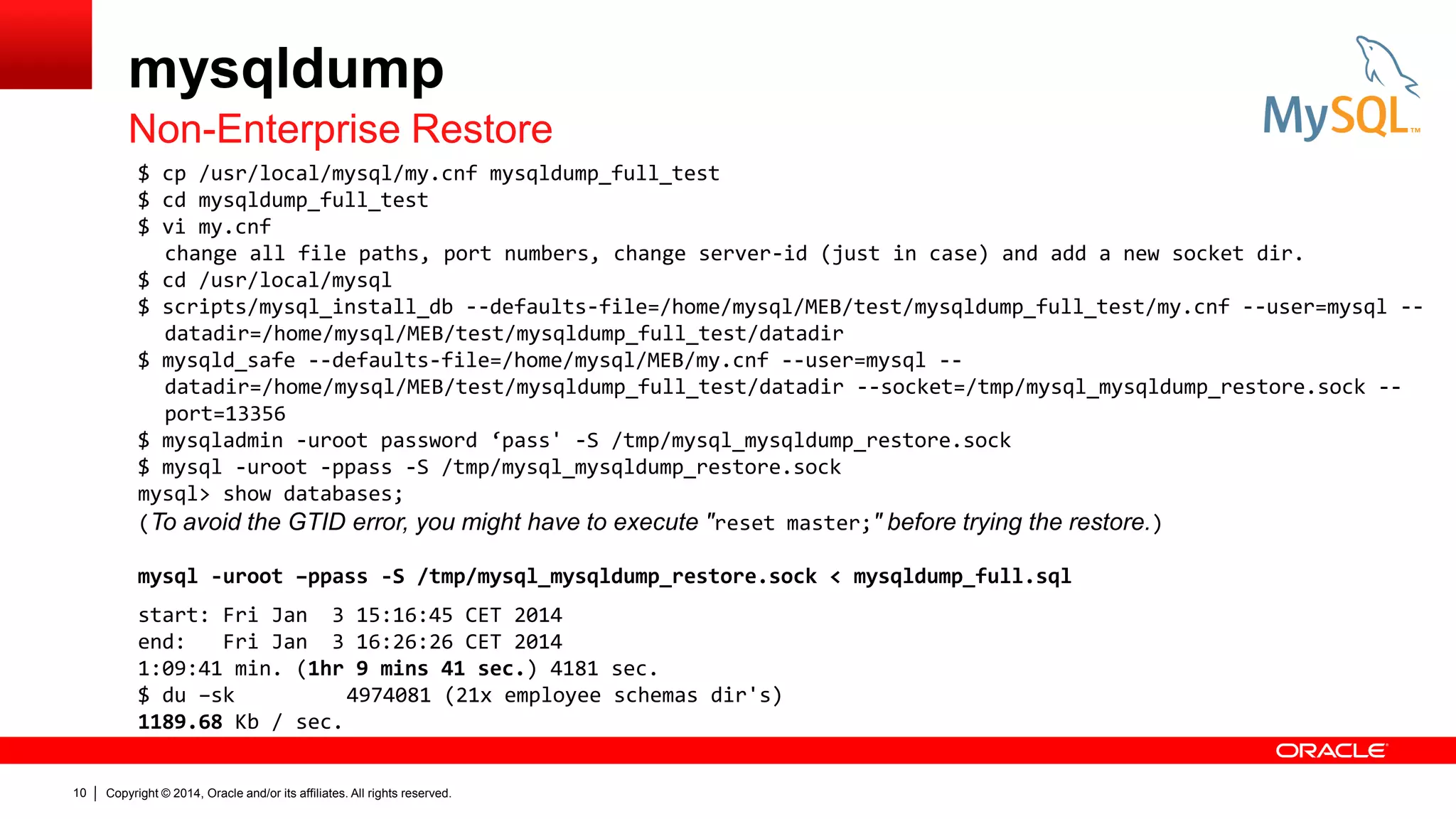
Non-Enterprise Restore
$ cp /usr/local/mysql/my.cnf mysqldump_full_test
$ cd mysqldump_full_test
$ vi my.cnf
change all file paths, port numbers, change server-id (just in case) and add a new socket dir.
$ cd /usr/local/mysql
$ scripts/mysql_install_db --defaults-file=/home/mysql/MEB/test/mysqldump_full_test/my.cnf --user=mysql -datadir=/home/mysql/MEB/test/mysqldump_full_test/datadir
$ mysqld_safe --defaults-file=/home/mysql/MEB/my.cnf --user=mysql -datadir=/home/mysql/MEB/test/mysqldump_full_test/datadir --socket=/tmp/mysql_mysqldump_restore.sock -port=13356
$ mysqladmin -uroot password ‘pass' -S /tmp/mysql_mysqldump_restore.sock
$ mysql -uroot -ppass -S /tmp/mysql_mysqldump_restore.sock
mysql> show databases;
(To avoid the GTID error, you might have to execute " reset master;" before trying the restore.)
mysql -uroot –ppass -S /tmp/mysql_mysqldump_restore.sock < mysqldump_full.sql
start: Fri Jan 3 15:16:45 CET 2014
end:
Fri Jan 3 16:26:26 CET 2014
1:09:41 min. (1hr 9 mins 41 sec.) 4181 sec.
$ du –sk
4974081 (21x employee schemas dir's)
1189.68 Kb / sec.
10

Copyright © 2014, Oracle and/or its affiliates. All rights reserved.
MySQL Enterprise Backup
mysqlbackup
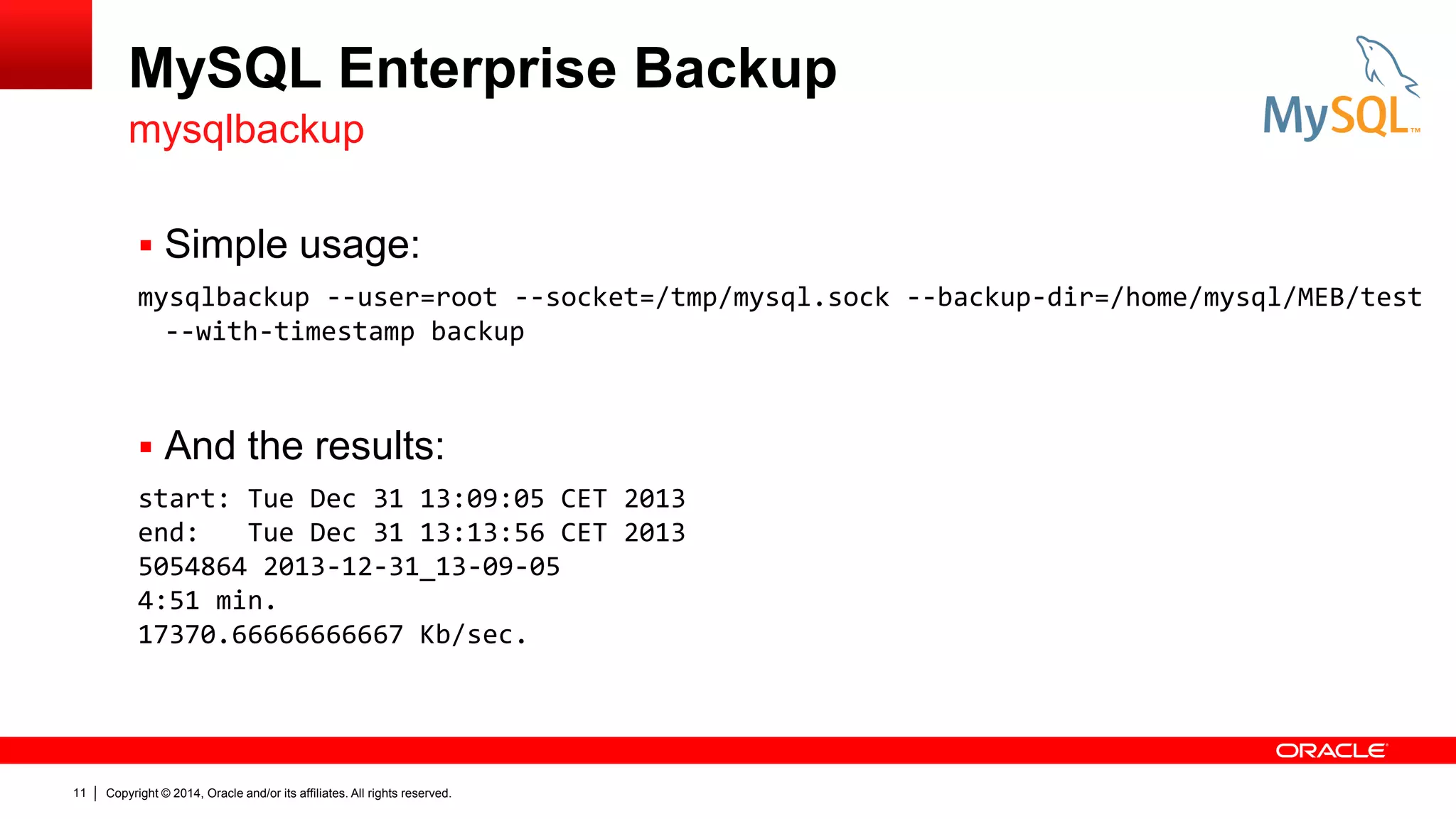
 Simple usage:
mysqlbackup --user=root --socket=/tmp/mysql.sock --backup-dir=/home/mysql/MEB/test
--with-timestamp backup

 And the results:
start: Tue Dec 31 13:09:05 CET 2013
end:
Tue Dec 31 13:13:56 CET 2013
5054864 2013-12-31_13-09-05
4:51 min.
17370.66666666667 Kb/sec.

11

Copyright © 2014, Oracle and/or its affiliates. All rights reserved.
MySQL Enterprise Backup
Configuration and Performance Times
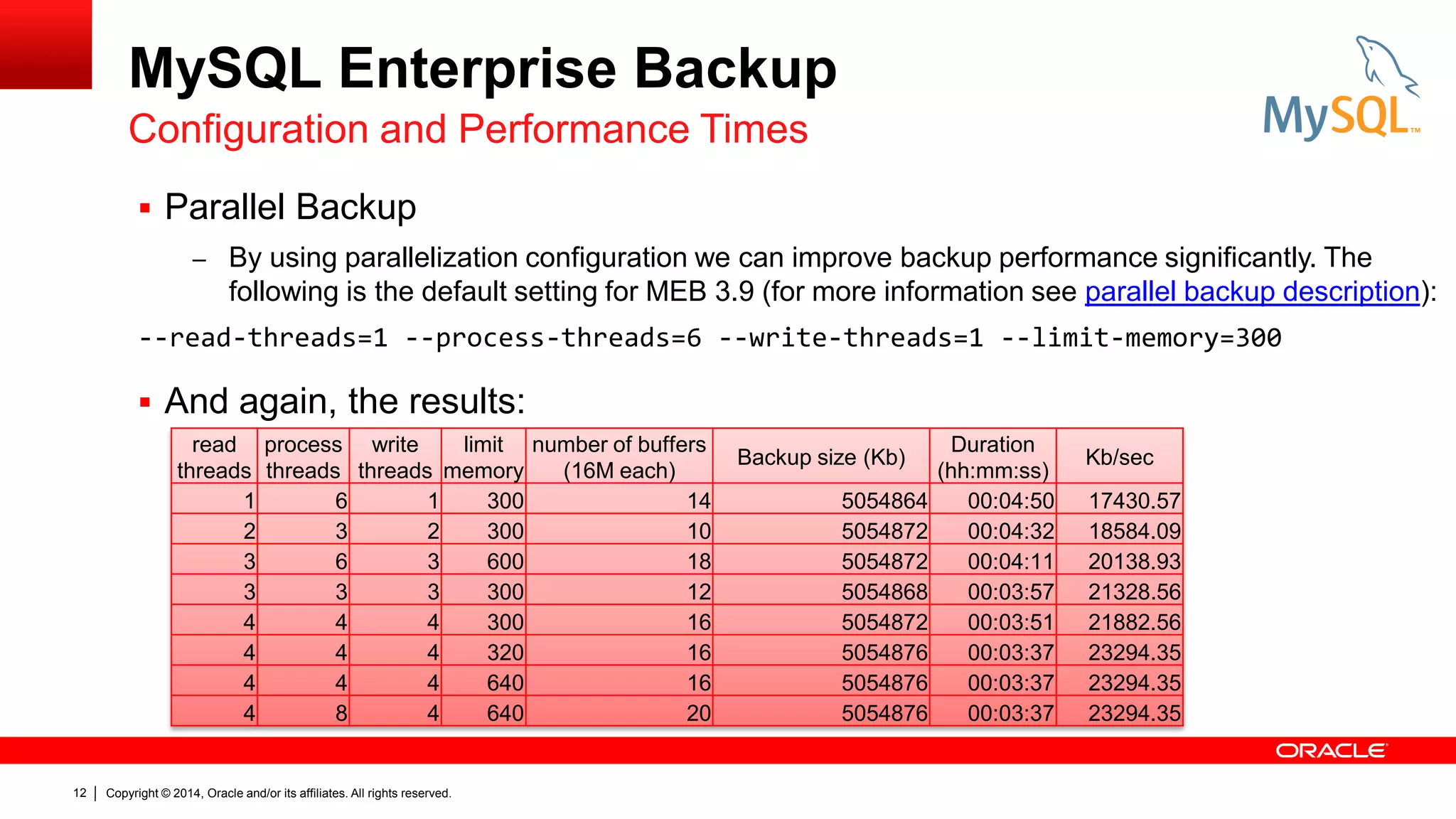
 Parallel Backup
– By using parallelization configuration we can improve backup performance significantly. The

following is the default setting for MEB 3.9 (for more information see parallel backup description):
--read-threads=1 --process-threads=6 --write-threads=1 --limit-memory=300

 And again, the results:
read process write
limit number of buffers
threads threads threads memory
(16M each)
1
6
1
300
14
2
3
2
300
10
3
6
3
600
18
3
3
3
300
12
4
4
4
300
16
4
4
4
320
16
4
4
4
640
16
4
8
4
640
20

12

Copyright © 2014, Oracle and/or its affiliates. All rights reserved.

Backup size (Kb)
5054864
5054872
5054872
5054868
5054872
5054876
5054876
5054876

Duration
(hh:mm:ss)
00:04:50
00:04:32
00:04:11
00:03:57
00:03:51
00:03:37
00:03:37
00:03:37

Kb/sec
17430.57
18584.09
20138.93
21328.56
21882.56
23294.35
23294.35
23294.35
Restoring

13

Copyright © 2014, Oracle and/or its affiliates. All rights reserved.
Restoring
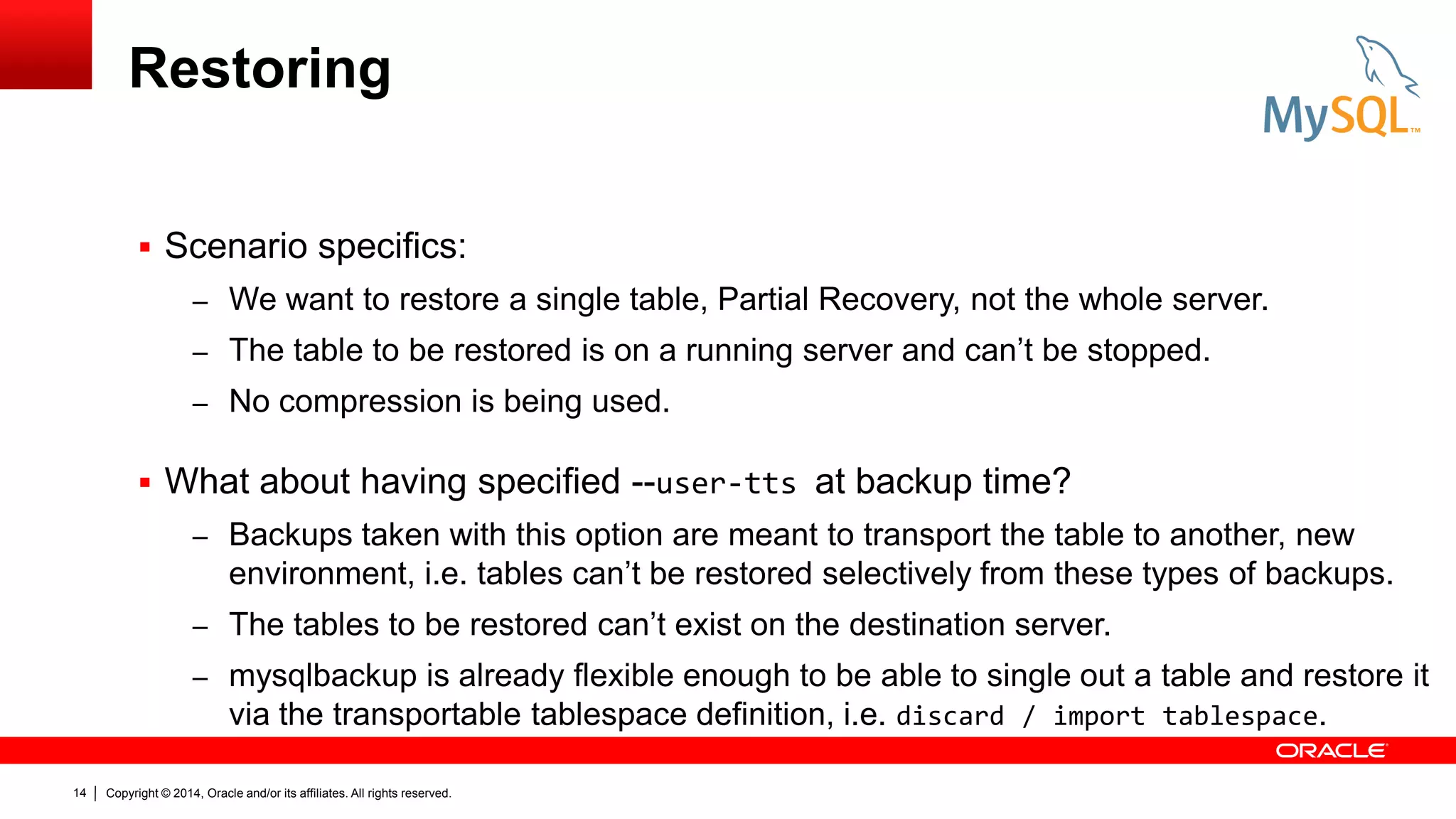
 Scenario specifics:
– We want to restore a single table, Partial Recovery, not the whole server.
– The table to be restored is on a running server and can’t be stopped.
– No compression is being used.

 What about having specified --user-tts at backup time?
– Backups taken with this option are meant to transport the table to another, new

environment, i.e. tables can’t be restored selectively from these types of backups.
– The tables to be restored can’t exist on the destination server.
– mysqlbackup is already flexible enough to be able to single out a table and restore it
via the transportable tablespace definition, i.e. discard / import tablespace.
14

Copyright © 2014, Oracle and/or its affiliates. All rights reserved.
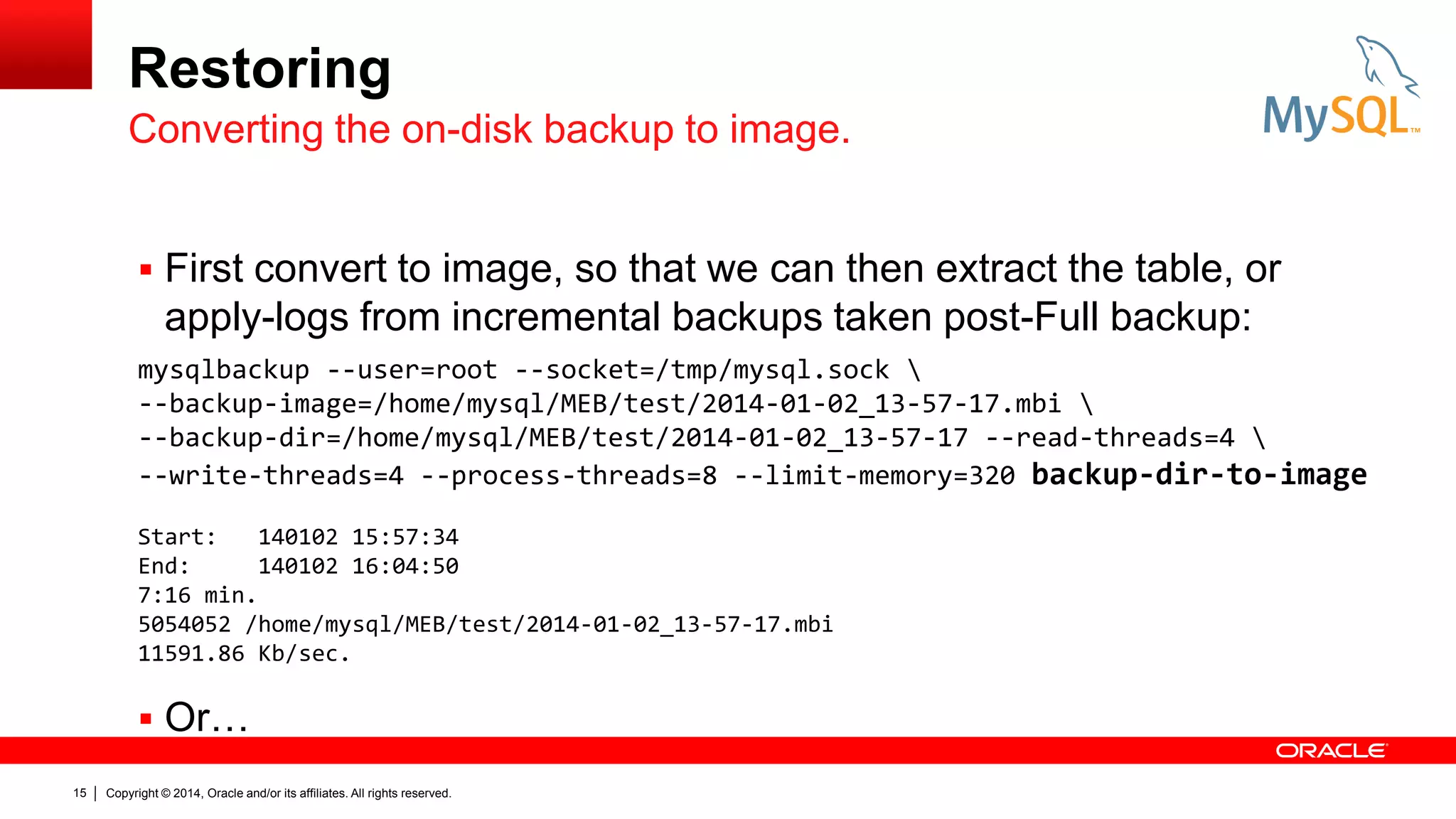
Restoring
Converting the on-disk backup to image.
 First convert to image, so that we can then extract the table, or

apply-logs from incremental backups taken post-Full backup:
mysqlbackup --user=root --socket=/tmp/mysql.sock 
--backup-image=/home/mysql/MEB/test/2014-01-02_13-57-17.mbi 
--backup-dir=/home/mysql/MEB/test/2014-01-02_13-57-17 --read-threads=4 
--write-threads=4 --process-threads=8 --limit-memory=320 backup-dir-to-image
Start:
140102 15:57:34
End:
140102 16:04:50
7:16 min.
5054052 /home/mysql/MEB/test/2014-01-02_13-57-17.mbi
11591.86 Kb/sec.

 Or…
15

Copyright © 2014, Oracle and/or its affiliates. All rights reserved.
Restoring
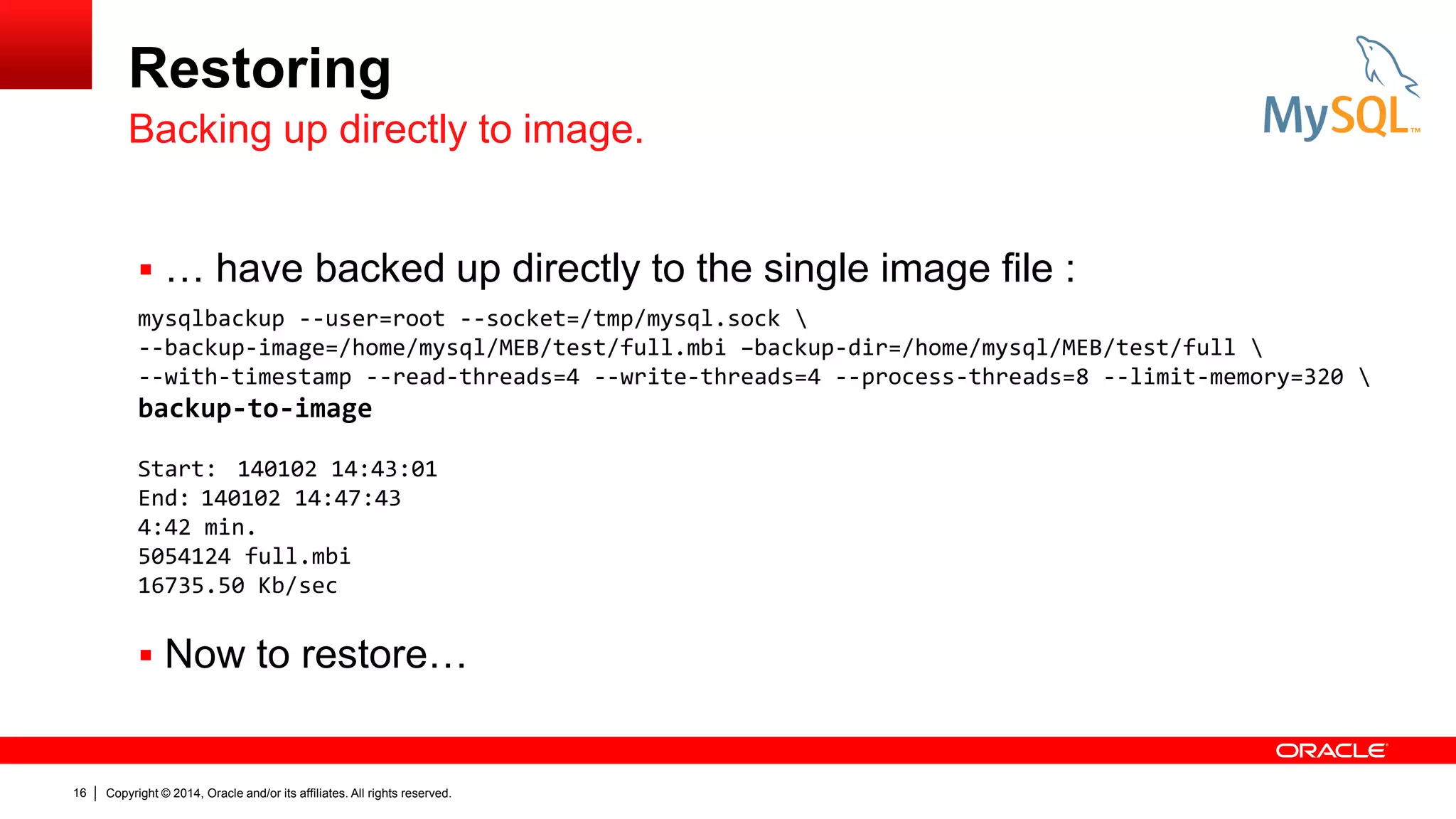
Backing up directly to image.
 … have backed up directly to the single image file :
mysqlbackup --user=root --socket=/tmp/mysql.sock 
--backup-image=/home/mysql/MEB/test/full.mbi –backup-dir=/home/mysql/MEB/test/full 
--with-timestamp --read-threads=4 --write-threads=4 --process-threads=8 --limit-memory=320 

backup-to-image
Start: 140102 14:43:01
End: 140102 14:47:43
4:42 min.
5054124 full.mbi
16735.50 Kb/sec

 Now to restore…

16

Copyright © 2014, Oracle and/or its affiliates. All rights reserved.
Restoring
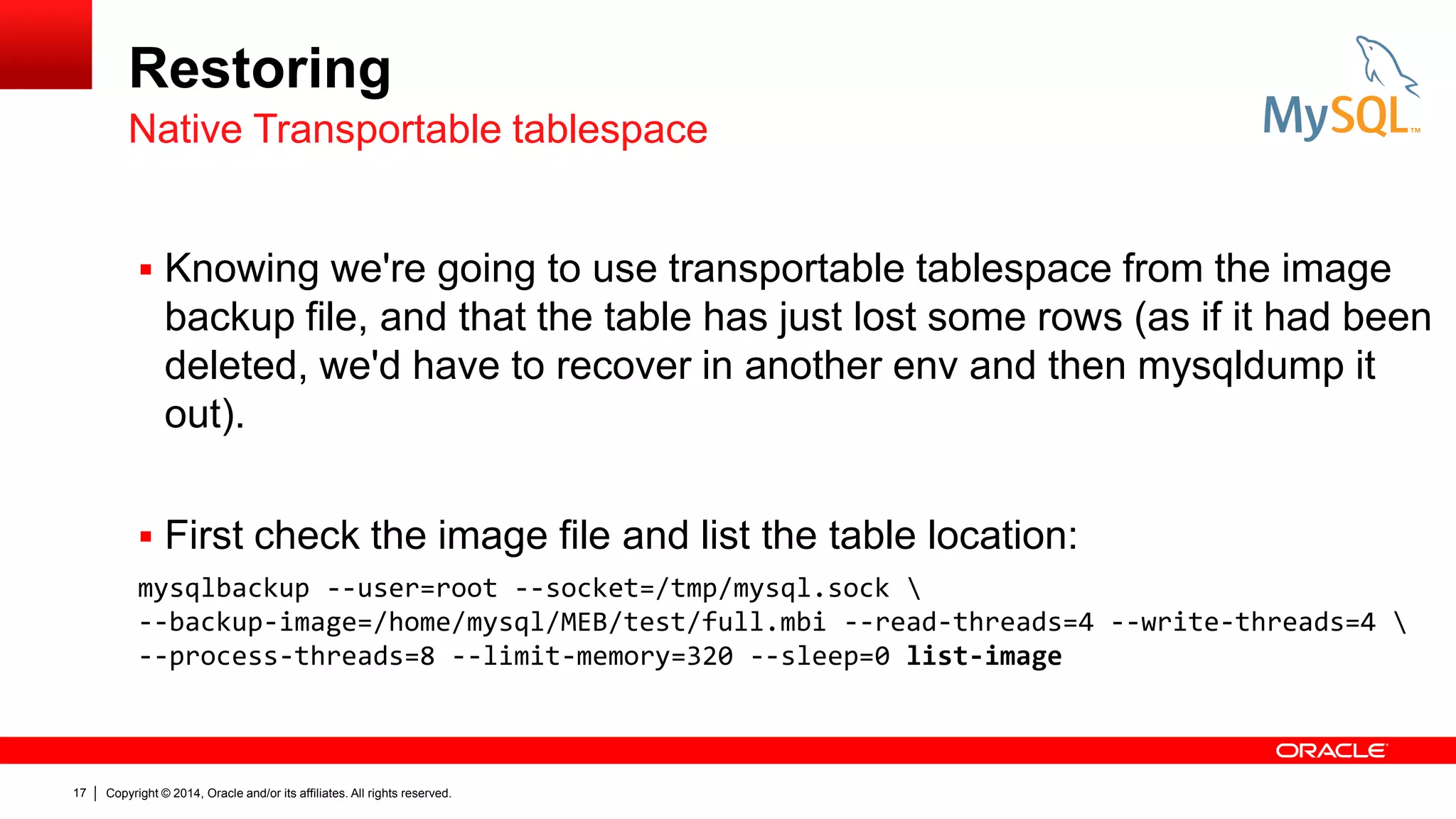
Native Transportable tablespace
 Knowing we're going to use transportable tablespace from the image

backup file, and that the table has just lost some rows (as if it had been
deleted, we'd have to recover in another env and then mysqldump it
out).
 First check the image file and list the table location:
mysqlbackup --user=root --socket=/tmp/mysql.sock 
--backup-image=/home/mysql/MEB/test/full.mbi --read-threads=4 --write-threads=4 
--process-threads=8 --limit-memory=320 --sleep=0 list-image

17

Copyright © 2014, Oracle and/or its affiliates. All rights reserved.
Restoring
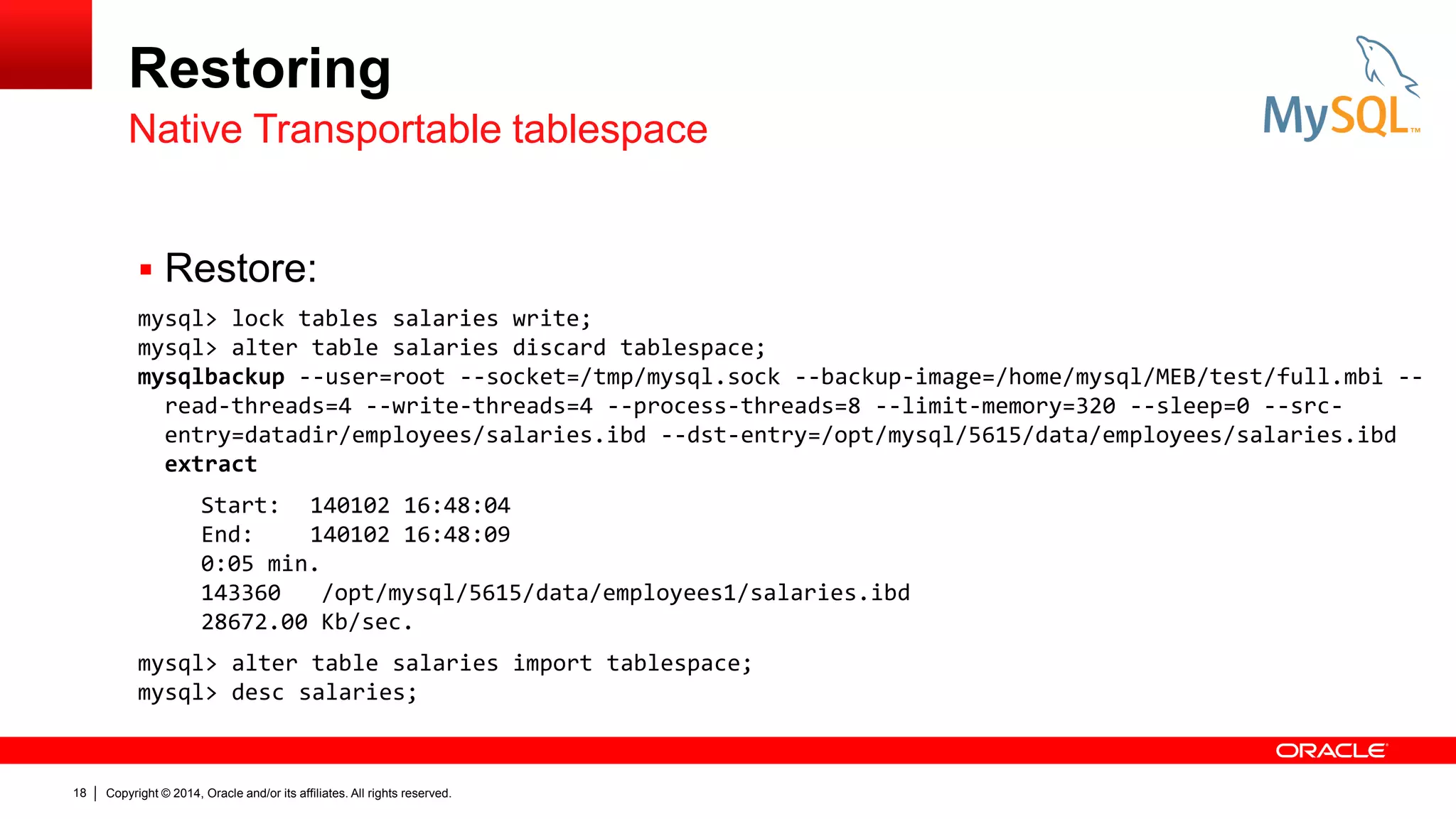
Native Transportable tablespace
 Restore:
mysql> lock tables salaries write;
mysql> alter table salaries discard tablespace;
mysqlbackup --user=root --socket=/tmp/mysql.sock --backup-image=/home/mysql/MEB/test/full.mbi -read-threads=4 --write-threads=4 --process-threads=8 --limit-memory=320 --sleep=0 --srcentry=datadir/employees/salaries.ibd --dst-entry=/opt/mysql/5615/data/employees/salaries.ibd
extract
Start: 140102 16:48:04
End:
140102 16:48:09
0:05 min.
143360
/opt/mysql/5615/data/employees1/salaries.ibd
28672.00 Kb/sec.
mysql> alter table salaries import tablespace;
mysql> desc salaries;

18

Copyright © 2014, Oracle and/or its affiliates. All rights reserved.
Restoring
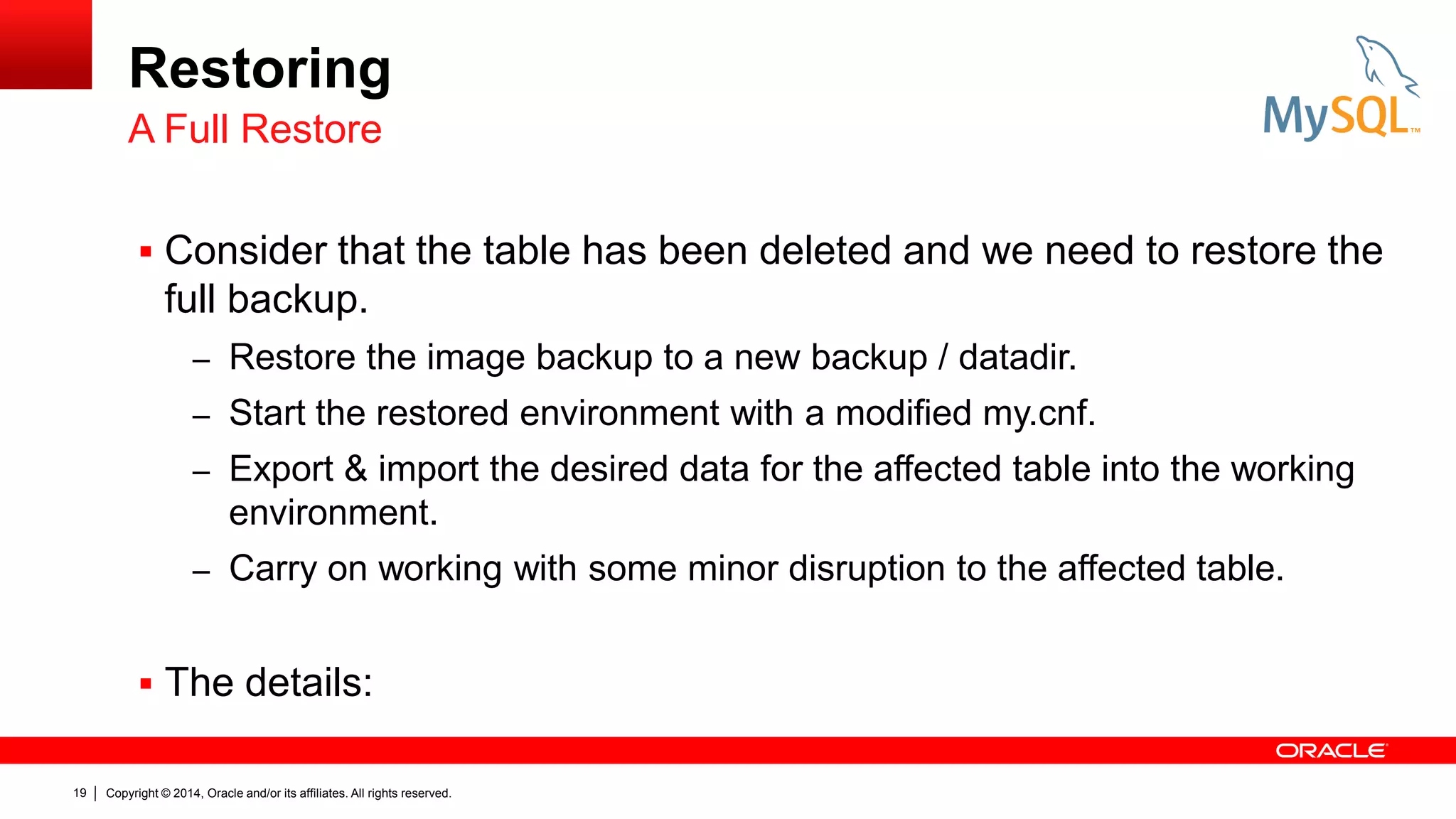
A Full Restore
 Consider that the table has been deleted and we need to restore the

full backup.
– Restore the image backup to a new backup / datadir.
– Start the restored environment with a modified my.cnf.
– Export & import the desired data for the affected table into the working

environment.
– Carry on working with some minor disruption to the affected table.

 The details:
19

Copyright © 2014, Oracle and/or its affiliates. All rights reserved.
Restoring
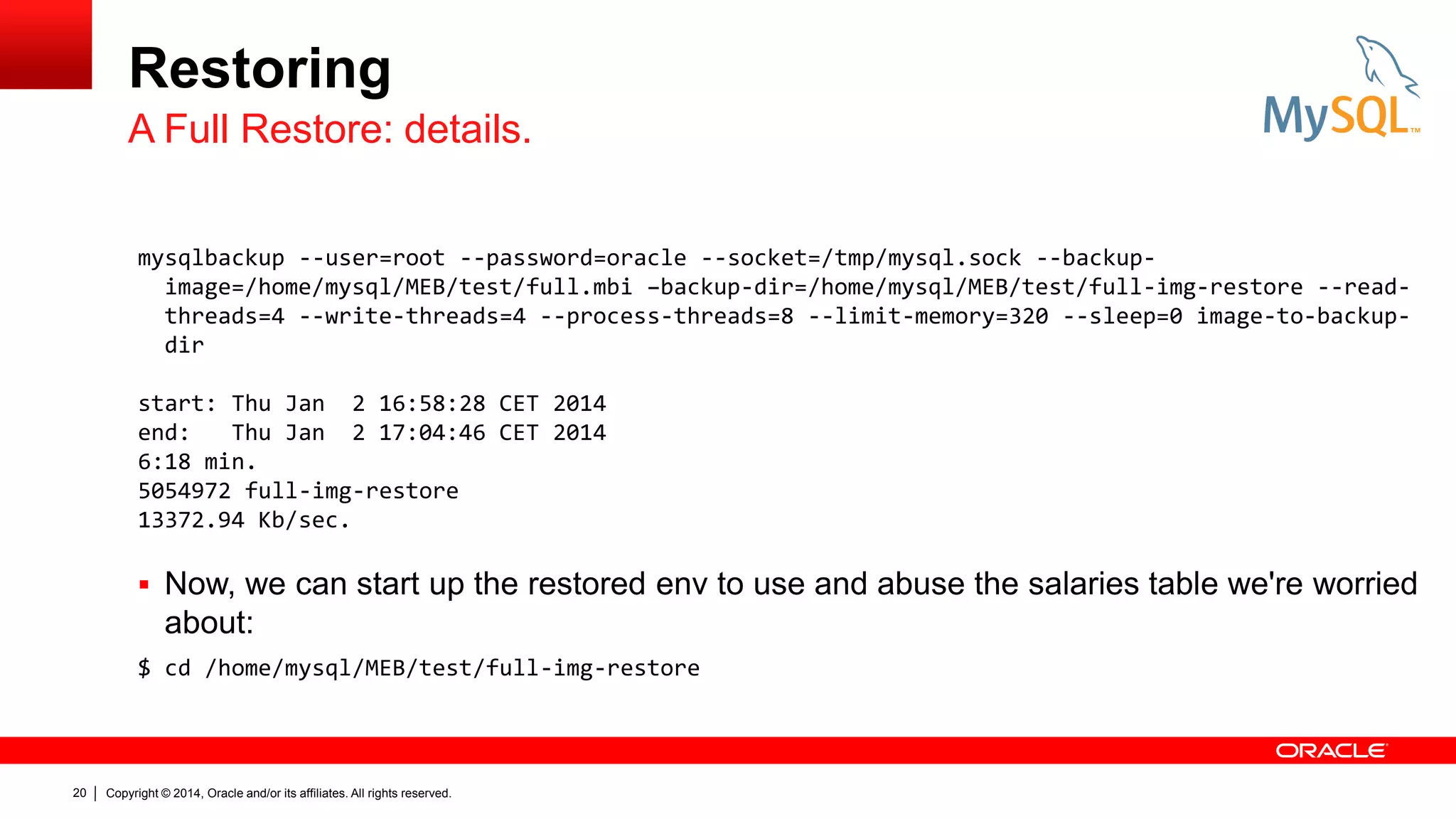
A Full Restore: details.
mysqlbackup --user=root --password=oracle --socket=/tmp/mysql.sock --backupimage=/home/mysql/MEB/test/full.mbi –backup-dir=/home/mysql/MEB/test/full-img-restore --readthreads=4 --write-threads=4 --process-threads=8 --limit-memory=320 --sleep=0 image-to-backupdir
start: Thu Jan 2 16:58:28 CET 2014
end:
Thu Jan 2 17:04:46 CET 2014
6:18 min.
5054972 full-img-restore
13372.94 Kb/sec.

 Now, we can start up the restored env to use and abuse the salaries table we're worried

about:
$ cd /home/mysql/MEB/test/full-img-restore

20

Copyright © 2014, Oracle and/or its affiliates. All rights reserved.
Restoring
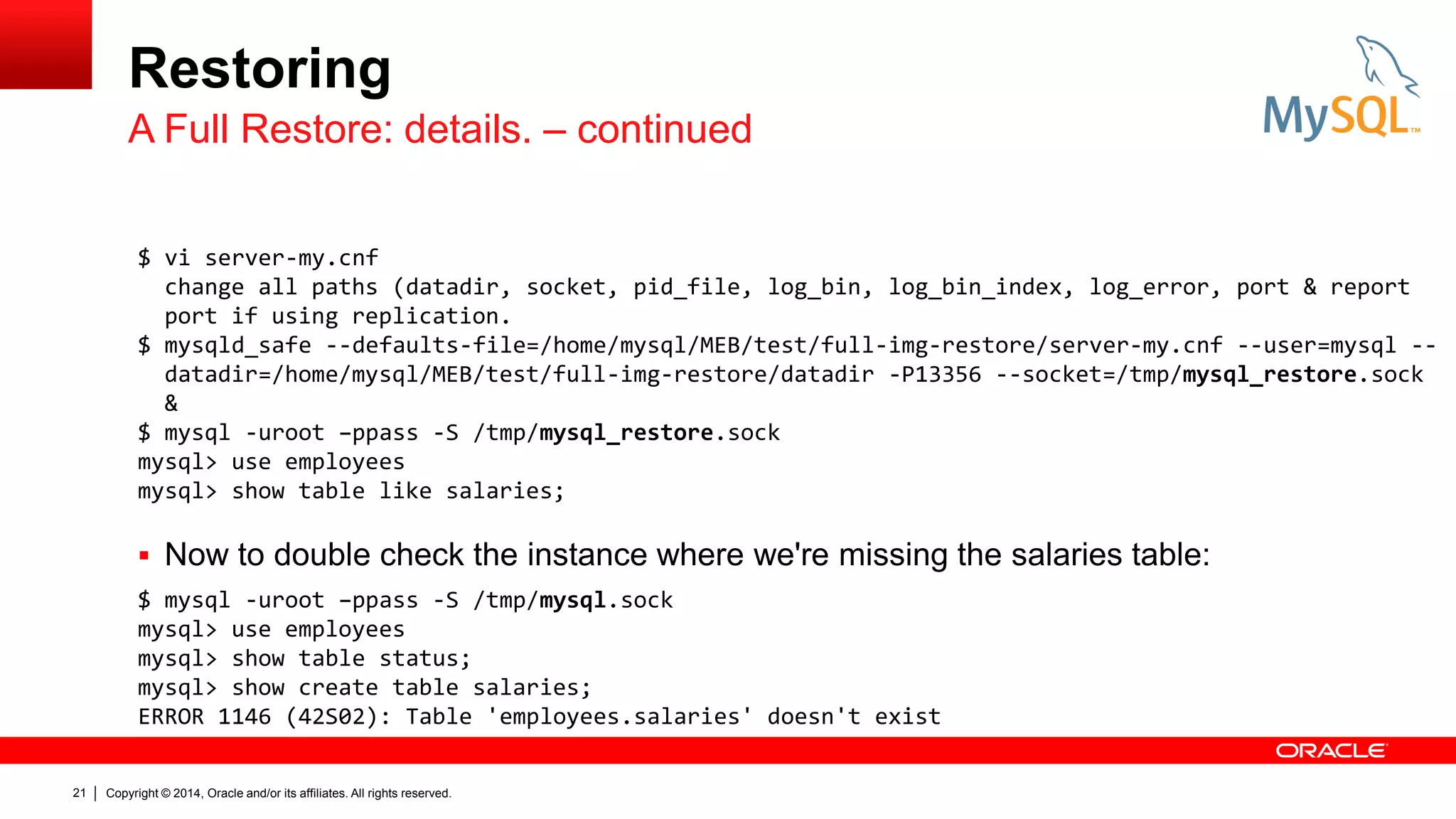
A Full Restore: details. – continued
$ vi server-my.cnf
change all paths (datadir, socket, pid_file, log_bin, log_bin_index, log_error, port & report
port if using replication.
$ mysqld_safe --defaults-file=/home/mysql/MEB/test/full-img-restore/server-my.cnf --user=mysql -datadir=/home/mysql/MEB/test/full-img-restore/datadir -P13356 --socket=/tmp/mysql_restore.sock
&
$ mysql -uroot –ppass -S /tmp/mysql_restore.sock
mysql> use employees
mysql> show table like salaries;

 Now to double check the instance where we're missing the salaries table:
$ mysql -uroot –ppass -S /tmp/mysql.sock
mysql> use employees
mysql> show table status;
mysql> show create table salaries;
ERROR 1146 (42S02): Table 'employees.salaries' doesn't exist
21

Copyright © 2014, Oracle and/or its affiliates. All rights reserved.
Restoring
A Full Restore: details. – continued
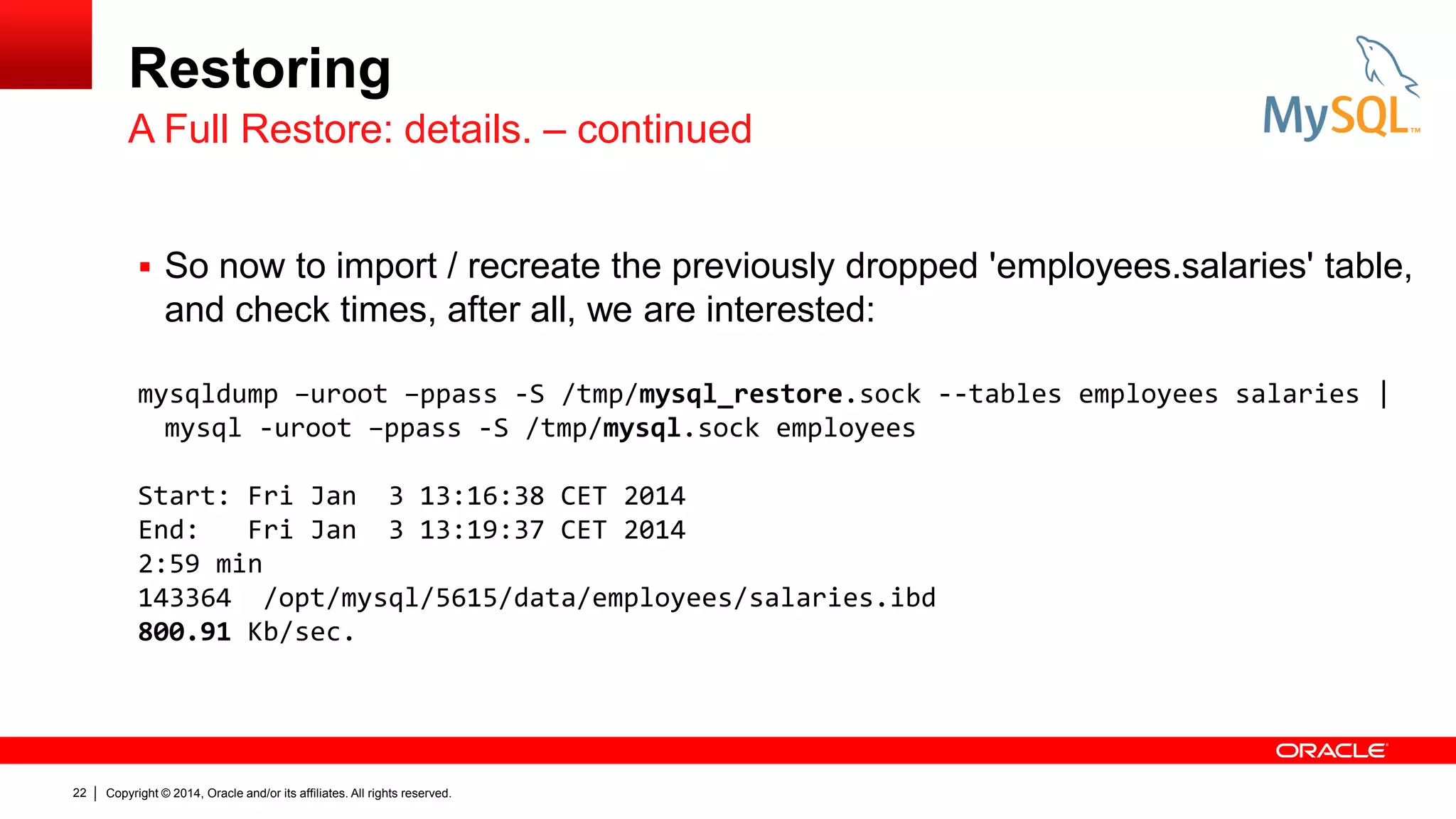
 So now to import / recreate the previously dropped 'employees.salaries' table,

and check times, after all, we are interested:
mysqldump –uroot –ppass -S /tmp/mysql_restore.sock --tables employees salaries |
mysql -uroot –ppass -S /tmp/mysql.sock employees
Start: Fri Jan 3 13:16:38 CET 2014
End:
Fri Jan 3 13:19:37 CET 2014
2:59 min
143364 /opt/mysql/5615/data/employees/salaries.ibd
800.91 Kb/sec.

22

Copyright © 2014, Oracle and/or its affiliates. All rights reserved.
Restoring
Checking & Alternatives
MySQL Utilities 1.3.6
 Once the backup has been restored in another environment, use

MySQL Utilities ‘mysqldiff’ to see if it’s missing:
mysqldiff --server1=root:oracle@141.144.12.45:3356 -server2=root:oracle@141.144.12.45:13356 employees.salaries:employees.salaries

– If the row number is different, mysqldiff doesn’t detect this, it’s only for

object and structure differences.
# server1 on 141.144.12.45: ... connected.
# server2 on 141.144.12.45: ... connected.
# Comparing employees.salaries to employees.salaries
Success. All objects are the same.

23

Copyright © 2014, Oracle and/or its affiliates. All rights reserved.

[PASS]
Restoring
Checking & Alternatives
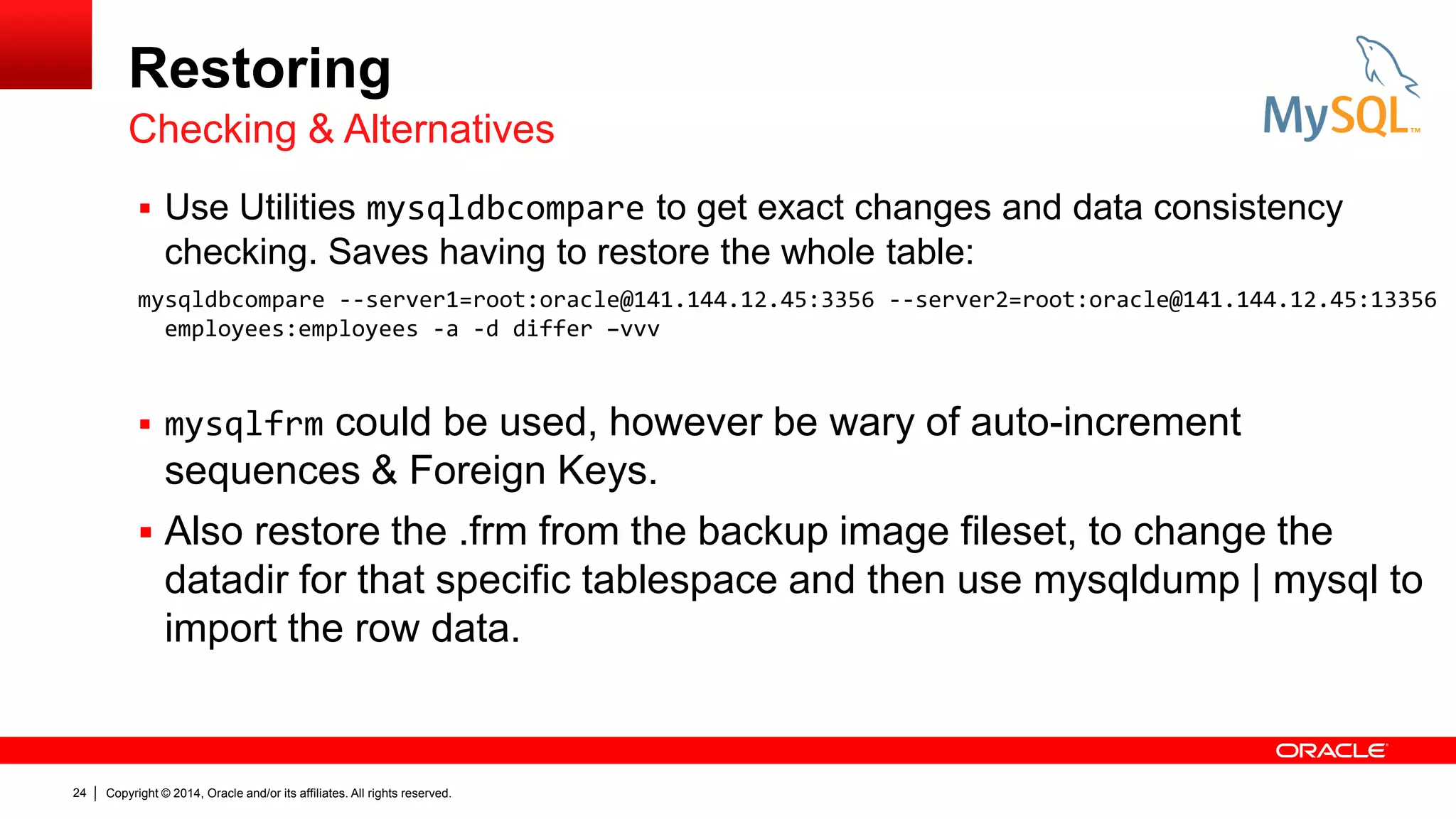
 Use Utilities mysqldbcompare to get exact changes and data consistency

checking. Saves having to restore the whole table:
mysqldbcompare --server1=root:oracle@141.144.12.45:3356 --server2=root:oracle@141.144.12.45:13356
employees:employees -a -d differ –vvv

could be used, however be wary of auto-increment
sequences & Foreign Keys.
 Also restore the .frm from the backup image fileset, to change the
datadir for that specific tablespace and then use mysqldump | mysql to
import the row data.
 mysqlfrm

24

Copyright © 2014, Oracle and/or its affiliates. All rights reserved.
Conclusion

25

Copyright © 2014, Oracle and/or its affiliates. All rights reserved.
Conclusion.

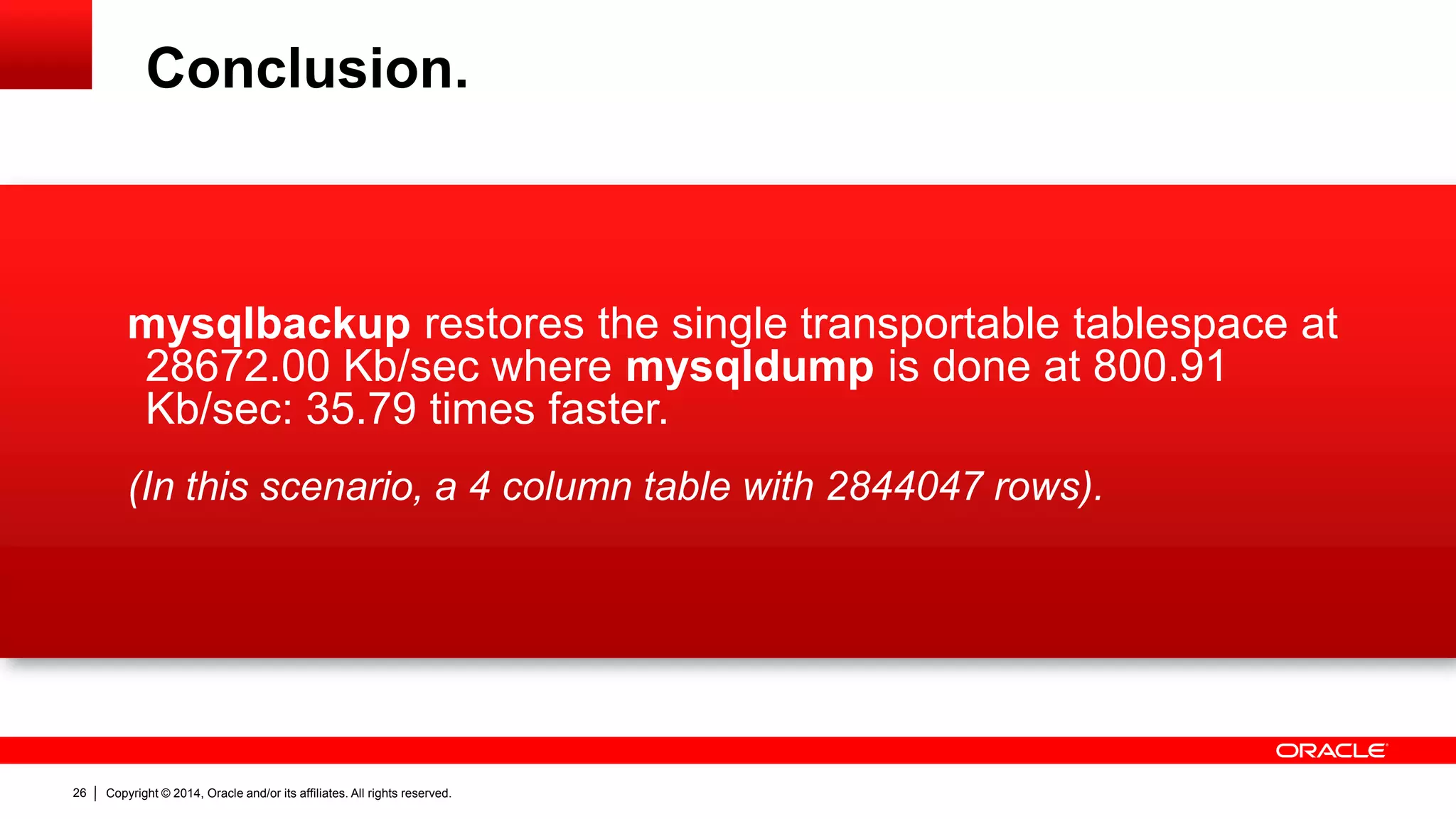
mysqlbackup restores the single transportable tablespace at
28672.00 Kb/sec where mysqldump is done at 800.91
Kb/sec: 35.79 times faster.
(In this scenario, a 4 column table with 2844047 rows).

26

Copyright © 2014, Oracle and/or its affiliates. All rights reserved.
27

Copyright © 2014, Oracle and/or its affiliates. All rights reserved.
28

Copyright © 2014, Oracle and/or its affiliates. All rights reserved.
29

Copyright © 2014, Oracle and/or its affiliates. All rights reserved.

Meb Backup & Recovery Performance

  • 1.
    1 Copyright © 2014,Oracle and/or its affiliates. All rights reserved.
  • 2.
    MySQL Enterprise Backup: RecoveryPerformance Keith Hollman MySQL Principal Sales Consultant EMEA
  • 3.
    Agenda  Backup MissionObjective.  mysqldump & MySQL Enterprise Backup (mysqlbackup).  Restoring.  Conclusion. 3 Copyright © 2014, Oracle and/or its affiliates. All rights reserved.
  • 4.
    Backup Mission Objective Goal Testing for speed: – Based on a current usage of mysqldump. – Evaluation of MySQL Enterprise Backup. – And some performance tuning / parallelizing. 4 Copyright © 2014, Oracle and/or its affiliates. All rights reserved.
  • 5.
    Backup Mission Objective Setup What are we using to test the scenario: – Ubuntu 12.04 LTS, 32bit Intel Pentium M 1.86Ghz, 2Gb – Source disk: internal 80Gb ATA ST9808211A – Destination: external 1Tb SAMSUNG HD103SI – MySQL Enterprise Edition 5.6.15 – MySQL Enterprise Backup 3.9.0 – Employees sample database duplicated via MySQL Utilities 1.3.6 (on Win7 PC) to generate a ~5Gb MySQL Server. mysqldbcopy --source=root:pass@host:3356 --destination=root:pass@host:3356 employees:employees1 employees:employees2 employees:employees3 employees:employees4 ... employees:employees18 employees:employees19 employees:employees20 5 Copyright © 2014, Oracle and/or its affiliates. All rights reserved.
  • 6.
    Backup Mission Objective IOExpectations.  To local disk: dd if=/dev/zero of=/root/ddIOtest1 bs=1G count=1 oflag=direct 1+0 records in 1+0 records out 1073741824 bytes (1.1 GB) copied, 41.0825 s, 26.1 MB/s  To external HD disk: dd if=/dev/zero of=/media/1T_iomega/ddIOtest1 bs=1G count=1 1+0 records in 1+0 records out 1073741824 bytes (1.1 GB) copied, 41.214 s, 26.1 MB/s  To external HD disk via symbolic link: dd if=/dev/zero of=/home/mysql/MEB/test/ddIOtest1 bs=1G count=1 1+0 records in 1+0 records out 1073741824 bytes (1.1 GB) copied, 41.3047 s, 26.0 MB/s Other dd tests were run: bs=300M count=3 @ 26.8 MB/s, bs=200M count=5 @ 26.7 MB/s, bs=100M count=10 @ 26.7 MB/s, bs=300M count=5 @ 26.1 MB/s. 6 Copyright © 2014, Oracle and/or its affiliates. All rights reserved.
  • 7.
    mysqldump & MySQL EnterpriseBackup 8 Copyright © 2014, Oracle and/or its affiliates. All rights reserved.
  • 8.
    mysqldump Non-Enterprise Backup  Beforewe use our Enterprise solution, what would we be looking at for backup & restore time frames?: mysqldump -uroot -ppass -S /tmp/mysql.sock --all-databases --add-drop-database -r mysqldump_full.sql start: Fri Jan 3 13:30:36 CET 2014 end: Fri Jan 3 13:41:17 CET 2014 10:41 min. $ du –sk 3453640 mysqldump_full.sql 5387 Kb/sec. 9 Copyright © 2014, Oracle and/or its affiliates. All rights reserved.
  • 9.
    mysqldump Non-Enterprise Restore $ cp/usr/local/mysql/my.cnf mysqldump_full_test $ cd mysqldump_full_test $ vi my.cnf change all file paths, port numbers, change server-id (just in case) and add a new socket dir. $ cd /usr/local/mysql $ scripts/mysql_install_db --defaults-file=/home/mysql/MEB/test/mysqldump_full_test/my.cnf --user=mysql -datadir=/home/mysql/MEB/test/mysqldump_full_test/datadir $ mysqld_safe --defaults-file=/home/mysql/MEB/my.cnf --user=mysql -datadir=/home/mysql/MEB/test/mysqldump_full_test/datadir --socket=/tmp/mysql_mysqldump_restore.sock -port=13356 $ mysqladmin -uroot password ‘pass' -S /tmp/mysql_mysqldump_restore.sock $ mysql -uroot -ppass -S /tmp/mysql_mysqldump_restore.sock mysql> show databases; (To avoid the GTID error, you might have to execute " reset master;" before trying the restore.) mysql -uroot –ppass -S /tmp/mysql_mysqldump_restore.sock < mysqldump_full.sql start: Fri Jan 3 15:16:45 CET 2014 end: Fri Jan 3 16:26:26 CET 2014 1:09:41 min. (1hr 9 mins 41 sec.) 4181 sec. $ du –sk 4974081 (21x employee schemas dir's) 1189.68 Kb / sec. 10 Copyright © 2014, Oracle and/or its affiliates. All rights reserved.
  • 10.
    MySQL Enterprise Backup mysqlbackup Simple usage: mysqlbackup --user=root --socket=/tmp/mysql.sock --backup-dir=/home/mysql/MEB/test --with-timestamp backup  And the results: start: Tue Dec 31 13:09:05 CET 2013 end: Tue Dec 31 13:13:56 CET 2013 5054864 2013-12-31_13-09-05 4:51 min. 17370.66666666667 Kb/sec. 11 Copyright © 2014, Oracle and/or its affiliates. All rights reserved.
  • 11.
    MySQL Enterprise Backup Configurationand Performance Times  Parallel Backup – By using parallelization configuration we can improve backup performance significantly. The following is the default setting for MEB 3.9 (for more information see parallel backup description): --read-threads=1 --process-threads=6 --write-threads=1 --limit-memory=300  And again, the results: read process write limit number of buffers threads threads threads memory (16M each) 1 6 1 300 14 2 3 2 300 10 3 6 3 600 18 3 3 3 300 12 4 4 4 300 16 4 4 4 320 16 4 4 4 640 16 4 8 4 640 20 12 Copyright © 2014, Oracle and/or its affiliates. All rights reserved. Backup size (Kb) 5054864 5054872 5054872 5054868 5054872 5054876 5054876 5054876 Duration (hh:mm:ss) 00:04:50 00:04:32 00:04:11 00:03:57 00:03:51 00:03:37 00:03:37 00:03:37 Kb/sec 17430.57 18584.09 20138.93 21328.56 21882.56 23294.35 23294.35 23294.35
  • 12.
    Restoring 13 Copyright © 2014,Oracle and/or its affiliates. All rights reserved.
  • 13.
    Restoring  Scenario specifics: –We want to restore a single table, Partial Recovery, not the whole server. – The table to be restored is on a running server and can’t be stopped. – No compression is being used.  What about having specified --user-tts at backup time? – Backups taken with this option are meant to transport the table to another, new environment, i.e. tables can’t be restored selectively from these types of backups. – The tables to be restored can’t exist on the destination server. – mysqlbackup is already flexible enough to be able to single out a table and restore it via the transportable tablespace definition, i.e. discard / import tablespace. 14 Copyright © 2014, Oracle and/or its affiliates. All rights reserved.
  • 14.
    Restoring Converting the on-diskbackup to image.  First convert to image, so that we can then extract the table, or apply-logs from incremental backups taken post-Full backup: mysqlbackup --user=root --socket=/tmp/mysql.sock --backup-image=/home/mysql/MEB/test/2014-01-02_13-57-17.mbi --backup-dir=/home/mysql/MEB/test/2014-01-02_13-57-17 --read-threads=4 --write-threads=4 --process-threads=8 --limit-memory=320 backup-dir-to-image Start: 140102 15:57:34 End: 140102 16:04:50 7:16 min. 5054052 /home/mysql/MEB/test/2014-01-02_13-57-17.mbi 11591.86 Kb/sec.  Or… 15 Copyright © 2014, Oracle and/or its affiliates. All rights reserved.
  • 15.
    Restoring Backing up directlyto image.  … have backed up directly to the single image file : mysqlbackup --user=root --socket=/tmp/mysql.sock --backup-image=/home/mysql/MEB/test/full.mbi –backup-dir=/home/mysql/MEB/test/full --with-timestamp --read-threads=4 --write-threads=4 --process-threads=8 --limit-memory=320 backup-to-image Start: 140102 14:43:01 End: 140102 14:47:43 4:42 min. 5054124 full.mbi 16735.50 Kb/sec  Now to restore… 16 Copyright © 2014, Oracle and/or its affiliates. All rights reserved.
  • 16.
    Restoring Native Transportable tablespace Knowing we're going to use transportable tablespace from the image backup file, and that the table has just lost some rows (as if it had been deleted, we'd have to recover in another env and then mysqldump it out).  First check the image file and list the table location: mysqlbackup --user=root --socket=/tmp/mysql.sock --backup-image=/home/mysql/MEB/test/full.mbi --read-threads=4 --write-threads=4 --process-threads=8 --limit-memory=320 --sleep=0 list-image 17 Copyright © 2014, Oracle and/or its affiliates. All rights reserved.
  • 17.
    Restoring Native Transportable tablespace Restore: mysql> lock tables salaries write; mysql> alter table salaries discard tablespace; mysqlbackup --user=root --socket=/tmp/mysql.sock --backup-image=/home/mysql/MEB/test/full.mbi -read-threads=4 --write-threads=4 --process-threads=8 --limit-memory=320 --sleep=0 --srcentry=datadir/employees/salaries.ibd --dst-entry=/opt/mysql/5615/data/employees/salaries.ibd extract Start: 140102 16:48:04 End: 140102 16:48:09 0:05 min. 143360 /opt/mysql/5615/data/employees1/salaries.ibd 28672.00 Kb/sec. mysql> alter table salaries import tablespace; mysql> desc salaries; 18 Copyright © 2014, Oracle and/or its affiliates. All rights reserved.
  • 18.
    Restoring A Full Restore Consider that the table has been deleted and we need to restore the full backup. – Restore the image backup to a new backup / datadir. – Start the restored environment with a modified my.cnf. – Export & import the desired data for the affected table into the working environment. – Carry on working with some minor disruption to the affected table.  The details: 19 Copyright © 2014, Oracle and/or its affiliates. All rights reserved.
  • 19.
    Restoring A Full Restore:details. mysqlbackup --user=root --password=oracle --socket=/tmp/mysql.sock --backupimage=/home/mysql/MEB/test/full.mbi –backup-dir=/home/mysql/MEB/test/full-img-restore --readthreads=4 --write-threads=4 --process-threads=8 --limit-memory=320 --sleep=0 image-to-backupdir start: Thu Jan 2 16:58:28 CET 2014 end: Thu Jan 2 17:04:46 CET 2014 6:18 min. 5054972 full-img-restore 13372.94 Kb/sec.  Now, we can start up the restored env to use and abuse the salaries table we're worried about: $ cd /home/mysql/MEB/test/full-img-restore 20 Copyright © 2014, Oracle and/or its affiliates. All rights reserved.
  • 20.
    Restoring A Full Restore:details. – continued $ vi server-my.cnf change all paths (datadir, socket, pid_file, log_bin, log_bin_index, log_error, port & report port if using replication. $ mysqld_safe --defaults-file=/home/mysql/MEB/test/full-img-restore/server-my.cnf --user=mysql -datadir=/home/mysql/MEB/test/full-img-restore/datadir -P13356 --socket=/tmp/mysql_restore.sock & $ mysql -uroot –ppass -S /tmp/mysql_restore.sock mysql> use employees mysql> show table like salaries;  Now to double check the instance where we're missing the salaries table: $ mysql -uroot –ppass -S /tmp/mysql.sock mysql> use employees mysql> show table status; mysql> show create table salaries; ERROR 1146 (42S02): Table 'employees.salaries' doesn't exist 21 Copyright © 2014, Oracle and/or its affiliates. All rights reserved.
  • 21.
    Restoring A Full Restore:details. – continued  So now to import / recreate the previously dropped 'employees.salaries' table, and check times, after all, we are interested: mysqldump –uroot –ppass -S /tmp/mysql_restore.sock --tables employees salaries | mysql -uroot –ppass -S /tmp/mysql.sock employees Start: Fri Jan 3 13:16:38 CET 2014 End: Fri Jan 3 13:19:37 CET 2014 2:59 min 143364 /opt/mysql/5615/data/employees/salaries.ibd 800.91 Kb/sec. 22 Copyright © 2014, Oracle and/or its affiliates. All rights reserved.
  • 22.
    Restoring Checking & Alternatives MySQLUtilities 1.3.6  Once the backup has been restored in another environment, use MySQL Utilities ‘mysqldiff’ to see if it’s missing: mysqldiff --server1=root:oracle@141.144.12.45:3356 -server2=root:oracle@141.144.12.45:13356 employees.salaries:employees.salaries – If the row number is different, mysqldiff doesn’t detect this, it’s only for object and structure differences. # server1 on 141.144.12.45: ... connected. # server2 on 141.144.12.45: ... connected. # Comparing employees.salaries to employees.salaries Success. All objects are the same. 23 Copyright © 2014, Oracle and/or its affiliates. All rights reserved. [PASS]
  • 23.
    Restoring Checking & Alternatives Use Utilities mysqldbcompare to get exact changes and data consistency checking. Saves having to restore the whole table: mysqldbcompare --server1=root:oracle@141.144.12.45:3356 --server2=root:oracle@141.144.12.45:13356 employees:employees -a -d differ –vvv could be used, however be wary of auto-increment sequences & Foreign Keys.  Also restore the .frm from the backup image fileset, to change the datadir for that specific tablespace and then use mysqldump | mysql to import the row data.  mysqlfrm 24 Copyright © 2014, Oracle and/or its affiliates. All rights reserved.
  • 24.
    Conclusion 25 Copyright © 2014,Oracle and/or its affiliates. All rights reserved.
  • 25.
    Conclusion. mysqlbackup restores thesingle transportable tablespace at 28672.00 Kb/sec where mysqldump is done at 800.91 Kb/sec: 35.79 times faster. (In this scenario, a 4 column table with 2844047 rows). 26 Copyright © 2014, Oracle and/or its affiliates. All rights reserved.
  • 26.
    27 Copyright © 2014,Oracle and/or its affiliates. All rights reserved.
  • 27.
    28 Copyright © 2014,Oracle and/or its affiliates. All rights reserved.
  • 28.
    29 Copyright © 2014,Oracle and/or its affiliates. All rights reserved.