An Introduction to Celery

Loading...

Flash Player 9 (or above) is needed to view presentations.
We have detected that you do not have it on your computer. To install it, go here.

0 comments

Post a comment

    Post a comment
    Embed Video
    Edit your comment Cancel

    7 Favorites

    An Introduction to Celery - Presentation Transcript

    1. Celery A Distributed Task Queue Idan Gazit PyWeb-IL 8 / 29th September 2009
    2. What is Celery?
    3. Celery is a... Distributed Asynchronous Task Queue For Django
    4. Celery is a... Distributed Asynchronous Task Queue For Django
    5. Celery is a... Distributed Asynchronous Task Queue For Django
    6. Celery is a... Distributed Asynchronous Task Queue For Django
    7. Celery is a... Distributed Asynchronous Task Queue sin For Django 0.8 ce
    8. What can I use it for? http://www.flickr.com/photos/jabzg/2145312172/
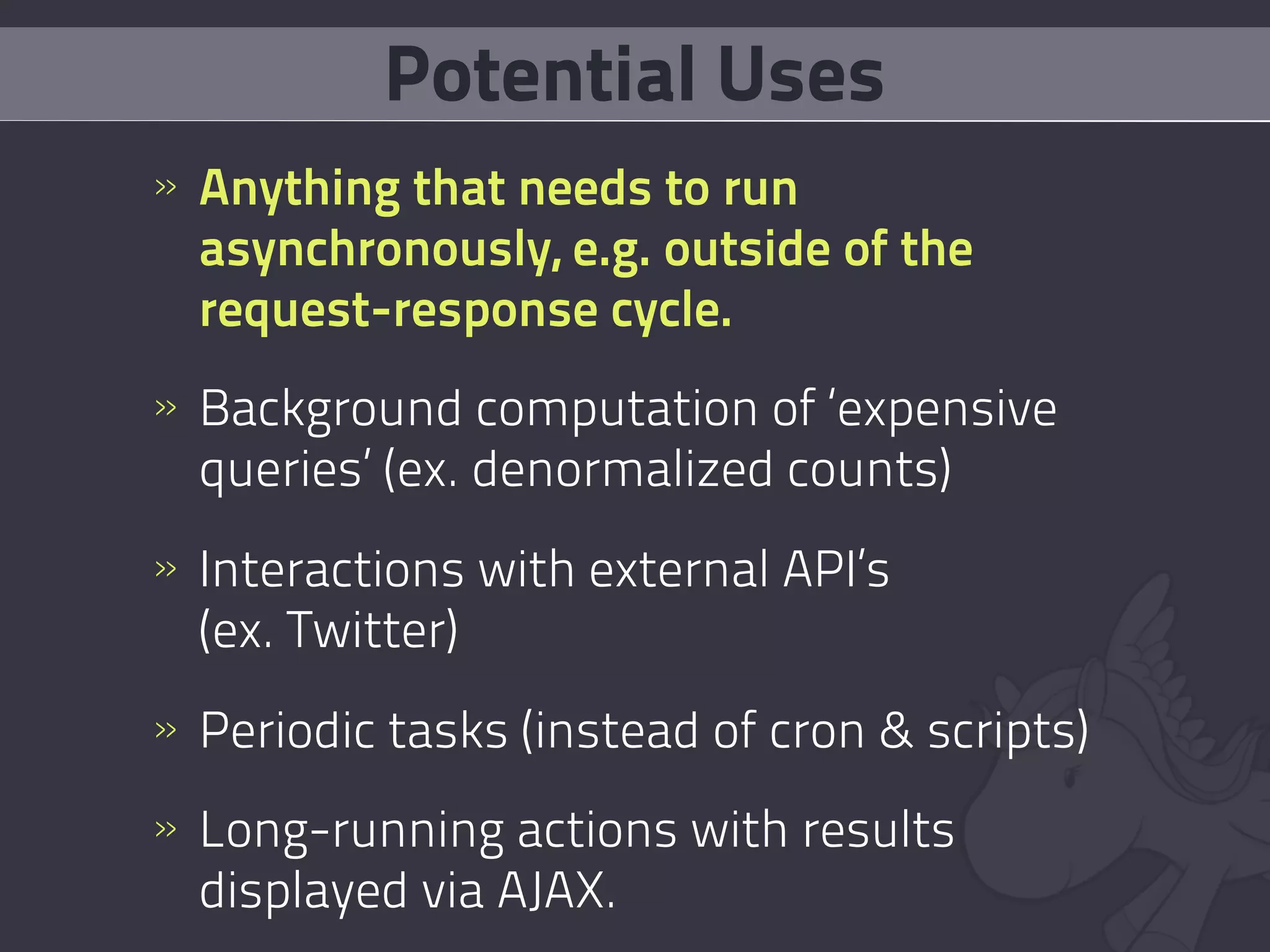
    9. Potential Uses » Anything that needs to run asynchronously, e.g. outside of the request-response cycle. » Background computation of ‘expensive queries’ (ex. denormalized counts) » Interactions with external API’s (ex. Twitter) » Periodic tasks (instead of cron & scripts) » Long-running actions with results displayed via AJAX.
    10. How does it work? http://www.flickr.com/photos/tomypelluz/14638999/
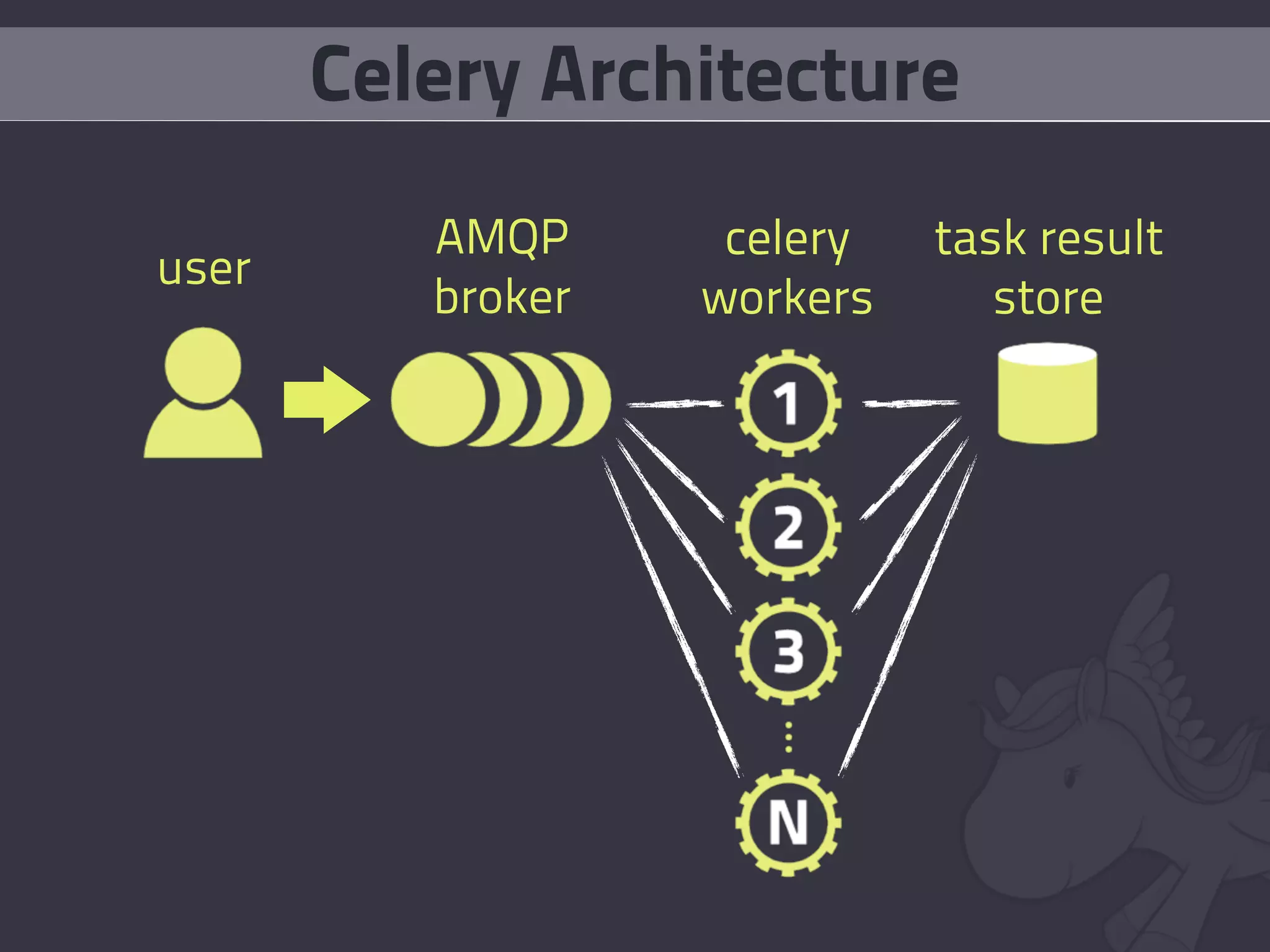
    11. Celery Architecture AMQP celery task result user broker workers store
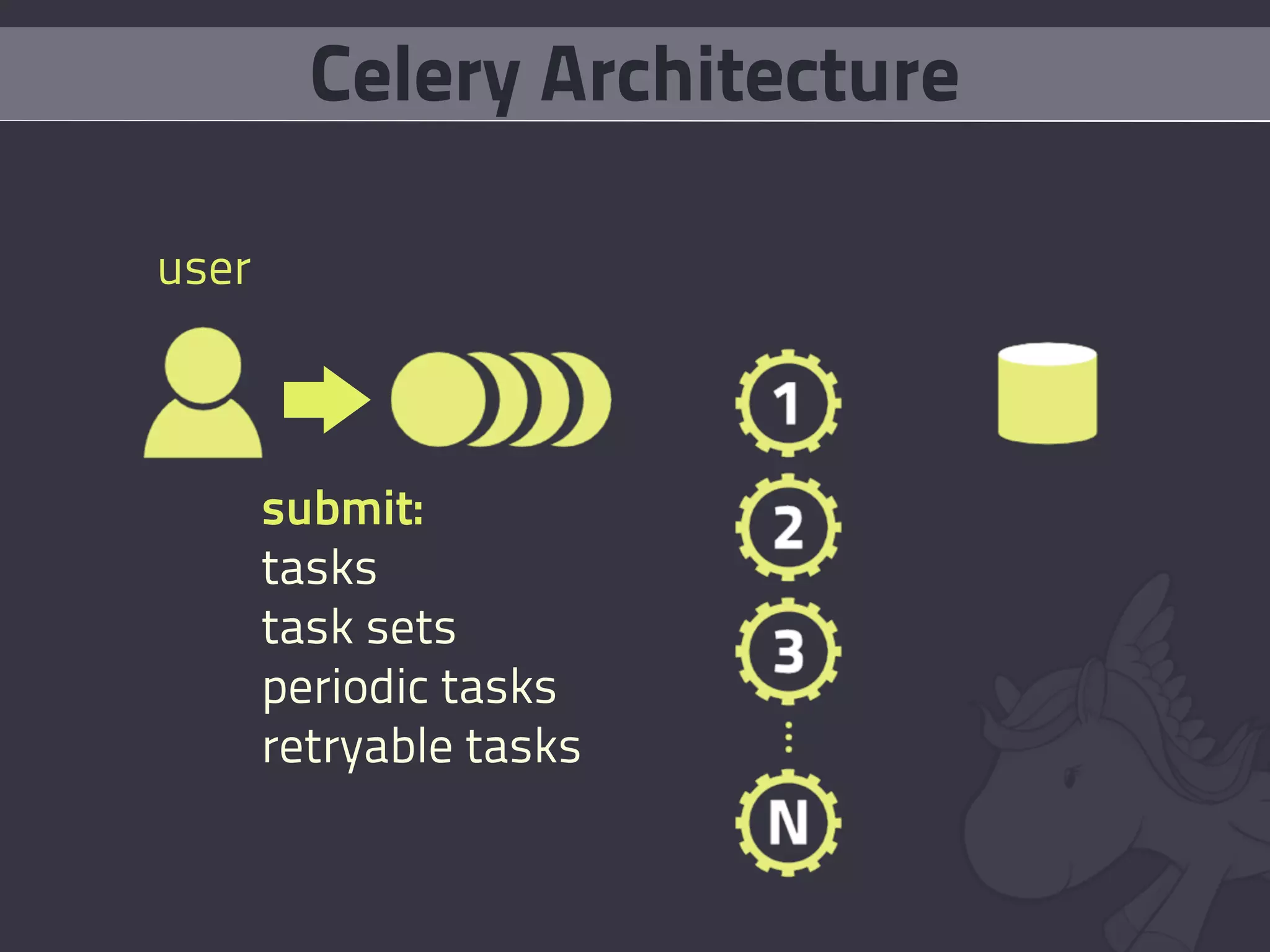
    12. Celery Architecture user submit: tasks task sets periodic tasks retryable tasks
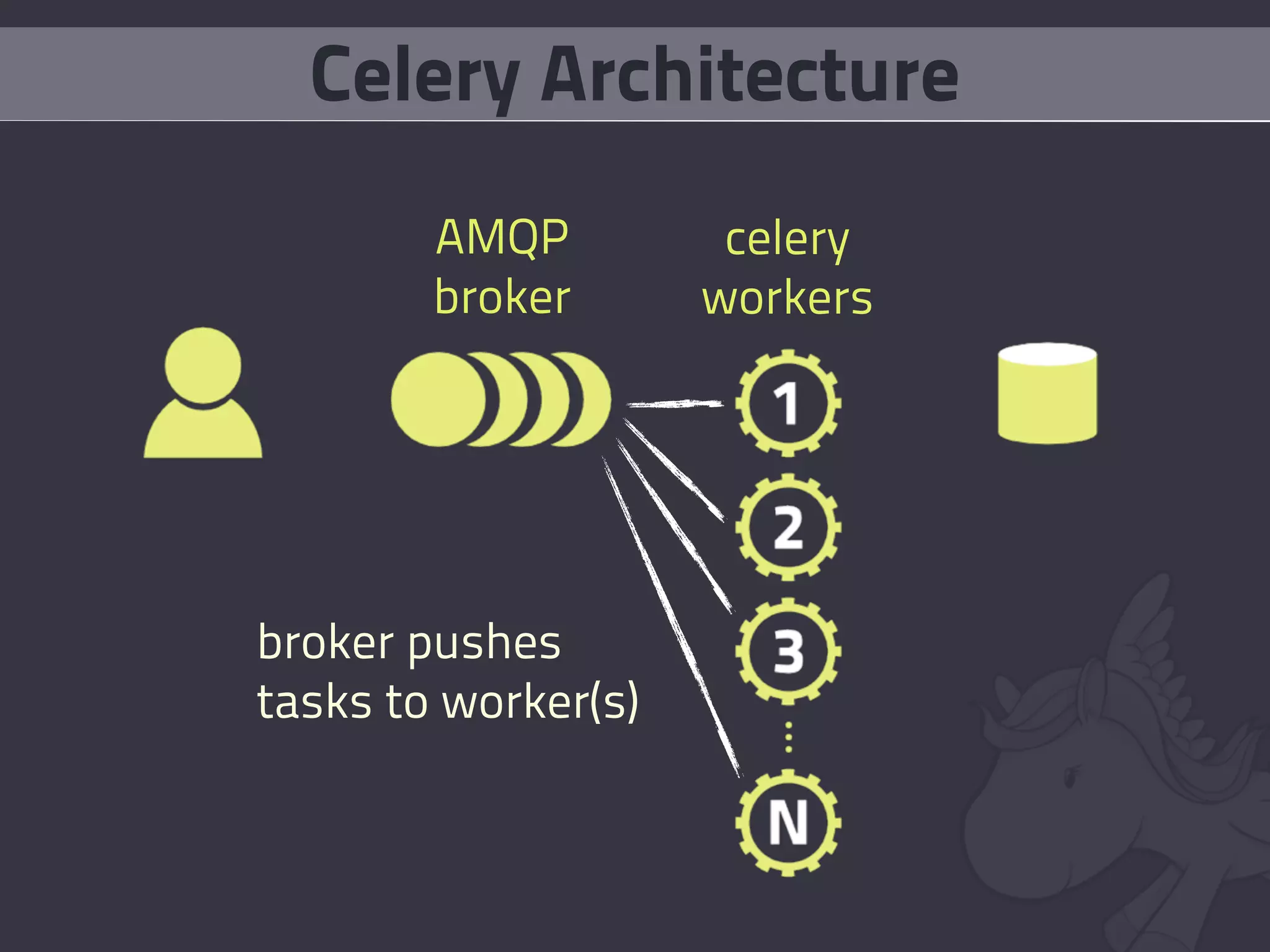
    13. Celery Architecture AMQP celery broker workers broker pushes tasks to worker(s)
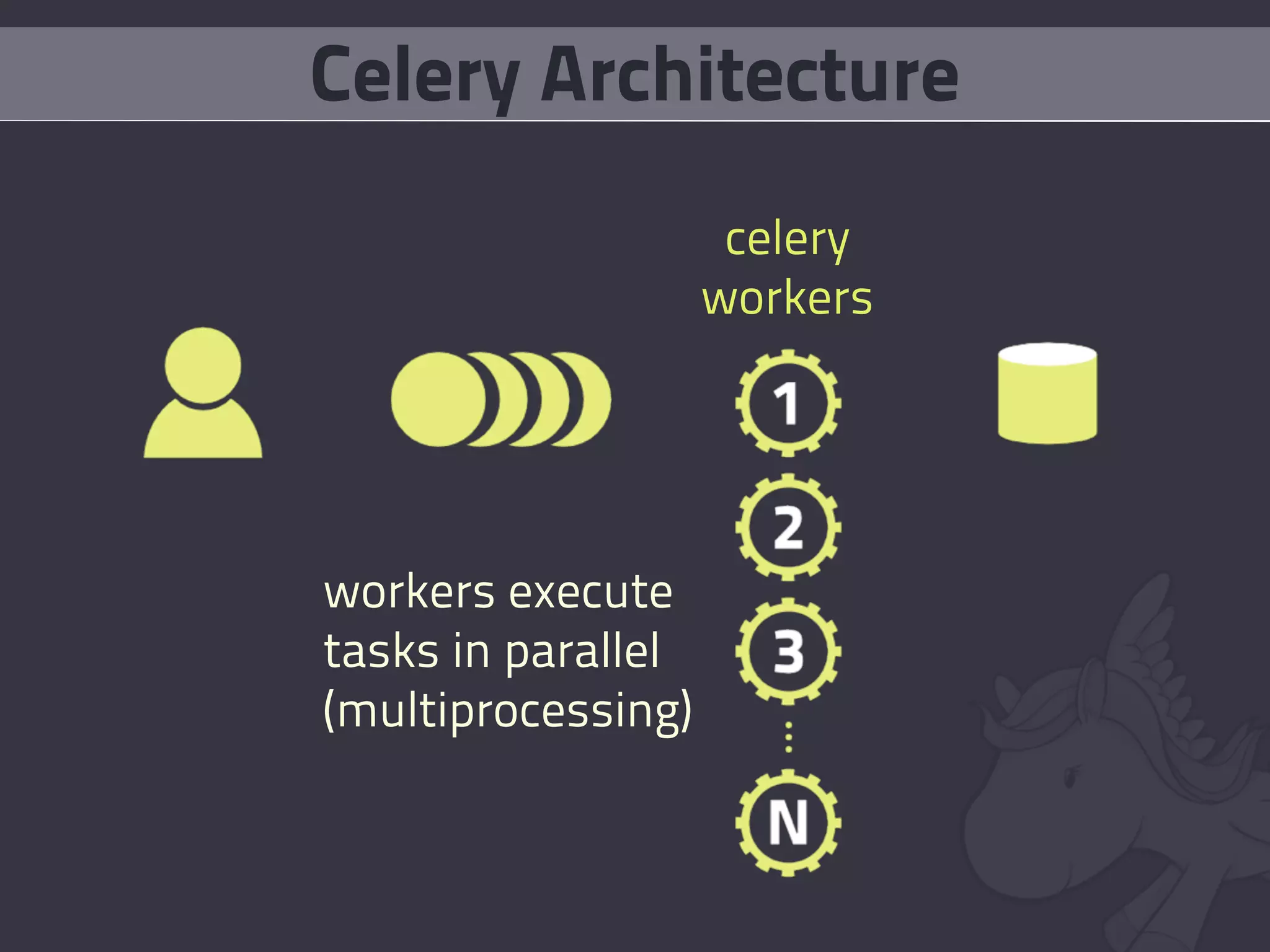
    14. Celery Architecture celery workers workers execute tasks in parallel (multiprocessing)
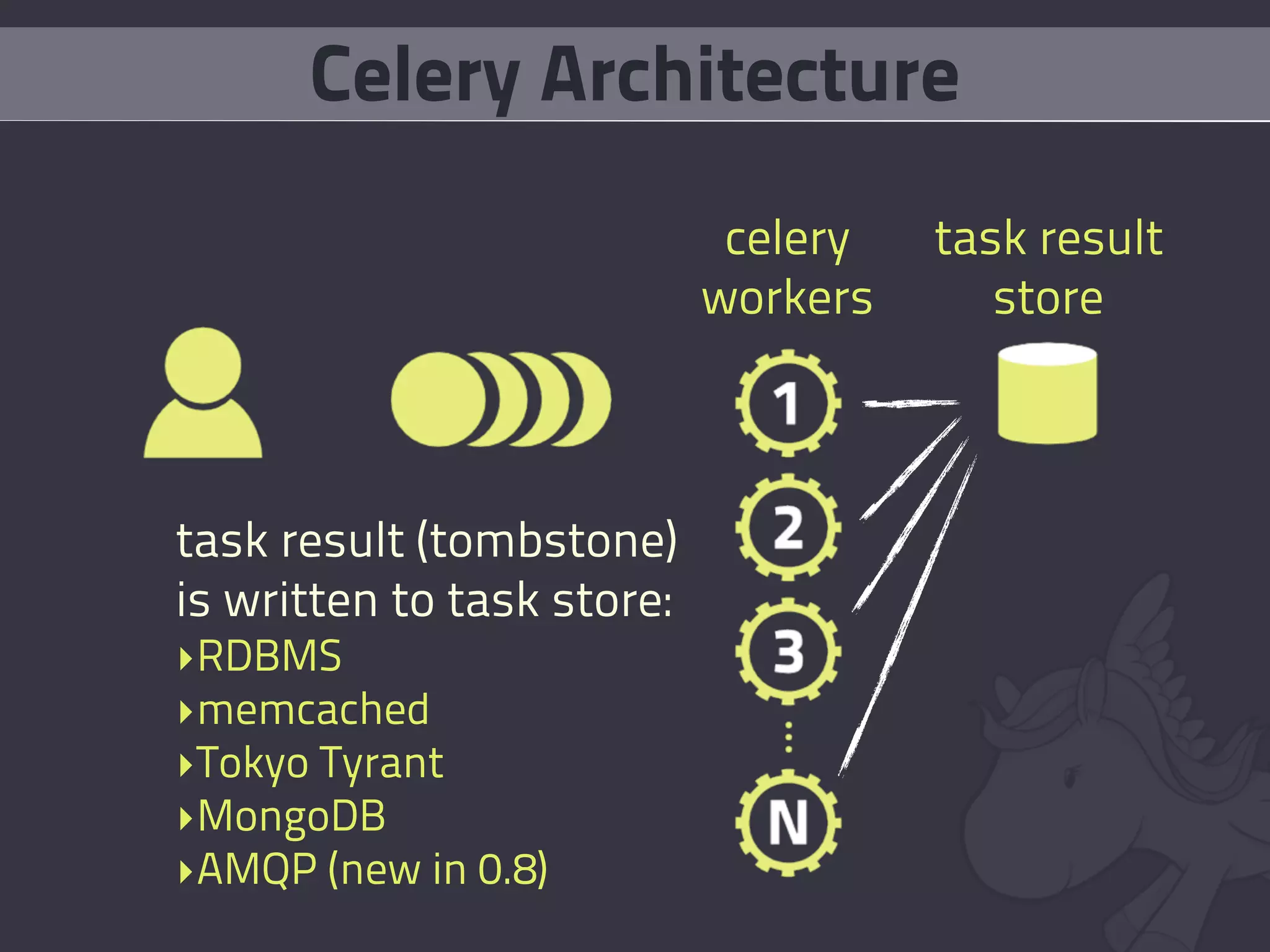
    15. Celery Architecture celery task result workers store task result (tombstone) is written to task store: ‣RDBMS ‣memcached ‣Tokyo Tyrant ‣MongoDB ‣AMQP (new in 0.8)
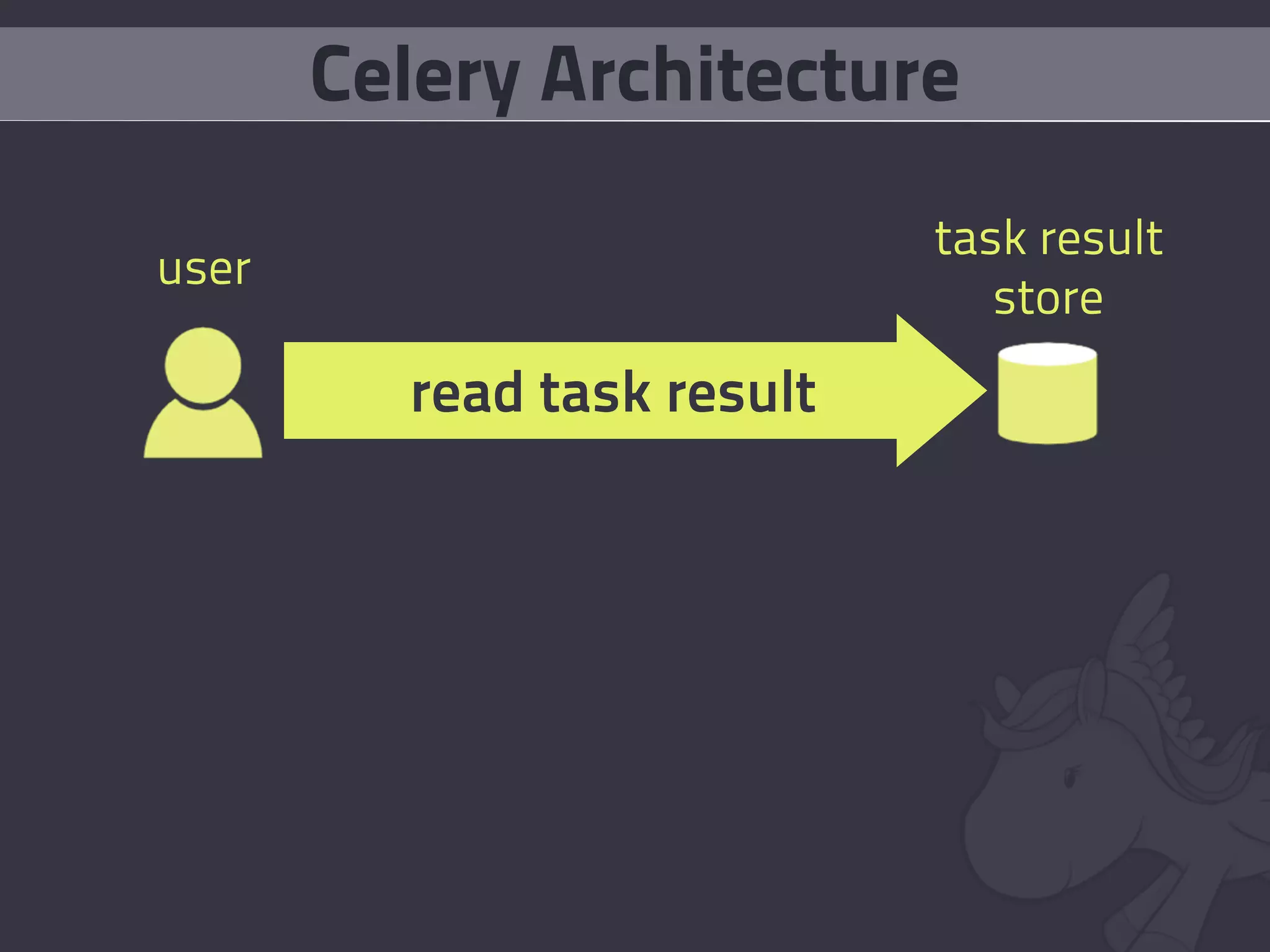
    16. Celery Architecture task result user store read task result
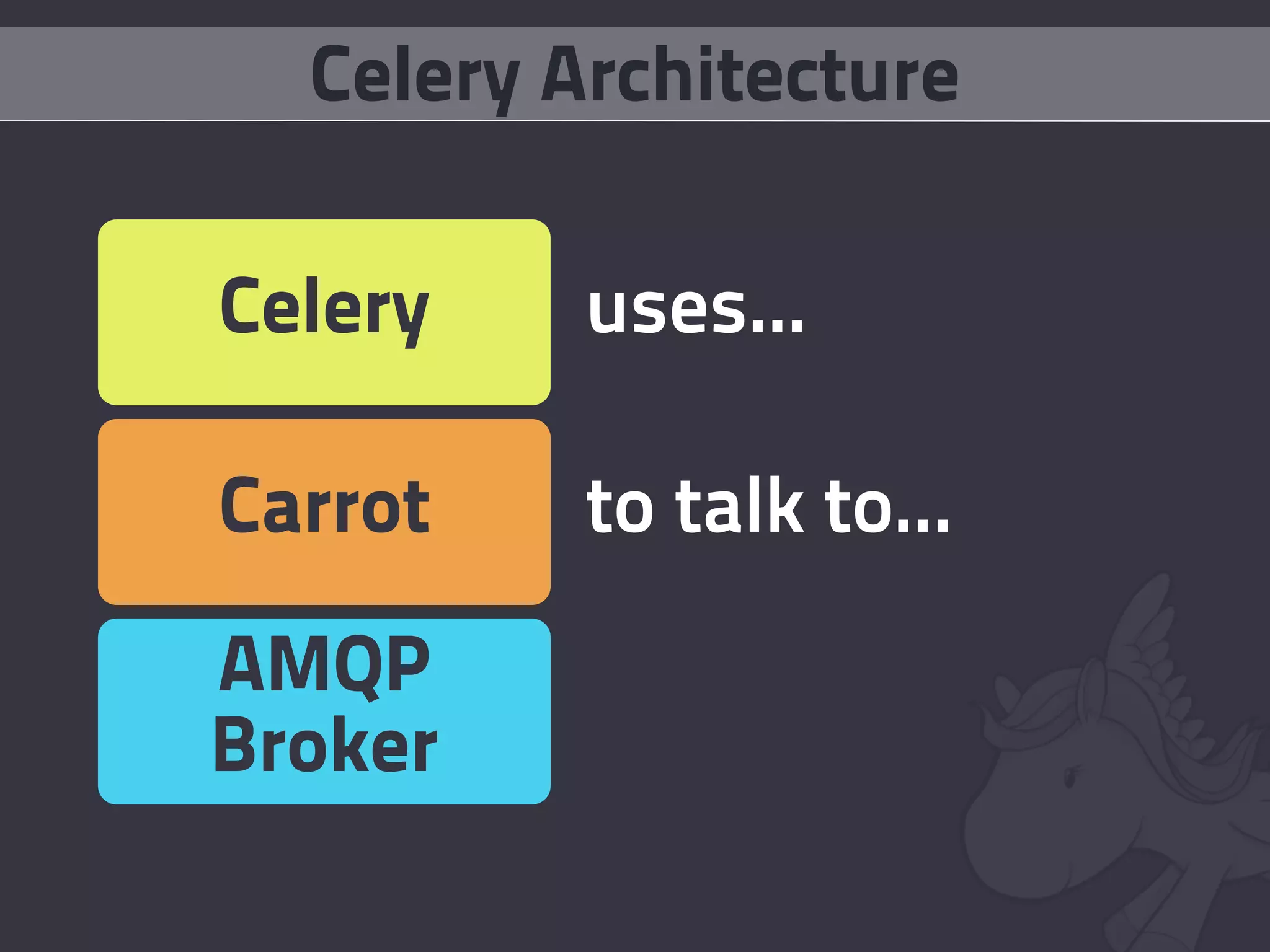
    17. Celery Architecture Celery uses... Carrot to talk to... AMQP Broker
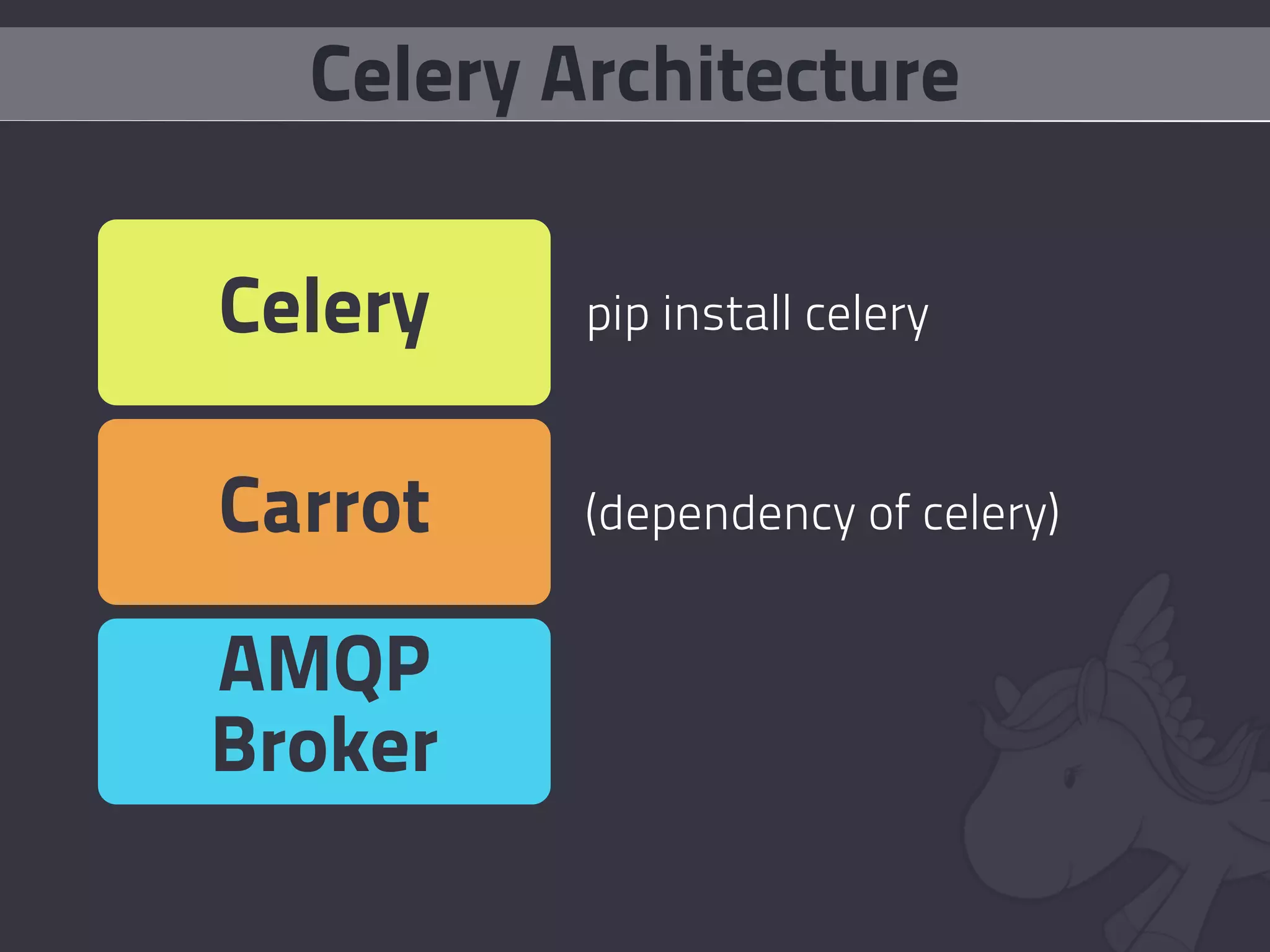
    18. Celery Architecture Celery pip install celery Carrot (dependency of celery) AMQP Broker
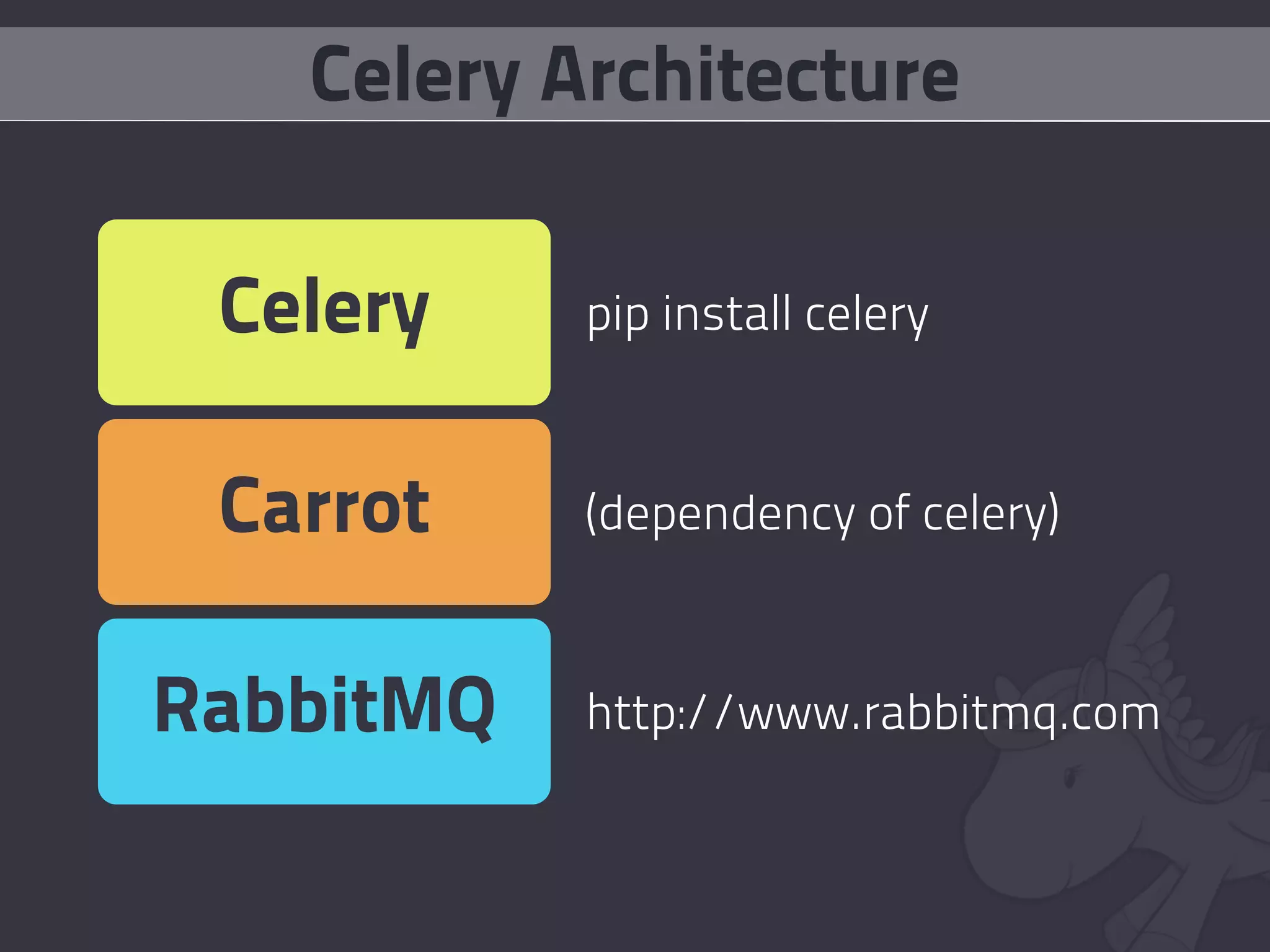
    19. Celery Architecture Celery pip install celery Carrot (dependency of celery) RabbitMQ http://www.rabbitmq.com
    20. AMQP is... Complex.
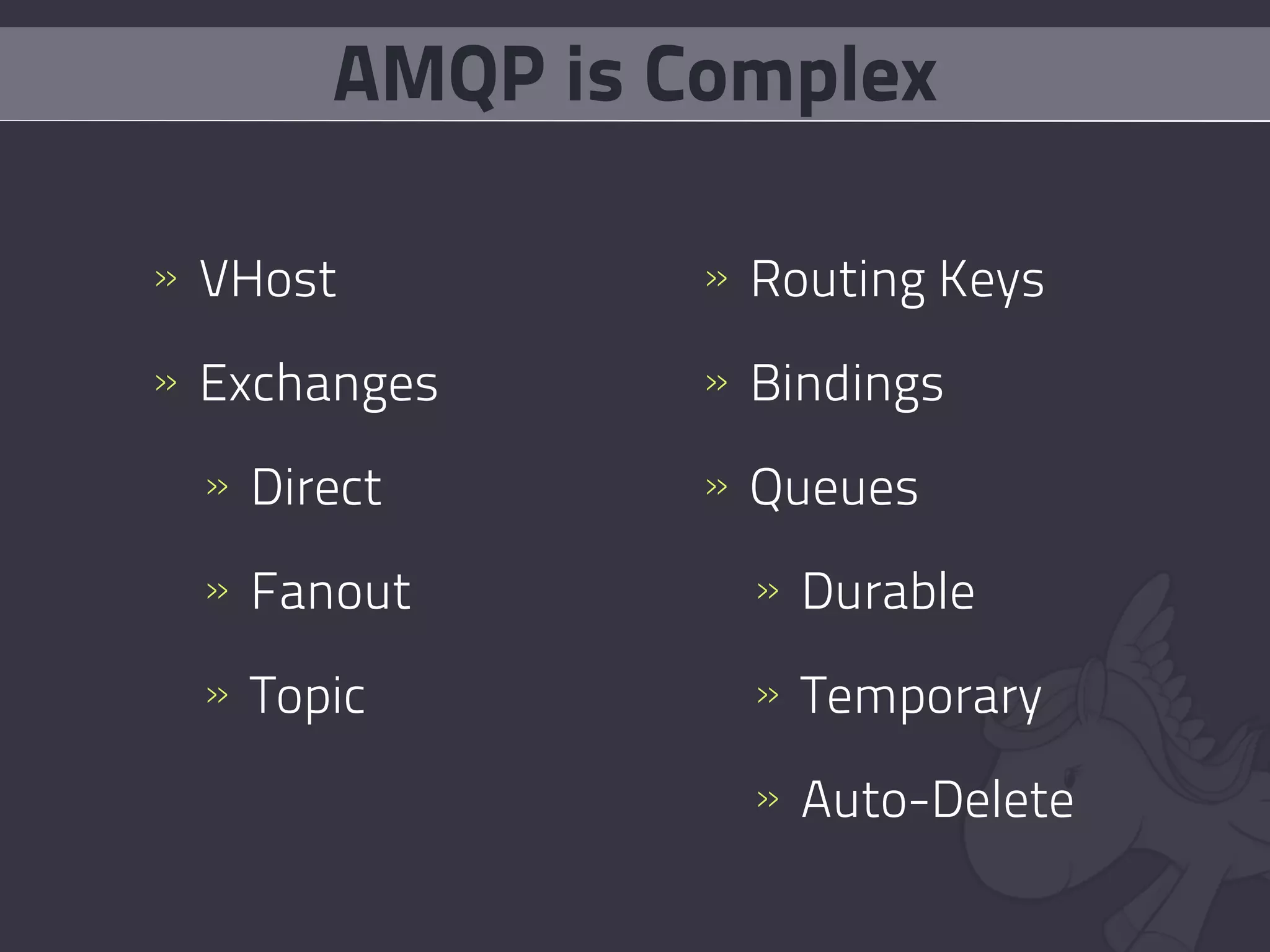
    21. AMQP is Complex » VHost » Routing Keys » Exchanges » Bindings » Direct » Queues » Fanout » Durable » Topic » Temporary » Auto-Delete
    22. bit.ly/amqp_intro
    23. I Can Haz Celery?
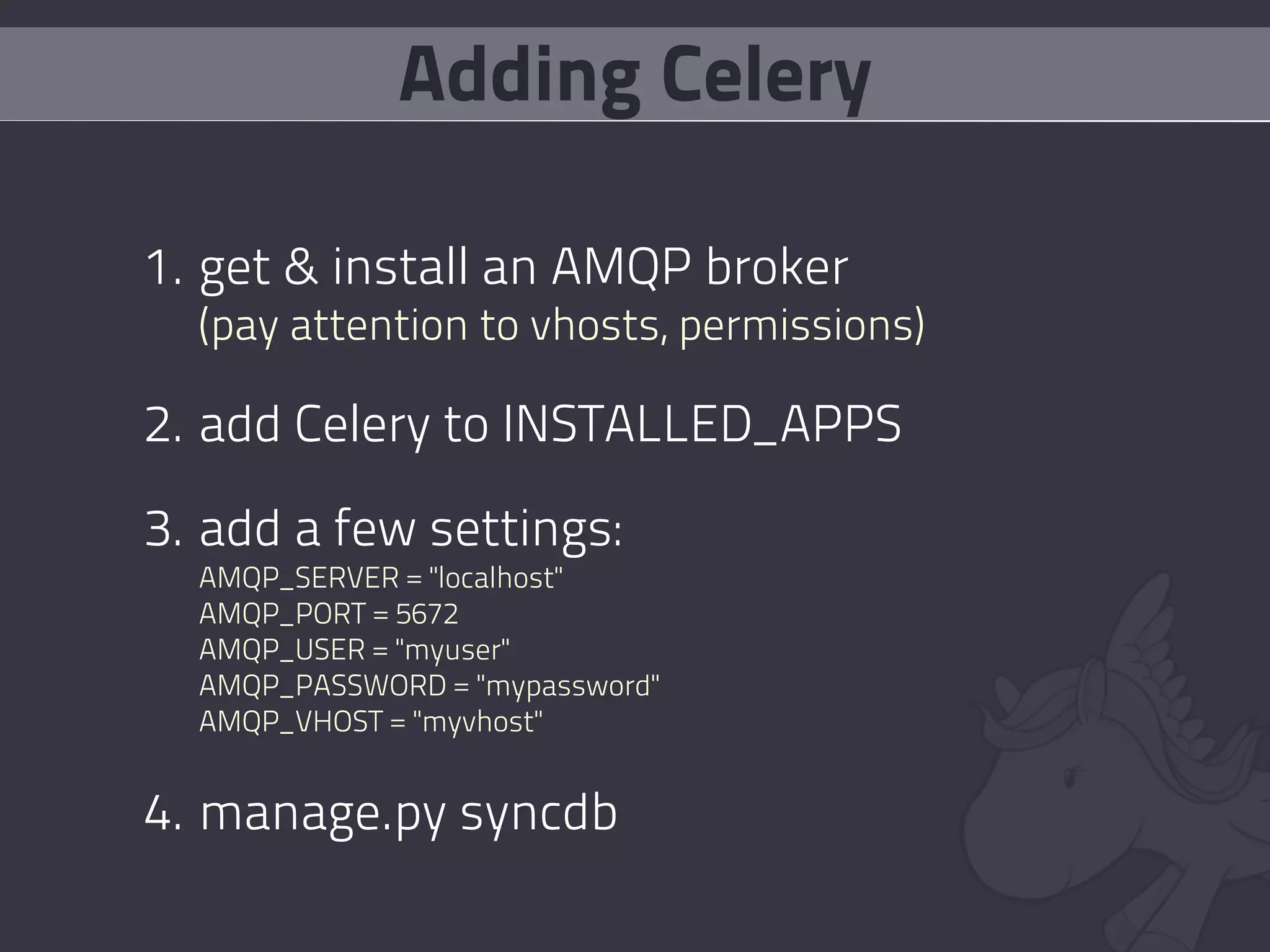
    24. Adding Celery 1. get & install an AMQP broker (pay attention to vhosts, permissions) 2. add Celery to INSTALLED_APPS 3. add a few settings: AMQP_SERVER = "localhost" AMQP_PORT = 5672 AMQP_USER = "myuser" AMQP_PASSWORD = "mypassword" AMQP_VHOST = "myvhost" 4. manage.py syncdb
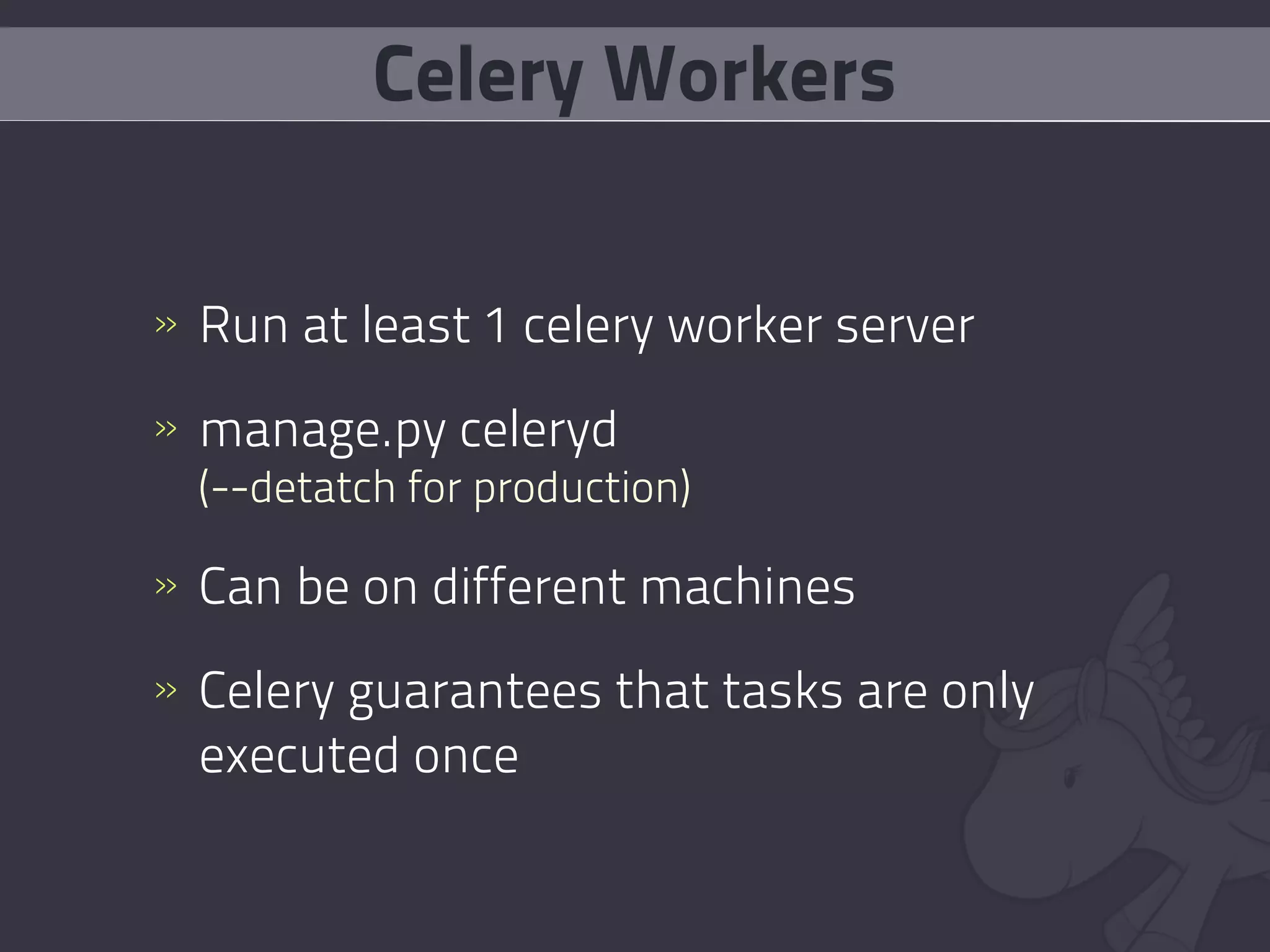
    25. Celery Workers » Run at least 1 celery worker server » manage.py celeryd (--detatch for production) » Can be on different machines » Celery guarantees that tasks are only executed once
    26. Tasks
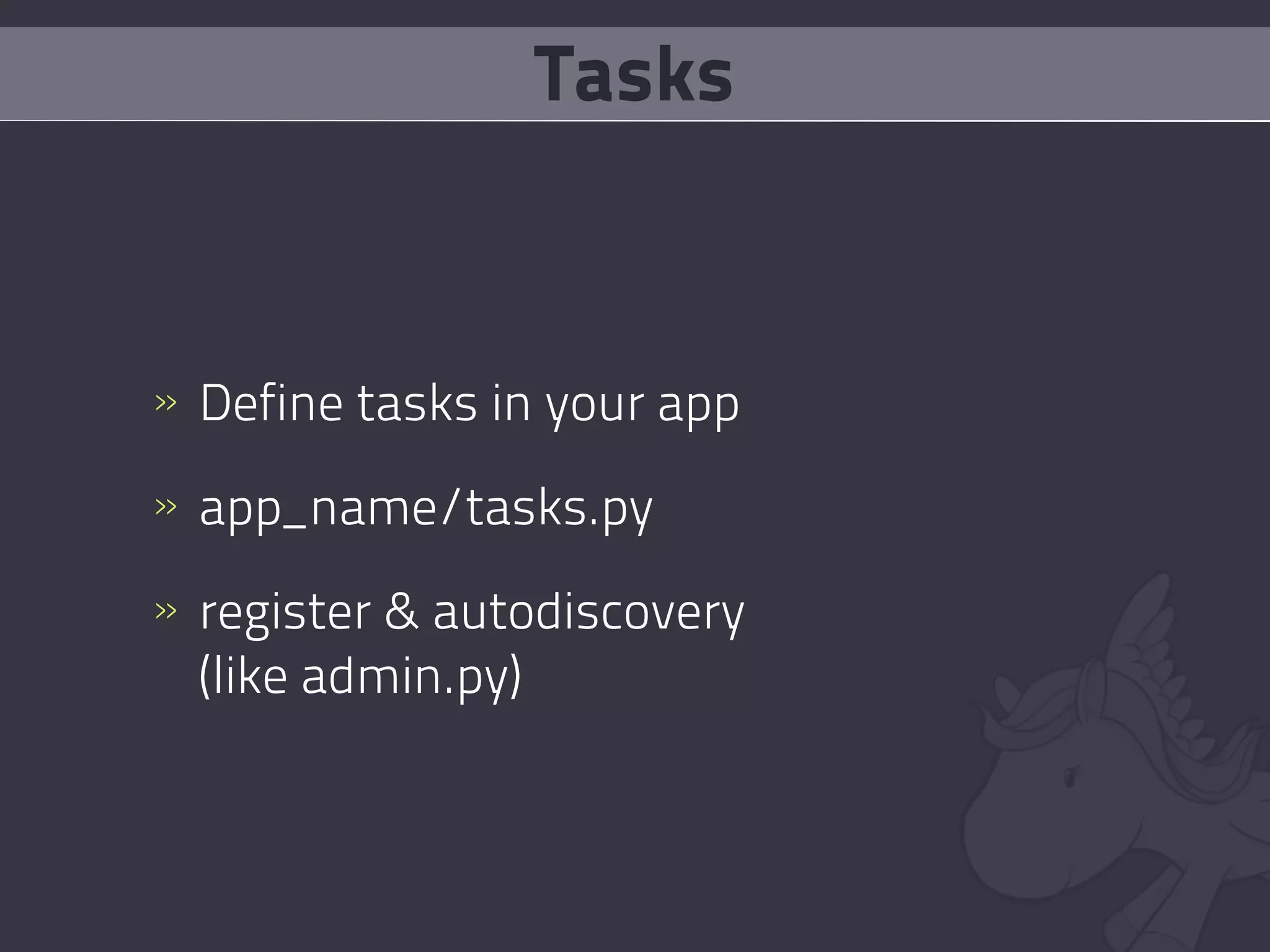
    27. Tasks » Define tasks in your app » app_name/tasks.py » register & autodiscovery (like admin.py)
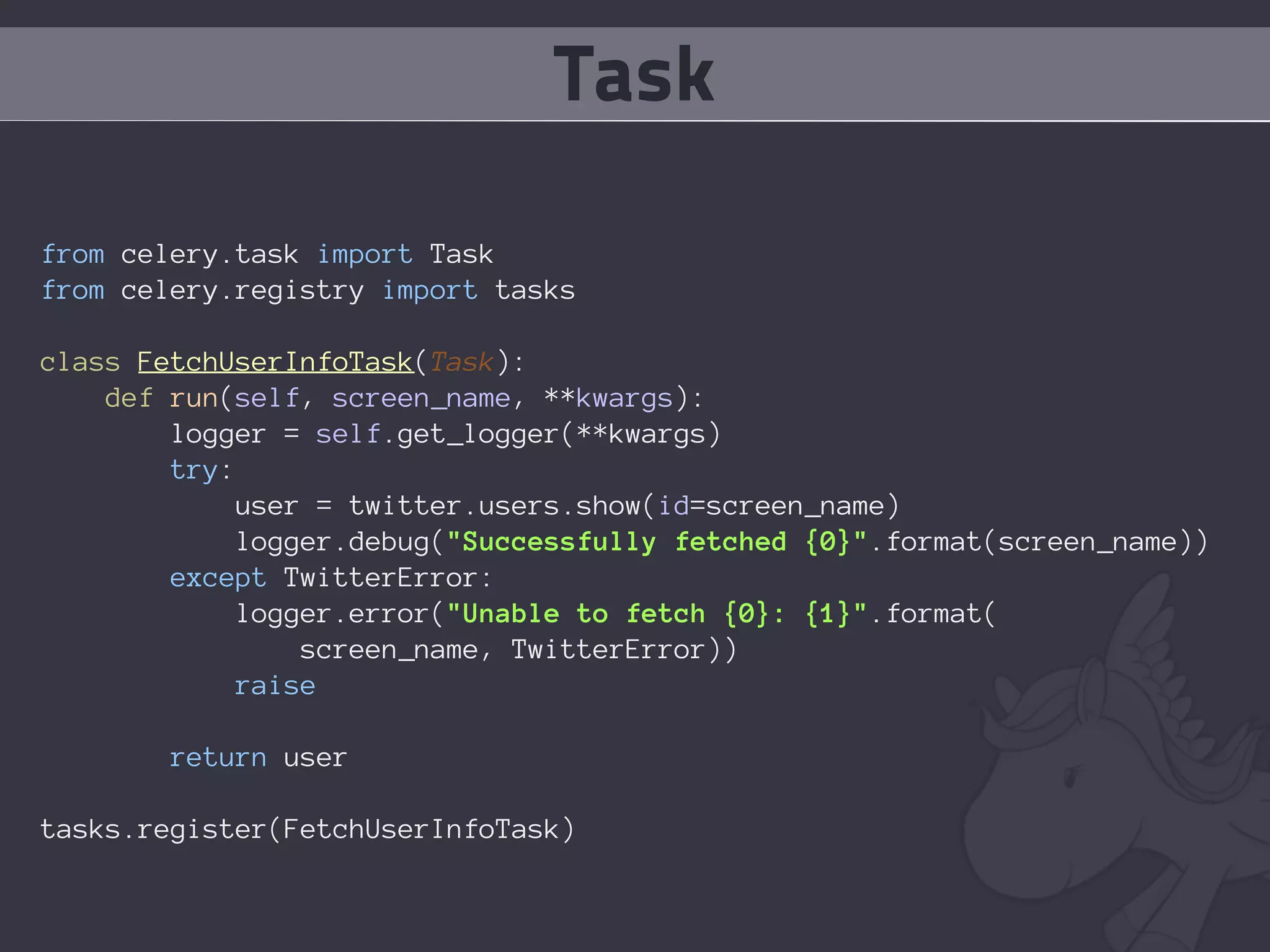
    28. Task from celery.task import Task from celery.registry import tasks class FetchUserInfoTask(Task): def run(self, screen_name, **kwargs): logger = self.get_logger(**kwargs) try: user = twitter.users.show(id=screen_name) logger.debug("Successfully fetched {0}".format(screen_name)) except TwitterError: logger.error("Unable to fetch {0}: {1}".format( screen_name, TwitterError)) raise return user tasks.register(FetchUserInfoTask)
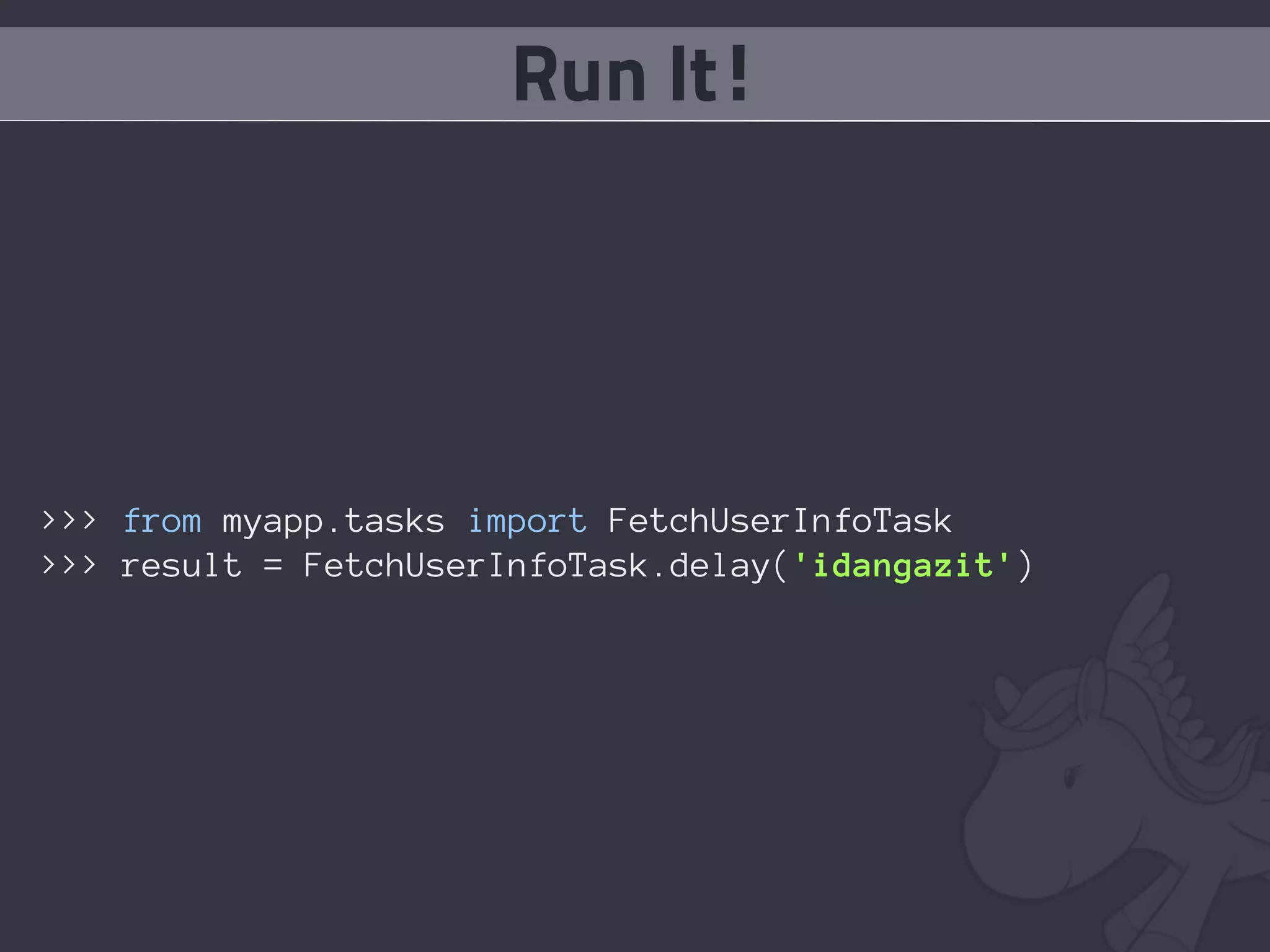
    29. Run It! >>> from myapp.tasks import FetchUserInfoTask >>> result = FetchUserInfoTask.delay('idangazit')
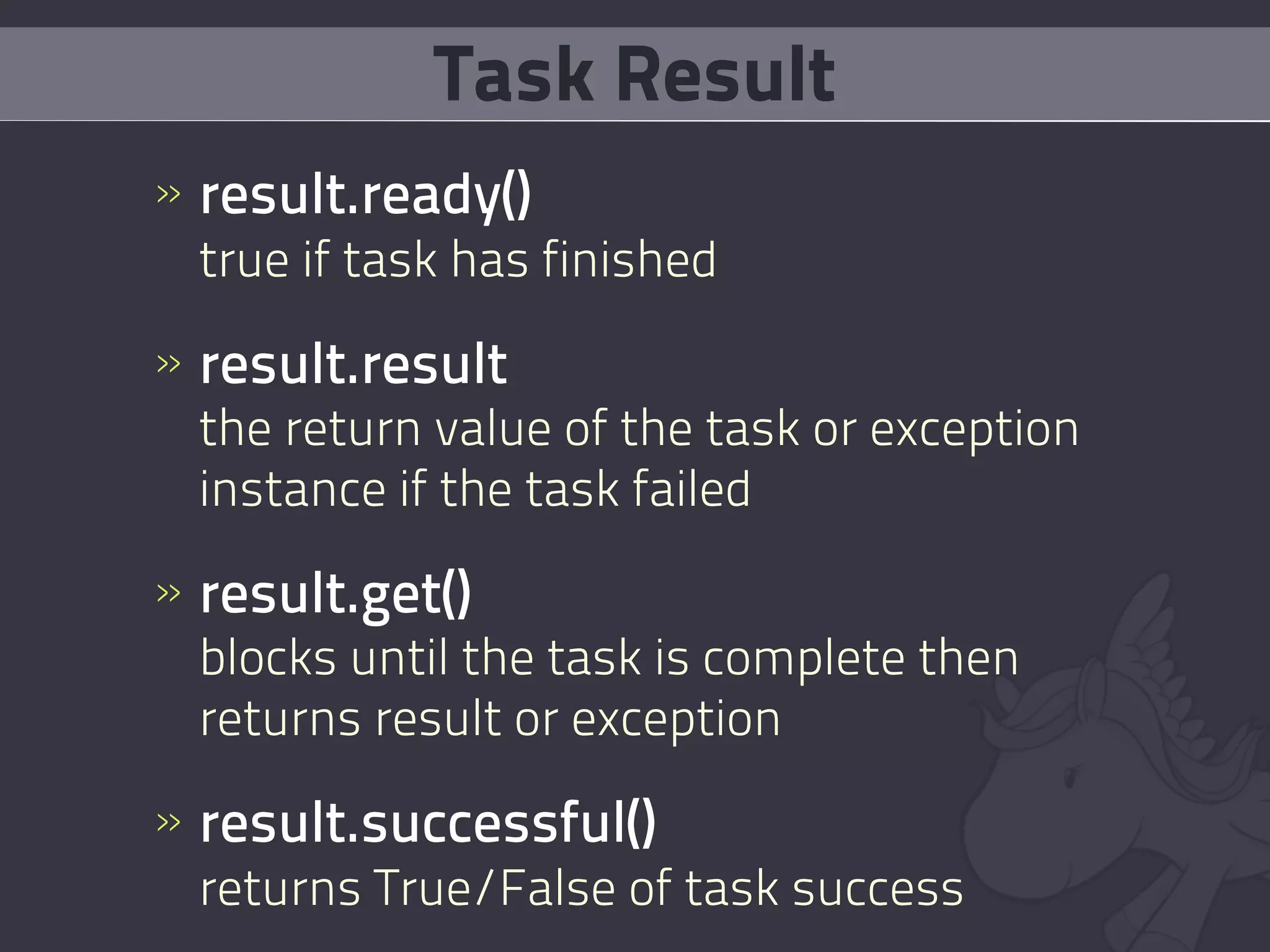
    30. Task Result » result.ready() true if task has finished » result.result the return value of the task or exception instance if the task failed » result.get() blocks until the task is complete then returns result or exception » result.successful() returns True/False of task success
    31. Why even check results?
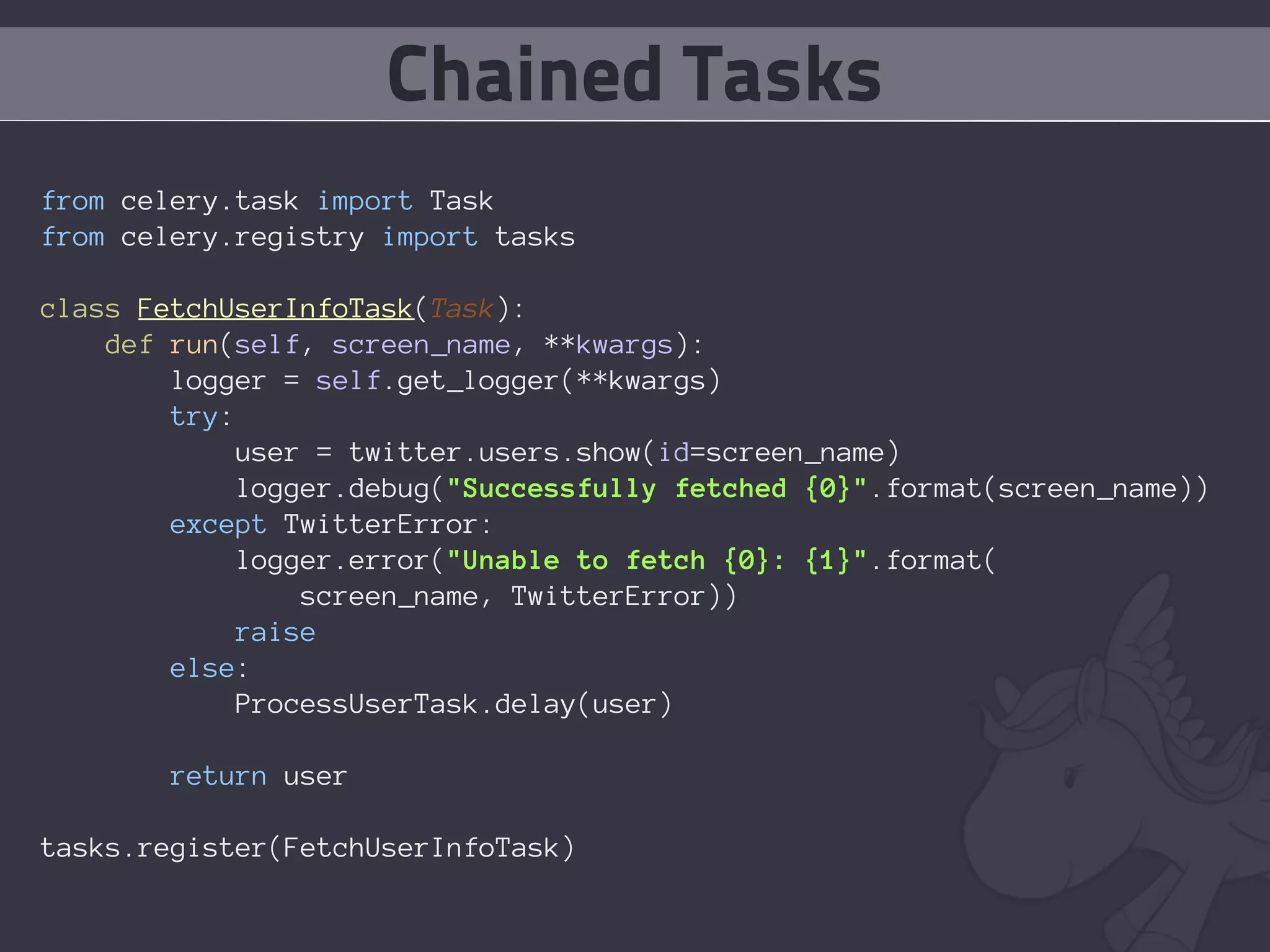
    32. Chained Tasks from celery.task import Task from celery.registry import tasks class FetchUserInfoTask(Task): def run(self, screen_name, **kwargs): logger = self.get_logger(**kwargs) try: user = twitter.users.show(id=screen_name) logger.debug("Successfully fetched {0}".format(screen_name)) except TwitterError: logger.error("Unable to fetch {0}: {1}".format( screen_name, TwitterError)) raise else: ProcessUserTask.delay(user) return user tasks.register(FetchUserInfoTask)
    33. Task Retries
    34. Task Retries from celery.task import Task from celery.registry import tasks class FetchUserInfoTask(Task): default_retry_delay = 5 * 60 # retry in 5 minutes max_retries = 5 def run(self, screen_name, **kwargs): logger = self.get_logger(**kwargs) try: user = twitter.users.show(id=screen_name) logger.debug("Successfully fetched {0}".format(screen_name)) except TwitterError, exc: self.retry(args=[screen_name,], kwargs=**kwargs, exc) else: ProcessUserTask.delay(user) return user tasks.register(FetchUserInfoTask)
    35. Periodic Tasks
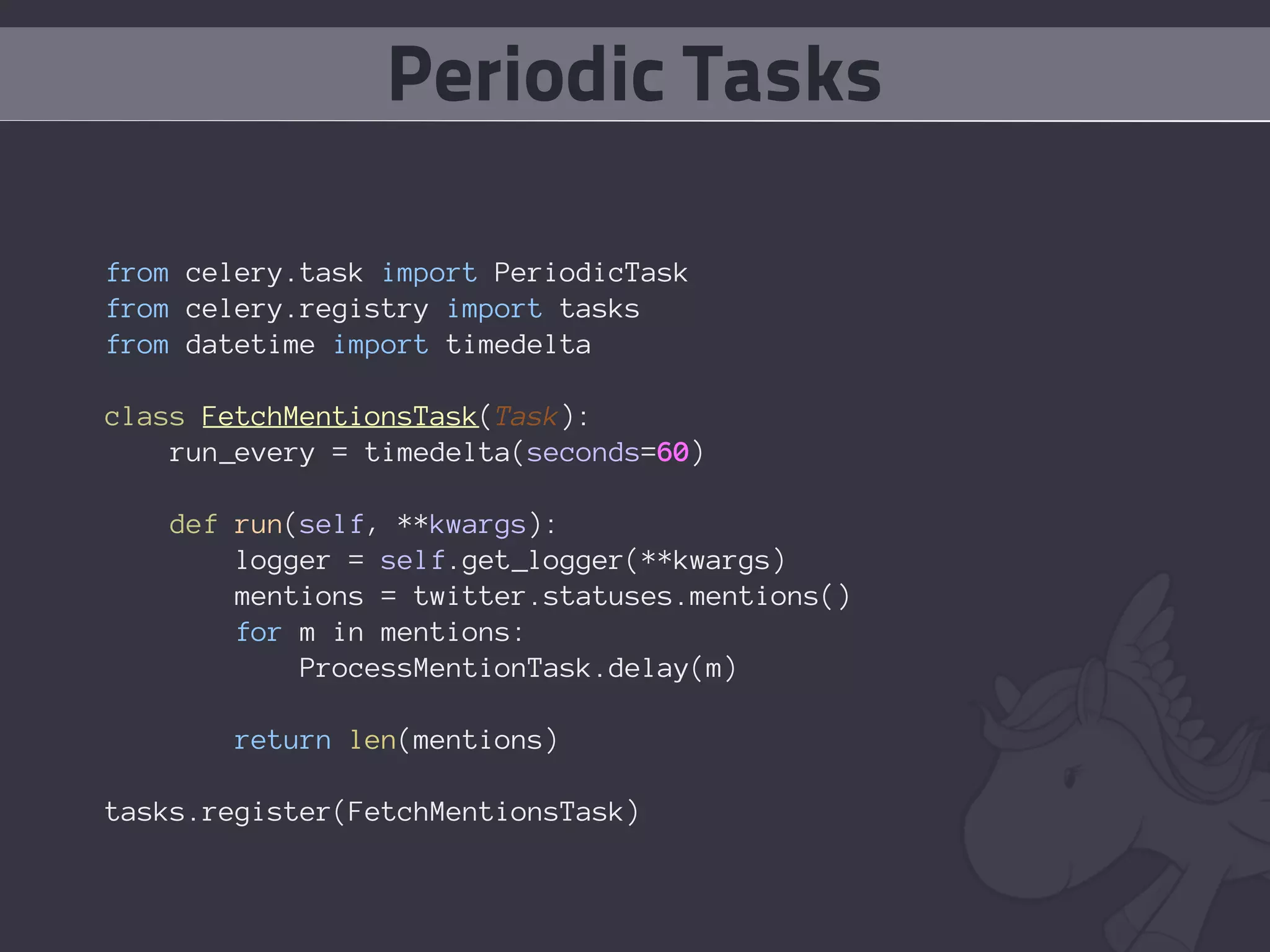
    36. Periodic Tasks from celery.task import PeriodicTask from celery.registry import tasks from datetime import timedelta class FetchMentionsTask(Task): run_every = timedelta(seconds=60) def run(self, **kwargs): logger = self.get_logger(**kwargs) mentions = twitter.statuses.mentions() for m in mentions: ProcessMentionTask.delay(m) return len(mentions) tasks.register(FetchMentionsTask)
    37. Task Sets
    38. Task Sets >>> from myapp.tasks import FetchUserInfoTask >>> from celery.task import TaskSet >>> ts = TaskSet(FetchUserInfoTask, args=( ['ahikman'], {}, ['idangazit'], {}, ['daonb'], {}, ['dibau_naum_h'], {})) >>> ts_result = ts.run() >>> list_of_return_values = ts.join()
    39. MOAR SELRY!
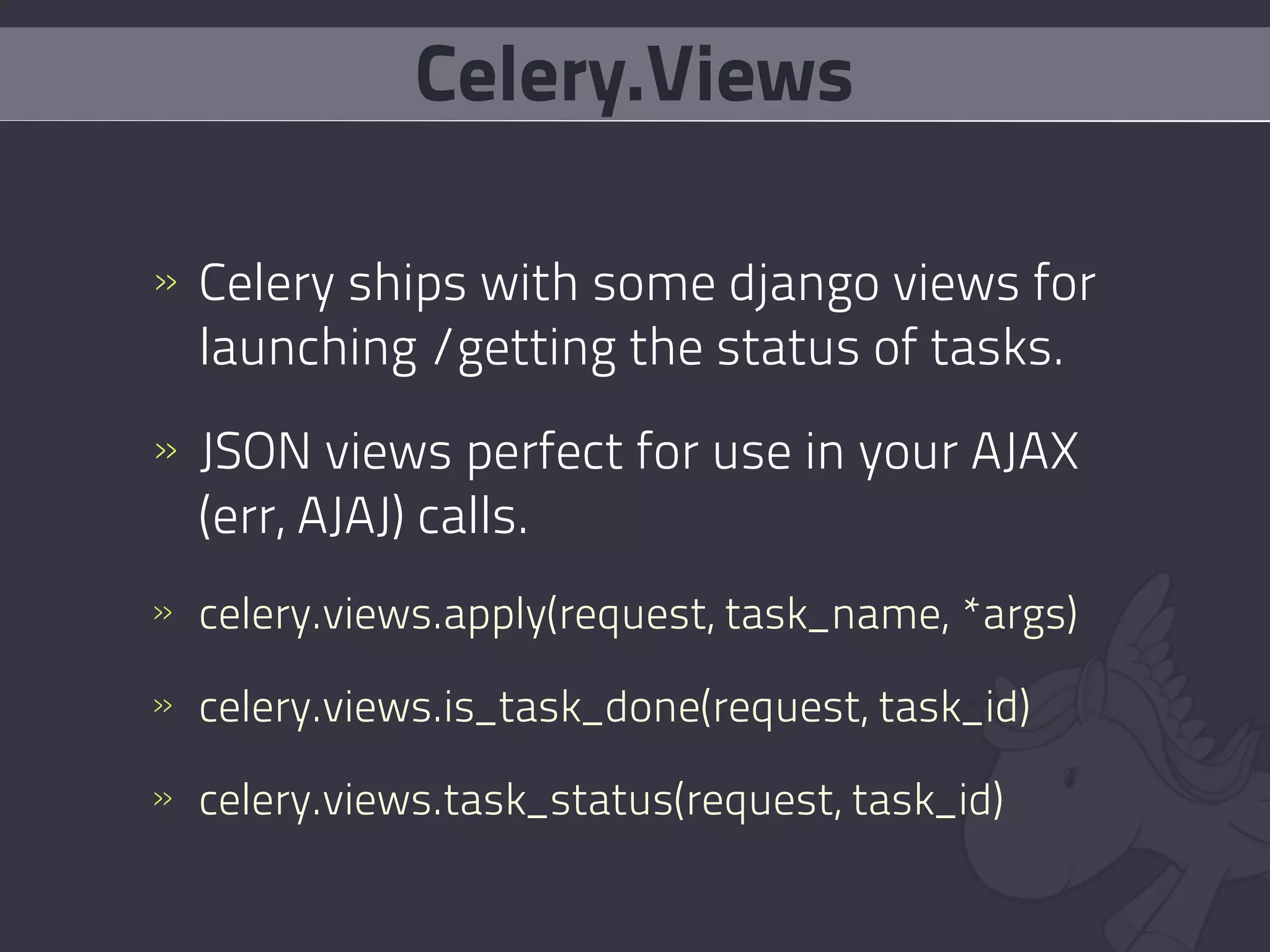
    40. Celery.Views
    41. Celery.Views » Celery ships with some django views for launching /getting the status of tasks. » JSON views perfect for use in your AJAX (err, AJAJ) calls. » celery.views.apply(request, task_name, *args) » celery.views.is_task_done(request, task_id) » celery.views.task_status(request, task_id)
    42. Routable Tasks
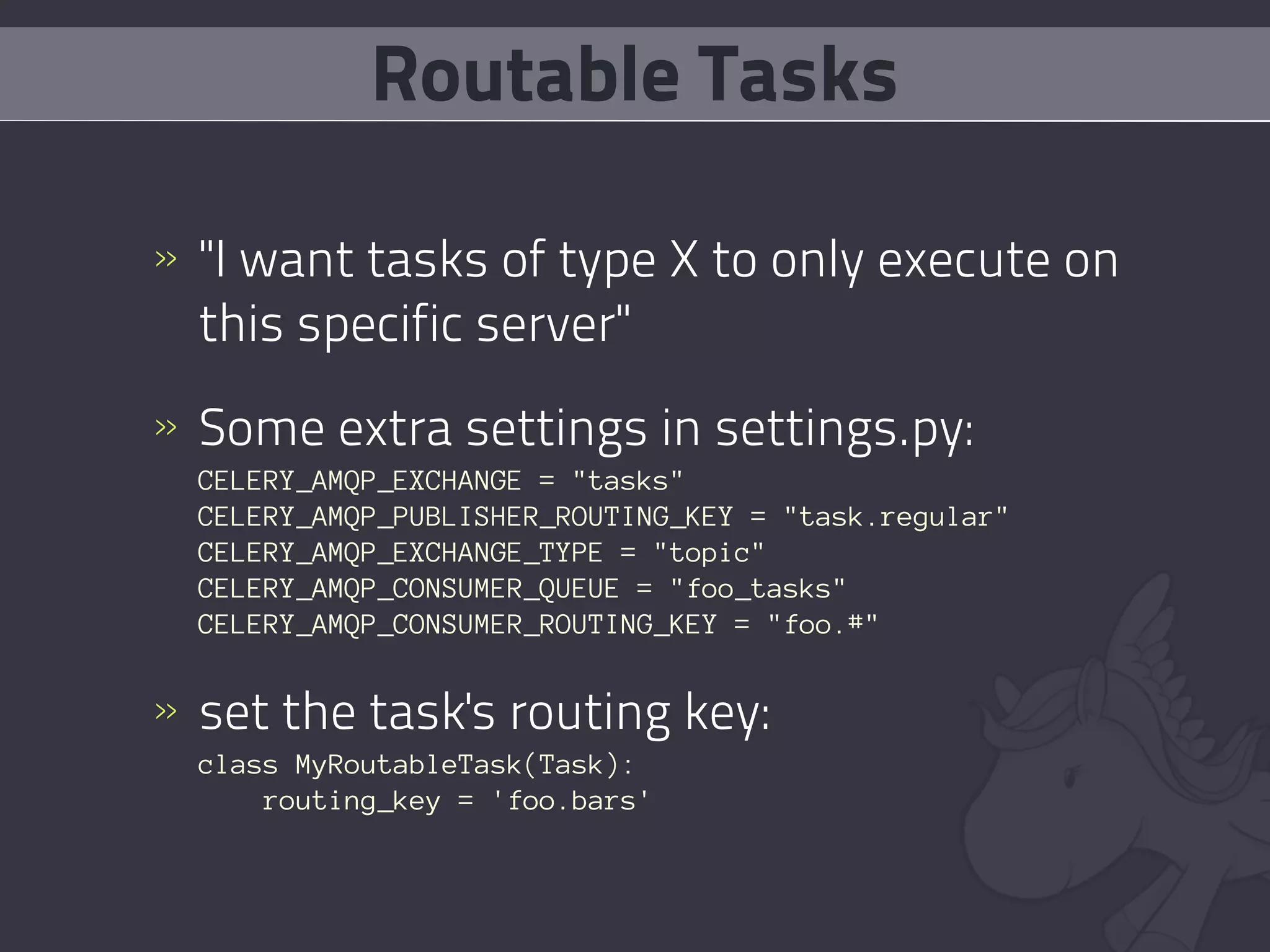
    43. Routable Tasks » "I want tasks of type X to only execute on this specific server" » Some extra settings in settings.py: CELERY_AMQP_EXCHANGE = "tasks" CELERY_AMQP_PUBLISHER_ROUTING_KEY = "task.regular" CELERY_AMQP_EXCHANGE_TYPE = "topic" CELERY_AMQP_CONSUMER_QUEUE = "foo_tasks" CELERY_AMQP_CONSUMER_ROUTING_KEY = "foo.#" » set the task's routing key: class MyRoutableTask(Task): routing_key = 'foo.bars'
    44. like django, it's just python.
    45. Support #celery on freenode http://groups.google.com/group/celery-users/ AskSol (the author) is friendly & helpful
    46. Fin. @idangazit idan@pixane.com

    + Idan GazitIdan Gazit, 4 months ago

    custom

    2518 views, 7 favs, 6 embeds more stats

    Given to PyWeb-IL 8 on 29th Sept 2009

    More info about this presentation

    © All Rights Reserved

    • Total Views 2518
      • 2337 on SlideShare
      • 181 from embeds
    • Comments 0
    • Favorites 7
    • Downloads 41
    Most viewed embeds
    • 134 views on http://ask.github.com
    • 32 views on http://celeryproject.org
    • 7 views on http://www.celeryproject.org
    • 4 views on http://www.celeryq.org
    • 3 views on http://www.slideshare.net

    more

    All embeds
    • 134 views on http://ask.github.com
    • 32 views on http://celeryproject.org
    • 7 views on http://www.celeryproject.org
    • 4 views on http://www.celeryq.org
    • 3 views on http://www.slideshare.net
    • 1 views on http://celeryq.org

    less

    Flagged as inappropriate Flag as inappropriate
    Flag as inappropriate

    Select your reason for flagging this presentation as inappropriate. If needed, use the feedback form to let us know more details.

    Cancel
    File a copyright complaint
    Having problems? Go to our helpdesk?

    Categories