1   Copyright © 2012, Oracle and/or its affiliates. All rights reserved.
Oracle Solaris 11 – Best for
Enterprise Applications
Name: Glynn Foster
Title: Principal Product Manager


2   Copyright © 2012, Oracle and/or its affiliates. All rights reserved.
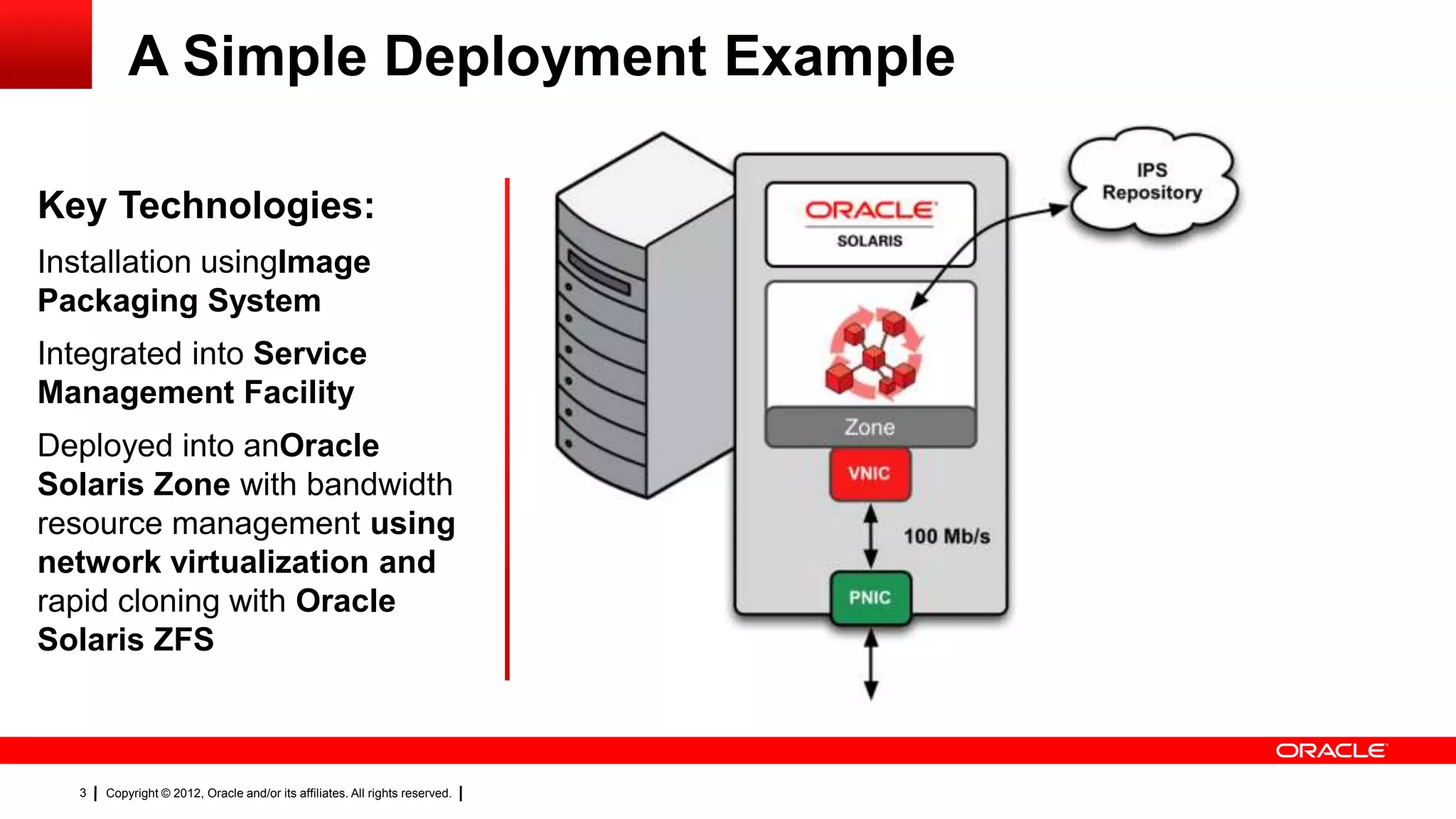
A Simple Deployment Example

Key Technologies:
Installation usingImage
Packaging System
Integrated into Service
Management Facility
Deployed into anOracle
Solaris Zone with bandwidth
resource management using
network virtualization


  3   Copyright © 2012, Oracle and/or its affiliates. All rights reserved.
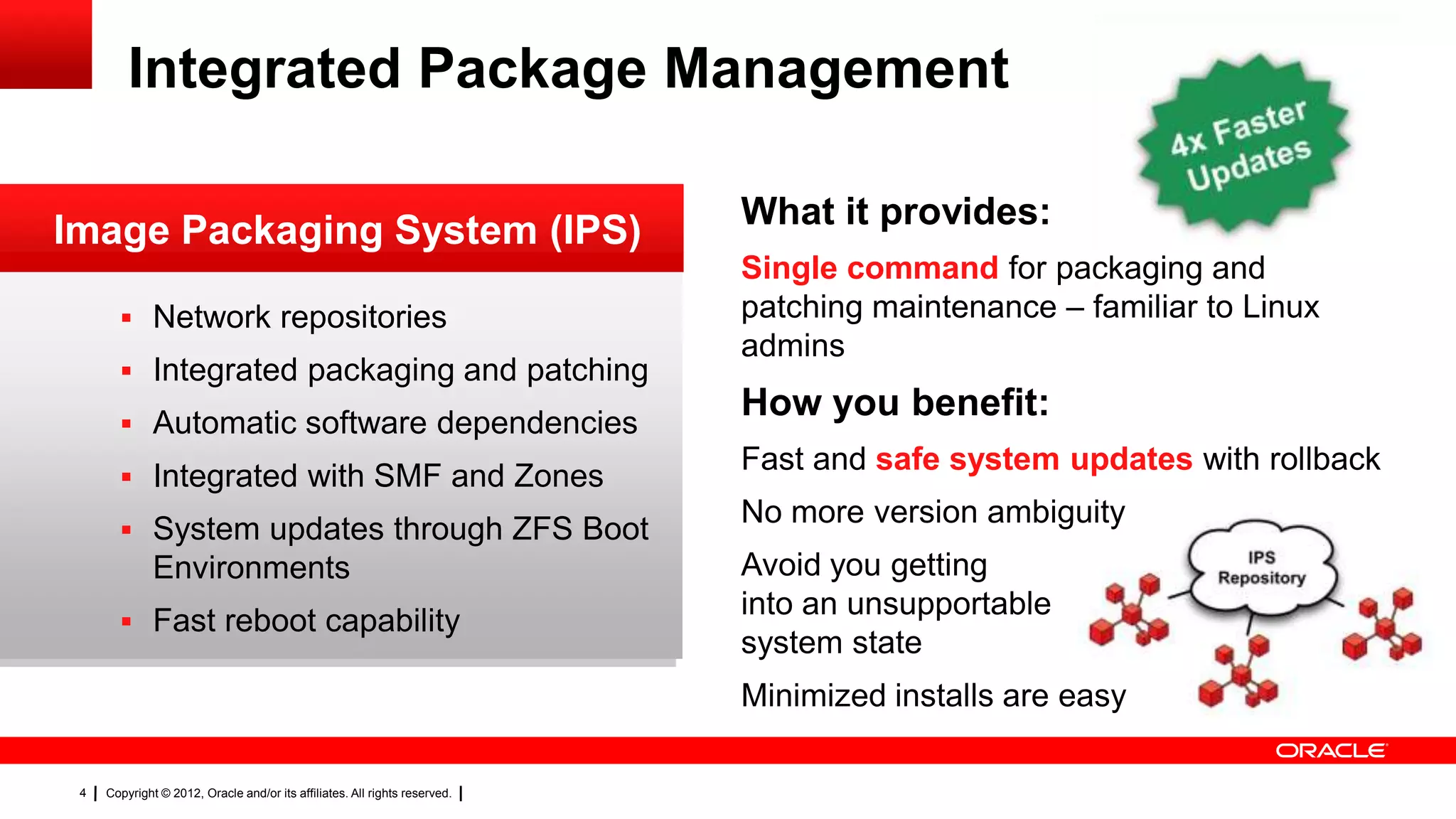
Integrated Package Management

                                                                            What it provides:
Image Packaging System (IPS)
                                                                            Single command for packaging and
        Network repositories                                               patching maintenance – familiar to Linux
                                                                            admins
        Integrated packaging and patching                                                                RC
        Automatic software dependencies
                                                                            How you benefit:              Database
                                                                            Fast and safe system updates with rollback
        Integrated with SMF and Zones
                                                                            No more version ambiguity
        System updates through ZFS Boot
              Environments                                                  Avoid you getting
                                                                            into an unsupportable
        Fast reboot capability
                                                                            system state
                                                                            Minimized installs are easy

 4   Copyright © 2012, Oracle and/or its affiliates. All rights reserved.
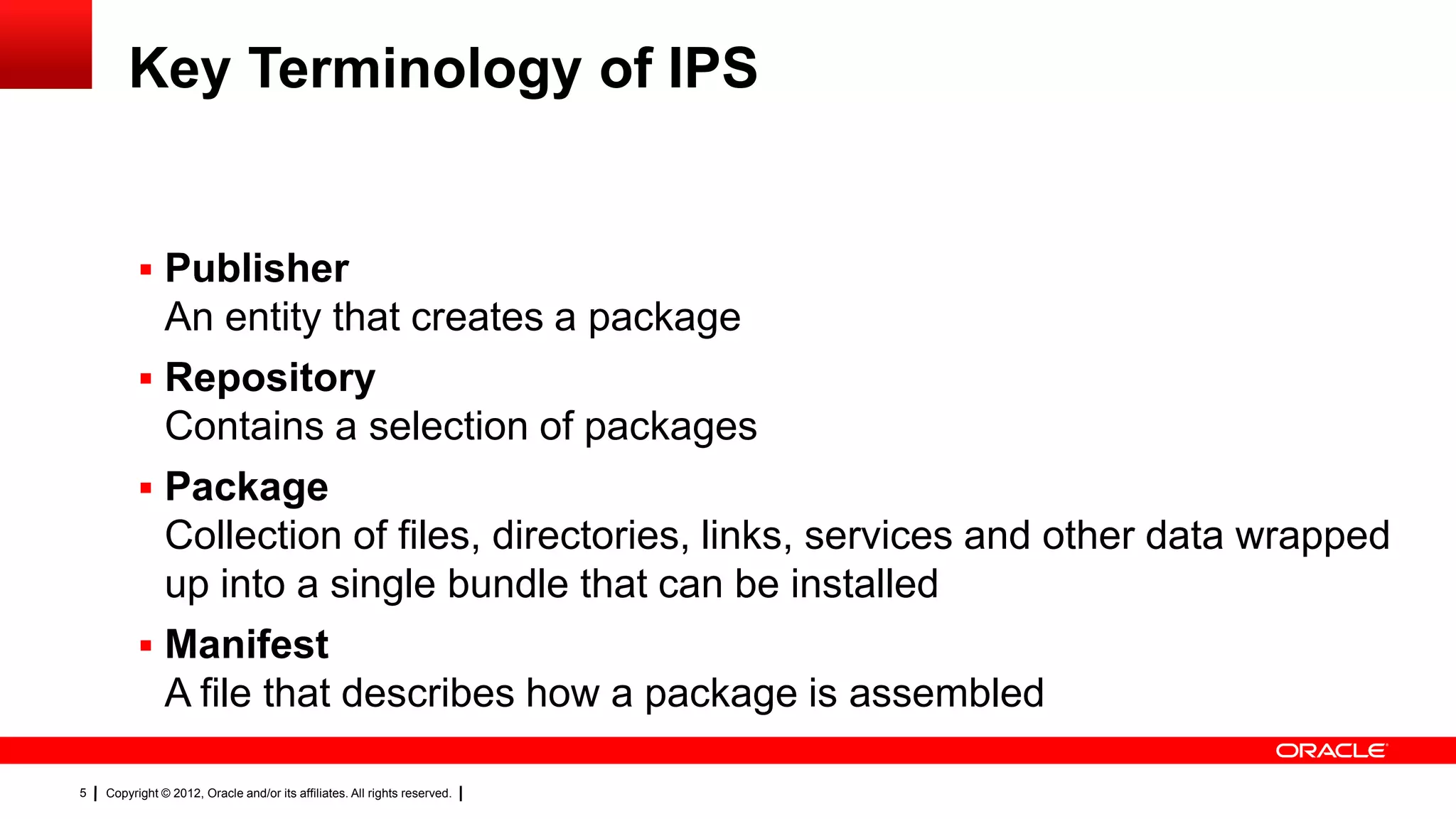
Key Terminology of IPS


           Publisher
            An entity that creates a package
           Repository
            Contains a selection of packages
           Package
            Collection of files, directories, links, services and other data wrapped
            up into a single bundle that can be installed
           Manifest
            A file that describes how a package is assembled

5   Copyright © 2012, Oracle and/or its affiliates. All rights reserved.
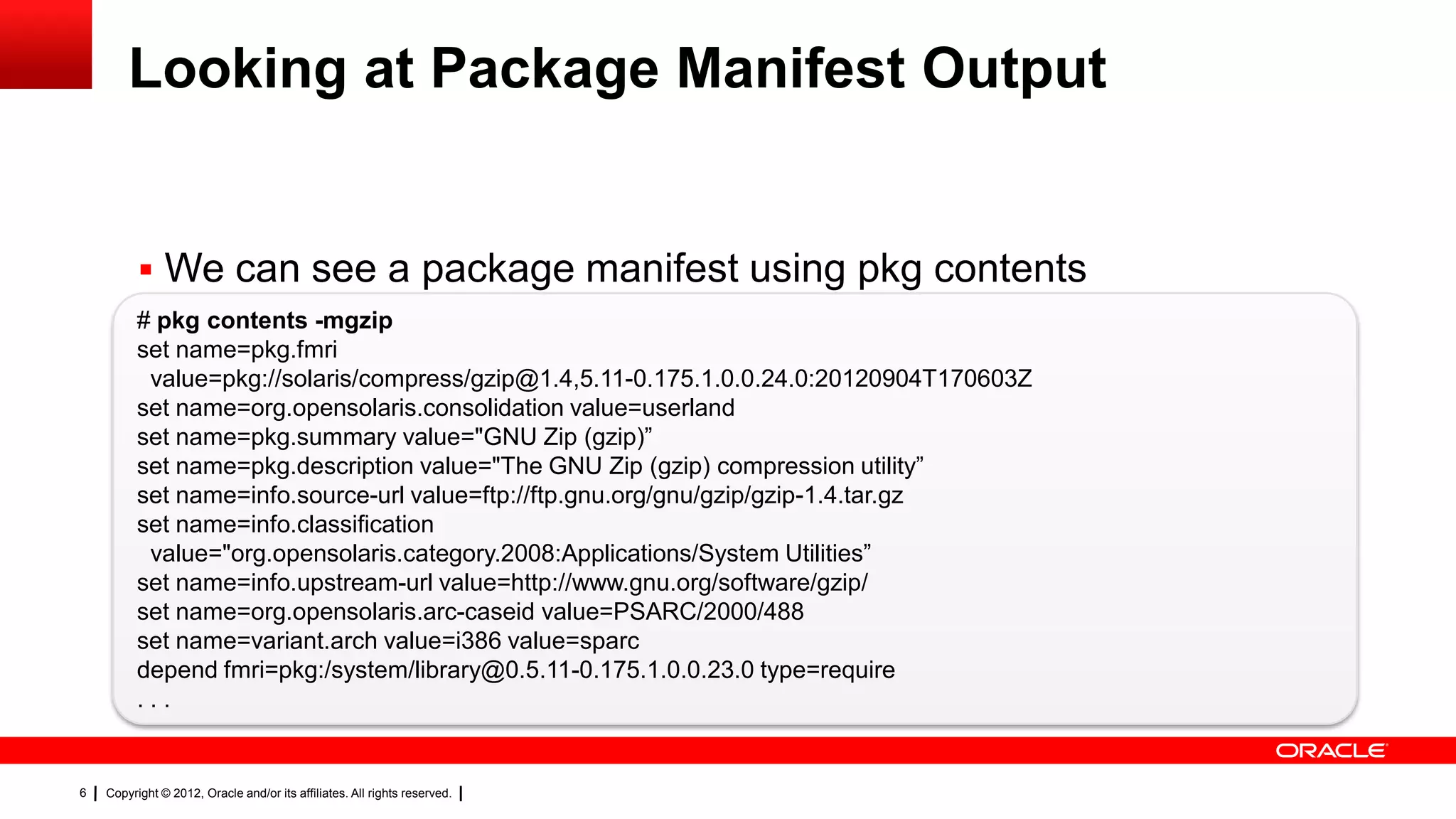
Looking at Package Manifest Output


           We can see a package manifest using pkg contents
          # pkg contents -mgzip
          set name=pkg.fmri
           value=pkg://solaris/compress/gzip@1.4,5.11-0.175.1.0.0.24.0:20120904T170603Z
          set name=org.opensolaris.consolidation value=userland
          set name=pkg.summary value="GNU Zip (gzip)‖
          set name=pkg.description value="The GNU Zip (gzip) compression utility‖
          set name=info.source-url value=ftp://ftp.gnu.org/gnu/gzip/gzip-1.4.tar.gz
          set name=info.classification
           value="org.opensolaris.category.2008:Applications/System Utilities‖
          set name=info.upstream-url value=http://www.gnu.org/software/gzip/
          set name=org.opensolaris.arc-caseid value=PSARC/2000/488
          set name=variant.arch value=i386 value=sparc
          depend fmri=pkg:/system/library@0.5.11-0.175.1.0.0.23.0 type=require
          ...


6   Copyright © 2012, Oracle and/or its affiliates. All rights reserved.
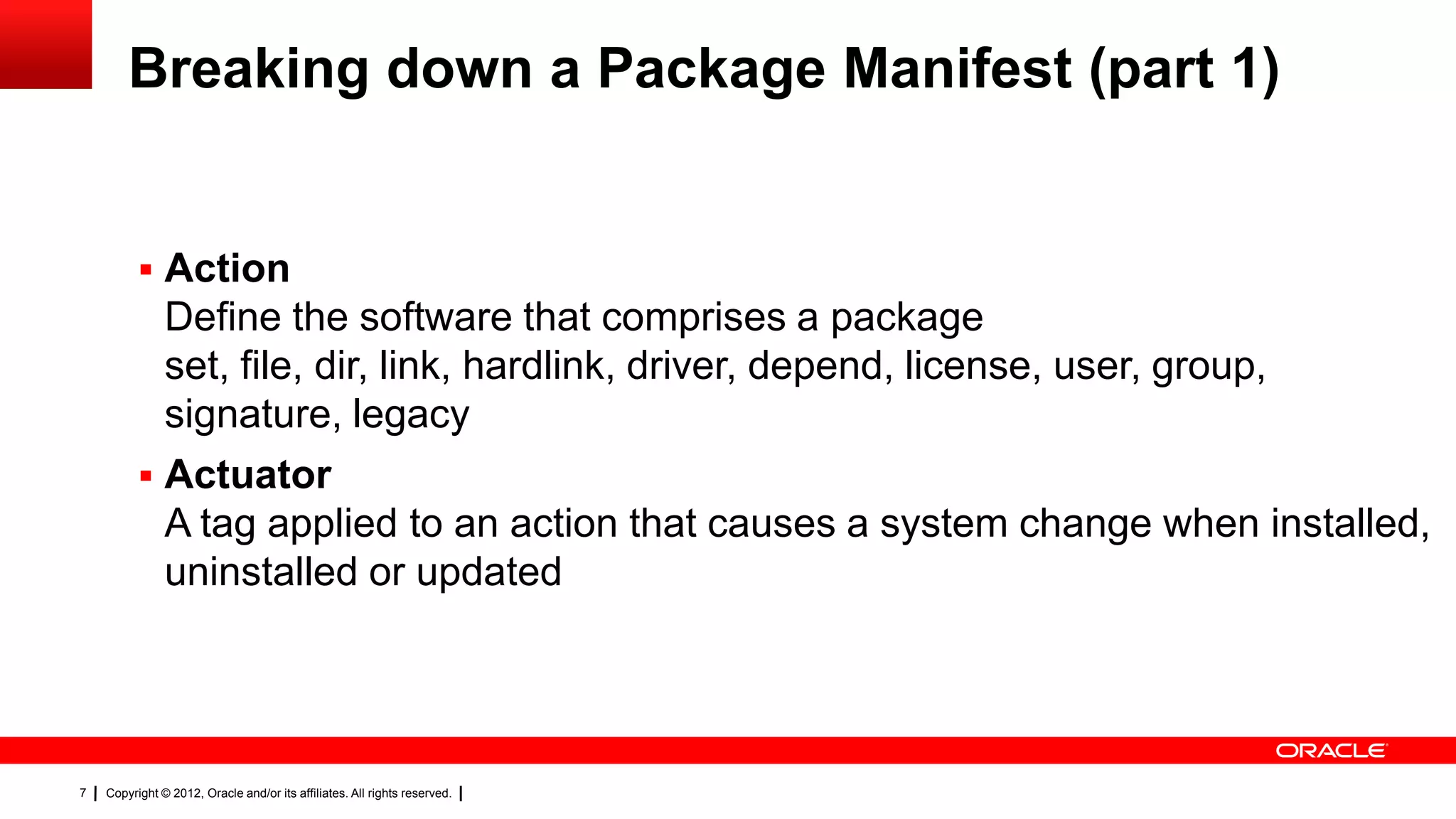
Breaking down a Package Manifest (part 1)


           Action
            Define the software that comprises a package
            set, file, dir, link, hardlink, driver, depend, license, user, group,
            signature, legacy
           Actuator
            A tag applied to an action that causes a system change when installed,
            uninstalled or updated


7   Copyright © 2012, Oracle and/or its affiliates. All rights reserved.
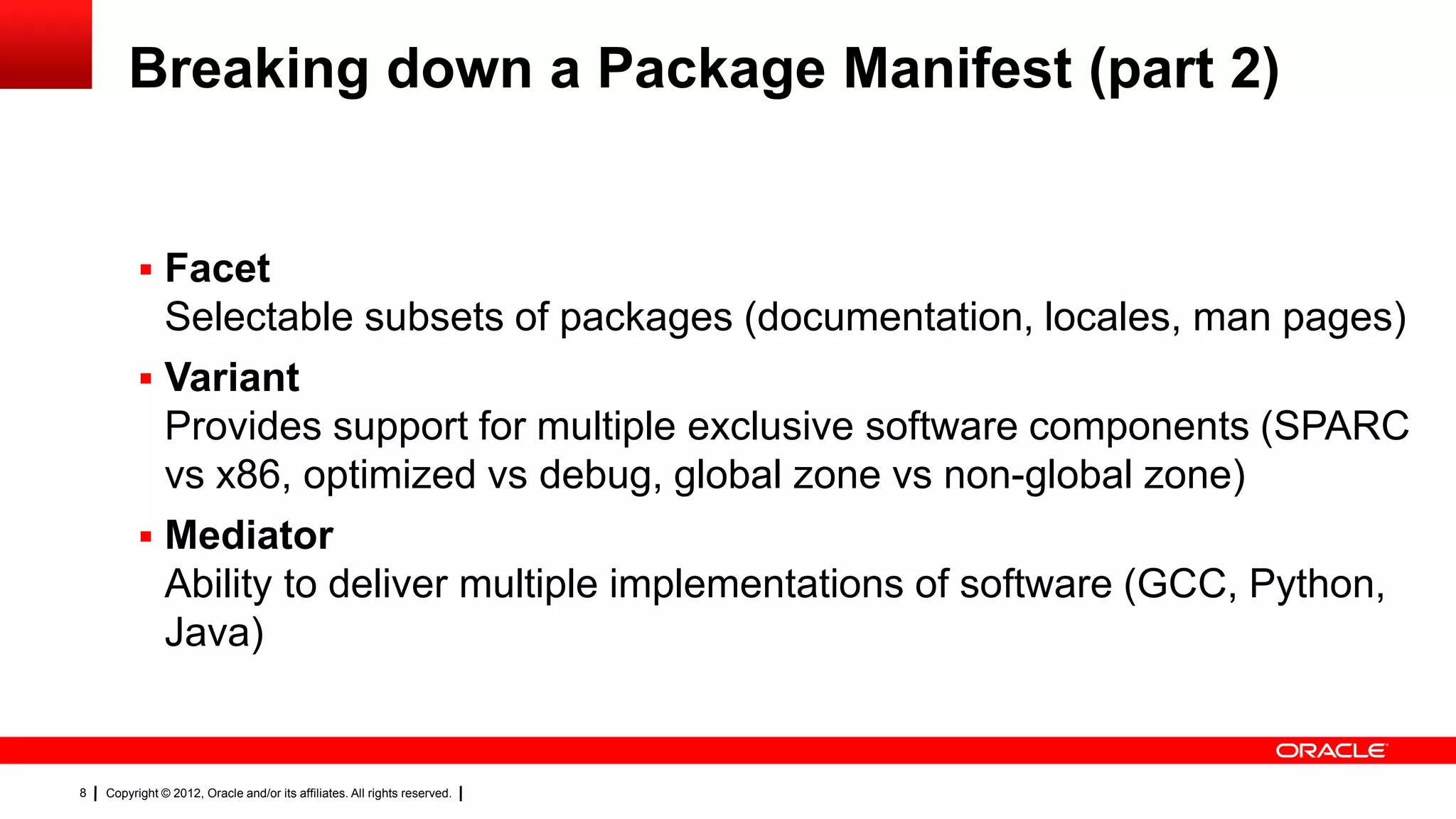
Breaking down a Package Manifest (part 2)


           Facet
            Selectable subsets of packages (documentation, locales, man pages)
           Variant
            Provides support for multiple exclusive software components (SPARC
            vs x86, optimized vs debug, global zone vs non-global zone)
           Mediator
            Ability to deliver multiple implementations of software (GCC, Python,
            Java)


8   Copyright © 2012, Oracle and/or its affiliates. All rights reserved.
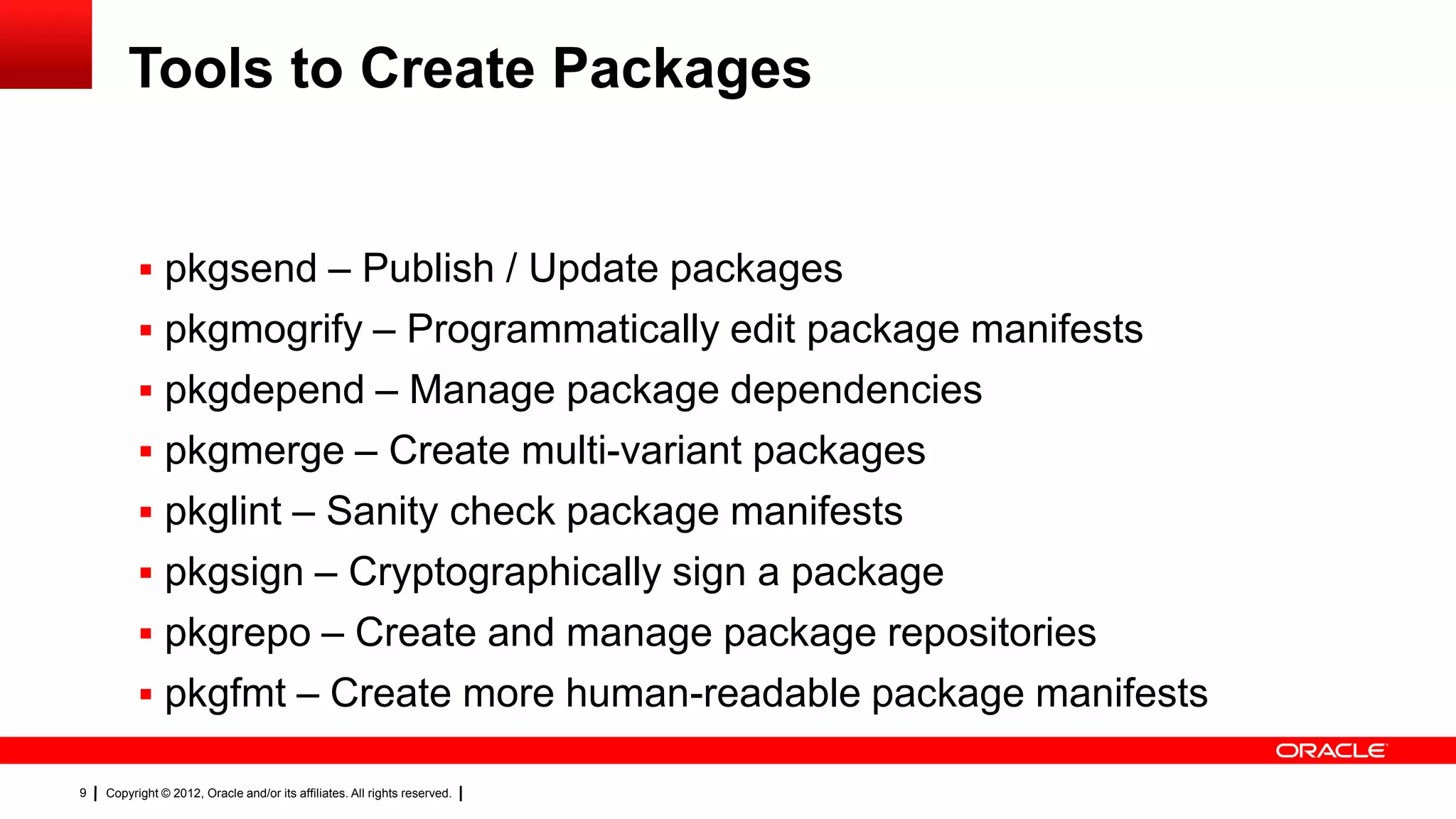
Tools to Create Packages


           pkgsend – Publish / Update packages
           pkgmogrify – Programmatically edit package manifests
           pkgdepend – Manage package dependencies
           pkgmerge – Create multi-variant packages
           pkglint – Sanity check package manifests
           pkgsign – Cryptographically sign a package
           pkgrepo – Create and manage package repositories
           pkgfmt – Create more human-readable package manifests

9   Copyright © 2012, Oracle and/or its affiliates. All rights reserved.
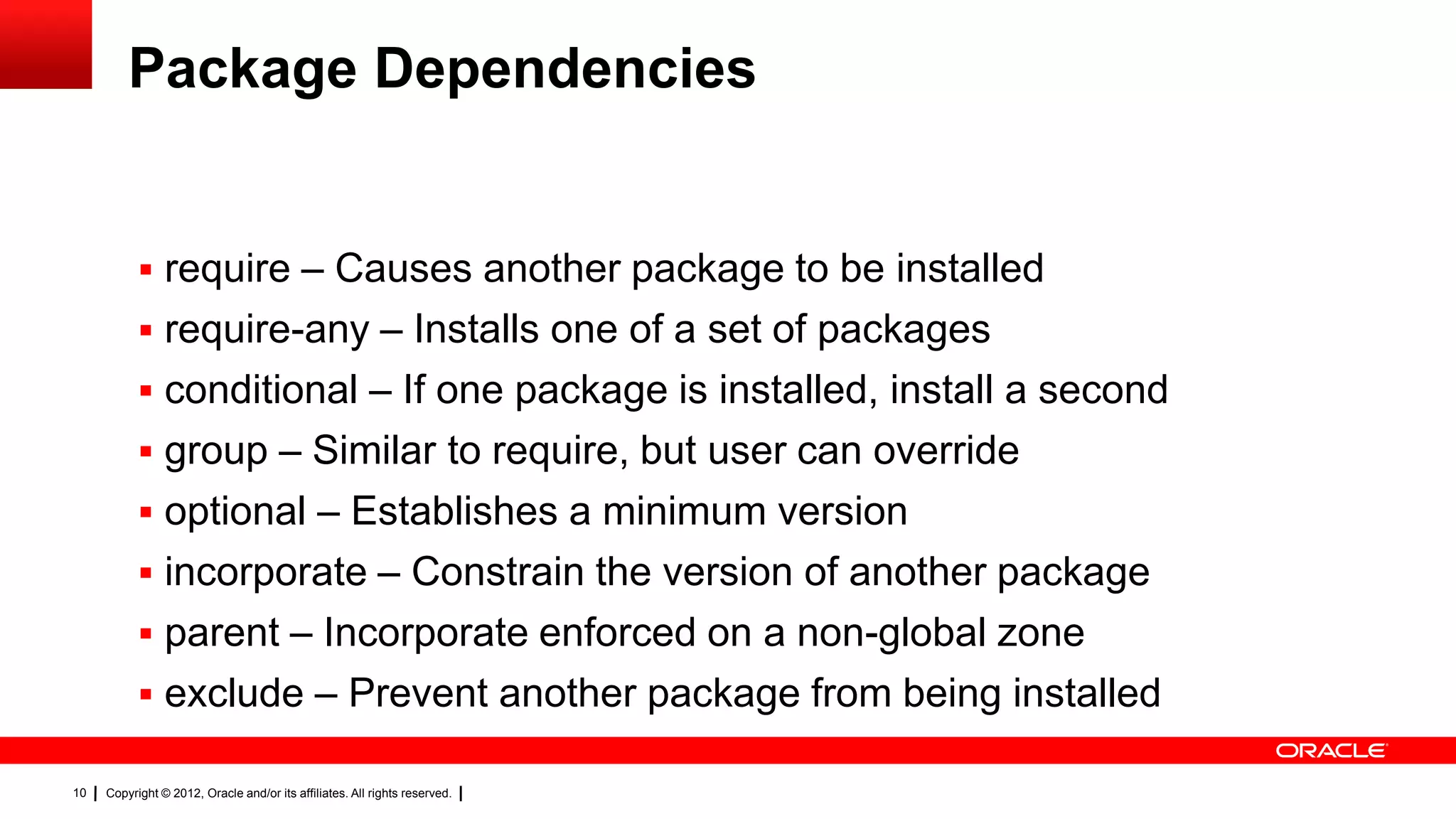
Package Dependencies


            require – Causes another package to be installed
            require-any – Installs one of a set of packages
            conditional – If one package is installed, install a second
            group – Similar to require, but user can override
            optional – Establishes a minimum version
            incorporate – Constrain the version of another package
            parent – Incorporate enforced on a non-global zone
            exclude – Prevent another package from being installed

10   Copyright © 2012, Oracle and/or its affiliates. All rights reserved.
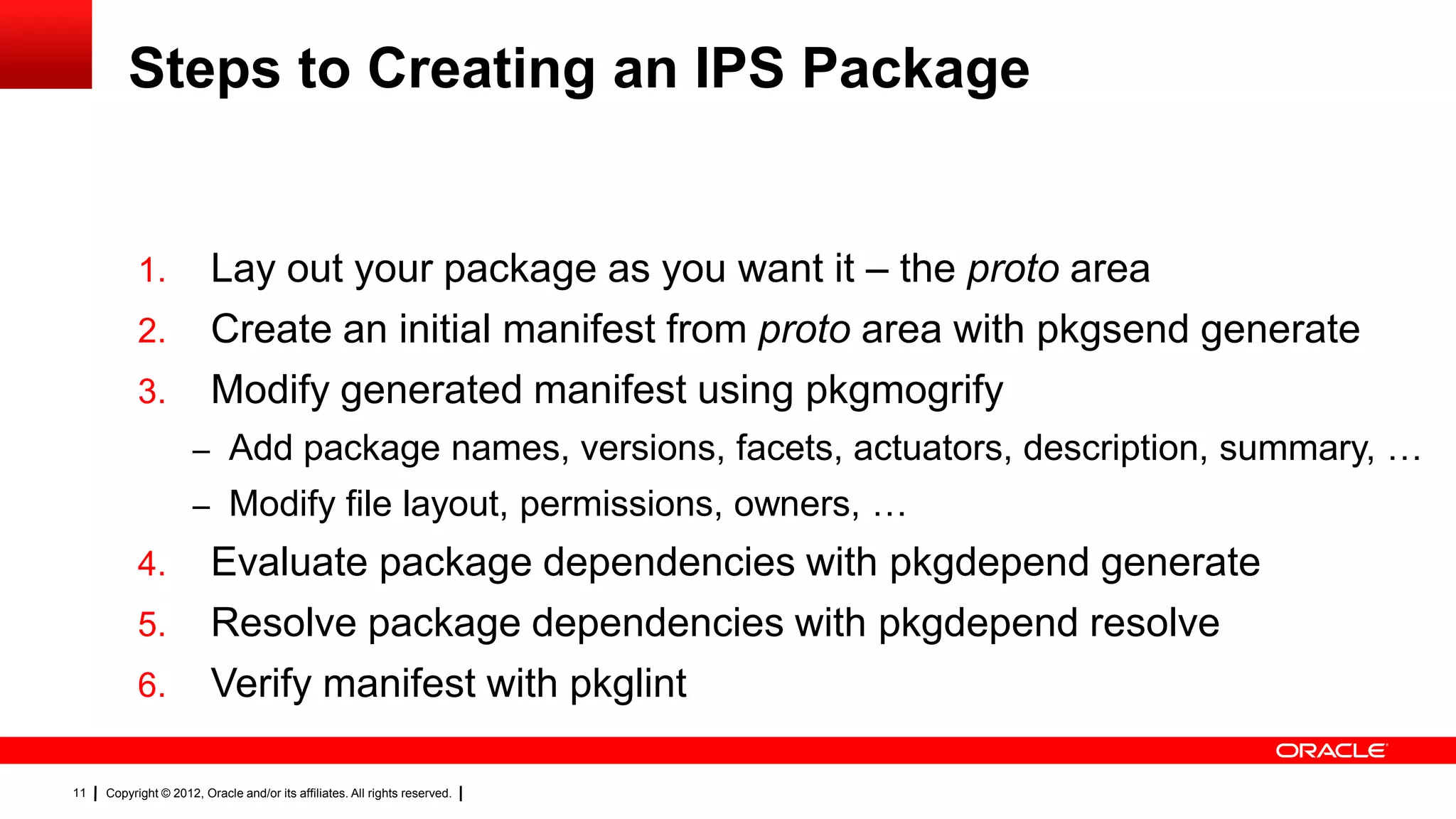
Steps to Creating an IPS Package


           1.            Lay out your package as you want it – the proto area
           2.            Create an initial manifest from proto area with pkgsend generate
           3.            Modify generated manifest using pkgmogrify
                     – Add package names, versions, facets, actuators, description, summary, …
                     – Modify file layout, permissions, owners, …
           4.            Evaluate package dependencies with pkgdepend generate
           5.            Resolve package dependencies with pkgdepend resolve
           6.            Verify manifest with pkglint

11   Copyright © 2012, Oracle and/or its affiliates. All rights reserved.
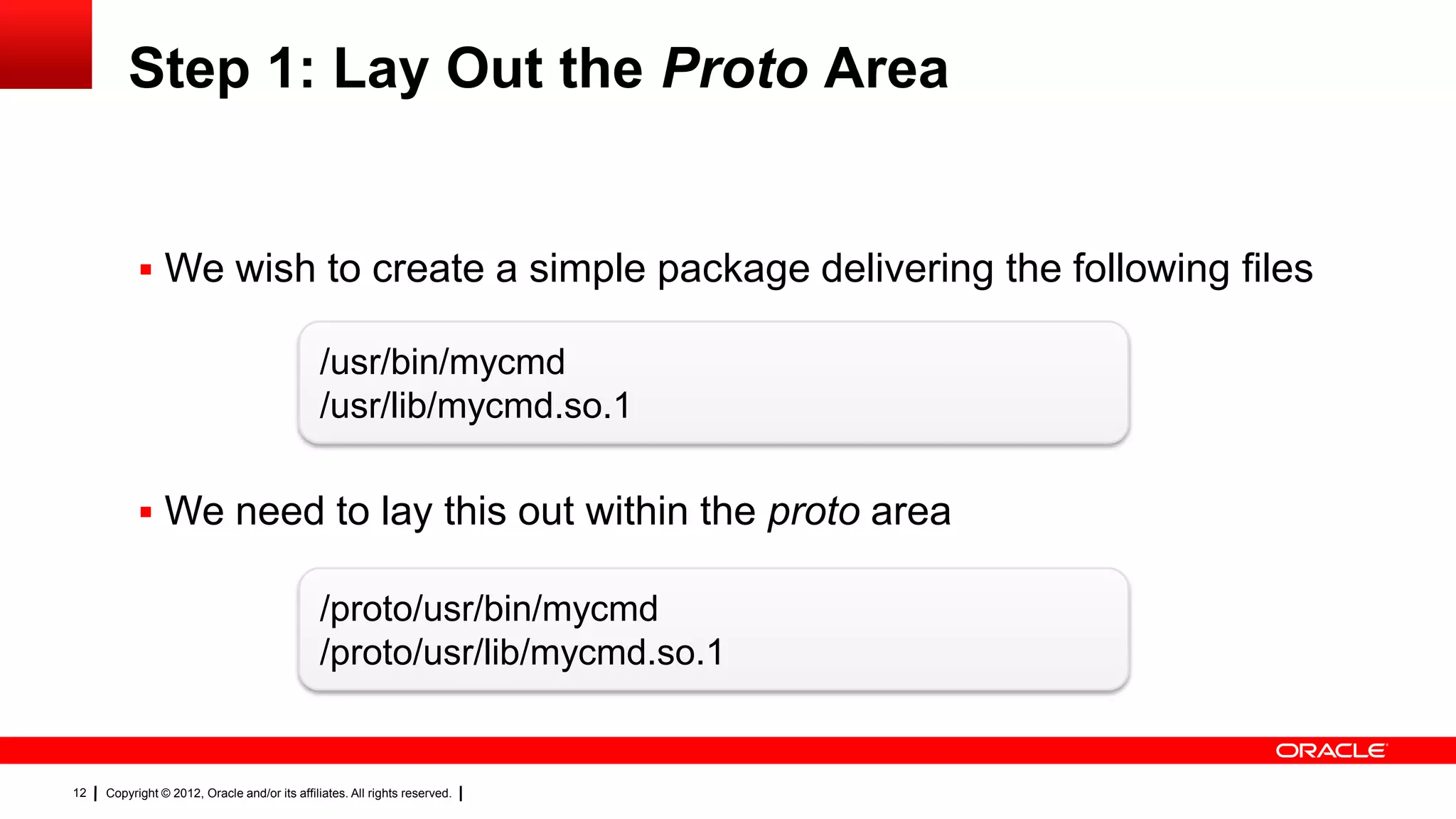
Step 1: Lay Out the Proto Area


            We wish to create a simple package delivering the following files

                                               /usr/bin/mycmd
                                               /usr/lib/mycmd.so.1

            We need to lay this out within the proto area

                                               /proto/usr/bin/mycmd
                                               /proto/usr/lib/mycmd.so.1


12   Copyright © 2012, Oracle and/or its affiliates. All rights reserved.
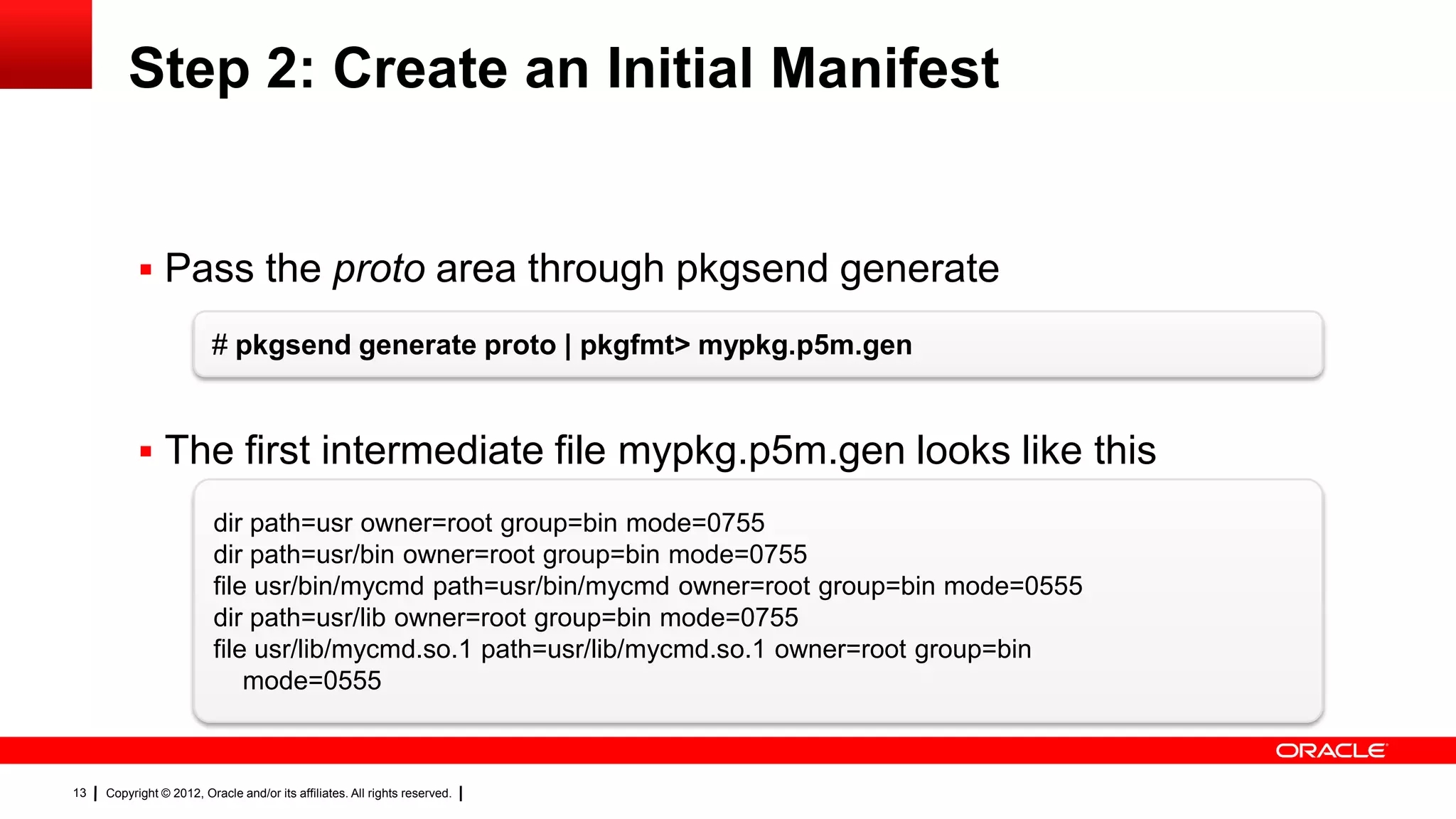
Step 2: Create an Initial Manifest


            Pass the proto area through pkgsend generate

                         # pkgsend generate proto | pkgfmt> mypkg.p5m.gen


            The first intermediate file mypkg.p5m.gen looks like this
                          dir path=usr owner=root group=bin mode=0755
                          dir path=usr/bin owner=root group=bin mode=0755
                          file usr/bin/mycmd path=usr/bin/mycmd owner=root group=bin mode=0555
                          dir path=usr/lib owner=root group=bin mode=0755
                          file usr/lib/mycmd.so.1 path=usr/lib/mycmd.so.1 owner=root group=bin
                              mode=0555


13   Copyright © 2012, Oracle and/or its affiliates. All rights reserved.
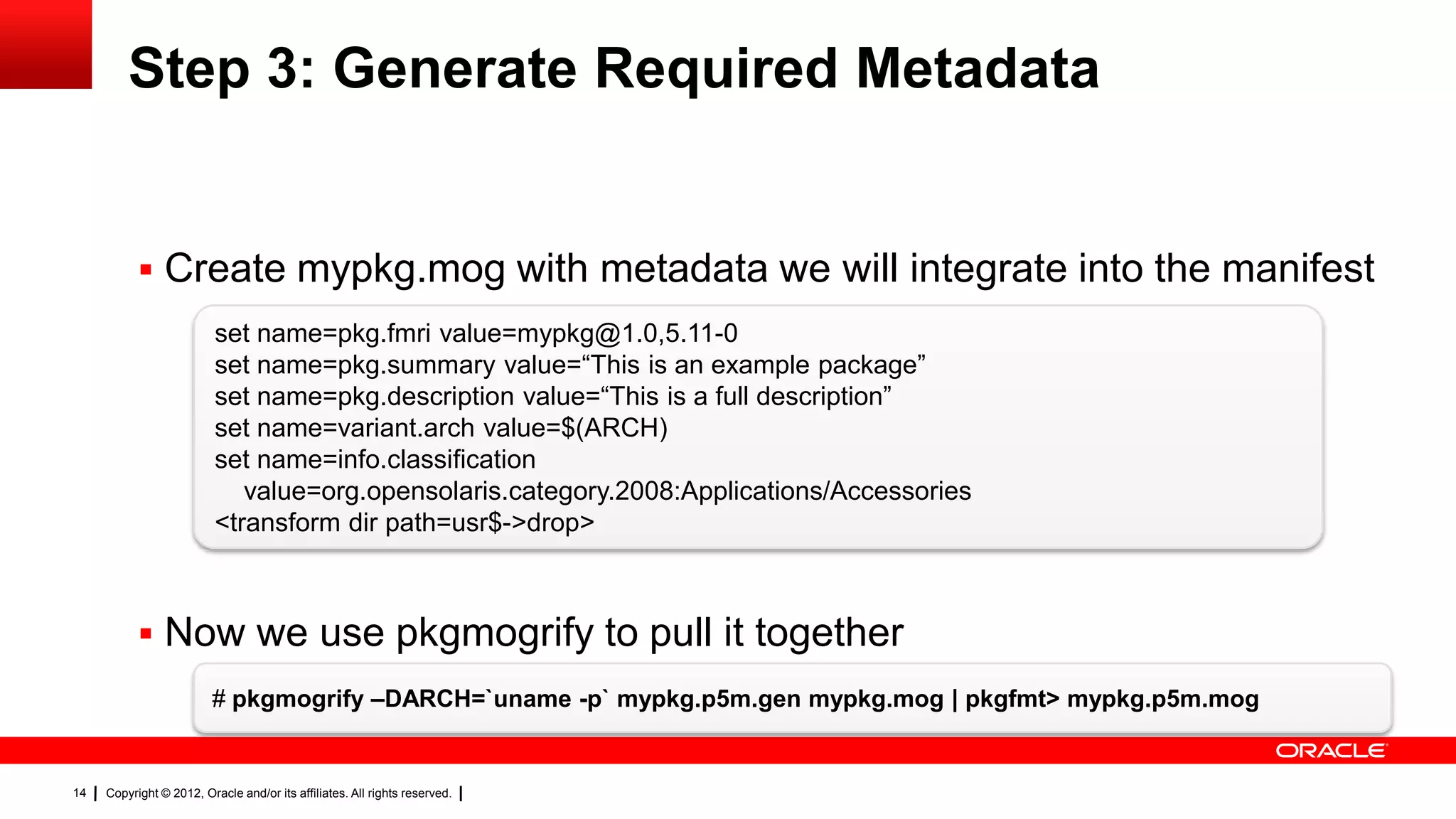
Step 3: Generate Required Metadata


            Create mypkg.mog with metadata we will integrate into the manifest
                          set name=pkg.fmri value=mypkg@1.0,5.11-0
                          set name=pkg.summary value=―This is an example package‖
                          set name=pkg.description value=―This is a full description‖
                          set name=variant.arch value=$(ARCH)
                          set name=info.classification
                             value=org.opensolaris.category.2008:Applications/Accessories
                          <transform dir path=usr$->drop>


            Now we use pkgmogrify to pull it together
                         # pkgmogrify –DARCH=`uname -p` mypkg.p5m.gen mypkg.mog | pkgfmt> mypkg.p5m.mog


14   Copyright © 2012, Oracle and/or its affiliates. All rights reserved.
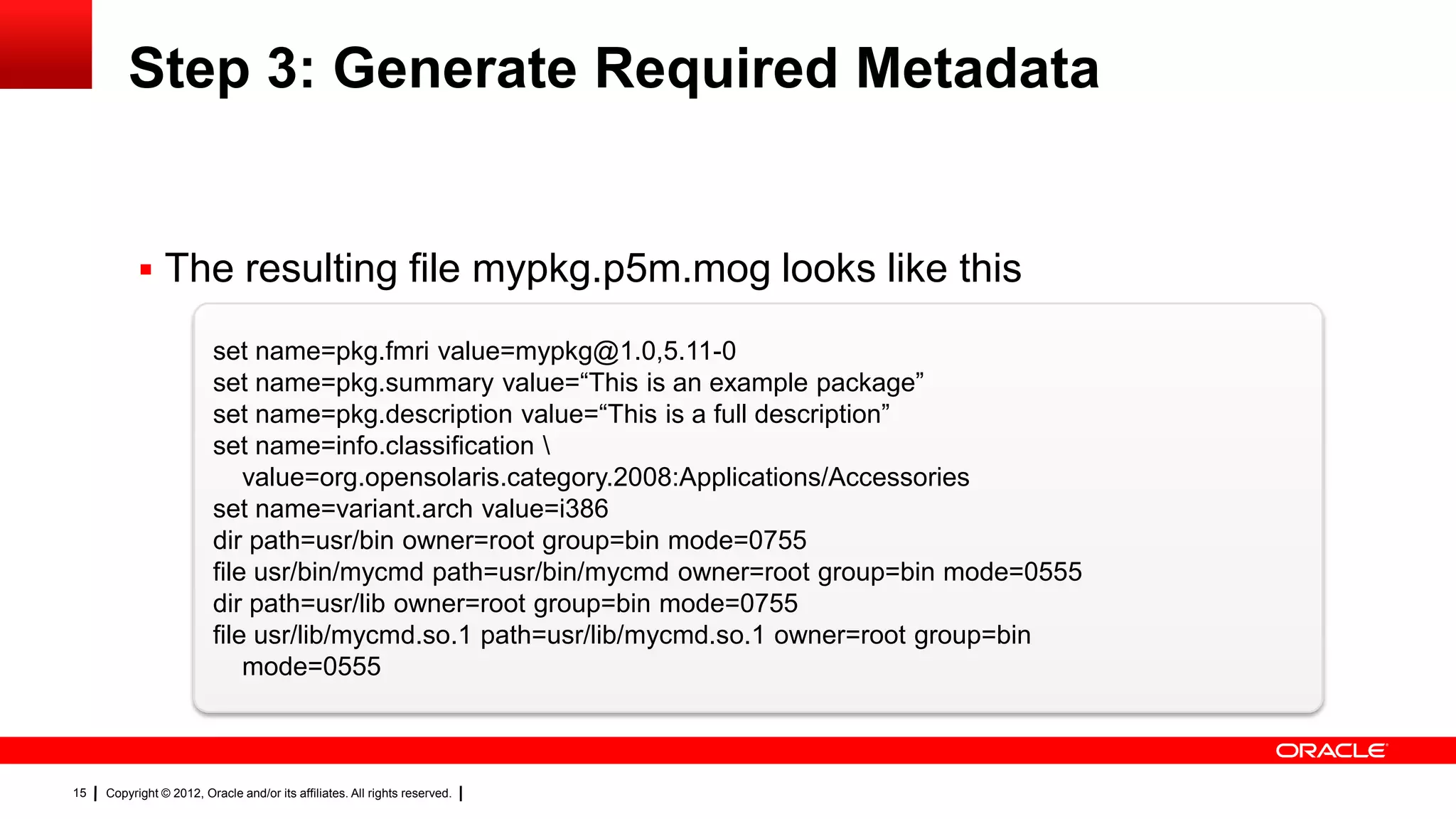
Step 3: Generate Required Metadata


            The resulting file mypkg.p5m.mog looks like this

                          set name=pkg.fmri value=mypkg@1.0,5.11-0
                          set name=pkg.summary value=―This is an example package‖
                          set name=pkg.description value=―This is a full description‖
                          set name=info.classification 
                              value=org.opensolaris.category.2008:Applications/Accessories
                          set name=variant.arch value=i386
                          dir path=usr/bin owner=root group=bin mode=0755
                          file usr/bin/mycmd path=usr/bin/mycmd owner=root group=bin mode=0555
                          dir path=usr/lib owner=root group=bin mode=0755
                          file usr/lib/mycmd.so.1 path=usr/lib/mycmd.so.1 owner=root group=bin
                              mode=0555


15   Copyright © 2012, Oracle and/or its affiliates. All rights reserved.
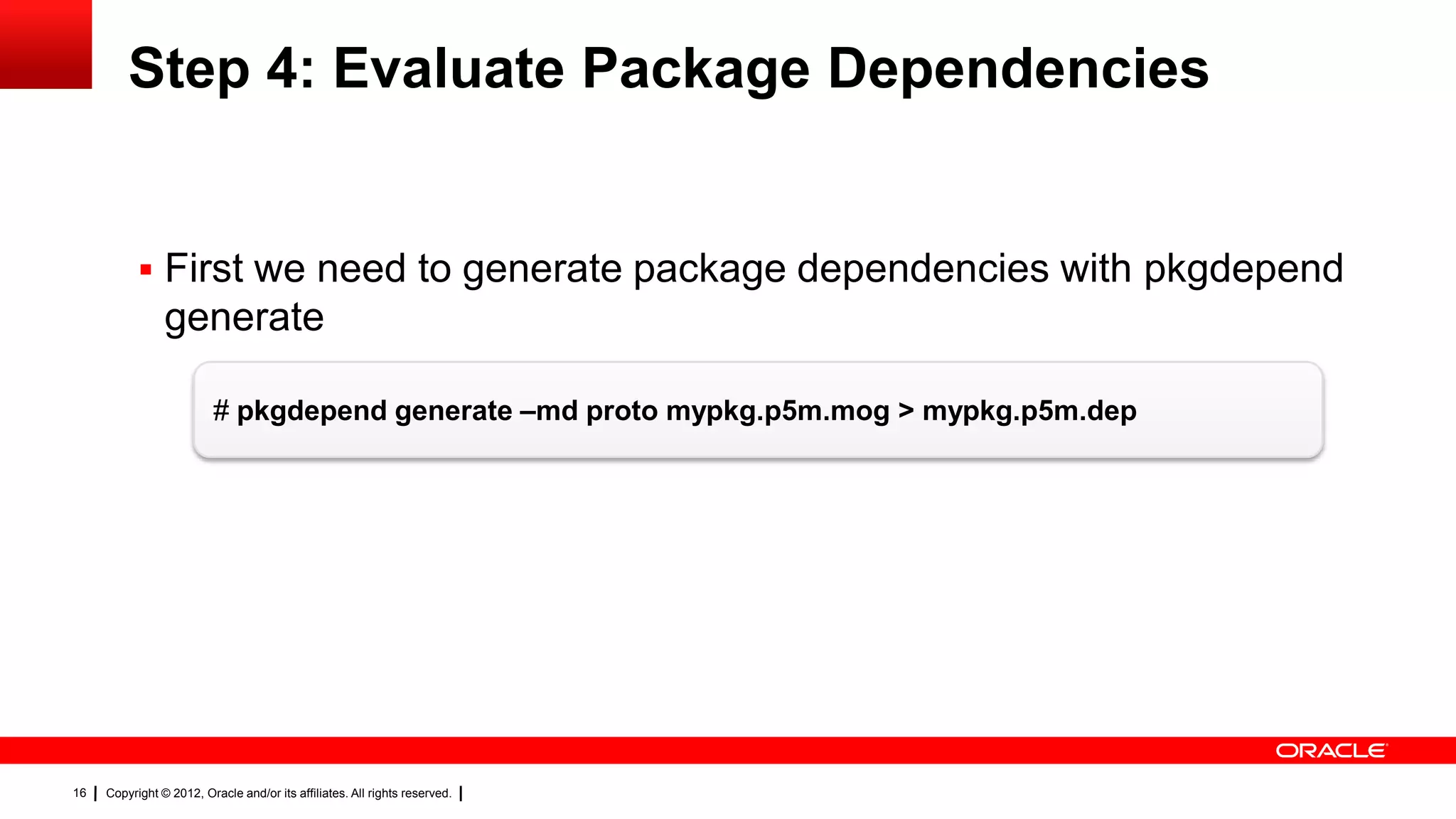
Step 4: Evaluate Package Dependencies


            First we need to generate package dependencies with pkgdepend
                generate

                          # pkgdepend generate –md proto mypkg.p5m.mog > mypkg.p5m.dep


16   Copyright © 2012, Oracle and/or its affiliates. All rights reserved.
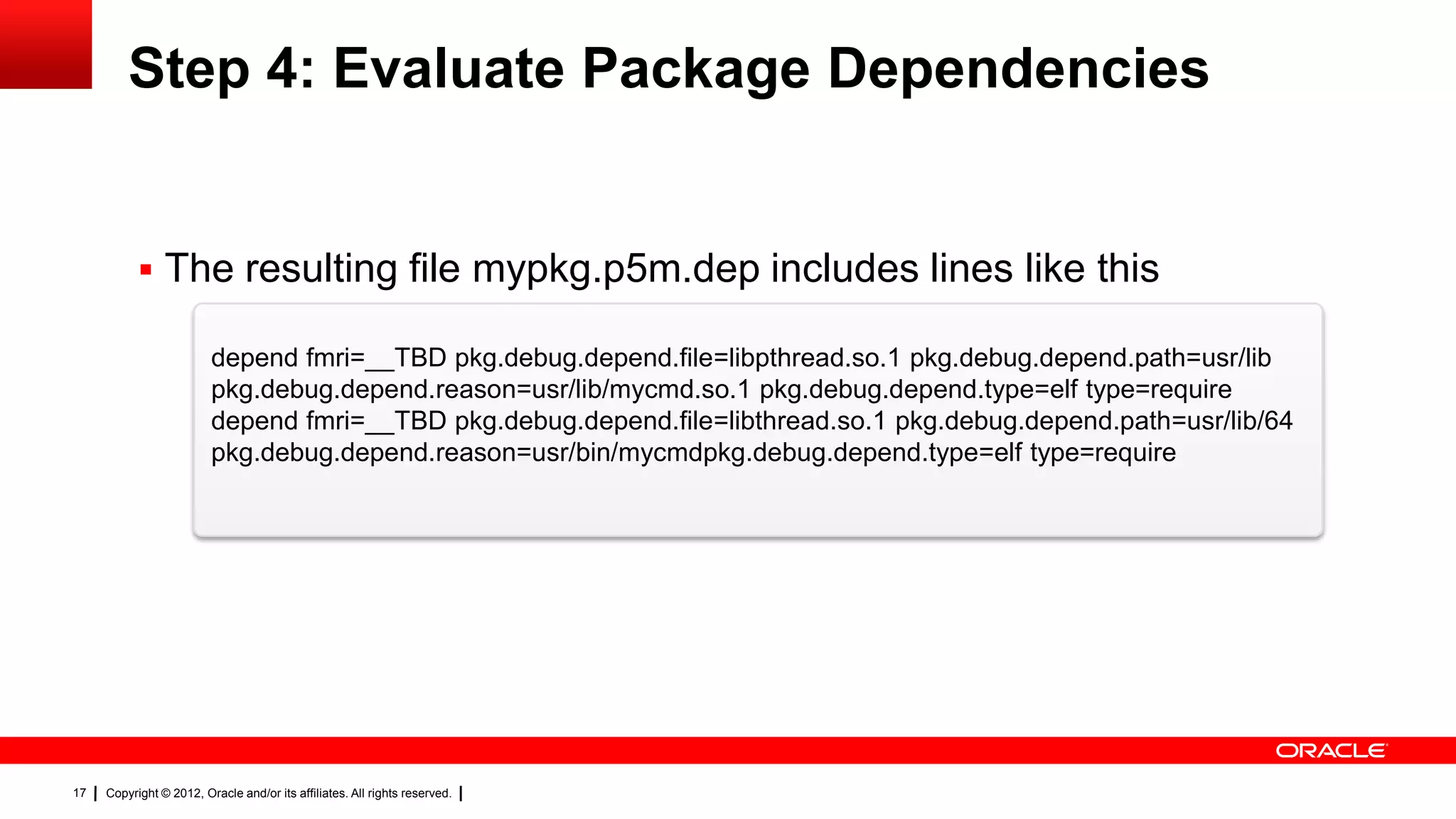
Step 4: Evaluate Package Dependencies


            The resulting file mypkg.p5m.dep includes lines like this

                         depend fmri=__TBD pkg.debug.depend.file=libpthread.so.1 pkg.debug.depend.path=usr/lib
                         pkg.debug.depend.reason=usr/lib/mycmd.so.1 pkg.debug.depend.type=elf type=require
                         depend fmri=__TBD pkg.debug.depend.file=libthread.so.1 pkg.debug.depend.path=usr/lib/64
                         pkg.debug.depend.reason=usr/bin/mycmdpkg.debug.depend.type=elf type=require


17   Copyright © 2012, Oracle and/or its affiliates. All rights reserved.
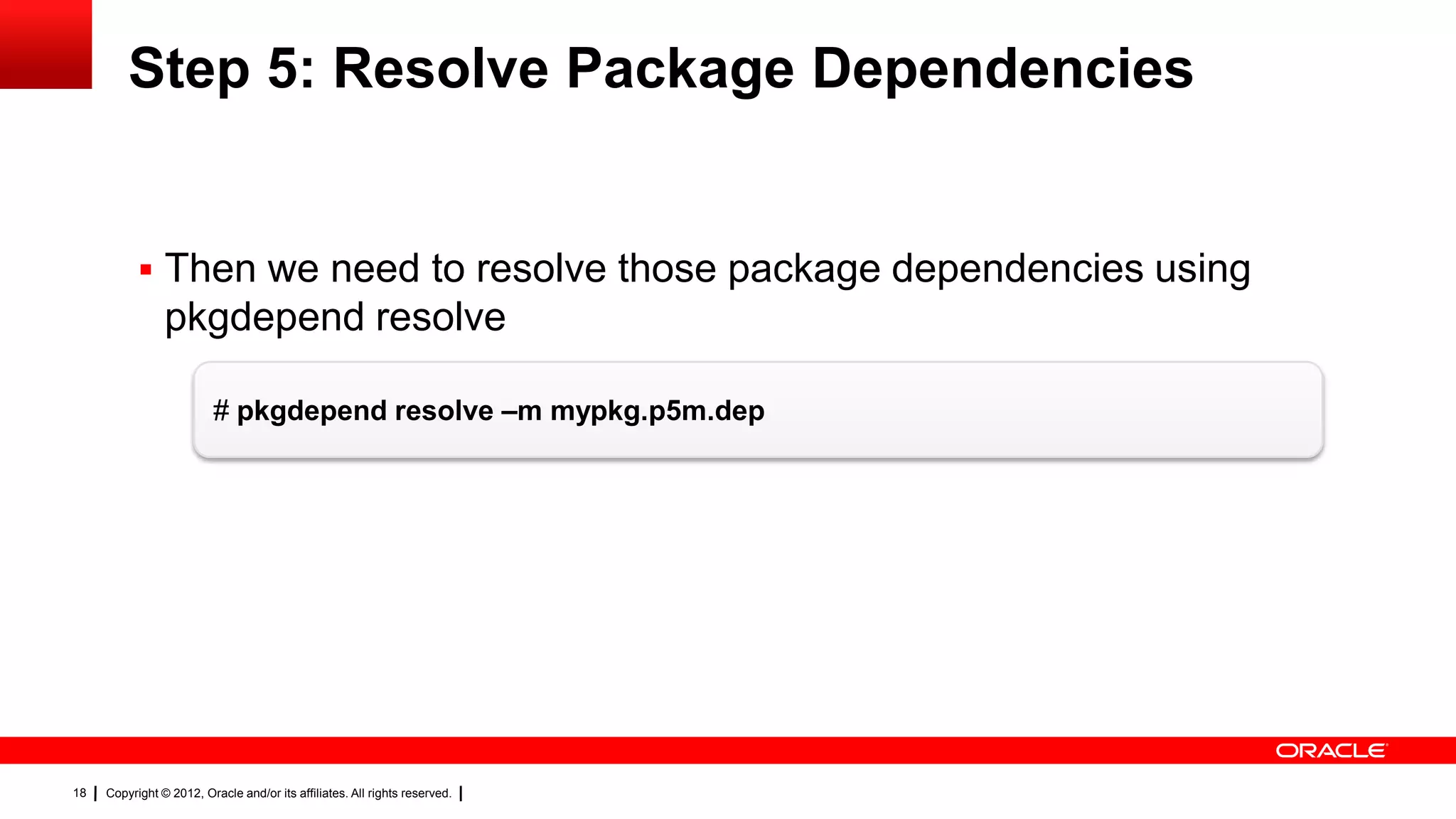
Step 5: Resolve Package Dependencies


            Then we need to resolve those package dependencies using
                pkgdepend resolve

                          # pkgdepend resolve –m mypkg.p5m.dep


18   Copyright © 2012, Oracle and/or its affiliates. All rights reserved.
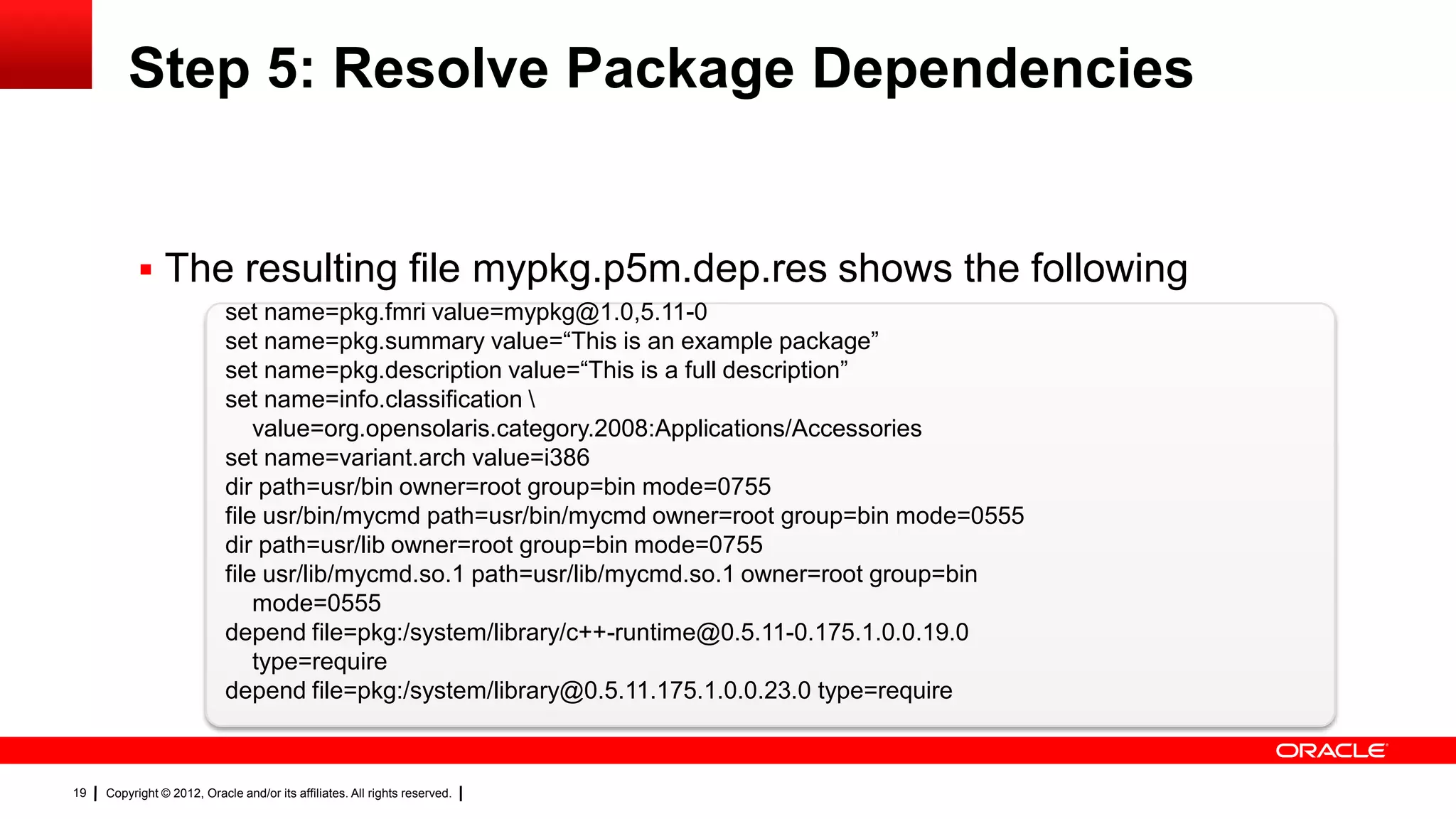
Step 5: Resolve Package Dependencies


            The resulting file mypkg.p5m.dep.res shows the following
                            set name=pkg.fmri value=mypkg@1.0,5.11-0
                            set name=pkg.summary value=―This is an example package‖
                            set name=pkg.description value=―This is a full description‖
                            set name=info.classification 
                                value=org.opensolaris.category.2008:Applications/Accessories
                            set name=variant.arch value=i386
                            dir path=usr/bin owner=root group=bin mode=0755
                            file usr/bin/mycmd path=usr/bin/mycmd owner=root group=bin mode=0555
                            dir path=usr/lib owner=root group=bin mode=0755
                            file usr/lib/mycmd.so.1 path=usr/lib/mycmd.so.1 owner=root group=bin
                                mode=0555
                            depend file=pkg:/system/library/c++-runtime@0.5.11-0.175.1.0.0.19.0
                                type=require
                            depend file=pkg:/system/library@0.5.11.175.1.0.0.23.0 type=require


19   Copyright © 2012, Oracle and/or its affiliates. All rights reserved.
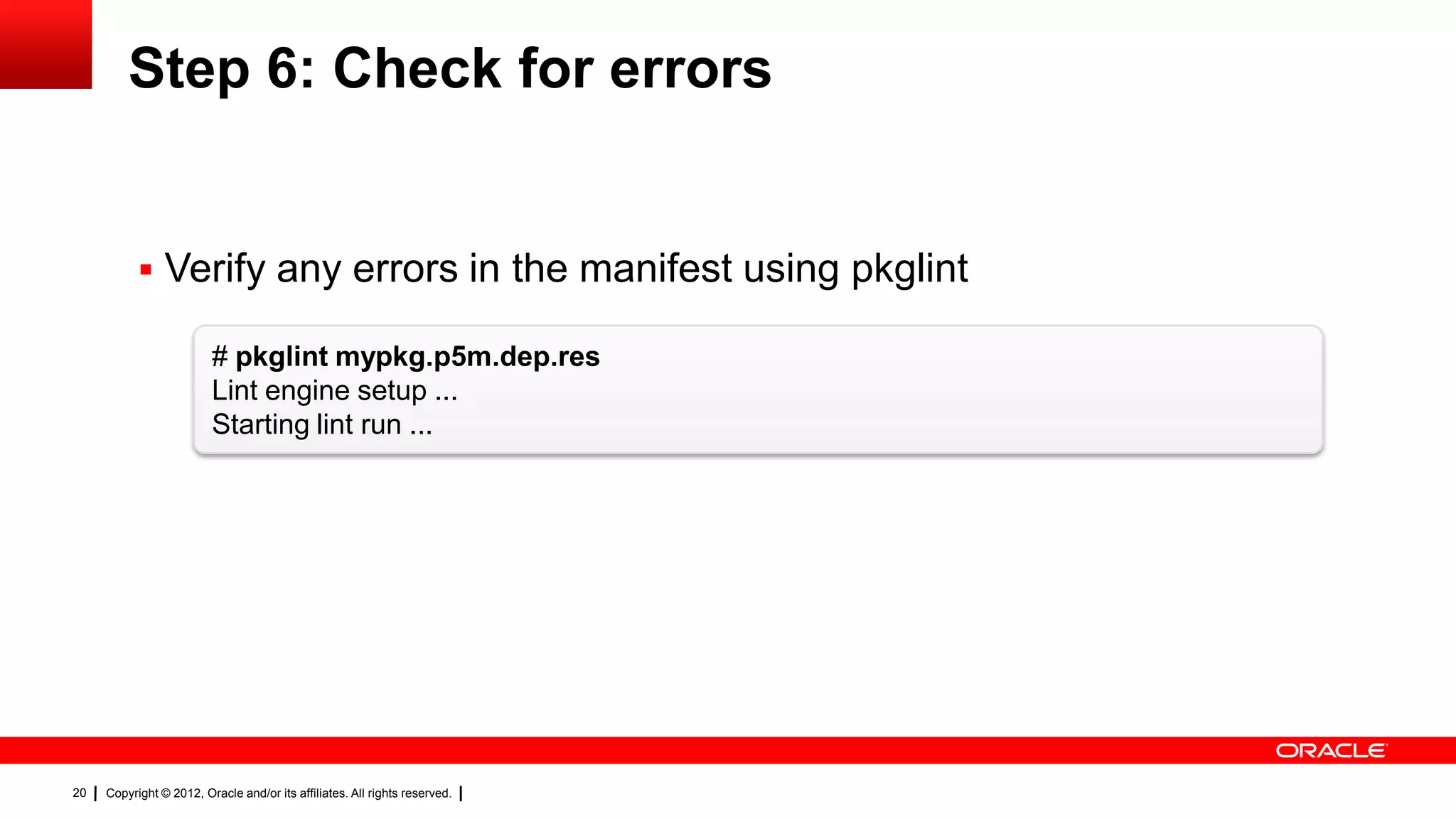
Step 6: Check for errors


            Verify any errors in the manifest using pkglint

                         # pkglint mypkg.p5m.dep.res
                         Lint engine setup ...
                         Starting lint run ...


20   Copyright © 2012, Oracle and/or its affiliates. All rights reserved.
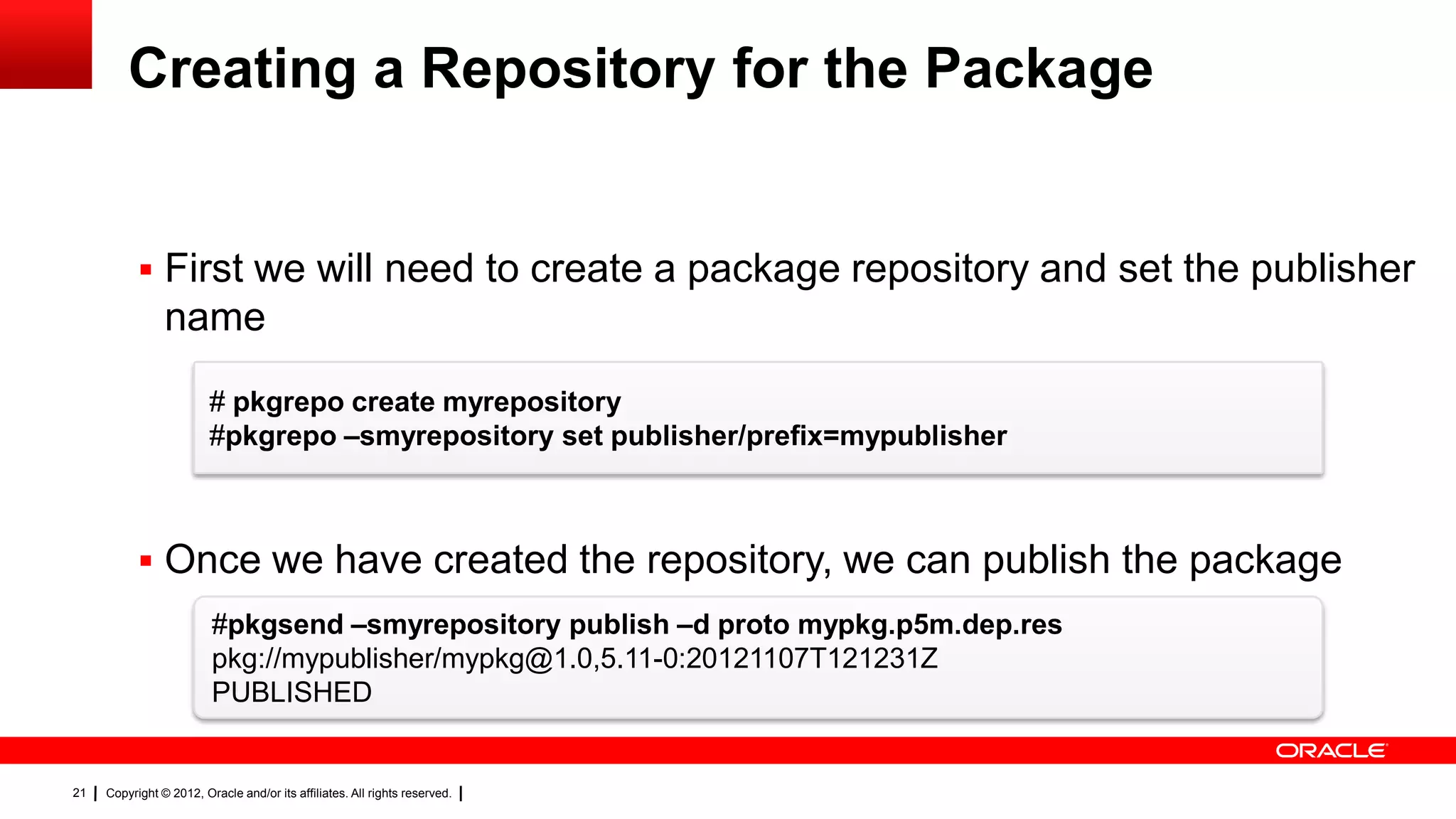
Creating a Repository for the Package


            First we will need to create a package repository and set the publisher
                name
                         # pkgrepo create myrepository
                         #pkgrepo –smyrepository set publisher/prefix=mypublisher


            Once we have created the repository, we can publish the package
                         #pkgsend –smyrepository publish –d proto mypkg.p5m.dep.res
                         pkg://mypublisher/mypkg@1.0,5.11-0:20121107T121231Z
                         PUBLISHED


21   Copyright © 2012, Oracle and/or its affiliates. All rights reserved.
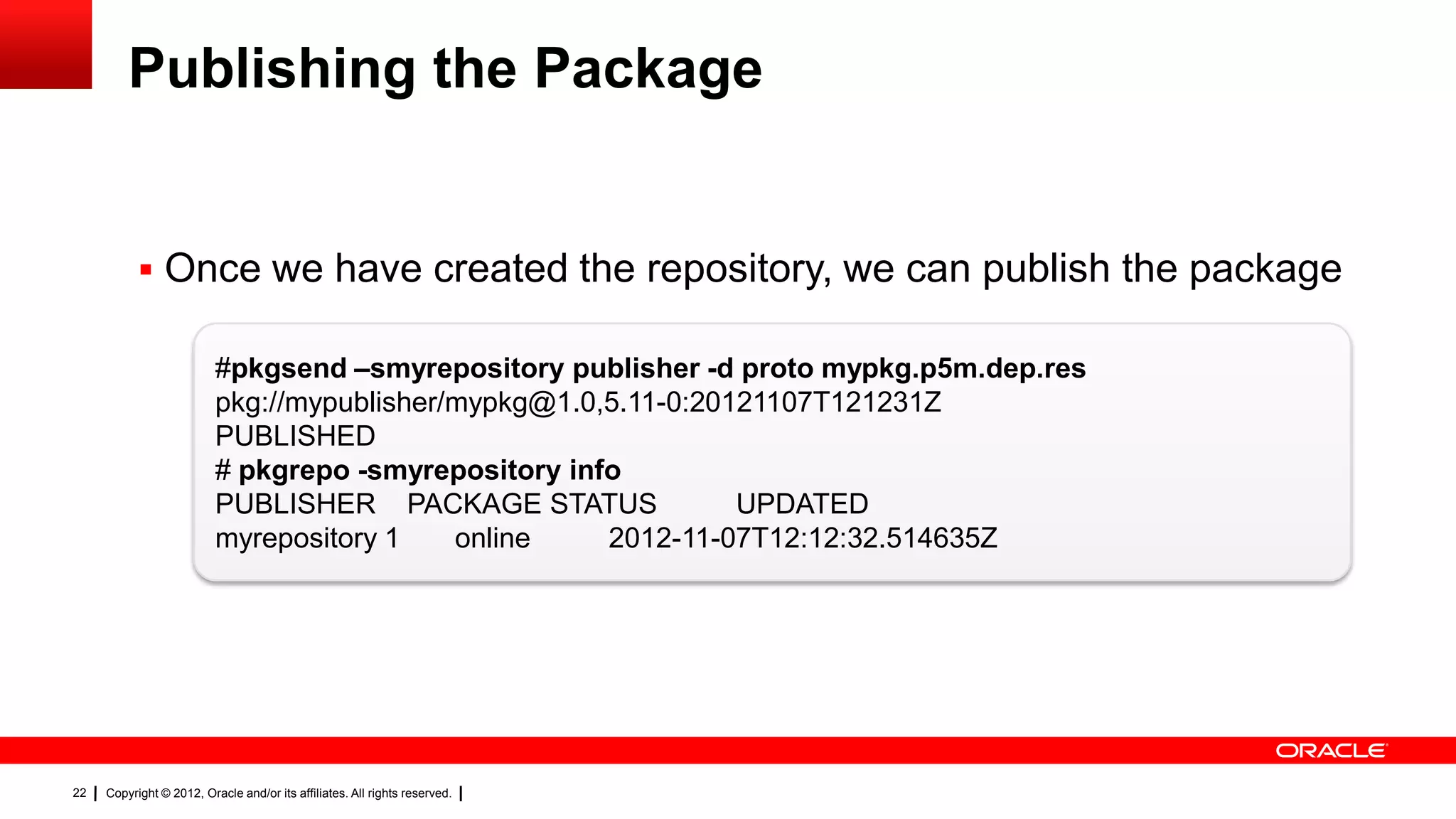
Publishing the Package


            Once we have created the repository, we can publish the package

                          #pkgsend –smyrepository publisher -d proto mypkg.p5m.dep.res
                          pkg://mypublisher/mypkg@1.0,5.11-0:20121107T121231Z
                          PUBLISHED
                          # pkgrepo -smyrepository info
                          PUBLISHER PACKAGE STATUS              UPDATED
                          myrepository 1    online    2012-11-07T12:12:32.514635Z


22   Copyright © 2012, Oracle and/or its affiliates. All rights reserved.
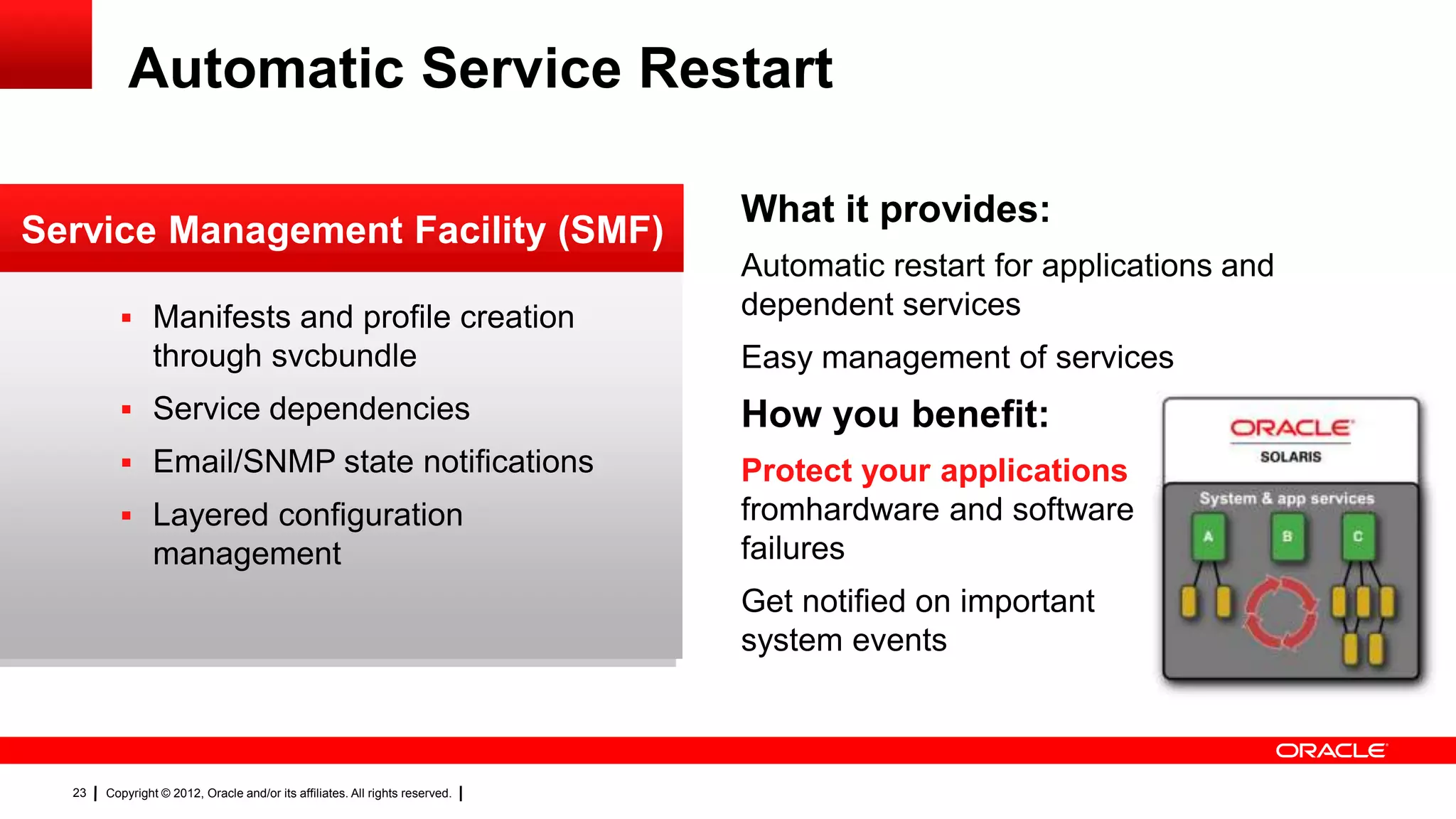
Automatic Service Restart

                                                                              What it provides:
Service Management Facility (SMF)
                                                                              Automatic restart for applications and
          Manifests and profile creation                                     dependent services
                through svcbundle                                             Easy management of services
          Service dependencies                                               How you benefit:
          Email/SNMP state notifications                                     Protect your applications
          Layered configuration                                              fromhardware and software
                management                                                    failures
                                                                              Get notified on important
                                                                              system events


  23   Copyright © 2012, Oracle and/or its affiliates. All rights reserved.
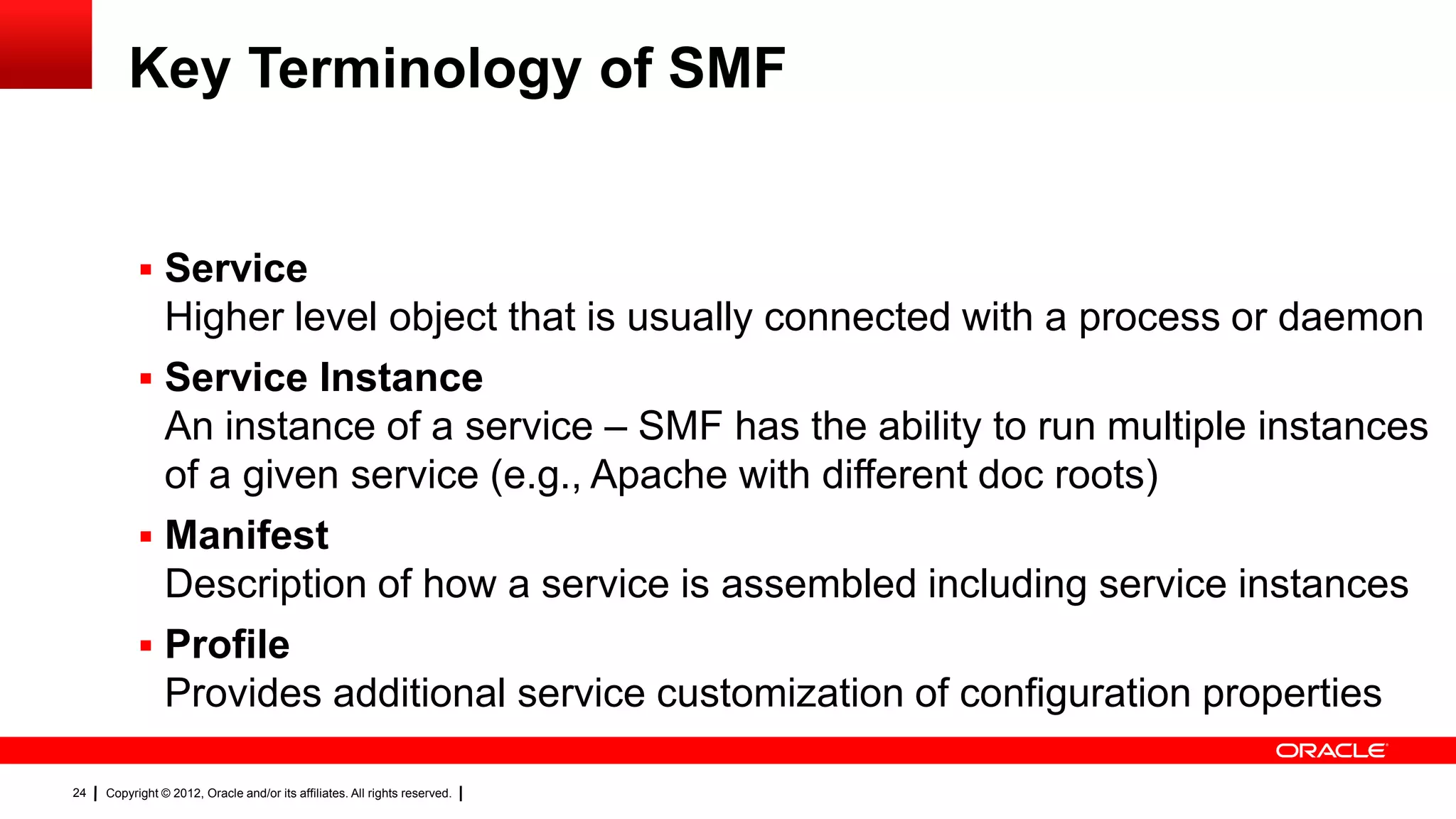
Key Terminology of SMF


            Service
             Higher level object that is usually connected with a process or daemon
            Service Instance
             An instance of a service – SMF has the ability to run multiple instances
             of a given service (e.g., Apache with different doc roots)
            Manifest
             Description of how a service is assembled including service instances
            Profile
             Provides additional service customization of configuration properties

24   Copyright © 2012, Oracle and/or its affiliates. All rights reserved.
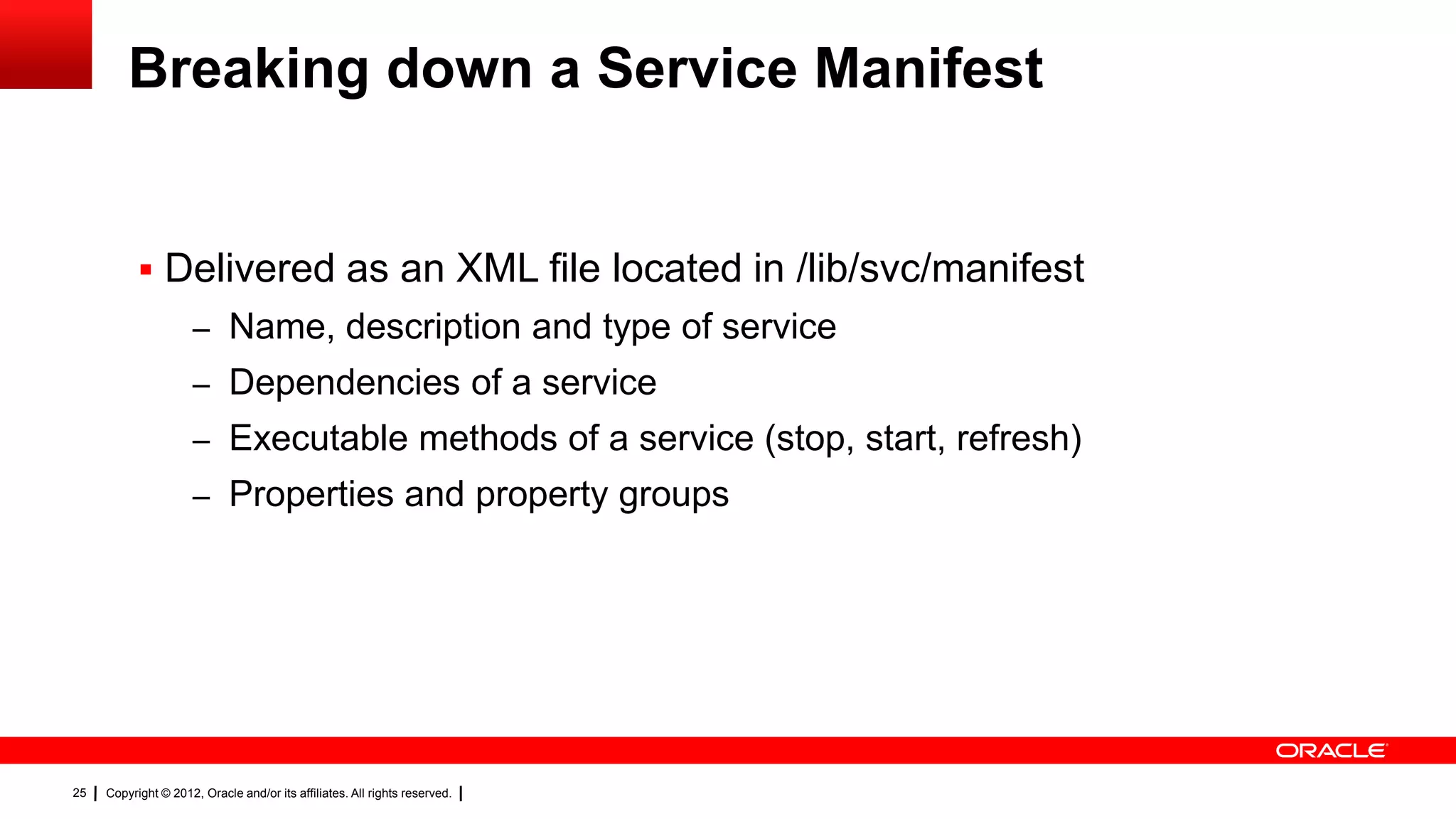
Breaking down a Service Manifest


            Delivered as an XML file located in /lib/svc/manifest
                     – Name, description and type of service
                     – Dependencies of a service
                     – Executable methods of a service (stop, start, refresh)
                     – Properties and property groups


25   Copyright © 2012, Oracle and/or its affiliates. All rights reserved.
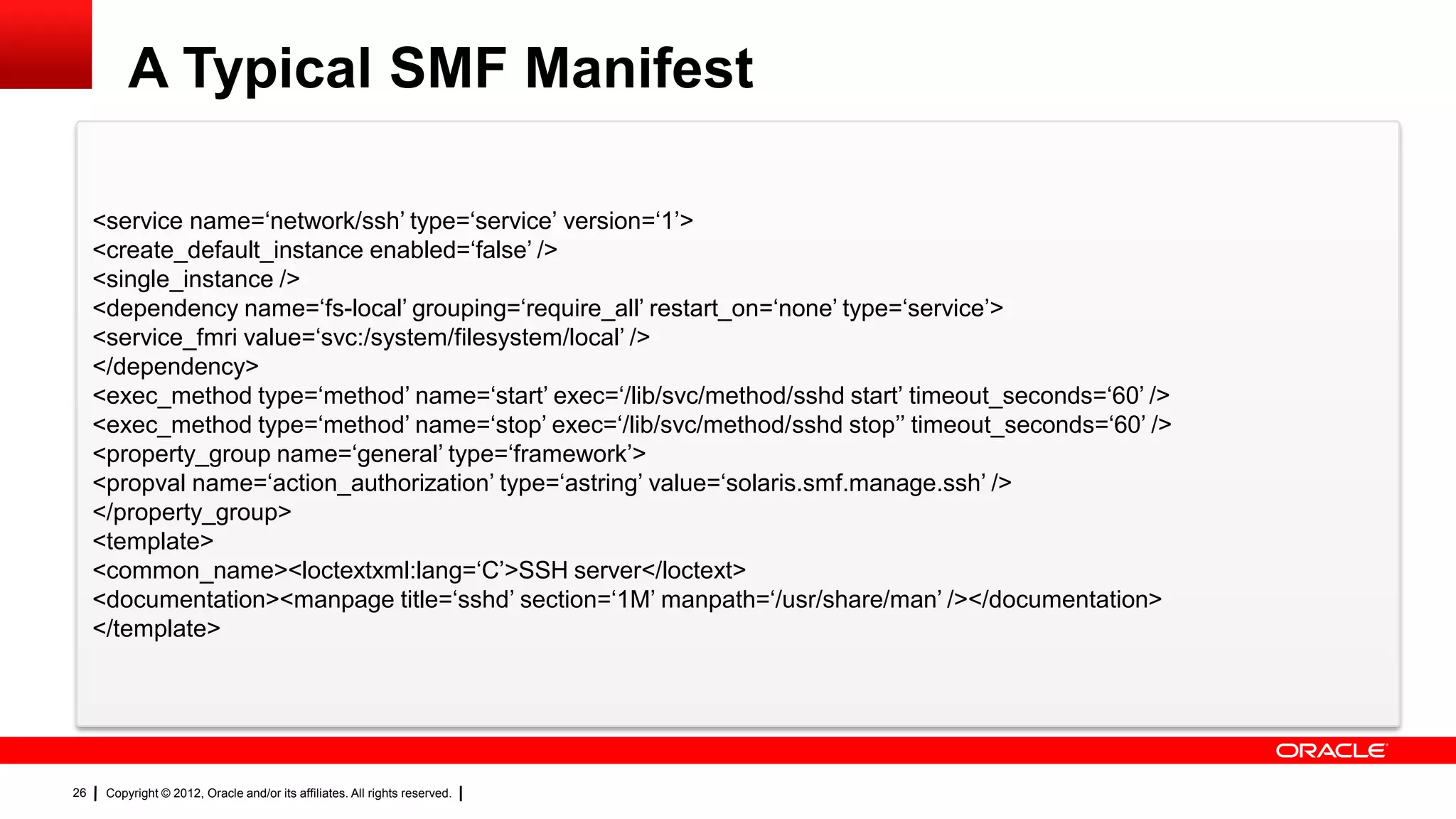
A Typical SMF Manifest

     <service name=‗network/ssh‘ type=‗service‘ version=‗1‘>
     <create_default_instance enabled=‗false‘ />
     <single_instance />
     <dependency name=‗fs-local‘ grouping=‗require_all‘ restart_on=‗none‘ type=‗service‘>
     <service_fmri value=‗svc:/system/filesystem/local‘ />
     </dependency>
     <exec_method type=‗method‘ name=‗start‘ exec=‗/lib/svc/method/sshd start‘ timeout_seconds=‗60‘ />
     <exec_method type=‗method‘ name=‗stop‘ exec=‗/lib/svc/method/sshd stop‘‘ timeout_seconds=‗60‘ />
     <property_group name=‗general‘ type=‗framework‘>
     <propval name=‗action_authorization‘ type=‗astring‘ value=‗solaris.smf.manage.ssh‘ />
     </property_group>
     <template>
     <common_name><loctextxml:lang=‗C‘>SSH server</loctext>
     <documentation><manpage title=‗sshd‘ section=‗1M‘ manpath=‗/usr/share/man‘ /></documentation>
     </template>


26    Copyright © 2012, Oracle and/or its affiliates. All rights reserved.
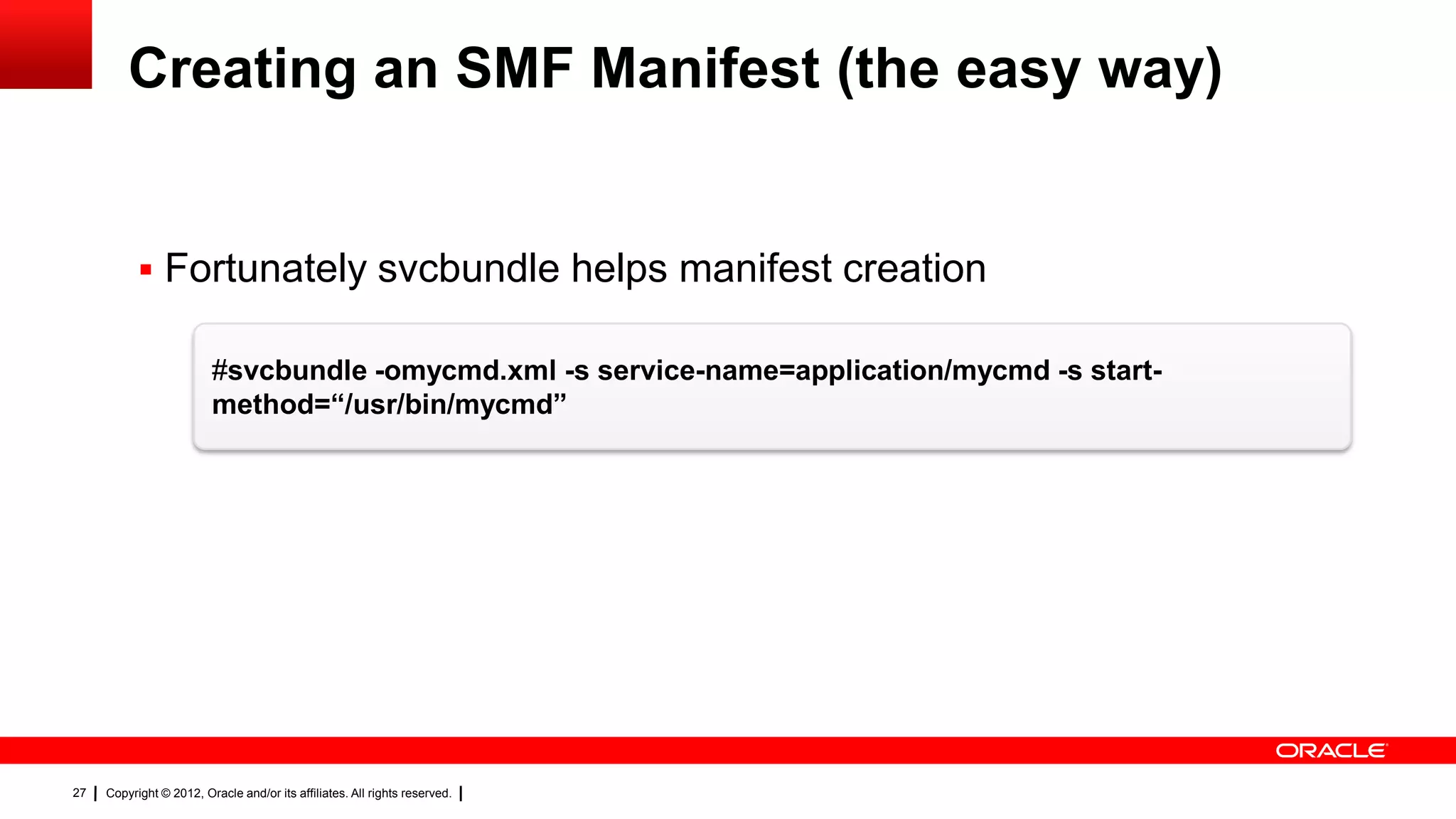
Creating an SMF Manifest (the easy way)


            Fortunately svcbundle helps manifest creation

                         #svcbundle -omycmd.xml -s service-name=application/mycmd -s start-
                         method=“/usr/bin/mycmd”


27   Copyright © 2012, Oracle and/or its affiliates. All rights reserved.
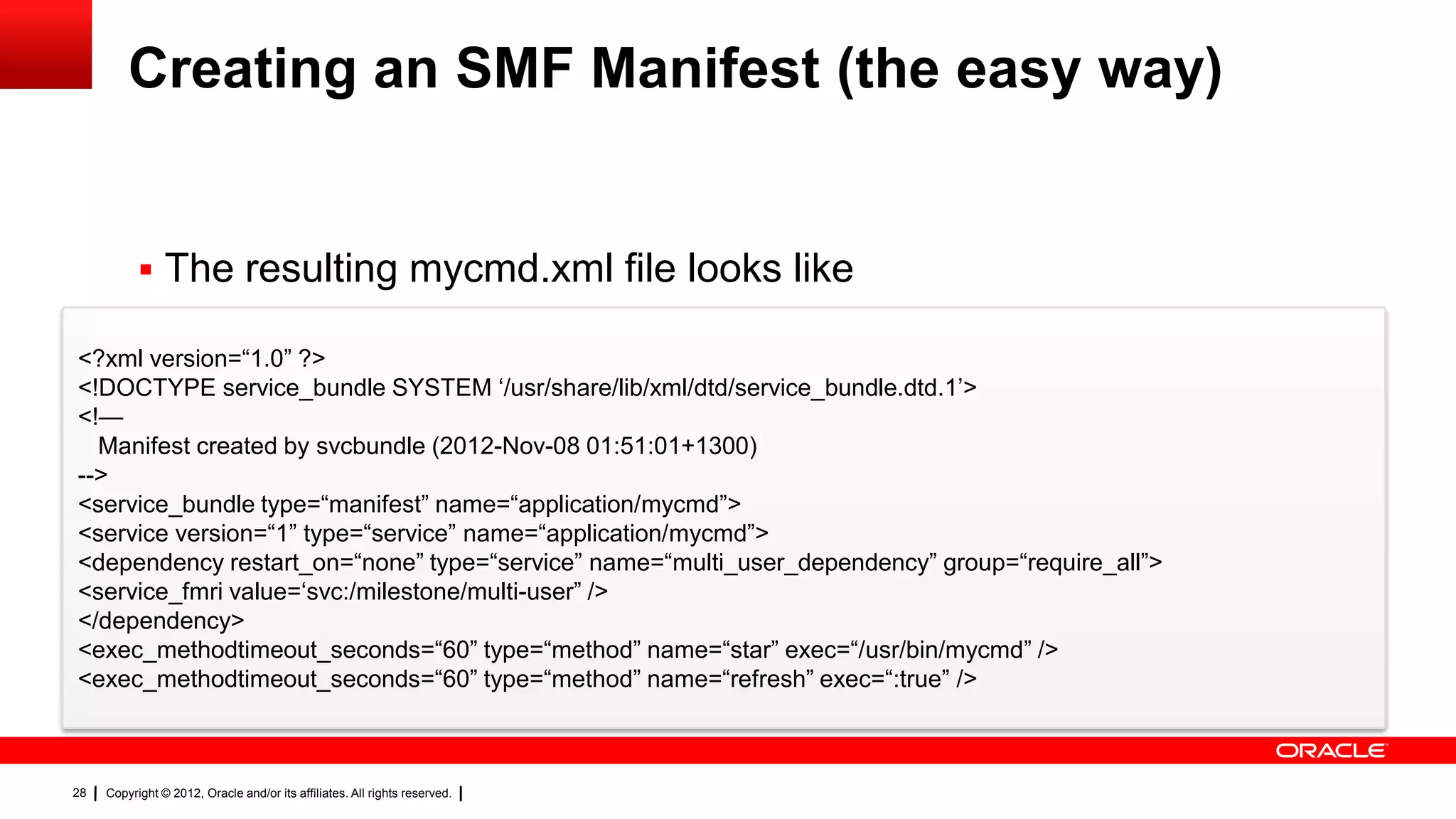
Creating an SMF Manifest (the easy way)


            The resulting mycmd.xml file looks like

<?xml version=―1.0‖ ?>
<!DOCTYPE service_bundle SYSTEM ‗/usr/share/lib/xml/dtd/service_bundle.dtd.1‘>
<!—
  Manifest created by svcbundle (2012-Nov-08 01:51:01+1300)
-->
<service_bundle type=―manifest‖ name=―application/mycmd‖>
<service version=―1‖ type=―service‖ name=―application/mycmd‖>
<dependency restart_on=―none‖ type=―service‖ name=―multi_user_dependency‖ group=―require_all‖>
<service_fmri value=‗svc:/milestone/multi-user‖ />
</dependency>
<exec_methodtimeout_seconds=―60‖ type=―method‖ name=―star‖ exec=―/usr/bin/mycmd‖ />
<exec_methodtimeout_seconds=―60‖ type=―method‖ name=―refresh‖ exec=―:true‖ />


28   Copyright © 2012, Oracle and/or its affiliates. All rights reserved.
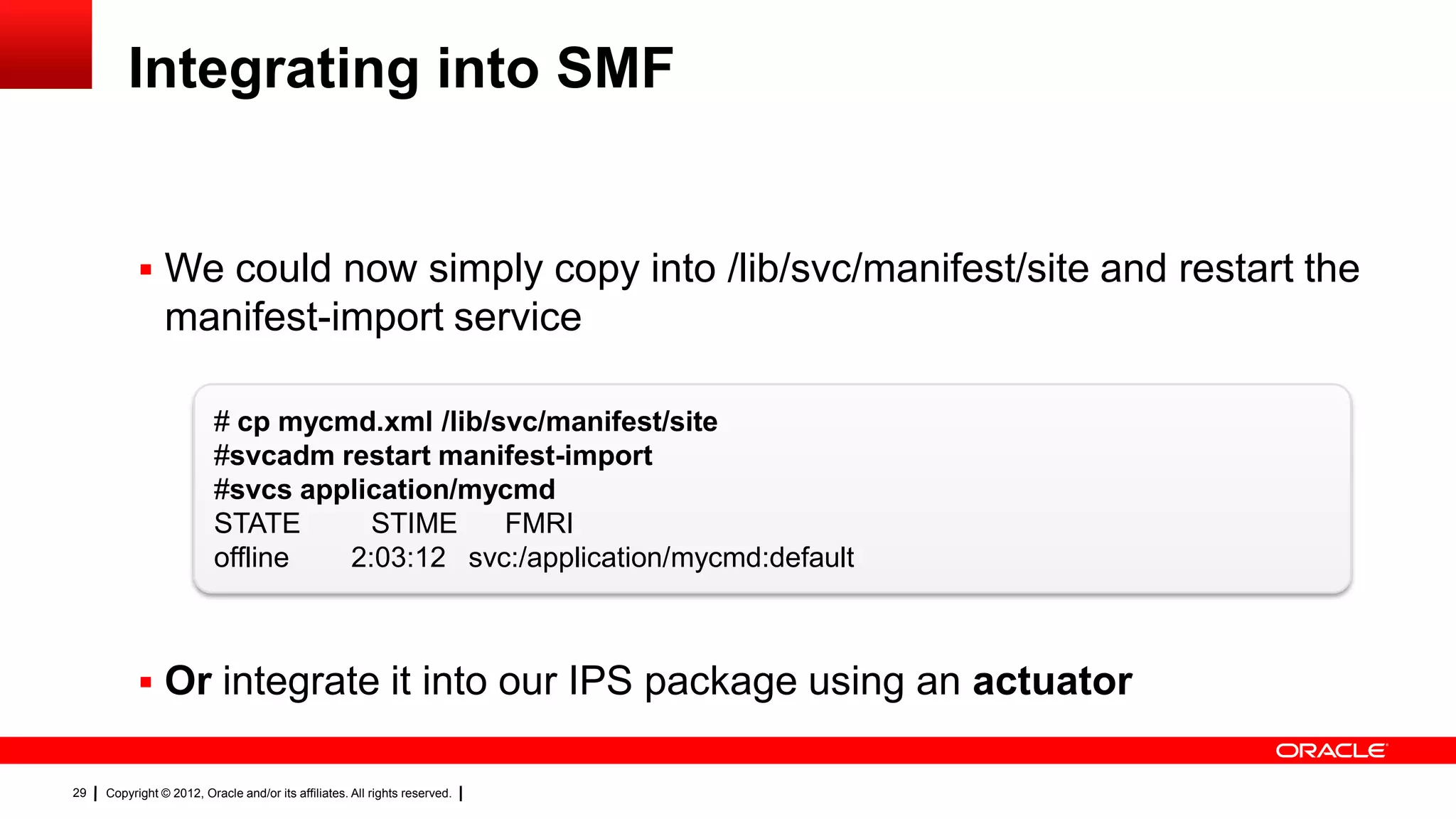
Integrating into SMF


            We could now simply copy into /lib/svc/manifest/site and restart the
                manifest-import service

                          # cp mycmd.xml /lib/svc/manifest/site
                          #svcadm restart manifest-import
                          #svcs application/mycmd
                          STATE      STIME     FMRI
                          offline  2:03:12 svc:/application/mycmd:default


            Or integrate it into our IPS package using an actuator

29   Copyright © 2012, Oracle and/or its affiliates. All rights reserved.
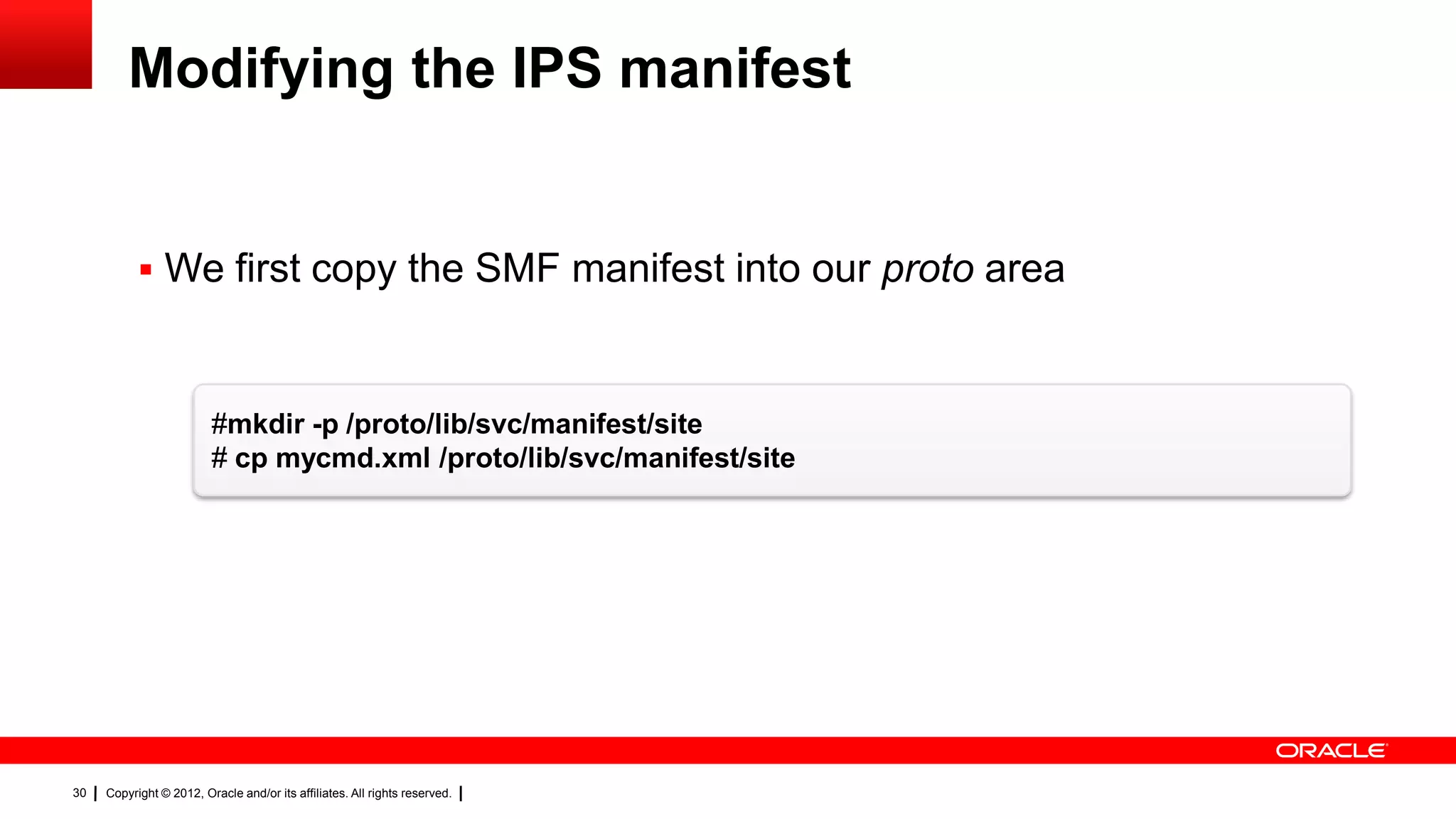
Modifying the IPS manifest


            We first copy the SMF manifest into our proto area


                         #mkdir -p /proto/lib/svc/manifest/site
                         # cp mycmd.xml /proto/lib/svc/manifest/site


30   Copyright © 2012, Oracle and/or its affiliates. All rights reserved.
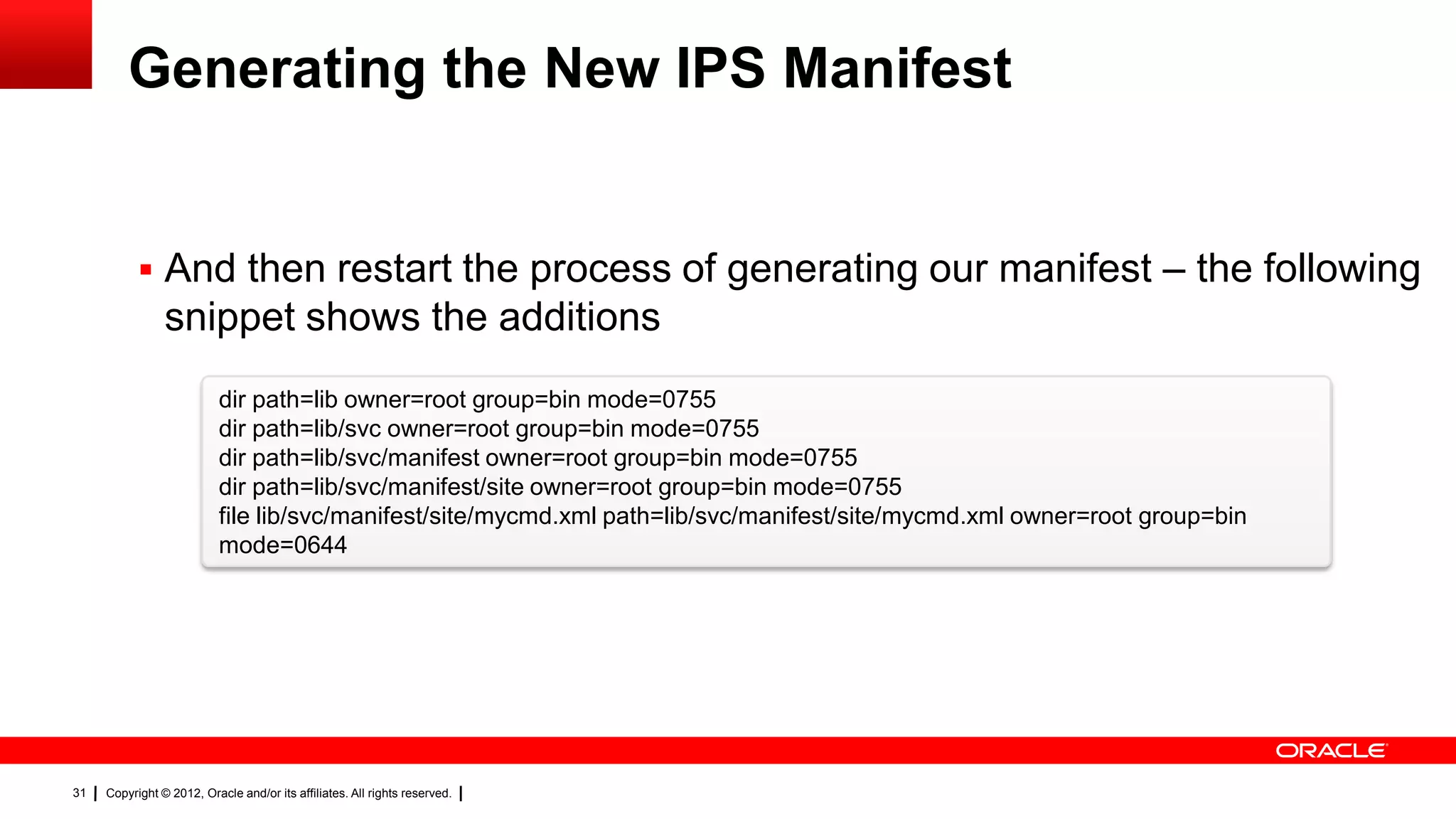
Generating the New IPS Manifest


            And then restart the process of generating our manifest – the following
                snippet shows the additions
                           dir path=lib owner=root group=bin mode=0755
                           dir path=lib/svc owner=root group=bin mode=0755
                           dir path=lib/svc/manifest owner=root group=bin mode=0755
                           dir path=lib/svc/manifest/site owner=root group=bin mode=0755
                           file lib/svc/manifest/site/mycmd.xml path=lib/svc/manifest/site/mycmd.xml owner=root group=bin
                           mode=0644


31   Copyright © 2012, Oracle and/or its affiliates. All rights reserved.
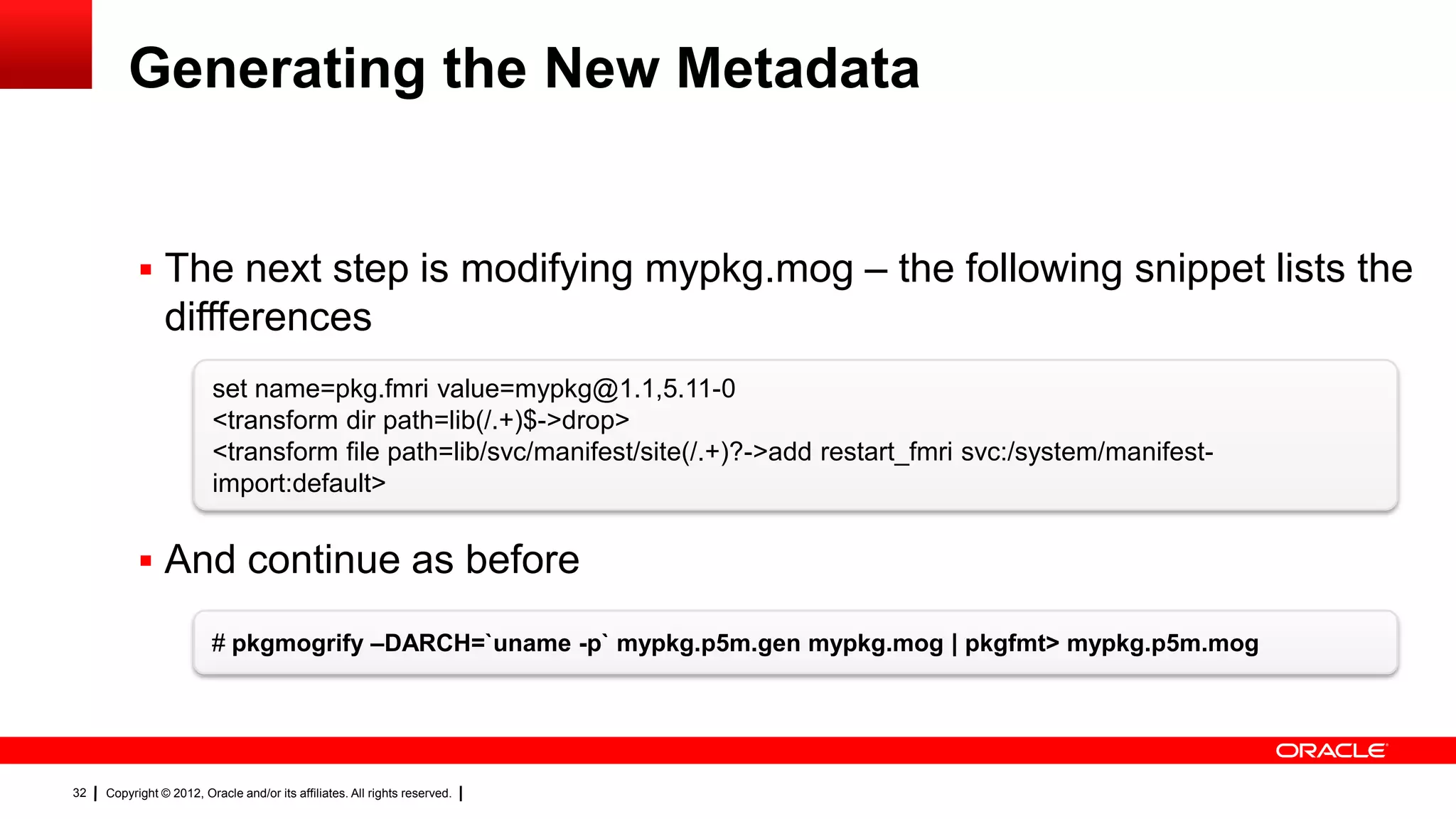
Generating the New Metadata


            The next step is modifying mypkg.mog – the following snippet lists the
                diffferences
                         set name=pkg.fmri value=mypkg@1.1,5.11-0
                         <transform dir path=lib(/.+)$->drop>
                         <transform file path=lib/svc/manifest/site(/.+)?->add restart_fmri svc:/system/manifest-
                         import:default>


            And continue as before

                         # pkgmogrify –DARCH=`uname -p` mypkg.p5m.gen mypkg.mog | pkgfmt> mypkg.p5m.mog


32   Copyright © 2012, Oracle and/or its affiliates. All rights reserved.
Creating the Package and Publishing


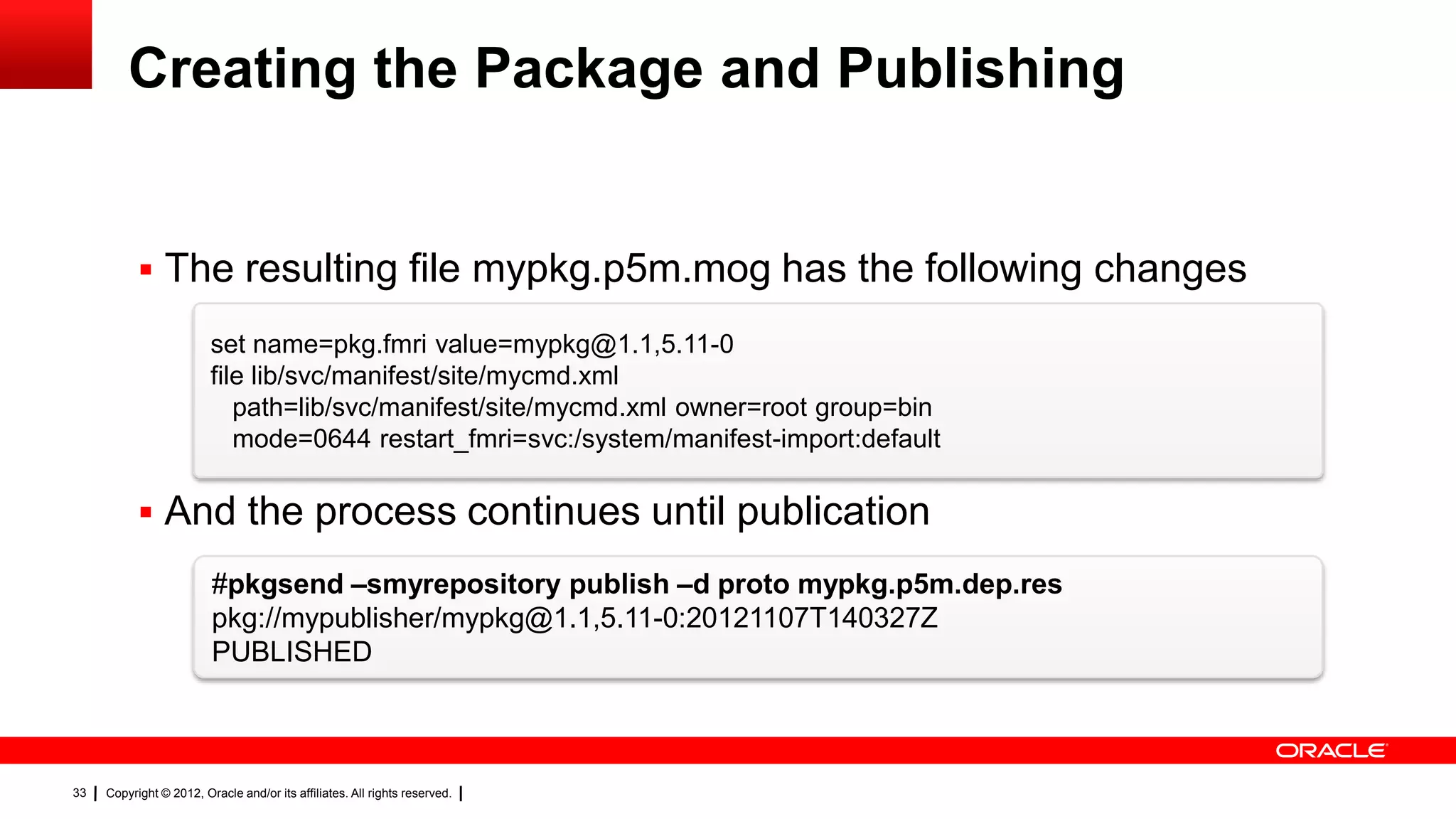
            The resulting file mypkg.p5m.mog has the following changes

                         set name=pkg.fmri value=mypkg@1.1,5.11-0
                         file lib/svc/manifest/site/mycmd.xml
                            path=lib/svc/manifest/site/mycmd.xml owner=root group=bin
                            mode=0644 restart_fmri=svc:/system/manifest-import:default

            And the process continues until publication
                         #pkgsend –smyrepository publish –d proto mypkg.p5m.dep.res
                         pkg://mypublisher/mypkg@1.1,5.11-0:20121107T140327Z
                         PUBLISHED


33   Copyright © 2012, Oracle and/or its affiliates. All rights reserved.
Adding the Repository


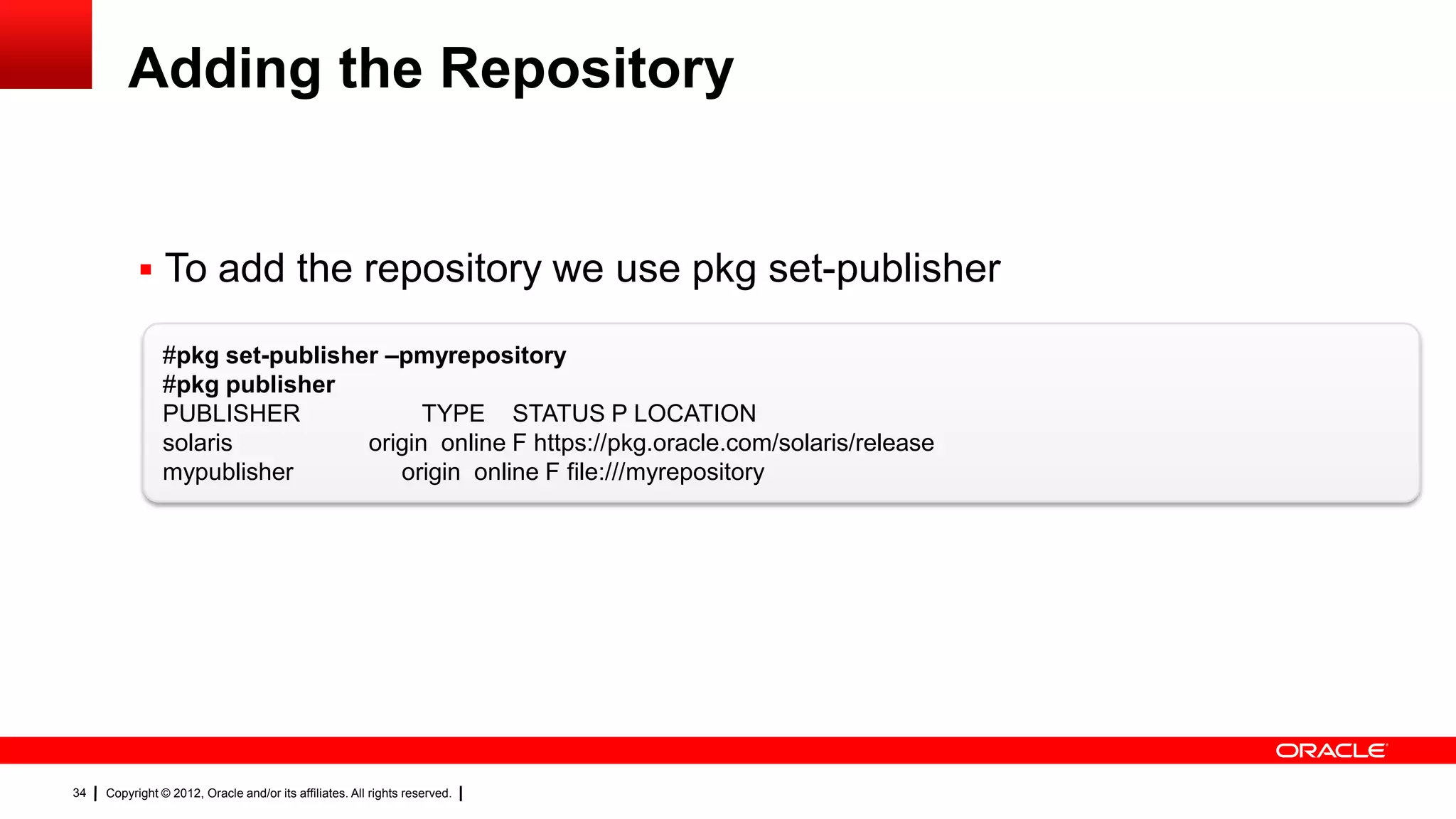
            To add the repository we use pkg set-publisher

                #pkg set-publisher –pmyrepository
                #pkg publisher
                PUBLISHER              TYPE STATUS P LOCATION
                solaris          origin online F https://pkg.oracle.com/solaris/release
                mypublisher         origin online F file:///myrepository


34   Copyright © 2012, Oracle and/or its affiliates. All rights reserved.
Application consolidation

                                                                            What it provides:
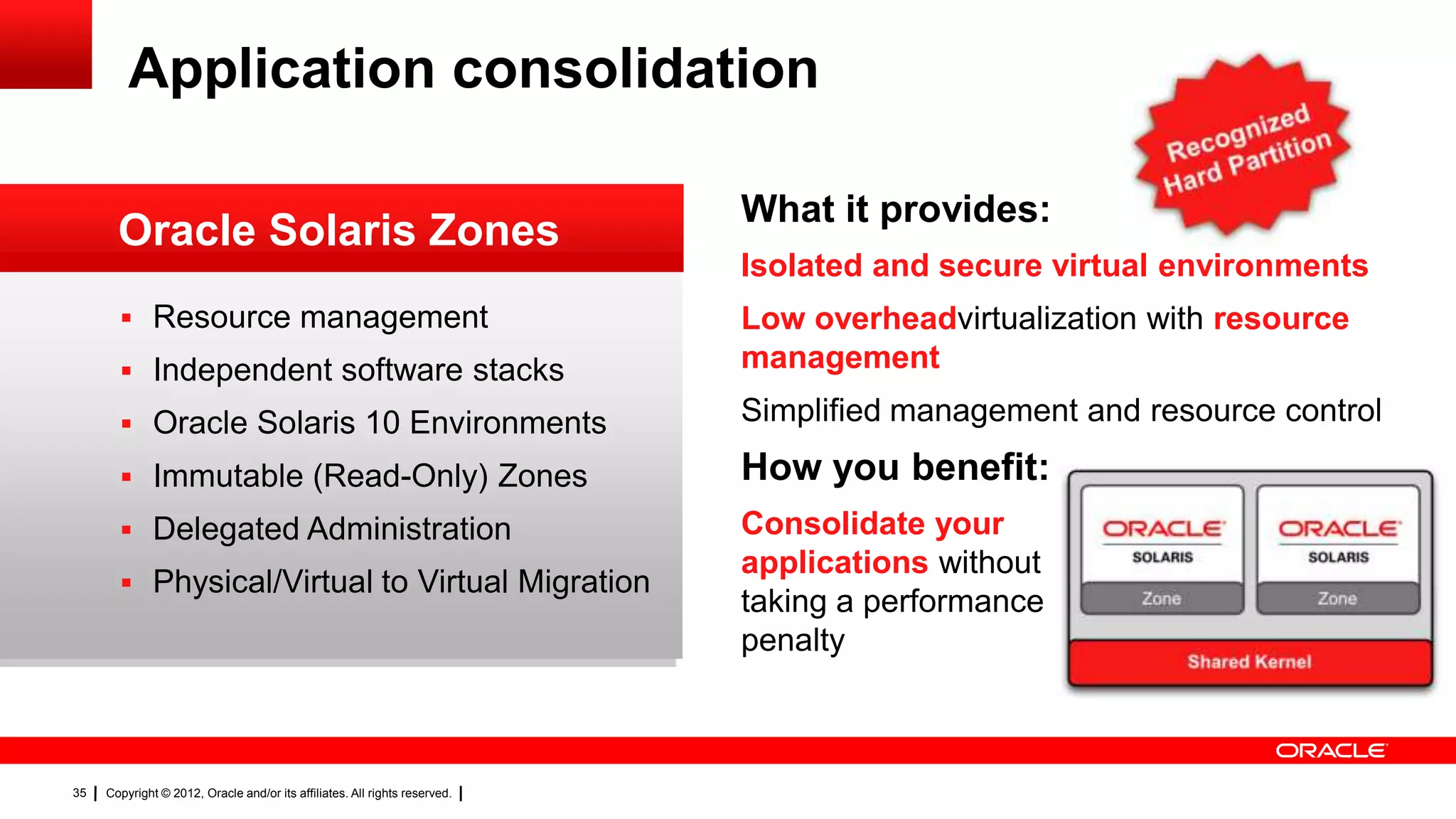
       Oracle Solaris Zones
                                                                            Isolated and secure virtual environments
        Resource management                                                Low overheadvirtualization with resource
        Independent software stacks                                        management

        Oracle Solaris 10 Environments                                     Simplified management and resource control

        Immutable (Read-Only) Zones                                        How you benefit:
        Delegated Administration                                           Consolidate your
                                                                            applications without
        Physical/Virtual to Virtual Migration
                                                                            taking a performance
                                                                            penalty


35   Copyright © 2012, Oracle and/or its affiliates. All rights reserved.
Creating a Zone


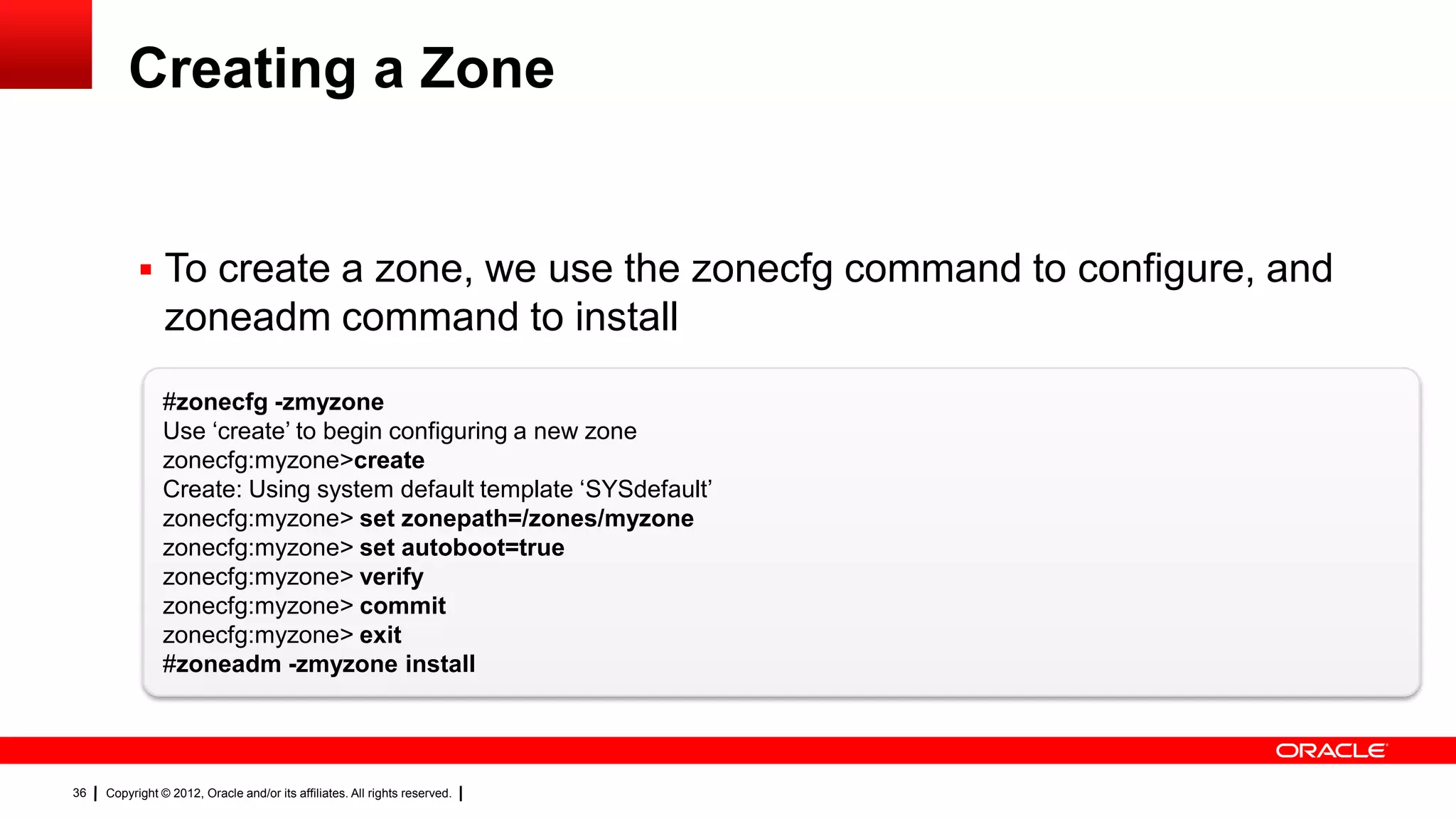
            To create a zone, we use the zonecfg command to configure, and
                zoneadm command to install
                #zonecfg -zmyzone
                Use ‗create‘ to begin configuring a new zone
                zonecfg:myzone>create
                Create: Using system default template ‗SYSdefault‘
                zonecfg:myzone> set zonepath=/zones/myzone
                zonecfg:myzone> set autoboot=true
                zonecfg:myzone> verify
                zonecfg:myzone> commit
                zonecfg:myzone> exit
                #zoneadm -zmyzone install


36   Copyright © 2012, Oracle and/or its affiliates. All rights reserved.
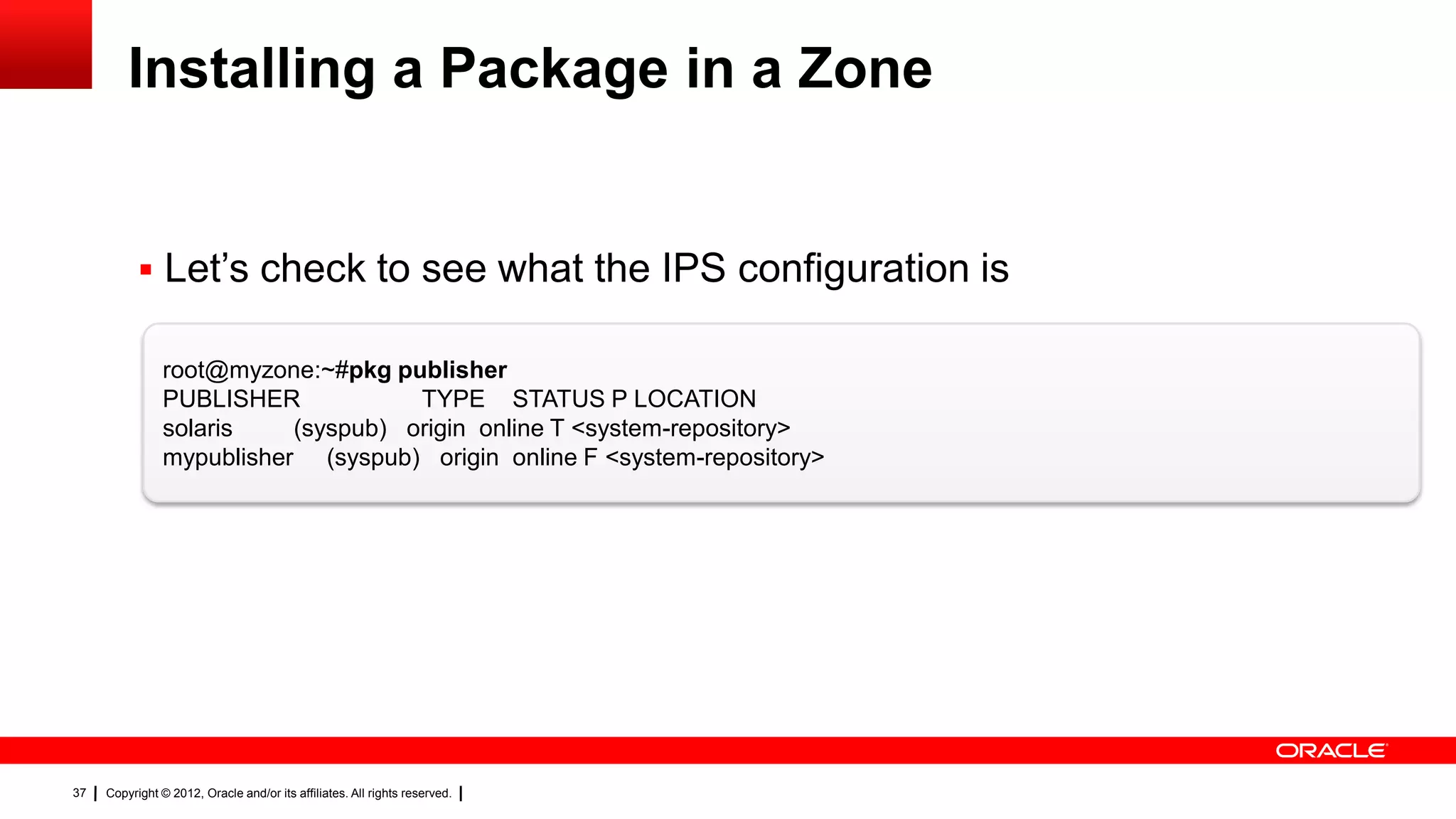
Installing a Package in a Zone


            Let‘s check to see what the IPS configuration is

                root@myzone:~#pkg publisher
                PUBLISHER            TYPE STATUS P LOCATION
                solaris    (syspub) origin online T <system-repository>
                mypublisher (syspub) origin online F <system-repository>


37   Copyright © 2012, Oracle and/or its affiliates. All rights reserved.
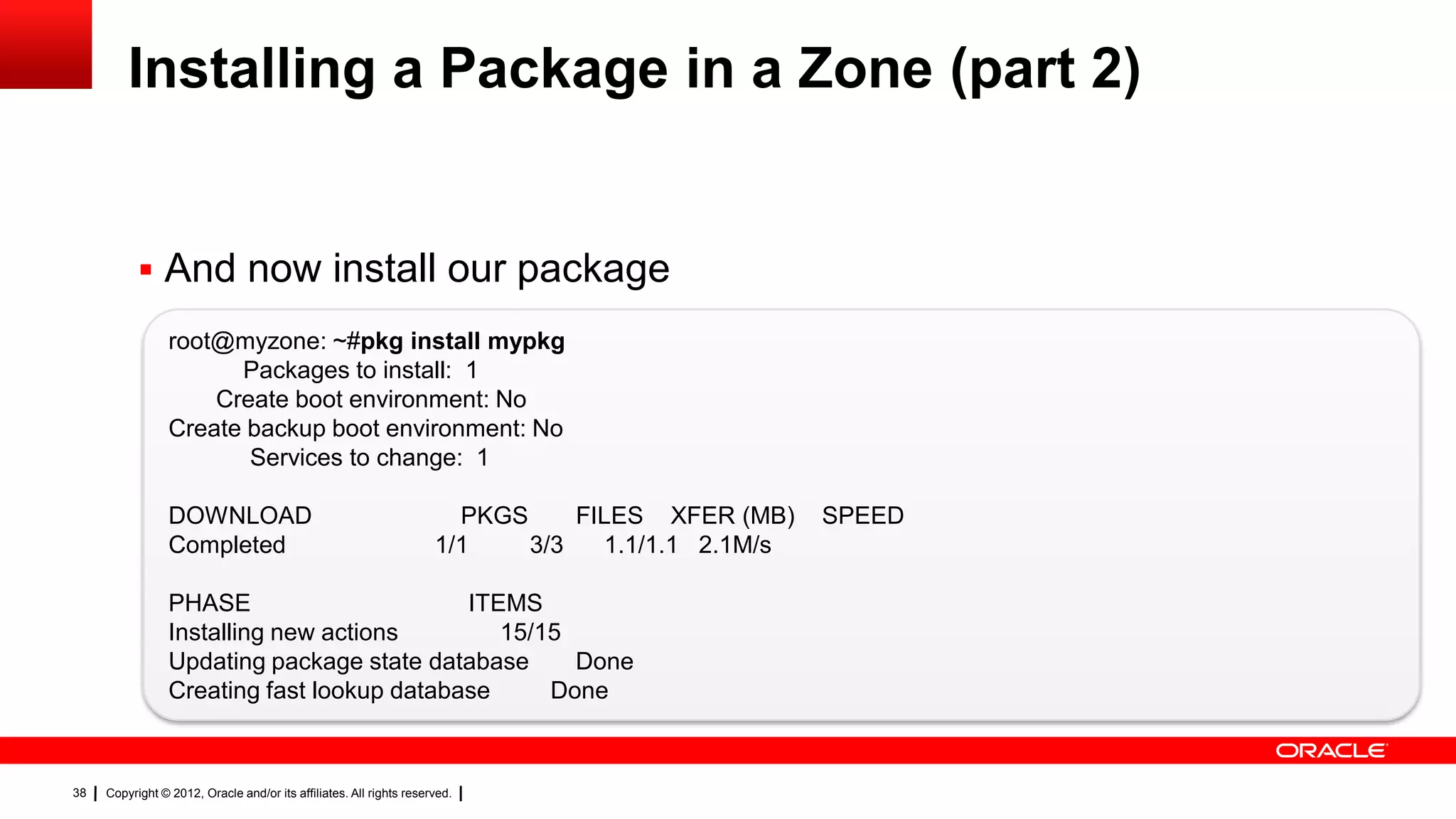
Installing a Package in a Zone (part 2)


            And now install our package
                 root@myzone: ~#pkg install mypkg
                       Packages to install: 1
                     Create boot environment: No
                 Create backup boot environment: No
                        Services to change: 1

                 DOWNLOAD                                              PKGS     FILES XFER (MB)    SPEED
                 Completed                                           1/1    3/3   1.1/1.1 2.1M/s

                 PHASE                      ITEMS
                 Installing new actions        15/15
                 Updating package state database     Done
                 Creating fast lookup database     Done


38   Copyright © 2012, Oracle and/or its affiliates. All rights reserved.
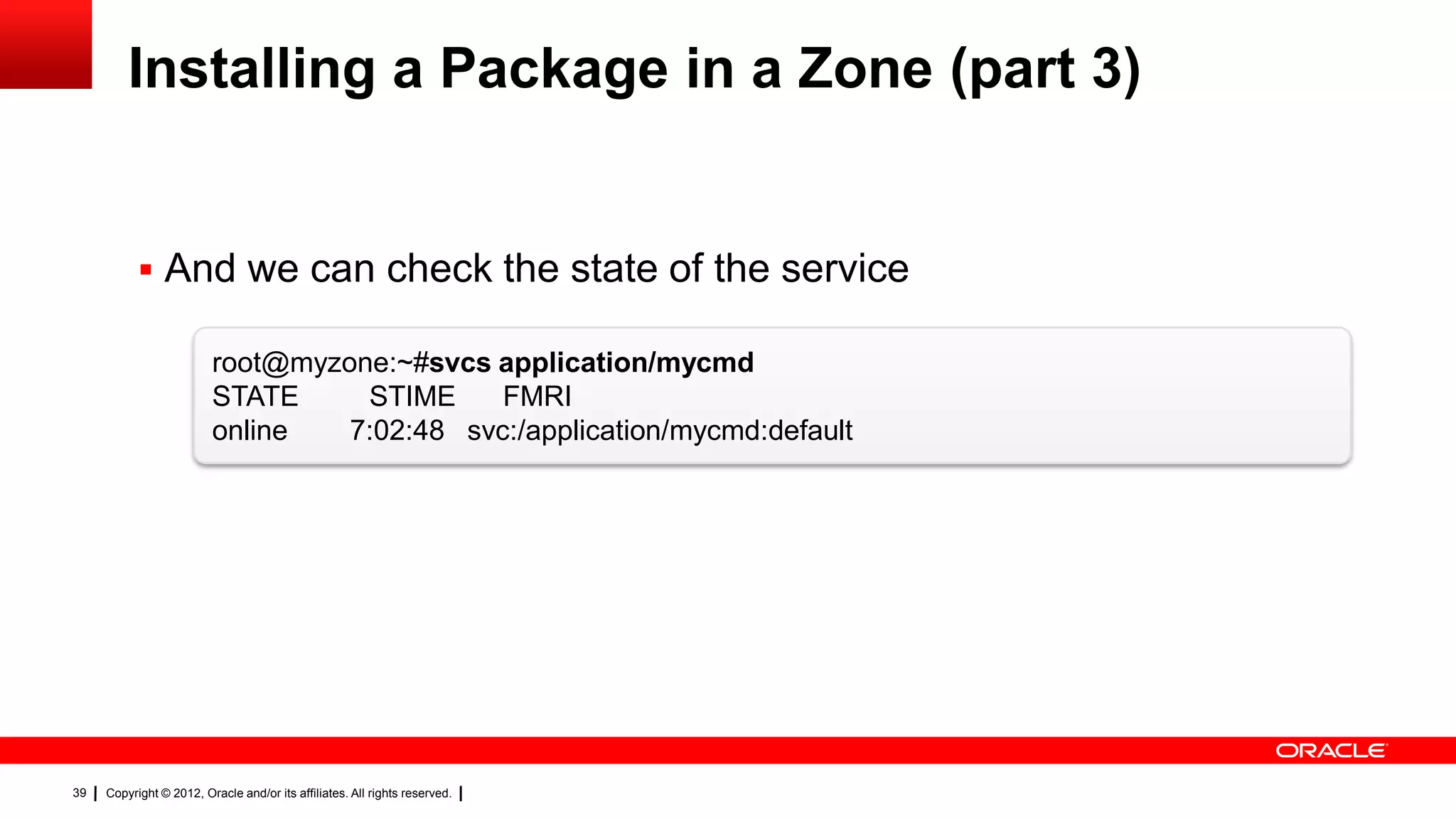
Installing a Package in a Zone (part 3)


            And we can check the state of the service

                         root@myzone:~#svcs application/mycmd
                         STATE     STIME     FMRI
                         online   7:02:48 svc:/application/mycmd:default


39   Copyright © 2012, Oracle and/or its affiliates. All rights reserved.
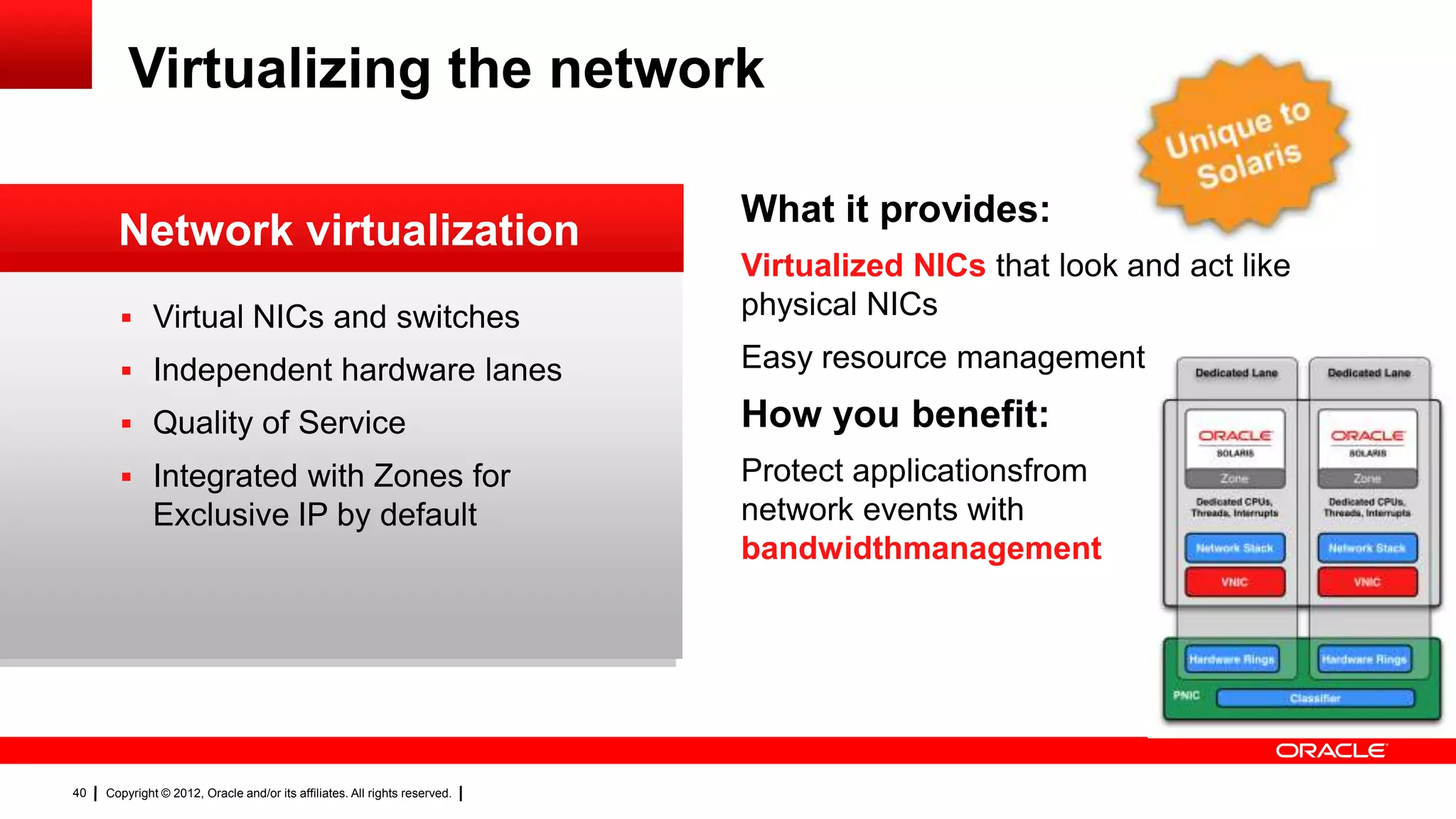
Virtualizing the network

                                                                            What it provides:
       Network virtualization
                                                                            Virtualized NICs that look and act like
        Virtual NICs and switches                                          physical NICs

        Independent hardware lanes                                         Easy resource management

        Quality of Service                                                 How you benefit:
        Integrated with Zones for                                          Protect applicationsfrom
              Exclusive IP by default                                       network events with
                                                                            bandwidthmanagement


40   Copyright © 2012, Oracle and/or its affiliates. All rights reserved.
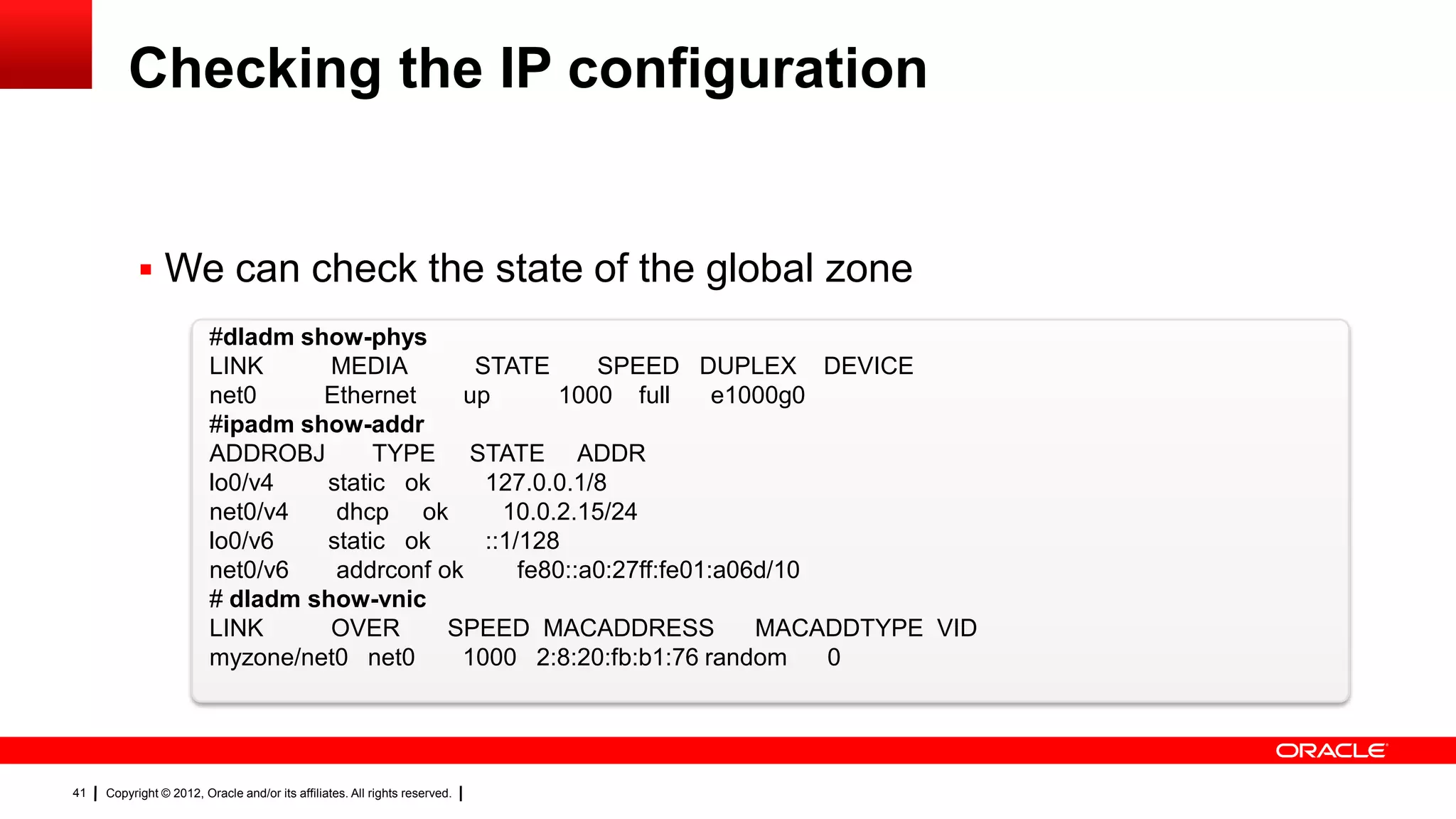
Checking the IP configuration


            We can check the state of the global zone
                         #dladm show-phys
                         LINK      MEDIA       STATE       SPEED DUPLEX DEVICE
                         net0     Ethernet    up        1000 full      e1000g0
                         #ipadm show-addr
                         ADDROBJ       TYPE STATE ADDR
                         lo0/v4   static ok     127.0.0.1/8
                         net0/v4   dhcp ok        10.0.2.15/24
                         lo0/v6   static ok     ::1/128
                         net0/v6   addrconf ok      fe80::a0:27ff:fe01:a06d/10
                         # dladm show-vnic
                         LINK      OVER      SPEED MACADDRESS             MACADDTYPE VID
                         myzone/net0 net0     1000 2:8:20:fb:b1:76 random      0


41   Copyright © 2012, Oracle and/or its affiliates. All rights reserved.
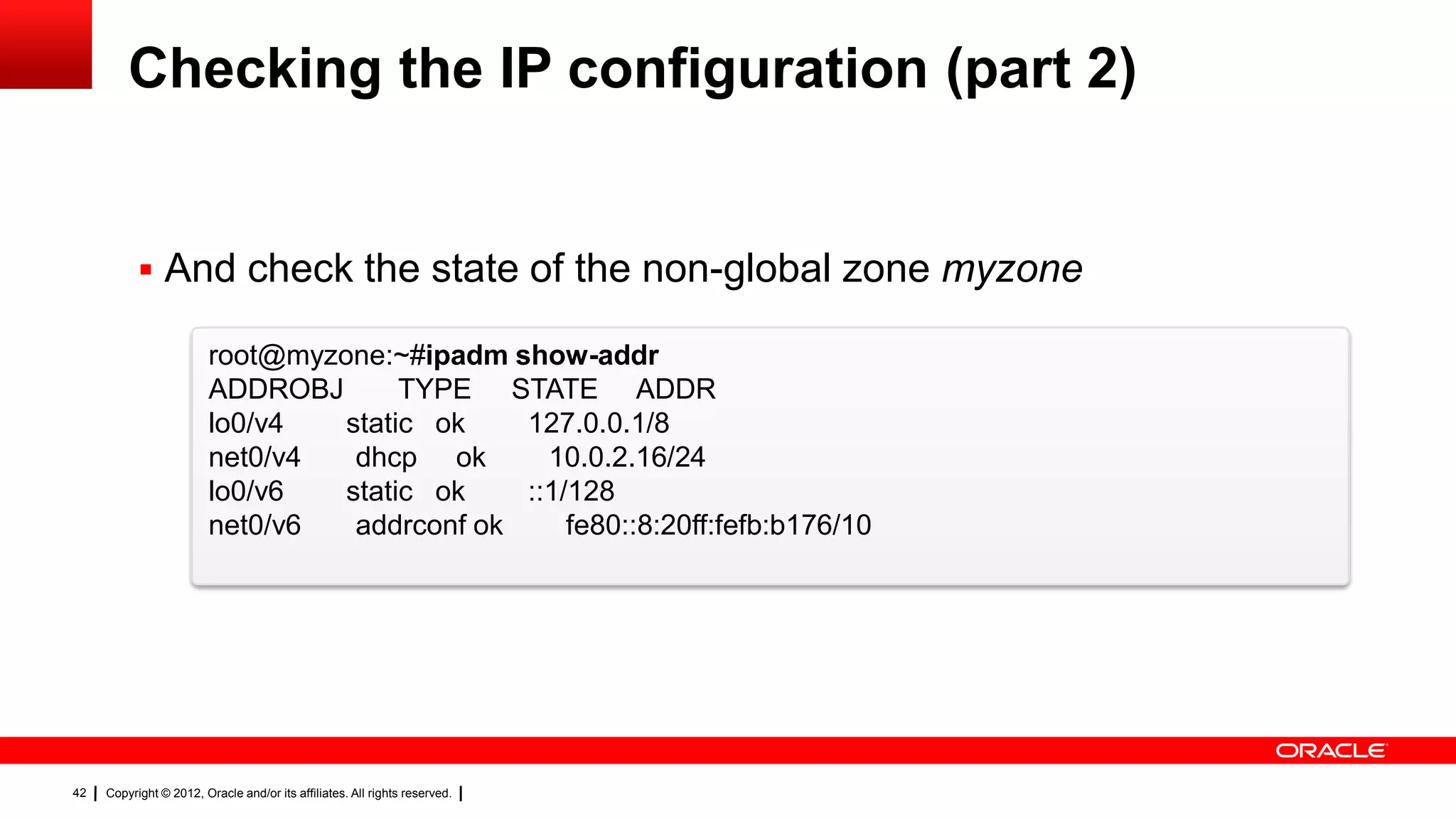
Checking the IP configuration (part 2)


            And check the state of the non-global zone myzone

                         root@myzone:~#ipadm show-addr
                         ADDROBJ       TYPE STATE ADDR
                         lo0/v4   static ok    127.0.0.1/8
                         net0/v4   dhcp ok       10.0.2.16/24
                         lo0/v6   static ok    ::1/128
                         net0/v6   addrconf ok     fe80::8:20ff:fefb:b176/10


42   Copyright © 2012, Oracle and/or its affiliates. All rights reserved.
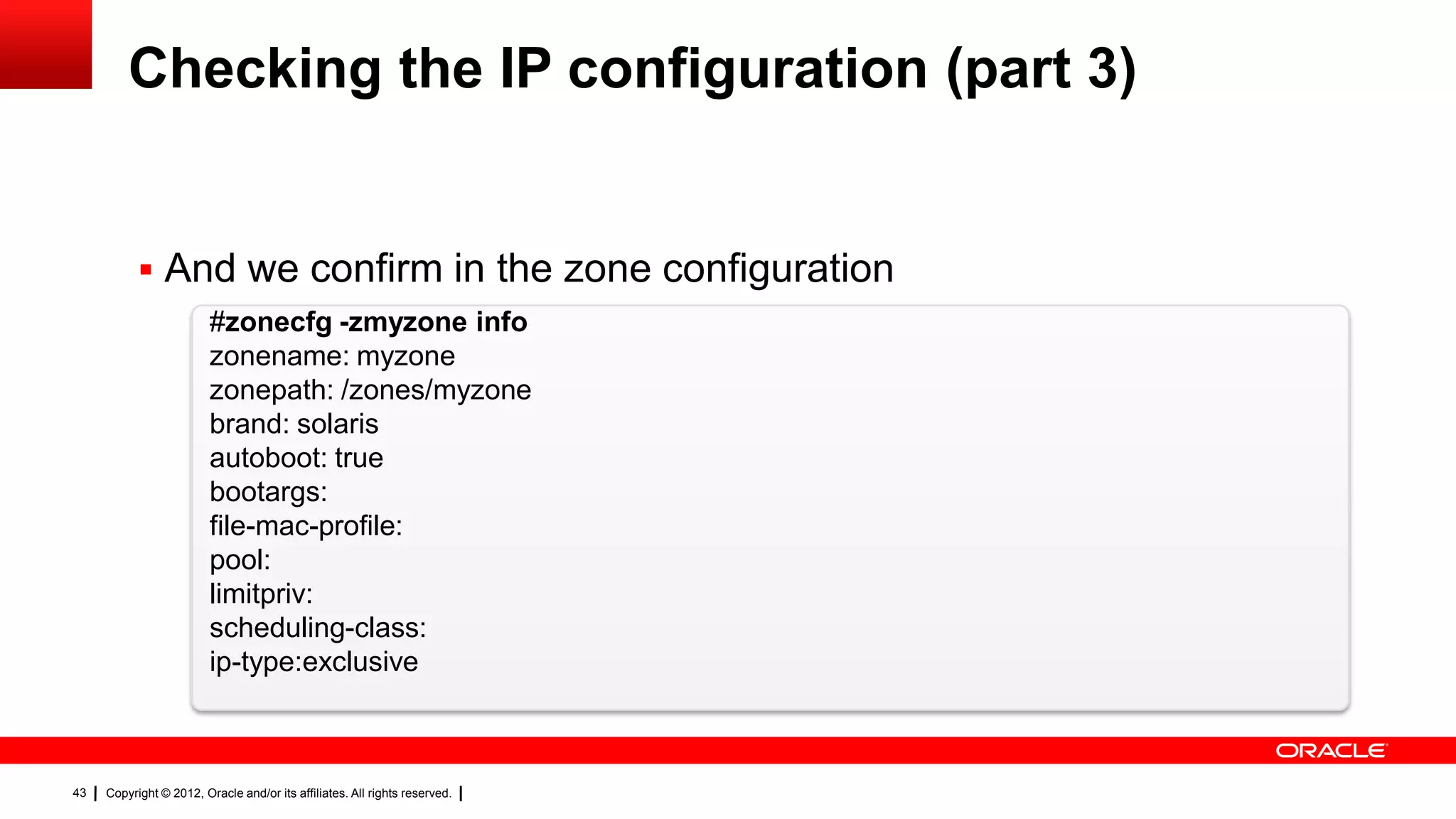
Checking the IP configuration (part 3)


            And we confirm in the zone configuration
                         #zonecfg -zmyzone info
                         zonename: myzone
                         zonepath: /zones/myzone
                         brand: solaris
                         autoboot: true
                         bootargs:
                         file-mac-profile:
                         pool:
                         limitpriv:
                         scheduling-class:
                         ip-type:exclusive


43   Copyright © 2012, Oracle and/or its affiliates. All rights reserved.
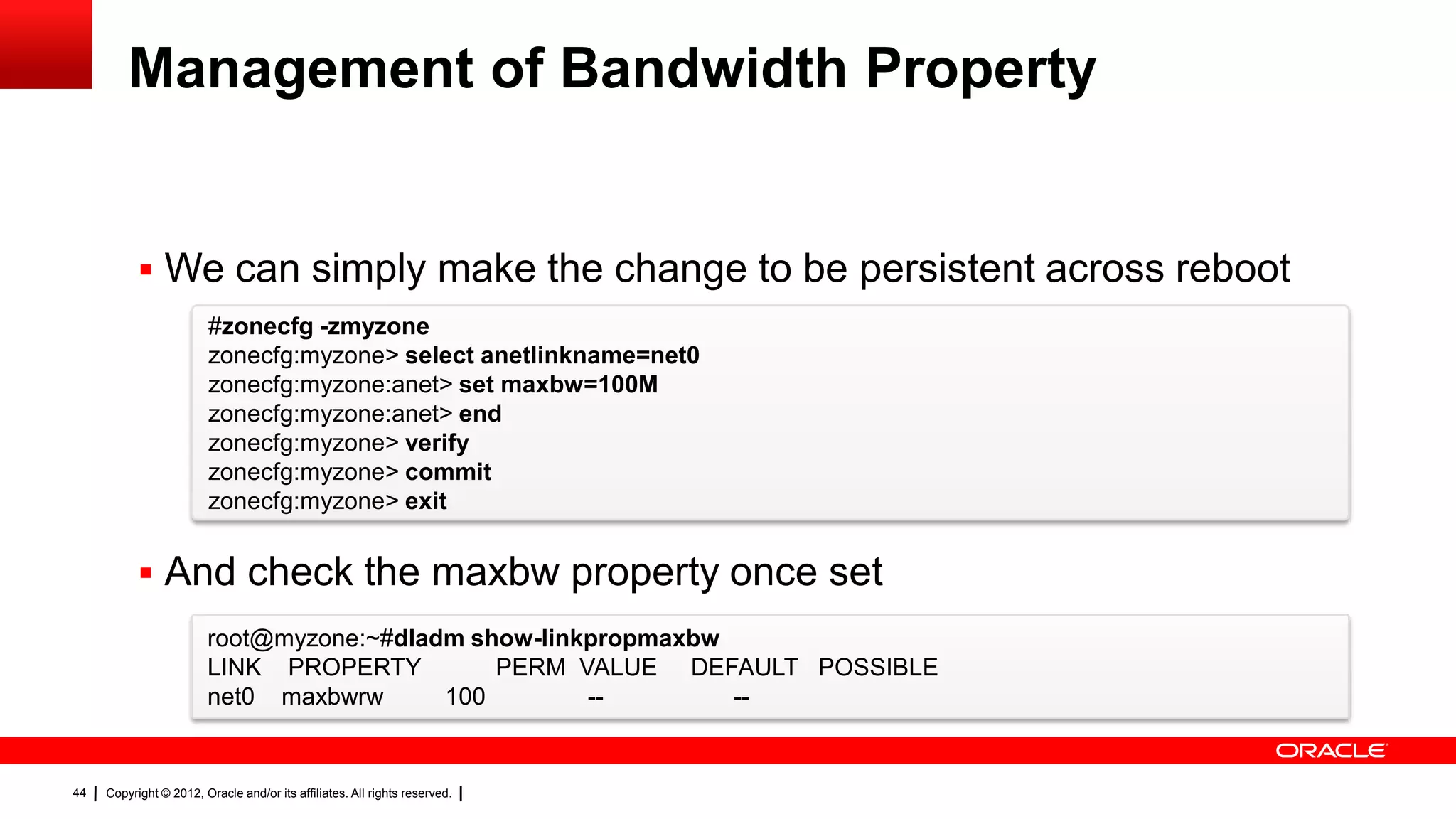
Management of Bandwidth Property


            We can simply make the change to be persistent across reboot
                         #zonecfg -zmyzone
                         zonecfg:myzone> select anetlinkname=net0
                         zonecfg:myzone:anet> set maxbw=100M
                         zonecfg:myzone:anet> end
                         zonecfg:myzone> verify
                         zonecfg:myzone> commit
                         zonecfg:myzone> exit


            And check the maxbw property once set
                        root@myzone:~#dladm show-linkpropmaxbw
                        LINK PROPERTY         PERM VALUE DEFAULT POSSIBLE
                        net0 maxbwrw      100        --        --


44   Copyright © 2012, Oracle and/or its affiliates. All rights reserved.
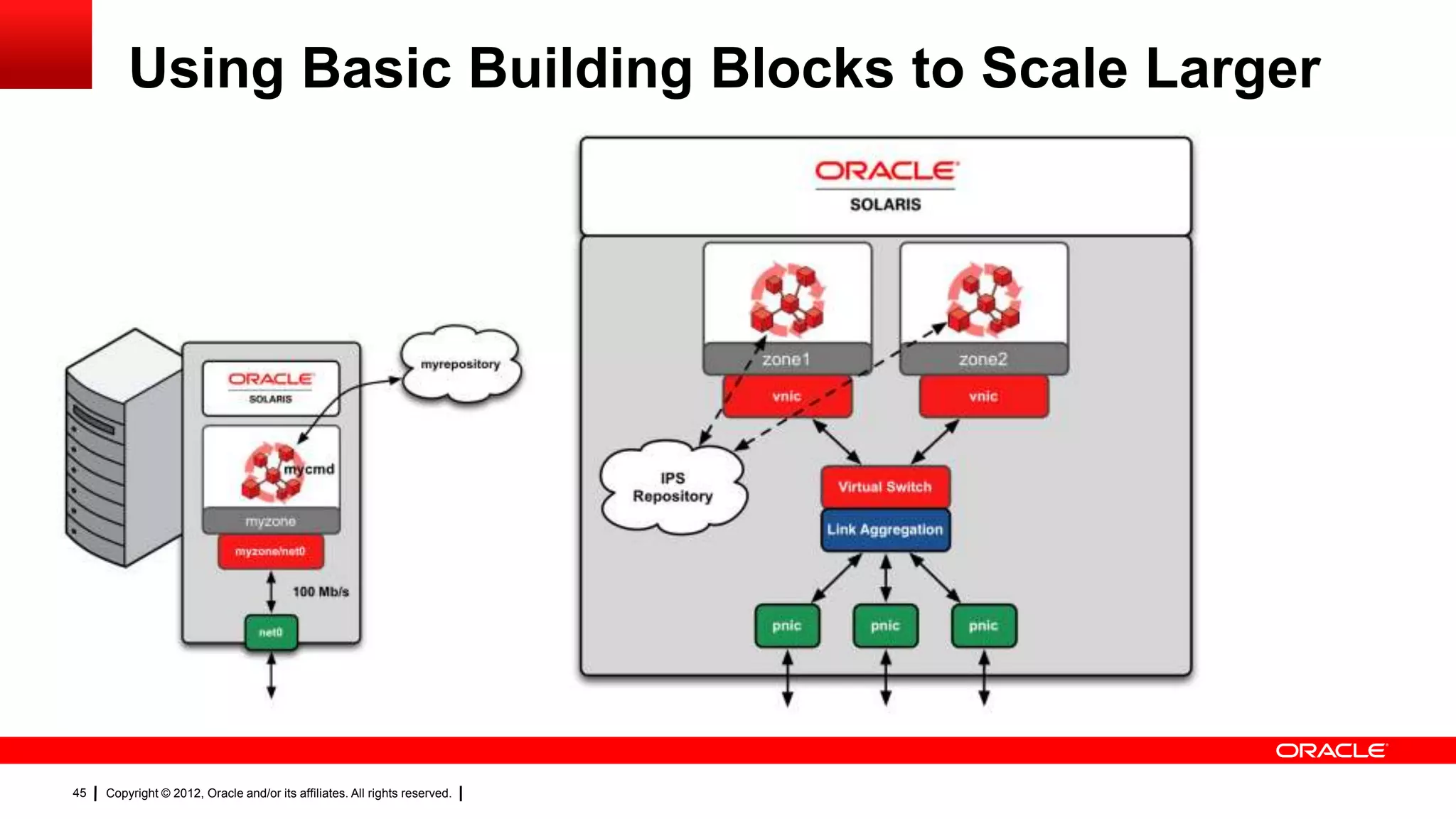
Using Basic Building Blocks to Scale Larger


45   Copyright © 2012, Oracle and/or its affiliates. All rights reserved.
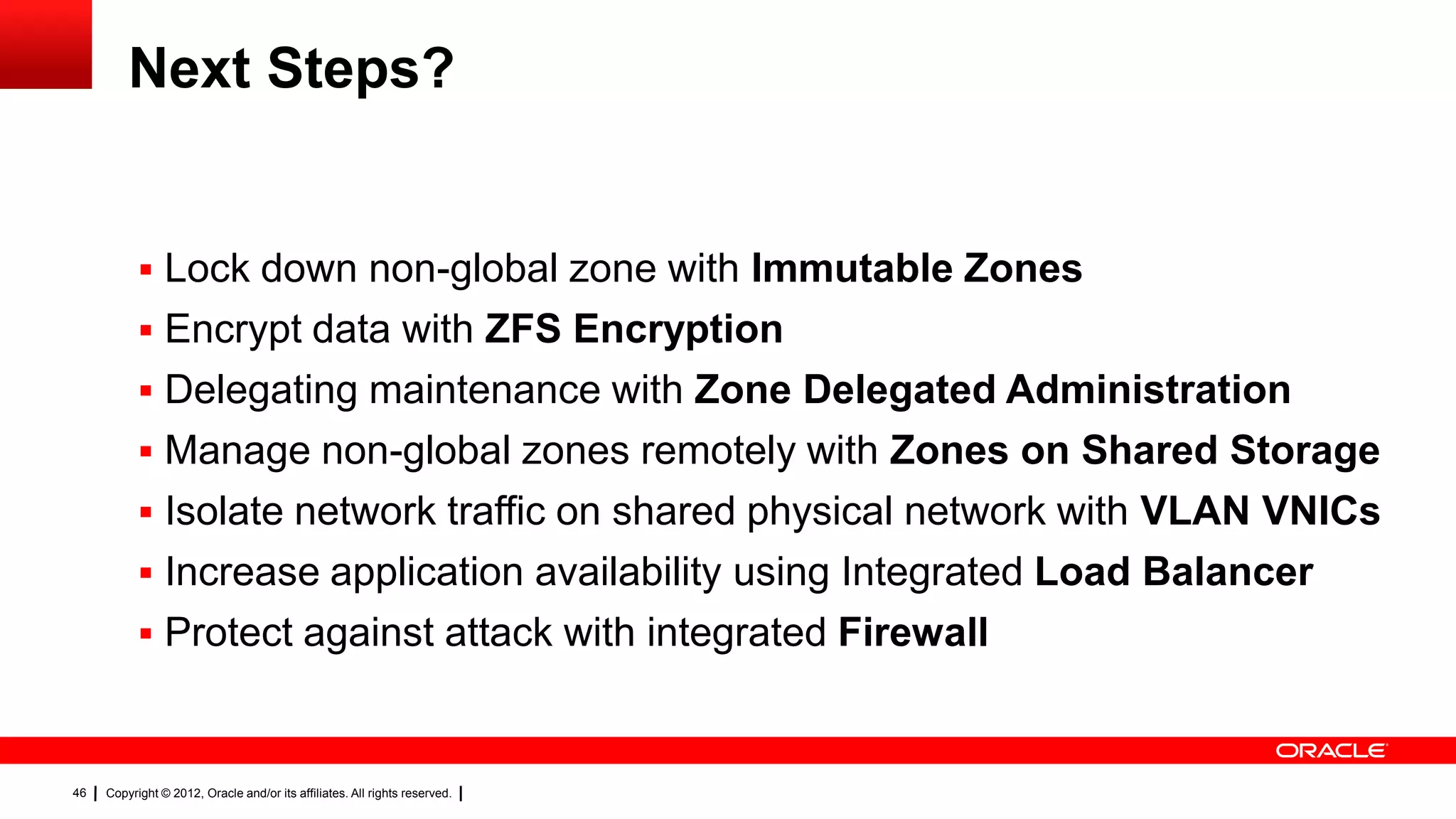
Next Steps?


            Rapid zone cloning of dev/test/production environments using ZFS
            Lock down non-global zone with Immutable Zones
            Encrypt data with ZFS Encryption
            Delegating maintenance with Zone Delegated Administration
            Manage non-global zones remotely with Zones on Shared Storage
            Isolate network traffic on shared physical network with VLAN VNICs
            Increase application availability using Integrated Load Balancer
            Protect against attack with integrated Firewall

46   Copyright © 2012, Oracle and/or its affiliates. All rights reserved.
More Information


            Image Packaging System
                http://www.oracle.com/technetwork/server-storage/solaris11/technologies/ips-323421.html
            Service Management Facility
                http://www.oracle.com/technetwork/server-storage/solaris11/technologies/smf-1690889.html
            Oracle Solaris Zones
                http://www.oracle.com/technetwork/server-storage/solaris11/technologies/virtualization-
                306056.html
            Oracle Solaris Network Virtualization
                http://www.oracle.com/technetwork/server-
                storage/solaris11/technologies/networkvirtualization-312278.html


47   Copyright © 2012, Oracle and/or its affiliates. All rights reserved.
48   Copyright © 2012, Oracle and/or its affiliates. All rights reserved.
49   Copyright © 2012, Oracle and/or its affiliates. All rights reserved.

Oracle Solaris 11 - Best for Enterprise Applications

  • 1.
    1 Copyright © 2012, Oracle and/or its affiliates. All rights reserved.
  • 2.
    Oracle Solaris 11– Best for Enterprise Applications Name: Glynn Foster Title: Principal Product Manager 2 Copyright © 2012, Oracle and/or its affiliates. All rights reserved.
  • 3.
    A Simple DeploymentExample Key Technologies: Installation usingImage Packaging System Integrated into Service Management Facility Deployed into anOracle Solaris Zone with bandwidth resource management using network virtualization 3 Copyright © 2012, Oracle and/or its affiliates. All rights reserved.
  • 4.
    Integrated Package Management What it provides: Image Packaging System (IPS) Single command for packaging and  Network repositories patching maintenance – familiar to Linux admins  Integrated packaging and patching RC  Automatic software dependencies How you benefit: Database Fast and safe system updates with rollback  Integrated with SMF and Zones No more version ambiguity  System updates through ZFS Boot Environments Avoid you getting into an unsupportable  Fast reboot capability system state Minimized installs are easy 4 Copyright © 2012, Oracle and/or its affiliates. All rights reserved.
  • 5.
    Key Terminology ofIPS  Publisher An entity that creates a package  Repository Contains a selection of packages  Package Collection of files, directories, links, services and other data wrapped up into a single bundle that can be installed  Manifest A file that describes how a package is assembled 5 Copyright © 2012, Oracle and/or its affiliates. All rights reserved.
  • 6.
    Looking at PackageManifest Output  We can see a package manifest using pkg contents # pkg contents -mgzip set name=pkg.fmri value=pkg://solaris/compress/gzip@1.4,5.11-0.175.1.0.0.24.0:20120904T170603Z set name=org.opensolaris.consolidation value=userland set name=pkg.summary value="GNU Zip (gzip)‖ set name=pkg.description value="The GNU Zip (gzip) compression utility‖ set name=info.source-url value=ftp://ftp.gnu.org/gnu/gzip/gzip-1.4.tar.gz set name=info.classification value="org.opensolaris.category.2008:Applications/System Utilities‖ set name=info.upstream-url value=http://www.gnu.org/software/gzip/ set name=org.opensolaris.arc-caseid value=PSARC/2000/488 set name=variant.arch value=i386 value=sparc depend fmri=pkg:/system/library@0.5.11-0.175.1.0.0.23.0 type=require ... 6 Copyright © 2012, Oracle and/or its affiliates. All rights reserved.
  • 7.
    Breaking down aPackage Manifest (part 1)  Action Define the software that comprises a package set, file, dir, link, hardlink, driver, depend, license, user, group, signature, legacy  Actuator A tag applied to an action that causes a system change when installed, uninstalled or updated 7 Copyright © 2012, Oracle and/or its affiliates. All rights reserved.
  • 8.
    Breaking down aPackage Manifest (part 2)  Facet Selectable subsets of packages (documentation, locales, man pages)  Variant Provides support for multiple exclusive software components (SPARC vs x86, optimized vs debug, global zone vs non-global zone)  Mediator Ability to deliver multiple implementations of software (GCC, Python, Java) 8 Copyright © 2012, Oracle and/or its affiliates. All rights reserved.
  • 9.
    Tools to CreatePackages  pkgsend – Publish / Update packages  pkgmogrify – Programmatically edit package manifests  pkgdepend – Manage package dependencies  pkgmerge – Create multi-variant packages  pkglint – Sanity check package manifests  pkgsign – Cryptographically sign a package  pkgrepo – Create and manage package repositories  pkgfmt – Create more human-readable package manifests 9 Copyright © 2012, Oracle and/or its affiliates. All rights reserved.
  • 10.
    Package Dependencies  require – Causes another package to be installed  require-any – Installs one of a set of packages  conditional – If one package is installed, install a second  group – Similar to require, but user can override  optional – Establishes a minimum version  incorporate – Constrain the version of another package  parent – Incorporate enforced on a non-global zone  exclude – Prevent another package from being installed 10 Copyright © 2012, Oracle and/or its affiliates. All rights reserved.
  • 11.
    Steps to Creatingan IPS Package 1. Lay out your package as you want it – the proto area 2. Create an initial manifest from proto area with pkgsend generate 3. Modify generated manifest using pkgmogrify – Add package names, versions, facets, actuators, description, summary, … – Modify file layout, permissions, owners, … 4. Evaluate package dependencies with pkgdepend generate 5. Resolve package dependencies with pkgdepend resolve 6. Verify manifest with pkglint 11 Copyright © 2012, Oracle and/or its affiliates. All rights reserved.
  • 12.
    Step 1: LayOut the Proto Area  We wish to create a simple package delivering the following files /usr/bin/mycmd /usr/lib/mycmd.so.1  We need to lay this out within the proto area /proto/usr/bin/mycmd /proto/usr/lib/mycmd.so.1 12 Copyright © 2012, Oracle and/or its affiliates. All rights reserved.
  • 13.
    Step 2: Createan Initial Manifest  Pass the proto area through pkgsend generate # pkgsend generate proto | pkgfmt> mypkg.p5m.gen  The first intermediate file mypkg.p5m.gen looks like this dir path=usr owner=root group=bin mode=0755 dir path=usr/bin owner=root group=bin mode=0755 file usr/bin/mycmd path=usr/bin/mycmd owner=root group=bin mode=0555 dir path=usr/lib owner=root group=bin mode=0755 file usr/lib/mycmd.so.1 path=usr/lib/mycmd.so.1 owner=root group=bin mode=0555 13 Copyright © 2012, Oracle and/or its affiliates. All rights reserved.
  • 14.
    Step 3: GenerateRequired Metadata  Create mypkg.mog with metadata we will integrate into the manifest set name=pkg.fmri value=mypkg@1.0,5.11-0 set name=pkg.summary value=―This is an example package‖ set name=pkg.description value=―This is a full description‖ set name=variant.arch value=$(ARCH) set name=info.classification value=org.opensolaris.category.2008:Applications/Accessories <transform dir path=usr$->drop>  Now we use pkgmogrify to pull it together # pkgmogrify –DARCH=`uname -p` mypkg.p5m.gen mypkg.mog | pkgfmt> mypkg.p5m.mog 14 Copyright © 2012, Oracle and/or its affiliates. All rights reserved.
  • 15.
    Step 3: GenerateRequired Metadata  The resulting file mypkg.p5m.mog looks like this set name=pkg.fmri value=mypkg@1.0,5.11-0 set name=pkg.summary value=―This is an example package‖ set name=pkg.description value=―This is a full description‖ set name=info.classification value=org.opensolaris.category.2008:Applications/Accessories set name=variant.arch value=i386 dir path=usr/bin owner=root group=bin mode=0755 file usr/bin/mycmd path=usr/bin/mycmd owner=root group=bin mode=0555 dir path=usr/lib owner=root group=bin mode=0755 file usr/lib/mycmd.so.1 path=usr/lib/mycmd.so.1 owner=root group=bin mode=0555 15 Copyright © 2012, Oracle and/or its affiliates. All rights reserved.
  • 16.
    Step 4: EvaluatePackage Dependencies  First we need to generate package dependencies with pkgdepend generate # pkgdepend generate –md proto mypkg.p5m.mog > mypkg.p5m.dep 16 Copyright © 2012, Oracle and/or its affiliates. All rights reserved.
  • 17.
    Step 4: EvaluatePackage Dependencies  The resulting file mypkg.p5m.dep includes lines like this depend fmri=__TBD pkg.debug.depend.file=libpthread.so.1 pkg.debug.depend.path=usr/lib pkg.debug.depend.reason=usr/lib/mycmd.so.1 pkg.debug.depend.type=elf type=require depend fmri=__TBD pkg.debug.depend.file=libthread.so.1 pkg.debug.depend.path=usr/lib/64 pkg.debug.depend.reason=usr/bin/mycmdpkg.debug.depend.type=elf type=require 17 Copyright © 2012, Oracle and/or its affiliates. All rights reserved.
  • 18.
    Step 5: ResolvePackage Dependencies  Then we need to resolve those package dependencies using pkgdepend resolve # pkgdepend resolve –m mypkg.p5m.dep 18 Copyright © 2012, Oracle and/or its affiliates. All rights reserved.
  • 19.
    Step 5: ResolvePackage Dependencies  The resulting file mypkg.p5m.dep.res shows the following set name=pkg.fmri value=mypkg@1.0,5.11-0 set name=pkg.summary value=―This is an example package‖ set name=pkg.description value=―This is a full description‖ set name=info.classification value=org.opensolaris.category.2008:Applications/Accessories set name=variant.arch value=i386 dir path=usr/bin owner=root group=bin mode=0755 file usr/bin/mycmd path=usr/bin/mycmd owner=root group=bin mode=0555 dir path=usr/lib owner=root group=bin mode=0755 file usr/lib/mycmd.so.1 path=usr/lib/mycmd.so.1 owner=root group=bin mode=0555 depend file=pkg:/system/library/c++-runtime@0.5.11-0.175.1.0.0.19.0 type=require depend file=pkg:/system/library@0.5.11.175.1.0.0.23.0 type=require 19 Copyright © 2012, Oracle and/or its affiliates. All rights reserved.
  • 20.
    Step 6: Checkfor errors  Verify any errors in the manifest using pkglint # pkglint mypkg.p5m.dep.res Lint engine setup ... Starting lint run ... 20 Copyright © 2012, Oracle and/or its affiliates. All rights reserved.
  • 21.
    Creating a Repositoryfor the Package  First we will need to create a package repository and set the publisher name # pkgrepo create myrepository #pkgrepo –smyrepository set publisher/prefix=mypublisher  Once we have created the repository, we can publish the package #pkgsend –smyrepository publish –d proto mypkg.p5m.dep.res pkg://mypublisher/mypkg@1.0,5.11-0:20121107T121231Z PUBLISHED 21 Copyright © 2012, Oracle and/or its affiliates. All rights reserved.
  • 22.
    Publishing the Package  Once we have created the repository, we can publish the package #pkgsend –smyrepository publisher -d proto mypkg.p5m.dep.res pkg://mypublisher/mypkg@1.0,5.11-0:20121107T121231Z PUBLISHED # pkgrepo -smyrepository info PUBLISHER PACKAGE STATUS UPDATED myrepository 1 online 2012-11-07T12:12:32.514635Z 22 Copyright © 2012, Oracle and/or its affiliates. All rights reserved.
  • 23.
    Automatic Service Restart What it provides: Service Management Facility (SMF) Automatic restart for applications and  Manifests and profile creation dependent services through svcbundle Easy management of services  Service dependencies How you benefit:  Email/SNMP state notifications Protect your applications  Layered configuration fromhardware and software management failures Get notified on important system events 23 Copyright © 2012, Oracle and/or its affiliates. All rights reserved.
  • 24.
    Key Terminology ofSMF  Service Higher level object that is usually connected with a process or daemon  Service Instance An instance of a service – SMF has the ability to run multiple instances of a given service (e.g., Apache with different doc roots)  Manifest Description of how a service is assembled including service instances  Profile Provides additional service customization of configuration properties 24 Copyright © 2012, Oracle and/or its affiliates. All rights reserved.
  • 25.
    Breaking down aService Manifest  Delivered as an XML file located in /lib/svc/manifest – Name, description and type of service – Dependencies of a service – Executable methods of a service (stop, start, refresh) – Properties and property groups 25 Copyright © 2012, Oracle and/or its affiliates. All rights reserved.
  • 26.
    A Typical SMFManifest <service name=‗network/ssh‘ type=‗service‘ version=‗1‘> <create_default_instance enabled=‗false‘ /> <single_instance /> <dependency name=‗fs-local‘ grouping=‗require_all‘ restart_on=‗none‘ type=‗service‘> <service_fmri value=‗svc:/system/filesystem/local‘ /> </dependency> <exec_method type=‗method‘ name=‗start‘ exec=‗/lib/svc/method/sshd start‘ timeout_seconds=‗60‘ /> <exec_method type=‗method‘ name=‗stop‘ exec=‗/lib/svc/method/sshd stop‘‘ timeout_seconds=‗60‘ /> <property_group name=‗general‘ type=‗framework‘> <propval name=‗action_authorization‘ type=‗astring‘ value=‗solaris.smf.manage.ssh‘ /> </property_group> <template> <common_name><loctextxml:lang=‗C‘>SSH server</loctext> <documentation><manpage title=‗sshd‘ section=‗1M‘ manpath=‗/usr/share/man‘ /></documentation> </template> 26 Copyright © 2012, Oracle and/or its affiliates. All rights reserved.
  • 27.
    Creating an SMFManifest (the easy way)  Fortunately svcbundle helps manifest creation #svcbundle -omycmd.xml -s service-name=application/mycmd -s start- method=“/usr/bin/mycmd” 27 Copyright © 2012, Oracle and/or its affiliates. All rights reserved.
  • 28.
    Creating an SMFManifest (the easy way)  The resulting mycmd.xml file looks like <?xml version=―1.0‖ ?> <!DOCTYPE service_bundle SYSTEM ‗/usr/share/lib/xml/dtd/service_bundle.dtd.1‘> <!— Manifest created by svcbundle (2012-Nov-08 01:51:01+1300) --> <service_bundle type=―manifest‖ name=―application/mycmd‖> <service version=―1‖ type=―service‖ name=―application/mycmd‖> <dependency restart_on=―none‖ type=―service‖ name=―multi_user_dependency‖ group=―require_all‖> <service_fmri value=‗svc:/milestone/multi-user‖ /> </dependency> <exec_methodtimeout_seconds=―60‖ type=―method‖ name=―star‖ exec=―/usr/bin/mycmd‖ /> <exec_methodtimeout_seconds=―60‖ type=―method‖ name=―refresh‖ exec=―:true‖ /> 28 Copyright © 2012, Oracle and/or its affiliates. All rights reserved.
  • 29.
    Integrating into SMF  We could now simply copy into /lib/svc/manifest/site and restart the manifest-import service # cp mycmd.xml /lib/svc/manifest/site #svcadm restart manifest-import #svcs application/mycmd STATE STIME FMRI offline 2:03:12 svc:/application/mycmd:default  Or integrate it into our IPS package using an actuator 29 Copyright © 2012, Oracle and/or its affiliates. All rights reserved.
  • 30.
    Modifying the IPSmanifest  We first copy the SMF manifest into our proto area #mkdir -p /proto/lib/svc/manifest/site # cp mycmd.xml /proto/lib/svc/manifest/site 30 Copyright © 2012, Oracle and/or its affiliates. All rights reserved.
  • 31.
    Generating the NewIPS Manifest  And then restart the process of generating our manifest – the following snippet shows the additions dir path=lib owner=root group=bin mode=0755 dir path=lib/svc owner=root group=bin mode=0755 dir path=lib/svc/manifest owner=root group=bin mode=0755 dir path=lib/svc/manifest/site owner=root group=bin mode=0755 file lib/svc/manifest/site/mycmd.xml path=lib/svc/manifest/site/mycmd.xml owner=root group=bin mode=0644 31 Copyright © 2012, Oracle and/or its affiliates. All rights reserved.
  • 32.
    Generating the NewMetadata  The next step is modifying mypkg.mog – the following snippet lists the diffferences set name=pkg.fmri value=mypkg@1.1,5.11-0 <transform dir path=lib(/.+)$->drop> <transform file path=lib/svc/manifest/site(/.+)?->add restart_fmri svc:/system/manifest- import:default>  And continue as before # pkgmogrify –DARCH=`uname -p` mypkg.p5m.gen mypkg.mog | pkgfmt> mypkg.p5m.mog 32 Copyright © 2012, Oracle and/or its affiliates. All rights reserved.
  • 33.
    Creating the Packageand Publishing  The resulting file mypkg.p5m.mog has the following changes set name=pkg.fmri value=mypkg@1.1,5.11-0 file lib/svc/manifest/site/mycmd.xml path=lib/svc/manifest/site/mycmd.xml owner=root group=bin mode=0644 restart_fmri=svc:/system/manifest-import:default  And the process continues until publication #pkgsend –smyrepository publish –d proto mypkg.p5m.dep.res pkg://mypublisher/mypkg@1.1,5.11-0:20121107T140327Z PUBLISHED 33 Copyright © 2012, Oracle and/or its affiliates. All rights reserved.
  • 34.
    Adding the Repository  To add the repository we use pkg set-publisher #pkg set-publisher –pmyrepository #pkg publisher PUBLISHER TYPE STATUS P LOCATION solaris origin online F https://pkg.oracle.com/solaris/release mypublisher origin online F file:///myrepository 34 Copyright © 2012, Oracle and/or its affiliates. All rights reserved.
  • 35.
    Application consolidation What it provides: Oracle Solaris Zones Isolated and secure virtual environments  Resource management Low overheadvirtualization with resource  Independent software stacks management  Oracle Solaris 10 Environments Simplified management and resource control  Immutable (Read-Only) Zones How you benefit:  Delegated Administration Consolidate your applications without  Physical/Virtual to Virtual Migration taking a performance penalty 35 Copyright © 2012, Oracle and/or its affiliates. All rights reserved.
  • 36.
    Creating a Zone  To create a zone, we use the zonecfg command to configure, and zoneadm command to install #zonecfg -zmyzone Use ‗create‘ to begin configuring a new zone zonecfg:myzone>create Create: Using system default template ‗SYSdefault‘ zonecfg:myzone> set zonepath=/zones/myzone zonecfg:myzone> set autoboot=true zonecfg:myzone> verify zonecfg:myzone> commit zonecfg:myzone> exit #zoneadm -zmyzone install 36 Copyright © 2012, Oracle and/or its affiliates. All rights reserved.
  • 37.
    Installing a Packagein a Zone  Let‘s check to see what the IPS configuration is root@myzone:~#pkg publisher PUBLISHER TYPE STATUS P LOCATION solaris (syspub) origin online T <system-repository> mypublisher (syspub) origin online F <system-repository> 37 Copyright © 2012, Oracle and/or its affiliates. All rights reserved.
  • 38.
    Installing a Packagein a Zone (part 2)  And now install our package root@myzone: ~#pkg install mypkg Packages to install: 1 Create boot environment: No Create backup boot environment: No Services to change: 1 DOWNLOAD PKGS FILES XFER (MB) SPEED Completed 1/1 3/3 1.1/1.1 2.1M/s PHASE ITEMS Installing new actions 15/15 Updating package state database Done Creating fast lookup database Done 38 Copyright © 2012, Oracle and/or its affiliates. All rights reserved.
  • 39.
    Installing a Packagein a Zone (part 3)  And we can check the state of the service root@myzone:~#svcs application/mycmd STATE STIME FMRI online 7:02:48 svc:/application/mycmd:default 39 Copyright © 2012, Oracle and/or its affiliates. All rights reserved.
  • 40.
    Virtualizing the network What it provides: Network virtualization Virtualized NICs that look and act like  Virtual NICs and switches physical NICs  Independent hardware lanes Easy resource management  Quality of Service How you benefit:  Integrated with Zones for Protect applicationsfrom Exclusive IP by default network events with bandwidthmanagement 40 Copyright © 2012, Oracle and/or its affiliates. All rights reserved.
  • 41.
    Checking the IPconfiguration  We can check the state of the global zone #dladm show-phys LINK MEDIA STATE SPEED DUPLEX DEVICE net0 Ethernet up 1000 full e1000g0 #ipadm show-addr ADDROBJ TYPE STATE ADDR lo0/v4 static ok 127.0.0.1/8 net0/v4 dhcp ok 10.0.2.15/24 lo0/v6 static ok ::1/128 net0/v6 addrconf ok fe80::a0:27ff:fe01:a06d/10 # dladm show-vnic LINK OVER SPEED MACADDRESS MACADDTYPE VID myzone/net0 net0 1000 2:8:20:fb:b1:76 random 0 41 Copyright © 2012, Oracle and/or its affiliates. All rights reserved.
  • 42.
    Checking the IPconfiguration (part 2)  And check the state of the non-global zone myzone root@myzone:~#ipadm show-addr ADDROBJ TYPE STATE ADDR lo0/v4 static ok 127.0.0.1/8 net0/v4 dhcp ok 10.0.2.16/24 lo0/v6 static ok ::1/128 net0/v6 addrconf ok fe80::8:20ff:fefb:b176/10 42 Copyright © 2012, Oracle and/or its affiliates. All rights reserved.
  • 43.
    Checking the IPconfiguration (part 3)  And we confirm in the zone configuration #zonecfg -zmyzone info zonename: myzone zonepath: /zones/myzone brand: solaris autoboot: true bootargs: file-mac-profile: pool: limitpriv: scheduling-class: ip-type:exclusive 43 Copyright © 2012, Oracle and/or its affiliates. All rights reserved.
  • 44.
    Management of BandwidthProperty  We can simply make the change to be persistent across reboot #zonecfg -zmyzone zonecfg:myzone> select anetlinkname=net0 zonecfg:myzone:anet> set maxbw=100M zonecfg:myzone:anet> end zonecfg:myzone> verify zonecfg:myzone> commit zonecfg:myzone> exit  And check the maxbw property once set root@myzone:~#dladm show-linkpropmaxbw LINK PROPERTY PERM VALUE DEFAULT POSSIBLE net0 maxbwrw 100 -- -- 44 Copyright © 2012, Oracle and/or its affiliates. All rights reserved.
  • 45.
    Using Basic BuildingBlocks to Scale Larger 45 Copyright © 2012, Oracle and/or its affiliates. All rights reserved.
  • 46.
    Next Steps?  Rapid zone cloning of dev/test/production environments using ZFS  Lock down non-global zone with Immutable Zones  Encrypt data with ZFS Encryption  Delegating maintenance with Zone Delegated Administration  Manage non-global zones remotely with Zones on Shared Storage  Isolate network traffic on shared physical network with VLAN VNICs  Increase application availability using Integrated Load Balancer  Protect against attack with integrated Firewall 46 Copyright © 2012, Oracle and/or its affiliates. All rights reserved.
  • 47.
    More Information  Image Packaging System http://www.oracle.com/technetwork/server-storage/solaris11/technologies/ips-323421.html  Service Management Facility http://www.oracle.com/technetwork/server-storage/solaris11/technologies/smf-1690889.html  Oracle Solaris Zones http://www.oracle.com/technetwork/server-storage/solaris11/technologies/virtualization- 306056.html  Oracle Solaris Network Virtualization http://www.oracle.com/technetwork/server- storage/solaris11/technologies/networkvirtualization-312278.html 47 Copyright © 2012, Oracle and/or its affiliates. All rights reserved.
  • 48.
    48 Copyright © 2012, Oracle and/or its affiliates. All rights reserved.
  • 49.
    49 Copyright © 2012, Oracle and/or its affiliates. All rights reserved.