Cygwin and OpenSSL
 Installation G id
 I    ll i Guide


Cygwin Installation
 yg
What is Cygwin?
• Cygwin is a “free” Linux-like environment for Windows. It
  consists of two parts:
   – A DLL (cygwin1.dll) which acts as a Linux API
     emulation layer providing substantial Linux API
     functionality.
   – A collection of tools which provide Linux look and feel.


                                                                3


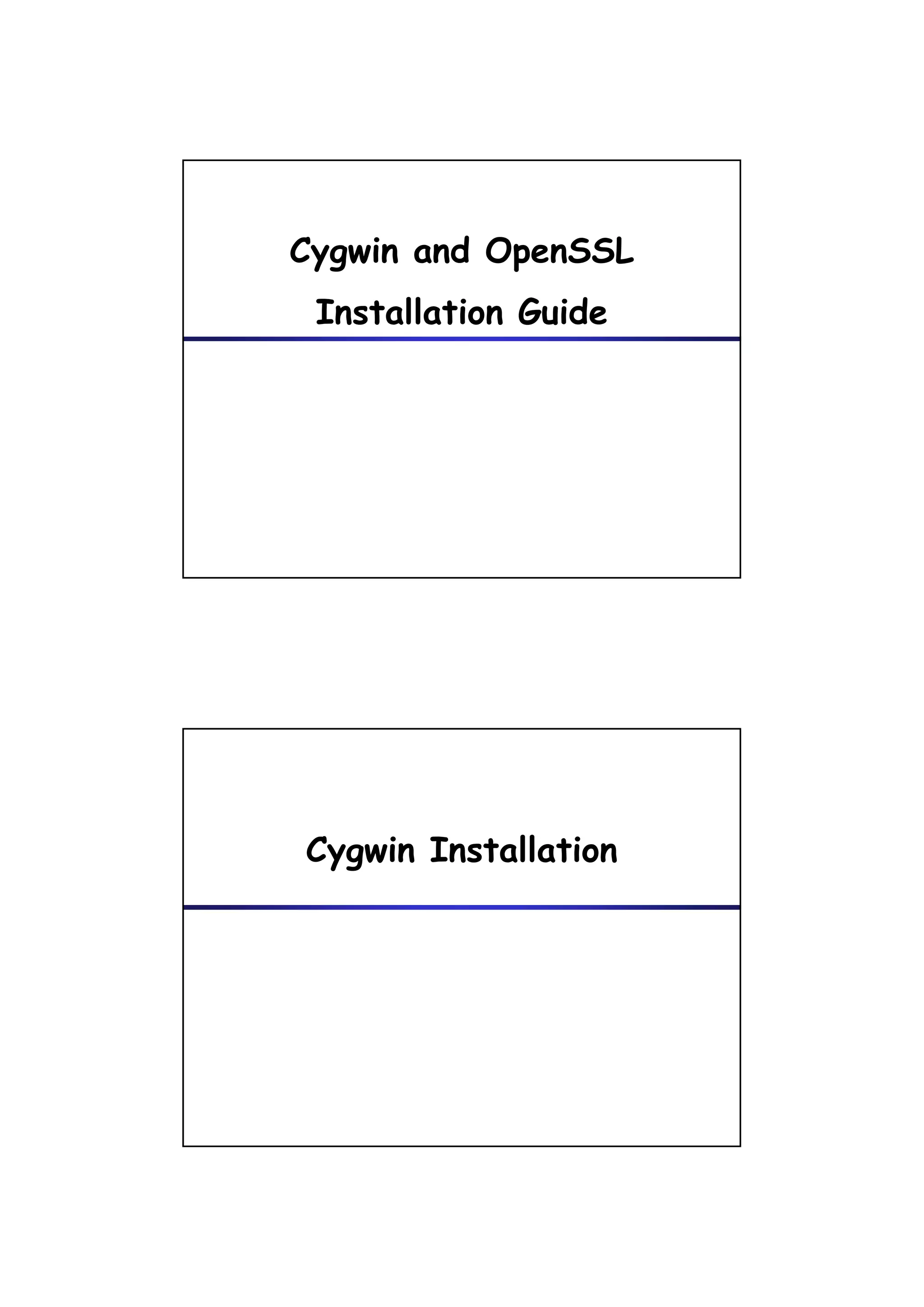
Cygwin Installation (1/13)


   1. Browse http://www.cygwin.com/
   2. Click the button “Install or update now! ”
   3. Click the button “Run”

                                                                4
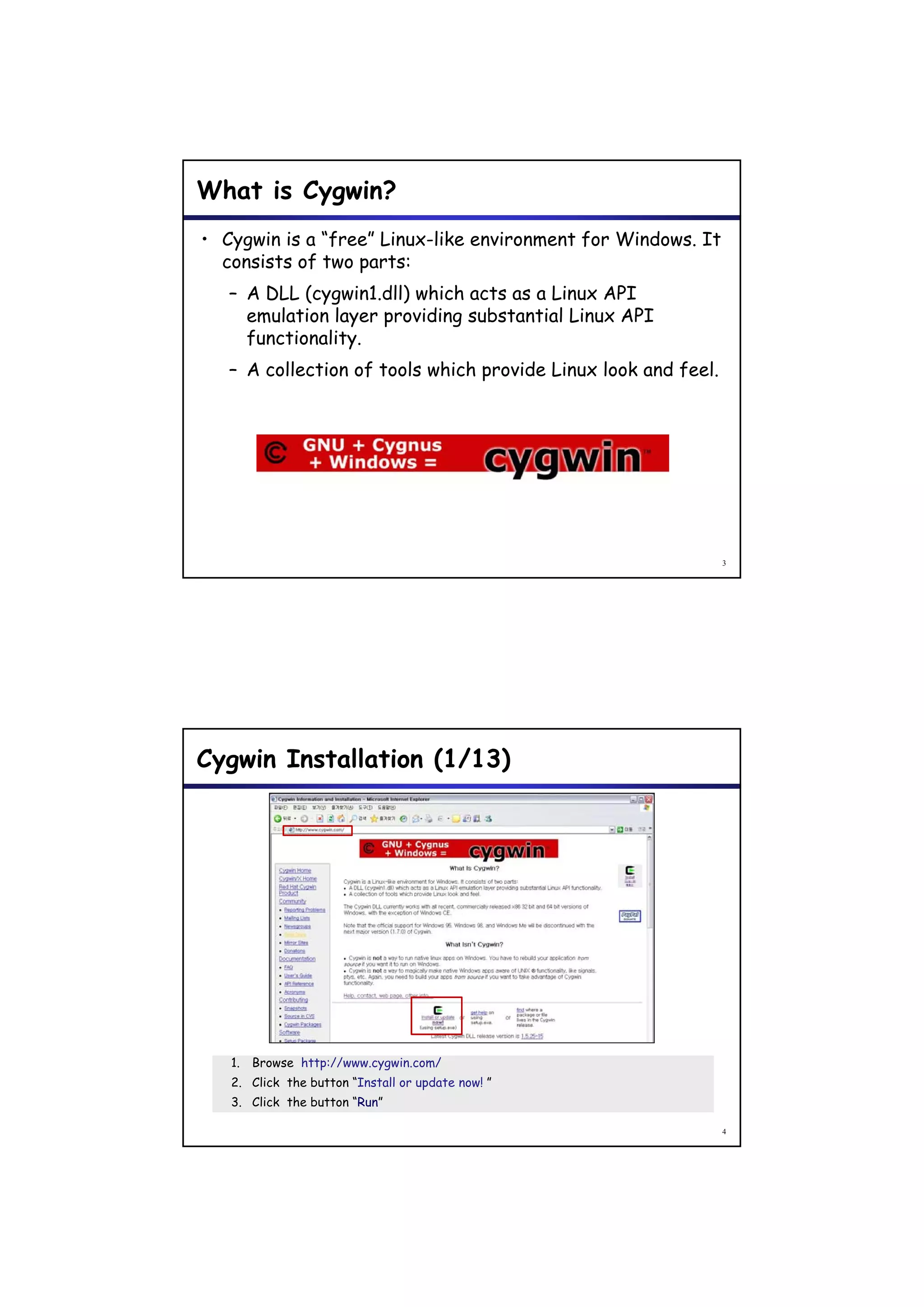
Cygwin Installation (2/13)


  Click the button “Next”.


                                                                     5


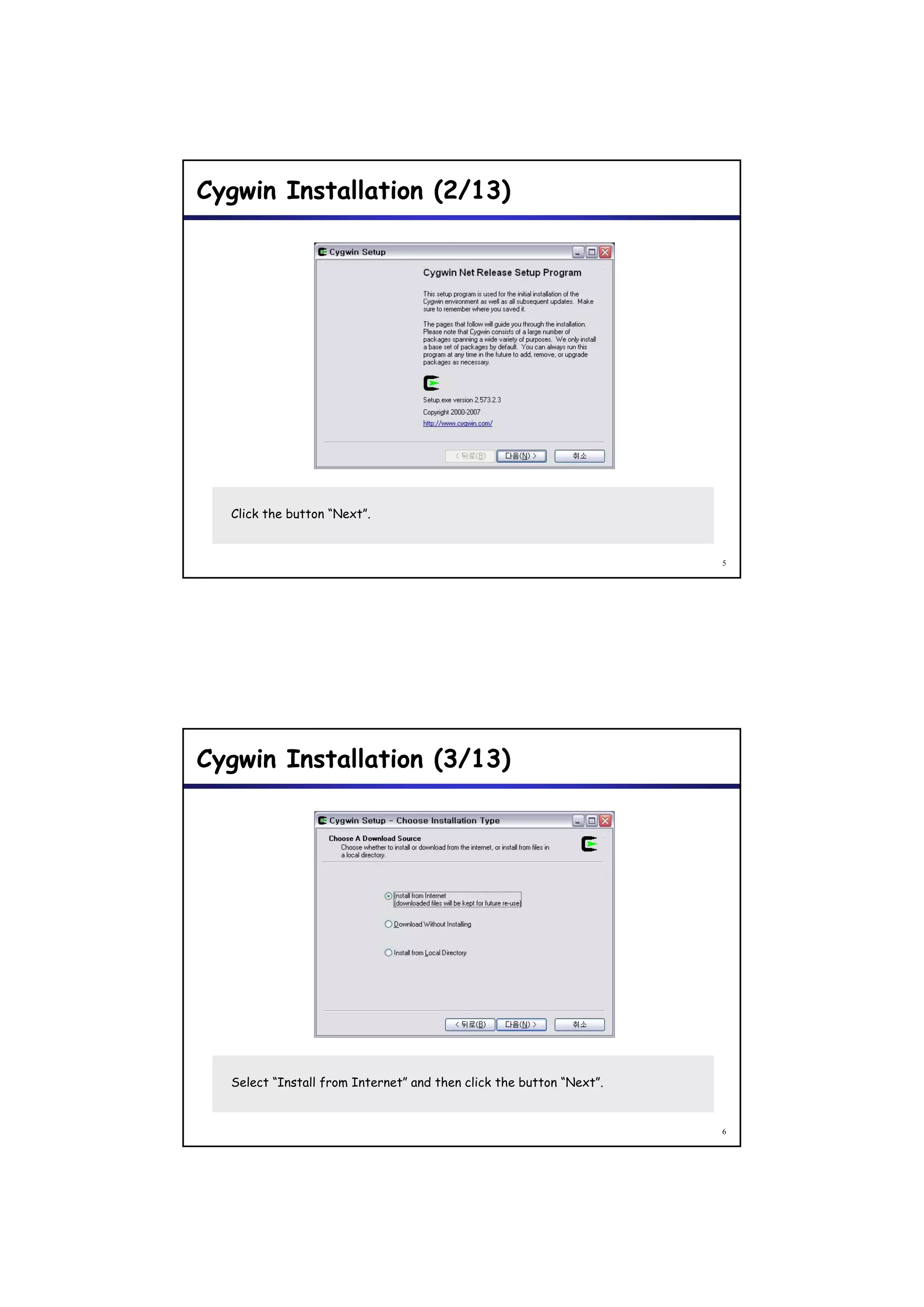
Cygwin Installation (3/13)


  Select “Install from Internet” and then click the button “Next”.


                                                                     6
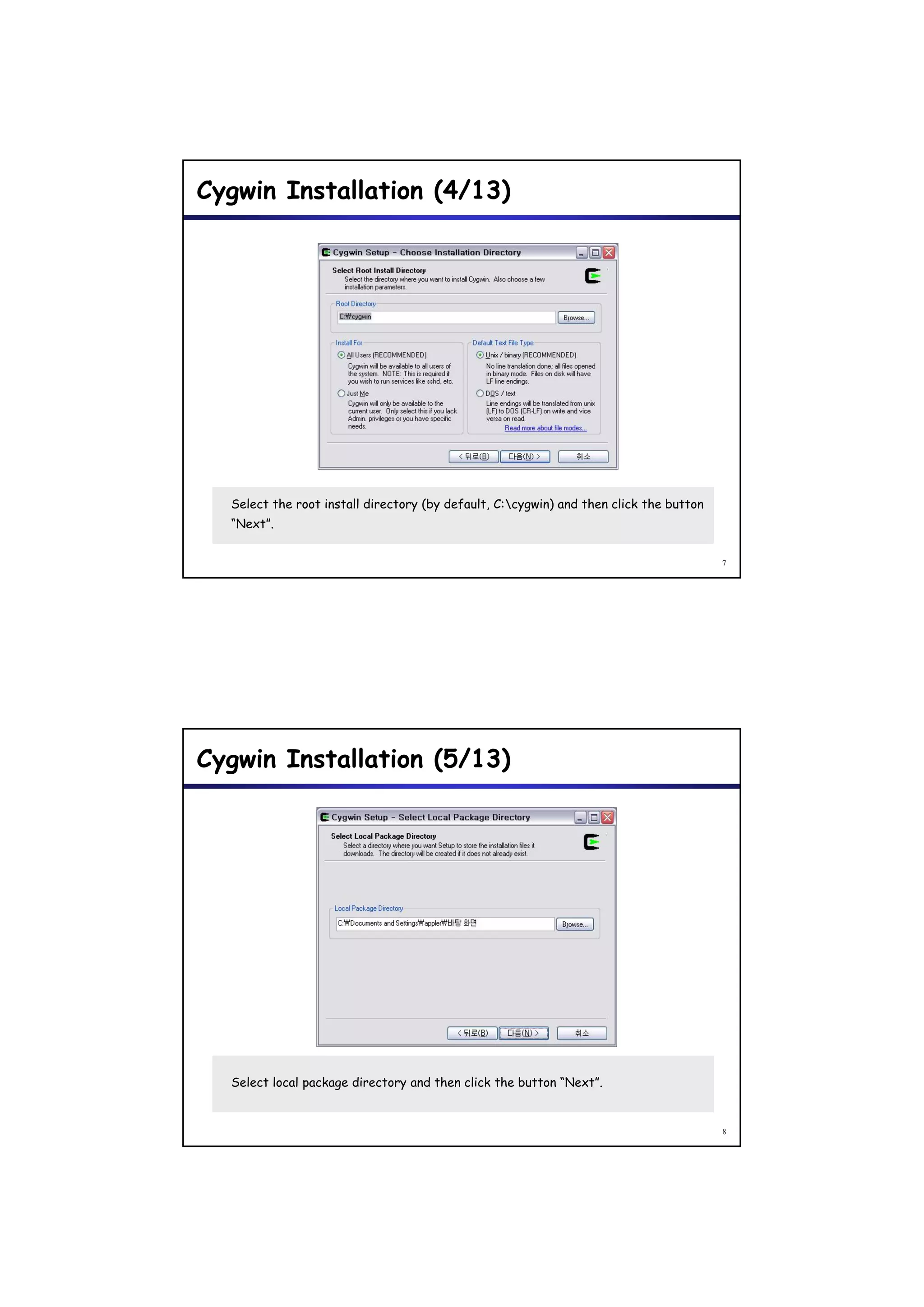
Cygwin Installation (4/13)


  Select the root install directory (by default, C:cygwin) and then click the button
  “Next”.


                                                                                        7


Cygwin Installation (5/13)


  Select local package directory and then click the button “Next”.


                                                                                        8
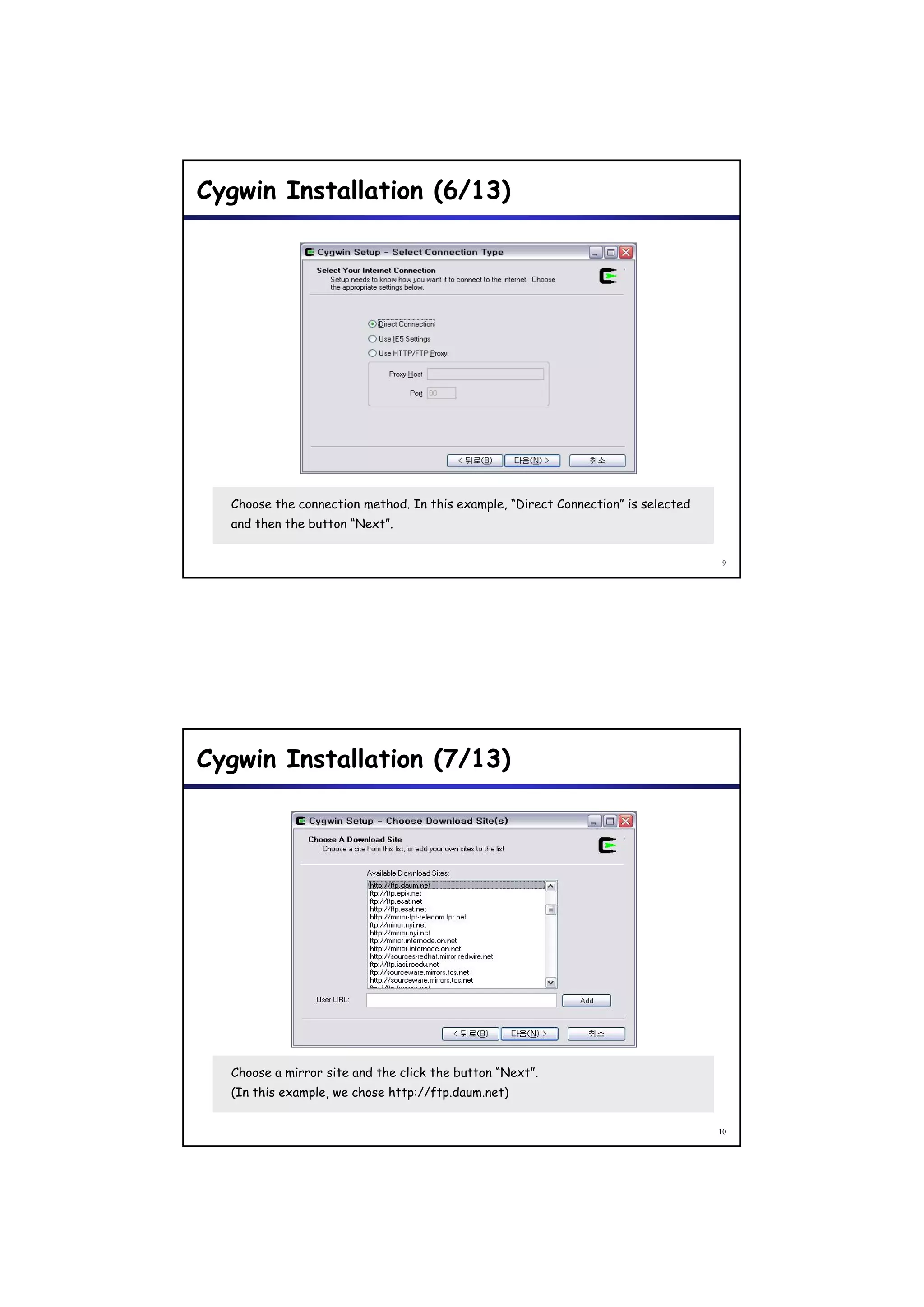
Cygwin Installation (6/13)


  Choose the connection method. In this example, “Direct Connection” is selected
  and then the button “Next”.


                                                                                    9


Cygwin Installation (7/13)


  Choose a mirror site and the click the button “Next”.
  (In this example, we chose http://ftp.daum.net)


                                                                                   10
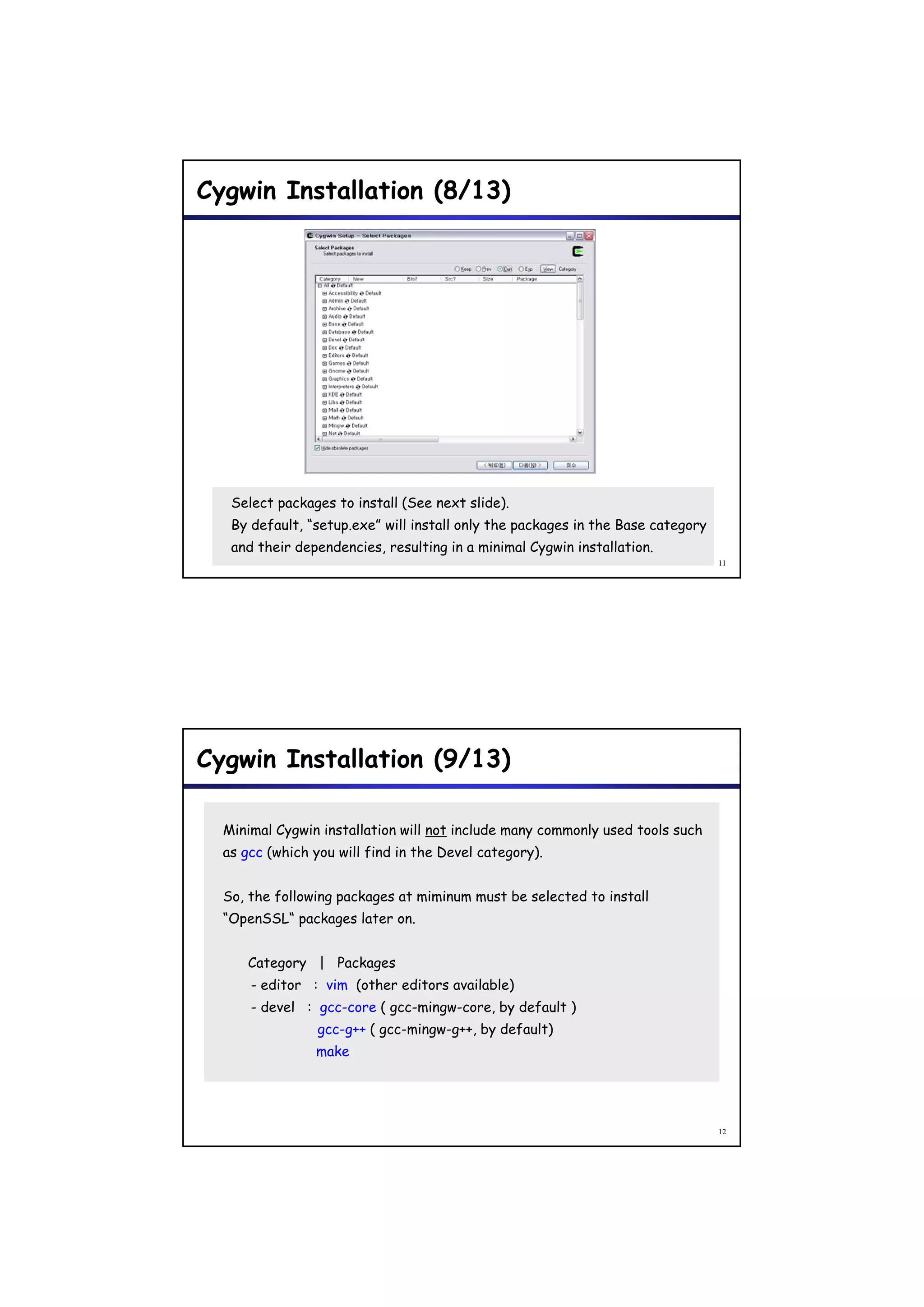
Cygwin Installation (8/13)


   Select packages to install (See next slide).
   By default, “setup.exe” will install only the packages in the Base category
   and their dependencies, resulting in a minimal Cygwin installation.
                                                                                 11


Cygwin Installation (9/13)

  Minimal Cygwin installation will not include many commonly used tools such
  as gcc (which you will find in the Devel category).


  So, the following packages at miminum must be selected to install
  “OpenSSL“ packages later on.


     Category | Packages
      - editor : vim (other editors available)
      - devel : gcc-core ( gcc-mingw-core by default )
                           gcc-mingw-core,
                 gcc-g++ ( gcc-mingw-g++, by default)
                make


                                                                                 12
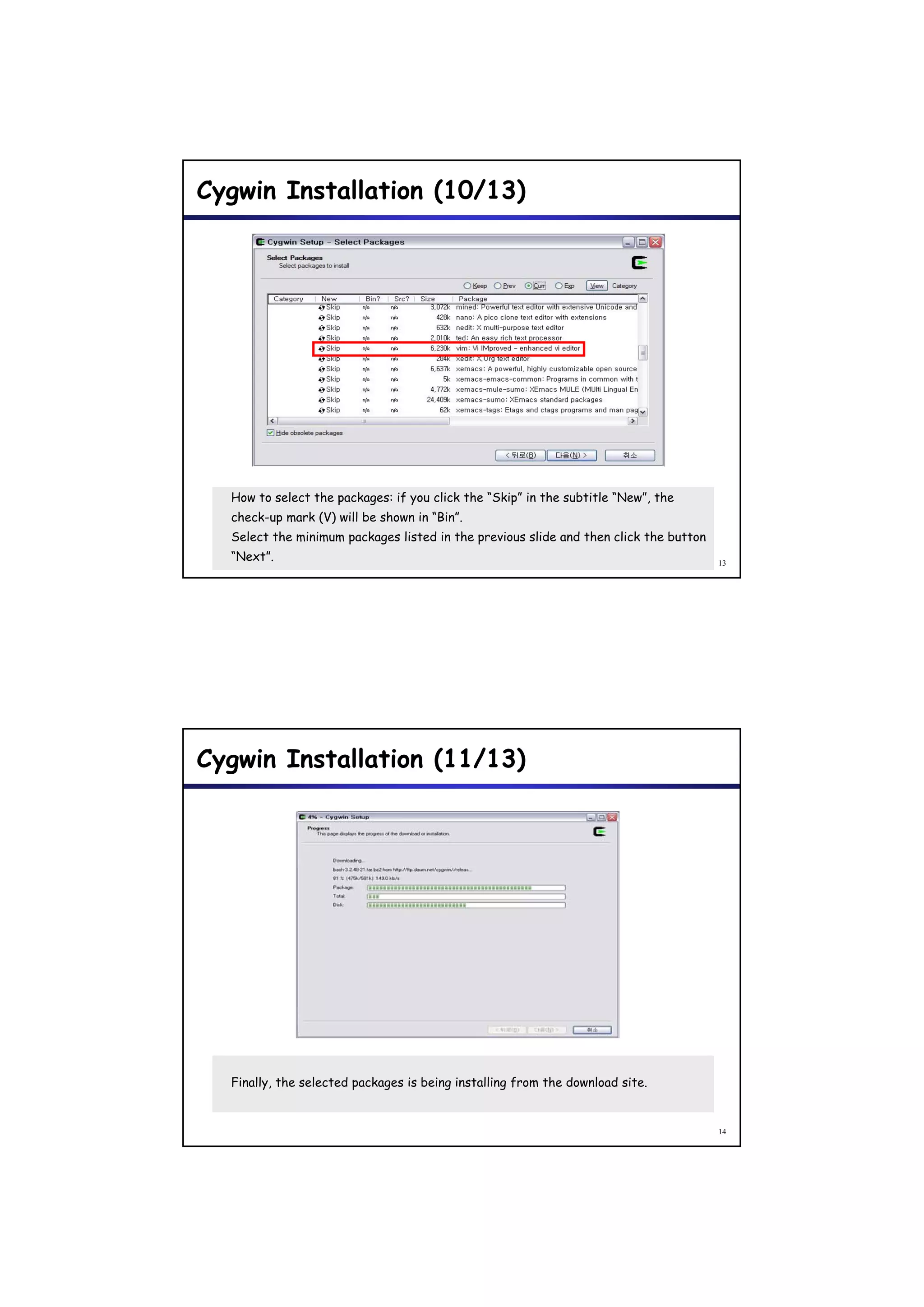
Cygwin Installation (10/13)


  How to select the packages: if you click the “Skip” in the subtitle “New”, the
  check-up mark (V) will be shown in “Bin”.
  Select the minimum packages listed in the previous slide and then click the button
  “Next”.                                                                              13


Cygwin Installation (11/13)


  Finally, the selected packages is being installing from the download site.


                                                                                       14
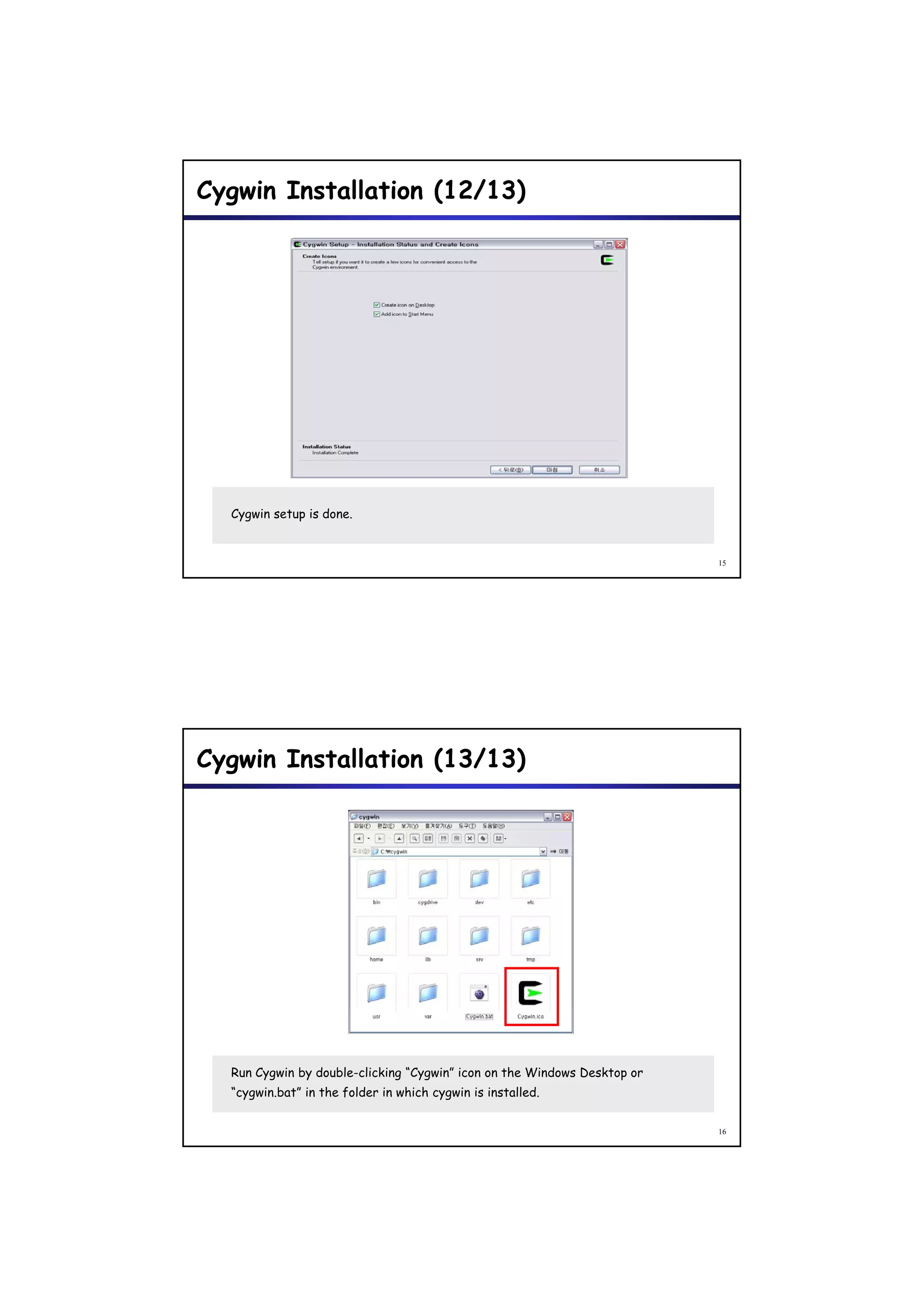
Cygwin Installation (12/13)


  Cygwin setup is done.


                                                                          15


Cygwin Installation (13/13)


  Run Cygwin by double-clicking “Cygwin” icon on the Windows Desktop or
  “cygwin.bat” in the folder in which cygwin is installed.


                                                                          16
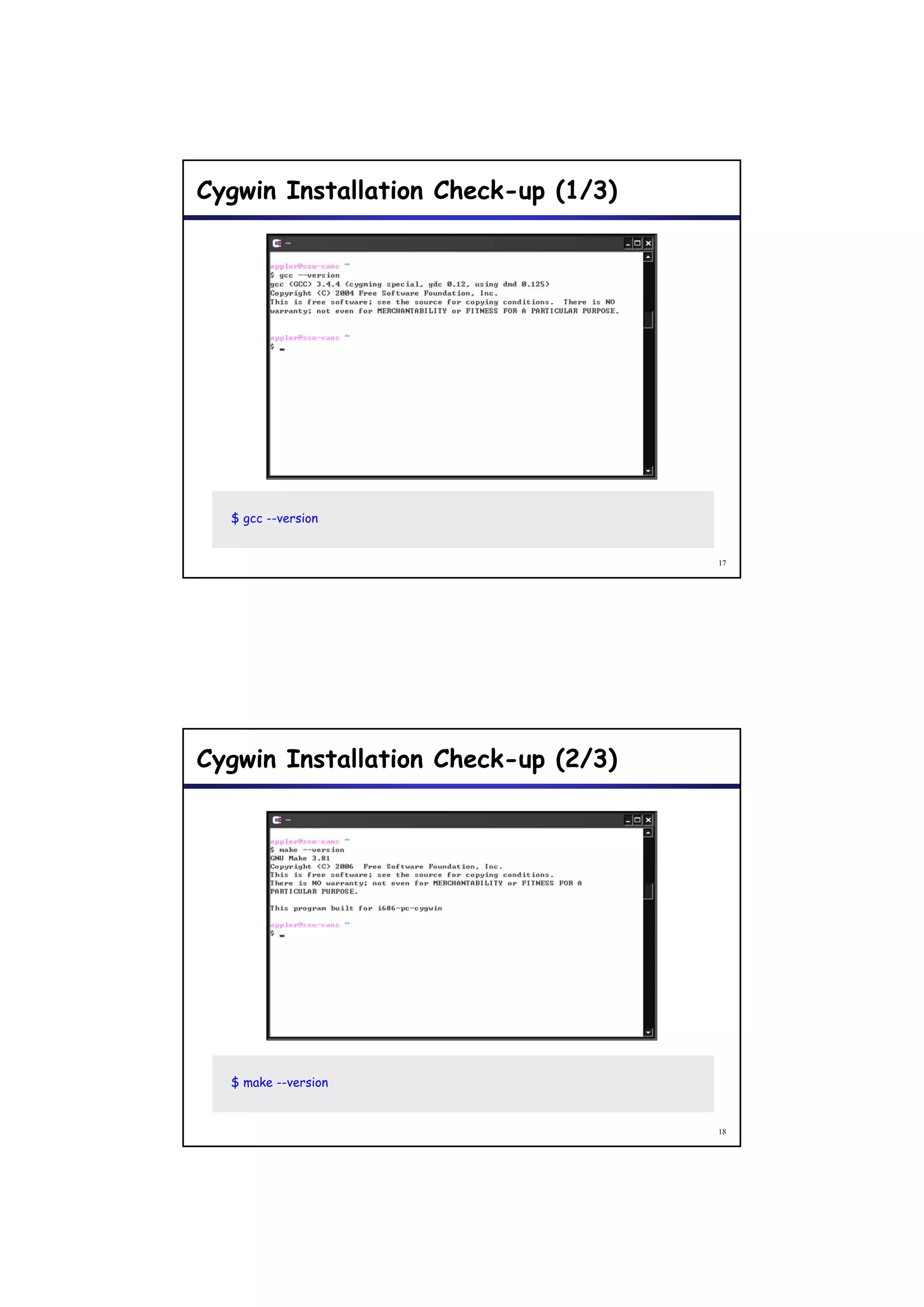
Cygwin Installation Check-up (1/3)


  $ gcc --version


                                     17


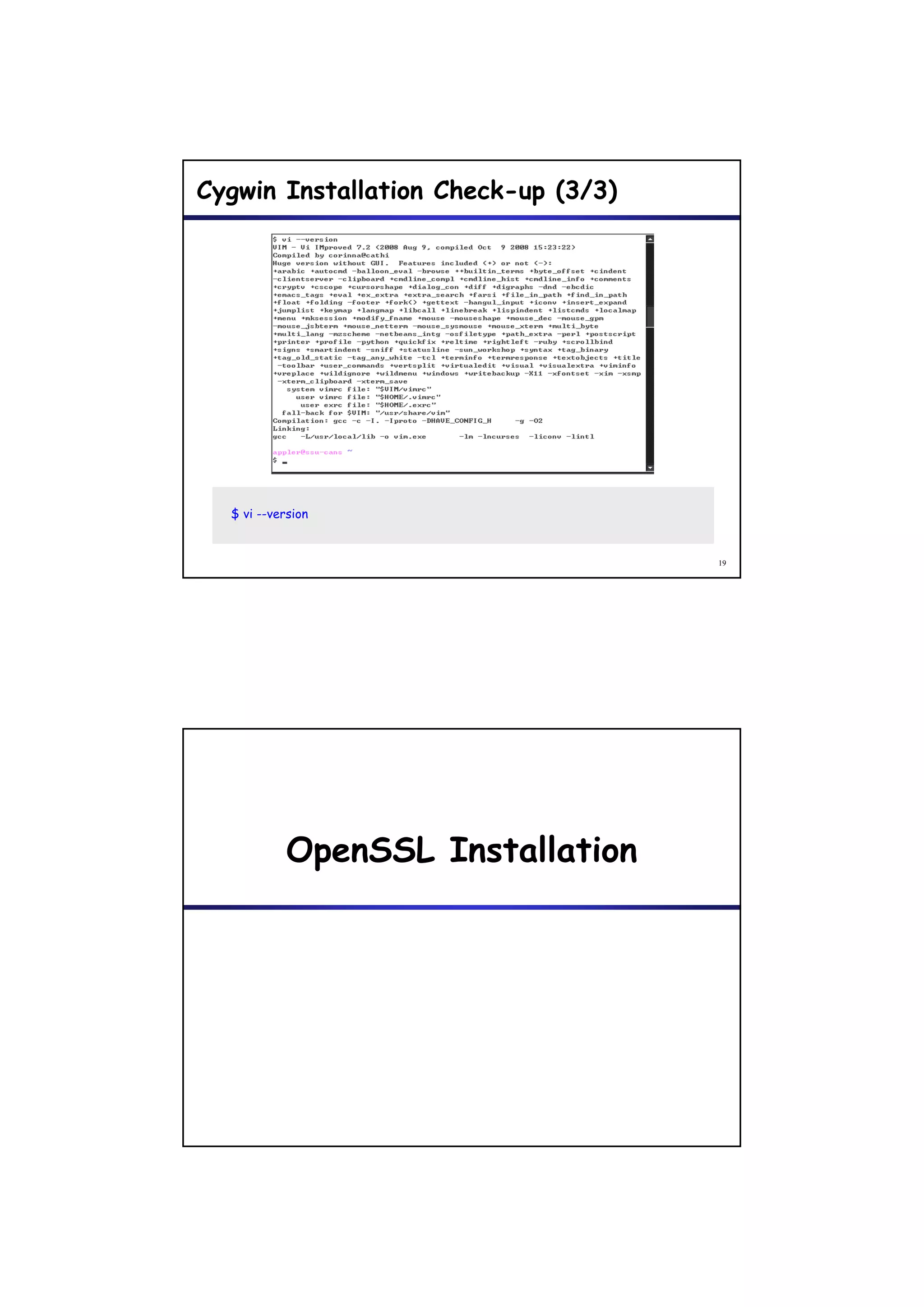
Cygwin Installation Check-up (2/3)


  $ make --version


                                     18
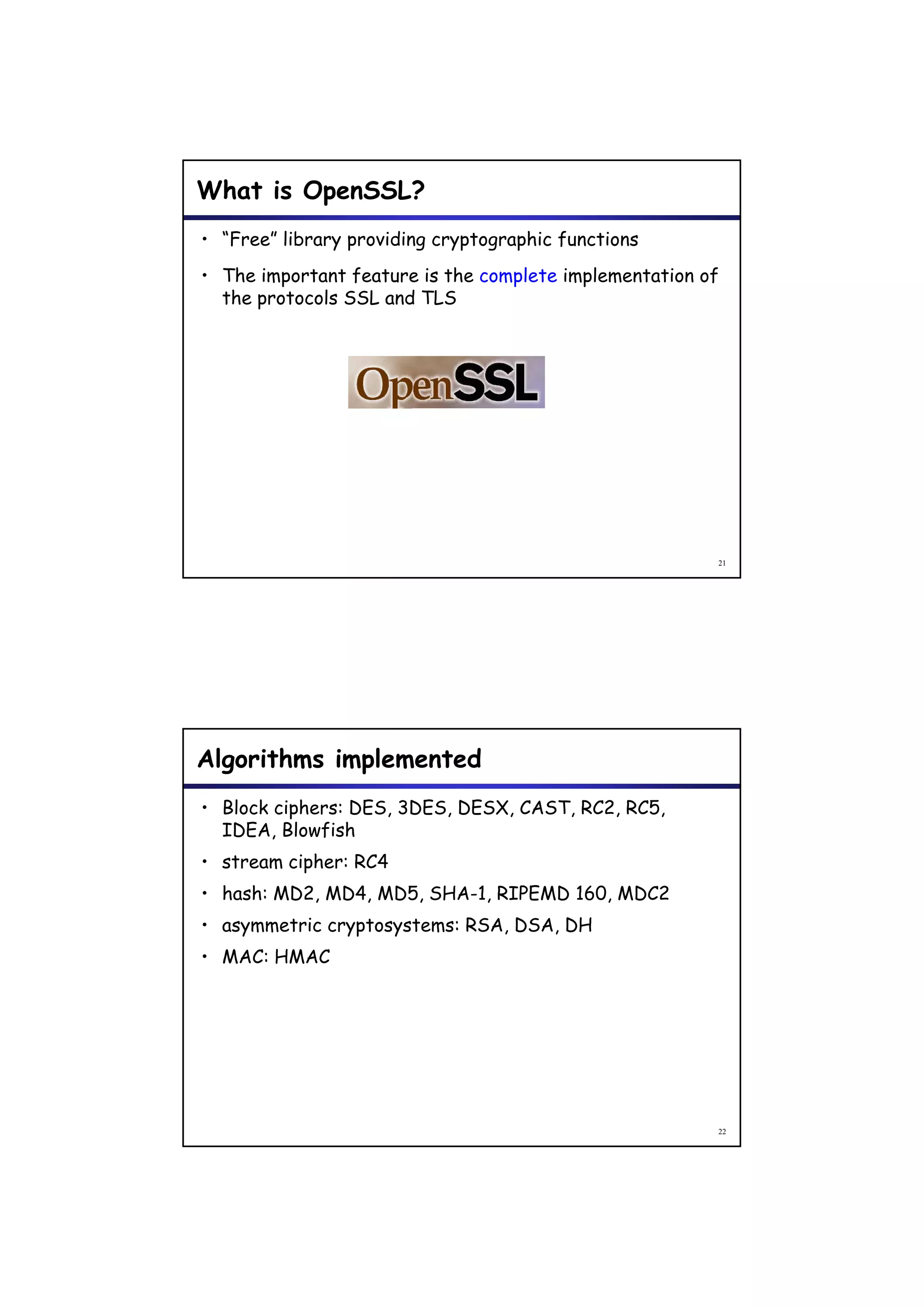
Cygwin Installation Check-up (3/3)


  $ vi --version


                                     19


            OpenSSL Installation
             p
What is OpenSSL?
• “Free” library providing cryptographic functions
• The important feature is the complete implementation of
  the protocols SSL and TLS


                                                        21


Algorithms implemented
• Block ciphers: DES, 3DES, DESX, CAST, RC2, RC5,
  IDEA, Blowfish
• stream cipher: RC4
         cipher
• hash: MD2, MD4, MD5, SHA-1, RIPEMD 160, MDC2
• asymmetric cryptosystems: RSA, DSA, DH
• MAC: HMAC


                                                        22
Standards implemented
• PKCS 1, PKCS 7, PKCS 8, PKCS10 and PKCS 12
• X509v3
• ASN 1 with DER encoding (n t complete)
  ASN.1 ith       nc din (not c mpl t )
• SSLv3 and TLSv1 (practically identical)


                                               23


OpenSSL Installation (1/8)


   1. Browse http://www.openssl.org/
   2. Click the button “Source ”.

                                               24
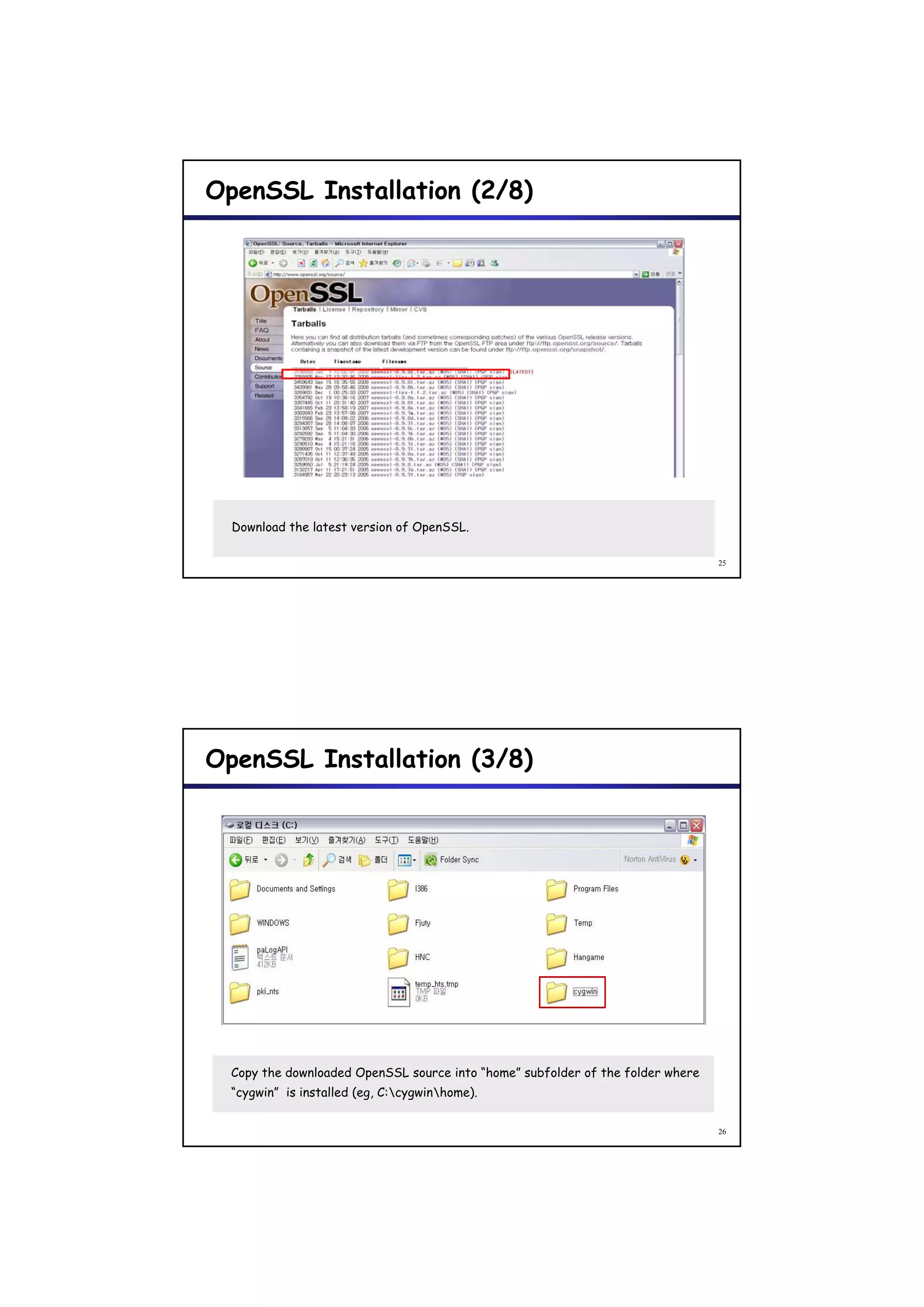
OpenSSL Installation (2/8)


  Download the latest version of OpenSSL.

                                                                                 25


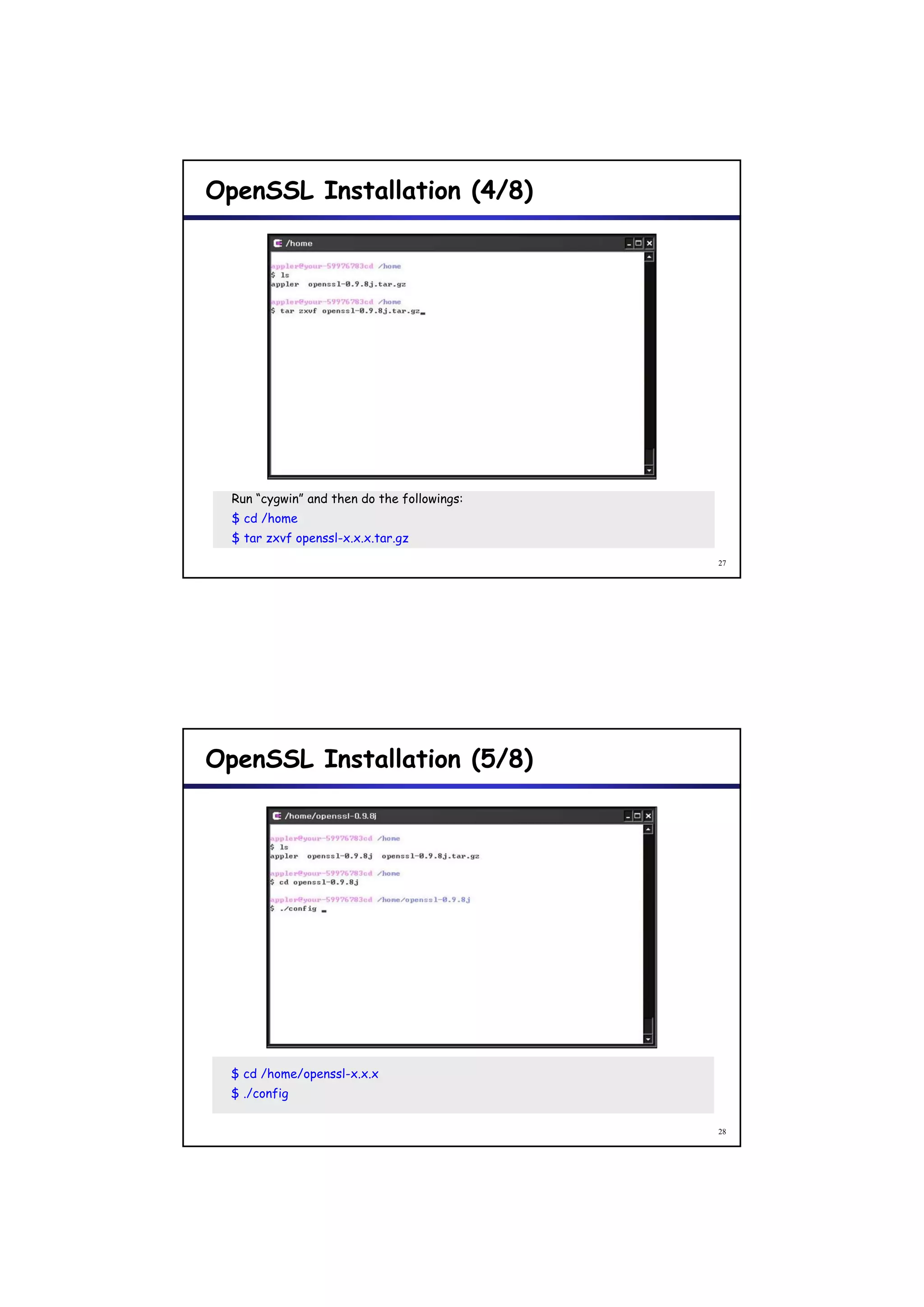
OpenSSL Installation (3/8)


  Copy the downloaded OpenSSL source into “home” subfolder of the folder where
  “cygwin” is installed (eg, C:cygwinhome).


                                                                                 26
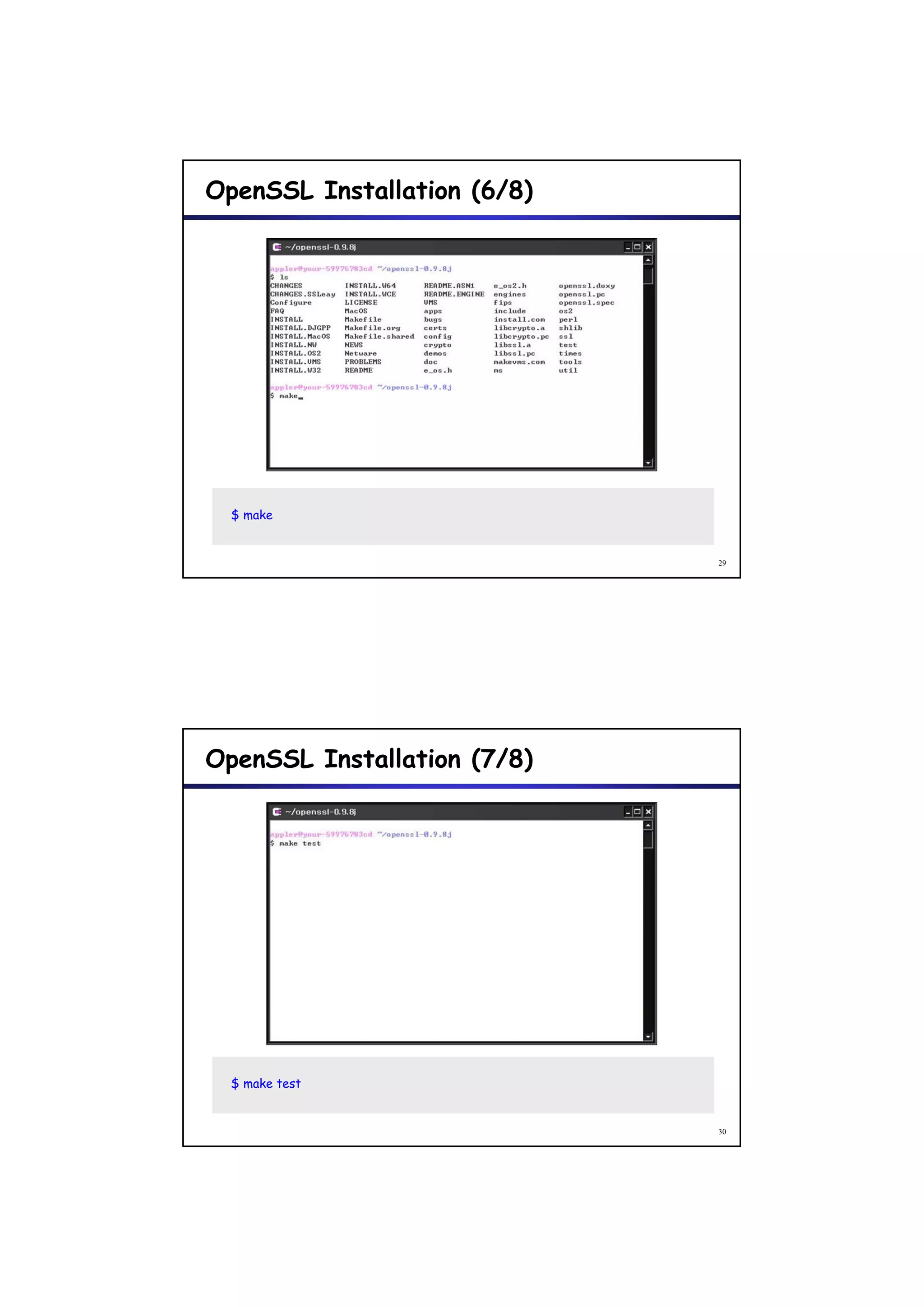
OpenSSL Installation (4/8)


  Run “cygwin” and then do the followings:
  $ cd /home
  $ tar zxvf openssl-x.x.x.tar.gz
                                             27


OpenSSL Installation (5/8)


  $ cd /home/openssl-x.x.x
  $ ./config

                                             28
OpenSSL Installation (6/8)


  $ make


                             29


OpenSSL Installation (7/8)


  $ make test


                             30
OpenSSL Installation (8/8)


  $ make install


                                                                       31


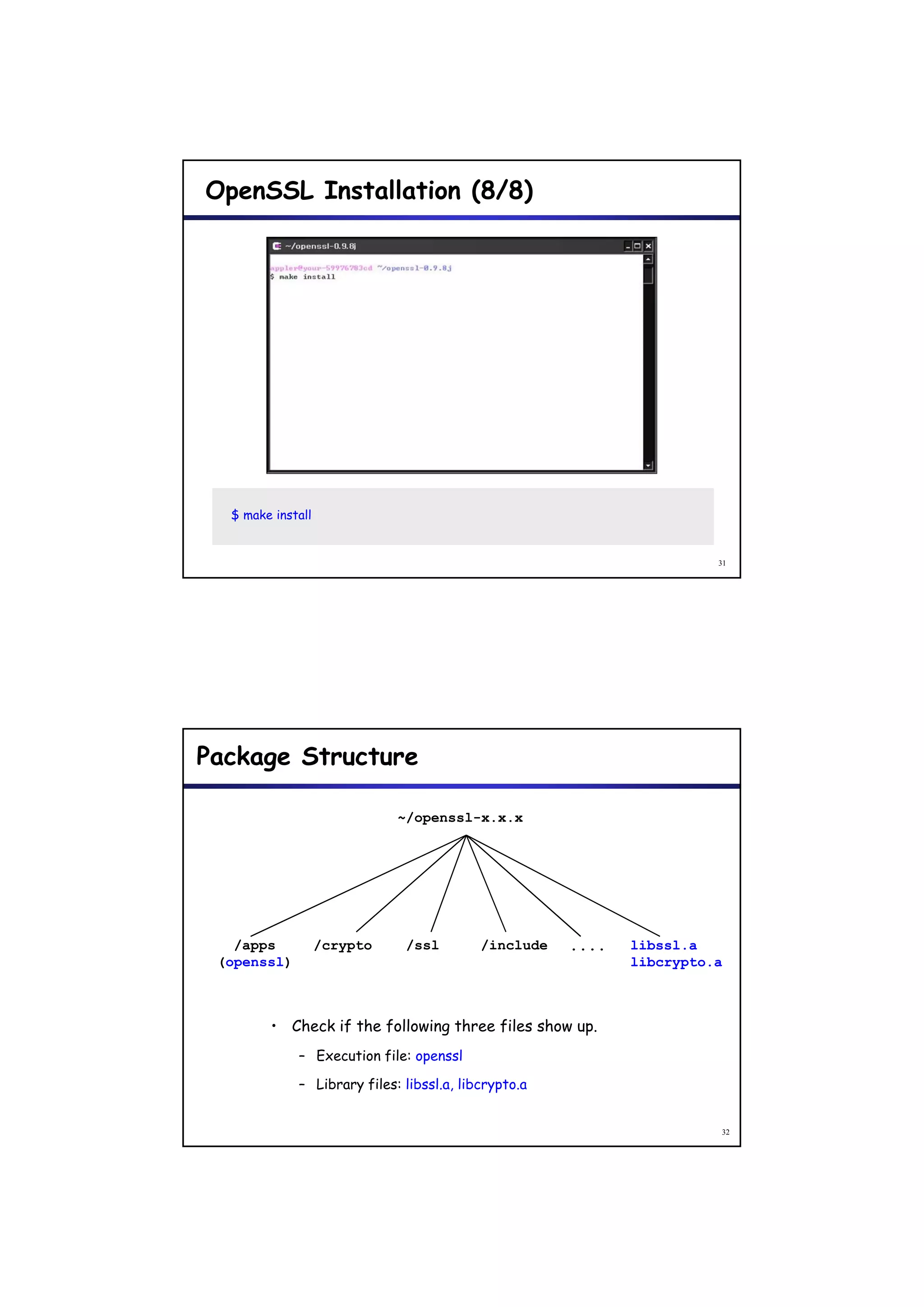
Package Structure

                             ~/openssl-x.x.x


   /apps           /crypto    /ssl         /include   ....   libssl.a
 (openssl)                                                   libcrypto.a


        • Check if the following three files show up.
             – Execution file: openssl

             – Library files: libssl.a, libcrypto.a


                                                                       32

Cygwin+and+open ssl+install+guide

  • 1.
    Cygwin and OpenSSL Installation G id I ll i Guide Cygwin Installation yg
  • 2.
    What is Cygwin? •Cygwin is a “free” Linux-like environment for Windows. It consists of two parts: – A DLL (cygwin1.dll) which acts as a Linux API emulation layer providing substantial Linux API functionality. – A collection of tools which provide Linux look and feel. 3 Cygwin Installation (1/13) 1. Browse http://www.cygwin.com/ 2. Click the button “Install or update now! ” 3. Click the button “Run” 4
  • 3.
    Cygwin Installation (2/13) Click the button “Next”. 5 Cygwin Installation (3/13) Select “Install from Internet” and then click the button “Next”. 6
  • 4.
    Cygwin Installation (4/13) Select the root install directory (by default, C:cygwin) and then click the button “Next”. 7 Cygwin Installation (5/13) Select local package directory and then click the button “Next”. 8
  • 5.
    Cygwin Installation (6/13) Choose the connection method. In this example, “Direct Connection” is selected and then the button “Next”. 9 Cygwin Installation (7/13) Choose a mirror site and the click the button “Next”. (In this example, we chose http://ftp.daum.net) 10
  • 6.
    Cygwin Installation (8/13) Select packages to install (See next slide). By default, “setup.exe” will install only the packages in the Base category and their dependencies, resulting in a minimal Cygwin installation. 11 Cygwin Installation (9/13) Minimal Cygwin installation will not include many commonly used tools such as gcc (which you will find in the Devel category). So, the following packages at miminum must be selected to install “OpenSSL“ packages later on. Category | Packages - editor : vim (other editors available) - devel : gcc-core ( gcc-mingw-core by default ) gcc-mingw-core, gcc-g++ ( gcc-mingw-g++, by default) make 12
  • 7.
    Cygwin Installation (10/13) How to select the packages: if you click the “Skip” in the subtitle “New”, the check-up mark (V) will be shown in “Bin”. Select the minimum packages listed in the previous slide and then click the button “Next”. 13 Cygwin Installation (11/13) Finally, the selected packages is being installing from the download site. 14
  • 8.
    Cygwin Installation (12/13) Cygwin setup is done. 15 Cygwin Installation (13/13) Run Cygwin by double-clicking “Cygwin” icon on the Windows Desktop or “cygwin.bat” in the folder in which cygwin is installed. 16
  • 9.
    Cygwin Installation Check-up(1/3) $ gcc --version 17 Cygwin Installation Check-up (2/3) $ make --version 18
  • 10.
    Cygwin Installation Check-up(3/3) $ vi --version 19 OpenSSL Installation p
  • 11.
    What is OpenSSL? •“Free” library providing cryptographic functions • The important feature is the complete implementation of the protocols SSL and TLS 21 Algorithms implemented • Block ciphers: DES, 3DES, DESX, CAST, RC2, RC5, IDEA, Blowfish • stream cipher: RC4 cipher • hash: MD2, MD4, MD5, SHA-1, RIPEMD 160, MDC2 • asymmetric cryptosystems: RSA, DSA, DH • MAC: HMAC 22
  • 12.
    Standards implemented • PKCS1, PKCS 7, PKCS 8, PKCS10 and PKCS 12 • X509v3 • ASN 1 with DER encoding (n t complete) ASN.1 ith nc din (not c mpl t ) • SSLv3 and TLSv1 (practically identical) 23 OpenSSL Installation (1/8) 1. Browse http://www.openssl.org/ 2. Click the button “Source ”. 24
  • 13.
    OpenSSL Installation (2/8) Download the latest version of OpenSSL. 25 OpenSSL Installation (3/8) Copy the downloaded OpenSSL source into “home” subfolder of the folder where “cygwin” is installed (eg, C:cygwinhome). 26
  • 14.
    OpenSSL Installation (4/8) Run “cygwin” and then do the followings: $ cd /home $ tar zxvf openssl-x.x.x.tar.gz 27 OpenSSL Installation (5/8) $ cd /home/openssl-x.x.x $ ./config 28
  • 15.
    OpenSSL Installation (6/8) $ make 29 OpenSSL Installation (7/8) $ make test 30
  • 16.
    OpenSSL Installation (8/8) $ make install 31 Package Structure ~/openssl-x.x.x /apps /crypto /ssl /include .... libssl.a (openssl) libcrypto.a • Check if the following three files show up. – Execution file: openssl – Library files: libssl.a, libcrypto.a 32