

SharePoint MVP
www.aymanelhattab.com
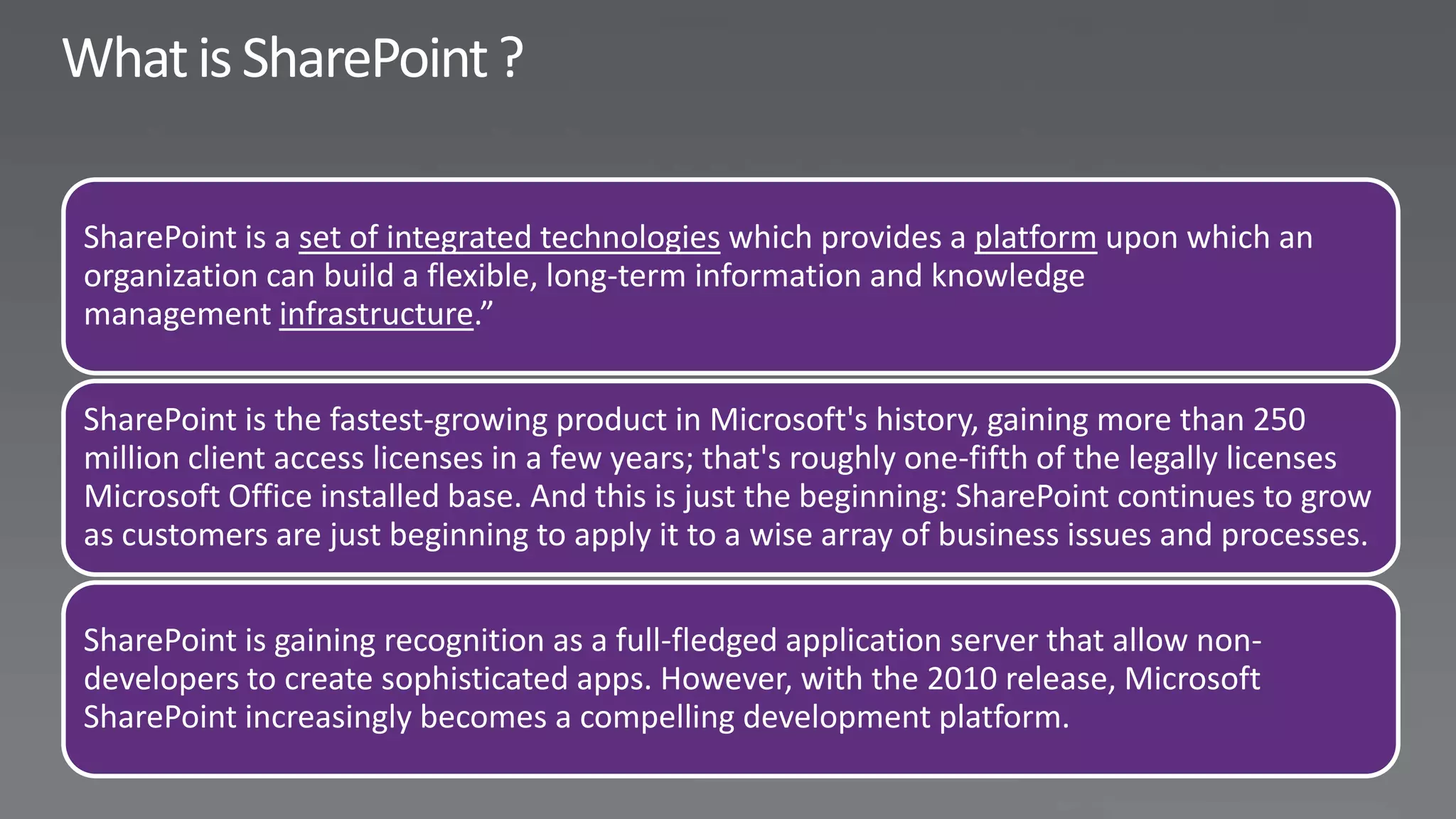
SharePoint is a set of integrated technologies which provides a platform upon which an
organization can build a flexible, long-term information and knowledge
management infrastructure.”


SharePoint is the fastest-growing product in Microsoft's history, gaining more than 250
million client access licenses in a few years; that's roughly one-fifth of the legally licenses
Microsoft Office installed base. And this is just the beginning: SharePoint continues to grow
as customers are just beginning to apply it to a wise array of business issues and processes.


SharePoint is gaining recognition as a full-fledged application server that allow non-
developers to create sophisticated apps. However, with the 2010 release, Microsoft
SharePoint increasingly becomes a compelling development platform.
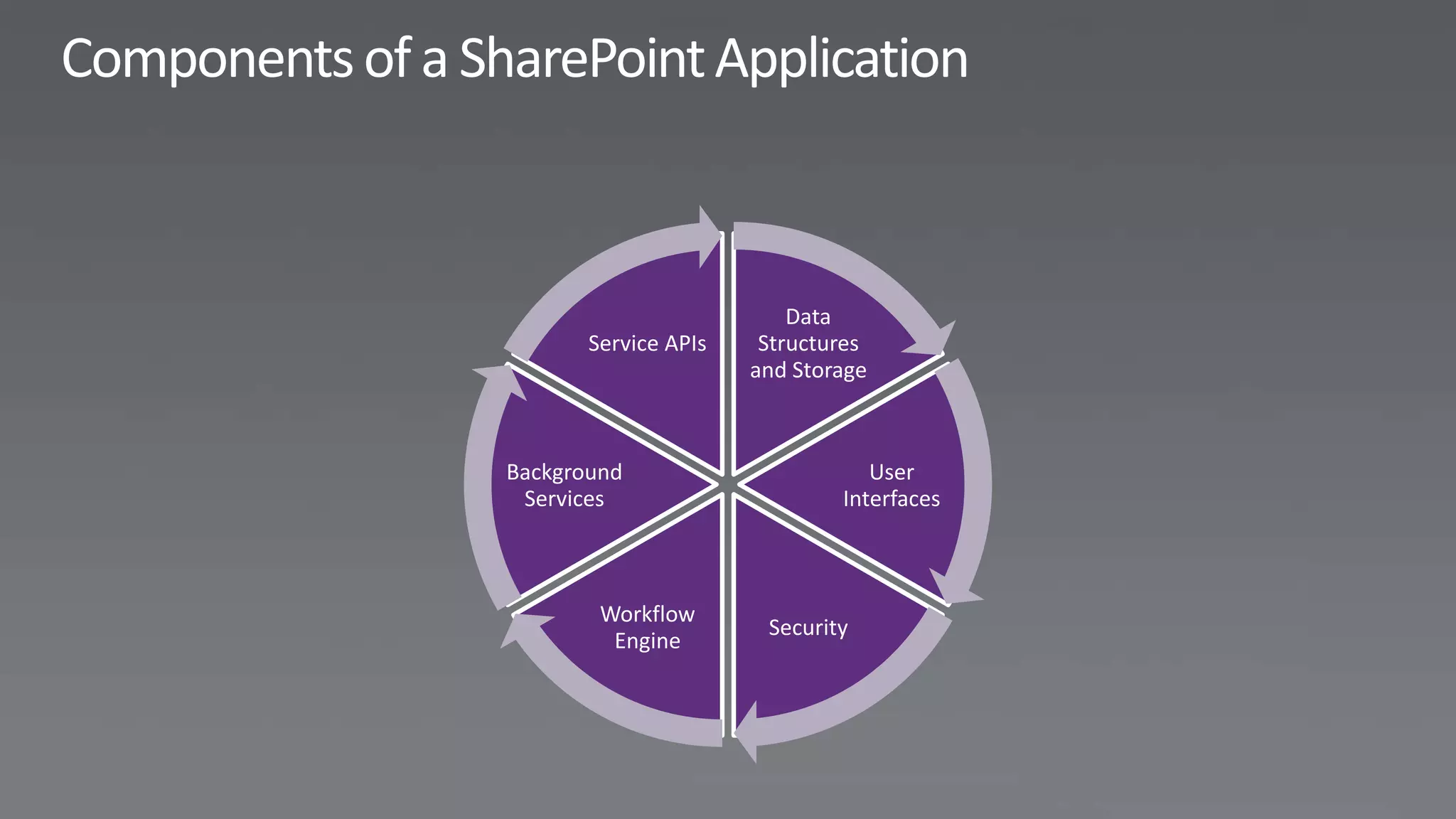
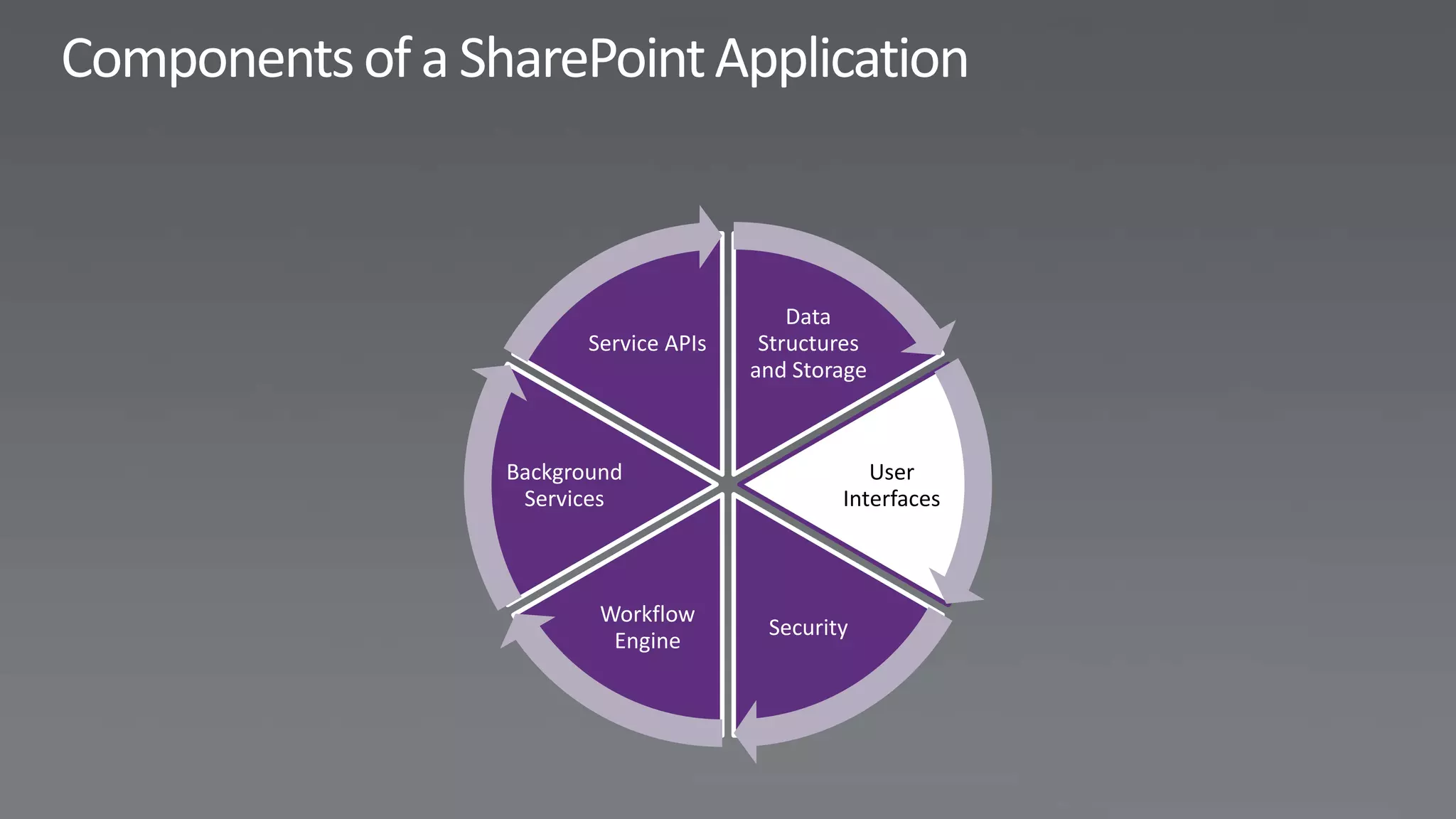
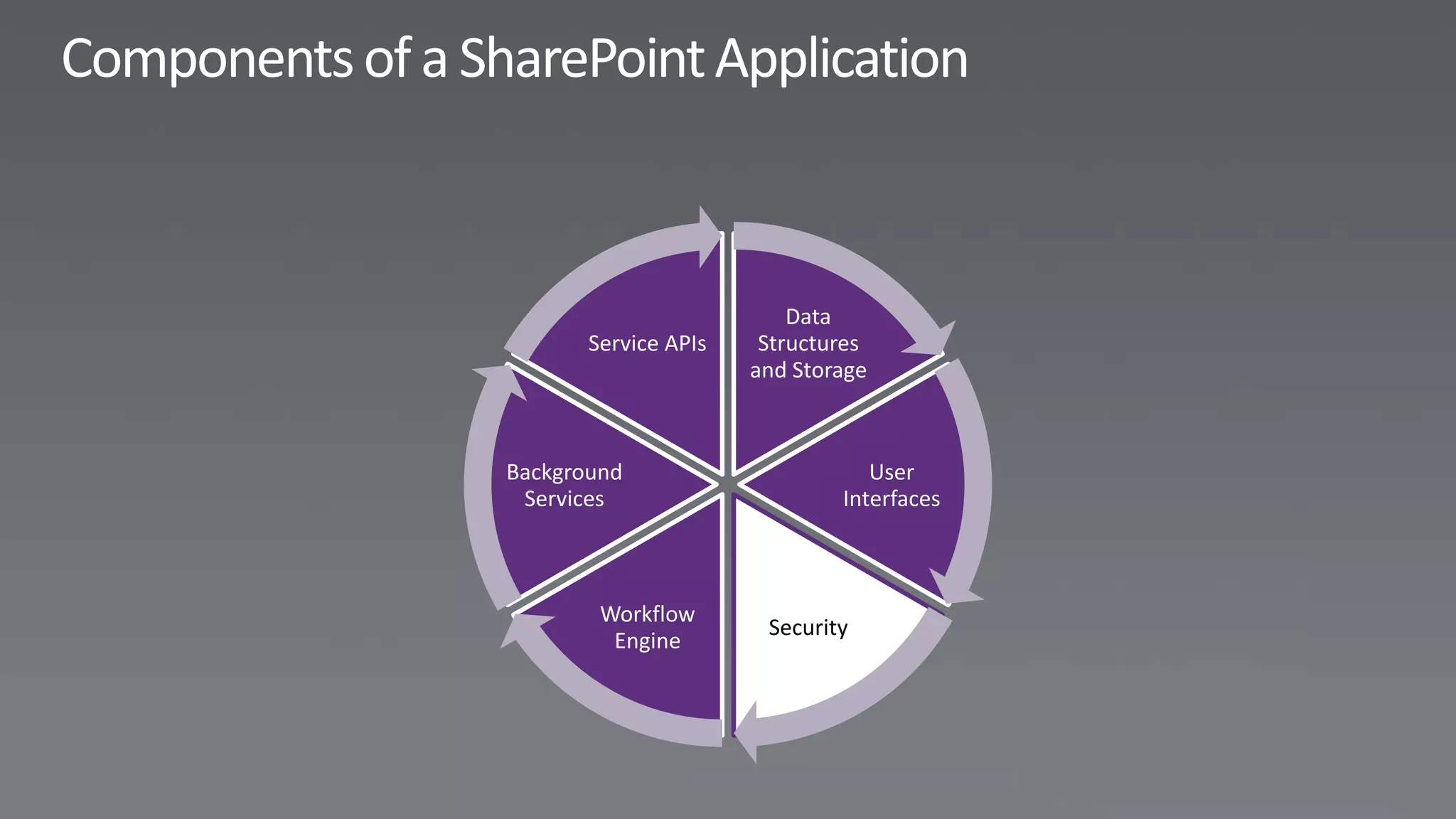
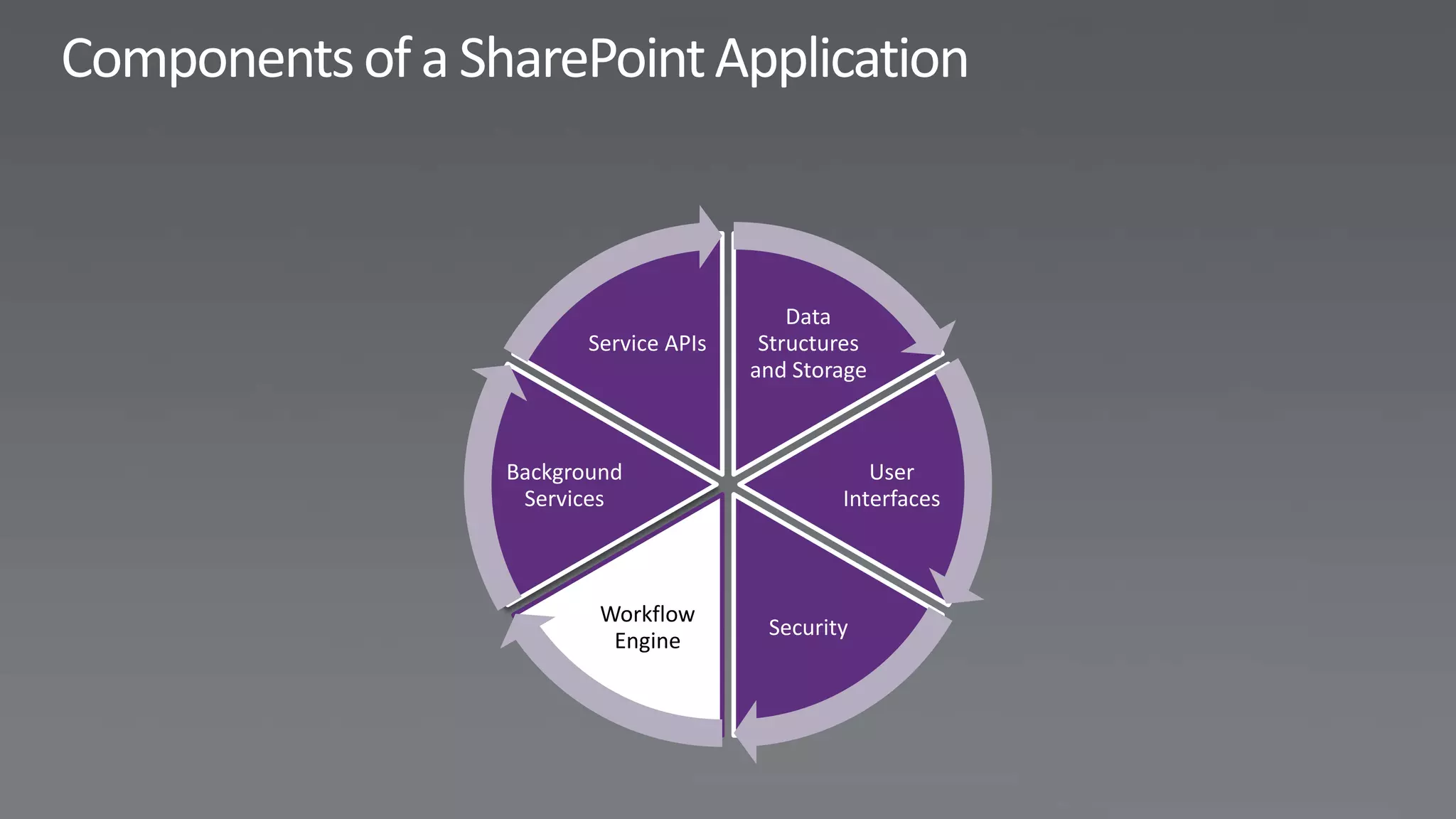
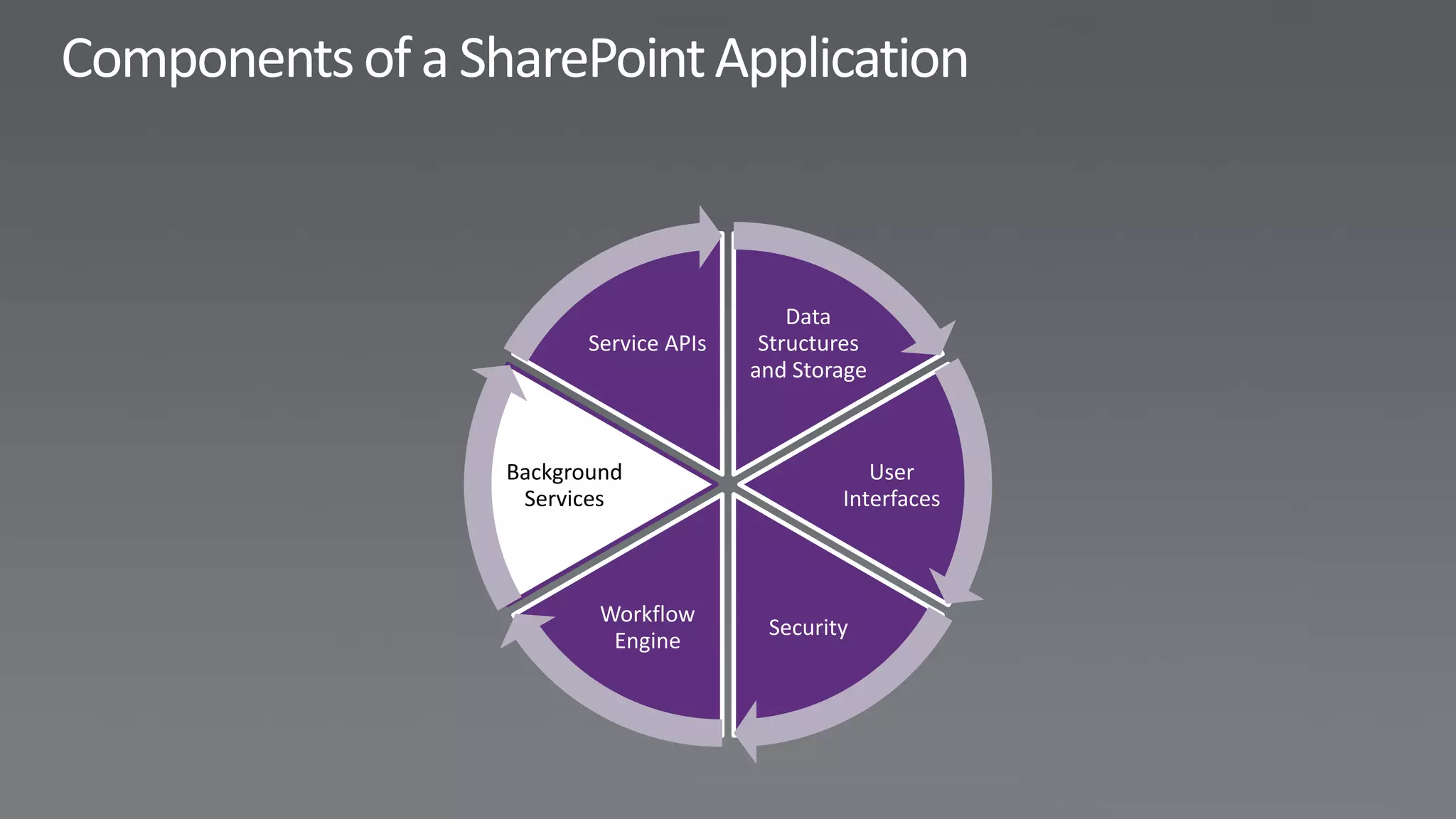
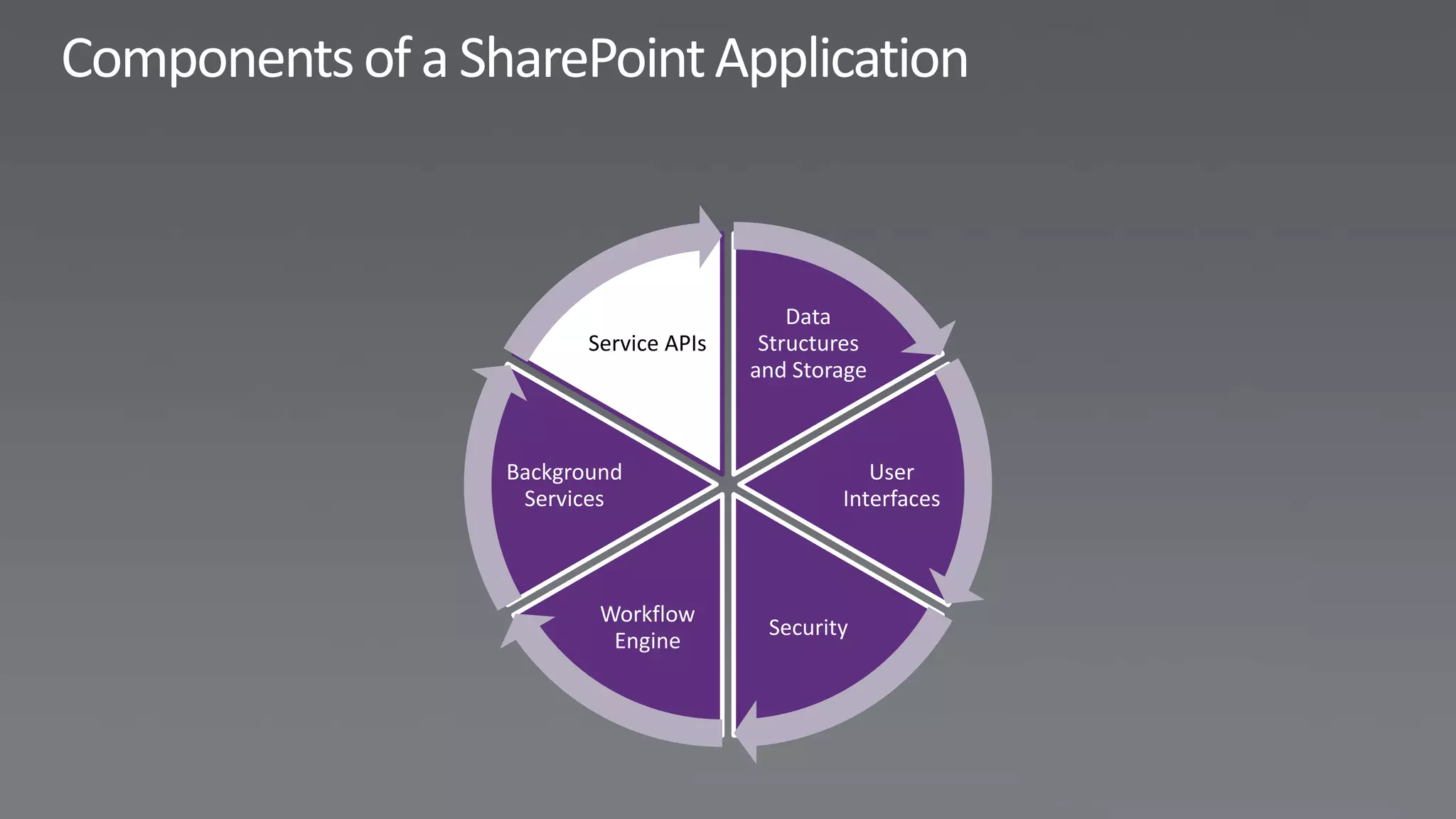
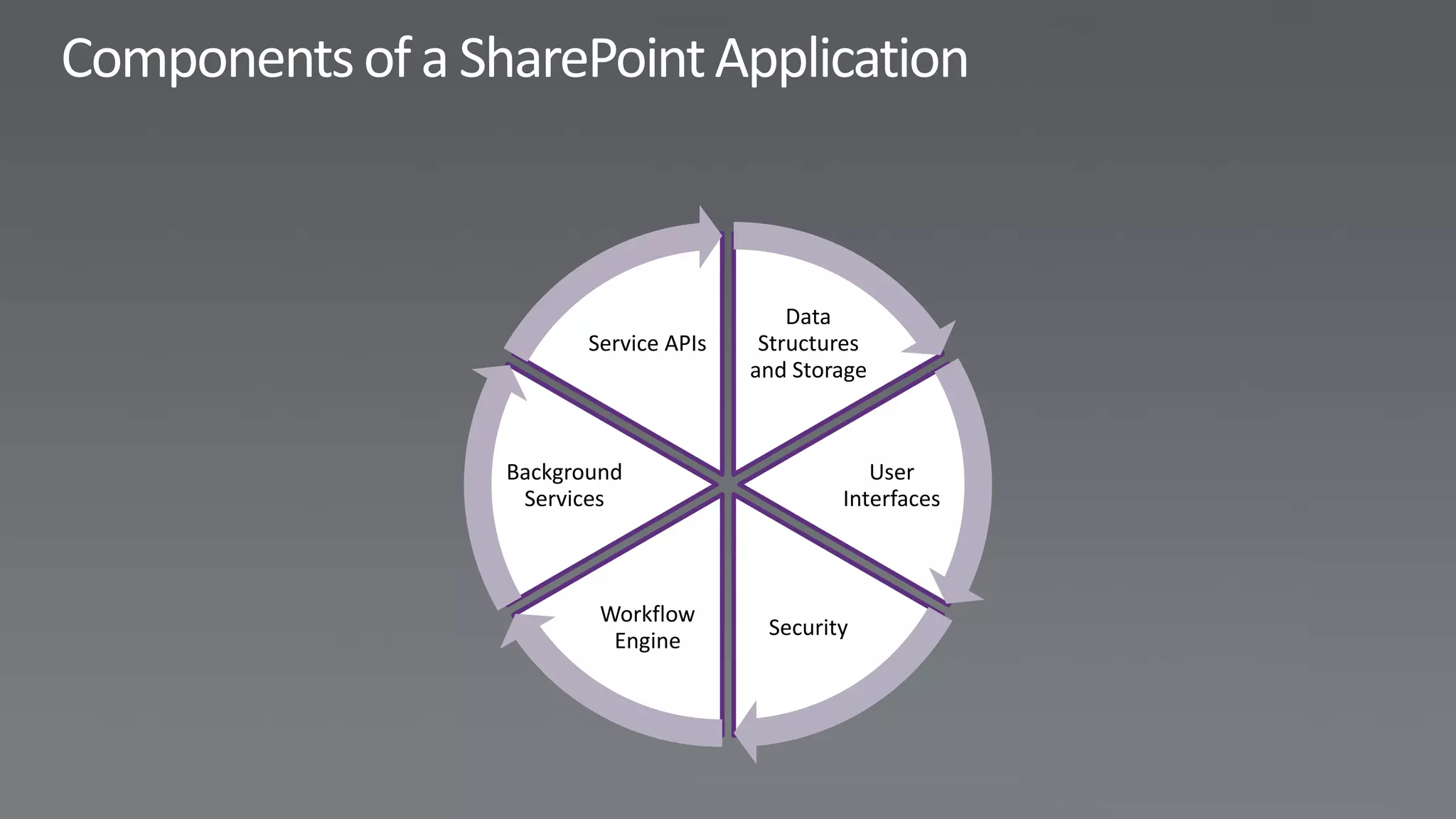
Data
       Service APIs    Structures
                      and Storage


Background                       User
 Services                     Interfaces


        Workflow
                       Security
         Engine
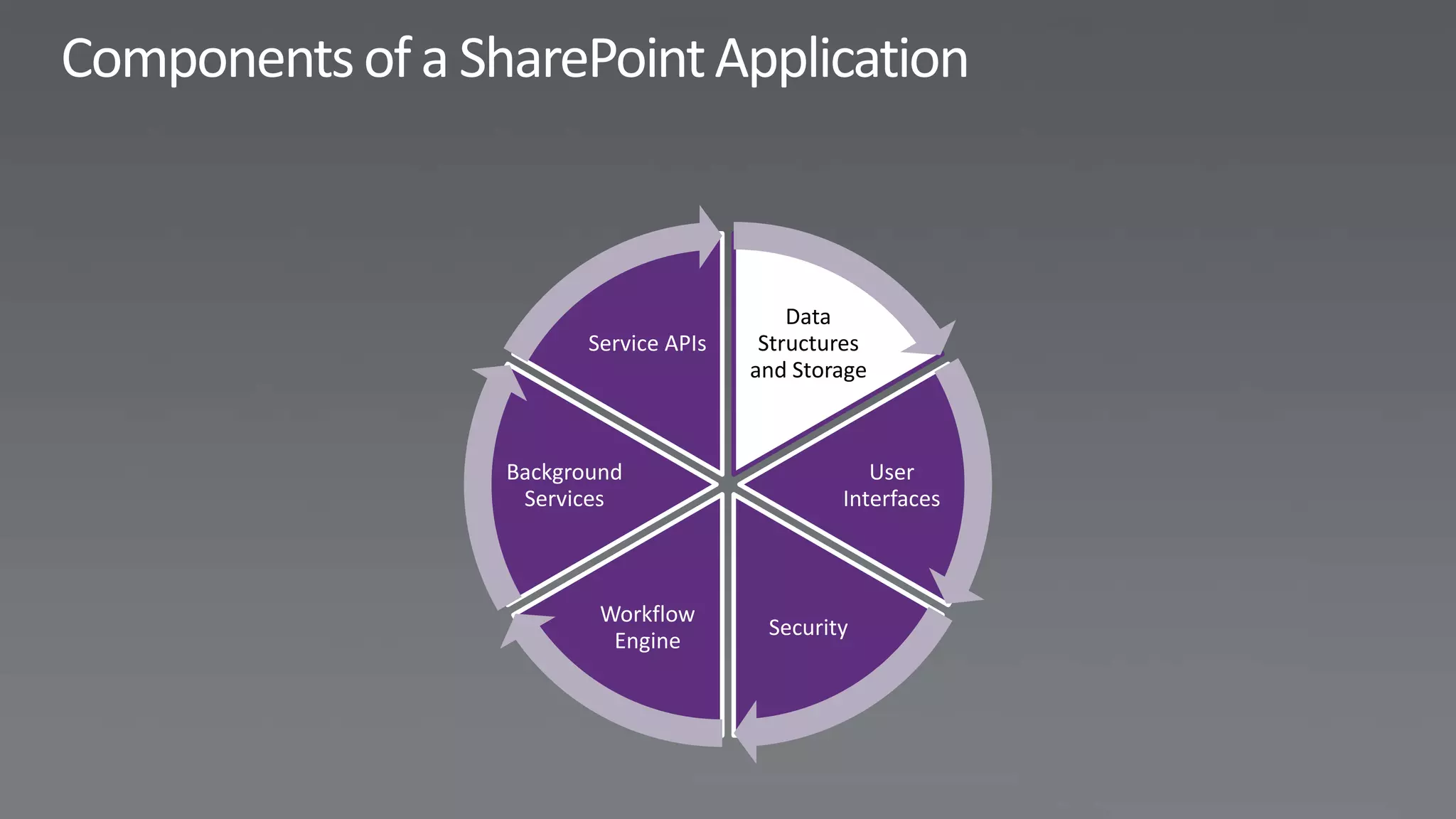
Data
       Service APIs    Structures
                      and Storage


Background                       User
 Services                     Interfaces


        Workflow
                       Security
         Engine
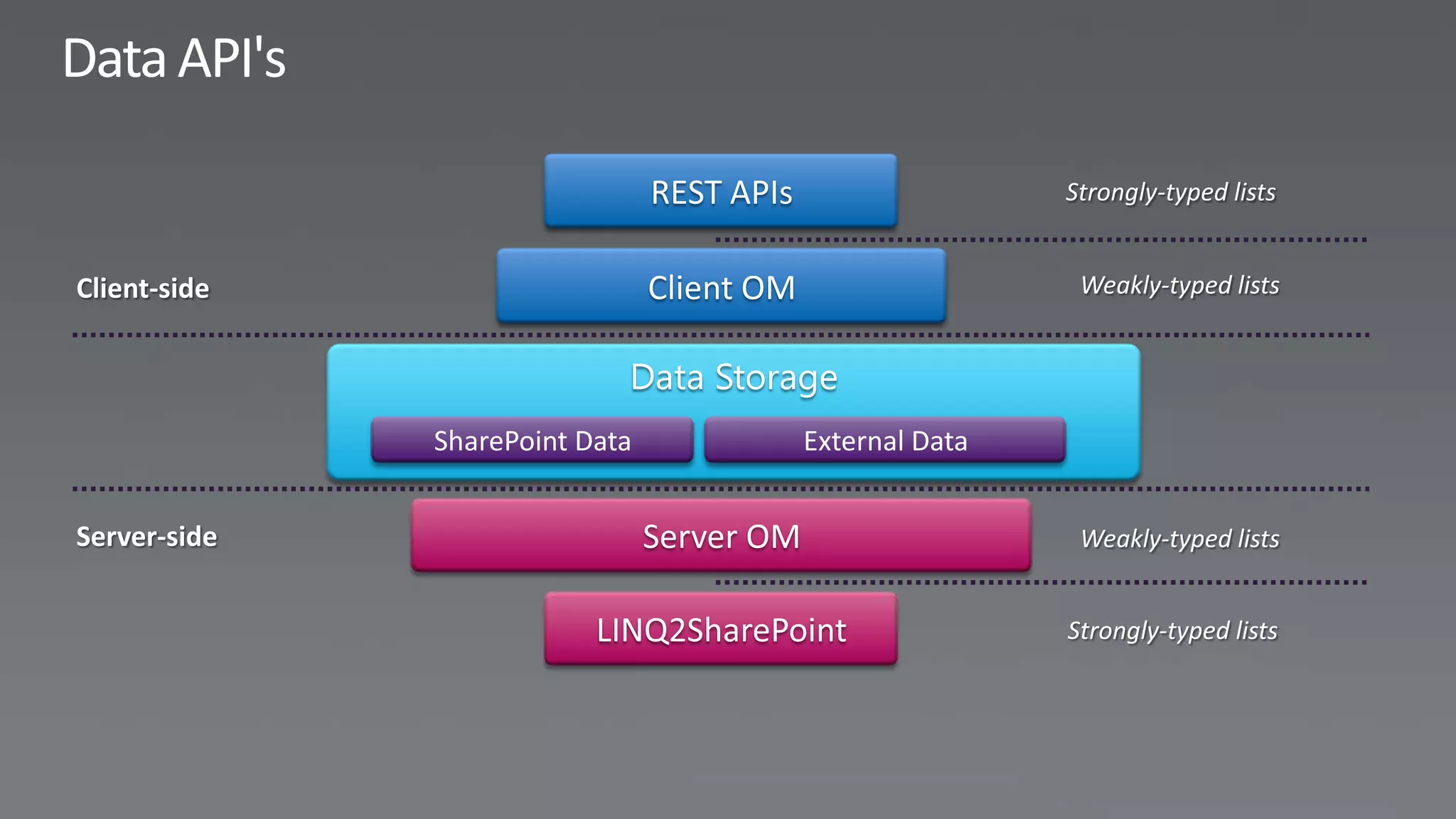
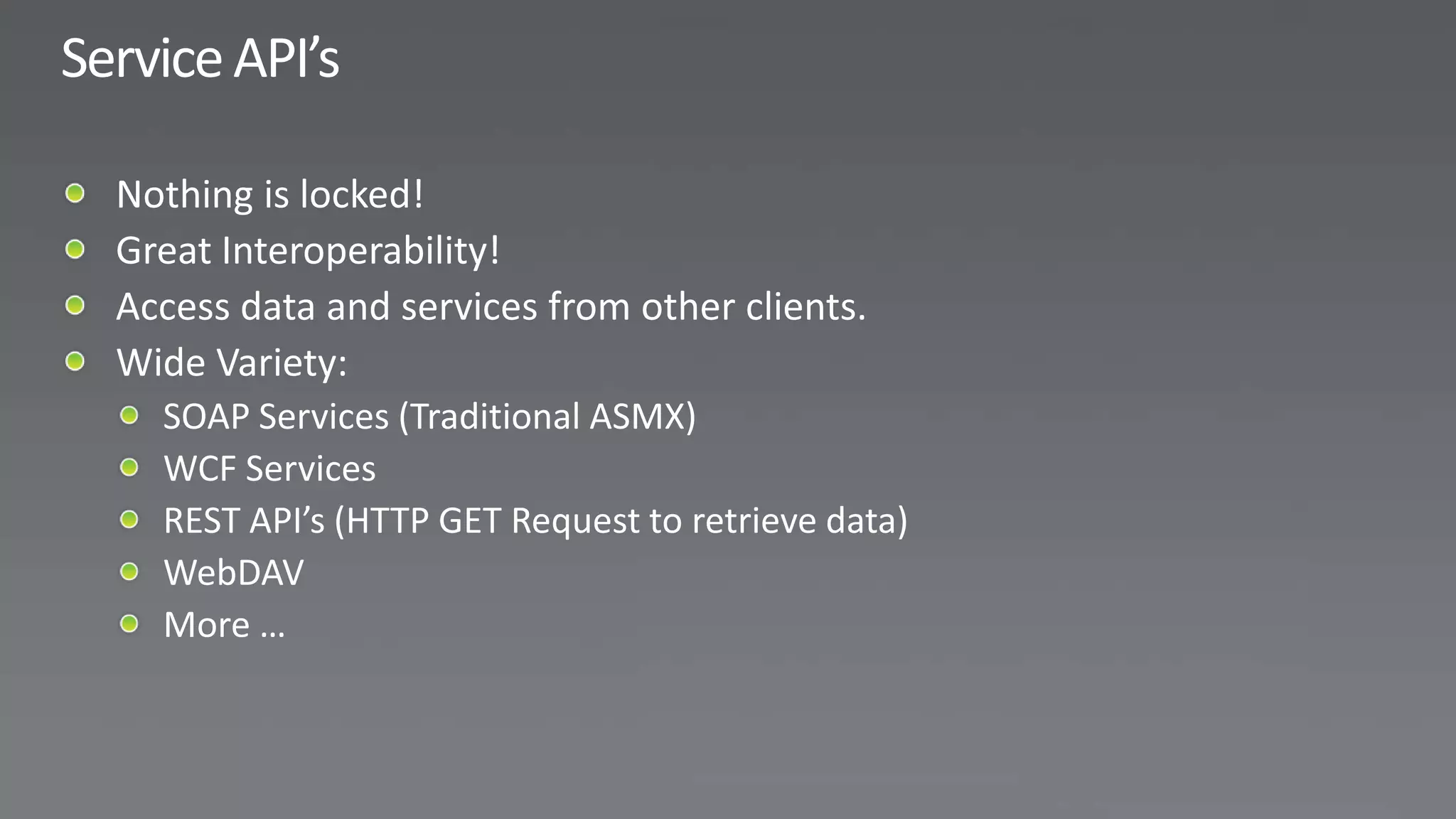
REST APIs

                  Client OM


SharePoint Data               External Data
Data
       Service APIs    Structures
                      and Storage


Background                       User
 Services                     Interfaces


        Workflow
                       Security
         Engine
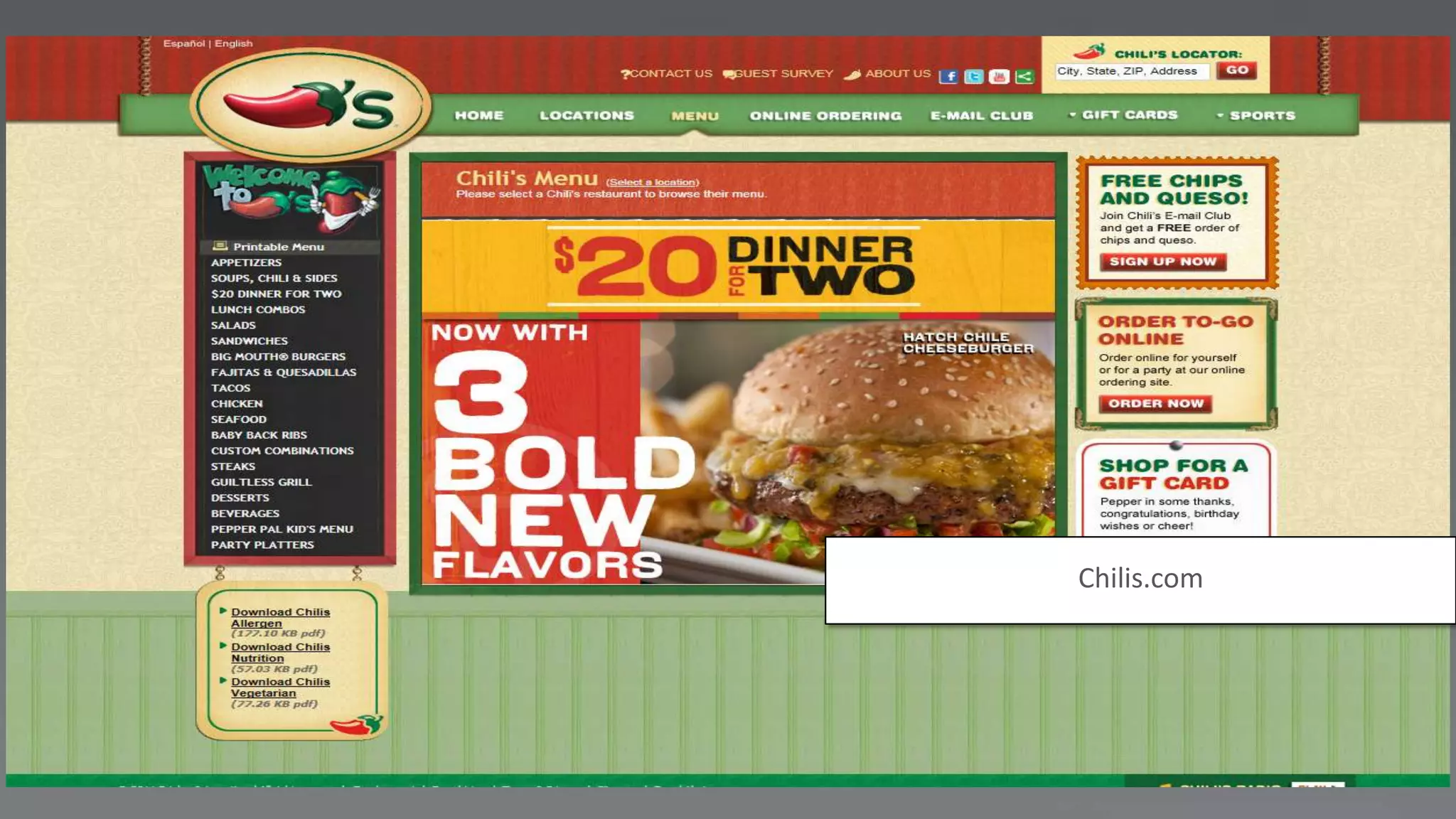
Chilis.com
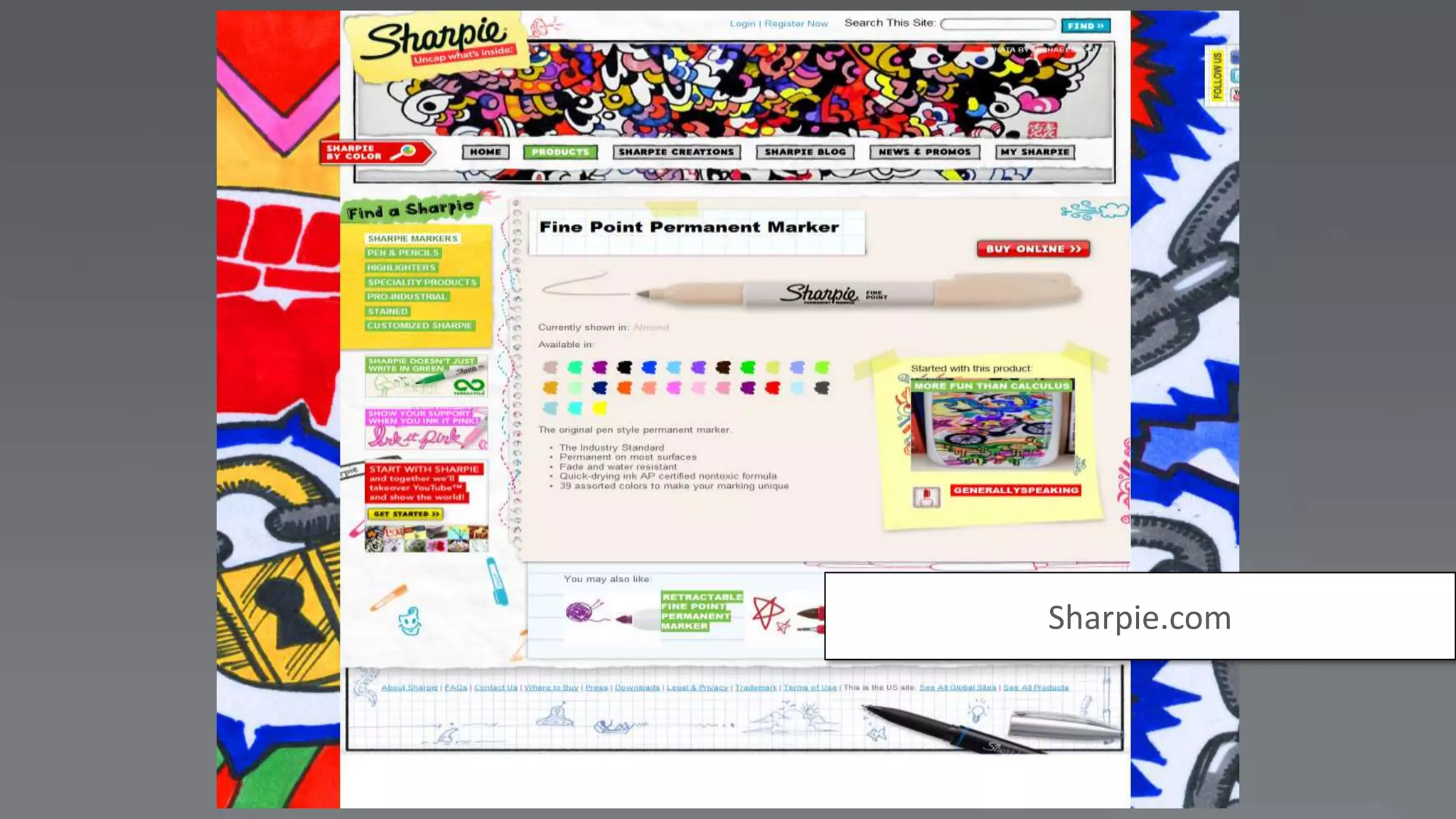
Sharpie.com
Data
       Service APIs    Structures
                      and Storage


Background                       User
 Services                     Interfaces


        Workflow
                       Security
         Engine
Data
       Service APIs    Structures
                      and Storage


Background                       User
 Services                     Interfaces


        Workflow
                       Security
         Engine
Data
       Service APIs    Structures
                      and Storage


Background                       User
 Services                     Interfaces


        Workflow
                       Security
         Engine
Data
       Service APIs    Structures
                      and Storage


Background                       User
 Services                     Interfaces


        Workflow
                       Security
         Engine
Data
       Service APIs    Structures
                      and Storage


Background                       User
 Services                     Interfaces


        Workflow
                       Security
         Engine
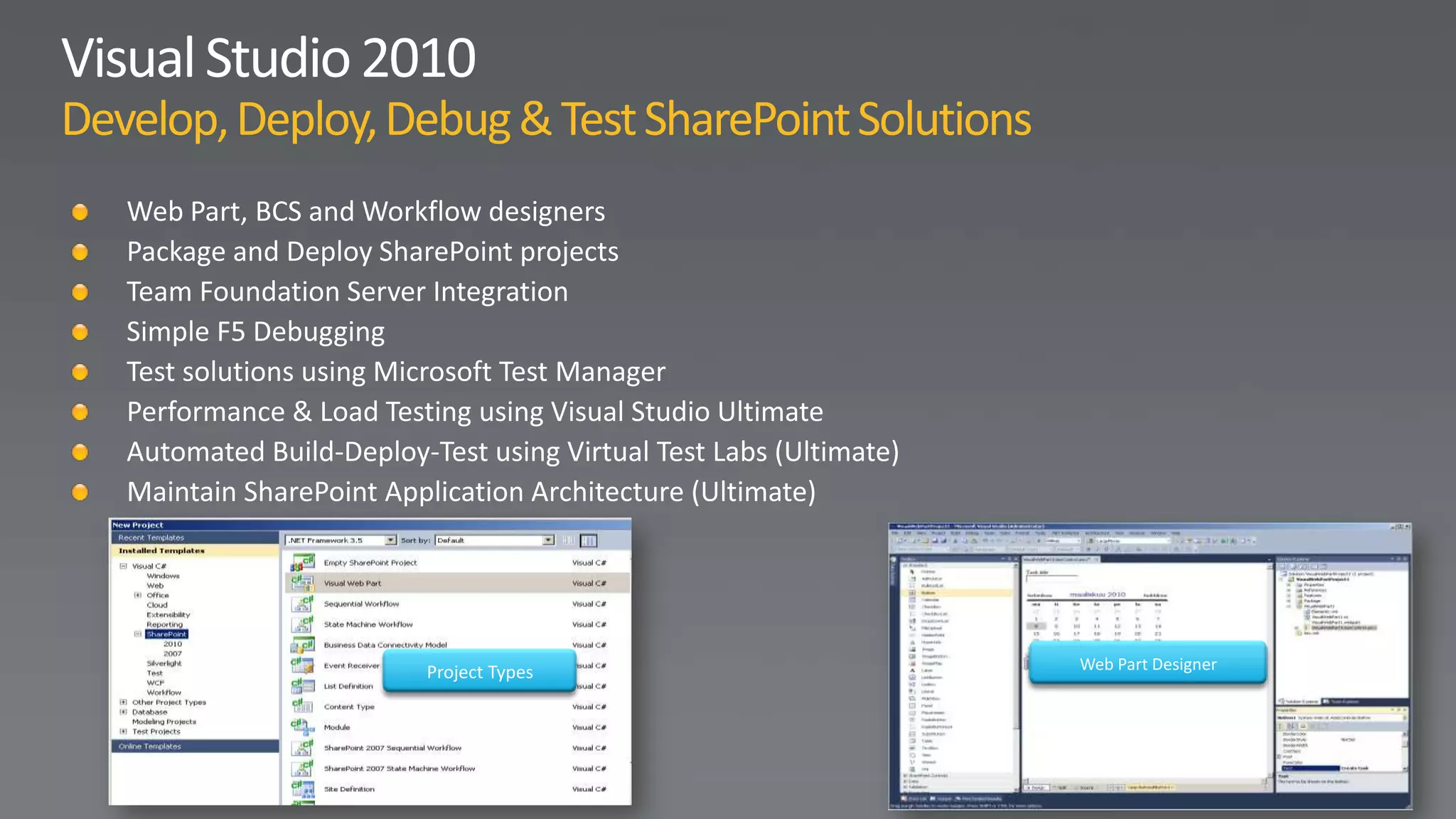
Project Types   Web Part Designer
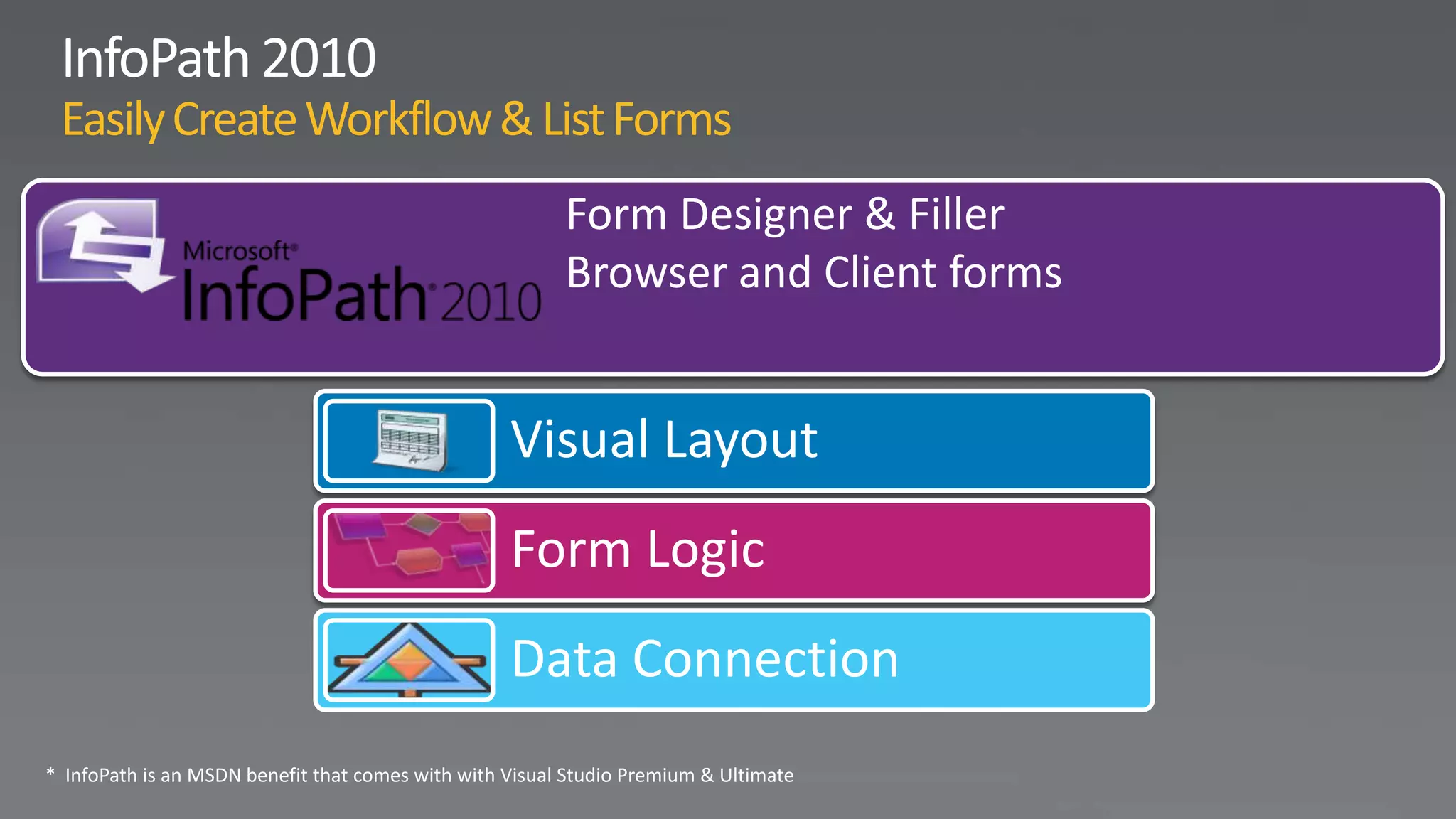
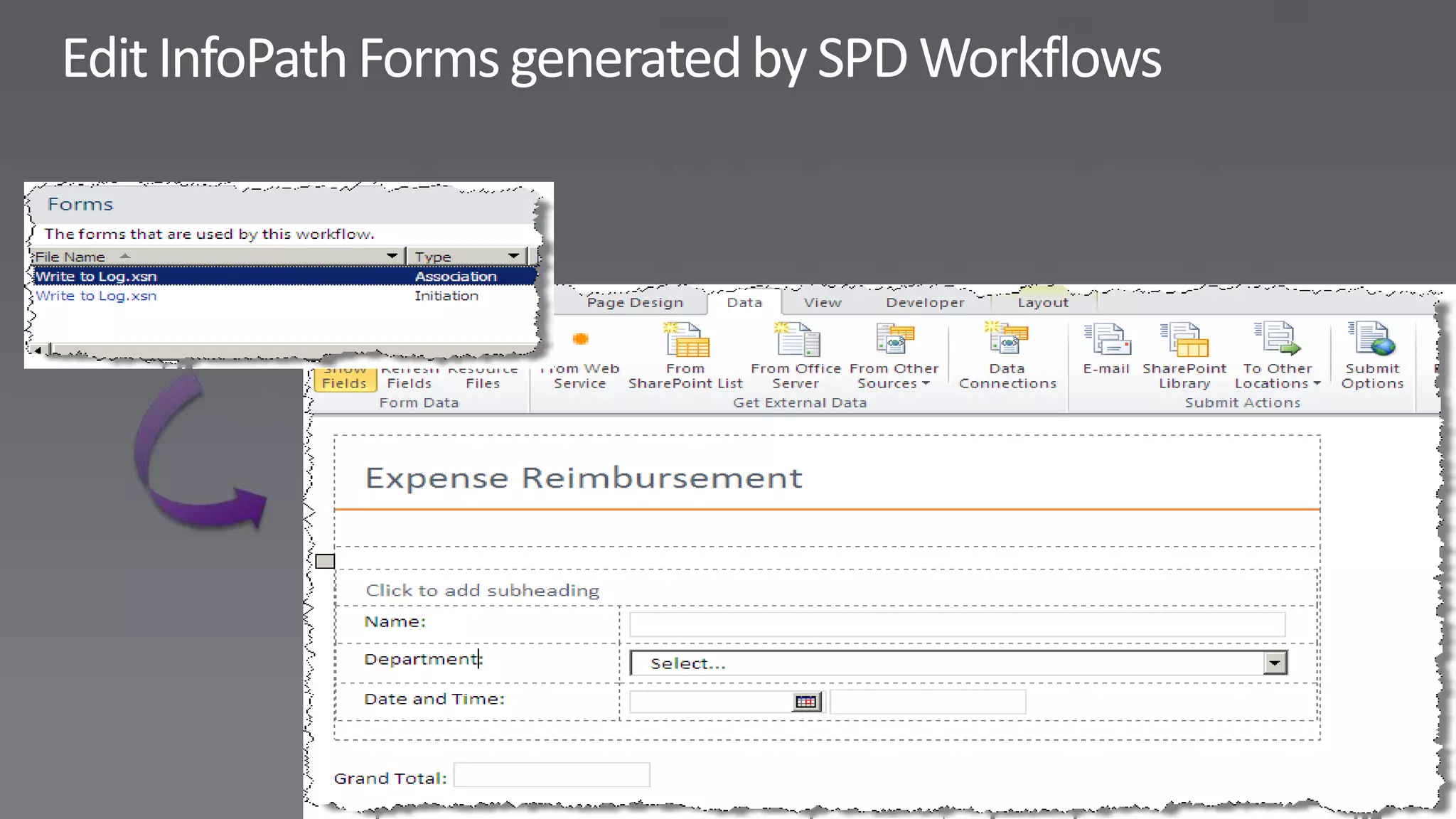
Form Designer & Filler
  Browser and Client forms


Visual Layout
Form Logic
Data Connection
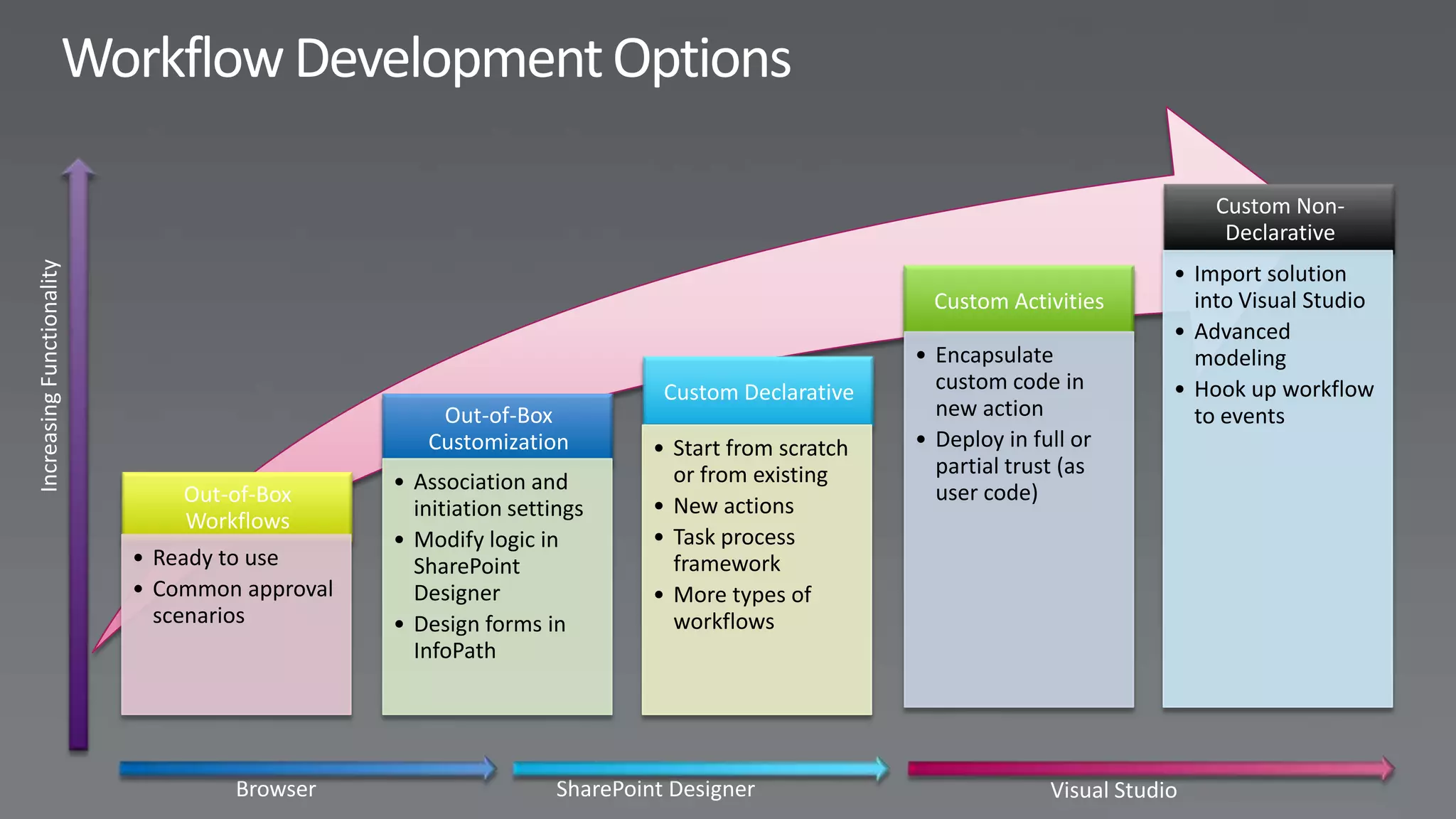
Custom Non-
                                                                                              Declarative
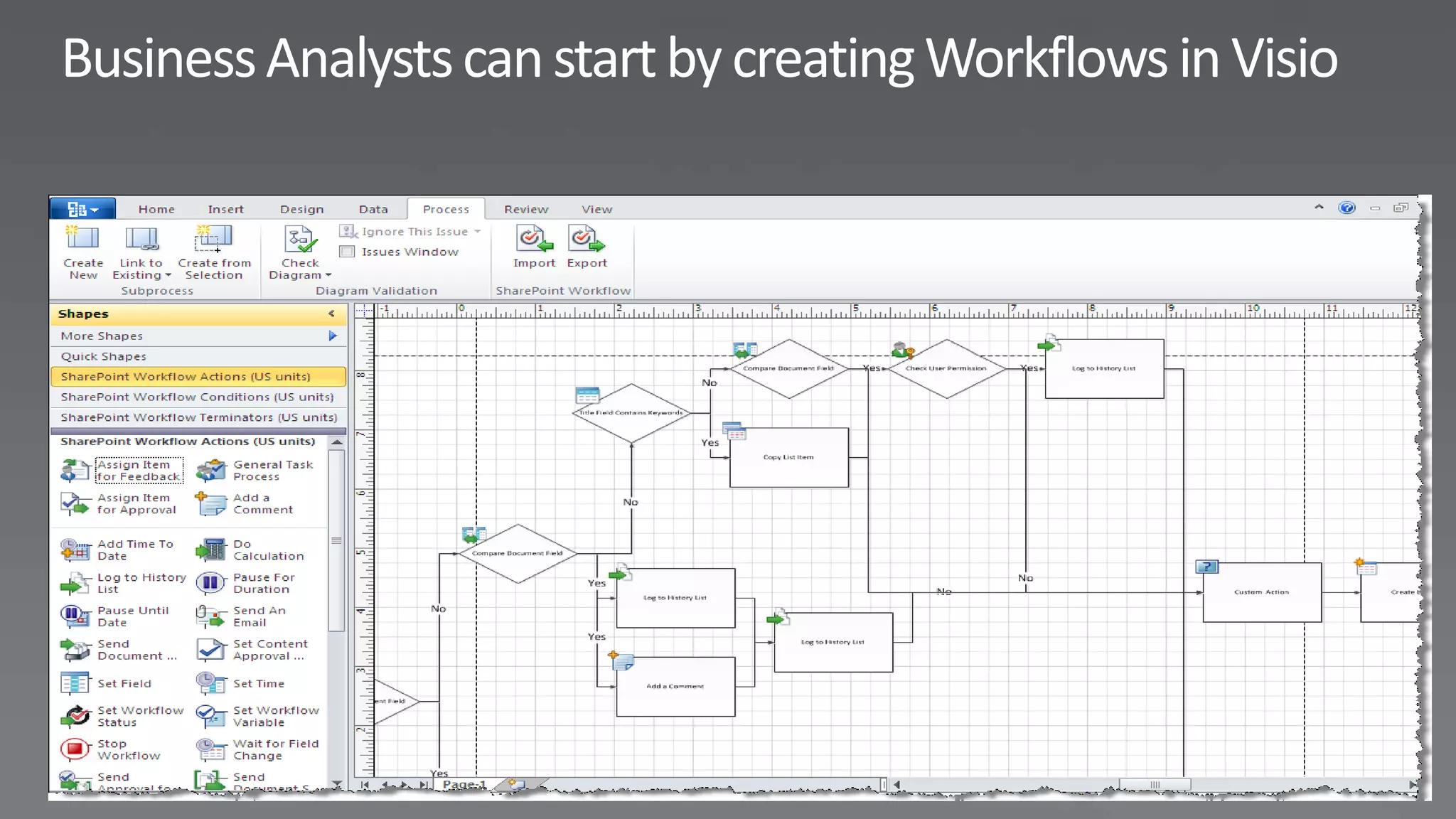
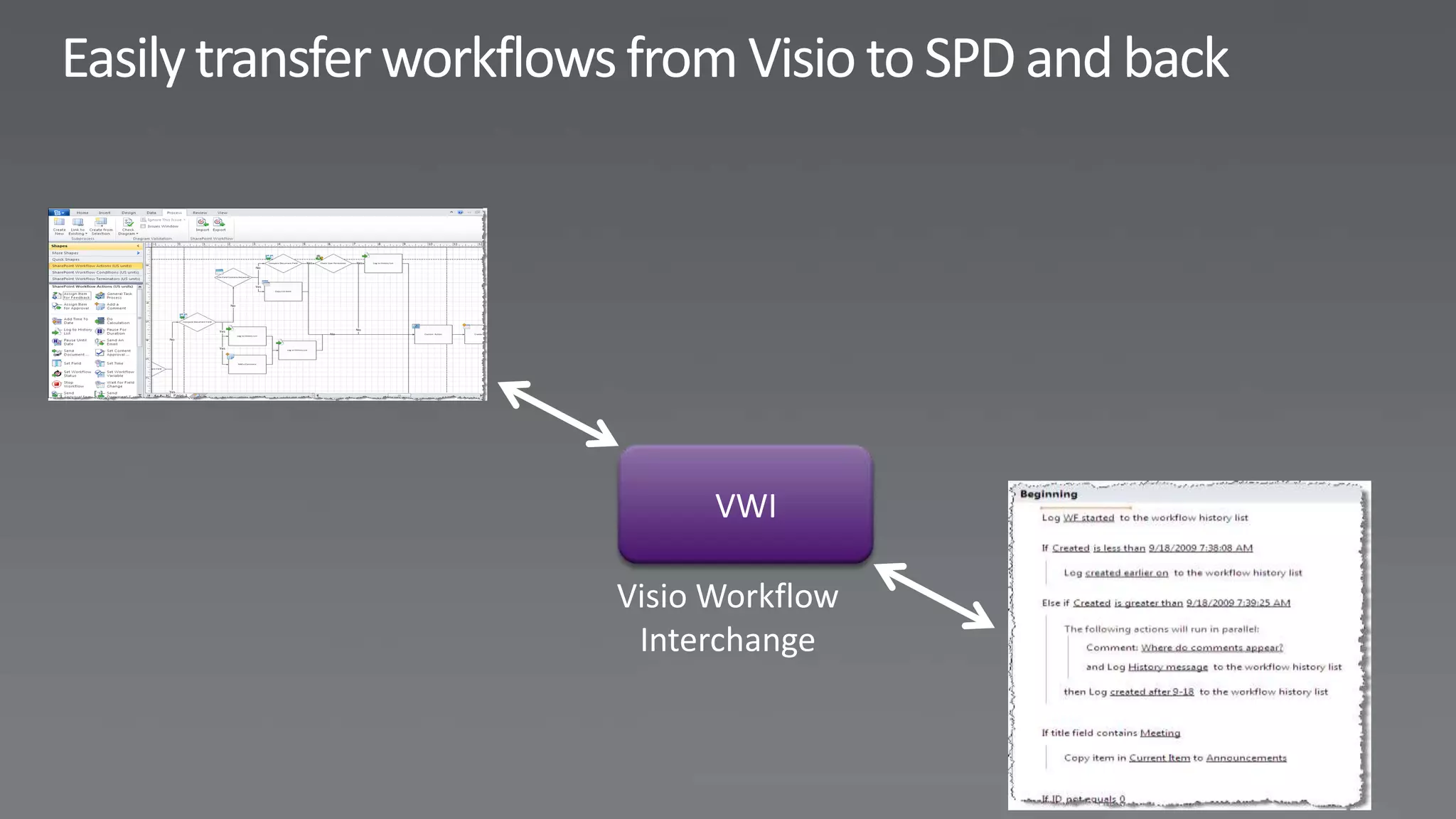
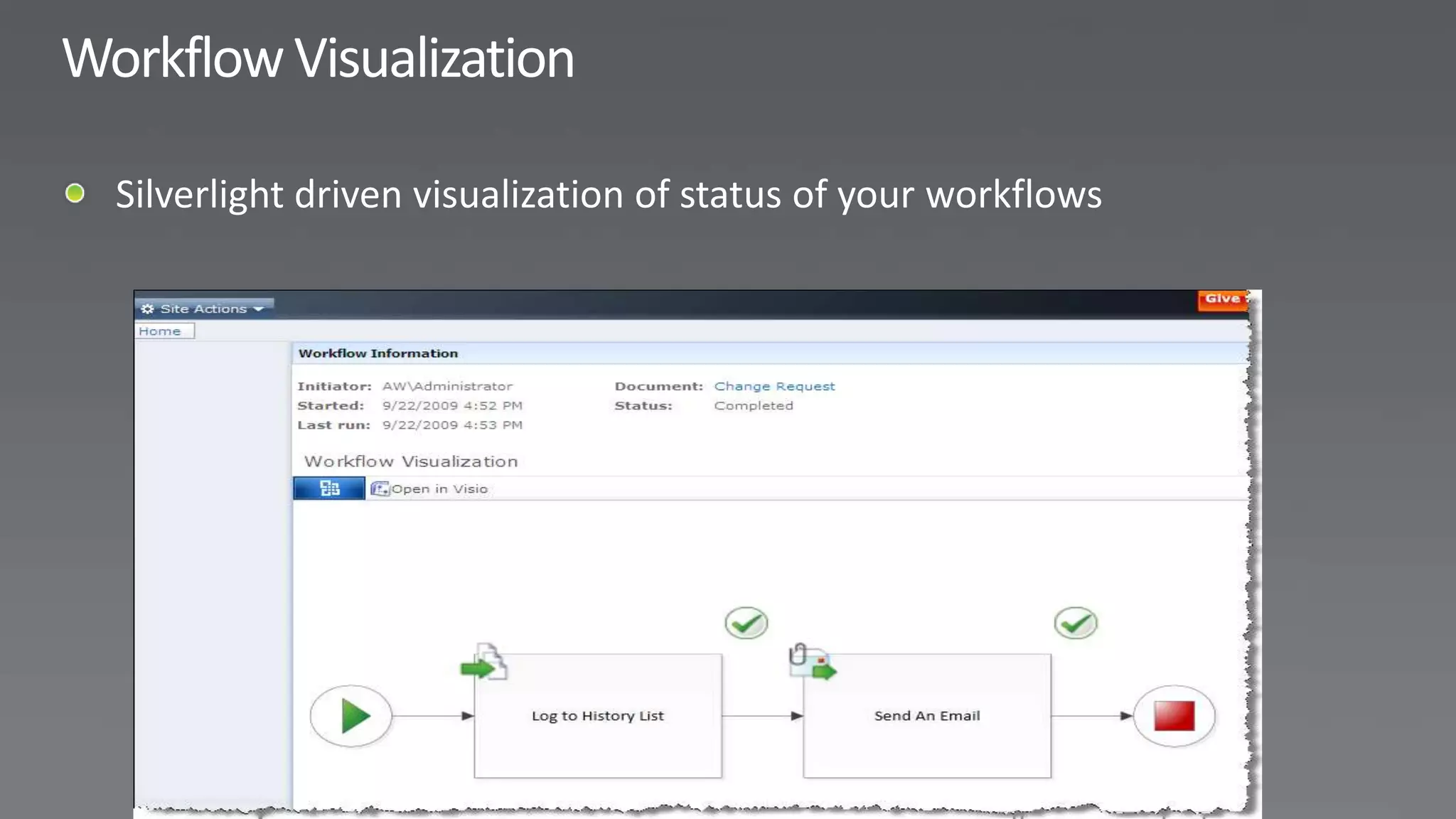
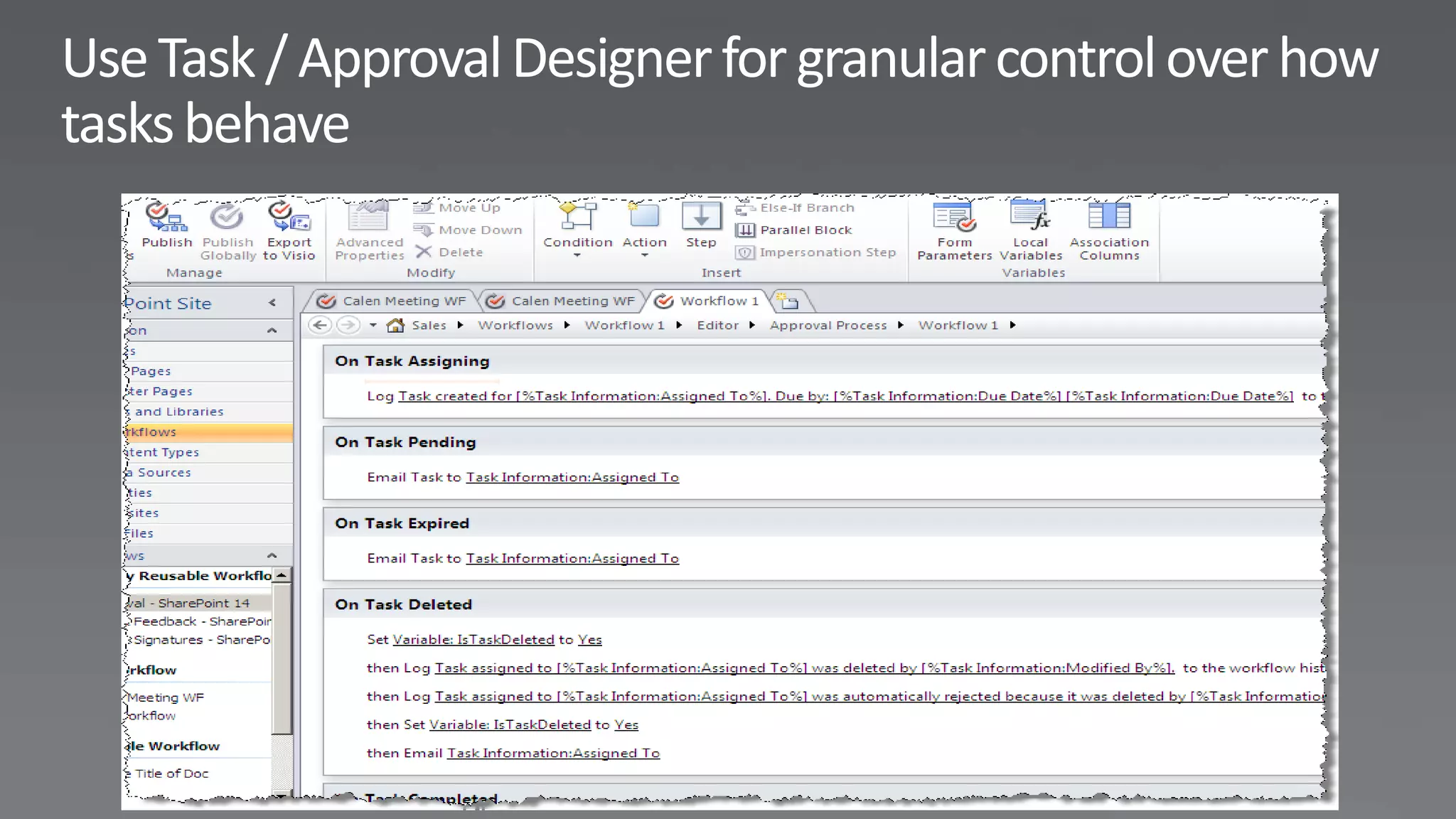
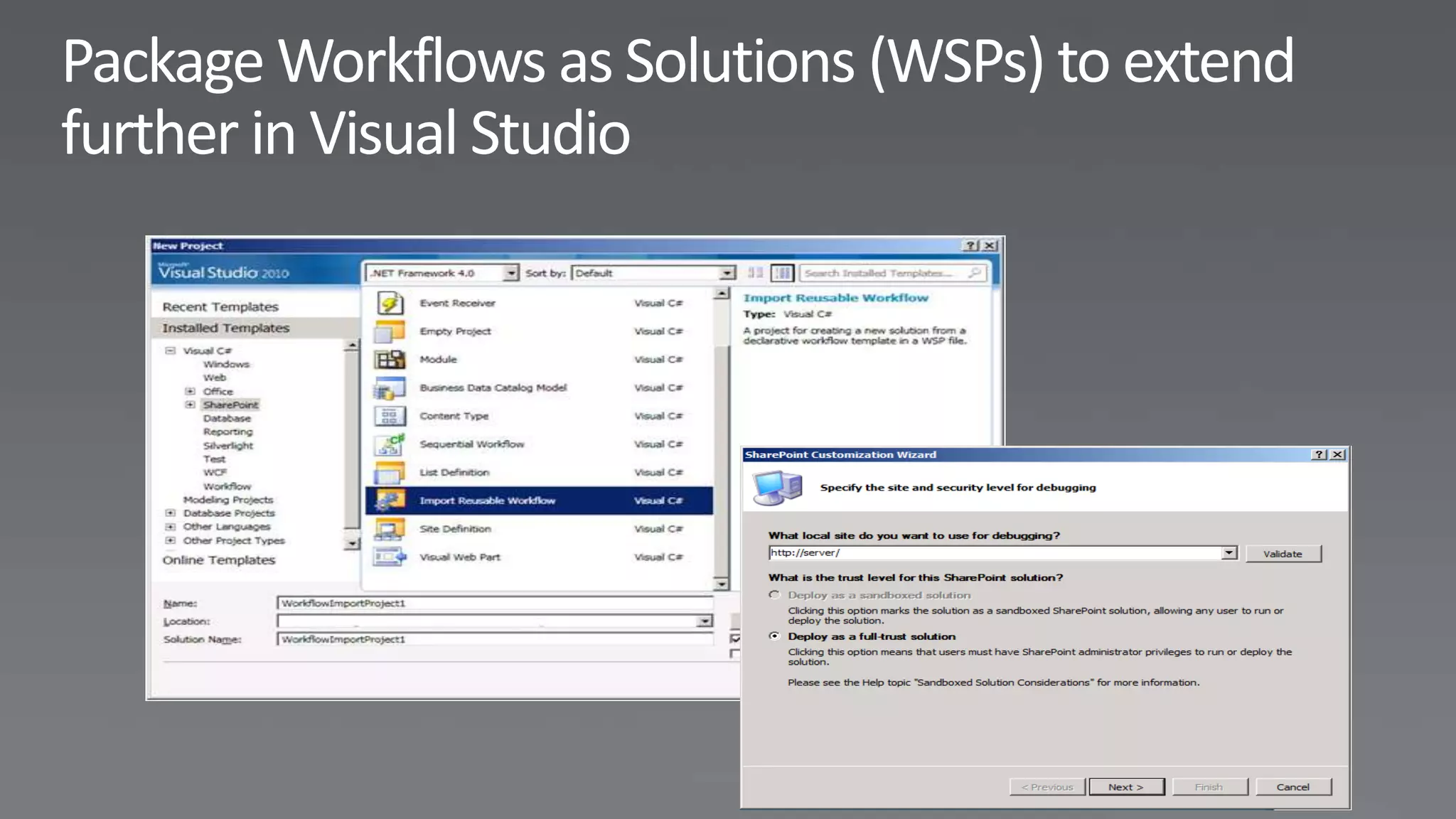
                                                                                         • Import solution
                                                                     Custom Activities     into Visual Studio
                                                                                         • Advanced
                                                                   • Encapsulate           modeling
                                             Custom Declarative      custom code in      • Hook up workflow
                        Out-of-Box                                   new action            to events
                       Customization        • Start from scratch   • Deploy in full or
                                              or from existing       partial trust (as
                    • Association and                                user code)
    Out-of-Box                              • New actions
                      initiation settings
    Workflows
                    • Modify logic in       • Task process
• Ready to use        SharePoint              framework
• Common approval     Designer              • More types of
  scenarios         • Design forms in         workflows
                      InfoPath
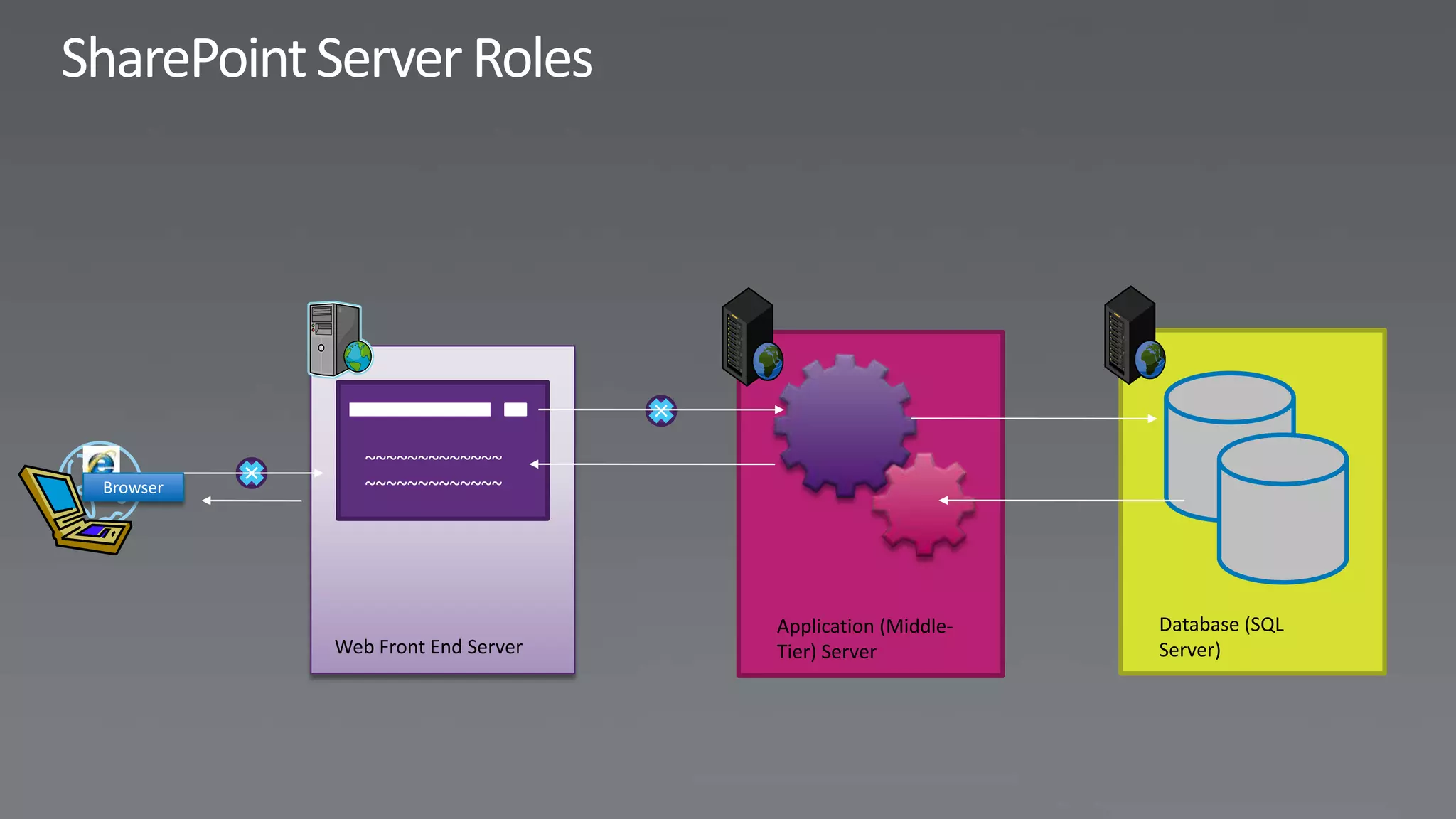
~~~~~~~~~~~~~
Browser      ~~~~~~~~~~~~~


                                 Application (Middle-   Database (SQL
          Web Front End Server   Tier) Server           Server)
http://wspbuilder.codeplex.com
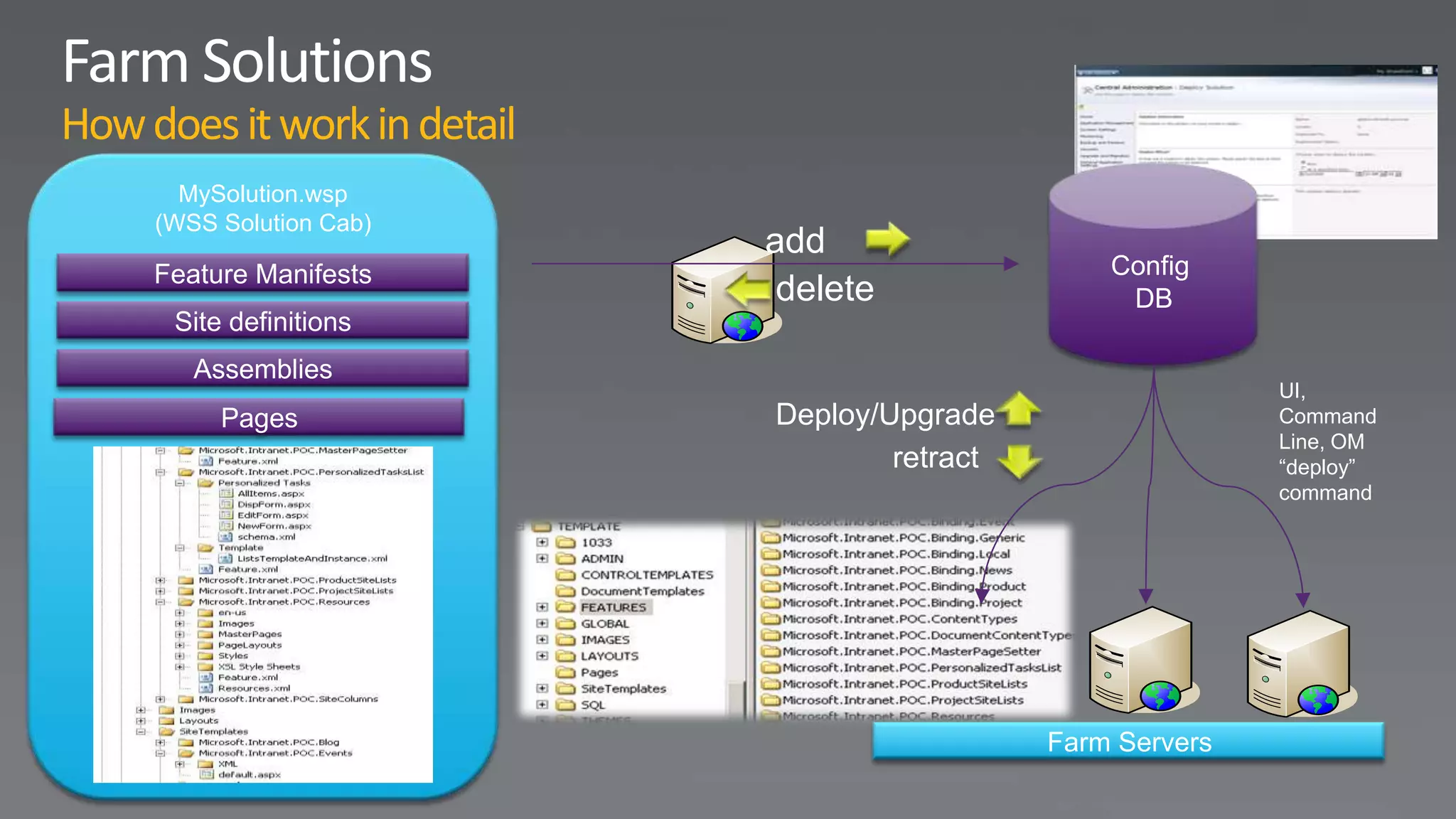
How does it work in detail
       MySolution.wsp
     (WSS Solution Cab)
                             add
     Feature Manifests                             Config
                              delete                DB
      Site definitions
        Assemblies
                                                              UI,
          Pages              Deploy/Upgrade                   Command
                                                              Line, OM
                                     retract                  “deploy”
                                                              command


                                               Farm Servers
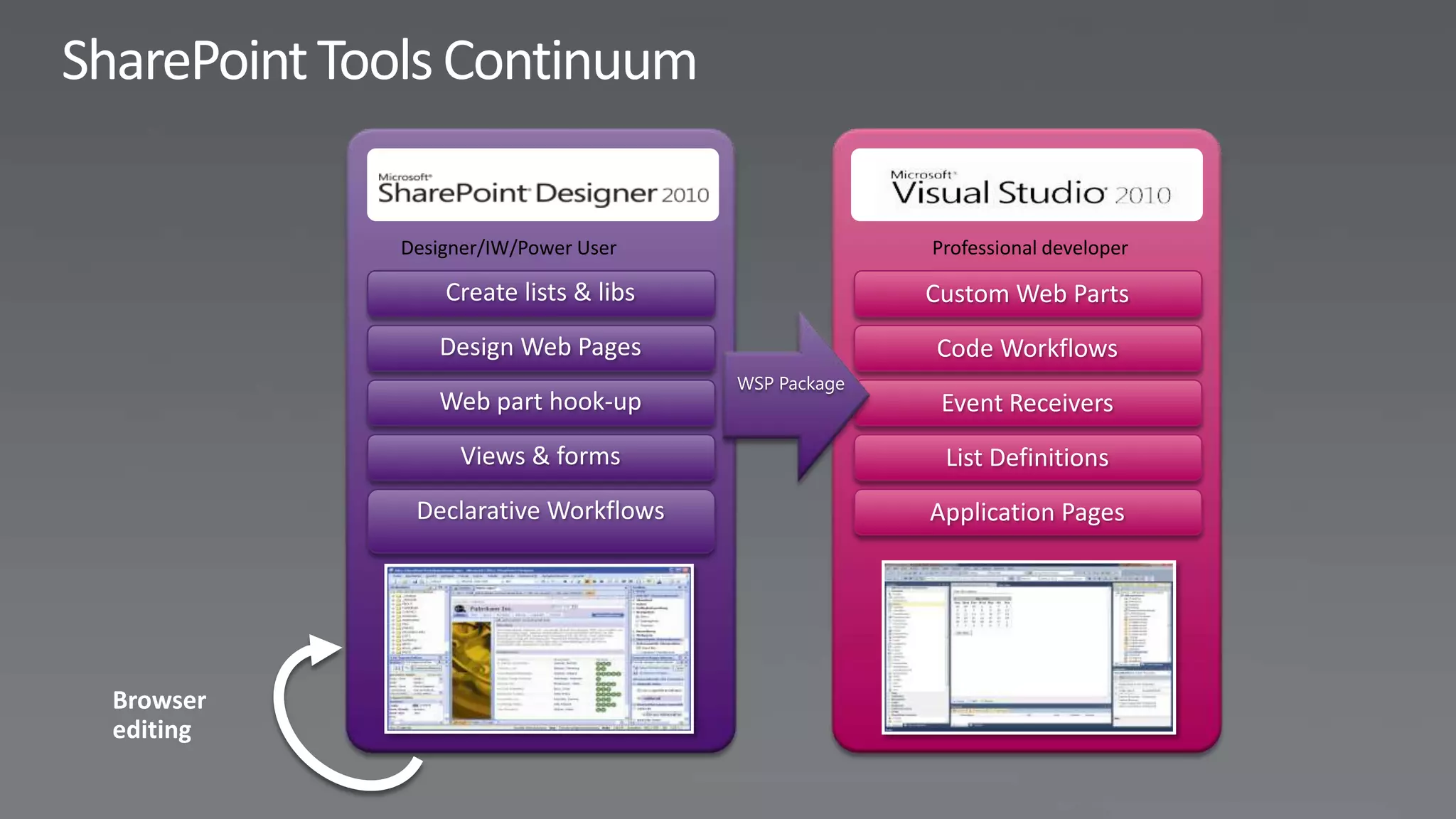
Designer/IW/Power User                 Professional developer


                         WSP Package
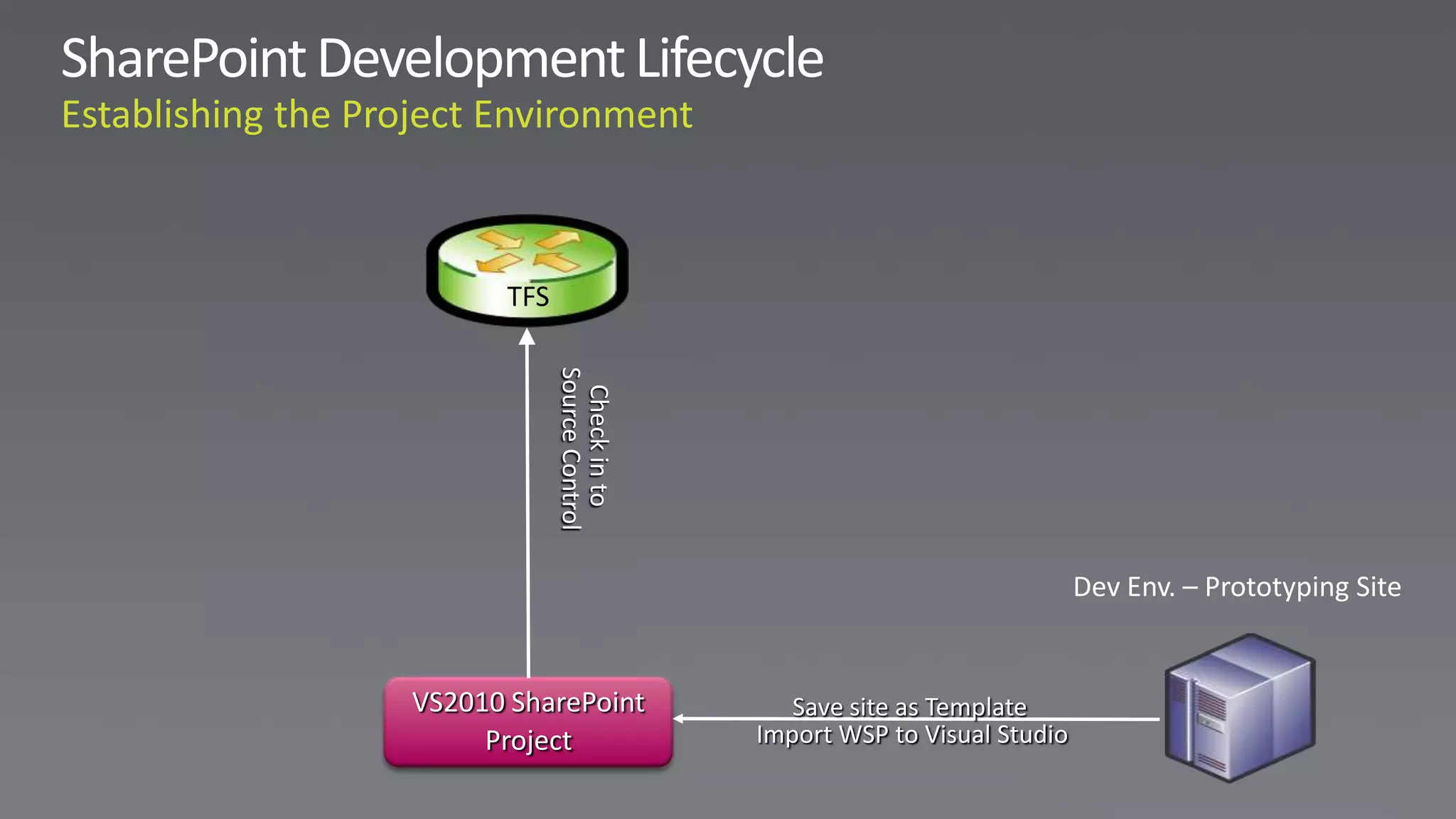
TFS


            Source Control
             Check in to                                   Dev Env. – Prototyping Site


VS2010 SharePoint               Save site as Template
     Project                 Import WSP to Visual Studio
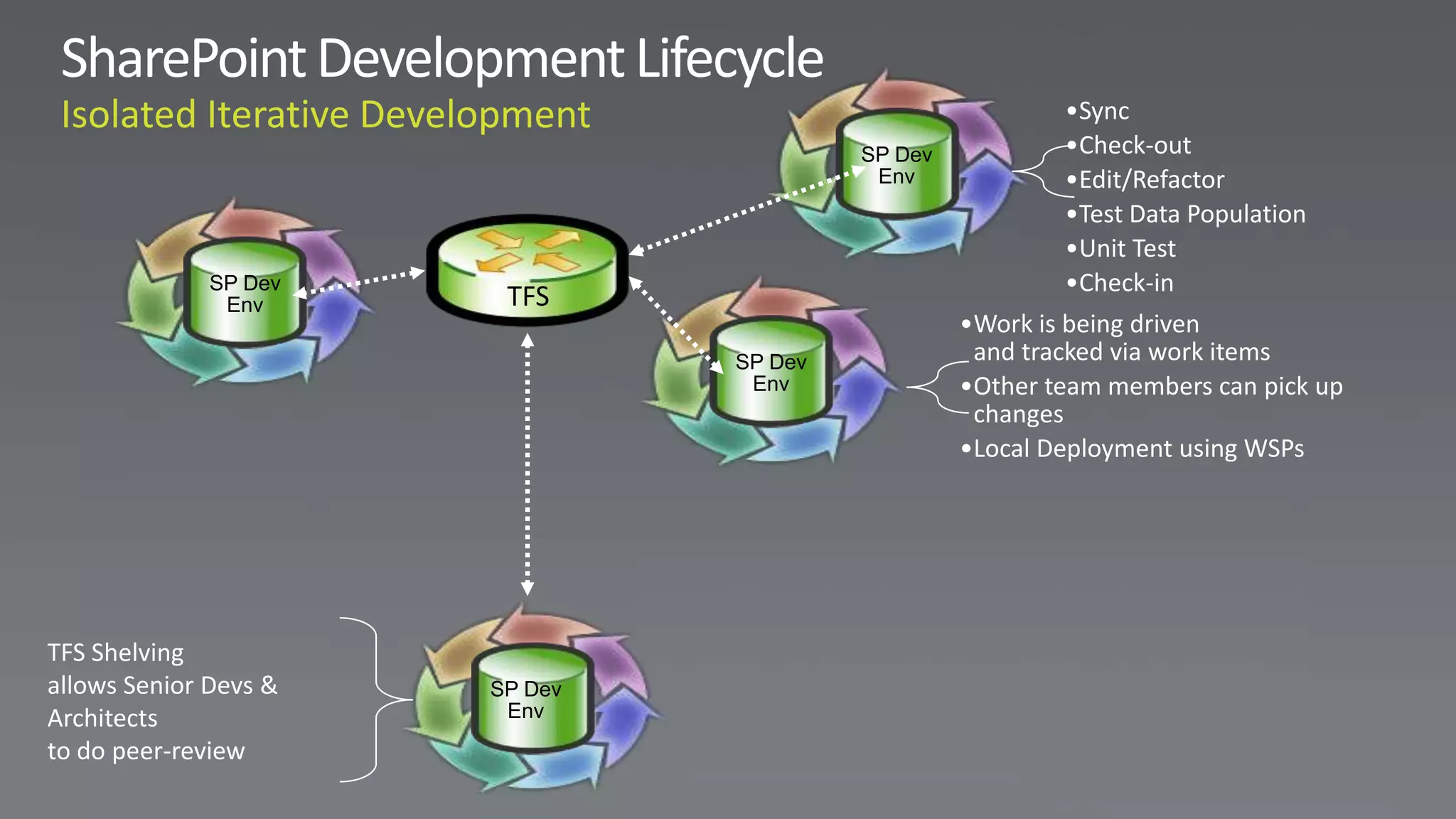
•Sync
                                         SP Dev           •Check-out
                                          Env             •Edit/Refactor
                                                          •Test Data Population
                                                          •Unit Test
              SP Dev                                      •Check-in
               Env      TFS
                                                  •Work is being driven
                                SP Dev             and tracked via work items
                                 Env              •Other team members can pick up
                                                   changes
                                                  •Local Deployment using WSPs


TFS Shelving
allows Senior Devs &   SP Dev
Architects              Env
to do peer-review
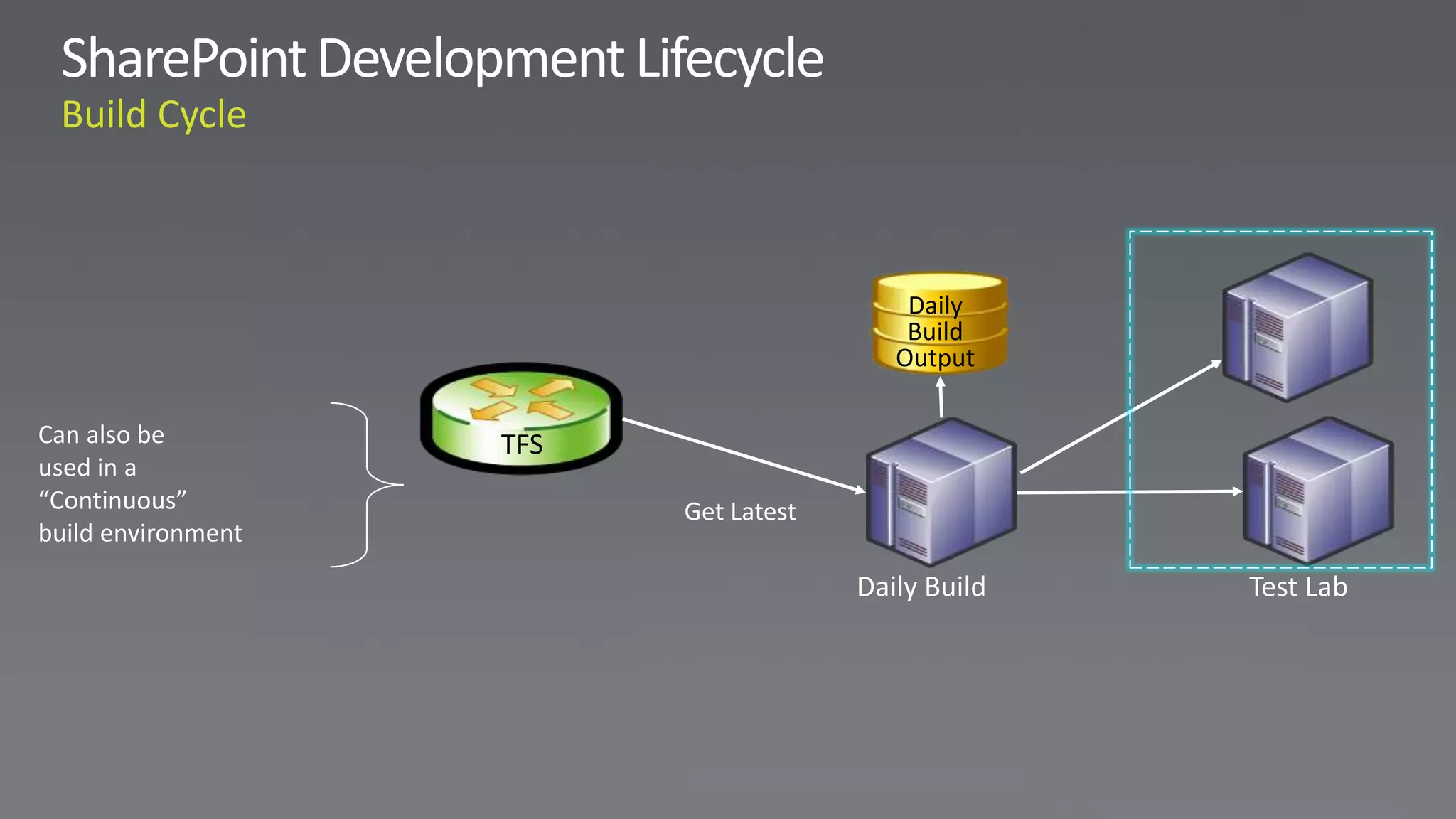
Daily
                                           Build
                                          Output

Can also be         TFS
used in a
“Continuous”              Get Latest
build environment

                                       Daily Build   Test Lab
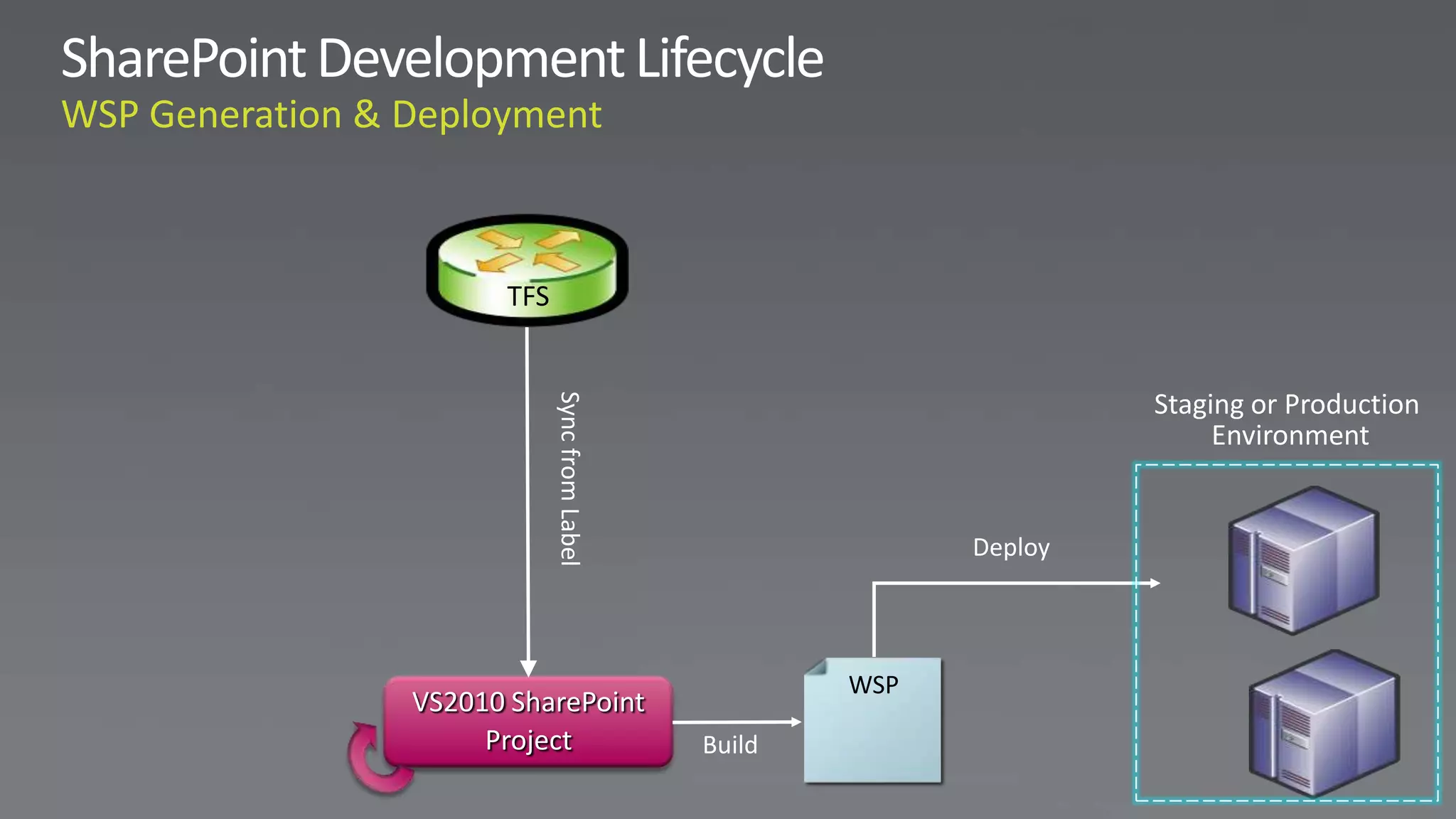
TFS


                                                     Staging or Production


            Sync from Label
                                                          Environment


                                            Deploy


                                      WSP
VS2010 SharePoint
     Project                  Build
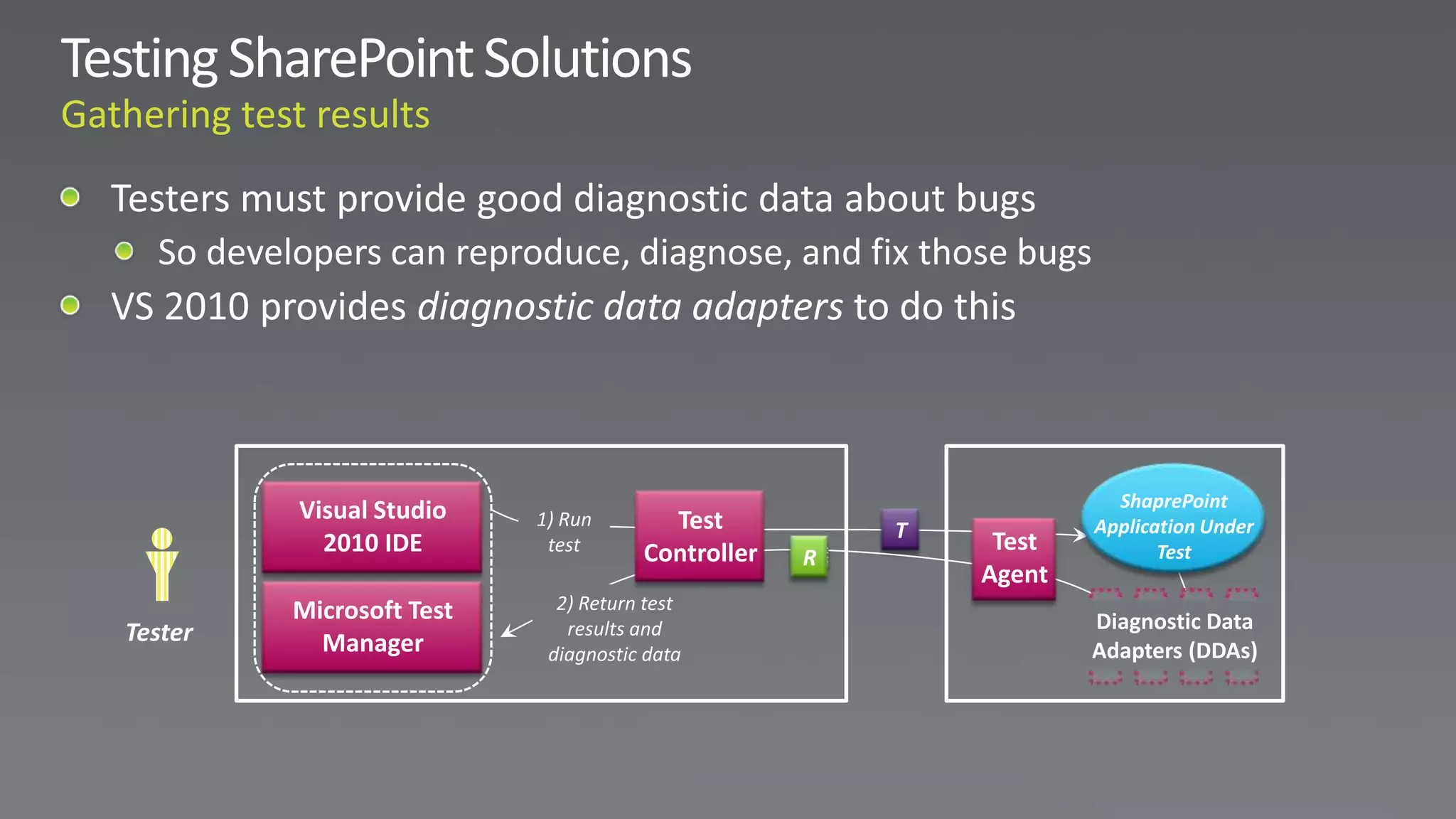
ShaprePoint
         Visual Studio    1) Run       Test           T           Application Under
           2010 IDE        test      Controller            Test          Test
                                                  R
                                                          Agent
         Microsoft Test     2) Return test
Tester                       results and                          Diagnostic Data
           Manager         diagnostic data                        Adapters (DDAs)
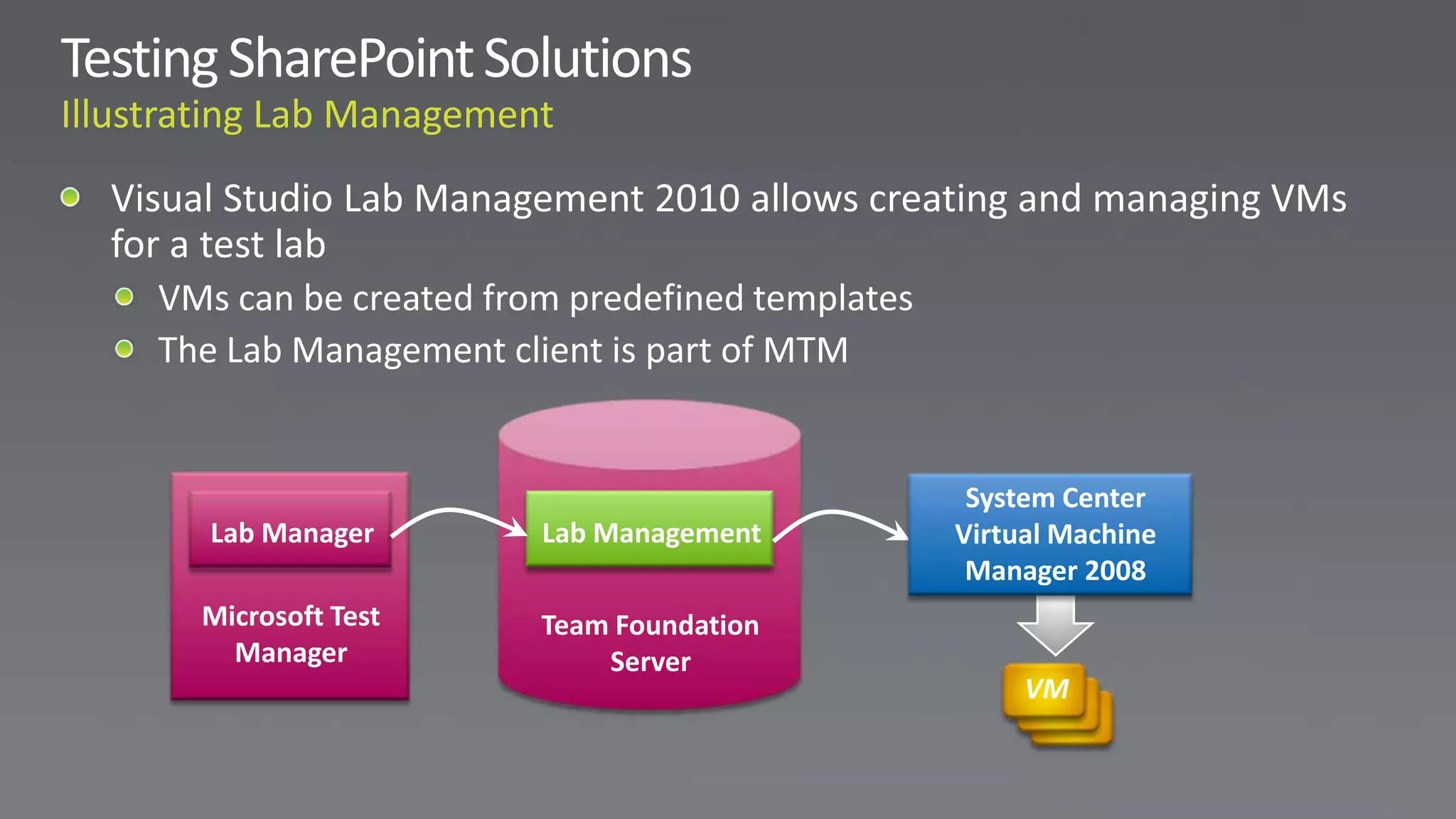
System Center
Lab Manager      Lab Management    Virtual Machine
                                    Manager 2008
Microsoft Test   Team Foundation
  Manager            Server
                                        VM
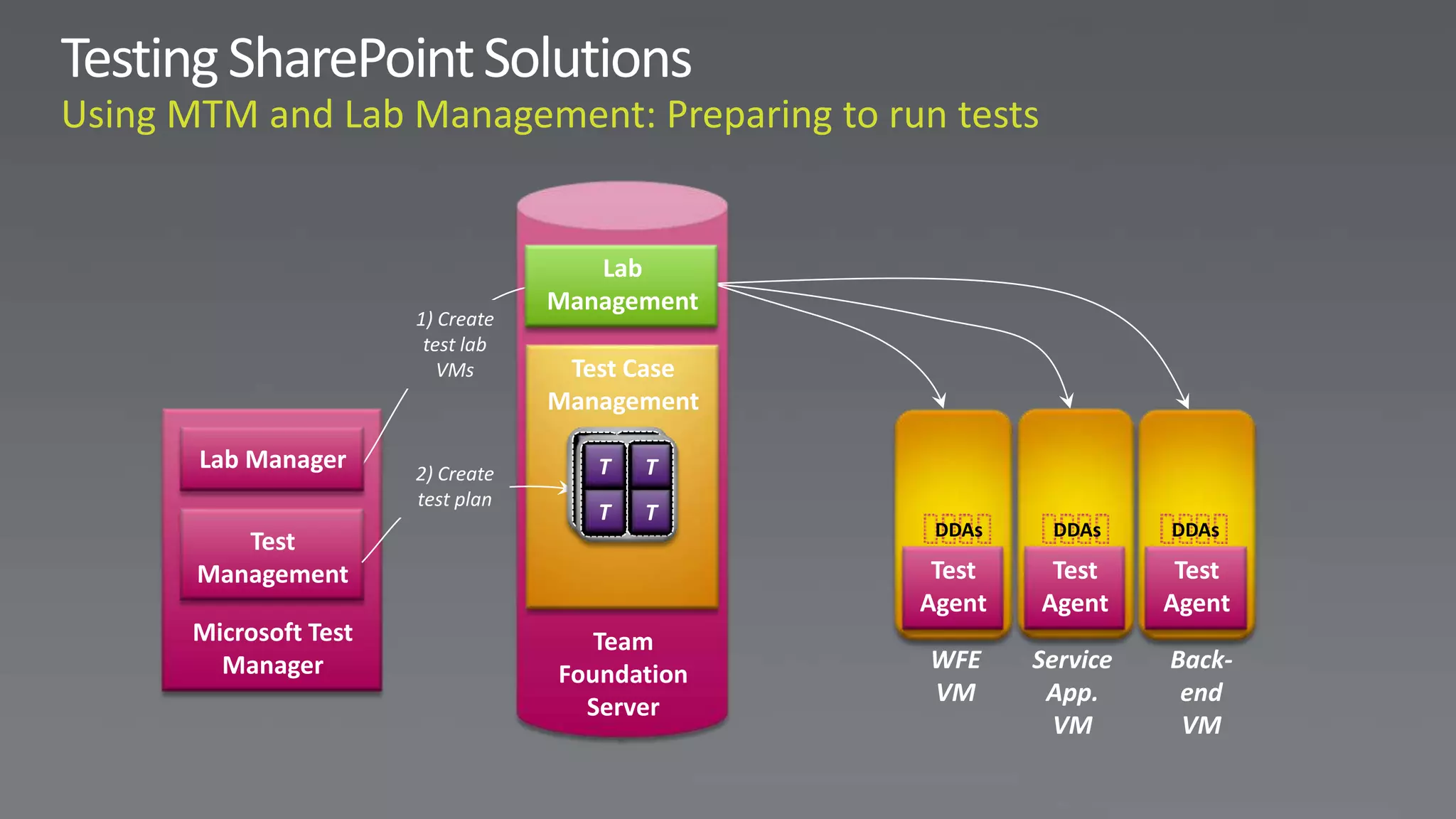
Lab
                             Management
                 1) Create
                  test lab
                    VMs       Test Case
                             Management

Lab Manager                    TT   T
                                    T
                 2) Create
                 test plan      T   T
                                T   T
                                           DDAs    DDAs     DDAs
   Test
Management                                 Test    Test      Test
                                          Agent   Agent     Agent
Microsoft Test                  Team
  Manager                                 WFE     Service   Back-
                             Foundation
                                          VM       App.      end
                               Server
                                                    VM       VM
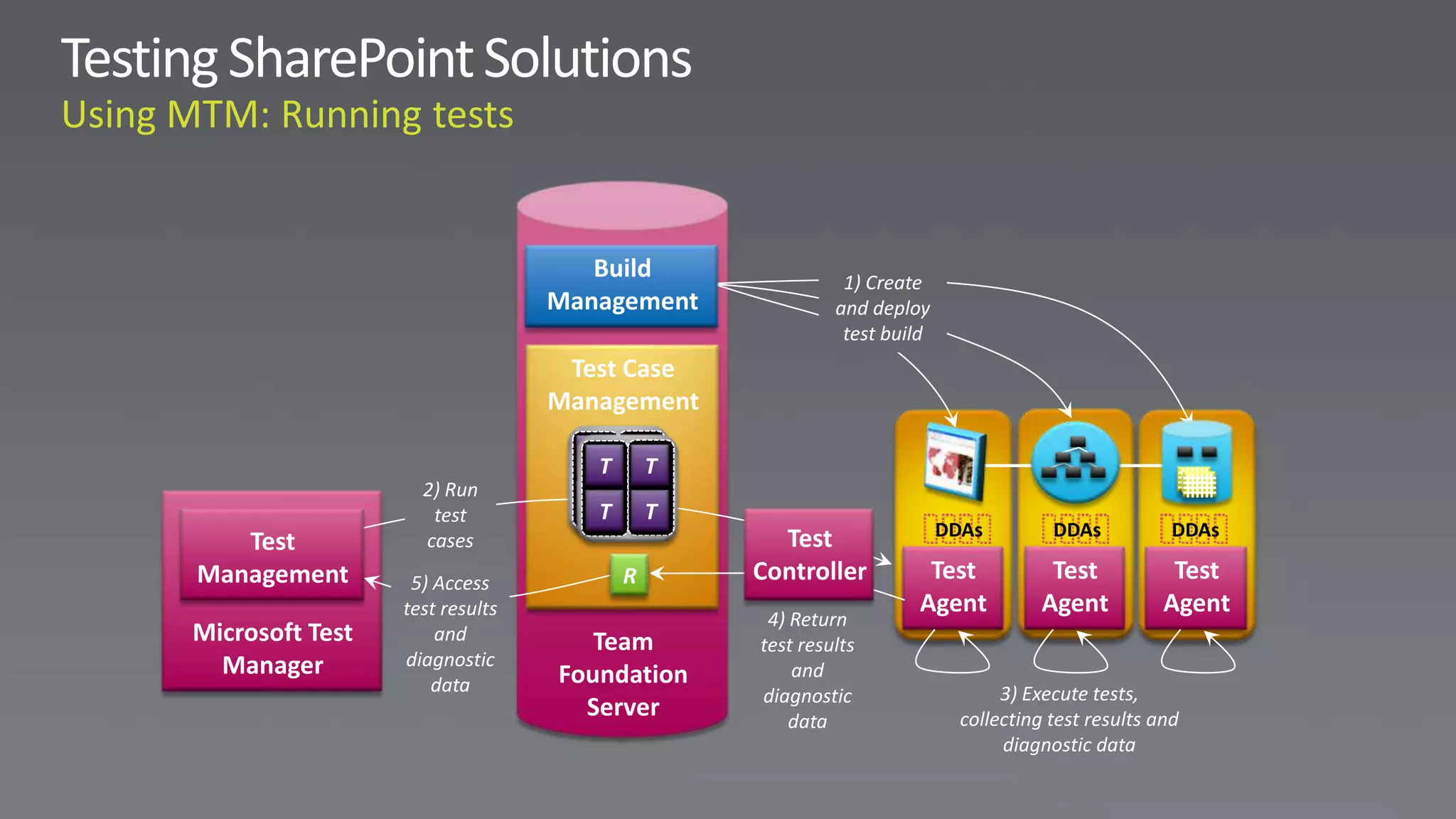
Build               1) Create
                                Management            and deploy
                                                       test build
                                 Test Case
                                Management

                                  TT   TT
                   2) Run
                    test
                                  TT   TT
                                               Test                 DDAs         DDAs           DDAs
   Test            cases
Management        5) Access            R     Controller         Test             Test           Test
                 test results                                  Agent            Agent          Agent
                                              4) Return
Microsoft Test       and           Team      test results
  Manager        diagnostic
                                Foundation       and
                     data                                                  3) Execute tests,
                                             diagnostic
                                  Server         data                 collecting test results and
                                                                           diagnostic data
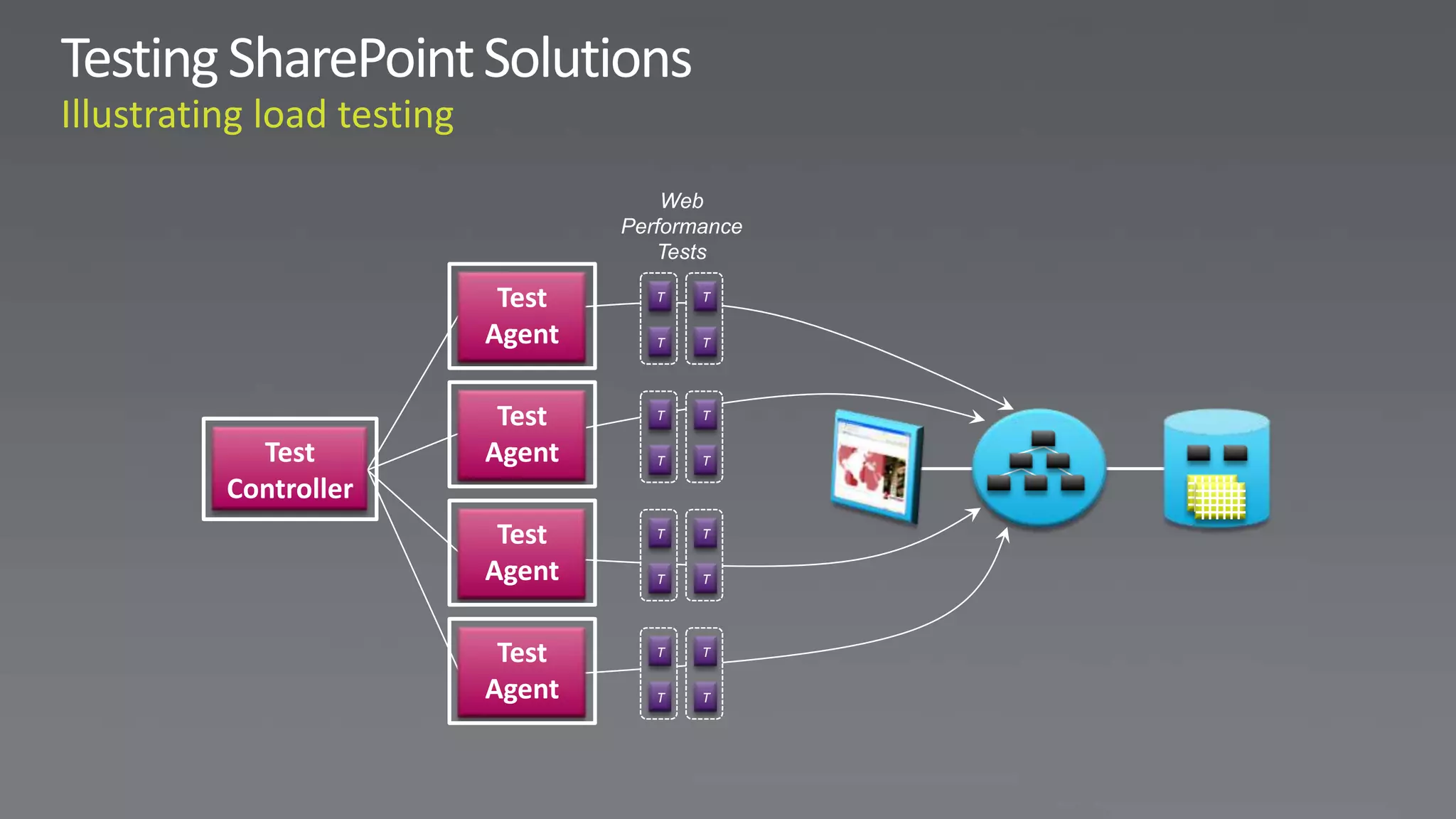
Web
                     Performance
                        Tests

              Test      T   T

             Agent      T   T


              Test      T   T

  Test       Agent      T   T

Controller
              Test      T   T

             Agent      T   T


              Test      T   T

             Agent      T   T
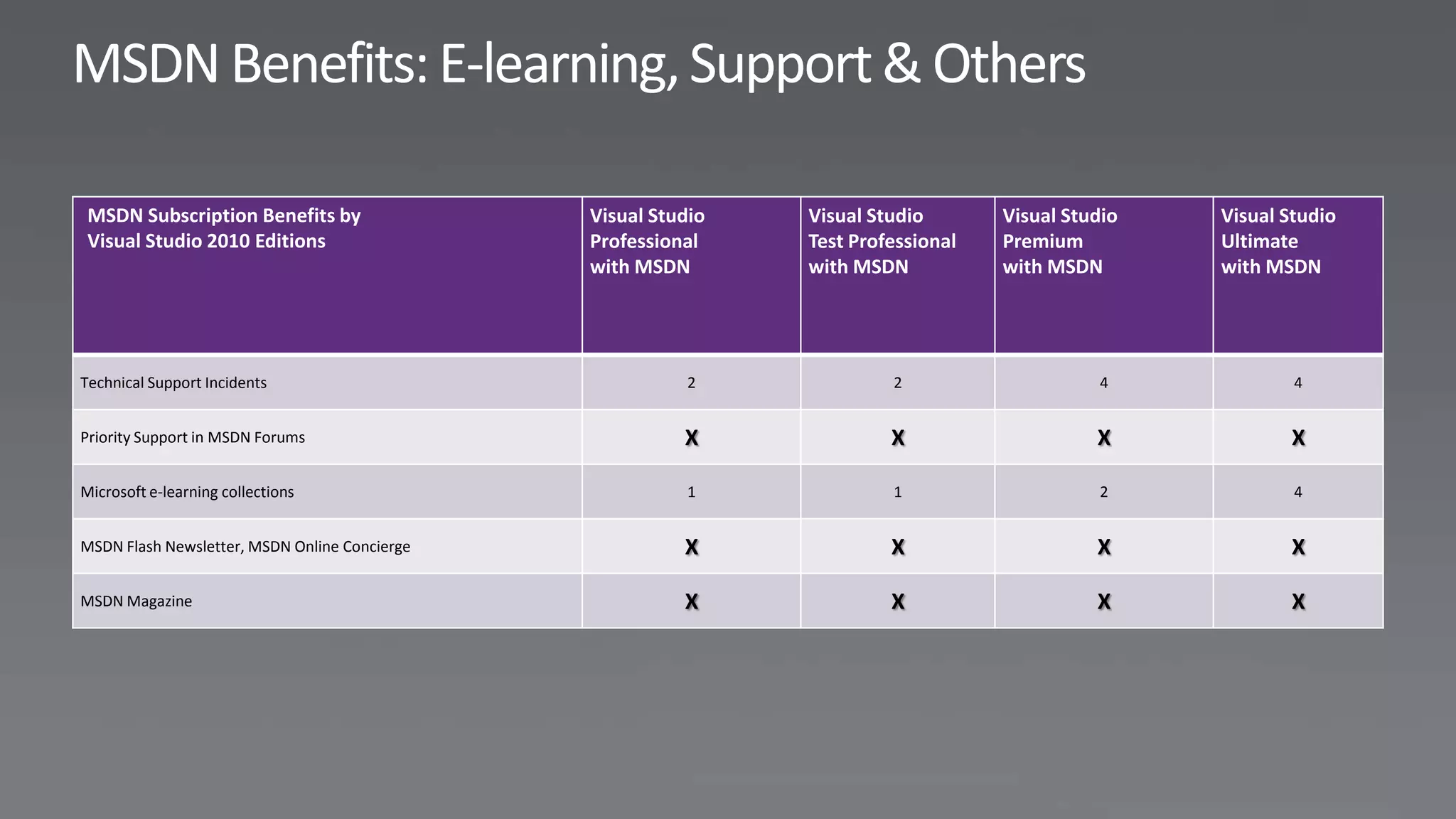
MSDN Subscription Benefits by                 Visual Studio   Visual Studio       Visual Studio   Visual Studio
 Visual Studio 2010 Editions                   Professional    Test Professional   Premium         Ultimate
                                               with MSDN       with MSDN           with MSDN       with MSDN


Technical Support Incidents                               2             2                    4             4


Priority Support in MSDN Forums                          X              X                    X            X

Microsoft e-learning collections                          1             1                    2             4


MSDN Flash Newsletter, MSDN Online Concierge             X              X                    X            X

MSDN Magazine                                            X              X                    X            X
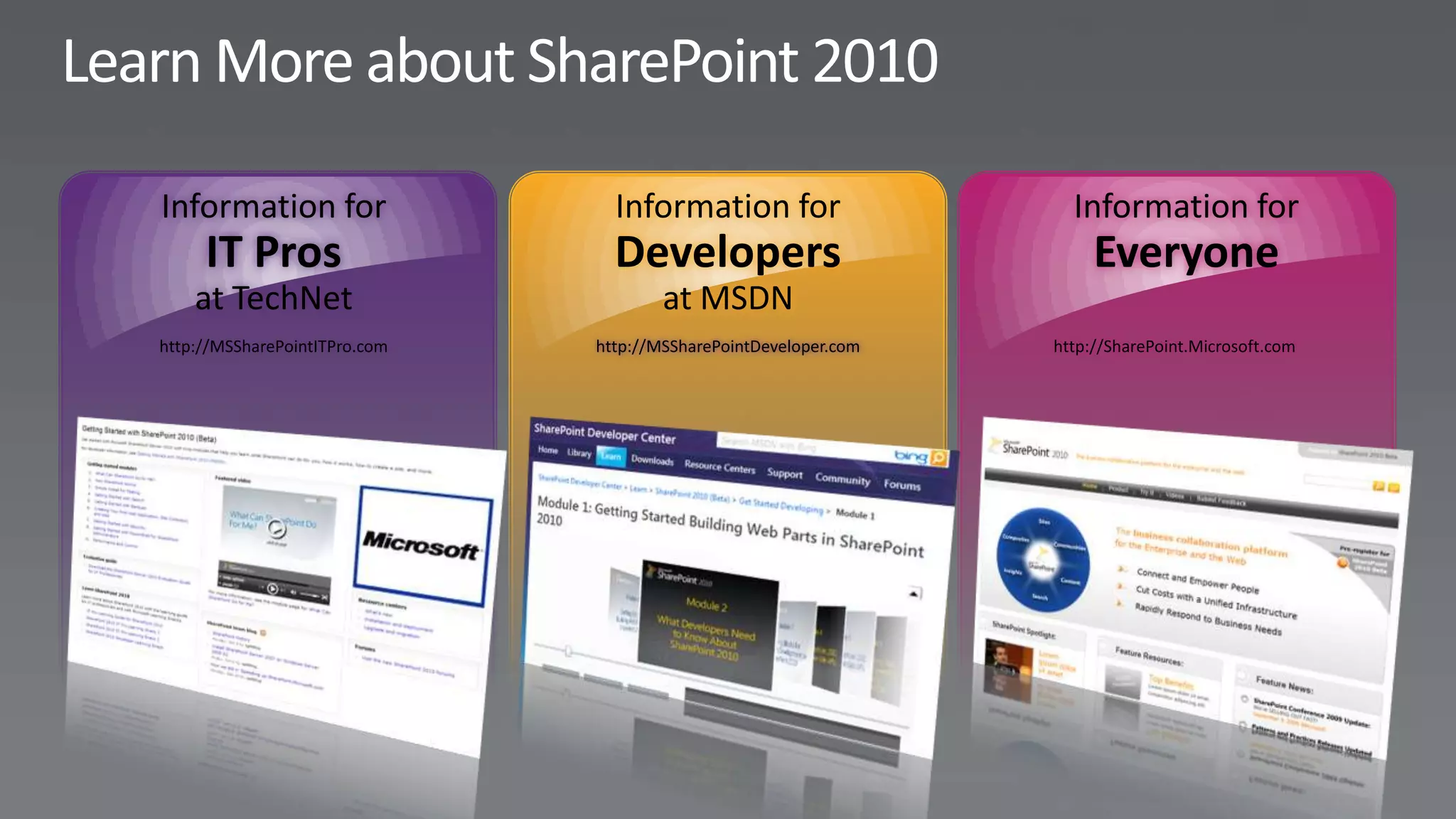
Information for                  Information for                    Information for
     IT Pros                     Developers                            Everyone
    at TechNet                         at MSDN
http://MSSharePointITPro.com   http://MSSharePointDeveloper.com   http://SharePoint.Microsoft.com
SharePoint 2010 as a Development Platform

SharePoint 2010 as a Development Platform

  • 1.
  • 4.
    SharePoint is aset of integrated technologies which provides a platform upon which an organization can build a flexible, long-term information and knowledge management infrastructure.” SharePoint is the fastest-growing product in Microsoft's history, gaining more than 250 million client access licenses in a few years; that's roughly one-fifth of the legally licenses Microsoft Office installed base. And this is just the beginning: SharePoint continues to grow as customers are just beginning to apply it to a wise array of business issues and processes. SharePoint is gaining recognition as a full-fledged application server that allow non- developers to create sophisticated apps. However, with the 2010 release, Microsoft SharePoint increasingly becomes a compelling development platform.
  • 6.
    Data Service APIs Structures and Storage Background User Services Interfaces Workflow Security Engine
  • 7.
    Data Service APIs Structures and Storage Background User Services Interfaces Workflow Security Engine
  • 10.
    REST APIs Client OM SharePoint Data External Data
  • 11.
    Data Service APIs Structures and Storage Background User Services Interfaces Workflow Security Engine
  • 15.
  • 16.
  • 17.
    Data Service APIs Structures and Storage Background User Services Interfaces Workflow Security Engine
  • 19.
    Data Service APIs Structures and Storage Background User Services Interfaces Workflow Security Engine
  • 21.
    Data Service APIs Structures and Storage Background User Services Interfaces Workflow Security Engine
  • 23.
    Data Service APIs Structures and Storage Background User Services Interfaces Workflow Security Engine
  • 25.
    Data Service APIs Structures and Storage Background User Services Interfaces Workflow Security Engine
  • 29.
    Project Types Web Part Designer
  • 30.
    Form Designer &Filler Browser and Client forms Visual Layout Form Logic Data Connection
  • 34.
    Custom Non- Declarative • Import solution Custom Activities into Visual Studio • Advanced • Encapsulate modeling Custom Declarative custom code in • Hook up workflow Out-of-Box new action to events Customization • Start from scratch • Deploy in full or or from existing partial trust (as • Association and user code) Out-of-Box • New actions initiation settings Workflows • Modify logic in • Task process • Ready to use SharePoint framework • Common approval Designer • More types of scenarios • Design forms in workflows InfoPath
  • 47.
    ~~~~~~~~~~~~~ Browser ~~~~~~~~~~~~~ Application (Middle- Database (SQL Web Front End Server Tier) Server Server)
  • 57.
  • 58.
    How does itwork in detail MySolution.wsp (WSS Solution Cab) add Feature Manifests Config delete DB Site definitions Assemblies UI, Pages Deploy/Upgrade Command Line, OM retract “deploy” command Farm Servers
  • 61.
    Designer/IW/Power User Professional developer WSP Package
  • 63.
    TFS Source Control Check in to Dev Env. – Prototyping Site VS2010 SharePoint Save site as Template Project Import WSP to Visual Studio
  • 64.
    •Sync SP Dev •Check-out Env •Edit/Refactor •Test Data Population •Unit Test SP Dev •Check-in Env TFS •Work is being driven SP Dev and tracked via work items Env •Other team members can pick up changes •Local Deployment using WSPs TFS Shelving allows Senior Devs & SP Dev Architects Env to do peer-review
  • 65.
    Daily Build Output Can also be TFS used in a “Continuous” Get Latest build environment Daily Build Test Lab
  • 66.
    TFS Staging or Production Sync from Label Environment Deploy WSP VS2010 SharePoint Project Build
  • 68.
    ShaprePoint Visual Studio 1) Run Test T Application Under 2010 IDE test Controller Test Test R Agent Microsoft Test 2) Return test Tester results and Diagnostic Data Manager diagnostic data Adapters (DDAs)
  • 69.
    System Center Lab Manager Lab Management Virtual Machine Manager 2008 Microsoft Test Team Foundation Manager Server VM
  • 70.
    Lab Management 1) Create test lab VMs Test Case Management Lab Manager TT T T 2) Create test plan T T T T DDAs DDAs DDAs Test Management Test Test Test Agent Agent Agent Microsoft Test Team Manager WFE Service Back- Foundation VM App. end Server VM VM
  • 71.
    Build 1) Create Management and deploy test build Test Case Management TT TT 2) Run test TT TT Test DDAs DDAs DDAs Test cases Management 5) Access R Controller Test Test Test test results Agent Agent Agent 4) Return Microsoft Test and Team test results Manager diagnostic Foundation and data 3) Execute tests, diagnostic Server data collecting test results and diagnostic data
  • 72.
    Web Performance Tests Test T T Agent T T Test T T Test Agent T T Controller Test T T Agent T T Test T T Agent T T
  • 75.
    MSDN Subscription Benefitsby Visual Studio Visual Studio Visual Studio Visual Studio Visual Studio 2010 Editions Professional Test Professional Premium Ultimate with MSDN with MSDN with MSDN with MSDN Technical Support Incidents 2 2 4 4 Priority Support in MSDN Forums X X X X Microsoft e-learning collections 1 1 2 4 MSDN Flash Newsletter, MSDN Online Concierge X X X X MSDN Magazine X X X X
  • 76.
    Information for Information for Information for IT Pros Developers Everyone at TechNet at MSDN http://MSSharePointITPro.com http://MSSharePointDeveloper.com http://SharePoint.Microsoft.com

Editor's Notes

  • #5 . Performance Point Server, Portal Server,Content Management Server & Search Server are three former products that are now part of the SharePoint brand, and it’s easy to see how technologies such as Excel Services, document management and MySite could be stand-alone products.The strength of SharePoint is in its breadth more than its depth (although it has increasing depth). A SharePoint license provides a full range of information management capabilities and the more of those capabilities an organization uses, the greater the return on investment.
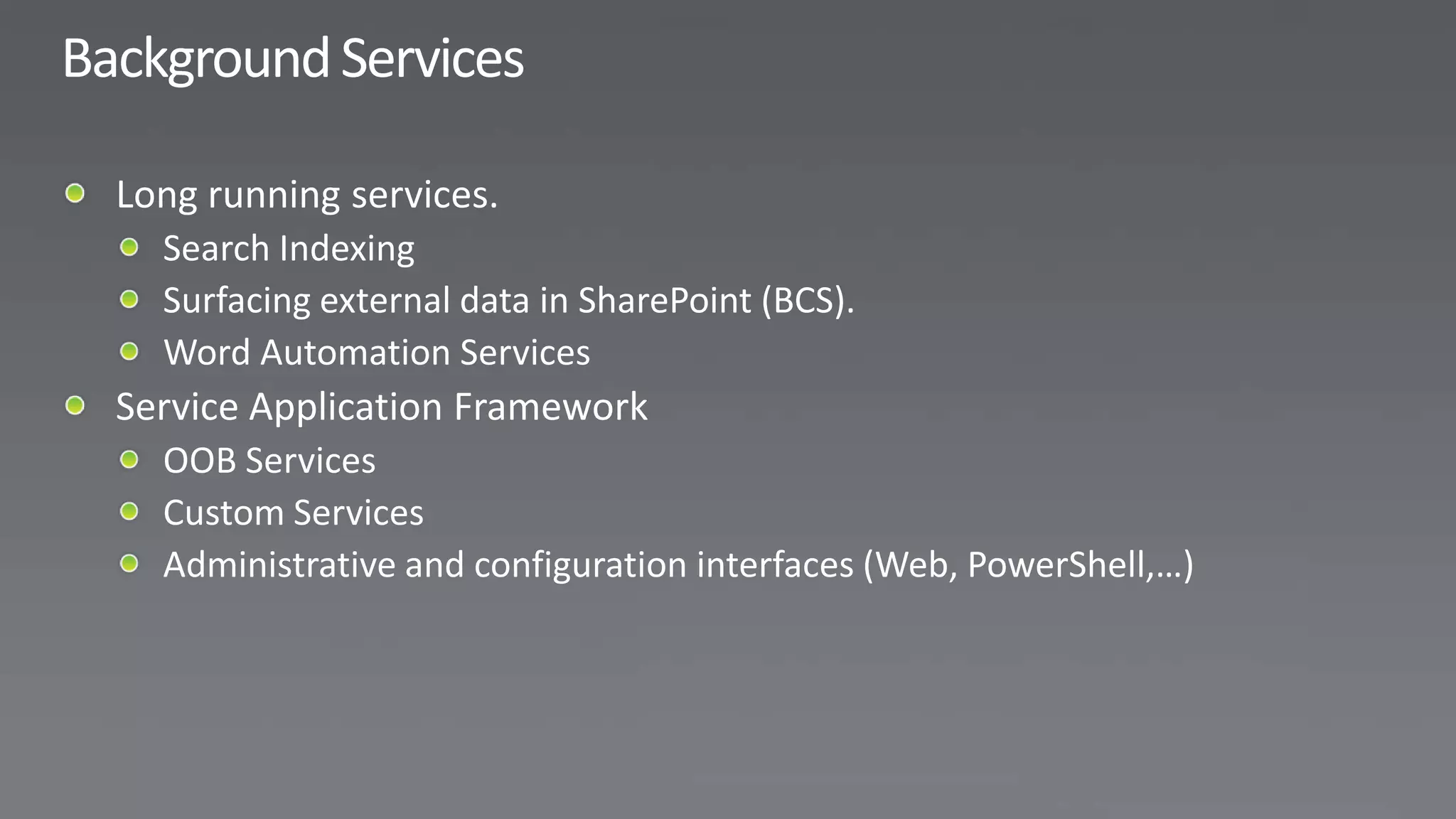
  • #21 Now we got Data sources, UI Interface & many mechanisms to implement Security. We still need more services that we need because not everything can run within the context of the browser or within a page request. Background services allow us to handle long running or unattended services scenarios.
  • #23 Now we got Data sources, UI Interface & many mechanisms to implement Security. We still need more services that we need because not everything can run within the context of the browser or within a page request. Background services allow us to handle long running or unattended services scenarios.