Plugin Development
A peek into the world of WordPress plugin development
Rakesh Lawaju Abiral Neupane Regan Khadgi
WordCamp Nepal 2015
rakeshlawaju@gmail.com abiral.neupane@gmail.com regan.khadgi1@gmail.com
WordPress plugin & it’s usages?
WordPress plugins are bits of software that can be uploaded to extend and
expand the functionality of your WordPress site.
- Register post type & taxonomy
- Shortcodes
- Ecommerce feature
- Sliders and gallery
- and many more
Let’s start
Draw roadmap
Think outside the box
Get a unique name
Files and folder structure
Coding standard
Custom tables?
Don’t forget about security
Extensibility
Translation ready
Draw roadmap
Failing to plan is planning to fail.
Images Designed by Freepik
Think outside the box
Give user some unique feature because there are almost 50000 plugins in
WordPress.org
Get a unique name
Because the name matters.
Files and folder structure
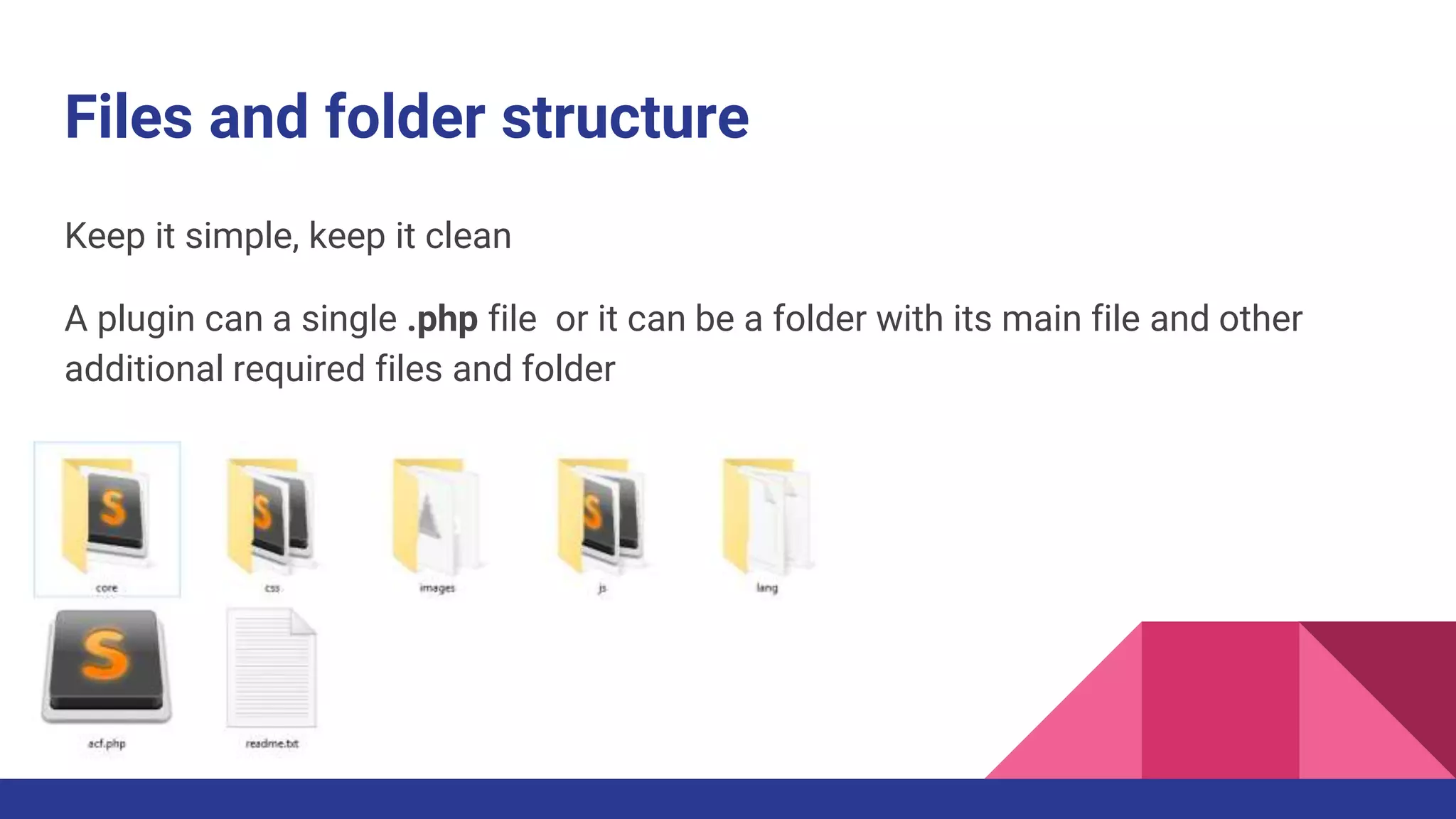
Keep it simple, keep it clean
A plugin can a single .php file or it can be a folder with its main file and other
additional required files and folder
Coding standard
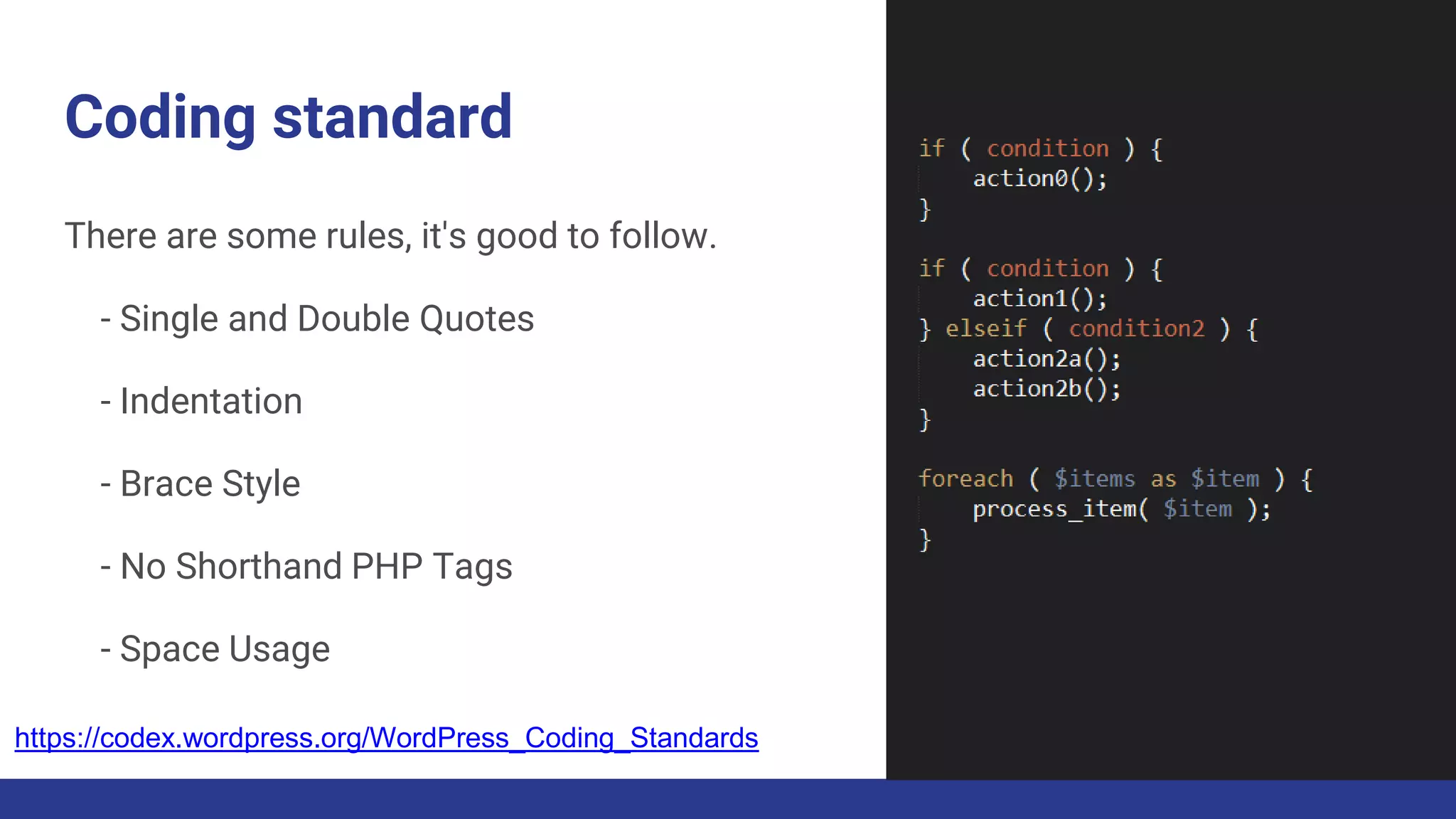
There are some rules, it's good to follow.
- Single and Double Quotes
- Indentation
- Brace Style
- No Shorthand PHP Tags
- Space Usage
https://codex.wordpress.org/WordPress_Coding_Standards
Custom tables?
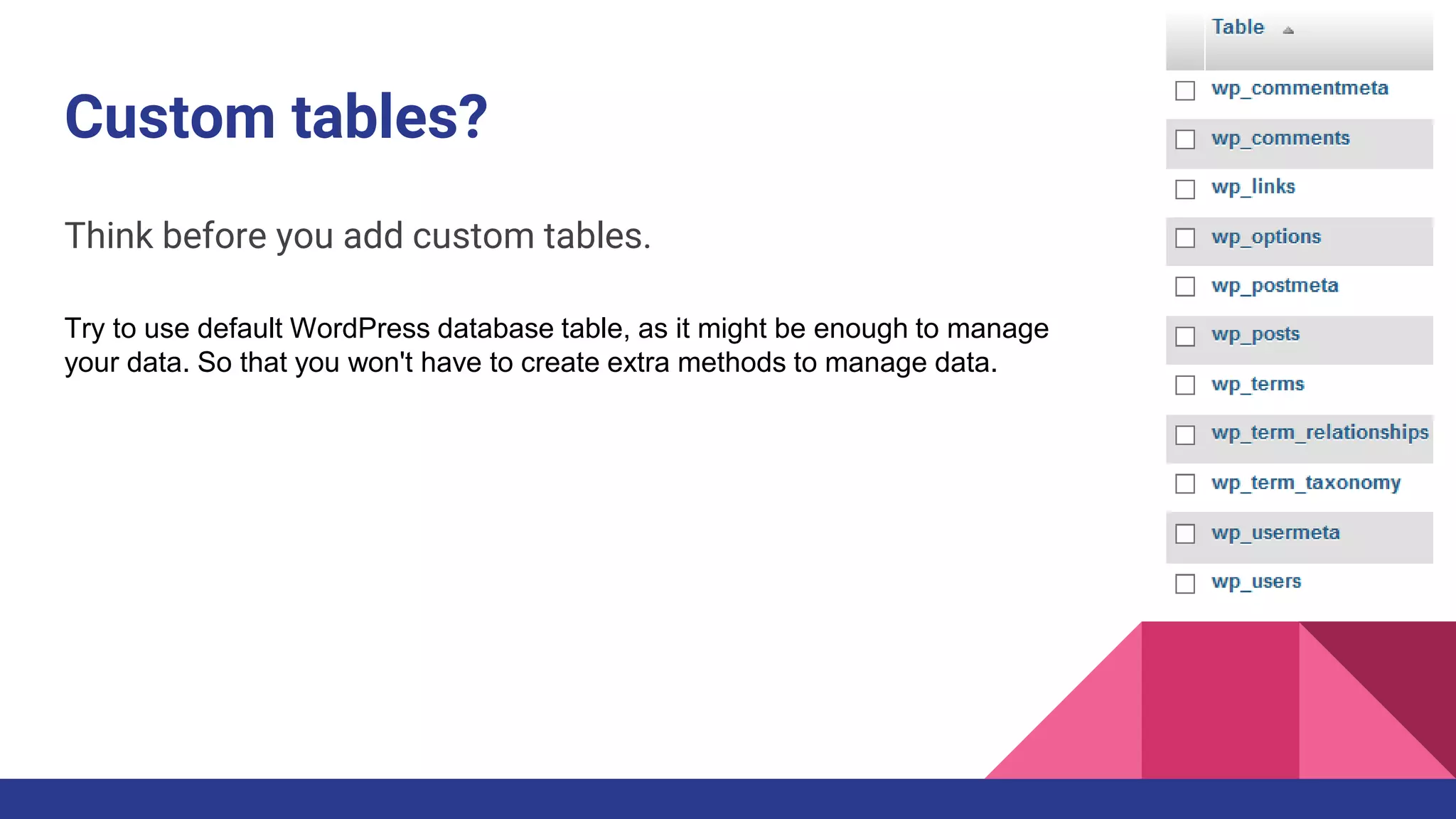
Think before you add custom tables.
Try to use default WordPress database table, as it might be enough to manage
your data. So that you won't have to create extra methods to manage data.
Don’t forget about security
- Validating and sanitizing is must when user submits data to WordPress,
data is imported from an external feed, or data comes into WordPress
- To prevent issues like Cross-site scripting (XSS) make sure that output are
escaped like post title, post meta value, or some other data from the
database
- Prevent an unauthorized person from changing your plugin’s settings or
performing actions they are not authorized to perform.
WordPress offers two ways: nonces and capability
checks.
Image from https://pixabay.com/p-538715/
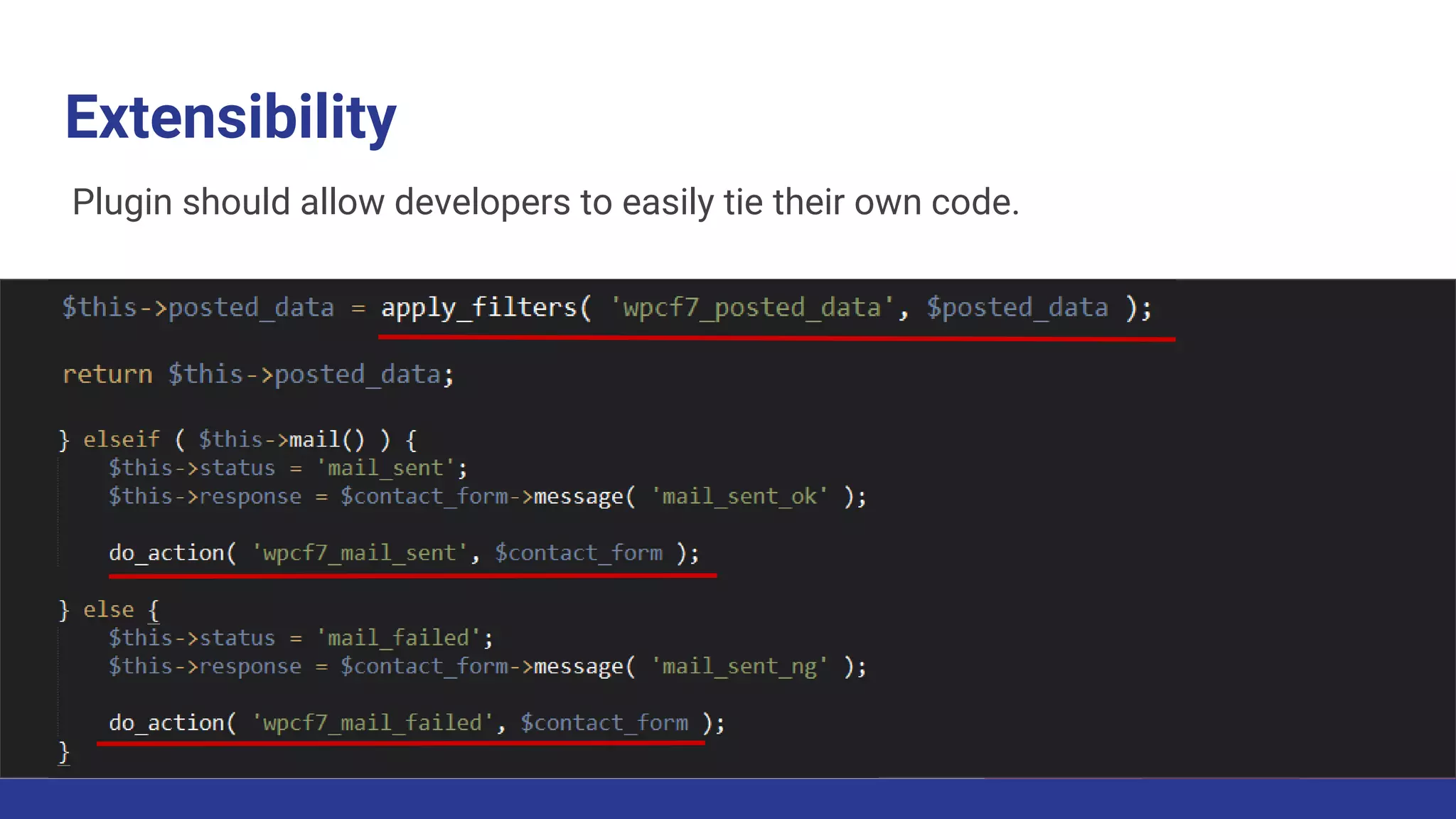
Extensibility
Plugin should allow developers to easily tie their own code.
Translation ready
Don't lose your potential user
How you are offering your plugin?
After you have successfully developed a plugin it can be offered in many ways to
the users. Some of them are:
- Free
- Freemium
- Premium
The sky's the limit
and let’s give back to community
Hope you
found it useful Thank you!

WordPress plugin development

  • 2.
    Plugin Development A peekinto the world of WordPress plugin development Rakesh Lawaju Abiral Neupane Regan Khadgi WordCamp Nepal 2015 rakeshlawaju@gmail.com abiral.neupane@gmail.com regan.khadgi1@gmail.com
  • 3.
    WordPress plugin &it’s usages? WordPress plugins are bits of software that can be uploaded to extend and expand the functionality of your WordPress site. - Register post type & taxonomy - Shortcodes - Ecommerce feature - Sliders and gallery - and many more
  • 4.
    Let’s start Draw roadmap Thinkoutside the box Get a unique name Files and folder structure Coding standard Custom tables? Don’t forget about security Extensibility Translation ready
  • 5.
    Draw roadmap Failing toplan is planning to fail. Images Designed by Freepik
  • 6.
    Think outside thebox Give user some unique feature because there are almost 50000 plugins in WordPress.org
  • 7.
    Get a uniquename Because the name matters.
  • 8.
    Files and folderstructure Keep it simple, keep it clean A plugin can a single .php file or it can be a folder with its main file and other additional required files and folder
  • 9.
    Coding standard There aresome rules, it's good to follow. - Single and Double Quotes - Indentation - Brace Style - No Shorthand PHP Tags - Space Usage https://codex.wordpress.org/WordPress_Coding_Standards
  • 10.
    Custom tables? Think beforeyou add custom tables. Try to use default WordPress database table, as it might be enough to manage your data. So that you won't have to create extra methods to manage data.
  • 11.
    Don’t forget aboutsecurity - Validating and sanitizing is must when user submits data to WordPress, data is imported from an external feed, or data comes into WordPress - To prevent issues like Cross-site scripting (XSS) make sure that output are escaped like post title, post meta value, or some other data from the database - Prevent an unauthorized person from changing your plugin’s settings or performing actions they are not authorized to perform. WordPress offers two ways: nonces and capability checks. Image from https://pixabay.com/p-538715/
  • 12.
    Extensibility Plugin should allowdevelopers to easily tie their own code.
  • 13.
    Translation ready Don't loseyour potential user
  • 14.
    How you areoffering your plugin? After you have successfully developed a plugin it can be offered in many ways to the users. Some of them are: - Free - Freemium - Premium
  • 15.
    The sky's thelimit and let’s give back to community
  • 16.
    Hope you found ituseful Thank you!