

Work With Hundreds of Hot
Terabytes in JVMs
Peter Lawrey
Higher Frequency Trading Ltd
Per Minborg
Speedment, Inc.
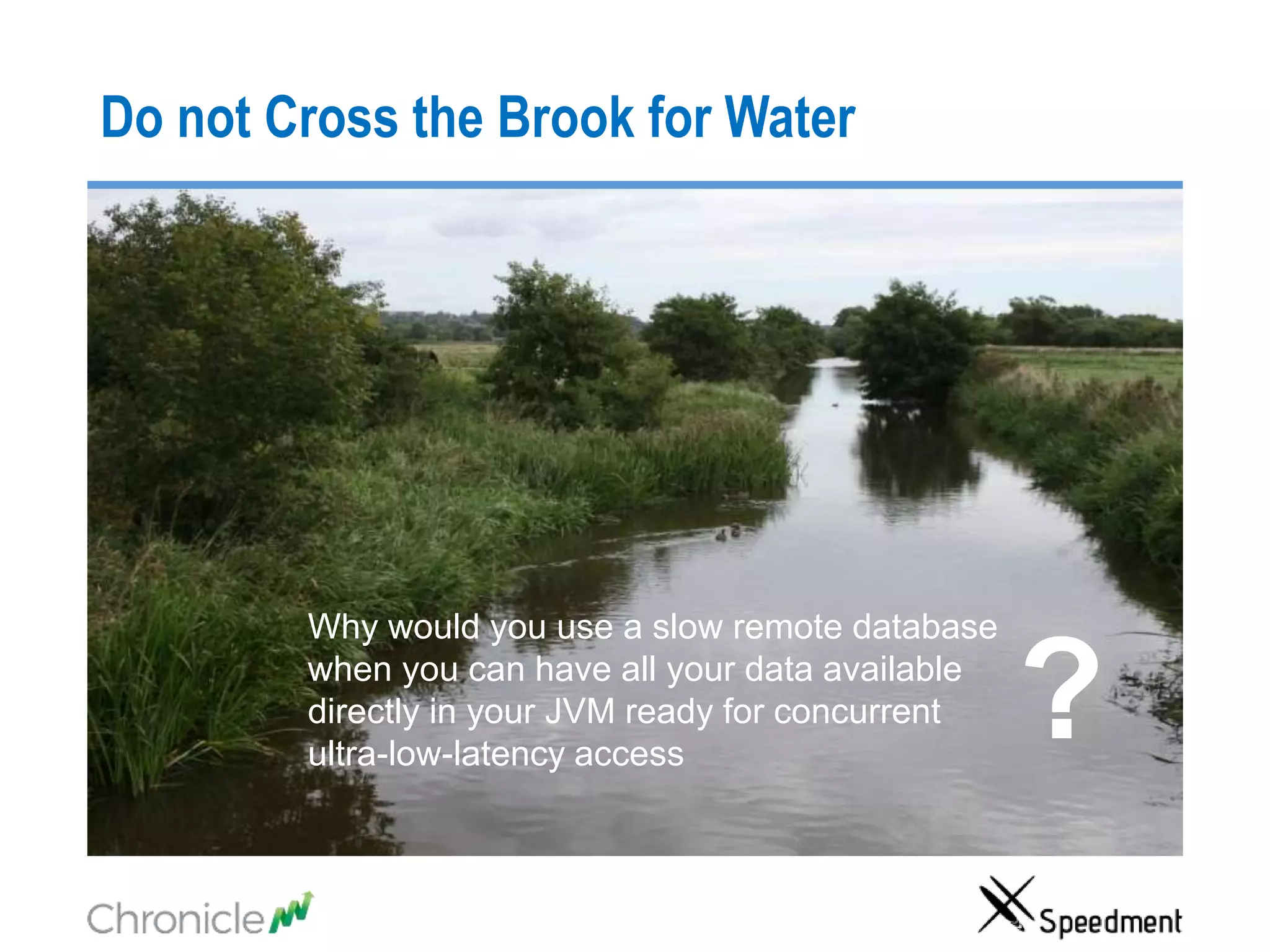
Do not Cross the Brook for Water
Why would you use a slow remote database
when you can have all your data available
directly in your JVM ready for concurrent
ultra-low-latency access
?
About Per 3
About PeterAbout Peter
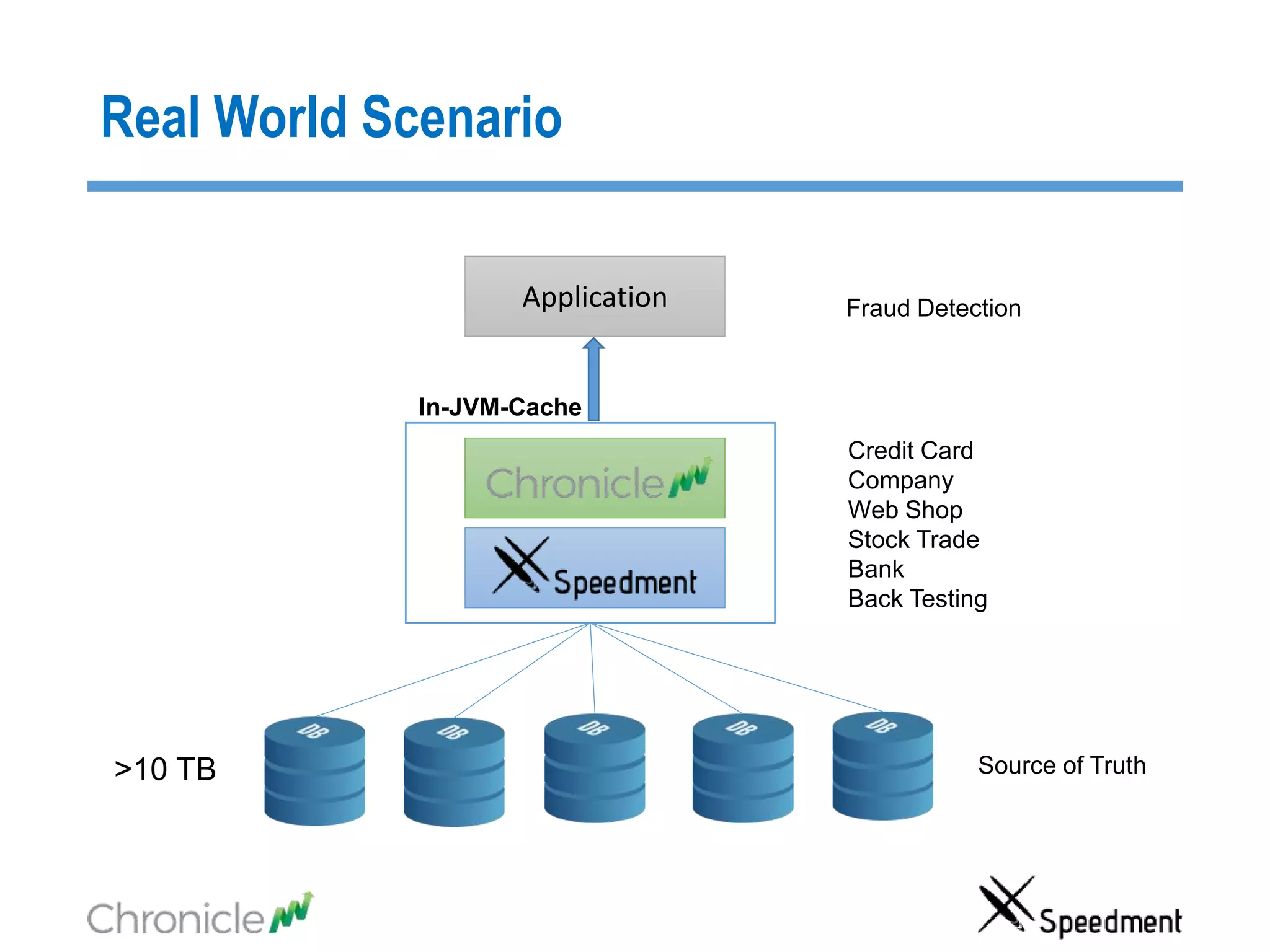
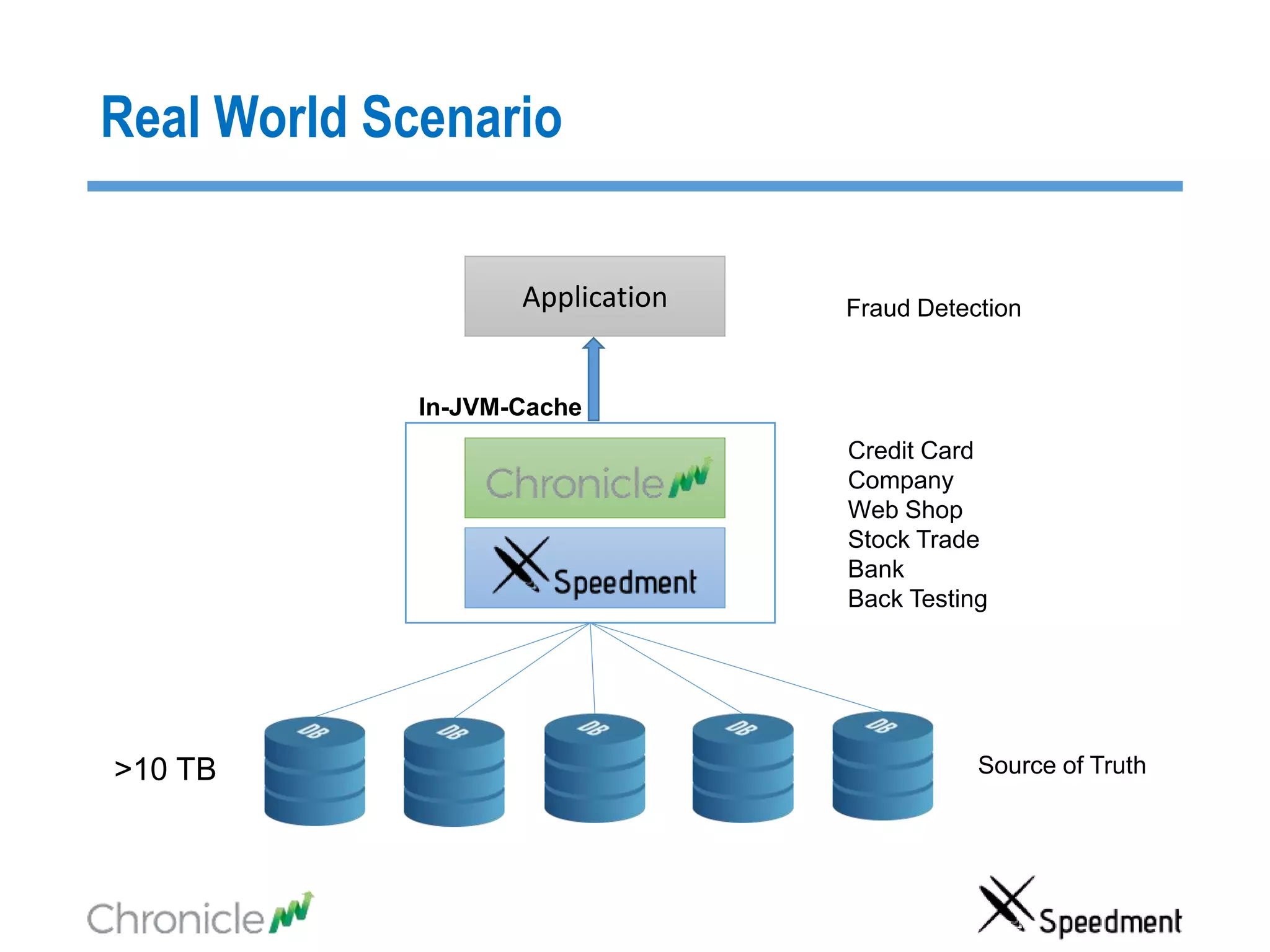
Real World Scenario
>10 TB
Application
In-JVM-Cache
Credit Card
Company
Web Shop
Stock Trade
Bank
Back Testing
Fraud Detection
Source of Truth
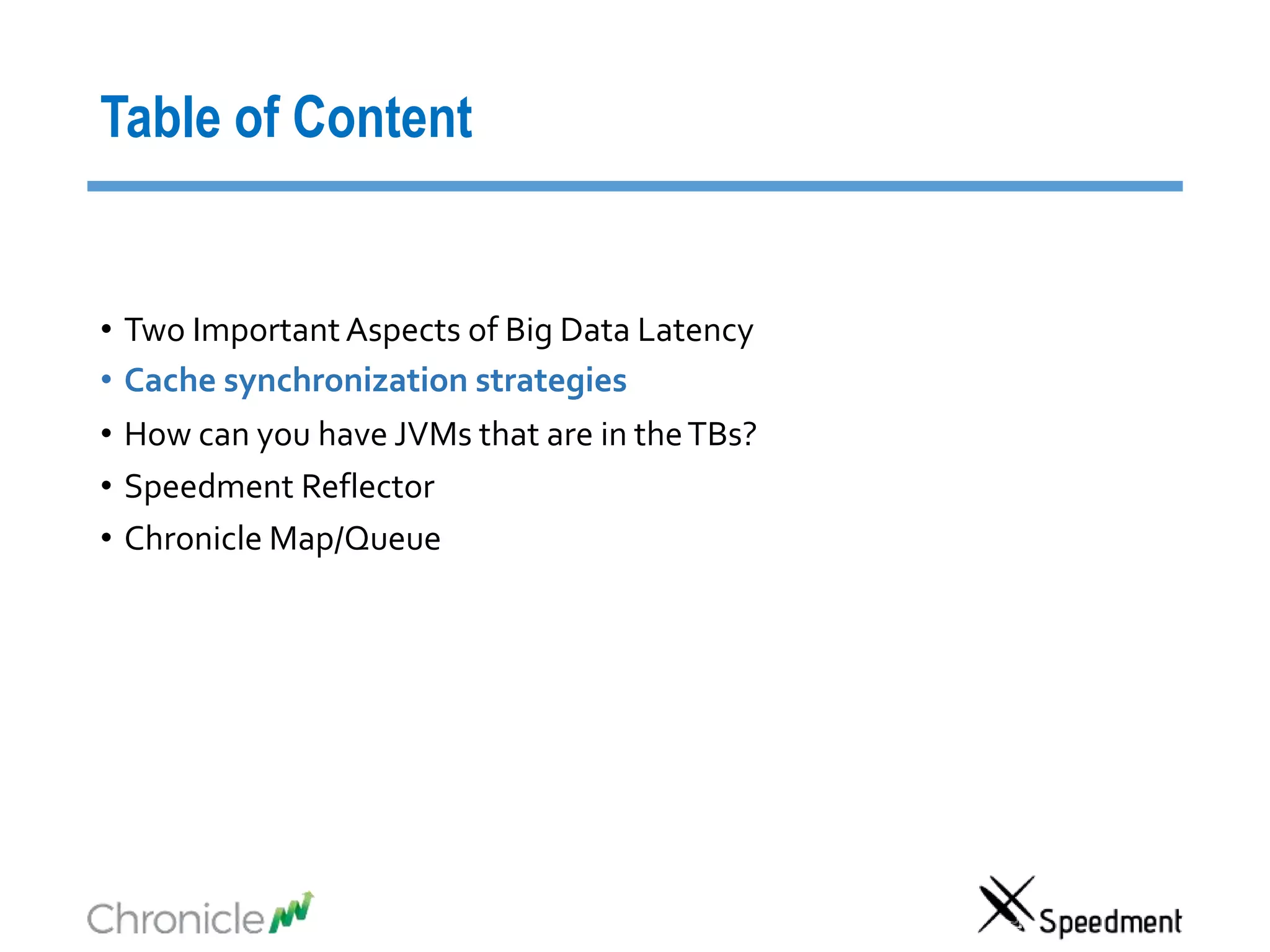
Table of Content
• Two Important Aspects of Big Data Latency
• Cache synchronization strategies
• How can you have JVMs that are in theTBs?
• Speedment Reflector
• Chronicle Map/Queue
Two Important Aspects of Big Data Latency
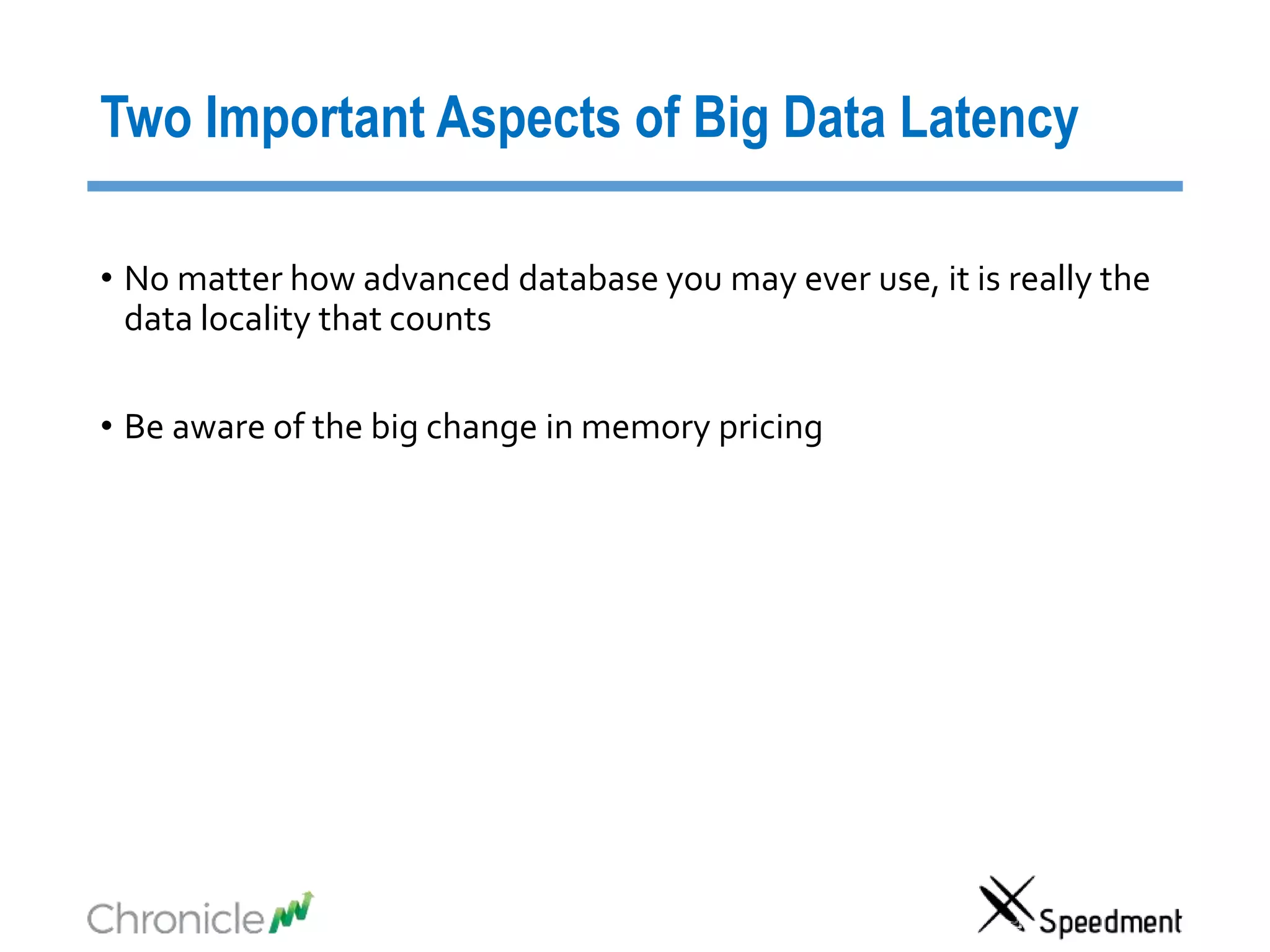
• No matter how advanced database you may ever use, it is really the
data locality that counts
• Be aware of the big change in memory pricing
Compare latencies using the Speed of Light
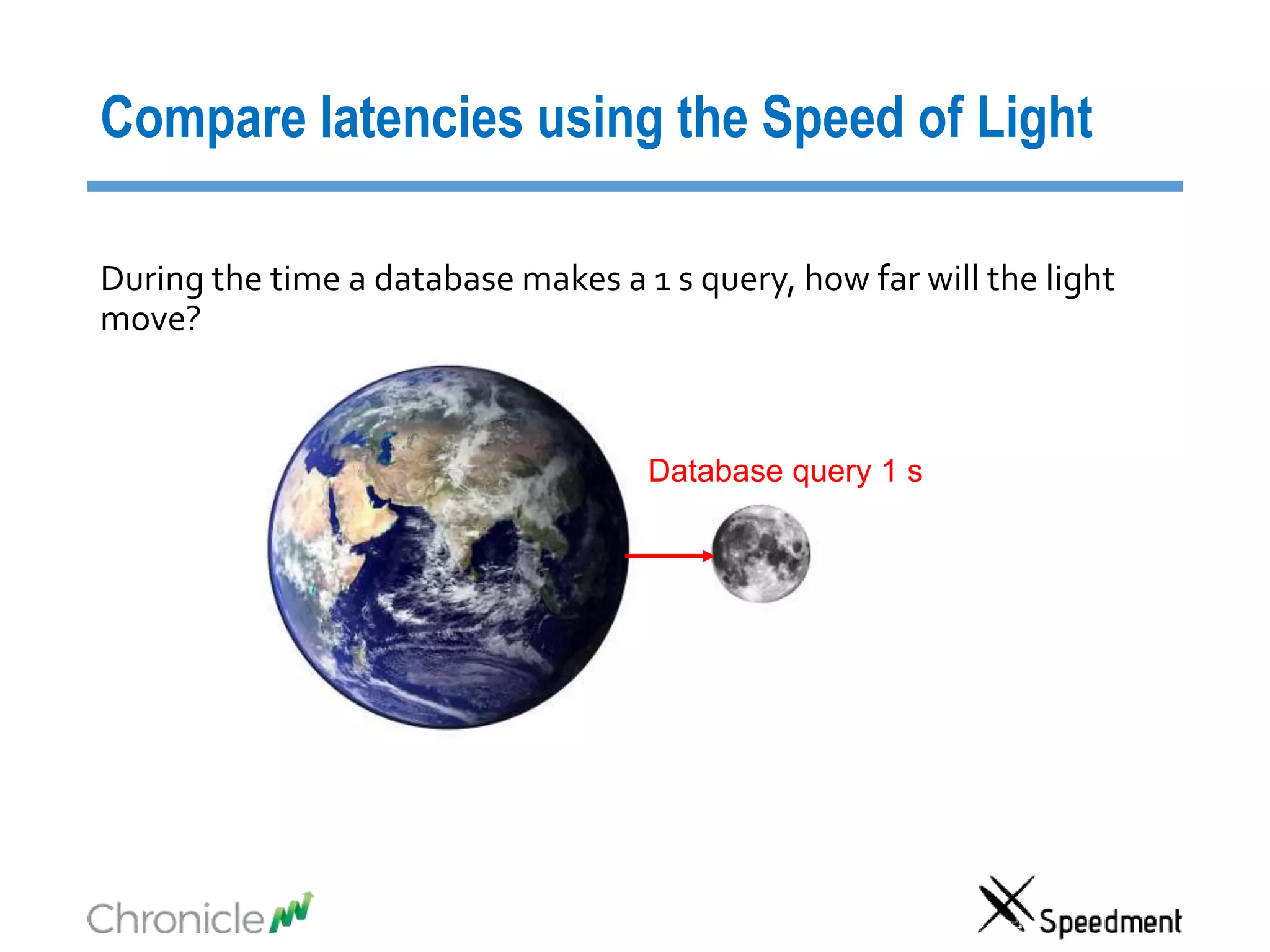
Database query 1 s
During the time a database makes a 1 s query, how far will the light
move?
Compare latencies using the Speed of Light
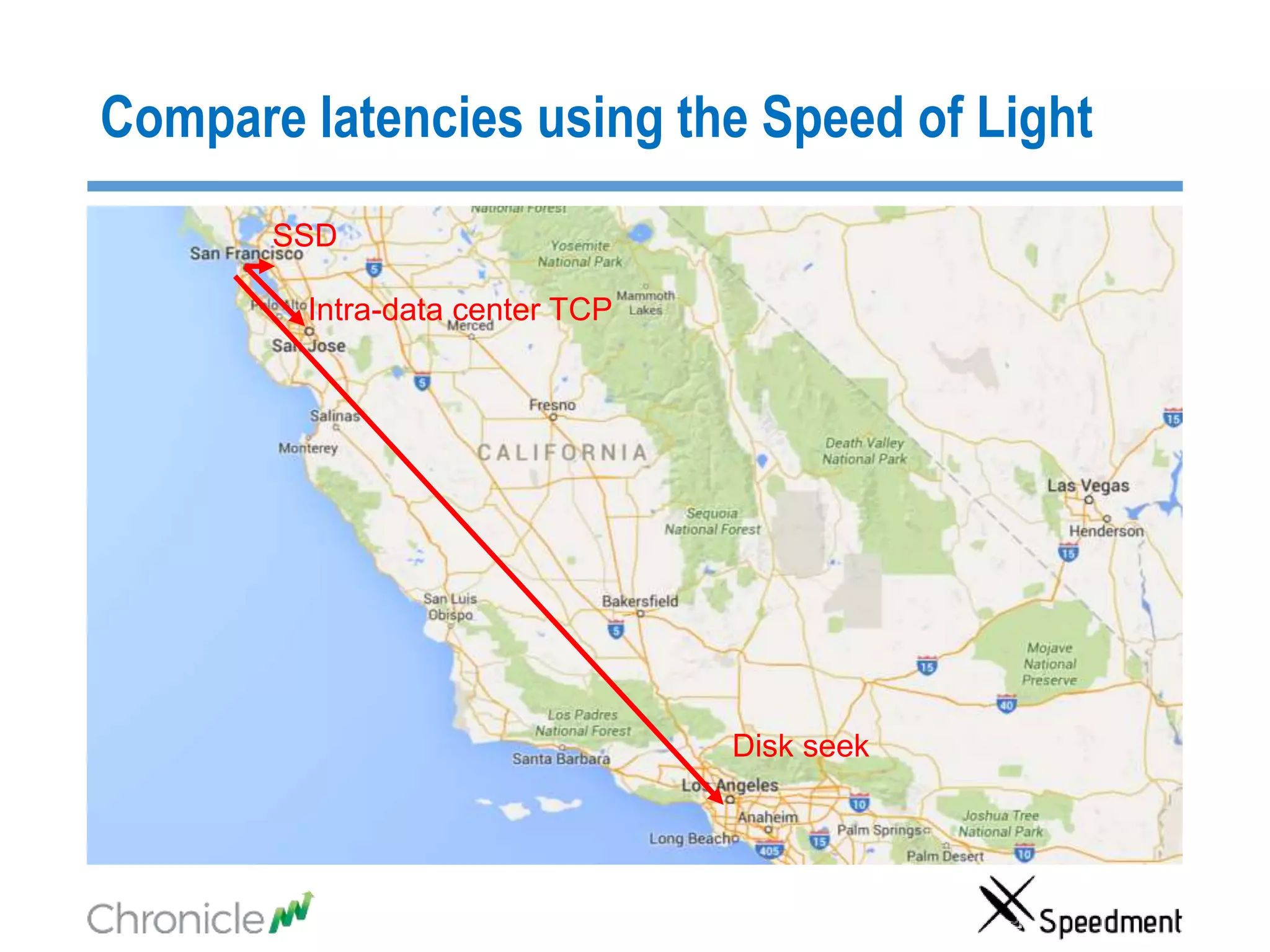
Disk seek
Intra-data center TCP
SSD
Compare latencies using the Speed of Light
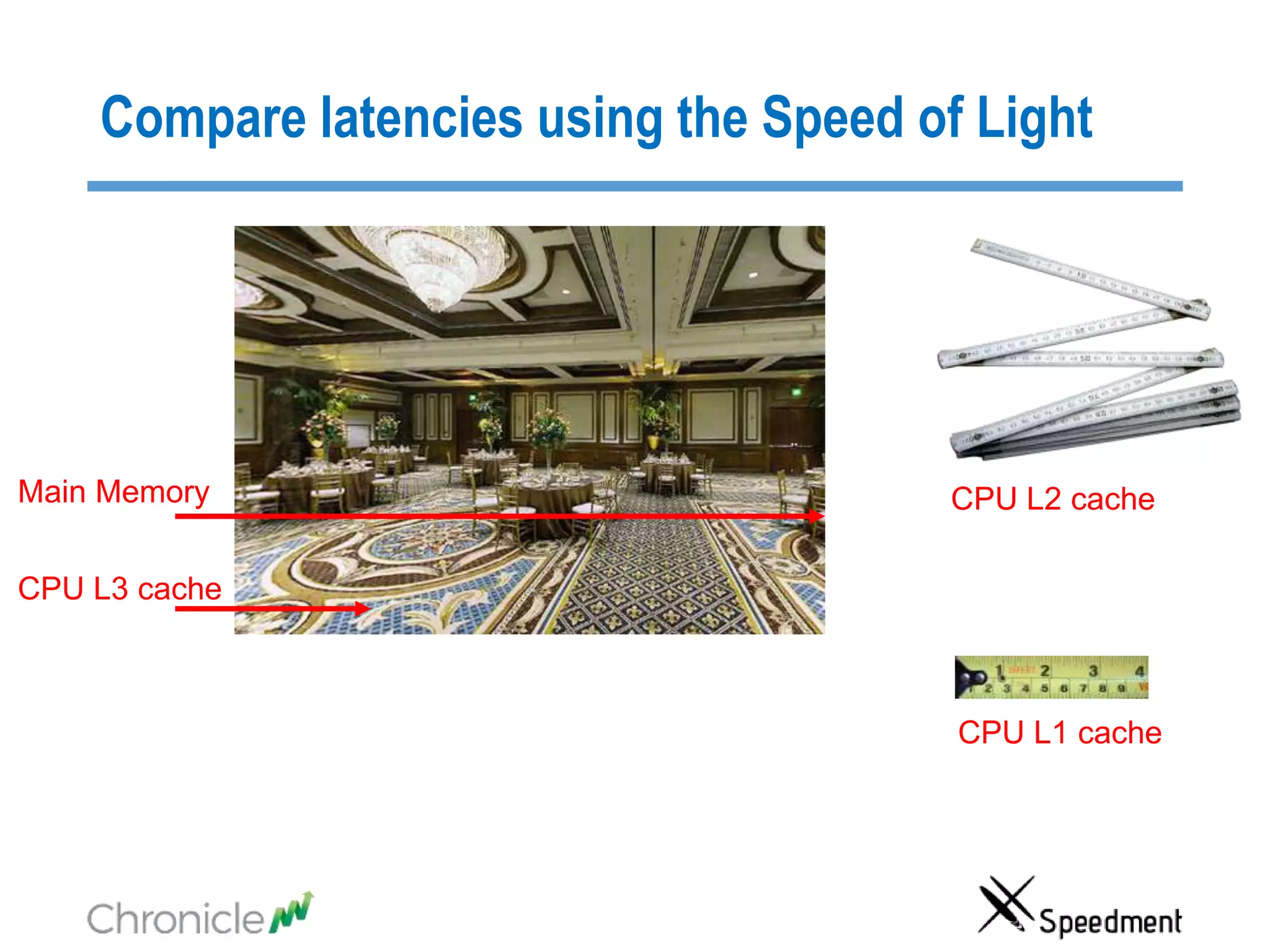
Main Memory
CPU L3 cache
CPU L2 cache
CPU L1 cache
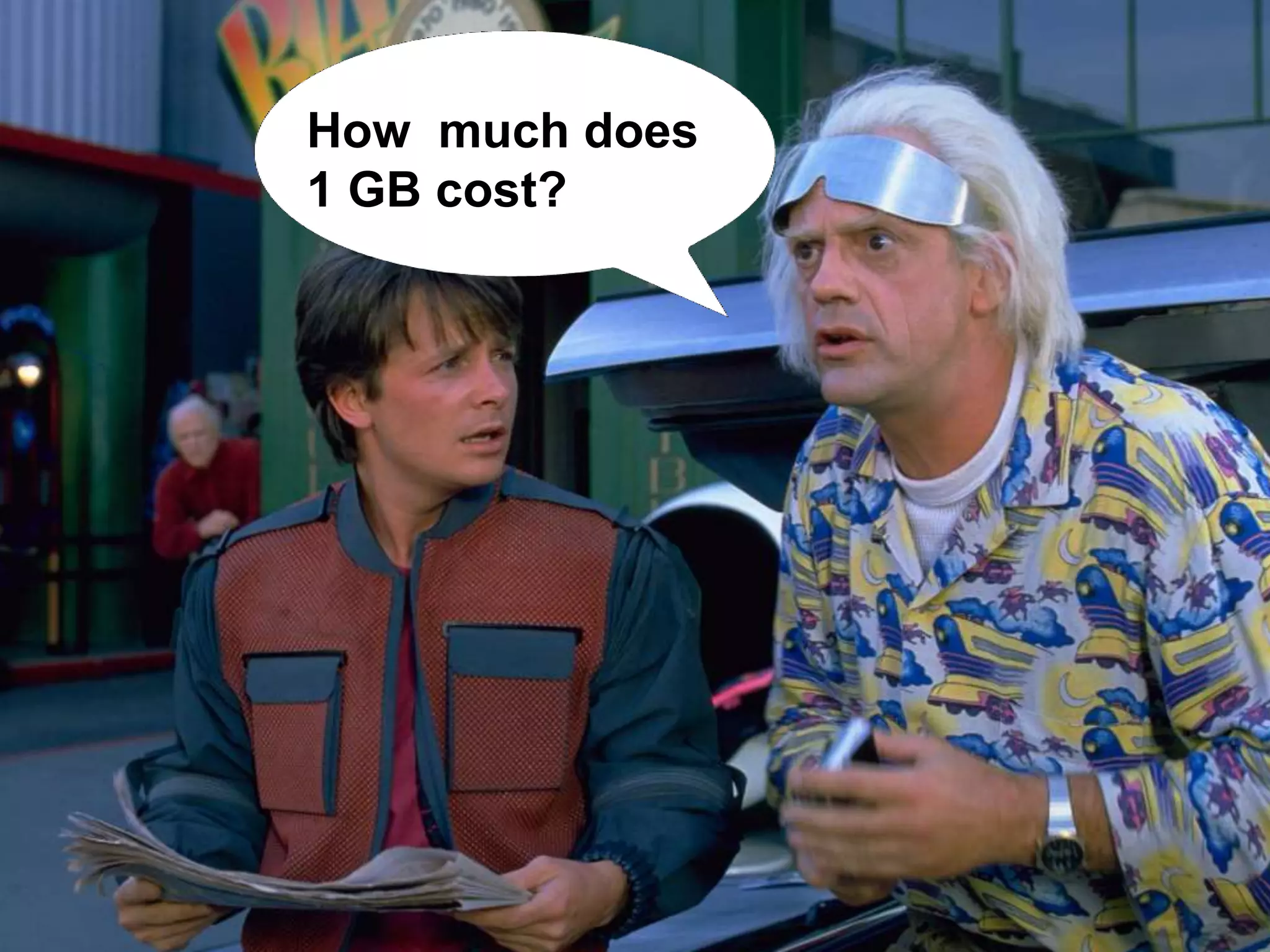
”Back to the Future”How much does
1 GB cost?
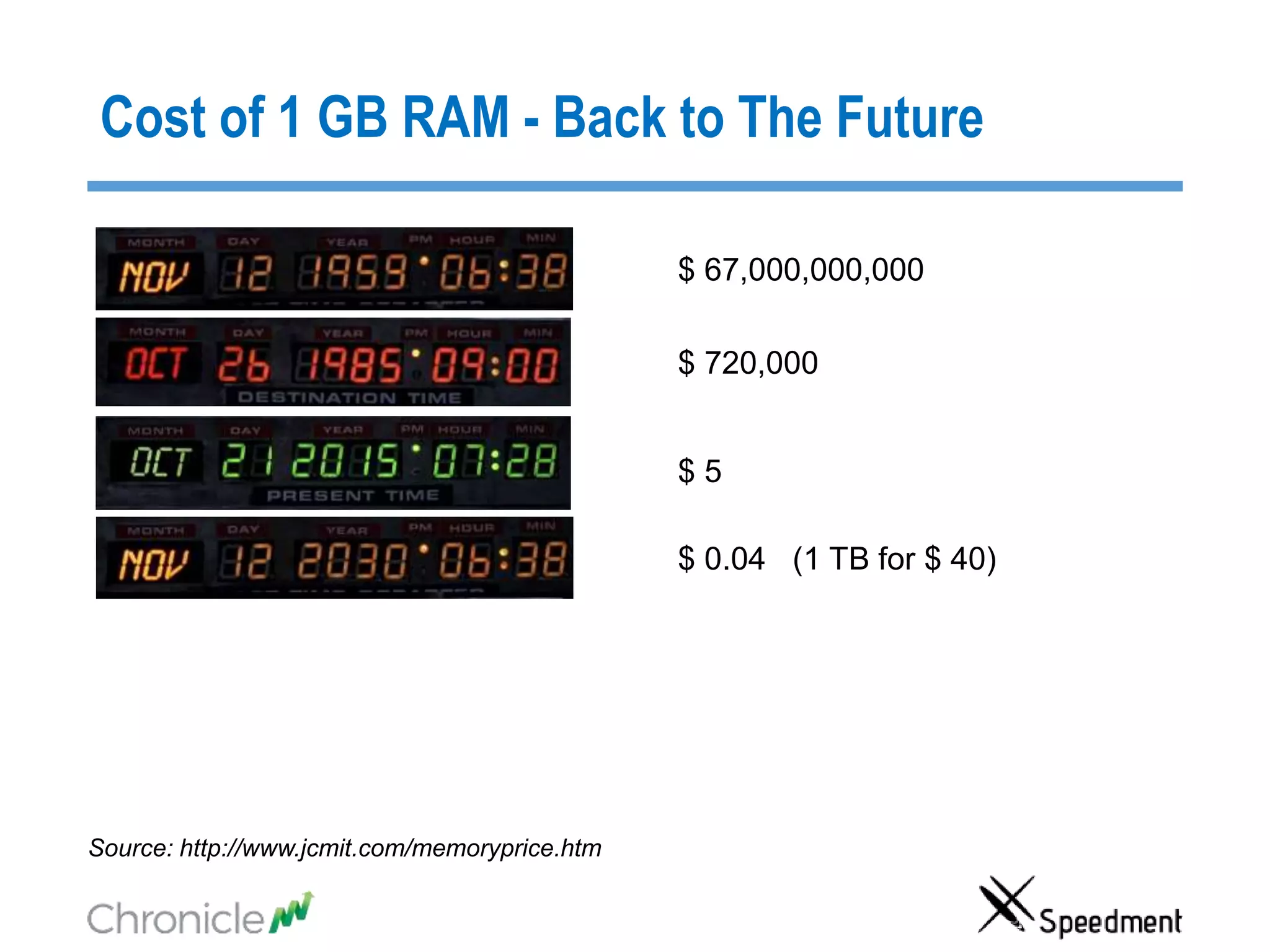
Cost of 1 GB RAM - Back to The Future
$ 5
$ 0.04 (1 TB for $ 40)
$ 720,000
$ 67,000,000,000
Source: http://www.jcmit.com/memoryprice.htm
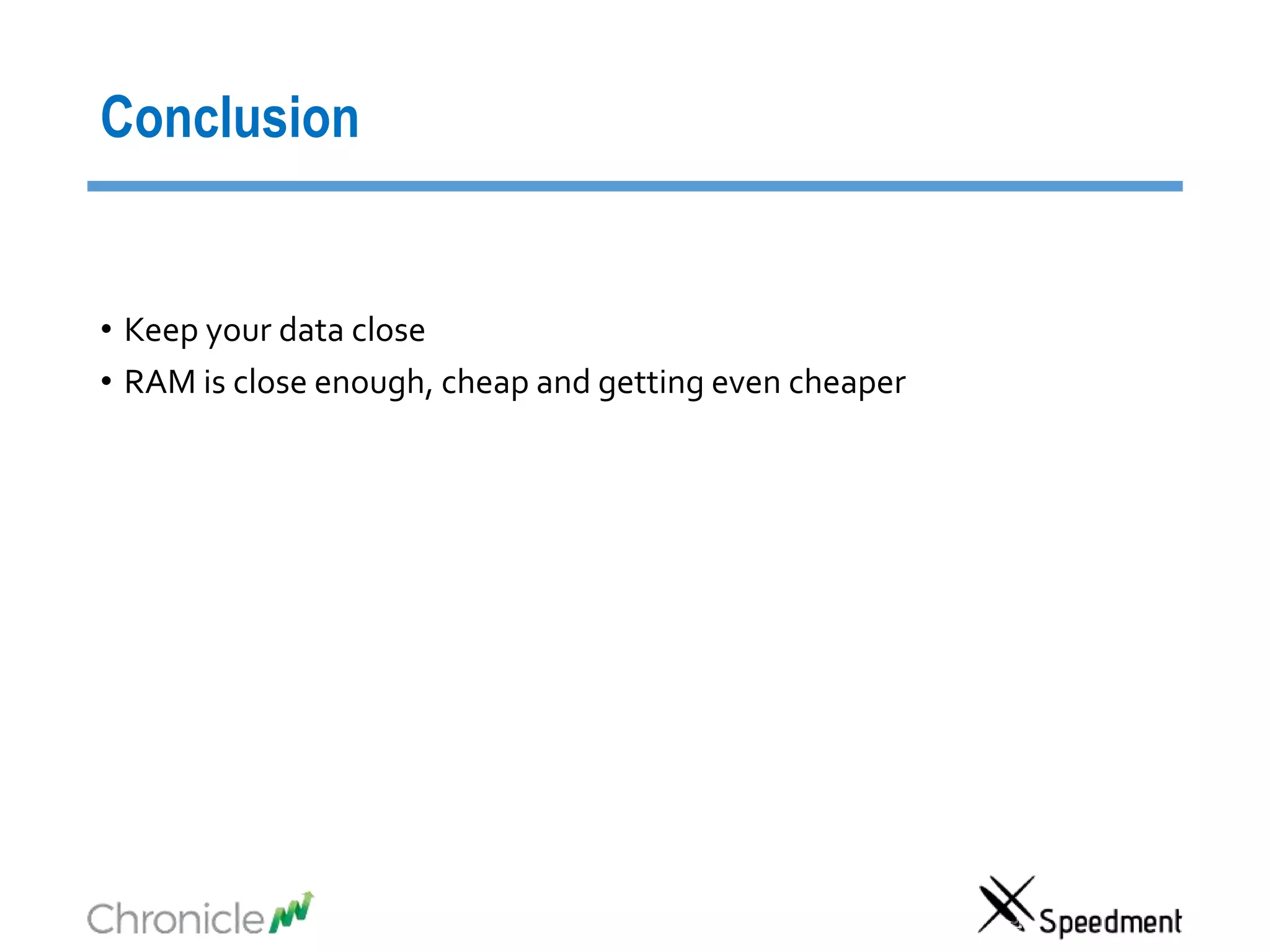
Conclusion
• Keep your data close
• RAM is close enough, cheap and getting even cheaper
Table of Content
• Two Important Aspects of Big Data Latency
• Cache synchronization strategies
• How can you have JVMs that are in theTBs?
• Speedment Reflector
• Chronicle Map/Queue
Cache Synchronize Strategies
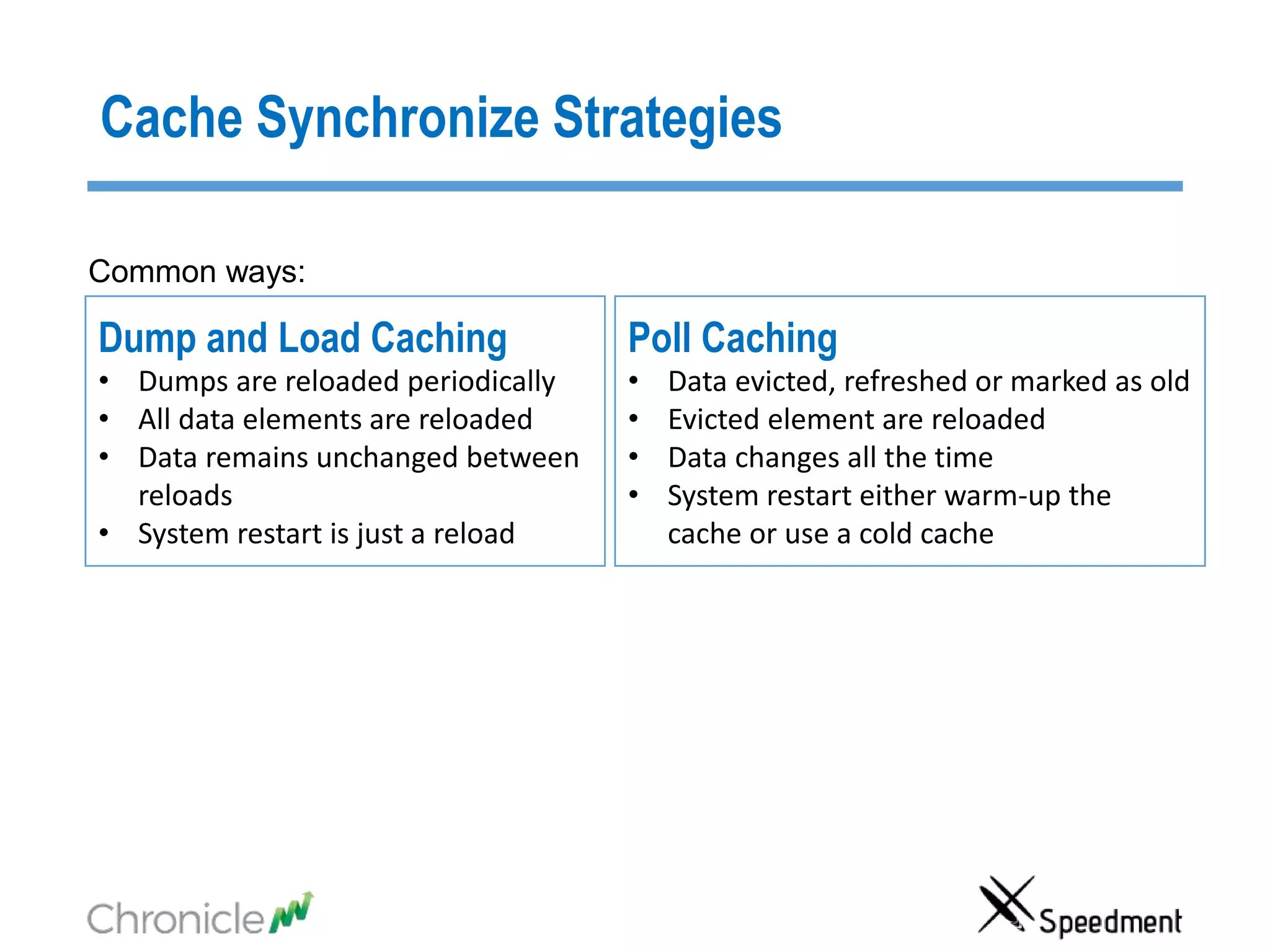
Poll Caching
• Data evicted, refreshed or marked as old
• Evicted element are reloaded
• Data changes all the time
• System restart either warm-up the
cache or use a cold cache
Dump and Load Caching
• Dumps are reloaded periodically
• All data elements are reloaded
• Data remains unchanged between
reloads
• System restart is just a reload
Common ways:
Cache Synchronize Strategies
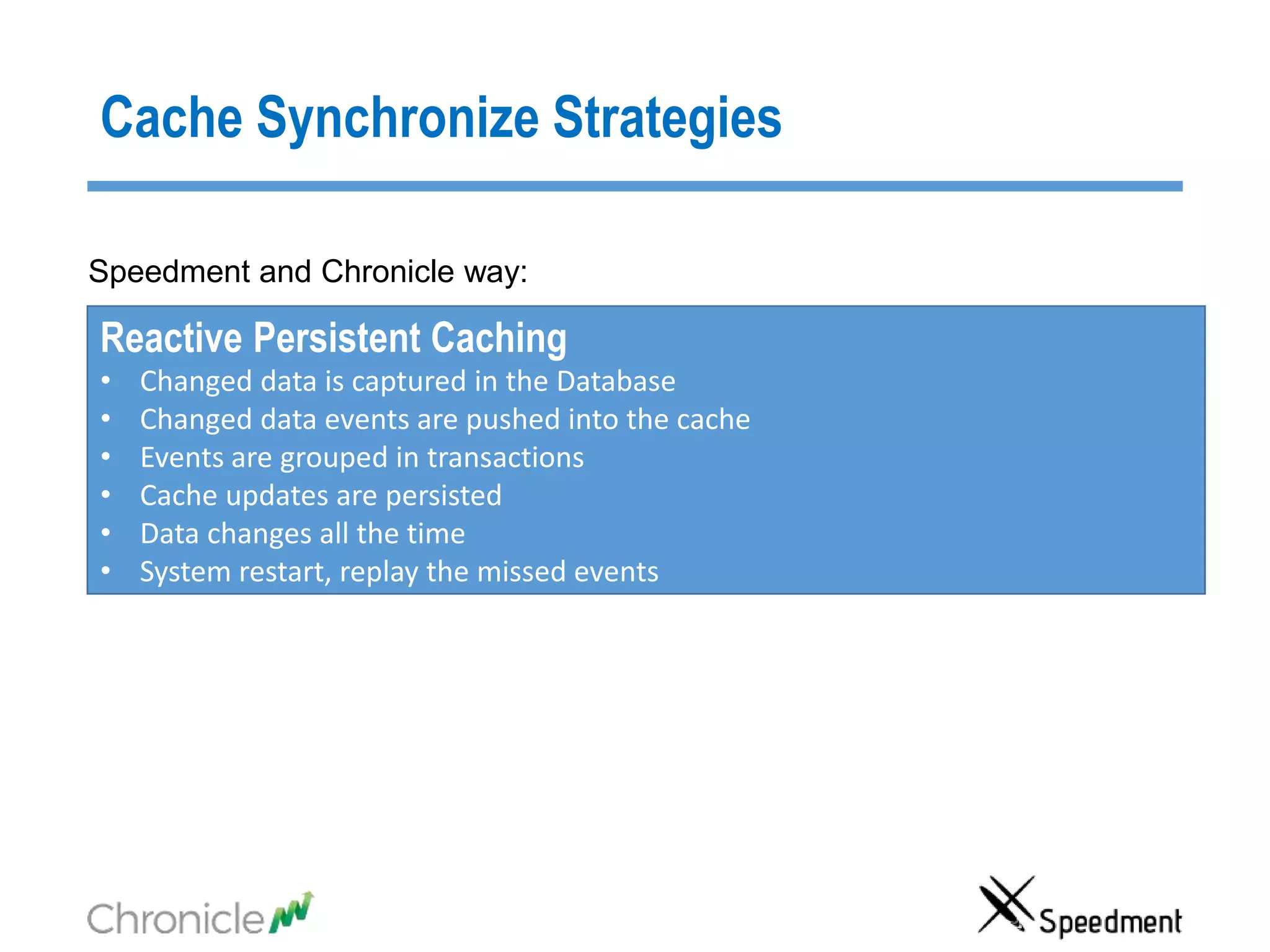
Reactive Persistent Caching
• Changed data is captured in the Database
• Changed data events are pushed into the cache
• Events are grouped in transactions
• Cache updates are persisted
• Data changes all the time
• System restart, replay the missed events
Speedment and Chronicle way:
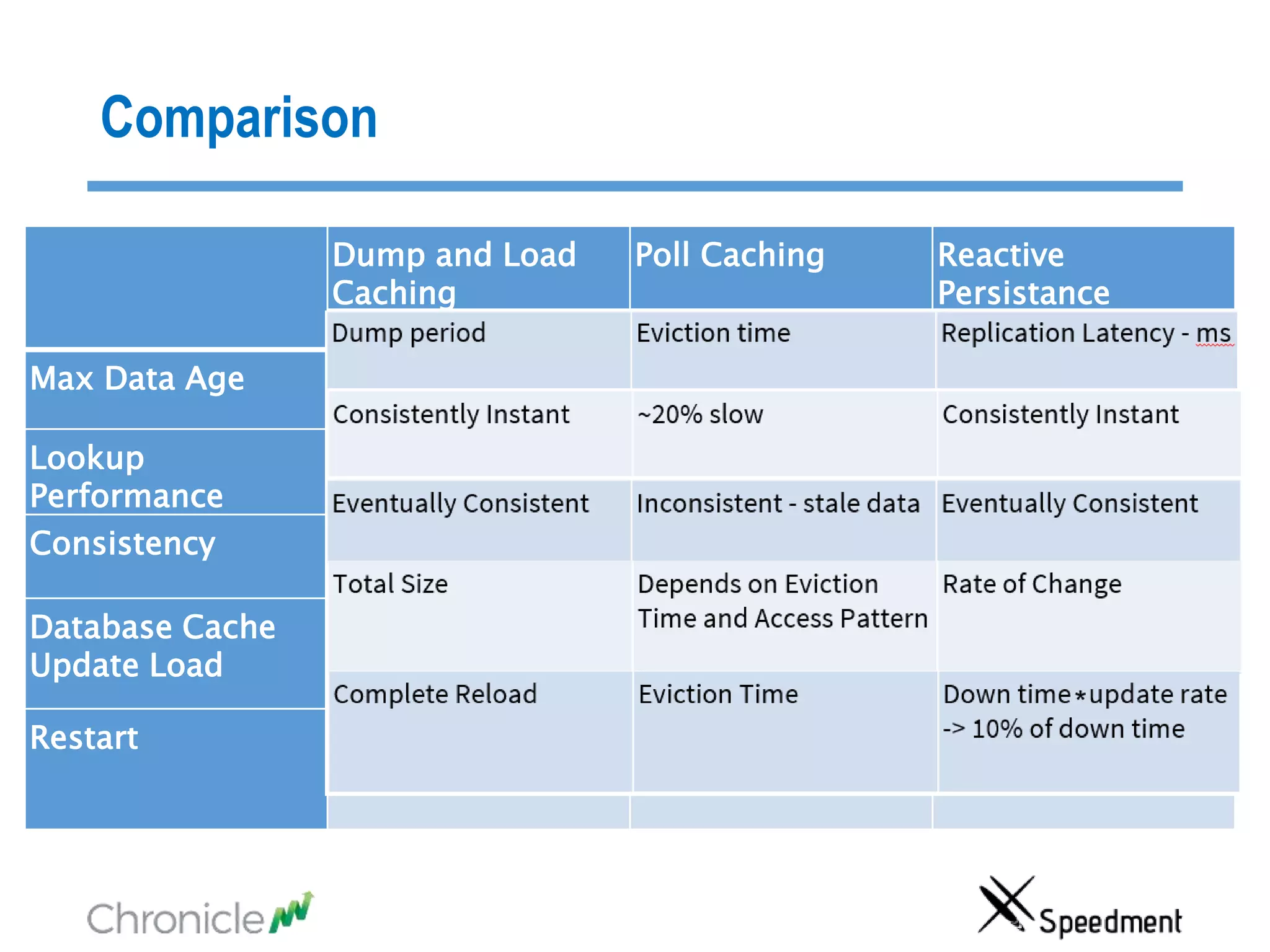
Comparison
Dump and Load
Caching
Poll Caching Reactive
Persistance
Caching
Max Data Age Dump period Eviction time Replication Latency -
Lookup
Performance
Consistently Instant ~20% slow Consistently Instant
Consistency Eventually Consistent Inconsistent - stale Eventually Consistent
Database Cache
Update Load
Total Size Depends on Eviction
Time and Access
Rate of Change
Restart Complete Reload Eviction Time Down time update
-> 10% of down time
*
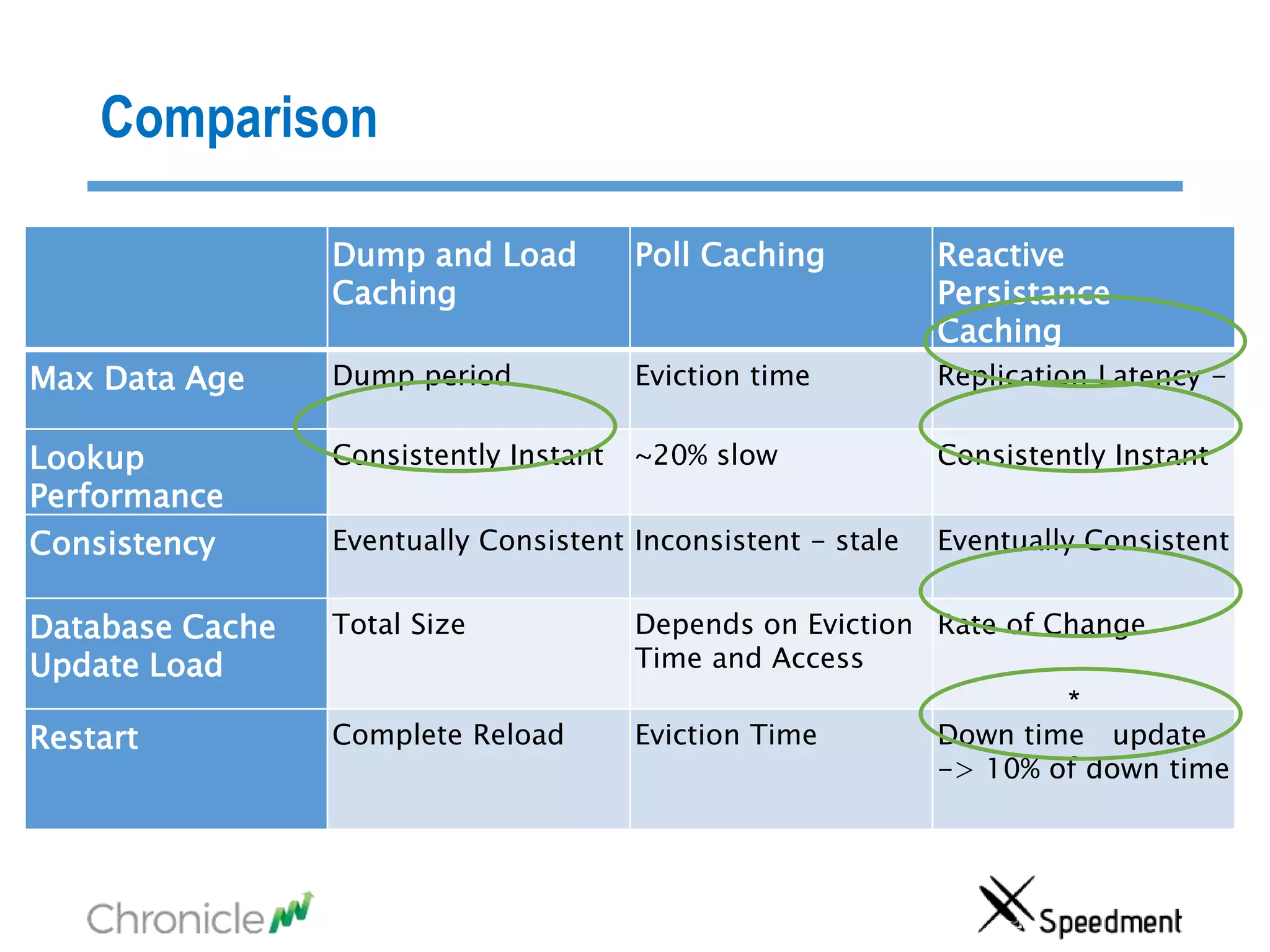
Comparison
Dump and Load
Caching
Poll Caching Reactive
Persistance
Caching
Max Data Age Dump period Eviction time Replication Latency -
Lookup
Performance
Consistently Instant ~20% slow Consistently Instant
Consistency Eventually Consistent Inconsistent - stale Eventually Consistent
Database Cache
Update Load
Total Size Depends on Eviction
Time and Access
Rate of Change
Restart Complete Reload Eviction Time Down time update
-> 10% of down time
*
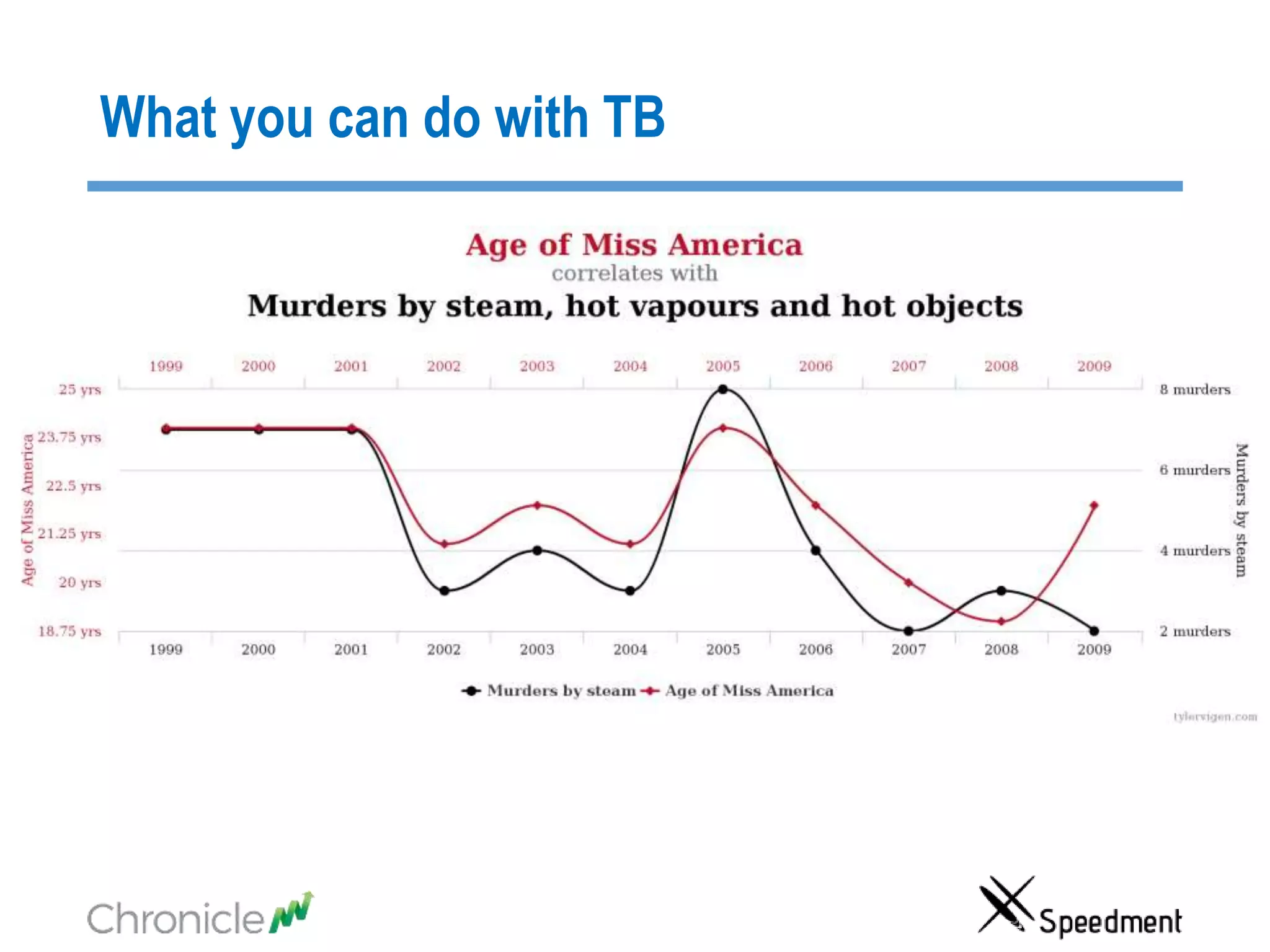
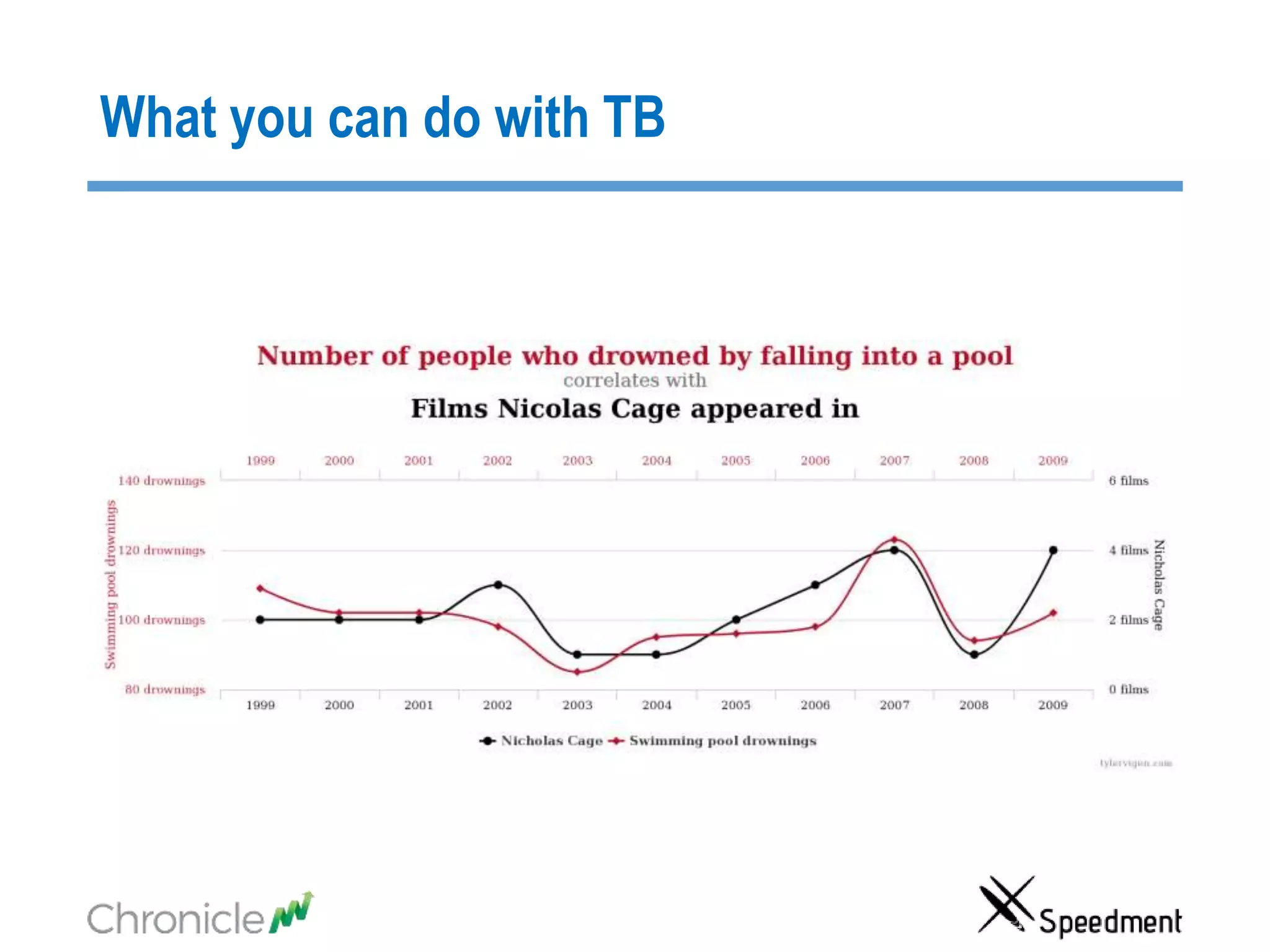
What you can do with TB
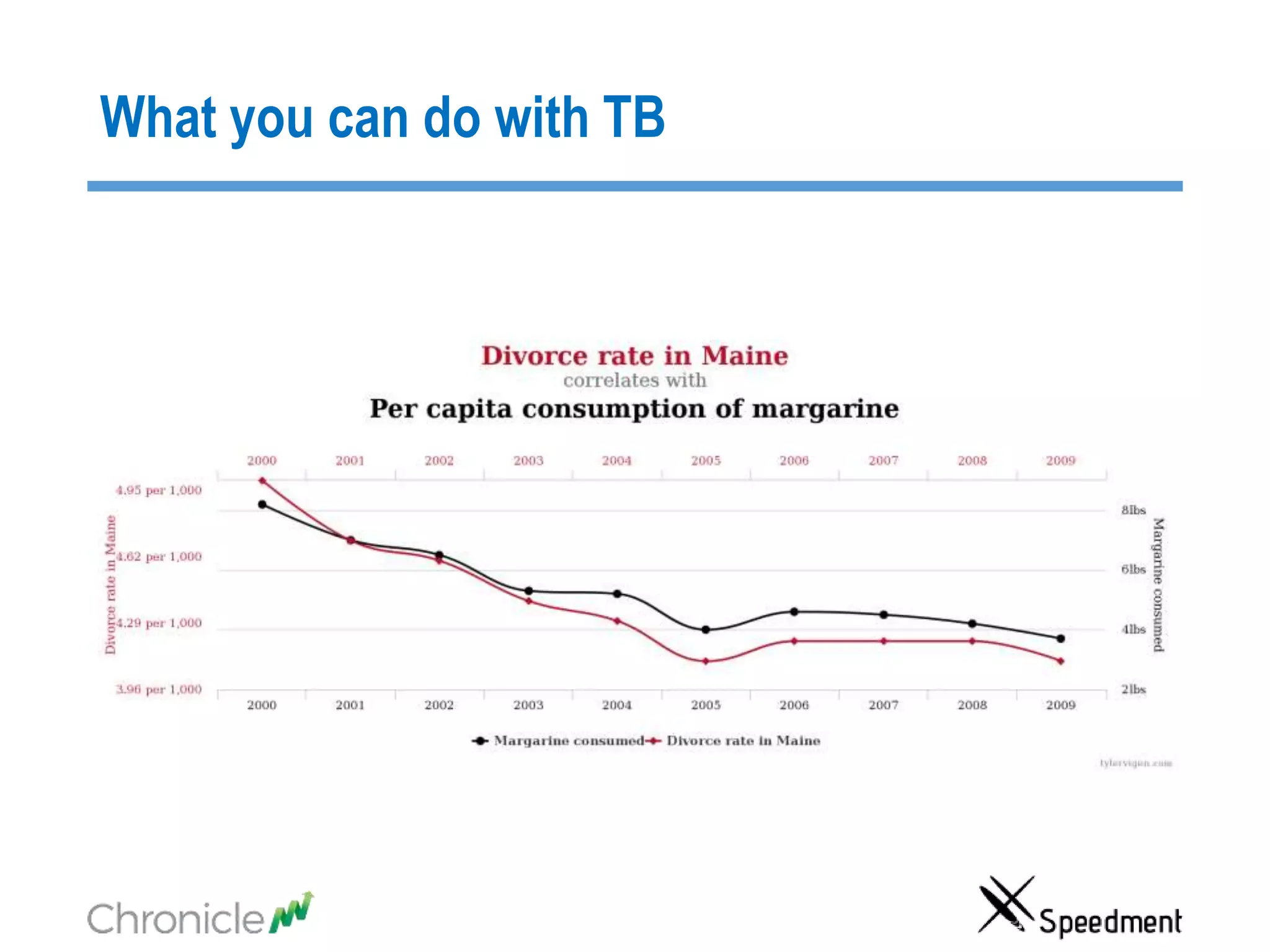
Spurious Correlations.
http://www.tylervigen.com/spurious-correlations
What you can do with TB
Table of Content
• Two ImportantAspects of Big Data Latency
• Cache synchronization strategies
• How can you have JVMs that are in theTBs?
• Speedment Reflector
• Chronicle Map/Queue
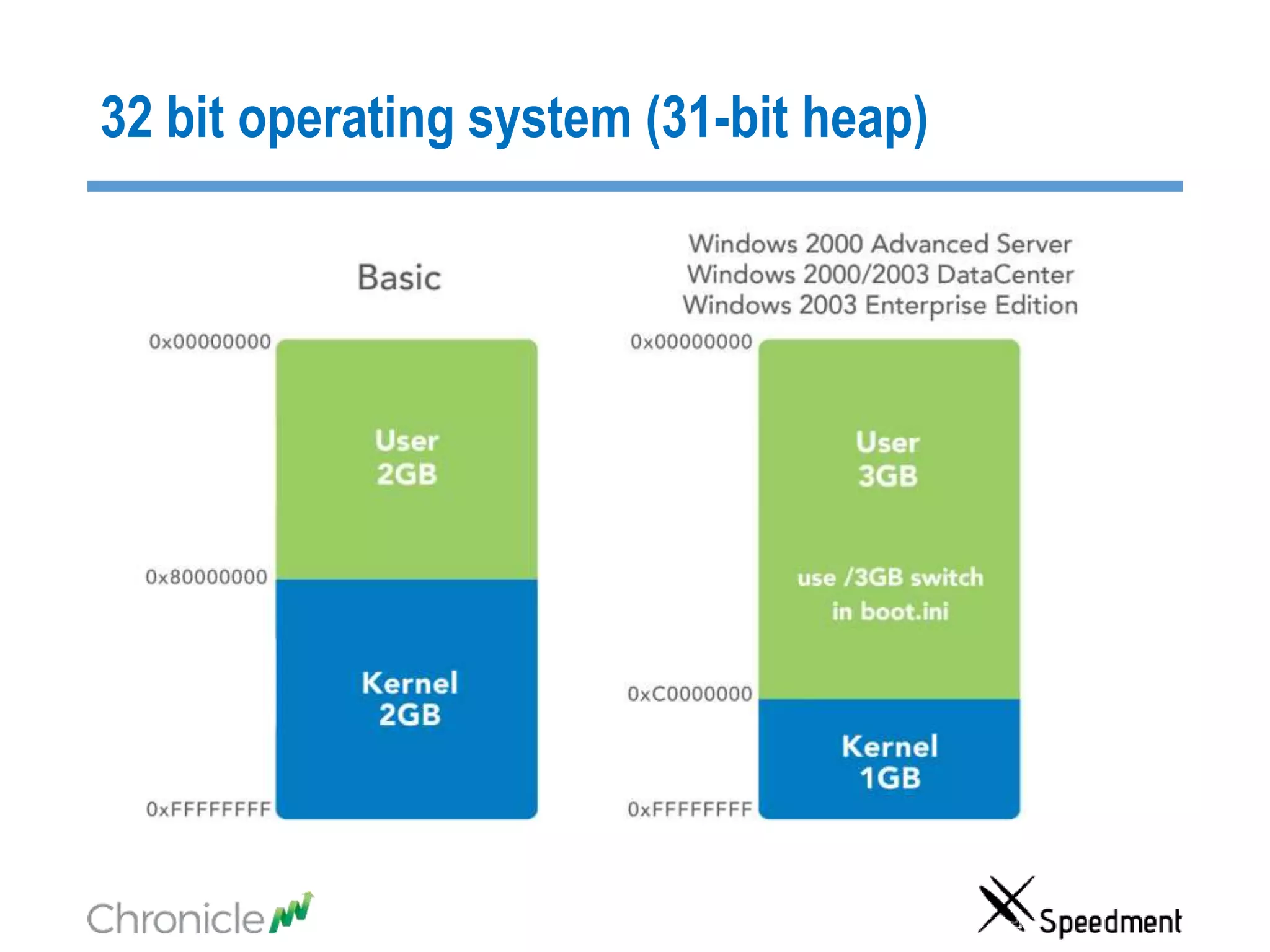
32 bit operating system (31-bit heap)
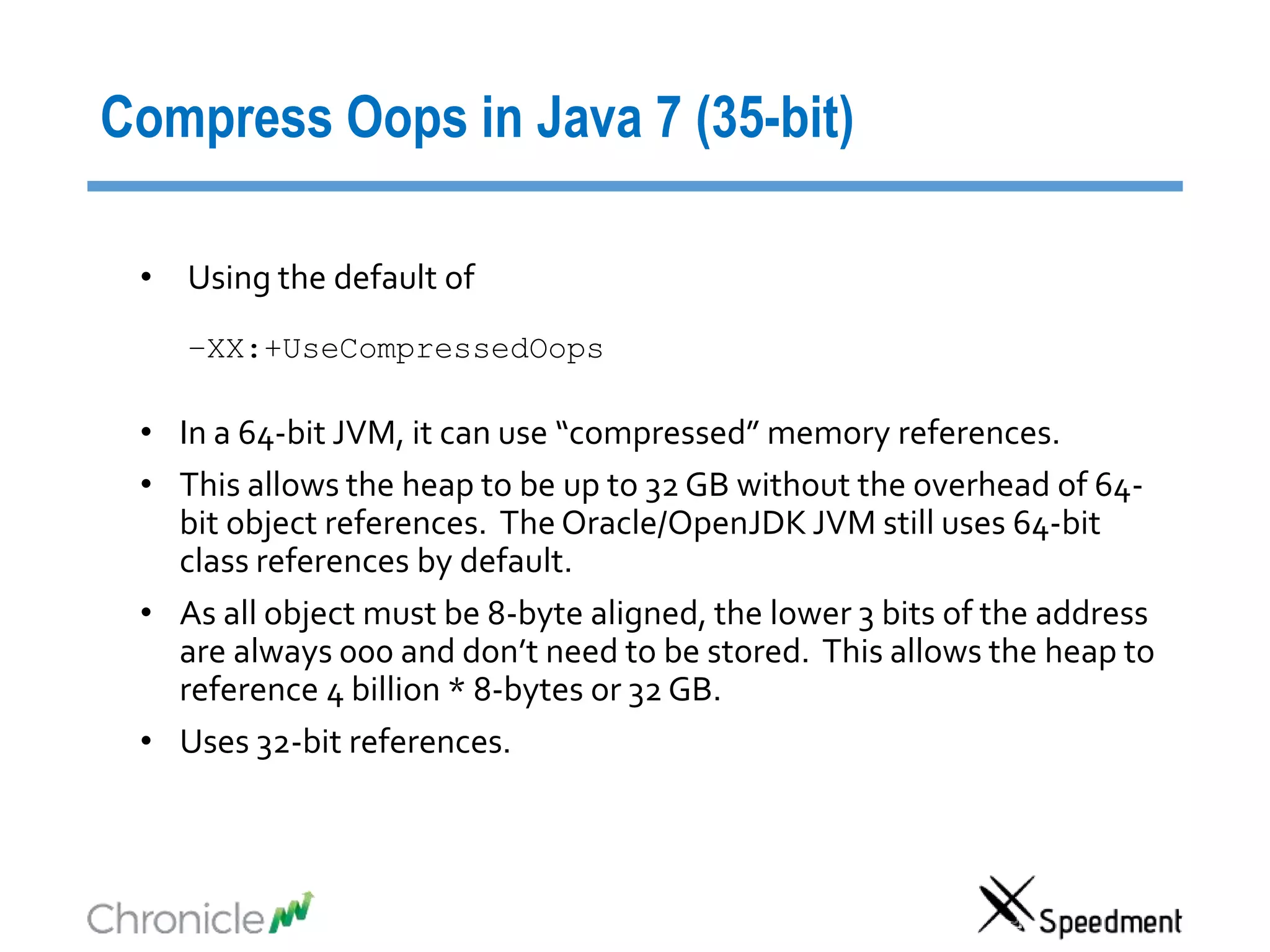
Compress Oops in Java 7 (35-bit)
• Using the default of
–XX:+UseCompressedOops
• In a 64-bit JVM, it can use “compressed” memory references.
• This allows the heap to be up to 32 GB without the overhead of 64-
bit object references. The Oracle/OpenJDK JVM still uses 64-bit
class references by default.
• As all object must be 8-byte aligned, the lower 3 bits of the address
are always 000 and don’t need to be stored. This allows the heap to
reference 4 billion * 8-bytes or 32 GB.
• Uses 32-bit references.
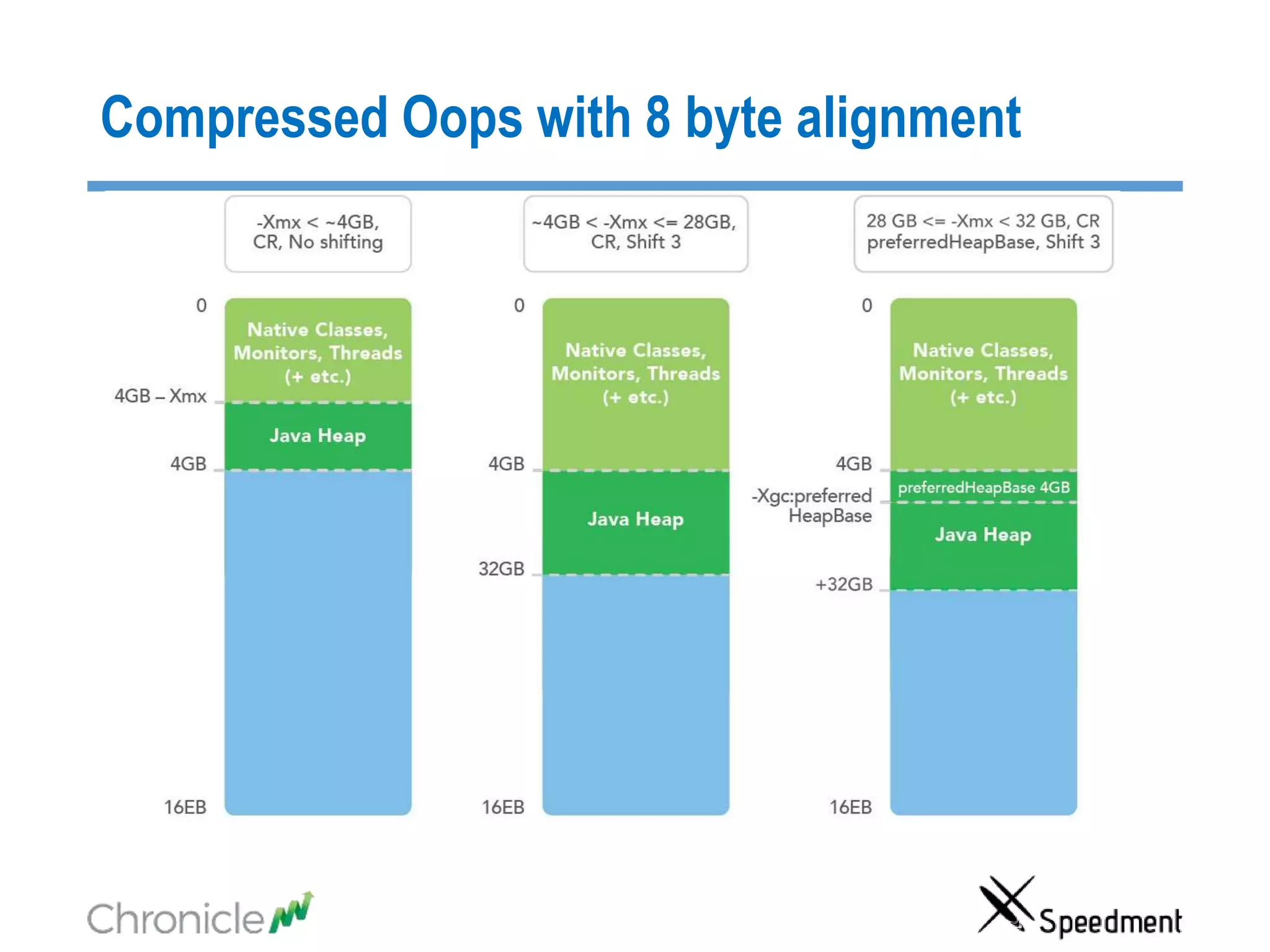
Compressed Oops with 8 byte alignment
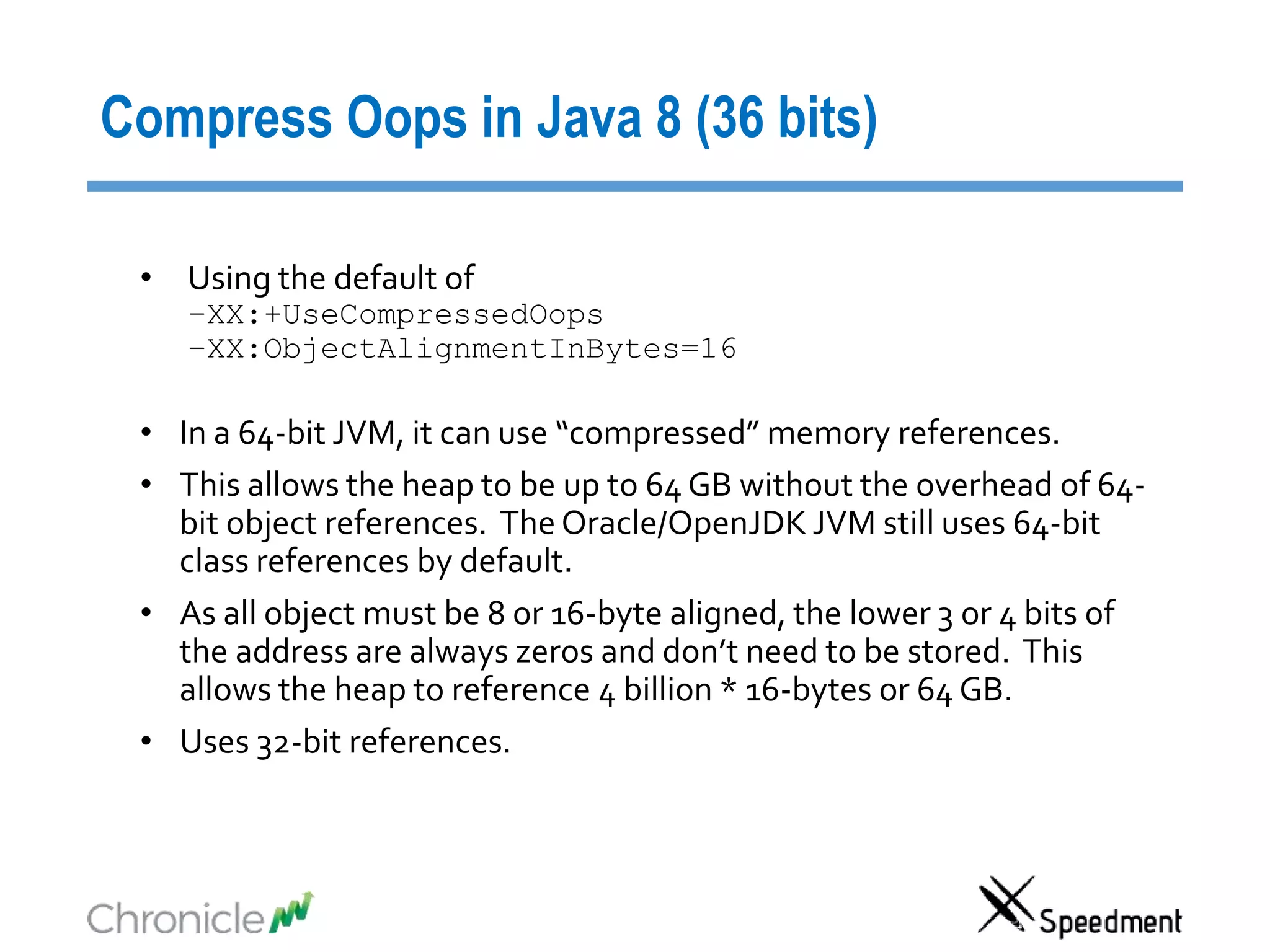
Compress Oops in Java 8 (36 bits)
• Using the default of
–XX:+UseCompressedOops
–XX:ObjectAlignmentInBytes=16
• In a 64-bit JVM, it can use “compressed” memory references.
• This allows the heap to be up to 64 GB without the overhead of 64-
bit object references. The Oracle/OpenJDK JVM still uses 64-bit
class references by default.
• As all object must be 8 or 16-byte aligned, the lower 3 or 4 bits of
the address are always zeros and don’t need to be stored. This
allows the heap to reference 4 billion * 16-bytes or 64 GB.
• Uses 32-bit references.
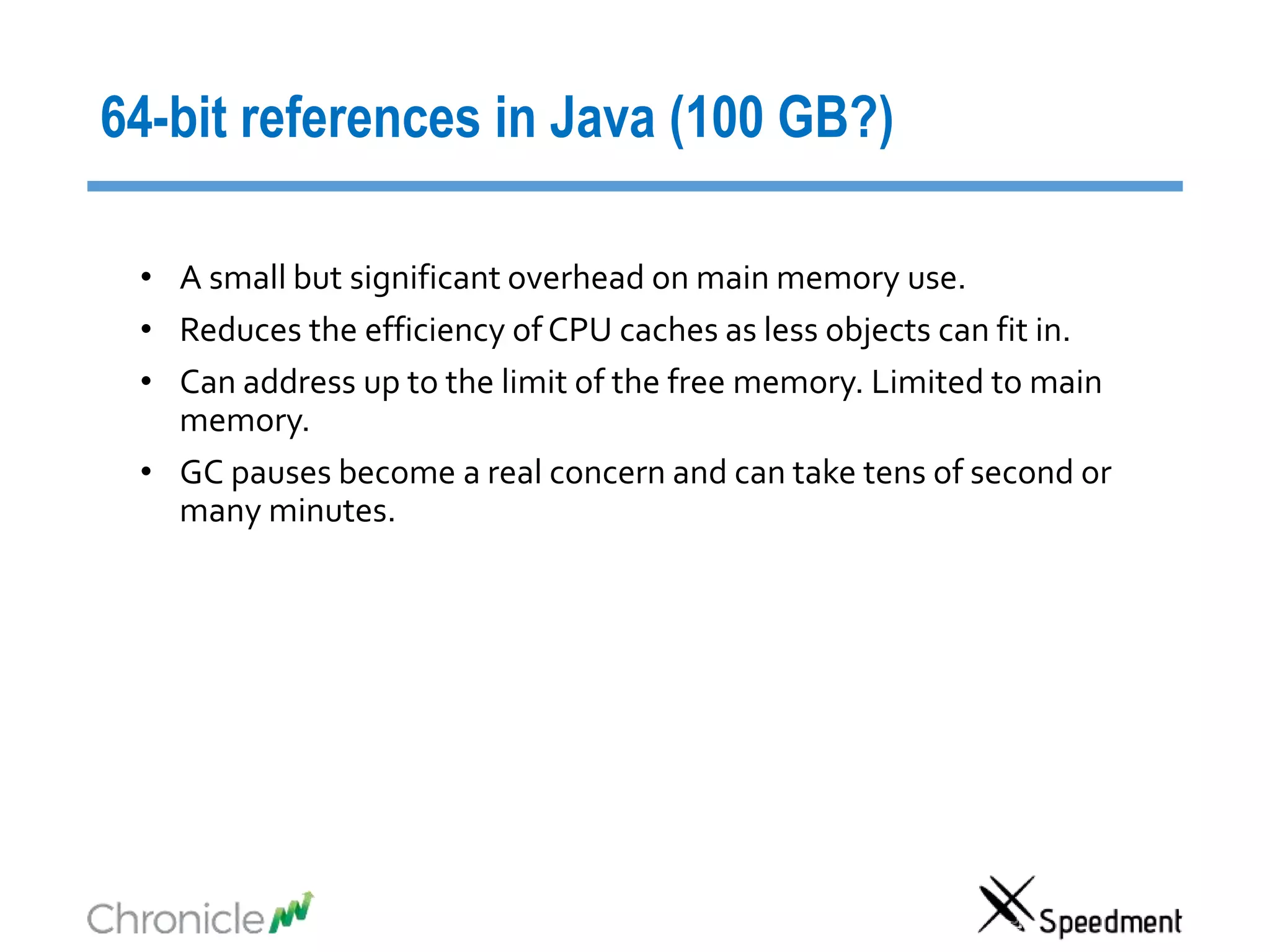
64-bit references in Java (100 GB?)
• A small but significant overhead on main memory use.
• Reduces the efficiency of CPU caches as less objects can fit in.
• Can address up to the limit of the free memory. Limited to main
memory.
• GC pauses become a real concern and can take tens of second or
many minutes.
NUMA Regions (~40 bits)
• Large machine are limited in how large a single bank of memory can
be. This varies based on the architecture.
• Ivy and Sandy bridge Xeon processors are limited to addressing 40
bits of real memory.
• In Haswell this has been lifted to 46-bits.
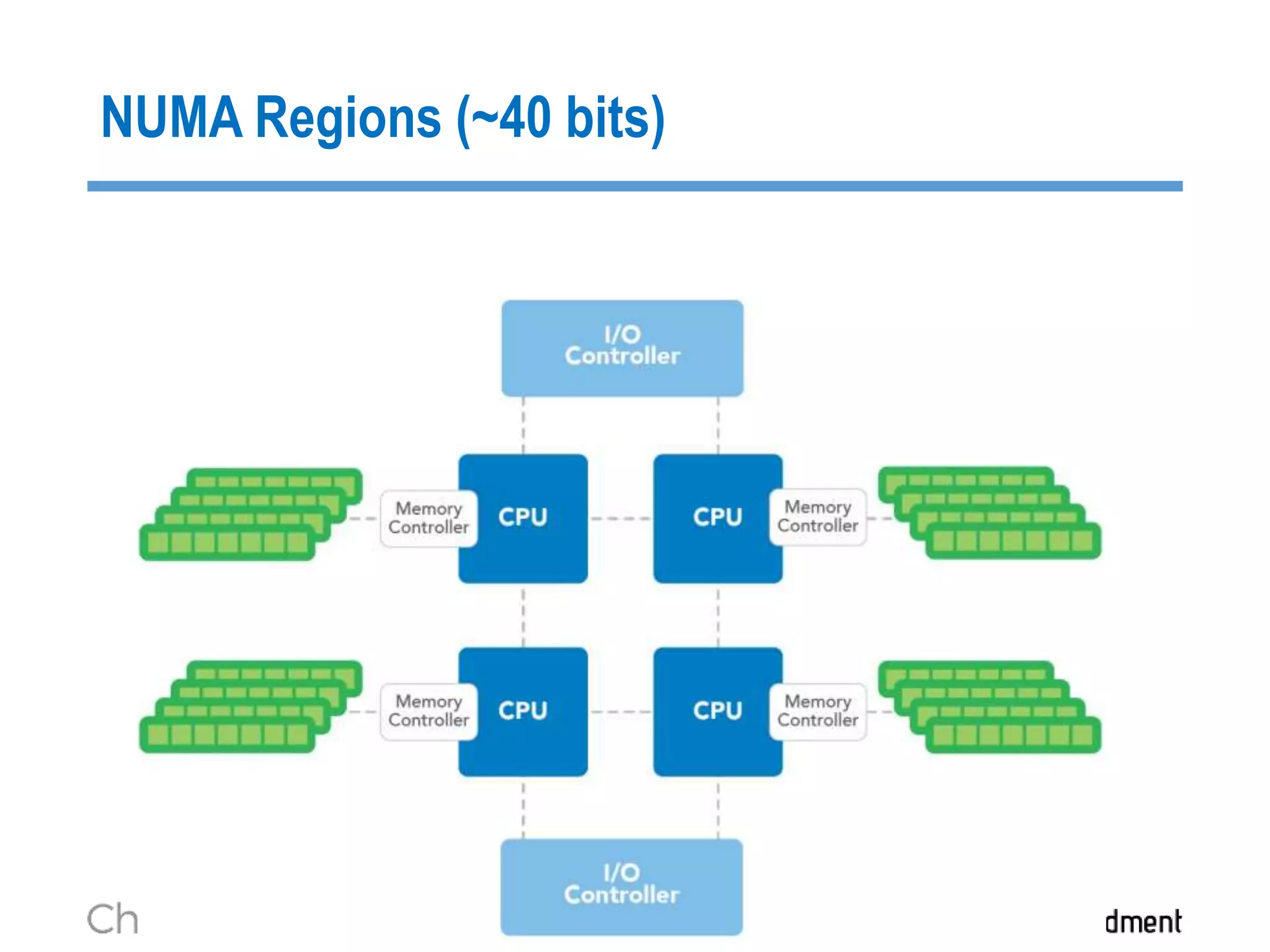
• Each Socket has “local” access to a bank of memory, however to
access other bank it may need to use a bus. This is much slower.
• The GC of a JVM can perform very poorly if it doesn’t sit within one
NUMA region. Ideally you want a JVM to use just one NUMA
region.
NUMA Regions (~40 bits)
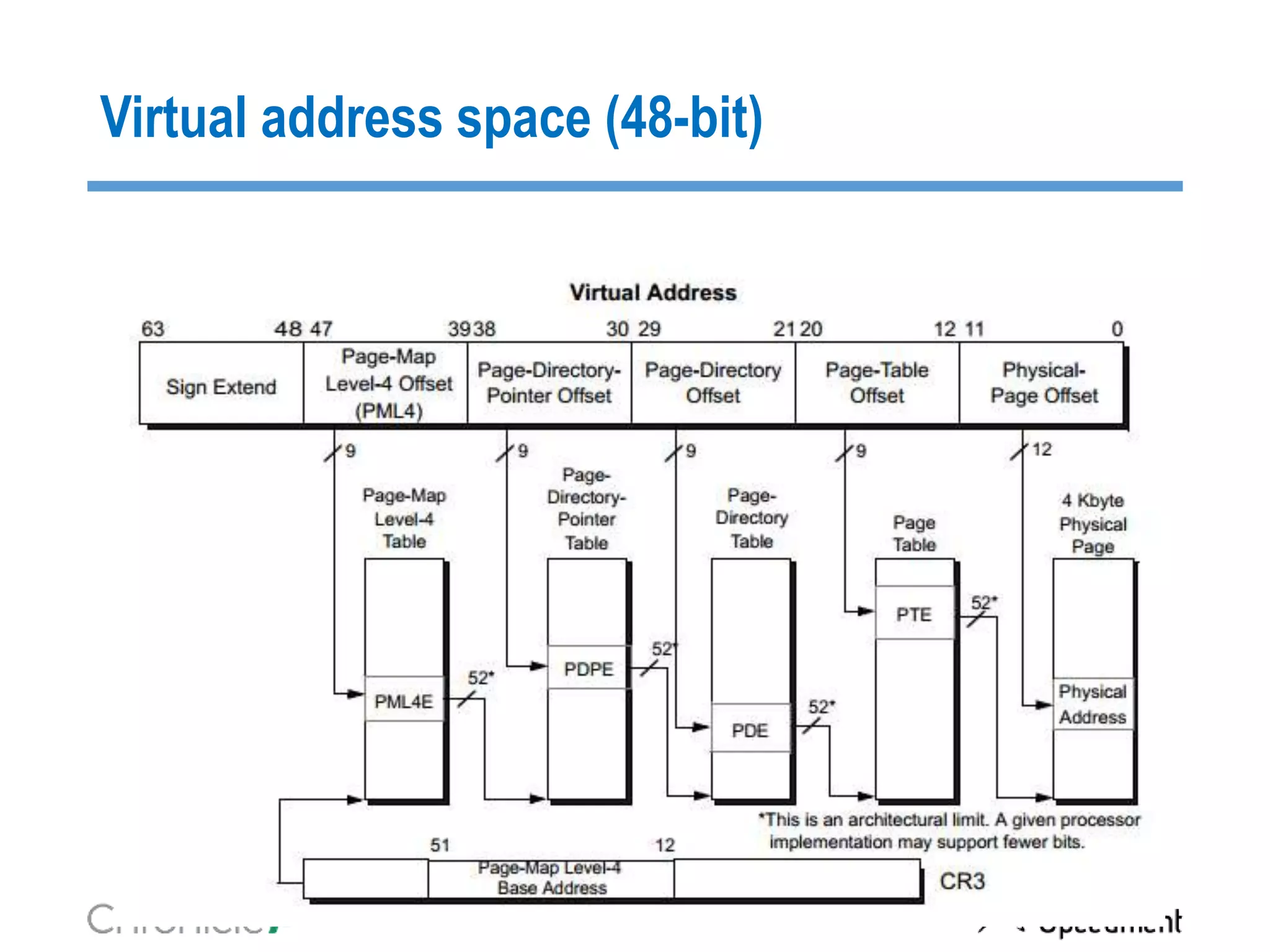
Virtual address space (48-bit)
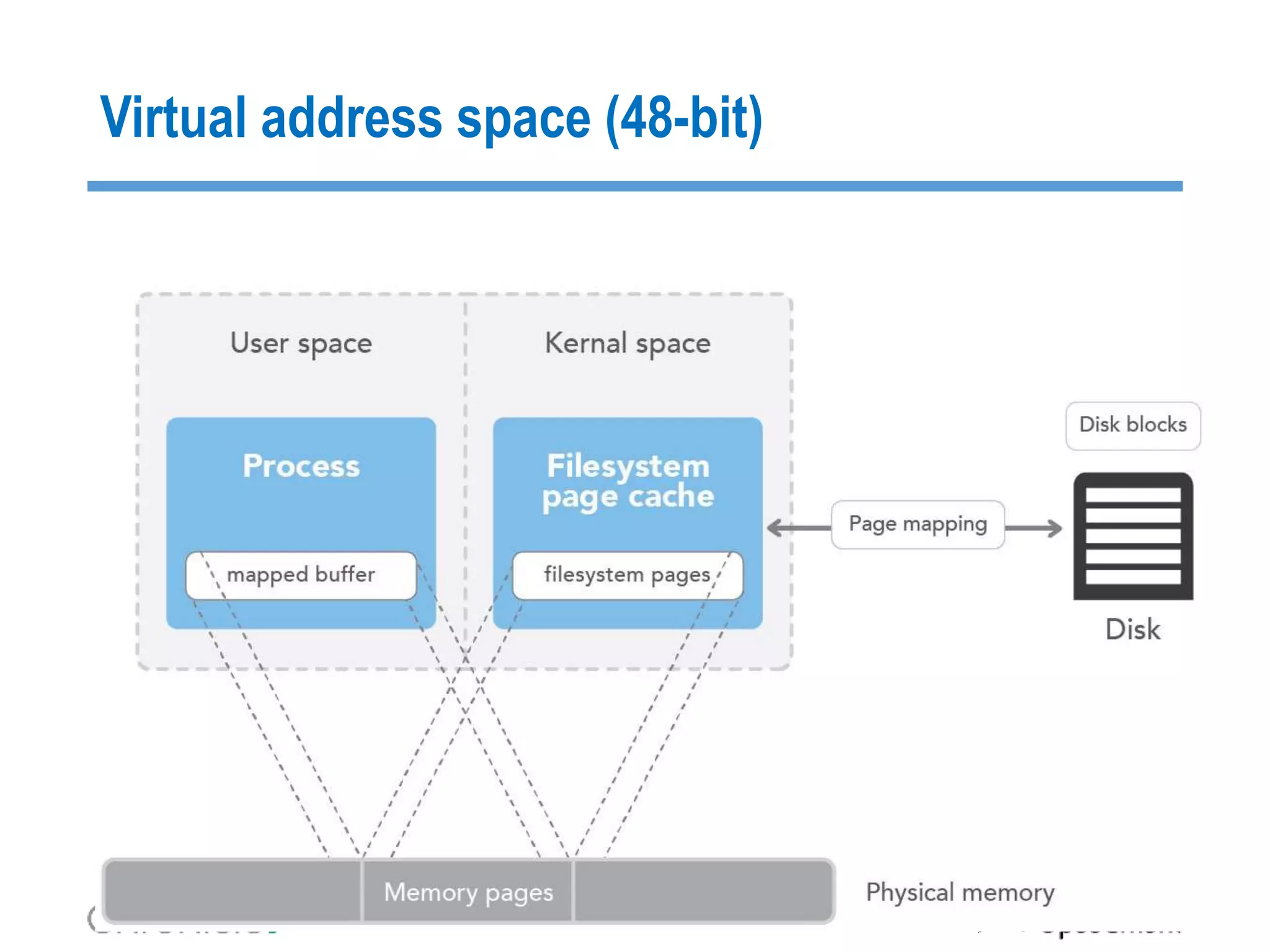
Memory Mapped files (48+ bits)
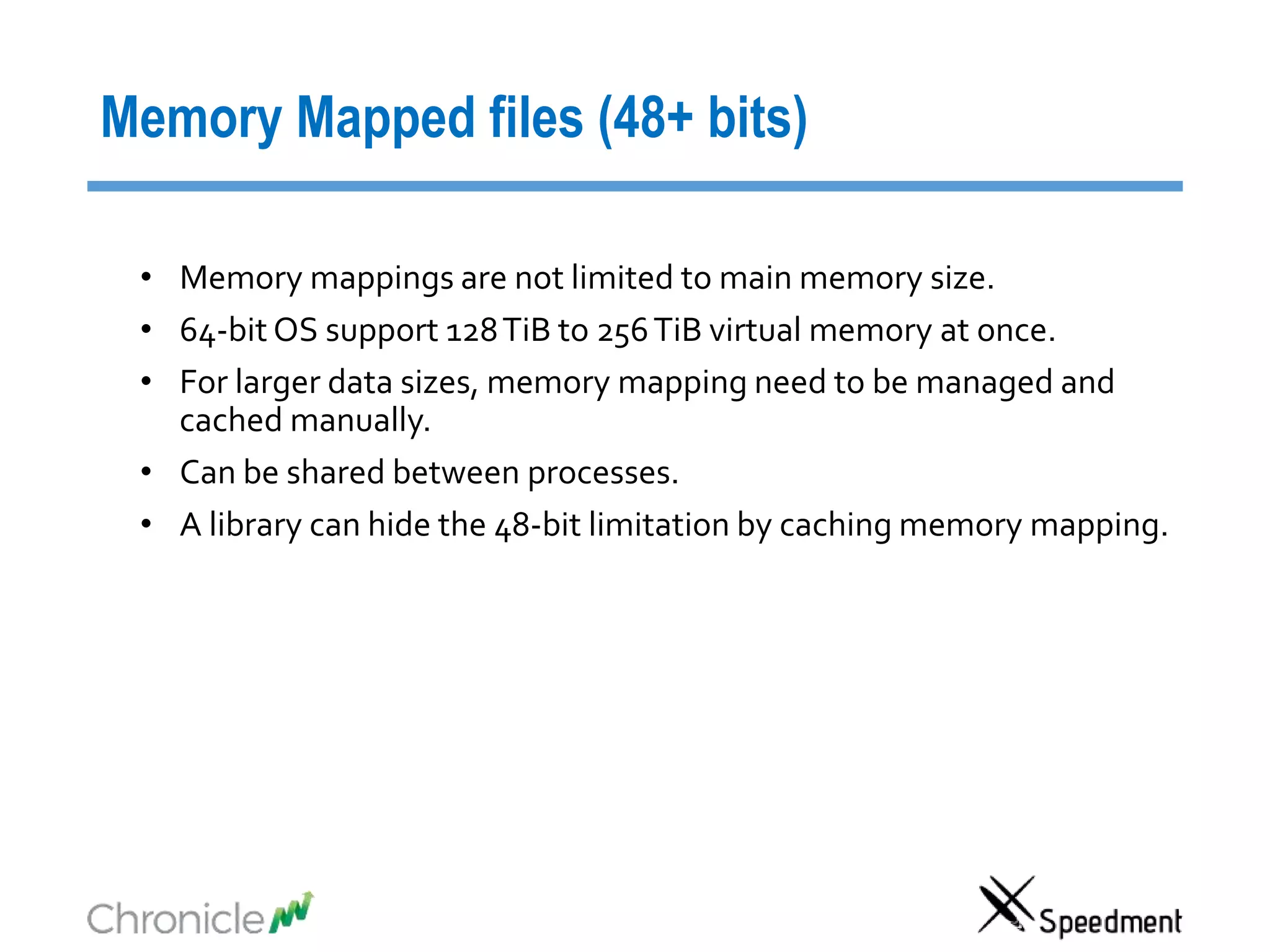
• Memory mappings are not limited to main memory size.
• 64-bit OS support 128TiB to 256TiB virtual memory at once.
• For larger data sizes, memory mapping need to be managed and
cached manually.
• Can be shared between processes.
• A library can hide the 48-bit limitation by caching memory mapping.
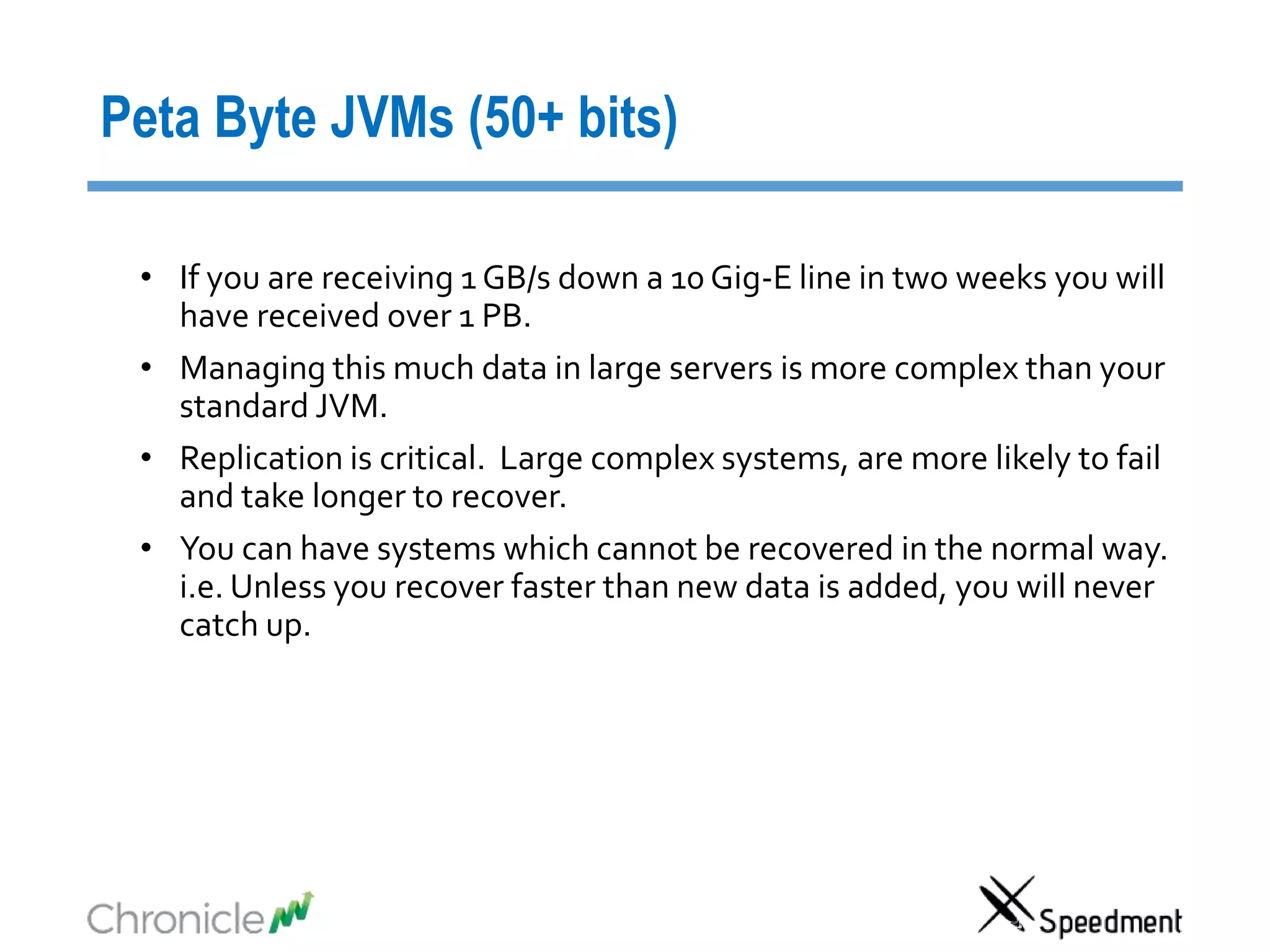
Peta Byte JVMs (50+ bits)
• If you are receiving 1 GB/s down a 10 Gig-E line in two weeks you will
have received over 1 PB.
• Managing this much data in large servers is more complex than your
standard JVM.
• Replication is critical. Large complex systems, are more likely to fail
and take longer to recover.
• You can have systems which cannot be recovered in the normal way.
i.e. Unless you recover faster than new data is added, you will never
catch up.
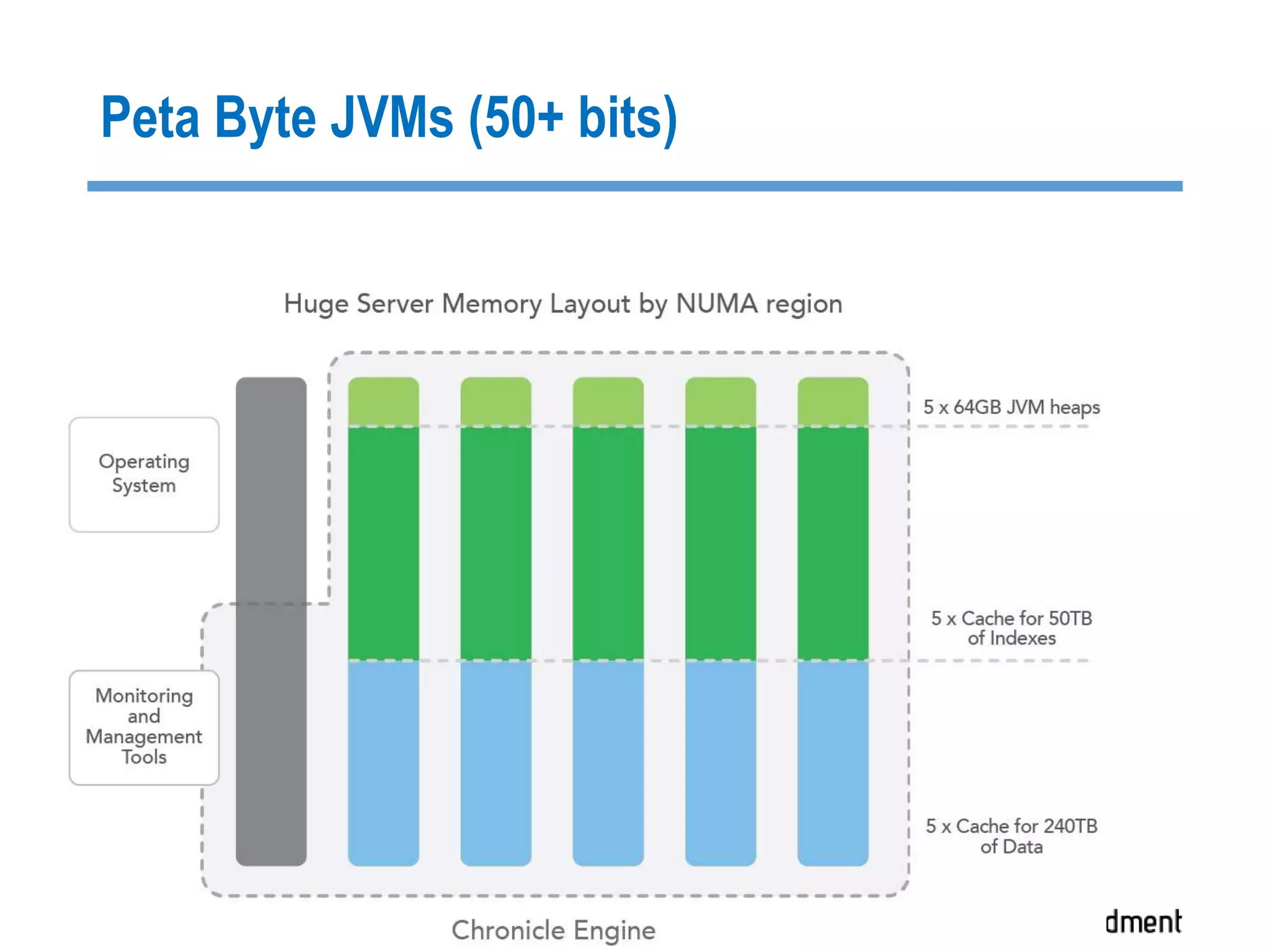
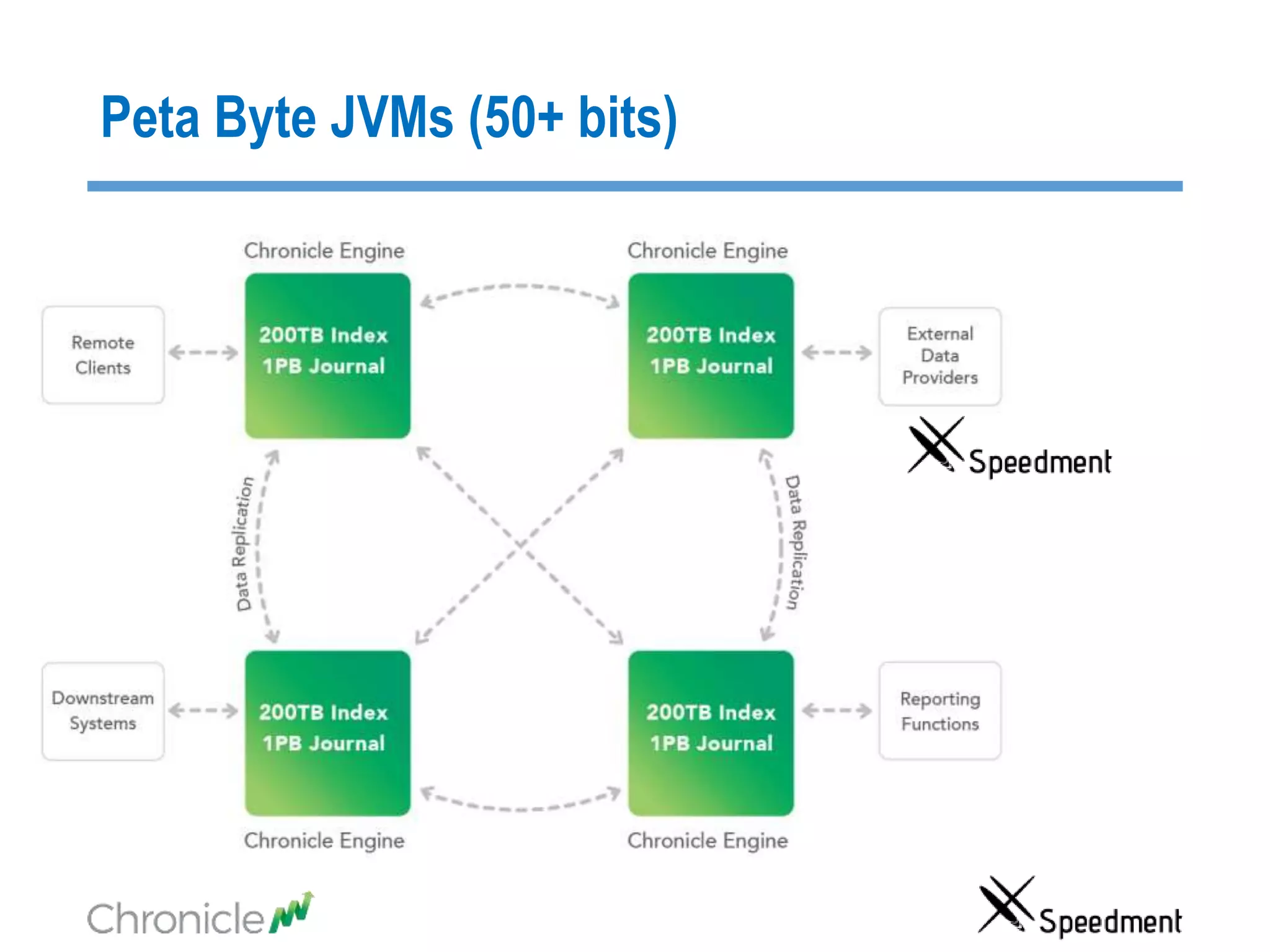
Peta Byte JVMs (50+ bits)
What you can do with TB
Table of Content
• Two Important Aspects of Big Data Latency
• Cache synchronization strategies
• How can you have JVMs that are in theTBs?
• Speedment Reflector
• Chronicle Map/Queue
Real World Scenario
>10 TB
Application
In-JVM-Cache
Credit Card
Company
Web Shop
Stock Trade
Bank
Back Testing
Fraud Detection
Source of Truth
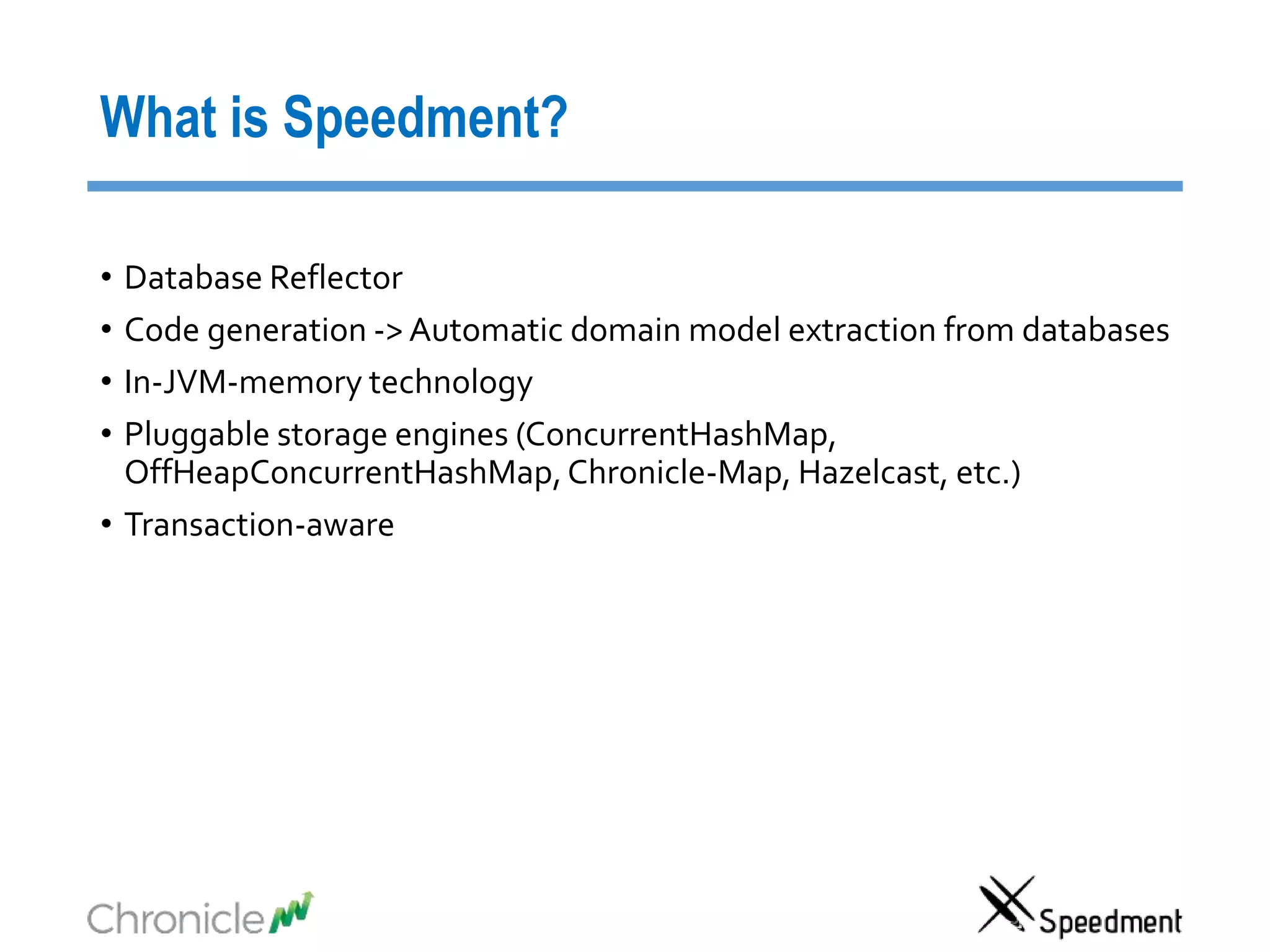
What is Speedment?
• Database Reflector
• Code generation -> Automatic domain model extraction from databases
• In-JVM-memory technology
• Pluggable storage engines (ConcurrentHashMap,
OffHeapConcurrentHashMap,Chronicle-Map, Hazelcast, etc.)
• Transaction-aware
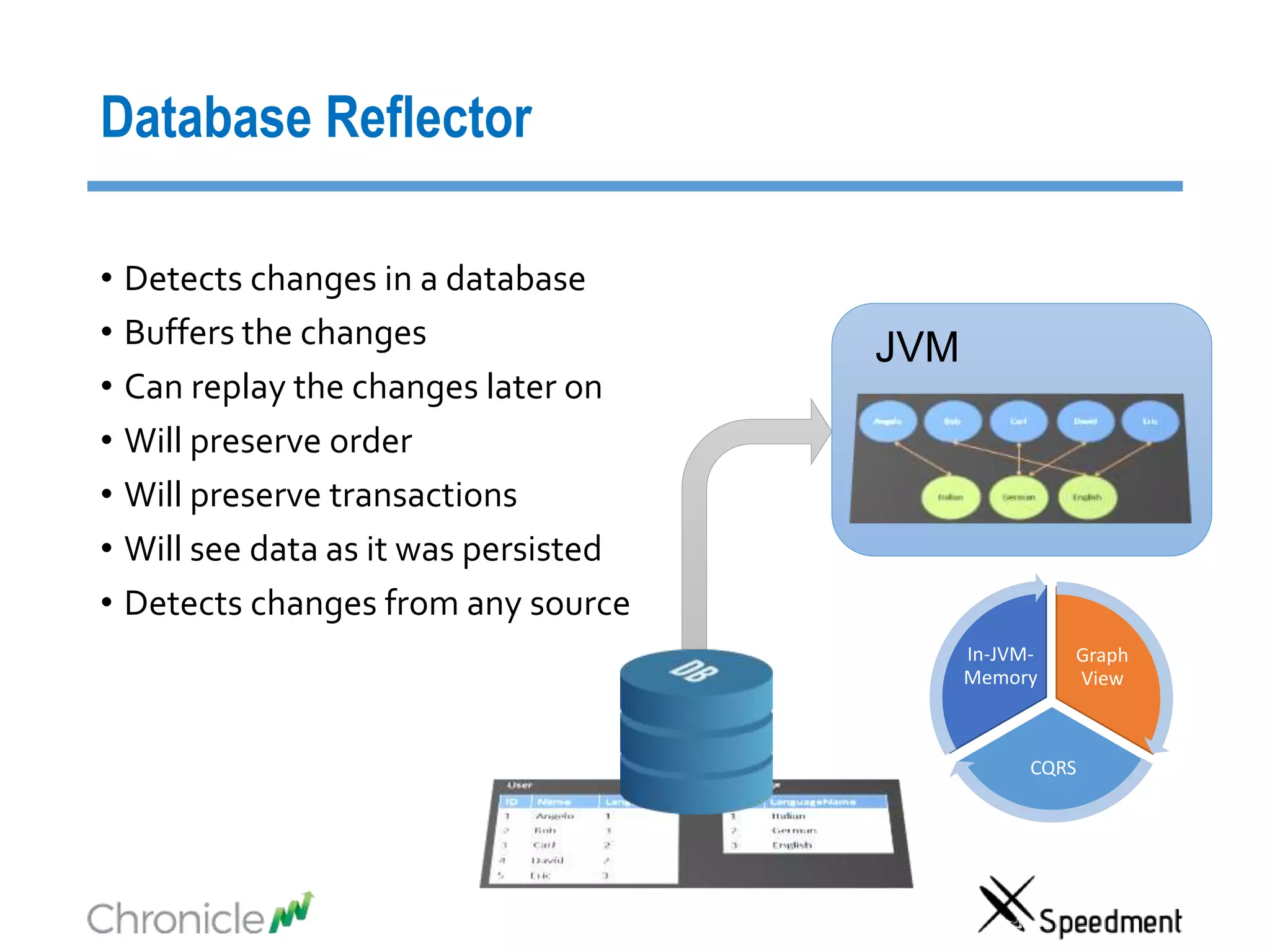
Database Reflector
• Detects changes in a database
• Buffers the changes
• Can replay the changes later on
• Will preserve order
• Will preserve transactions
• Will see data as it was persisted
• Detects changes from any source
JVM
Graph
View
CQRS
In-JVM-
Memory
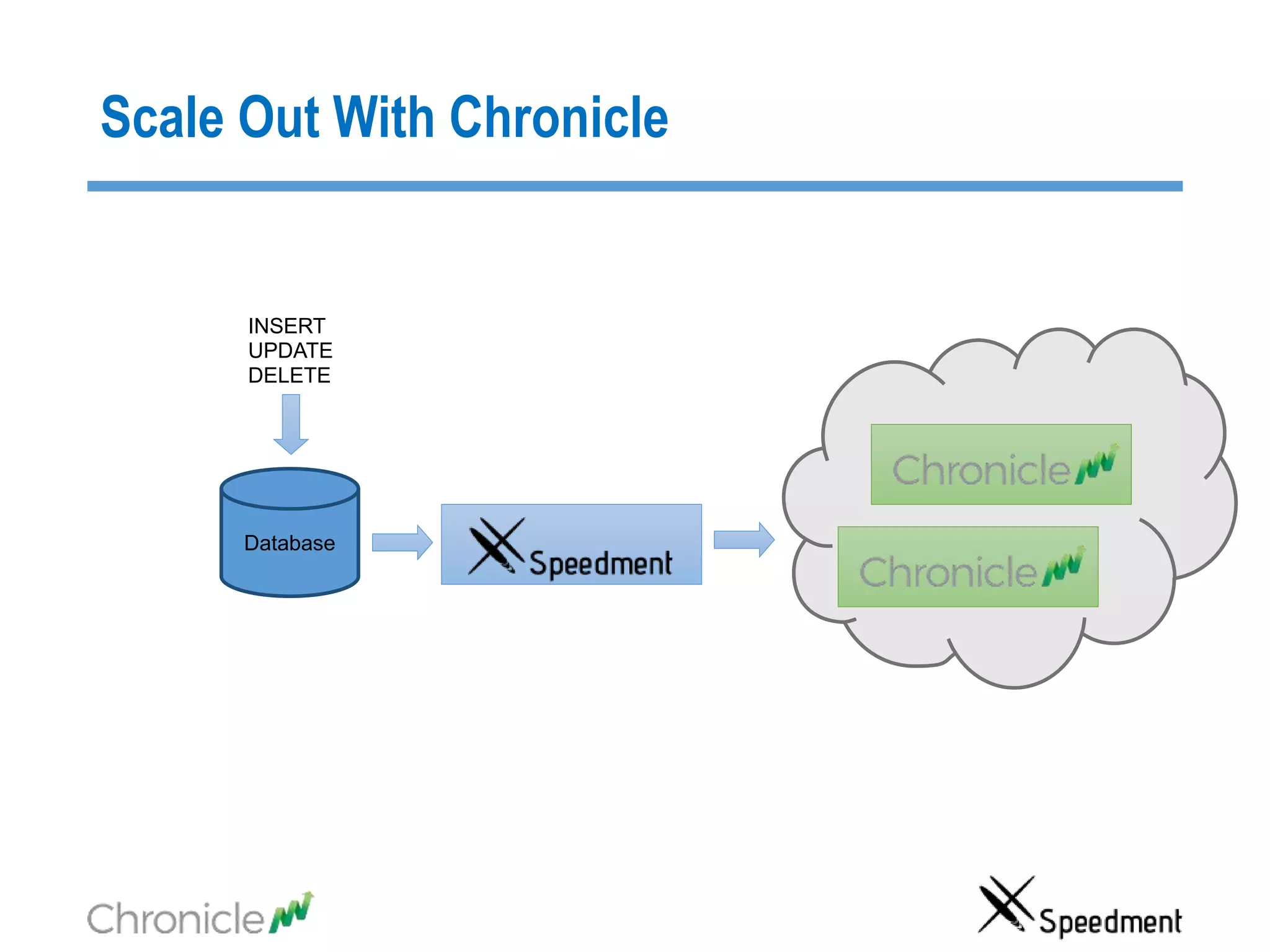
Database
INSERT
UPDATE
DELETE
Scale Out With Chronicle
Workflow
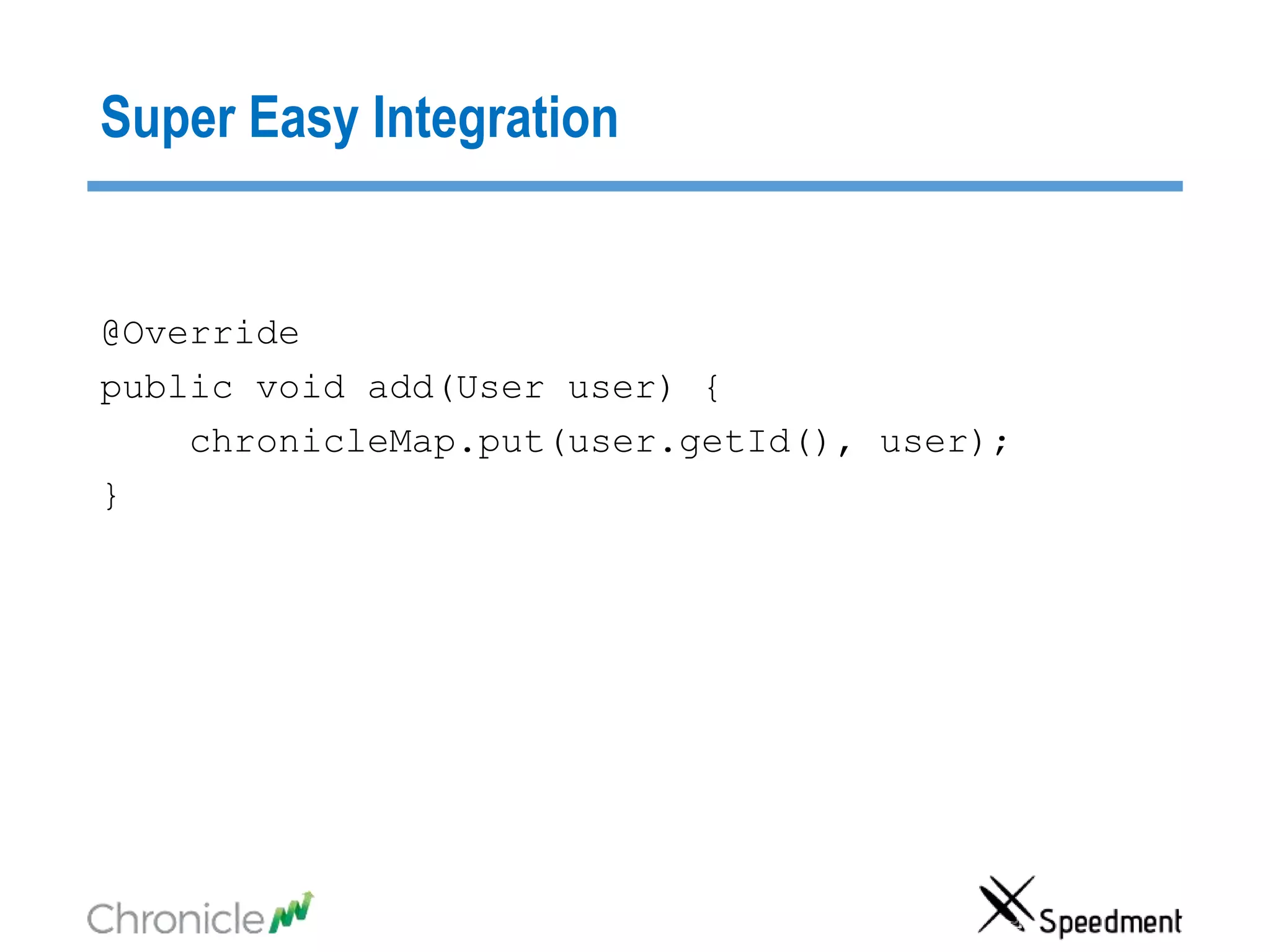
Super Easy Integration
@Override
public void add(User user) {
chronicleMap.put(user.getId(), user);
}
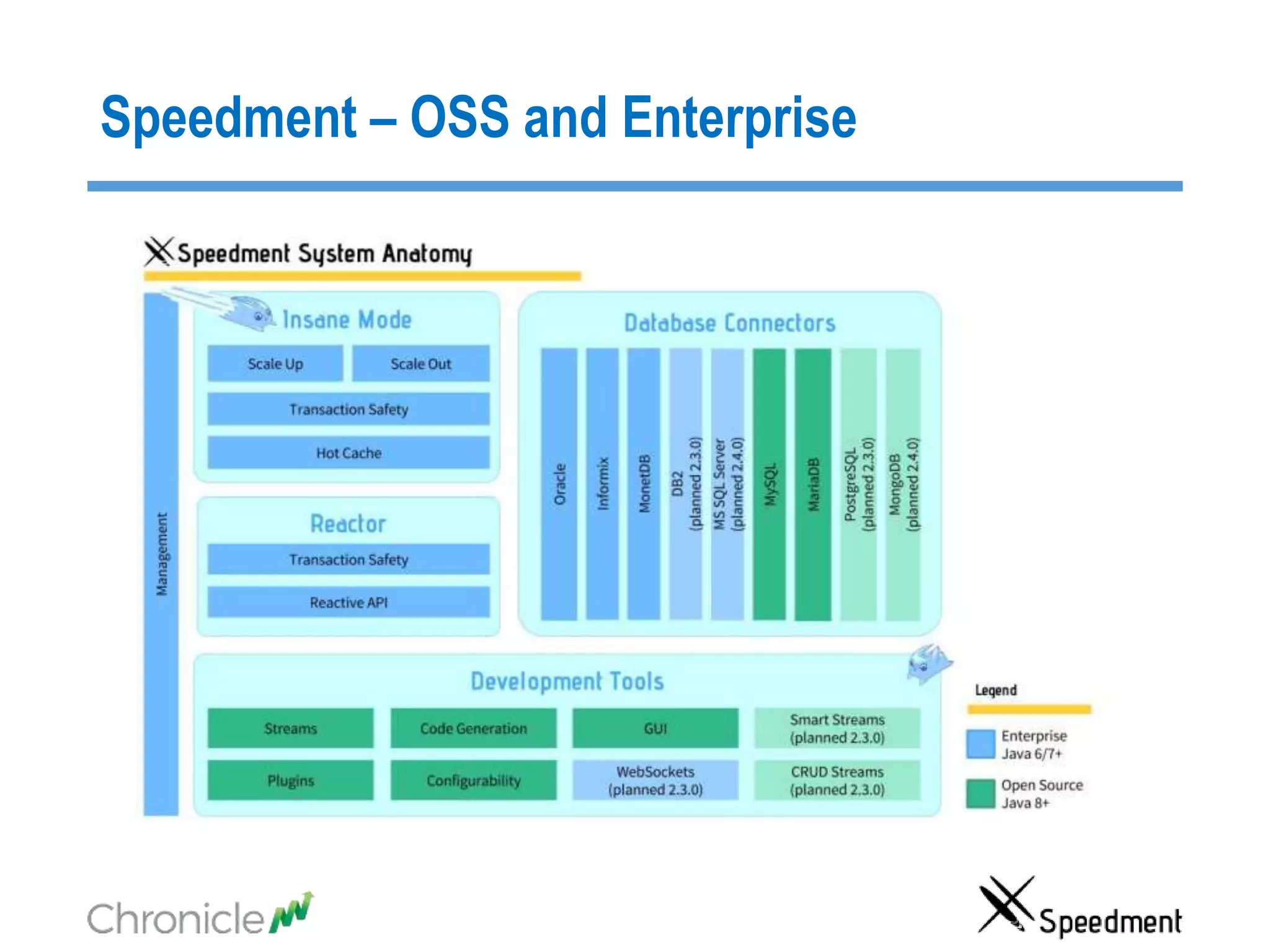
Speedment – OSS and Enterprise
What you can do with TB
Table of Content
• Two Important Aspects of Big Data Latency
• Cache synchronization strategies
• How can you have JVMs that are in theTBs?
• Speedment Reflector
• Chronicle Map/Queue
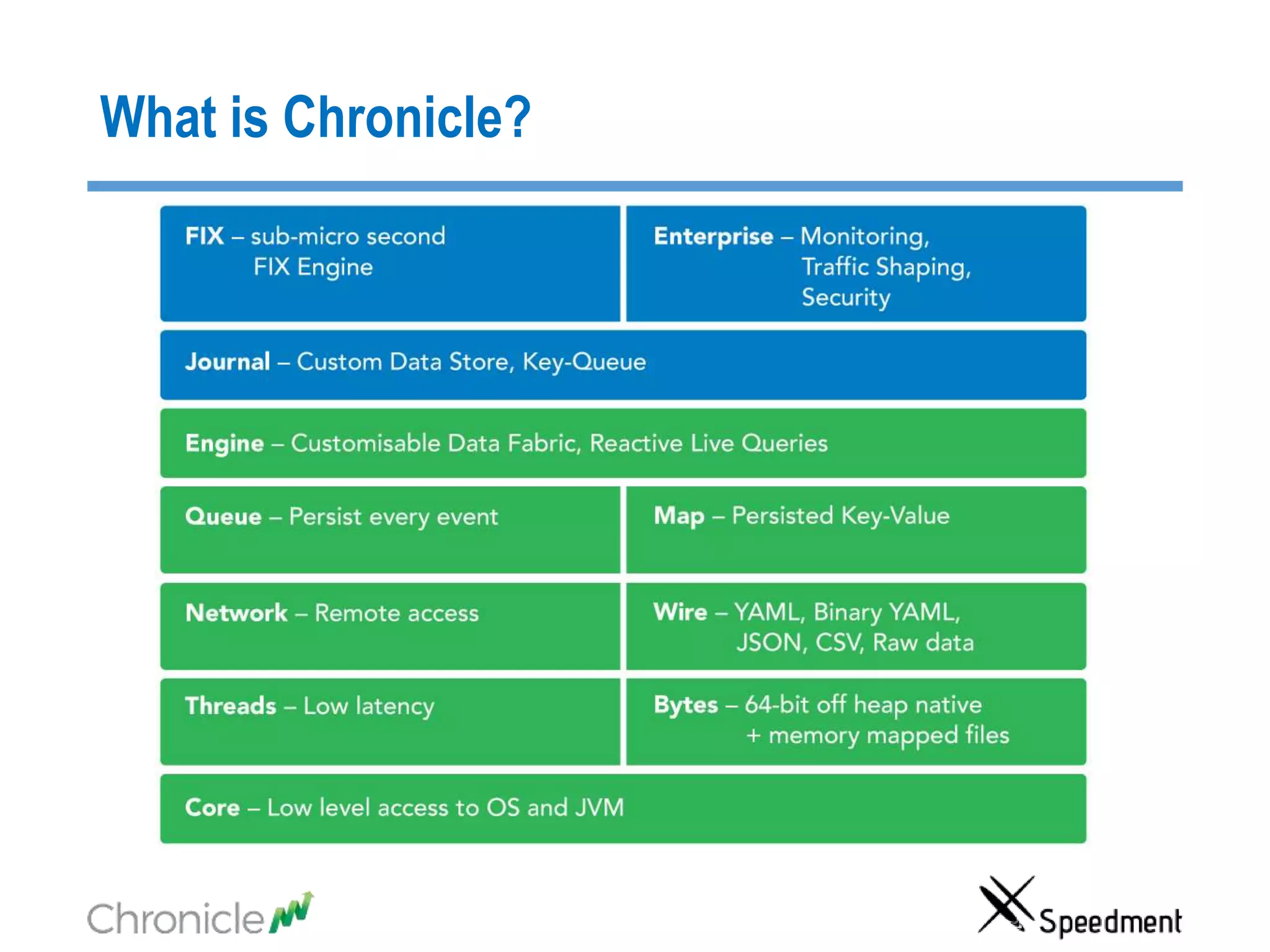
What is Chronicle?
sales@chronicle.software
@ChronicleUG
http://chronicle.software
Thank you!
sales@speedment.com
@Speedment
www.speedment.com
www.speedment.org
Meet us at Oracle OpenWorld together with Sencha:
Mobile Showcase, Moscone South, Booth 2207

Java one2015 - Work With Hundreds of Hot Terabytes in JVMs

  • 1.
    Work With Hundredsof Hot Terabytes in JVMs Peter Lawrey Higher Frequency Trading Ltd Per Minborg Speedment, Inc.
  • 2.
    Do not Crossthe Brook for Water Why would you use a slow remote database when you can have all your data available directly in your JVM ready for concurrent ultra-low-latency access ?
  • 3.
  • 4.
  • 5.
    Real World Scenario >10TB Application In-JVM-Cache Credit Card Company Web Shop Stock Trade Bank Back Testing Fraud Detection Source of Truth
  • 6.
    Table of Content •Two Important Aspects of Big Data Latency • Cache synchronization strategies • How can you have JVMs that are in theTBs? • Speedment Reflector • Chronicle Map/Queue
  • 7.
    Two Important Aspectsof Big Data Latency • No matter how advanced database you may ever use, it is really the data locality that counts • Be aware of the big change in memory pricing
  • 8.
    Compare latencies usingthe Speed of Light Database query 1 s During the time a database makes a 1 s query, how far will the light move?
  • 9.
    Compare latencies usingthe Speed of Light Disk seek Intra-data center TCP SSD
  • 10.
    Compare latencies usingthe Speed of Light Main Memory CPU L3 cache CPU L2 cache CPU L1 cache
  • 11.
    ”Back to theFuture”How much does 1 GB cost?
  • 12.
    Cost of 1GB RAM - Back to The Future $ 5 $ 0.04 (1 TB for $ 40) $ 720,000 $ 67,000,000,000 Source: http://www.jcmit.com/memoryprice.htm
  • 13.
    Conclusion • Keep yourdata close • RAM is close enough, cheap and getting even cheaper
  • 14.
    Table of Content •Two Important Aspects of Big Data Latency • Cache synchronization strategies • How can you have JVMs that are in theTBs? • Speedment Reflector • Chronicle Map/Queue
  • 15.
    Cache Synchronize Strategies PollCaching • Data evicted, refreshed or marked as old • Evicted element are reloaded • Data changes all the time • System restart either warm-up the cache or use a cold cache Dump and Load Caching • Dumps are reloaded periodically • All data elements are reloaded • Data remains unchanged between reloads • System restart is just a reload Common ways:
  • 16.
    Cache Synchronize Strategies ReactivePersistent Caching • Changed data is captured in the Database • Changed data events are pushed into the cache • Events are grouped in transactions • Cache updates are persisted • Data changes all the time • System restart, replay the missed events Speedment and Chronicle way:
  • 17.
    Comparison Dump and Load Caching PollCaching Reactive Persistance Caching Max Data Age Dump period Eviction time Replication Latency - Lookup Performance Consistently Instant ~20% slow Consistently Instant Consistency Eventually Consistent Inconsistent - stale Eventually Consistent Database Cache Update Load Total Size Depends on Eviction Time and Access Rate of Change Restart Complete Reload Eviction Time Down time update -> 10% of down time *
  • 18.
    Comparison Dump and Load Caching PollCaching Reactive Persistance Caching Max Data Age Dump period Eviction time Replication Latency - Lookup Performance Consistently Instant ~20% slow Consistently Instant Consistency Eventually Consistent Inconsistent - stale Eventually Consistent Database Cache Update Load Total Size Depends on Eviction Time and Access Rate of Change Restart Complete Reload Eviction Time Down time update -> 10% of down time *
  • 19.
    What you cando with TB Spurious Correlations. http://www.tylervigen.com/spurious-correlations
  • 20.
    What you cando with TB
  • 21.
    Table of Content •Two ImportantAspects of Big Data Latency • Cache synchronization strategies • How can you have JVMs that are in theTBs? • Speedment Reflector • Chronicle Map/Queue
  • 22.
    32 bit operatingsystem (31-bit heap)
  • 23.
    Compress Oops inJava 7 (35-bit) • Using the default of –XX:+UseCompressedOops • In a 64-bit JVM, it can use “compressed” memory references. • This allows the heap to be up to 32 GB without the overhead of 64- bit object references. The Oracle/OpenJDK JVM still uses 64-bit class references by default. • As all object must be 8-byte aligned, the lower 3 bits of the address are always 000 and don’t need to be stored. This allows the heap to reference 4 billion * 8-bytes or 32 GB. • Uses 32-bit references.
  • 24.
    Compressed Oops with8 byte alignment
  • 25.
    Compress Oops inJava 8 (36 bits) • Using the default of –XX:+UseCompressedOops –XX:ObjectAlignmentInBytes=16 • In a 64-bit JVM, it can use “compressed” memory references. • This allows the heap to be up to 64 GB without the overhead of 64- bit object references. The Oracle/OpenJDK JVM still uses 64-bit class references by default. • As all object must be 8 or 16-byte aligned, the lower 3 or 4 bits of the address are always zeros and don’t need to be stored. This allows the heap to reference 4 billion * 16-bytes or 64 GB. • Uses 32-bit references.
  • 26.
    64-bit references inJava (100 GB?) • A small but significant overhead on main memory use. • Reduces the efficiency of CPU caches as less objects can fit in. • Can address up to the limit of the free memory. Limited to main memory. • GC pauses become a real concern and can take tens of second or many minutes.
  • 27.
    NUMA Regions (~40bits) • Large machine are limited in how large a single bank of memory can be. This varies based on the architecture. • Ivy and Sandy bridge Xeon processors are limited to addressing 40 bits of real memory. • In Haswell this has been lifted to 46-bits. • Each Socket has “local” access to a bank of memory, however to access other bank it may need to use a bus. This is much slower. • The GC of a JVM can perform very poorly if it doesn’t sit within one NUMA region. Ideally you want a JVM to use just one NUMA region.
  • 28.
  • 29.
  • 30.
  • 31.
    Memory Mapped files(48+ bits) • Memory mappings are not limited to main memory size. • 64-bit OS support 128TiB to 256TiB virtual memory at once. • For larger data sizes, memory mapping need to be managed and cached manually. • Can be shared between processes. • A library can hide the 48-bit limitation by caching memory mapping.
  • 32.
    Peta Byte JVMs(50+ bits) • If you are receiving 1 GB/s down a 10 Gig-E line in two weeks you will have received over 1 PB. • Managing this much data in large servers is more complex than your standard JVM. • Replication is critical. Large complex systems, are more likely to fail and take longer to recover. • You can have systems which cannot be recovered in the normal way. i.e. Unless you recover faster than new data is added, you will never catch up.
  • 33.
    Peta Byte JVMs(50+ bits)
  • 34.
    Peta Byte JVMs(50+ bits)
  • 35.
    What you cando with TB
  • 36.
    Table of Content •Two Important Aspects of Big Data Latency • Cache synchronization strategies • How can you have JVMs that are in theTBs? • Speedment Reflector • Chronicle Map/Queue
  • 37.
    Real World Scenario >10TB Application In-JVM-Cache Credit Card Company Web Shop Stock Trade Bank Back Testing Fraud Detection Source of Truth
  • 38.
    What is Speedment? •Database Reflector • Code generation -> Automatic domain model extraction from databases • In-JVM-memory technology • Pluggable storage engines (ConcurrentHashMap, OffHeapConcurrentHashMap,Chronicle-Map, Hazelcast, etc.) • Transaction-aware
  • 39.
    Database Reflector • Detectschanges in a database • Buffers the changes • Can replay the changes later on • Will preserve order • Will preserve transactions • Will see data as it was persisted • Detects changes from any source JVM Graph View CQRS In-JVM- Memory
  • 40.
  • 41.
  • 42.
    Super Easy Integration @Override publicvoid add(User user) { chronicleMap.put(user.getId(), user); }
  • 43.
    Speedment – OSSand Enterprise
  • 44.
    What you cando with TB
  • 45.
    Table of Content •Two Important Aspects of Big Data Latency • Cache synchronization strategies • How can you have JVMs that are in theTBs? • Speedment Reflector • Chronicle Map/Queue
  • 46.
  • 47.