Tips & Tricks to Optimize Your
Digital Resources
Heather Greer Klein, NC LIVE
Annie Harris, Davidson County
Community College
Objectives
Share our knowledge
Focus on your needs
Have a conversation
Agenda
Whatever YOU want to know about:
1. Website and resource customizations
2. Easy access for remote users
3. Troubleshooting discovery/search box
errors
4. Best practices for getting issues
resolved
5. Anything else you want to learn!
1: Make it Yours
• Integrating resources
• Customizing interfaces
• Enhancing existing collections
Integrating resources
• Direct database & article links
• LibraryThing Widget
• Videos embedded in distance
learning classes
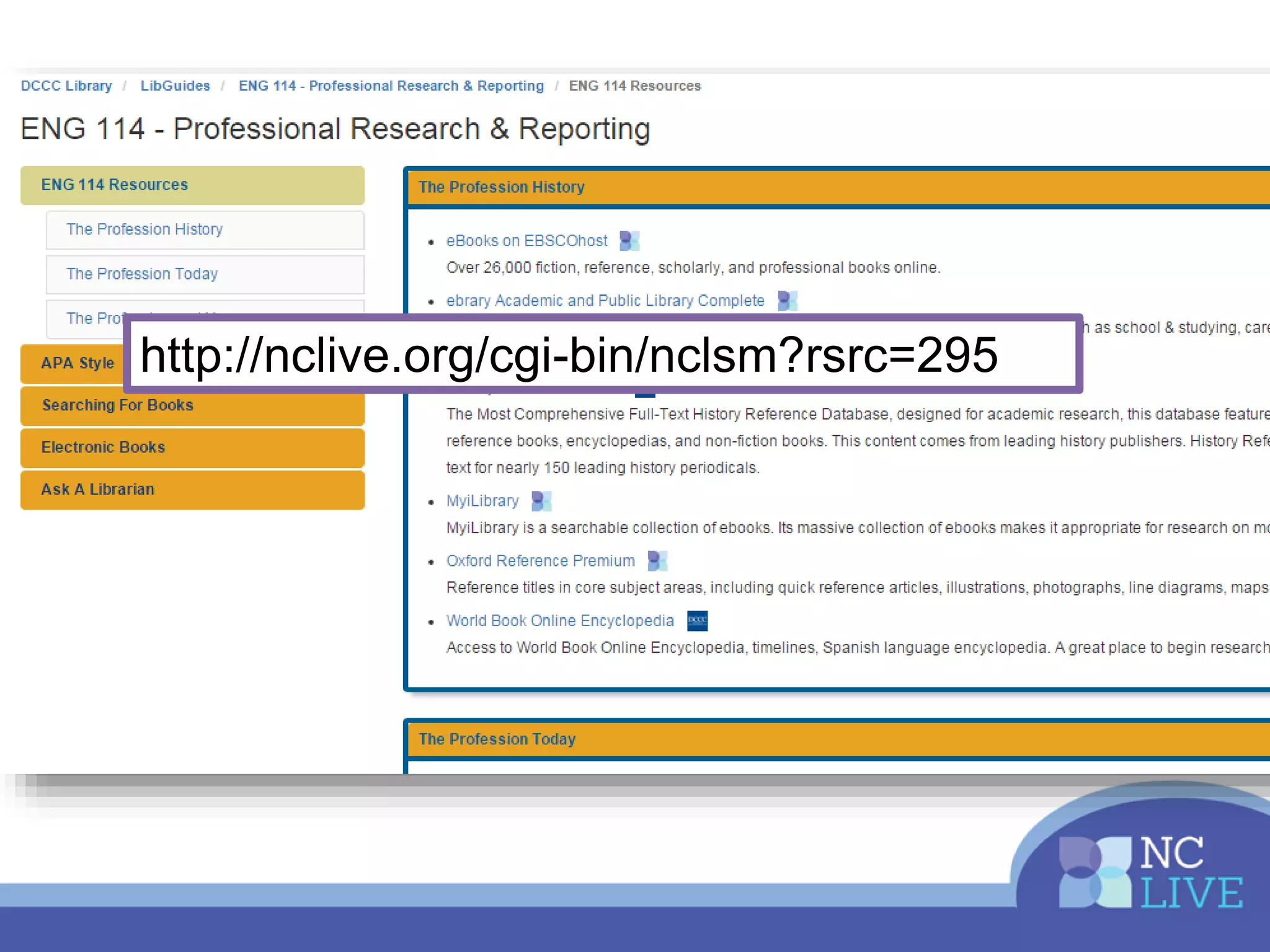
Integrating resources
• Direct database links
• Direct article links
http://nclive.org/cgi-bin/nclsm?rsrc=295
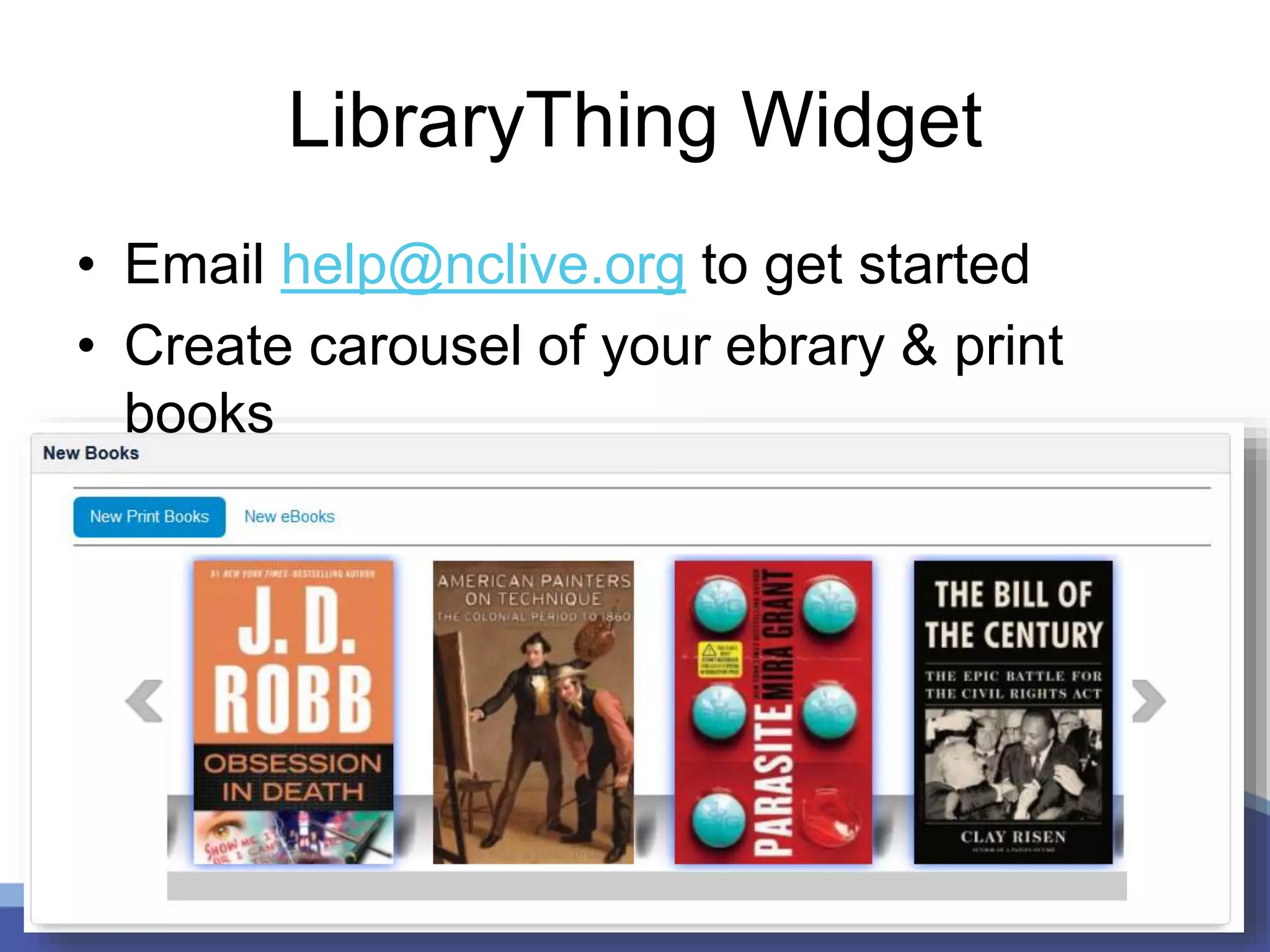
LibraryThing Widget
• Email help@nclive.org to get started
• Create carousel of your ebrary & print
books
Integrating Videos
LTI authentication at Davidson
County Community College
Customizing Interfaces
Request admin access help@nclive.org
Most customizable:
• ProQuest
• Films on Demand
Admin.proquest.com
• Citation types
• Search defaults
• Branding
• Subject listing
• Add your licenses (RefWorks,
JournalFinder, etc.)
http://admin.films.com/
• Get widgets, icons, and subject
URLs
• Set default result number,
citation style, CC
• See usage stats by subject area,
producer, etc.
• NEW: add your own YouTube
and other videos!
Tip: Customize Collections
Your library can purchase or license
additional content from NC LIVE vendors!
• More ebrary ebooks
• More audio books
• Films on Demand Nursing & Allied Health
• Email help@nclive.org for vendor contacts
How have you integrated or
customized your resources?
2: Easier Access
Locally managed proxy?
• Use your Own Login Service
• Back-up login page
• NEW service: NC LIVE hosted
proxy
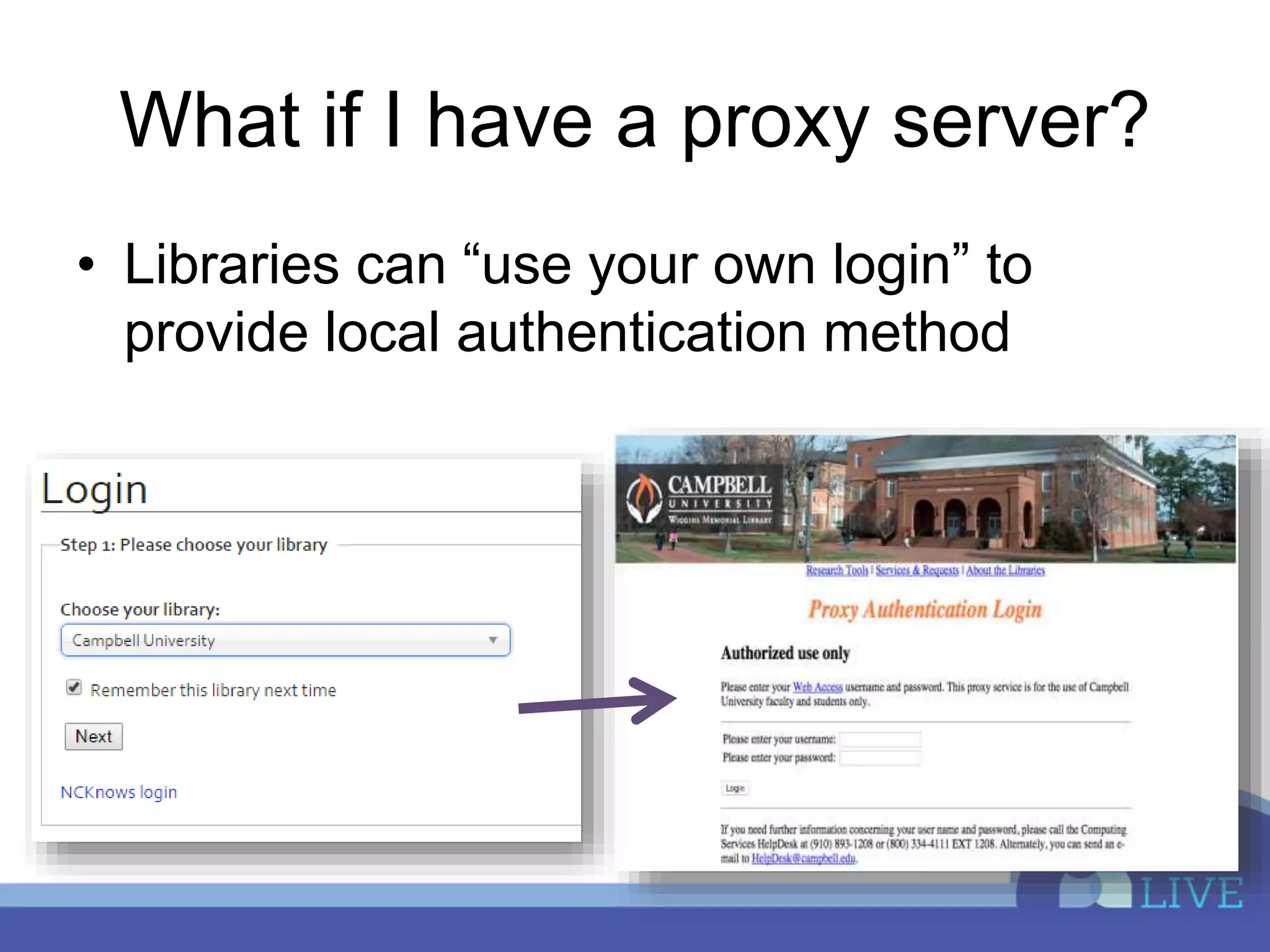
What if I have a proxy server?
• Libraries can “use your own login” to
provide local authentication method
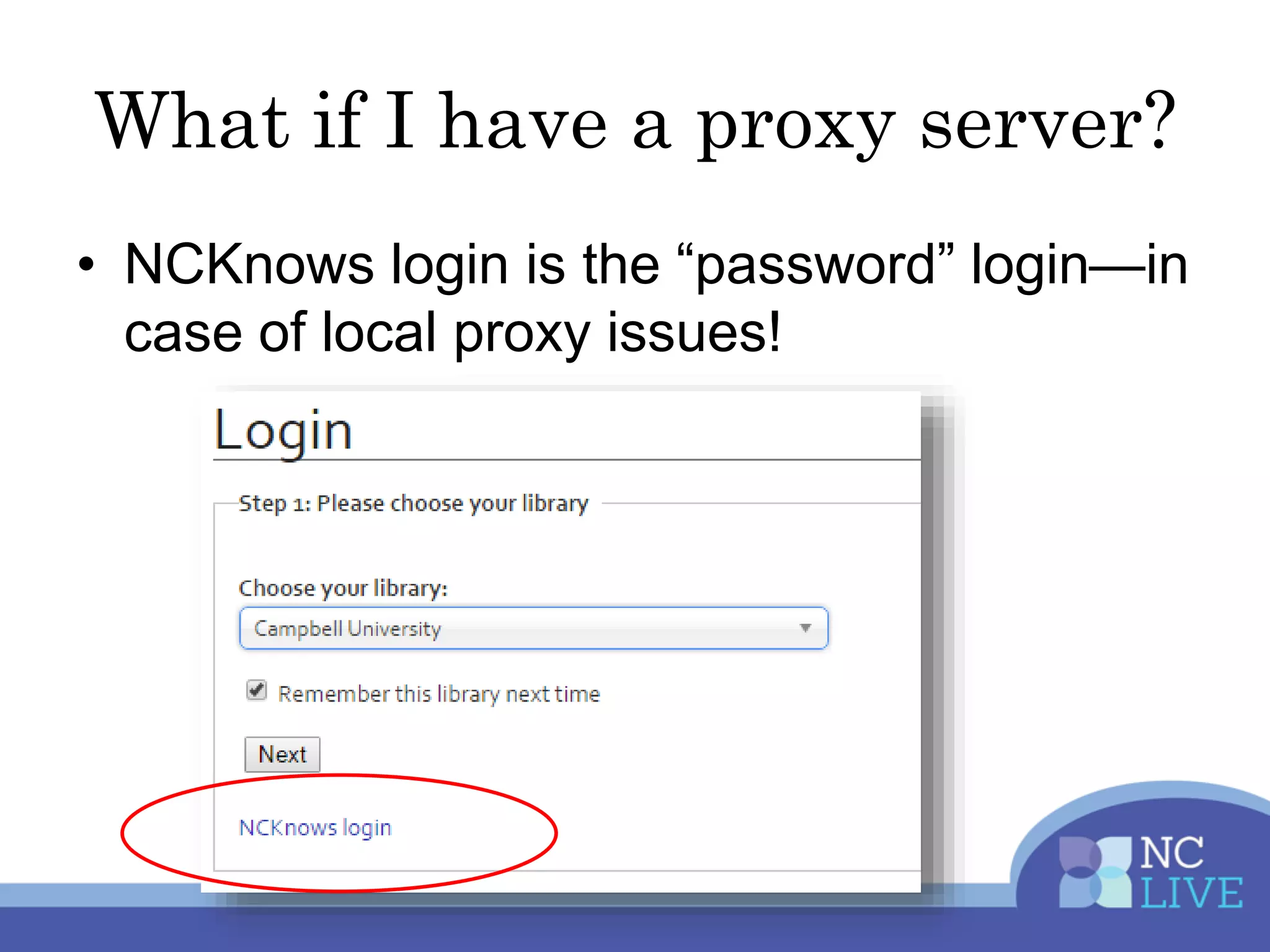
What if I have a proxy server?
• NCKnows login is the “password” login—in
case of local proxy issues!
What is hosted proxy?
• NC LIVE and locally licensed resources
can be accessed via the NC LIVE proxy
server
• Users can be authenticated via library’s
data source – CAS, SIP, LDAP,
Shibboleth, etc
• Library staff members will receive an ID to
the ProxyAdmin interface to update local
resources
What is the benefit?
• Patrons will see the same login prompt for
all resources
• Library staff can update locally licensed
resources without IT intervention
• Server and proxy software is maintained
by NC LIVE
• NC LIVE website use is optimized vs. a
local proxy
What is working or not working for
you when it comes to remote
access?
3: Understanding Discovery
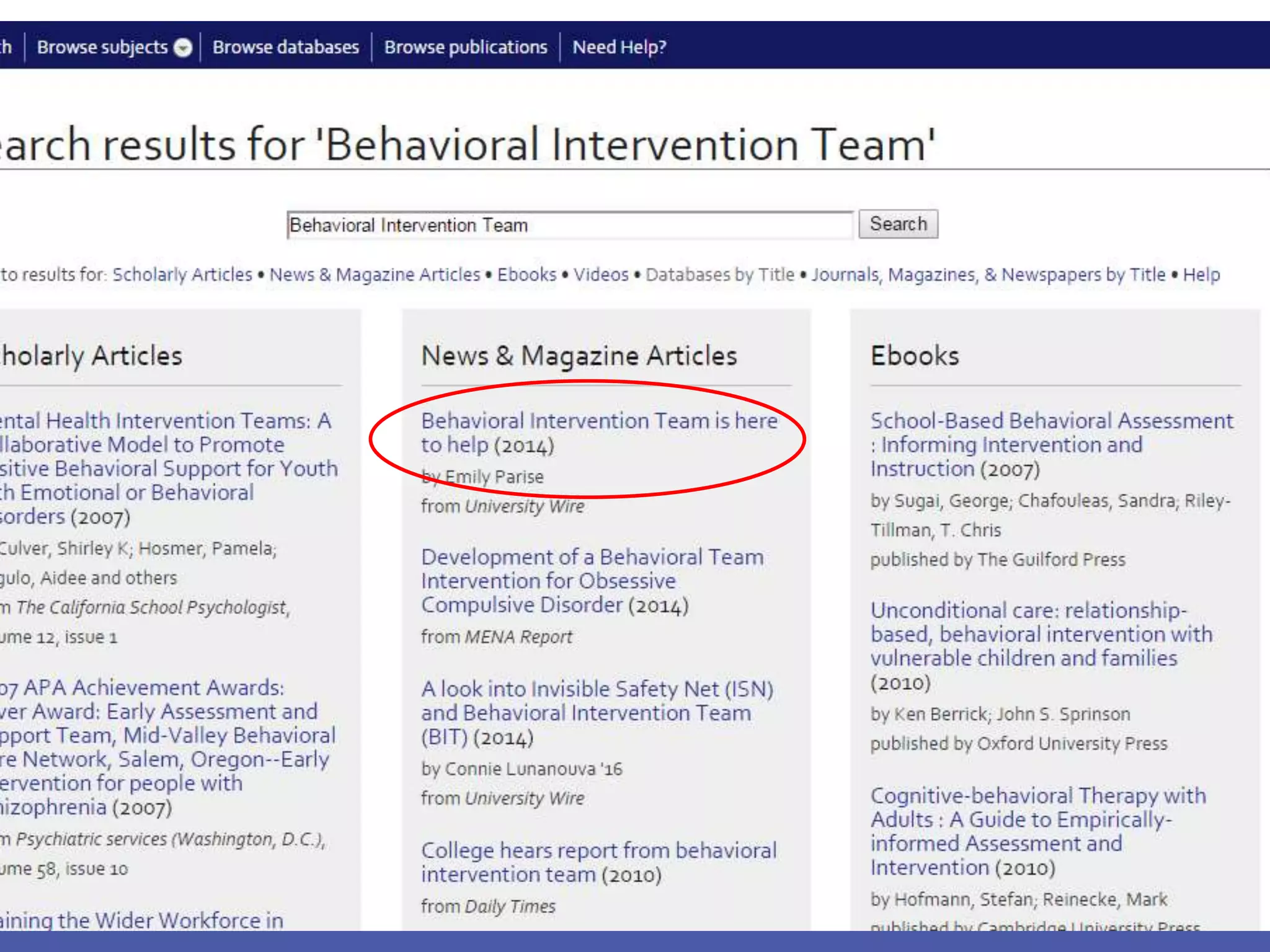
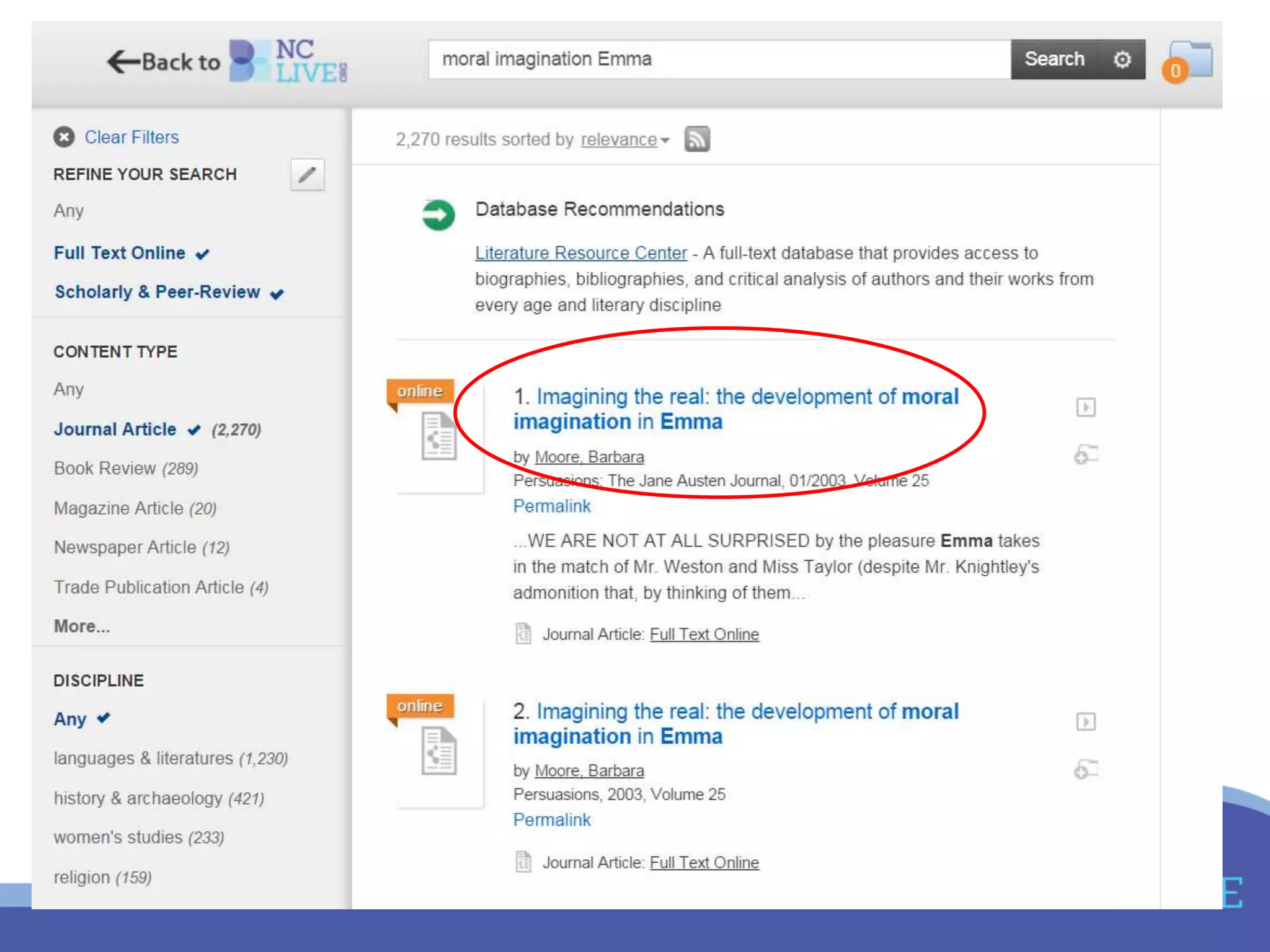
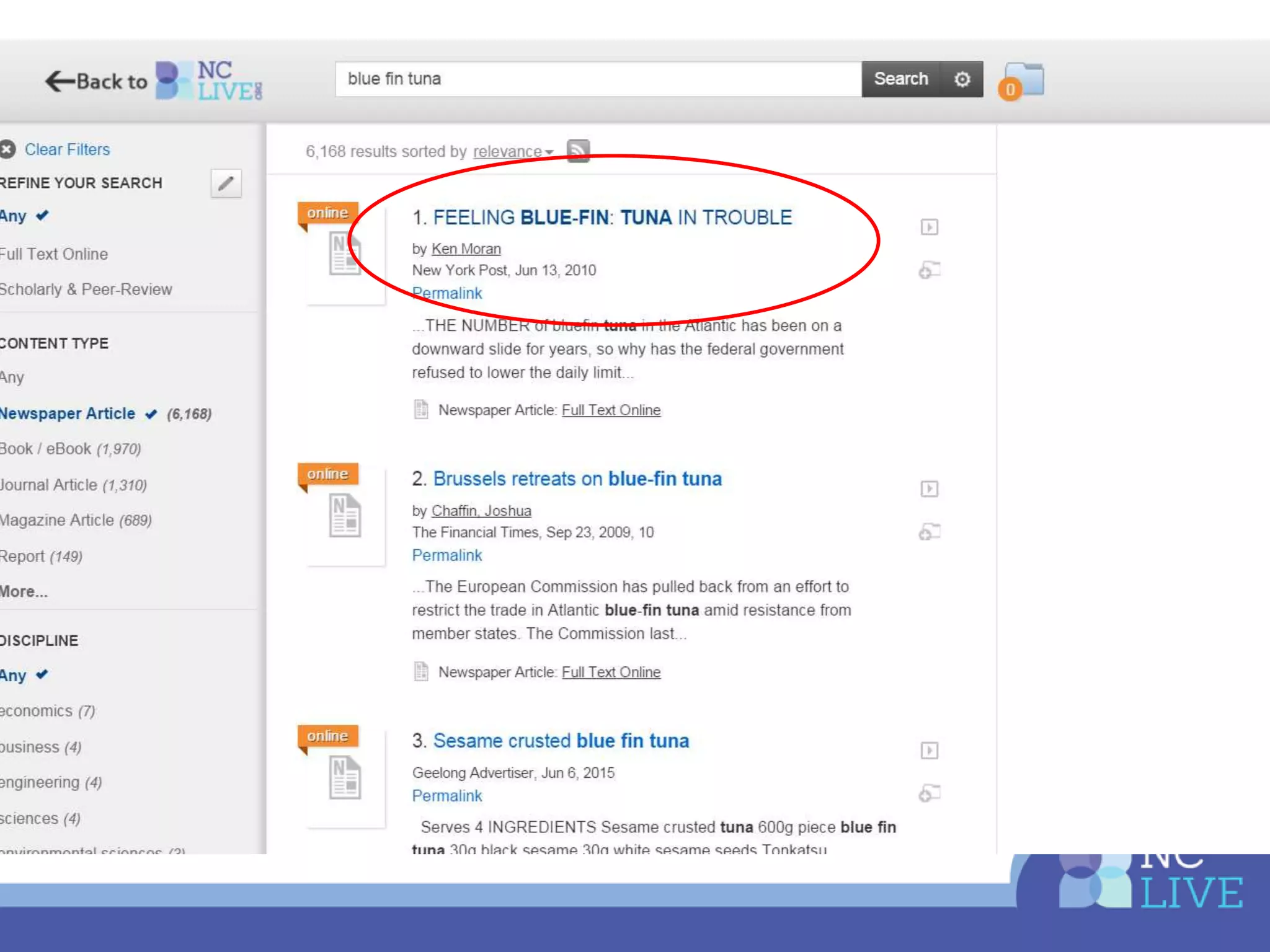
• Who has a discovery service?
• Who uses the nclive.org search boxes?
What are your discovery
frustrations or epiphanies?
4: Resolving Issues Quickly
• Make a clear report
– Who is affected: on campus or off?
– Which resource or resources are involved?
– What are you seeing? Include screenshots &
videos if you can
– When did this occur?
– How have you already tried to solve it? Other
browsers, different computer, etc.
4: Resolving Issues Quickly
• Make a clear report
– Who is affected: on campus or off?
– Which resource or resources are involved?
– What are you seeing? Include screenshots &
videos if you can
– When did this occur?
– How have you already tried to solve it? Other
browsers, different computer, etc.
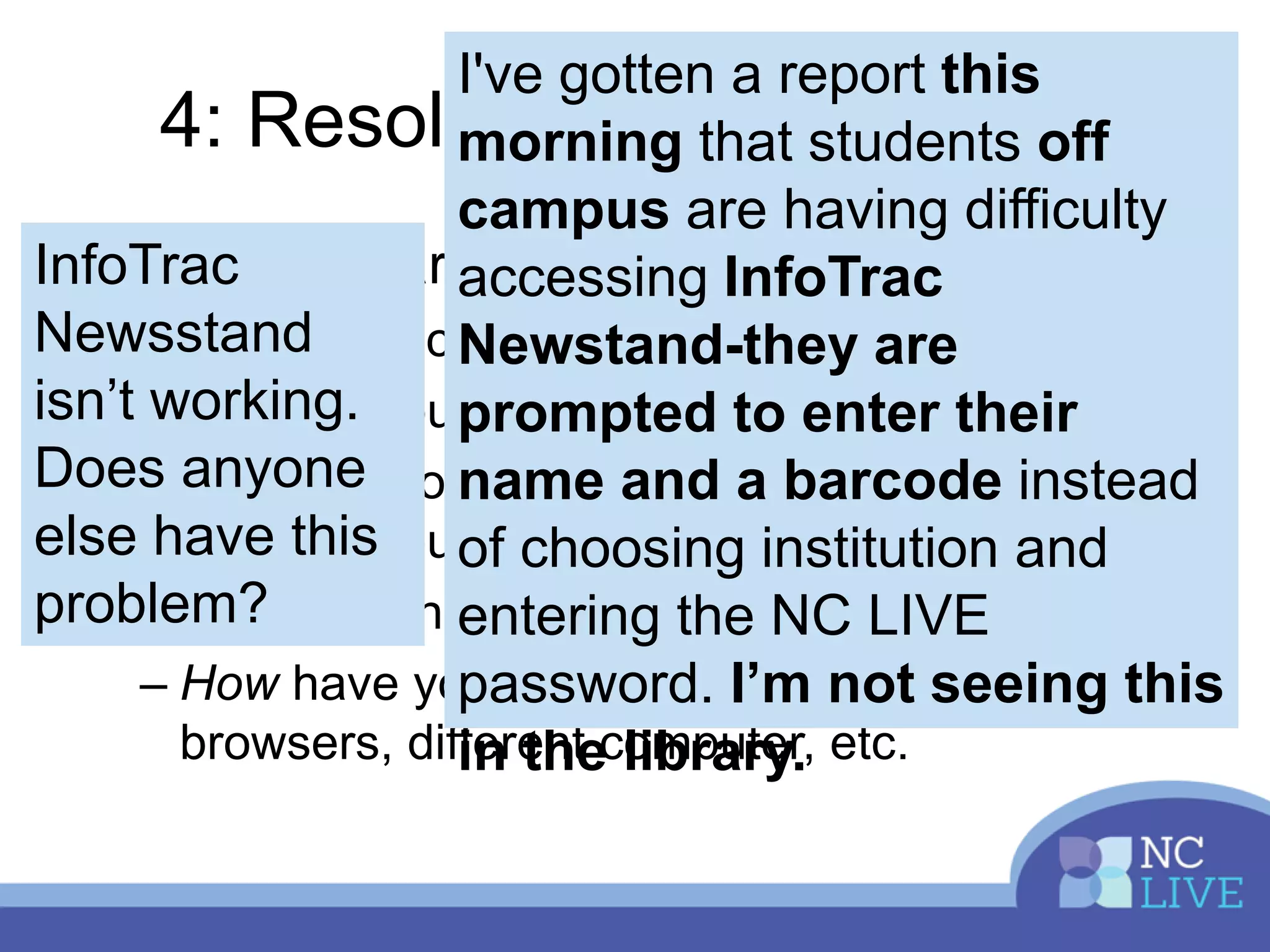
I've gotten a report this
morning that students off
campus are having difficulty
accessing InfoTrac
Newstand-they are
prompted to enter their
name and a barcode instead
of choosing institution and
entering the NC LIVE
password. I’m not seeing this
in the library.
InfoTrac
Newsstand
isn’t working.
Does anyone
else have this
problem?
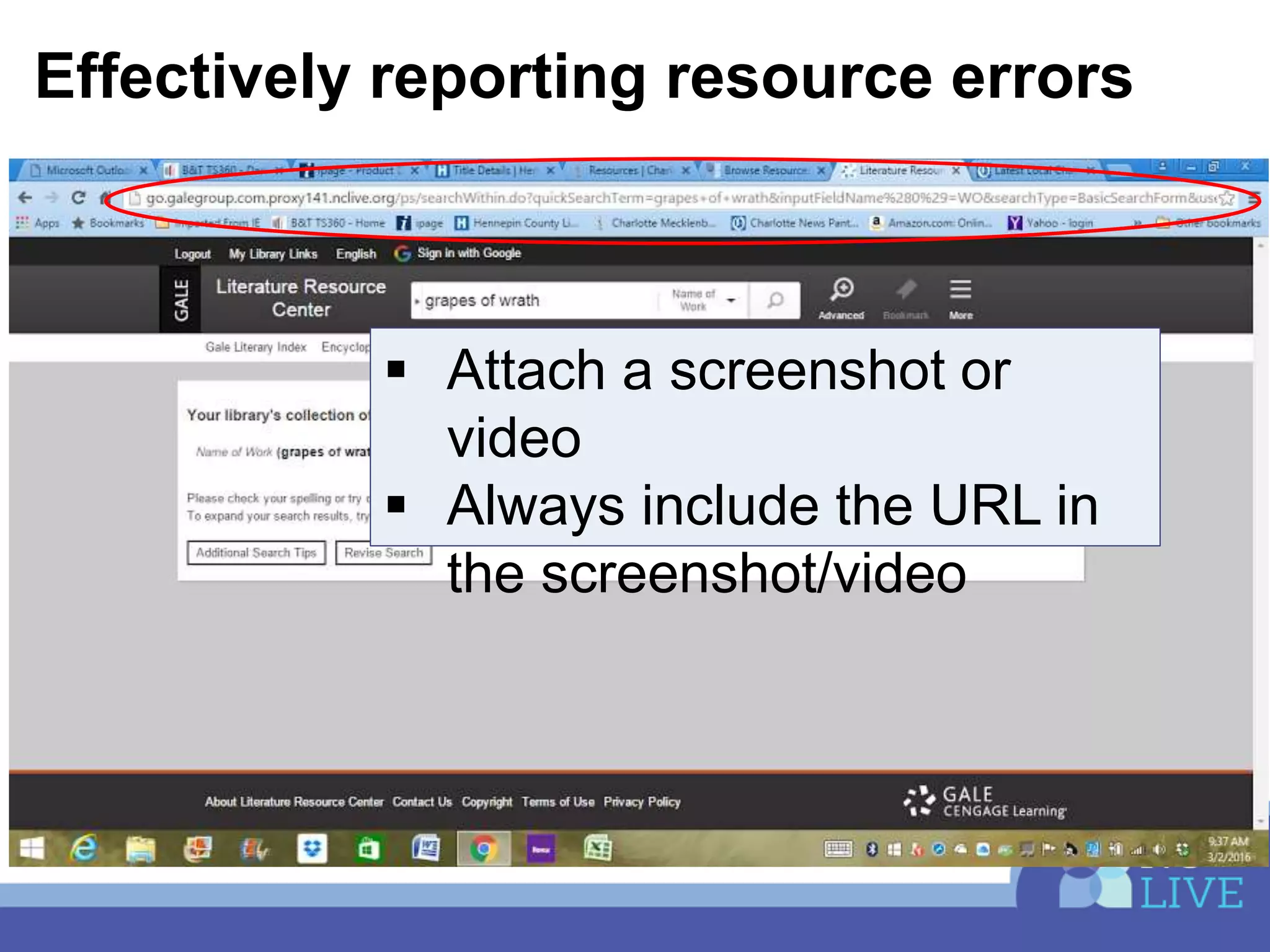
Effectively reporting resource errors
 Attach a screenshot or
video
 Always include the URL in
the screenshot/video
Reporting tools
 Snipping tool (PC)
 Skitch—detailed screenshots with
annotation
 Jing—video is worth a million
words!!
 http://screencast.com/t/OBSGxIgrho
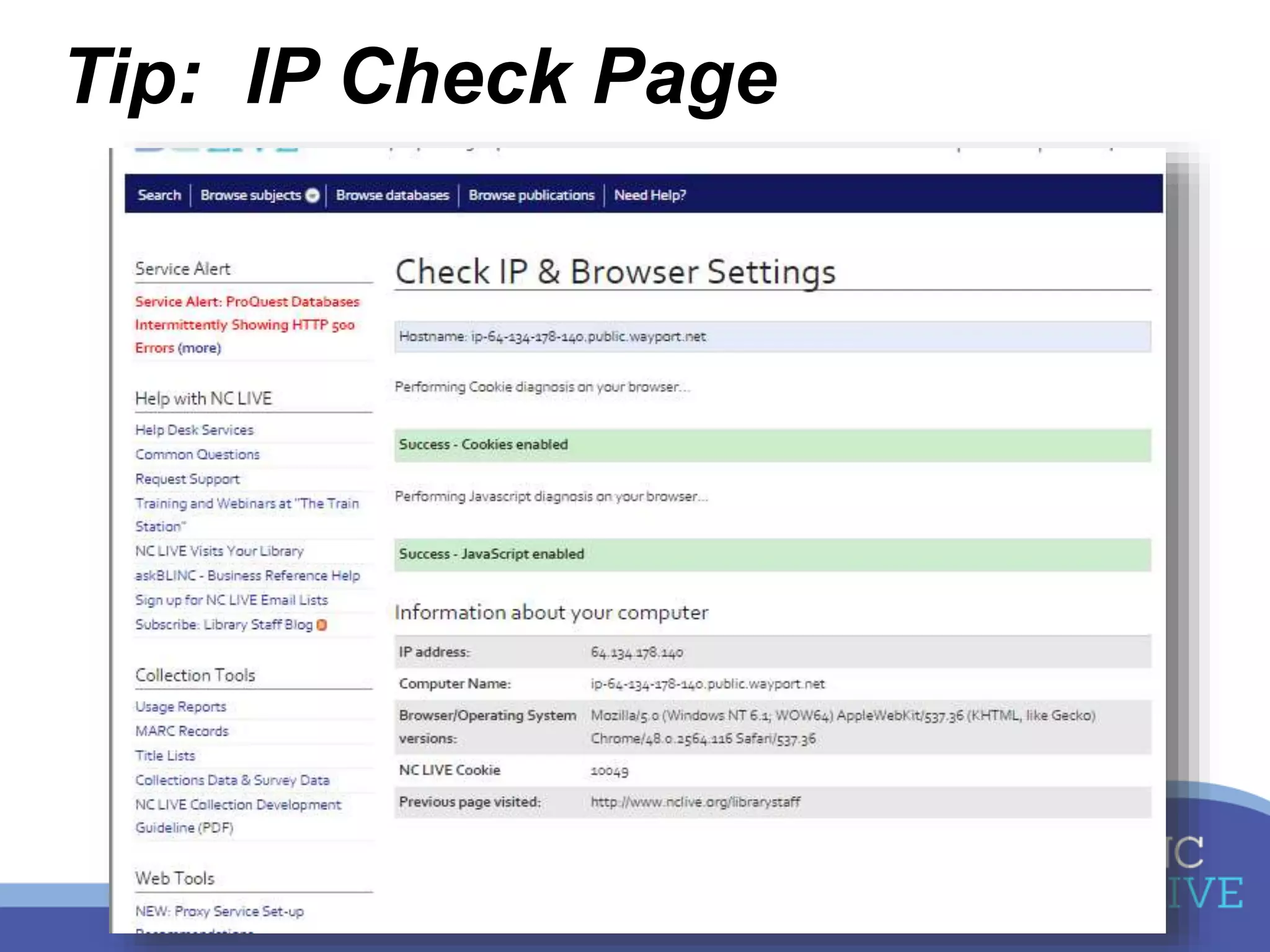
Tip: IP Check Page
5: Everything else!
• What haven’t we covered?
• What else do you want to do?
• What is most frustrating to you about
digital resources?
Resources
• NC LIVE Help Desk or help@nclive.org
• Embedding FOD LTI Links into Moodle
• Discovery Troubleshooting page

Tips and Tricks to Optimize your Digital Resources

  • 1.
    Tips & Tricksto Optimize Your Digital Resources Heather Greer Klein, NC LIVE Annie Harris, Davidson County Community College
  • 2.
    Objectives Share our knowledge Focuson your needs Have a conversation
  • 3.
    Agenda Whatever YOU wantto know about: 1. Website and resource customizations 2. Easy access for remote users 3. Troubleshooting discovery/search box errors 4. Best practices for getting issues resolved 5. Anything else you want to learn!
  • 4.
    1: Make itYours • Integrating resources • Customizing interfaces • Enhancing existing collections
  • 5.
    Integrating resources • Directdatabase & article links • LibraryThing Widget • Videos embedded in distance learning classes
  • 6.
    Integrating resources • Directdatabase links • Direct article links http://nclive.org/cgi-bin/nclsm?rsrc=295
  • 7.
    LibraryThing Widget • Emailhelp@nclive.org to get started • Create carousel of your ebrary & print books
  • 8.
    Integrating Videos LTI authenticationat Davidson County Community College
  • 9.
    Customizing Interfaces Request adminaccess help@nclive.org Most customizable: • ProQuest • Films on Demand
  • 10.
    Admin.proquest.com • Citation types •Search defaults • Branding • Subject listing • Add your licenses (RefWorks, JournalFinder, etc.)
  • 11.
    http://admin.films.com/ • Get widgets,icons, and subject URLs • Set default result number, citation style, CC • See usage stats by subject area, producer, etc. • NEW: add your own YouTube and other videos!
  • 12.
    Tip: Customize Collections Yourlibrary can purchase or license additional content from NC LIVE vendors! • More ebrary ebooks • More audio books • Films on Demand Nursing & Allied Health • Email help@nclive.org for vendor contacts
  • 13.
    How have youintegrated or customized your resources?
  • 14.
    2: Easier Access Locallymanaged proxy? • Use your Own Login Service • Back-up login page • NEW service: NC LIVE hosted proxy
  • 15.
    What if Ihave a proxy server? • Libraries can “use your own login” to provide local authentication method
  • 16.
    What if Ihave a proxy server? • NCKnows login is the “password” login—in case of local proxy issues!
  • 17.
    What is hostedproxy? • NC LIVE and locally licensed resources can be accessed via the NC LIVE proxy server • Users can be authenticated via library’s data source – CAS, SIP, LDAP, Shibboleth, etc • Library staff members will receive an ID to the ProxyAdmin interface to update local resources
  • 18.
    What is thebenefit? • Patrons will see the same login prompt for all resources • Library staff can update locally licensed resources without IT intervention • Server and proxy software is maintained by NC LIVE • NC LIVE website use is optimized vs. a local proxy
  • 19.
    What is workingor not working for you when it comes to remote access?
  • 20.
    3: Understanding Discovery •Who has a discovery service? • Who uses the nclive.org search boxes?
  • 24.
    What are yourdiscovery frustrations or epiphanies?
  • 25.
    4: Resolving IssuesQuickly • Make a clear report – Who is affected: on campus or off? – Which resource or resources are involved? – What are you seeing? Include screenshots & videos if you can – When did this occur? – How have you already tried to solve it? Other browsers, different computer, etc.
  • 26.
    4: Resolving IssuesQuickly • Make a clear report – Who is affected: on campus or off? – Which resource or resources are involved? – What are you seeing? Include screenshots & videos if you can – When did this occur? – How have you already tried to solve it? Other browsers, different computer, etc. I've gotten a report this morning that students off campus are having difficulty accessing InfoTrac Newstand-they are prompted to enter their name and a barcode instead of choosing institution and entering the NC LIVE password. I’m not seeing this in the library. InfoTrac Newsstand isn’t working. Does anyone else have this problem?
  • 27.
    Effectively reporting resourceerrors  Attach a screenshot or video  Always include the URL in the screenshot/video
  • 28.
    Reporting tools  Snippingtool (PC)  Skitch—detailed screenshots with annotation  Jing—video is worth a million words!!  http://screencast.com/t/OBSGxIgrho
  • 29.
  • 30.
    5: Everything else! •What haven’t we covered? • What else do you want to do? • What is most frustrating to you about digital resources?
  • 31.
    Resources • NC LIVEHelp Desk or help@nclive.org • Embedding FOD LTI Links into Moodle • Discovery Troubleshooting page