UML Class Diagram
Agenda 
• What is a Class Diagram? 
• Essential Elements of a UML Class 
Diagram 
• Tips 
UML Class Diagrams 2
What is a Class Diagram? 
• A Class Diagram is a diagram describing 
the structure of a system 
• shows the system's 
• classes 
• Attributes 
• operations (or methods), 
• Relationships among the classes. 
UML Class Diagrams 3
Essential Elements of a 
UML Class Diagram 
UML Class Diagrams 4 
• Class 
• Attributes 
• Operations 
• Relationships 
– Associations 
– Generalization 
– Realization 
– Dependency 
• Constraint Rules and Notes
Class 
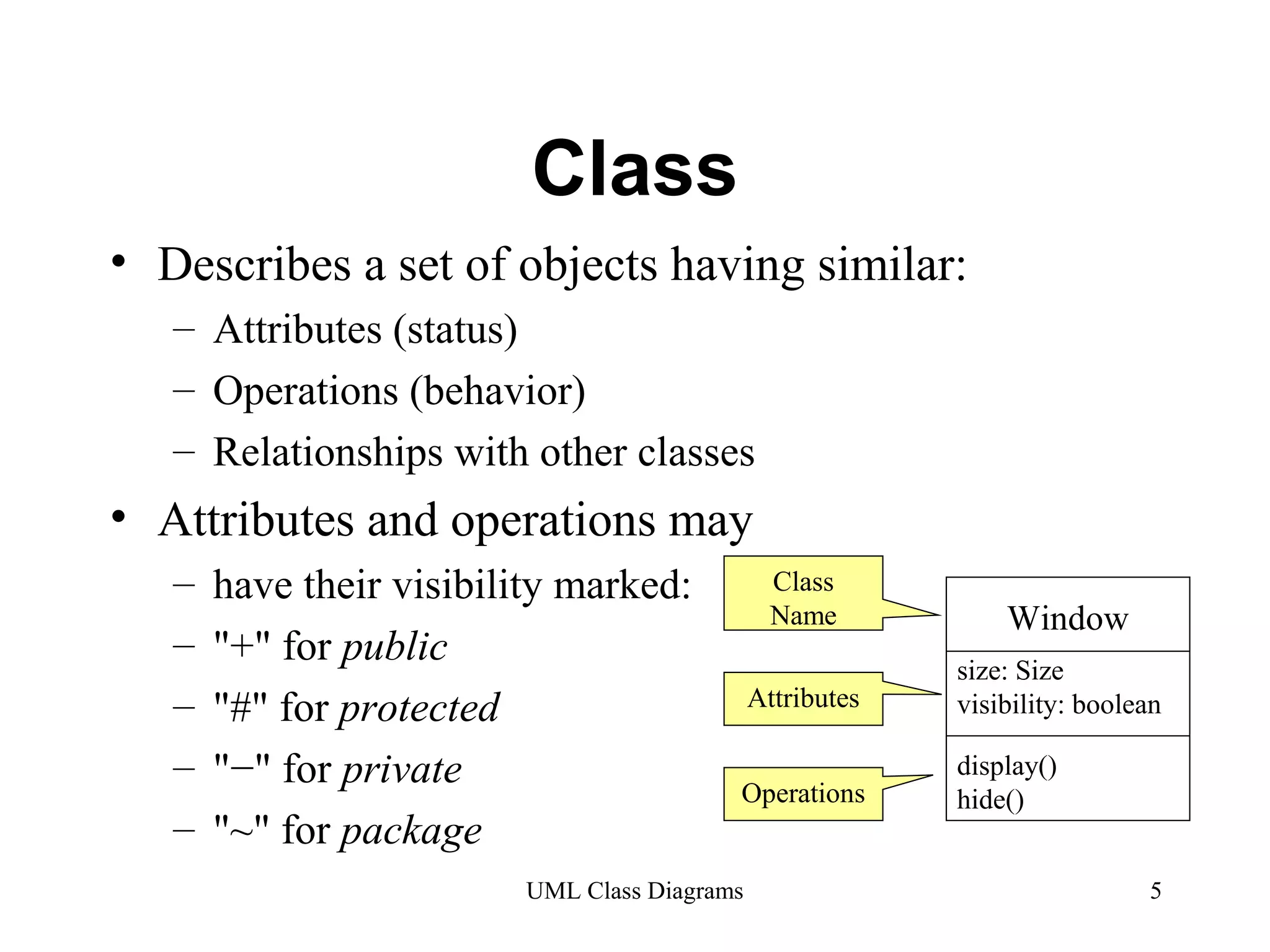
• Describes a set of objects having similar: 
– Attributes (status) 
– Operations (behavior) 
– Relationships with other classes 
• Attributes and operations may 
– have their visibility marked: 
– "+" for public 
– "#" for protected 
– "−" for private 
– "~" for package 
Window 
size: Size 
visibility: boolean 
display() 
hide() 
Class 
Name 
Attributes 
Operations 
UML Class Diagrams 5
Associations 
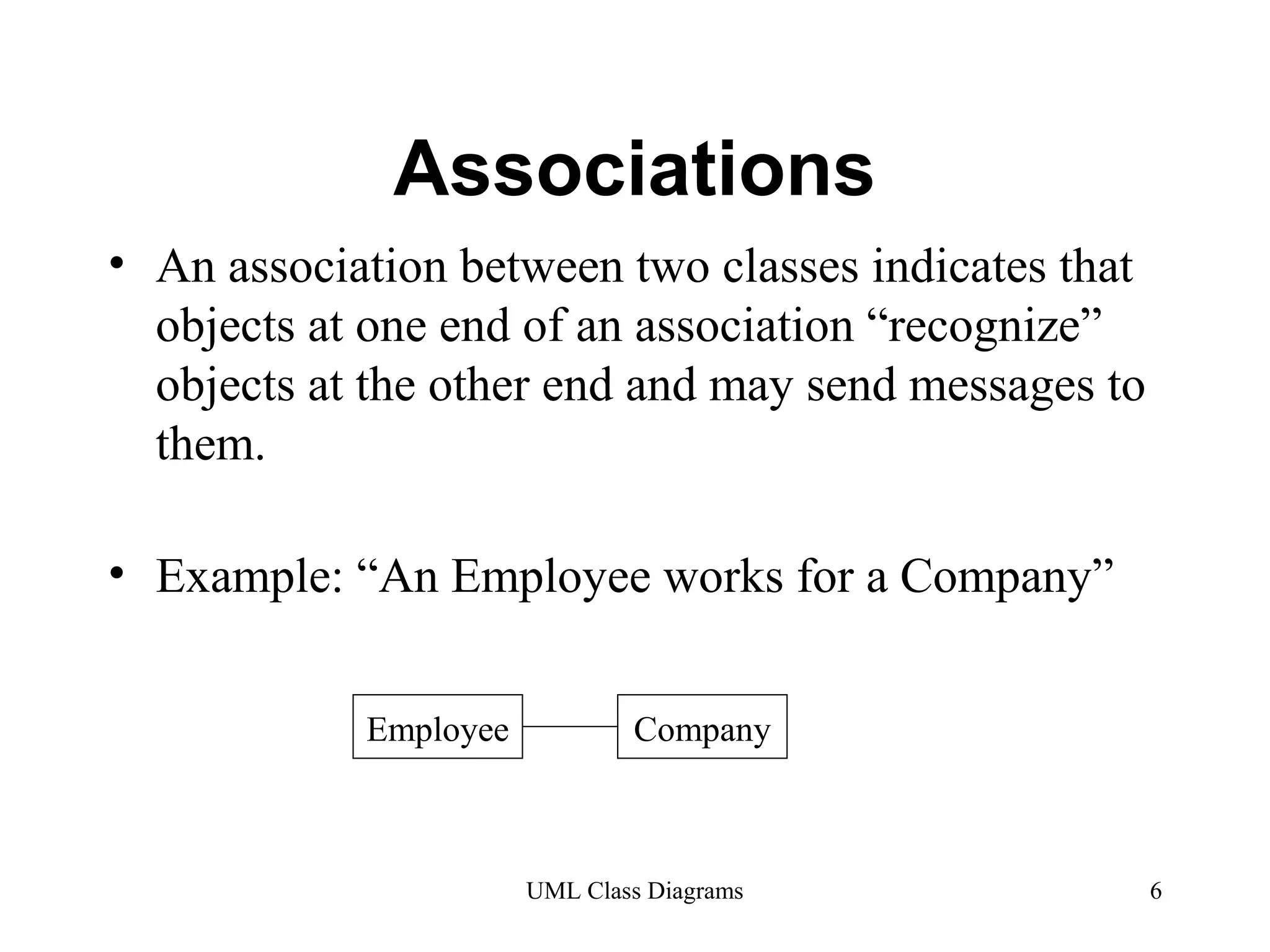
• An association between two classes indicates that 
objects at one end of an association “recognize” 
objects at the other end and may send messages to 
them. 
• Example: “An Employee works for a Company” 
Employee Company 
UML Class Diagrams 6
Associations (cont.) 
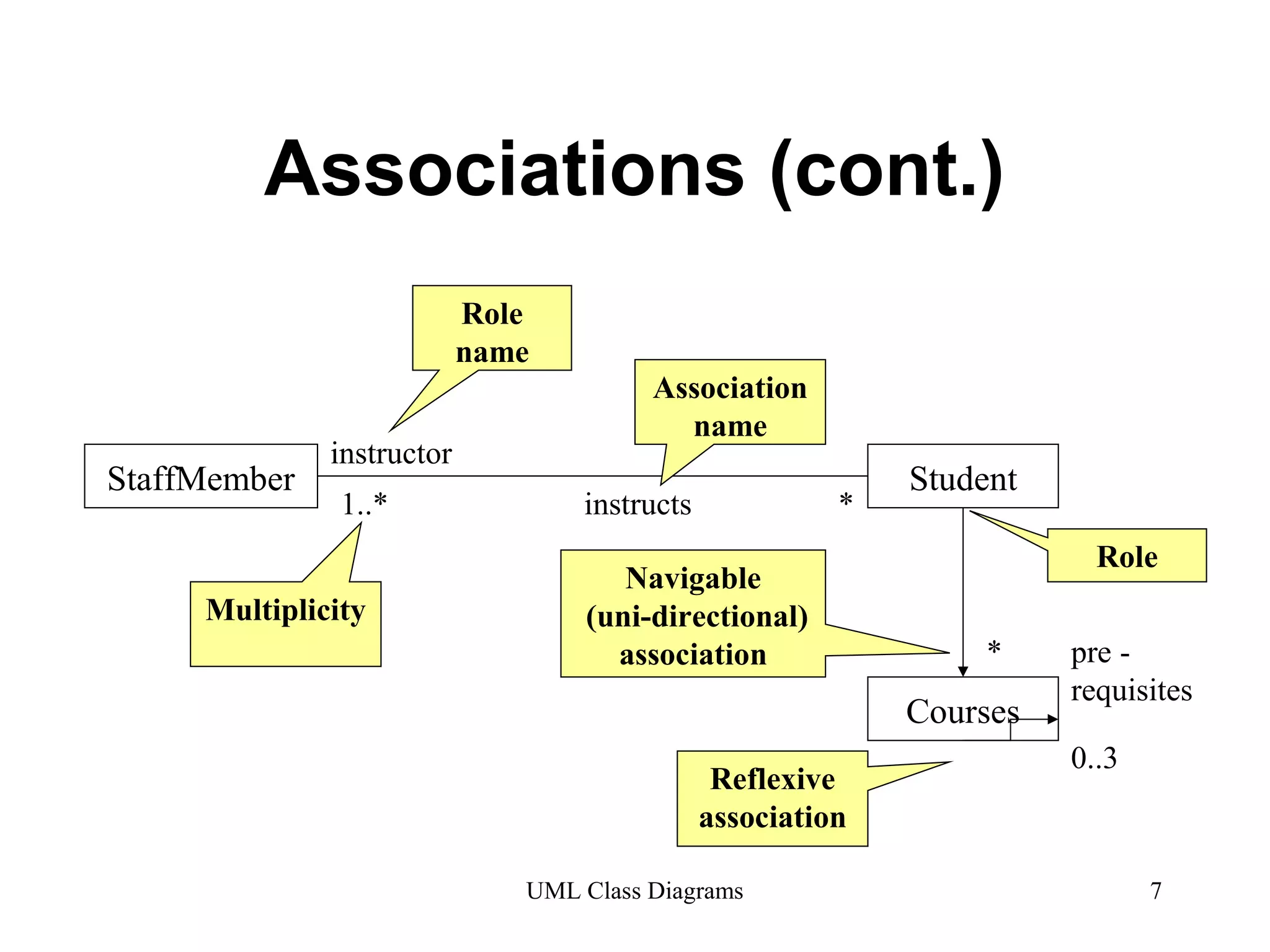
StaffMember Student 
1..* instructs * 
Role 
* 
UML Class Diagrams 7 
instructor 
Association 
name 
Role 
name 
Multiplicity 
Navigable 
(uni-directional) 
association 
Courses 
pre - 
requisites 
Reflexive 0..3 
association
Associations (cont.) 
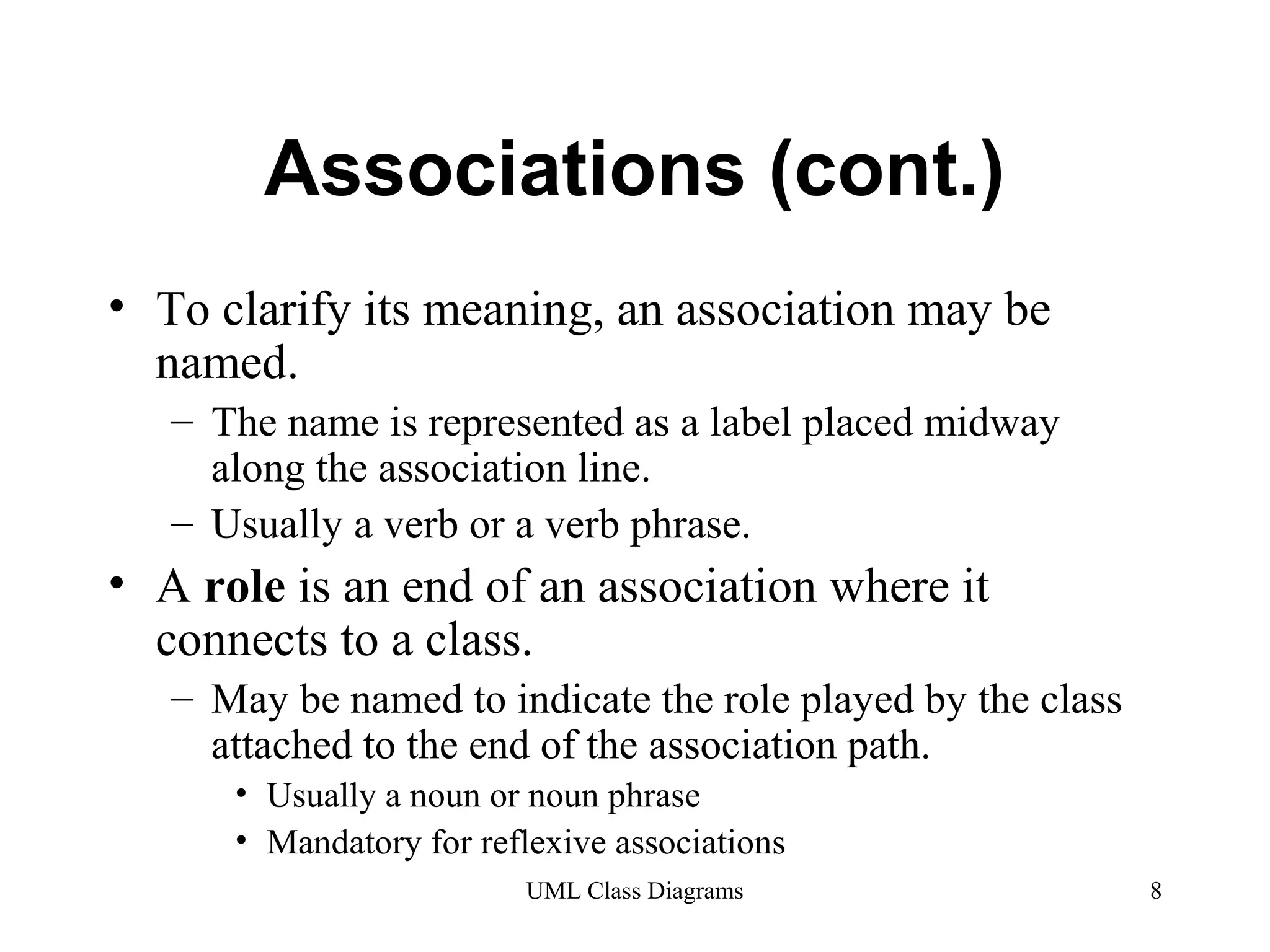
• To clarify its meaning, an association may be 
named. 
– The name is represented as a label placed midway 
along the association line. 
– Usually a verb or a verb phrase. 
• A role is an end of an association where it 
connects to a class. 
– May be named to indicate the role played by the class 
attached to the end of the association path. 
• Usually a noun or noun phrase 
• Mandatory for reflexive associations 
UML Class Diagrams 8
Associations (cont.) 
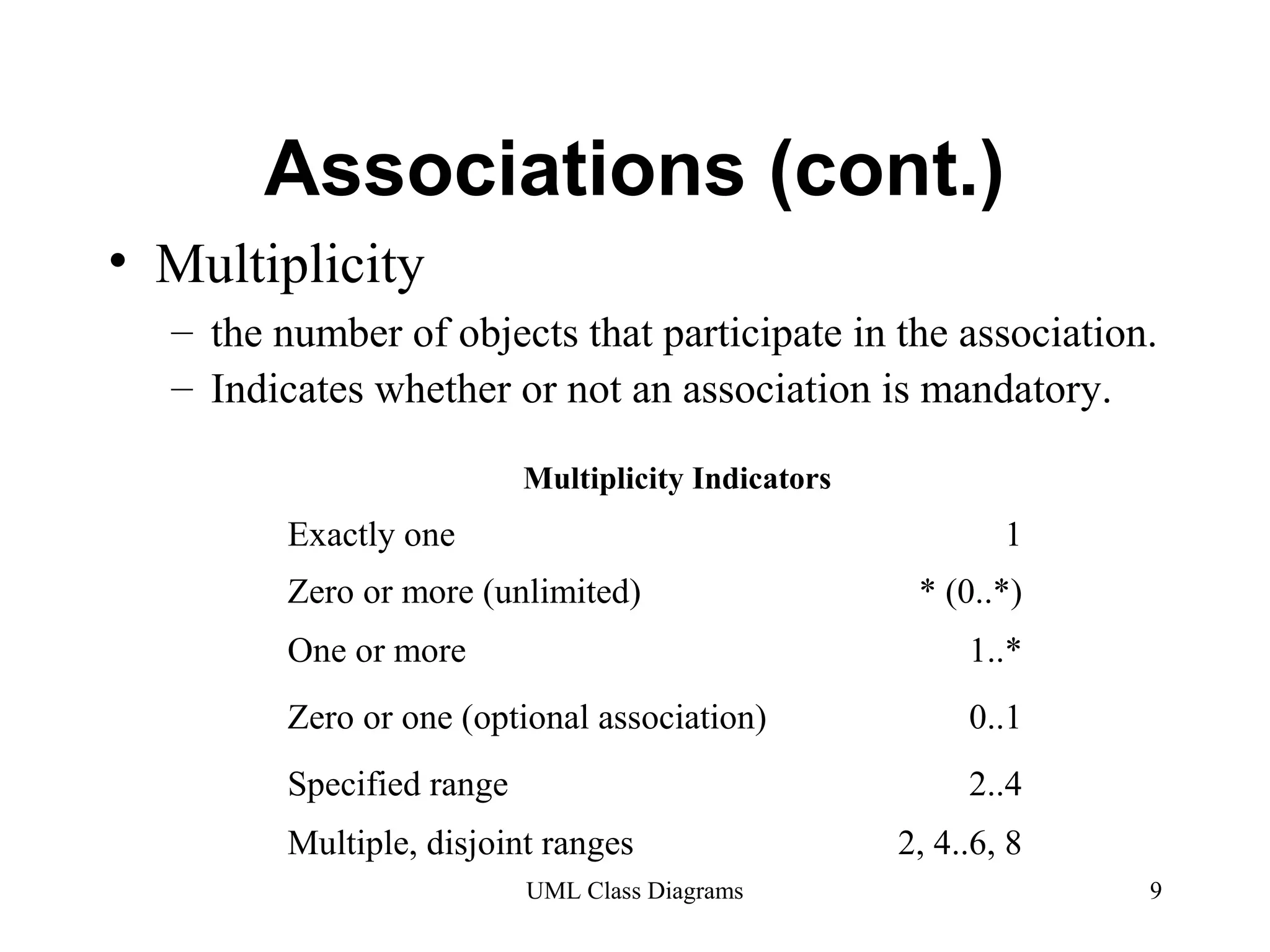
Multiplicity Indicators 
UML Class Diagrams 9 
• Multiplicity 
– the number of objects that participate in the association. 
– Indicates whether or not an association is mandatory. 
Exactly one 1 
Zero or more (unlimited) * (0..*) 
One or more 1..* 
Zero or one (optional association) 0..1 
Specified range 2..4 
Multiple, disjoint ranges 2, 4..6, 8
Aggregation 
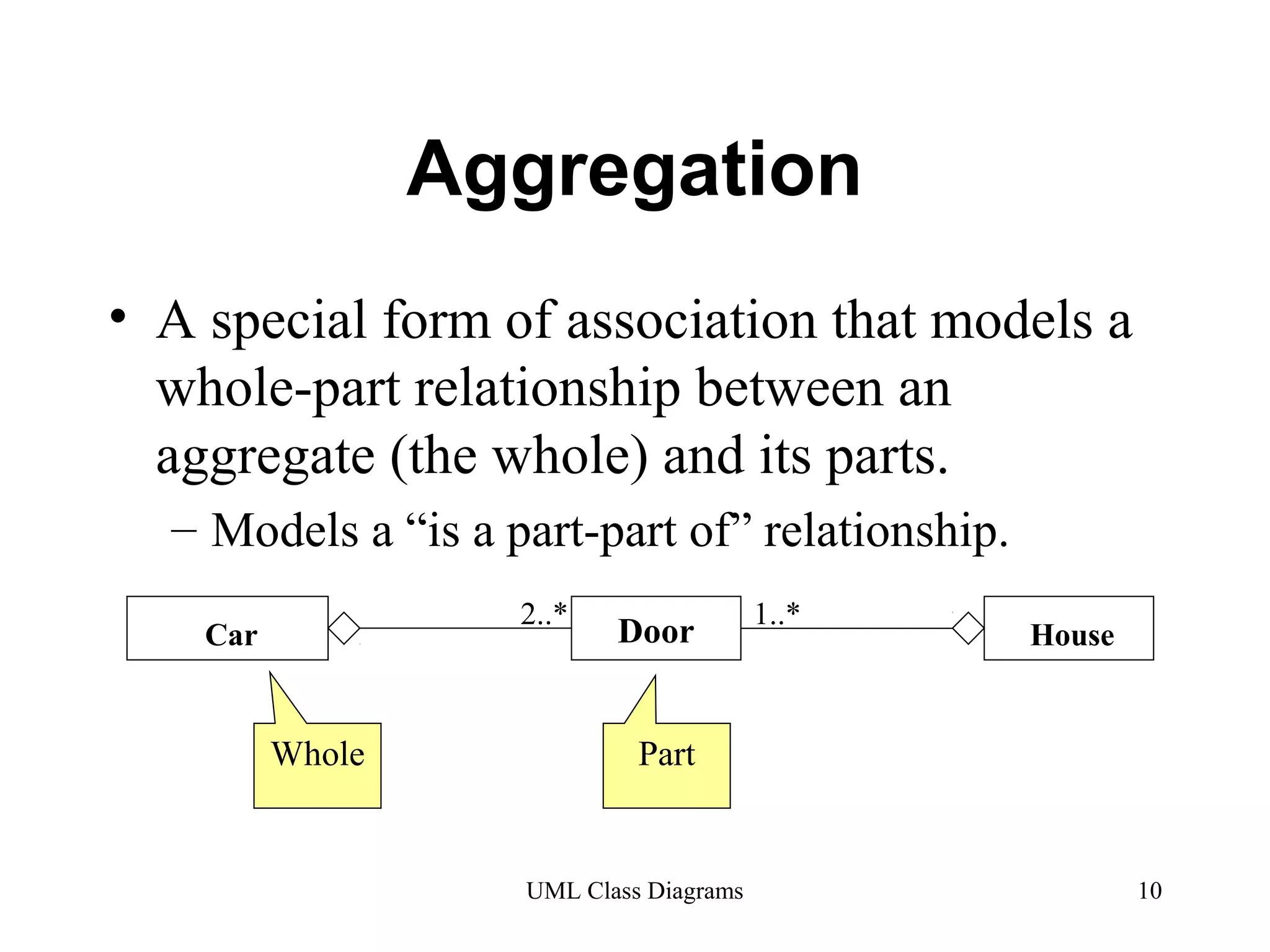
• A special form of association that models a 
whole-part relationship between an 
aggregate (the whole) and its parts. 
– Models a “is a part-part of” relationship. 
Car 2..* Door 1..* House 
Whole Part 
UML Class Diagrams 10
Aggregation (cont.) 
UML Class Diagrams 11 
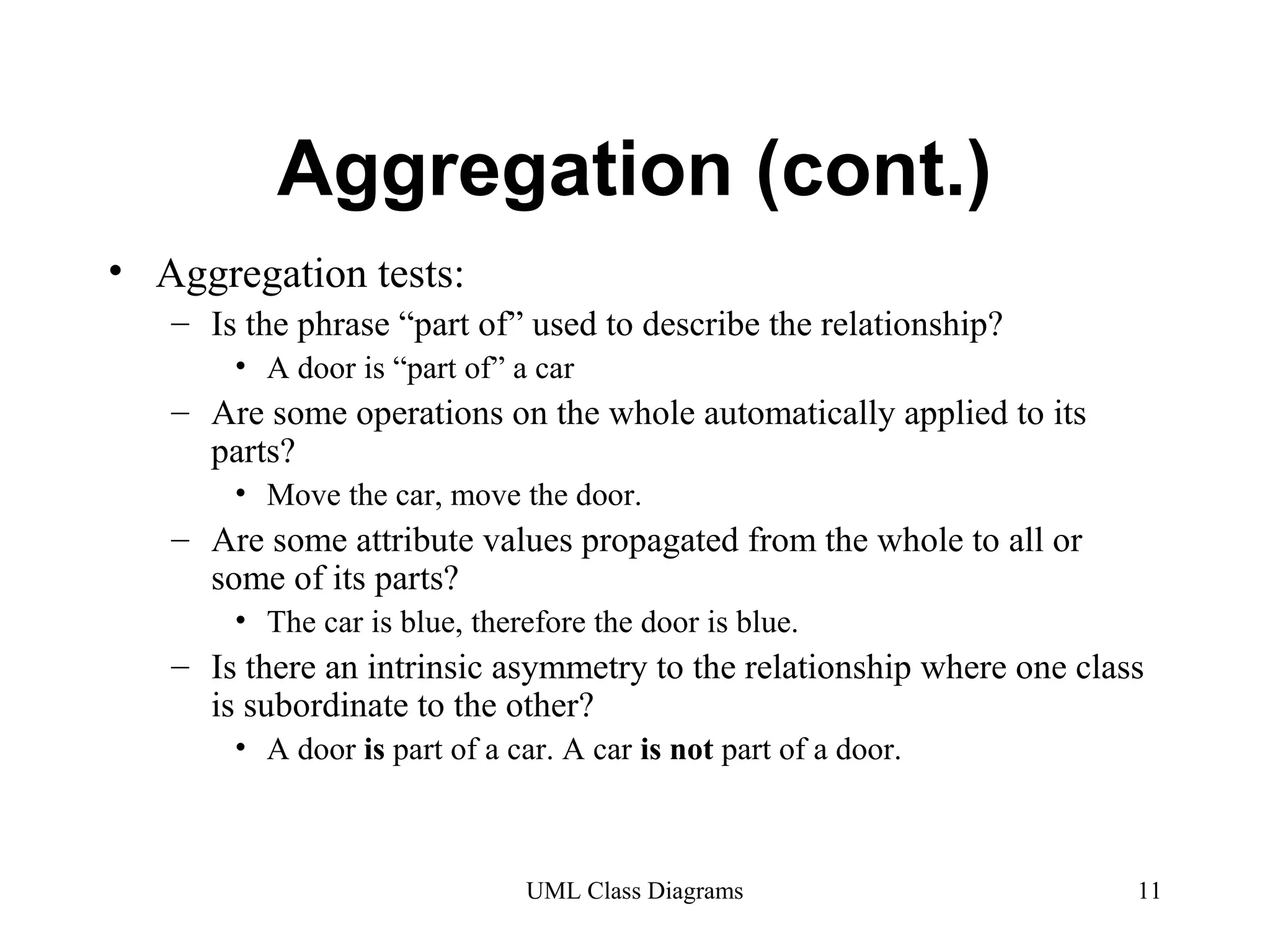
• Aggregation tests: 
– Is the phrase “part of” used to describe the relationship? 
• A door is “part of” a car 
– Are some operations on the whole automatically applied to its 
parts? 
• Move the car, move the door. 
– Are some attribute values propagated from the whole to all or 
some of its parts? 
• The car is blue, therefore the door is blue. 
– Is there an intrinsic asymmetry to the relationship where one class 
is subordinate to the other? 
• A door is part of a car. A car is not part of a door.
Composition 
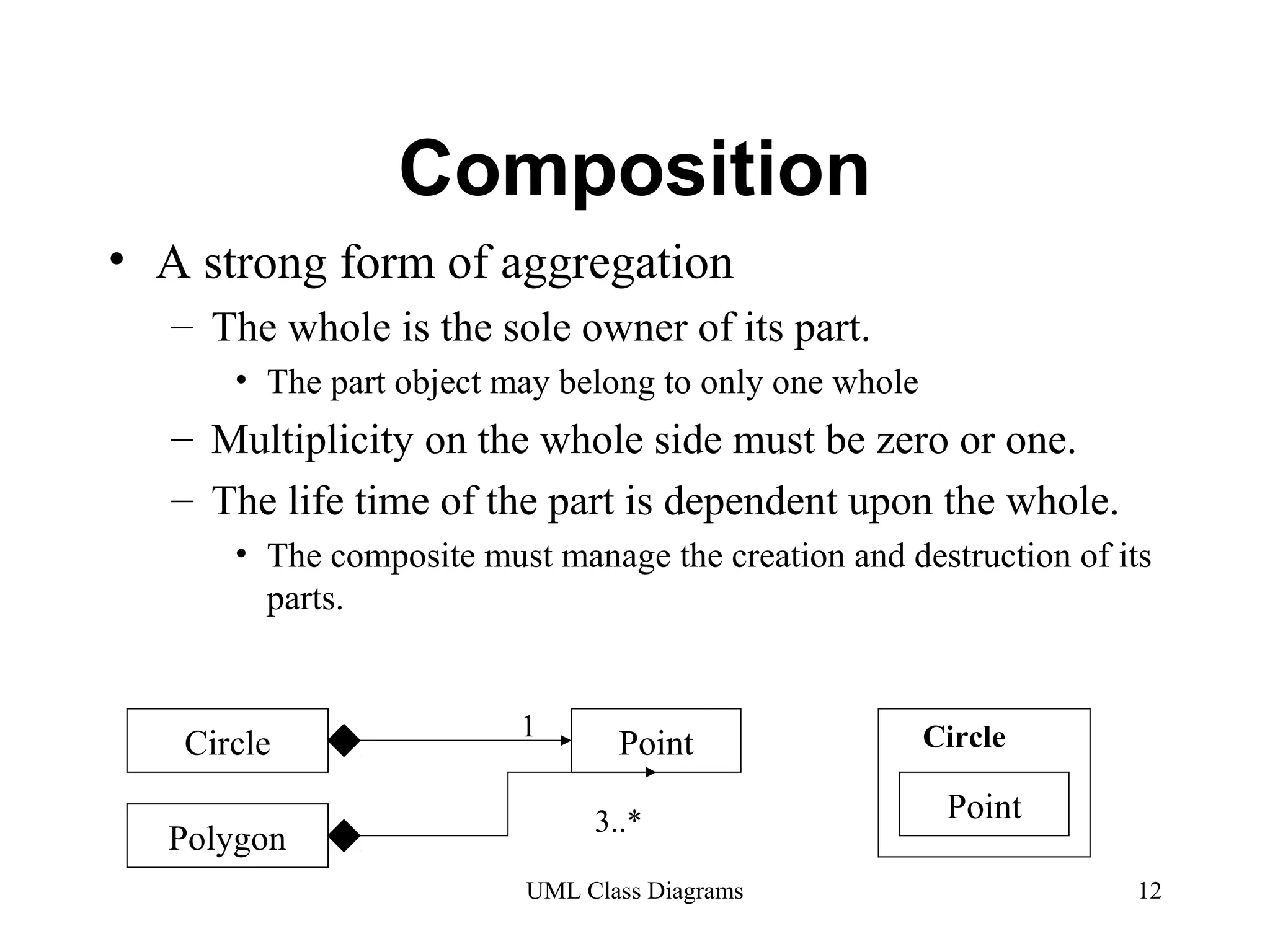
• A strong form of aggregation 
– The whole is the sole owner of its part. 
• The part object may belong to only one whole 
– Multiplicity on the whole side must be zero or one. 
– The life time of the part is dependent upon the whole. 
• The composite must manage the creation and destruction of its 
parts. 
1 
Circle Point 
3..* 
Circle 
UML Class Diagrams 12 
Polygon 
Point
Generalization 
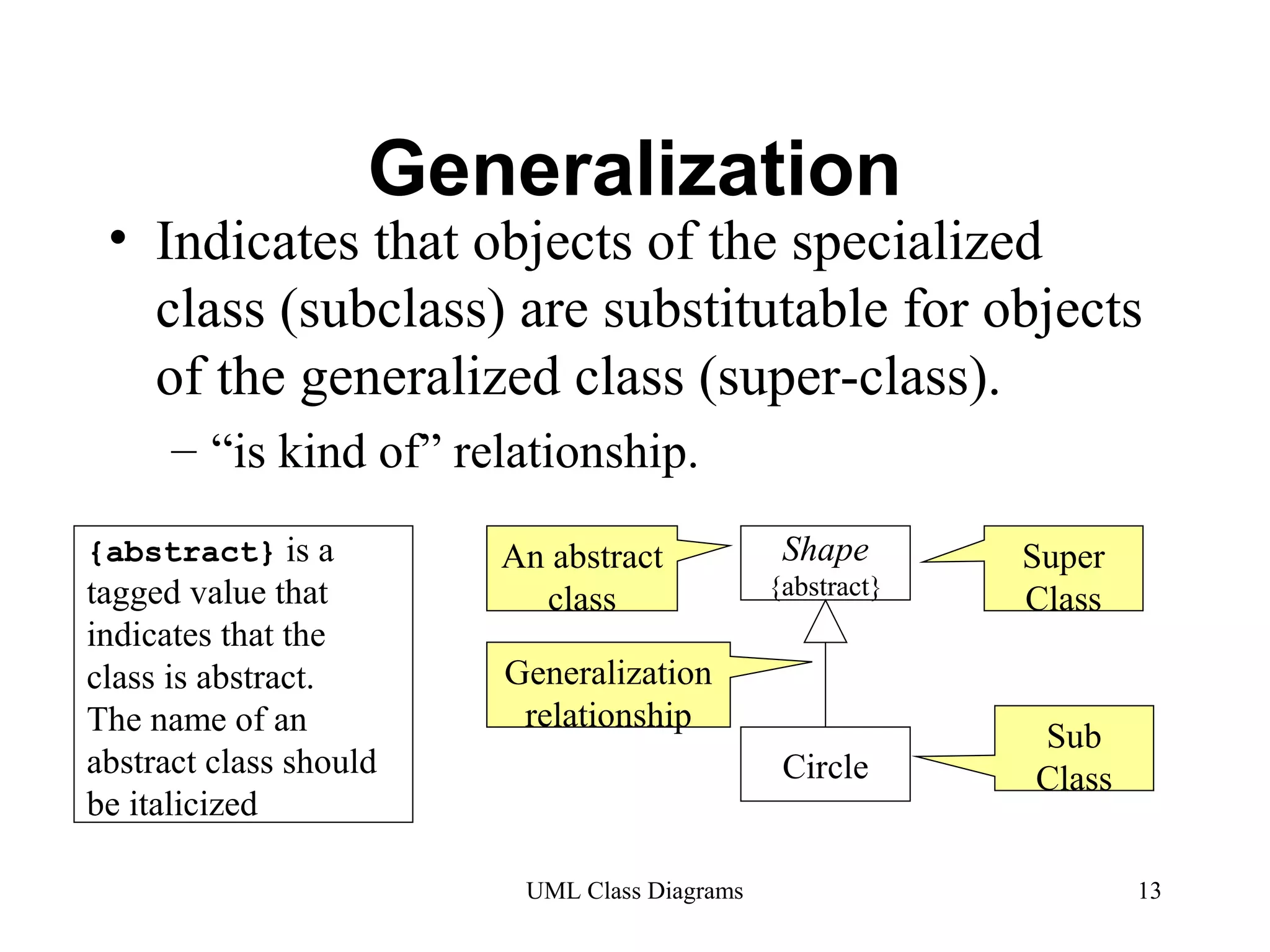
• Indicates that objects of the specialized 
class (subclass) are substitutable for objects 
of the generalized class (super-class). 
– “is kind of” relationship. 
Shape 
{abstract} 
Circle 
Super 
Class 
Sub 
Class 
An abstract 
class 
Generalization 
relationship 
UML Class Diagrams 13 
{abstract} is a 
tagged value that 
indicates that the 
class is abstract. 
The name of an 
abstract class should 
be italicized
Generalization 
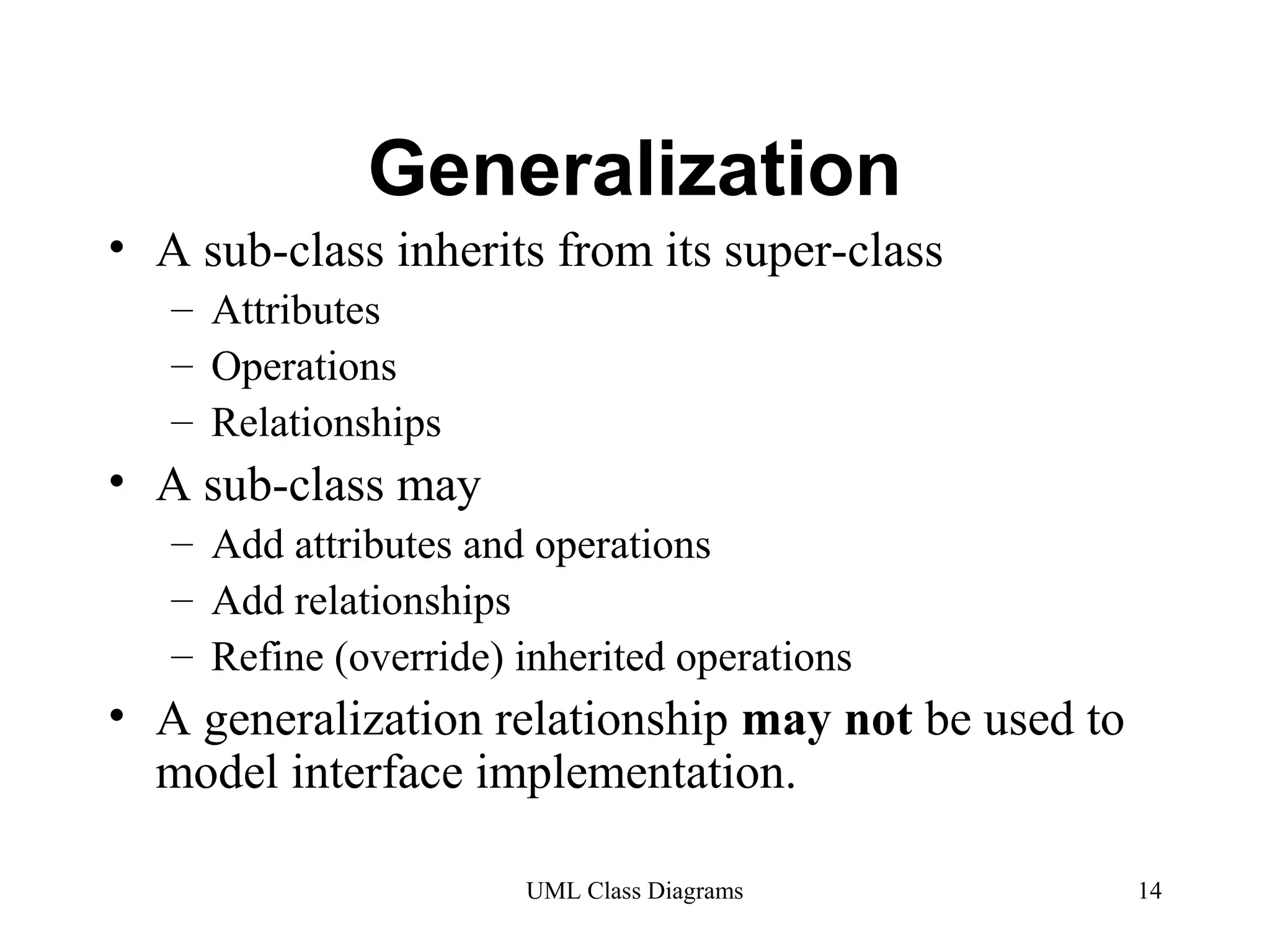
• A sub-class inherits from its super-class 
UML Class Diagrams 14 
– Attributes 
– Operations 
– Relationships 
• A sub-class may 
– Add attributes and operations 
– Add relationships 
– Refine (override) inherited operations 
• A generalization relationship may not be used to 
model interface implementation.
Realization 
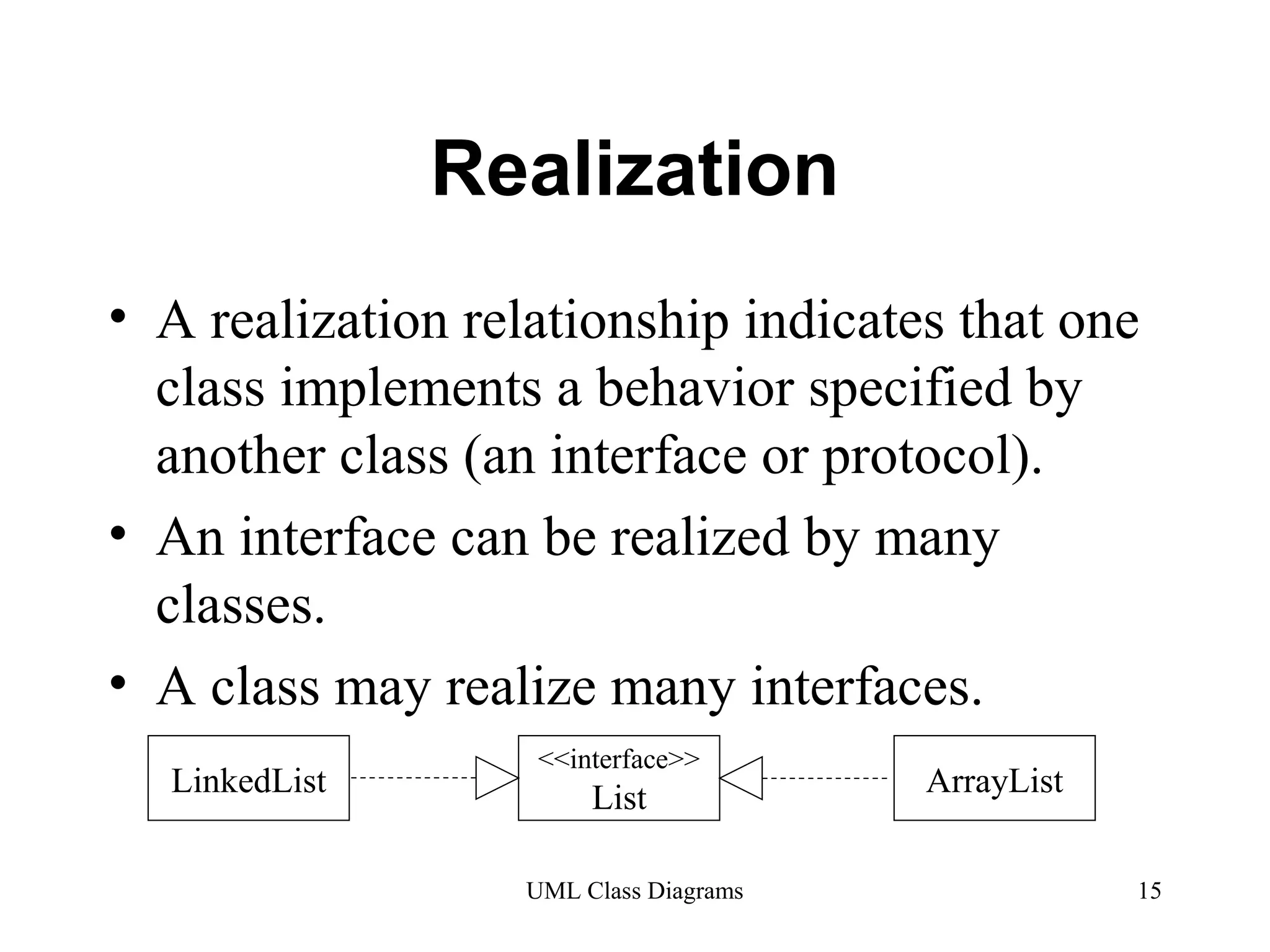
• A realization relationship indicates that one 
class implements a behavior specified by 
another class (an interface or protocol). 
• An interface can be realized by many 
classes. 
• A class may realize many interfaces. 
LinkedList <<interface>> 
List ArrayList 
UML Class Diagrams 15
Dependency 
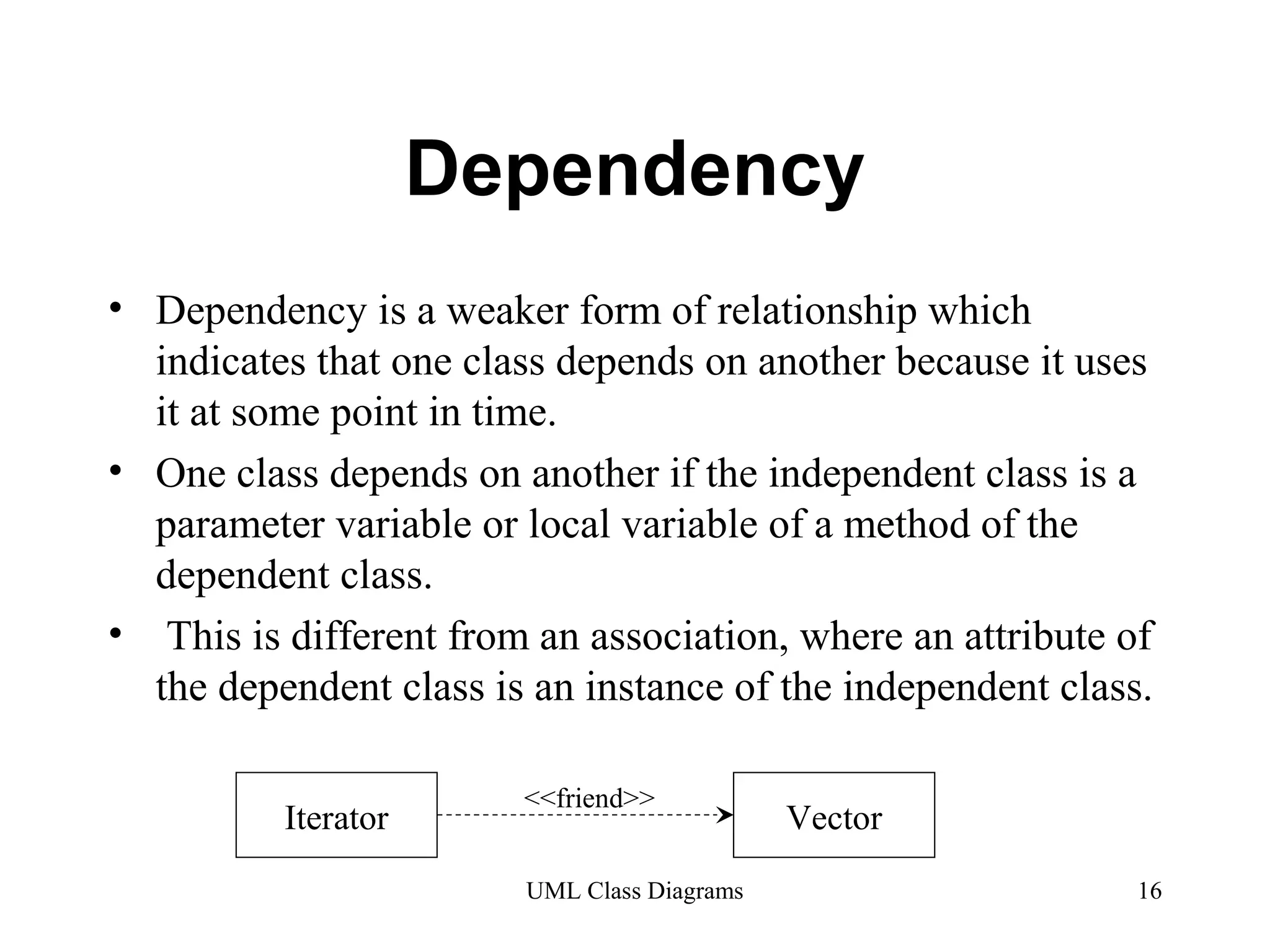
• Dependency is a weaker form of relationship which 
indicates that one class depends on another because it uses 
it at some point in time. 
• One class depends on another if the independent class is a 
parameter variable or local variable of a method of the 
dependent class. 
• This is different from an association, where an attribute of 
the dependent class is an instance of the independent class. 
Iterator Vector <<friend>> 
UML Class Diagrams 16
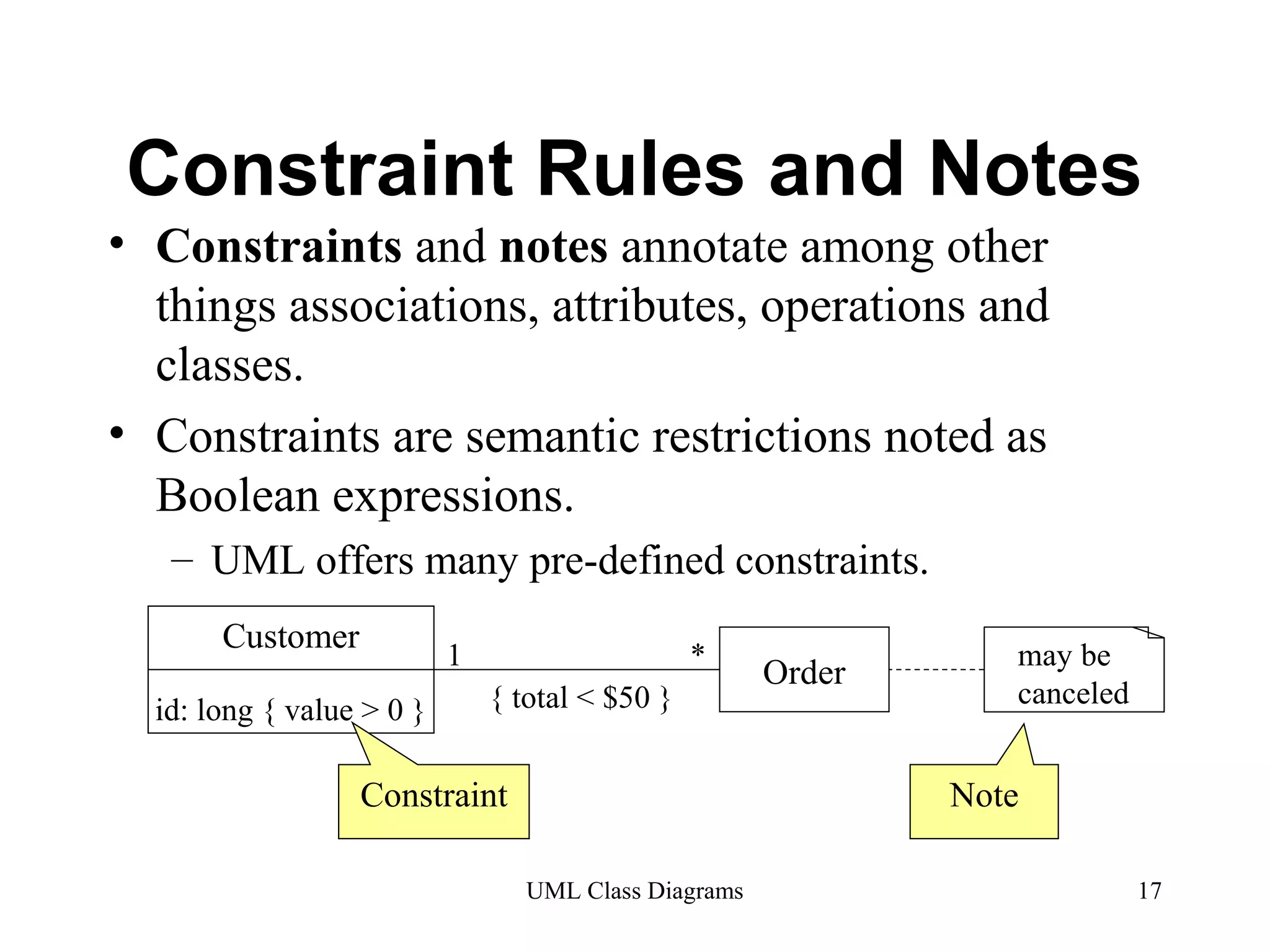
Constraint Rules and Notes 
• Constraints and notes annotate among other 
things associations, attributes, operations and 
classes. 
• Constraints are semantic restrictions noted as 
Boolean expressions. 
– UML offers many pre-defined constraints. 
UML Class Diagrams 17 
Customer 
id: long { value > 0 } 
1 * Order 
{ total < $50 } 
may be 
canceled 
Constraint Note
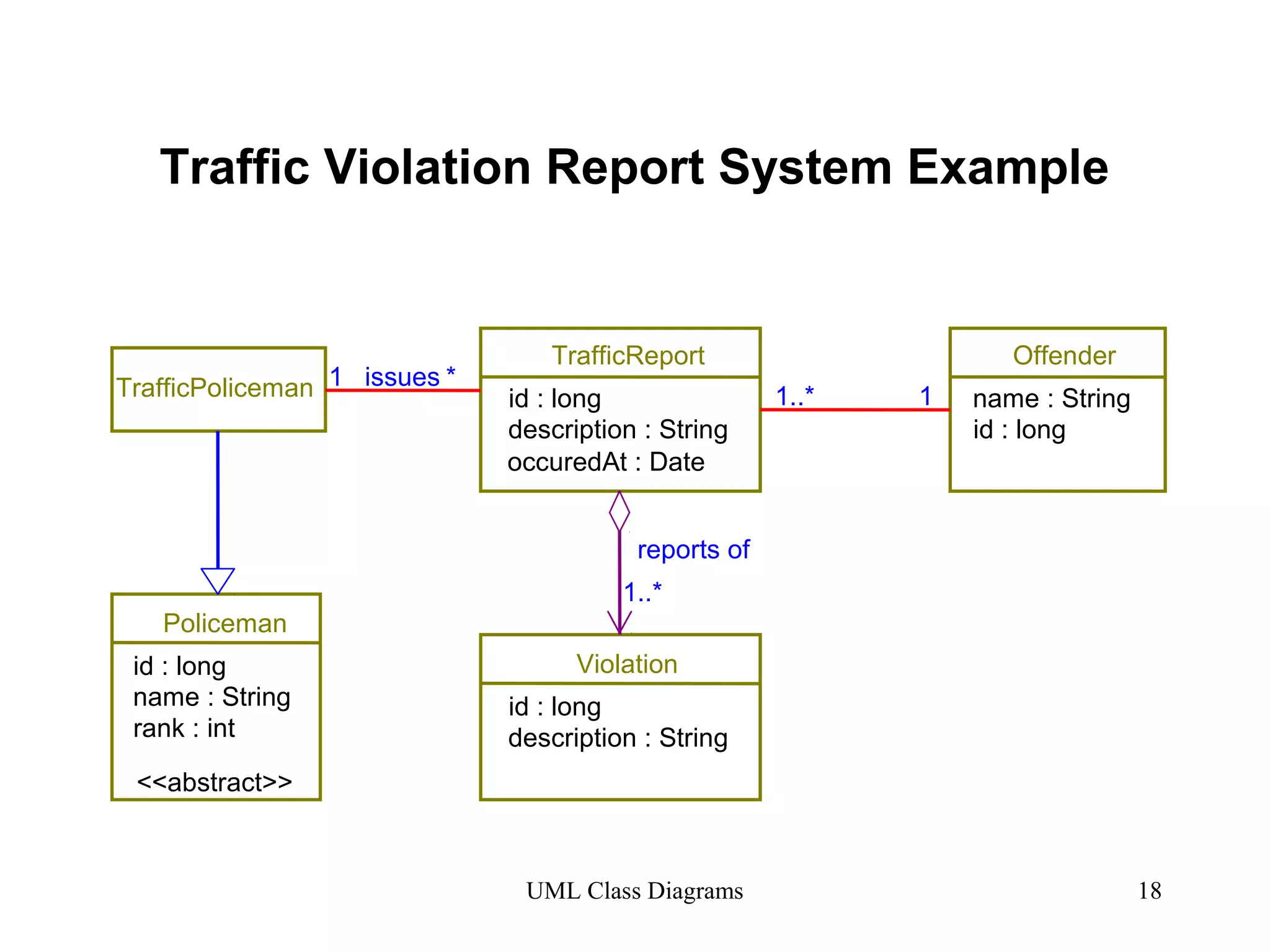
Traffic Violation Report System Example 
TrafficReport 
TrafficPoliceman id : long 
Violation 
Offender 
UML Class Diagrams 18 
Policeman 
id : long 
name : String 
rank : int 
<<abstract>> 
description : String 
id : long 
description : String 
name : String 
id : long 
1..* 1 
reports of 
1..* 
1 issues * 
occuredAt : Date
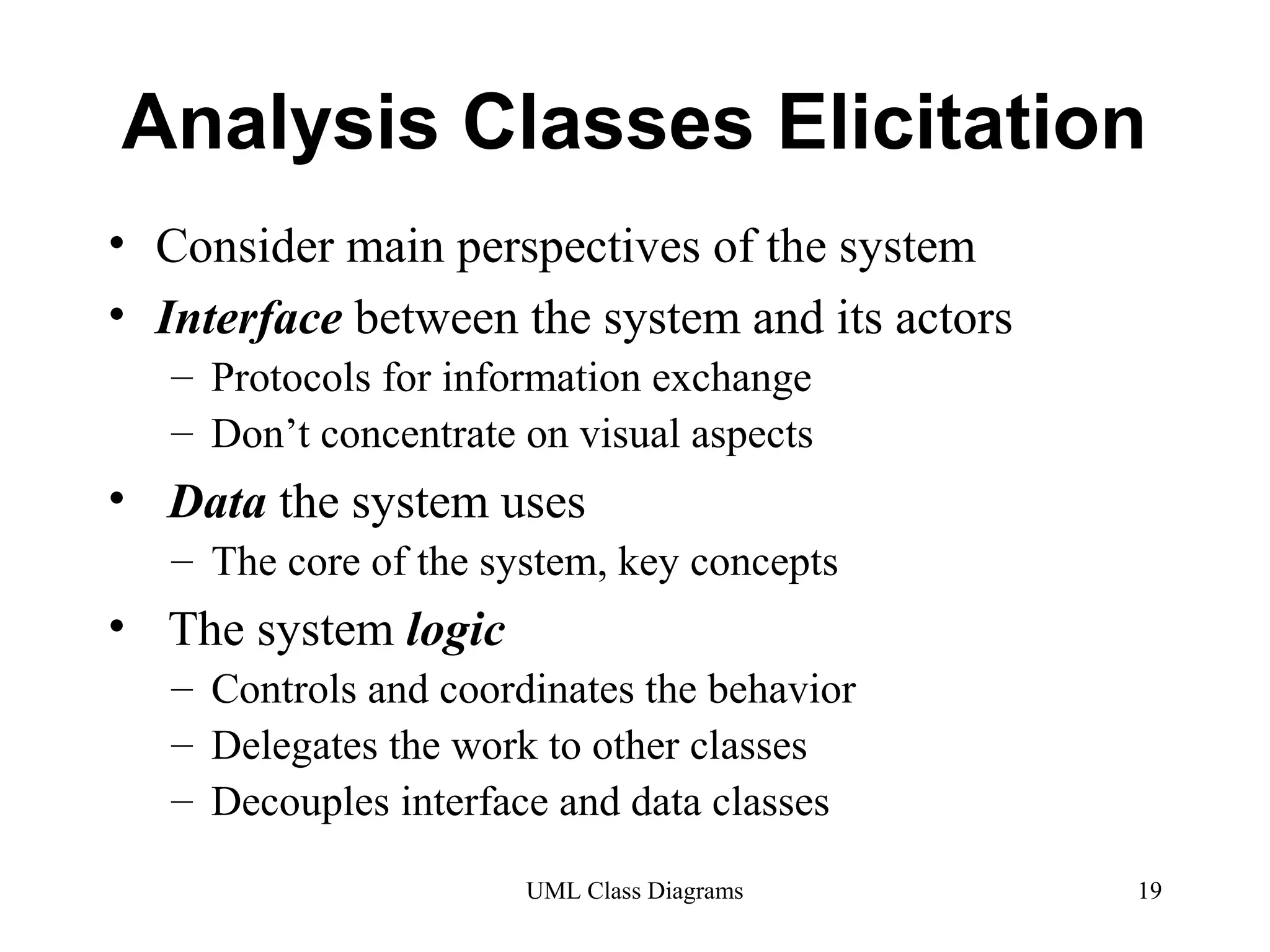
Analysis Classes Elicitation 
• Consider main perspectives of the system 
• Interface between the system and its actors 
– Protocols for information exchange 
– Don’t concentrate on visual aspects 
• Data the system uses 
– The core of the system, key concepts 
• The system logic 
– Controls and coordinates the behavior 
– Delegates the work to other classes 
– Decouples interface and data classes 
UML Class Diagrams 19
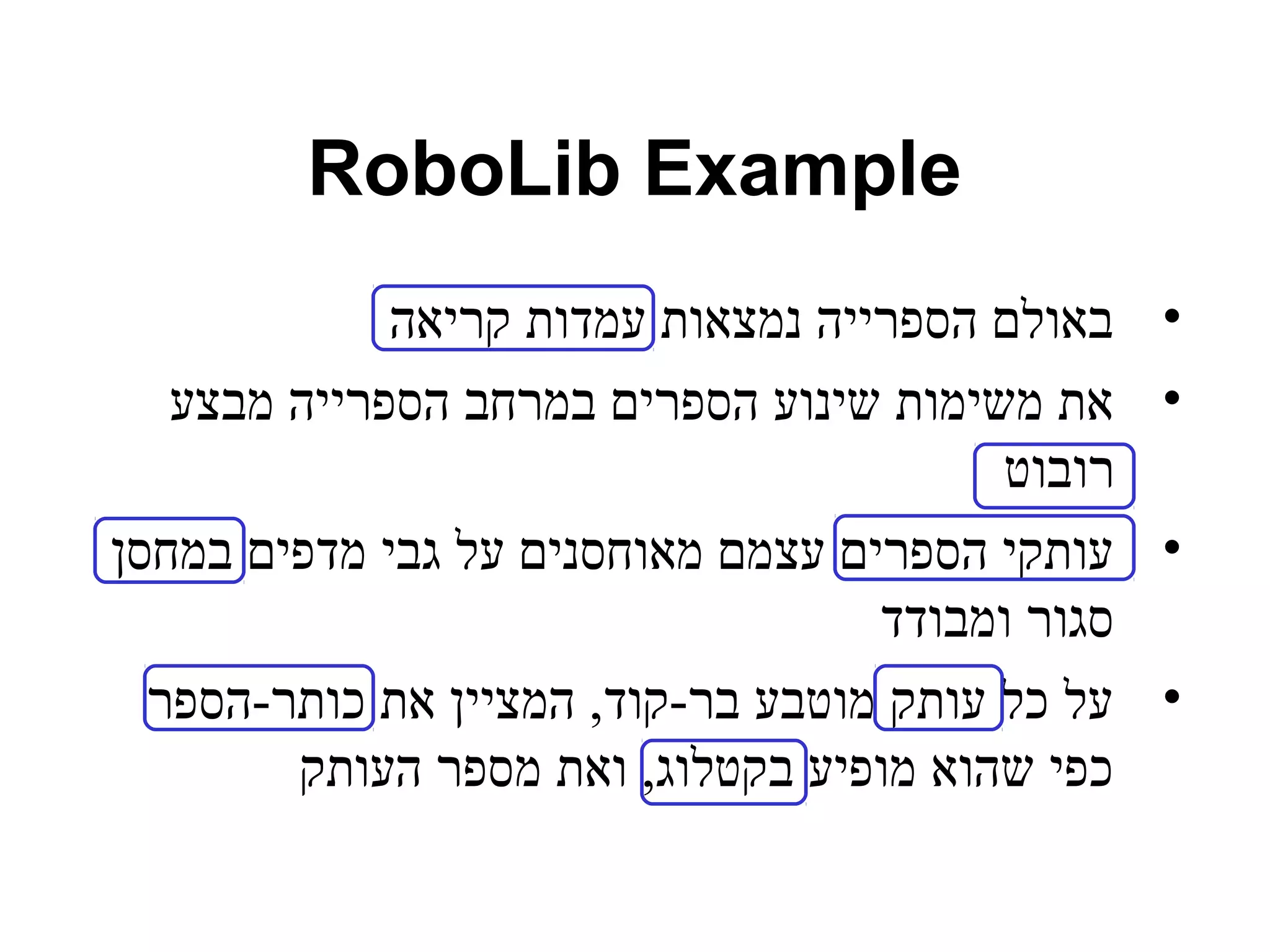
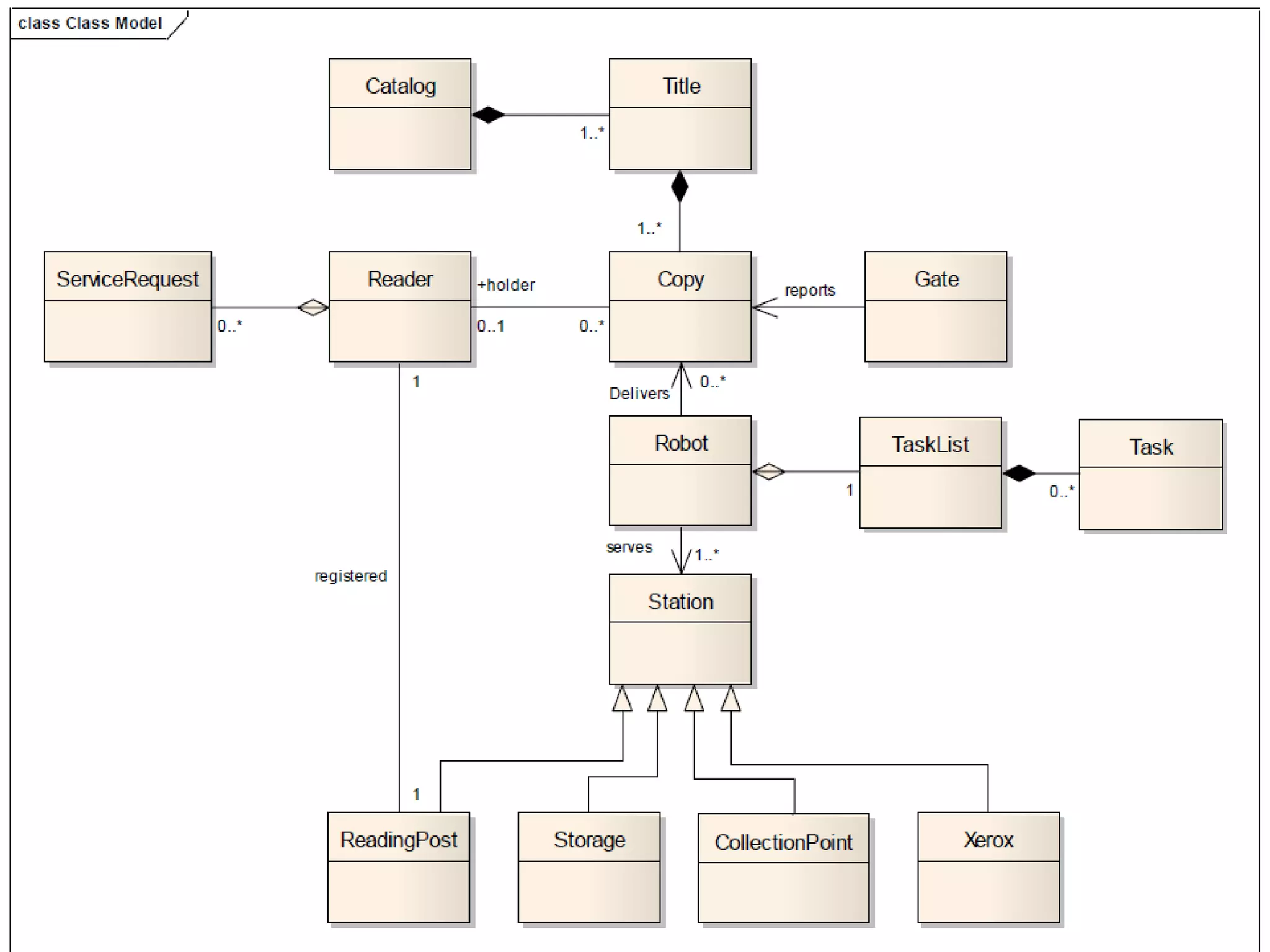
RoboLib Example 
• באולם הספרייה נמצאות עמדות קריאה 
• את משימות שינוע הספרים במרחב הספרייה מבצע 
רובוט 
• עותקי הספרים עצמם מאוחסנים על גבי מדפים במחסן 
סגור ומבודד 
• על כל עותק מוטבע בר-קוד, המציין את כותר-הספר 
כפי שהוא מופיע בקטלוג, ואת מספר העותק
Tips 
• Don’t try to use all the various notations. 
• Don’t draw models for everything, 
concentrate on the key areas. 
UML Class Diagrams 22
Backup 
UML Class Diagrams 23
Analysis Classes 
• A technique for finding analysis classes 
which uses three different perspectives of 
the system: 
• The boundary between the system and its actors 
(Boundary) 
• The information the system uses (Entity) 
• The control logic of the system (Control) 
UML Class Diagrams 24
Boundary Classes 
• Models the interaction between the 
system’s surroundings and its inner 
workings 
– User interface classes 
• Concentrate on what information is presented to the 
user 
• Don’t concentrate on user interface details 
– System / Device interface classes 
• Concentrate on what protocols must be defined. 
Don’t concentrate on how the protocols are 
implemented 
UML Class Diagrams 25
Boundary Classes (cont.) 
• Boundary classes are environment 
dependent: 
– UI dependent 
– Communication protocol dependent 
UML Class Diagrams 26
Entity Classes 
• Models the key concepts of the system 
• Usually models information that is persistent 
• Contains the logic that solves the system problem 
• Is environment independent 
• Can be used in multiple use cases 
For example: Violation, Report, Offender. 
UML Class Diagrams 27
Control Classes 
• Controls and coordinates the behavior of a 
use case 
• Delegates the work of the use case to 
classes 
– A control class should tell other classes to do 
something and should never do anything except 
for directing 
• Control classes decouple boundary and 
entity classes 
• Often, there is one control class per use case 
UML Class Diagrams 28

Uml class-diagram

  • 1.
  • 2.
    Agenda • Whatis a Class Diagram? • Essential Elements of a UML Class Diagram • Tips UML Class Diagrams 2
  • 3.
    What is aClass Diagram? • A Class Diagram is a diagram describing the structure of a system • shows the system's • classes • Attributes • operations (or methods), • Relationships among the classes. UML Class Diagrams 3
  • 4.
    Essential Elements ofa UML Class Diagram UML Class Diagrams 4 • Class • Attributes • Operations • Relationships – Associations – Generalization – Realization – Dependency • Constraint Rules and Notes
  • 5.
    Class • Describesa set of objects having similar: – Attributes (status) – Operations (behavior) – Relationships with other classes • Attributes and operations may – have their visibility marked: – "+" for public – "#" for protected – "−" for private – "~" for package Window size: Size visibility: boolean display() hide() Class Name Attributes Operations UML Class Diagrams 5
  • 6.
    Associations • Anassociation between two classes indicates that objects at one end of an association “recognize” objects at the other end and may send messages to them. • Example: “An Employee works for a Company” Employee Company UML Class Diagrams 6
  • 7.
    Associations (cont.) StaffMemberStudent 1..* instructs * Role * UML Class Diagrams 7 instructor Association name Role name Multiplicity Navigable (uni-directional) association Courses pre - requisites Reflexive 0..3 association
  • 8.
    Associations (cont.) •To clarify its meaning, an association may be named. – The name is represented as a label placed midway along the association line. – Usually a verb or a verb phrase. • A role is an end of an association where it connects to a class. – May be named to indicate the role played by the class attached to the end of the association path. • Usually a noun or noun phrase • Mandatory for reflexive associations UML Class Diagrams 8
  • 9.
    Associations (cont.) MultiplicityIndicators UML Class Diagrams 9 • Multiplicity – the number of objects that participate in the association. – Indicates whether or not an association is mandatory. Exactly one 1 Zero or more (unlimited) * (0..*) One or more 1..* Zero or one (optional association) 0..1 Specified range 2..4 Multiple, disjoint ranges 2, 4..6, 8
  • 10.
    Aggregation • Aspecial form of association that models a whole-part relationship between an aggregate (the whole) and its parts. – Models a “is a part-part of” relationship. Car 2..* Door 1..* House Whole Part UML Class Diagrams 10
  • 11.
    Aggregation (cont.) UMLClass Diagrams 11 • Aggregation tests: – Is the phrase “part of” used to describe the relationship? • A door is “part of” a car – Are some operations on the whole automatically applied to its parts? • Move the car, move the door. – Are some attribute values propagated from the whole to all or some of its parts? • The car is blue, therefore the door is blue. – Is there an intrinsic asymmetry to the relationship where one class is subordinate to the other? • A door is part of a car. A car is not part of a door.
  • 12.
    Composition • Astrong form of aggregation – The whole is the sole owner of its part. • The part object may belong to only one whole – Multiplicity on the whole side must be zero or one. – The life time of the part is dependent upon the whole. • The composite must manage the creation and destruction of its parts. 1 Circle Point 3..* Circle UML Class Diagrams 12 Polygon Point
  • 13.
    Generalization • Indicatesthat objects of the specialized class (subclass) are substitutable for objects of the generalized class (super-class). – “is kind of” relationship. Shape {abstract} Circle Super Class Sub Class An abstract class Generalization relationship UML Class Diagrams 13 {abstract} is a tagged value that indicates that the class is abstract. The name of an abstract class should be italicized
  • 14.
    Generalization • Asub-class inherits from its super-class UML Class Diagrams 14 – Attributes – Operations – Relationships • A sub-class may – Add attributes and operations – Add relationships – Refine (override) inherited operations • A generalization relationship may not be used to model interface implementation.
  • 15.
    Realization • Arealization relationship indicates that one class implements a behavior specified by another class (an interface or protocol). • An interface can be realized by many classes. • A class may realize many interfaces. LinkedList <<interface>> List ArrayList UML Class Diagrams 15
  • 16.
    Dependency • Dependencyis a weaker form of relationship which indicates that one class depends on another because it uses it at some point in time. • One class depends on another if the independent class is a parameter variable or local variable of a method of the dependent class. • This is different from an association, where an attribute of the dependent class is an instance of the independent class. Iterator Vector <<friend>> UML Class Diagrams 16
  • 17.
    Constraint Rules andNotes • Constraints and notes annotate among other things associations, attributes, operations and classes. • Constraints are semantic restrictions noted as Boolean expressions. – UML offers many pre-defined constraints. UML Class Diagrams 17 Customer id: long { value > 0 } 1 * Order { total < $50 } may be canceled Constraint Note
  • 18.
    Traffic Violation ReportSystem Example TrafficReport TrafficPoliceman id : long Violation Offender UML Class Diagrams 18 Policeman id : long name : String rank : int <<abstract>> description : String id : long description : String name : String id : long 1..* 1 reports of 1..* 1 issues * occuredAt : Date
  • 19.
    Analysis Classes Elicitation • Consider main perspectives of the system • Interface between the system and its actors – Protocols for information exchange – Don’t concentrate on visual aspects • Data the system uses – The core of the system, key concepts • The system logic – Controls and coordinates the behavior – Delegates the work to other classes – Decouples interface and data classes UML Class Diagrams 19
  • 20.
    RoboLib Example •באולם הספרייה נמצאות עמדות קריאה • את משימות שינוע הספרים במרחב הספרייה מבצע רובוט • עותקי הספרים עצמם מאוחסנים על גבי מדפים במחסן סגור ומבודד • על כל עותק מוטבע בר-קוד, המציין את כותר-הספר כפי שהוא מופיע בקטלוג, ואת מספר העותק
  • 22.
    Tips • Don’ttry to use all the various notations. • Don’t draw models for everything, concentrate on the key areas. UML Class Diagrams 22
  • 23.
    Backup UML ClassDiagrams 23
  • 24.
    Analysis Classes •A technique for finding analysis classes which uses three different perspectives of the system: • The boundary between the system and its actors (Boundary) • The information the system uses (Entity) • The control logic of the system (Control) UML Class Diagrams 24
  • 25.
    Boundary Classes •Models the interaction between the system’s surroundings and its inner workings – User interface classes • Concentrate on what information is presented to the user • Don’t concentrate on user interface details – System / Device interface classes • Concentrate on what protocols must be defined. Don’t concentrate on how the protocols are implemented UML Class Diagrams 25
  • 26.
    Boundary Classes (cont.) • Boundary classes are environment dependent: – UI dependent – Communication protocol dependent UML Class Diagrams 26
  • 27.
    Entity Classes •Models the key concepts of the system • Usually models information that is persistent • Contains the logic that solves the system problem • Is environment independent • Can be used in multiple use cases For example: Violation, Report, Offender. UML Class Diagrams 27
  • 28.
    Control Classes •Controls and coordinates the behavior of a use case • Delegates the work of the use case to classes – A control class should tell other classes to do something and should never do anything except for directing • Control classes decouple boundary and entity classes • Often, there is one control class per use case UML Class Diagrams 28