codenameone.com
github.com/codenameone/CodenameOne/
How Do I?
Debug Into Codename One Source,
Modify it & Contribute it Back
codenameone.com
github.com/codenameone/CodenameOne/
Steps:
Fork On Github
Clone
Download
Run/Debug
Changes
Contributions?
codenameone.com
github.com/codenameone/CodenameOne/
Fork On Github
Signup for github and verify your email address
Go to:
github.com/codenameone/CodenameOne
github.com/codenameone/codenameone-skins
Press the fork button in each project
Press star & watch as well (for good measure)
codenameone.com
github.com/codenameone/CodenameOne/
Clone
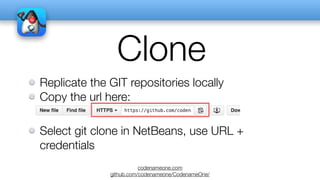
Replicate the GIT repositories locally
Copy the url here:
Select git clone in NetBeans, use URL +
credentials
codenameone.com
github.com/codenameone/CodenameOne/
Download
Go to: github.com/codenameone/cn1-binaries
Press download zip
Extract to same project hierarchy as other
projects
Make sure the directory name is cn1-binaries and
not cn1-binaries-master or something else
codenameone.com
github.com/codenameone/CodenameOne/
Run/Debug
In your own project: Open project preferences go to libs
Remove the jars and select “Add Project” select “CodenameOne/
CodenameOne”
Select “run”
Remove the jar and select “Add Project” select “CodenameOne/
Ports/JavaSE”
Make sure the projects are at the top of the classpath
Debugging should let you step into Codename One now!
codenameone.com
github.com/codenameone/CodenameOne/
Changes
You can use Apply Code Change during debug
You can commit and push to GIT any fix you
would like
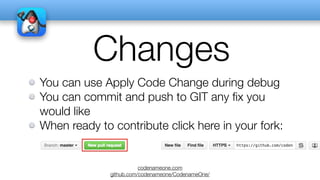
When ready to contribute click here in your fork:
codenameone.com
github.com/codenameone/CodenameOne/
Contributions
Make sure you own the code you contribute!
If you copy open source code make sure to retain
the original copyright and license headers!
We suggest discussing contributions in the issue
tracker/discussion forums first
codenameone.com
github.com/codenameone/CodenameOne/
Thank You
We appreciate our entire community, you
are the real force behind Codename One!

How To Use The Codename One Sources