Nginx - Tips & Tricks
       #rootconf
       May 2012
        @tuxtoti
/me

Builds scalable systems for ADIQUITY

Works with web servers/load balancers

Identify bottlenecks in the architecture.

Responsible for smooth serving of Mobile
Ads.
Nginx - History
circa 2002. Igor Sysoev. Russian dev.

writes mod_accel. Realizes the Apache’s low
scalability.

2004 - powers rambler.ru. Initial public
version released.

was built to address the C10K problem

Now after ~10 yrs its Nginx Inc.
Nginx - C10K problem


To serve concurrent 10K connections

Why? I/O is the bottleneck. A thread per
connection model fails. #apachefail

select() vs epoll()

http://www.kegel.com/c10k.html
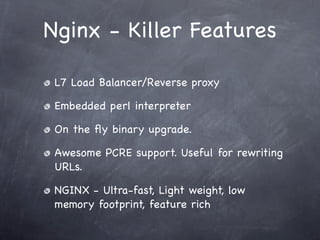
Nginx - Killer Features

 L7 Load Balancer/Reverse proxy

 Embedded perl interpreter

 On the fly binary upgrade.

 Awesome PCRE support. Useful for rewriting
 URLs.

 NGINX - Ultra-fast, Light weight, low
 memory footprint, feature rich
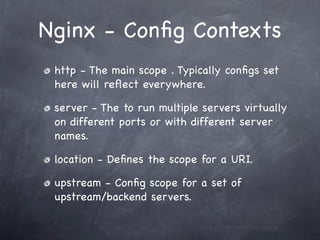
Nginx - Config Contexts
 http - The main scope . Typically configs set
 here will reflect everywhere.

 server - The to run multiple servers virtually
 on different ports or with different server
 names.

 location - Defines the scope for a URI.

 upstream - Config scope for a set of
 upstream/backend servers.
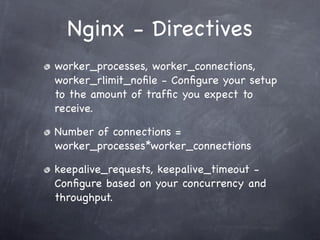
Nginx - Directives
worker_processes, worker_connections,
worker_rlimit_nofile - Configure your setup
to the amount of traffic you expect to
receive.

Number of connections =
worker_processes*worker_connections

keepalive_requests, keepalive_timeout -
Configure based on your concurrency and
throughput.
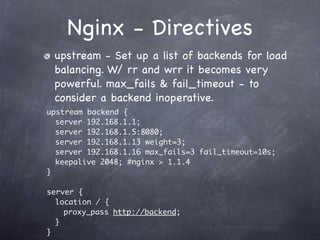
Nginx - Directives
 upstream - Set up a list of backends for load
 balancing. W/ rr and wrr it becomes very
 powerful. max_fails & fail_timeout - to
 consider a backend inoperative.
upstream backend {
  server 192.168.1.1;
  server 192.168.1.5:8080;
  server 192.168.1.13 weight=3;
  server 192.168.1.16 max_fails=3 fail_timeout=10s;
  keepalive 2048; #nginx > 1.1.4
}

server {
  location / {
    proxy_pass http://backend;
  }
}
Nginx - Directives
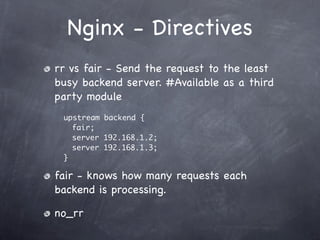
rr vs fair - Send the request to the least
busy backend server. #Available as a third
party module
 upstream backend {
   fair;
   server 192.168.1.2;
   server 192.168.1.3;
 }

fair - knows how many requests each
backend is processing.

no_rr
Nginx - Directives
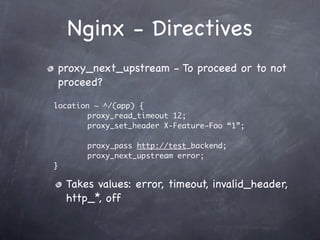
proxy_next_upstream - To proceed or to not
proceed?

location ~ ^/(app) {
	 	 	 proxy_read_timeout 12;
	 	 	 proxy_set_header X-Feature-Foo “1”;

	 	 	 proxy_pass http://test_backend;
	 	 	 proxy_next_upstream error;
}

  Takes values: error, timeout, invalid_header,
  http_*, off
Nginx - Directives
 add_header - Add custom headers to the
 response. #USE - Debug to find out the
 backend server / cache control headers.

add_header   Cache-Control   private;


proxy_set_header - Add custom headers to
control your backends. #USE - for enabling/
disabling features in your backend.
Nginx - Directives
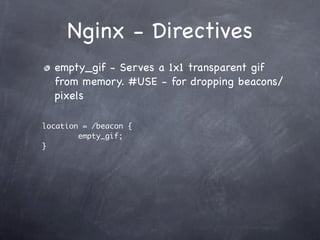
  empty_gif - Serves a 1x1 transparent gif
  from memory. #USE - for dropping beacons/
  pixels

location = /beacon {
        empty_gif;
}
Nginx - Directives

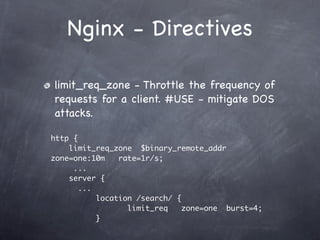
limit_req_zone - Throttle the frequency of
requests for a client. #USE - mitigate DOS
attacks.

http {
    limit_req_zone $binary_remote_addr
zone=one:10m    rate=1r/s;
     ...
    server {
       ...
           location /search/ {
                  limit_req    zone=one burst=4;
           }
Nginx - Directives
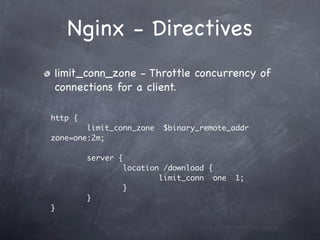
limit_conn_zone - Throttle concurrency of
connections for a client.

http {
        limit_conn_zone     $binary_remote_addr
zone=one:2m;

         server {
                    location /download {
                            limit_conn one   1;
                    }
         }
}
Nginx - Directives
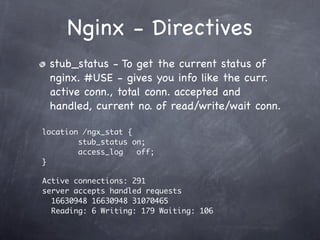
 stub_status - To get the current status of
 nginx. #USE - gives you info like the curr.
 active conn., total conn. accepted and
 handled, current no. of read/write/wait conn.

location /ngx_stat {
        stub_status on;
        access_log   off;
}

Active connections: 291
server accepts handled requests
  16630948 16630948 31070465
  Reading: 6 Writing: 179 Waiting: 106
Nginx - Directives
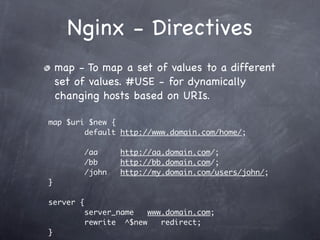
    map - To map a set of values to a different
    set of values. #USE - for dynamically
    changing hosts based on URIs.

map $uri $new {
        default http://www.domain.com/home/;

           /aa     http://aa.domain.com/;
           /bb     http://bb.domain.com/;
           /john   http://my.domain.com/users/john/;
}

server {
           server_name   www.domain.com;
           rewrite ^$new    redirect;
}
Nginx - Directives
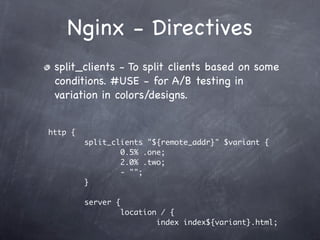
 split_clients - To split clients based on some
 conditions. #USE - for A/B testing in
 variation in colors/designs.


http {
         split_clients "${remote_addr}" $variant {
                 0.5% .one;
                 2.0% .two;
                 - "";
         }

         server {
                    location / {
                            index index${variant}.html;
Nginx - Directives

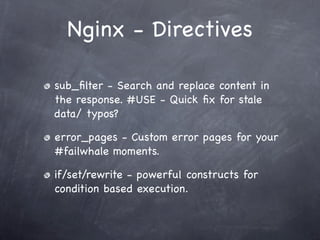
sub_filter - Search and replace content in
the response. #USE - Quick fix for stale
data/ typos?

error_pages - Custom error pages for your
#failwhale moments.

if/set/rewrite - powerful constructs for
condition based execution.
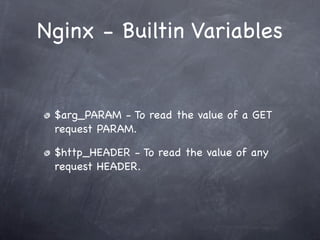
Nginx - Builtin Variables


 $arg_PARAM - To read the value of a GET
 request PARAM.

 $http_HEADER - To read the value of any
 request HEADER.
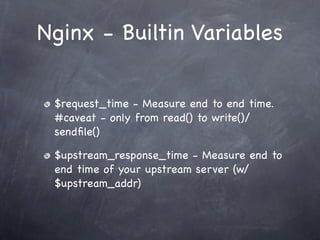
Nginx - Builtin Variables


 $request_time - Measure end to end time.
 #caveat - only from read() to write()/
 sendfile()

 $upstream_response_time - Measure end to
 end time of your upstream server (w/
 $upstream_addr)
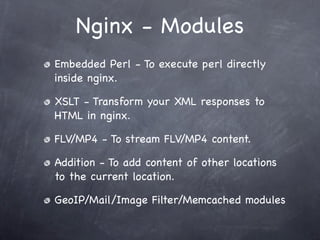
Nginx - Modules
Embedded Perl - To execute perl directly
inside nginx.

XSLT - Transform your XML responses to
HTML in nginx.

FLV/MP4 - To stream FLV/MP4 content.

Addition - To add content of other locations
to the current location.

GeoIP/Mail/Image Filter/Memcached modules
Nginx - Woes


No dynamically loadable modules yet.

Sparse/Bad documentation. (though better
now)
Nginx - Awesomeness


Vibrant community.

Very helpful for novices.

Active IRC/Mailing list
Q?

Thanks !
 @tuxtoti

Nginx - Tips and Tricks.

  • 1.
    Nginx - Tips& Tricks #rootconf May 2012 @tuxtoti
  • 2.
    /me Builds scalable systemsfor ADIQUITY Works with web servers/load balancers Identify bottlenecks in the architecture. Responsible for smooth serving of Mobile Ads.
  • 3.
    Nginx - History circa2002. Igor Sysoev. Russian dev. writes mod_accel. Realizes the Apache’s low scalability. 2004 - powers rambler.ru. Initial public version released. was built to address the C10K problem Now after ~10 yrs its Nginx Inc.
  • 4.
    Nginx - C10Kproblem To serve concurrent 10K connections Why? I/O is the bottleneck. A thread per connection model fails. #apachefail select() vs epoll() http://www.kegel.com/c10k.html
  • 5.
    Nginx - KillerFeatures L7 Load Balancer/Reverse proxy Embedded perl interpreter On the fly binary upgrade. Awesome PCRE support. Useful for rewriting URLs. NGINX - Ultra-fast, Light weight, low memory footprint, feature rich
  • 6.
    Nginx - ConfigContexts http - The main scope . Typically configs set here will reflect everywhere. server - The to run multiple servers virtually on different ports or with different server names. location - Defines the scope for a URI. upstream - Config scope for a set of upstream/backend servers.
  • 7.
    Nginx - Directives worker_processes,worker_connections, worker_rlimit_nofile - Configure your setup to the amount of traffic you expect to receive. Number of connections = worker_processes*worker_connections keepalive_requests, keepalive_timeout - Configure based on your concurrency and throughput.
  • 8.
    Nginx - Directives upstream - Set up a list of backends for load balancing. W/ rr and wrr it becomes very powerful. max_fails & fail_timeout - to consider a backend inoperative. upstream backend { server 192.168.1.1; server 192.168.1.5:8080; server 192.168.1.13 weight=3; server 192.168.1.16 max_fails=3 fail_timeout=10s; keepalive 2048; #nginx > 1.1.4 } server { location / { proxy_pass http://backend; } }
  • 9.
    Nginx - Directives rrvs fair - Send the request to the least busy backend server. #Available as a third party module upstream backend { fair; server 192.168.1.2; server 192.168.1.3; } fair - knows how many requests each backend is processing. no_rr
  • 10.
    Nginx - Directives proxy_next_upstream- To proceed or to not proceed? location ~ ^/(app) { proxy_read_timeout 12; proxy_set_header X-Feature-Foo “1”; proxy_pass http://test_backend; proxy_next_upstream error; } Takes values: error, timeout, invalid_header, http_*, off
  • 11.
    Nginx - Directives add_header - Add custom headers to the response. #USE - Debug to find out the backend server / cache control headers. add_header Cache-Control private; proxy_set_header - Add custom headers to control your backends. #USE - for enabling/ disabling features in your backend.
  • 12.
    Nginx - Directives empty_gif - Serves a 1x1 transparent gif from memory. #USE - for dropping beacons/ pixels location = /beacon { empty_gif; }
  • 13.
    Nginx - Directives limit_req_zone- Throttle the frequency of requests for a client. #USE - mitigate DOS attacks. http { limit_req_zone $binary_remote_addr zone=one:10m rate=1r/s; ... server { ... location /search/ { limit_req zone=one burst=4; }
  • 14.
    Nginx - Directives limit_conn_zone- Throttle concurrency of connections for a client. http { limit_conn_zone $binary_remote_addr zone=one:2m; server { location /download { limit_conn one 1; } } }
  • 15.
    Nginx - Directives stub_status - To get the current status of nginx. #USE - gives you info like the curr. active conn., total conn. accepted and handled, current no. of read/write/wait conn. location /ngx_stat { stub_status on; access_log off; } Active connections: 291 server accepts handled requests 16630948 16630948 31070465 Reading: 6 Writing: 179 Waiting: 106
  • 16.
    Nginx - Directives map - To map a set of values to a different set of values. #USE - for dynamically changing hosts based on URIs. map $uri $new { default http://www.domain.com/home/; /aa http://aa.domain.com/; /bb http://bb.domain.com/; /john http://my.domain.com/users/john/; } server { server_name www.domain.com; rewrite ^$new redirect; }
  • 17.
    Nginx - Directives split_clients - To split clients based on some conditions. #USE - for A/B testing in variation in colors/designs. http { split_clients "${remote_addr}" $variant { 0.5% .one; 2.0% .two; - ""; } server { location / { index index${variant}.html;
  • 18.
    Nginx - Directives sub_filter- Search and replace content in the response. #USE - Quick fix for stale data/ typos? error_pages - Custom error pages for your #failwhale moments. if/set/rewrite - powerful constructs for condition based execution.
  • 19.
    Nginx - BuiltinVariables $arg_PARAM - To read the value of a GET request PARAM. $http_HEADER - To read the value of any request HEADER.
  • 20.
    Nginx - BuiltinVariables $request_time - Measure end to end time. #caveat - only from read() to write()/ sendfile() $upstream_response_time - Measure end to end time of your upstream server (w/ $upstream_addr)
  • 21.
    Nginx - Modules EmbeddedPerl - To execute perl directly inside nginx. XSLT - Transform your XML responses to HTML in nginx. FLV/MP4 - To stream FLV/MP4 content. Addition - To add content of other locations to the current location. GeoIP/Mail/Image Filter/Memcached modules
  • 22.
    Nginx - Woes Nodynamically loadable modules yet. Sparse/Bad documentation. (though better now)
  • 23.
    Nginx - Awesomeness Vibrantcommunity. Very helpful for novices. Active IRC/Mailing list
  • 24.