Expense Reporting Software
Expense reports, the easy way
What is an expense report?
• An expense report simply put, is a list of expenses made by your employees while
representing your organization on trips and meetings
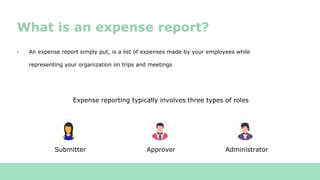
Submitter Approver Administrator
Expense reporting typically involves three types of roles
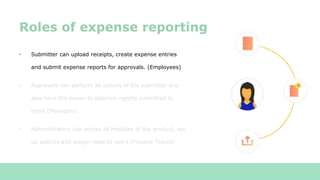
• Submitter can upload receipts, create expense entries
and submit expense reports for approvals. (Employees)
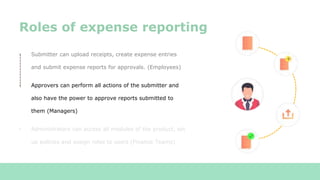
• Approvers can perform all actions of the submitter and
also have the power to approve reports submitted to
them (Managers)
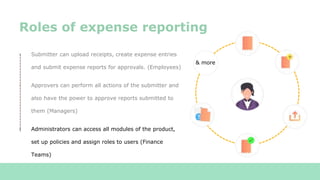
• Administrators can access all modules of the product, set
up policies and assign roles to users (Finance Teams)
Roles of expense reporting
• Submitter can upload receipts, create expense entries
and submit expense reports for approvals. (Employees)
• Approvers can perform all actions of the submitter and
also have the power to approve reports submitted to
them (Managers)
• Administrators can access all modules of the product, set
up policies and assign roles to users (Finance Teams)
Roles of expense reporting
• Submitter can upload receipts, create expense entries
and submit expense reports for approvals. (Employees)
• Approvers can perform all actions of the submitter and
also have the power to approve reports submitted to
them (Managers)
• Administrators can access all modules of the product,
set up policies and assign roles to users (Finance
Teams)
Roles of expense reporting
& more
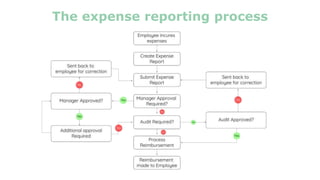
The expense reporting process
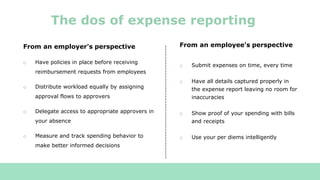
From an employer's perspective
o Have policies in place before receiving
reimbursement requests from employees
o Distribute workload equally by assigning
approval flows to approvers
o Delegate access to appropriate approvers in
your absence
o Measure and track spending behavior to
make better informed decisions
The dos of expense reporting
From an employee's perspective
o Submit expenses on time, every time
o Have all details captured properly in
the expense report leaving no room for
inaccuracies
o Show proof of your spending with bills
and receipts
o Use your per diems intelligently
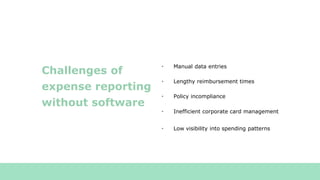
• Manual data entries
• Lengthy reimbursement times
• Policy incompliance
Challenges of
expense reporting
without software
• Inefficient corporate card management
• Low visibility into spending patterns
Zoho Expense -
Expense reports, the easy way
Try Zoho Expense for free
www.zoho.com/expense
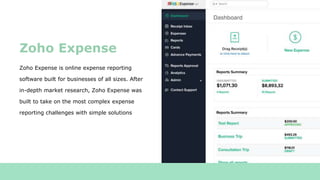
Zoho Expense is online expense reporting
software built for businesses of all sizes. After
in-depth market research, Zoho Expense was
built to take on the most complex expense
reporting challenges with simple solutions
Zoho Expense
• Employees can scan receipts and create expense entries instantly with receipt auto-scans
• Scanning receipts captures the complete receipt details and makes an accurate
corresponding expense entry
• Employees can create expenses via the application in a matter of seconds with our inbuilt
expense creation forms
• Corporate and prepaid card transactions can also be brought in as expenses entries
• We've collaborated with Uber and Lyft so that your business cab travel expenses are
recorded directly in Zoho Expense.
Manual data entries - The solution
• Make reimbursements faster and safer with online reimbursements. Zoho Expense
allows you to make online reimbursements directly to your employee bank accounts
from within the Zoho Expense interface.
Lengthy reimbursement times -
The solution
Learn more on how you can make online reimbursements
https://www.zoho.com/us/expense/help/reimbursements/ach-forte.html
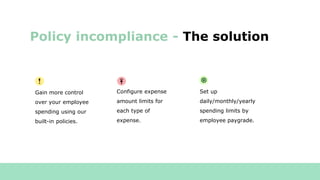
Policy incompliance - The solution
Gain more control
over your employee
spending using our
built-in policies.
Configure expense
amount limits for
each type of
expense.
Set up
daily/monthly/yearly
spending limits by
employee paygrade.
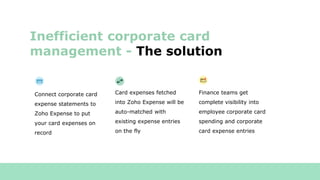
Connect corporate card
expense statements to
Zoho Expense to put
your card expenses on
record
Inefficient corporate card
management - The solution
Card expenses fetched
into Zoho Expense will be
auto-matched with
existing expense entries
on the fly
Finance teams get
complete visibility into
employee corporate card
spending and corporate
card expense entries
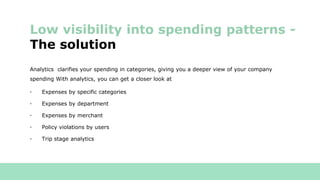
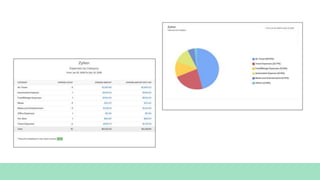
Analytics clarifies your spending in categories, giving you a deeper view of your company
spending With analytics, you can get a closer look at
• Expenses by specific categories
• Expenses by department
• Expenses by merchant
• Policy violations by users
• Trip stage analytics
Low visibility into spending patterns -
The solution
What more can Zoho expense
offer?
Customizable approval flows
Reports can be automatically routed
to the appropriate approver based on
your predefined criteria
Intuitive automation workflows
Set up customizable conditions that
would trigger a series of actions upon
occurence of a specific activity
Tax compliance
Configure taxes and apply them to your
expenses in a flash. Simply enter your
tax registration number to start creating
tax compliant expense reports
Expense reporting in multiple
currencies
Zoho Expense supports expense reporting
in all major currencies of the world
enabling reporting on a global stage
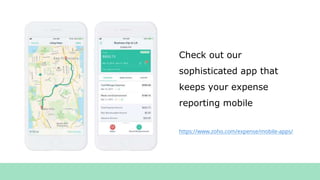
Check out our
sophisticated app that
keeps your expense
reporting mobile
https://www.zoho.com/expense/mobile-apps/
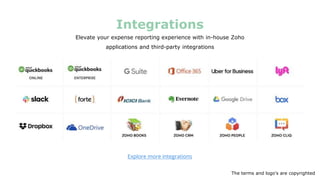
Elevate your expense reporting experience with in-house Zoho
applications and third-party integrations
Integrations
Explore more integrations
The terms and logo's are copyrighted
Our Customers love
Zoho Expense
Testimonials
Customer
Testimonials
Checkout our wall of love
Try Zoho Expense for a free 14 day trialTry Zoho Expense for a free 14 day trial
https://www.zoho.com/expense/

Zoho Expense - Overview

  • 1.
  • 2.
    What is anexpense report? • An expense report simply put, is a list of expenses made by your employees while representing your organization on trips and meetings Submitter Approver Administrator Expense reporting typically involves three types of roles
  • 3.
    • Submitter canupload receipts, create expense entries and submit expense reports for approvals. (Employees) • Approvers can perform all actions of the submitter and also have the power to approve reports submitted to them (Managers) • Administrators can access all modules of the product, set up policies and assign roles to users (Finance Teams) Roles of expense reporting
  • 4.
    • Submitter canupload receipts, create expense entries and submit expense reports for approvals. (Employees) • Approvers can perform all actions of the submitter and also have the power to approve reports submitted to them (Managers) • Administrators can access all modules of the product, set up policies and assign roles to users (Finance Teams) Roles of expense reporting
  • 5.
    • Submitter canupload receipts, create expense entries and submit expense reports for approvals. (Employees) • Approvers can perform all actions of the submitter and also have the power to approve reports submitted to them (Managers) • Administrators can access all modules of the product, set up policies and assign roles to users (Finance Teams) Roles of expense reporting & more
  • 6.
  • 7.
    From an employer'sperspective o Have policies in place before receiving reimbursement requests from employees o Distribute workload equally by assigning approval flows to approvers o Delegate access to appropriate approvers in your absence o Measure and track spending behavior to make better informed decisions The dos of expense reporting From an employee's perspective o Submit expenses on time, every time o Have all details captured properly in the expense report leaving no room for inaccuracies o Show proof of your spending with bills and receipts o Use your per diems intelligently
  • 8.
    • Manual dataentries • Lengthy reimbursement times • Policy incompliance Challenges of expense reporting without software • Inefficient corporate card management • Low visibility into spending patterns
  • 9.
    Zoho Expense - Expensereports, the easy way Try Zoho Expense for free www.zoho.com/expense
  • 10.
    Zoho Expense isonline expense reporting software built for businesses of all sizes. After in-depth market research, Zoho Expense was built to take on the most complex expense reporting challenges with simple solutions Zoho Expense
  • 11.
    • Employees canscan receipts and create expense entries instantly with receipt auto-scans • Scanning receipts captures the complete receipt details and makes an accurate corresponding expense entry • Employees can create expenses via the application in a matter of seconds with our inbuilt expense creation forms • Corporate and prepaid card transactions can also be brought in as expenses entries • We've collaborated with Uber and Lyft so that your business cab travel expenses are recorded directly in Zoho Expense. Manual data entries - The solution
  • 12.
    • Make reimbursementsfaster and safer with online reimbursements. Zoho Expense allows you to make online reimbursements directly to your employee bank accounts from within the Zoho Expense interface. Lengthy reimbursement times - The solution Learn more on how you can make online reimbursements https://www.zoho.com/us/expense/help/reimbursements/ach-forte.html
  • 13.
    Policy incompliance -The solution Gain more control over your employee spending using our built-in policies. Configure expense amount limits for each type of expense. Set up daily/monthly/yearly spending limits by employee paygrade.
  • 14.
    Connect corporate card expensestatements to Zoho Expense to put your card expenses on record Inefficient corporate card management - The solution Card expenses fetched into Zoho Expense will be auto-matched with existing expense entries on the fly Finance teams get complete visibility into employee corporate card spending and corporate card expense entries
  • 15.
    Analytics clarifies yourspending in categories, giving you a deeper view of your company spending With analytics, you can get a closer look at • Expenses by specific categories • Expenses by department • Expenses by merchant • Policy violations by users • Trip stage analytics Low visibility into spending patterns - The solution
  • 17.
    What more canZoho expense offer? Customizable approval flows Reports can be automatically routed to the appropriate approver based on your predefined criteria Intuitive automation workflows Set up customizable conditions that would trigger a series of actions upon occurence of a specific activity Tax compliance Configure taxes and apply them to your expenses in a flash. Simply enter your tax registration number to start creating tax compliant expense reports Expense reporting in multiple currencies Zoho Expense supports expense reporting in all major currencies of the world enabling reporting on a global stage
  • 18.
    Check out our sophisticatedapp that keeps your expense reporting mobile https://www.zoho.com/expense/mobile-apps/
  • 19.
    Elevate your expensereporting experience with in-house Zoho applications and third-party integrations Integrations Explore more integrations The terms and logo's are copyrighted
  • 20.
    Our Customers love ZohoExpense Testimonials
  • 21.
  • 22.
    Try Zoho Expensefor a free 14 day trialTry Zoho Expense for a free 14 day trial https://www.zoho.com/expense/