ZebraDesigner™ Pro v2
ZebraDesigner Pro supports the
following languages:
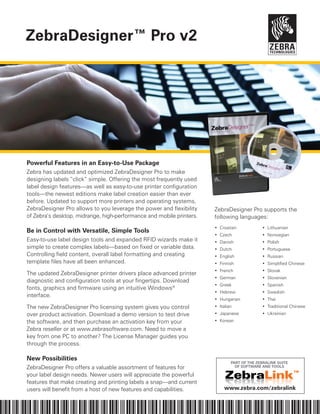
Powerful Features in an Easy-to-Use Package
Zebra has updated and optimized ZebraDesigner Pro to make
designing labels “click” simple. Offering the most frequently used
label design features—as well as easy-to-use printer configuration
tools—the newest editions make label creation easier than ever
before. Updated to support more printers and operating systems,
ZebraDesigner Pro allows to you leverage the power and flexibility
of Zebra’s desktop, midrange, high-performance and mobile printers.
Be in Control with Versatile, Simple Tools
Easy-to-use label design tools and expanded RFID wizards make it
simple to create complex labels—based on fixed or variable data.
Controlling field content, overall label formatting and creating
template files have all been enhanced.
The updated ZebraDesigner printer drivers place advanced printer
diagnostic and configuration tools at your fingertips. Download
fonts, graphics and firmware using an intuitive Windows®
interface.
The new ZebraDesigner Pro licensing system gives you control
over product activation. Download a demo version to test drive
the software, and then purchase an activation key from your
Zebra reseller or at www.zebrasoftware.com. Need to move a
key from one PC to another? The License Manager guides you
through the process.
New Possibilities
ZebraDesigner Pro offers a valuable assortment of features for
your label design needs. Newer users will appreciate the powerful
features that make creating and printing labels a snap—and current
users will benefit from a host of new features and capabilities.
•	 Croatian
•	 Czech
•	 Danish
•	 Dutch
•	 English
•	 Finnish
•	 French
•	 German
•	 Greek
•	 Hebrew
•	 Hungarian
•	 Italian
•	 Japanese
•	 Korean
•	 Lithuanian
•	 Norwegian
•	 Polish
•	 Portuguese
•	 Russian
•	 Simplified Chinese
•	 Slovak
•	 Slovenian
•	 Spanish
•	 Swedish
•	 Thai
•	 Traditional Chinese
•	 Ukrainian
PART OF THE ZEBRALINK SUITE
OF SOFTWARE AND TOOLS
www.zebra.com/zebralink
ZebraDesigner Feature Matrix
Corporate Headquarters 	 Asia-Pacific Headquarters	 EMEA Headquarters	 Latin America Headquarters
+1 800 423 0442	 +65 6858 0722	 +44 (0)1628 556000	 +1 847 955 2283
E-mail: inquiry4@zebra.com	 E-mail: apacchannelmarketing@zebra.com	 E-mail: mseurope@zebra.com	 E-mail: inquiry4@zebra.com
Locations
USA: California, Georgia, Illinois, Rhode Island, Texas, Wisconsin Europe: France, Germany, Italy, Netherlands, Poland, Spain, Sweden, United Kingdom
Asia Pacific: Australia, China, India, Japan, Singapore, South Korea Latin America: Argentina, Brazil, Florida (USA), Mexico Africa/Middle East: Russia,
South Africa, United Arab Emirateswww.zebra.com GSA#: GS-35F-0268N
P1022523 Rev. 5 (7/10)
			
				
ZebraDesigner
ZebraDesigner
Pro
ZebraDesigner
for XML
ZebraDesigner
for mySAP™
Business Suite
File Type
Supports ZebraDesigner
files (LBL)
x x x x
Fonts & Bar Codes
Supports native printer
fonts
x x x x
Supports Unicode™ x x x x
Supports native bar
codes
x x x x
RFID
Supports current printers
& tags
x x x
Command Languages
CPCL, EPL™ & ZPL®
x x
ZPL only x x
Database Connectivity
ODBC & ASCII file link x
Pick records at print time x
Serialized Fields
Alphanumeric x x
Graphics
Multiple File Types x x x x
Variable Graphics x
Time & Date Fields
Time/Date & RTC x x x x
Tools & Wizards
Font & Graphic Downloader x x x x
GS1-128 Wizard x x
RFID Wizard x x x
KDU Support x x
Print to File x x x x
Formulas x
Print Time Questions x x
Port Support
Parallel x x x x
Serial x x x x
IP x x x x
USB x x x x
Operating System
Support
Windows 2000/
XP/2003/2008/Vista/
Windows 7
x x x x
Specifications subject to change without notice. ©2010
ZIH Corp. EPL, ZebraDesigner and all product names
and numbers are Zebra trademarks, and Zebra, the
Zebra head graphic and ZPL are registered trademarks
of ZIH Corp. All rights reserved. Windows and Windows
Vista are either registered trademarks or trademarks of
Microsoft Corporation in the United States and/or other
countries. Unicode is a trademark of Unicode, Inc. All
other trademarks are the property of their respective
owners.
ZebraDesigner Pro comes with a
free set of printer drivers that offer
high performance and control over
the settings of your Zebra®
printers.
Because of their unique features, the
ZebraDesigner drivers can also help
you get the most from your Zebra
printer when printing from other
Windows-based programs.
An easy-to-use driver installation
utility makes it simple to start taking
advantage of the ZebraDesigner
Printer Drivers.
ZebraLink™ Solutions
With ZebraLink Solutions, you can take
advantage of the latest innovations
today and tomorrow. Zebra is
continually adding new features and
options to give you more ways to
connect, more ways to control your
printers, and more ways to manage
your enterprise.
ZebraNet™ Bridge Enterprise—
Centrally manage Zebra printers from
a single PC screen anywhere on your
global network.
ZebraNet®
Wireless Plus—Delivers
wireless security and new wireless
capabilities.
Global Printing—Unicode™ compliant
for fast multi-language, on demand
thermal printing out of the box.
XML-Enabled printing—Direct-connect
integration for bar code label printing
that eliminates license fees and
printer server hardware, and lowers
customization and programming
costs.

Zebradesigner Pro v2

  • 1.
    ZebraDesigner™ Pro v2 ZebraDesignerPro supports the following languages: Powerful Features in an Easy-to-Use Package Zebra has updated and optimized ZebraDesigner Pro to make designing labels “click” simple. Offering the most frequently used label design features—as well as easy-to-use printer configuration tools—the newest editions make label creation easier than ever before. Updated to support more printers and operating systems, ZebraDesigner Pro allows to you leverage the power and flexibility of Zebra’s desktop, midrange, high-performance and mobile printers. Be in Control with Versatile, Simple Tools Easy-to-use label design tools and expanded RFID wizards make it simple to create complex labels—based on fixed or variable data. Controlling field content, overall label formatting and creating template files have all been enhanced. The updated ZebraDesigner printer drivers place advanced printer diagnostic and configuration tools at your fingertips. Download fonts, graphics and firmware using an intuitive Windows® interface. The new ZebraDesigner Pro licensing system gives you control over product activation. Download a demo version to test drive the software, and then purchase an activation key from your Zebra reseller or at www.zebrasoftware.com. Need to move a key from one PC to another? The License Manager guides you through the process. New Possibilities ZebraDesigner Pro offers a valuable assortment of features for your label design needs. Newer users will appreciate the powerful features that make creating and printing labels a snap—and current users will benefit from a host of new features and capabilities. • Croatian • Czech • Danish • Dutch • English • Finnish • French • German • Greek • Hebrew • Hungarian • Italian • Japanese • Korean • Lithuanian • Norwegian • Polish • Portuguese • Russian • Simplified Chinese • Slovak • Slovenian • Spanish • Swedish • Thai • Traditional Chinese • Ukrainian PART OF THE ZEBRALINK SUITE OF SOFTWARE AND TOOLS www.zebra.com/zebralink
  • 2.
    ZebraDesigner Feature Matrix CorporateHeadquarters Asia-Pacific Headquarters EMEA Headquarters Latin America Headquarters +1 800 423 0442 +65 6858 0722 +44 (0)1628 556000 +1 847 955 2283 E-mail: inquiry4@zebra.com E-mail: apacchannelmarketing@zebra.com E-mail: mseurope@zebra.com E-mail: inquiry4@zebra.com Locations USA: California, Georgia, Illinois, Rhode Island, Texas, Wisconsin Europe: France, Germany, Italy, Netherlands, Poland, Spain, Sweden, United Kingdom Asia Pacific: Australia, China, India, Japan, Singapore, South Korea Latin America: Argentina, Brazil, Florida (USA), Mexico Africa/Middle East: Russia, South Africa, United Arab Emirateswww.zebra.com GSA#: GS-35F-0268N P1022523 Rev. 5 (7/10) ZebraDesigner ZebraDesigner Pro ZebraDesigner for XML ZebraDesigner for mySAP™ Business Suite File Type Supports ZebraDesigner files (LBL) x x x x Fonts & Bar Codes Supports native printer fonts x x x x Supports Unicode™ x x x x Supports native bar codes x x x x RFID Supports current printers & tags x x x Command Languages CPCL, EPL™ & ZPL® x x ZPL only x x Database Connectivity ODBC & ASCII file link x Pick records at print time x Serialized Fields Alphanumeric x x Graphics Multiple File Types x x x x Variable Graphics x Time & Date Fields Time/Date & RTC x x x x Tools & Wizards Font & Graphic Downloader x x x x GS1-128 Wizard x x RFID Wizard x x x KDU Support x x Print to File x x x x Formulas x Print Time Questions x x Port Support Parallel x x x x Serial x x x x IP x x x x USB x x x x Operating System Support Windows 2000/ XP/2003/2008/Vista/ Windows 7 x x x x Specifications subject to change without notice. ©2010 ZIH Corp. EPL, ZebraDesigner and all product names and numbers are Zebra trademarks, and Zebra, the Zebra head graphic and ZPL are registered trademarks of ZIH Corp. All rights reserved. Windows and Windows Vista are either registered trademarks or trademarks of Microsoft Corporation in the United States and/or other countries. Unicode is a trademark of Unicode, Inc. All other trademarks are the property of their respective owners. ZebraDesigner Pro comes with a free set of printer drivers that offer high performance and control over the settings of your Zebra® printers. Because of their unique features, the ZebraDesigner drivers can also help you get the most from your Zebra printer when printing from other Windows-based programs. An easy-to-use driver installation utility makes it simple to start taking advantage of the ZebraDesigner Printer Drivers. ZebraLink™ Solutions With ZebraLink Solutions, you can take advantage of the latest innovations today and tomorrow. Zebra is continually adding new features and options to give you more ways to connect, more ways to control your printers, and more ways to manage your enterprise. ZebraNet™ Bridge Enterprise— Centrally manage Zebra printers from a single PC screen anywhere on your global network. ZebraNet® Wireless Plus—Delivers wireless security and new wireless capabilities. Global Printing—Unicode™ compliant for fast multi-language, on demand thermal printing out of the box. XML-Enabled printing—Direct-connect integration for bar code label printing that eliminates license fees and printer server hardware, and lowers customization and programming costs.