Elastic metadata store 
for eBay media platform 
Yuri Finkelstein, architect, 
eBay Global Platform Services 
MongoDB SF 2014
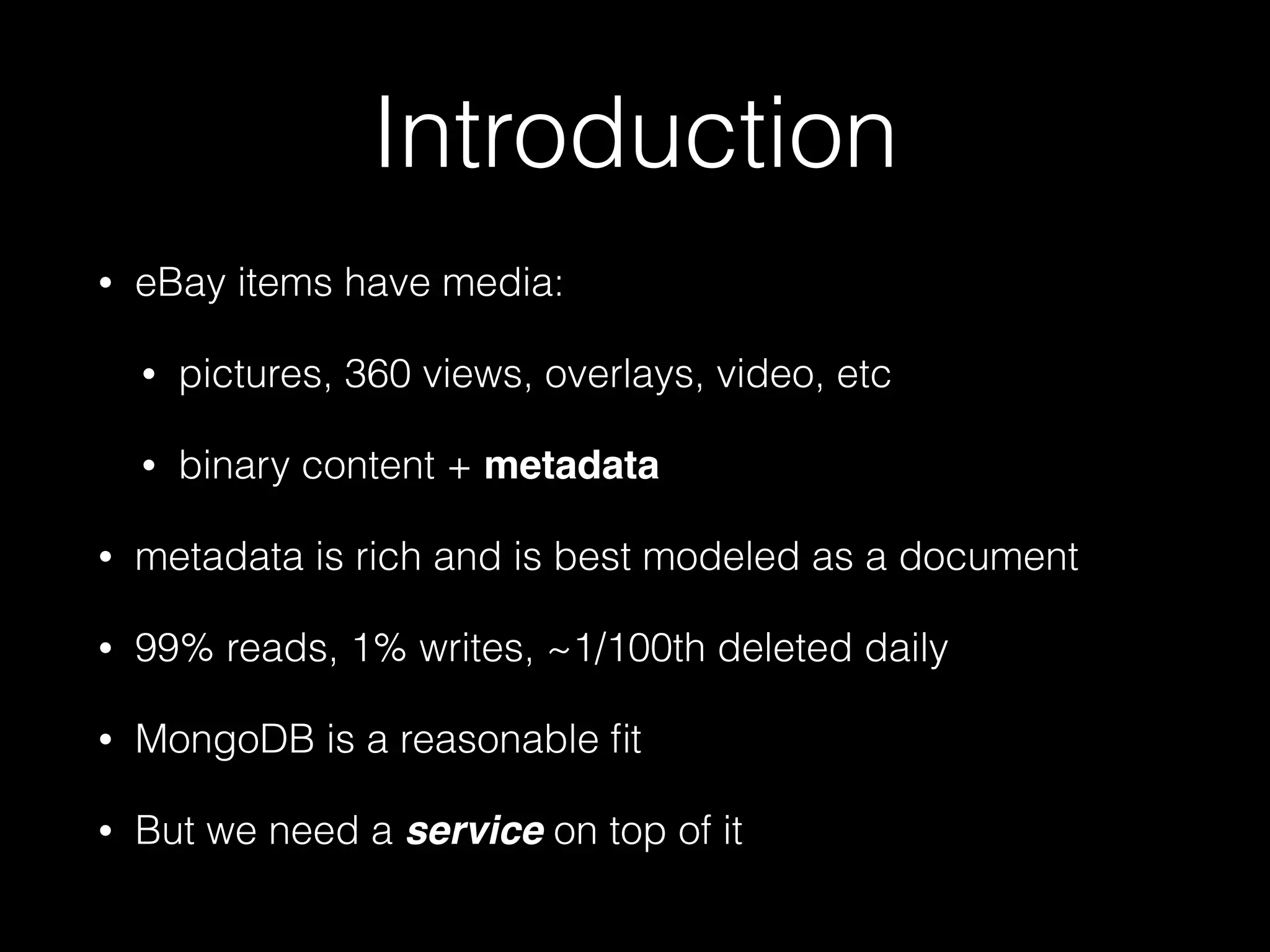
Introduction 
• eBay items have media: 
• pictures, 360 views, overlays, video, etc 
• binary content + metadata 
• metadata is rich and is best modeled as a document 
• 99% reads, 1% writes, ~1/100th deleted daily 
• MongoDB is a reasonable fit 
• But we need a service on top of it
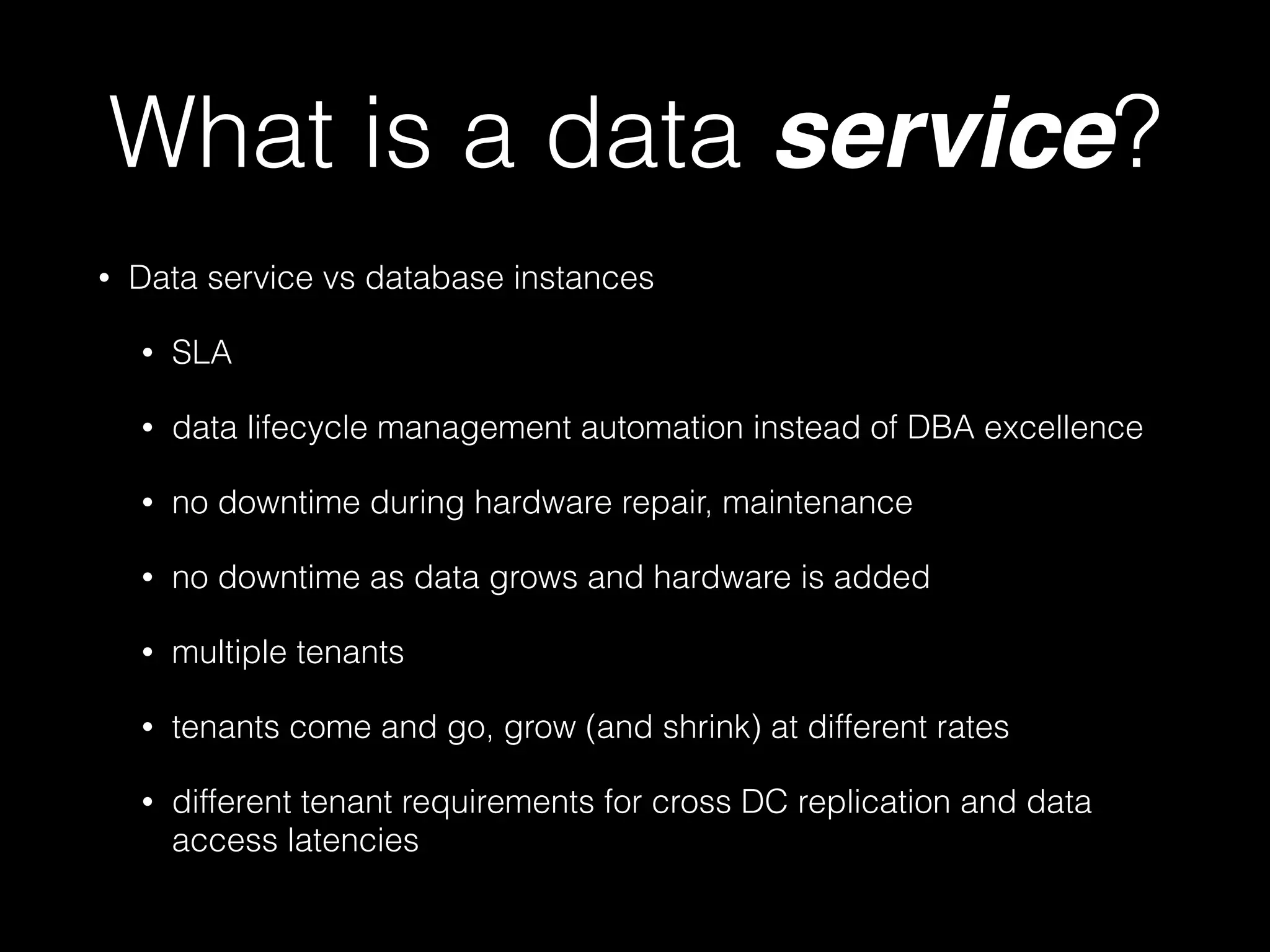
What is a data service? 
• Data service vs database instances 
• SLA 
• data lifecycle management automation instead of DBA excellence 
• no downtime during hardware repair, maintenance 
• no downtime as data grows and hardware is added 
• multiple tenants 
• tenants come and go, grow (and shrink) at different rates 
• different tenant requirements for cross DC replication and data 
access latencies
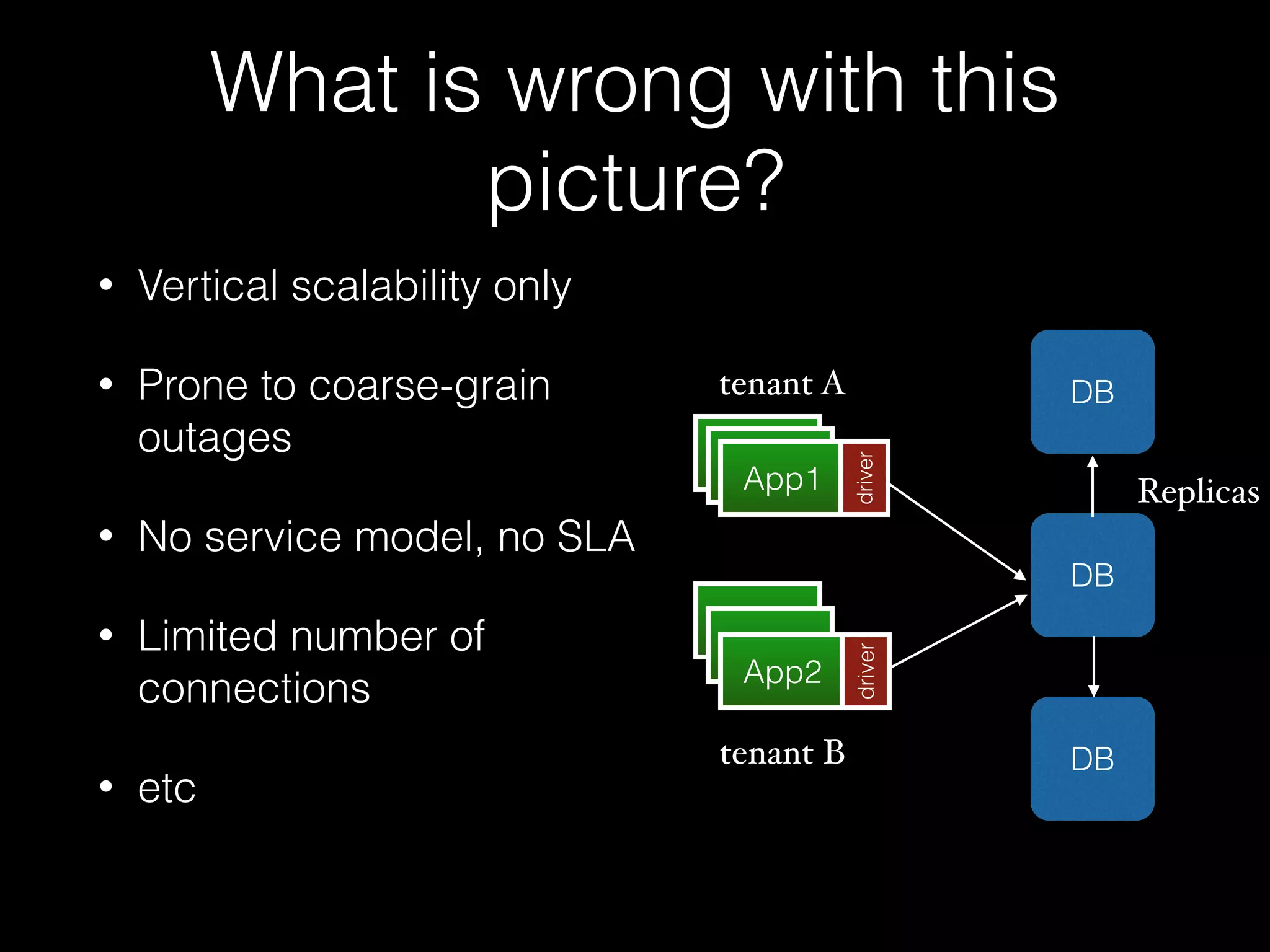
What is wrong with this 
picture? 
• Vertical scalability only 
• Prone to coarse-grain 
outages 
• No service model, no SLA 
• Limited number of 
connections 
• etc 
tenant A 
AApppp11 App1 
App1 
App1 
App2 
DB 
DB 
DB 
driver driver 
Replicas 
tenant B
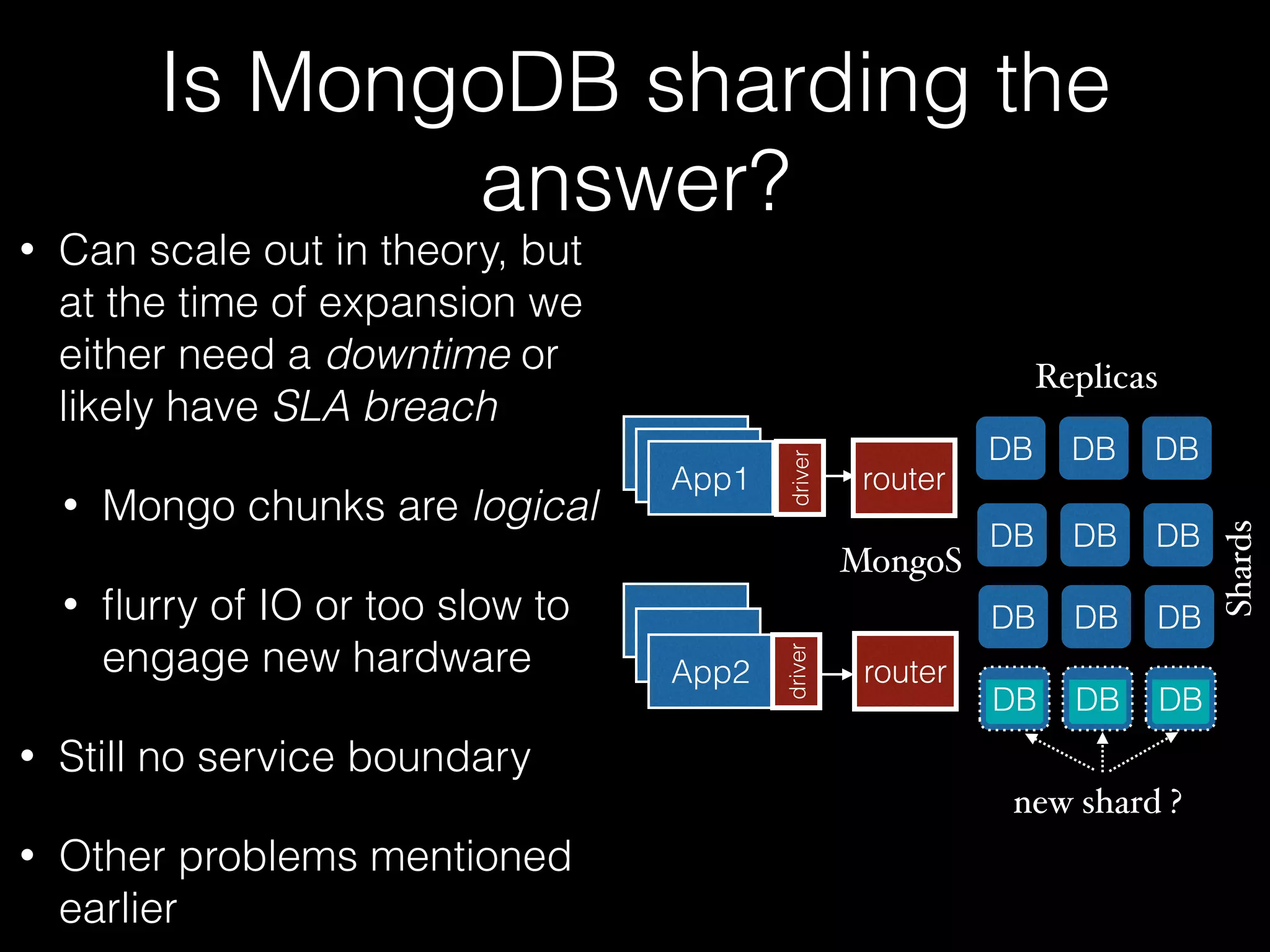
Is MongoDB sharding the 
answer? 
• Can scale out in theory, but 
at the time of expansion we 
either need a downtime or 
likely have SLA breach 
• Mongo chunks are logical 
• flurry of IO or too slow to 
engage new hardware 
• Still no service boundary 
• Other problems mentioned 
earlier 
AApppp11 App1 
App1 
App1 
App2 
driver 
Replicas 
DB DB DB 
DB DB DB 
DB DB DB 
DB DB DB 
Shards 
router 
router 
driver 
new shard ? 
MongoS
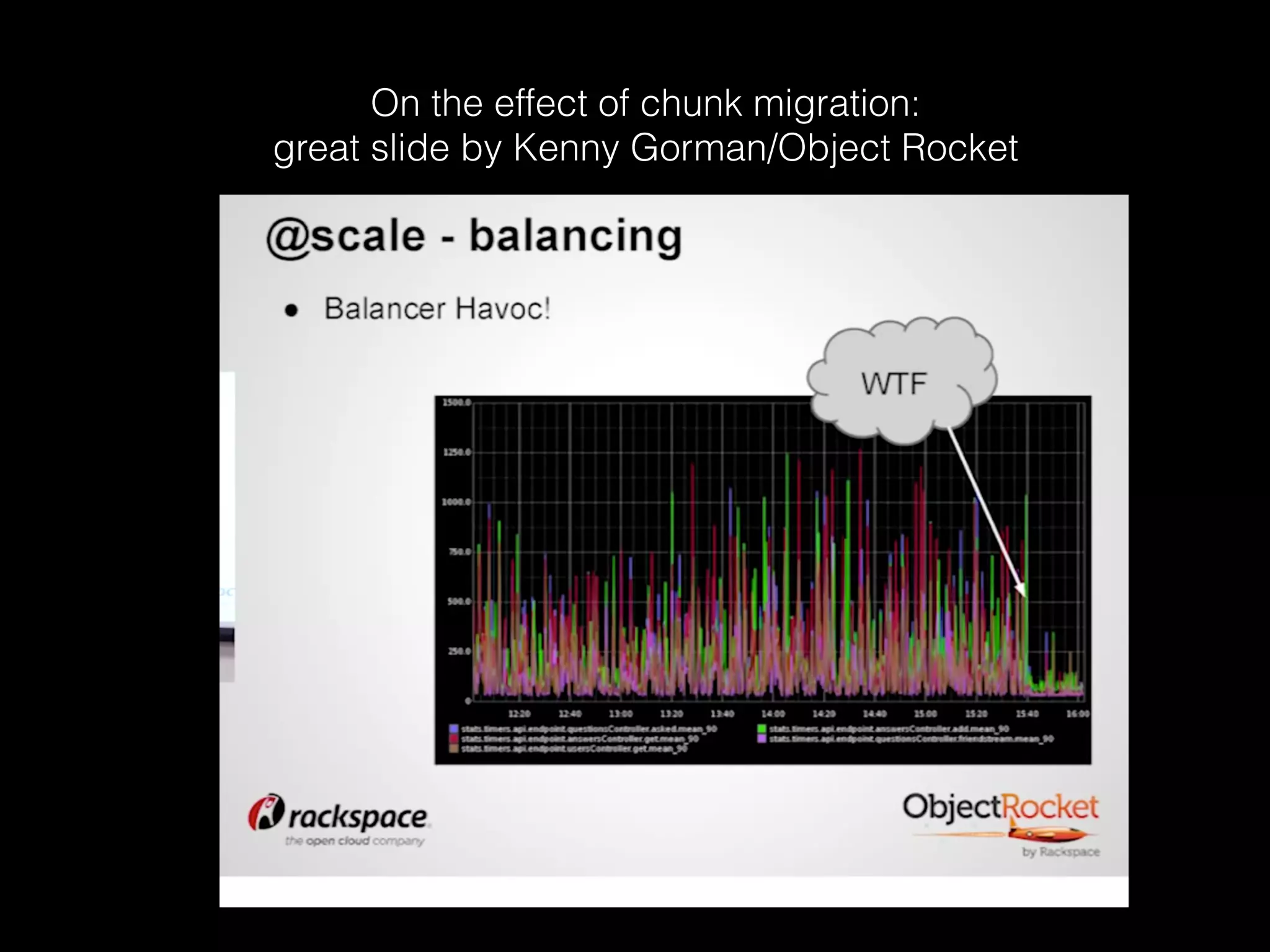
On the effect of chunk migration: 
great slide by Kenny Gorman/Object Rocket
Buckets 
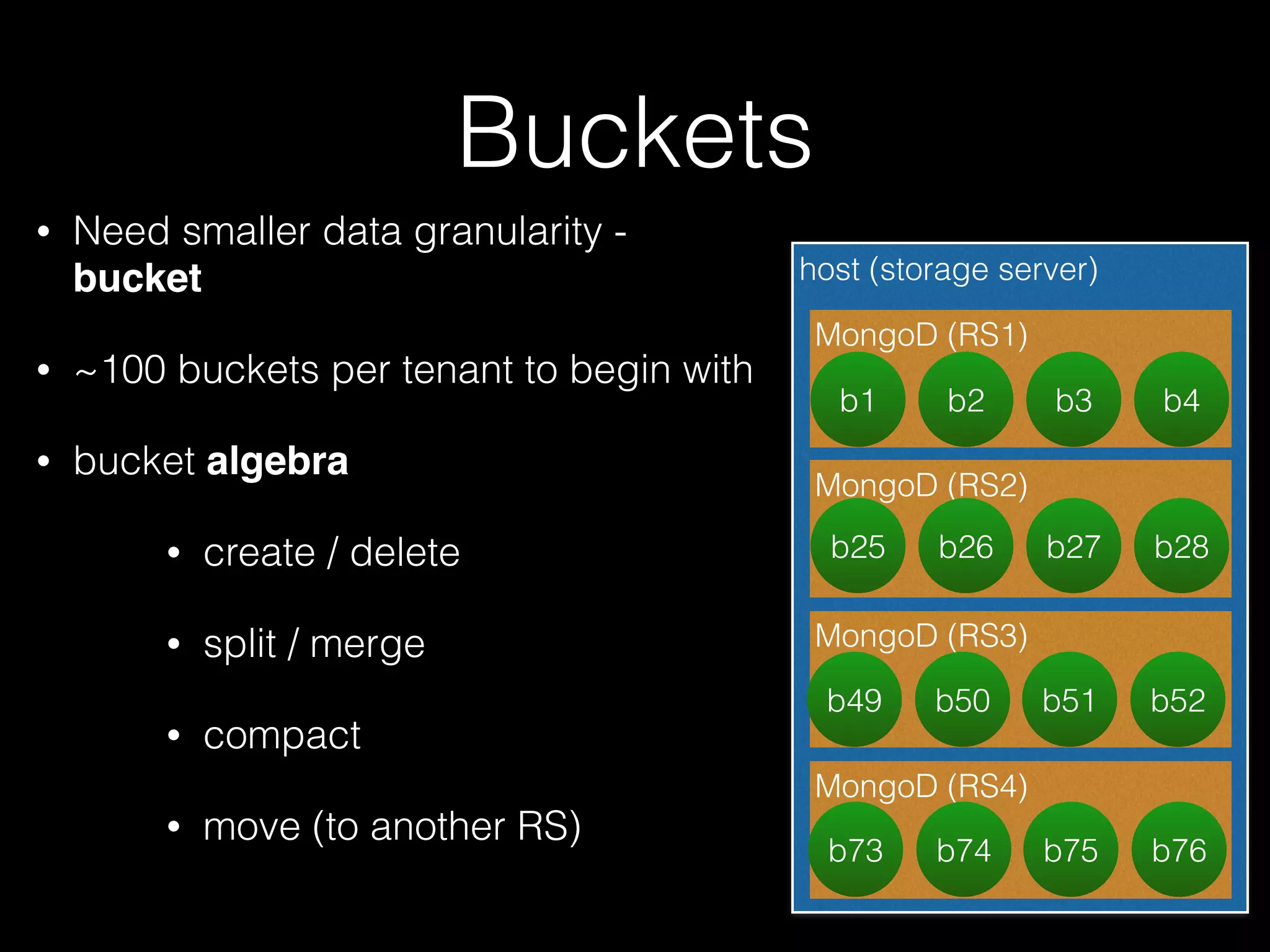
• Need smaller data granularity - 
bucket 
• ~100 buckets per tenant to begin with 
• bucket algebra 
• create / delete 
• split / merge 
• compact 
• move (to another RS) 
host (storage server) 
MongoD (RS1) 
b1 b2 b3 b4 
MongoD (RS2) 
b25 b26 b27 b28 
MongoD (RS3) 
b49 b50 b51 b52 
MongoD (RS4) 
b73 b74 b75 b76
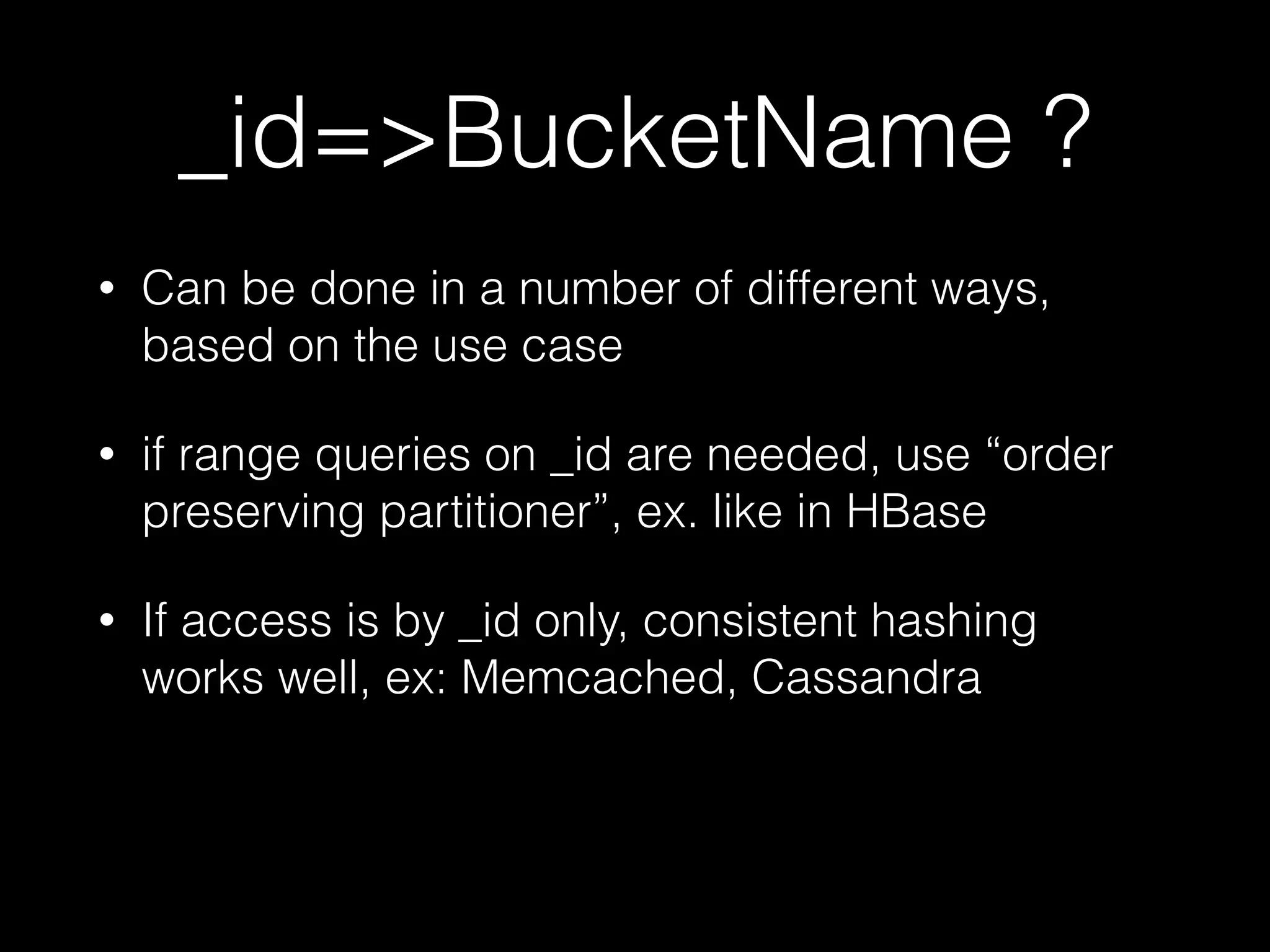
_id=>BucketName ? 
• Can be done in a number of different ways, 
based on the use case 
• if range queries on _id are needed, use “order 
preserving partitioner”, ex. like in HBase 
• If access is by _id only, consistent hashing 
works well, ex: Memcached, Cassandra
MStore DB Proxy 
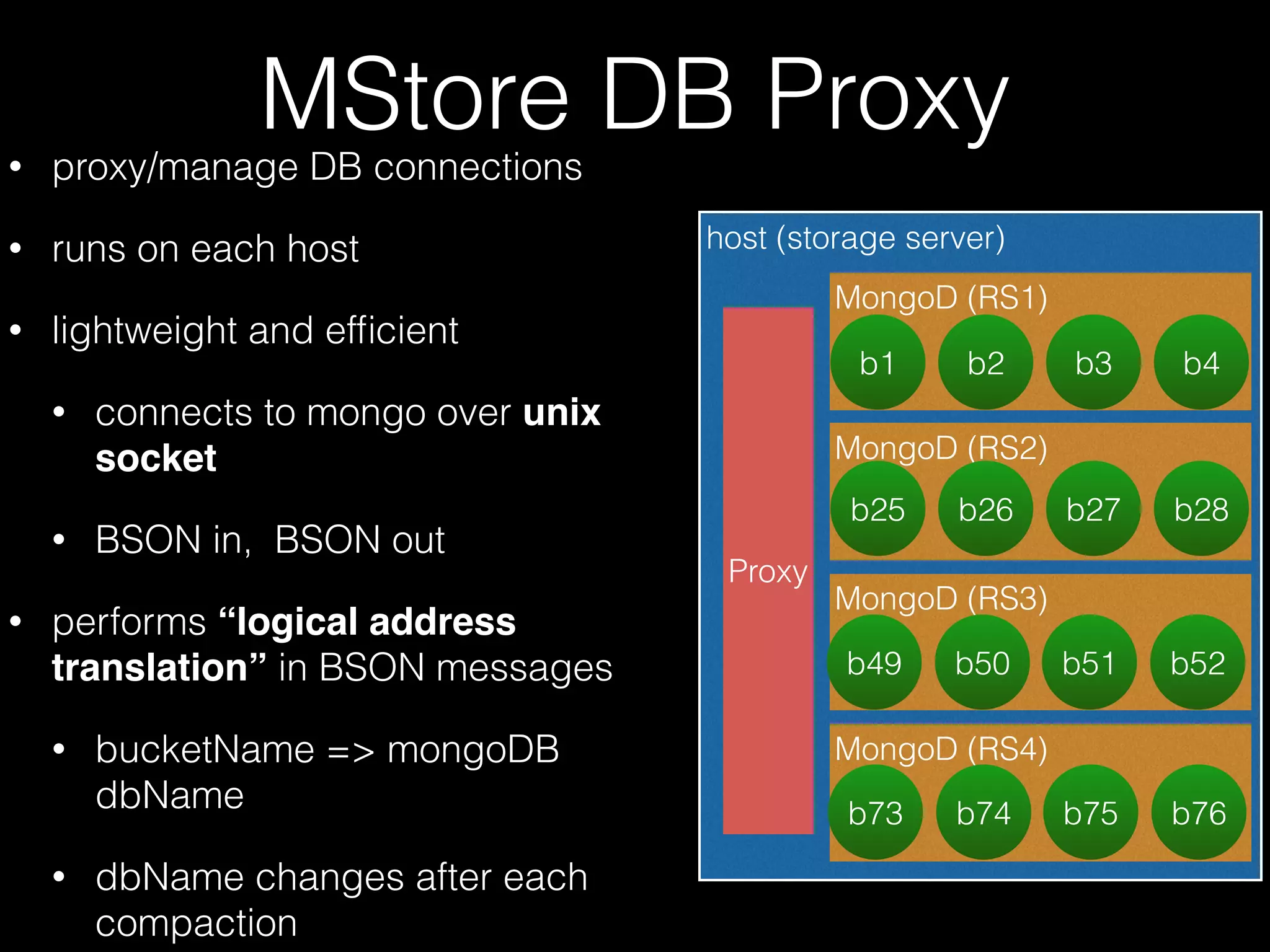
• proxy/manage DB connections 
• runs on each host 
• lightweight and efficient 
• connects to mongo over unix 
socket 
• BSON in, BSON out 
• performs “logical address 
translation” in BSON messages 
• bucketName => mongoDB 
dbName 
• dbName changes after each 
compaction 
host (storage server) 
Proxy 
MongoD (RS1) 
b1 b2 b3 b4 
MongoD (RS2) 
b25 b26 b27 b28 
MongoD (RS3) 
b49 b50 b51 b52 
MongoD (RS4) 
b73 b74 b75 b76
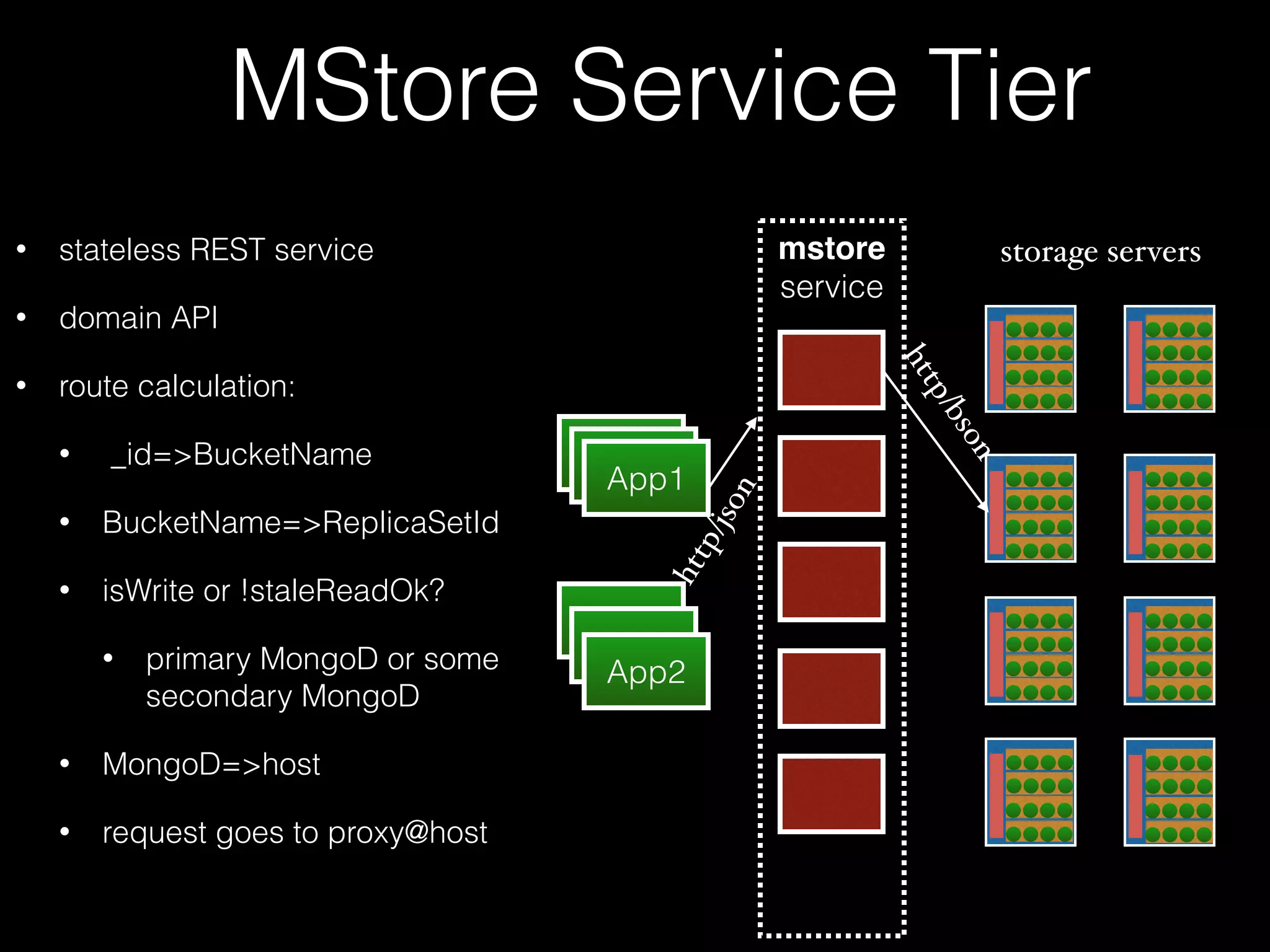
MStore Service Tier 
• stateless REST service 
• domain API 
• route calculation: 
• _id=>BucketName 
• BucketName=>ReplicaSetId 
• isWrite or !staleReadOk? 
• primary MongoD or some 
secondary MongoD 
• MongoD=>host 
• request goes to proxy@host 
AApppp11 App1 
App1 
App1 
App2 
mstore 
service 
http/json 
storage servers 
http/bson
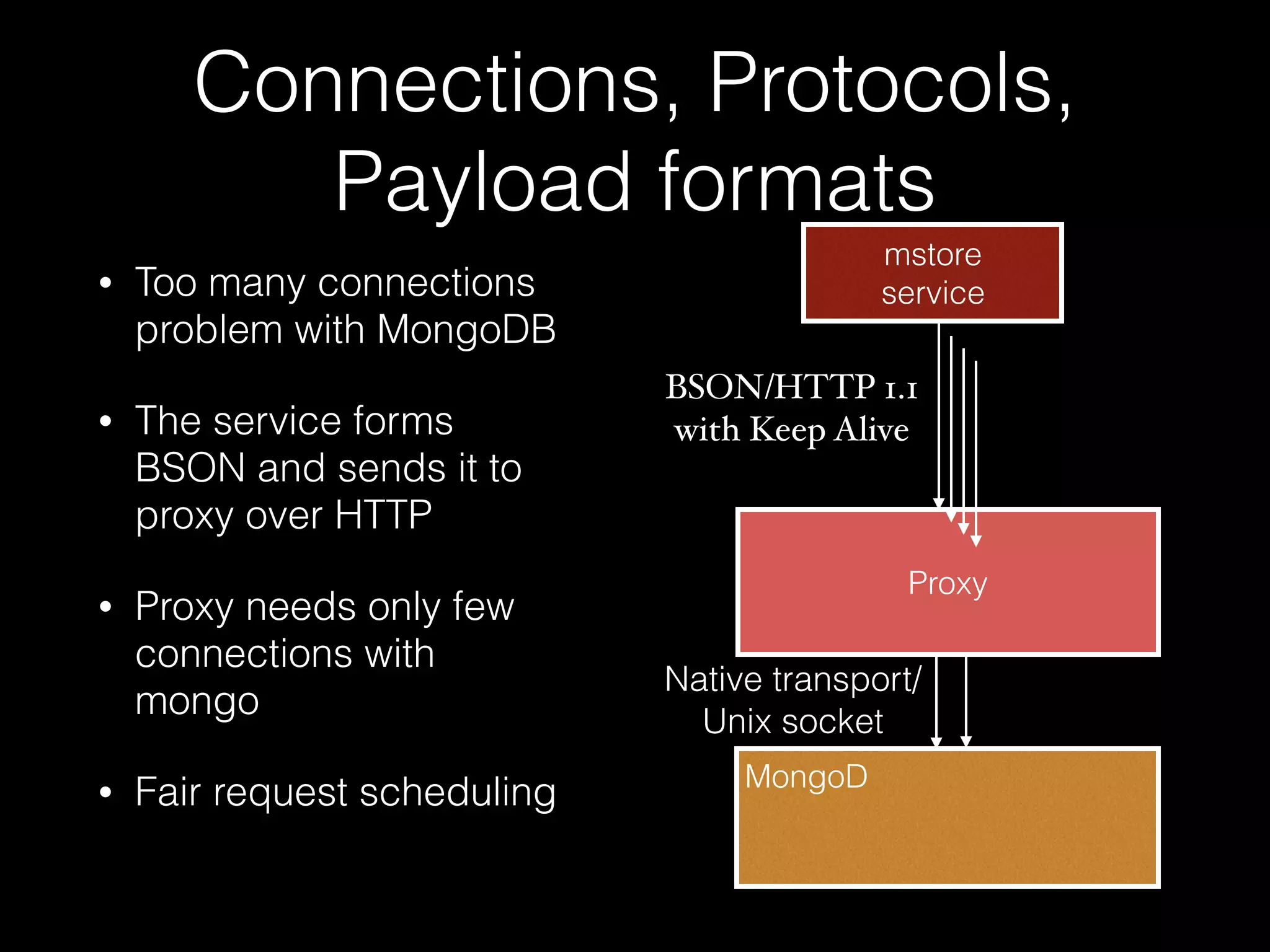
Connections, Protocols, 
Payload formats 
• Too many connections 
problem with MongoDB 
• The service forms 
BSON and sends it to 
proxy over HTTP 
• Proxy needs only few 
connections with 
mongo 
• Fair request scheduling 
mstore 
service 
BSON/HTTP 1.1 
with Keep Alive 
Proxy 
Native transport/ 
Unix socket 
MongoD
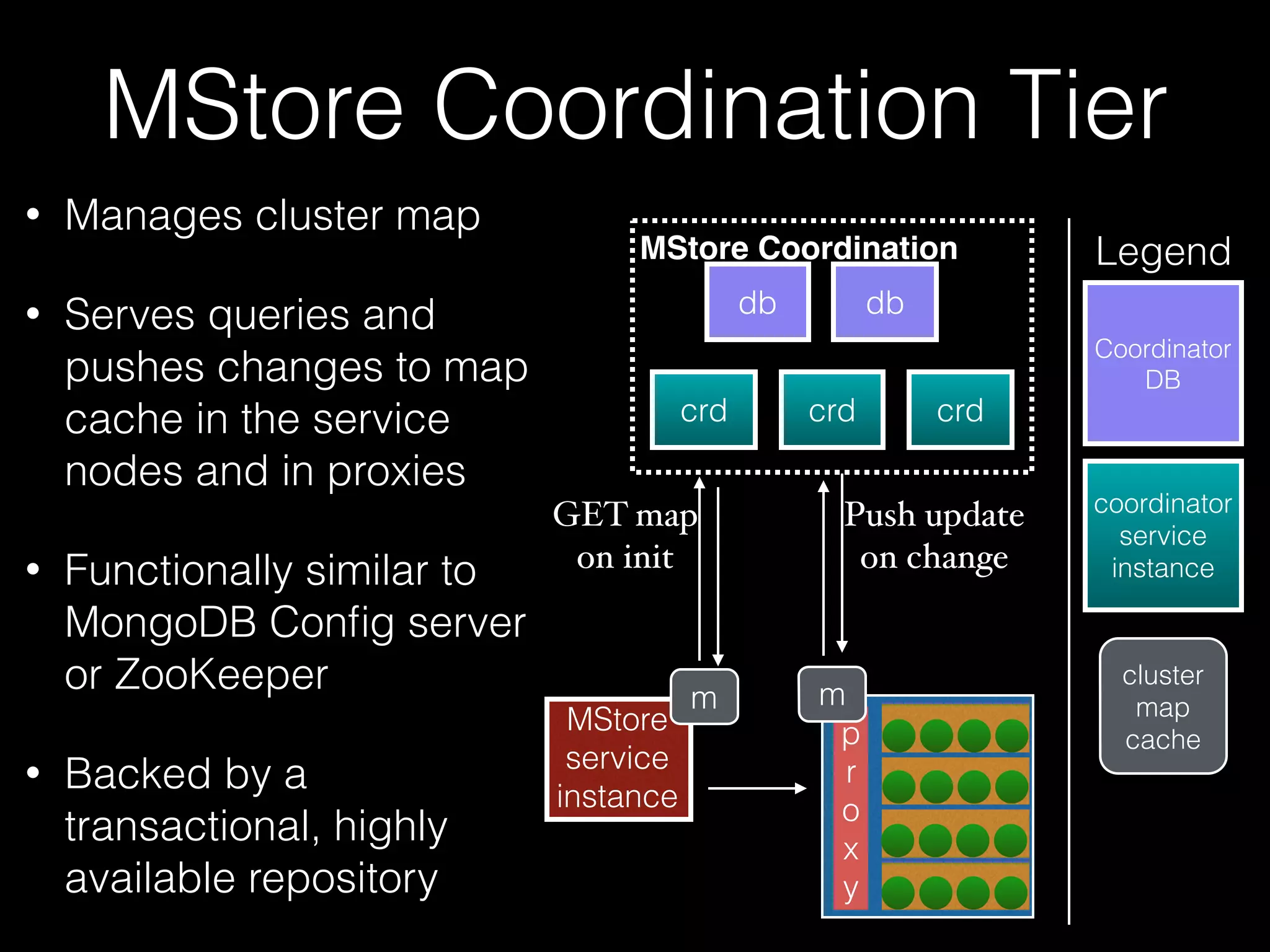
MStore Coordination Tier 
• Manages cluster map 
• Serves queries and 
pushes changes to map 
cache in the service 
nodes and in proxies 
• Functionally similar to 
MongoDB Config server 
or ZooKeeper 
• Backed by a 
transactional, highly 
available repository 
MStore Coordination 
db db 
crd crd crd 
GET map 
on init 
Push update 
on change 
Legend 
coordinator 
service 
instance 
cluster 
map 
cache 
MStore 
service 
instance 
m m 
p 
r 
o 
x 
y 
Coordinator 
DB
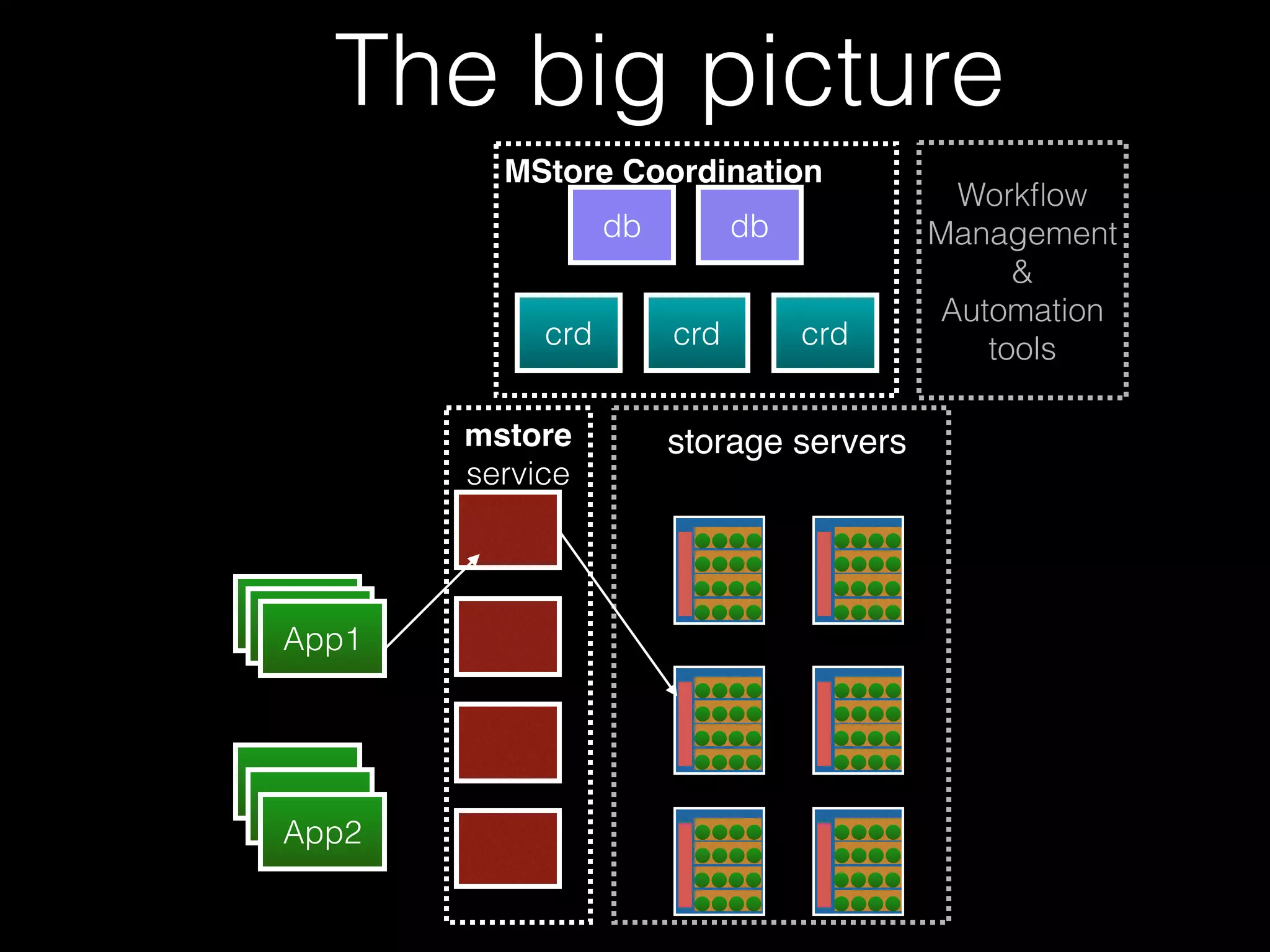
The big picture 
AApppp11 App1 
App1 
App1 
App2 
MStore Coordination 
db db 
crd crd crd 
mstore 
service 
storage servers 
Workflow 
Management 
& 
Automation 
tools
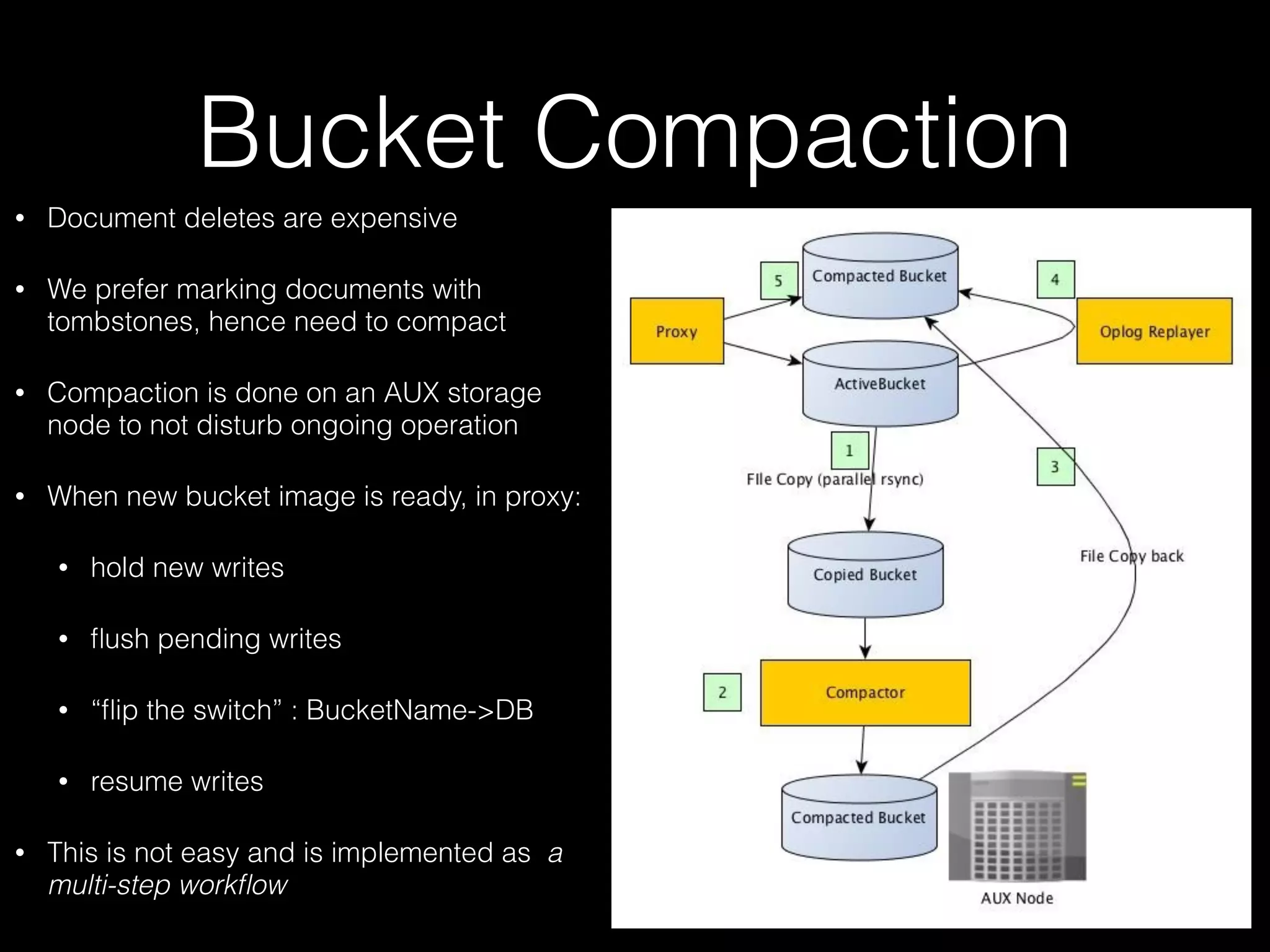
Bucket Compaction 
• Document deletes are expensive 
• We prefer marking documents with 
tombstones, hence need to compact 
• Compaction is done on an AUX storage 
node to not disturb ongoing operation 
• When new bucket image is ready, in proxy: 
• hold new writes 
• flush pending writes 
• “flip the switch” : BucketName->DB 
• resume writes 
• This is not easy and is implemented as a 
multi-step workflow
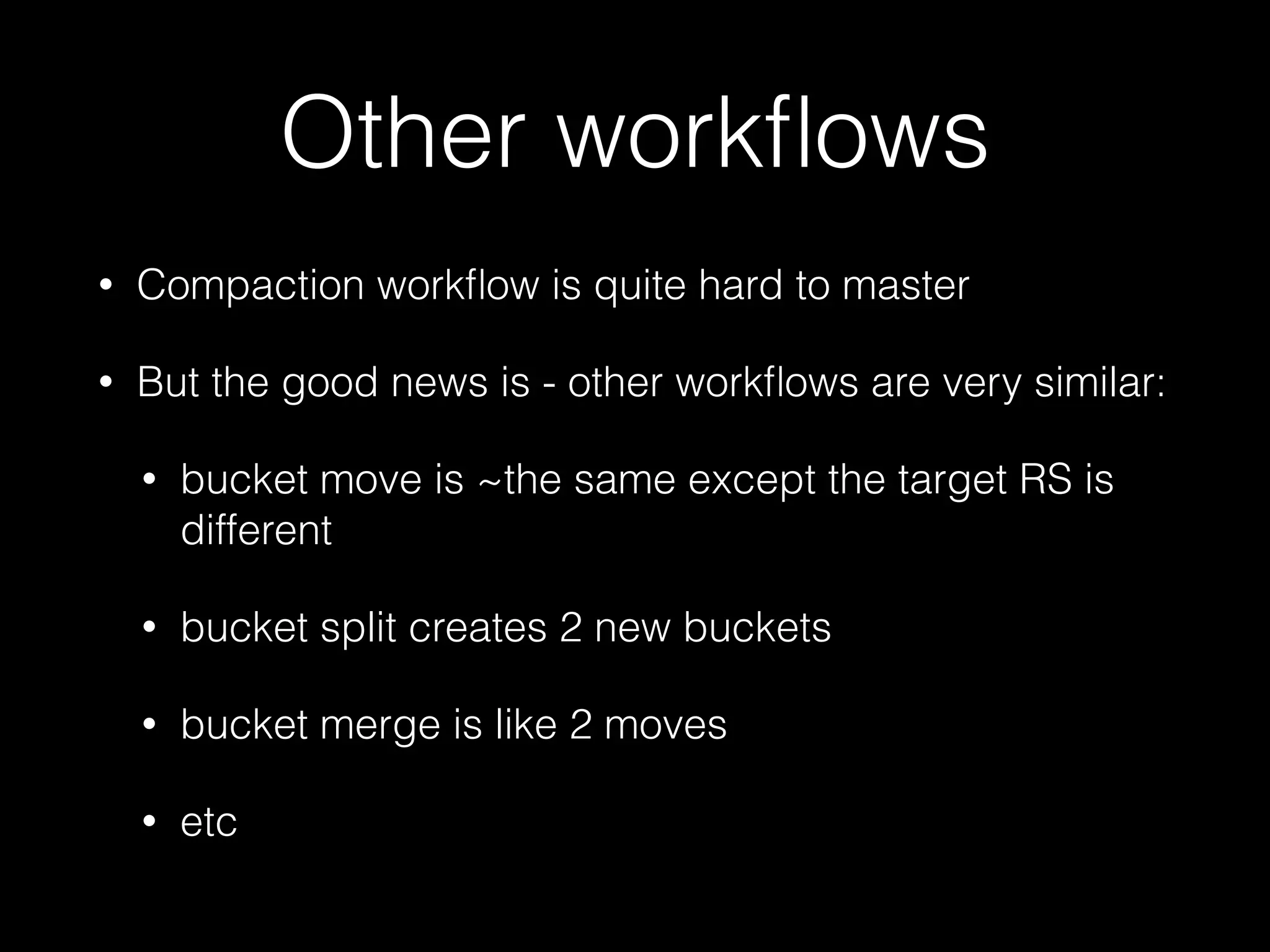
Other workflows 
• Compaction workflow is quite hard to master 
• But the good news is - other workflows are very similar: 
• bucket move is ~the same except the target RS is 
different 
• bucket split creates 2 new buckets 
• bucket merge is like 2 moves 
• etc
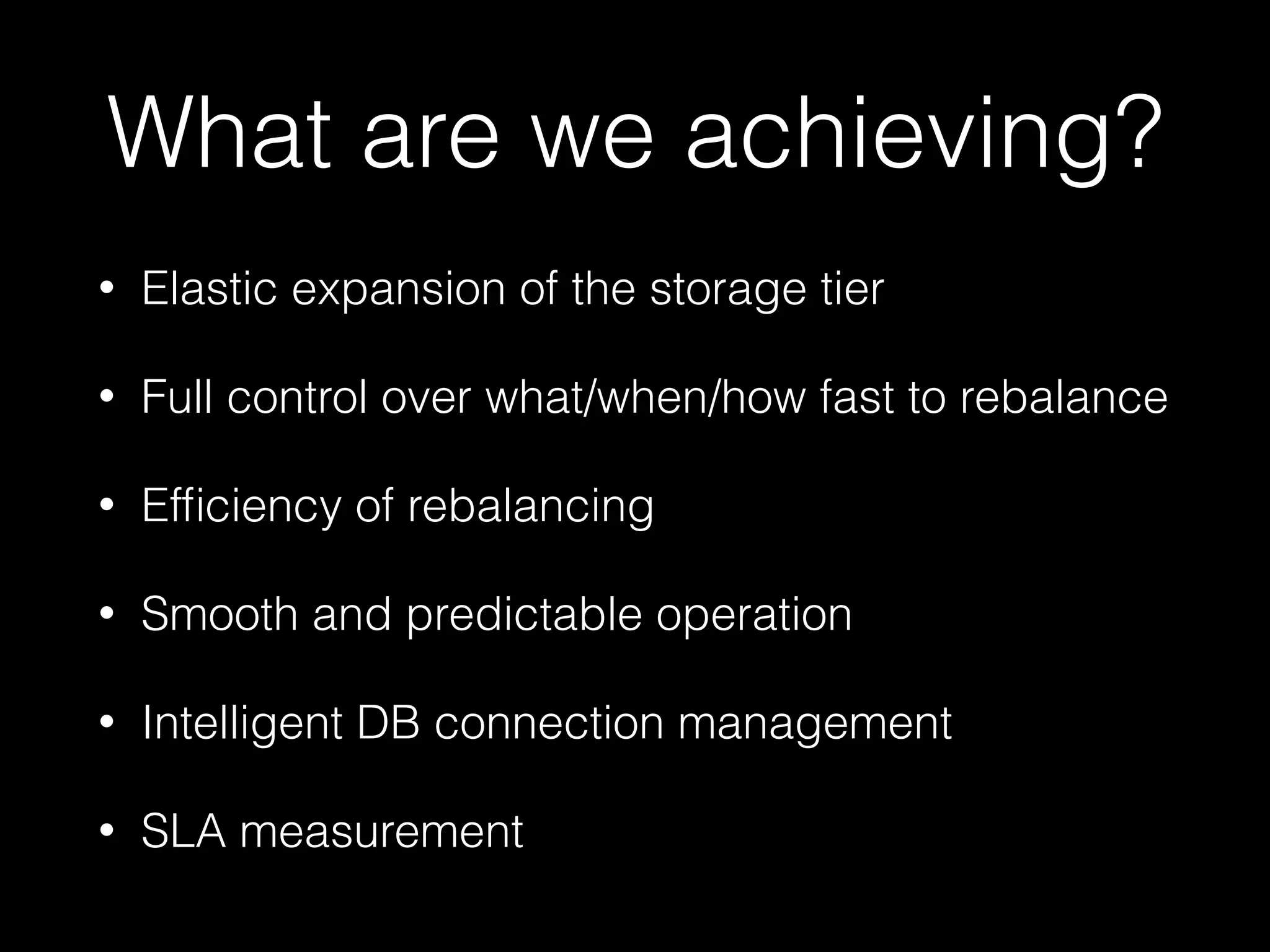
What are we achieving? 
• Elastic expansion of the storage tier 
• Full control over what/when/how fast to rebalance 
• Efficiency of rebalancing 
• Smooth and predictable operation 
• Intelligent DB connection management 
• SLA measurement
Final words 
• Open source? 
• Looking for feedback 
• Contact us if interested 
• Thank you!
Appendix
Buckets 
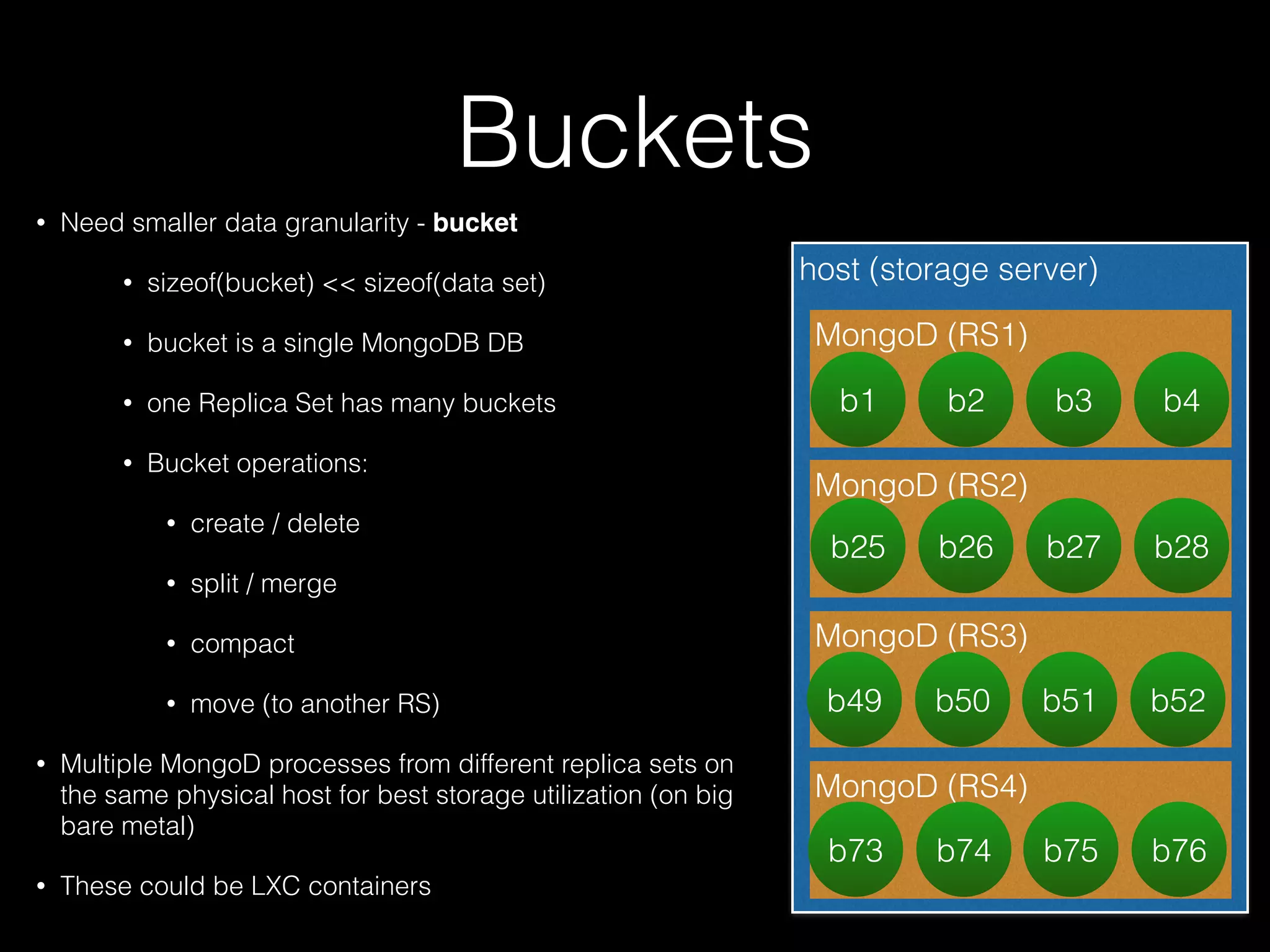
• Need smaller data granularity - bucket 
• sizeof(bucket) << sizeof(data set) 
• bucket is a single MongoDB DB 
• one Replica Set has many buckets 
• Bucket operations: 
• create / delete 
• split / merge 
• compact 
• move (to another RS) 
• Multiple MongoD processes from different replica sets on 
the same physical host for best storage utilization (on big 
bare metal) 
• These could be LXC containers 
host (storage server) 
MongoD (RS1) 
b1 b2 b3 b4 
MongoD (RS2) 
b25 b26 b27 b28 
MongoD (RS3) 
b49 b50 b51 b52 
MongoD (RS4) 
b73 b74 b75 b76
Bucket Compaction 
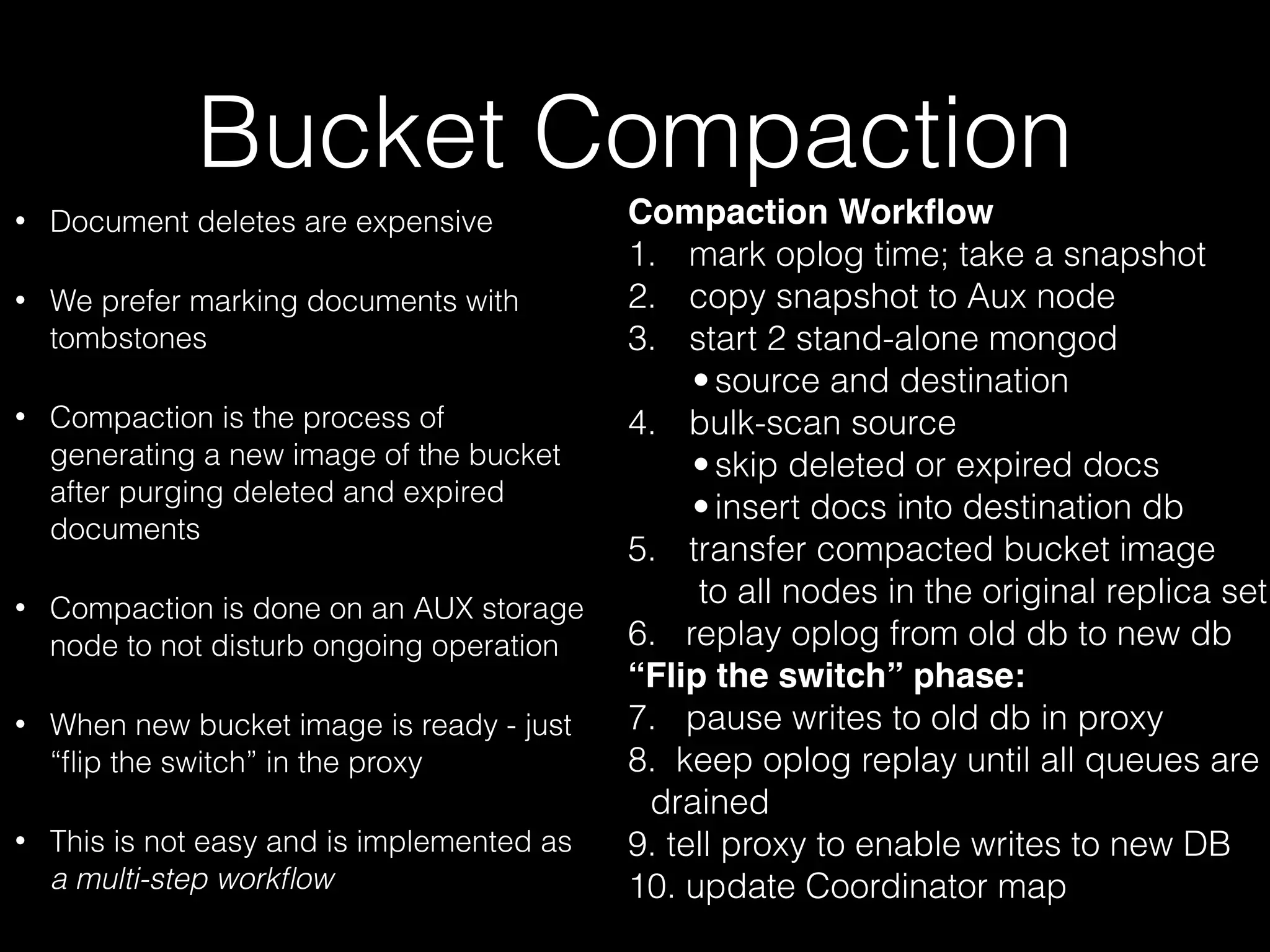
• Document deletes are expensive 
• We prefer marking documents with 
tombstones 
• Compaction is the process of 
generating a new image of the bucket 
after purging deleted and expired 
documents 
• Compaction is done on an AUX storage 
node to not disturb ongoing operation 
• When new bucket image is ready - just 
“flip the switch” in the proxy 
• This is not easy and is implemented as 
a multi-step workflow 
Compaction Workflow 
1. mark oplog time; take a snapshot 
2. copy snapshot to Aux node 
3. start 2 stand-alone mongod 
• source and destination 
4. bulk-scan source 
• skip deleted or expired docs 
• insert docs into destination db 
5. transfer compacted bucket image 
to all nodes in the original replica set 
6. replay oplog from old db to new db 
“Flip the switch” phase: 
7. pause writes to old db in proxy 
8. keep oplog replay until all queues are 
drained 
9. tell proxy to enable writes to new DB 
10. update Coordinator map

An Elastic Metadata Store for eBay’s Media Platform

  • 1.
    Elastic metadata store for eBay media platform Yuri Finkelstein, architect, eBay Global Platform Services MongoDB SF 2014
  • 2.
    Introduction • eBayitems have media: • pictures, 360 views, overlays, video, etc • binary content + metadata • metadata is rich and is best modeled as a document • 99% reads, 1% writes, ~1/100th deleted daily • MongoDB is a reasonable fit • But we need a service on top of it
  • 3.
    What is adata service? • Data service vs database instances • SLA • data lifecycle management automation instead of DBA excellence • no downtime during hardware repair, maintenance • no downtime as data grows and hardware is added • multiple tenants • tenants come and go, grow (and shrink) at different rates • different tenant requirements for cross DC replication and data access latencies
  • 4.
    What is wrongwith this picture? • Vertical scalability only • Prone to coarse-grain outages • No service model, no SLA • Limited number of connections • etc tenant A AApppp11 App1 App1 App1 App2 DB DB DB driver driver Replicas tenant B
  • 5.
    Is MongoDB shardingthe answer? • Can scale out in theory, but at the time of expansion we either need a downtime or likely have SLA breach • Mongo chunks are logical • flurry of IO or too slow to engage new hardware • Still no service boundary • Other problems mentioned earlier AApppp11 App1 App1 App1 App2 driver Replicas DB DB DB DB DB DB DB DB DB DB DB DB Shards router router driver new shard ? MongoS
  • 6.
    On the effectof chunk migration: great slide by Kenny Gorman/Object Rocket
  • 7.
    Buckets • Needsmaller data granularity - bucket • ~100 buckets per tenant to begin with • bucket algebra • create / delete • split / merge • compact • move (to another RS) host (storage server) MongoD (RS1) b1 b2 b3 b4 MongoD (RS2) b25 b26 b27 b28 MongoD (RS3) b49 b50 b51 b52 MongoD (RS4) b73 b74 b75 b76
  • 8.
    _id=>BucketName ? •Can be done in a number of different ways, based on the use case • if range queries on _id are needed, use “order preserving partitioner”, ex. like in HBase • If access is by _id only, consistent hashing works well, ex: Memcached, Cassandra
  • 9.
    MStore DB Proxy • proxy/manage DB connections • runs on each host • lightweight and efficient • connects to mongo over unix socket • BSON in, BSON out • performs “logical address translation” in BSON messages • bucketName => mongoDB dbName • dbName changes after each compaction host (storage server) Proxy MongoD (RS1) b1 b2 b3 b4 MongoD (RS2) b25 b26 b27 b28 MongoD (RS3) b49 b50 b51 b52 MongoD (RS4) b73 b74 b75 b76
  • 10.
    MStore Service Tier • stateless REST service • domain API • route calculation: • _id=>BucketName • BucketName=>ReplicaSetId • isWrite or !staleReadOk? • primary MongoD or some secondary MongoD • MongoD=>host • request goes to proxy@host AApppp11 App1 App1 App1 App2 mstore service http/json storage servers http/bson
  • 11.
    Connections, Protocols, Payloadformats • Too many connections problem with MongoDB • The service forms BSON and sends it to proxy over HTTP • Proxy needs only few connections with mongo • Fair request scheduling mstore service BSON/HTTP 1.1 with Keep Alive Proxy Native transport/ Unix socket MongoD
  • 12.
    MStore Coordination Tier • Manages cluster map • Serves queries and pushes changes to map cache in the service nodes and in proxies • Functionally similar to MongoDB Config server or ZooKeeper • Backed by a transactional, highly available repository MStore Coordination db db crd crd crd GET map on init Push update on change Legend coordinator service instance cluster map cache MStore service instance m m p r o x y Coordinator DB
  • 13.
    The big picture AApppp11 App1 App1 App1 App2 MStore Coordination db db crd crd crd mstore service storage servers Workflow Management & Automation tools
  • 14.
    Bucket Compaction •Document deletes are expensive • We prefer marking documents with tombstones, hence need to compact • Compaction is done on an AUX storage node to not disturb ongoing operation • When new bucket image is ready, in proxy: • hold new writes • flush pending writes • “flip the switch” : BucketName->DB • resume writes • This is not easy and is implemented as a multi-step workflow
  • 15.
    Other workflows •Compaction workflow is quite hard to master • But the good news is - other workflows are very similar: • bucket move is ~the same except the target RS is different • bucket split creates 2 new buckets • bucket merge is like 2 moves • etc
  • 16.
    What are weachieving? • Elastic expansion of the storage tier • Full control over what/when/how fast to rebalance • Efficiency of rebalancing • Smooth and predictable operation • Intelligent DB connection management • SLA measurement
  • 17.
    Final words •Open source? • Looking for feedback • Contact us if interested • Thank you!
  • 18.
  • 19.
    Buckets • Needsmaller data granularity - bucket • sizeof(bucket) << sizeof(data set) • bucket is a single MongoDB DB • one Replica Set has many buckets • Bucket operations: • create / delete • split / merge • compact • move (to another RS) • Multiple MongoD processes from different replica sets on the same physical host for best storage utilization (on big bare metal) • These could be LXC containers host (storage server) MongoD (RS1) b1 b2 b3 b4 MongoD (RS2) b25 b26 b27 b28 MongoD (RS3) b49 b50 b51 b52 MongoD (RS4) b73 b74 b75 b76
  • 20.
    Bucket Compaction •Document deletes are expensive • We prefer marking documents with tombstones • Compaction is the process of generating a new image of the bucket after purging deleted and expired documents • Compaction is done on an AUX storage node to not disturb ongoing operation • When new bucket image is ready - just “flip the switch” in the proxy • This is not easy and is implemented as a multi-step workflow Compaction Workflow 1. mark oplog time; take a snapshot 2. copy snapshot to Aux node 3. start 2 stand-alone mongod • source and destination 4. bulk-scan source • skip deleted or expired docs • insert docs into destination db 5. transfer compacted bucket image to all nodes in the original replica set 6. replay oplog from old db to new db “Flip the switch” phase: 7. pause writes to old db in proxy 8. keep oplog replay until all queues are drained 9. tell proxy to enable writes to new DB 10. update Coordinator map