Yocto Crash Course
Prepared / Presented by
Stephen Arnold, Principal Scientist VCT Labs
Welcome to the Yocto Crash Course –
Or, Building Your Own Embedded Linux
OS for Fun and (possibly) Profit
Build Host Reqs and
Potential Issues
• Officially Supported Distributions
• Debian/Ubuntu, CentOS, Fedora, OpenSUSE
• Other “unsupported” Distributions
• Gentoo x86, Arch, Slackware, etc
• Gentoo amd64, VMs, and chroots
• libpseudo fails on Gentoo x86_64 multilib
• Build in a VM or chroot environment
• Common Build errors: "command not found..."
• “hidden” build deps
• bc, lzop, u-boot-tools, dtc
• Can depend on kernel config
• Connectivity issues
OpenEmbedded
Workflow & Layers
• Yocto is a BSP (and a project) and OE (oe-core) is a
collection of layers
• Yocto project BSP and Poky distribution
• Self-contained set of “demo” machines and OE layers
• Default distribution built is “poky”
• Default kernel is linux-yocto
• Can build beaglebone, edgerouter, qemu images
• What do you really need?
• A BSP layer for your machine
• The core metadata layers (ie, poky or oe-core)
• Additional application layers (as needed)
• Custom layers (*optional)
OE Workflow & Layers
cont.
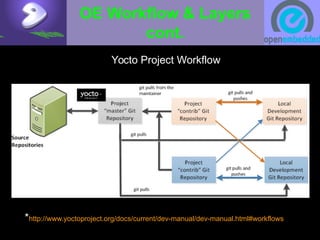
Yocto Project Workflow
*http://www.yoctoproject.org/docs/current/dev-manual/dev-manual.html#workflows
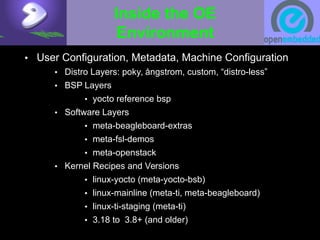
Inside the OE
Environment
• User Configuration, Metadata, Machine Configuration
• Distro Layers: poky, ångstrom, custom, “distro-less”
• BSP Layers
• yocto reference bsp
• Software Layers
• meta-beagleboard-extras
• meta-fsl-demos
• meta-openstack
• Kernel Recipes and Versions
• linux-yocto (meta-yocto-bsb)
• linux-mainline (meta-ti, meta-beagleboard)
• linux-ti-staging (meta-ti)
• 3.18 to 3.8+ (and older)
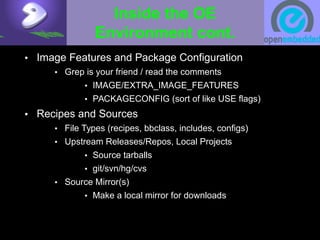
Inside the OE
Environment cont.
• Image Features and Package Configuration
• Grep is your friend / read the comments
• IMAGE/EXTRA_IMAGE_FEATURES
• PACKAGECONFIG (sort of like USE flags)
• Recipes and Sources
• File Types (recipes, bbclass, includes, configs)
• Upstream Releases/Repos, Local Projects
• Source tarballs
• git/svn/hg/cvs
• Source Mirror(s)
• Make a local mirror for downloads
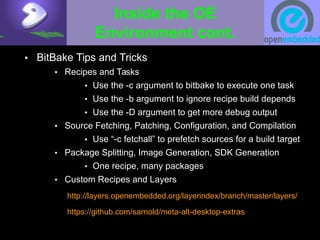
Inside the OE
Environment cont.
• BitBake Tips and Tricks
• Recipes and Tasks
• Use the -c argument to bitbake to execute one task
• Use the -b argument to ignore recipe build depends
• Use the -D argument to get more debug output
• Source Fetching, Patching, Configuration, and Compilation
• Use “-c fetchall” to prefetch sources for a build target
• Package Splitting, Image Generation, SDK Generation
• One recipe, many packages
• Custom Recipes and Layers
http://layers.openembedded.org/layerindex/branch/master/layers/
https://github.com/sarnold/meta-alt-desktop-extras
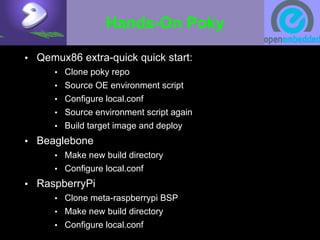
Hands-On Poky
• Qemux86 extra-quick quick start:
• Clone poky repo
• Source OE environment script
• Configure local.conf
• Source environment script again
• Build target image and deploy
• Beaglebone
• Make new build directory
• Configure local.conf
• RaspberryPi
• Clone meta-raspberrypi BSP
• Make new build directory
• Configure local.conf
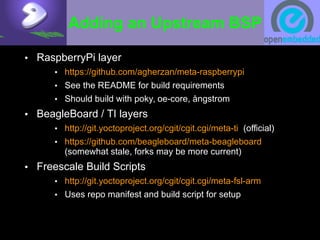
Adding an Upstream BSP
• RaspberryPi layer
• https://github.com/agherzan/meta-raspberrypi
• See the README for build requirements
• Should build with poky, oe-core, ångstrom
• BeagleBoard / TI layers
• http://git.yoctoproject.org/cgit/cgit.cgi/meta-ti (official)
• https://github.com/beagleboard/meta-beagleboard
(somewhat stale, forks may be more current)
• Freescale Build Scripts
• http://git.yoctoproject.org/cgit/cgit.cgi/meta-fsl-arm
• Uses repo manifest and build script for setup
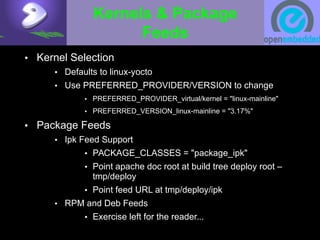
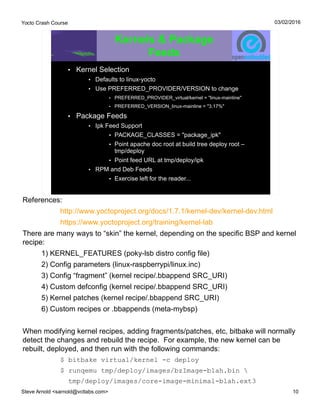
Kernels & Package
Feeds
• Kernel Selection
• Defaults to linux-yocto
• Use PREFERRED_PROVIDER/VERSION to change
• PREFERRED_PROVIDER_virtual/kernel = "linux-mainline"
• PREFERRED_VERSION_linux-mainline = "3.17%"
• Package Feeds
• Ipk Feed Support
• PACKAGE_CLASSES = "package_ipk"
• Point apache doc root at build tree deploy root –
tmp/deploy
• Point feed URL at tmp/deploy/ipk
• RPM and Deb Feeds
• Exercise left for the reader...
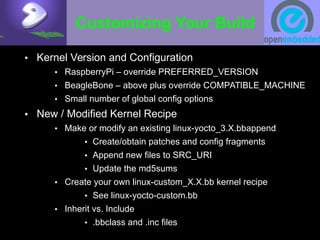
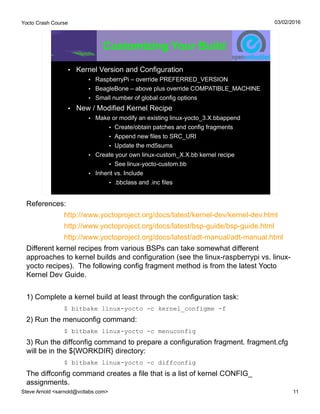
Customizing Your Build
• Kernel Version and Configuration
• RaspberryPi – override PREFERRED_VERSION
• BeagleBone – above plus override COMPATIBLE_MACHINE
• Small number of global config options
• New / Modified Kernel Recipe
• Make or modify an existing linux-yocto_3.X.bbappend
• Create/obtain patches and config fragments
• Append new files to SRC_URI
• Update the md5sums
• Create your own linux-custom_X.X.bb kernel recipe
• See linux-yocto-custom.bb
• Inherit vs. Include
• .bbclass and .inc files
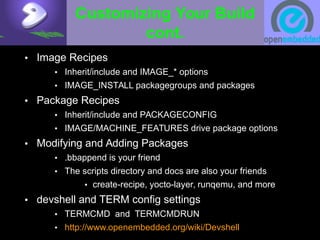
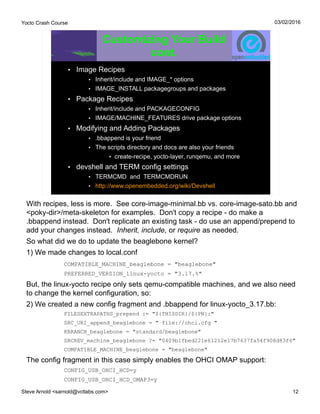
Customizing Your Build
cont.
• Image Recipes
• Inherit/include and IMAGE_* options
• IMAGE_INSTALL packagegroups and packages
• Package Recipes
• Inherit/include and PACKAGECONFIG
• IMAGE/MACHINE_FEATURES drive package options
• Modifying and Adding Packages
• .bbappend is your friend
• The scripts directory and docs are also your friends
• create-recipe, yocto-layer, runqemu, and more
• devshell and TERM config settings
• TERMCMD and TERMCMDRUN
• http://www.openembedded.org/wiki/Devshell
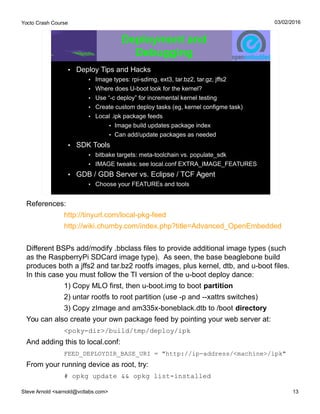
Deployment and
Debugging
• Deploy Tips and Hacks
• Image types: rpi-sdimg, ext3, tar.bz2, tar.gz, jffs2
• Where does U-boot look for the kernel?
• Use “-c deploy” for incremental kernel testing
• Create custom deploy tasks (eg, kernel configme task)
• Local .ipk package feeds
• Image build updates package index
• Can add/update packages as needed
• SDK Tools
• bitbake targets: meta-toolchain vs. populate_sdk
• IMAGE tweaks: see local.conf EXTRA_IMAGE_FEATURES
• GDB / GDB Server vs. Eclipse / TCF Agent
• Choose your FEATUREs and tools
Graphical User Interfaces
• Toaster
• Install django-1.6 and south-0.8.4
• Enable in local.conf:
• INHERIT += "toaster"
• INHERIT += "buildhistory"
• BUILDHISTORY_COMMIT = "1"
• $ cd <poky-dir> && source oe-init-build-env
• $ source toaster start (stop)
• $ bitbake core-image-minimal
• $ xdg-open http://localhost:8000
• Default DB is sqlite3
• Make sure you have a valid timezone set
• https://wiki.yoctoproject.org/wiki/Setting_up_a_local_instance_of_Toaster
This work is an original work by Stephen Arnold <sarnold@vctlabs.com>.
<http://www.vctlabs.com>
Portions copyright 2015 Stephen L Arnold. Some rights reserved.
The Gentoo Linux logo is Copyright 2015 Gentoo Foundation, used with
permission.
This work is licensed under the Creative Commons Attribution-NonCommercial-
ShareAlike License. To view a copy of this license, visit
http://creativecommons.org/licenses/by-nc-sa/1.0 or send a letter to Creative
Commons, 559 Nathan Abbott Way, Stanford, California 94305, USA.
Please contact Stephen Arnold <sarnold@vctlabs.com>
for commercial uses of this work.
Yocto Crash Course
Steve Arnold <sarnold@vctlabs.com> 1
03/02/2016
Yocto Crash Course
Prepared / Presented by
Stephen Arnold, Principal Scientist VCT Labs
Welcome to the Yocto Crash Course –
Or, Building Your Own Embedded Linux
OS for Fun and (possibly) Profit
Upstream docs:
Quick Start:
http://tinyurl.com/yocto-1-7
Reference:
https://www.yoctoproject.org/documentation
Project wiki:
http://openembedded.org/wiki/Main_Page
Training:
https://www.yoctoproject.org/training/kernel-lab
Git repos:
https://www.yoctoproject.org/downloads
https://github.com/openembedded/meta-openembedded
Vendors:
http://beagleboard.org/project/yocto-project/
https://community.freescale.com/docs/DOC-1616
Other:
https://github.com/sarnold/meta-alt-desktop-extras
http://www.vctlabs.com/archives.html
Yocto Crash Course
Steve Arnold <sarnold@vctlabs.com> 2
03/02/2016
Build Host Reqs and
Potential Issues
• Officially Supported Distributions
• Debian/Ubuntu, CentOS, Fedora, OpenSUSE
• Other “unsupported” Distributions
• Gentoo x86, Arch, Slackware, etc
• Gentoo amd64, VMs, and chroots
• libpseudo fails on Gentoo x86_64 multilib
• Build in a VM or chroot environment
• Common Build errors: "command not found..."
• “hidden” build deps
• bc, lzop, u-boot-tools, dtc
• Can depend on kernel config
• Connectivity issues
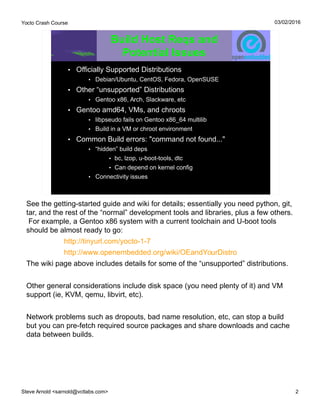
See the getting-started guide and wiki for details; essentially you need python, git,
tar, and the rest of the “normal” development tools and libraries, plus a few others.
For example, a Gentoo x86 system with a current toolchain and U-boot tools
should be almost ready to go:
http://tinyurl.com/yocto-1-7
http://www.openembedded.org/wiki/OEandYourDistro
The wiki page above includes details for some of the “unsupported” distributions.
Other general considerations include disk space (you need plenty of it) and VM
support (ie, KVM, qemu, libvirt, etc).
Network problems such as dropouts, bad name resolution, etc, can stop a build
but you can pre-fetch required source packages and share downloads and cache
data between builds.
Yocto Crash Course
Steve Arnold <sarnold@vctlabs.com> 3
03/02/2016
OpenEmbedded
Workflow & Layers
• Yocto is a BSP (and a project) and OE (oe-core) is a
collection of layers
• Yocto project BSP and Poky distribution
• Self-contained set of “demo” machines and OE layers
• Default distribution built is “poky”
• Default kernel is linux-yocto
• Can build beaglebone, edgerouter, qemu images
• What do you really need?
• A BSP layer for your machine
• The core metadata layers (ie, poky or oe-core)
• Additional application layers (as needed)
• Custom layers (*optional)
References:
http://www.yoctoproject.org/docs/current/dev-manual/dev-manual.html#workflows
http://layers.openembedded.org/layerindex/branch/master/layers/
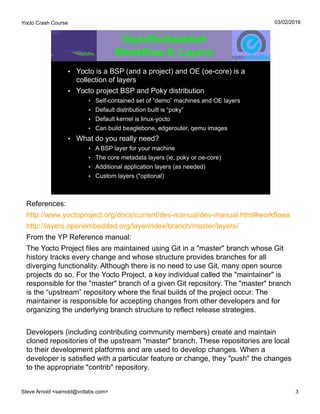
From the YP Reference manual:
The Yocto Project files are maintained using Git in a "master" branch whose Git
history tracks every change and whose structure provides branches for all
diverging functionality. Although there is no need to use Git, many open source
projects do so. For the Yocto Project, a key individual called the "maintainer" is
responsible for the "master" branch of a given Git repository. The "master" branch
is the “upstream” repository where the final builds of the project occur. The
maintainer is responsible for accepting changes from other developers and for
organizing the underlying branch structure to reflect release strategies.
Developers (including contributing community members) create and maintain
cloned repositories of the upstream "master" branch. These repositories are local
to their development platforms and are used to develop changes. When a
developer is satisfied with a particular feature or change, they "push" the changes
to the appropriate "contrib" repository.
Yocto Crash Course
Steve Arnold <sarnold@vctlabs.com> 4
03/02/2016
OE Workflow & Layers
cont.
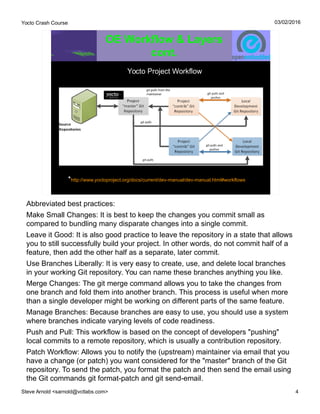
Yocto Project Workflow
*http://www.yoctoproject.org/docs/current/dev-manual/dev-manual.html#workflows
Abbreviated best practices:
Make Small Changes: It is best to keep the changes you commit small as
compared to bundling many disparate changes into a single commit.
Leave it Good: It is also good practice to leave the repository in a state that allows
you to still successfully build your project. In other words, do not commit half of a
feature, then add the other half as a separate, later commit.
Use Branches Liberally: It is very easy to create, use, and delete local branches
in your working Git repository. You can name these branches anything you like.
Merge Changes: The git merge command allows you to take the changes from
one branch and fold them into another branch. This process is useful when more
than a single developer might be working on different parts of the same feature.
Manage Branches: Because branches are easy to use, you should use a system
where branches indicate varying levels of code readiness.
Push and Pull: This workflow is based on the concept of developers "pushing"
local commits to a remote repository, which is usually a contribution repository.
Patch Workflow: Allows you to notify the (upstream) maintainer via email that you
have a change (or patch) you want considered for the "master" branch of the Git
repository. To send the patch, you format the patch and then send the email using
the Git commands git format-patch and git send-email.
Yocto Crash Course
Steve Arnold <sarnold@vctlabs.com> 5
03/02/2016
Inside the OE
Environment
• User Configuration, Metadata, Machine Configuration
• Distro Layers: poky, ångstrom, custom, “distro-less”
• BSP Layers
• yocto reference bsp
• Software Layers
• meta-beagleboard-extras
• meta-fsl-demos
• meta-openstack
• Kernel Recipes and Versions
• linux-yocto (meta-yocto-bsb)
• linux-mainline (meta-ti, meta-beagleboard)
• linux-ti-staging (meta-ti)
• 3.18 to 3.8+ (and older)
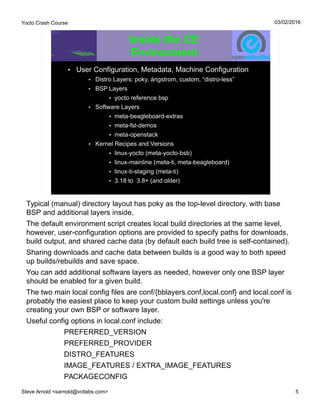
Typical (manual) directory layout has poky as the top-level directory, with base
BSP and additional layers inside.
The default environment script creates local build directories at the same level,
however, user-configuration options are provided to specify paths for downloads,
build output, and shared cache data (by default each build tree is self-contained).
Sharing downloads and cache data between builds is a good way to both speed
up builds/rebuilds and save space.
You can add additional software layers as needed, however only one BSP layer
should be enabled for a given build.
The two main local config files are conf/{bblayers.conf,local.conf} and local.conf is
probably the easiest place to keep your custom build settings unless you're
creating your own BSP or software layer.
Useful config options in local.conf include:
PREFERRED_VERSION
PREFERRED_PROVIDER
DISTRO_FEATURES
IMAGE_FEATURES / EXTRA_IMAGE_FEATURES
PACKAGECONFIG
Yocto Crash Course
Steve Arnold <sarnold@vctlabs.com> 6
03/02/2016
Inside the OE
Environment cont.
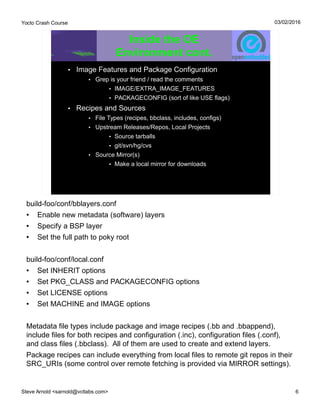
• Image Features and Package Configuration
• Grep is your friend / read the comments
• IMAGE/EXTRA_IMAGE_FEATURES
• PACKAGECONFIG (sort of like USE flags)
• Recipes and Sources
• File Types (recipes, bbclass, includes, configs)
• Upstream Releases/Repos, Local Projects
• Source tarballs
• git/svn/hg/cvs
• Source Mirror(s)
• Make a local mirror for downloads
build-foo/conf/bblayers.conf
● Enable new metadata (software) layers
● Specify a BSP layer
● Set the full path to poky root
build-foo/conf/local.conf
● Set INHERIT options
● Set PKG_CLASS and PACKAGECONFIG options
● Set LICENSE options
● Set MACHINE and IMAGE options
Metadata file types include package and image recipes (.bb and .bbappend),
include files for both recipes and configuration (.inc), configuration files (.conf),
and class files (.bbclass). All of them are used to create and extend layers.
Package recipes can include everything from local files to remote git repos in their
SRC_URIs (some control over remote fetching is provided via MIRROR settings).
Yocto Crash Course
Steve Arnold <sarnold@vctlabs.com> 7
03/02/2016
Inside the OE
Environment cont.
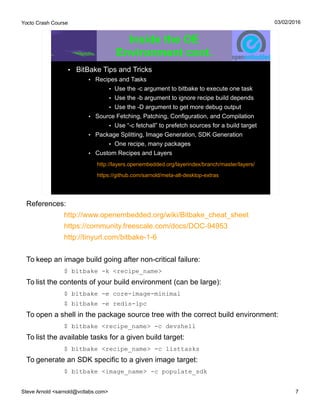
• BitBake Tips and Tricks
• Recipes and Tasks
• Use the -c argument to bitbake to execute one task
• Use the -b argument to ignore recipe build depends
• Use the -D argument to get more debug output
• Source Fetching, Patching, Configuration, and Compilation
• Use “-c fetchall” to prefetch sources for a build target
• Package Splitting, Image Generation, SDK Generation
• One recipe, many packages
• Custom Recipes and Layers
http://layers.openembedded.org/layerindex/branch/master/layers/
https://github.com/sarnold/meta-alt-desktop-extras
References:
http://www.openembedded.org/wiki/Bitbake_cheat_sheet
https://community.freescale.com/docs/DOC-94953
http://tinyurl.com/bitbake-1-6
To keep an image build going after non-critical failure:
$ bitbake -k <recipe_name>
To list the contents of your build environment (can be large):
$ bitbake -e core-image-minimal
$ bitbake -e redis-ipc
To open a shell in the package source tree with the correct build environment:
$ bitbake <recipe_name> -c devshell
To list the available tasks for a given build target:
$ bitbake <recipe_name> -c listtasks
To generate an SDK specific to a given image target:
$ bitbake <image_name> -c populate_sdk
Yocto Crash Course
Steve Arnold <sarnold@vctlabs.com> 8
03/02/2016
Hands-On Poky
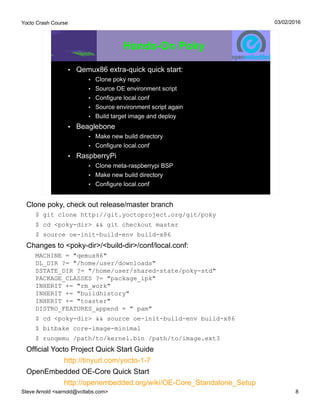
• Qemux86 extra-quick quick start:
• Clone poky repo
• Source OE environment script
• Configure local.conf
• Source environment script again
• Build target image and deploy
• Beaglebone
• Make new build directory
• Configure local.conf
• RaspberryPi
• Clone meta-raspberrypi BSP
• Make new build directory
• Configure local.conf
Clone poky, check out release/master branch
$ git clone http://git.yoctoproject.org/git/poky
$ cd <poky-dir> && git checkout master
$ source oe-init-build-env build-x86
Changes to <poky-dir>/<build-dir>/conf/local.conf:
MACHINE = "qemux86"
DL_DIR ?= "/home/user/downloads"
SSTATE_DIR ?= "/home/user/shared-state/poky-std"
PACKAGE_CLASSES ?= "package_ipk"
INHERIT += "rm_work"
INHERIT += "buildhistory"
INHERIT += "toaster"
DISTRO_FEATURES_append = " pam"
$ cd <poky-dir> && source oe-init-build-env build-x86
$ bitbake core-image-minimal
$ runqemu /path/to/kernel.bin /path/to/image.ext3
Official Yocto Project Quick Start Guide
http://tinyurl.com/yocto-1-7
OpenEmbedded OE-Core Quick Start
http://openembedded.org/wiki/OE-Core_Standalone_Setup
Yocto Crash Course
Steve Arnold <sarnold@vctlabs.com> 9
03/02/2016
Adding an Upstream BSP
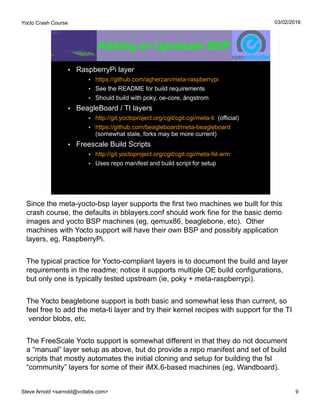
• RaspberryPi layer
• https://github.com/agherzan/meta-raspberrypi
• See the README for build requirements
• Should build with poky, oe-core, ångstrom
• BeagleBoard / TI layers
• http://git.yoctoproject.org/cgit/cgit.cgi/meta-ti (official)
• https://github.com/beagleboard/meta-beagleboard
(somewhat stale, forks may be more current)
• Freescale Build Scripts
• http://git.yoctoproject.org/cgit/cgit.cgi/meta-fsl-arm
• Uses repo manifest and build script for setup
Since the meta-yocto-bsp layer supports the first two machines we built for this
crash course, the defaults in bblayers.conf should work fine for the basic demo
images and yocto BSP machines (eg, qemux86, beaglebone, etc). Other
machines with Yocto support will have their own BSP and possibly application
layers, eg, RaspberryPi.
The typical practice for Yocto-compliant layers is to document the build and layer
requirements in the readme; notice it supports multiple OE build configurations,
but only one is typically tested upstream (ie, poky + meta-raspberrypi).
The Yocto beaglebone support is both basic and somewhat less than current, so
feel free to add the meta-ti layer and try their kernel recipes with support for the TI
vendor blobs, etc.
The FreeScale Yocto support is somewhat different in that they do not document
a “manual” layer setup as above, but do provide a repo manifest and set of build
scripts that mostly automates the initial cloning and setup for building the fsl
“community” layers for some of their iMX.6-based machines (eg, Wandboard).
Yocto Crash Course
Steve Arnold <sarnold@vctlabs.com> 10
03/02/2016
Kernels & Package
Feeds
• Kernel Selection
• Defaults to linux-yocto
• Use PREFERRED_PROVIDER/VERSION to change
• PREFERRED_PROVIDER_virtual/kernel = "linux-mainline"
• PREFERRED_VERSION_linux-mainline = "3.17%"
• Package Feeds
• Ipk Feed Support
• PACKAGE_CLASSES = "package_ipk"
• Point apache doc root at build tree deploy root –
tmp/deploy
• Point feed URL at tmp/deploy/ipk
• RPM and Deb Feeds
• Exercise left for the reader...
References:
http://www.yoctoproject.org/docs/1.7.1/kernel-dev/kernel-dev.html
https://www.yoctoproject.org/training/kernel-lab
There are many ways to “skin” the kernel, depending on the specific BSP and kernel
recipe:
1) KERNEL_FEATURES (poky-lsb distro config file)
2) Config parameters (linux-raspberrypi/linux.inc)
3) Config “fragment” (kernel recipe/.bbappend SRC_URI)
4) Custom defconfig (kernel recipe/.bbappend SRC_URI)
5) Kernel patches (kernel recipe/.bbappend SRC_URI)
6) Custom recipes or .bbappends (meta-mybsp)
When modifying kernel recipes, adding fragments/patches, etc, bitbake will normally
detect the changes and rebuild the recipe. For example, the new kernel can be
rebuilt, deployed, and then run with the following commands:
$ bitbake virtual/kernel -c deploy
$ runqemu tmp/deploy/images/bzImage-blah.bin 
tmp/deploy/images/core-image-minimal-blah.ext3
Yocto Crash Course
Steve Arnold <sarnold@vctlabs.com> 11
03/02/2016
Customizing Your Build
• Kernel Version and Configuration
• RaspberryPi – override PREFERRED_VERSION
• BeagleBone – above plus override COMPATIBLE_MACHINE
• Small number of global config options
• New / Modified Kernel Recipe
• Make or modify an existing linux-yocto_3.X.bbappend
• Create/obtain patches and config fragments
• Append new files to SRC_URI
• Update the md5sums
• Create your own linux-custom_X.X.bb kernel recipe
• See linux-yocto-custom.bb
• Inherit vs. Include
• .bbclass and .inc files
References:
http://www.yoctoproject.org/docs/latest/kernel-dev/kernel-dev.html
http://www.yoctoproject.org/docs/latest/bsp-guide/bsp-guide.html
http://www.yoctoproject.org/docs/latest/adt-manual/adt-manual.html
Different kernel recipes from various BSPs can take somewhat different
approaches to kernel builds and configuration (see the linux-raspberrypi vs. linux-
yocto recipes). The following config fragment method is from the latest Yocto
Kernel Dev Guide.
1) Complete a kernel build at least through the configuration task:
$ bitbake linux-yocto -c kernel_configme -f
2) Run the menuconfig command:
$ bitbake linux-yocto -c menuconfig
3) Run the diffconfig command to prepare a configuration fragment. fragment.cfg
will be in the ${WORKDIR} directory:
$ bitbake linux-yocto -c diffconfig
The diffconfig command creates a file that is a list of kernel CONFIG_
assignments.
Yocto Crash Course
Steve Arnold <sarnold@vctlabs.com> 12
03/02/2016
Customizing Your Build
cont.
• Image Recipes
• Inherit/include and IMAGE_* options
• IMAGE_INSTALL packagegroups and packages
• Package Recipes
• Inherit/include and PACKAGECONFIG
• IMAGE/MACHINE_FEATURES drive package options
• Modifying and Adding Packages
• .bbappend is your friend
• The scripts directory and docs are also your friends
• create-recipe, yocto-layer, runqemu, and more
• devshell and TERM config settings
• TERMCMD and TERMCMDRUN
• http://www.openembedded.org/wiki/Devshell
With recipes, less is more. See core-image-minimal.bb vs. core-image-sato.bb and
<poky-dir>/meta-skeleton for examples. Don't copy a recipe - do make a
.bbappend instead. Don't replicate an existing task - do use an append/prepend to
add your changes instead. Inherit, include, or require as needed.
So what did we do to update the beaglebone kernel?
1) We made changes to local.conf
COMPATIBLE_MACHINE_beaglebone = "beaglebone"
PREFERRED_VERSION_linux-yocto = "3.17.%"
But, the linux-yocto recipe only sets qemu-compatible machines, and we also need
to change the kernel configuration, so:
2) We created a new config fragment and .bbappend for linux-yocto_3.17.bb:
FILESEXTRAPATHS_prepend := "${THISDIR}/${PN}:"
SRC_URI_append_beaglebone = " file://ohci.cfg "
KBRANCH_beaglebone = "standard/beaglebone"
SRCREV_machine_beaglebone ?= "0409b1fbed221e61212e17b7637fa54f908d83f6"
COMPATIBLE_MACHINE_beaglebone = "beaglebone"
The config fragment in this case simply enables the OHCI OMAP support:
CONFIG_USB_OHCI_HCD=y
CONFIG_USB_OHCI_HCD_OMAP3=y
Yocto Crash Course
Steve Arnold <sarnold@vctlabs.com> 13
03/02/2016
Deployment and
Debugging
• Deploy Tips and Hacks
• Image types: rpi-sdimg, ext3, tar.bz2, tar.gz, jffs2
• Where does U-boot look for the kernel?
• Use “-c deploy” for incremental kernel testing
• Create custom deploy tasks (eg, kernel configme task)
• Local .ipk package feeds
• Image build updates package index
• Can add/update packages as needed
• SDK Tools
• bitbake targets: meta-toolchain vs. populate_sdk
• IMAGE tweaks: see local.conf EXTRA_IMAGE_FEATURES
• GDB / GDB Server vs. Eclipse / TCF Agent
• Choose your FEATUREs and tools
References:
http://tinyurl.com/local-pkg-feed
http://wiki.chumby.com/index.php?title=Advanced_OpenEmbedded
Different BSPs add/modify .bbclass files to provide additional image types (such
as the RaspberryPi SDCard image type). As seen, the base beaglebone build
produces both a jffs2 and tar.bz2 rootfs images, plus kernel, dtb, and u-boot files.
In this case you must follow the TI version of the u-boot deploy dance:
1) Copy MLO first, then u-boot.img to boot partition
2) untar rootfs to root partition (use -p and --xattrs switches)
3) Copy zImage and am335x-boneblack.dtb to /boot directory
You can also create your own package feed by pointing your web server at:
<poky-dir>/build/tmp/deploy/ipk
And adding this to local.conf:
FEED_DEPLOYDIR_BASE_URI = "http://ip-address/<machine>/ipk"
From your running device as root, try:
# opkg update && opkg list-installed
Yocto Crash Course
Steve Arnold <sarnold@vctlabs.com> 14
03/02/2016
Graphical User Interfaces
• Toaster
• Install django-1.6 and south-0.8.4
• Enable in local.conf:
• INHERIT += "toaster"
• INHERIT += "buildhistory"
• BUILDHISTORY_COMMIT = "1"
• $ cd <poky-dir> && source oe-init-build-env
• $ source toaster start (stop)
• $ bitbake core-image-minimal
• $ xdg-open http://localhost:8000
• Default DB is sqlite3
• Make sure you have a valid timezone set
• https://wiki.yoctoproject.org/wiki/Setting_up_a_local_instance_of_Toaster
References:
https://www.yoctoproject.org/documentation/toaster-manual-17
https://wiki.yoctoproject.org/wiki/Toaster
How to use a GUI:
1) Click stuff
2) Scroll
3) Click more stuff
Stop at the Gentoo Booth and see the hardware!
irc.freenode.net: nerdboy
http://dev.gentoo.org/~nerdboy
Yocto Crash Course
Steve Arnold <sarnold@vctlabs.com> 15
03/02/2016
This work is an original work by Stephen Arnold <sarnold@vctlabs.com>.
<http://www.vctlabs.com>
Portions copyright 2015 Stephen L Arnold. Some rights reserved.
The Gentoo Linux logo is Copyright 2015 Gentoo Foundation, used with
permission.
This work is licensed under the Creative Commons Attribution-NonCommercial-
ShareAlike License. To view a copy of this license, visit
http://creativecommons.org/licenses/by-nc-sa/1.0 or send a letter to Creative
Commons, 559 Nathan Abbott Way, Stanford, California 94305, USA.
Please contact Stephen Arnold <sarnold@vctlabs.com>
for commercial uses of this work.

yocto_scale_handout-with-notes

  • 1.
    Yocto Crash Course Prepared/ Presented by Stephen Arnold, Principal Scientist VCT Labs Welcome to the Yocto Crash Course – Or, Building Your Own Embedded Linux OS for Fun and (possibly) Profit
  • 2.
    Build Host Reqsand Potential Issues • Officially Supported Distributions • Debian/Ubuntu, CentOS, Fedora, OpenSUSE • Other “unsupported” Distributions • Gentoo x86, Arch, Slackware, etc • Gentoo amd64, VMs, and chroots • libpseudo fails on Gentoo x86_64 multilib • Build in a VM or chroot environment • Common Build errors: "command not found..." • “hidden” build deps • bc, lzop, u-boot-tools, dtc • Can depend on kernel config • Connectivity issues
  • 3.
    OpenEmbedded Workflow & Layers •Yocto is a BSP (and a project) and OE (oe-core) is a collection of layers • Yocto project BSP and Poky distribution • Self-contained set of “demo” machines and OE layers • Default distribution built is “poky” • Default kernel is linux-yocto • Can build beaglebone, edgerouter, qemu images • What do you really need? • A BSP layer for your machine • The core metadata layers (ie, poky or oe-core) • Additional application layers (as needed) • Custom layers (*optional)
  • 4.
    OE Workflow &Layers cont. Yocto Project Workflow *http://www.yoctoproject.org/docs/current/dev-manual/dev-manual.html#workflows
  • 5.
    Inside the OE Environment •User Configuration, Metadata, Machine Configuration • Distro Layers: poky, ångstrom, custom, “distro-less” • BSP Layers • yocto reference bsp • Software Layers • meta-beagleboard-extras • meta-fsl-demos • meta-openstack • Kernel Recipes and Versions • linux-yocto (meta-yocto-bsb) • linux-mainline (meta-ti, meta-beagleboard) • linux-ti-staging (meta-ti) • 3.18 to 3.8+ (and older)
  • 6.
    Inside the OE Environmentcont. • Image Features and Package Configuration • Grep is your friend / read the comments • IMAGE/EXTRA_IMAGE_FEATURES • PACKAGECONFIG (sort of like USE flags) • Recipes and Sources • File Types (recipes, bbclass, includes, configs) • Upstream Releases/Repos, Local Projects • Source tarballs • git/svn/hg/cvs • Source Mirror(s) • Make a local mirror for downloads
  • 7.
    Inside the OE Environmentcont. • BitBake Tips and Tricks • Recipes and Tasks • Use the -c argument to bitbake to execute one task • Use the -b argument to ignore recipe build depends • Use the -D argument to get more debug output • Source Fetching, Patching, Configuration, and Compilation • Use “-c fetchall” to prefetch sources for a build target • Package Splitting, Image Generation, SDK Generation • One recipe, many packages • Custom Recipes and Layers http://layers.openembedded.org/layerindex/branch/master/layers/ https://github.com/sarnold/meta-alt-desktop-extras
  • 8.
    Hands-On Poky • Qemux86extra-quick quick start: • Clone poky repo • Source OE environment script • Configure local.conf • Source environment script again • Build target image and deploy • Beaglebone • Make new build directory • Configure local.conf • RaspberryPi • Clone meta-raspberrypi BSP • Make new build directory • Configure local.conf
  • 9.
    Adding an UpstreamBSP • RaspberryPi layer • https://github.com/agherzan/meta-raspberrypi • See the README for build requirements • Should build with poky, oe-core, ångstrom • BeagleBoard / TI layers • http://git.yoctoproject.org/cgit/cgit.cgi/meta-ti (official) • https://github.com/beagleboard/meta-beagleboard (somewhat stale, forks may be more current) • Freescale Build Scripts • http://git.yoctoproject.org/cgit/cgit.cgi/meta-fsl-arm • Uses repo manifest and build script for setup
  • 10.
    Kernels & Package Feeds •Kernel Selection • Defaults to linux-yocto • Use PREFERRED_PROVIDER/VERSION to change • PREFERRED_PROVIDER_virtual/kernel = "linux-mainline" • PREFERRED_VERSION_linux-mainline = "3.17%" • Package Feeds • Ipk Feed Support • PACKAGE_CLASSES = "package_ipk" • Point apache doc root at build tree deploy root – tmp/deploy • Point feed URL at tmp/deploy/ipk • RPM and Deb Feeds • Exercise left for the reader...
  • 11.
    Customizing Your Build •Kernel Version and Configuration • RaspberryPi – override PREFERRED_VERSION • BeagleBone – above plus override COMPATIBLE_MACHINE • Small number of global config options • New / Modified Kernel Recipe • Make or modify an existing linux-yocto_3.X.bbappend • Create/obtain patches and config fragments • Append new files to SRC_URI • Update the md5sums • Create your own linux-custom_X.X.bb kernel recipe • See linux-yocto-custom.bb • Inherit vs. Include • .bbclass and .inc files
  • 12.
    Customizing Your Build cont. •Image Recipes • Inherit/include and IMAGE_* options • IMAGE_INSTALL packagegroups and packages • Package Recipes • Inherit/include and PACKAGECONFIG • IMAGE/MACHINE_FEATURES drive package options • Modifying and Adding Packages • .bbappend is your friend • The scripts directory and docs are also your friends • create-recipe, yocto-layer, runqemu, and more • devshell and TERM config settings • TERMCMD and TERMCMDRUN • http://www.openembedded.org/wiki/Devshell
  • 13.
    Deployment and Debugging • DeployTips and Hacks • Image types: rpi-sdimg, ext3, tar.bz2, tar.gz, jffs2 • Where does U-boot look for the kernel? • Use “-c deploy” for incremental kernel testing • Create custom deploy tasks (eg, kernel configme task) • Local .ipk package feeds • Image build updates package index • Can add/update packages as needed • SDK Tools • bitbake targets: meta-toolchain vs. populate_sdk • IMAGE tweaks: see local.conf EXTRA_IMAGE_FEATURES • GDB / GDB Server vs. Eclipse / TCF Agent • Choose your FEATUREs and tools
  • 14.
    Graphical User Interfaces •Toaster • Install django-1.6 and south-0.8.4 • Enable in local.conf: • INHERIT += "toaster" • INHERIT += "buildhistory" • BUILDHISTORY_COMMIT = "1" • $ cd <poky-dir> && source oe-init-build-env • $ source toaster start (stop) • $ bitbake core-image-minimal • $ xdg-open http://localhost:8000 • Default DB is sqlite3 • Make sure you have a valid timezone set • https://wiki.yoctoproject.org/wiki/Setting_up_a_local_instance_of_Toaster
  • 15.
    This work isan original work by Stephen Arnold <sarnold@vctlabs.com>. <http://www.vctlabs.com> Portions copyright 2015 Stephen L Arnold. Some rights reserved. The Gentoo Linux logo is Copyright 2015 Gentoo Foundation, used with permission. This work is licensed under the Creative Commons Attribution-NonCommercial- ShareAlike License. To view a copy of this license, visit http://creativecommons.org/licenses/by-nc-sa/1.0 or send a letter to Creative Commons, 559 Nathan Abbott Way, Stanford, California 94305, USA. Please contact Stephen Arnold <sarnold@vctlabs.com> for commercial uses of this work.
  • 16.
    Yocto Crash Course SteveArnold <sarnold@vctlabs.com> 1 03/02/2016 Yocto Crash Course Prepared / Presented by Stephen Arnold, Principal Scientist VCT Labs Welcome to the Yocto Crash Course – Or, Building Your Own Embedded Linux OS for Fun and (possibly) Profit Upstream docs: Quick Start: http://tinyurl.com/yocto-1-7 Reference: https://www.yoctoproject.org/documentation Project wiki: http://openembedded.org/wiki/Main_Page Training: https://www.yoctoproject.org/training/kernel-lab Git repos: https://www.yoctoproject.org/downloads https://github.com/openembedded/meta-openembedded Vendors: http://beagleboard.org/project/yocto-project/ https://community.freescale.com/docs/DOC-1616 Other: https://github.com/sarnold/meta-alt-desktop-extras http://www.vctlabs.com/archives.html
  • 17.
    Yocto Crash Course SteveArnold <sarnold@vctlabs.com> 2 03/02/2016 Build Host Reqs and Potential Issues • Officially Supported Distributions • Debian/Ubuntu, CentOS, Fedora, OpenSUSE • Other “unsupported” Distributions • Gentoo x86, Arch, Slackware, etc • Gentoo amd64, VMs, and chroots • libpseudo fails on Gentoo x86_64 multilib • Build in a VM or chroot environment • Common Build errors: "command not found..." • “hidden” build deps • bc, lzop, u-boot-tools, dtc • Can depend on kernel config • Connectivity issues See the getting-started guide and wiki for details; essentially you need python, git, tar, and the rest of the “normal” development tools and libraries, plus a few others. For example, a Gentoo x86 system with a current toolchain and U-boot tools should be almost ready to go: http://tinyurl.com/yocto-1-7 http://www.openembedded.org/wiki/OEandYourDistro The wiki page above includes details for some of the “unsupported” distributions. Other general considerations include disk space (you need plenty of it) and VM support (ie, KVM, qemu, libvirt, etc). Network problems such as dropouts, bad name resolution, etc, can stop a build but you can pre-fetch required source packages and share downloads and cache data between builds.
  • 18.
    Yocto Crash Course SteveArnold <sarnold@vctlabs.com> 3 03/02/2016 OpenEmbedded Workflow & Layers • Yocto is a BSP (and a project) and OE (oe-core) is a collection of layers • Yocto project BSP and Poky distribution • Self-contained set of “demo” machines and OE layers • Default distribution built is “poky” • Default kernel is linux-yocto • Can build beaglebone, edgerouter, qemu images • What do you really need? • A BSP layer for your machine • The core metadata layers (ie, poky or oe-core) • Additional application layers (as needed) • Custom layers (*optional) References: http://www.yoctoproject.org/docs/current/dev-manual/dev-manual.html#workflows http://layers.openembedded.org/layerindex/branch/master/layers/ From the YP Reference manual: The Yocto Project files are maintained using Git in a "master" branch whose Git history tracks every change and whose structure provides branches for all diverging functionality. Although there is no need to use Git, many open source projects do so. For the Yocto Project, a key individual called the "maintainer" is responsible for the "master" branch of a given Git repository. The "master" branch is the “upstream” repository where the final builds of the project occur. The maintainer is responsible for accepting changes from other developers and for organizing the underlying branch structure to reflect release strategies. Developers (including contributing community members) create and maintain cloned repositories of the upstream "master" branch. These repositories are local to their development platforms and are used to develop changes. When a developer is satisfied with a particular feature or change, they "push" the changes to the appropriate "contrib" repository.
  • 19.
    Yocto Crash Course SteveArnold <sarnold@vctlabs.com> 4 03/02/2016 OE Workflow & Layers cont. Yocto Project Workflow *http://www.yoctoproject.org/docs/current/dev-manual/dev-manual.html#workflows Abbreviated best practices: Make Small Changes: It is best to keep the changes you commit small as compared to bundling many disparate changes into a single commit. Leave it Good: It is also good practice to leave the repository in a state that allows you to still successfully build your project. In other words, do not commit half of a feature, then add the other half as a separate, later commit. Use Branches Liberally: It is very easy to create, use, and delete local branches in your working Git repository. You can name these branches anything you like. Merge Changes: The git merge command allows you to take the changes from one branch and fold them into another branch. This process is useful when more than a single developer might be working on different parts of the same feature. Manage Branches: Because branches are easy to use, you should use a system where branches indicate varying levels of code readiness. Push and Pull: This workflow is based on the concept of developers "pushing" local commits to a remote repository, which is usually a contribution repository. Patch Workflow: Allows you to notify the (upstream) maintainer via email that you have a change (or patch) you want considered for the "master" branch of the Git repository. To send the patch, you format the patch and then send the email using the Git commands git format-patch and git send-email.
  • 20.
    Yocto Crash Course SteveArnold <sarnold@vctlabs.com> 5 03/02/2016 Inside the OE Environment • User Configuration, Metadata, Machine Configuration • Distro Layers: poky, ångstrom, custom, “distro-less” • BSP Layers • yocto reference bsp • Software Layers • meta-beagleboard-extras • meta-fsl-demos • meta-openstack • Kernel Recipes and Versions • linux-yocto (meta-yocto-bsb) • linux-mainline (meta-ti, meta-beagleboard) • linux-ti-staging (meta-ti) • 3.18 to 3.8+ (and older) Typical (manual) directory layout has poky as the top-level directory, with base BSP and additional layers inside. The default environment script creates local build directories at the same level, however, user-configuration options are provided to specify paths for downloads, build output, and shared cache data (by default each build tree is self-contained). Sharing downloads and cache data between builds is a good way to both speed up builds/rebuilds and save space. You can add additional software layers as needed, however only one BSP layer should be enabled for a given build. The two main local config files are conf/{bblayers.conf,local.conf} and local.conf is probably the easiest place to keep your custom build settings unless you're creating your own BSP or software layer. Useful config options in local.conf include: PREFERRED_VERSION PREFERRED_PROVIDER DISTRO_FEATURES IMAGE_FEATURES / EXTRA_IMAGE_FEATURES PACKAGECONFIG
  • 21.
    Yocto Crash Course SteveArnold <sarnold@vctlabs.com> 6 03/02/2016 Inside the OE Environment cont. • Image Features and Package Configuration • Grep is your friend / read the comments • IMAGE/EXTRA_IMAGE_FEATURES • PACKAGECONFIG (sort of like USE flags) • Recipes and Sources • File Types (recipes, bbclass, includes, configs) • Upstream Releases/Repos, Local Projects • Source tarballs • git/svn/hg/cvs • Source Mirror(s) • Make a local mirror for downloads build-foo/conf/bblayers.conf ● Enable new metadata (software) layers ● Specify a BSP layer ● Set the full path to poky root build-foo/conf/local.conf ● Set INHERIT options ● Set PKG_CLASS and PACKAGECONFIG options ● Set LICENSE options ● Set MACHINE and IMAGE options Metadata file types include package and image recipes (.bb and .bbappend), include files for both recipes and configuration (.inc), configuration files (.conf), and class files (.bbclass). All of them are used to create and extend layers. Package recipes can include everything from local files to remote git repos in their SRC_URIs (some control over remote fetching is provided via MIRROR settings).
  • 22.
    Yocto Crash Course SteveArnold <sarnold@vctlabs.com> 7 03/02/2016 Inside the OE Environment cont. • BitBake Tips and Tricks • Recipes and Tasks • Use the -c argument to bitbake to execute one task • Use the -b argument to ignore recipe build depends • Use the -D argument to get more debug output • Source Fetching, Patching, Configuration, and Compilation • Use “-c fetchall” to prefetch sources for a build target • Package Splitting, Image Generation, SDK Generation • One recipe, many packages • Custom Recipes and Layers http://layers.openembedded.org/layerindex/branch/master/layers/ https://github.com/sarnold/meta-alt-desktop-extras References: http://www.openembedded.org/wiki/Bitbake_cheat_sheet https://community.freescale.com/docs/DOC-94953 http://tinyurl.com/bitbake-1-6 To keep an image build going after non-critical failure: $ bitbake -k <recipe_name> To list the contents of your build environment (can be large): $ bitbake -e core-image-minimal $ bitbake -e redis-ipc To open a shell in the package source tree with the correct build environment: $ bitbake <recipe_name> -c devshell To list the available tasks for a given build target: $ bitbake <recipe_name> -c listtasks To generate an SDK specific to a given image target: $ bitbake <image_name> -c populate_sdk
  • 23.
    Yocto Crash Course SteveArnold <sarnold@vctlabs.com> 8 03/02/2016 Hands-On Poky • Qemux86 extra-quick quick start: • Clone poky repo • Source OE environment script • Configure local.conf • Source environment script again • Build target image and deploy • Beaglebone • Make new build directory • Configure local.conf • RaspberryPi • Clone meta-raspberrypi BSP • Make new build directory • Configure local.conf Clone poky, check out release/master branch $ git clone http://git.yoctoproject.org/git/poky $ cd <poky-dir> && git checkout master $ source oe-init-build-env build-x86 Changes to <poky-dir>/<build-dir>/conf/local.conf: MACHINE = "qemux86" DL_DIR ?= "/home/user/downloads" SSTATE_DIR ?= "/home/user/shared-state/poky-std" PACKAGE_CLASSES ?= "package_ipk" INHERIT += "rm_work" INHERIT += "buildhistory" INHERIT += "toaster" DISTRO_FEATURES_append = " pam" $ cd <poky-dir> && source oe-init-build-env build-x86 $ bitbake core-image-minimal $ runqemu /path/to/kernel.bin /path/to/image.ext3 Official Yocto Project Quick Start Guide http://tinyurl.com/yocto-1-7 OpenEmbedded OE-Core Quick Start http://openembedded.org/wiki/OE-Core_Standalone_Setup
  • 24.
    Yocto Crash Course SteveArnold <sarnold@vctlabs.com> 9 03/02/2016 Adding an Upstream BSP • RaspberryPi layer • https://github.com/agherzan/meta-raspberrypi • See the README for build requirements • Should build with poky, oe-core, ångstrom • BeagleBoard / TI layers • http://git.yoctoproject.org/cgit/cgit.cgi/meta-ti (official) • https://github.com/beagleboard/meta-beagleboard (somewhat stale, forks may be more current) • Freescale Build Scripts • http://git.yoctoproject.org/cgit/cgit.cgi/meta-fsl-arm • Uses repo manifest and build script for setup Since the meta-yocto-bsp layer supports the first two machines we built for this crash course, the defaults in bblayers.conf should work fine for the basic demo images and yocto BSP machines (eg, qemux86, beaglebone, etc). Other machines with Yocto support will have their own BSP and possibly application layers, eg, RaspberryPi. The typical practice for Yocto-compliant layers is to document the build and layer requirements in the readme; notice it supports multiple OE build configurations, but only one is typically tested upstream (ie, poky + meta-raspberrypi). The Yocto beaglebone support is both basic and somewhat less than current, so feel free to add the meta-ti layer and try their kernel recipes with support for the TI vendor blobs, etc. The FreeScale Yocto support is somewhat different in that they do not document a “manual” layer setup as above, but do provide a repo manifest and set of build scripts that mostly automates the initial cloning and setup for building the fsl “community” layers for some of their iMX.6-based machines (eg, Wandboard).
  • 25.
    Yocto Crash Course SteveArnold <sarnold@vctlabs.com> 10 03/02/2016 Kernels & Package Feeds • Kernel Selection • Defaults to linux-yocto • Use PREFERRED_PROVIDER/VERSION to change • PREFERRED_PROVIDER_virtual/kernel = "linux-mainline" • PREFERRED_VERSION_linux-mainline = "3.17%" • Package Feeds • Ipk Feed Support • PACKAGE_CLASSES = "package_ipk" • Point apache doc root at build tree deploy root – tmp/deploy • Point feed URL at tmp/deploy/ipk • RPM and Deb Feeds • Exercise left for the reader... References: http://www.yoctoproject.org/docs/1.7.1/kernel-dev/kernel-dev.html https://www.yoctoproject.org/training/kernel-lab There are many ways to “skin” the kernel, depending on the specific BSP and kernel recipe: 1) KERNEL_FEATURES (poky-lsb distro config file) 2) Config parameters (linux-raspberrypi/linux.inc) 3) Config “fragment” (kernel recipe/.bbappend SRC_URI) 4) Custom defconfig (kernel recipe/.bbappend SRC_URI) 5) Kernel patches (kernel recipe/.bbappend SRC_URI) 6) Custom recipes or .bbappends (meta-mybsp) When modifying kernel recipes, adding fragments/patches, etc, bitbake will normally detect the changes and rebuild the recipe. For example, the new kernel can be rebuilt, deployed, and then run with the following commands: $ bitbake virtual/kernel -c deploy $ runqemu tmp/deploy/images/bzImage-blah.bin tmp/deploy/images/core-image-minimal-blah.ext3
  • 26.
    Yocto Crash Course SteveArnold <sarnold@vctlabs.com> 11 03/02/2016 Customizing Your Build • Kernel Version and Configuration • RaspberryPi – override PREFERRED_VERSION • BeagleBone – above plus override COMPATIBLE_MACHINE • Small number of global config options • New / Modified Kernel Recipe • Make or modify an existing linux-yocto_3.X.bbappend • Create/obtain patches and config fragments • Append new files to SRC_URI • Update the md5sums • Create your own linux-custom_X.X.bb kernel recipe • See linux-yocto-custom.bb • Inherit vs. Include • .bbclass and .inc files References: http://www.yoctoproject.org/docs/latest/kernel-dev/kernel-dev.html http://www.yoctoproject.org/docs/latest/bsp-guide/bsp-guide.html http://www.yoctoproject.org/docs/latest/adt-manual/adt-manual.html Different kernel recipes from various BSPs can take somewhat different approaches to kernel builds and configuration (see the linux-raspberrypi vs. linux- yocto recipes). The following config fragment method is from the latest Yocto Kernel Dev Guide. 1) Complete a kernel build at least through the configuration task: $ bitbake linux-yocto -c kernel_configme -f 2) Run the menuconfig command: $ bitbake linux-yocto -c menuconfig 3) Run the diffconfig command to prepare a configuration fragment. fragment.cfg will be in the ${WORKDIR} directory: $ bitbake linux-yocto -c diffconfig The diffconfig command creates a file that is a list of kernel CONFIG_ assignments.
  • 27.
    Yocto Crash Course SteveArnold <sarnold@vctlabs.com> 12 03/02/2016 Customizing Your Build cont. • Image Recipes • Inherit/include and IMAGE_* options • IMAGE_INSTALL packagegroups and packages • Package Recipes • Inherit/include and PACKAGECONFIG • IMAGE/MACHINE_FEATURES drive package options • Modifying and Adding Packages • .bbappend is your friend • The scripts directory and docs are also your friends • create-recipe, yocto-layer, runqemu, and more • devshell and TERM config settings • TERMCMD and TERMCMDRUN • http://www.openembedded.org/wiki/Devshell With recipes, less is more. See core-image-minimal.bb vs. core-image-sato.bb and <poky-dir>/meta-skeleton for examples. Don't copy a recipe - do make a .bbappend instead. Don't replicate an existing task - do use an append/prepend to add your changes instead. Inherit, include, or require as needed. So what did we do to update the beaglebone kernel? 1) We made changes to local.conf COMPATIBLE_MACHINE_beaglebone = "beaglebone" PREFERRED_VERSION_linux-yocto = "3.17.%" But, the linux-yocto recipe only sets qemu-compatible machines, and we also need to change the kernel configuration, so: 2) We created a new config fragment and .bbappend for linux-yocto_3.17.bb: FILESEXTRAPATHS_prepend := "${THISDIR}/${PN}:" SRC_URI_append_beaglebone = " file://ohci.cfg " KBRANCH_beaglebone = "standard/beaglebone" SRCREV_machine_beaglebone ?= "0409b1fbed221e61212e17b7637fa54f908d83f6" COMPATIBLE_MACHINE_beaglebone = "beaglebone" The config fragment in this case simply enables the OHCI OMAP support: CONFIG_USB_OHCI_HCD=y CONFIG_USB_OHCI_HCD_OMAP3=y
  • 28.
    Yocto Crash Course SteveArnold <sarnold@vctlabs.com> 13 03/02/2016 Deployment and Debugging • Deploy Tips and Hacks • Image types: rpi-sdimg, ext3, tar.bz2, tar.gz, jffs2 • Where does U-boot look for the kernel? • Use “-c deploy” for incremental kernel testing • Create custom deploy tasks (eg, kernel configme task) • Local .ipk package feeds • Image build updates package index • Can add/update packages as needed • SDK Tools • bitbake targets: meta-toolchain vs. populate_sdk • IMAGE tweaks: see local.conf EXTRA_IMAGE_FEATURES • GDB / GDB Server vs. Eclipse / TCF Agent • Choose your FEATUREs and tools References: http://tinyurl.com/local-pkg-feed http://wiki.chumby.com/index.php?title=Advanced_OpenEmbedded Different BSPs add/modify .bbclass files to provide additional image types (such as the RaspberryPi SDCard image type). As seen, the base beaglebone build produces both a jffs2 and tar.bz2 rootfs images, plus kernel, dtb, and u-boot files. In this case you must follow the TI version of the u-boot deploy dance: 1) Copy MLO first, then u-boot.img to boot partition 2) untar rootfs to root partition (use -p and --xattrs switches) 3) Copy zImage and am335x-boneblack.dtb to /boot directory You can also create your own package feed by pointing your web server at: <poky-dir>/build/tmp/deploy/ipk And adding this to local.conf: FEED_DEPLOYDIR_BASE_URI = "http://ip-address/<machine>/ipk" From your running device as root, try: # opkg update && opkg list-installed
  • 29.
    Yocto Crash Course SteveArnold <sarnold@vctlabs.com> 14 03/02/2016 Graphical User Interfaces • Toaster • Install django-1.6 and south-0.8.4 • Enable in local.conf: • INHERIT += "toaster" • INHERIT += "buildhistory" • BUILDHISTORY_COMMIT = "1" • $ cd <poky-dir> && source oe-init-build-env • $ source toaster start (stop) • $ bitbake core-image-minimal • $ xdg-open http://localhost:8000 • Default DB is sqlite3 • Make sure you have a valid timezone set • https://wiki.yoctoproject.org/wiki/Setting_up_a_local_instance_of_Toaster References: https://www.yoctoproject.org/documentation/toaster-manual-17 https://wiki.yoctoproject.org/wiki/Toaster How to use a GUI: 1) Click stuff 2) Scroll 3) Click more stuff Stop at the Gentoo Booth and see the hardware! irc.freenode.net: nerdboy http://dev.gentoo.org/~nerdboy
  • 30.
    Yocto Crash Course SteveArnold <sarnold@vctlabs.com> 15 03/02/2016 This work is an original work by Stephen Arnold <sarnold@vctlabs.com>. <http://www.vctlabs.com> Portions copyright 2015 Stephen L Arnold. Some rights reserved. The Gentoo Linux logo is Copyright 2015 Gentoo Foundation, used with permission. This work is licensed under the Creative Commons Attribution-NonCommercial- ShareAlike License. To view a copy of this license, visit http://creativecommons.org/licenses/by-nc-sa/1.0 or send a letter to Creative Commons, 559 Nathan Abbott Way, Stanford, California 94305, USA. Please contact Stephen Arnold <sarnold@vctlabs.com> for commercial uses of this work.