CreateJS library to build
HTML5 + JS Games
Jorge Solis @solisarg
ar.linkedin.com/in/jorgealbertosolis
solisarg@gmail.com
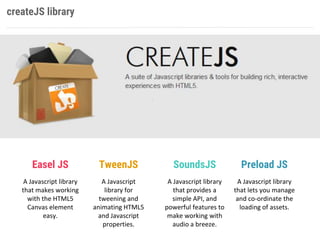
createJS library
Easel JS
A Javascript library
that makes working
with the HTML5
Canvas element
easy.
TweenJS
A Javascript
library for
tweening and
animating HTML5
and Javascript
properties.
SoundsJS
A Javascript library
that provides a
simple API, and
powerful features to
make working with
audio a breeze.
Preload JS
A Javascript library
that lets you manage
and co-ordinate the
loading of assets.
C&S Practices
Short history
CreateJS is a suite of modular libraries and tools which work together to
enable rich interactive content on open web technologies via HTML5.
These libraries are designed to work completely independently, or mixed
and matched to suit your needs. The CreateJS Suite is comprised
of:EaselJS, TweenJS, SoundJS, PreloadJS, and Zoë.
Gaming
C&S Practices
Short history
EaselJS provides straight forward solutions for working with rich graphics
and interactivity with HTML5 Canvas. It provides an API that is familiar to
Flash developers, but embraces Javascript sensibilities. It consists of a full,
hierarchical display list, a core interaction model, and helper classes to
make working with Canvas much easier.
Gaming
EaselJS API
Gaming
TweenJS
Short history
TweenJS is a simple tweening library for use in Javascript. It was
developed to integrate well with the EaselJS library, but is not dependent
on or specific to it. It supports tweening of both numeric object
properties & CSS style properties. The API is simple but very powerful,
making it easy to create complex tweens by chaining commands.
Gaming
EaselJS API
Gaming
Simple alpha tweening from 0 to 1 and a callback
Chainable tweening with callback
C&S Practices
Short history
Consistant cross-browser support for audio is currently a mess in HTML5,
but SoundJS works to abstract away the problems and makes adding
sound to your games or rich experiences much easier. You can query for
capabilities, then specify and prioritize what APIs, plugins, and features
are leveraged for specific devices or browsers.
Gaming
SoundJS API
Gaming
Load a sound and play in a callback
C&S Practices
Short history
PreloadJS makes it easy to preload your assets:images, sounds, JS, data,
or others. It uses XHR2 to provide real progress information when
available, or fall back to tag loading and eased progress when it isn’t. It
allows multiple queues, multiple connections, pausing queues, and a lot
more.
Gaming
PreloadJS API Breadcrumb | Breadcrumb02 | Breadcrumb03
GamingLoad a queue with different media
GAMES
Let’s talk about
games !!
Gaming common elements
Elements
• Loading Screen
• Splash Screen
• Screen stack
• Hero
• Enemies and EnemyManager
• Score System and Live Feedback
• User input: keyboard, mouse, touch
• Main game Loop
• Animations and SpriteSheets
• Events Vs Direct calls
Loading screen
Loading screen
On this screen tipically all graphis and sounds assets are preloaded so the user
could have a soft experience when playing our game
Game.loader = new createjs.LoadQueue(false);
Game.loader.addEventListener("progress", handleProgress);
Game.loader.addEventListener("complete", handleComplete);
Game.loader.addEventListener("error", handleFileError);
Game.loader.installPlugin(createjs.Sound);
Game.loader.loadManifest(manifest);
Splash screen
• All assets are loaded and ready to go
• Entry point for the game, ads, options, general presentation
Splash screen
• All assets are loaded and ready to go
• Entry point for the game, ads, options, general presentation
SplashScreen.prototype.createScreen = function(){
//create a rectangle to serve as solid color background
var stageDim = new createjs.Rectangle(0, 0, this.game.stage.canvas.width, this.game.stage.canvas.height);
var shape = new createjs.Shape();
shape.graphics.beginFill("#4D598E").drawRect(0, 0, stageDim.width, stageDim.height);
this.game.stage.addChild(shape);
(...)
//Create a play button using a pre-existing art
var jugar = new createjs.Sprite(this.logo, "jugar");
var jugarDim = jugar.getBounds();
jugar.x = stageDim.width - (jugarDim.width+10)
jugar.y = titulo.y + tituloDim.height + 50;
this.game.stage.addChild(jugar);
(...)
//wait for Click
jugar.addEventListener("click", new createjs.proxy(this.game.inicia, this.game) );
this.game.stage.update();
}
Screen Manager
• Manage screen stack and transitions
ScreenManager = function(game) {
this.initialize(game);
}
var p = ScreenManager.prototype = new createjs.Sprite();
p.createScreens = function() {
//create background pieces
this.screens = [new createjs.Bitmap("assets/fondo1.png"),new
createjs.Bitmap("assets/fondo2.png"), new createjs.Bitmap("assets/fondo3.png"), new
createjs.Bitmap("assets/fondo4.png"), new createjs.Bitmap("assets/fondo5.png"), new
createjs.Bitmap("assets/fondo6.png"), new createjs.Bitmap("assets/fondo7.png"), new
createjs.Bitmap("assets/fondo8.png"),new createjs.Bitmap("assets/fondo9.png"), new
createjs.Bitmap("assets/fondo10.png")];
//names for debugging
for(i = 0; i<this.screens.length; i++) this.screens[i].name = "screen"+(i+1)
}
Hero
• Hero is the main character of the game
• Usualy there’s a dedicated class to manage hero
features that are the most complex
marco_p.game; //reference to the world
marco_p.speed; //motion speed
marco_p.live = 12; //remaining power
marco_p.vidas = 3; //total lives
marco_p.block = null; //timeout for punch
marco_p.lastKey; //last key pressed
marco_p.keyListener; //listener fo user input
marco_p.comboCounter = 0; //special punch counter
marco_p.side = 1; //right 1, left 0
marco_p.spriteSheet; //sprisheet with basic animactions
marco_p.enemy; //EnemyManager
marco_p.screen; //ScreenManager
marco_p.bar; //LiveBar
marco_p.punchCounter = 0;
marco_p.power = 0; //special from powerups
Enemies
• Enemies have some kind of AI
• Enemies are grouped by characteristics and usually there’s
a manager that controls quantity, speed, etc
Enemy Manager class initialization
p.initialize = function(game){
//reference to the main game
this.game = game;
createjs.EventDispatcher.initialize(EnemyManager.prototype);
//list of enemies at each level
this.screens = new Array(["gatoarana1"], ["gatoarana1", "gatoarana1"], ["gatoarana1",
"gatoarana2", "bateador2"], ["gatoarana1", "bateador1", "bateador1"] , ["bateador1", "gatoarana2",
"gatoarana2"] , ["gatoarana2", "gatoarana2", "bateador2", "bateador2"] , ["gatoarana2", "gatoarana2",
"bateador2", "bateador1"], ["bateador1", "bateador1", "gatoarana2", "gatoarana2"], ["gatoarana1",
"gatoarana1", "bateador2", "bateador2"], ["gatote"]);
//markups for the final scene and boss fight
this.golpesFinal = [1, 12, 18, 24, 30, 36, 42, 48];
//pool of enemies
this.enemies = [];
//tick for check events
this.tick = new Timer();
}
User input
• User input manages keys, mouse, taps, joysticks or
whatever element the user interacts to control the game
heroe_p.handleKeyDown = function(evt){
//console.log("evt.keyCode "+evt.keyCode);
switch(evt.keyCode) {
case 37:
if (this.x > 80) this.x -= this.speed;
if (this.lastKey != 37) {
this.scaleX = -this.origScale;
}
break;
case 39:
if (this.x < 515) this.x += this.speed;
if (this.lastKey != 39) {
this.scaleX = this.origScale;
}
break;
}
if(this.currentFrame==0) this.gotoAndPlay("camina");this.lastKey =
evt.keyCode;}
Main game Loop
• Since multiple elements should move, be checked, disapear and interact over the
time, a single loop to update everything is the ideal in term of performance
p.setupUpdateLoop = function() {
if(!this.inited){
createjs.Ticker.on("tick", this.tick, this);
createjs.Ticker.timingMode = createjs.Ticker.RAF_SYNCHED ;
createjs.Ticker.setFPS(60);
}
}
Main Class Game
• Check hardware and software environment (identify device and OS)
• Load of graphic and sound assets
• Creation of managers (screen, enemies, energy/life)
• Creation of the Splash screen
• Public functions of high level that needs global visibility
• Reference to each classes so they can use the main class game as a bridge
• Global variables and configuration that need to be easily available
createJS library
Easel JS
A Javascript library
that makes working
with the HTML5
Canvas element
easy.
TweenJS
A Javascript
library for
tweening and
animating HTML5
and Javascript
properties.
SoundsJS
A Javascript library
that provides a
simple API, and
powerful features to
make working with
audio a breeze.
Preload JS
A Javascript library
that lets you manage
and co-ordinate the
loading of assets.

CreateJS

  • 1.
    CreateJS library tobuild HTML5 + JS Games Jorge Solis @solisarg ar.linkedin.com/in/jorgealbertosolis solisarg@gmail.com
  • 2.
    createJS library Easel JS AJavascript library that makes working with the HTML5 Canvas element easy. TweenJS A Javascript library for tweening and animating HTML5 and Javascript properties. SoundsJS A Javascript library that provides a simple API, and powerful features to make working with audio a breeze. Preload JS A Javascript library that lets you manage and co-ordinate the loading of assets.
  • 3.
    C&S Practices Short history CreateJSis a suite of modular libraries and tools which work together to enable rich interactive content on open web technologies via HTML5. These libraries are designed to work completely independently, or mixed and matched to suit your needs. The CreateJS Suite is comprised of:EaselJS, TweenJS, SoundJS, PreloadJS, and Zoë. Gaming
  • 4.
    C&S Practices Short history EaselJSprovides straight forward solutions for working with rich graphics and interactivity with HTML5 Canvas. It provides an API that is familiar to Flash developers, but embraces Javascript sensibilities. It consists of a full, hierarchical display list, a core interaction model, and helper classes to make working with Canvas much easier. Gaming
  • 5.
  • 6.
    TweenJS Short history TweenJS isa simple tweening library for use in Javascript. It was developed to integrate well with the EaselJS library, but is not dependent on or specific to it. It supports tweening of both numeric object properties & CSS style properties. The API is simple but very powerful, making it easy to create complex tweens by chaining commands. Gaming
  • 7.
    EaselJS API Gaming Simple alphatweening from 0 to 1 and a callback Chainable tweening with callback
  • 8.
    C&S Practices Short history Consistantcross-browser support for audio is currently a mess in HTML5, but SoundJS works to abstract away the problems and makes adding sound to your games or rich experiences much easier. You can query for capabilities, then specify and prioritize what APIs, plugins, and features are leveraged for specific devices or browsers. Gaming
  • 9.
    SoundJS API Gaming Load asound and play in a callback
  • 10.
    C&S Practices Short history PreloadJSmakes it easy to preload your assets:images, sounds, JS, data, or others. It uses XHR2 to provide real progress information when available, or fall back to tag loading and eased progress when it isn’t. It allows multiple queues, multiple connections, pausing queues, and a lot more. Gaming
  • 11.
    PreloadJS API Breadcrumb| Breadcrumb02 | Breadcrumb03 GamingLoad a queue with different media
  • 12.
  • 13.
    Gaming common elements Elements •Loading Screen • Splash Screen • Screen stack • Hero • Enemies and EnemyManager • Score System and Live Feedback • User input: keyboard, mouse, touch • Main game Loop • Animations and SpriteSheets • Events Vs Direct calls
  • 14.
    Loading screen Loading screen Onthis screen tipically all graphis and sounds assets are preloaded so the user could have a soft experience when playing our game Game.loader = new createjs.LoadQueue(false); Game.loader.addEventListener("progress", handleProgress); Game.loader.addEventListener("complete", handleComplete); Game.loader.addEventListener("error", handleFileError); Game.loader.installPlugin(createjs.Sound); Game.loader.loadManifest(manifest);
  • 15.
    Splash screen • Allassets are loaded and ready to go • Entry point for the game, ads, options, general presentation
  • 16.
    Splash screen • Allassets are loaded and ready to go • Entry point for the game, ads, options, general presentation SplashScreen.prototype.createScreen = function(){ //create a rectangle to serve as solid color background var stageDim = new createjs.Rectangle(0, 0, this.game.stage.canvas.width, this.game.stage.canvas.height); var shape = new createjs.Shape(); shape.graphics.beginFill("#4D598E").drawRect(0, 0, stageDim.width, stageDim.height); this.game.stage.addChild(shape); (...) //Create a play button using a pre-existing art var jugar = new createjs.Sprite(this.logo, "jugar"); var jugarDim = jugar.getBounds(); jugar.x = stageDim.width - (jugarDim.width+10) jugar.y = titulo.y + tituloDim.height + 50; this.game.stage.addChild(jugar); (...) //wait for Click jugar.addEventListener("click", new createjs.proxy(this.game.inicia, this.game) ); this.game.stage.update(); }
  • 17.
    Screen Manager • Managescreen stack and transitions ScreenManager = function(game) { this.initialize(game); } var p = ScreenManager.prototype = new createjs.Sprite(); p.createScreens = function() { //create background pieces this.screens = [new createjs.Bitmap("assets/fondo1.png"),new createjs.Bitmap("assets/fondo2.png"), new createjs.Bitmap("assets/fondo3.png"), new createjs.Bitmap("assets/fondo4.png"), new createjs.Bitmap("assets/fondo5.png"), new createjs.Bitmap("assets/fondo6.png"), new createjs.Bitmap("assets/fondo7.png"), new createjs.Bitmap("assets/fondo8.png"),new createjs.Bitmap("assets/fondo9.png"), new createjs.Bitmap("assets/fondo10.png")]; //names for debugging for(i = 0; i<this.screens.length; i++) this.screens[i].name = "screen"+(i+1) }
  • 18.
    Hero • Hero isthe main character of the game • Usualy there’s a dedicated class to manage hero features that are the most complex marco_p.game; //reference to the world marco_p.speed; //motion speed marco_p.live = 12; //remaining power marco_p.vidas = 3; //total lives marco_p.block = null; //timeout for punch marco_p.lastKey; //last key pressed marco_p.keyListener; //listener fo user input marco_p.comboCounter = 0; //special punch counter marco_p.side = 1; //right 1, left 0 marco_p.spriteSheet; //sprisheet with basic animactions marco_p.enemy; //EnemyManager marco_p.screen; //ScreenManager marco_p.bar; //LiveBar marco_p.punchCounter = 0; marco_p.power = 0; //special from powerups
  • 19.
    Enemies • Enemies havesome kind of AI • Enemies are grouped by characteristics and usually there’s a manager that controls quantity, speed, etc Enemy Manager class initialization p.initialize = function(game){ //reference to the main game this.game = game; createjs.EventDispatcher.initialize(EnemyManager.prototype); //list of enemies at each level this.screens = new Array(["gatoarana1"], ["gatoarana1", "gatoarana1"], ["gatoarana1", "gatoarana2", "bateador2"], ["gatoarana1", "bateador1", "bateador1"] , ["bateador1", "gatoarana2", "gatoarana2"] , ["gatoarana2", "gatoarana2", "bateador2", "bateador2"] , ["gatoarana2", "gatoarana2", "bateador2", "bateador1"], ["bateador1", "bateador1", "gatoarana2", "gatoarana2"], ["gatoarana1", "gatoarana1", "bateador2", "bateador2"], ["gatote"]); //markups for the final scene and boss fight this.golpesFinal = [1, 12, 18, 24, 30, 36, 42, 48]; //pool of enemies this.enemies = []; //tick for check events this.tick = new Timer(); }
  • 20.
    User input • Userinput manages keys, mouse, taps, joysticks or whatever element the user interacts to control the game heroe_p.handleKeyDown = function(evt){ //console.log("evt.keyCode "+evt.keyCode); switch(evt.keyCode) { case 37: if (this.x > 80) this.x -= this.speed; if (this.lastKey != 37) { this.scaleX = -this.origScale; } break; case 39: if (this.x < 515) this.x += this.speed; if (this.lastKey != 39) { this.scaleX = this.origScale; } break; } if(this.currentFrame==0) this.gotoAndPlay("camina");this.lastKey = evt.keyCode;}
  • 21.
    Main game Loop •Since multiple elements should move, be checked, disapear and interact over the time, a single loop to update everything is the ideal in term of performance p.setupUpdateLoop = function() { if(!this.inited){ createjs.Ticker.on("tick", this.tick, this); createjs.Ticker.timingMode = createjs.Ticker.RAF_SYNCHED ; createjs.Ticker.setFPS(60); } }
  • 22.
    Main Class Game •Check hardware and software environment (identify device and OS) • Load of graphic and sound assets • Creation of managers (screen, enemies, energy/life) • Creation of the Splash screen • Public functions of high level that needs global visibility • Reference to each classes so they can use the main class game as a bridge • Global variables and configuration that need to be easily available
  • 23.
    createJS library Easel JS AJavascript library that makes working with the HTML5 Canvas element easy. TweenJS A Javascript library for tweening and animating HTML5 and Javascript properties. SoundsJS A Javascript library that provides a simple API, and powerful features to make working with audio a breeze. Preload JS A Javascript library that lets you manage and co-ordinate the loading of assets.