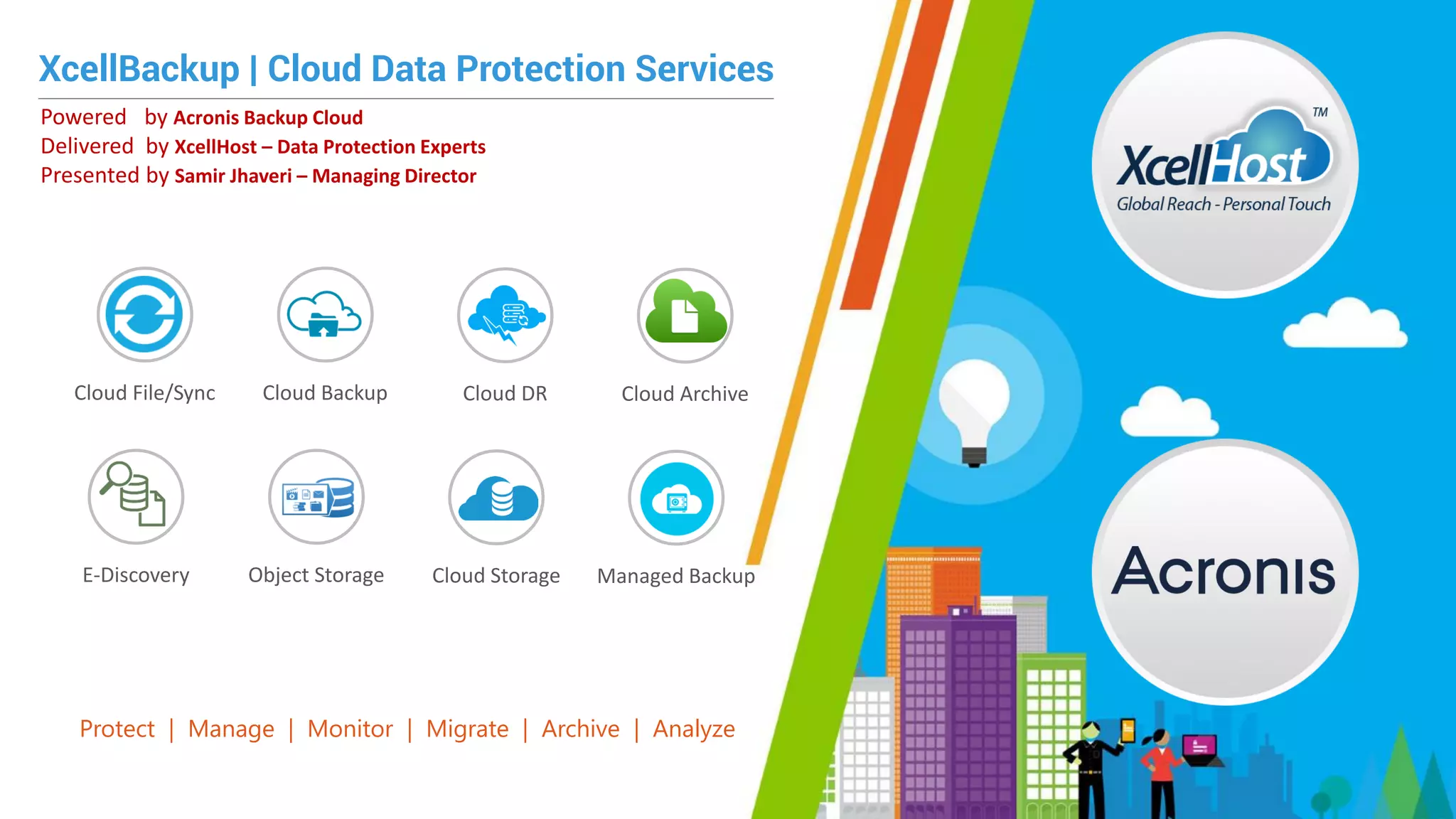
XcellBackup | Cloud Data Protection Services
Powered by Acronis Backup Cloud
Delivered by XcellHost – Data Protection Experts
Presented by Samir Jhaveri – Managing Director
Protect | Manage | Monitor | Migrate | Archive | Analyze
Cloud File/Sync Cloud Backup Cloud DR Cloud Archive
E-Discovery Object Storage Cloud Storage Managed Backup
Market Research for Backup + Data Protection Market Size
XcellBackup Cloud Backup Overview: Our platform, technology and solutions
Why Cloud Backup – Business Need. Data Protection Challenges
What Acronis Cloud Backup Technology can do for you
Acronis Cloud Backup - Security and Encryption
Many solutions in one: XcellHost Cloud Data Protection Services
Why business choose Acronis Cloud Backup
XcellBackup | Acronis Cloud Backup
Agenda
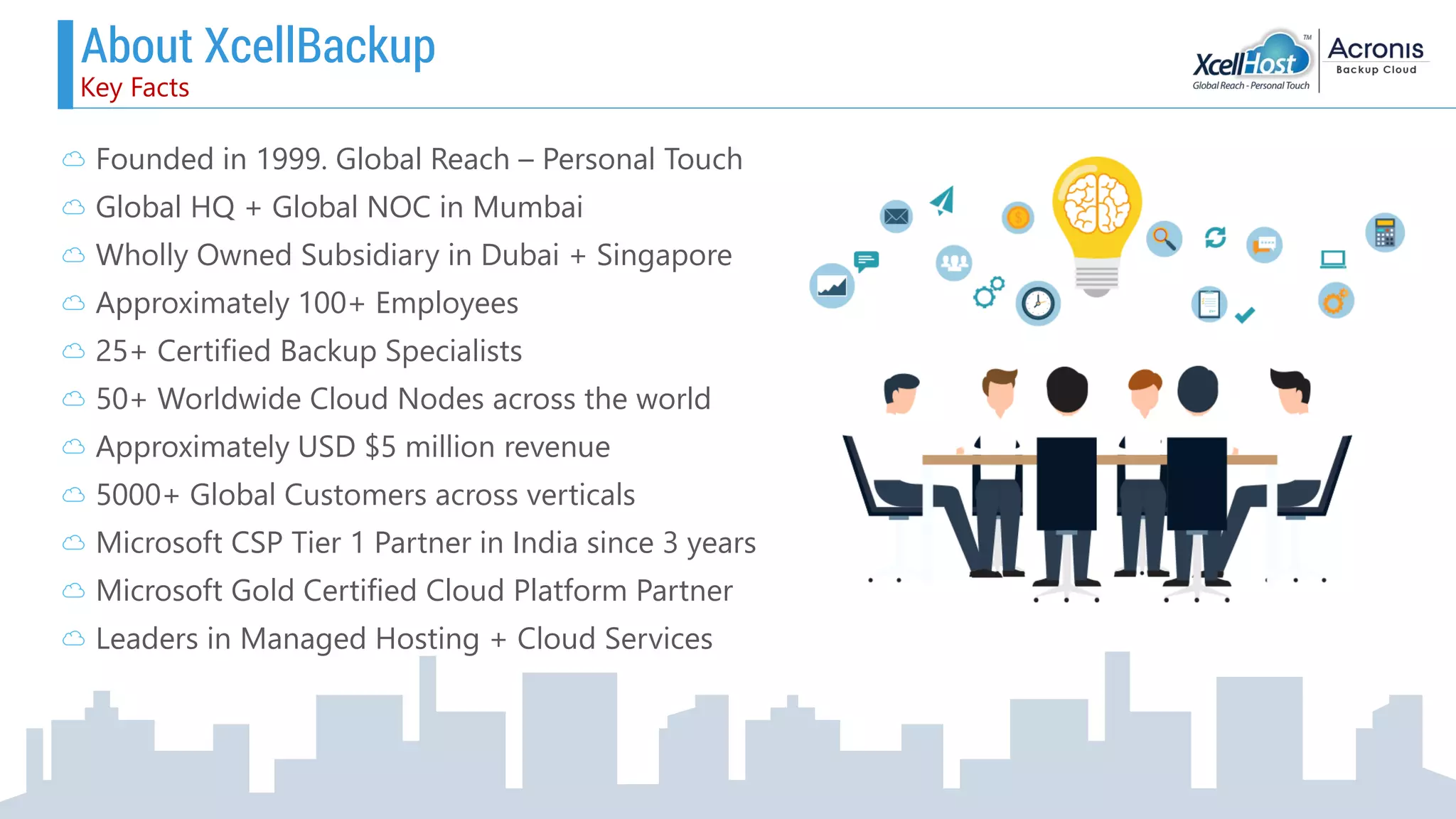
Founded in 1999. Global Reach – Personal Touch
Global HQ + Global NOC in Mumbai
Wholly Owned Subsidiary in Dubai + Singapore
Approximately 100+ Employees
25+ Certified Backup Specialists
50+ Worldwide Cloud Nodes across the world
Approximately USD $5 million revenue
5000+ Global Customers across verticals
Microsoft CSP Tier 1 Partner in India since 3 years
Microsoft Gold Certified Cloud Platform Partner
Leaders in Managed Hosting + Cloud Services
About XcellBackup
Key Facts
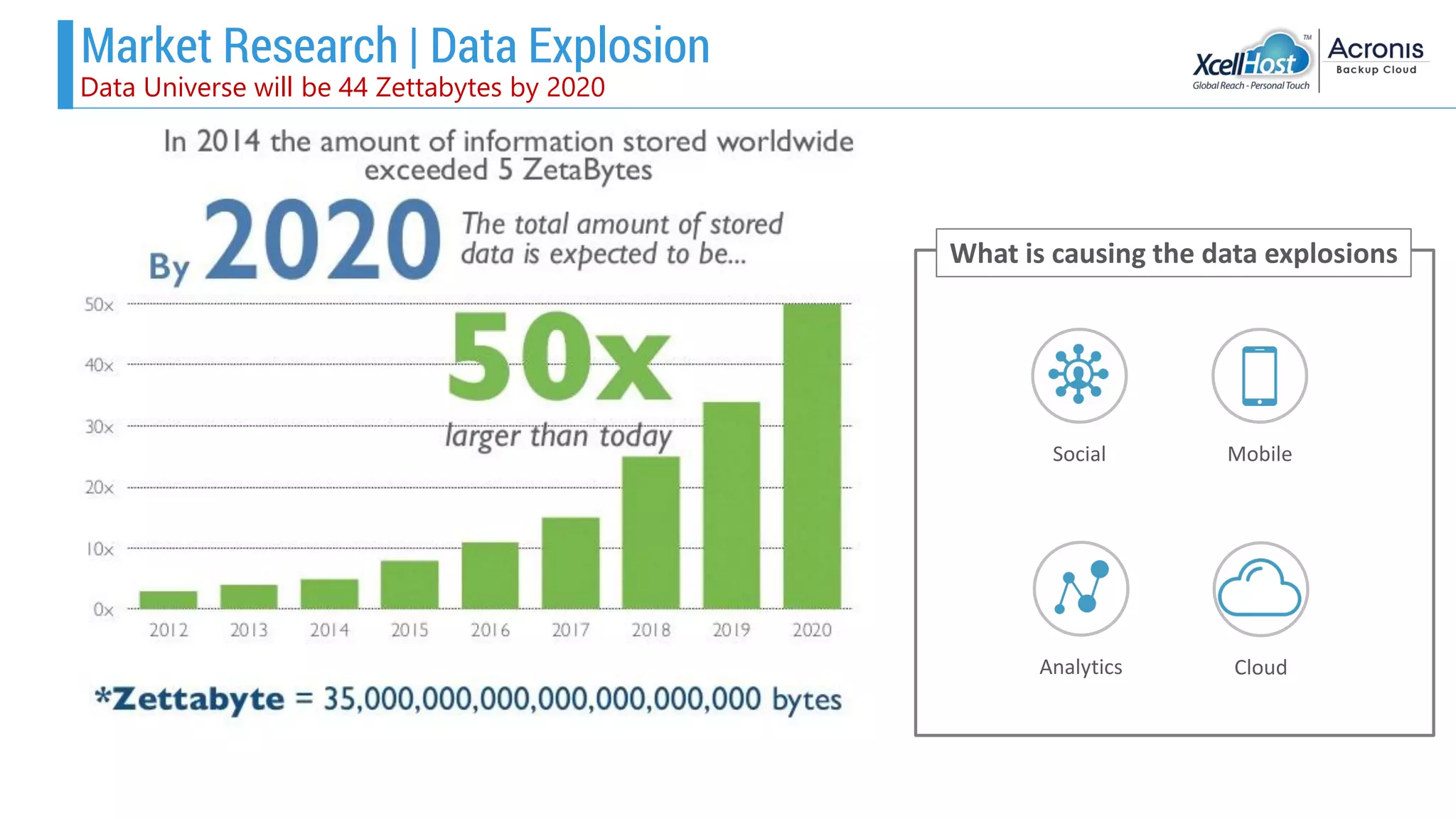
Market Research | Data Explosion
Data Universe will be 44 Zettabytes by 2020
Social Mobile
Analytics Cloud
What is causing the data explosions
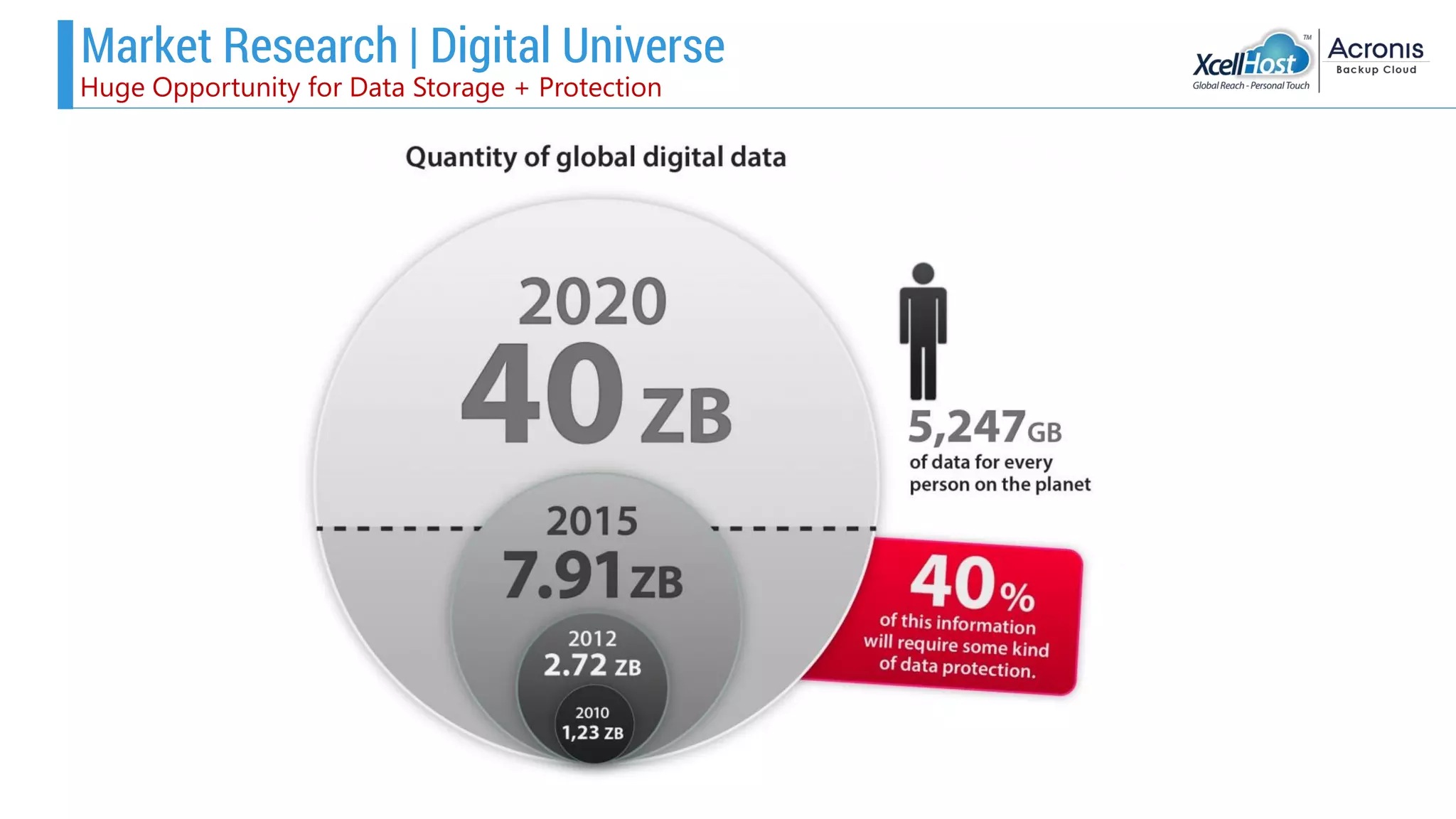
Market Research | Digital Universe
Huge Opportunity for Data Storage + Protection
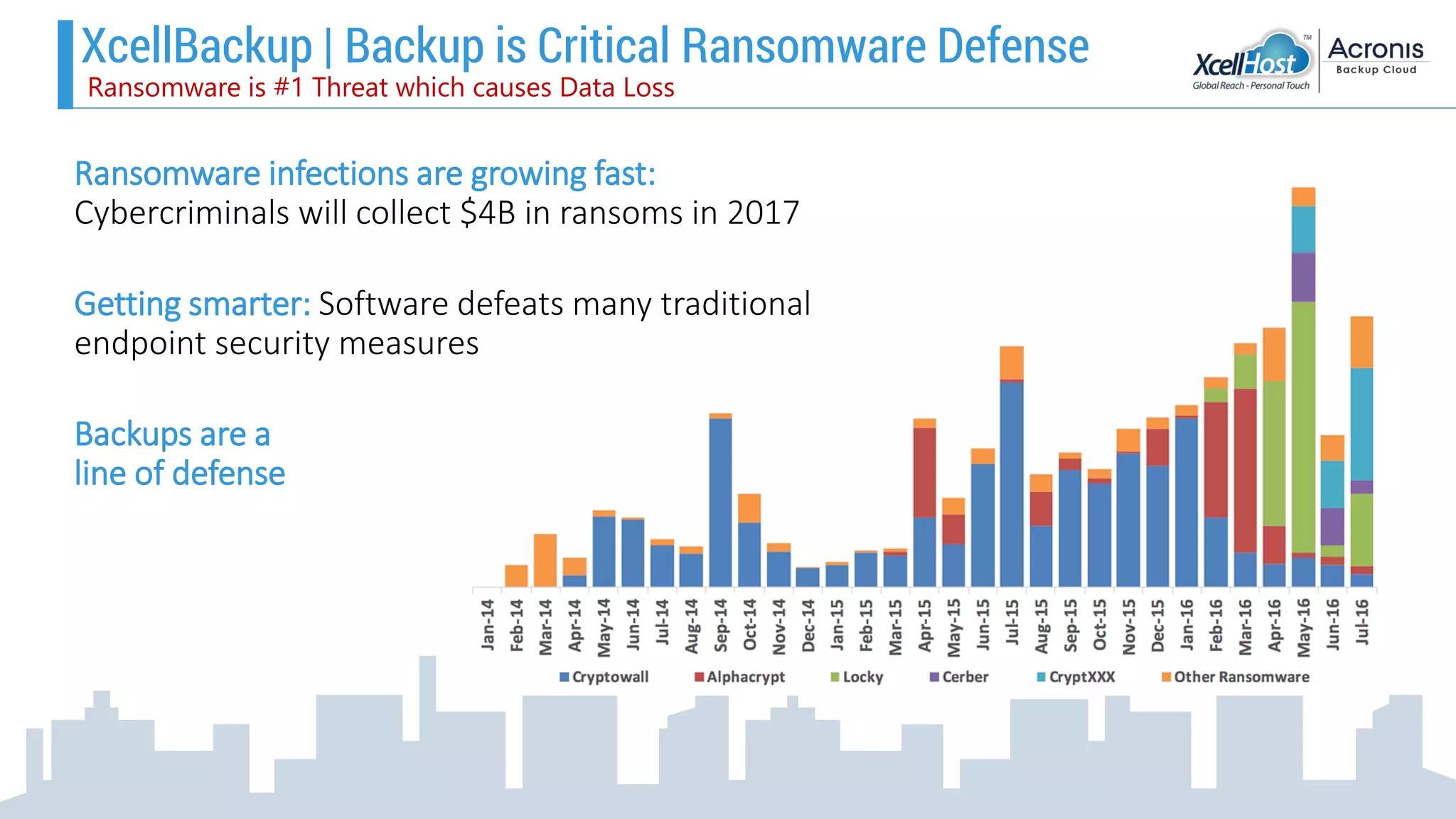
Ransomware infections are growing fast:
Cybercriminals will collect $4B in ransoms in 2017
Getting smarter: Software defeats many traditional
endpoint security measures
Backups are a critical
line of defense
XcellBackup | Backup is Critical Ransomware Defense
Ransomware is #1 Threat which causes Data Loss
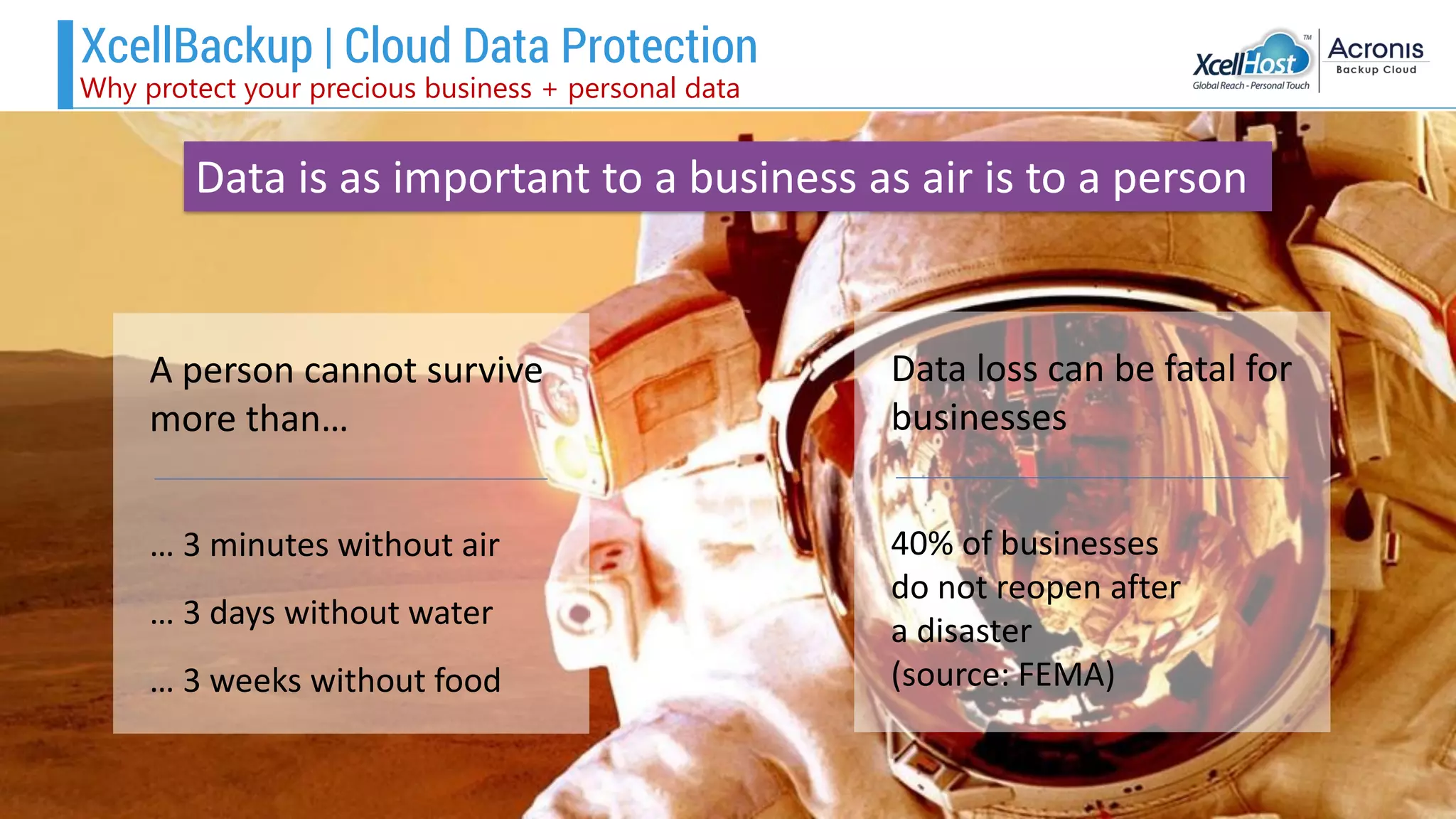
A person cannot survive
more than…
… 3 minutes without air
… 3 days without water
… 3 weeks without food
Data loss can be fatal for
businesses
40% of businesses
do not reopen after
a disaster
(source: FEMA)
Data is as important to a business as air is to a person
XcellBackup | Cloud Data Protection
Why protect your precious business + personal data
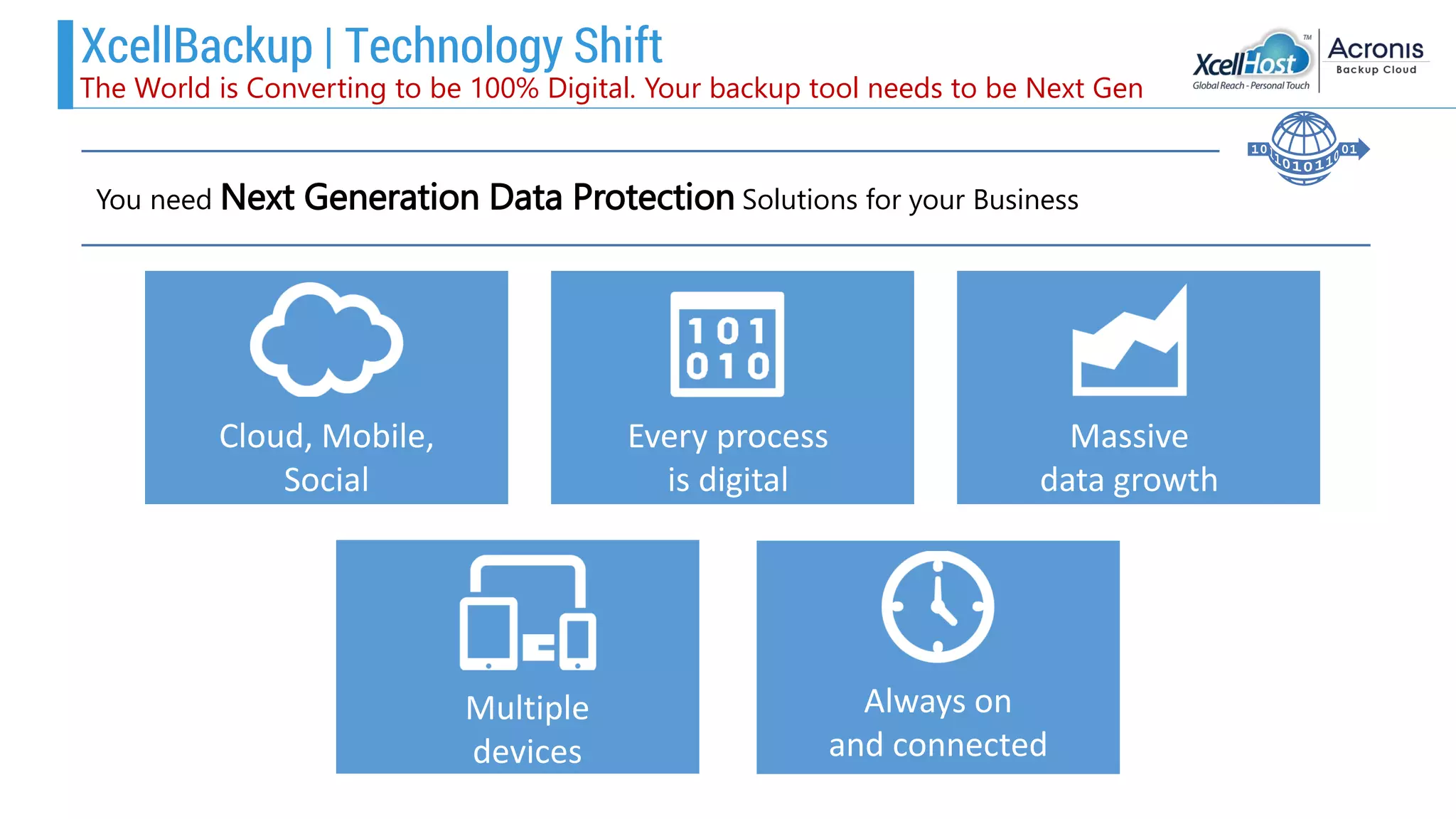
Cloud, Mobile,
Social
Massive
data growth
Multiple
devices
Always on
and connected
You need Next Generation Data Protection Solutions for your Business
Every process
is digital
The World is Converting to be 100% Digital. Your backup tool needs to be Next Gen
XcellBackup | Technology Shift
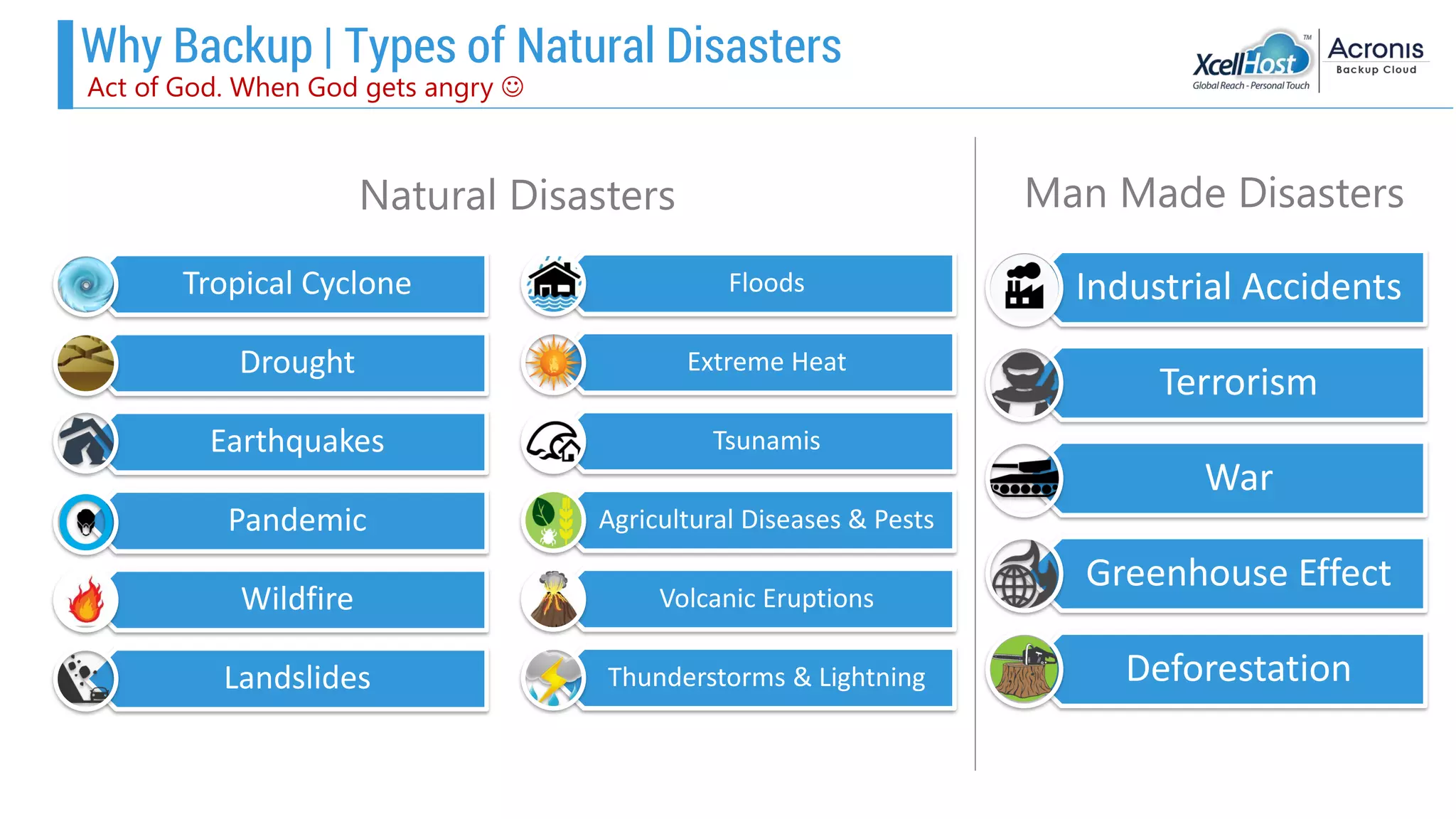
Why Backup | Types of Natural Disasters
Act of God. When God gets angry 
Tropical Cyclone
Drought
Earthquakes
Pandemic
Wildfire
Landslides
Floods
Extreme Heat
Tsunamis
Agricultural Diseases & Pests
Volcanic Eruptions
Thunderstorms & Lightning
Industrial Accidents
Terrorism
War
Greenhouse Effect
Deforestation
Natural Disasters Man Made Disasters
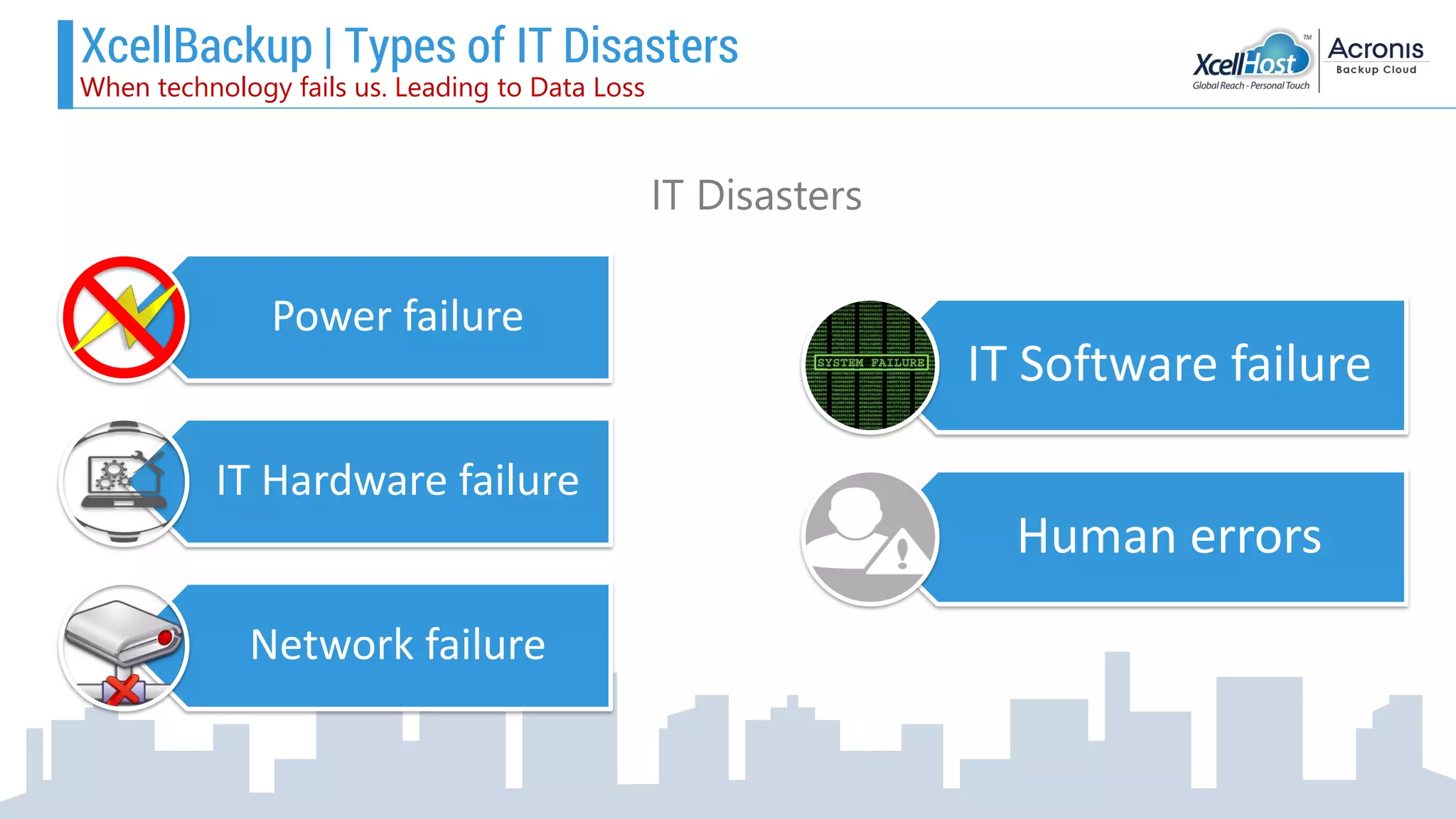
Power failure
IT Hardware failure
Network failure
IT Software failure
Human errors
IT Disasters
XcellBackup | Types of IT Disasters
When technology fails us. Leading to Data Loss
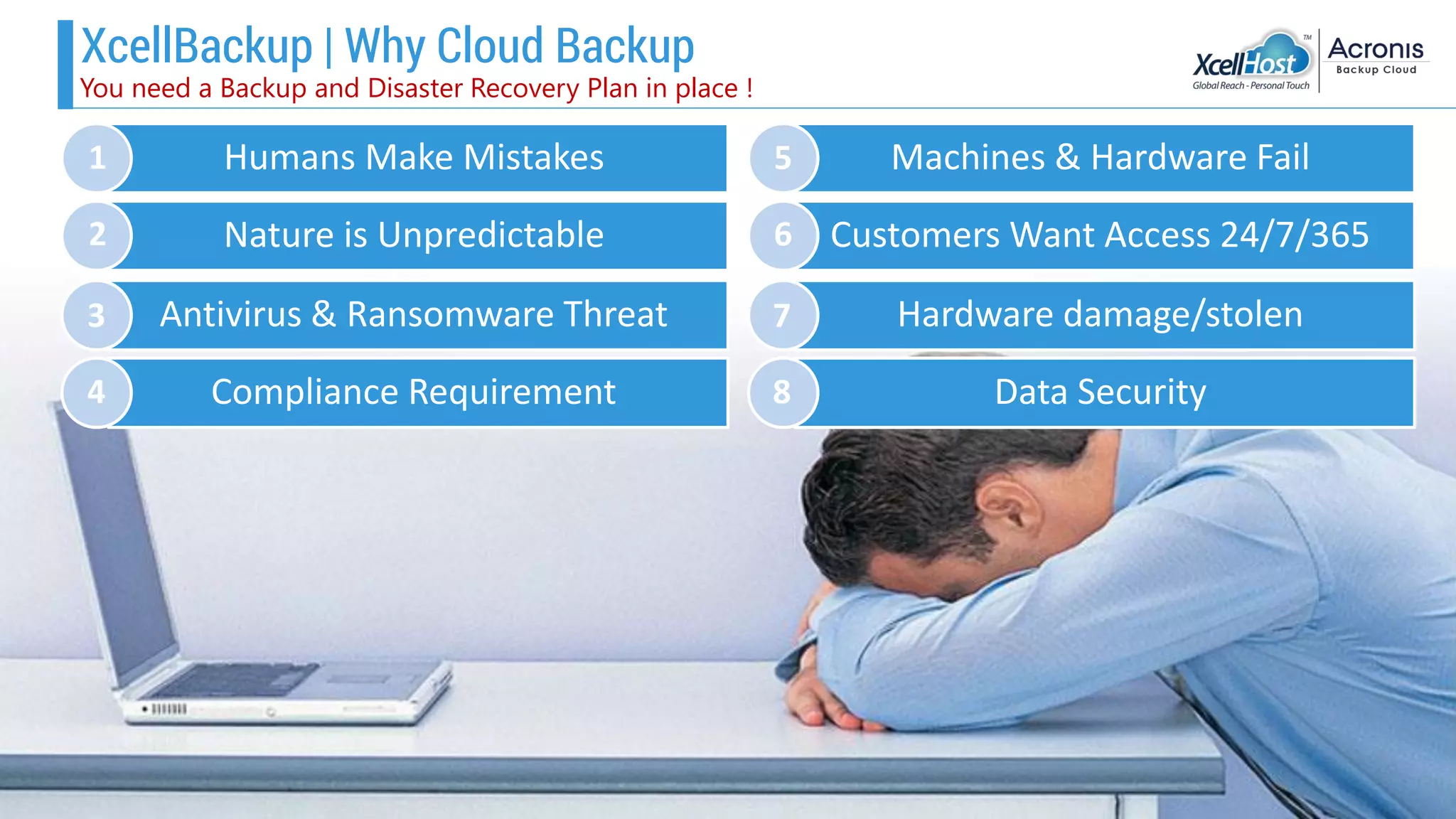
You need a Backup and Disaster Recovery Plan in place !
XcellBackup | Why Cloud Backup
Humans Make Mistakes Machines & Hardware Fail
Nature is Unpredictable Customers Want Access 24/7/365
Antivirus & Ransomware Threat Hardware damage/stolen
Compliance Requirement Data Security
1
2
3
4
5
6
7
8
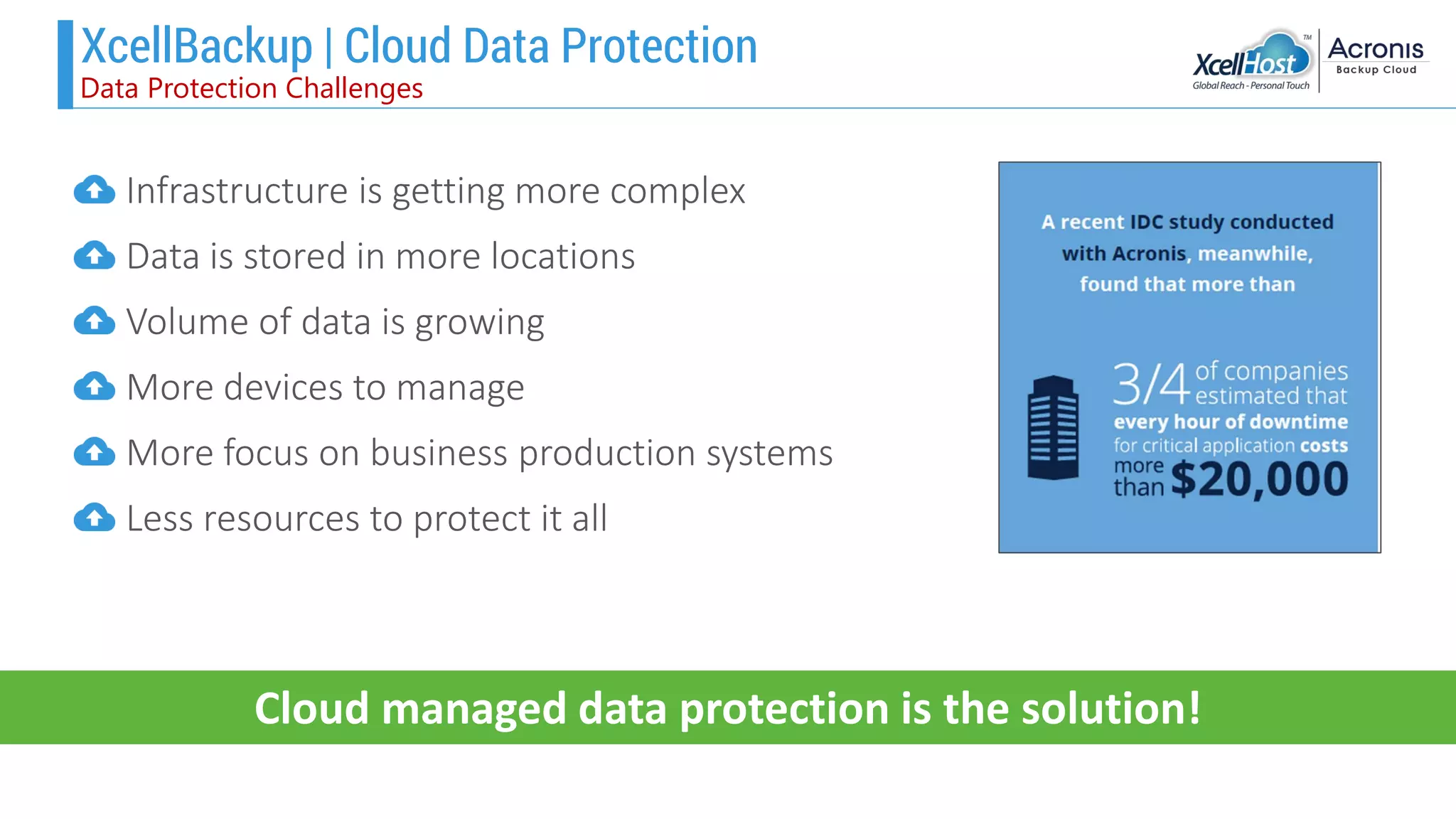
Infrastructure is getting more complex
Data is stored in more locations
Volume of data is growing
More devices to manage
More focus on business production systems
Less resources to protect it all
Cloud managed data protection is the solution!
Data Protection Challenges
XcellBackup | Cloud Data Protection
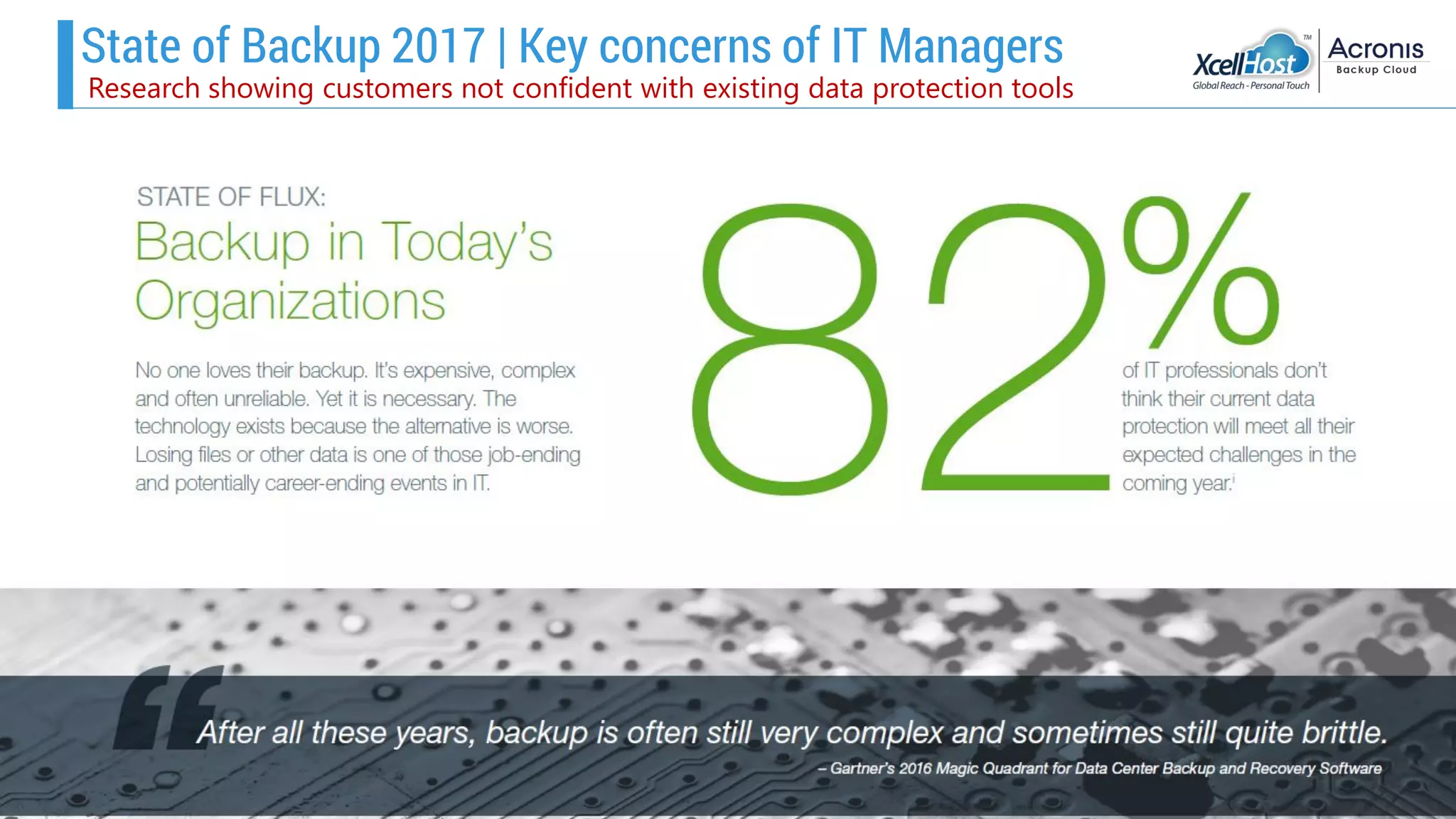
State of Backup 2017 | Key concerns of IT Managers
Research showing customers not confident with existing data protection tools
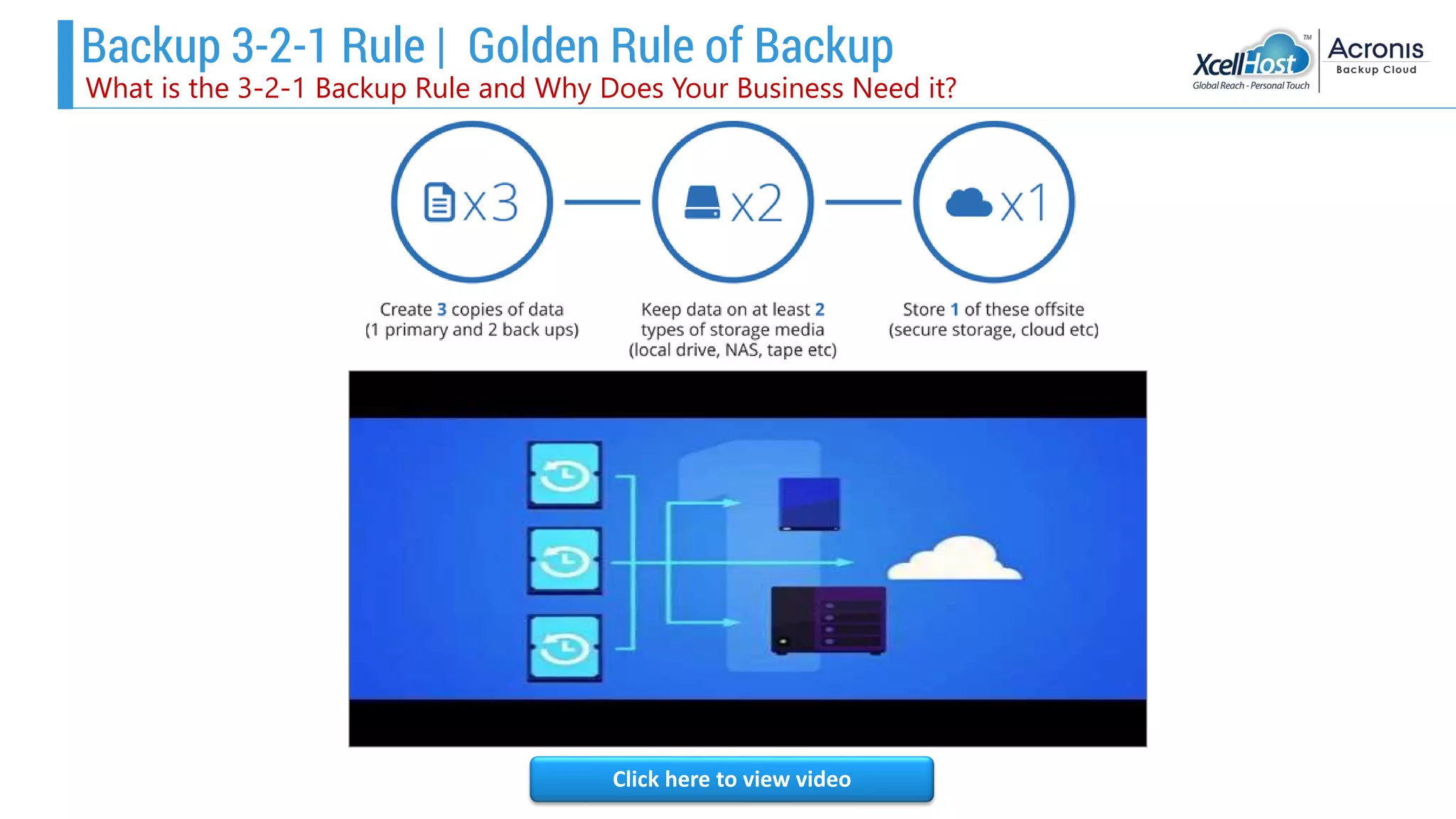
What is the 3-2-1 Backup Rule and Why Does Your Business Need it?
Backup 3-2-1 Rule | Golden Rule of Backup
Click here to view video
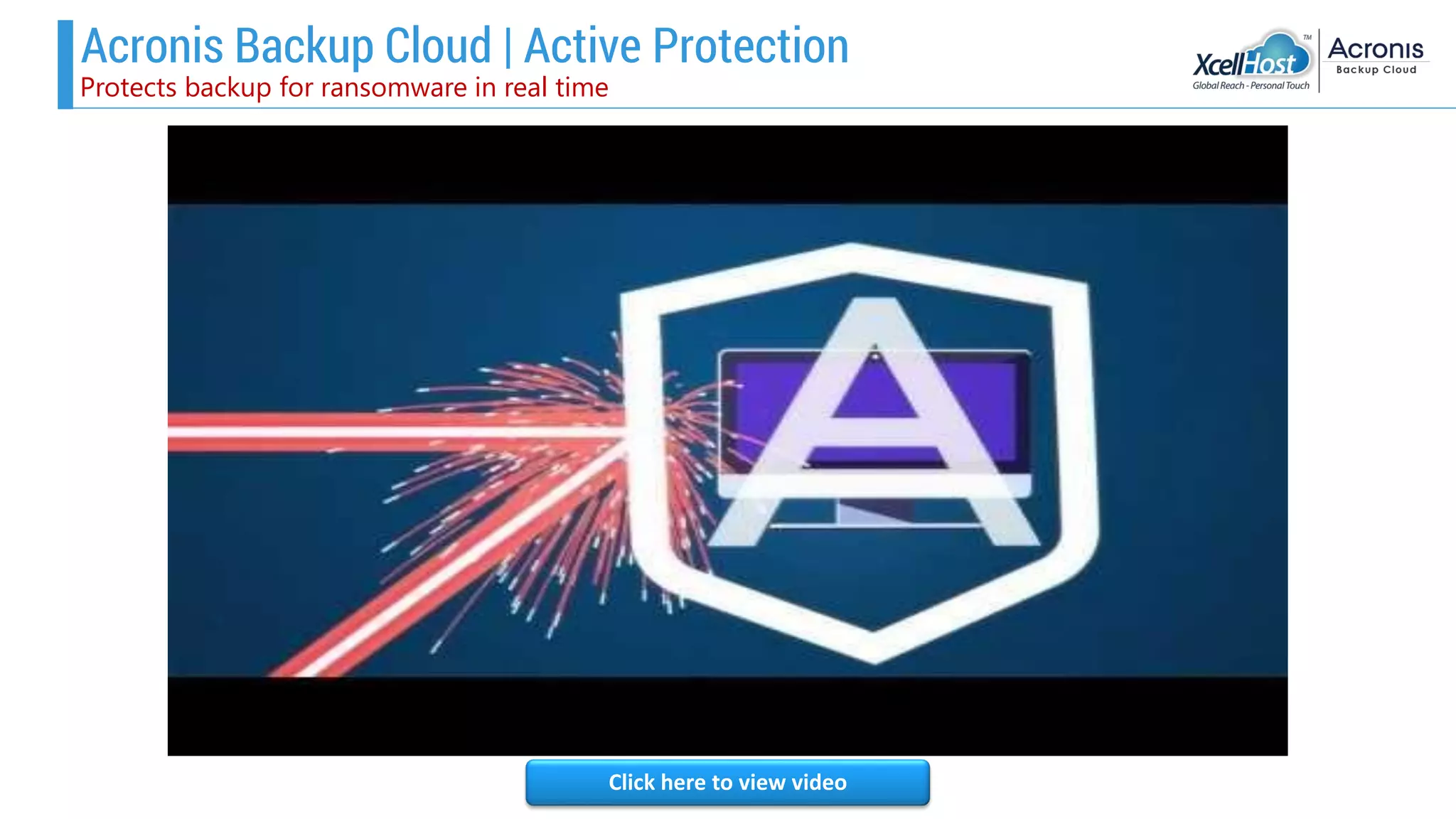
Acronis Backup Cloud | Active Protection
Protects backup for ransomware in real time
Click here to view video
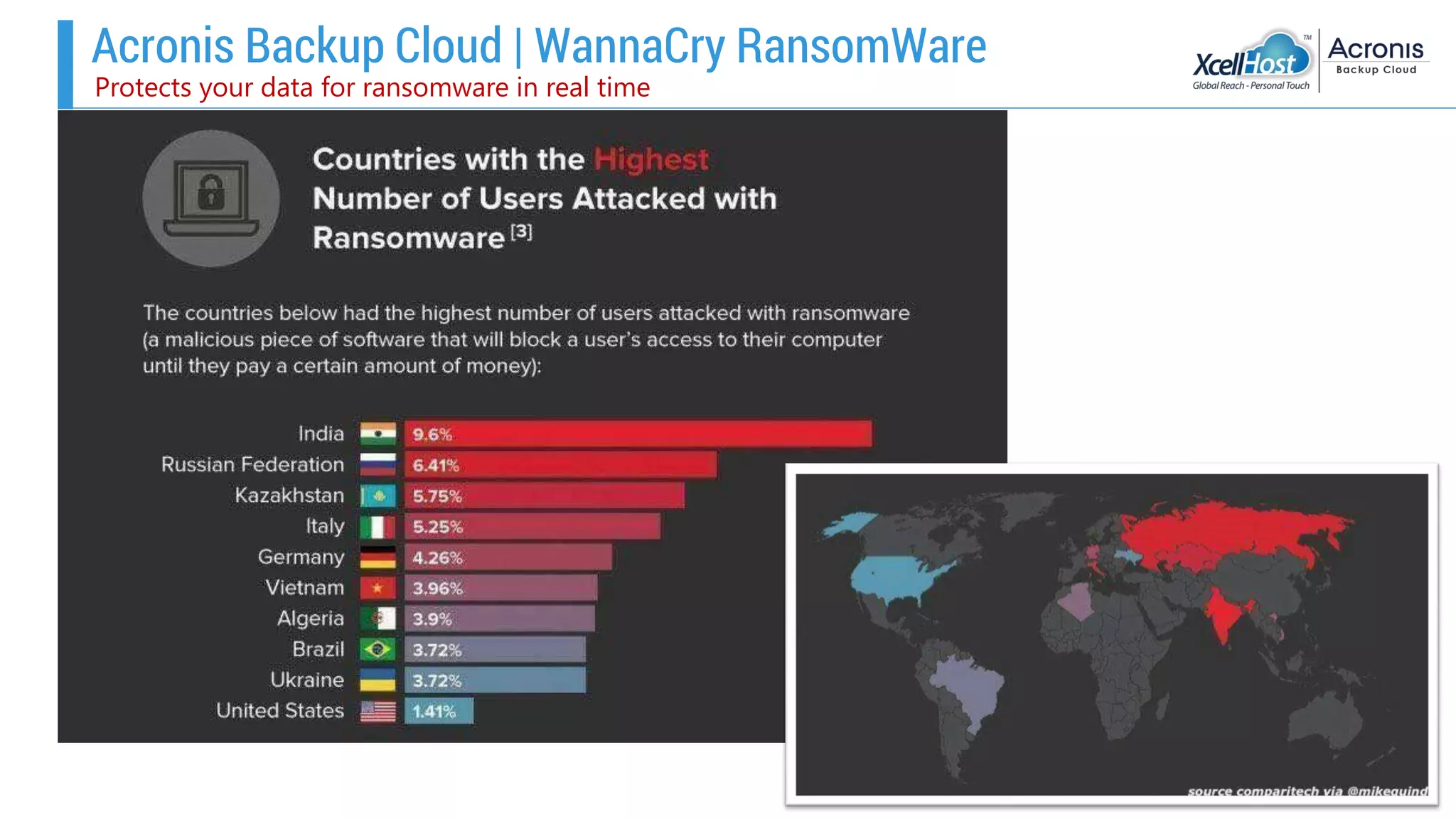
Acronis Backup Cloud | WannaCry RansomWare
Protects your data for ransomware in real time
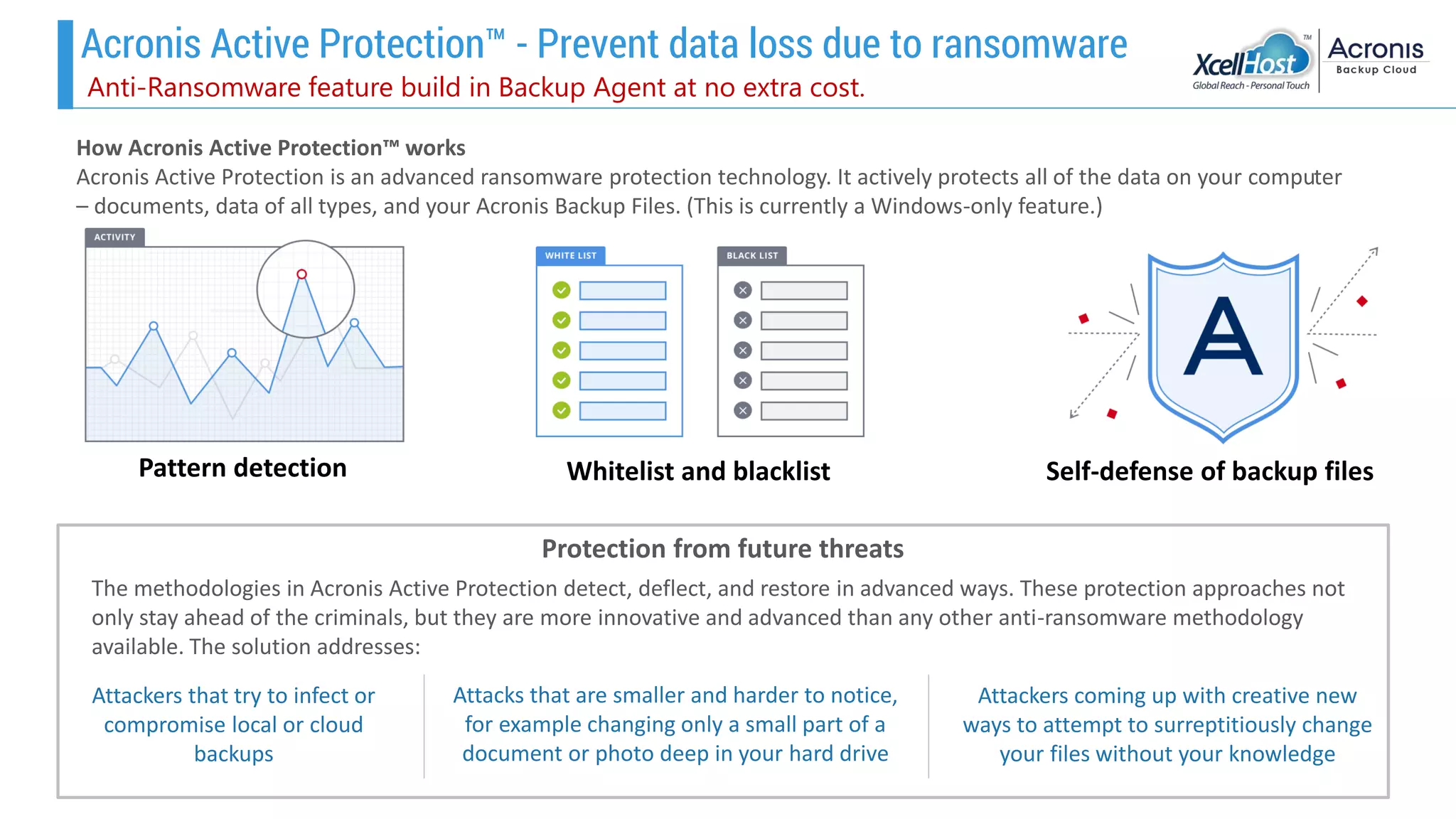
Acronis Active Protection™ - Prevent data loss due to ransomware
How Acronis Active Protection™ works
Acronis Active Protection is an advanced ransomware protection technology. It actively protects all of the data on your computer
– documents, data of all types, and your Acronis Backup Files. (This is currently a Windows-only feature.)
Pattern detection Whitelist and blacklist Self-defense of backup files
Protection from future threats
The methodologies in Acronis Active Protection detect, deflect, and restore in advanced ways. These protection approaches not
only stay ahead of the criminals, but they are more innovative and advanced than any other anti-ransomware methodology
available. The solution addresses:
Attackers that try to infect or
compromise local or cloud
backups
Attacks that are smaller and harder to notice,
for example changing only a small part of a
document or photo deep in your hard drive
Attackers coming up with creative new
ways to attempt to surreptitiously change
your files without your knowledge
Anti-Ransomware feature build in Backup Agent at no extra cost.
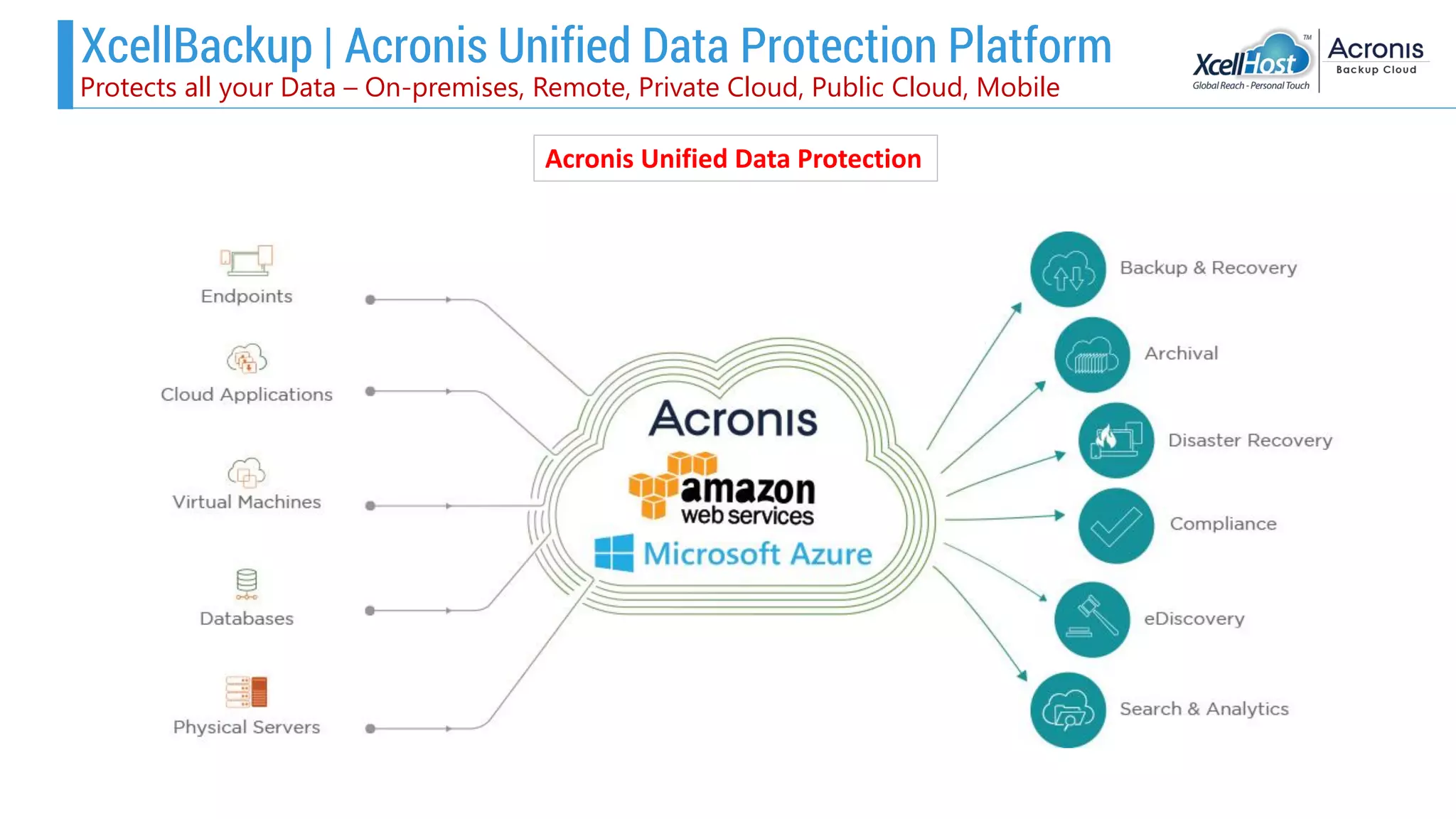
XcellBackup | Acronis Unified Data Protection Platform
Protects all your Data – On-premises, Remote, Private Cloud, Public Cloud, Mobile
Acronis Unified Data Protection
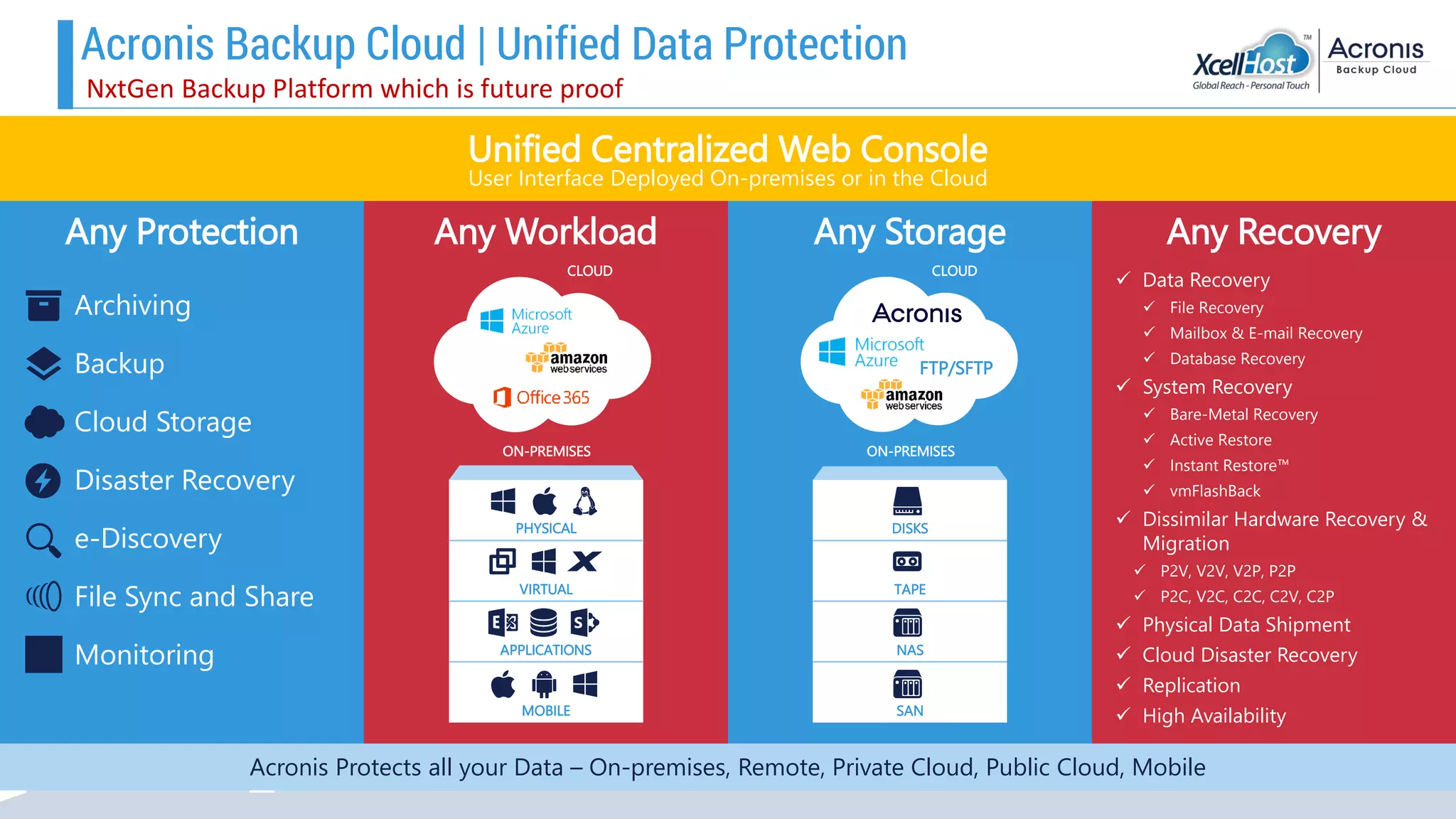
Acronis Protects all your Data – On-premises, Remote, Private Cloud, Public Cloud, Mobile
Unified Centralized Web Console
User Interface Deployed On-premises or in the Cloud
Any Protection Any Workload Any Storage Any Recovery
Archiving
Backup
Cloud Storage
Disaster Recovery
e-Discovery
File Sync and Share
Monitoring
CLOUD CLOUD
ON-PREMISES ON-PREMISES
 Data Recovery
 File Recovery
 Mailbox & E-mail Recovery
 Database Recovery
 System Recovery
 Bare-Metal Recovery
 Active Restore
 Instant Restore™
 vmFlashBack
 Dissimilar Hardware Recovery &
Migration
 P2V, V2V, V2P, P2P
 P2C, V2C, C2C, C2V, C2P
 Physical Data Shipment
 Cloud Disaster Recovery
 Replication
 High Availability
PHYSICAL
VIRTUAL
APPLICATIONS
MOBILE
DISKS
TAPE
NAS
SAN
FTP/SFTP
NxtGen Backup Platform which is future proof
Acronis Backup Cloud | Unified Data Protection
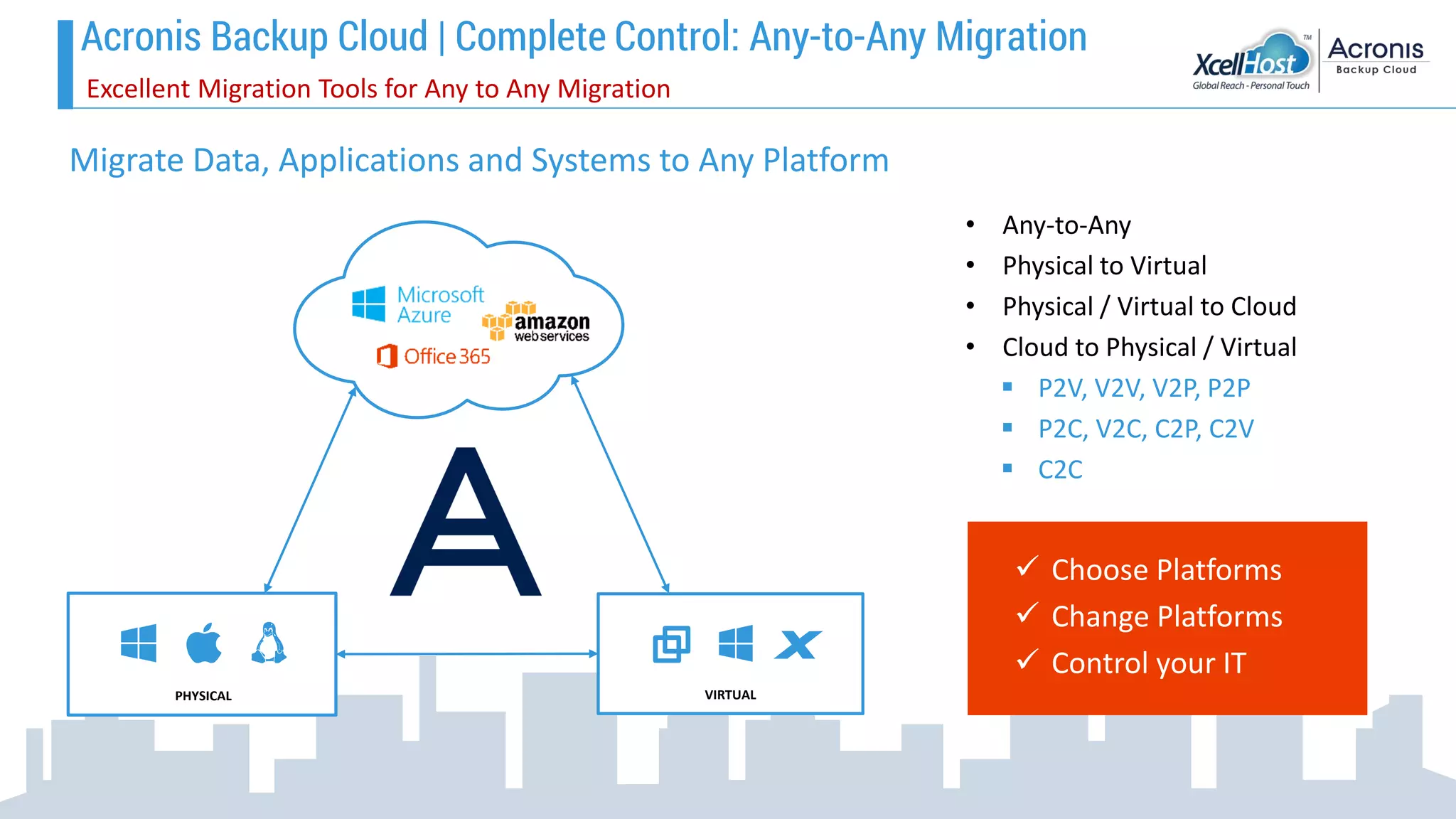
Migrate Data, Applications and Systems to Any Platform
• Any-to-Any
• Physical to Virtual
• Physical / Virtual to Cloud
• Cloud to Physical / Virtual
 P2V, V2V, V2P, P2P
 P2C, V2C, C2P, C2V
 C2C
 Choose Platforms
 Change Platforms
 Control your IT
PHYSICAL VIRTUAL
Excellent Migration Tools for Any to Any Migration
Acronis Backup Cloud | Complete Control: Any-to-Any Migration
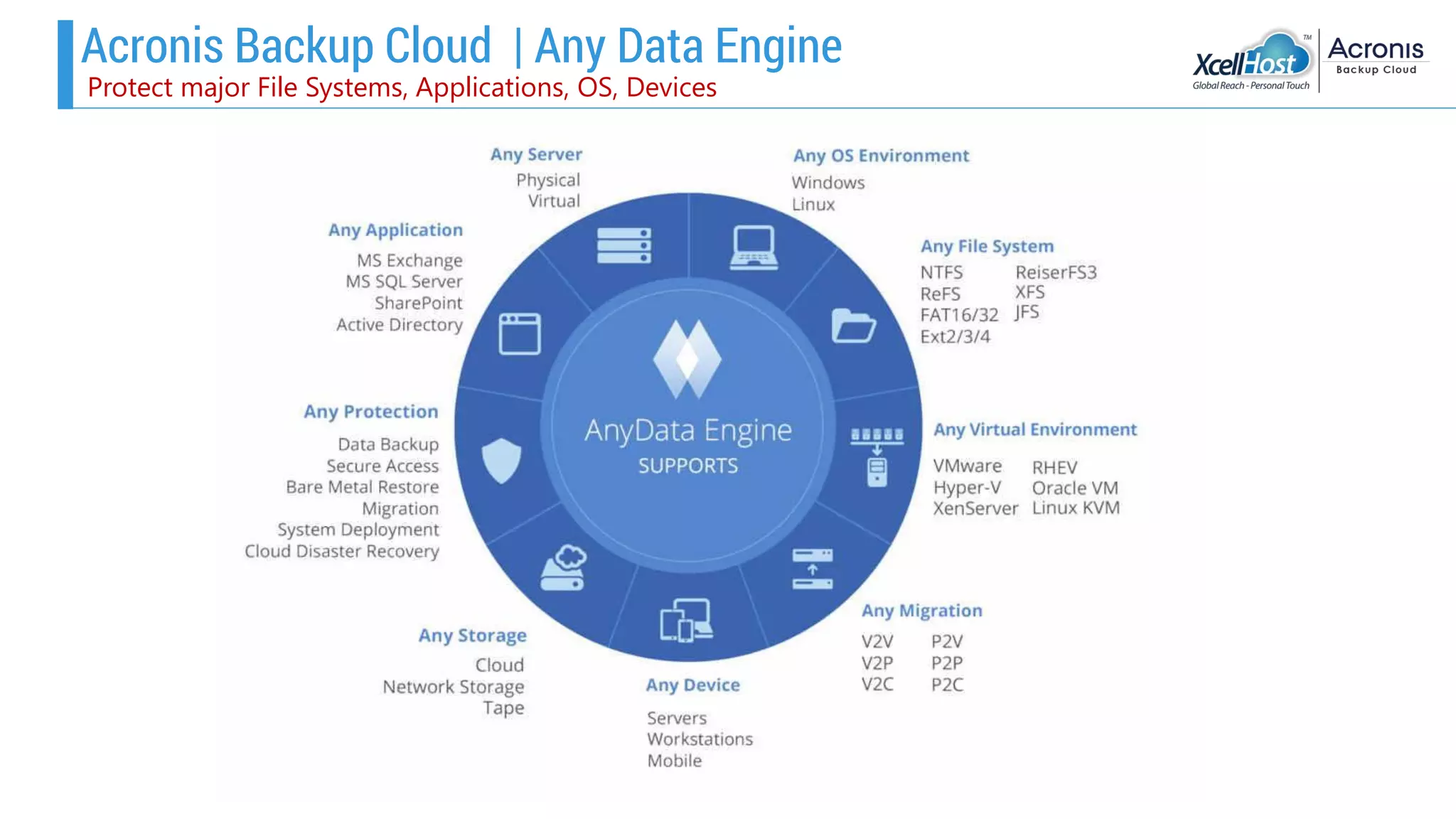
Acronis Backup Cloud | Any Data Engine
Protect major File Systems, Applications, OS, Devices
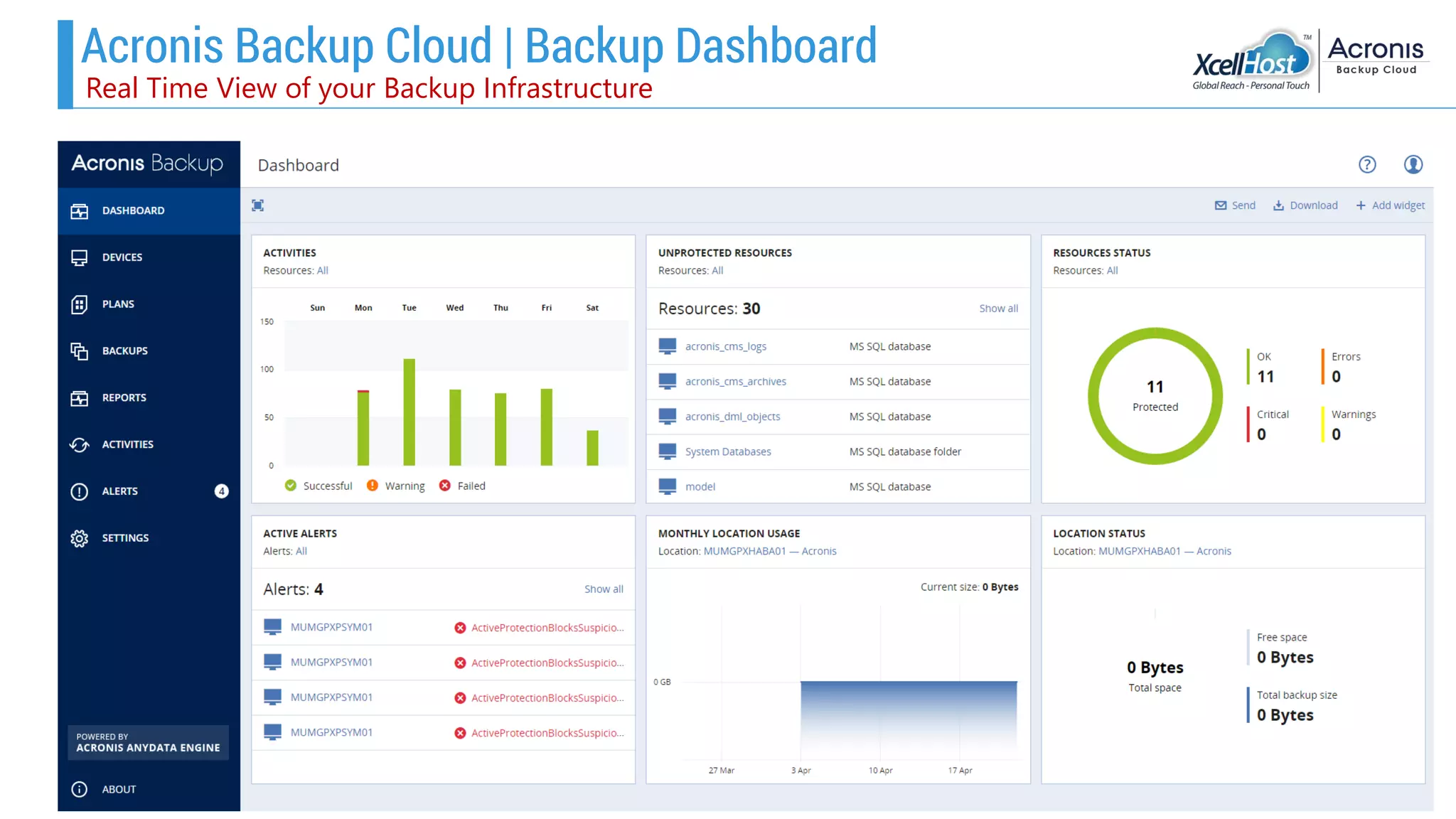
Real Time View of your Backup Infrastructure
Acronis Backup Cloud | Backup Dashboard
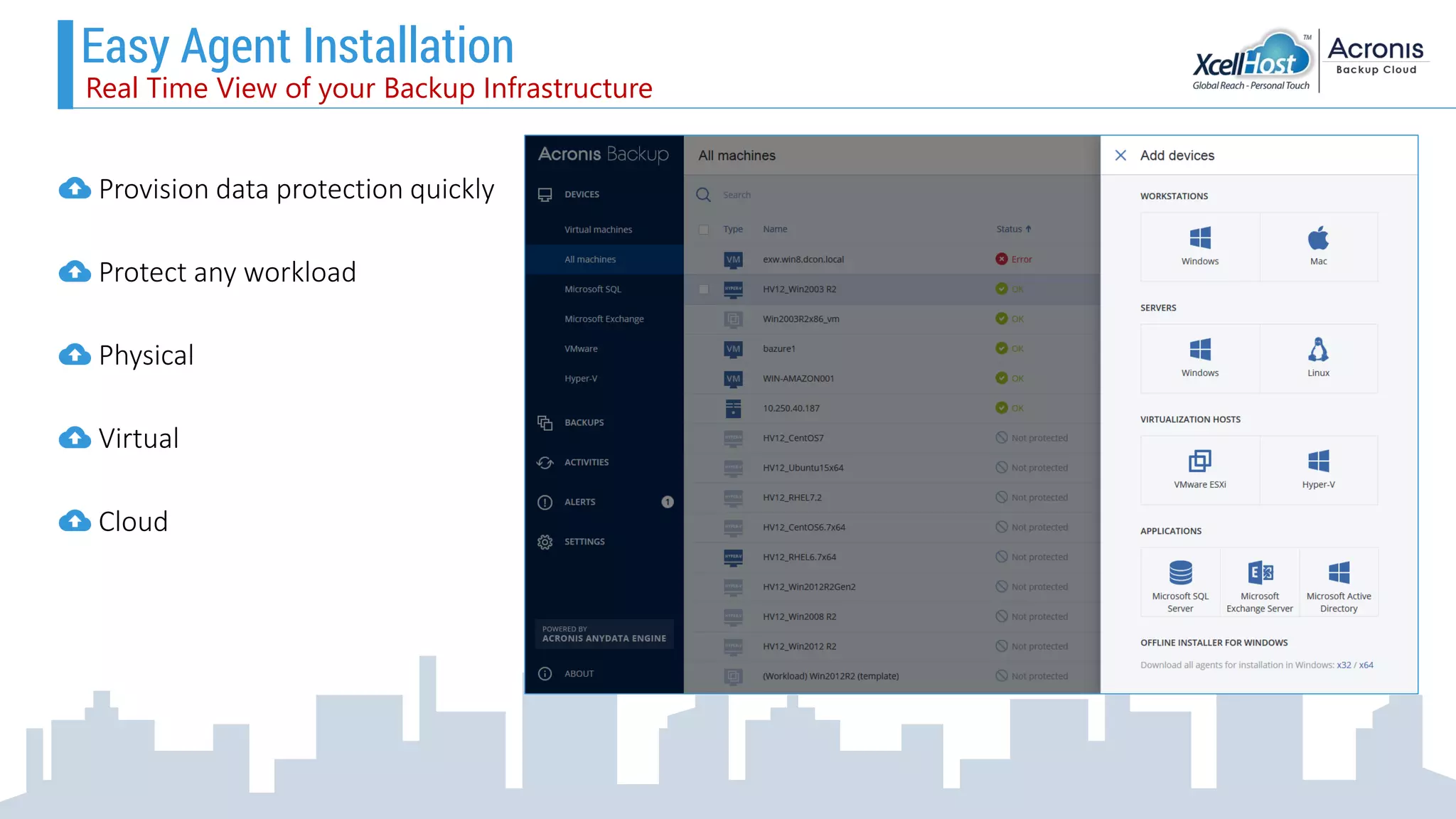
Provision data protection quickly
Protect any workload
Physical
Virtual
Cloud
Real Time View of your Backup Infrastructure
Easy Agent Installation
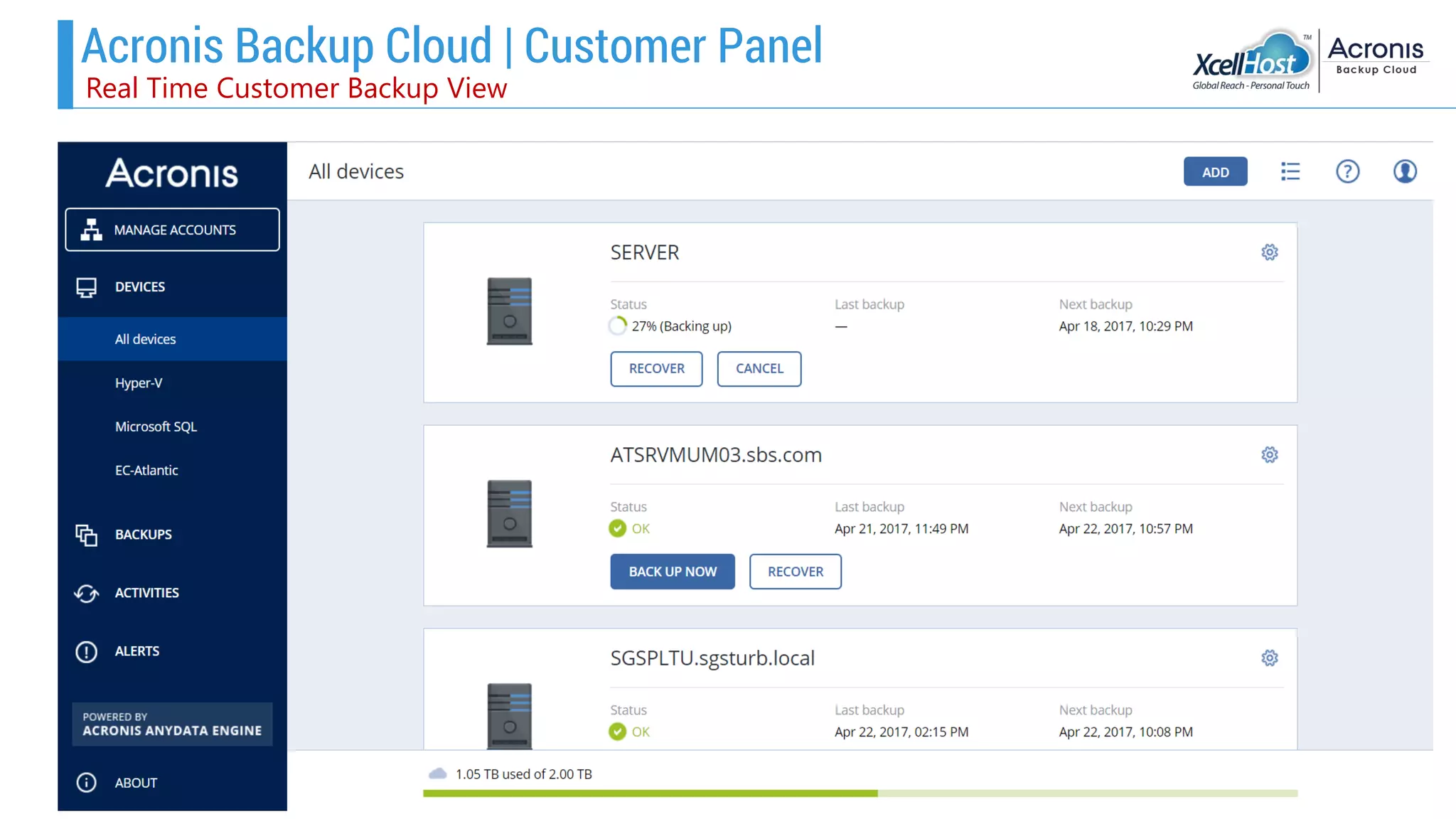
Real Time Customer Backup View
Acronis Backup Cloud | Customer Panel
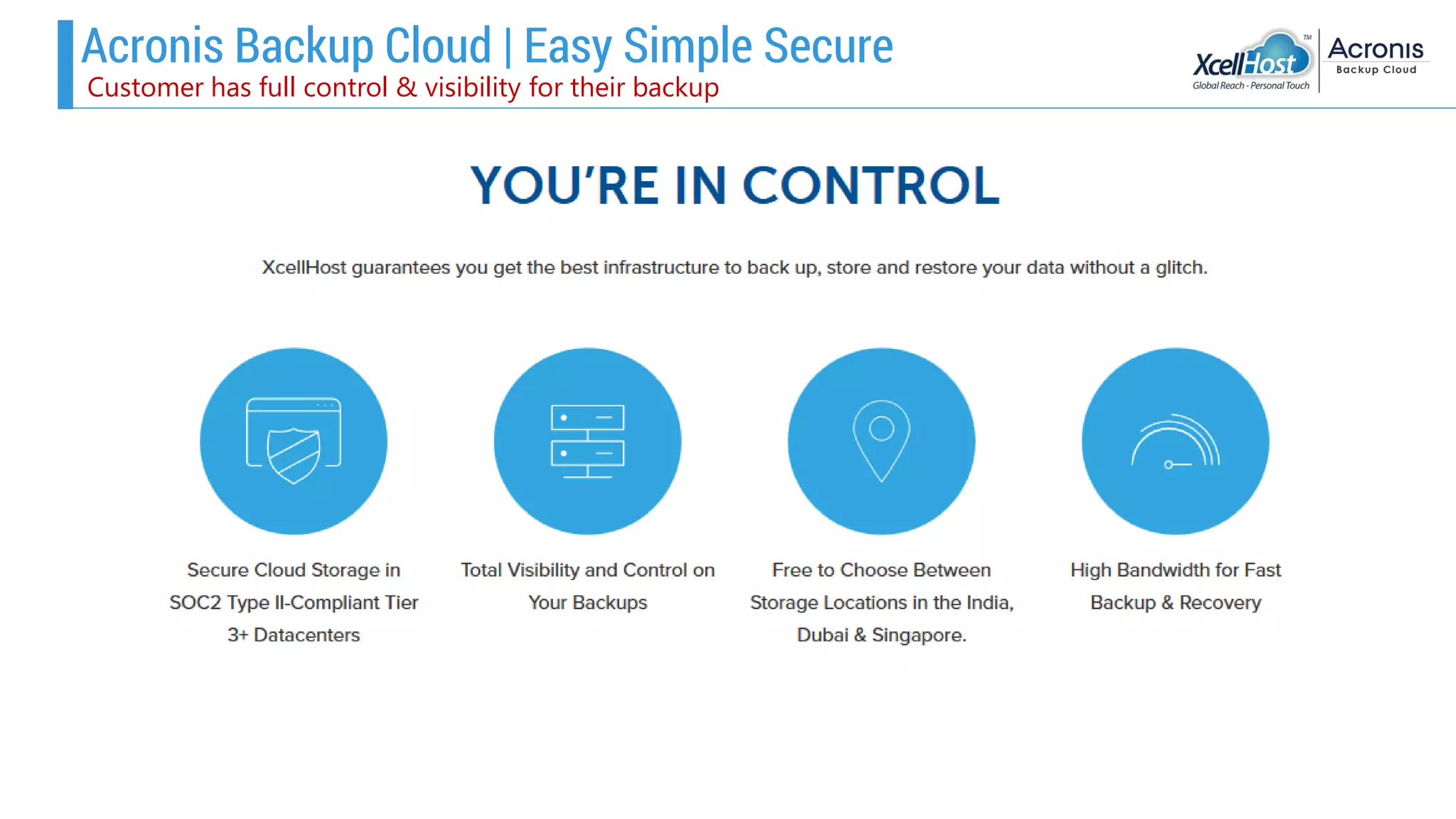
Acronis Backup Cloud | Easy Simple Secure
Customer has full control & visibility for their backup
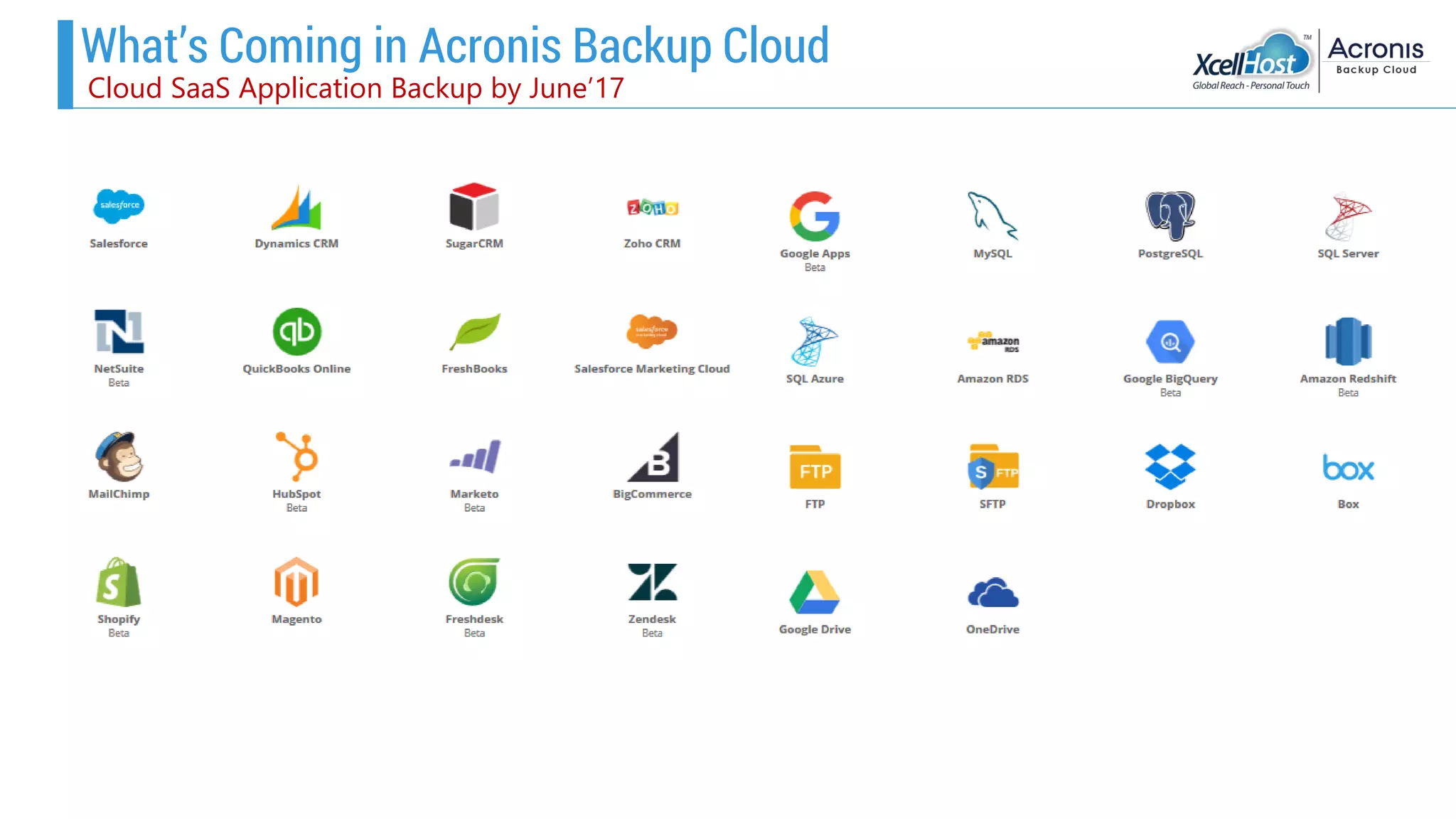
What’s Coming in Acronis Backup Cloud
Cloud SaaS Application Backup by June’17
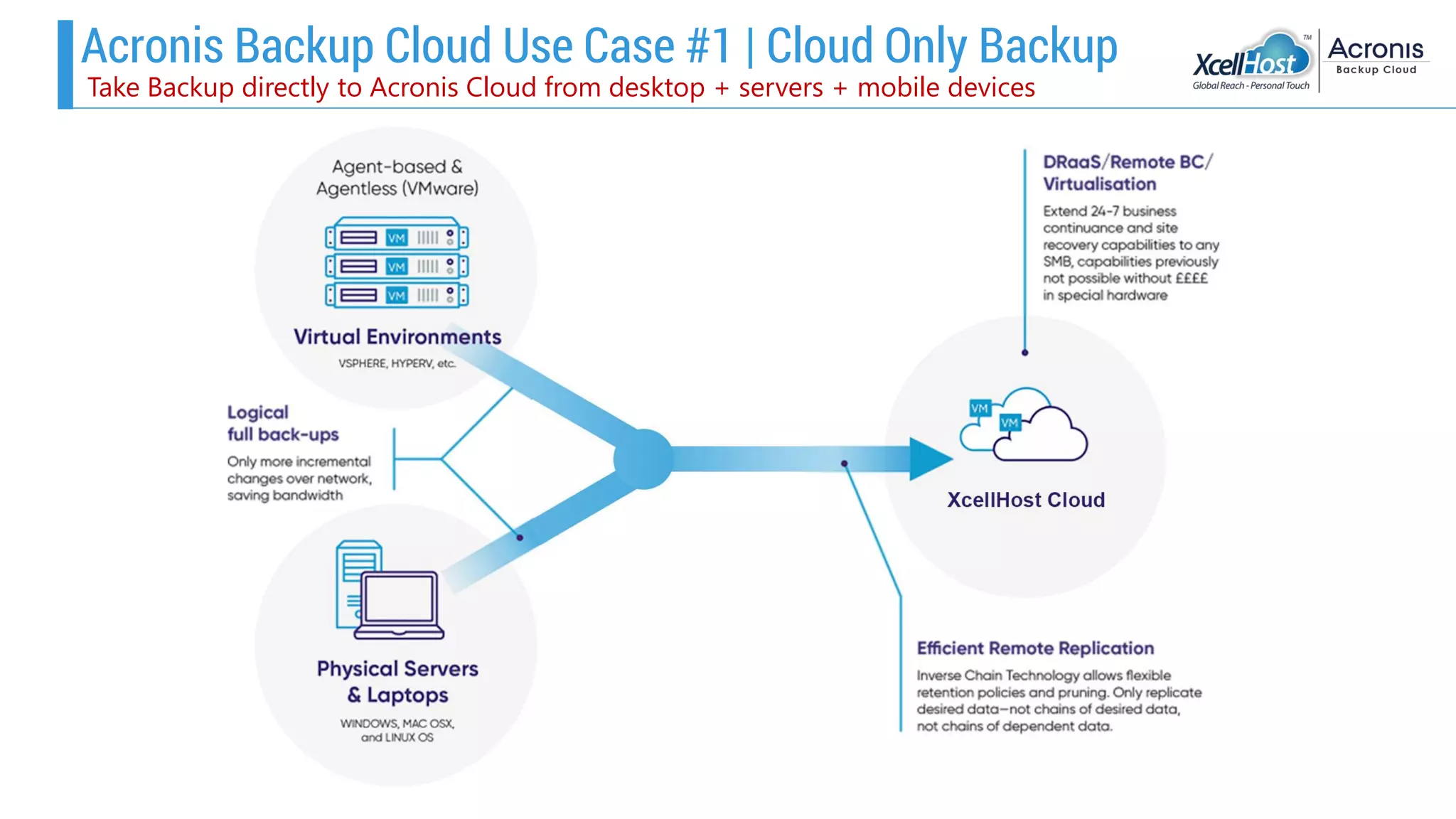
Acronis Backup Cloud Use Case #1 | Cloud Only Backup
Take Backup directly to Acronis Cloud from desktop + servers + mobile devices
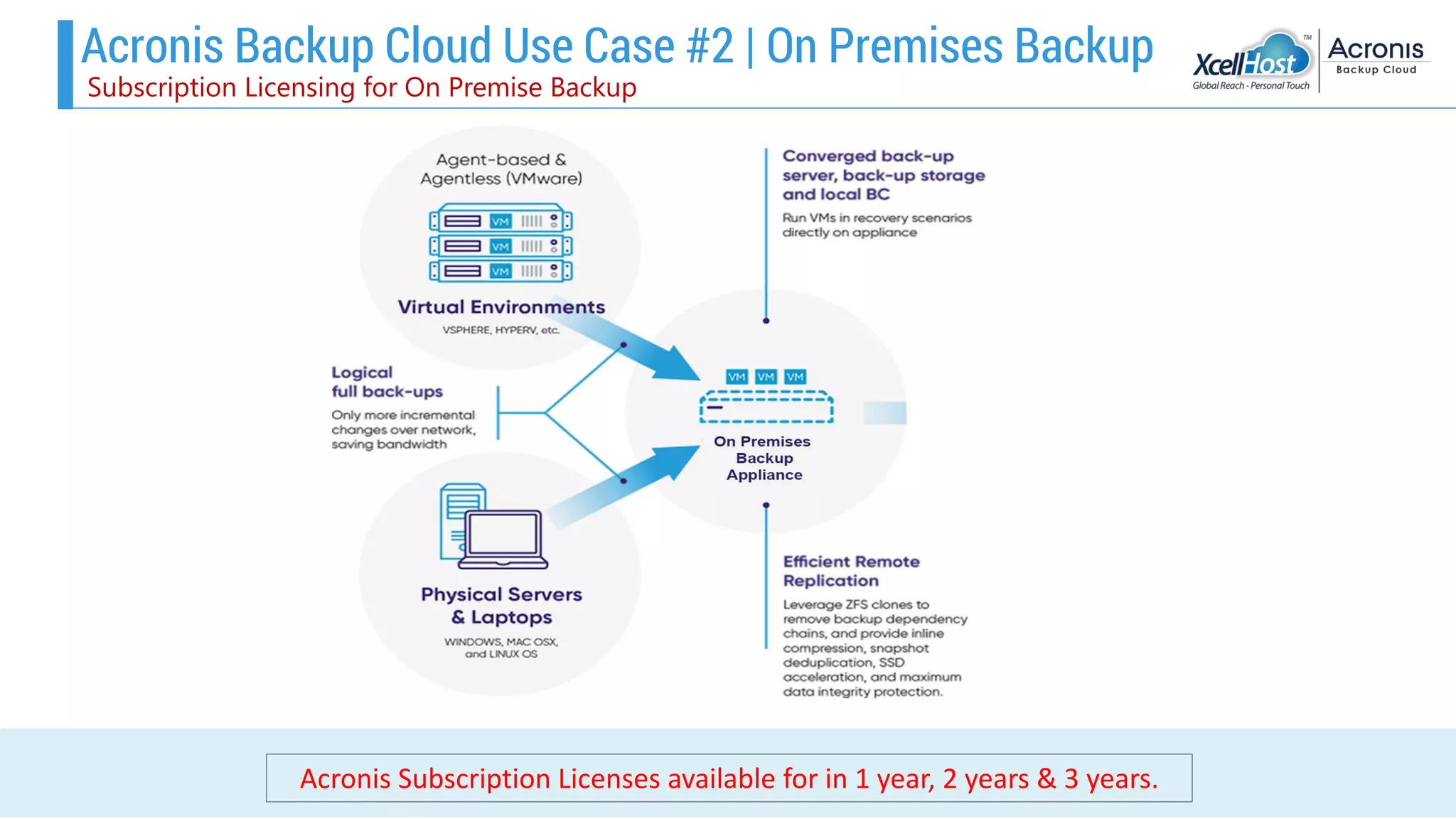
Acronis Backup Cloud Use Case #2 | On Premises Backup
Subscription Licensing for On Premise Backup
Acronis Subscription Licenses available for in 1 year, 2 years & 3 years.
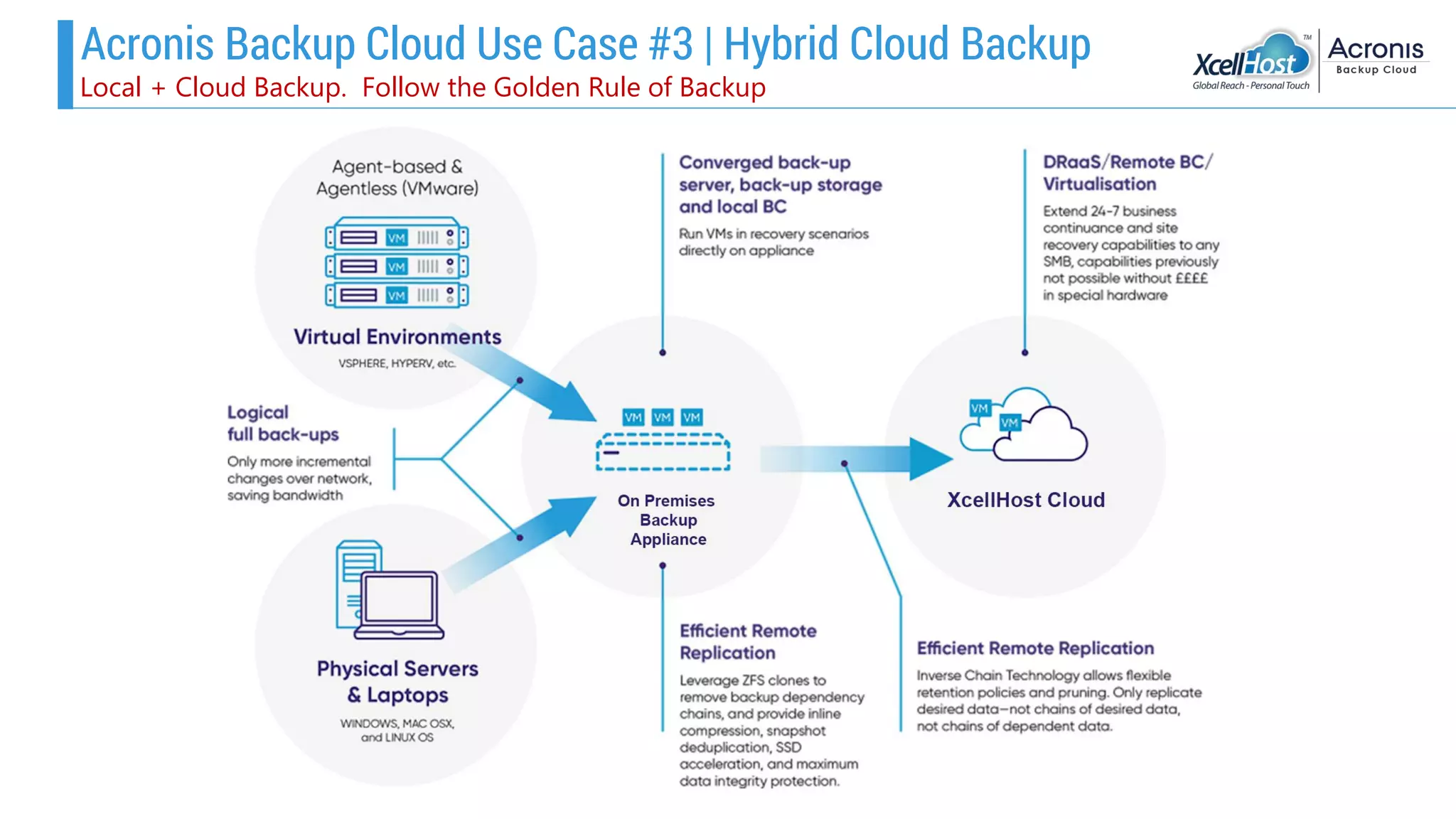
Acronis Backup Cloud Use Case #3 | Hybrid Cloud Backup
Local + Cloud Backup. Follow the Golden Rule of Backup
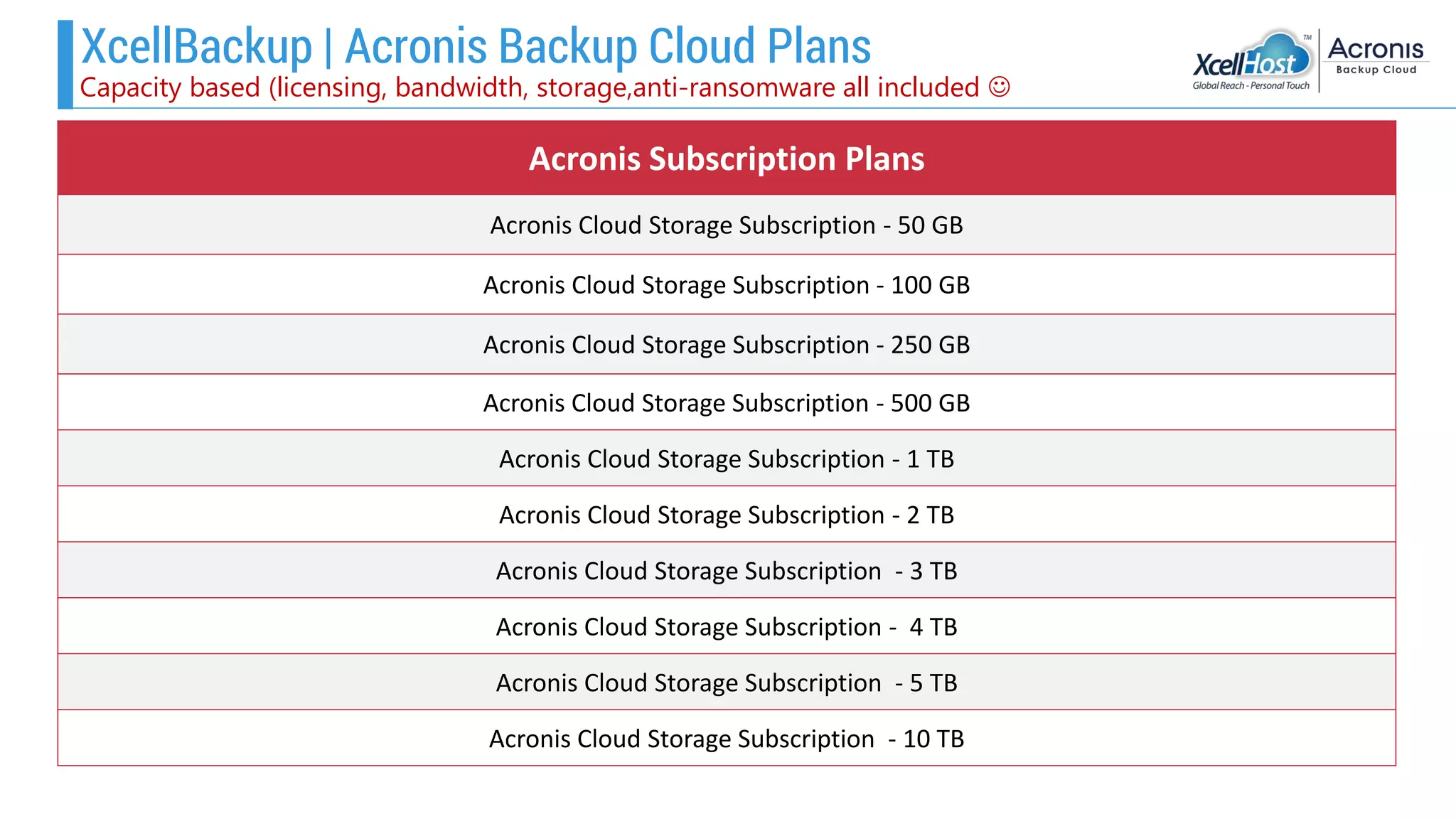
XcellBackup | Acronis Backup Cloud Plans
Acronis Subscription Plans
Acronis Cloud Storage Subscription - 50 GB
Acronis Cloud Storage Subscription - 100 GB
Acronis Cloud Storage Subscription - 250 GB
Acronis Cloud Storage Subscription - 500 GB
Acronis Cloud Storage Subscription - 1 TB
Acronis Cloud Storage Subscription - 2 TB
Acronis Cloud Storage Subscription - 3 TB
Acronis Cloud Storage Subscription - 4 TB
Acronis Cloud Storage Subscription - 5 TB
Acronis Cloud Storage Subscription - 10 TB
Capacity based (licensing, bandwidth, storage,anti-ransomware all included 
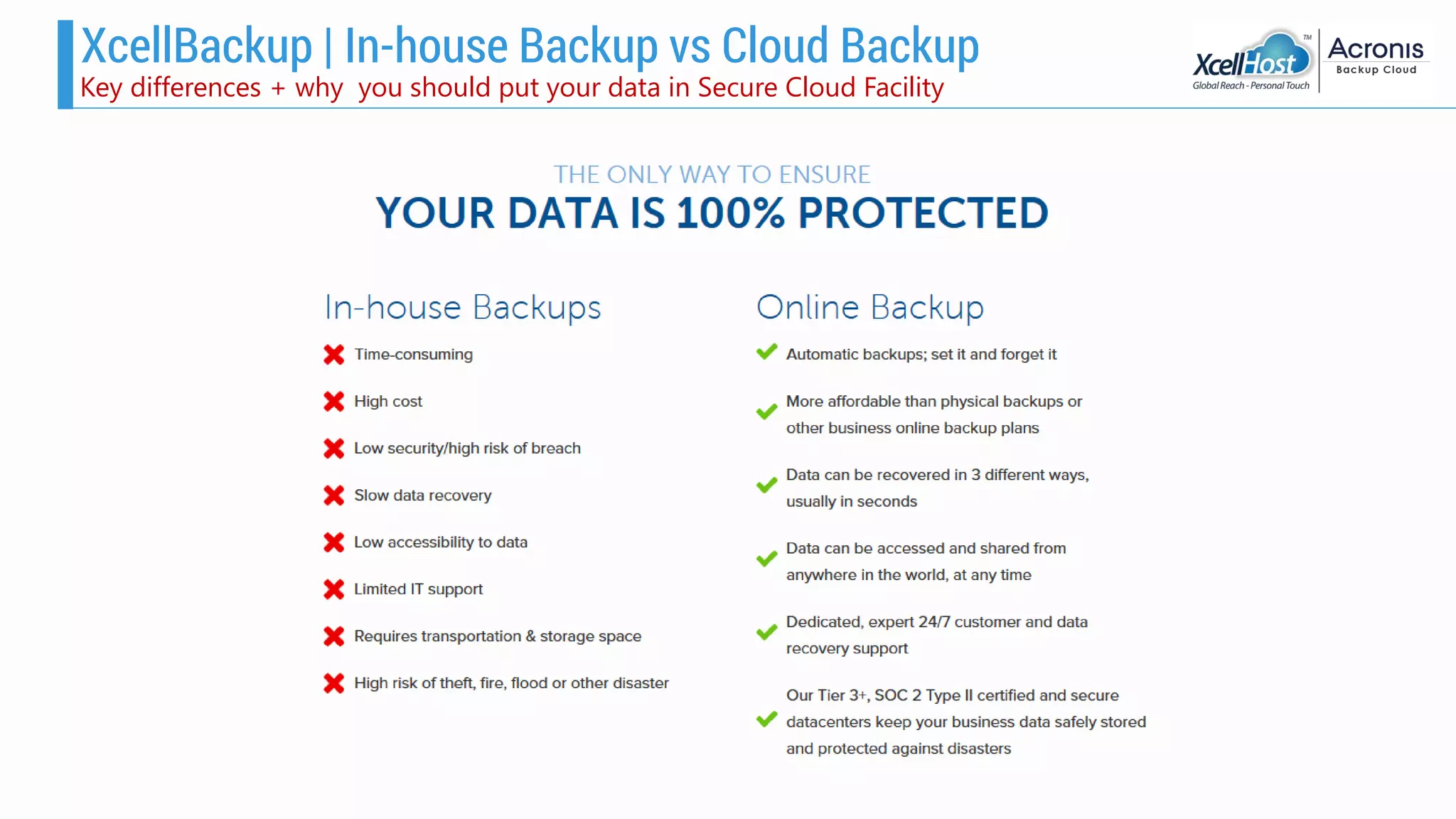
XcellBackup | In-house Backup vs Cloud Backup
Key differences + why you should put your data in Secure Cloud Facility
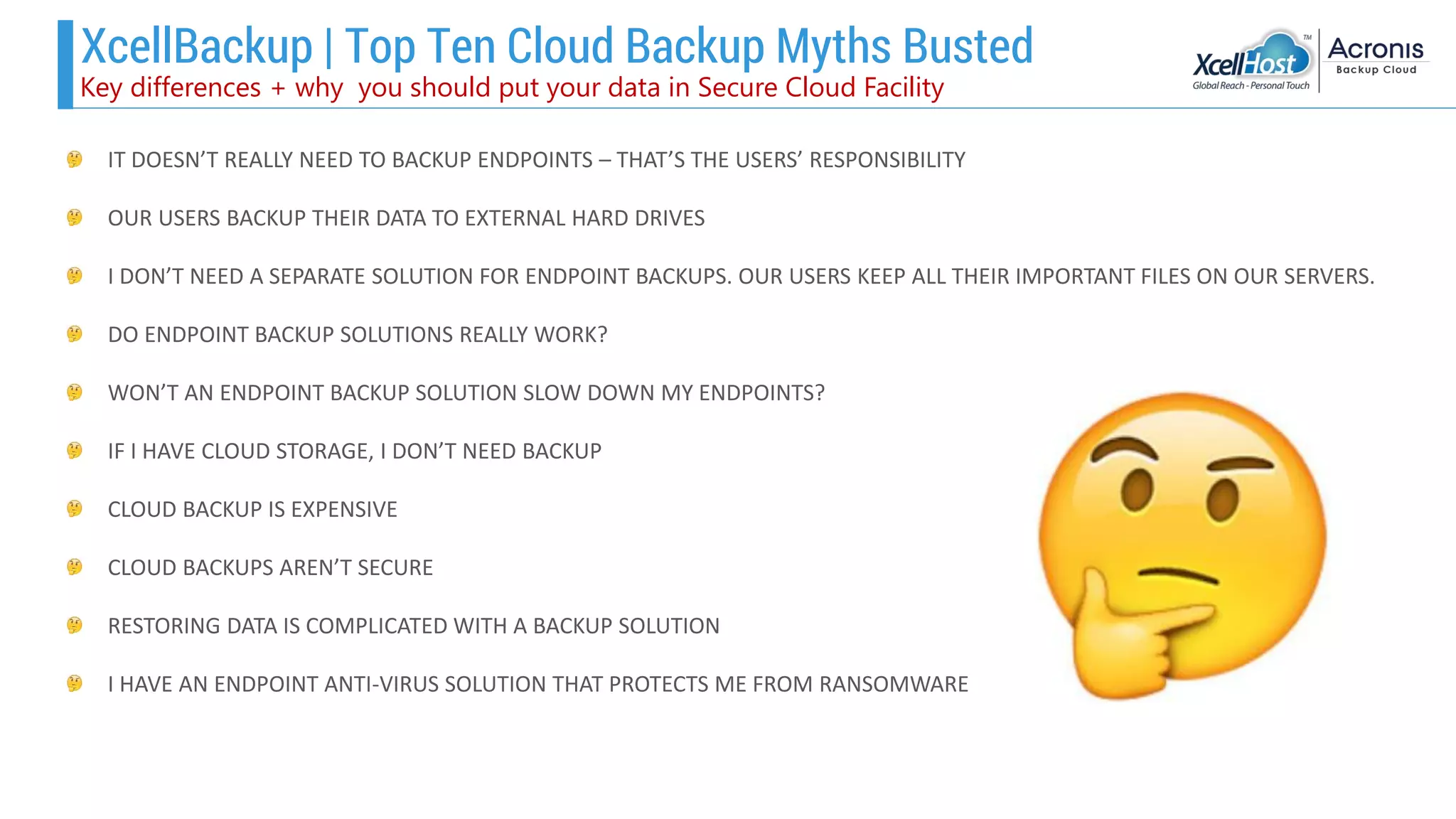
XcellBackup | Top Ten Cloud Backup Myths Busted
IT DOESN’T REALLY NEED TO BACKUP ENDPOINTS – THAT’S THE USERS’ RESPONSIBILITY
OUR USERS BACKUP THEIR DATA TO EXTERNAL HARD DRIVES
I DON’T NEED A SEPARATE SOLUTION FOR ENDPOINT BACKUPS. OUR USERS KEEP ALL THEIR IMPORTANT FILES ON OUR SERVERS.
DO ENDPOINT BACKUP SOLUTIONS REALLY WORK?
WON’T AN ENDPOINT BACKUP SOLUTION SLOW DOWN MY ENDPOINTS?
IF I HAVE CLOUD STORAGE, I DON’T NEED BACKUP
CLOUD BACKUP IS EXPENSIVE
CLOUD BACKUPS AREN’T SECURE
RESTORING DATA IS COMPLICATED WITH A BACKUP SOLUTION
I HAVE AN ENDPOINT ANTI-VIRUS SOLUTION THAT PROTECTS ME FROM RANSOMWARE
Key differences + why you should put your data in Secure Cloud Facility
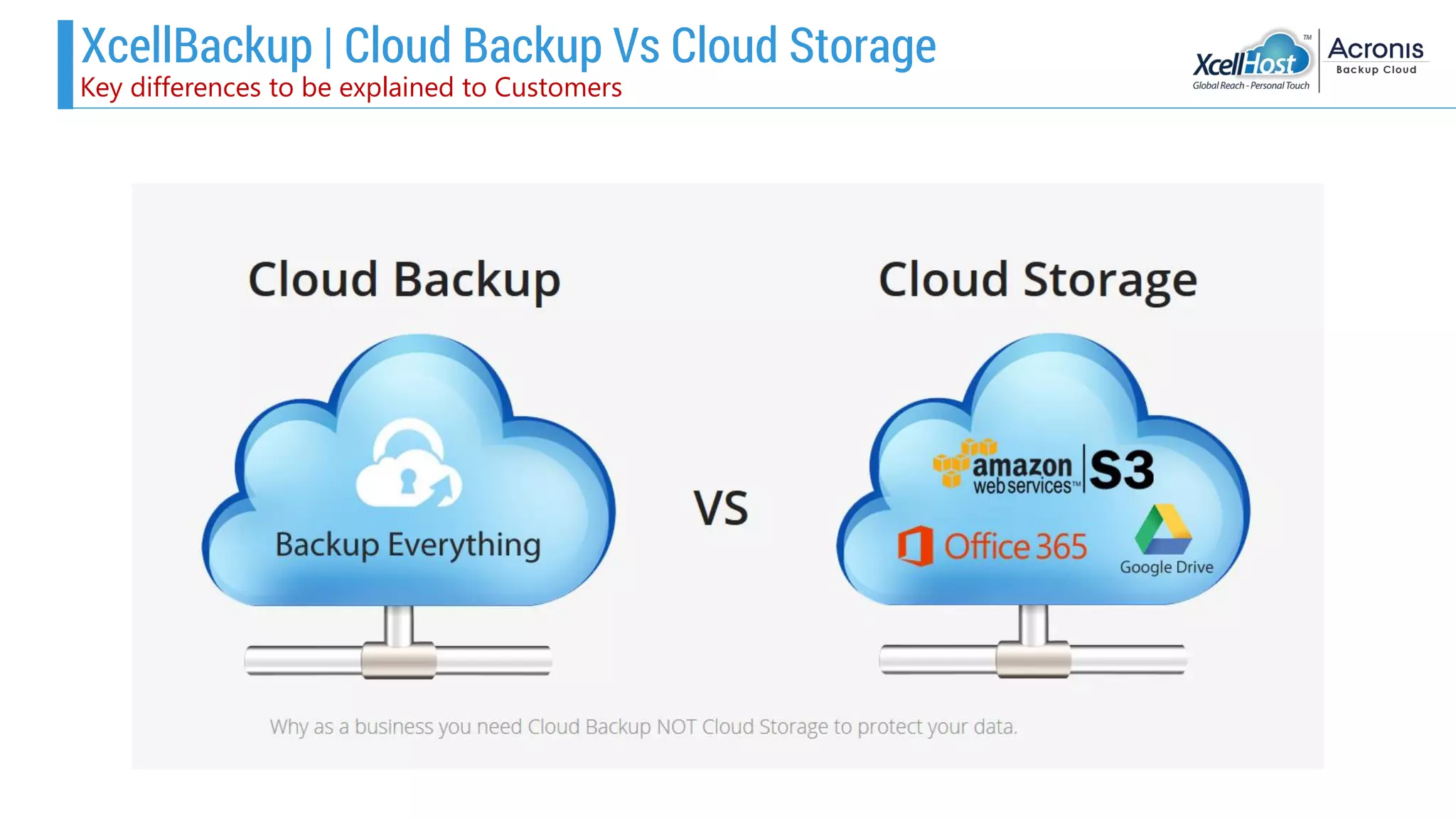
XcellBackup | Cloud Backup Vs Cloud Storage
Key differences to be explained to Customers
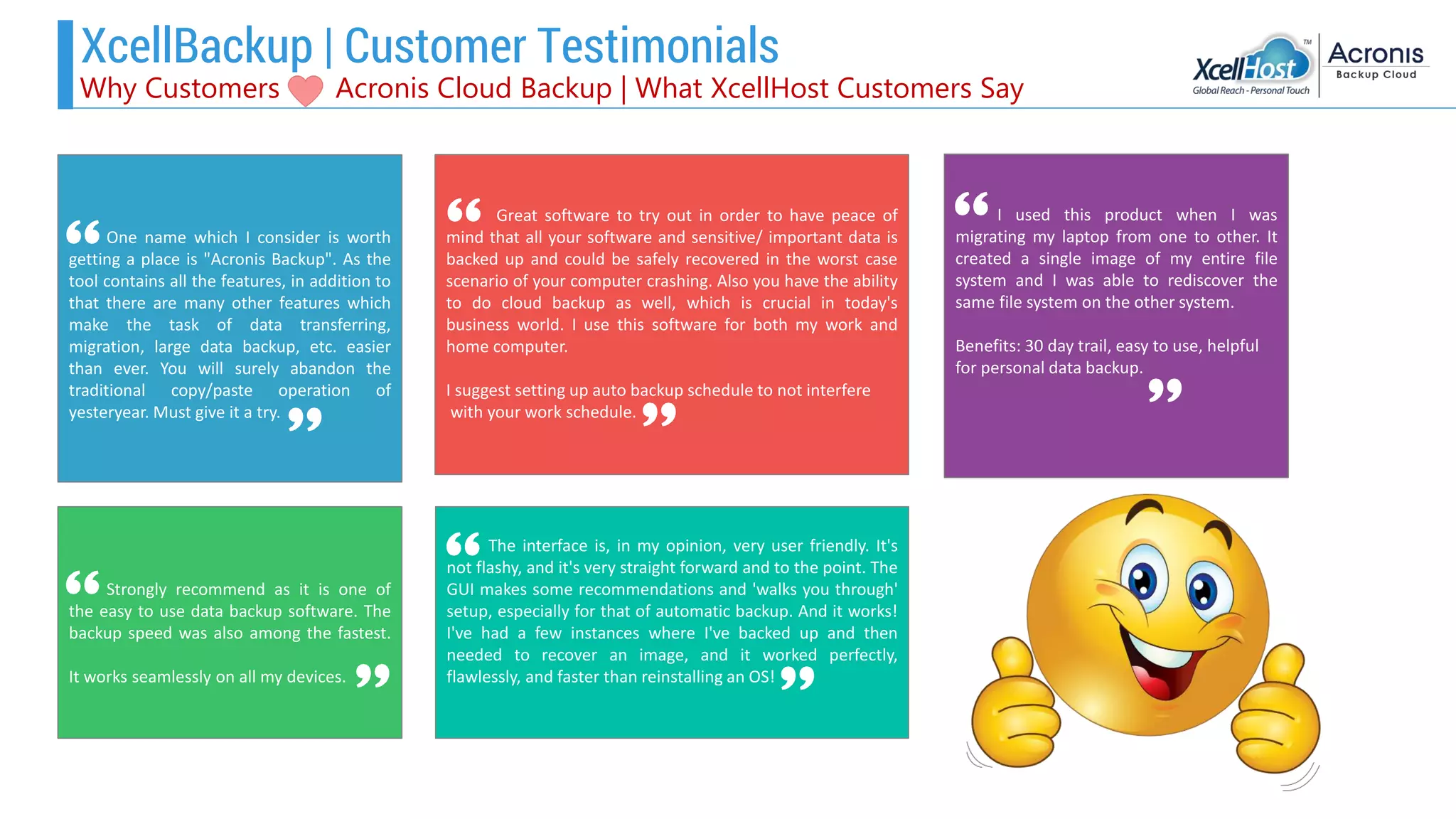
Why Customers Acronis Cloud Backup | What XcellHost Customers Say
XcellBackup | Customer Testimonials
One name which I consider is worth
getting a place is "Acronis Backup". As the
tool contains all the features, in addition to
that there are many other features which
make the task of data transferring,
migration, large data backup, etc. easier
than ever. You will surely abandon the
traditional copy/paste operation of
yesteryear. Must give it a try.
Strongly recommend as it is one of
the easy to use data backup software. The
backup speed was also among the fastest.
It works seamlessly on all my devices.
I used this product when I was
migrating my laptop from one to other. It
created a single image of my entire file
system and I was able to rediscover the
same file system on the other system.
Benefits: 30 day trail, easy to use, helpful
for personal data backup.
Great software to try out in order to have peace of
mind that all your software and sensitive/ important data is
backed up and could be safely recovered in the worst case
scenario of your computer crashing. Also you have the ability
to do cloud backup as well, which is crucial in today's
business world. I use this software for both my work and
home computer.
I suggest setting up auto backup schedule to not interfere
with your work schedule.
The interface is, in my opinion, very user friendly. It's
not flashy, and it's very straight forward and to the point. The
GUI makes some recommendations and 'walks you through'
setup, especially for that of automatic backup. And it works!
I've had a few instances where I've backed up and then
needed to recover an image, and it worked perfectly,
flawlessly, and faster than reinstalling an OS!
Current Offers | Move to Acronis Backup Cloud
What are you waiting for. Move fast
Switch2XcellHost Offer
FREE 1 Month if your switching provider
FREE Migration Support
Sign Up Offer
Sign Up for 12 Months Get 1 Months FREE
Sign Up for 24 Months Get 2 Months FREE
Sign Up for 36 Months Get 3 Months FREE
XcellHost | Thank You 
Questions. Contact Us
cloudsales@xcellhost.cloud | Toll Free : 1-800-212-2322 | Ph: +91-22-67111555 | www.xcellhost.cloud
Thank You

XcellBackup - Cloud Data Protection Services - Powered by Acronis Backup Cloud

  • 1.
    XcellBackup | CloudData Protection Services Powered by Acronis Backup Cloud Delivered by XcellHost – Data Protection Experts Presented by Samir Jhaveri – Managing Director Protect | Manage | Monitor | Migrate | Archive | Analyze Cloud File/Sync Cloud Backup Cloud DR Cloud Archive E-Discovery Object Storage Cloud Storage Managed Backup
  • 2.
    Market Research forBackup + Data Protection Market Size XcellBackup Cloud Backup Overview: Our platform, technology and solutions Why Cloud Backup – Business Need. Data Protection Challenges What Acronis Cloud Backup Technology can do for you Acronis Cloud Backup - Security and Encryption Many solutions in one: XcellHost Cloud Data Protection Services Why business choose Acronis Cloud Backup XcellBackup | Acronis Cloud Backup Agenda
  • 3.
    Founded in 1999.Global Reach – Personal Touch Global HQ + Global NOC in Mumbai Wholly Owned Subsidiary in Dubai + Singapore Approximately 100+ Employees 25+ Certified Backup Specialists 50+ Worldwide Cloud Nodes across the world Approximately USD $5 million revenue 5000+ Global Customers across verticals Microsoft CSP Tier 1 Partner in India since 3 years Microsoft Gold Certified Cloud Platform Partner Leaders in Managed Hosting + Cloud Services About XcellBackup Key Facts
  • 4.
    Market Research |Data Explosion Data Universe will be 44 Zettabytes by 2020 Social Mobile Analytics Cloud What is causing the data explosions
  • 5.
    Market Research |Digital Universe Huge Opportunity for Data Storage + Protection
  • 6.
    Ransomware infections aregrowing fast: Cybercriminals will collect $4B in ransoms in 2017 Getting smarter: Software defeats many traditional endpoint security measures Backups are a critical line of defense XcellBackup | Backup is Critical Ransomware Defense Ransomware is #1 Threat which causes Data Loss
  • 7.
    A person cannotsurvive more than… … 3 minutes without air … 3 days without water … 3 weeks without food Data loss can be fatal for businesses 40% of businesses do not reopen after a disaster (source: FEMA) Data is as important to a business as air is to a person XcellBackup | Cloud Data Protection Why protect your precious business + personal data
  • 8.
    Cloud, Mobile, Social Massive data growth Multiple devices Alwayson and connected You need Next Generation Data Protection Solutions for your Business Every process is digital The World is Converting to be 100% Digital. Your backup tool needs to be Next Gen XcellBackup | Technology Shift
  • 9.
    Why Backup |Types of Natural Disasters Act of God. When God gets angry  Tropical Cyclone Drought Earthquakes Pandemic Wildfire Landslides Floods Extreme Heat Tsunamis Agricultural Diseases & Pests Volcanic Eruptions Thunderstorms & Lightning Industrial Accidents Terrorism War Greenhouse Effect Deforestation Natural Disasters Man Made Disasters
  • 10.
    Power failure IT Hardwarefailure Network failure IT Software failure Human errors IT Disasters XcellBackup | Types of IT Disasters When technology fails us. Leading to Data Loss
  • 11.
    You need aBackup and Disaster Recovery Plan in place ! XcellBackup | Why Cloud Backup Humans Make Mistakes Machines & Hardware Fail Nature is Unpredictable Customers Want Access 24/7/365 Antivirus & Ransomware Threat Hardware damage/stolen Compliance Requirement Data Security 1 2 3 4 5 6 7 8
  • 12.
    Infrastructure is gettingmore complex Data is stored in more locations Volume of data is growing More devices to manage More focus on business production systems Less resources to protect it all Cloud managed data protection is the solution! Data Protection Challenges XcellBackup | Cloud Data Protection
  • 13.
    State of Backup2017 | Key concerns of IT Managers Research showing customers not confident with existing data protection tools
  • 14.
    What is the3-2-1 Backup Rule and Why Does Your Business Need it? Backup 3-2-1 Rule | Golden Rule of Backup Click here to view video
  • 15.
    Acronis Backup Cloud| Active Protection Protects backup for ransomware in real time Click here to view video
  • 16.
    Acronis Backup Cloud| WannaCry RansomWare Protects your data for ransomware in real time
  • 17.
    Acronis Active Protection™- Prevent data loss due to ransomware How Acronis Active Protection™ works Acronis Active Protection is an advanced ransomware protection technology. It actively protects all of the data on your computer – documents, data of all types, and your Acronis Backup Files. (This is currently a Windows-only feature.) Pattern detection Whitelist and blacklist Self-defense of backup files Protection from future threats The methodologies in Acronis Active Protection detect, deflect, and restore in advanced ways. These protection approaches not only stay ahead of the criminals, but they are more innovative and advanced than any other anti-ransomware methodology available. The solution addresses: Attackers that try to infect or compromise local or cloud backups Attacks that are smaller and harder to notice, for example changing only a small part of a document or photo deep in your hard drive Attackers coming up with creative new ways to attempt to surreptitiously change your files without your knowledge Anti-Ransomware feature build in Backup Agent at no extra cost.
  • 18.
    XcellBackup | AcronisUnified Data Protection Platform Protects all your Data – On-premises, Remote, Private Cloud, Public Cloud, Mobile Acronis Unified Data Protection
  • 19.
    Acronis Protects allyour Data – On-premises, Remote, Private Cloud, Public Cloud, Mobile Unified Centralized Web Console User Interface Deployed On-premises or in the Cloud Any Protection Any Workload Any Storage Any Recovery Archiving Backup Cloud Storage Disaster Recovery e-Discovery File Sync and Share Monitoring CLOUD CLOUD ON-PREMISES ON-PREMISES  Data Recovery  File Recovery  Mailbox & E-mail Recovery  Database Recovery  System Recovery  Bare-Metal Recovery  Active Restore  Instant Restore™  vmFlashBack  Dissimilar Hardware Recovery & Migration  P2V, V2V, V2P, P2P  P2C, V2C, C2C, C2V, C2P  Physical Data Shipment  Cloud Disaster Recovery  Replication  High Availability PHYSICAL VIRTUAL APPLICATIONS MOBILE DISKS TAPE NAS SAN FTP/SFTP NxtGen Backup Platform which is future proof Acronis Backup Cloud | Unified Data Protection
  • 20.
    Migrate Data, Applicationsand Systems to Any Platform • Any-to-Any • Physical to Virtual • Physical / Virtual to Cloud • Cloud to Physical / Virtual  P2V, V2V, V2P, P2P  P2C, V2C, C2P, C2V  C2C  Choose Platforms  Change Platforms  Control your IT PHYSICAL VIRTUAL Excellent Migration Tools for Any to Any Migration Acronis Backup Cloud | Complete Control: Any-to-Any Migration
  • 21.
    Acronis Backup Cloud| Any Data Engine Protect major File Systems, Applications, OS, Devices
  • 22.
    Real Time Viewof your Backup Infrastructure Acronis Backup Cloud | Backup Dashboard
  • 23.
    Provision data protectionquickly Protect any workload Physical Virtual Cloud Real Time View of your Backup Infrastructure Easy Agent Installation
  • 24.
    Real Time CustomerBackup View Acronis Backup Cloud | Customer Panel
  • 25.
    Acronis Backup Cloud| Easy Simple Secure Customer has full control & visibility for their backup
  • 26.
    What’s Coming inAcronis Backup Cloud Cloud SaaS Application Backup by June’17
  • 27.
    Acronis Backup CloudUse Case #1 | Cloud Only Backup Take Backup directly to Acronis Cloud from desktop + servers + mobile devices
  • 28.
    Acronis Backup CloudUse Case #2 | On Premises Backup Subscription Licensing for On Premise Backup Acronis Subscription Licenses available for in 1 year, 2 years & 3 years.
  • 29.
    Acronis Backup CloudUse Case #3 | Hybrid Cloud Backup Local + Cloud Backup. Follow the Golden Rule of Backup
  • 30.
    XcellBackup | AcronisBackup Cloud Plans Acronis Subscription Plans Acronis Cloud Storage Subscription - 50 GB Acronis Cloud Storage Subscription - 100 GB Acronis Cloud Storage Subscription - 250 GB Acronis Cloud Storage Subscription - 500 GB Acronis Cloud Storage Subscription - 1 TB Acronis Cloud Storage Subscription - 2 TB Acronis Cloud Storage Subscription - 3 TB Acronis Cloud Storage Subscription - 4 TB Acronis Cloud Storage Subscription - 5 TB Acronis Cloud Storage Subscription - 10 TB Capacity based (licensing, bandwidth, storage,anti-ransomware all included 
  • 31.
    XcellBackup | In-houseBackup vs Cloud Backup Key differences + why you should put your data in Secure Cloud Facility
  • 32.
    XcellBackup | TopTen Cloud Backup Myths Busted IT DOESN’T REALLY NEED TO BACKUP ENDPOINTS – THAT’S THE USERS’ RESPONSIBILITY OUR USERS BACKUP THEIR DATA TO EXTERNAL HARD DRIVES I DON’T NEED A SEPARATE SOLUTION FOR ENDPOINT BACKUPS. OUR USERS KEEP ALL THEIR IMPORTANT FILES ON OUR SERVERS. DO ENDPOINT BACKUP SOLUTIONS REALLY WORK? WON’T AN ENDPOINT BACKUP SOLUTION SLOW DOWN MY ENDPOINTS? IF I HAVE CLOUD STORAGE, I DON’T NEED BACKUP CLOUD BACKUP IS EXPENSIVE CLOUD BACKUPS AREN’T SECURE RESTORING DATA IS COMPLICATED WITH A BACKUP SOLUTION I HAVE AN ENDPOINT ANTI-VIRUS SOLUTION THAT PROTECTS ME FROM RANSOMWARE Key differences + why you should put your data in Secure Cloud Facility
  • 33.
    XcellBackup | CloudBackup Vs Cloud Storage Key differences to be explained to Customers
  • 34.
    Why Customers AcronisCloud Backup | What XcellHost Customers Say XcellBackup | Customer Testimonials One name which I consider is worth getting a place is "Acronis Backup". As the tool contains all the features, in addition to that there are many other features which make the task of data transferring, migration, large data backup, etc. easier than ever. You will surely abandon the traditional copy/paste operation of yesteryear. Must give it a try. Strongly recommend as it is one of the easy to use data backup software. The backup speed was also among the fastest. It works seamlessly on all my devices. I used this product when I was migrating my laptop from one to other. It created a single image of my entire file system and I was able to rediscover the same file system on the other system. Benefits: 30 day trail, easy to use, helpful for personal data backup. Great software to try out in order to have peace of mind that all your software and sensitive/ important data is backed up and could be safely recovered in the worst case scenario of your computer crashing. Also you have the ability to do cloud backup as well, which is crucial in today's business world. I use this software for both my work and home computer. I suggest setting up auto backup schedule to not interfere with your work schedule. The interface is, in my opinion, very user friendly. It's not flashy, and it's very straight forward and to the point. The GUI makes some recommendations and 'walks you through' setup, especially for that of automatic backup. And it works! I've had a few instances where I've backed up and then needed to recover an image, and it worked perfectly, flawlessly, and faster than reinstalling an OS!
  • 35.
    Current Offers |Move to Acronis Backup Cloud What are you waiting for. Move fast Switch2XcellHost Offer FREE 1 Month if your switching provider FREE Migration Support Sign Up Offer Sign Up for 12 Months Get 1 Months FREE Sign Up for 24 Months Get 2 Months FREE Sign Up for 36 Months Get 3 Months FREE
  • 36.
    XcellHost | ThankYou  Questions. Contact Us cloudsales@xcellhost.cloud | Toll Free : 1-800-212-2322 | Ph: +91-22-67111555 | www.xcellhost.cloud Thank You