


Writing Effective
                          Instructions


Saturday, September 25, 2010
Challenges


Saturday, September 25, 2010
What do we always
                           do first?


Saturday, September 25, 2010
Audience Analysis


Saturday, September 25, 2010
Do a task analysis.


Saturday, September 25, 2010
What do they need to know?

 What do they want to know?


Saturday, September 25, 2010
Instruct at the correct level

                (Basic overview or detailed instruction?)


Saturday, September 25, 2010
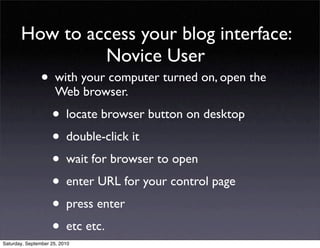
How to access your blog interface:
                Novice User
                • with your computer turned on, open the
                      Web browser.

                    • locate browser button on desktop
                    • double-click it
                    • wait for browser to open
                    • enter URL for your control page
                    • press enter
                    • etc etc.
Saturday, September 25, 2010
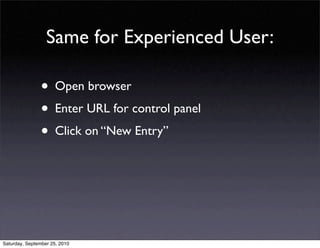
Same for Experienced User:

                • Open browser
                • Enter URL for control panel
                • Click on “New Entry”


Saturday, September 25, 2010
Use very specific action verbs.


Saturday, September 25, 2010
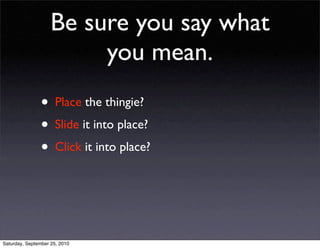
Be sure you say what
                         you mean.
                • Place the thingie?
                • Slide it into place?
                • Click it into place?


Saturday, September 25, 2010
Maintain Parallel Structure


Saturday, September 25, 2010
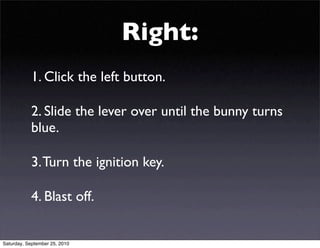
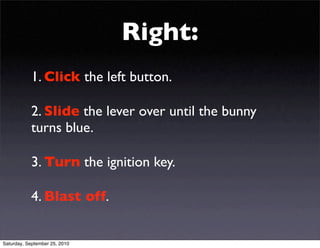
Right:
           1. Click the left button.

           2. Slide the lever over until the bunny turns
           blue.

           3. Turn the ignition key.

           4. Blast off.


Saturday, September 25, 2010
Right:
           1. Click the left button.

           2. Slide the lever over until the bunny
           turns blue.

           3. Turn the ignition key.

           4. Blast off.


Saturday, September 25, 2010
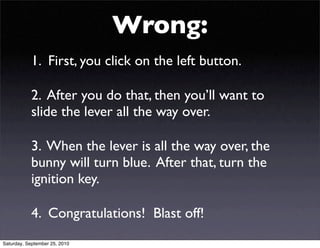
Wrong:
           1. First, you click on the left button.

           2. After you do that, then you’ll want to
           slide the lever all the way over.

           3. When the lever is all the way over, the
           bunny will turn blue. After that, turn the
           ignition key.

           4. Congratulations! Blast off!
Saturday, September 25, 2010
Don’t overload the audience


                • People can digest a limited amount of info
                • Consider audience attention spans


Saturday, September 25, 2010
Give just enough info to
        get them to the next step.


Saturday, September 25, 2010
Make it easy to follow.


Saturday, September 25, 2010
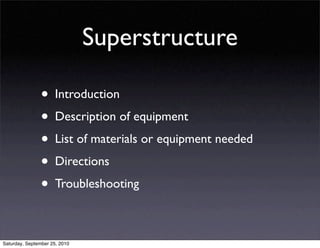
Superstructure

                • Introduction
                • Description of equipment
                • List of materials or equipment needed
                • Directions
                • Troubleshooting

Saturday, September 25, 2010
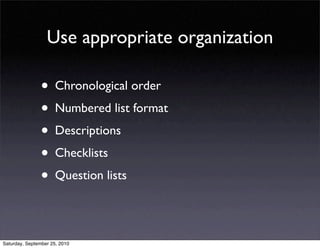
Use appropriate organization

                • Chronological order
                • Numbered list format
                • Descriptions
                • Checklists
                • Question lists

Saturday, September 25, 2010
Use plenty of graphics.


Saturday, September 25, 2010
and pay attention to
                          their quality.


Saturday, September 25, 2010
Design attractive
                               pages / screens


Saturday, September 25, 2010
Don’t make an
                   instruction unit more
                   than one screen long


Saturday, September 25, 2010
Test it.

   If it’s not usable, it’s no good.


Saturday, September 25, 2010

Writing Effective Instructions

  • 1.
    Writing Effective Instructions Saturday, September 25, 2010
  • 2.
  • 3.
    What do wealways do first? Saturday, September 25, 2010
  • 4.
  • 5.
    Do a taskanalysis. Saturday, September 25, 2010
  • 6.
    What do theyneed to know? What do they want to know? Saturday, September 25, 2010
  • 7.
    Instruct at thecorrect level (Basic overview or detailed instruction?) Saturday, September 25, 2010
  • 8.
    How to accessyour blog interface: Novice User • with your computer turned on, open the Web browser. • locate browser button on desktop • double-click it • wait for browser to open • enter URL for your control page • press enter • etc etc. Saturday, September 25, 2010
  • 9.
    Same for ExperiencedUser: • Open browser • Enter URL for control panel • Click on “New Entry” Saturday, September 25, 2010
  • 10.
    Use very specificaction verbs. Saturday, September 25, 2010
  • 11.
    Be sure yousay what you mean. • Place the thingie? • Slide it into place? • Click it into place? Saturday, September 25, 2010
  • 12.
  • 13.
    Right: 1. Click the left button. 2. Slide the lever over until the bunny turns blue. 3. Turn the ignition key. 4. Blast off. Saturday, September 25, 2010
  • 14.
    Right: 1. Click the left button. 2. Slide the lever over until the bunny turns blue. 3. Turn the ignition key. 4. Blast off. Saturday, September 25, 2010
  • 15.
    Wrong: 1. First, you click on the left button. 2. After you do that, then you’ll want to slide the lever all the way over. 3. When the lever is all the way over, the bunny will turn blue. After that, turn the ignition key. 4. Congratulations! Blast off! Saturday, September 25, 2010
  • 16.
    Don’t overload theaudience • People can digest a limited amount of info • Consider audience attention spans Saturday, September 25, 2010
  • 17.
    Give just enoughinfo to get them to the next step. Saturday, September 25, 2010
  • 18.
    Make it easyto follow. Saturday, September 25, 2010
  • 19.
    Superstructure • Introduction • Description of equipment • List of materials or equipment needed • Directions • Troubleshooting Saturday, September 25, 2010
  • 20.
    Use appropriate organization • Chronological order • Numbered list format • Descriptions • Checklists • Question lists Saturday, September 25, 2010
  • 21.
    Use plenty ofgraphics. Saturday, September 25, 2010
  • 22.
    and pay attentionto their quality. Saturday, September 25, 2010
  • 23.
    Design attractive pages / screens Saturday, September 25, 2010
  • 24.
    Don’t make an instruction unit more than one screen long Saturday, September 25, 2010
  • 25.
    Test it. If it’s not usable, it’s no good. Saturday, September 25, 2010