ALI SHARIAT
DECEMBER 2018
1
Overview
 Introduction
 Changing Software
 Working with Feedback
2
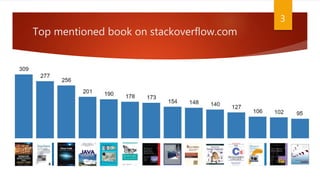
Top mentioned book on stackoverflow.com
3
How many times have you heard?
 How are we going to add this new feature when the code is a mess?
 We can’t change this file—it’s too risky!
 How do I test this class when it depends on X, Y, and Z?
 There is not enough time to make the changes you want!
 What does this code even do!?
 I feel overwhelmed and it’s never going to get any better.
4
Legacy Code
 Strict Definition
 Legacy code is code that we’ve gotten from someone else.
 In This Book:
 Legacy code is code without tests.
5
Chapter 1 - Changing Software
 Reasons:
 Adding a feature
 Fixing a bug
 Improving the design
 Optimizing resource usage
6
Adding Features and Fixing Bugs
 Adding Feature or Fixing Bug?
 The software behaves one way, and users say that the system needs to do something
else also.
 behavioral change. There is a big difference between adding new behavior and
changing old behavior
 Behavior is the most important thing about software. It is what users depend on.
Users like it when we add behavior (provided it is what they really wanted), but if
we change or remove behavior they depend on (introduce bugs), they stop
trusting us.
7
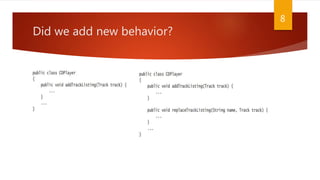
Did we add new behavior?
8
Improving Design
 alter software’s structure to make it more maintainable
 When we drop behavior in that process, we often call that a bug
 why many programmers don’t attempt to improve design?
 it is relatively easy to lose behavior or create bad behavior in the process of doing it
 The act of improving design without changing its behavior is called refactoring.
9
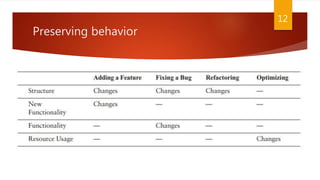
Refactoring
 Refactoring differs from general cleanup in code or rewriting chunks of it
 Small structural modifications supported by test to make the code easier to
change
 There aren’t supposed to be any functional changes when you refactor it
10
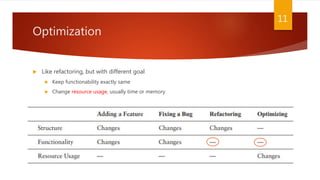
Optimization
 Like refactoring, but with different goal
 Keep functionability exactly same
 Change resource usage, usually time or memory
11
Preserving behavior
12
Risky Change
 When we need to make changes and preserve behavior
 Most teams manage risk with minimizing the number of changes in code base
 “If it’s not broken, don’t fix it”
 “What? Create another method for that? No, I’ll just put the lines of code right here in
the method, where I can see them and the rest of the code. It involves less editing, and
it’s safer.”
 Result: classes and methods grow larger and harder to understand
13
Good systems vs bad ones
 Good systems
 Feel pretty calm after you’ve done changes
 Feel confident about changes you are about to make
 Poorly structured code:
 Move from figuring things out to making changes feel like jumping off a cliff to avoid a
tiger
 You hesitate “Am I ready to do it? Well, I guess I have to.”
14
Consequences of avoiding changes
 Avoiding changes make developers rusty
 Breaking down a big class into pieces can be pretty involved work unless you do it a
couple of times a week, when you do, it becomes routine. You get better at figuring out
what can break and what can’t, and it is much easier to do.
 Other consequence is fear
 Many teams live with incredible fear of change and it gets worse every day
 They aren’t aware of how much fear they have until they learn better techniques and
the fear starts to fade away
 Avoiding change is a bad thing
15
Chapter 2 – Working with Feedback
 Changes can be made in two primary ways:
 Edit and Pray
 Cover and modify
16
Edit and Pray
 Carefully plan and understand the code
 Poke around further to make sure that you didn’t break anything
 Hoping and praying
 working with care
17
Cover and modify
 safety net
 a cloak that we put over code we are working on to make sure that bad changes
don’t leak out and infect the rest of our software
 Covering software means covering it with tests
 When we have a good set of tests around a piece of code, we can make changes
and find out very quickly whether the effects were good or bad
 Apply care with feedback
18
Regression Testing
 Writing tests after development attempt to show correctness
 regression testing to detect change
 Quality group run regression tests overnight and you find out problems every
morning Who is responsible for failed tests?
 Understand code behavior by reading its tests
 If we don’t understand code or it’s not clear enough Refactor, extract
methods and run tests after changes
 We make a mistake in a condition and inverted it, a test failed and we find out
problem in a minute, we add some tests for new behavior. Next programmer will
have an easier time
19
Feedback overnight or in a minute
 Unit testing is one of the most important components in legacy code work
 give you feedback as you develop and allow you to refactor with
much more safety
20

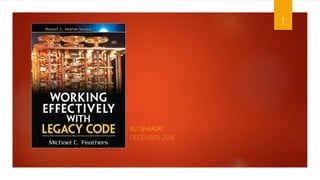
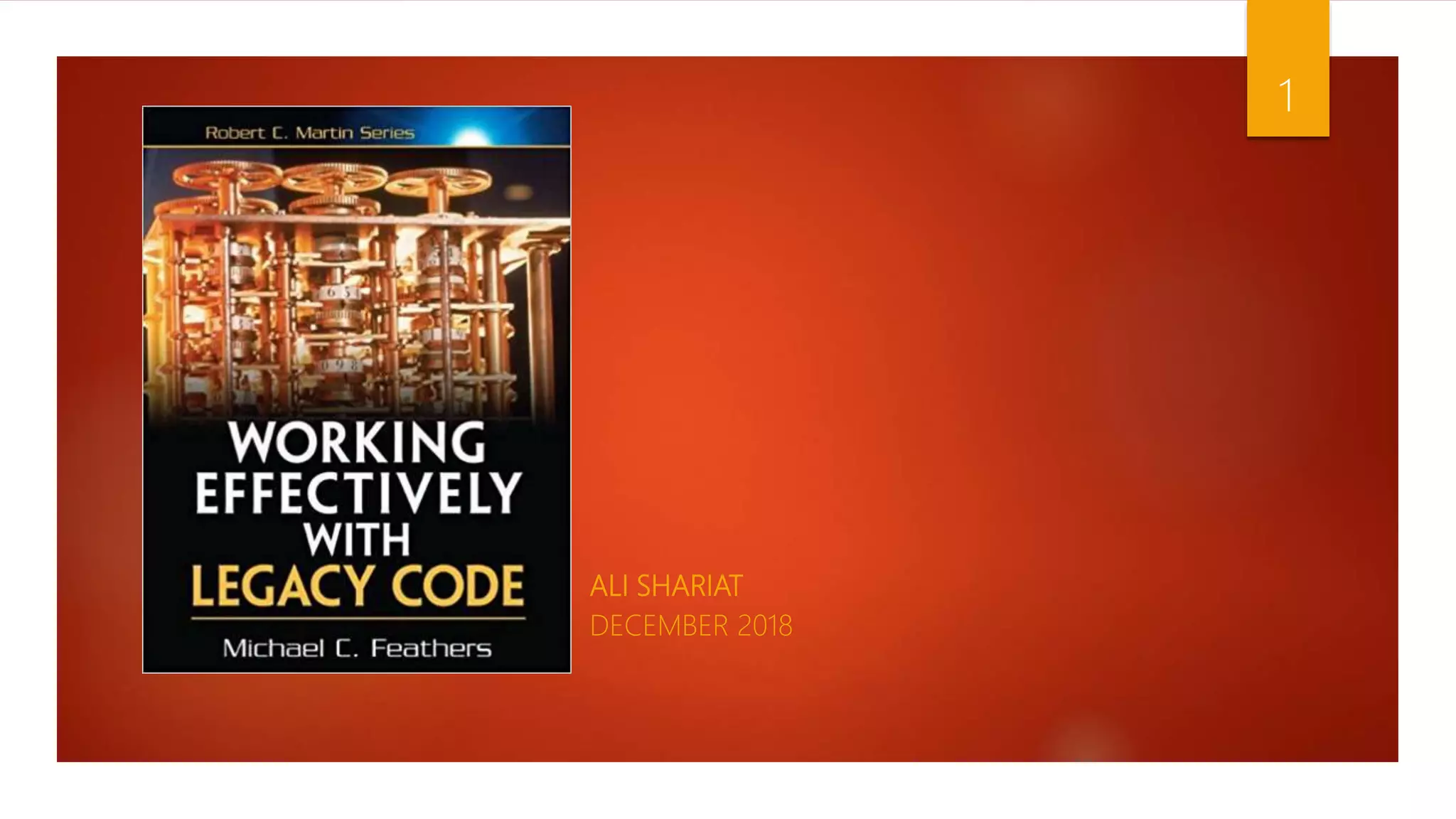
Working effectively with legacy codes

  • 1.
  • 2.
    Overview  Introduction  ChangingSoftware  Working with Feedback 2
  • 3.
    Top mentioned bookon stackoverflow.com 3
  • 4.
    How many timeshave you heard?  How are we going to add this new feature when the code is a mess?  We can’t change this file—it’s too risky!  How do I test this class when it depends on X, Y, and Z?  There is not enough time to make the changes you want!  What does this code even do!?  I feel overwhelmed and it’s never going to get any better. 4
  • 5.
    Legacy Code  StrictDefinition  Legacy code is code that we’ve gotten from someone else.  In This Book:  Legacy code is code without tests. 5
  • 6.
    Chapter 1 -Changing Software  Reasons:  Adding a feature  Fixing a bug  Improving the design  Optimizing resource usage 6
  • 7.
    Adding Features andFixing Bugs  Adding Feature or Fixing Bug?  The software behaves one way, and users say that the system needs to do something else also.  behavioral change. There is a big difference between adding new behavior and changing old behavior  Behavior is the most important thing about software. It is what users depend on. Users like it when we add behavior (provided it is what they really wanted), but if we change or remove behavior they depend on (introduce bugs), they stop trusting us. 7
  • 8.
    Did we addnew behavior? 8
  • 9.
    Improving Design  altersoftware’s structure to make it more maintainable  When we drop behavior in that process, we often call that a bug  why many programmers don’t attempt to improve design?  it is relatively easy to lose behavior or create bad behavior in the process of doing it  The act of improving design without changing its behavior is called refactoring. 9
  • 10.
    Refactoring  Refactoring differsfrom general cleanup in code or rewriting chunks of it  Small structural modifications supported by test to make the code easier to change  There aren’t supposed to be any functional changes when you refactor it 10
  • 11.
    Optimization  Like refactoring,but with different goal  Keep functionability exactly same  Change resource usage, usually time or memory 11
  • 12.
  • 13.
    Risky Change  Whenwe need to make changes and preserve behavior  Most teams manage risk with minimizing the number of changes in code base  “If it’s not broken, don’t fix it”  “What? Create another method for that? No, I’ll just put the lines of code right here in the method, where I can see them and the rest of the code. It involves less editing, and it’s safer.”  Result: classes and methods grow larger and harder to understand 13
  • 14.
    Good systems vsbad ones  Good systems  Feel pretty calm after you’ve done changes  Feel confident about changes you are about to make  Poorly structured code:  Move from figuring things out to making changes feel like jumping off a cliff to avoid a tiger  You hesitate “Am I ready to do it? Well, I guess I have to.” 14
  • 15.
    Consequences of avoidingchanges  Avoiding changes make developers rusty  Breaking down a big class into pieces can be pretty involved work unless you do it a couple of times a week, when you do, it becomes routine. You get better at figuring out what can break and what can’t, and it is much easier to do.  Other consequence is fear  Many teams live with incredible fear of change and it gets worse every day  They aren’t aware of how much fear they have until they learn better techniques and the fear starts to fade away  Avoiding change is a bad thing 15
  • 16.
    Chapter 2 –Working with Feedback  Changes can be made in two primary ways:  Edit and Pray  Cover and modify 16
  • 17.
    Edit and Pray Carefully plan and understand the code  Poke around further to make sure that you didn’t break anything  Hoping and praying  working with care 17
  • 18.
    Cover and modify safety net  a cloak that we put over code we are working on to make sure that bad changes don’t leak out and infect the rest of our software  Covering software means covering it with tests  When we have a good set of tests around a piece of code, we can make changes and find out very quickly whether the effects were good or bad  Apply care with feedback 18
  • 19.
    Regression Testing  Writingtests after development attempt to show correctness  regression testing to detect change  Quality group run regression tests overnight and you find out problems every morning Who is responsible for failed tests?  Understand code behavior by reading its tests  If we don’t understand code or it’s not clear enough Refactor, extract methods and run tests after changes  We make a mistake in a condition and inverted it, a test failed and we find out problem in a minute, we add some tests for new behavior. Next programmer will have an easier time 19
  • 20.
    Feedback overnight orin a minute  Unit testing is one of the most important components in legacy code work  give you feedback as you develop and allow you to refactor with much more safety 20