Extreme Programming & Pair
Programming

Lior Shalom
Extreme Programming (XP)
 Formulated in 1999 by Kent Beck, Ward
Cunningham and Ron Jeffries
 Agile software development
methodology (others: Scrum, DSDM)
 Developed in reaction to high ceremony
methodologies
XP: Why?
 Previously:
 Get all the requirements before starting design
 Freeze the requirements before starting
development
 Resist changes: they will lengthen schedule
 Build a change control process to ensure that
proposed changes are looked at carefully and no
change is made without intense scrutiny
 Deliver a product that is obsolete on release
XP: Embrace Change
 Recognize that:
 All requirements will not be known at the beginning
 Requirements will change

 Use tools to accommodate change as a
natural process
 Do the simplest thing that could possibly work
and refactor mercilessly
 Emphasize values and principles rather than
process
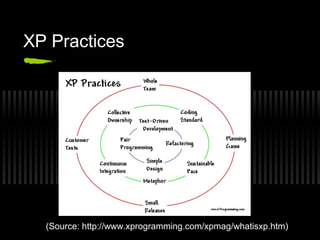
XP Practices

(Source: http://www.xprogramming.com/xpmag/whatisxp.htm)
XP Values
 Communication
 Simplicity
 Feedback
 Courage
XP Criticism
 Unrealistic--programmer centric, not business
focused
 Detailed specifications are not written
 Design after testing
 Constant refactoring
 Customer availability
 12 practices are too interdependent
Pair Programming Overview
 Two programmers work side-by-side at
one computer
 Continuously collaborate on same
design, algorithm, code, test, etc.
 Continuous informal review
Pair Programming Overview (cont.)
 Two guys working on the same task
 Both have the same target
 Both have different expertise
 One executes the task , other watches for
external factors, evaluates the situation,
 Corrects him and validates success after
execution
 Two guys working as a team
Share everything
 Two programmers are assigned to jointly
produce one artifact
 One person typing or writing, the other
continuously reviewing
 Both equal participants
 Both partners own everything
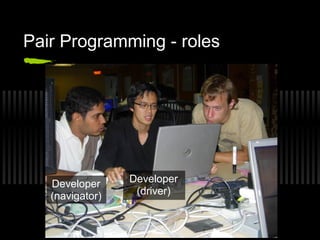
Pair Programming - roles

Developer
(navigator)

Developer
(driver)
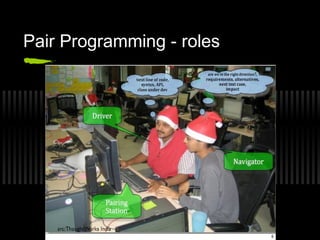
Pair Programming - roles
Isn’t it a waste?
 Two developers will do the work of one
 Junior guys will slow down seniors
 Less work will get done
 My cost will double
 Why would I put two people on a job that
just one can do?
How does it Help?

 Continuous Review.

 Less Defects caught early.
 Better Problem Solving.
 More Economical.
 “Pair-Pressure” ensures timely delivery.
 Rapid Hands-on Approach to Learning.
 Better Induction of new Team Members.
Pair Programming rules
 Think Out Loud
 Ten seconds rule
Think out loud (rule 1)
 The driver “thinks out loud” as he/she’s
coding
 This helps keep the navigator in the
loop, and communicates the intent better
 It’s certainly not a technique that most
people practice without suggestion
Ten seconds rule (rule 2)
 The navigator should wait 10 seconds
before pointing out a typo
 Generally that’s long enough for the
driver to correct a typo that’s already
noticed
 Excessive interruptions are distracting
Pair Programming - practices
 Ping Pong
 Chess Clock Pair Programming
(Kitchen Clock)
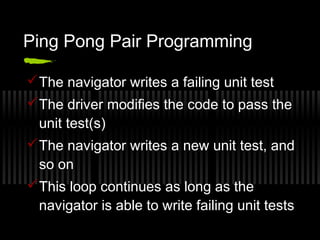
Ping Pong Pair Programming
 The navigator writes a failing unit test
 The driver modifies the code to pass the
unit test(s)
 The navigator writes a new unit test, and
so on
 This loop continues as long as the
navigator is able to write failing unit tests
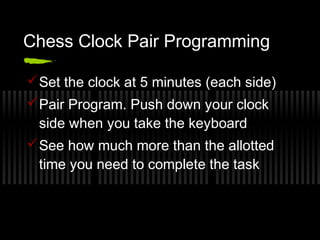
Chess Clock Pair Programming
 Set the clock at 5 minutes (each side)
 Pair Program. Push down your clock
side when you take the keyboard
 See how much more than the allotted
time you need to complete the task
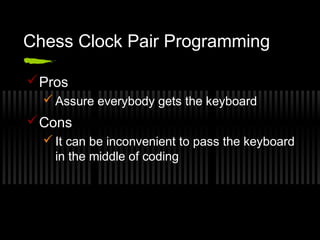
Chess Clock Pair Programming
 Pros
 Assure everybody gets the keyboard

 Cons
 It can be inconvenient to pass the keyboard
in the middle of coding
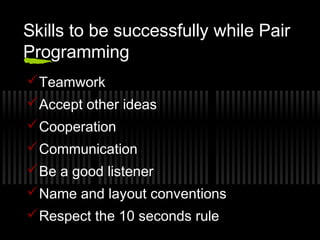
Skills to be successfully while Pair
Programming
 Teamwork
 Accept other ideas
 Cooperation
 Communication
 Be a good listener
 Name and layout conventions
 Respect the 10 seconds rule
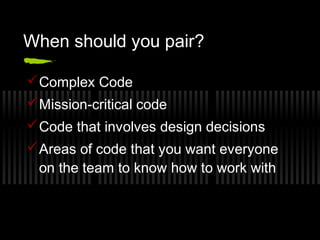
When should you pair?
 Complex Code
 Mission-critical code
 Code that involves design decisions
 Areas of code that you want everyone
on the team to know how to work with
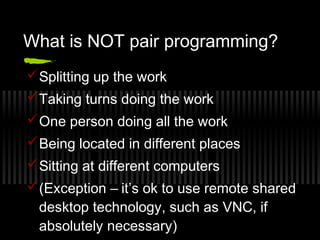
What is NOT pair programming?
 Splitting up the work
 Taking turns doing the work
 One person doing all the work
 Being located in different places
 Sitting at different computers
 (Exception – it’s ok to use remote shared
desktop technology, such as VNC, if
absolutely necessary)

Pair Programming: overview and concepts

  • 1.
    Extreme Programming &Pair Programming Lior Shalom
  • 2.
    Extreme Programming (XP) Formulated in 1999 by Kent Beck, Ward Cunningham and Ron Jeffries  Agile software development methodology (others: Scrum, DSDM)  Developed in reaction to high ceremony methodologies
  • 3.
    XP: Why?  Previously: Get all the requirements before starting design  Freeze the requirements before starting development  Resist changes: they will lengthen schedule  Build a change control process to ensure that proposed changes are looked at carefully and no change is made without intense scrutiny  Deliver a product that is obsolete on release
  • 4.
    XP: Embrace Change Recognize that:  All requirements will not be known at the beginning  Requirements will change  Use tools to accommodate change as a natural process  Do the simplest thing that could possibly work and refactor mercilessly  Emphasize values and principles rather than process
  • 5.
  • 6.
    XP Values  Communication Simplicity  Feedback  Courage
  • 7.
    XP Criticism  Unrealistic--programmercentric, not business focused  Detailed specifications are not written  Design after testing  Constant refactoring  Customer availability  12 practices are too interdependent
  • 8.
    Pair Programming Overview Two programmers work side-by-side at one computer  Continuously collaborate on same design, algorithm, code, test, etc.  Continuous informal review
  • 9.
    Pair Programming Overview(cont.)  Two guys working on the same task  Both have the same target  Both have different expertise  One executes the task , other watches for external factors, evaluates the situation,  Corrects him and validates success after execution  Two guys working as a team
  • 10.
    Share everything  Twoprogrammers are assigned to jointly produce one artifact  One person typing or writing, the other continuously reviewing  Both equal participants  Both partners own everything
  • 11.
    Pair Programming -roles Developer (navigator) Developer (driver)
  • 12.
  • 13.
    Isn’t it awaste?  Two developers will do the work of one  Junior guys will slow down seniors  Less work will get done  My cost will double  Why would I put two people on a job that just one can do?
  • 15.
    How does itHelp?  Continuous Review.  Less Defects caught early.  Better Problem Solving.  More Economical.  “Pair-Pressure” ensures timely delivery.  Rapid Hands-on Approach to Learning.  Better Induction of new Team Members.
  • 16.
    Pair Programming rules Think Out Loud  Ten seconds rule
  • 17.
    Think out loud(rule 1)  The driver “thinks out loud” as he/she’s coding  This helps keep the navigator in the loop, and communicates the intent better  It’s certainly not a technique that most people practice without suggestion
  • 18.
    Ten seconds rule(rule 2)  The navigator should wait 10 seconds before pointing out a typo  Generally that’s long enough for the driver to correct a typo that’s already noticed  Excessive interruptions are distracting
  • 19.
    Pair Programming -practices  Ping Pong  Chess Clock Pair Programming (Kitchen Clock)
  • 20.
    Ping Pong PairProgramming  The navigator writes a failing unit test  The driver modifies the code to pass the unit test(s)  The navigator writes a new unit test, and so on  This loop continues as long as the navigator is able to write failing unit tests
  • 21.
    Chess Clock PairProgramming  Set the clock at 5 minutes (each side)  Pair Program. Push down your clock side when you take the keyboard  See how much more than the allotted time you need to complete the task
  • 22.
    Chess Clock PairProgramming  Pros  Assure everybody gets the keyboard  Cons  It can be inconvenient to pass the keyboard in the middle of coding
  • 23.
    Skills to besuccessfully while Pair Programming  Teamwork  Accept other ideas  Cooperation  Communication  Be a good listener  Name and layout conventions  Respect the 10 seconds rule
  • 24.
    When should youpair?  Complex Code  Mission-critical code  Code that involves design decisions  Areas of code that you want everyone on the team to know how to work with
  • 25.
    What is NOTpair programming?  Splitting up the work  Taking turns doing the work  One person doing all the work  Being located in different places  Sitting at different computers  (Exception – it’s ok to use remote shared desktop technology, such as VNC, if absolutely necessary)