info@multisoftvirtualacademy.com www.multisoftvirtualacademy.com (+91) 8130-666-206
Workday Recruiting Training
Certification
info@multisoftvirtualacademy.com www.multisoftvirtualacademy.com (+91) 8130-666-206
About Multisoft
Take your skills to next level with Multisoft Virtual Academy, one of the leading
certification training providers in the market. Collaborating with top technology
companies, we offer world-class one-on-one and corporate trainings to empower
professionals and businesses around the world. Delivering high-quality trainings through
Multisoft’s global subject matter experts, we offer more than 1500 courses in various
domains. Multisoft offers tailored corporate training; project Based Training,
comprehensive learning solution with lifetime e-learning access, after training support
and globally recognized training certificates.
About Course
The Workday Recruiting Training Certification Course, offered by Multisoft Virtual
Academy, is a specialized program tailored to equip HR professionals with the
competencies needed to utilize Workday Recruiting software efficiently. With the
increasing integration of digital tools in talent acquisition, mastering Workday Recruiting
becomes essential for HR experts. This course offers comprehensive insights into the
platform, beginning with foundational concepts and extending to advanced
functionalities.
info@multisoftvirtualacademy.com www.multisoftvirtualacademy.com (+91) 8130-666-206
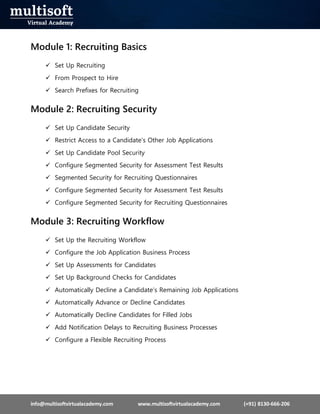
Module 1: Recruiting Basics
 Set Up Recruiting
 From Prospect to Hire
 Search Prefixes for Recruiting
Module 2: Recruiting Security
 Set Up Candidate Security
 Restrict Access to a Candidate’s Other Job Applications
 Set Up Candidate Pool Security
 Configure Segmented Security for Assessment Test Results
 Segmented Security for Recruiting Questionnaires
 Configure Segmented Security for Assessment Test Results
 Configure Segmented Security for Recruiting Questionnaires
Module 3: Recruiting Workflow
 Set Up the Recruiting Workflow
 Configure the Job Application Business Process
 Set Up Assessments for Candidates
 Set Up Background Checks for Candidates
 Automatically Decline a Candidate’s Remaining Job Applications
 Automatically Advance or Decline Candidates
 Automatically Decline Candidates for Filled Jobs
 Add Notification Delays to Recruiting Business Processes
 Configure a Flexible Recruiting Process
info@multisoftvirtualacademy.com www.multisoftvirtualacademy.com (+91) 8130-666-206
Module 4: Interviews
 Set Up Interviews
 Set Up Interviews to Integrate with Microsoft Outlook
 Manage Interviews
 Configure the Interview Business Process
Module 5: Job Requisitions
 Set Up Job Requisitions for Recruiting
 Set Up and Create Confidential Job Requisitions
 Set Up Primary Recruiters
 Set Up Spotlight Jobs
 Find Jobs
 Configure the Time to Fill Report
 Create a Custom Time to Fill Report
Module 6: Evergreen Requisitions
 Setup Considerations: Evergreen Requisitions
 Set Up Evergreen Requisitions
 Manage Evergreen Requisitions
 Create and Edit Evergreen Requisitions
 Close Evergreen Requisitions
 Create Candidate Eligibility Snapshots
 Evergreen Requisitions
 Link Evergreen Requisitions to Job Requisitions
 Move Candidates Between Evergreen and Job Requisitions.
 Evergreen Supported Reports
info@multisoftvirtualacademy.com www.multisoftvirtualacademy.com (+91) 8130-666-206
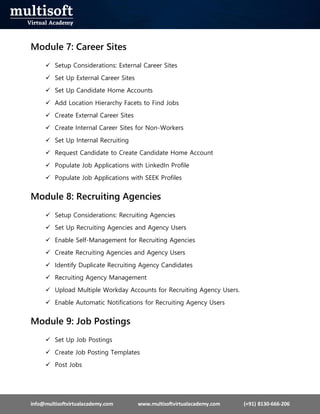
Module 7: Career Sites
 Setup Considerations: External Career Sites
 Set Up External Career Sites
 Set Up Candidate Home Accounts
 Add Location Hierarchy Facets to Find Jobs
 Create External Career Sites
 Create Internal Career Sites for Non-Workers
 Set Up Internal Recruiting
 Request Candidate to Create Candidate Home Account
 Populate Job Applications with LinkedIn Profile
 Populate Job Applications with SEEK Profiles
Module 8: Recruiting Agencies
 Setup Considerations: Recruiting Agencies
 Set Up Recruiting Agencies and Agency Users
 Enable Self-Management for Recruiting Agencies
 Create Recruiting Agencies and Agency Users
 Identify Duplicate Recruiting Agency Candidates
 Recruiting Agency Management
 Upload Multiple Workday Accounts for Recruiting Agency Users.
 Enable Automatic Notifications for Recruiting Agency Users
Module 9: Job Postings
 Set Up Job Postings
 Create Job Posting Templates
 Post Jobs
info@multisoftvirtualacademy.com www.multisoftvirtualacademy.com (+91) 8130-666-206
 Automatically Unpost Jobs
 Google Jobs
Module 10: Job Applications
 Set Up Job Applications
 Manage Job Applications
 Set Up Job Application Templates
 Create Job Application Templates
 Enable Candidates to Withdraw Their Job Applications
Module 11: Offers
 Set Up Offers Configure the Offer Business Process
Module 12: Candidates
 Set Up Prospects and Candidates
 Create Custom Reference IDs for Candidates
 Identify Recruiting Sources
 Set Up Notifications for Candidates
 Enable Candidates to Unsubscribe from Marketing Notifications
 Manage Prospects and Candidates
 Set Up Reminders
 Create Prospects
 Create Confidential Prospects
 Take Action on Multiple Candidates
 Manage Candidate Pools
 Manage Candidates Using the Candidate List Grid
 Resume Parsing
info@multisoftvirtualacademy.com www.multisoftvirtualacademy.com (+91) 8130-666-206
 Find Candidates
 Candidates by Active Stage
 Manage Candidates and Prospects
Module 13: Duplicate Candidate Merging
 Merge or Link Duplicate Candidates
 Manual Candidate Merging and Linking
 Automatic Candidate Merging
 Confidential Candidate Merging
Module 14: Referrals and Endorsements
 Setup Considerations: Referrals and Endorsements
 Set Up Referrals
 Set Up Endorsements
 Set Up Referral Payment Processes
 Hide or Require Optional Fields for Referrals
 Invite Referrals to Apply
 Manage Unmatched Endorsement Requests
Module 15: Questionnaires
 Set Up Questionnaires for Recruiting
 Add Eligibility Questions to Job Applications
 Change Questionnaires Assigned to Job Requisitions
 Reuse Questionnaire Across Multiple Job Application Stages
Module 16: Candidate Self – Scheduling
 Set Up Candidate Self-Scheduling
info@multisoftvirtualacademy.com www.multisoftvirtualacademy.com (+91) 8130-666-206
 Manage Candidate Self-Schedule Events
 Configure the Candidate Self-Schedule Event Business Process
Module 17: Recruiting Hub
 Set Up Recruiting Hub
 Recruiting Hub
Module 18: Recruiting Compliance
 Request Personal Information from Candidates
 Set Up Government and National IDs for Recruiting
 Set Up Veteran Status Identification for Candidates
 Collect Candidate Disability Statuses
 Track Candidate-Related Mass Actions
 Candidate Diversity Metrics
 Ethnicity, Gender, and Veteran Status Reporting
 Stored Candidate Profile Data
Module 19: Recruiting
 Can I cancel a recruiting event?
 Can workers share a job posting on their social media network?
 Can I have the same step multiple times in the recruiting process?
 Can I correct or rescind a job requisition event when Post Job is a step in the
business process?
Module 20: Recruiting Compliance
 Request Personal Information from Candidates
 Set Up Government and National IDs for Recruiting
info@multisoftvirtualacademy.com www.multisoftvirtualacademy.com (+91) 8130-666-206
 Set Up Veteran Status Identification for Candidates
 Collect Candidate Disability Statuses
 Track Candidate-Related Mass Actions
 Candidate Diversity Metrics
 Ethnicity, Gender, and Veteran Status Reporting
 Stored Candidate Profile Data

Workday Recruiting Training Certification - PPT.pdf

  • 1.
    info@multisoftvirtualacademy.com www.multisoftvirtualacademy.com (+91)8130-666-206 Workday Recruiting Training Certification
  • 2.
    info@multisoftvirtualacademy.com www.multisoftvirtualacademy.com (+91)8130-666-206 About Multisoft Take your skills to next level with Multisoft Virtual Academy, one of the leading certification training providers in the market. Collaborating with top technology companies, we offer world-class one-on-one and corporate trainings to empower professionals and businesses around the world. Delivering high-quality trainings through Multisoft’s global subject matter experts, we offer more than 1500 courses in various domains. Multisoft offers tailored corporate training; project Based Training, comprehensive learning solution with lifetime e-learning access, after training support and globally recognized training certificates. About Course The Workday Recruiting Training Certification Course, offered by Multisoft Virtual Academy, is a specialized program tailored to equip HR professionals with the competencies needed to utilize Workday Recruiting software efficiently. With the increasing integration of digital tools in talent acquisition, mastering Workday Recruiting becomes essential for HR experts. This course offers comprehensive insights into the platform, beginning with foundational concepts and extending to advanced functionalities.
  • 3.
    info@multisoftvirtualacademy.com www.multisoftvirtualacademy.com (+91)8130-666-206 Module 1: Recruiting Basics  Set Up Recruiting  From Prospect to Hire  Search Prefixes for Recruiting Module 2: Recruiting Security  Set Up Candidate Security  Restrict Access to a Candidate’s Other Job Applications  Set Up Candidate Pool Security  Configure Segmented Security for Assessment Test Results  Segmented Security for Recruiting Questionnaires  Configure Segmented Security for Assessment Test Results  Configure Segmented Security for Recruiting Questionnaires Module 3: Recruiting Workflow  Set Up the Recruiting Workflow  Configure the Job Application Business Process  Set Up Assessments for Candidates  Set Up Background Checks for Candidates  Automatically Decline a Candidate’s Remaining Job Applications  Automatically Advance or Decline Candidates  Automatically Decline Candidates for Filled Jobs  Add Notification Delays to Recruiting Business Processes  Configure a Flexible Recruiting Process
  • 4.
    info@multisoftvirtualacademy.com www.multisoftvirtualacademy.com (+91)8130-666-206 Module 4: Interviews  Set Up Interviews  Set Up Interviews to Integrate with Microsoft Outlook  Manage Interviews  Configure the Interview Business Process Module 5: Job Requisitions  Set Up Job Requisitions for Recruiting  Set Up and Create Confidential Job Requisitions  Set Up Primary Recruiters  Set Up Spotlight Jobs  Find Jobs  Configure the Time to Fill Report  Create a Custom Time to Fill Report Module 6: Evergreen Requisitions  Setup Considerations: Evergreen Requisitions  Set Up Evergreen Requisitions  Manage Evergreen Requisitions  Create and Edit Evergreen Requisitions  Close Evergreen Requisitions  Create Candidate Eligibility Snapshots  Evergreen Requisitions  Link Evergreen Requisitions to Job Requisitions  Move Candidates Between Evergreen and Job Requisitions.  Evergreen Supported Reports
  • 5.
    info@multisoftvirtualacademy.com www.multisoftvirtualacademy.com (+91)8130-666-206 Module 7: Career Sites  Setup Considerations: External Career Sites  Set Up External Career Sites  Set Up Candidate Home Accounts  Add Location Hierarchy Facets to Find Jobs  Create External Career Sites  Create Internal Career Sites for Non-Workers  Set Up Internal Recruiting  Request Candidate to Create Candidate Home Account  Populate Job Applications with LinkedIn Profile  Populate Job Applications with SEEK Profiles Module 8: Recruiting Agencies  Setup Considerations: Recruiting Agencies  Set Up Recruiting Agencies and Agency Users  Enable Self-Management for Recruiting Agencies  Create Recruiting Agencies and Agency Users  Identify Duplicate Recruiting Agency Candidates  Recruiting Agency Management  Upload Multiple Workday Accounts for Recruiting Agency Users.  Enable Automatic Notifications for Recruiting Agency Users Module 9: Job Postings  Set Up Job Postings  Create Job Posting Templates  Post Jobs
  • 6.
    info@multisoftvirtualacademy.com www.multisoftvirtualacademy.com (+91)8130-666-206  Automatically Unpost Jobs  Google Jobs Module 10: Job Applications  Set Up Job Applications  Manage Job Applications  Set Up Job Application Templates  Create Job Application Templates  Enable Candidates to Withdraw Their Job Applications Module 11: Offers  Set Up Offers Configure the Offer Business Process Module 12: Candidates  Set Up Prospects and Candidates  Create Custom Reference IDs for Candidates  Identify Recruiting Sources  Set Up Notifications for Candidates  Enable Candidates to Unsubscribe from Marketing Notifications  Manage Prospects and Candidates  Set Up Reminders  Create Prospects  Create Confidential Prospects  Take Action on Multiple Candidates  Manage Candidate Pools  Manage Candidates Using the Candidate List Grid  Resume Parsing
  • 7.
    info@multisoftvirtualacademy.com www.multisoftvirtualacademy.com (+91)8130-666-206  Find Candidates  Candidates by Active Stage  Manage Candidates and Prospects Module 13: Duplicate Candidate Merging  Merge or Link Duplicate Candidates  Manual Candidate Merging and Linking  Automatic Candidate Merging  Confidential Candidate Merging Module 14: Referrals and Endorsements  Setup Considerations: Referrals and Endorsements  Set Up Referrals  Set Up Endorsements  Set Up Referral Payment Processes  Hide or Require Optional Fields for Referrals  Invite Referrals to Apply  Manage Unmatched Endorsement Requests Module 15: Questionnaires  Set Up Questionnaires for Recruiting  Add Eligibility Questions to Job Applications  Change Questionnaires Assigned to Job Requisitions  Reuse Questionnaire Across Multiple Job Application Stages Module 16: Candidate Self – Scheduling  Set Up Candidate Self-Scheduling
  • 8.
    info@multisoftvirtualacademy.com www.multisoftvirtualacademy.com (+91)8130-666-206  Manage Candidate Self-Schedule Events  Configure the Candidate Self-Schedule Event Business Process Module 17: Recruiting Hub  Set Up Recruiting Hub  Recruiting Hub Module 18: Recruiting Compliance  Request Personal Information from Candidates  Set Up Government and National IDs for Recruiting  Set Up Veteran Status Identification for Candidates  Collect Candidate Disability Statuses  Track Candidate-Related Mass Actions  Candidate Diversity Metrics  Ethnicity, Gender, and Veteran Status Reporting  Stored Candidate Profile Data Module 19: Recruiting  Can I cancel a recruiting event?  Can workers share a job posting on their social media network?  Can I have the same step multiple times in the recruiting process?  Can I correct or rescind a job requisition event when Post Job is a step in the business process? Module 20: Recruiting Compliance  Request Personal Information from Candidates  Set Up Government and National IDs for Recruiting
  • 9.
    info@multisoftvirtualacademy.com www.multisoftvirtualacademy.com (+91)8130-666-206  Set Up Veteran Status Identification for Candidates  Collect Candidate Disability Statuses  Track Candidate-Related Mass Actions  Candidate Diversity Metrics  Ethnicity, Gender, and Veteran Status Reporting  Stored Candidate Profile Data