anthonyhortin
@maddisondesigns #WPMELB
WordPress.org WordPress.comVs
The community site where WordPress code is created and
shared by the users. This is where you can download the source
code for WordPress core, plugins and themes as well as the
central location for community conversations and organization.
— WordPress Jargon Glossary*
WordPress.org
https://make.wordpress.org/marketing/2018/02/28/wordpress-jargon-glossary
An online implementation of WordPress code that lets you
immediately access a new WordPress environment to publish
your content.  WordPress.com is a private company owned by
Automattic that hosts the largest multisite in the world. This is
arguably the best place to start blogging if you have never
touched WordPress before.
— WordPress Jargon Glossary*
WordPress.com
https://make.wordpress.org/marketing/2018/02/28/wordpress-jargon-glossary
The WordPress.org software is an Open Source project, which means
there are hundreds of people all over the world working on it. (More
than most commercial platforms.) It also means you are free to use it for
anything from your recipe site to a Fortune 500 web site without paying
anyone a license fee. The WordPress software is released under the
GPLv2 (or later) from the Free Software Foundation.
The WordPress Foundation is a 501(c)3 non-profit organization founded to further the mission of
the WordPress open source project. The WordPress Foundation owns and oversees the
trademarks for the WordPress and WordCamp names and logos.
WordPress.org
WordPress.com uses  a modified version of the WordPress.org software,
and is owned and operated by Automattic, a privately held ‘for-profit’
company. Automattic was started by Matt Mullenweg, one of the
founding developers of the Open Source WordPress.org
software. Automattic are the people behind WordPress.com,
WooCommerce, Jetpack, VaultPress, Akismet and more.
WordPress.com
Domain Name
You’ll need to register your own domain name.
This is the address that you enter into your
browser to find your site (e.g.
myawesomesite.com).
Domain registration is typically renewed each
year using a service such as Namecheap.
Domain registration typically costs anywhere
from a couple of dollars per year to $30 or $40
p/yr, depending on the domain you wish to
register.
When using a free WordPress.com account,
you’re supplied with a WordPress.com
subdomain (e.g. yoursite.wordpress.com).
If you wish to use your own domain name such
as myawesomesite.com, then you need to use
one of the paid WordPress.com accounts. The
Personal Plan (& above) includes a free custom
domain name.
Website Hosting
To use the WordPress.org software you’ll need
to purchase website hosting. This is where you
store all your website files and content. Hosting
is typically renewed on a yearly basis although
some companies also offer monthly, quarterly
or 6 monthly payments.
Website hosting can cost as little as $5 per
month through to hundreds per month. The
type of hosting will depend on the type of
website you have.
WordPress.com is a hosted environment. This
means that you wont need to pay for hosting as
it’s provided as part of the service.
Setup
WordPress is well known for it’s ease of
installation. Most web hosts have automated
systems in place to help you get WordPress
installed and setup.
For those that like a more hands-on approach
there’s easy to follow instructions for their
famous 5-Minute Installation.
Since WordPress.com is a hosted solution,
there’s nothing that you need to setup. You
simply sign up for an account and then follow
the instructions to create your site.
Plugins
The WordPress.org Plugin Directory has over
54,000 plugins that are free to download and
install on your WordPress site. On top of that,
there are also hundreds of paid/premium
plugins available from a wide range of Theme &
Plugin shops.
Using the WordPress.org software, you’re free
to install whatever plugin you wish on your site.
The free version of WordPress.com doesn’t
allow you to upload third-party or external
plugins to your site. The only way to install
plugins on your WordPress.com site is by paying
a monthly fee for their top Business plan.
You can upload almost any plugin or theme
with a Business Plan, but they wont guarantee
it will be fully compatible. There are also some
plugins that aren’t allowed, such as ones that
duplicate WordPress.com functionality (e.g.
backup, caching, security plugins).
Themes
The WordPress.org Theme Directory has
approximately 3,000 themes that are free to
download and install on your WordPress site.
On top of that, like Plugins, there are hundreds
of paid/premium themes available from a wide
range of Theme shops.
Using the WordPress.org software, you’re free
to install whatever theme you wish on your site.
If you’re running a business, you may even
decide to get a developer to build a completely
custom theme, just for your business.
The free version of WordPress.com doesn’t
allow you to upload third-party or external
themes to your site. Instead, they provide a
limited selection of themes that you can choose
from.
Paying for a Premium plan provides access to a
further selection of “premium” themes. If you
upgrade to a Business plan you can upload your
own theme.
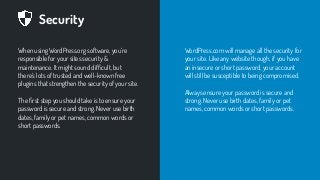
Security
When using WordPress.org software, you’re
responsible for your sites security &
maintenance. It might sound difficult, but
there’s lots of trusted and well-known free
plugins that strengthen the security of your site.
The first step you should take is to ensure your
password is secure and strong. Never use birth
dates, family or pet names, common words or
short passwords.
WordPress.com will manage all the security for
your site. Like any website though, if you have
an insecure or short password, your account
will still be susceptible to being compromised.
Always ensure your password is secure and
strong. Never use birth dates, family or pet
names, common words or short passwords.
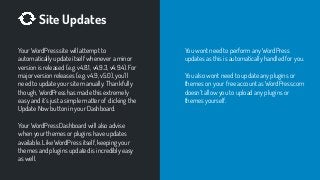
Site Updates
Your WordPress site will attempt to
automatically update itself whenever a minor
version is released (e.g. v4.8.1, v4.9.3, v4.9.4). For
major version releases (e.g. v4.9, v5.0), you’ll
need to update your site manually. Thankfully
though, WordPress has made this extremely
easy and it’s just a simple matter of clicking the
Update Now button in your Dashboard.
Your WordPress Dashboard will also advise
when your themes or plugins have updates
available. Like WordPress itself, keeping your
themes and plugins updated is incredibly easy
as well.
You wont need to perform any WordPress
updates as this is automatically handled for you.
You also wont need to update any plugins or
themes on your free account as WordPress.com
doesn’t allow you to upload any plugins or
themes yourself.
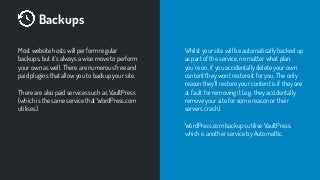
Backups
Most website hosts will perform regular
backups, but it’s always a wise move to perform
your own as well. There are numerous free and
paid plugins that allow you to backup your site.
There are also paid services such as VaultPress
(which is the same service that WordPress.com
utilises).
Whilst your site will be automatically backed up
as part of the service, no matter what plan
you’re on, if you accidentally delete your own
content they wont restore it for you. The only
reason they’ll restore your content is if they are
at fault for removing it (e.g. they accidentally
remove your site for some reason or their
servers crash).
WordPress.com backups utilise VaultPress,
which is another service by Automattic.
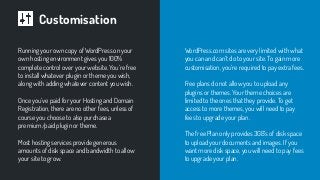
Customisation
Running your own copy of WordPress on your
own hosting environment gives you 100%
complete control over your website. You’re free
to install whatever plugin or theme you wish,
along with adding whatever content you wish.
Once you’ve paid for your Hosting and Domain
Registration, there are no other fees, unless of
course you choose to also purchase a
premium/paid plugin or theme.
Most hosting services provide generous
amounts of disk space and bandwidth to allow
your site to grow.
WordPress.com sites are very limited with what
you can and can’t do to your site. To gain more
customisation, you’re required to pay extra fees.
Free plans do not allow you to upload any
plugins or themes. Your theme choices are
limited to the ones that they provide. To get
access to more themes, you will need to pay
fees to upgrade your plan.
The free Plan only provides 3GB’s of disk space
to upload your documents and images. If you
want more disk space, you will need to pay fees
to upgrade your plan.
Monetisation
You have complete control over the
monetisation of your site. The WordPress.org
software wont display any ads on your site,
unless you specifically choose to put them
there.
It’s completely up to you whether you want to
display adverts, use affiliate links or which ad
network you’d like to use.
With your free WordPress.com plan, your
website will display ads. You have no control
over what ads are displayed, and the only way
to remove them is to upgrade to a paid plan.
Affiliate links are allowed on WordPress.com
but they need to be related to your site’s
content in some way.
If you’d like to make money on your site with
advertisements, WordAds is the official
WordPress.com advertising program available
for site owners. You will need to be using a paid
Premium or Business plan. You also need to be
using a custom domain name.
Email
Most hosting plans also include access to free
email accounts. If your site is
myawesomesite.com for example, you can
quickly and easily create an email like
hello@myawesomesite.com.
The amount of emails you can store will
depend on the amount of disk space that
comes with your hosting plan.
WordPress.com does not provide email
accounts. If you have upgraded your
WordPress.com plan to use a custom domain
like myawesomesite.com for example, and you
wish to create an an email such as
hello@myawesomesite.com, you will need to
use an external service to do so.
Some services such as Zoho are free, whereas
others like Google G Suite or Office 365 have
paid plans. After creating an account with your
chosen email service, you will then need to
configure your DNS settings so that your email
is forwarded to your selected service.
Your Content
You own your content and you’re free to do
with it, whatever you want (as long as it’s not
against the law, of course).
Whilst you still own your content, be aware that
according to the WordPress.com Terms of
Service, “Automattic has the right (though not
the obligation) to, in Automattic’s sole
discretion,
(i) reclaim your username or website’s URL
due to prolonged inactivity,
(ii) refuse or remove any content that, in
Automattic’s reasonable opinion, violates
any Automattic policy or is in any way
harmful or objectionable, or
(iii) terminate or deny access to and use of
WordPress.com to any individual or entity
for any reason.”
https://wpvswp.com
Our WP Melbourne Meetups
will always focus on the
WordPress.org software.
I’m Anthony Hortin
You can find me here
@maddisondesigns
maddisondesigns.com
@easywpguide
easywpguide.com
Thanks!
Questions?

WordPress.org Vs WordPress.com

  • 1.
  • 2.
    The community sitewhere WordPress code is created and shared by the users. This is where you can download the source code for WordPress core, plugins and themes as well as the central location for community conversations and organization. — WordPress Jargon Glossary* WordPress.org https://make.wordpress.org/marketing/2018/02/28/wordpress-jargon-glossary
  • 3.
    An online implementationof WordPress code that lets you immediately access a new WordPress environment to publish your content.  WordPress.com is a private company owned by Automattic that hosts the largest multisite in the world. This is arguably the best place to start blogging if you have never touched WordPress before. — WordPress Jargon Glossary* WordPress.com https://make.wordpress.org/marketing/2018/02/28/wordpress-jargon-glossary
  • 4.
    The WordPress.org softwareis an Open Source project, which means there are hundreds of people all over the world working on it. (More than most commercial platforms.) It also means you are free to use it for anything from your recipe site to a Fortune 500 web site without paying anyone a license fee. The WordPress software is released under the GPLv2 (or later) from the Free Software Foundation. The WordPress Foundation is a 501(c)3 non-profit organization founded to further the mission of the WordPress open source project. The WordPress Foundation owns and oversees the trademarks for the WordPress and WordCamp names and logos. WordPress.org
  • 5.
    WordPress.com uses  amodified version of the WordPress.org software, and is owned and operated by Automattic, a privately held ‘for-profit’ company. Automattic was started by Matt Mullenweg, one of the founding developers of the Open Source WordPress.org software. Automattic are the people behind WordPress.com, WooCommerce, Jetpack, VaultPress, Akismet and more. WordPress.com
  • 6.
    Domain Name You’ll needto register your own domain name. This is the address that you enter into your browser to find your site (e.g. myawesomesite.com). Domain registration is typically renewed each year using a service such as Namecheap. Domain registration typically costs anywhere from a couple of dollars per year to $30 or $40 p/yr, depending on the domain you wish to register. When using a free WordPress.com account, you’re supplied with a WordPress.com subdomain (e.g. yoursite.wordpress.com). If you wish to use your own domain name such as myawesomesite.com, then you need to use one of the paid WordPress.com accounts. The Personal Plan (& above) includes a free custom domain name.
  • 7.
    Website Hosting To usethe WordPress.org software you’ll need to purchase website hosting. This is where you store all your website files and content. Hosting is typically renewed on a yearly basis although some companies also offer monthly, quarterly or 6 monthly payments. Website hosting can cost as little as $5 per month through to hundreds per month. The type of hosting will depend on the type of website you have. WordPress.com is a hosted environment. This means that you wont need to pay for hosting as it’s provided as part of the service.
  • 8.
    Setup WordPress is wellknown for it’s ease of installation. Most web hosts have automated systems in place to help you get WordPress installed and setup. For those that like a more hands-on approach there’s easy to follow instructions for their famous 5-Minute Installation. Since WordPress.com is a hosted solution, there’s nothing that you need to setup. You simply sign up for an account and then follow the instructions to create your site.
  • 9.
    Plugins The WordPress.org PluginDirectory has over 54,000 plugins that are free to download and install on your WordPress site. On top of that, there are also hundreds of paid/premium plugins available from a wide range of Theme & Plugin shops. Using the WordPress.org software, you’re free to install whatever plugin you wish on your site. The free version of WordPress.com doesn’t allow you to upload third-party or external plugins to your site. The only way to install plugins on your WordPress.com site is by paying a monthly fee for their top Business plan. You can upload almost any plugin or theme with a Business Plan, but they wont guarantee it will be fully compatible. There are also some plugins that aren’t allowed, such as ones that duplicate WordPress.com functionality (e.g. backup, caching, security plugins).
  • 10.
    Themes The WordPress.org ThemeDirectory has approximately 3,000 themes that are free to download and install on your WordPress site. On top of that, like Plugins, there are hundreds of paid/premium themes available from a wide range of Theme shops. Using the WordPress.org software, you’re free to install whatever theme you wish on your site. If you’re running a business, you may even decide to get a developer to build a completely custom theme, just for your business. The free version of WordPress.com doesn’t allow you to upload third-party or external themes to your site. Instead, they provide a limited selection of themes that you can choose from. Paying for a Premium plan provides access to a further selection of “premium” themes. If you upgrade to a Business plan you can upload your own theme.
  • 11.
    Security When using WordPress.orgsoftware, you’re responsible for your sites security & maintenance. It might sound difficult, but there’s lots of trusted and well-known free plugins that strengthen the security of your site. The first step you should take is to ensure your password is secure and strong. Never use birth dates, family or pet names, common words or short passwords. WordPress.com will manage all the security for your site. Like any website though, if you have an insecure or short password, your account will still be susceptible to being compromised. Always ensure your password is secure and strong. Never use birth dates, family or pet names, common words or short passwords.
  • 12.
    Site Updates Your WordPresssite will attempt to automatically update itself whenever a minor version is released (e.g. v4.8.1, v4.9.3, v4.9.4). For major version releases (e.g. v4.9, v5.0), you’ll need to update your site manually. Thankfully though, WordPress has made this extremely easy and it’s just a simple matter of clicking the Update Now button in your Dashboard. Your WordPress Dashboard will also advise when your themes or plugins have updates available. Like WordPress itself, keeping your themes and plugins updated is incredibly easy as well. You wont need to perform any WordPress updates as this is automatically handled for you. You also wont need to update any plugins or themes on your free account as WordPress.com doesn’t allow you to upload any plugins or themes yourself.
  • 13.
    Backups Most website hostswill perform regular backups, but it’s always a wise move to perform your own as well. There are numerous free and paid plugins that allow you to backup your site. There are also paid services such as VaultPress (which is the same service that WordPress.com utilises). Whilst your site will be automatically backed up as part of the service, no matter what plan you’re on, if you accidentally delete your own content they wont restore it for you. The only reason they’ll restore your content is if they are at fault for removing it (e.g. they accidentally remove your site for some reason or their servers crash). WordPress.com backups utilise VaultPress, which is another service by Automattic.
  • 14.
    Customisation Running your owncopy of WordPress on your own hosting environment gives you 100% complete control over your website. You’re free to install whatever plugin or theme you wish, along with adding whatever content you wish. Once you’ve paid for your Hosting and Domain Registration, there are no other fees, unless of course you choose to also purchase a premium/paid plugin or theme. Most hosting services provide generous amounts of disk space and bandwidth to allow your site to grow. WordPress.com sites are very limited with what you can and can’t do to your site. To gain more customisation, you’re required to pay extra fees. Free plans do not allow you to upload any plugins or themes. Your theme choices are limited to the ones that they provide. To get access to more themes, you will need to pay fees to upgrade your plan. The free Plan only provides 3GB’s of disk space to upload your documents and images. If you want more disk space, you will need to pay fees to upgrade your plan.
  • 15.
    Monetisation You have completecontrol over the monetisation of your site. The WordPress.org software wont display any ads on your site, unless you specifically choose to put them there. It’s completely up to you whether you want to display adverts, use affiliate links or which ad network you’d like to use. With your free WordPress.com plan, your website will display ads. You have no control over what ads are displayed, and the only way to remove them is to upgrade to a paid plan. Affiliate links are allowed on WordPress.com but they need to be related to your site’s content in some way. If you’d like to make money on your site with advertisements, WordAds is the official WordPress.com advertising program available for site owners. You will need to be using a paid Premium or Business plan. You also need to be using a custom domain name.
  • 16.
    Email Most hosting plansalso include access to free email accounts. If your site is myawesomesite.com for example, you can quickly and easily create an email like hello@myawesomesite.com. The amount of emails you can store will depend on the amount of disk space that comes with your hosting plan. WordPress.com does not provide email accounts. If you have upgraded your WordPress.com plan to use a custom domain like myawesomesite.com for example, and you wish to create an an email such as hello@myawesomesite.com, you will need to use an external service to do so. Some services such as Zoho are free, whereas others like Google G Suite or Office 365 have paid plans. After creating an account with your chosen email service, you will then need to configure your DNS settings so that your email is forwarded to your selected service.
  • 17.
    Your Content You ownyour content and you’re free to do with it, whatever you want (as long as it’s not against the law, of course). Whilst you still own your content, be aware that according to the WordPress.com Terms of Service, “Automattic has the right (though not the obligation) to, in Automattic’s sole discretion, (i) reclaim your username or website’s URL due to prolonged inactivity, (ii) refuse or remove any content that, in Automattic’s reasonable opinion, violates any Automattic policy or is in any way harmful or objectionable, or (iii) terminate or deny access to and use of WordPress.com to any individual or entity for any reason.”
  • 18.
  • 19.
    Our WP MelbourneMeetups will always focus on the WordPress.org software.
  • 20.
    I’m Anthony Hortin Youcan find me here @maddisondesigns maddisondesigns.com @easywpguide easywpguide.com Thanks! Questions?