Twenty19
Brought to you by
© 2019 WPsupporters.com
@WPsupporters #WPsupporters 1
HOW TO SPEED
UP YOUR
WORDPRESS
WEBSITE, IN 7
EASY STEPS
Twenty19
Brought to you by
© 2019 WPsupporters.com
@WPsupporters #WPsupporters 2
TEST YOUR WEBSITE SPEED
with one of the tools below:
GTmetrix
Pingdom
Google PageSpeed Insights
Twenty19
Brought to you by
© 2019 WPsupporters.com
@WPsupporters #WPsupporters 3
1: CHOOSE A LIGHTWEIGHT THEME
Themes we recommend are:
Astra
OceanWP
GeneratePress
Twenty19
Brought to you by
© 2019 WPsupporters.com
@WPsupporters #WPsupporters 4
2: REDUCE IMAGE SIZES
Resize images to the size you
are using them.And use a
compress tool without losing
quality.We recommend:
Tinypng
Shortpixel
Twenty19
Brought to you by
© 2019 WPsupporters.com
@WPsupporters #WPsupporters 5
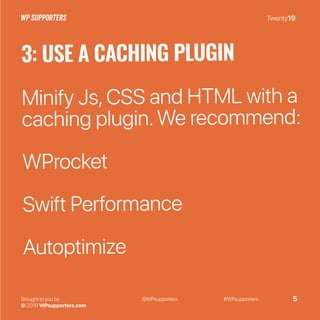
3: USE A CACHING PLUGIN
Minify Js,CSS and HTML with a
caching plugin.We recommend:
WProcket
Swift Performance
Autoptimize
Twenty19
Brought to you by
© 2019 WPsupporters.com
@WPsupporters #WPsupporters 6
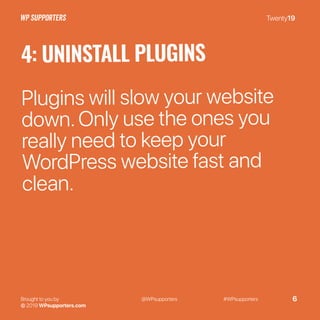
4: UNINSTALL PLUGINS
Plugins will slow your website
down.Only use the ones you
really need to keep your
WordPress website fast and
clean.
Twenty19
Brought to you by
© 2019 WPsupporters.com
@WPsupporters #WPsupporters 7
5: REDUCE EXTERNAL SCRIPTS
External scripts (like Google
Analytics or Hotjar) can add a
lot of data to your total loading
time.Think twice before using
them.
Twenty19
Brought to you by
© 2019 WPsupporters.com
@WPsupporters #WPsupporters 8
6: USE A CDN
A Content Delivery Network will
make your website fast from all
locations in the world.
Cloudflare is a free CDN which
will increase your speed.
Twenty19
Brought to you by
© 2019 WPsupporters.com
@WPsupporters #WPsupporters 9
7: ENABLE GZIP COMPRESSION
Compressing files can save you
a lot of space. Check if your
caching plugin has this feature
or add some code to your
.htaccess file.
Twenty19
Brought to you by
© 2019 WPsupporters.com
@WPsupporters #WPsupporters 10
RETEST YOUR PAGE SPEED
Test your website again with one
of the 3 tools.
And share your results in a
reaction on this post.

WordPress speed optimalisation

  • 1.
    Twenty19 Brought to youby © 2019 WPsupporters.com @WPsupporters #WPsupporters 1 HOW TO SPEED UP YOUR WORDPRESS WEBSITE, IN 7 EASY STEPS
  • 2.
    Twenty19 Brought to youby © 2019 WPsupporters.com @WPsupporters #WPsupporters 2 TEST YOUR WEBSITE SPEED with one of the tools below: GTmetrix Pingdom Google PageSpeed Insights
  • 3.
    Twenty19 Brought to youby © 2019 WPsupporters.com @WPsupporters #WPsupporters 3 1: CHOOSE A LIGHTWEIGHT THEME Themes we recommend are: Astra OceanWP GeneratePress
  • 4.
    Twenty19 Brought to youby © 2019 WPsupporters.com @WPsupporters #WPsupporters 4 2: REDUCE IMAGE SIZES Resize images to the size you are using them.And use a compress tool without losing quality.We recommend: Tinypng Shortpixel
  • 5.
    Twenty19 Brought to youby © 2019 WPsupporters.com @WPsupporters #WPsupporters 5 3: USE A CACHING PLUGIN Minify Js,CSS and HTML with a caching plugin.We recommend: WProcket Swift Performance Autoptimize
  • 6.
    Twenty19 Brought to youby © 2019 WPsupporters.com @WPsupporters #WPsupporters 6 4: UNINSTALL PLUGINS Plugins will slow your website down.Only use the ones you really need to keep your WordPress website fast and clean.
  • 7.
    Twenty19 Brought to youby © 2019 WPsupporters.com @WPsupporters #WPsupporters 7 5: REDUCE EXTERNAL SCRIPTS External scripts (like Google Analytics or Hotjar) can add a lot of data to your total loading time.Think twice before using them.
  • 8.
    Twenty19 Brought to youby © 2019 WPsupporters.com @WPsupporters #WPsupporters 8 6: USE A CDN A Content Delivery Network will make your website fast from all locations in the world. Cloudflare is a free CDN which will increase your speed.
  • 9.
    Twenty19 Brought to youby © 2019 WPsupporters.com @WPsupporters #WPsupporters 9 7: ENABLE GZIP COMPRESSION Compressing files can save you a lot of space. Check if your caching plugin has this feature or add some code to your .htaccess file.
  • 10.
    Twenty19 Brought to youby © 2019 WPsupporters.com @WPsupporters #WPsupporters 10 RETEST YOUR PAGE SPEED Test your website again with one of the 3 tools. And share your results in a reaction on this post.