WordPress:
Menus, Settings & Links


        Ann Treacy
  atreacy@treacyinfo.com
  www.byteoftheweek.com


      www.treacyinfo.com
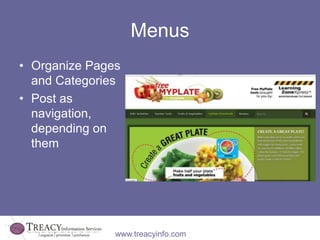
Menus
• Organize Pages
  and Categories
• Post as
  navigation,
  depending on
  them


               www.treacyinfo.com
How to Setup a Menu
1. Enter a menu name
2. Click CREATE
   MENU
3. Choose Pages
   and/or Categories
4. Link to external
   pages with
   CUSTOM LINKS


               www.treacyinfo.com
How to Add Menu
• Add as widget
• Add as PRIMARY or other pre-defined
  space in MENU screen
  – Availability of menus placement depends on
    Theme


               www.treacyinfo.com
•   General         Settings
•   Writing
•   Reading
•   Discussion
•   Media
•   Sharing
•   Polls
•   Ratings
•   Email Post Change
•   OpenID
•   Webhooks
                www.treacyinfo.com
General - Highlights
• Change Title
• Change Tag


                 www.treacyinfo.com
Writing - Highlights
• Press This makes it
  easy to highlight and
  transfer content you
  find on the web
• Post by email


                 www.treacyinfo.com
Reading - Highlights
• Front Page Display –
  posts or static page
• Hide from search
  engines
• Make site private


                www.treacyinfo.com
Discussion - Highlights
• Comments vs Spam
• Choose your balance


               www.treacyinfo.com
Media - Highlights


   www.treacyinfo.com
Sharing: Autopost on Social Sites


                               Great way to
                               spread the
                               word!!


          www.treacyinfo.com
Polls – Add Interaction


      www.treacyinfo.com
Ratings – Got a Good Beat


       www.treacyinfo.com
Email Post Changes
• Great with teams
  of authors
• Great with
  hierarchy of
  authors


                www.treacyinfo.com
Open ID – Auto Login


     www.treacyinfo.com
Webhooks – Get Admin Updates


         www.treacyinfo.com
Questions?


      Thank you!
      Ann Treacy
atreacy@treacyinfo.com


    www.treacyinfo.com

WordPress Menus, Settings & Links

  • 1.
    WordPress: Menus, Settings &Links Ann Treacy atreacy@treacyinfo.com www.byteoftheweek.com www.treacyinfo.com
  • 2.
    Menus • Organize Pages and Categories • Post as navigation, depending on them www.treacyinfo.com
  • 3.
    How to Setupa Menu 1. Enter a menu name 2. Click CREATE MENU 3. Choose Pages and/or Categories 4. Link to external pages with CUSTOM LINKS www.treacyinfo.com
  • 4.
    How to AddMenu • Add as widget • Add as PRIMARY or other pre-defined space in MENU screen – Availability of menus placement depends on Theme www.treacyinfo.com
  • 5.
    General Settings • Writing • Reading • Discussion • Media • Sharing • Polls • Ratings • Email Post Change • OpenID • Webhooks www.treacyinfo.com
  • 6.
    General - Highlights •Change Title • Change Tag www.treacyinfo.com
  • 7.
    Writing - Highlights •Press This makes it easy to highlight and transfer content you find on the web • Post by email www.treacyinfo.com
  • 8.
    Reading - Highlights •Front Page Display – posts or static page • Hide from search engines • Make site private www.treacyinfo.com
  • 9.
    Discussion - Highlights •Comments vs Spam • Choose your balance www.treacyinfo.com
  • 10.
    Media - Highlights www.treacyinfo.com
  • 11.
    Sharing: Autopost onSocial Sites Great way to spread the word!! www.treacyinfo.com
  • 12.
    Polls – AddInteraction www.treacyinfo.com
  • 13.
    Ratings – Gota Good Beat www.treacyinfo.com
  • 14.
    Email Post Changes •Great with teams of authors • Great with hierarchy of authors www.treacyinfo.com
  • 15.
    Open ID –Auto Login www.treacyinfo.com
  • 16.
    Webhooks – GetAdmin Updates www.treacyinfo.com
  • 17.
    Questions? Thank you! Ann Treacy atreacy@treacyinfo.com www.treacyinfo.com