Windows 2012 Internal Monitoring
Tools
by
24x7servermonitoring.com
Windows 2012 has numerous
internal monitoring tools.
If you are in need of good performance
monitoring tools, then the guide below will
help you. These tools are categorized as
those that are included with Windows, open
source alternatives, and network monitoring
tools.
Those included with Windows
Internal Windows monitoring tools included with
windows include the following.
●Task Manager
●Resource Monitoring Tools
●Performance Monitor
●Reliability Monitor
●Microsoft SysInternals
●System Center Operations Manager
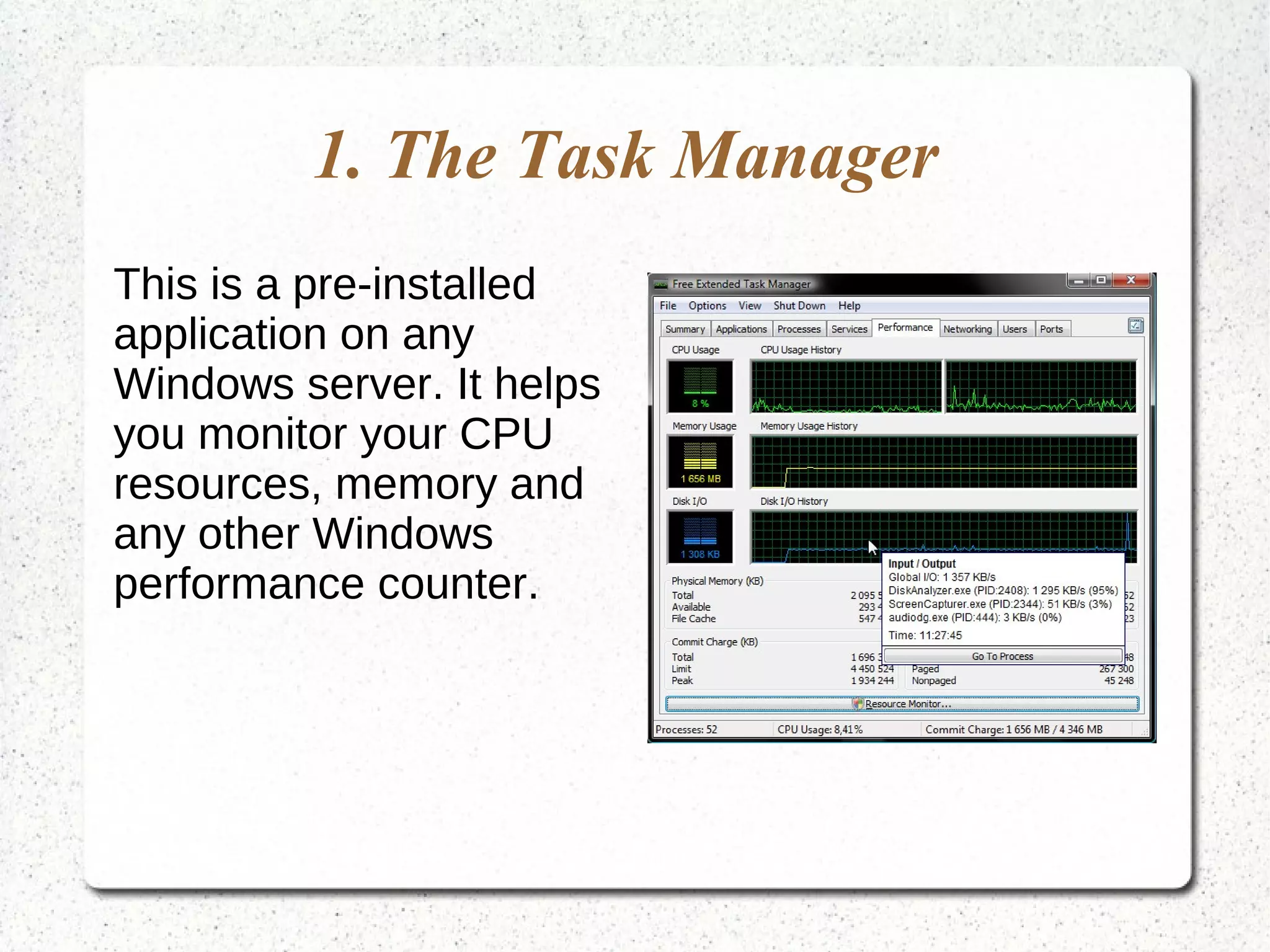
1. The Task Manager
This is a pre-installed
application on any
Windows server. It helps
you monitor your CPU
resources, memory and
any other Windows
performance counter.
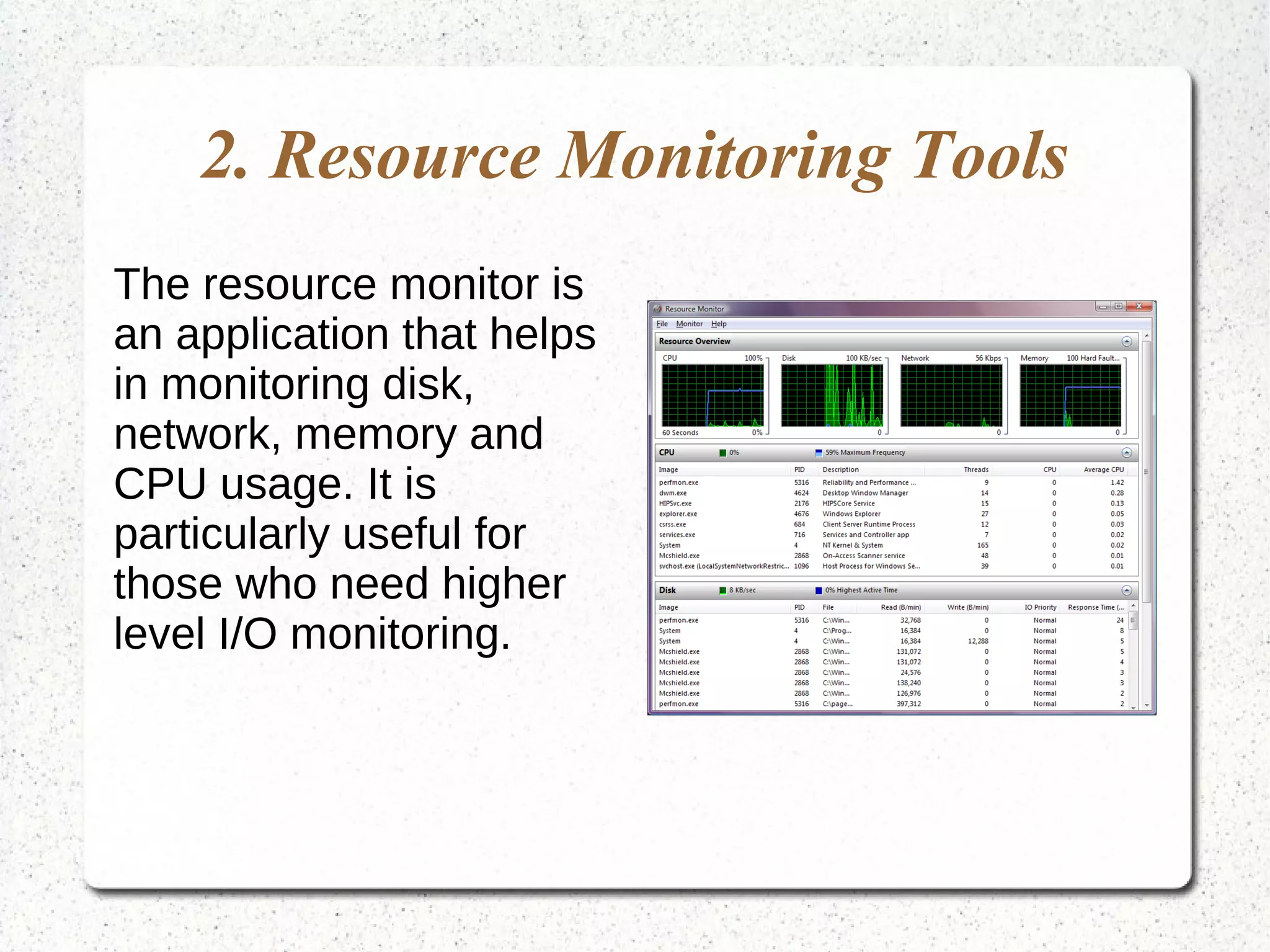
2. Resource Monitoring Tools
The resource monitor is
an application that helps
in monitoring disk,
network, memory and
CPU usage. It is
particularly useful for
those who need higher
level I/O monitoring.
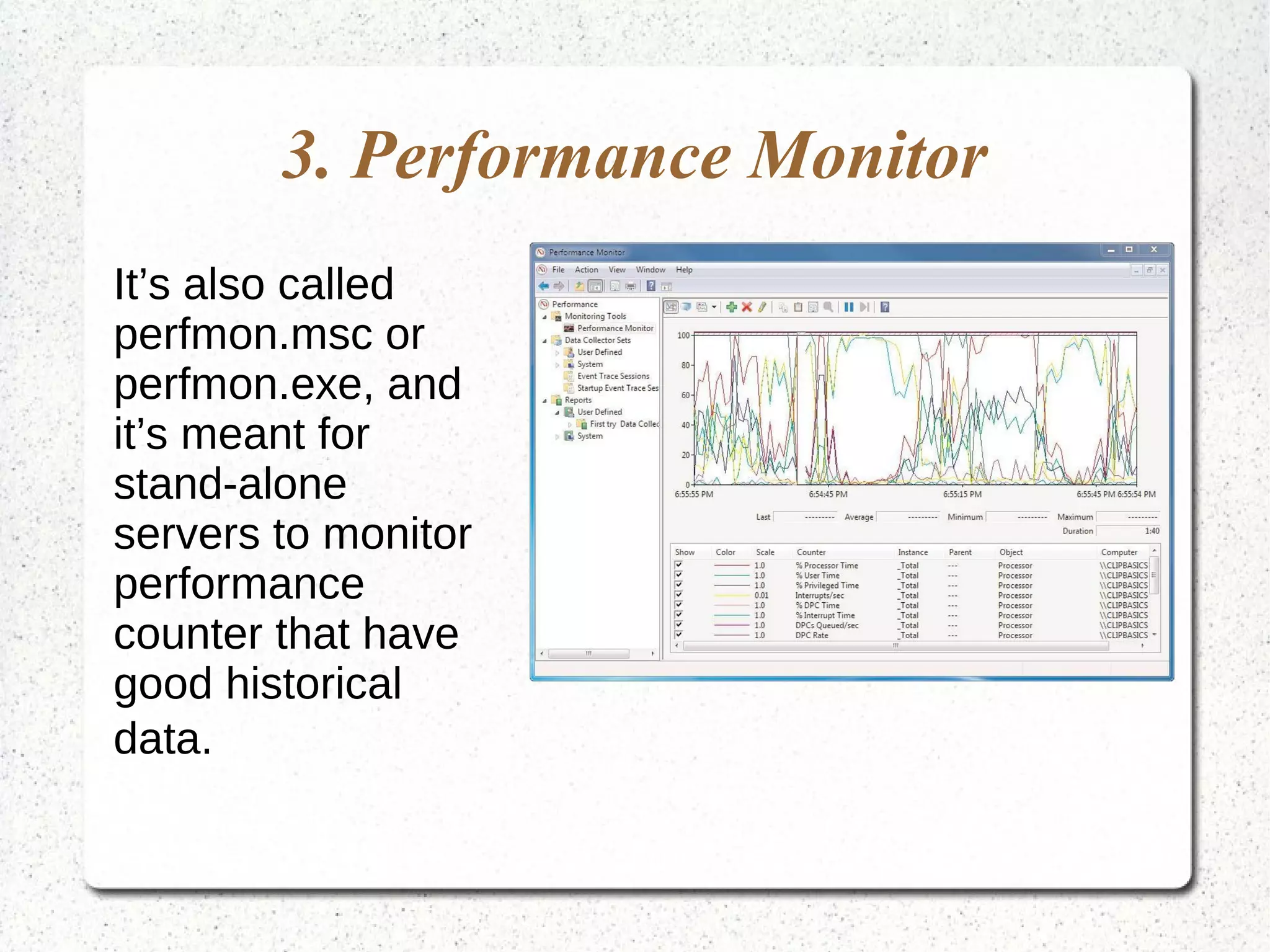
3. Performance Monitor
It’s also called
perfmon.msc or
perfmon.exe, and
it’s meant for
stand-alone
servers to monitor
performance
counter that have
good historical
data.
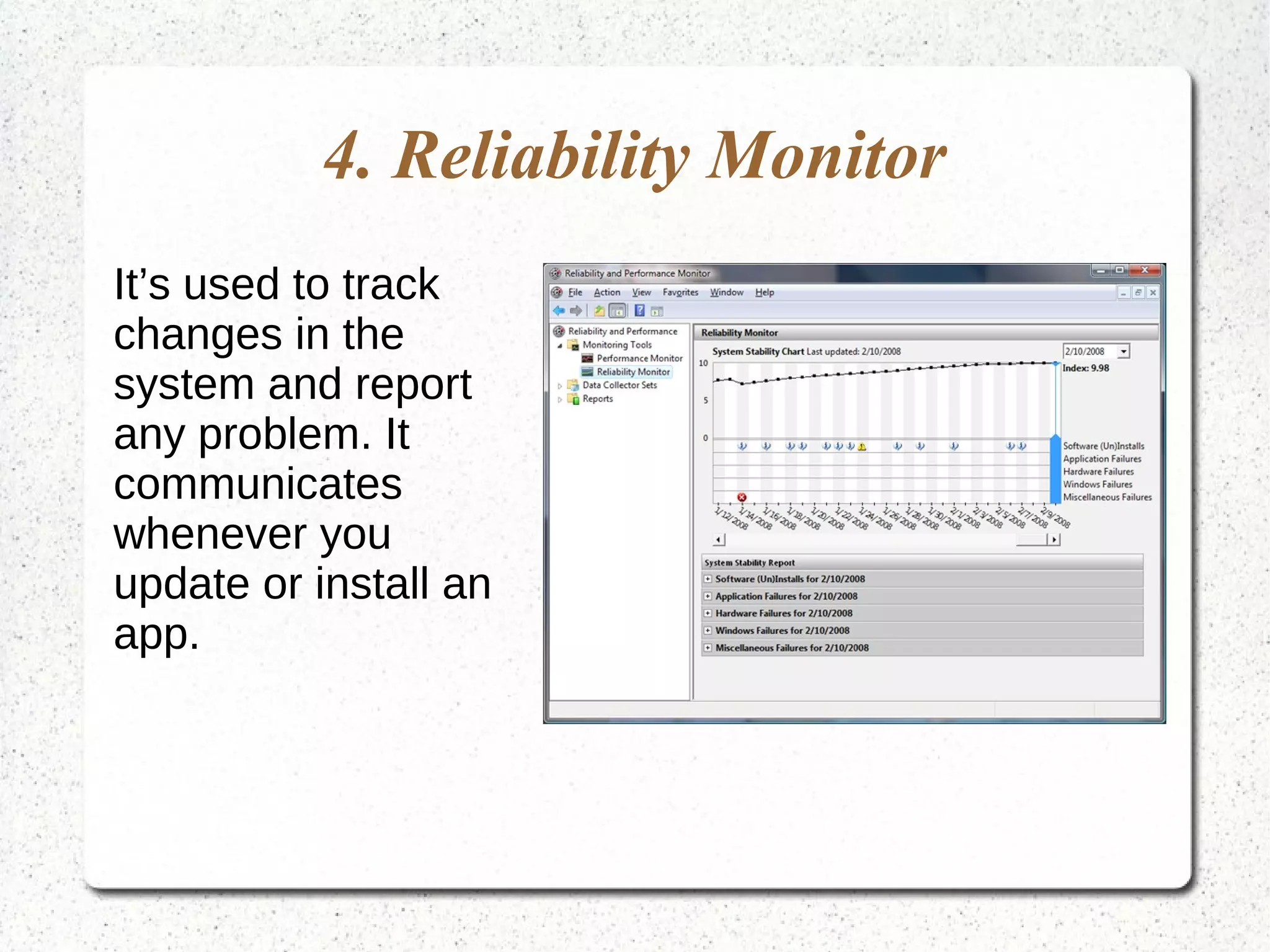
4. Reliability Monitor
It’s used to track
changes in the
system and report
any problem. It
communicates
whenever you
update or install an
app.
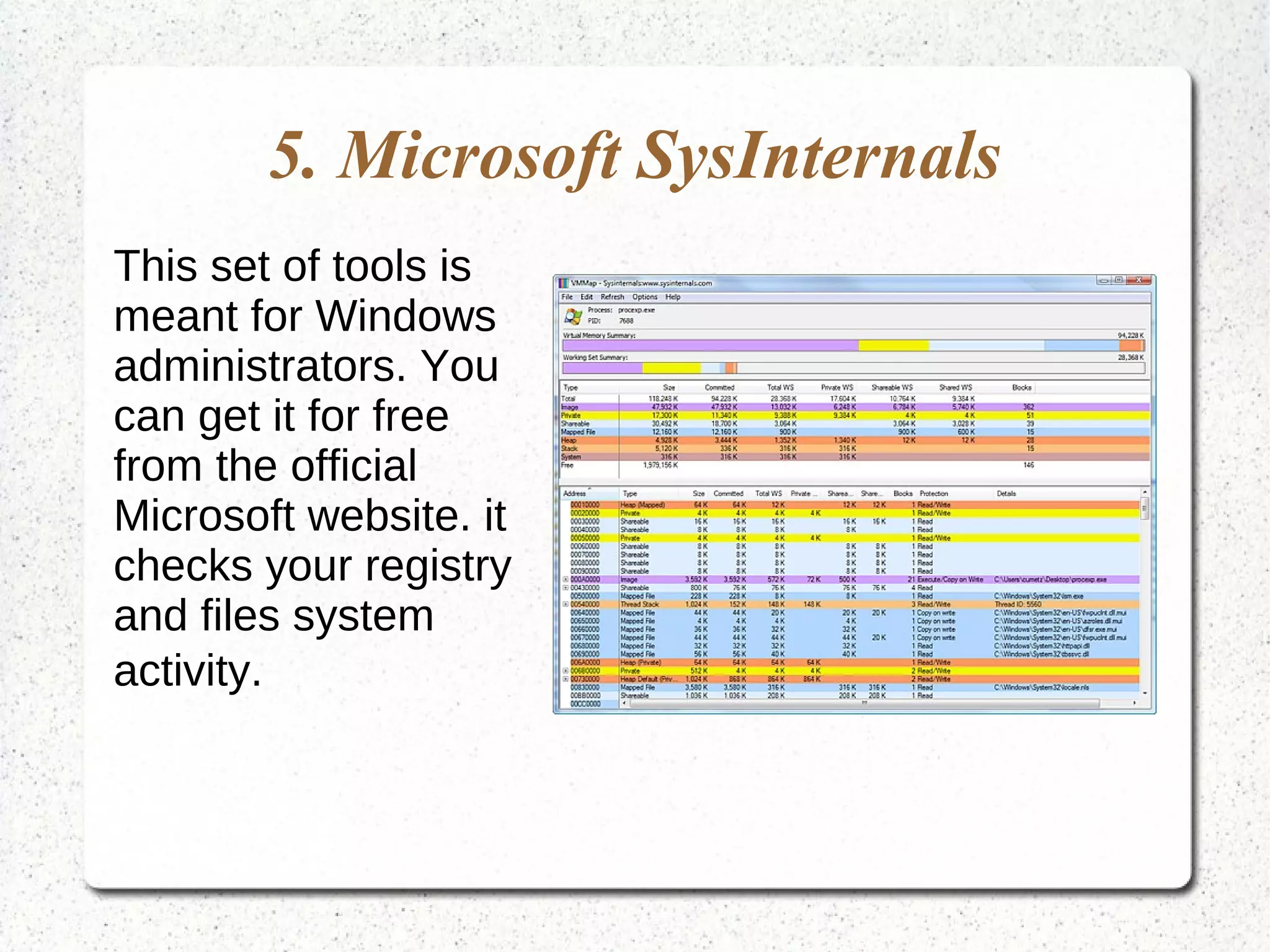
5. Microsoft SysInternals
This set of tools is
meant for Windows
administrators. You
can get it for free
from the official
Microsoft website. it
checks your registry
and files system
activity.
6. System Center Operations
Manager
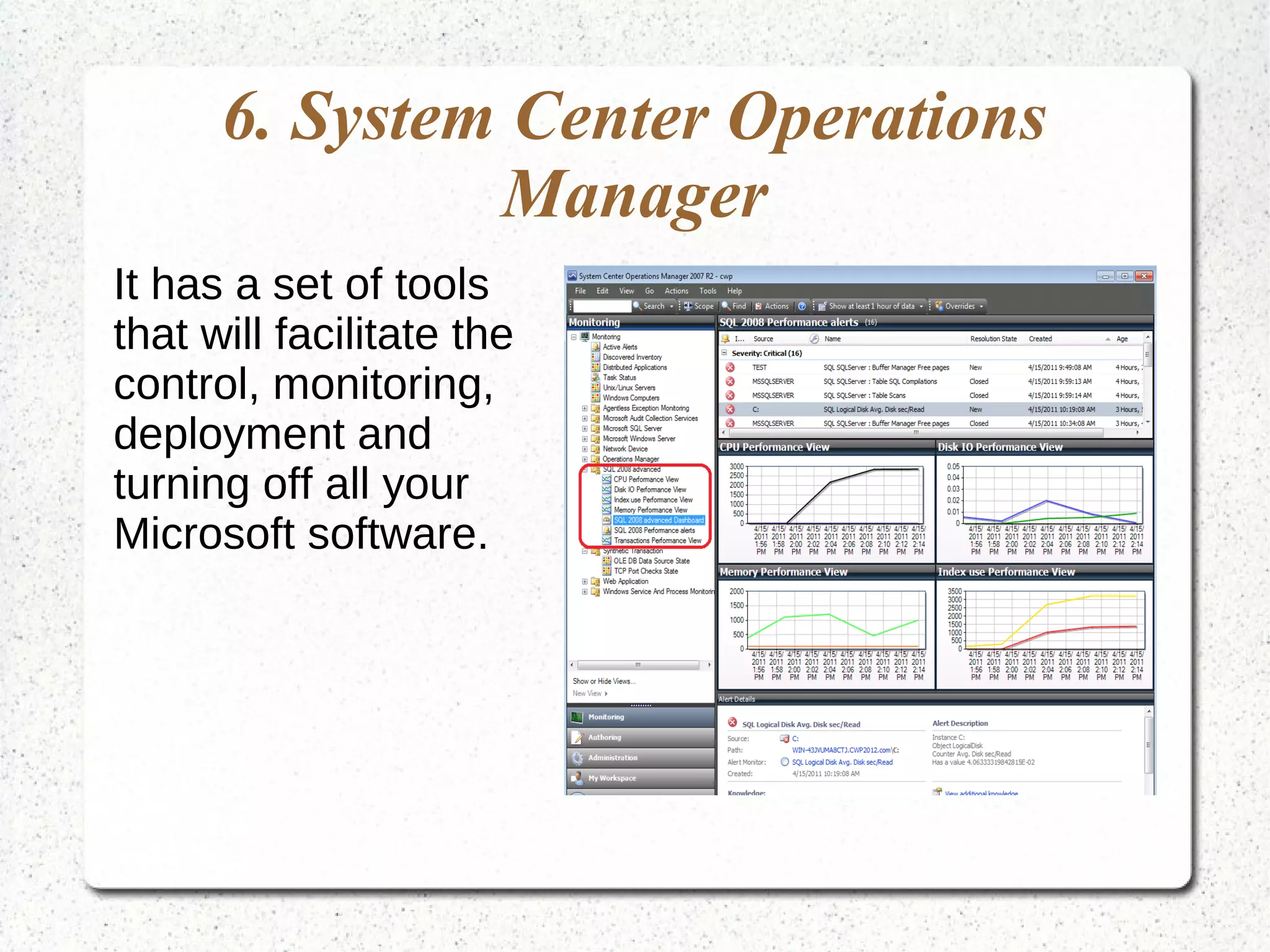
It has a set of tools
that will facilitate the
control, monitoring,
deployment and
turning off all your
Microsoft software.
Those Meant for Open Source
Alternatives
Windows 12 monitoring tools meant for open source
alternatives include the following.
1. Zabbix
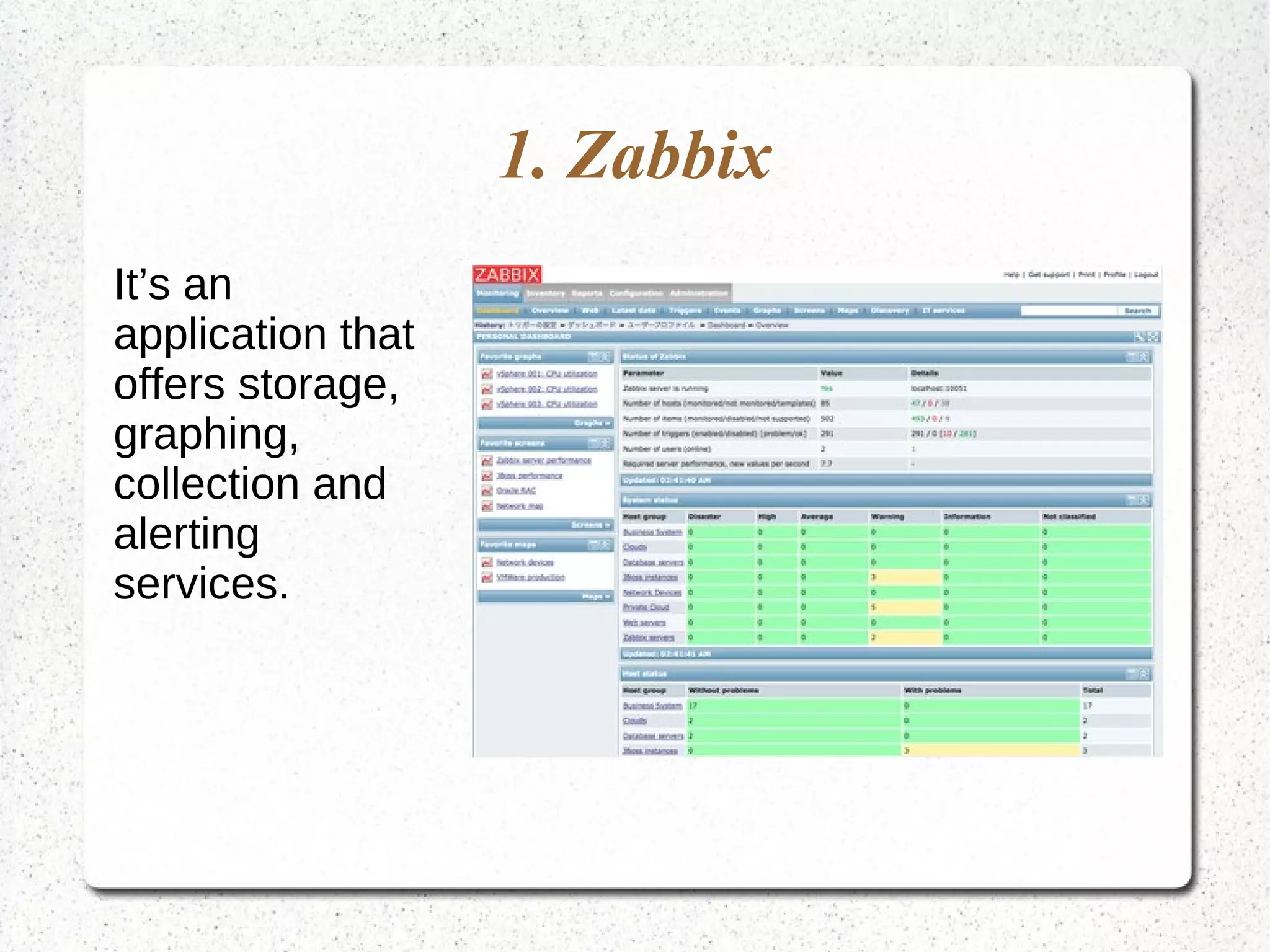
It’s an
application that
offers storage,
graphing,
collection and
alerting
services.
2. Munin
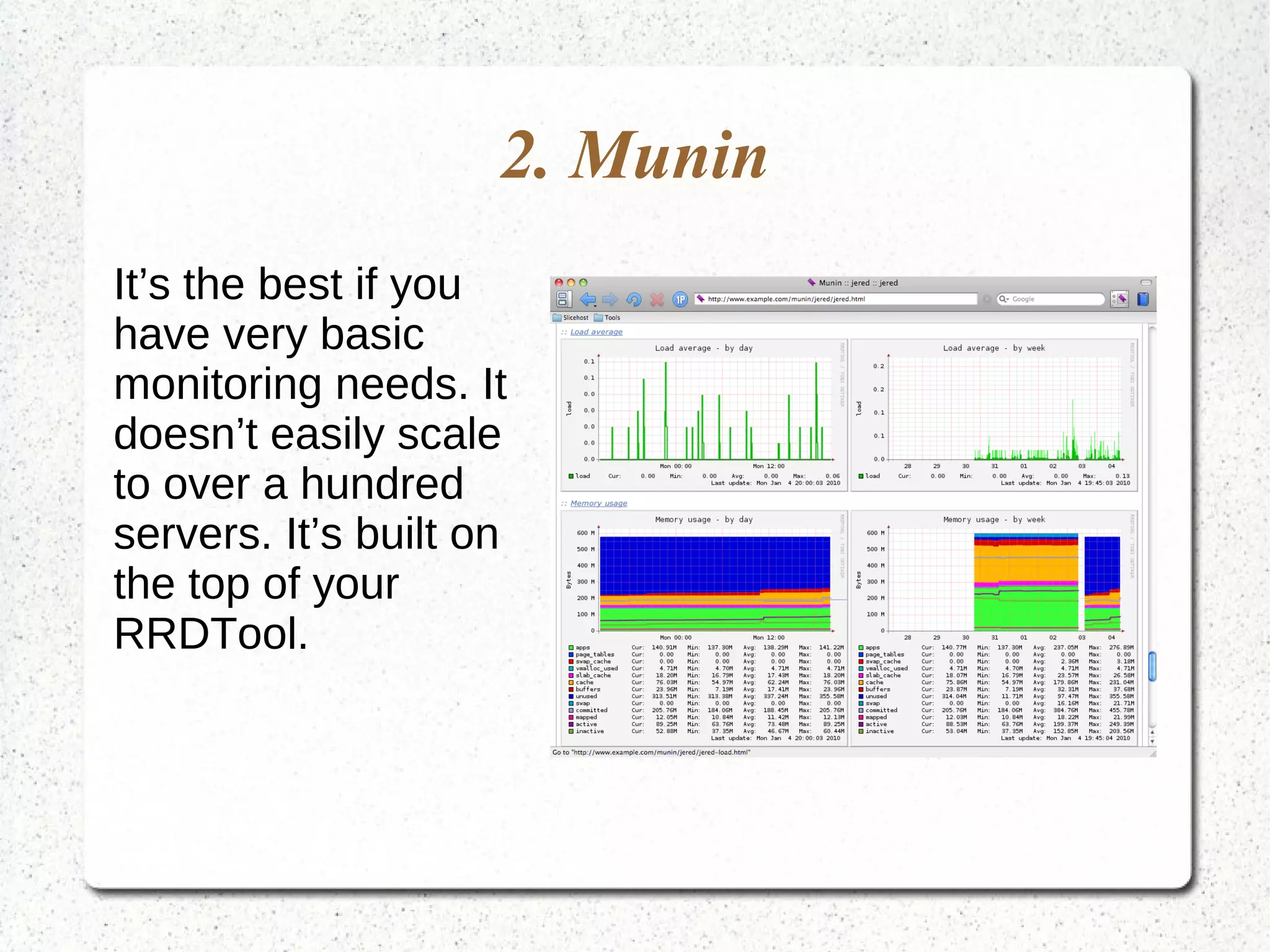
It’s the best if you
have very basic
monitoring needs. It
doesn’t easily scale
to over a hundred
servers. It’s built on
the top of your
RRDTool.
3. Observium
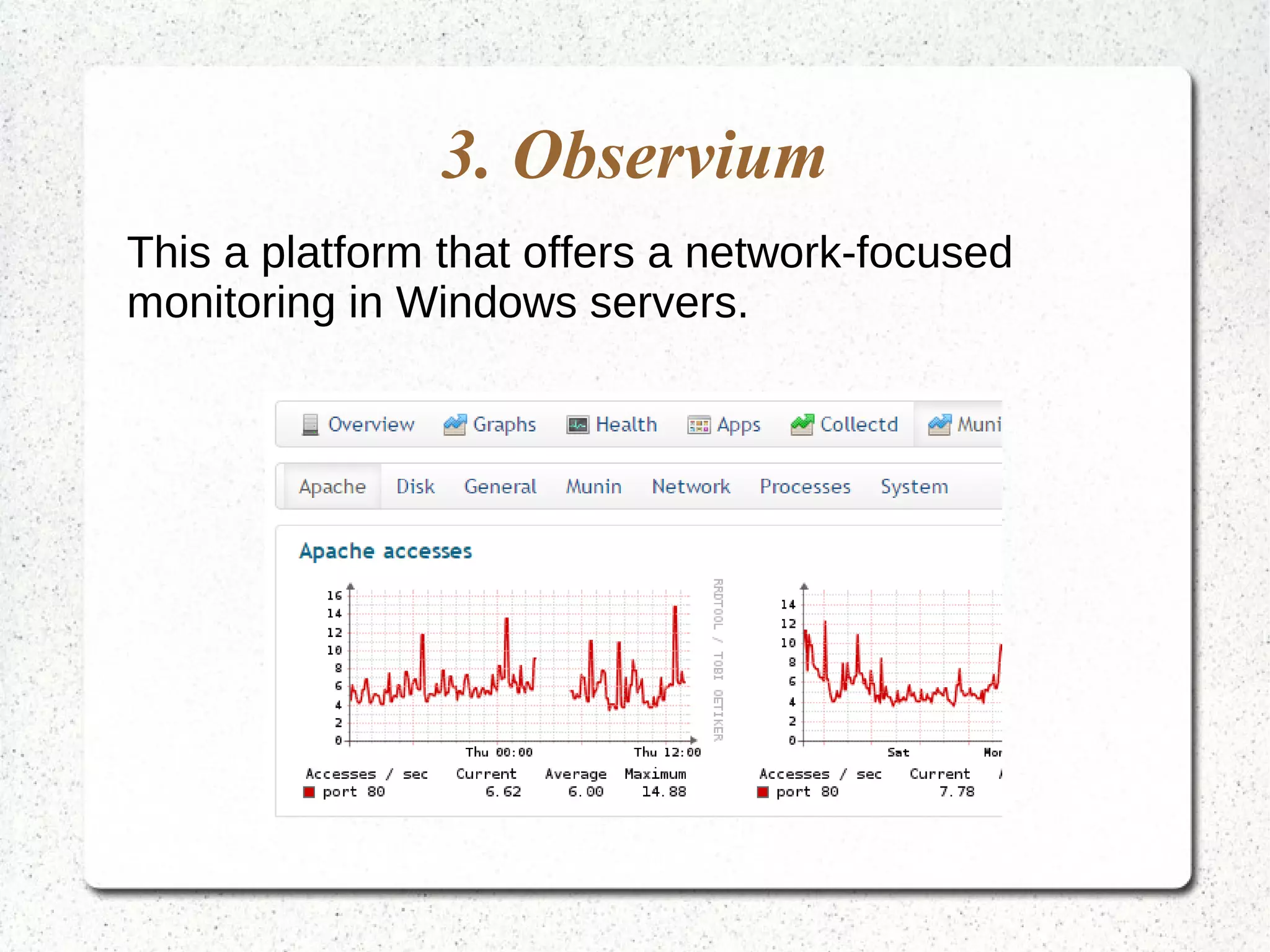
This a platform that offers a network-focused
monitoring in Windows servers.
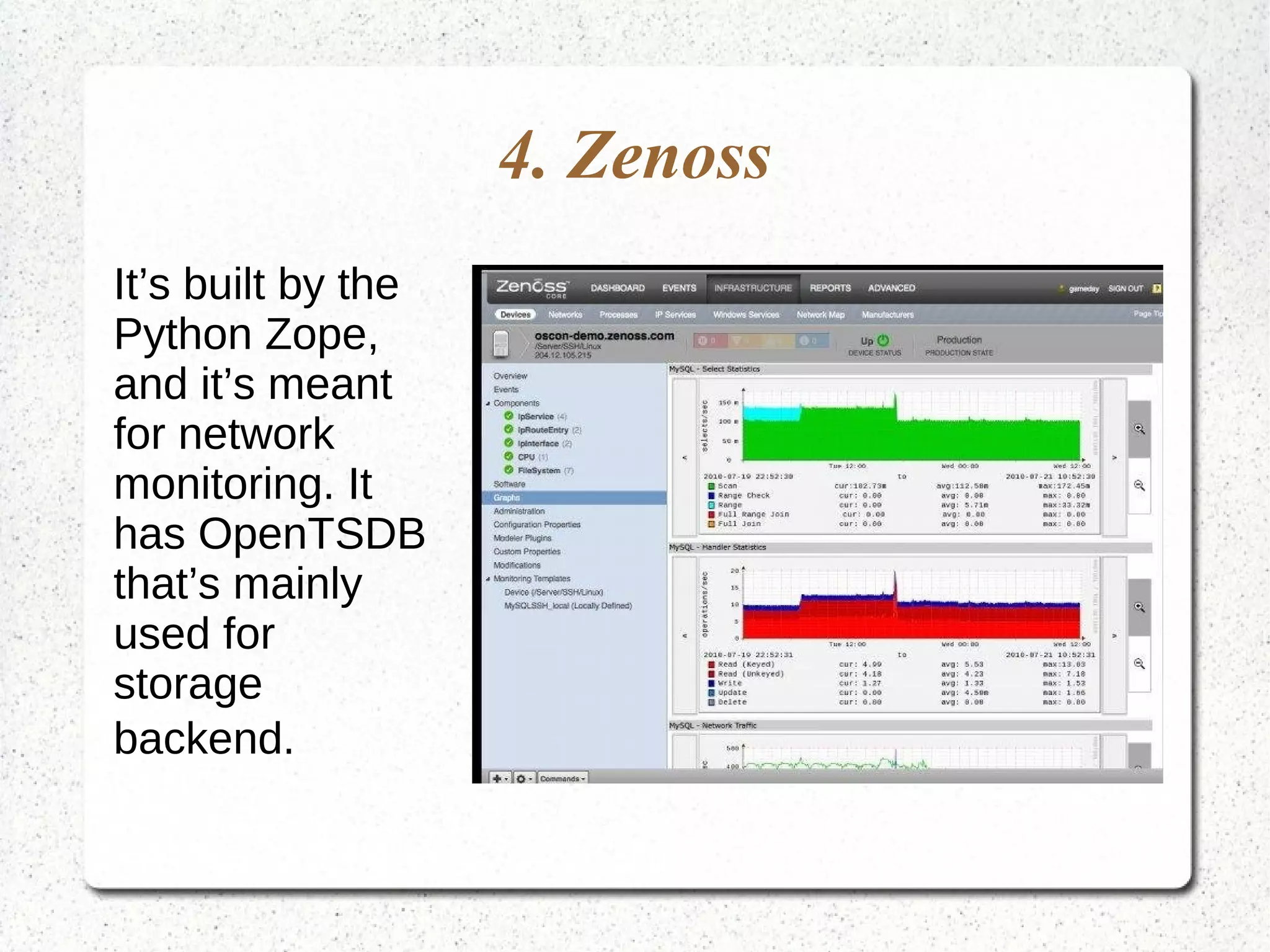
4. Zenoss
It’s built by the
Python Zope,
and it’s meant
for network
monitoring. It
has OpenTSDB
that’s mainly
used for
storage
backend.
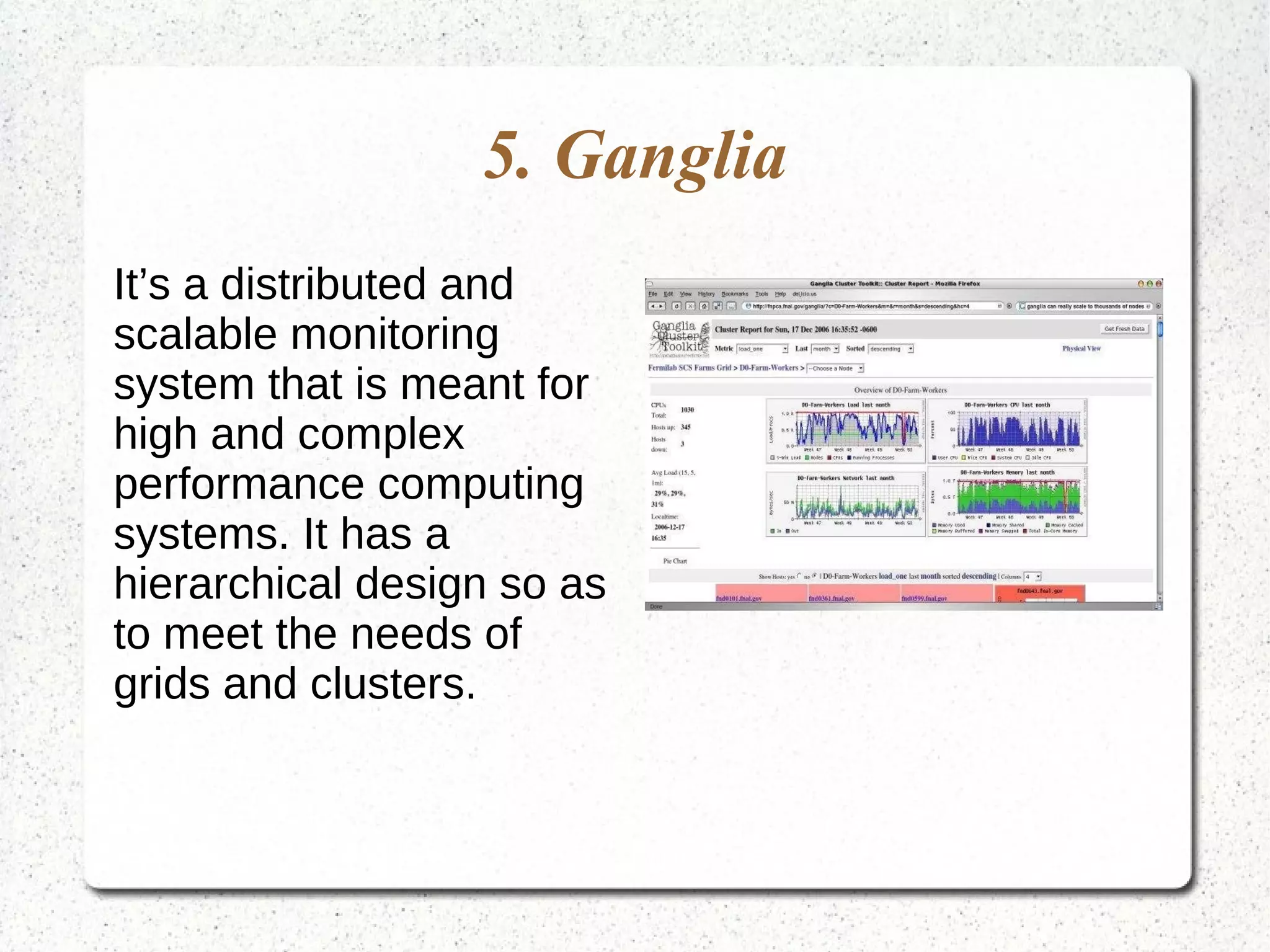
5. Ganglia
It’s a distributed and
scalable monitoring
system that is meant for
high and complex
performance computing
systems. It has a
hierarchical design so as
to meet the needs of
grids and clusters.
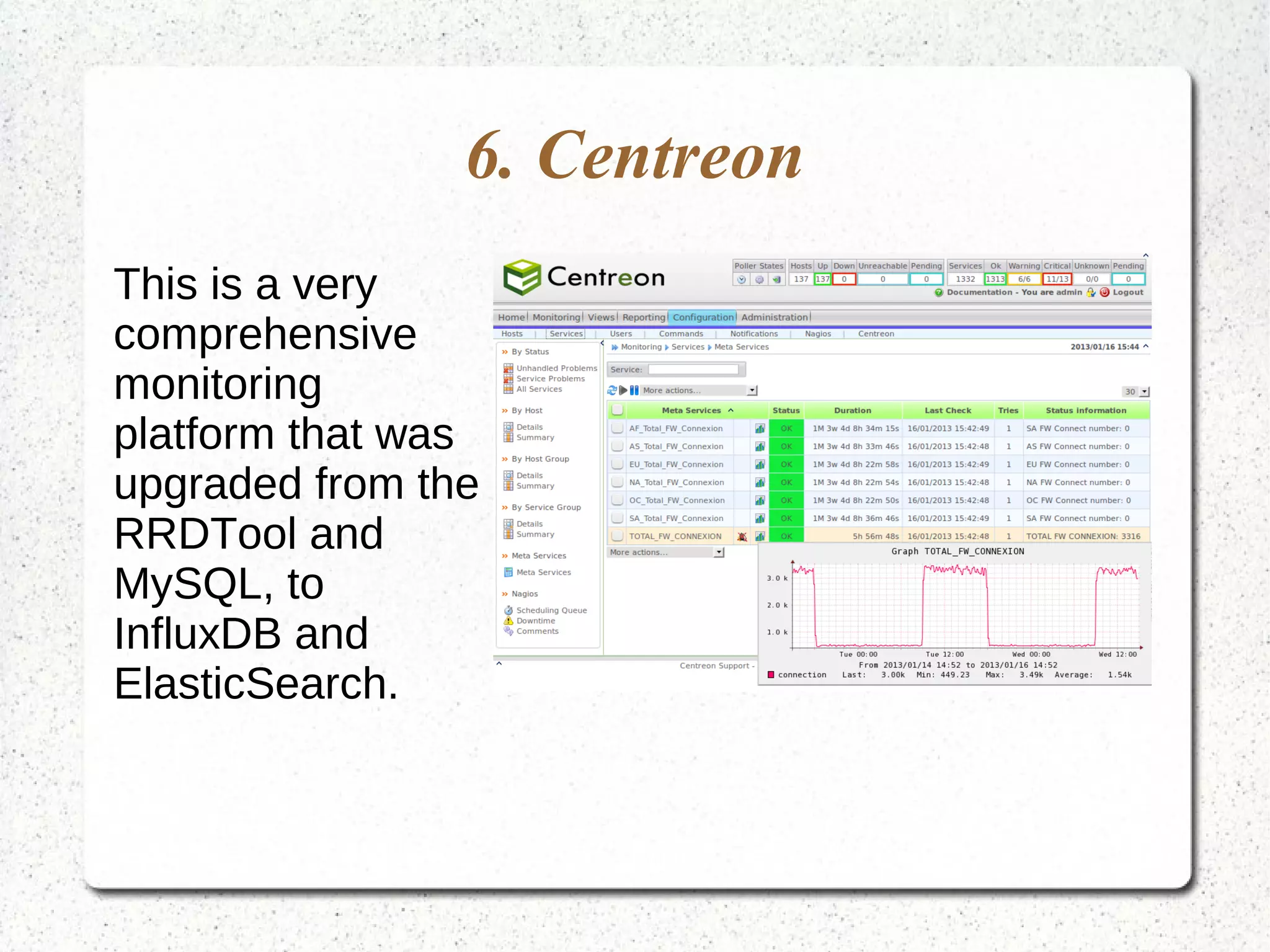
6. Centreon
This is a very
comprehensive
monitoring
platform that was
upgraded from the
RRDTool and
MySQL, to
InfluxDB and
ElasticSearch.
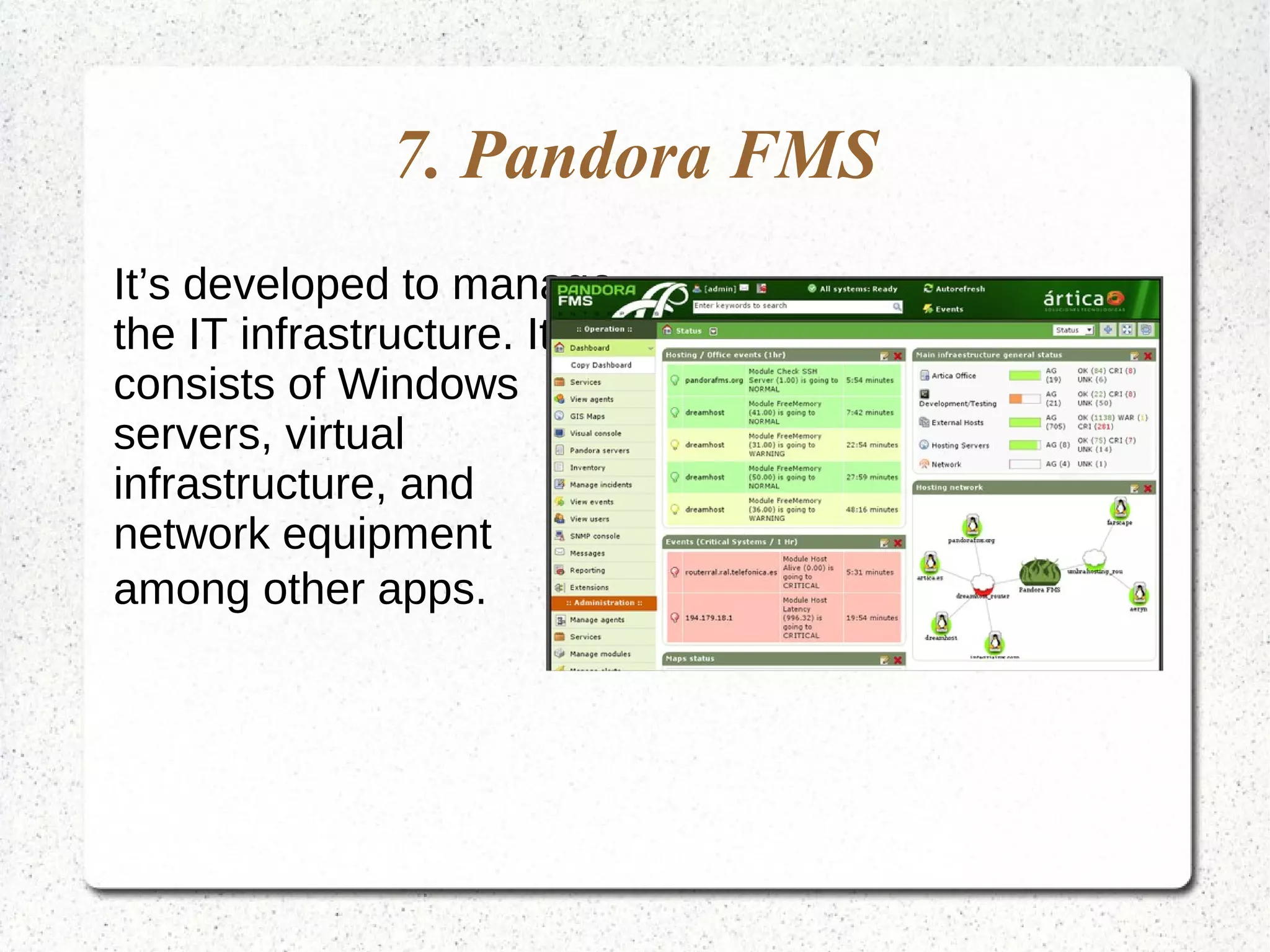
7. Pandora FMS
It’s developed to manage
the IT infrastructure. It
consists of Windows
servers, virtual
infrastructure, and
network equipment
among other apps.
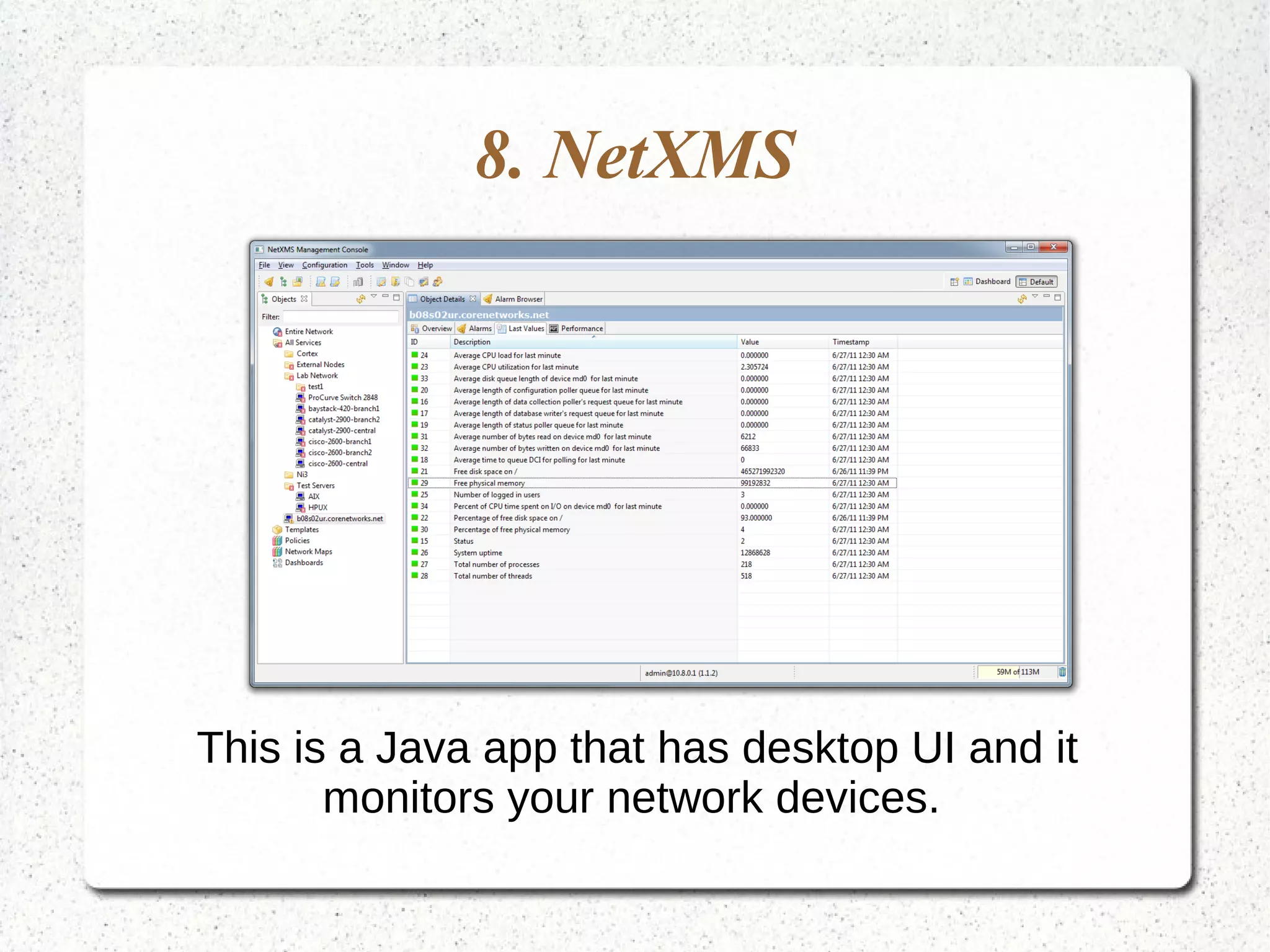
8. NetXMS
This is a Java app that has desktop UI and it
monitors your network devices.
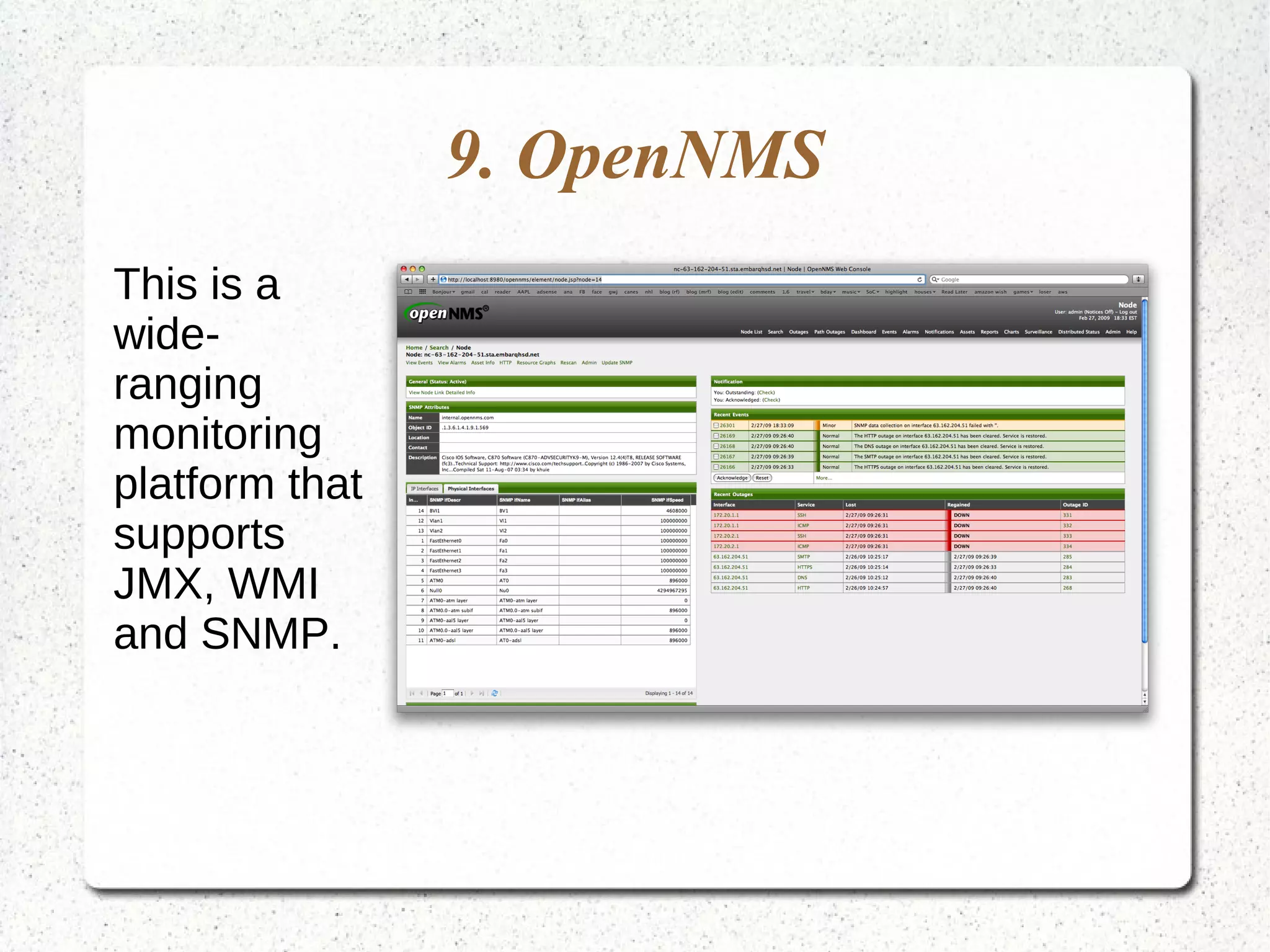
9. OpenNMS
This is a
wide-
ranging
monitoring
platform that
supports
JMX, WMI
and SNMP.
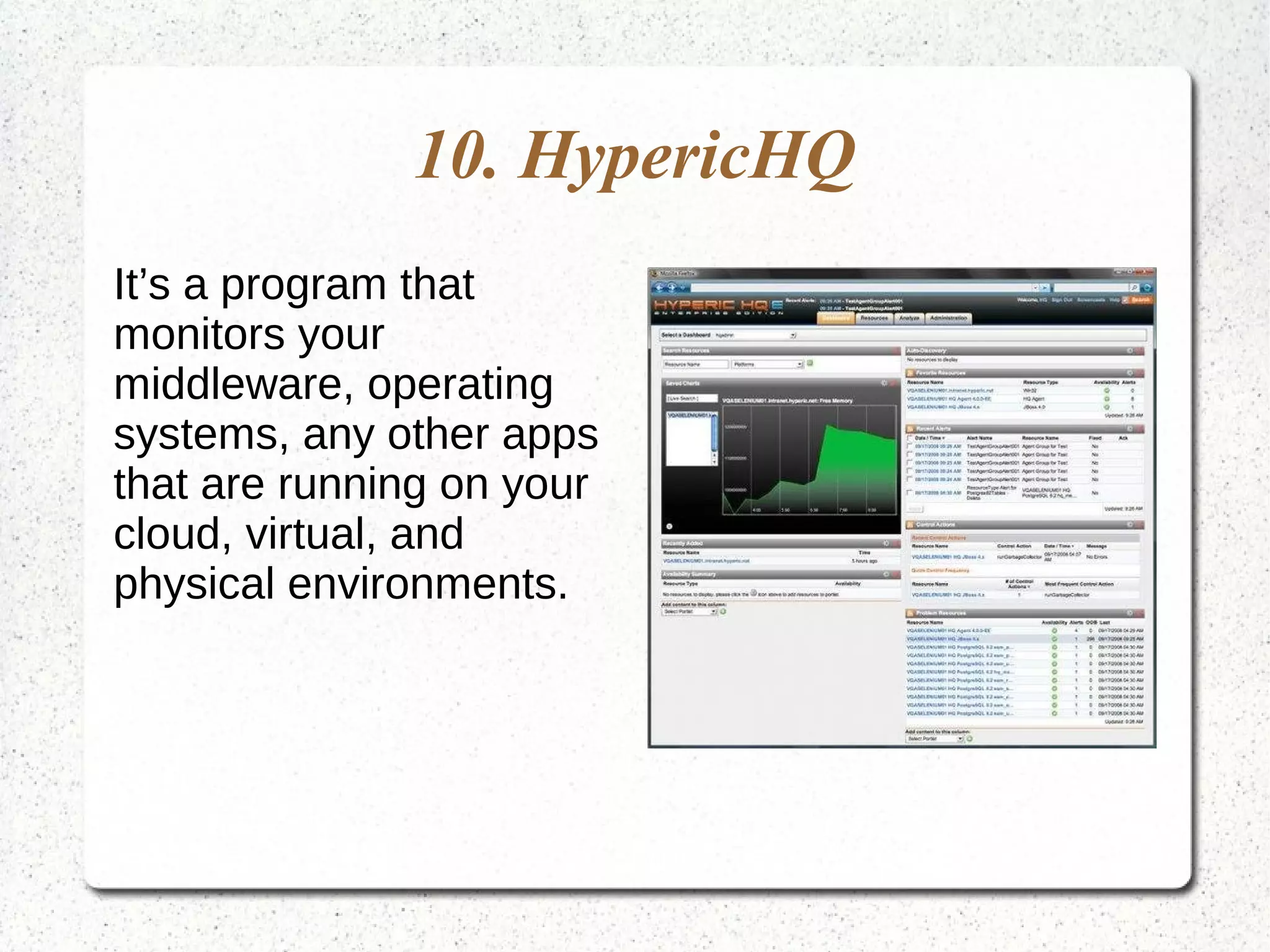
10. HypericHQ
It’s a program that
monitors your
middleware, operating
systems, any other apps
that are running on your
cloud, virtual, and
physical environments.
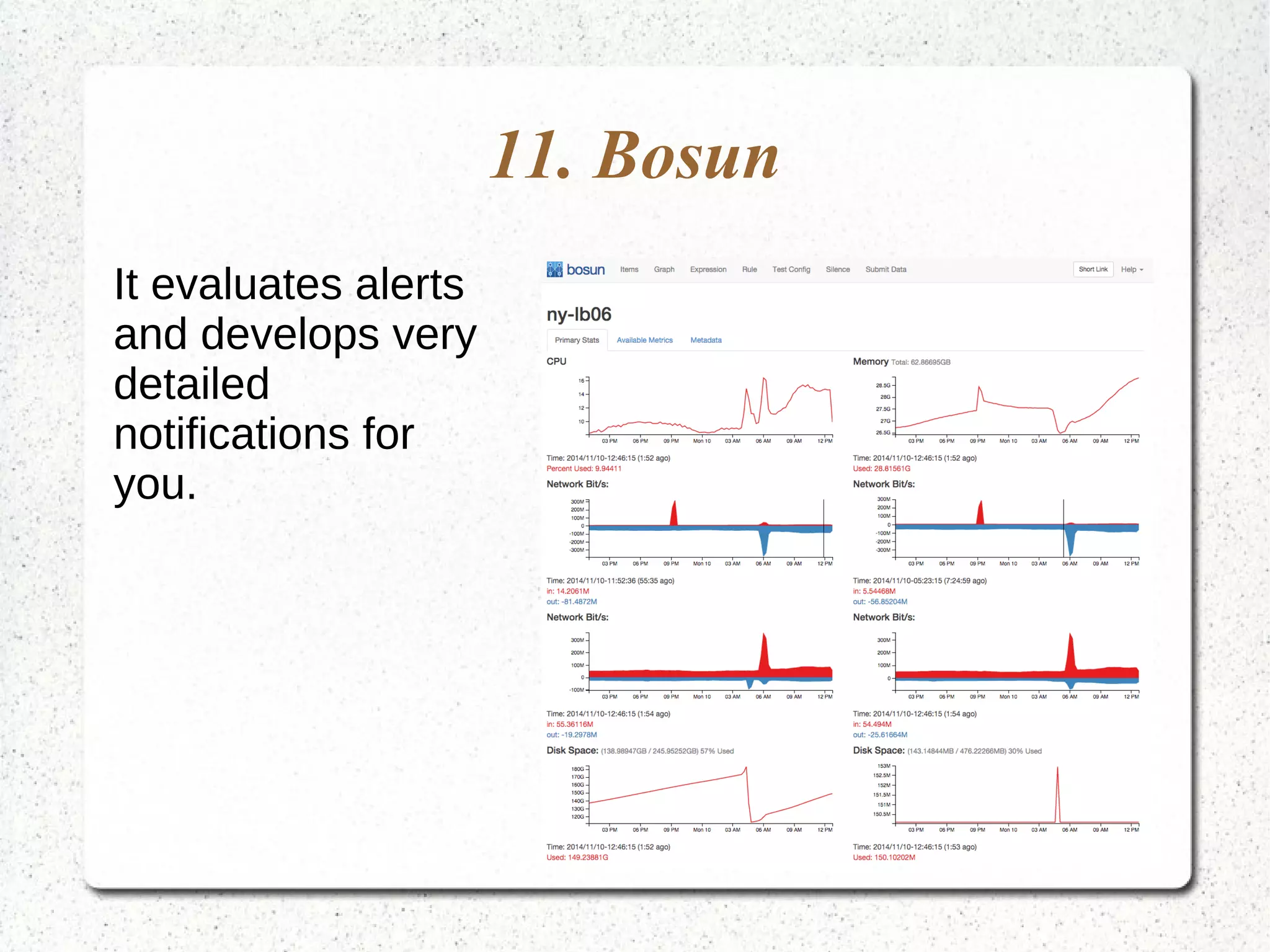
11. Bosun
It evaluates alerts
and develops very
detailed
notifications for
you.
Network Monitoring Tools
The most common network monitoring tools include
the following.
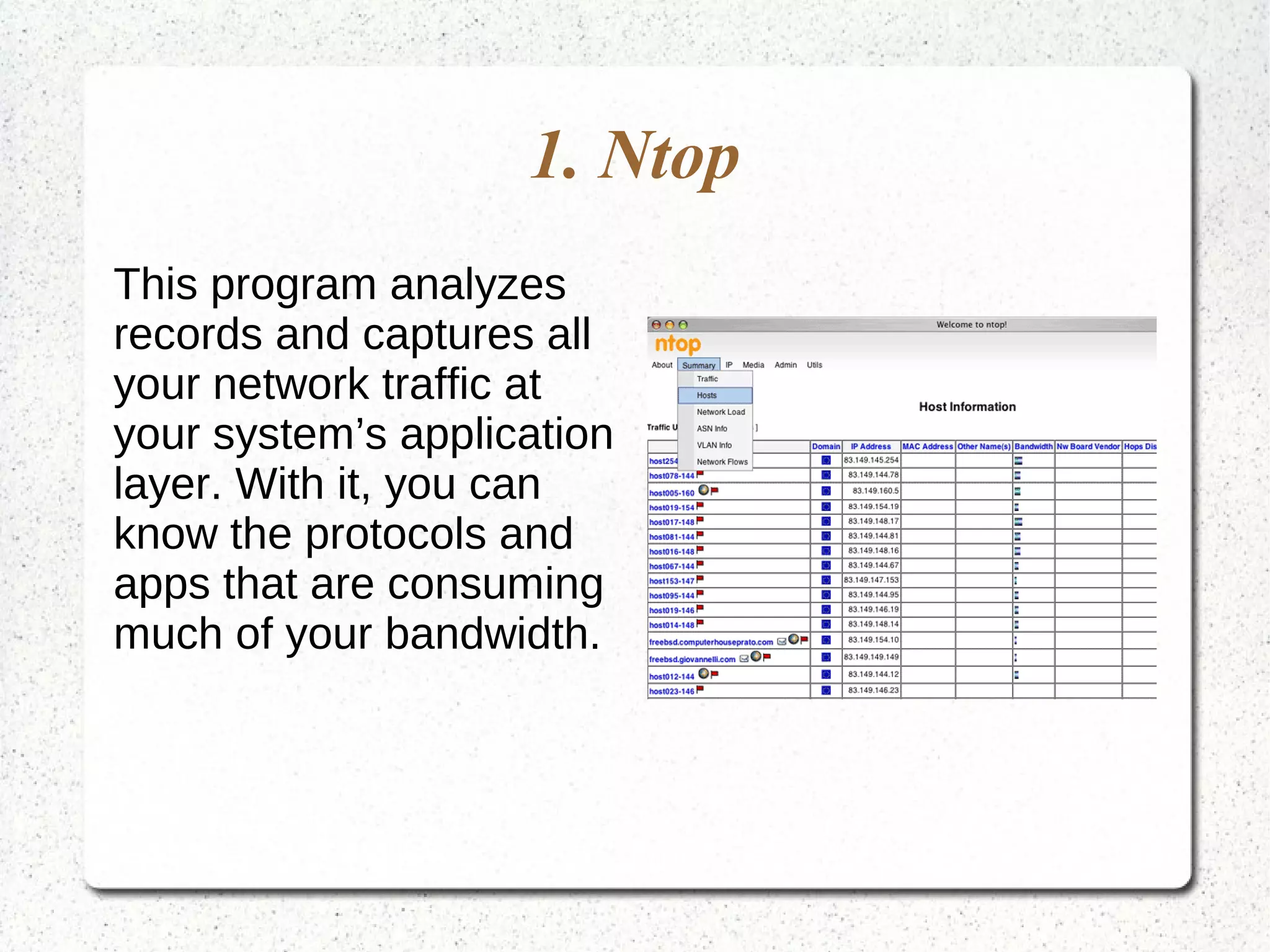
1. Ntop
This program analyzes
records and captures all
your network traffic at
your system’s application
layer. With it, you can
know the protocols and
apps that are consuming
much of your bandwidth.
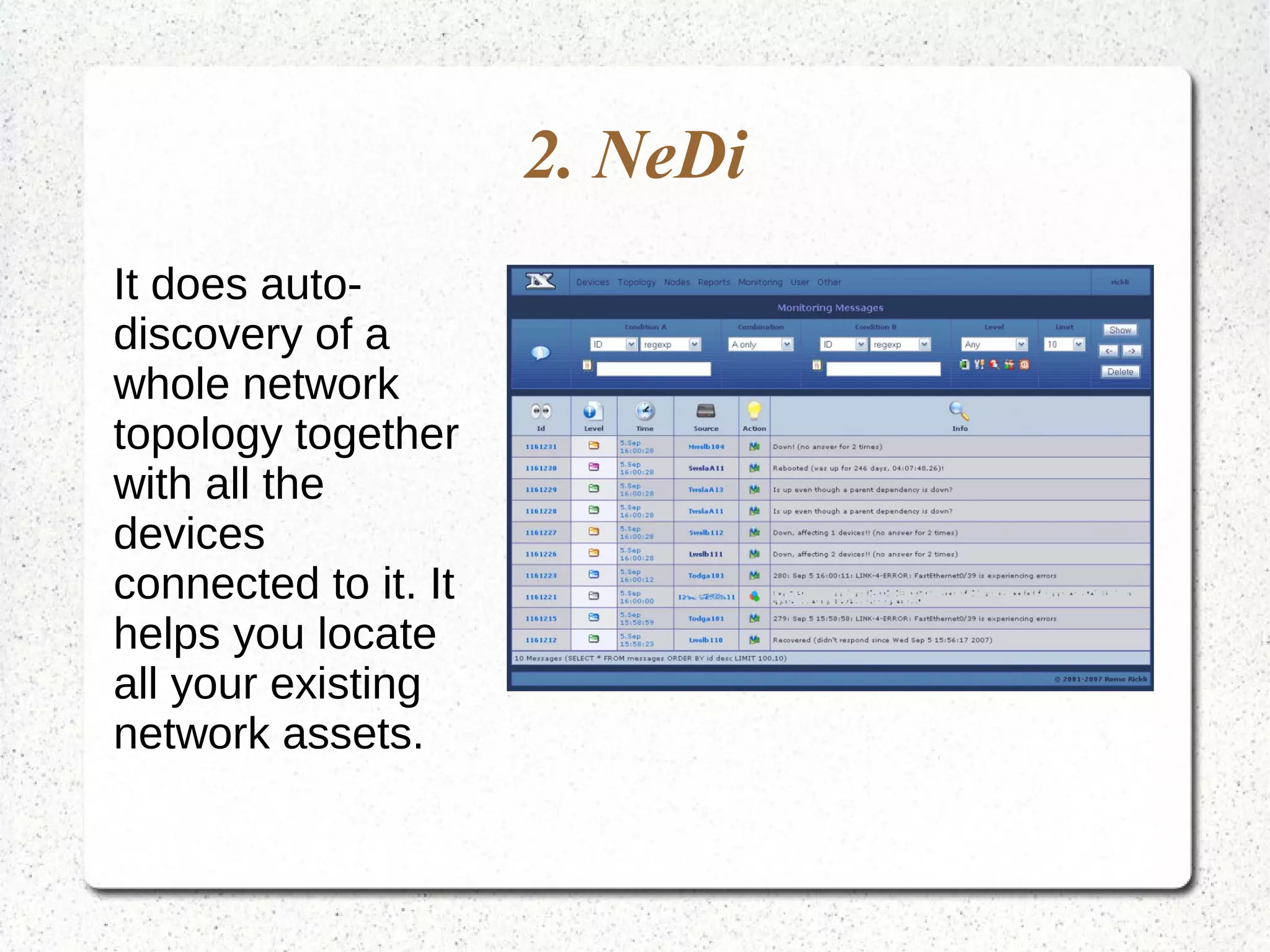
2. NeDi
It does auto-
discovery of a
whole network
topology together
with all the
devices
connected to it. It
helps you locate
all your existing
network assets.
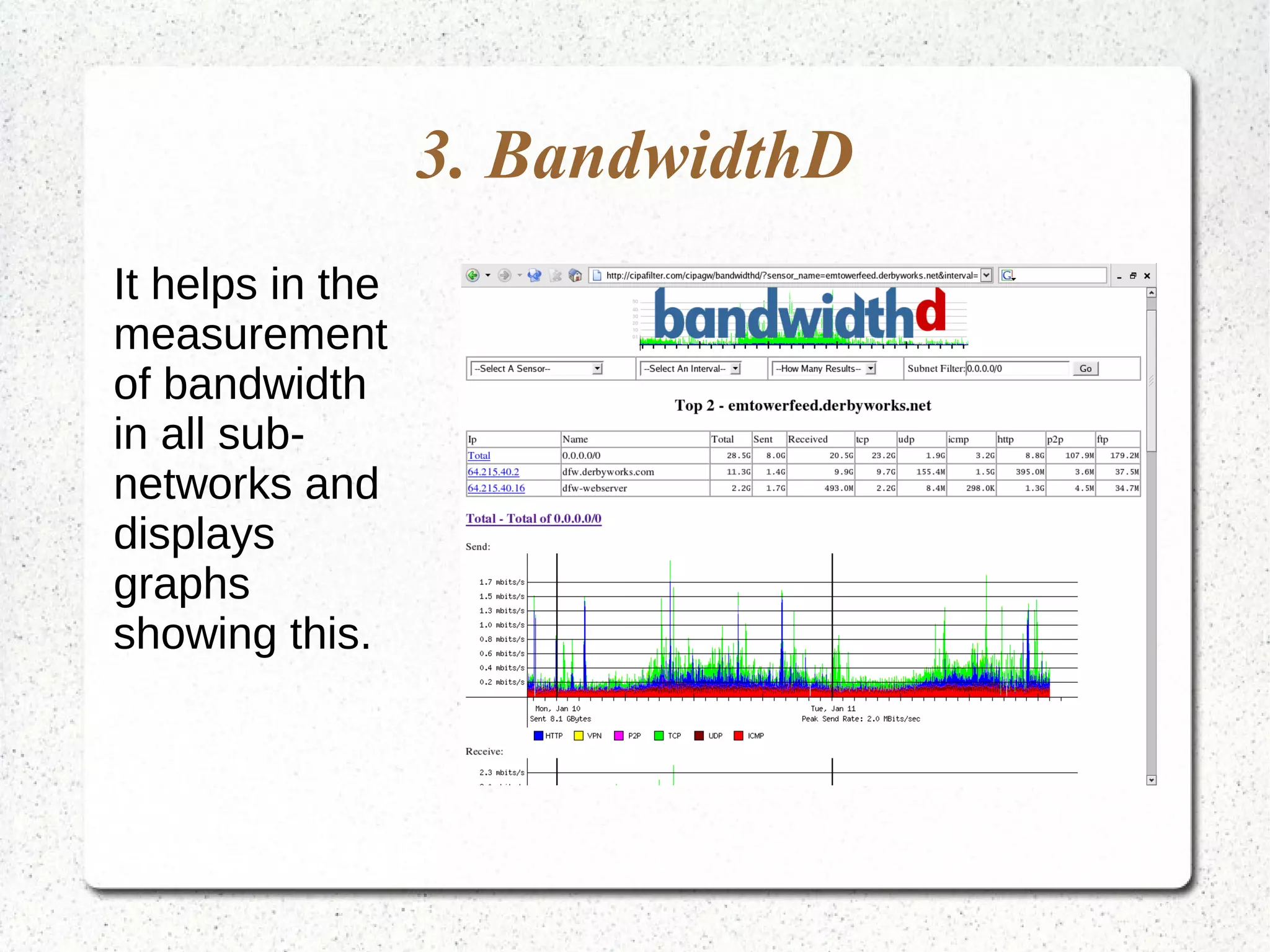
3. BandwidthD
It helps in the
measurement
of bandwidth
in all sub-
networks and
displays
graphs
showing this.
Conclusion
This is a good guide if you want to ensure that you
are monitoring your systems in the most effective
manner.

windows server 2012 internal monitoring tools

  • 1.
    Windows 2012 InternalMonitoring Tools by 24x7servermonitoring.com
  • 2.
    Windows 2012 hasnumerous internal monitoring tools. If you are in need of good performance monitoring tools, then the guide below will help you. These tools are categorized as those that are included with Windows, open source alternatives, and network monitoring tools.
  • 3.
    Those included withWindows Internal Windows monitoring tools included with windows include the following. ●Task Manager ●Resource Monitoring Tools ●Performance Monitor ●Reliability Monitor ●Microsoft SysInternals ●System Center Operations Manager
  • 4.
    1. The TaskManager This is a pre-installed application on any Windows server. It helps you monitor your CPU resources, memory and any other Windows performance counter.
  • 5.
    2. Resource MonitoringTools The resource monitor is an application that helps in monitoring disk, network, memory and CPU usage. It is particularly useful for those who need higher level I/O monitoring.
  • 6.
    3. Performance Monitor It’salso called perfmon.msc or perfmon.exe, and it’s meant for stand-alone servers to monitor performance counter that have good historical data.
  • 7.
    4. Reliability Monitor It’sused to track changes in the system and report any problem. It communicates whenever you update or install an app.
  • 8.
    5. Microsoft SysInternals Thisset of tools is meant for Windows administrators. You can get it for free from the official Microsoft website. it checks your registry and files system activity.
  • 9.
    6. System CenterOperations Manager It has a set of tools that will facilitate the control, monitoring, deployment and turning off all your Microsoft software.
  • 10.
    Those Meant forOpen Source Alternatives Windows 12 monitoring tools meant for open source alternatives include the following.
  • 11.
    1. Zabbix It’s an applicationthat offers storage, graphing, collection and alerting services.
  • 12.
    2. Munin It’s thebest if you have very basic monitoring needs. It doesn’t easily scale to over a hundred servers. It’s built on the top of your RRDTool.
  • 13.
    3. Observium This aplatform that offers a network-focused monitoring in Windows servers.
  • 14.
    4. Zenoss It’s builtby the Python Zope, and it’s meant for network monitoring. It has OpenTSDB that’s mainly used for storage backend.
  • 15.
    5. Ganglia It’s adistributed and scalable monitoring system that is meant for high and complex performance computing systems. It has a hierarchical design so as to meet the needs of grids and clusters.
  • 16.
    6. Centreon This isa very comprehensive monitoring platform that was upgraded from the RRDTool and MySQL, to InfluxDB and ElasticSearch.
  • 17.
    7. Pandora FMS It’sdeveloped to manage the IT infrastructure. It consists of Windows servers, virtual infrastructure, and network equipment among other apps.
  • 18.
    8. NetXMS This isa Java app that has desktop UI and it monitors your network devices.
  • 19.
    9. OpenNMS This isa wide- ranging monitoring platform that supports JMX, WMI and SNMP.
  • 20.
    10. HypericHQ It’s aprogram that monitors your middleware, operating systems, any other apps that are running on your cloud, virtual, and physical environments.
  • 21.
    11. Bosun It evaluatesalerts and develops very detailed notifications for you.
  • 22.
    Network Monitoring Tools Themost common network monitoring tools include the following.
  • 23.
    1. Ntop This programanalyzes records and captures all your network traffic at your system’s application layer. With it, you can know the protocols and apps that are consuming much of your bandwidth.
  • 24.
    2. NeDi It doesauto- discovery of a whole network topology together with all the devices connected to it. It helps you locate all your existing network assets.
  • 25.
    3. BandwidthD It helpsin the measurement of bandwidth in all sub- networks and displays graphs showing this.
  • 26.
    Conclusion This is agood guide if you want to ensure that you are monitoring your systems in the most effective manner.