






UltimateLoadFestWelcome!Sponsors:
UltimateLoadFestWhat’s New in Visual Studio 2010 Ultimate?
About SpeakerAdil Ahmed MughalMicrosoft Most Valuable ProfessionalI work at Telenor PakistanMicrosoft Certified Technology Specialist (MCTS) - .NET Framework 4INETA, User Group LeaderI blog at http://www.AdilMughal.comActively participates in community events
AgendaStart Page &New Project DialogPeek at IDE improvementsCode Focused DevelopmentASP.NET ImprovementsDeploymentCLR ImprovementsVisual Studio Extensibility (VSX)
UltimateLoadFestStart Page & New Project Dialog
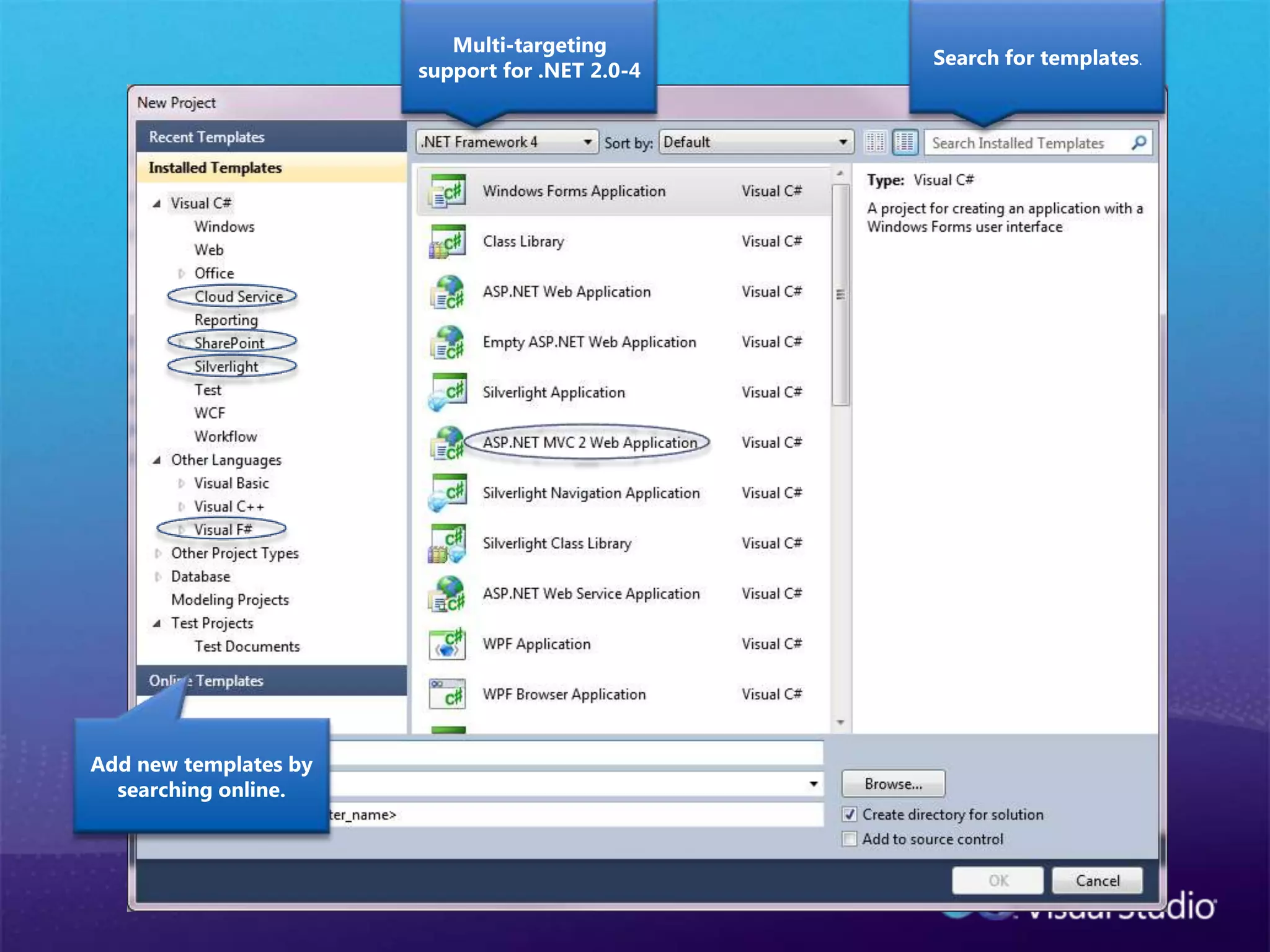
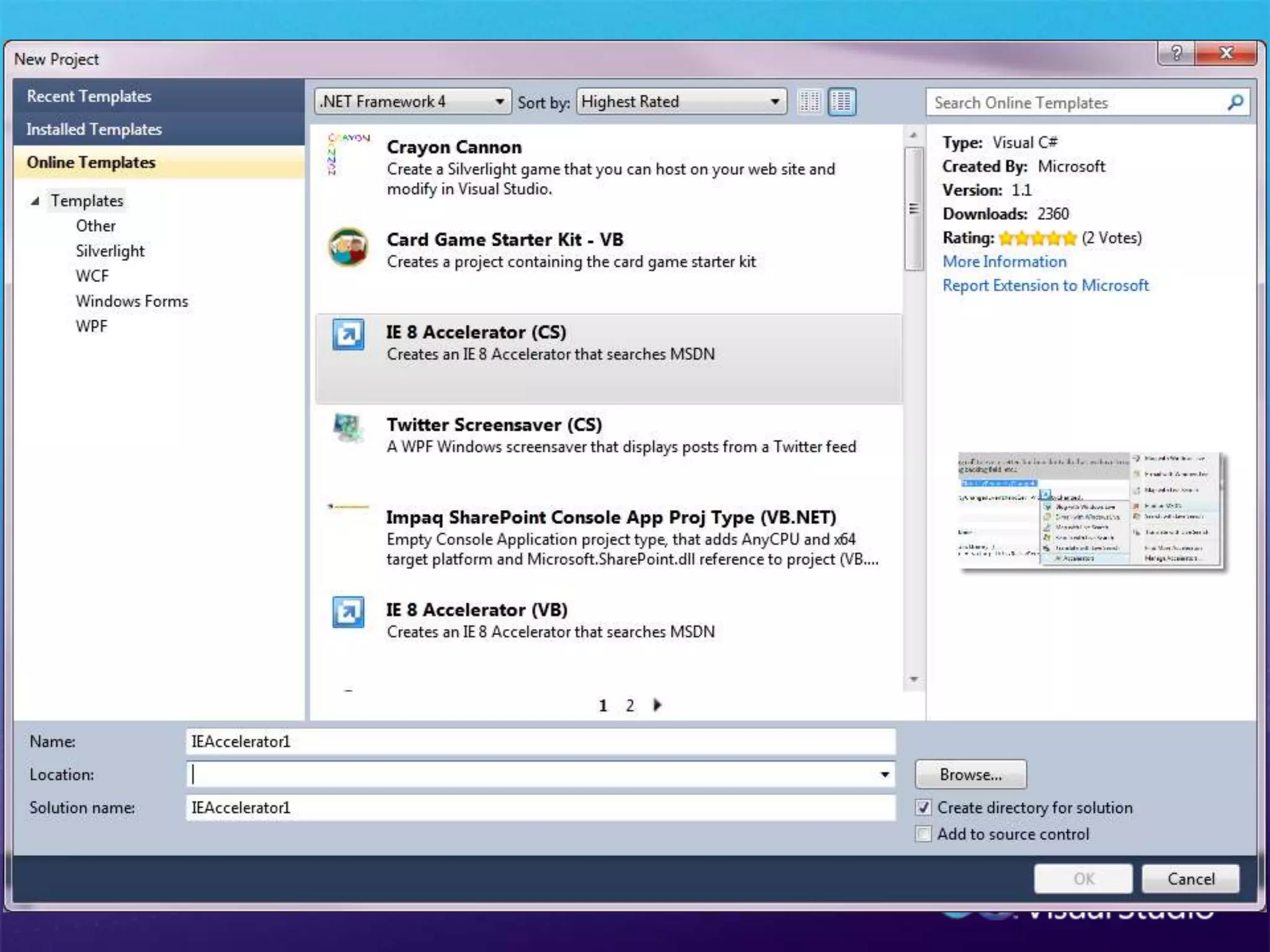
Search for templates.Multi-targeting  support for .NET 2.0-4Add new templates by searching online.
UltimateLoadFestNew IDE Improvements
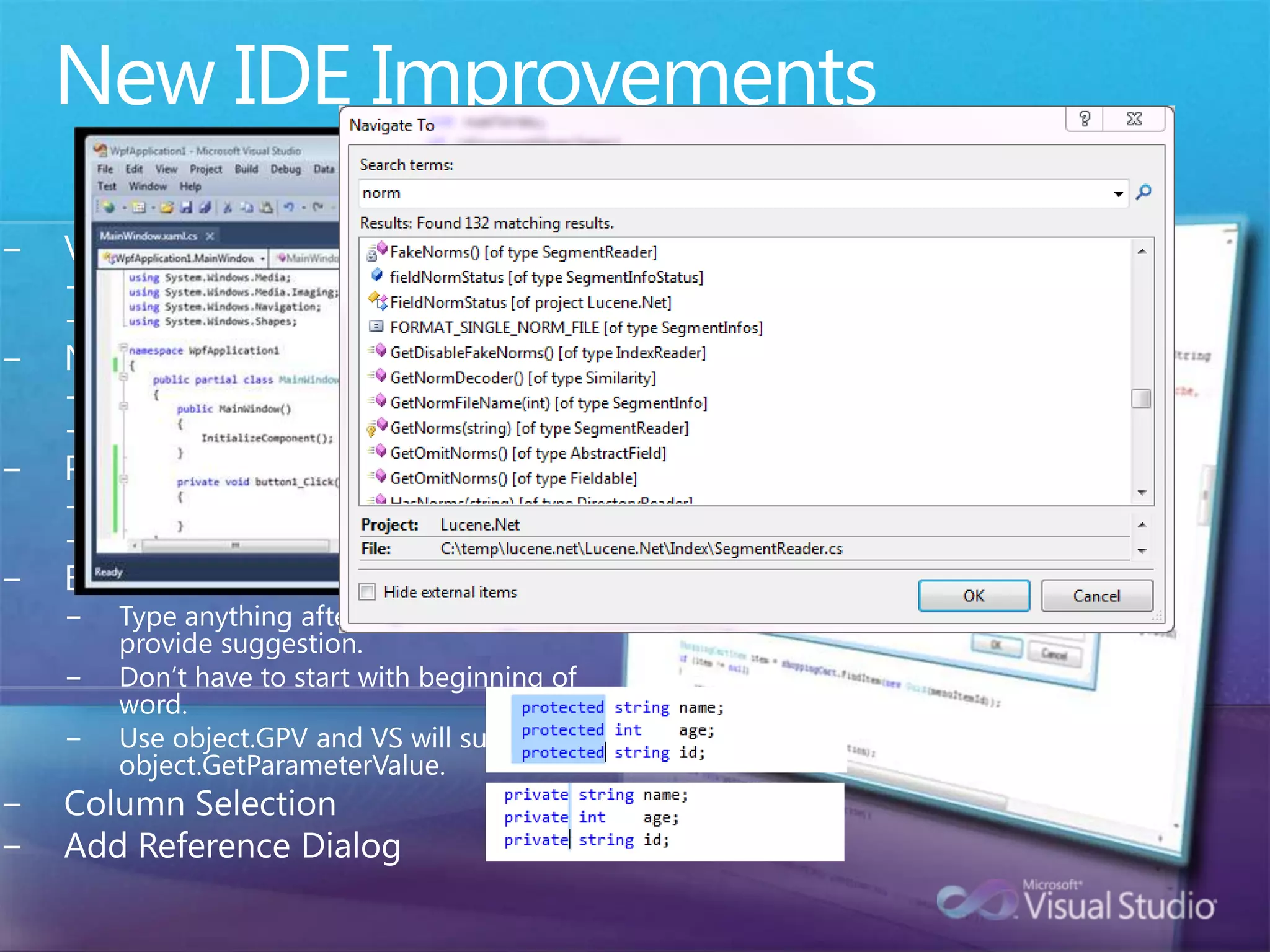
New IDE ImprovementsVisual Studio EnvironmentWPF-based EditorBetter Multi-Monitor SupportNavigationNavigate ToHighlight referencesProject System100% source code compatibleMulti-TargetingBetter IntelliSenseType anything after “object.” and VS will provide suggestion.  Don’t have to start with beginning of word.Use object.GPV and VS will suggest object.GetParameterValue.Column SelectionAdd Reference Dialog
UltimateLoadFestCode Focused Development
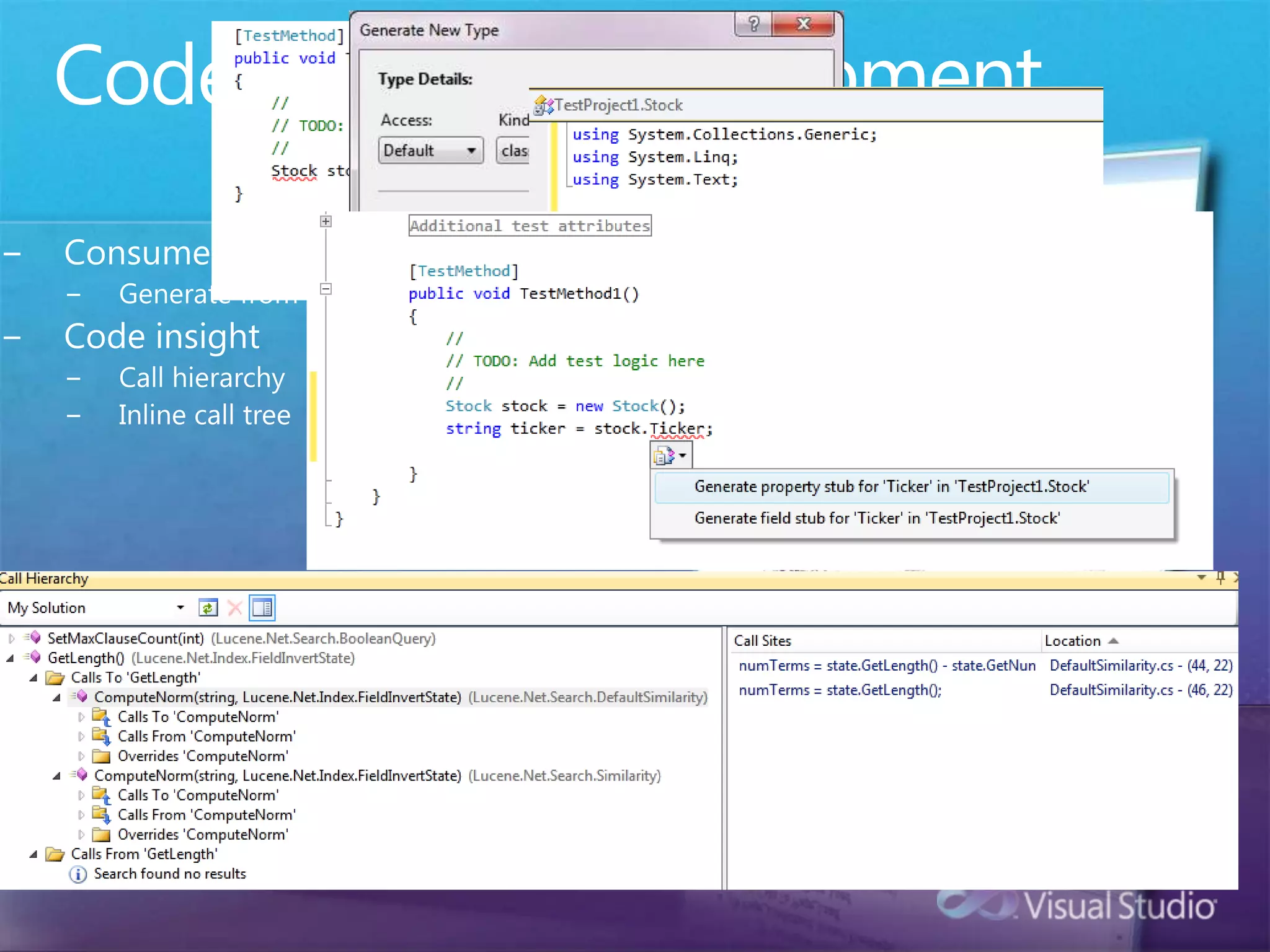
Code Focused DevelopmentConsume First, Declare LaterGenerate from usageCode insightCall hierarchyInline call tree
UltimateLoadFestASP.NET 4 Improvements
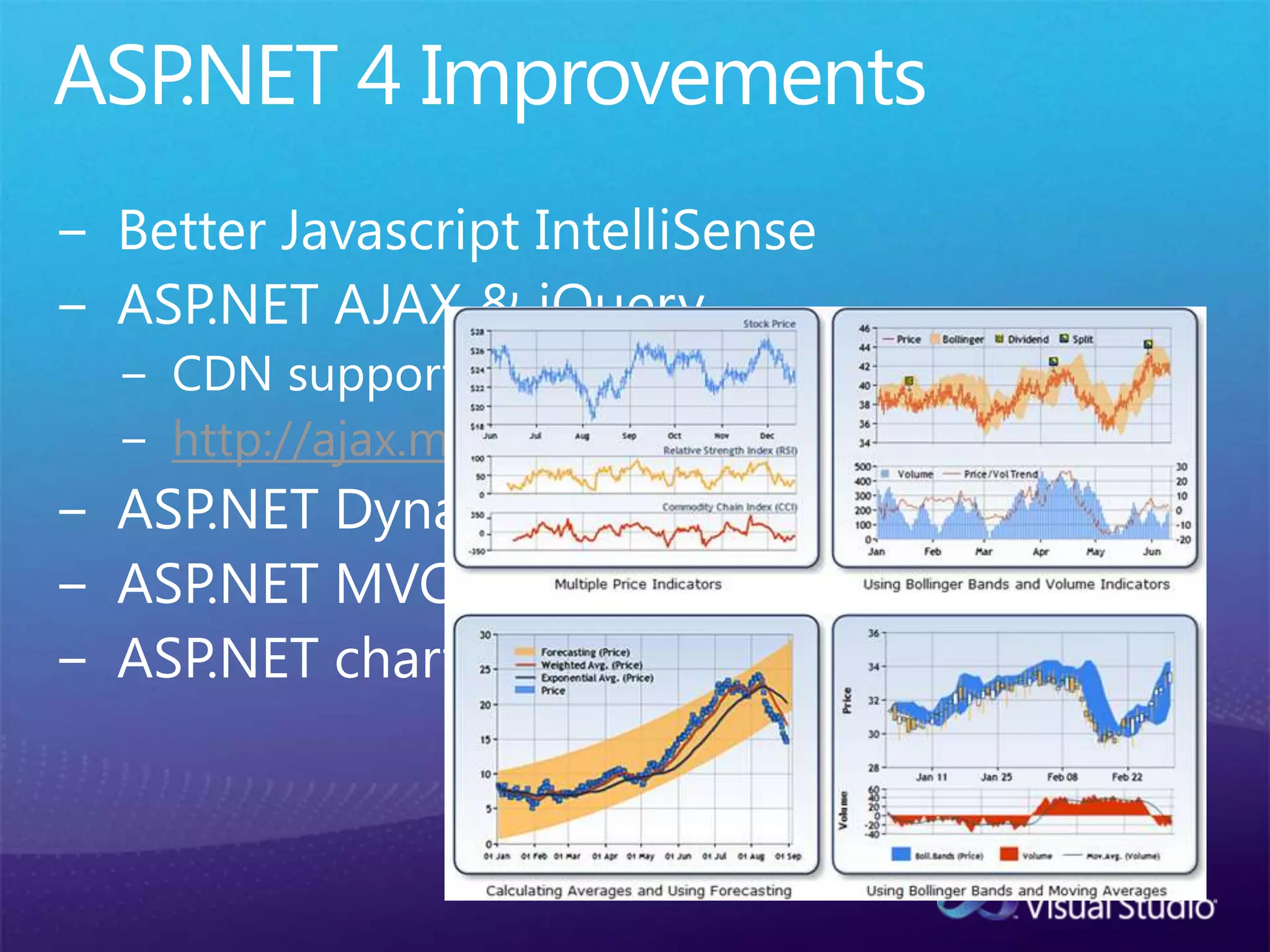
ASP.NET 4 ImprovementsBetter Javascript IntelliSenseASP.NET AJAX & jQueryCDN support:  EnableCdn=“true”http://ajax.microsoft.com/ajax/jquery....ASP.NET Dynamic DataASP.NET MVC built-inASP.NET charting controls in-box
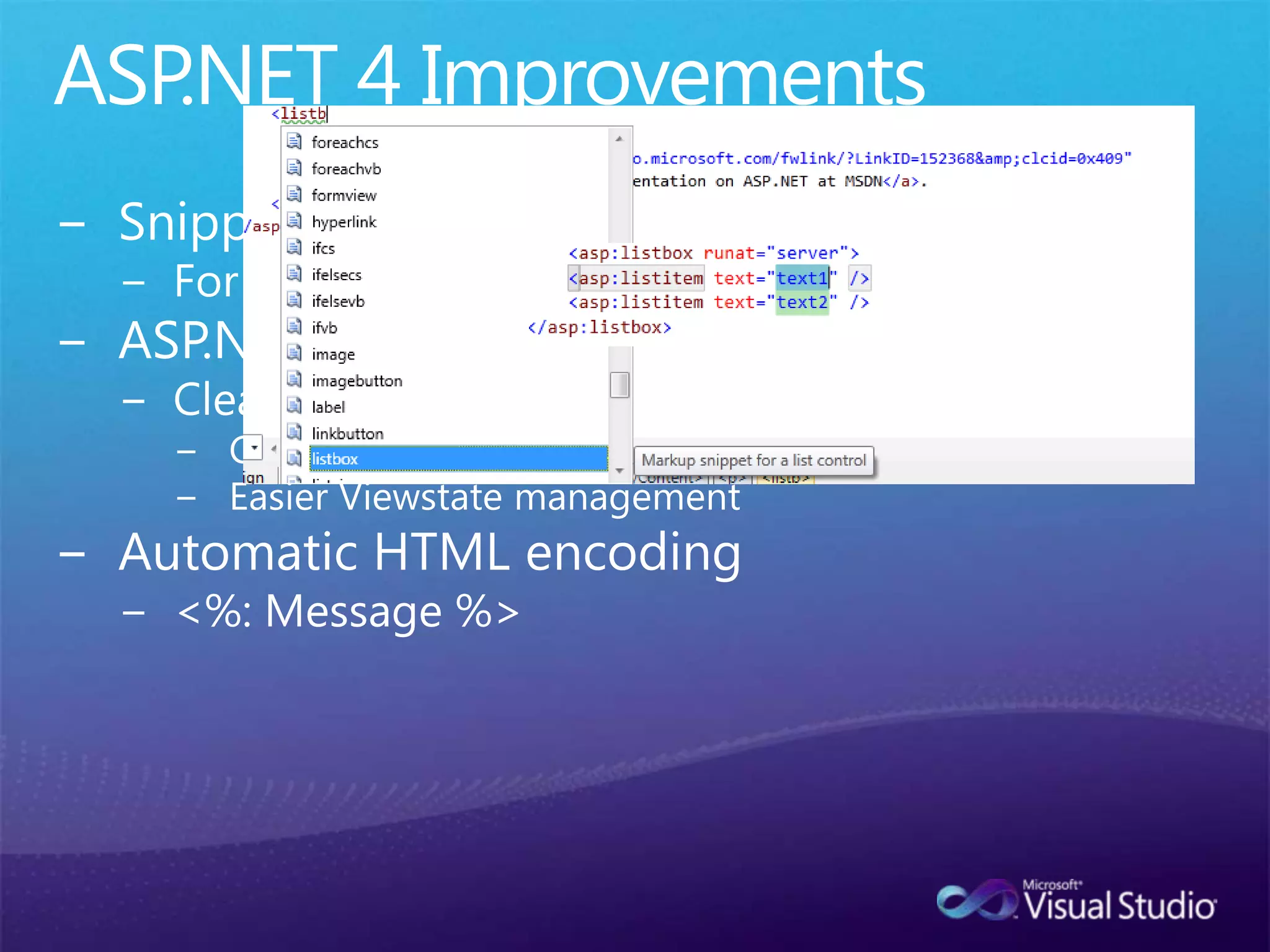
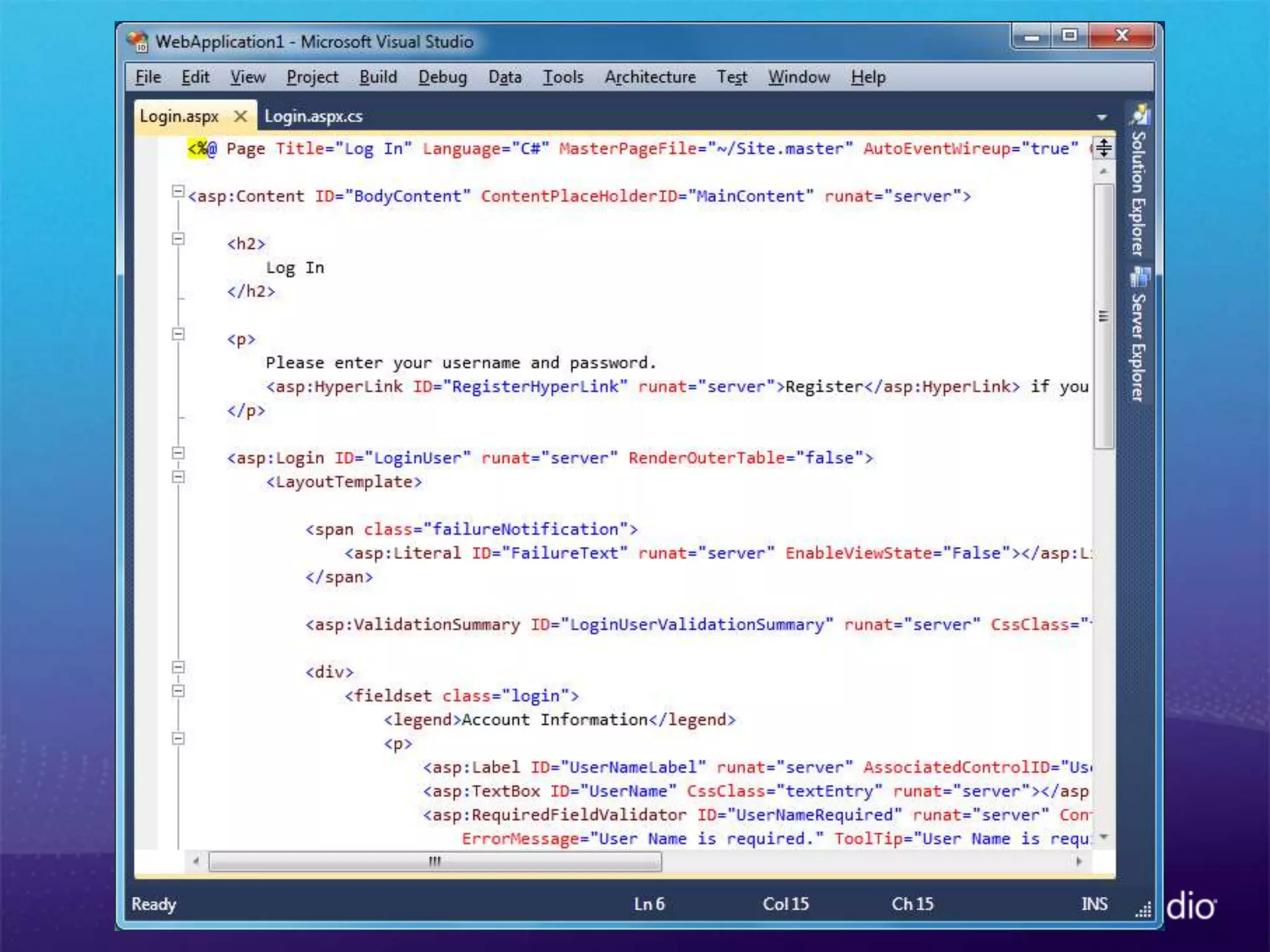
ASP.NET 4 ImprovementsSnippetsFor ASP.NET and HTML markupASP.NET Web FormsClean HTMLClient IDs can be specifiedEasier Viewstate managementAutomatic HTML encoding<%: Message %>
Code Optimized Web Profile
UltimateLoadFestImproved Debugger in VS 2010
Improved Debugger in VS 201064-bit Mixed-Mode support Breakpoint import/exportWPF VisualizerWPF event tracingNew Threads windowNew Disassembly windowMixed-Mode Mini-dump supportTear-away DatatipsNew Exe/Dump ProjectMini-Dump Summary PageThread Slipping During Function EvaluationSupport for native string functions in bp conditionsPin DataTipsAdd comments to DataTips
UltimateLoadFestDeployment
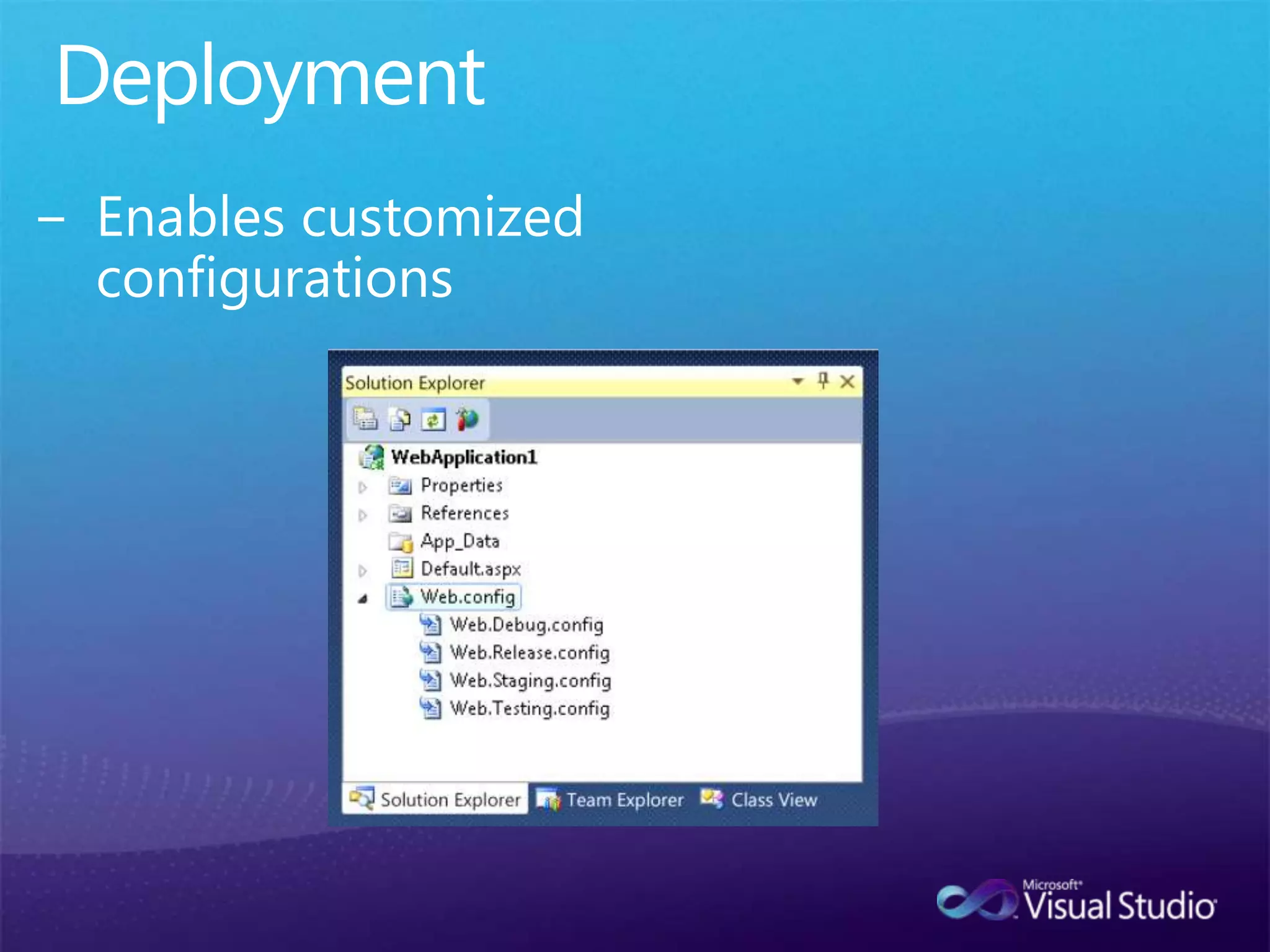
DeploymentEnables customized configurations
UltimateLoadFestCLR Improvements
CLR ImprovementsCLR4 will be side by side with older CLRs (2.0)CLR4 will be compatible with CLR 2.0.Improvement in speed and size of CLRSupport for new languagesInstall footprint now over 80% smallerCan you say super fast downloads?
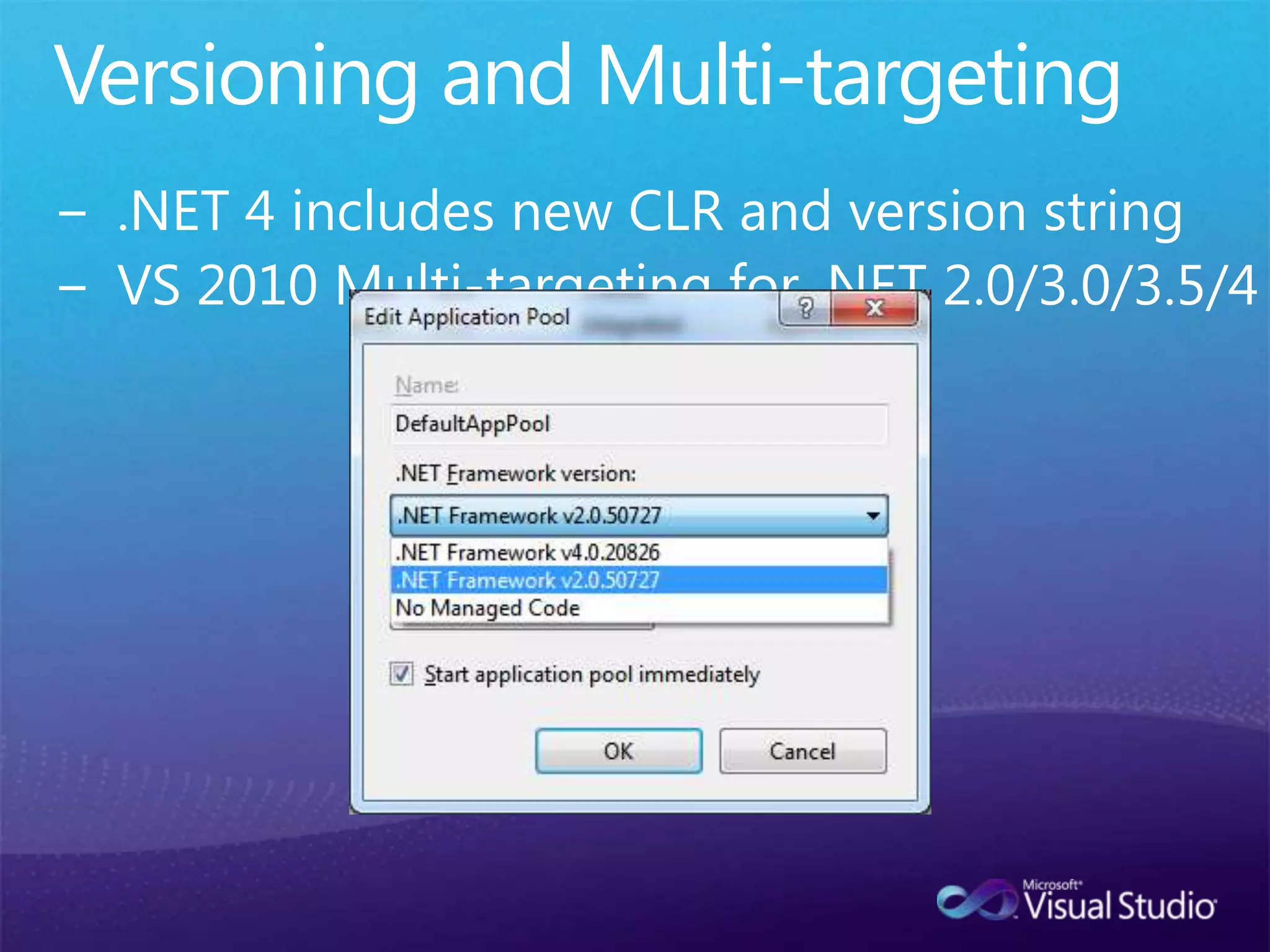
Versioning and Multi-targeting.NET 4 includes new CLR and version stringVS 2010 Multi-targeting for .NET 2.0/3.0/3.5/4
UltimateLoadFestVisual Studio Extensibility (VSX)
Extension Manager
Some Cool ExtensionsProductivity Power Tools Power CommandsImage Insertion Visual Studio Color Theme EditorGuidance Automation Extensions (GAX)
Creating your own ExtensionsVisual Studio Software Development Kit (SDK)
QuestionsMicrosoft Confidential29

What's New in Visual Studio 2010

Editor's Notes

  • #7 [Build Slide]New Project with new features circledSearch for templatesMulti-targeting support for .NET 2.0-4Add new templates by searching online
  • #10 [Build Slide]1) Base Slide Shows different IDE Improvements2) WPF based editor3) Navigation4)IntellitypeEditor: easily zoom in/out via mouse-wheel or Ctrl +-Navigate To: Ctrl+,Alt+Drag for column selection
  • #12 [Build Slide]-Base Slide with TextGenerate ExampleGenerate new Type (Create stock.cs)Show Class StockShow Generate Property Stub for tickerShow “Call Heirarchy”Great Generate from usage walkthrough: http://juliocasal.com/blog/test-driven-development-support-in-visual-studio-2010/
  • #15 [BUILD]http://www.asp.net/LEARN/whitepapers/aspnet4/default.aspxhttp://weblogs.asp.net/scottgu/archive/2009/09/04/asp-net-html-javascript-snippet-support-vs-2010-and-net-4-0-series.aspx
  • #20 [BUILD]Build focuses on Pinning of Datatips and adding comments to Data TipFind one or two points to focus on. Avoid going over time.
  • #27 http://msdn.microsoft.com/en-us/library/dd293638%28VS.100%29.aspxMicrosoft Visual Studio 2010 uses a new feature called the Extension Manager to add, remove, enable, and disable Visual Studio extensions. The Extension manager has a UI similar to that of the Windows Control Panel, and can be opened from the Tools menu in Visual Studio by selecting Extension Manager….The Extension Manager loads extensions from the Visual Studio Gallery at http://visualstudiogallery.com/. These extensions may be packages, add-ins, templates, or other components which add functionality to Visual Studio.