


What To Do When It All Goes So WrongDavid LevyAdventuresInSql.comSQL Saturday #67 Chicago
More than 11 years in ITSQL Server DBA for over 3 yearsPrevious Life as DeveloperBloggerhttp://adventuresinsql.comSyndicated on SQLServerCentral.comSyndicated on SQLServerPedia.com@dave_levy on TwitterAbout Me
Peak Time of Peak Sales DayTypical Hourly Sales $100K/HROrder Entry Screen is Locked UpUsers report Slowness InitiallyNow the “Sales Center” Application is Just “Clocking”EMERGENCY!
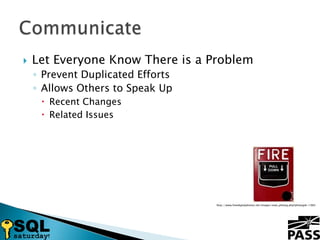
Let Everyone Know There is a ProblemPrevent Duplicated EffortsAllows Others to Speak UpRecent ChangesRelated IssuesCommunicatehttp://www.freedigitalphotos.net/images/view_photog.php?photogid=1983
Send Up a FlareSend to an IT Only Distribution GroupKeep the Subject Line GeneralProvide Broad Overview Including:Systems ImpactedMajor Symptoms Including Error MessagesNumber of People ImpactedAny Location Specific InformationCommunicate
What Resources Do You need?Subject Matter ExpertsSpecialized EquipmentCommunicate
Never Assign BlameOnly State FactsCommunicate
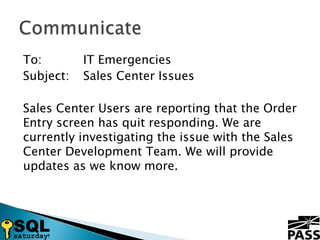
To:		IT EmergenciesSubject:	Sales Center IssuesSales Center Users are reporting that the Order Entry screen has quit responding. We are currently investigating the issue with the Sales Center Development Team. We will provide updates as we know more.Communicate
What Are the Symptoms?What Locations are Involved?Collect
What Systems are Involved?SQL ServerAS400MainframeWeb FarmMajor Network Components like Load BalancersCollect
What Has Changed?Look at Change Control CalendarTalk to Primary On-Calls for Related SystemsCollect
Anything in the Logs?Windows LogsApplication Specific LogsCustom Exception Handling SystemsCollect
What are Performance Indicators Showing?PerfmonSQL Wait StatsThird-party toolsCollect
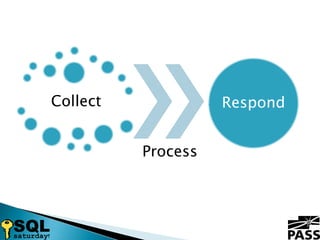
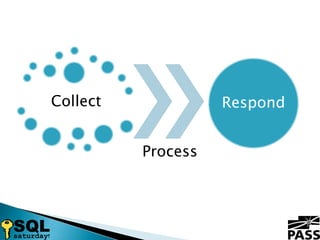
Analyze Collected InformationAre There Any Obvious Signs of Trouble?Can the Problem be Linked to a Change?Can Any Patterns be Identified?Process
Prove It Is Your IssueShows HumilityShows Respect for Everyone Else’s TimeAvoid Appearing ArrogantProcess
Prove It Is Your IssueConstruct Tests to Prove Theories in Order of Likelihood Until Problem Proven or Theories ExhaustedFaster than arguing about what it is notHow can you know it is not your issue?Process
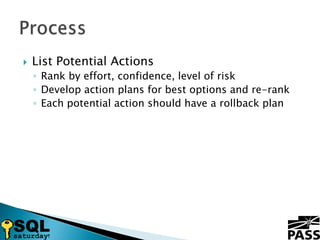
List Potential ActionsRank by effort, confidence, level of riskDevelop action plans for best options and re-rankEach potential action should have a rollback planProcess
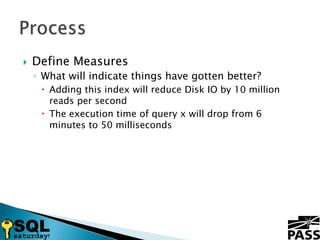
Define MeasuresWhat will indicate things have gotten better?Adding this index will reduce Disk IO by 10 million reads per secondThe execution time of query x will drop from 6 minutes to 50 millisecondsProcess
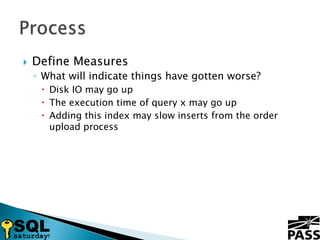
Define MeasuresWhat will indicate things have gotten worse?Disk IO may go upThe execution time of query x may go upAdding this index may slow inserts from the order upload processProcess
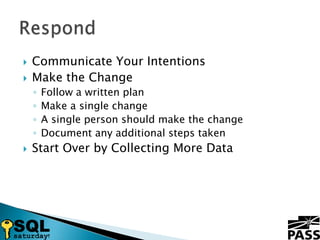
Communicate Your IntentionsMake the ChangeFollow a written planMake a single changeA single person should make the changeDocument any additional steps takenStart Over by Collecting More DataRespond
Signs You Need to Convene A War RoomHaving Trouble Finding Anything Wrong30 Minutes Without ProgressAn Issue Appears to Span Multiple SystemsHaving Difficulty Getting People EngagedThe War Room
Get Everyone in a RoomNo Changes Made Outside the RoomNo HeroesWatch out for people doing a lot of typingAvoid changes that take more than a few minutesHave a Call in Number for Remote CoworkersThe War Room
Have a Technology KitOld SwitchPatch CordsMice + Mouse PadsPower StripsThe War Room
Monitor Your Guest List1-2 Representatives From Each TeamTry to Keep Management OutWatch for Disruptive PeopleThe War Room
To:		IT EmergenciesSubject:	Sales Center IssuesWe are convening a war room for the Sales Center issue. Everyone working on the issue please meet in the North Conference Room. Remote/WFH coworkers should dial into the conference bridge 888-888-1234, participant code:1234.Communicate
White Board the IssueEvery System Gets Own ColumnWrite All Facts on White BoardClosed Items Get Crossed Out Not ErasedInclude a Resolution for Each Closed ItemThe War Room
Share the FloorLikely Issue Owner Has the LeadMake Sure Everyone is HeardContributing Often Involves Staying Out of the WayDon’t Be Afraid to Fade Back and Run The WhiteboardThe War Room
Never Call “Not-It” and LeaveNot HelpfulYou May be WrongAppears ArrogantThe War Room
Keep an Eye On TimeProvide Regular Updates to ManagementBring in Food Around Meal TimesRaises SpiritsBrings in More People to HelpThe War Room
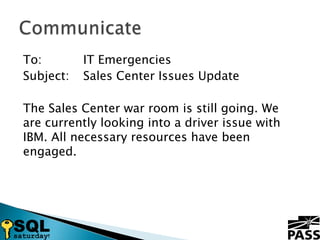
To:		IT EmergenciesSubject:	Sales Center Issues UpdateThe Sales Center war room is still going. We are currently looking into a driver issue with IBM. All necessary resources have been engaged.Communicate
Keep People in ReserveEach Team Should Divide up the DayRotate People In and OutSend Someone Home Early to Come in EarlyThe War Room
Closing OutCommunicate ResolutionCapture Contents of WhiteboardClean Up RoomThe War Room
To:		IT EmergenciesSubject:	Sales Center Issues ResolvedThe Sales Center issue has been resolved. The issue was caused by a patch that was applied over the weekend. Now that it has been backed out everything has returned to normal.Communicate
?Questions?
What To Do When It All Goes So Wrong

What To Do When It All Goes So Wrong

  • 1.
    What To DoWhen It All Goes So WrongDavid LevyAdventuresInSql.comSQL Saturday #67 Chicago
  • 2.
    More than 11years in ITSQL Server DBA for over 3 yearsPrevious Life as DeveloperBloggerhttp://adventuresinsql.comSyndicated on SQLServerCentral.comSyndicated on SQLServerPedia.com@dave_levy on TwitterAbout Me
  • 3.
    Peak Time ofPeak Sales DayTypical Hourly Sales $100K/HROrder Entry Screen is Locked UpUsers report Slowness InitiallyNow the “Sales Center” Application is Just “Clocking”EMERGENCY!
  • 4.
    Let Everyone KnowThere is a ProblemPrevent Duplicated EffortsAllows Others to Speak UpRecent ChangesRelated IssuesCommunicatehttp://www.freedigitalphotos.net/images/view_photog.php?photogid=1983
  • 5.
    Send Up aFlareSend to an IT Only Distribution GroupKeep the Subject Line GeneralProvide Broad Overview Including:Systems ImpactedMajor Symptoms Including Error MessagesNumber of People ImpactedAny Location Specific InformationCommunicate
  • 6.
    What Resources DoYou need?Subject Matter ExpertsSpecialized EquipmentCommunicate
  • 7.
    Never Assign BlameOnlyState FactsCommunicate
  • 8.
    To: IT EmergenciesSubject: Sales CenterIssuesSales Center Users are reporting that the Order Entry screen has quit responding. We are currently investigating the issue with the Sales Center Development Team. We will provide updates as we know more.Communicate
  • 10.
    What Are theSymptoms?What Locations are Involved?Collect
  • 11.
    What Systems areInvolved?SQL ServerAS400MainframeWeb FarmMajor Network Components like Load BalancersCollect
  • 12.
    What Has Changed?Lookat Change Control CalendarTalk to Primary On-Calls for Related SystemsCollect
  • 13.
    Anything in theLogs?Windows LogsApplication Specific LogsCustom Exception Handling SystemsCollect
  • 14.
    What are PerformanceIndicators Showing?PerfmonSQL Wait StatsThird-party toolsCollect
  • 15.
    Analyze Collected InformationAreThere Any Obvious Signs of Trouble?Can the Problem be Linked to a Change?Can Any Patterns be Identified?Process
  • 16.
    Prove It IsYour IssueShows HumilityShows Respect for Everyone Else’s TimeAvoid Appearing ArrogantProcess
  • 17.
    Prove It IsYour IssueConstruct Tests to Prove Theories in Order of Likelihood Until Problem Proven or Theories ExhaustedFaster than arguing about what it is notHow can you know it is not your issue?Process
  • 18.
    List Potential ActionsRankby effort, confidence, level of riskDevelop action plans for best options and re-rankEach potential action should have a rollback planProcess
  • 19.
    Define MeasuresWhat willindicate things have gotten better?Adding this index will reduce Disk IO by 10 million reads per secondThe execution time of query x will drop from 6 minutes to 50 millisecondsProcess
  • 20.
    Define MeasuresWhat willindicate things have gotten worse?Disk IO may go upThe execution time of query x may go upAdding this index may slow inserts from the order upload processProcess
  • 21.
    Communicate Your IntentionsMakethe ChangeFollow a written planMake a single changeA single person should make the changeDocument any additional steps takenStart Over by Collecting More DataRespond
  • 22.
    Signs You Needto Convene A War RoomHaving Trouble Finding Anything Wrong30 Minutes Without ProgressAn Issue Appears to Span Multiple SystemsHaving Difficulty Getting People EngagedThe War Room
  • 23.
    Get Everyone ina RoomNo Changes Made Outside the RoomNo HeroesWatch out for people doing a lot of typingAvoid changes that take more than a few minutesHave a Call in Number for Remote CoworkersThe War Room
  • 24.
    Have a TechnologyKitOld SwitchPatch CordsMice + Mouse PadsPower StripsThe War Room
  • 25.
    Monitor Your GuestList1-2 Representatives From Each TeamTry to Keep Management OutWatch for Disruptive PeopleThe War Room
  • 26.
    To: IT EmergenciesSubject: Sales CenterIssuesWe are convening a war room for the Sales Center issue. Everyone working on the issue please meet in the North Conference Room. Remote/WFH coworkers should dial into the conference bridge 888-888-1234, participant code:1234.Communicate
  • 28.
    White Board theIssueEvery System Gets Own ColumnWrite All Facts on White BoardClosed Items Get Crossed Out Not ErasedInclude a Resolution for Each Closed ItemThe War Room
  • 29.
    Share the FloorLikelyIssue Owner Has the LeadMake Sure Everyone is HeardContributing Often Involves Staying Out of the WayDon’t Be Afraid to Fade Back and Run The WhiteboardThe War Room
  • 30.
    Never Call “Not-It”and LeaveNot HelpfulYou May be WrongAppears ArrogantThe War Room
  • 31.
    Keep an EyeOn TimeProvide Regular Updates to ManagementBring in Food Around Meal TimesRaises SpiritsBrings in More People to HelpThe War Room
  • 32.
    To: IT EmergenciesSubject: Sales CenterIssues UpdateThe Sales Center war room is still going. We are currently looking into a driver issue with IBM. All necessary resources have been engaged.Communicate
  • 33.
    Keep People inReserveEach Team Should Divide up the DayRotate People In and OutSend Someone Home Early to Come in EarlyThe War Room
  • 34.
    Closing OutCommunicate ResolutionCaptureContents of WhiteboardClean Up RoomThe War Room
  • 35.
    To: IT EmergenciesSubject: Sales CenterIssues ResolvedThe Sales Center issue has been resolved. The issue was caused by a patch that was applied over the weekend. Now that it has been backed out everything has returned to normal.Communicate
  • 36.