About Us
•
–
–
–
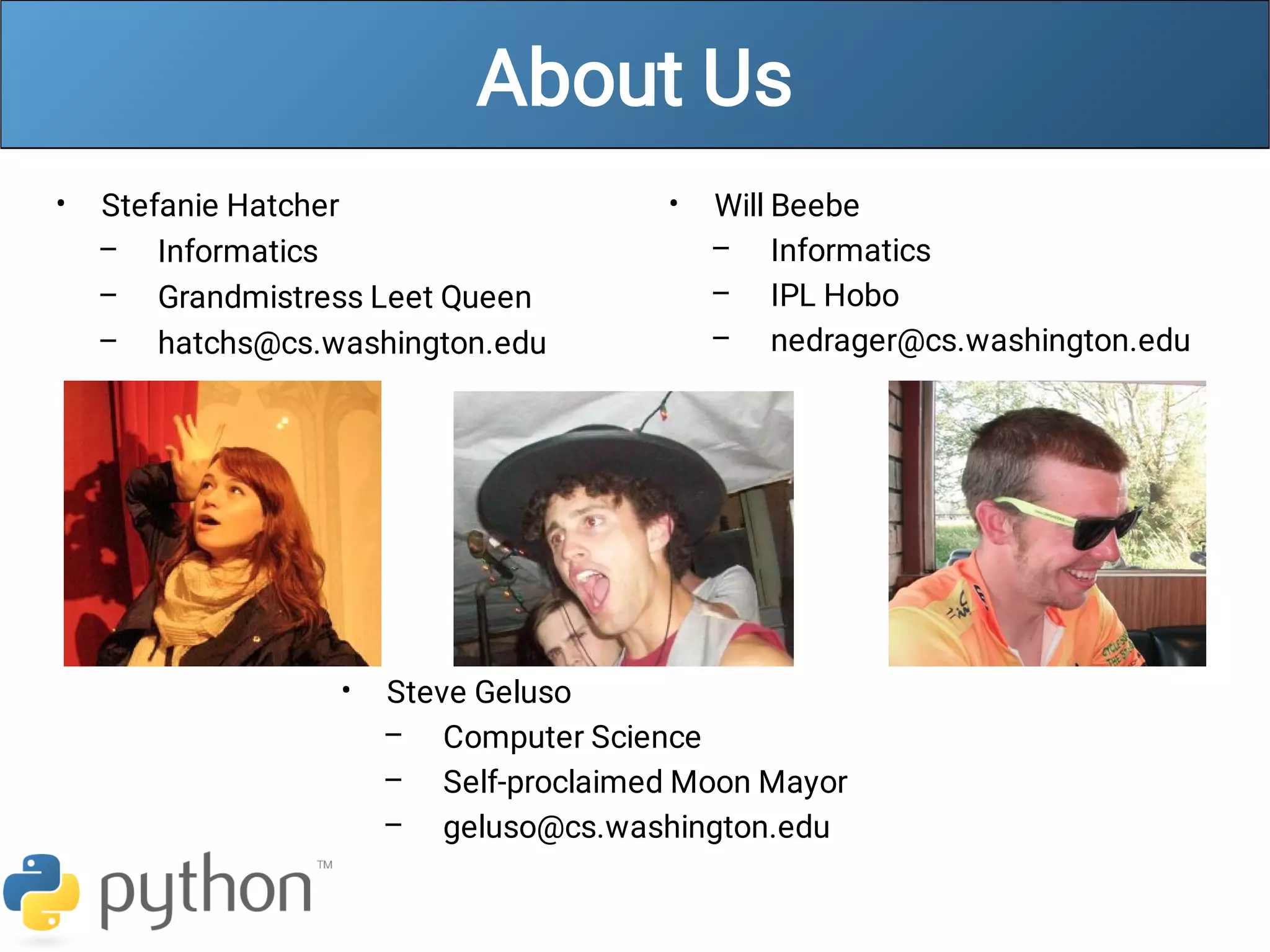
Stefanie Hatcher
Informatics
Grandmistress Leet Queen
hatchs@cs.washington.edu
•
–
–
–
Will Beebe
Informatics
IPL Hobo
nedrager@cs.washington.edu
•
–
–
–
Steve Geluso
Computer Science
Self-proclaimed Moon Mayor
geluso@cs.washington.edu
Words you will learn today
python
print()
#
def
Python!
•
–
•
–
–
•
–
–
–
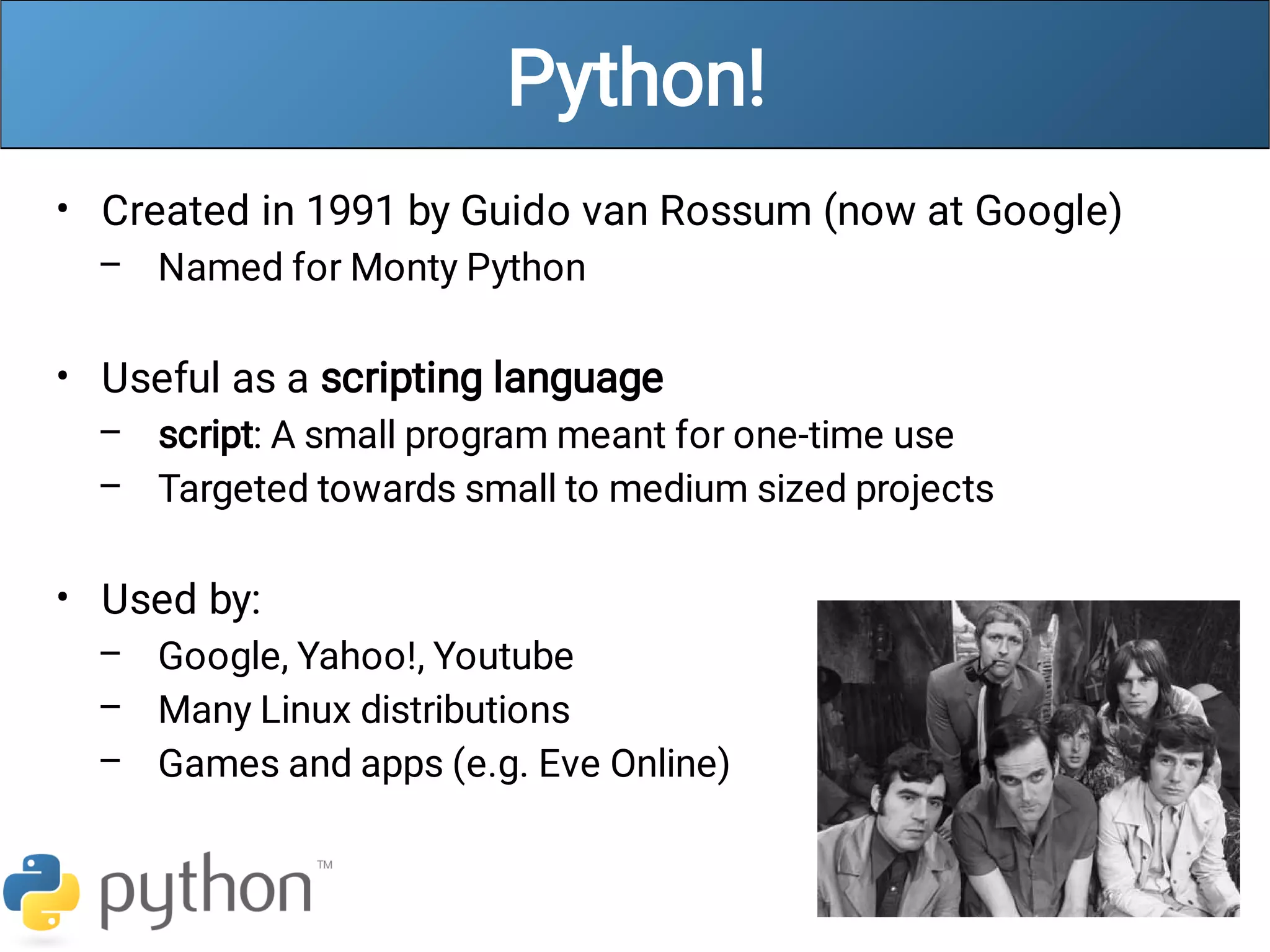
Created in 1991 by Guido van Rossum (now at Google)
Named for Monty Python
Useful as a scripting language
script: A small program meant for one-time use
Targeted towards small to medium sized projects
Used by:
Google, Yahoo!, Youtube
Many Linux distributions
Games and apps (e.g. Eve Online)
Python is used everywhere!
Interpreted Languages
•
–
–
–
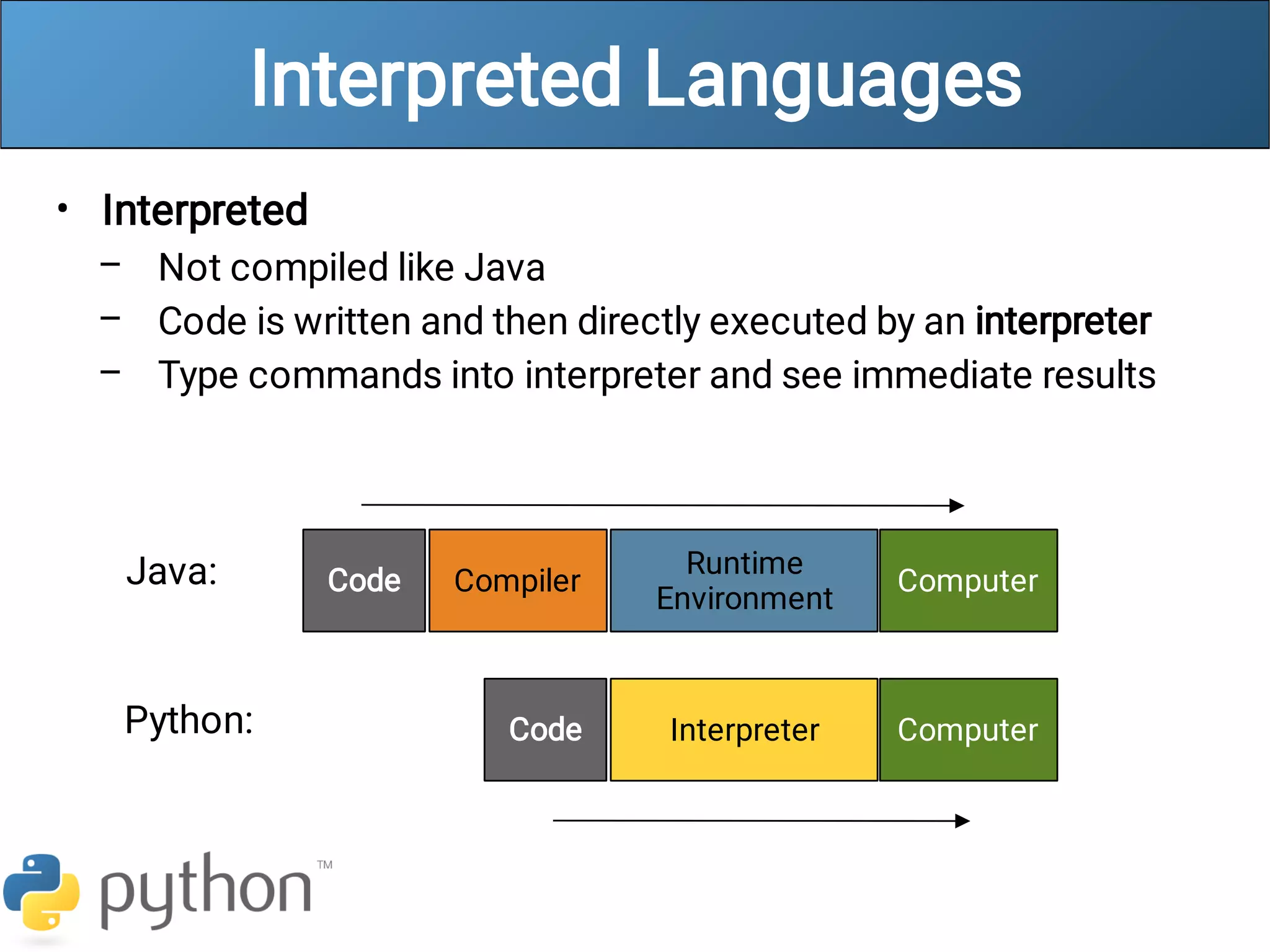
Interpreted
Not compiled like Java
Code is written and then directly executed by an interpreter
Type commands into interpreter and see immediate results
Computer
Runtime
Environment
Compiler
Code
Java:
Computer
Interpreter
Code
Python:
Installing Python
•
•
•
Windows:
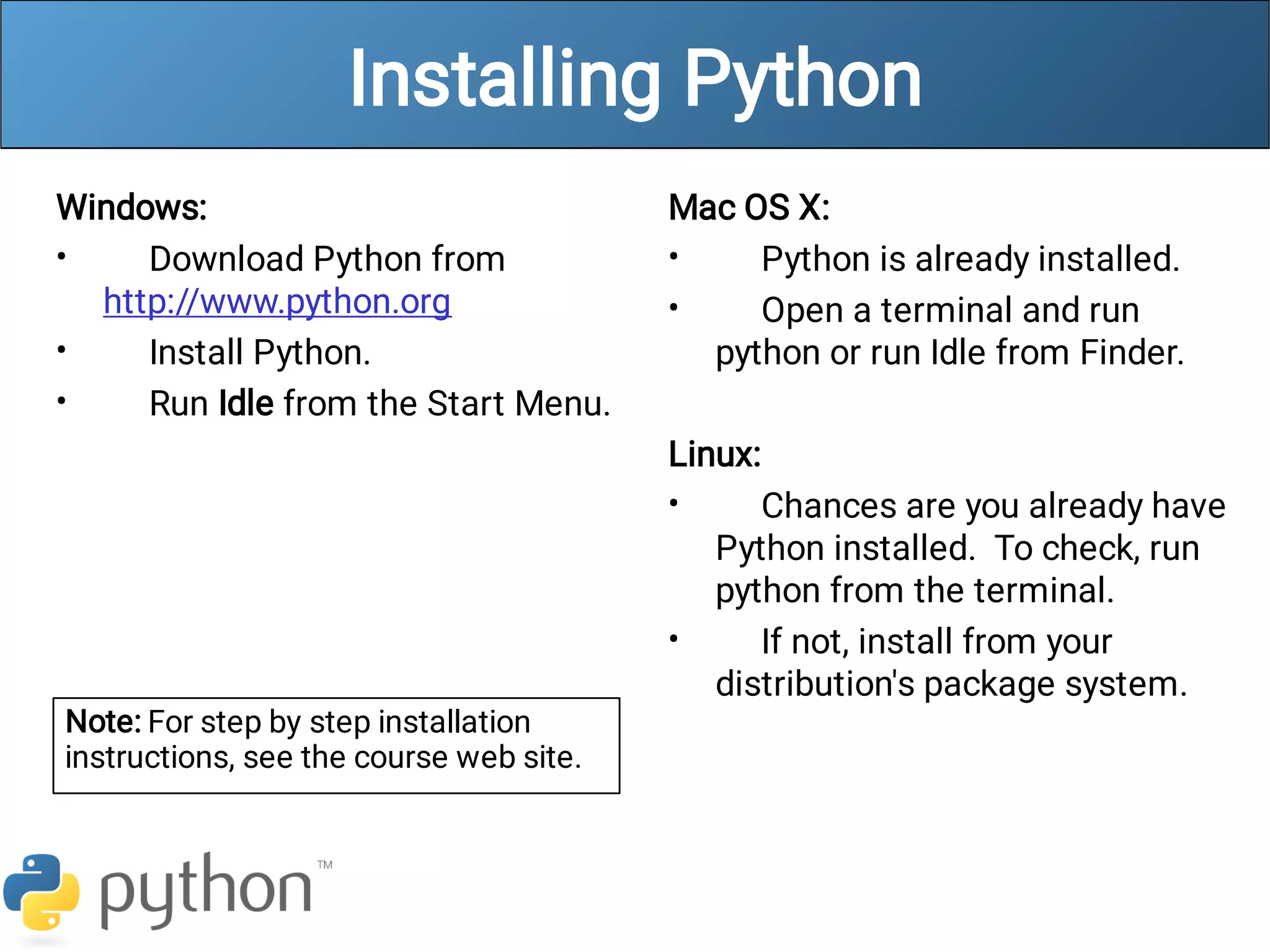
Download Python from
http://www.python.org
Install Python.
Run Idle from the Start Menu.
•
•
•
•
Mac OS X:
Python is already installed.
Open a terminal and run
python or run Idle from Finder.
Linux:
Chances are you already have
Python installed. To check, run
python from the terminal.
If not, install from your
distribution's package system.
Note: For step by step installation
instructions, see the course web site.
The Python Interpreter
•
•
–
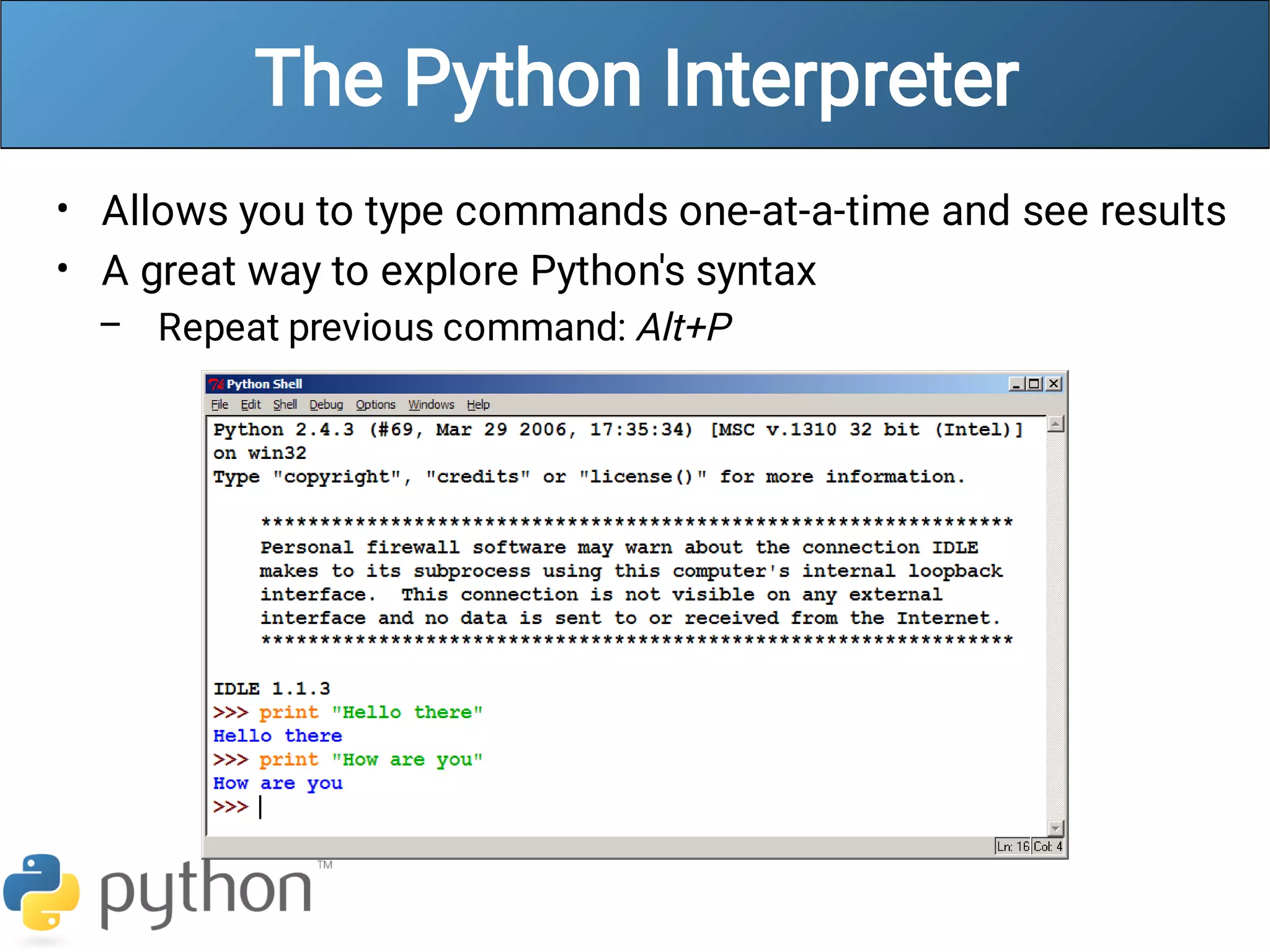
Allows you to type commands one-at-a-time and see results
A great way to explore Python's syntax
Repeat previous command: Alt+P
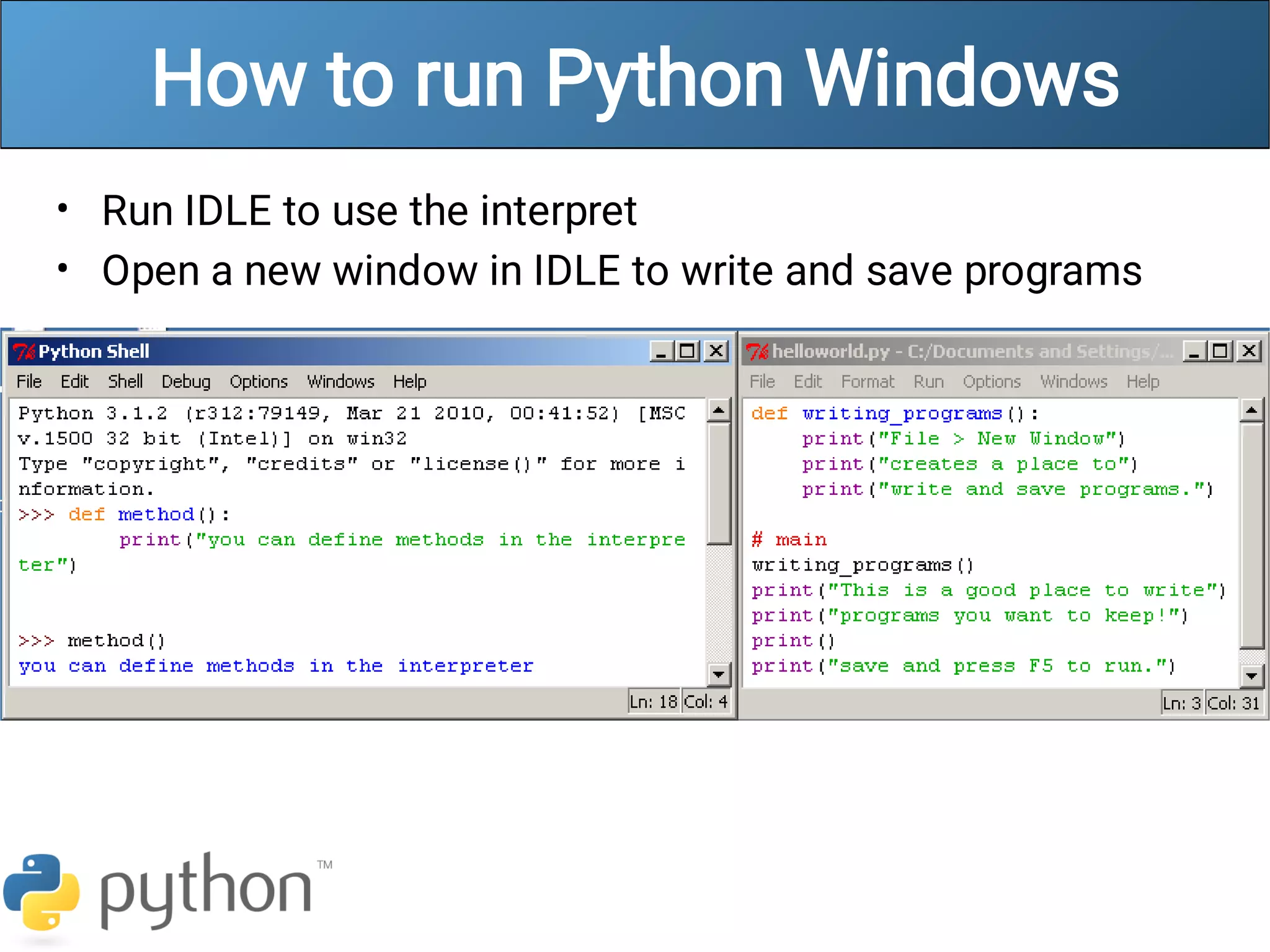
How to run Python Windows
•
•
Run IDLE to use the interpret
Open a new window in IDLE to write and save programs
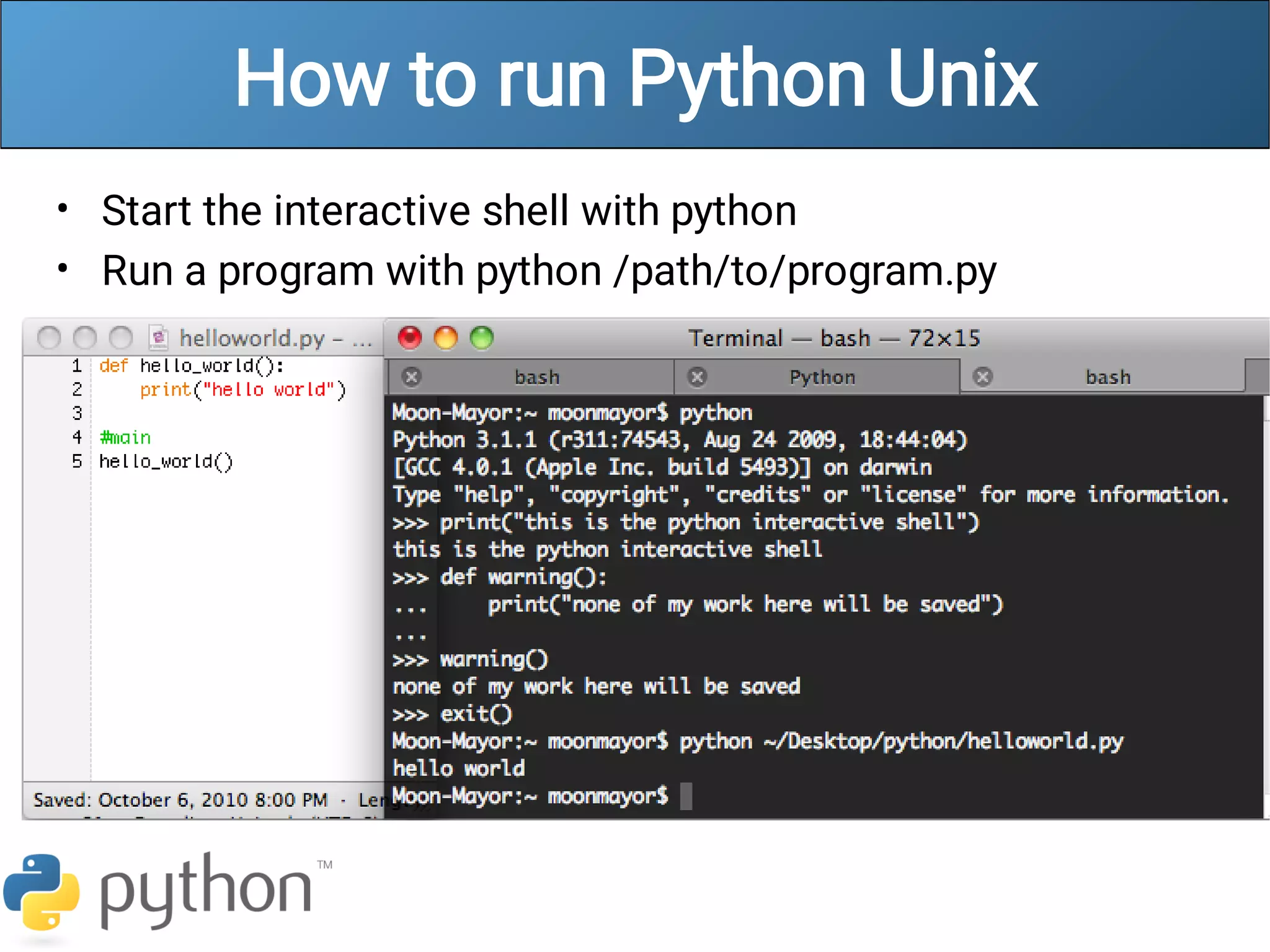
How to run Python Unix
•
•
Start the interactive shell with python
Run a program with python /path/to/program.py
Chapter 1 Review
•
•
Console output: System.out.println();
Methods: public static void name() { ... }
Hello2.java
1
2
3
4
5
6
7
8
9
public class Hello2 {
public static void main(String[] args) {
hello();
}
public static void hello() {
System.out.println("Hello, world!");
}
}
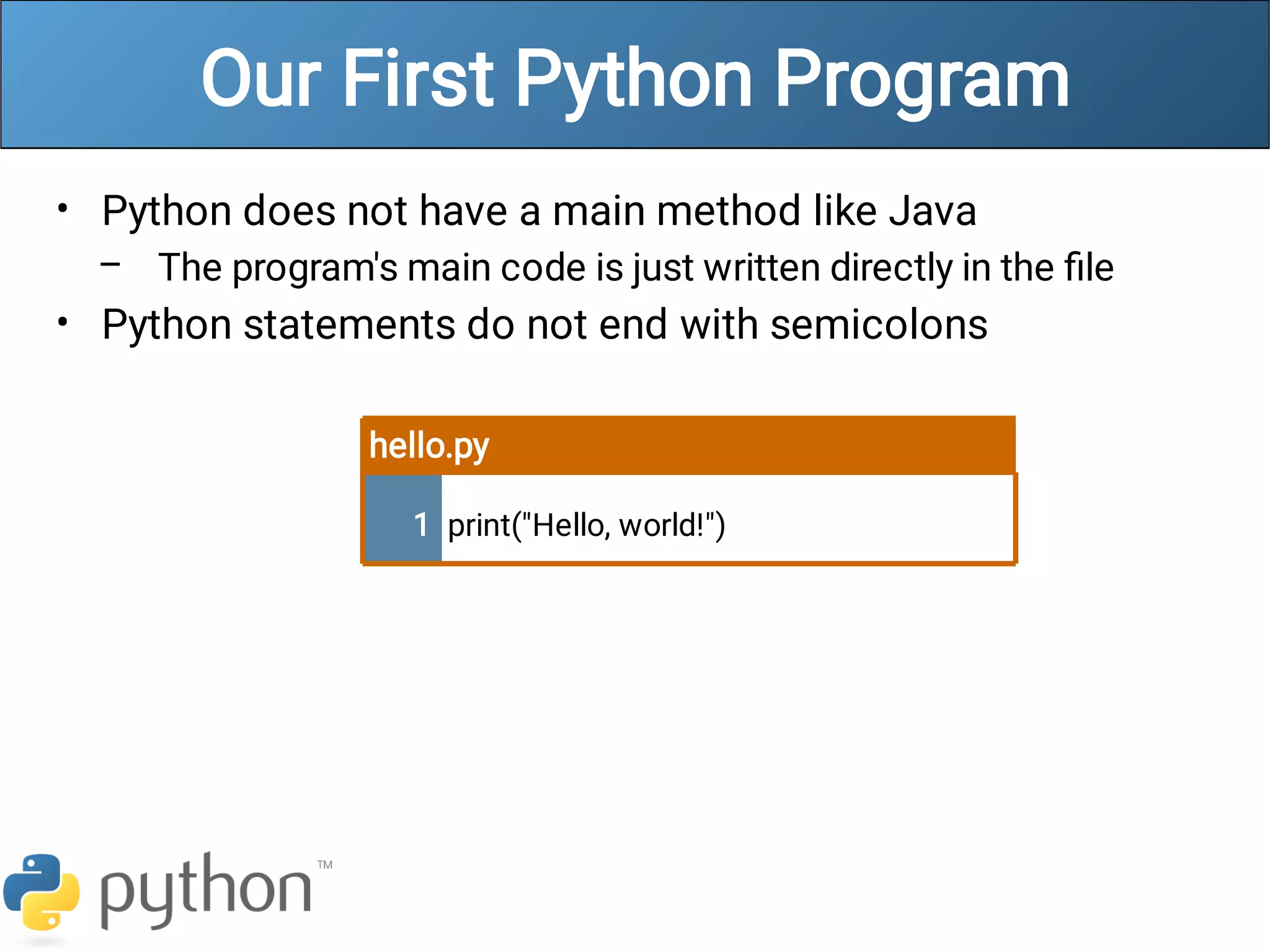
Our First Python Program
•
–
•
Python does not have a main method like Java
The program's main code is just written directly in the file
Python statements do not end with semicolons
hello.py
1 print("Hello, world!")
A Brief Review
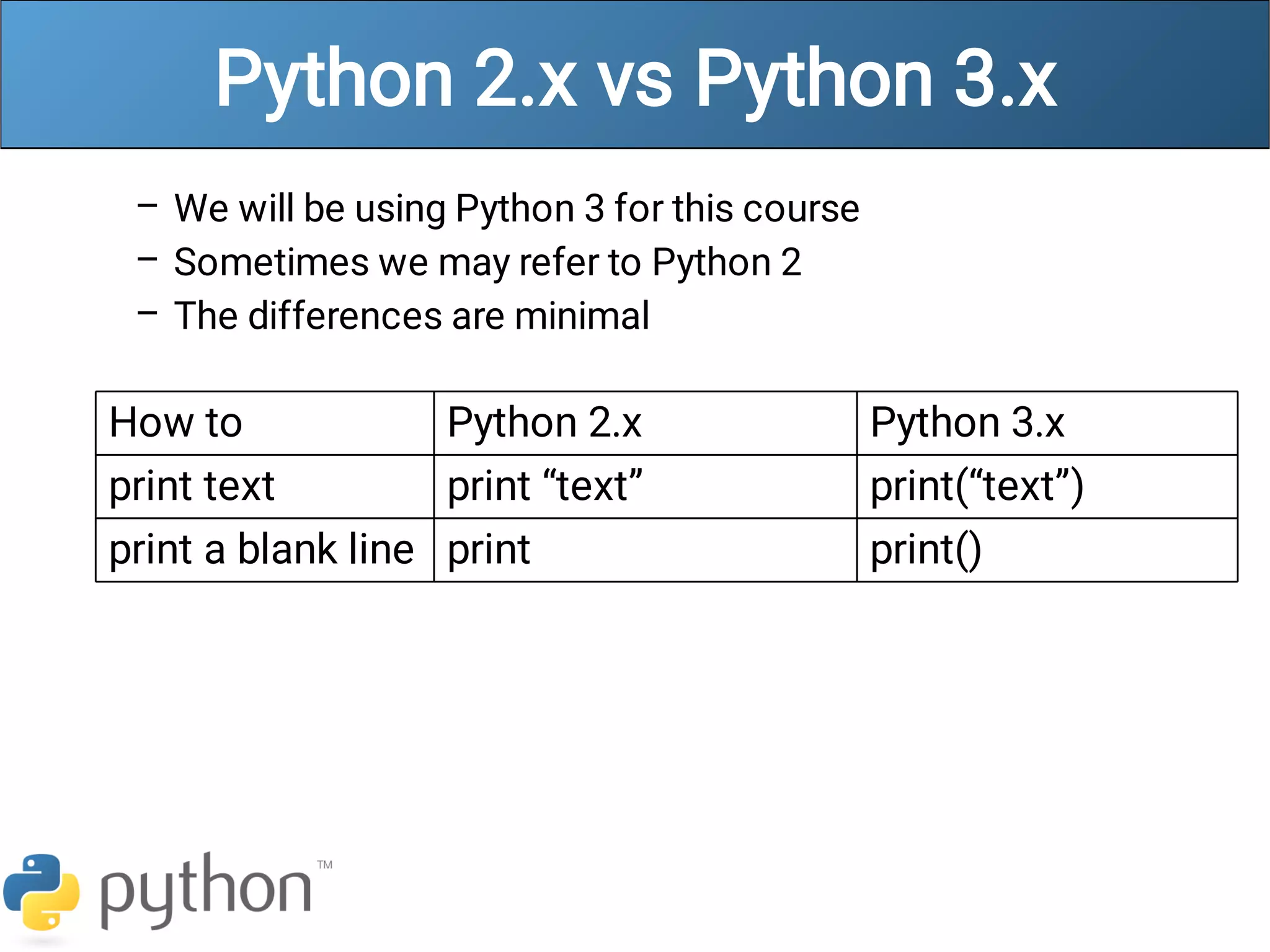
Python 2.x vs Python 3.x
–
–
–
We will be using Python 3 for this course
Sometimes we may refer to Python 2
The differences are minimal
How to Python 2.x Python 3.x
print text print “text” print(“text”)
print a blank line print print()
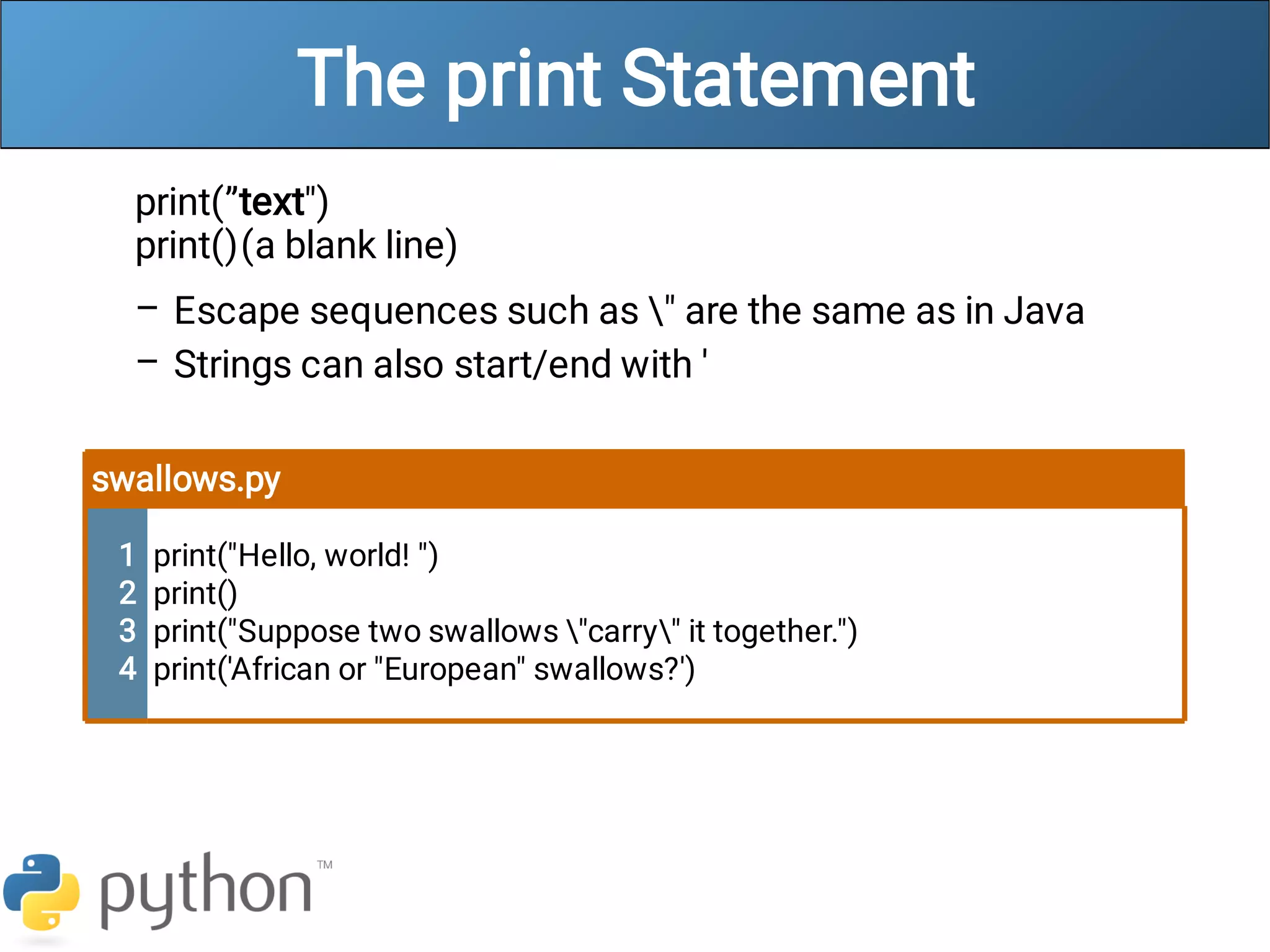
The print Statement
–
–
print(”text")
print()(a blank line)
Escape sequences such as " are the same as in Java
Strings can also start/end with '
swallows.py
1
2
3
4
print("Hello, world! ")
print()
print("Suppose two swallows "carry" it together.")
print('African or "European" swallows?')
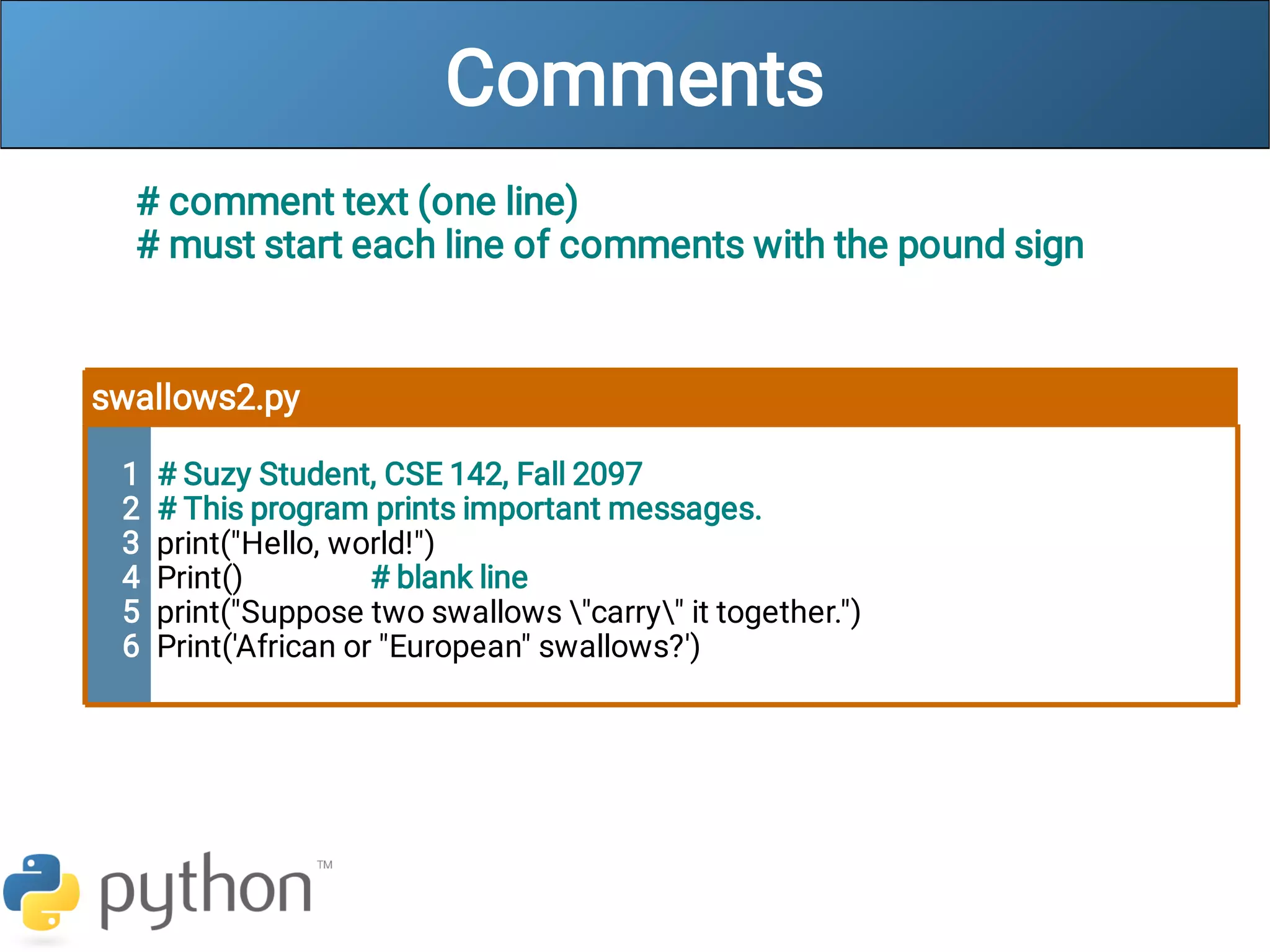
Comments
# comment text (one line)
# must start each line of comments with the pound sign
swallows2.py
1
2
3
4
5
6
# Suzy Student, CSE 142, Fall 2097
# This program prints important messages.
print("Hello, world!")
Print() # blank line
print("Suppose two swallows "carry" it together.")
Print('African or "European" swallows?')
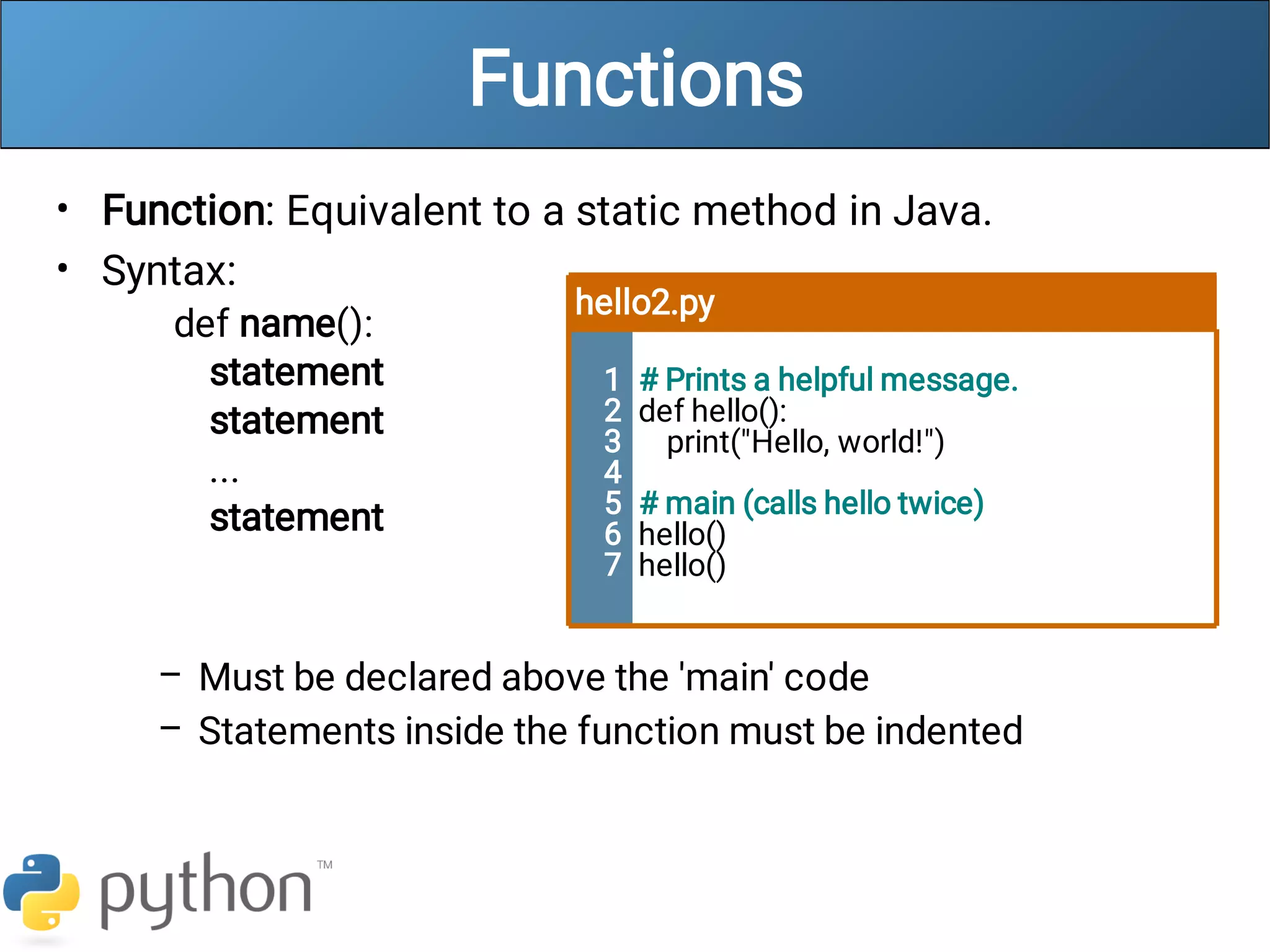
Functions
•
•
–
–
Function: Equivalent to a static method in Java.
Syntax:
def name():
statement
statement
...
statement
Must be declared above the 'main' code
Statements inside the function must be indented
hello2.py
1
2
3
4
5
6
7
# Prints a helpful message.
def hello():
print("Hello, world!")
# main (calls hello twice)
hello()
hello()

week1.pdf

  • 2.
    About Us • – – – Stefanie Hatcher Informatics GrandmistressLeet Queen hatchs@cs.washington.edu • – – – Will Beebe Informatics IPL Hobo nedrager@cs.washington.edu • – – – Steve Geluso Computer Science Self-proclaimed Moon Mayor geluso@cs.washington.edu
  • 3.
    Words you willlearn today python print() # def
  • 4.
    Python! • – • – – • – – – Created in 1991by Guido van Rossum (now at Google) Named for Monty Python Useful as a scripting language script: A small program meant for one-time use Targeted towards small to medium sized projects Used by: Google, Yahoo!, Youtube Many Linux distributions Games and apps (e.g. Eve Online)
  • 5.
    Python is usedeverywhere!
  • 6.
    Interpreted Languages • – – – Interpreted Not compiledlike Java Code is written and then directly executed by an interpreter Type commands into interpreter and see immediate results Computer Runtime Environment Compiler Code Java: Computer Interpreter Code Python:
  • 7.
    Installing Python • • • Windows: Download Pythonfrom http://www.python.org Install Python. Run Idle from the Start Menu. • • • • Mac OS X: Python is already installed. Open a terminal and run python or run Idle from Finder. Linux: Chances are you already have Python installed. To check, run python from the terminal. If not, install from your distribution's package system. Note: For step by step installation instructions, see the course web site.
  • 8.
    The Python Interpreter • • – Allowsyou to type commands one-at-a-time and see results A great way to explore Python's syntax Repeat previous command: Alt+P
  • 9.
    How to runPython Windows • • Run IDLE to use the interpret Open a new window in IDLE to write and save programs
  • 10.
    How to runPython Unix • • Start the interactive shell with python Run a program with python /path/to/program.py
  • 11.
    Chapter 1 Review • • Consoleoutput: System.out.println(); Methods: public static void name() { ... } Hello2.java 1 2 3 4 5 6 7 8 9 public class Hello2 { public static void main(String[] args) { hello(); } public static void hello() { System.out.println("Hello, world!"); } }
  • 12.
    Our First PythonProgram • – • Python does not have a main method like Java The program's main code is just written directly in the file Python statements do not end with semicolons hello.py 1 print("Hello, world!")
  • 13.
  • 14.
    Python 2.x vsPython 3.x – – – We will be using Python 3 for this course Sometimes we may refer to Python 2 The differences are minimal How to Python 2.x Python 3.x print text print “text” print(“text”) print a blank line print print()
  • 15.
    The print Statement – – print(”text") print()(ablank line) Escape sequences such as " are the same as in Java Strings can also start/end with ' swallows.py 1 2 3 4 print("Hello, world! ") print() print("Suppose two swallows "carry" it together.") print('African or "European" swallows?')
  • 16.
    Comments # comment text(one line) # must start each line of comments with the pound sign swallows2.py 1 2 3 4 5 6 # Suzy Student, CSE 142, Fall 2097 # This program prints important messages. print("Hello, world!") Print() # blank line print("Suppose two swallows "carry" it together.") Print('African or "European" swallows?')
  • 17.
    Functions • • – – Function: Equivalent toa static method in Java. Syntax: def name(): statement statement ... statement Must be declared above the 'main' code Statements inside the function must be indented hello2.py 1 2 3 4 5 6 7 # Prints a helpful message. def hello(): print("Hello, world!") # main (calls hello twice) hello() hello()