What
SECOND QUARTER
COMPUTER SYSTEM SERVICING
Hardware components are the physical
components of a computer system.
SECOND QUARTER | COMPUTER SYSTEM SERVICING
Hardware
Components
Hardware Components
& Software
Software
Software is the program that instructs the
hardware components to perform their specific
tasks.
SECOND QUARTER | COMPUTER SYSTEM SERVICING
Hardware Components
and Software
A hardware cannot work without software, while software
cannot function as intended without being manipulated by a user
who knows to use a computer.
SECOND QUARTER | COMPUTER SYSTEM SERVICING
Computer
System
Servicing
Computer Systems Servicing is a skill that requires
familiarization and knowledge of the different elements of a
computer systems, its hardware components, and its connectivity
and functionality when connected to a network.
SECOND QUARTER | COMPUTER SYSTEM SERVICING
Elements of a
COMPUTER SYSTEM
Hardwa
re
INPUT DEVICE
– is any component that reads or accepts data from the user.
SECOND QUARTER | COMPUTER SYSTEM SERVICING
Elements of a
COMPUTER SYSTEM
Input
a. Mouse
Controls the computer
cursor.
Device
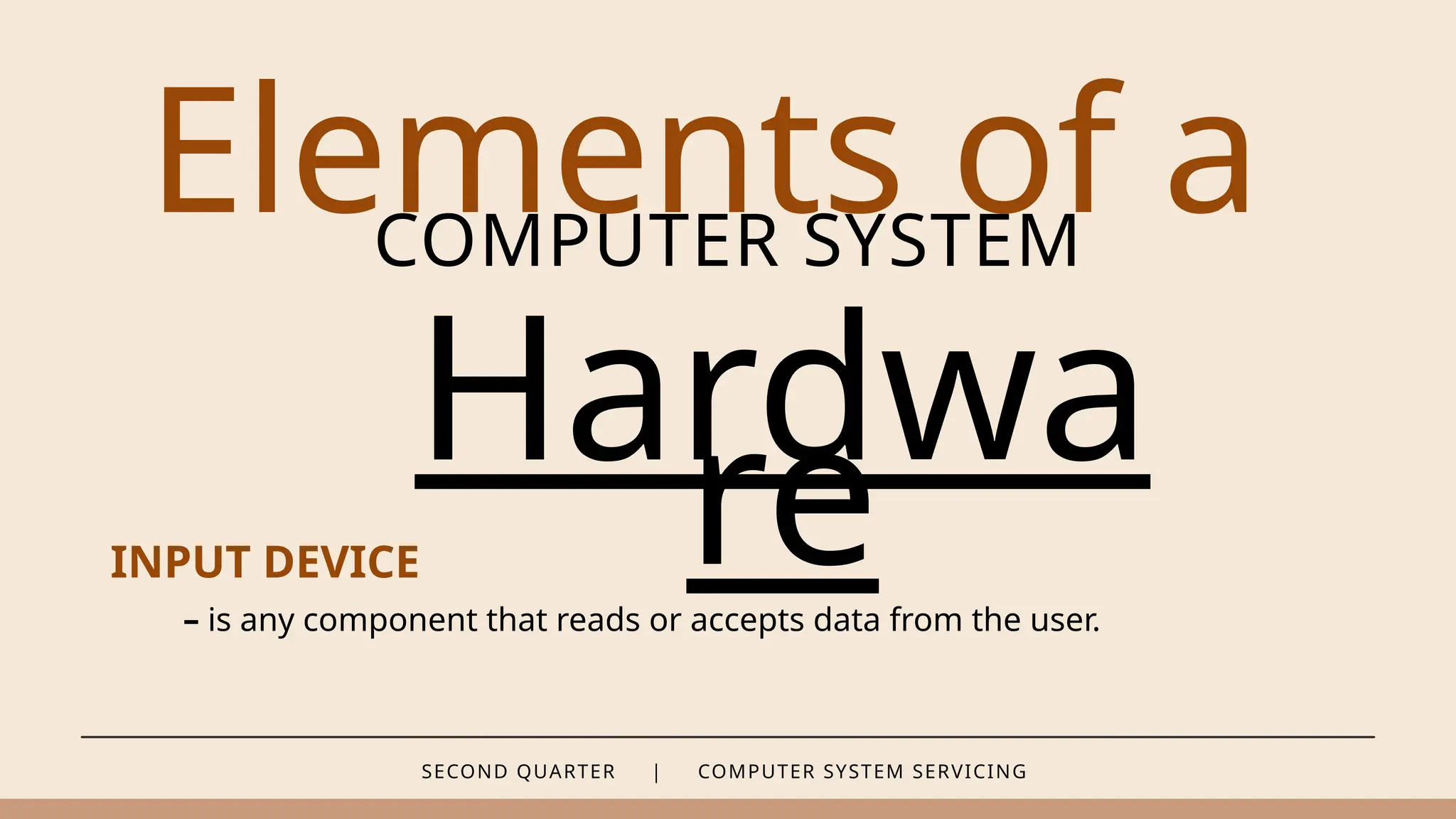
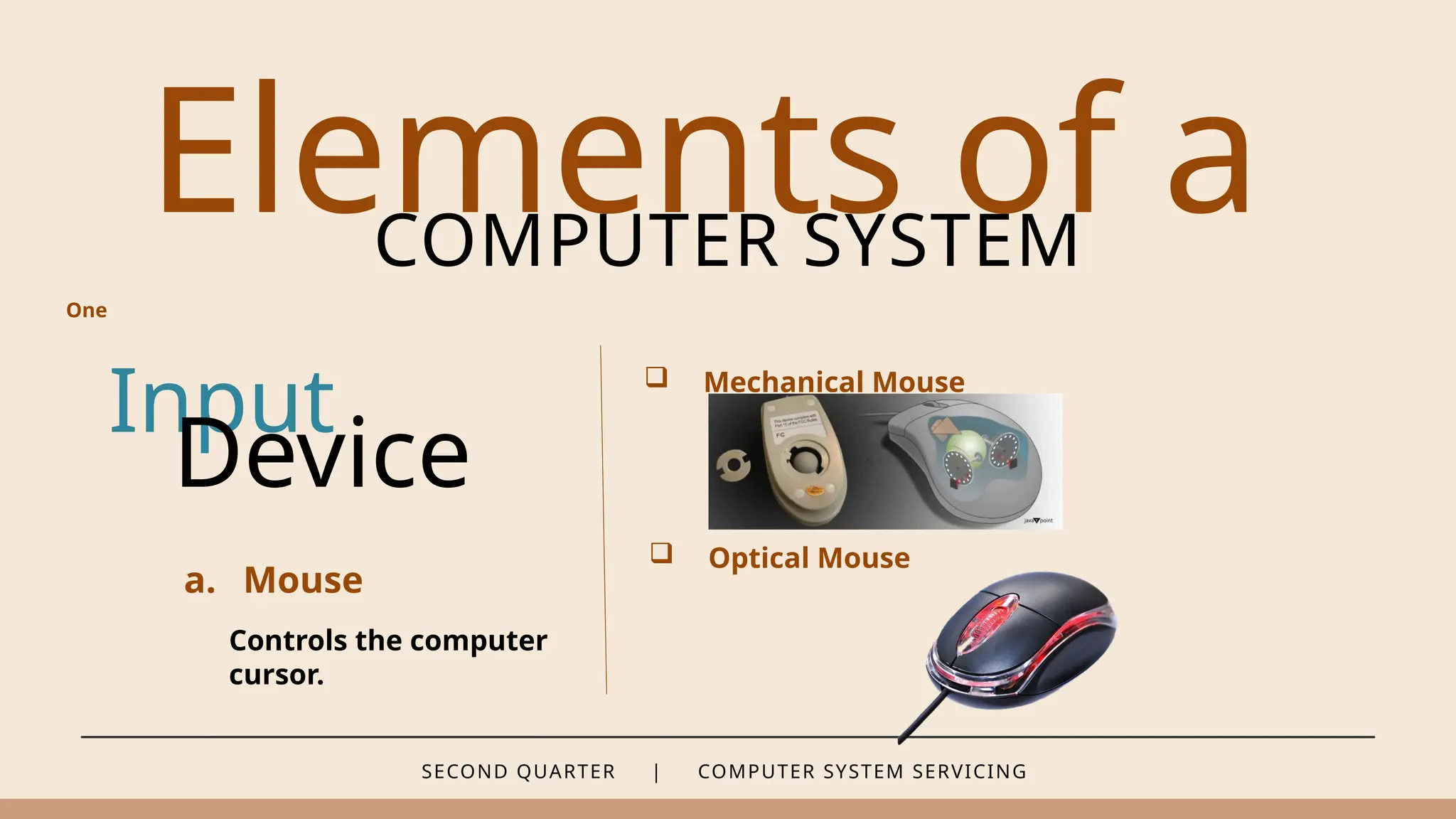
 Mechanical Mouse
 Optical Mouse
One
SECOND QUARTER | COMPUTER SYSTEM SERVICING
Elements of a
COMPUTER SYSTEM
Input
a. Mouse
Controls the computer
cursor.
Device
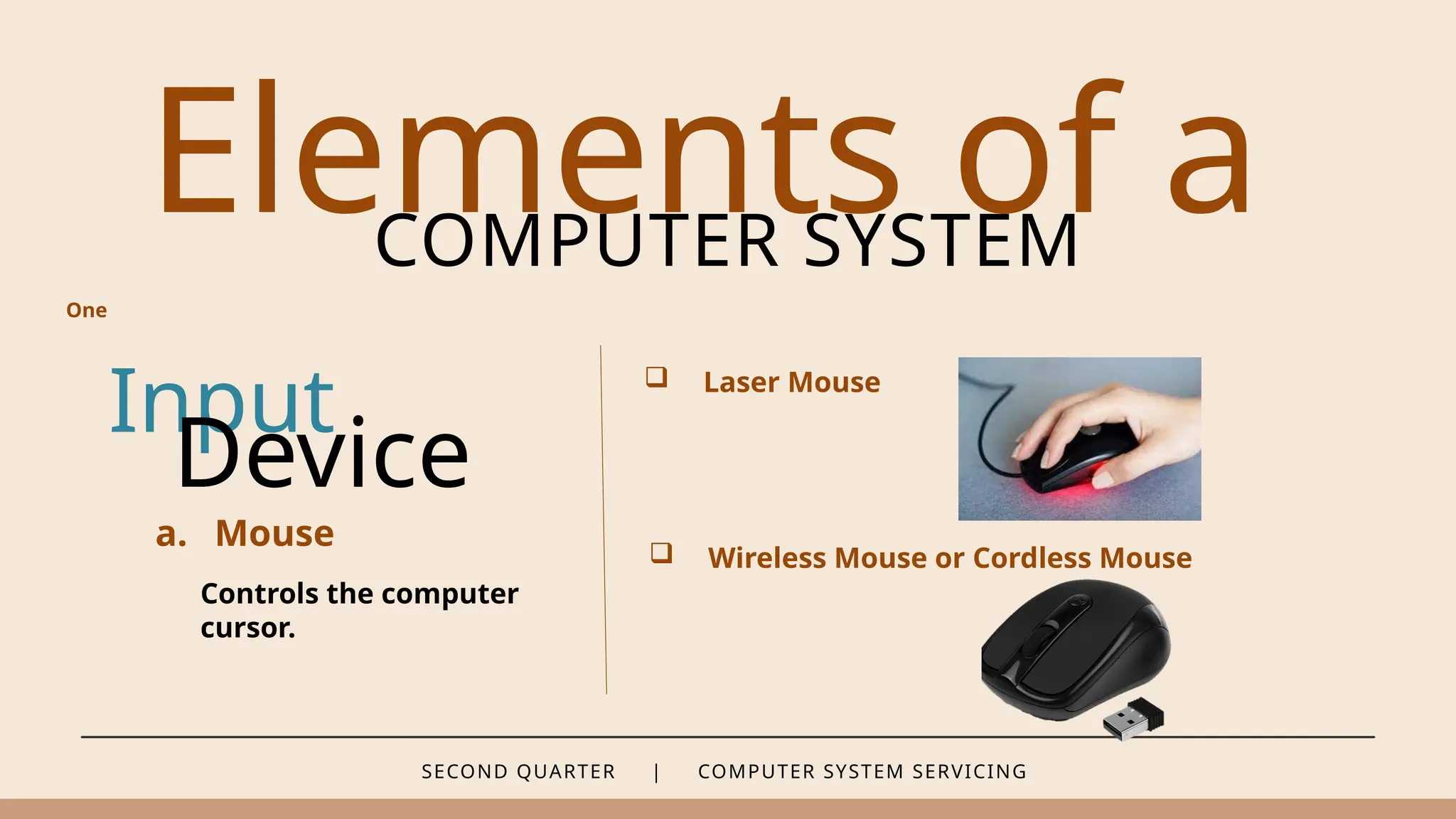
 Laser Mouse
 Wireless Mouse or Cordless Mouse
One
SECOND QUARTER | COMPUTER SYSTEM SERVICING
Elements of a
COMPUTER SYSTEM
Input
b. Keyboard
Used to enter text and
characters to the
computer.
Device
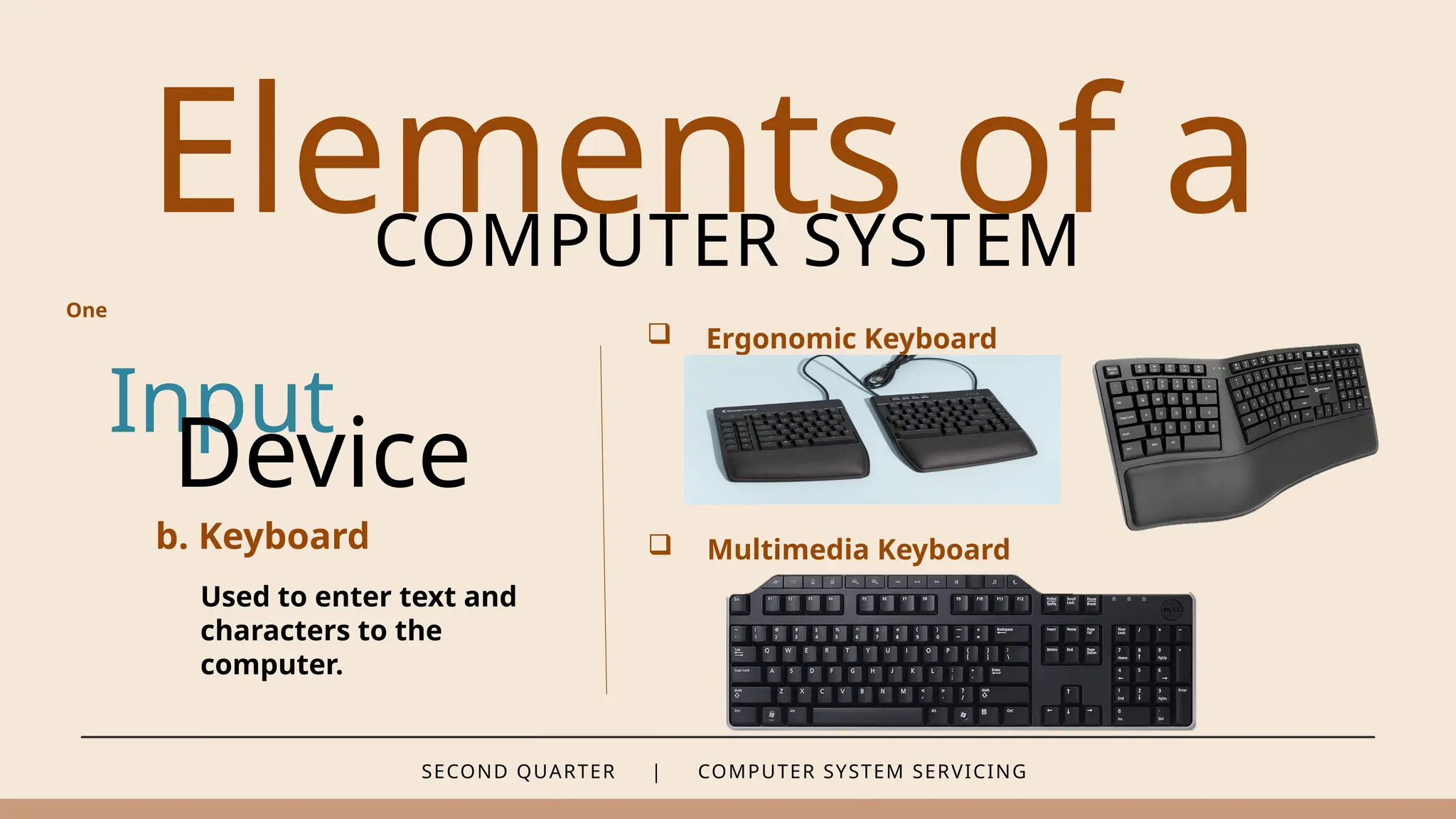
 Ergonomic Keyboard
 Multimedia Keyboard
One
SECOND QUARTER | COMPUTER SYSTEM SERVICING
Elements of a
COMPUTER SYSTEM
Input
b. Keyboard
Used to enter text and
characters to the
computer.
Device
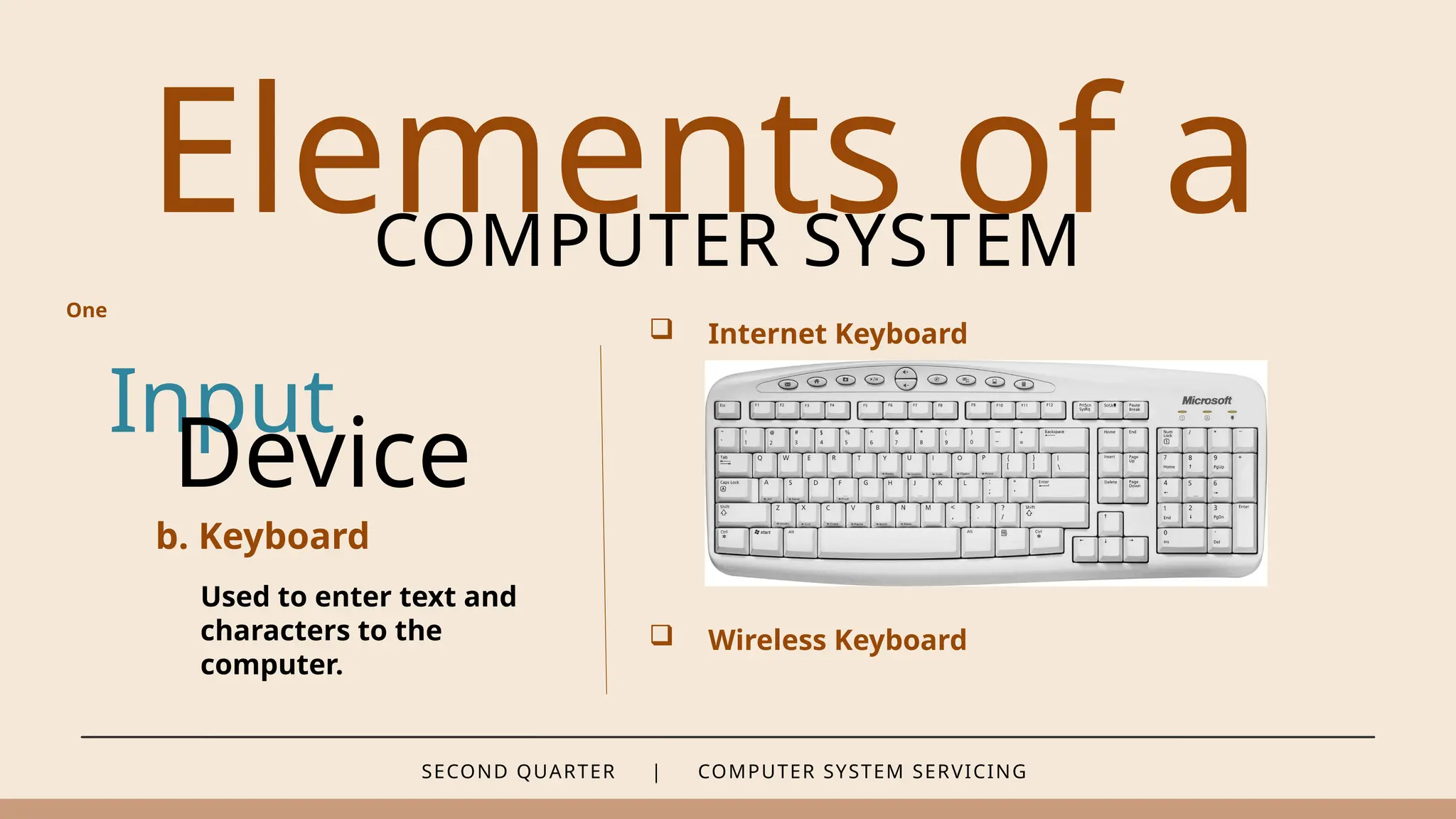
 Internet Keyboard
 Wireless Keyboard
One
SECOND QUARTER | COMPUTER SYSTEM SERVICING
Elements of a
COMPUTER SYSTEM
Input
b. Keyboard
Used to enter text and
characters to the
computer.
Device
 Gaming Keyboard
- This keyboard features key that require less
depression compared to regular keyboards.
- “Less depression” of keys results to faster
action which is very important to gamers.
- This keyboard may have an extra set of keys
that are helpful in playing games.
One
SECOND QUARTER | COMPUTER SYSTEM SERVICING
Elements of a
COMPUTER SYSTEM
c. Optical Scanner
d. Graphics Tablet
e. Camera or Webcam
f. Microphone
Input
Device
One
SECOND QUARTER | COMPUTER SYSTEM SERVICING
Elements of a
COMPUTER SYSTEM
Hardwa
re
PROCESSING DEVICE
– is a component that retrieves, stores, and processes data.
SECOND QUARTER | COMPUTER SYSTEM SERVICING
Elements of a
COMPUTER SYSTEM
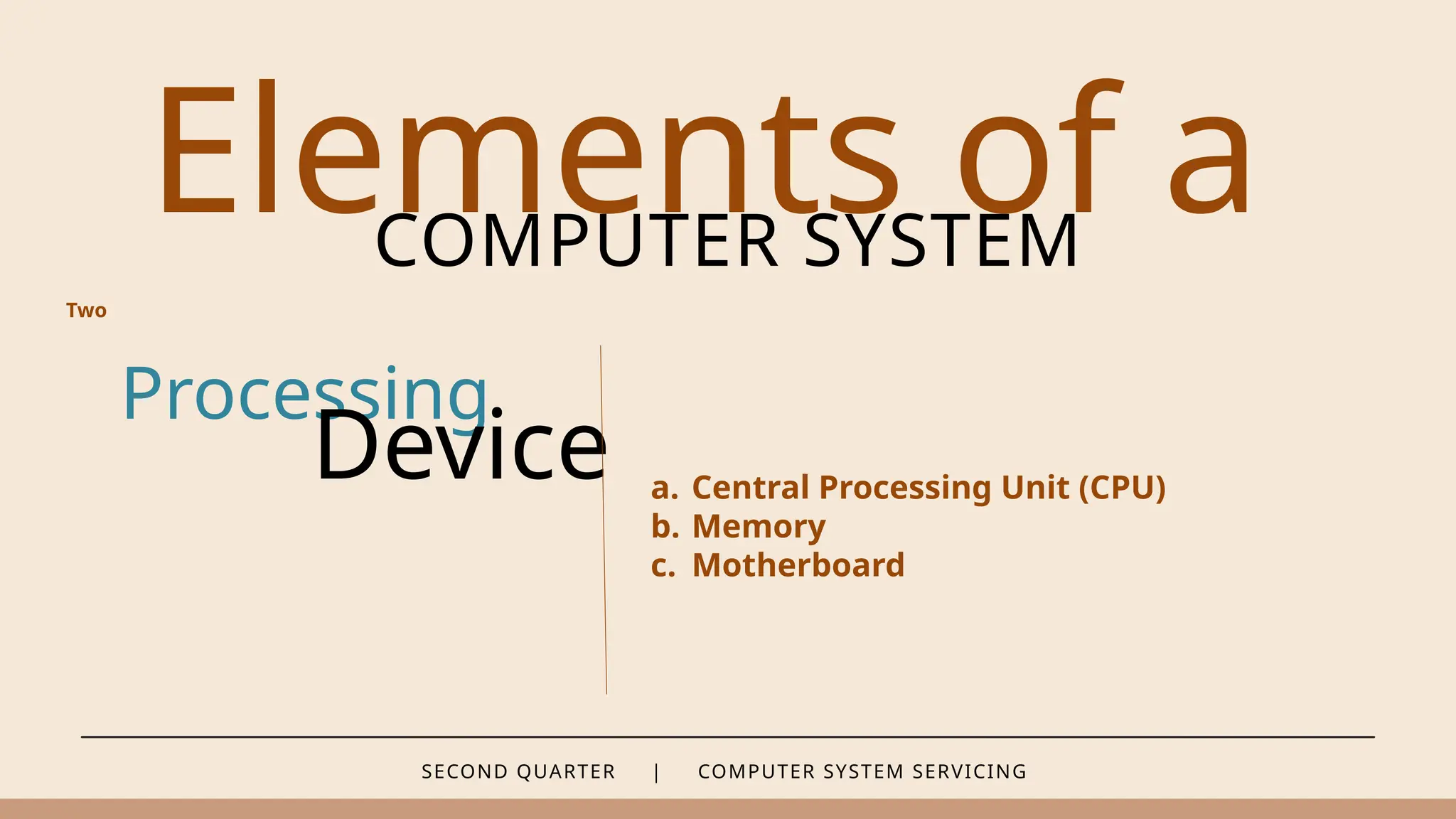
Processing
Device a. Central Processing Unit (CPU)
b. Memory
c. Motherboard
Two
SECOND QUARTER | COMPUTER SYSTEM SERVICING
Elements of a
COMPUTER SYSTEM
Hardwa
re
OUTPUT DEVICE
– receives and displays data or information that is sent through input
devices.
SECOND QUARTER | COMPUTER SYSTEM SERVICING
Elements of a
COMPUTER SYSTEM
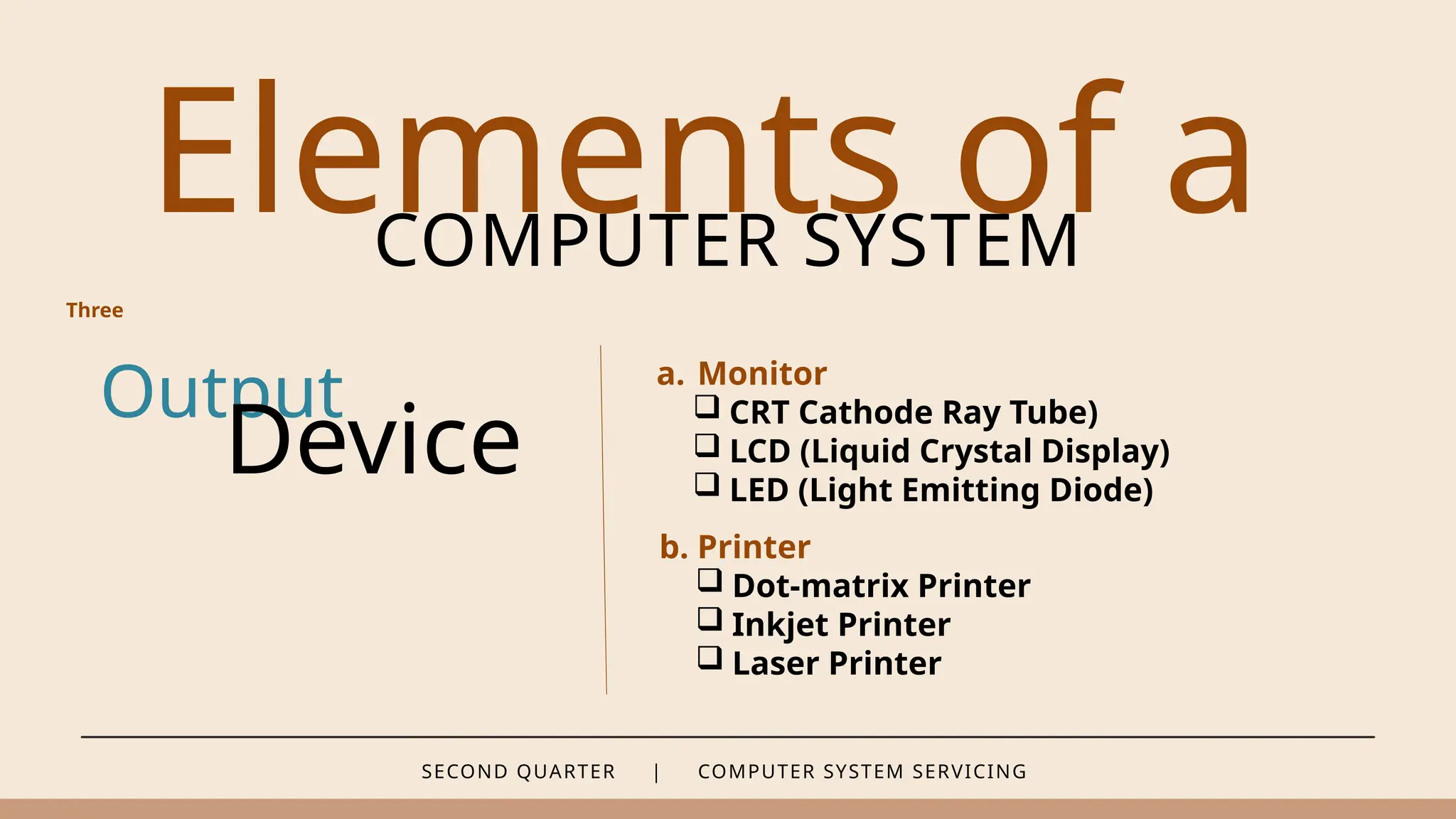
Output
Device
a. Monitor
 CRT Cathode Ray Tube)
 LCD (Liquid Crystal Display)
 LED (Light Emitting Diode)
Three
b. Printer
 Dot-matrix Printer
 Inkjet Printer
 Laser Printer
SECOND QUARTER | COMPUTER SYSTEM SERVICING
Elements of a
COMPUTER SYSTEM
Output
Device c. Speaker
d. Digital Projector
Three
SECOND QUARTER | COMPUTER SYSTEM SERVICING
Elements of a
COMPUTER SYSTEM
Hardwa
re
STORAGE DEVICE
– store large data or information entered into a computer.
SECOND QUARTER | COMPUTER SYSTEM SERVICING
Elements of a
COMPUTER SYSTEM
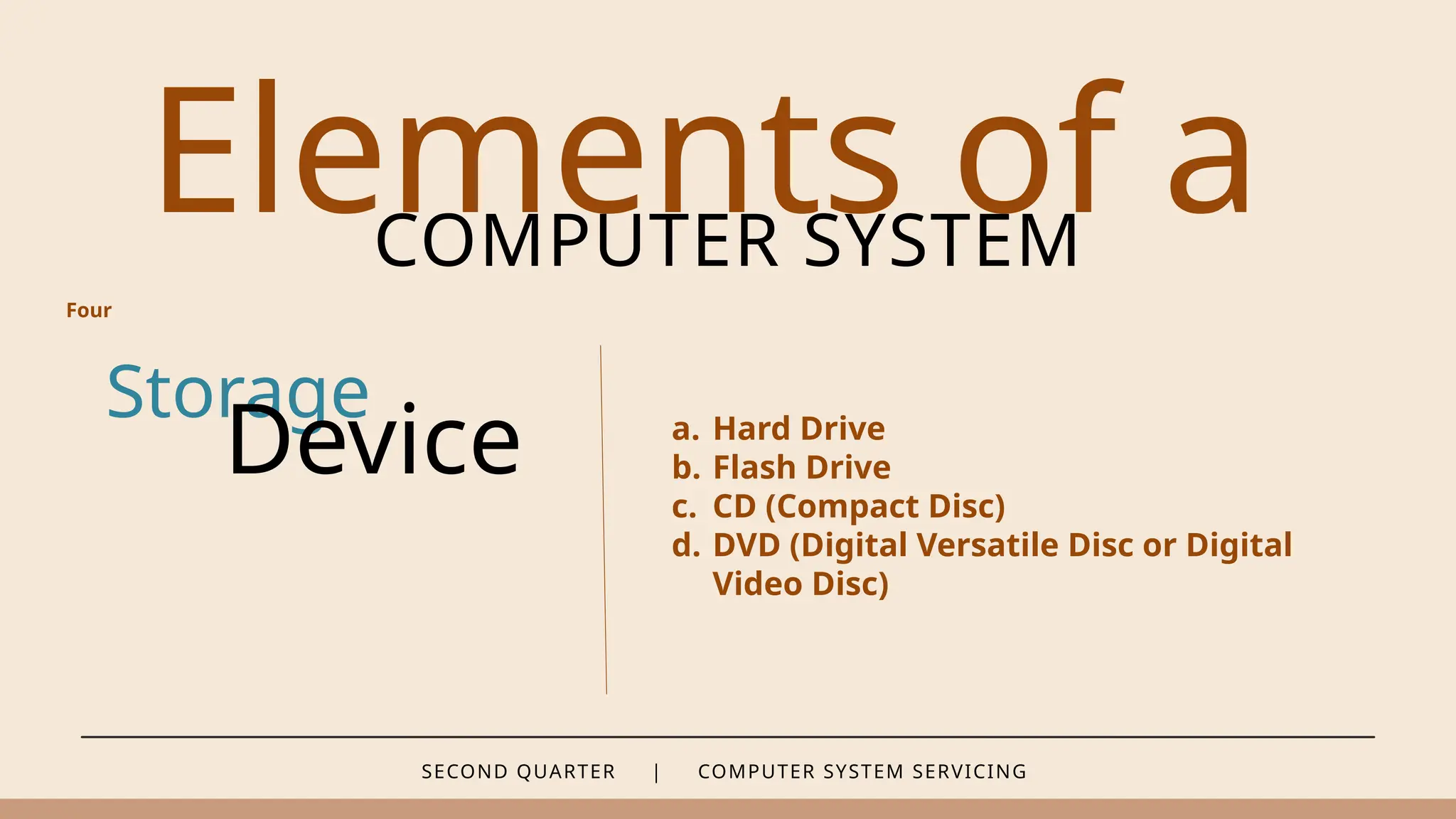
Storage
Device a. Hard Drive
b. Flash Drive
c. CD (Compact Disc)
d. DVD (Digital Versatile Disc or Digital
Video Disc)
Four
SECOND QUARTER | COMPUTER SYSTEM SERVICING
Elements of a
COMPUTER SYSTEM
Softwar
e
SYSTEM SOFTWARE
– is designed to make the computer hardware and application
programs run.
SECOND QUARTER | COMPUTER SYSTEM SERVICING
Elements of a
COMPUTER SYSTEM
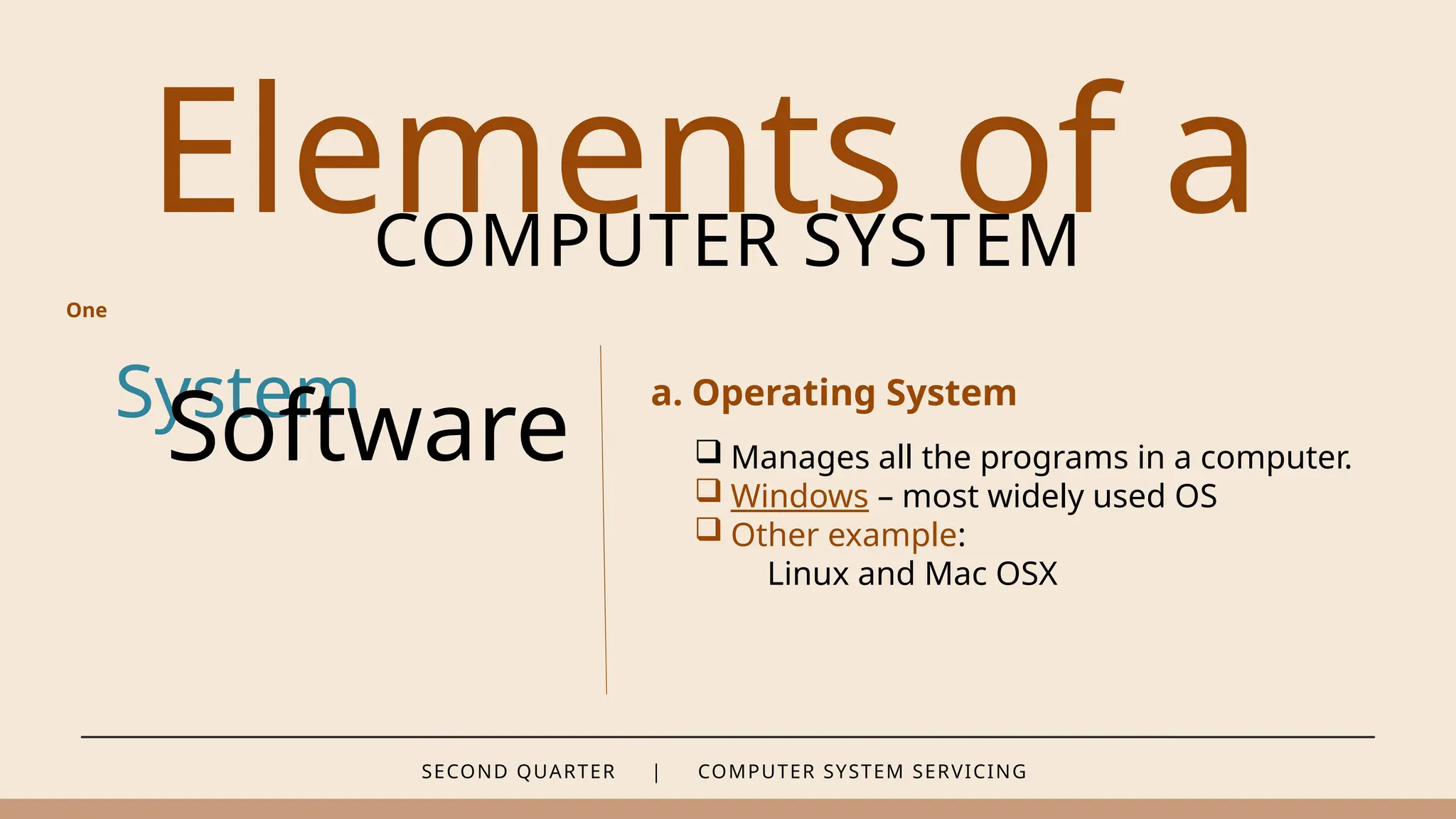
System
Software
a. Operating System
One
 Manages all the programs in a computer.
 Windows – most widely used OS
 Other example:
Linux and Mac OSX
SECOND QUARTER | COMPUTER SYSTEM SERVICING
Elements of a
COMPUTER SYSTEM
System
Software
b. Utility Software
One
 Performs a specific task.
 It maintains the functionality of a computer.
For example:
- Antivirus software
- Disk Cleaners
- Backup Software
- File Compression Software
- System Utilities
SECOND QUARTER | COMPUTER SYSTEM SERVICING
Elements of a
COMPUTER SYSTEM
System
Software
c. Device Driver
One
It makes the computer and its hardware
components communicate with each other.
SECOND QUARTER | COMPUTER SYSTEM SERVICING
Elements of a
COMPUTER SYSTEM
System
Software
c. Device Driver
One
For example:
 I/O devices (keyboards,
mice, CD/DVD drives,
printers, graphics cards,
etc.)
 Communication
interfaces in embedded
systems (UART, SPI)
 Display devices (LCDs or
LEDs)
 Wireless modules.
 USB controllers.
 Real-Time Clocks.
 Biometric Sensors.
 Audio Codecs.
SECOND QUARTER | COMPUTER SYSTEM SERVICING
Elements of a
COMPUTER SYSTEM
Softwar
e
APPLICATION SOFTWARE
– refers to software used by end-users. An application software allows
the user to perform a specific task.
SECOND QUARTER | COMPUTER SYSTEM SERVICING
Elements of a
COMPUTER SYSTEM
Application
Software
a. General Purpose Application
Two
- Are software used to type documents, perform
calculations, store, and manipulate data,
information, and edit and manage multimedia
files and digital images.
- Examples are MS Word, Excel, Access, Adobe
Illustrator, Photoshop, etc.
SECOND QUARTER | COMPUTER SYSTEM SERVICING
Elements of a
COMPUTER SYSTEM
Application
Software
b. Special Purpose Application
Two
These are software used for specific purpose
and to perform complex, such as scientific,
medical, and military work.
SECOND QUARTER | COMPUTER SYSTEM SERVICING
Elements of a
COMPUTER SYSTEM
People
ware
It refers to the role people play or perform in the field of ICT. These
professionals and skilled personnel who performs specific tasks relating to
computers.
SECOND QUARTER | COMPUTER SYSTEM SERVICING
People
ware
1. Computer Programmers
2. Database Administrators
3. Web Developers
4. System/Network Administrators
5. Computer Hardware Technicians
6. Computer Service Technician
7. Technical Support Representative (Online Help Desk)
8. Computer Repair Technician
SECOND QUARTER | COMPUTER SYSTEM SERVICING
Technical
COMPETENCIES
Anyone who practices or is engaged in a computer systems servicing
career is required to possess the following technical skills, competencies,
and traits related to ICT to be able to perform and carry the tasks
effectively.
SECOND QUARTER | COMPUTER SYSTEM SERVICING
Technica
l
COMPETENCIES
1. Well-versed in installing and configuring operating systems, applications and
utilities software, and other needed updates.
2. Able to manage multiple troubleshooting tasks without sacrificing the results.
3. Has thorough understanding of diagrams and technical manuals.
4. Highly skilled in updating, configuring, and installing software and hardware
peripherals.
SECOND QUARTER | COMPUTER SYSTEM SERVICING
Technica
l
COMPETENCIES
5. Able to explain and identify which network topology or design is appropriate
and effective to meet the company’s goal.
6. Applies the best practices in maintaining and implementing protocols in a
networked environment.
7. Designs, installs, and implements an effective computer network.
8. Implements an effective virus protection, backup and recovery, and security
procedures for a computer network.
SECOND QUARTER | COMPUTER SYSTEM SERVICING
Assignment #2
Get 1 intermediate paper and answer the following questions below.
1. What are the elements of a computer system?
2. How are hardware and software interdependent?
3. What comprises peopleware? How are they important in computer system
servicing industry?
4. What technical competencies should one possess to be able to effectively
do the task of computer systems servicing?
5. What are the possible career paths in computer systems servicing?

WEEK 8 - What is Computer System Servicing.pptx

  • 1.
  • 2.
    Hardware components arethe physical components of a computer system. SECOND QUARTER | COMPUTER SYSTEM SERVICING Hardware Components Hardware Components & Software Software Software is the program that instructs the hardware components to perform their specific tasks.
  • 3.
    SECOND QUARTER |COMPUTER SYSTEM SERVICING Hardware Components and Software A hardware cannot work without software, while software cannot function as intended without being manipulated by a user who knows to use a computer.
  • 4.
    SECOND QUARTER |COMPUTER SYSTEM SERVICING Computer System Servicing Computer Systems Servicing is a skill that requires familiarization and knowledge of the different elements of a computer systems, its hardware components, and its connectivity and functionality when connected to a network.
  • 5.
    SECOND QUARTER |COMPUTER SYSTEM SERVICING Elements of a COMPUTER SYSTEM Hardwa re INPUT DEVICE – is any component that reads or accepts data from the user.
  • 6.
    SECOND QUARTER |COMPUTER SYSTEM SERVICING Elements of a COMPUTER SYSTEM Input a. Mouse Controls the computer cursor. Device  Mechanical Mouse  Optical Mouse One
  • 7.
    SECOND QUARTER |COMPUTER SYSTEM SERVICING Elements of a COMPUTER SYSTEM Input a. Mouse Controls the computer cursor. Device  Laser Mouse  Wireless Mouse or Cordless Mouse One
  • 8.
    SECOND QUARTER |COMPUTER SYSTEM SERVICING Elements of a COMPUTER SYSTEM Input b. Keyboard Used to enter text and characters to the computer. Device  Ergonomic Keyboard  Multimedia Keyboard One
  • 9.
    SECOND QUARTER |COMPUTER SYSTEM SERVICING Elements of a COMPUTER SYSTEM Input b. Keyboard Used to enter text and characters to the computer. Device  Internet Keyboard  Wireless Keyboard One
  • 10.
    SECOND QUARTER |COMPUTER SYSTEM SERVICING Elements of a COMPUTER SYSTEM Input b. Keyboard Used to enter text and characters to the computer. Device  Gaming Keyboard - This keyboard features key that require less depression compared to regular keyboards. - “Less depression” of keys results to faster action which is very important to gamers. - This keyboard may have an extra set of keys that are helpful in playing games. One
  • 11.
    SECOND QUARTER |COMPUTER SYSTEM SERVICING Elements of a COMPUTER SYSTEM c. Optical Scanner d. Graphics Tablet e. Camera or Webcam f. Microphone Input Device One
  • 12.
    SECOND QUARTER |COMPUTER SYSTEM SERVICING Elements of a COMPUTER SYSTEM Hardwa re PROCESSING DEVICE – is a component that retrieves, stores, and processes data.
  • 13.
    SECOND QUARTER |COMPUTER SYSTEM SERVICING Elements of a COMPUTER SYSTEM Processing Device a. Central Processing Unit (CPU) b. Memory c. Motherboard Two
  • 14.
    SECOND QUARTER |COMPUTER SYSTEM SERVICING Elements of a COMPUTER SYSTEM Hardwa re OUTPUT DEVICE – receives and displays data or information that is sent through input devices.
  • 15.
    SECOND QUARTER |COMPUTER SYSTEM SERVICING Elements of a COMPUTER SYSTEM Output Device a. Monitor  CRT Cathode Ray Tube)  LCD (Liquid Crystal Display)  LED (Light Emitting Diode) Three b. Printer  Dot-matrix Printer  Inkjet Printer  Laser Printer
  • 16.
    SECOND QUARTER |COMPUTER SYSTEM SERVICING Elements of a COMPUTER SYSTEM Output Device c. Speaker d. Digital Projector Three
  • 17.
    SECOND QUARTER |COMPUTER SYSTEM SERVICING Elements of a COMPUTER SYSTEM Hardwa re STORAGE DEVICE – store large data or information entered into a computer.
  • 18.
    SECOND QUARTER |COMPUTER SYSTEM SERVICING Elements of a COMPUTER SYSTEM Storage Device a. Hard Drive b. Flash Drive c. CD (Compact Disc) d. DVD (Digital Versatile Disc or Digital Video Disc) Four
  • 19.
    SECOND QUARTER |COMPUTER SYSTEM SERVICING Elements of a COMPUTER SYSTEM Softwar e SYSTEM SOFTWARE – is designed to make the computer hardware and application programs run.
  • 20.
    SECOND QUARTER |COMPUTER SYSTEM SERVICING Elements of a COMPUTER SYSTEM System Software a. Operating System One  Manages all the programs in a computer.  Windows – most widely used OS  Other example: Linux and Mac OSX
  • 21.
    SECOND QUARTER |COMPUTER SYSTEM SERVICING Elements of a COMPUTER SYSTEM System Software b. Utility Software One  Performs a specific task.  It maintains the functionality of a computer. For example: - Antivirus software - Disk Cleaners - Backup Software - File Compression Software - System Utilities
  • 22.
    SECOND QUARTER |COMPUTER SYSTEM SERVICING Elements of a COMPUTER SYSTEM System Software c. Device Driver One It makes the computer and its hardware components communicate with each other.
  • 23.
    SECOND QUARTER |COMPUTER SYSTEM SERVICING Elements of a COMPUTER SYSTEM System Software c. Device Driver One For example:  I/O devices (keyboards, mice, CD/DVD drives, printers, graphics cards, etc.)  Communication interfaces in embedded systems (UART, SPI)  Display devices (LCDs or LEDs)  Wireless modules.  USB controllers.  Real-Time Clocks.  Biometric Sensors.  Audio Codecs.
  • 24.
    SECOND QUARTER |COMPUTER SYSTEM SERVICING Elements of a COMPUTER SYSTEM Softwar e APPLICATION SOFTWARE – refers to software used by end-users. An application software allows the user to perform a specific task.
  • 25.
    SECOND QUARTER |COMPUTER SYSTEM SERVICING Elements of a COMPUTER SYSTEM Application Software a. General Purpose Application Two - Are software used to type documents, perform calculations, store, and manipulate data, information, and edit and manage multimedia files and digital images. - Examples are MS Word, Excel, Access, Adobe Illustrator, Photoshop, etc.
  • 26.
    SECOND QUARTER |COMPUTER SYSTEM SERVICING Elements of a COMPUTER SYSTEM Application Software b. Special Purpose Application Two These are software used for specific purpose and to perform complex, such as scientific, medical, and military work.
  • 27.
    SECOND QUARTER |COMPUTER SYSTEM SERVICING Elements of a COMPUTER SYSTEM People ware It refers to the role people play or perform in the field of ICT. These professionals and skilled personnel who performs specific tasks relating to computers.
  • 28.
    SECOND QUARTER |COMPUTER SYSTEM SERVICING People ware 1. Computer Programmers 2. Database Administrators 3. Web Developers 4. System/Network Administrators 5. Computer Hardware Technicians 6. Computer Service Technician 7. Technical Support Representative (Online Help Desk) 8. Computer Repair Technician
  • 29.
    SECOND QUARTER |COMPUTER SYSTEM SERVICING Technical COMPETENCIES Anyone who practices or is engaged in a computer systems servicing career is required to possess the following technical skills, competencies, and traits related to ICT to be able to perform and carry the tasks effectively.
  • 30.
    SECOND QUARTER |COMPUTER SYSTEM SERVICING Technica l COMPETENCIES 1. Well-versed in installing and configuring operating systems, applications and utilities software, and other needed updates. 2. Able to manage multiple troubleshooting tasks without sacrificing the results. 3. Has thorough understanding of diagrams and technical manuals. 4. Highly skilled in updating, configuring, and installing software and hardware peripherals.
  • 31.
    SECOND QUARTER |COMPUTER SYSTEM SERVICING Technica l COMPETENCIES 5. Able to explain and identify which network topology or design is appropriate and effective to meet the company’s goal. 6. Applies the best practices in maintaining and implementing protocols in a networked environment. 7. Designs, installs, and implements an effective computer network. 8. Implements an effective virus protection, backup and recovery, and security procedures for a computer network.
  • 32.
    SECOND QUARTER |COMPUTER SYSTEM SERVICING Assignment #2 Get 1 intermediate paper and answer the following questions below. 1. What are the elements of a computer system? 2. How are hardware and software interdependent? 3. What comprises peopleware? How are they important in computer system servicing industry? 4. What technical competencies should one possess to be able to effectively do the task of computer systems servicing? 5. What are the possible career paths in computer systems servicing?

Editor's Notes

  • #2 The modern computer is composed of different internal and external parts which are called hardware. Hardware Components are the physical components of a computer system. Hardware counterpart, called Software, is the program that instructs the hardware components to perform their specific tasks.
  • #3 Hardware and Software are computer system elements that are interdependent – it is because without software such as operating systems, the computer hardware is useless, and without a computer hardware, the software cannot run and do its task.
  • #5 Hardware refers to the physical and tangible components of a computer. It consists of the parts that can be seen, touched, and physically manipulated. Input Device is any component that reads or accepts data from the user. Input devices manipulate data that is entered in a computer.
  • #6  Mechanical Mouse uses a small rubber ball that is detected by sensors when rolled on a flat surface.  Optical Mouse is the most widely used type of mouse which replaced the traditional mechanical mouse. It used LED (light emitting diode) and an optical sensor to detect movement and command from the user.
  • #7  Laser Mouse uses laser light instead of LED to detect movement. A laser mouse responds faster; that is why it is most widely used in gaming, but it is more expensive than an optical mouse.  Wireless Mouse connects to a computer using a wireless technology such as Bluetooth or infrared. It comes with a USB device that is connected to the computer to be able to receive and process signal. It is also called a cordless mouse.
  • #8  Ergonomic Keyboard is often used by those whose work focuses heavily on using keyboards because it is designed to minimize wrist strains while typing using the keyboard.  Multimedia Keyboard has additional keys specific for multimedia purposes, such as multimedia launch, volume control, and mute button.
  • #9  Internet Keyboard includes keys to launch application email and Web browser. In order for all its features to function, it should be used with a specific operating system.  Wireless Keyboard uses battery and radio frequency such as infrared or Bluetooth technology to be able to connect to the computer.
  • #11 c) Optical Scanner reads texts, images, or pictures and converts them into digital files for storage, editing, or reference. d) Graphics Tablet is composed of a flat sensitive pad and a stylus which can be manipulated and connected to a computer. It is used in creating digital artwork. e) Camera or Webcam is used to capture images and stores them in the computer. A handheld digital camera can be considered an input and output device if has a built-in display screen. f) Microphone is used to input or record sound to a computer. The voice or sound is transmitted through electrical signals which can later be heard or stored.
  • #13 Central Processing Unit (CPU) is considered the brain of the computer. The instructions given to the computer are processed by the CPU before the task is performed by the computer. b) Memory holds and processes temporary data which are erased when the computer is turned off. c) Motherboard is considered the heart of the computer. It holds all the components which also process the data sent by the CPU before sending them to a specific component.
  • #15 Monitor displays pictures and images processed by the computer. A computer monitor can be categorized in the following:  CRT (Cathode Ray Tube) is a technology used in old computer display screens. This type of monitor is bulky and heavy.  LCD (Liquid Crystal Display) is the most common and widely used type of monitor. LCD produces clear images. It is flat, thin, and lighter in weight compared to a CRT monitor. It is also the type of screen used in laptop computers.  LED (Light Emitting Diode) has a flat surface similar to the LCD monitor. LED is new technology that illuminates and creates a brighter display. And because of their brightness, LED monitors and screens can be used outdoors. b) Printer is used to print texts, pictures, and other visual materials. Printers come in different types:  Dot-matrix Printer produces an output that is based from dots. Dot matrix printers are slow, but they are capable of printing continuously. They are often used by banks and stores in printing financial statements and receipts.  Inkjet Printer works by directly spraying ink to the paper. It is the most widely used printer at home, school, and offices. It is used to print documents and pictures for personal or business use.  Laser Printer uses laser beam, a non-impact technology, to produce an image. Laser printers produce high quality print, but they are more expensive compared to inkjet and dot-matrix printers.
  • #16 c) Speaker converts electromagnetic waves into audible sound waves. d) Digital Projectors displays a bigger and brighter output which is used for large scale and outdoor viewing. It needs to be connected to a computer.
  • #18 Hard Drive is the primary storage device of a computer system. This where different types of files and documents are kept for future retrieval. A hard drive’s storage capability depends on its capacity. A hard drive can be internal. It is located inside the computer box or console and attached to the motherboard. A hard drive can also be external which is handheld. Flash Drive is a small storage device which is often called USB (Universal Serial Bus) stick. It is used to transport files from different computers. It may be as small as the size of a kid’s thumb, but it is capable of storing large types of files. CD (Compact Disc) is an optical storage device used to store different types of files such as music or videos. DVD (Digital Versatile Disc or Digital Video Disc) is a type of storage disc that is capable of storing large amount of data which is also used in storing high resolution and rich multimedia materials.
  • #20 a. Operating System manages all the programs in a computer. The most widely used operating system is Windows. Other operating systems used by other companies are Linux and Mac OSX.
  • #21 b. Utility Software performs a specific task. A utility software maintains the functionality of a computer. An example of it is an antivirus software which performs a specific task of monitoring and removing viruses and unwanted files in a computer. Antivirus software Backup and restore Registry cleaners Database software Firewall software and etc.
  • #22 Device Driver makes the computer and its hardware components communicate with each other. Without a device driver, a specific device may not work. As printer will not work and be recognized by the computer, if there is no specific driver installed.
  • #23 Device Driver makes the computer and its hardware components communicate with each other. Without a device driver, a specific device may not work. As printer will not work and be recognized by the computer, if there is no specific driver installed.
  • #28 Computer Programmers – create programs or software for hardware components and end users. Database Administrations – manage database systems. They monitor and update data and information in a database using a specific database program. Web Developers – create and develop functional websites used for e-commerce, such as online shopping, marketing, and banking. System/Network Administrators – maintain the integrity and functionality of a computer system, especially if it is connected to a network.  Systems Administrator - They perform overall administration and configuration of computerized systems in a computerized environment, including computer hardware, system, and applications software.  Network Administrator – They manage and configures network operating system and hardware. They support and maintain the company’s local and wide area network setup and Internet system, such as setting up servers, user accounts, printer access, and password administration. They are responsible in the planning, coordination, and implementation of network security. 5. Computer Hardware Technicians – assemble and troubleshoot computers problems. They repair and maintain computer hardware and server. 6. Computer Service Technicians – diagnoses and maintains different types of computer equipment. He or She does not only check the hardware components, but also checks and finds appropriate solutions to make them function properly, works and checks the operating system, maintains the performance of computers by installing antivirus and other utility programs, and also specializes in the maintenance and troubleshooting of computer networks and servers. 7. Technical Support Representative (Online Help Desk) – usually works in call centers, provides quick solutions to technical and network problems of end-users or customers who own a particular computer equipment or device, gathers information from the client, and provides a possible solution by determining the problem or issue and analyzing the symptoms that cause the problem on the equipment. 8. Computer Repair Technician – diagnoses, repairs, and troubleshoots a computer system, upgrades existing software and hardware components, and tests their performance check if they are working properly and correctly. He or She also repairs other computer peripherals and components, such as printers, hard disk, and mainboard and procures supplies and materials.