CSS: PART TWO
Web Design Elective | The Scholars’ Academy
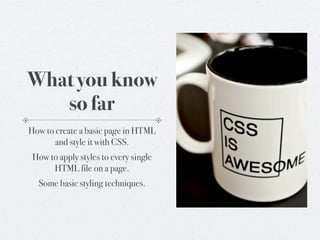
What you know
   so far
How to create a basic page in HTML
       and style it with CSS.
 How to apply styles to every single
      HTML file on a page.
  Some basic styling techniques.
Today


We’re going to look at classes and IDs.

We’ll also take a look at some basic CSS properties.
Tomorrow


First Marking Period Project Due.

We’ll go over the nuts and bolts in moment.

First, let’s cover what we need to cover.
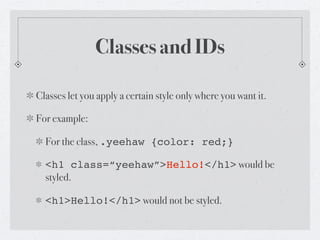
Classes and IDs

Classes let you apply a certain style only where you want it.

For example:

  For the class, .yeehaw {color: red;}

  <h1 class=“yeehaw”>Hello!</h1> would be
  styled.

  <h1>Hello!</h1> would not be styled.
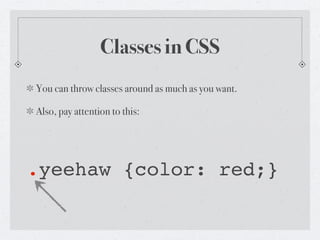
Classes in CSS
You can throw classes around as much as you want.

Also, pay attention to this:


.yeehaw {color: red;}
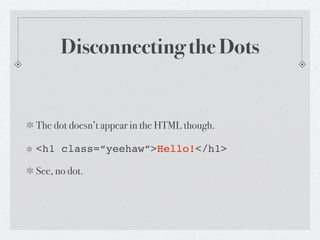
Disconnecting the Dots


The dot doesn’t appear in the HTML though.

<h1 class=“yeehaw”>Hello!</h1>

See, no dot.
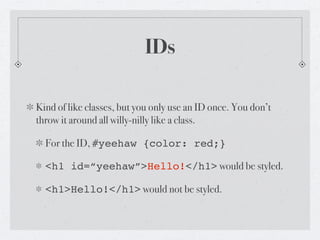
IDs

Kind of like classes, but you only use an ID once. You don’t
throw it around all willy-nilly like a class.

  For the ID, #yeehaw {color: red;}

  <h1 id=“yeehaw”>Hello!</h1> would be styled.

  <h1>Hello!</h1> would not be styled.
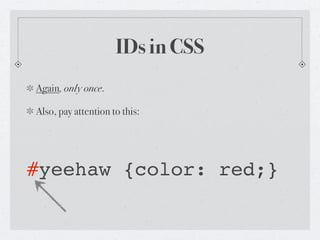
IDs in CSS
Again, only once.

Also, pay attention to this:


#yeehaw {color: red;}
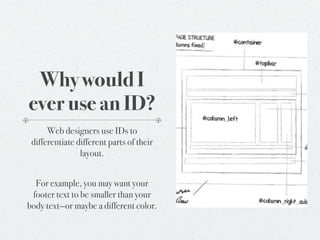
Why would I
ever use an ID?
      Web designers use IDs to
 differentiate different parts of their
                layout.


  For example, you may want your
 footer text to be smaller than your
body text—or maybe a different color.
So, about those boxes


Go back to that last slide. No seriously, do it.

I didn’t tell you how to define sections of your layout.

The trick? The <div> tag.
DIVs


By itself, the DIV tag does nothing.

But it can be styled.

The <div> tag defines a division or a section in an HTML
document.
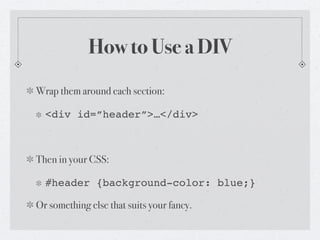
How to Use a DIV
Wrap them around each section:

  <div id=”header”>…</div>


Then in your CSS:

  #header {background-color: blue;}

Or something else that suits your fancy.
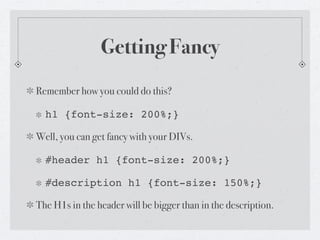
Getting Fancy
Remember how you could do this?

  h1 {font-size: 200%;}

Well, you can get fancy with your DIVs.

  #header h1 {font-size: 200%;}

  #description h1 {font-size: 150%;}

The H1s in the header will be bigger than in the description.
Part Two of This


I’m going to make a video of me doing this hands-on.

I’ll post it to http://web.scholarsnyc.com/

Go watch it.

Web Design, Lesson Plan: Classes and IDs

  • 1.
    CSS: PART TWO WebDesign Elective | The Scholars’ Academy
  • 2.
    What you know so far How to create a basic page in HTML and style it with CSS. How to apply styles to every single HTML file on a page. Some basic styling techniques.
  • 3.
    Today We’re going tolook at classes and IDs. We’ll also take a look at some basic CSS properties.
  • 4.
    Tomorrow First Marking PeriodProject Due. We’ll go over the nuts and bolts in moment. First, let’s cover what we need to cover.
  • 5.
    Classes and IDs Classeslet you apply a certain style only where you want it. For example: For the class, .yeehaw {color: red;} <h1 class=“yeehaw”>Hello!</h1> would be styled. <h1>Hello!</h1> would not be styled.
  • 6.
    Classes in CSS Youcan throw classes around as much as you want. Also, pay attention to this: .yeehaw {color: red;}
  • 7.
    Disconnecting the Dots Thedot doesn’t appear in the HTML though. <h1 class=“yeehaw”>Hello!</h1> See, no dot.
  • 8.
    IDs Kind of likeclasses, but you only use an ID once. You don’t throw it around all willy-nilly like a class. For the ID, #yeehaw {color: red;} <h1 id=“yeehaw”>Hello!</h1> would be styled. <h1>Hello!</h1> would not be styled.
  • 9.
    IDs in CSS Again,only once. Also, pay attention to this: #yeehaw {color: red;}
  • 10.
    Why would I everuse an ID? Web designers use IDs to differentiate different parts of their layout. For example, you may want your footer text to be smaller than your body text—or maybe a different color.
  • 11.
    So, about thoseboxes Go back to that last slide. No seriously, do it. I didn’t tell you how to define sections of your layout. The trick? The <div> tag.
  • 12.
    DIVs By itself, theDIV tag does nothing. But it can be styled. The <div> tag defines a division or a section in an HTML document.
  • 13.
    How to Usea DIV Wrap them around each section: <div id=”header”>…</div> Then in your CSS: #header {background-color: blue;} Or something else that suits your fancy.
  • 14.
    Getting Fancy Remember howyou could do this? h1 {font-size: 200%;} Well, you can get fancy with your DIVs. #header h1 {font-size: 200%;} #description h1 {font-size: 150%;} The H1s in the header will be bigger than in the description.
  • 15.
    Part Two ofThis I’m going to make a video of me doing this hands-on. I’ll post it to http://web.scholarsnyc.com/ Go watch it.