Download to read offline
















![@thisNatasha
Registration
First Factor Auth
Device with own display
User is logged in.
var webauthnAPI = window.webauthn;
if (!webauthnAPI) { /* Platform not capable. Handle error. */ }
var userAccountInformation = {
rpDisplayName: "Acme", displayName: "John P. Smith",
name: "johnpsmith@example.com", id: "1098237235409872",
imageURL: "https://pics.acme.com/00/p/aBjjjpqPb.png"
};
// This Relying Party will accept any credential, but prefers an ES256 credential.
var cryptoParams = [
{
type: "ScopedCred", algorithm: "ES256"
},
{
type: "ScopedCred", algorithm: "RS256"
}
];
var challenge = "Y2xpbWIgYSBtb3VudGFpbg";
var timeoutSeconds = 300; // 5 minutes
var blacklist = []; // No blacklist
var extensions = {"webauthn.location": true}; // Include location information
// in attestation
// Note: The following call will cause the authenticator to display UI.
webauthnAPI.makeCredential(userAccountInformation, cryptoParams, challenge,
timeoutSeconds, blacklist, extensions)
.then(function (newCredentialInfo) {
// Send new credential info to server for verification and registration.
}).catch(function (err) {
// No acceptable authenticator or user refused consent. Handle appropriately.
});](https://image.slidesharecdn.com/webprogressionswebauthentication-190728190320/85/Web-Authentication-a-Future-Without-Passwords-50-320.jpg)
![@thisNatasha
Registration
First Factor Auth
Device with own display
User is logged in.
var webauthnAPI = window.webauthn;
if (!webauthnAPI) { /* Platform not capable. Handle error. */ }
var userAccountInformation = {
rpDisplayName: "Acme", displayName: "John P. Smith",
name: "johnpsmith@example.com", id: "1098237235409872",
imageURL: "https://pics.acme.com/00/p/aBjjjpqPb.png"
};
// This Relying Party will accept any credential, but prefers an ES256 credential.
var cryptoParams = [
{
type: "ScopedCred", algorithm: "ES256"
},
{
type: "ScopedCred", algorithm: "RS256"
}
];
var challenge = "Y2xpbWIgYSBtb3VudGFpbg";
var timeoutSeconds = 300; // 5 minutes
var blacklist = []; // No blacklist
var extensions = {"webauthn.location": true}; // Include location information
// in attestation
// Note: The following call will cause the authenticator to display UI.
webauthnAPI.makeCredential(userAccountInformation, cryptoParams, challenge,
timeoutSeconds, blacklist, extensions)
.then(function (newCredentialInfo) {
// Send new credential info to server for verification and registration.
}).catch(function (err) {
// No acceptable authenticator or user refused consent. Handle appropriately.
});
Credential Setup](https://image.slidesharecdn.com/webprogressionswebauthentication-190728190320/85/Web-Authentication-a-Future-Without-Passwords-51-320.jpg)
![@thisNatasha
Registration
First Factor Auth
Device with own display
User is logged in.
var webauthnAPI = window.webauthn;
if (!webauthnAPI) { /* Platform not capable. Handle error. */ }
var userAccountInformation = {
rpDisplayName: "Acme", displayName: "John P. Smith",
name: "johnpsmith@example.com", id: "1098237235409872",
imageURL: "https://pics.acme.com/00/p/aBjjjpqPb.png"
};
// This Relying Party will accept any credential, but prefers an ES256 credential.
var cryptoParams = [
{
type: "ScopedCred", algorithm: "ES256"
},
{
type: "ScopedCred", algorithm: "RS256"
}
];
var challenge = "Y2xpbWIgYSBtb3VudGFpbg";
var timeoutSeconds = 300; // 5 minutes
var blacklist = []; // No blacklist
var extensions = {"webauthn.location": true}; // Include location information
// in attestation
// Note: The following call will cause the authenticator to display UI.
webauthnAPI.makeCredential(userAccountInformation, cryptoParams, challenge,
timeoutSeconds, blacklist, extensions)
.then(function (newCredentialInfo) {
// Send new credential info to server for verification and registration.
}).catch(function (err) {
// No acceptable authenticator or user refused consent. Handle appropriately.
});
Credential is created.
Client finds the authenticator.
Authenticator shows UI
Authenticator returns response.
Send public key to sever.](https://image.slidesharecdn.com/webprogressionswebauthentication-190728190320/85/Web-Authentication-a-Future-Without-Passwords-52-320.jpg)
![@thisNatasha
Authentication
User visit site...
var webauthnAPI = window.webauthn;
if (!webauthnAPI) { /* Platform not capable. Handle error. */ }
var challenge = "Y2xpbWIgYSBtb3VudGFpbg";
var timeoutSeconds = 300; // 5 minutes
var whitelist = [{ type: "ScopedCred" }];
webauthnAPI.getAssertion(challenge, timeoutSeconds, whitelist)
.then(function (assertion) {
// Send assertion to server for verification
}).catch(function (err) {
// No acceptable credential or user refused consent. Handle appropriately.
});
Ask for identity assertion
Client finds authenticator](https://image.slidesharecdn.com/webprogressionswebauthentication-190728190320/85/Web-Authentication-a-Future-Without-Passwords-53-320.jpg)
![@thisNatasha
Authentication
User visit site...
var webauthnAPI = window.webauthn;
if (!webauthnAPI) { /* Platform not capable. Handle error. */ }
var challenge = "Y2xpbWIgYSBtb3VudGFpbg";
var timeoutSeconds = 300; // 5 minutes
var whitelist = [{ type: "ScopedCred" }];
webauthnAPI.getAssertion(challenge, timeoutSeconds, whitelist)
.then(function (assertion) {
// Send assertion to server for verification
}).catch(function (err) {
// No acceptable credential or user refused consent. Handle appropriately.
});
Ask for identity assertion
Client finds authenticator](https://image.slidesharecdn.com/webprogressionswebauthentication-190728190320/85/Web-Authentication-a-Future-Without-Passwords-54-320.jpg)
![@thisNatasha
Authentication
User visit site…
(no locally stored data)
var webauthnAPI = window.webauthn;
if (!webauthnAPI) { /* Platform not capable. Handle error. */ }
var challenge = "Y2xpbWIgYSBtb3VudGFpbg";
var timeoutSeconds = 300; // 5 minutes
var whitelist = [{ type: "ScopedCred" }];
webauthnAPI.getAssertion(challenge, timeoutSeconds, whitelist)
.then(function (assertion) {
// Send assertion to server for verification
}).catch(function (err) {
// No acceptable credential or user refused consent. Handle appropriately.
});
Authenticator returns response
Script sends assertion to server
Server validates
Onwards!](https://image.slidesharecdn.com/webprogressionswebauthentication-190728190320/85/Web-Authentication-a-Future-Without-Passwords-55-320.jpg)


![@thisNatasha
Authentication
Same as before but with
locally stored data
& transaction
authorization extension
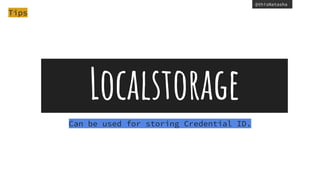
var challenge = "Y2xpbWIgYSBtb3VudGFpbg";
var timeoutSeconds = 300; // 5 minutes
var acceptableCredential1 = {
type: "ScopedCred",
id: "ISEhISEhIWhpIHRoZXJlISEhISEhIQo="
};
var acceptableCredential2 = {
type: "ScopedCred",
id: "cm9zZXMgYXJlIHJlZCwgdmlvbGV0cyBhcmUgYmx1ZQo="
};
var whitelist = [acceptableCredential1, acceptableCredential2];
var extensions = { 'webauthn.txauth.simple':
"Wave your hands in the air like you just don’t care" };
webauthnAPI.getAssertion(challenge, timeoutSeconds, whitelist, extensions)
.then(function (assertion) {
// Send assertion to server for verification
}).catch(function (err) {
// No acceptable credential or user refused consent. Handle appropriately.
});](https://image.slidesharecdn.com/webprogressionswebauthentication-190728190320/85/Web-Authentication-a-Future-Without-Passwords-62-320.jpg)

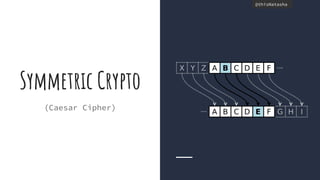
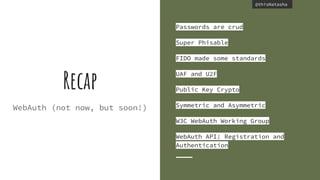
The document discusses web authentication and the future of passwords. It provides an overview of public key cryptography concepts like asymmetric encryption. It then summarizes the FIDO Alliance standards of UAF and U2F which aim to provide passwordless authentication using public key cryptography during a registration process where keys are created and stored locally and on the server. It describes how the W3C Web Authentication working group is developing browser APIs and specifications to enable FIDO-based authentication directly in web applications by creating and validating credentials and assertions. The document provides code examples of how the WebAuthN API could be used for registration and authentication without requiring storage of sensitive user data locally or on the server.


