MÓDULO 1.
Asignatura 3. Técnicas de Análisis de Datos y Explotación de
Datos.
TEMA. Analítica Web. (Fernando Tricas García. Universidad de
Zaragoza)
MASTER IN BIG DATA & BUSINESS INTELLIGENCE
An´alisis de redes sociales y anal´ıtica web.
Fernando Tricas Garc´ıa
Departamento de Inform´atica e Ingenier´ıa de Sistemas
Universidad de Zaragoza
http://webdiis.unizar.es/~ftricas/
http://campusvirtual.nextibs.com/
ftricas@unizar.es
Anal´ıtica web
Fernando Tricas Garc´ıa
Departamento de Inform´atica e Ingenier´ıa de Sistemas
Universidad de Zaragoza
http://webdiis.unizar.es/~ftricas/
http://campusvirtual.nextibs.com/
ftricas@unizar.es
Index
Some motivation
Some generalities
Some Definitions
Qualitative Data
Testing and Experimentation
Social, mobile, video, ...
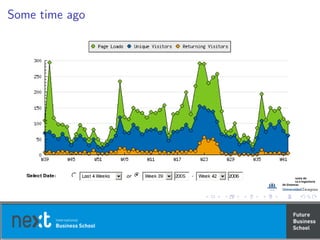
Some time ago
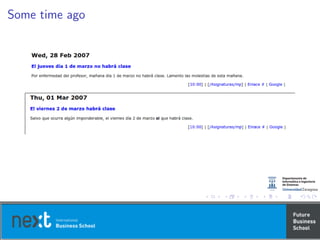
Some time ago
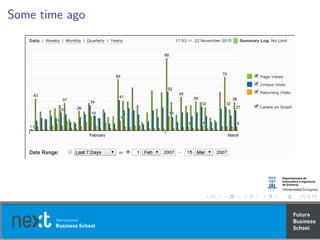
Some time ago
On meausrement
On meausrement
Definition
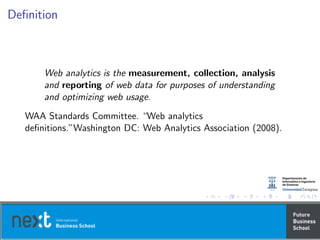
Web analytics is the measurement, collection, analysis
and reporting of web data for purposes of understanding
and optimizing web usage.
WAA Standards Committee. “Web analytics
definitions.”Washington DC: Web Analytics Association (2008).
Definition
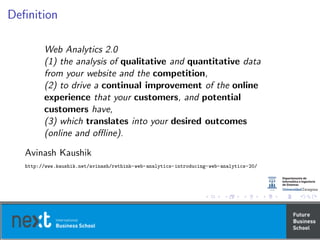
Web Analytics 2.0
(1) the analysis of qualitative and quantitative data
from your website and the competition,
(2) to drive a continual improvement of the online
experience that your customers, and potential
customers have,
(3) which translates into your desired outcomes
(online and offline).
Avinash Kaushik
http://www.kaushik.net/avinash/rethink-web-analytics-introducing-web-analytics-20/
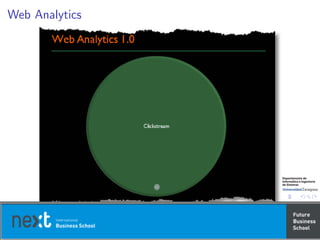
Web Analytics
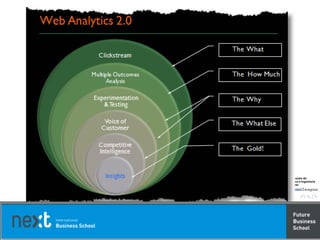
Clicks
What
Why?
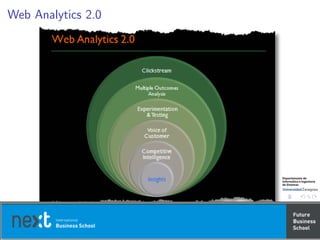
Web Analytics 2.0
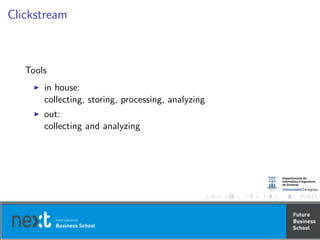
Clickstream
Tools
in house:
collecting, storing, processing, analyzing
out:
collecting and analyzing
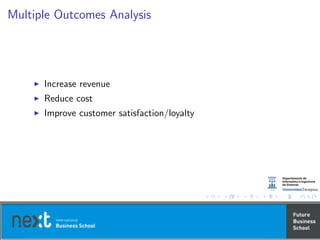
Multiple Outcomes Analysis
Increase revenue
Reduce cost
Improve customer satisfaction/loyalty
Experimentation and Analysis (the Why)
Testing
Trying
Experimentation
Voice of Customer
Surveys
Lab usability testing
Remote usability testing
Card sorting
Competitive Intelligence
Information about direct and indirect competitors
Your performance against competitors
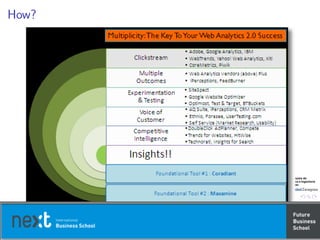
How?
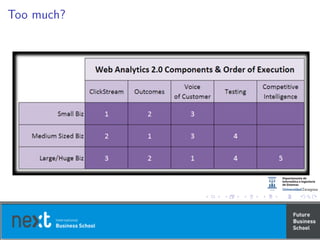
Too much?
The 10/90 Rule
If your have a budget of $100 to make smart decisions
about your websites . . . invest $10 in tools and vendor
implementation and spend $90 on Analysts with big
brains.
The 10/90 Rule
Websites are massively complex
Tools are only about the data
Complex world
Tribal knowledge (unwritten rules, missing metadata,
actions,...)
Some Definitions
Jason Burby, Angie Brown & WAA Standards Committee.
‘Web Analytics Definitions’
Web Analytics Association. (2007)
Building Blocks Terms
Some definitions
[Page]
A page is an analyst definable unit of content.
Some definitions
[Page]
A page is an analyst definable unit of content.
Flash, AJAX, media files, downloads, documents, and PDFs?
Some definitions
[Pageviews]
The number of times a page (an analyst-definable unit of
content) was viewed.
Vendors do make different distinctions in deciding what should be
counted. Consult your tool provider for more information on your
implementation.
Some definitions
[Visit/Sessions]
A visit is an interaction, by an individual, with a website
consisting of one or more requests for an
analyst-definable unit of content (i.e. “page view”). If an
individual has not taken another action (typically
additional page views) on the site within a specified time
period, the visit session will terminate.
Visit → Several pageviews
Representation of the interaction of the visitor with the site
Some definitions
[Unique Visitors]
The number of inferred individual people (filtered for
spiders and robots), within a designated reporting
timeframe, with activity consisting of one or more visits
to a site. Each individual is counted only once in the
unique visitor measure for the reporting period.
Authentication, either active or passive, is the most accurate way
to track unique visitors.
Their activity will be over-represented unless they are
de-duplicated.
Blocked cookies!
Related → New Visitor, Repeat Visitor (reporting period),
Return Visitor (previous periods)
Visit Characterization
Some definitions
[Entry Page]
The first page of a visit.
First page in the visit regardless of how the sessions are calculated
Some definitions
[Landing Page]
A page intended to identify the beginning of the user
experience resulting from a defined marketing effort.
Landing pages are often optimized for specific keywords, audiences,
or calls to action
Some definitions
[Exit Page]
The last page on a site accessed during a visit, signifying
the end of a visit/session.
In a tabbed or multi-window browser environment it should still be
the final page accessed that is recorded as the Exit Page though it
cannot be definitively known that this was the last page the visitor
viewed.
Some definitions
[Visit Duration]
The length of time in a session. Calculation is typically
the timestamp of the last activity in the session minus
the timestamp of the first activity of the session.
Some definitions
[Referrer]
The referrer is the page URL that originally generated the
request for the current page view or object.
Internal Referrer
External Referrer
Search Referrer
Visit Referrer (session)
Original Referrer (all visits)
Some definitions
[Click-through]
Number of times a link was clicked by a visitor.
Click-throughs are typically associated with advertising activities,
whether external or internal to the site. Note that click-throughs
measured on the sending side (as reported by your ad server, for
example) and on the receiving side (as reported by your web
analytics tool) often do not match.
Some definitions
[Click-through Rate/Ratio]
The number of click-throughs for a specific link divided
by the number of times that link was viewed.
Some definitions
[Page Views per Visit]
The number of page views in a reporting period divided
by number of visits in the same reporting period.
Content Characterization
Some definitions
[Page Exit Ratio]
Number of exits from a page divided by total number of
page views of that page.
Page exit ratio should not be confused with bounce rate, which is
an indicator of single-page-view visits on your site. Page exit ratio
applies to all visits regardless of length.
Some definitions
[Single-Page Visits]
Visits that consist of one page regardless of the number
of times the page was viewed.
For a single-page visit, the entry page and exit page are the same
page.
Some definitions
[Single Page View Visits (Bounces)]
Visits that consist of one page-view.
Some definitions
[Bounce Rate]
Single page view visits divided by entry pages.
Conversion Metrics
Some definitions
[Event]
Any logged or recorded action that has a specific date
and time assigned to it by either the browser or server.
An example is counting page views per day. The event count gives
the total number of page views loaded during the day, visit count
is the number of visits (that downloaded at least one page view)
during the day, and the visitor count gives the number of unique
visitors (that downloaded at least one page view) that visited the
site during the day.
Some definitions
[Conversion]
A visitor completing a target action.
Great Metrics
Uncomplex
Relevant
Timely
Instantly Useful
Technologies
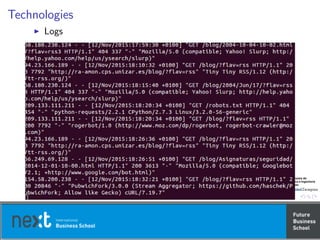
Logs
Technologies
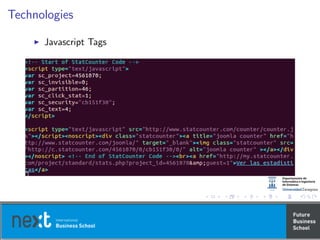
Javascript Tags
Technologies
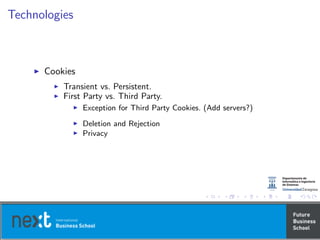
Cookies
Transient vs. Persistent.
First Party vs. Third Party.
Exception for Third Party Cookies. (Add servers?)
Deletion and Rejection
Privacy
Best practices
1: Tag all your pages.
2: Tags go last (customers come first :).
3: Tags should be inline.
4: What’s your unique page definition?
5: Use cookies intelligently (they are delicious).
(Source attributes, Page attributes, User attributes)
6: Javascript wrapped links might be a issue.
7: Redirects, be aware of them.
8: Validate data is being captured correctly.
9: Don’t forget Flash, Flex, RIA, RSS, Videos etc.
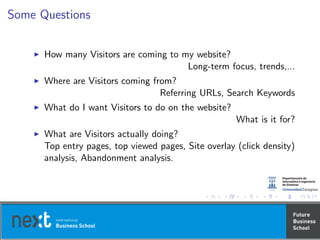
Some Questions
How many Visitors are coming to my website?
Long-term focus, trends,...
Where are Visitors coming from?
Referring URLs, Search Keywords
What do I want Visitors to do on the website?
What is it for?
What are Visitors actually doing?
Top entry pages, top viewed pages, Site overlay (click density)
analysis, Abandonment analysis.
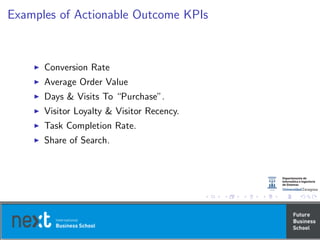
Examples of Actionable Outcome KPIs
Conversion Rate
Average Order Value
Days & Visits To “Purchase”.
Visitor Loyalty & Visitor Recency.
Task Completion Rate.
Share of Search.
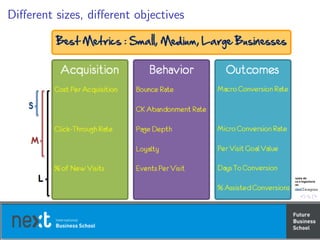
Different sizes, different objectives
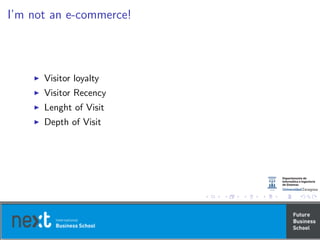
I’m not an e-commerce!
Visitor loyalty
Visitor Recency
Lenght of Visit
Depth of Visit
Qualitative Data
Lab usability testing
Are the users able to finish a given task?
You do not need many people (8 – 12)
Live system, beta version, paper prototype
Preparing tasks
Identify critical tasks
Create scenarios to test them
Identify success
Identify the adequate users
Compensation
Recruiting
Test the process before the actual test
Conducting the test
Welcome
Think aloud exercise
Read the task aloud
Pay attention (verbal, non-verbal, ...)
You can ask more questions
Thanks
Analyzing data
As soon as possible, debrief session
Take time to note trends and patterns
Do a deep dive to identify problems
Make recommendations to fix the problems
Identify points of failure
Make concrete recommendations
Prioritize (Urgent, Important, Nice to Have, ...)
Repeat
Alternatives
Remote studies
Outsourced studies
Surveys
Examples of emerging user research options
Competitive Benchmarking Studies
http://www.userzoom.com/
Rapid Usability Tests
http://www.fivesecondtest.com/
Online Card-Sorting Studies
http://optimalsort.com/
Artificially Intelligent Visual Maps
http://www.feng-gui.com/
Testing and Experimentation
A/B Testing: showing different versions of a web page
Pro’s: Cheap, easy and energizing, contrasting
Con’s: Difficult to control, Limiting
Testing and Experimentation
Multivariate Testing: change dynamically what modules show up
on the page, where they show up and to which traffic
Pro’s: doing a lot very quickly, continuos learning methodology
Con’s: it is easy to optimize crap quickly, complex experiences
Pro’s: Cheap, easy and energizing, contrasting
Con’s: Difficult to control, Limiting
Testing and Experimentation
Testing and Experimentation: the ability to change the entire site
experience of the visitor using capability of your site platform
Pro’s: Wow!, very focused, powerful results
Con’s: needs platform support, it takes longer, more work
Pro’s: Cheap, easy and energizing, contrasting
Con’s: Difficult to control, Limiting
Actionable ideas
Your first test is “Do or Die”
Don’t get caught in the Tool/Consultant Hype
Be open (were you wrong?)
Start with a Hypothesis
Establish goals and make them evaluation criteria
Test for and Measure mutiple outcomes
Source your Tests in customer pain
Analyze data and communicate learnings
Two must haves: evangelism and expertise
Social, mobile, video. The data challenge
Consumption off-site (feed readers, aggregator sites, mobile
(apps), ...)
We need more info! (feed subscribers?)
From Conversion rate to Conversation rate
Anlyzing mobile data
Log-Based solutions
Packet-Sniffing solutions
Tag-based solutions (Javascript or image)
Measuring:
How many visits
Sources
Screen resolutions
Search engine keywords
How long
Conversions
Blogs
Raw Author Contribution (do I deserve to be successful?)
Posts per month
Content created
Audicence Growth (Is anyone reading?)
Conversation rate
Citation (other pages, Twitter, ...)
Cost of blogging
Benefit
Comparative value, direct value, nontraditional value,
unquantifiable value
Twitter
Growth in Number of Followers
Message Amplification (RT)
Click Through Rates and Conversions
Conversation Rate
Engagement - Reach - Velocity - Demand - Network Strength -
Activity
Facebook?
Video
Video consumption (and location)
Attention and Audience Engagement
Social Engagement
Tracking Viralness
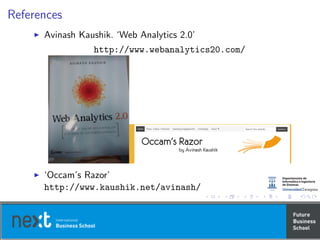
References
Avinash Kaushik. ‘Web Analytics 2.0’
http://www.webanalytics20.com/
‘Occam’s Razor’
http://www.kaushik.net/avinash/
Web analytics

Web analytics

  • 1.
    MÓDULO 1. Asignatura 3.Técnicas de Análisis de Datos y Explotación de Datos. TEMA. Analítica Web. (Fernando Tricas García. Universidad de Zaragoza) MASTER IN BIG DATA & BUSINESS INTELLIGENCE
  • 2.
    An´alisis de redessociales y anal´ıtica web. Fernando Tricas Garc´ıa Departamento de Inform´atica e Ingenier´ıa de Sistemas Universidad de Zaragoza http://webdiis.unizar.es/~ftricas/ http://campusvirtual.nextibs.com/ ftricas@unizar.es
  • 3.
    Anal´ıtica web Fernando TricasGarc´ıa Departamento de Inform´atica e Ingenier´ıa de Sistemas Universidad de Zaragoza http://webdiis.unizar.es/~ftricas/ http://campusvirtual.nextibs.com/ ftricas@unizar.es
  • 4.
    Index Some motivation Some generalities SomeDefinitions Qualitative Data Testing and Experimentation Social, mobile, video, ...
  • 5.
  • 6.
  • 7.
  • 8.
  • 9.
  • 10.
    Definition Web analytics isthe measurement, collection, analysis and reporting of web data for purposes of understanding and optimizing web usage. WAA Standards Committee. “Web analytics definitions.”Washington DC: Web Analytics Association (2008).
  • 11.
    Definition Web Analytics 2.0 (1)the analysis of qualitative and quantitative data from your website and the competition, (2) to drive a continual improvement of the online experience that your customers, and potential customers have, (3) which translates into your desired outcomes (online and offline). Avinash Kaushik http://www.kaushik.net/avinash/rethink-web-analytics-introducing-web-analytics-20/
  • 12.
  • 13.
  • 14.
  • 16.
    Clickstream Tools in house: collecting, storing,processing, analyzing out: collecting and analyzing
  • 17.
    Multiple Outcomes Analysis Increaserevenue Reduce cost Improve customer satisfaction/loyalty
  • 18.
    Experimentation and Analysis(the Why) Testing Trying Experimentation
  • 19.
    Voice of Customer Surveys Labusability testing Remote usability testing Card sorting
  • 20.
    Competitive Intelligence Information aboutdirect and indirect competitors Your performance against competitors
  • 21.
  • 22.
  • 23.
    The 10/90 Rule Ifyour have a budget of $100 to make smart decisions about your websites . . . invest $10 in tools and vendor implementation and spend $90 on Analysts with big brains.
  • 24.
    The 10/90 Rule Websitesare massively complex Tools are only about the data Complex world Tribal knowledge (unwritten rules, missing metadata, actions,...)
  • 25.
    Some Definitions Jason Burby,Angie Brown & WAA Standards Committee. ‘Web Analytics Definitions’ Web Analytics Association. (2007)
  • 26.
  • 27.
    Some definitions [Page] A pageis an analyst definable unit of content.
  • 28.
    Some definitions [Page] A pageis an analyst definable unit of content. Flash, AJAX, media files, downloads, documents, and PDFs?
  • 29.
    Some definitions [Pageviews] The numberof times a page (an analyst-definable unit of content) was viewed. Vendors do make different distinctions in deciding what should be counted. Consult your tool provider for more information on your implementation.
  • 30.
    Some definitions [Visit/Sessions] A visitis an interaction, by an individual, with a website consisting of one or more requests for an analyst-definable unit of content (i.e. “page view”). If an individual has not taken another action (typically additional page views) on the site within a specified time period, the visit session will terminate. Visit → Several pageviews Representation of the interaction of the visitor with the site
  • 31.
    Some definitions [Unique Visitors] Thenumber of inferred individual people (filtered for spiders and robots), within a designated reporting timeframe, with activity consisting of one or more visits to a site. Each individual is counted only once in the unique visitor measure for the reporting period. Authentication, either active or passive, is the most accurate way to track unique visitors. Their activity will be over-represented unless they are de-duplicated. Blocked cookies! Related → New Visitor, Repeat Visitor (reporting period), Return Visitor (previous periods)
  • 32.
  • 33.
    Some definitions [Entry Page] Thefirst page of a visit. First page in the visit regardless of how the sessions are calculated
  • 34.
    Some definitions [Landing Page] Apage intended to identify the beginning of the user experience resulting from a defined marketing effort. Landing pages are often optimized for specific keywords, audiences, or calls to action
  • 35.
    Some definitions [Exit Page] Thelast page on a site accessed during a visit, signifying the end of a visit/session. In a tabbed or multi-window browser environment it should still be the final page accessed that is recorded as the Exit Page though it cannot be definitively known that this was the last page the visitor viewed.
  • 36.
    Some definitions [Visit Duration] Thelength of time in a session. Calculation is typically the timestamp of the last activity in the session minus the timestamp of the first activity of the session.
  • 37.
    Some definitions [Referrer] The referreris the page URL that originally generated the request for the current page view or object. Internal Referrer External Referrer Search Referrer Visit Referrer (session) Original Referrer (all visits)
  • 38.
    Some definitions [Click-through] Number oftimes a link was clicked by a visitor. Click-throughs are typically associated with advertising activities, whether external or internal to the site. Note that click-throughs measured on the sending side (as reported by your ad server, for example) and on the receiving side (as reported by your web analytics tool) often do not match.
  • 39.
    Some definitions [Click-through Rate/Ratio] Thenumber of click-throughs for a specific link divided by the number of times that link was viewed.
  • 40.
    Some definitions [Page Viewsper Visit] The number of page views in a reporting period divided by number of visits in the same reporting period.
  • 41.
  • 42.
    Some definitions [Page ExitRatio] Number of exits from a page divided by total number of page views of that page. Page exit ratio should not be confused with bounce rate, which is an indicator of single-page-view visits on your site. Page exit ratio applies to all visits regardless of length.
  • 43.
    Some definitions [Single-Page Visits] Visitsthat consist of one page regardless of the number of times the page was viewed. For a single-page visit, the entry page and exit page are the same page.
  • 44.
    Some definitions [Single PageView Visits (Bounces)] Visits that consist of one page-view.
  • 45.
    Some definitions [Bounce Rate] Singlepage view visits divided by entry pages.
  • 46.
  • 47.
    Some definitions [Event] Any loggedor recorded action that has a specific date and time assigned to it by either the browser or server. An example is counting page views per day. The event count gives the total number of page views loaded during the day, visit count is the number of visits (that downloaded at least one page view) during the day, and the visitor count gives the number of unique visitors (that downloaded at least one page view) that visited the site during the day.
  • 48.
    Some definitions [Conversion] A visitorcompleting a target action.
  • 49.
  • 50.
  • 51.
  • 52.
    Technologies Cookies Transient vs. Persistent. FirstParty vs. Third Party. Exception for Third Party Cookies. (Add servers?) Deletion and Rejection Privacy
  • 53.
    Best practices 1: Tagall your pages. 2: Tags go last (customers come first :). 3: Tags should be inline. 4: What’s your unique page definition? 5: Use cookies intelligently (they are delicious). (Source attributes, Page attributes, User attributes) 6: Javascript wrapped links might be a issue. 7: Redirects, be aware of them. 8: Validate data is being captured correctly. 9: Don’t forget Flash, Flex, RIA, RSS, Videos etc.
  • 54.
    Some Questions How manyVisitors are coming to my website? Long-term focus, trends,... Where are Visitors coming from? Referring URLs, Search Keywords What do I want Visitors to do on the website? What is it for? What are Visitors actually doing? Top entry pages, top viewed pages, Site overlay (click density) analysis, Abandonment analysis.
  • 55.
    Examples of ActionableOutcome KPIs Conversion Rate Average Order Value Days & Visits To “Purchase”. Visitor Loyalty & Visitor Recency. Task Completion Rate. Share of Search.
  • 56.
  • 57.
    I’m not ane-commerce! Visitor loyalty Visitor Recency Lenght of Visit Depth of Visit
  • 58.
  • 59.
    Lab usability testing Arethe users able to finish a given task? You do not need many people (8 – 12) Live system, beta version, paper prototype
  • 60.
    Preparing tasks Identify criticaltasks Create scenarios to test them Identify success Identify the adequate users Compensation Recruiting Test the process before the actual test
  • 61.
    Conducting the test Welcome Thinkaloud exercise Read the task aloud Pay attention (verbal, non-verbal, ...) You can ask more questions Thanks
  • 62.
    Analyzing data As soonas possible, debrief session Take time to note trends and patterns Do a deep dive to identify problems Make recommendations to fix the problems Identify points of failure Make concrete recommendations Prioritize (Urgent, Important, Nice to Have, ...)
  • 63.
  • 64.
  • 65.
    Examples of emerginguser research options Competitive Benchmarking Studies http://www.userzoom.com/ Rapid Usability Tests http://www.fivesecondtest.com/ Online Card-Sorting Studies http://optimalsort.com/ Artificially Intelligent Visual Maps http://www.feng-gui.com/
  • 66.
    Testing and Experimentation A/BTesting: showing different versions of a web page Pro’s: Cheap, easy and energizing, contrasting Con’s: Difficult to control, Limiting
  • 67.
    Testing and Experimentation MultivariateTesting: change dynamically what modules show up on the page, where they show up and to which traffic Pro’s: doing a lot very quickly, continuos learning methodology Con’s: it is easy to optimize crap quickly, complex experiences Pro’s: Cheap, easy and energizing, contrasting Con’s: Difficult to control, Limiting
  • 68.
    Testing and Experimentation Testingand Experimentation: the ability to change the entire site experience of the visitor using capability of your site platform Pro’s: Wow!, very focused, powerful results Con’s: needs platform support, it takes longer, more work Pro’s: Cheap, easy and energizing, contrasting Con’s: Difficult to control, Limiting
  • 69.
    Actionable ideas Your firsttest is “Do or Die” Don’t get caught in the Tool/Consultant Hype Be open (were you wrong?) Start with a Hypothesis Establish goals and make them evaluation criteria Test for and Measure mutiple outcomes Source your Tests in customer pain Analyze data and communicate learnings Two must haves: evangelism and expertise
  • 70.
    Social, mobile, video.The data challenge Consumption off-site (feed readers, aggregator sites, mobile (apps), ...) We need more info! (feed subscribers?) From Conversion rate to Conversation rate
  • 71.
    Anlyzing mobile data Log-Basedsolutions Packet-Sniffing solutions Tag-based solutions (Javascript or image) Measuring: How many visits Sources Screen resolutions Search engine keywords How long Conversions
  • 72.
    Blogs Raw Author Contribution(do I deserve to be successful?) Posts per month Content created Audicence Growth (Is anyone reading?) Conversation rate Citation (other pages, Twitter, ...) Cost of blogging Benefit Comparative value, direct value, nontraditional value, unquantifiable value
  • 73.
    Twitter Growth in Numberof Followers Message Amplification (RT) Click Through Rates and Conversions Conversation Rate Engagement - Reach - Velocity - Demand - Network Strength - Activity Facebook?
  • 74.
    Video Video consumption (andlocation) Attention and Audience Engagement Social Engagement Tracking Viralness
  • 75.
    References Avinash Kaushik. ‘WebAnalytics 2.0’ http://www.webanalytics20.com/ ‘Occam’s Razor’ http://www.kaushik.net/avinash/