Denise Bonin and Kathy Bryce Andornot Consulting Inc.
Interactivity Information sharing Collaboration User generated content Social networking Personalization How does your OPAC measure up to these?
Computerized card catalog / shelf list Bibliographic data only Physical inventory only Buried Separate interface unlike host website Confusing search interface Limited  browseability No interactivity  So why should your clients rush to use it?
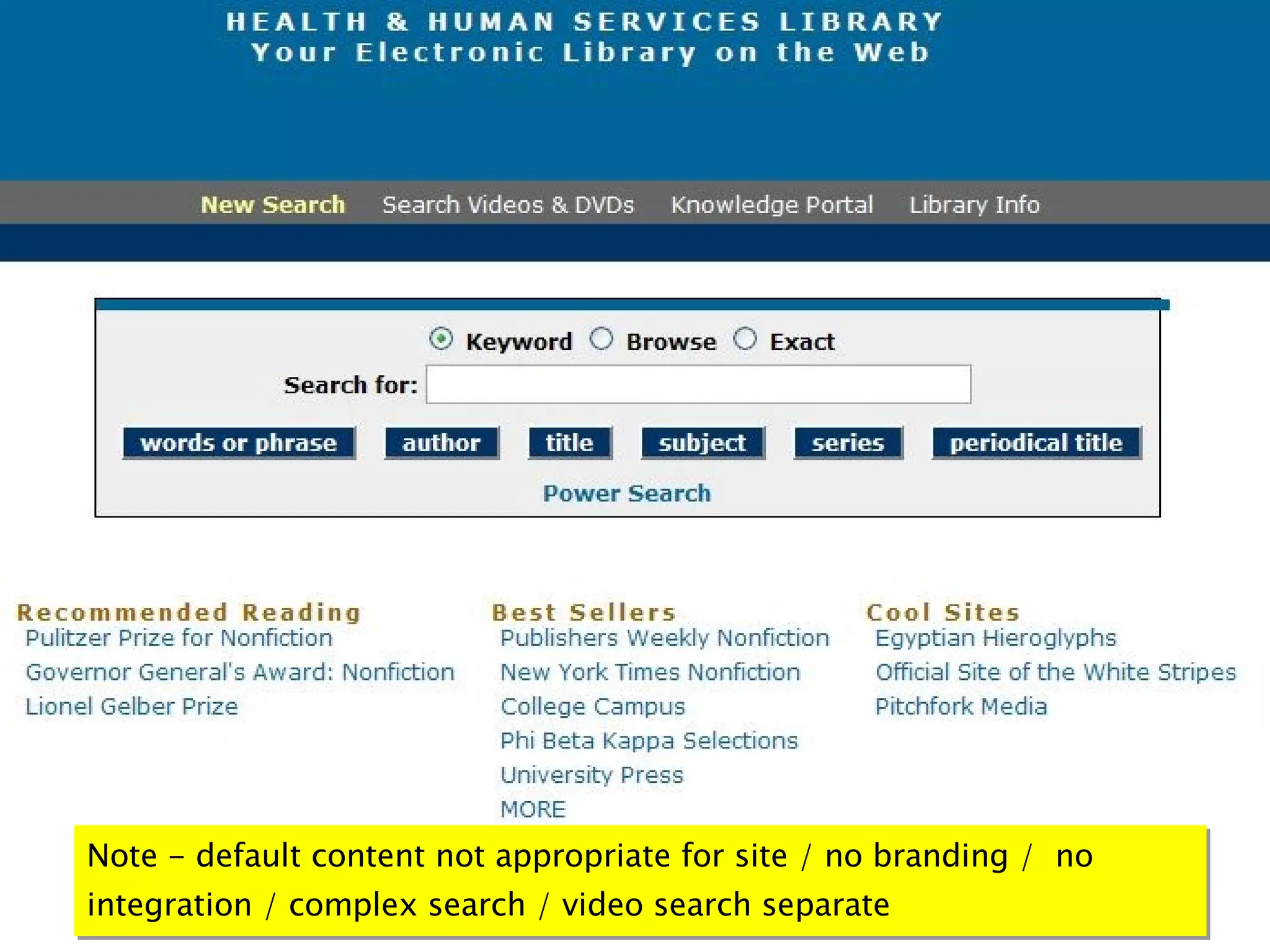
Note - default content not appropriate for site / no branding /  no integration / complex search / video search separate
http://www.diamondshreddies.com/index.php http://www.youtube.com/watch?v=PZeAwpPqnJU
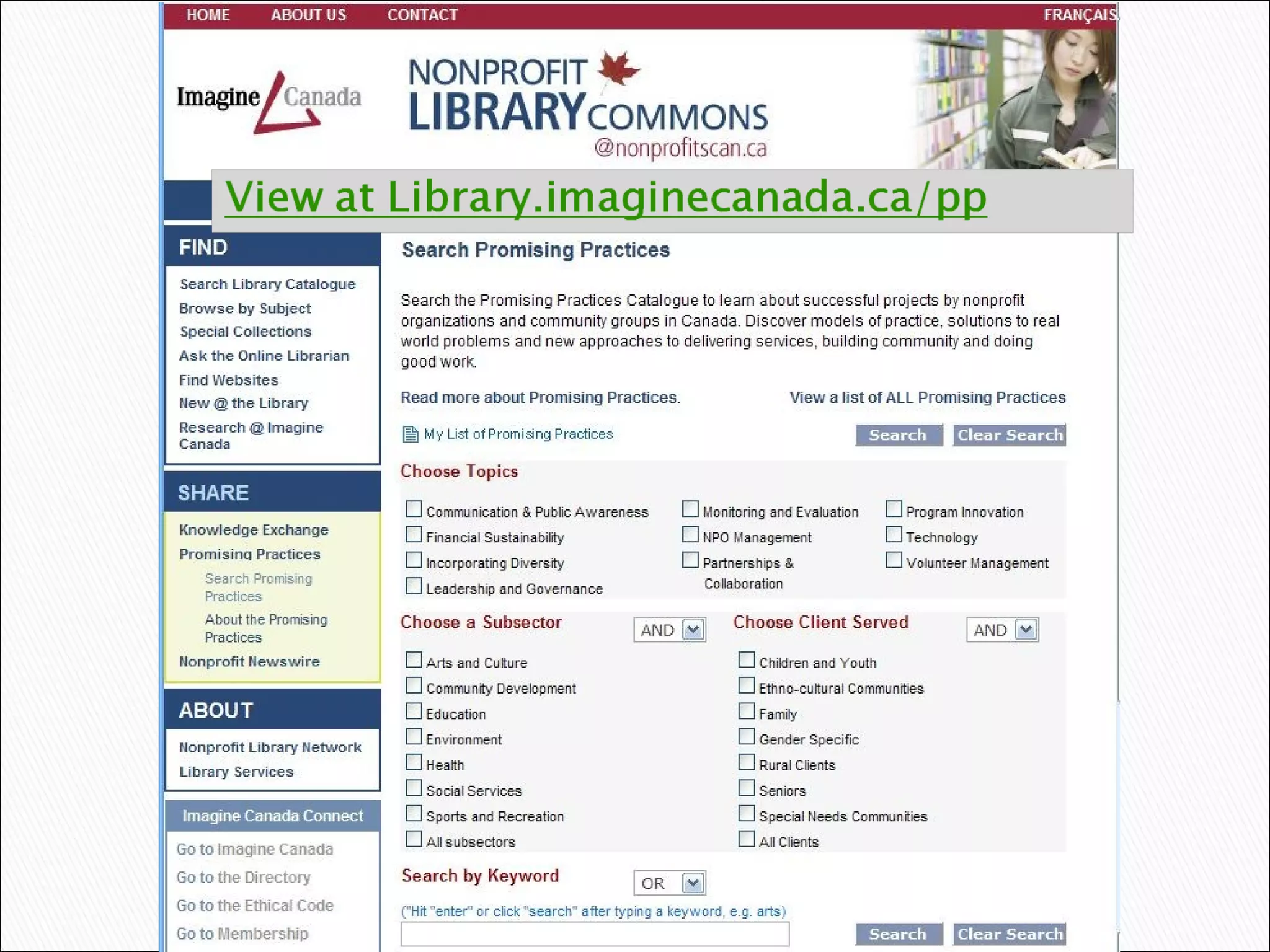
Put yourself in your end user’s position: Create a single Anyword search box  Create a separate Advanced search Add canned searches to enable browsing and quick access to hot topics Integrate OPAC into your library website template  Review terminology & eliminate library jargon
 
One stop shopping! Add records for  websites podcasts RSS feeds blogs videos wikis etc. Risk an occasional dead link Get over the traditional librarian mindset that everything has to be perfect
Add more than bibliographic details: Abstract or table of contents from publisher website Link to full text Link to Google Book Search through API    ( demo  /  blog post ) Preview Book covers Link to  LibraryThing  through their API.
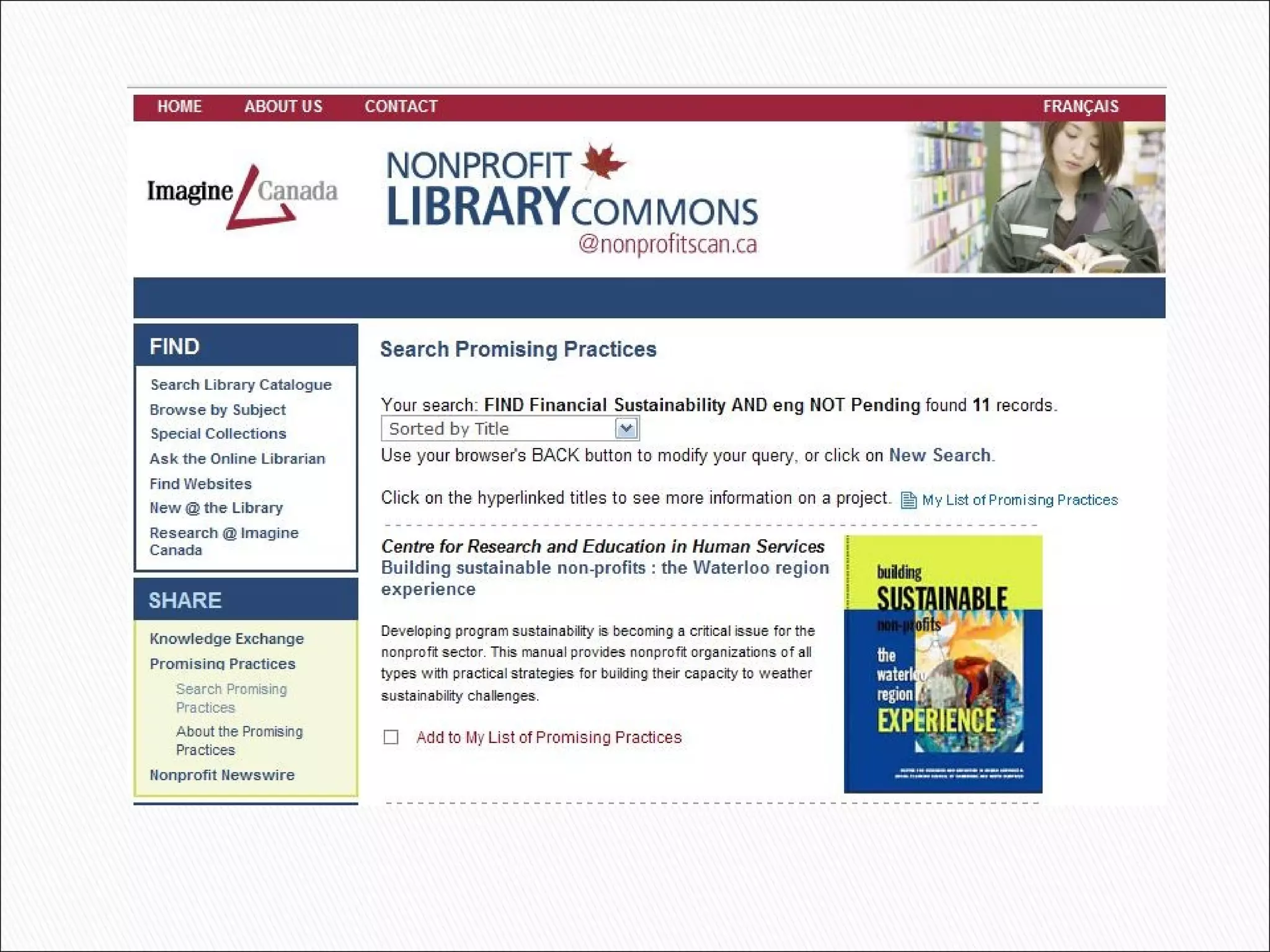
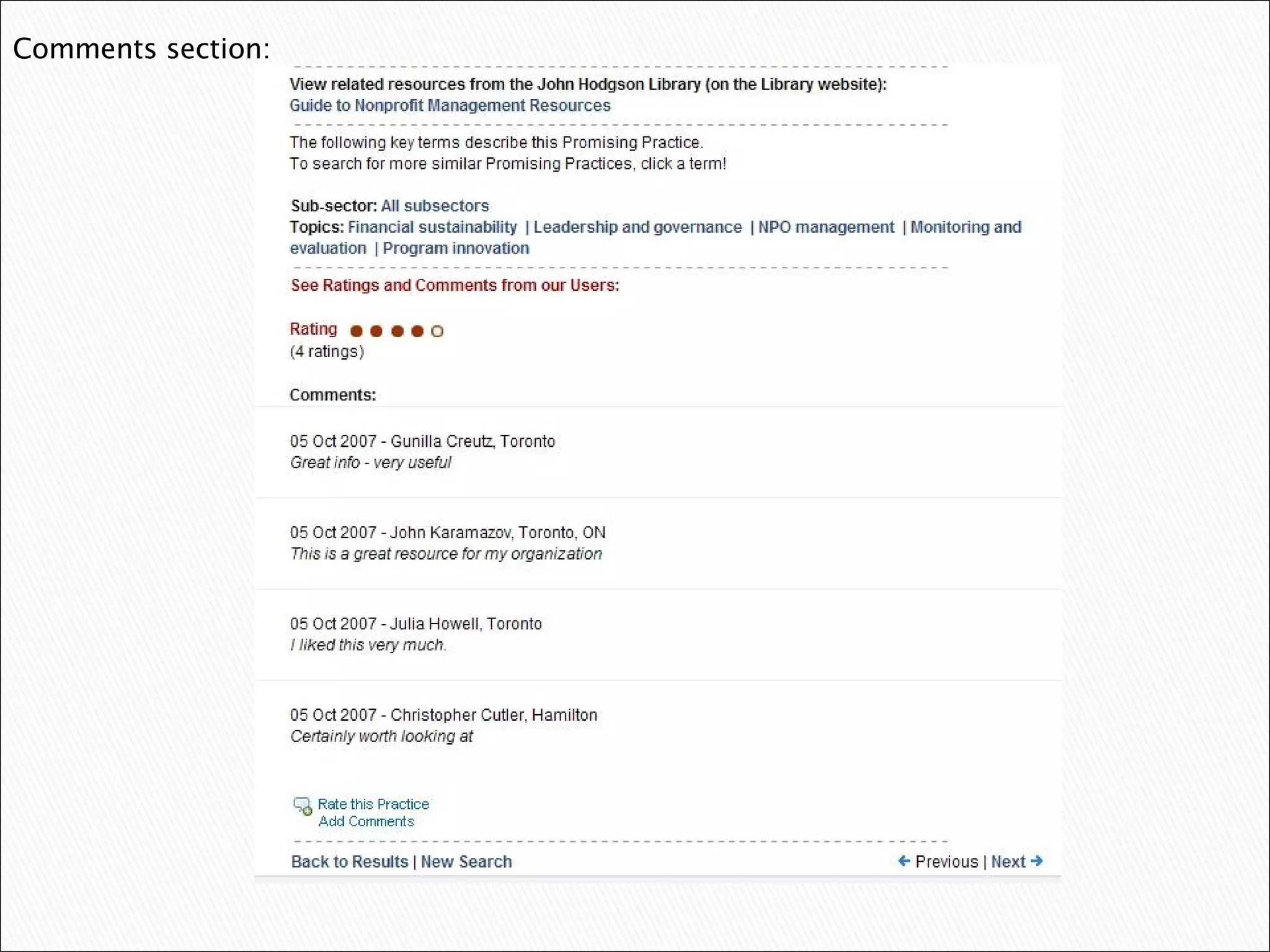
Comments, reviews and ratings Best for defined special interest groups Intranet implementation easiest Public website issues: Moderate postings to handle inappropriate comments Spamming from automated bots Malicious code Email comments - an alternative for low volume sites ( <a href=&quot;mailto:info@andornot.com?subject= Title ”</a>
 
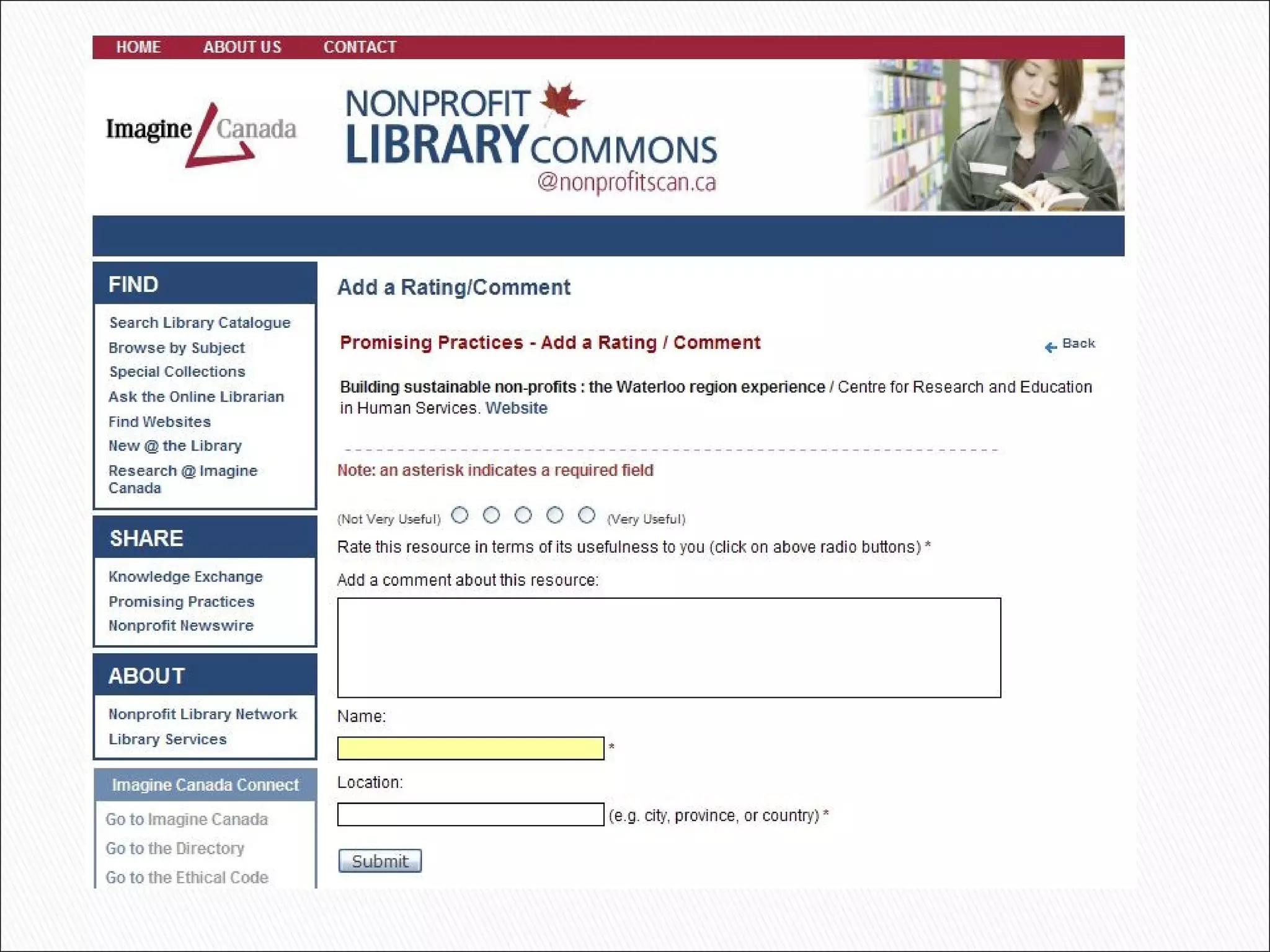
Determine amount of information required Comments only Contact info  Registered users only Notification message Admin interface if moderated
 
Comments section:
 
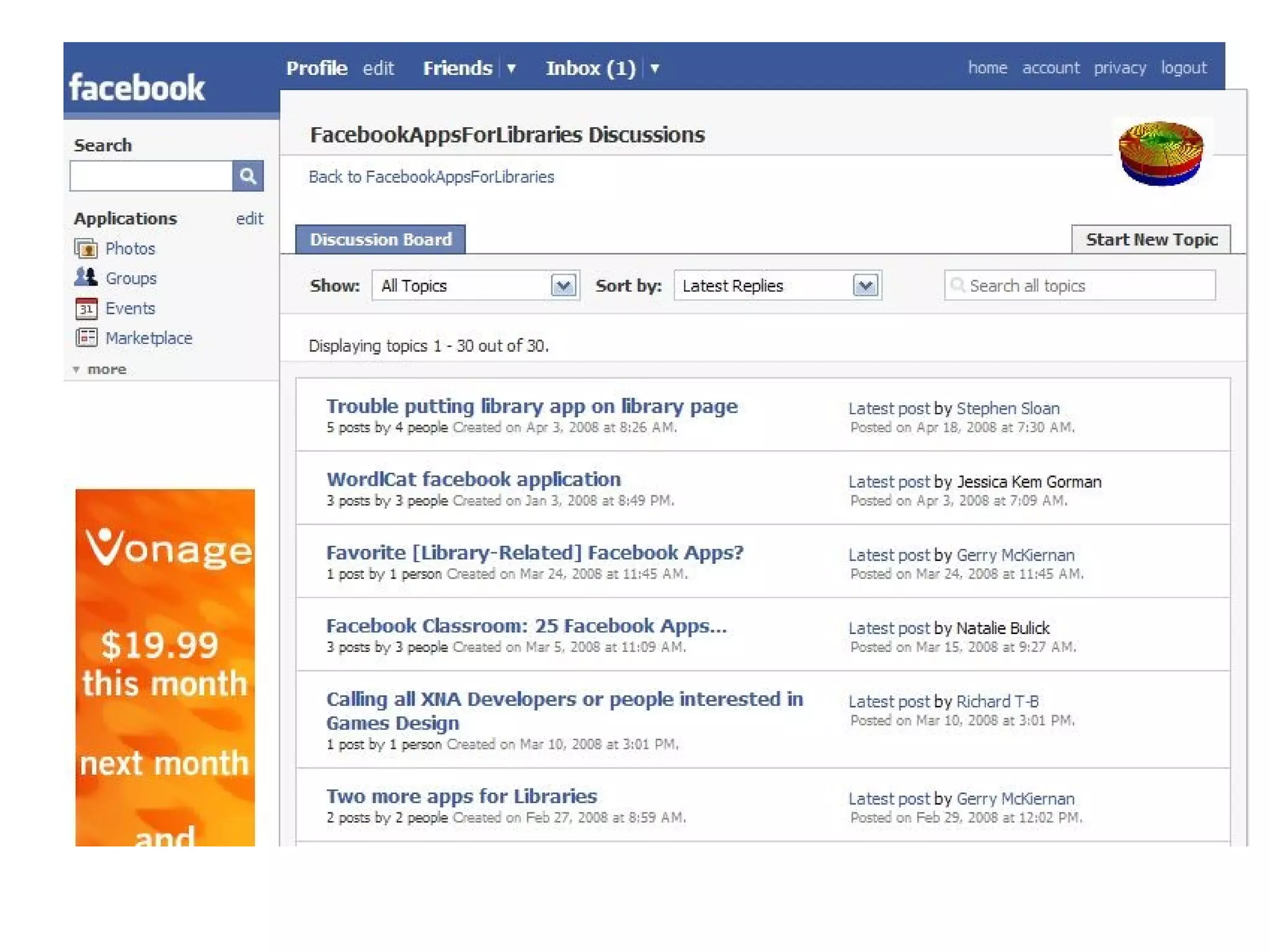
D on’t wait for users to find your OPAC Users will inevitably search on Google etc. first, therefore help them find your catalog: Add your special collection info to Wikipedia Create a Flickr group for images  (Library of Congress blog:  My Friend Flickr: A Match Made in Photo Heaven ) Create site maps with permalinks so that search engines can crawl your database records    ( Google specs ) Join and post to relevant Facebook groups
 
Add an RSS feed or feeds Display latest additions (i.e. feed content) on your site  ( http://iha.andornot.com/Search.aspx ) Link to your OPAC from blog postings  Encourage discovery of related resources Add canned searches everywhere!
Provide alternative search options Add an Anyword search box everywhere Create gadgets or widgets that users can add to their own portals (i.e. iGoogle, SharePoint etc.) ( demo  /  blog post ) Create search providers or plug-ins for Firefox and IE7  Firefox specs   OpenSearch plug-ins
Contact your vendor Suggest new features Research your options  blogs, forums etc. Believe in your abilities Some suggestions require only basic HTML to implement Launch fast, refine later!

Web 2.0 Enhancements for Online Catalogs

  • 1.
    Denise Bonin andKathy Bryce Andornot Consulting Inc.
  • 2.
    Interactivity Information sharingCollaboration User generated content Social networking Personalization How does your OPAC measure up to these?
  • 3.
    Computerized card catalog/ shelf list Bibliographic data only Physical inventory only Buried Separate interface unlike host website Confusing search interface Limited browseability No interactivity So why should your clients rush to use it?
  • 4.
    Note - defaultcontent not appropriate for site / no branding / no integration / complex search / video search separate
  • 5.
  • 6.
    Put yourself inyour end user’s position: Create a single Anyword search box Create a separate Advanced search Add canned searches to enable browsing and quick access to hot topics Integrate OPAC into your library website template Review terminology & eliminate library jargon
  • 7.
  • 8.
    One stop shopping!Add records for websites podcasts RSS feeds blogs videos wikis etc. Risk an occasional dead link Get over the traditional librarian mindset that everything has to be perfect
  • 9.
    Add more thanbibliographic details: Abstract or table of contents from publisher website Link to full text Link to Google Book Search through API ( demo / blog post ) Preview Book covers Link to LibraryThing through their API.
  • 10.
    Comments, reviews andratings Best for defined special interest groups Intranet implementation easiest Public website issues: Moderate postings to handle inappropriate comments Spamming from automated bots Malicious code Email comments - an alternative for low volume sites ( <a href=&quot;mailto:info@andornot.com?subject= Title ”</a>
  • 11.
  • 12.
    Determine amount ofinformation required Comments only Contact info Registered users only Notification message Admin interface if moderated
  • 13.
  • 14.
  • 15.
  • 16.
    D on’t waitfor users to find your OPAC Users will inevitably search on Google etc. first, therefore help them find your catalog: Add your special collection info to Wikipedia Create a Flickr group for images (Library of Congress blog: My Friend Flickr: A Match Made in Photo Heaven ) Create site maps with permalinks so that search engines can crawl your database records ( Google specs ) Join and post to relevant Facebook groups
  • 17.
  • 18.
    Add an RSSfeed or feeds Display latest additions (i.e. feed content) on your site ( http://iha.andornot.com/Search.aspx ) Link to your OPAC from blog postings Encourage discovery of related resources Add canned searches everywhere!
  • 19.
    Provide alternative searchoptions Add an Anyword search box everywhere Create gadgets or widgets that users can add to their own portals (i.e. iGoogle, SharePoint etc.) ( demo / blog post ) Create search providers or plug-ins for Firefox and IE7 Firefox specs OpenSearch plug-ins
  • 20.
    Contact your vendorSuggest new features Research your options blogs, forums etc. Believe in your abilities Some suggestions require only basic HTML to implement Launch fast, refine later!